ignition FORD B MAX 2012 1.G Owner's Guide
[x] Cancel search | Manufacturer: FORD, Model Year: 2012, Model line: B MAX, Model: FORD B MAX 2012 1.GPages: 256, PDF Size: 19.67 MB
Page 91 of 256
Downloaded from www.Manualslib.com manuals search engine START-STOP
Note:For vehicles with start-stop thebattery requirement is different. It must bereplaced by one of exactly the samespecification as the original.
The system reduces fuel consumption andCO2 emissions by shutting down theengine when your vehicle is idling, forexample at traffic lights. The engine willautomatically restart when you press theclutch pedal or when required by a vehiclesystem, for example to recharge thebattery.
To obtain maximum benefit from thesystem, move the transmission selectorlever to neutral and release the clutchpedal during any stop of longer than threeseconds.
Using Start-Stop
WARNINGS
The engine may restartautomatically if required by thesystem.
Switch the ignition off beforeopening the bonnet or carrying outany maintenance.
Always switch the ignition off beforeleaving your vehicle, as the systemmay have shut down the engine butthe ignition will still be live.
Note:The system only operates when theengine is warm and the outside temperatureis between 32°F (0°C) and 86°F (30°C).
Note:If you stall the engine, and thendepress the clutch pedal within a shortperiod of time, the system will automaticallyrestart the engine.
Note:The start-stop indicator willilluminate green when the engine shutsdown. See Warning Lamps and Indicators(page 53).
Note:When the start-stop indicator flashesamber, move the transmission selector leverto neutral or depress the clutch pedal.
Note:If the system detects a malfunction,it will switch off. Have the system checkedby an authorised dealer.
Note:When you switch the system off, theswitch will illuminate.
Note:The system automatically turns onevery time you switch the ignition on. Toswitch the system off, press the switch inthe instrument panel. The system will onlybe switched off for the current ignition cycle.To turn it on, press the switch again. For itemlocation See At a Glance (page 8).
To Stop the Engine
1.Stop your vehicle.
2.Move the transmission selector leverto neutral.
3.Release the clutch pedal.
4.Release the accelerator pedal.
The system may not shut down the engineunder certain conditions, for example:
•To maintain the interior climate.
•Low battery voltage.
•The outside temperature is too low ortoo high.
•The driver's door has been opened.
•Low engine operating temperature.
•Low brake system vacuum.
•If a road speed of 3 mph (5 km/h) hasnot been exceeded.
•The driver's seat belt has not beenfastened.
89Unique Driving Characteristics
Page 94 of 256
Downloaded from www.Manualslib.com manuals search engine FUEL QUALITY - PETROL
WARNINGS
Do not mix petrol with oil, diesel orother liquids. This could cause achemical reaction.
Do not use leaded petrol or petrolwith additives containing othermetallic compounds (e.g.manganese-based). They could damagethe emission system.
Note:We recommend that you use onlyhigh quality fuel.
Note:We do not recommend the use ofadditional additives or other enginetreatments for normal vehicle use.
Use minimum 95 octane unleaded petrolthat meets the specification defined by EN228 or the equivalent nationalspecification.
Your vehicle is suitable for use with ethanolblends up to 10% (E5 and E10).
Long-Term Storage
Most petrol contains ethanol. Werecommend that you fill the fuel tank withfuel that does not contain ethanol if youintend to store your vehicle for more thantwo months. Alternatively, we recommendthat you seek advice from your dealer.
FUEL QUALITY - DIESEL
WARNINGS
Do not mix diesel with oil, petrol orother liquids. This could cause achemical reaction.
Do not add kerosene, paraffin orpetrol to diesel. This could causedamage to the fuel system.
WARNINGS
Use diesel that meets thespecification defined by EN 590 orthe relevant national specification.
Note:We recommend that you use onlyhigh quality fuel.
Note:We do not recommend the use ofadditional additives or other enginetreatments for normal vehicle use.
Note:We do not recommend the use ofadditional additives to prevent fuel waxing.
Long-Term Storage
Most diesel fuels contain biodiesel. Werecommend that you fill the fuel tank withfuel that does not contain biodiesel if youintend to store your vehicle for more thantwo months. Alternatively, we recommendthat you seek advice from your dealer.
RUNNING OUT OF FUEL
Avoid running out of fuel because thissituation may have an adverse effect onpowertrain components.
If you have run out of fuel:
•You may need to cycle the ignition fromoff to on several times after refuellingto allow the fuel system to pump thefuel from the tank to the engine. Onrestarting, cranking time will take a fewseconds longer than normal. Withkeyless ignition, just start the engine.Crank time will be longer than usual.
•Normally, adding 1 gallon (4.6 litres) offuel is enough to restart the engine. Ifyour vehicle is out of fuel and on asteep slope, more than 1 gallon (4.6litres) may be required.
92Fuel and Refuelling
Page 95 of 256
Downloaded from www.Manualslib.com manuals search engine Refilling With a Portable FuelContainer
WARNINGS
Do not insert the nozzle of portablefuel containers or aftermarketfunnels into the capless fuel system.This could damage the fuel system and itsseal, and may cause fuel to run onto theground instead of filling the tank, whichcould result in serious personal injury.
Do not try to pry open or push openthe capless fuel system with foreignobjects. This could damage the fuelsystem and its seal and cause injury to youor others.
Note:Do not use aftermarket funnels; theywill not work with the capless fuel systemand can damage it. The included funnel hasbeen specially designed to work safely withyour vehicle.
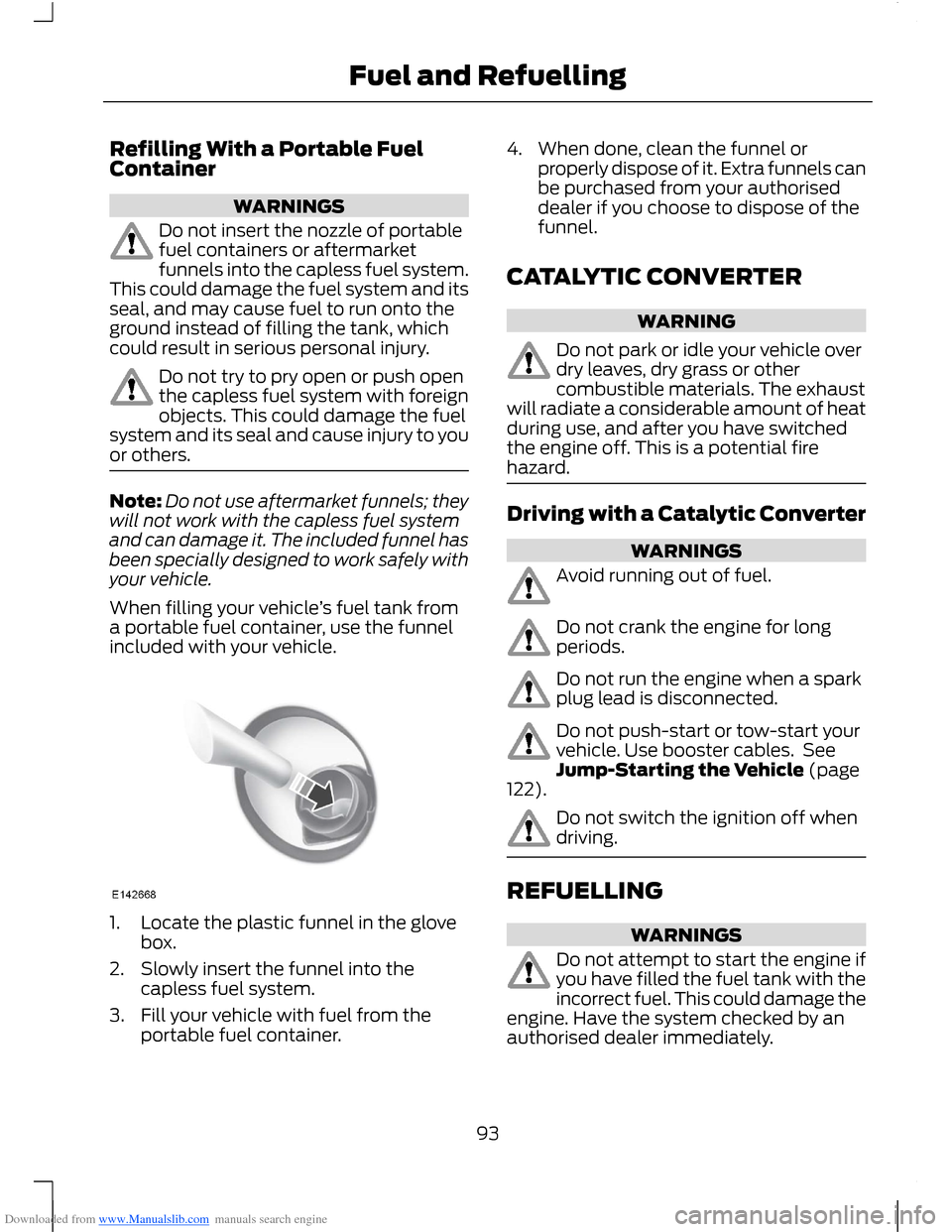
When filling your vehicle’s fuel tank froma portable fuel container, use the funnelincluded with your vehicle.
1.Locate the plastic funnel in the glovebox.
2.Slowly insert the funnel into thecapless fuel system.
3.Fill your vehicle with fuel from theportable fuel container.
4.When done, clean the funnel orproperly dispose of it. Extra funnels canbe purchased from your authoriseddealer if you choose to dispose of thefunnel.
CATALYTIC CONVERTER
WARNING
Do not park or idle your vehicle overdry leaves, dry grass or othercombustible materials. The exhaustwill radiate a considerable amount of heatduring use, and after you have switchedthe engine off. This is a potential firehazard.
Driving with a Catalytic Converter
WARNINGS
Avoid running out of fuel.
Do not crank the engine for longperiods.
Do not run the engine when a sparkplug lead is disconnected.
Do not push-start or tow-start yourvehicle. Use booster cables. SeeJump-Starting the Vehicle (page122).
Do not switch the ignition off whendriving.
REFUELLING
WARNINGS
Do not attempt to start the engine ifyou have filled the fuel tank with theincorrect fuel. This could damage theengine. Have the system checked by anauthorised dealer immediately.
93Fuel and Refuelling
Page 97 of 256
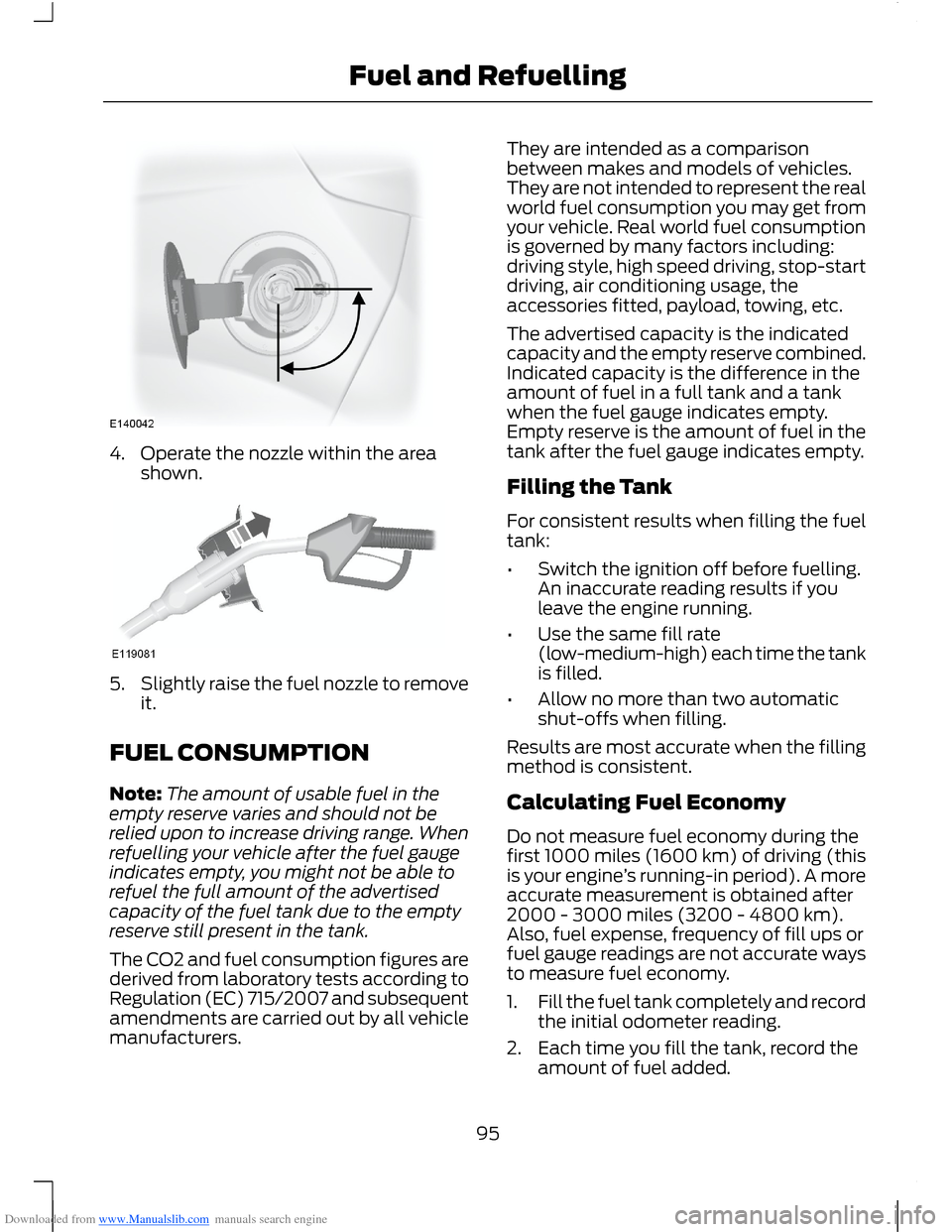
Downloaded from www.Manualslib.com manuals search engine 4.Operate the nozzle within the areashown.
5.Slightly raise the fuel nozzle to removeit.
FUEL CONSUMPTION
Note:The amount of usable fuel in theempty reserve varies and should not berelied upon to increase driving range. Whenrefuelling your vehicle after the fuel gaugeindicates empty, you might not be able torefuel the full amount of the advertisedcapacity of the fuel tank due to the emptyreserve still present in the tank.
The CO2 and fuel consumption figures arederived from laboratory tests according toRegulation (EC) 715/2007 and subsequentamendments are carried out by all vehiclemanufacturers.
They are intended as a comparisonbetween makes and models of vehicles.They are not intended to represent the realworld fuel consumption you may get fromyour vehicle. Real world fuel consumptionis governed by many factors including:driving style, high speed driving, stop-startdriving, air conditioning usage, theaccessories fitted, payload, towing, etc.
The advertised capacity is the indicatedcapacity and the empty reserve combined.Indicated capacity is the difference in theamount of fuel in a full tank and a tankwhen the fuel gauge indicates empty.Empty reserve is the amount of fuel in thetank after the fuel gauge indicates empty.
Filling the Tank
For consistent results when filling the fueltank:
•Switch the ignition off before fuelling.An inaccurate reading results if youleave the engine running.
•Use the same fill rate(low-medium-high) each time the tankis filled.
•Allow no more than two automaticshut-offs when filling.
Results are most accurate when the fillingmethod is consistent.
Calculating Fuel Economy
Do not measure fuel economy during thefirst 1000 miles (1600 km) of driving (thisis your engine’s running-in period). A moreaccurate measurement is obtained after2000 - 3000 miles (3200 - 4800 km).Also, fuel expense, frequency of fill ups orfuel gauge readings are not accurate waysto measure fuel economy.
1.Fill the fuel tank completely and recordthe initial odometer reading.
2.Each time you fill the tank, record theamount of fuel added.
95Fuel and Refuelling
Page 99 of 256
Downloaded from www.Manualslib.com manuals search engine MANUAL TRANSMISSION
Selecting Reverse Gear
Do not engage reverse gear when yourvehicle is moving. This can cause damageto the transmission.
AUTOMATIC TRANSMISSION
WARNING
Always set the parking brake fullyand make sure you move thetransmission selector lever toposition P. Switch the ignition off andremove the key whenever you leave yourvehicle.
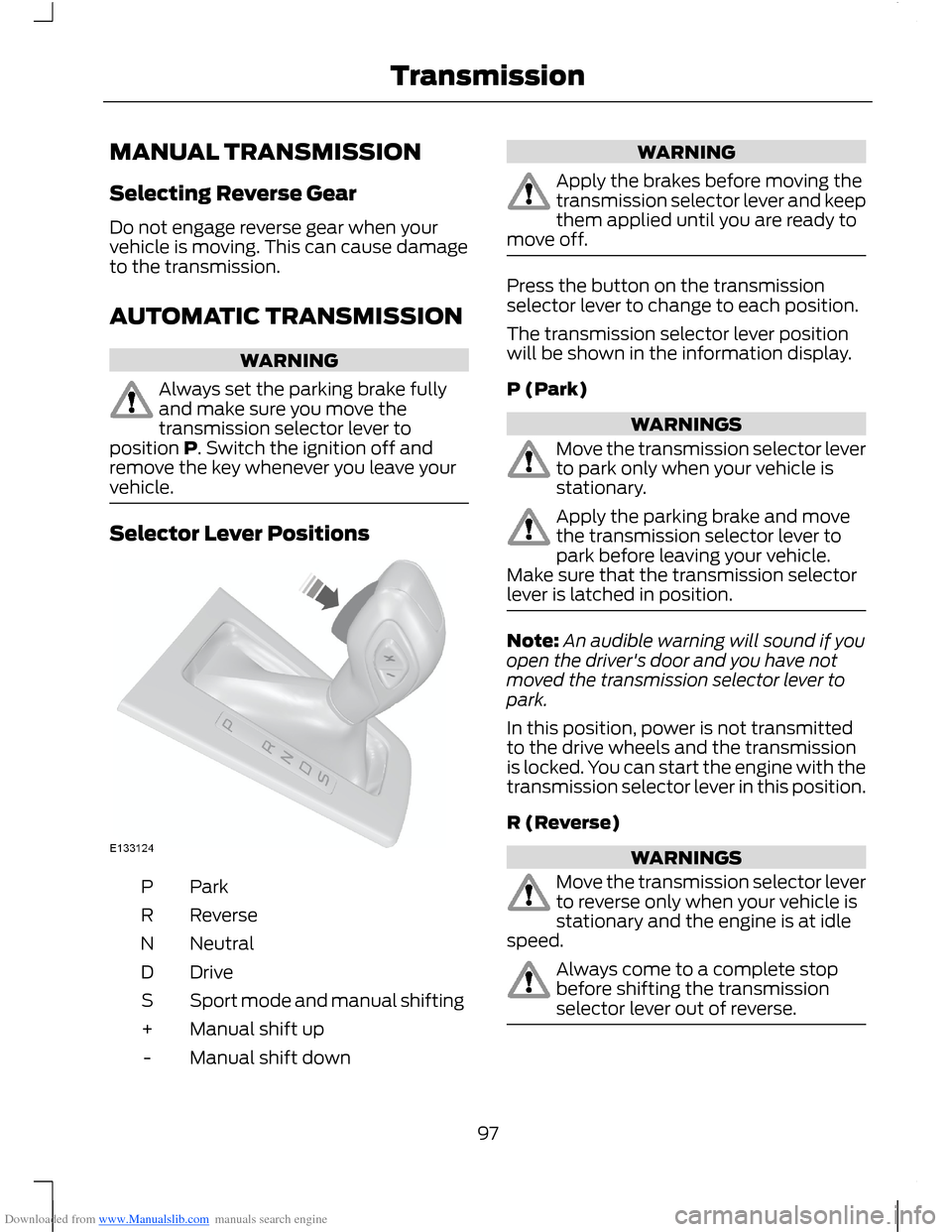
Selector Lever Positions
ParkP
ReverseR
NeutralN
DriveD
Sport mode and manual shiftingS
Manual shift up+
Manual shift down-
WARNING
Apply the brakes before moving thetransmission selector lever and keepthem applied until you are ready tomove off.
Press the button on the transmissionselector lever to change to each position.
The transmission selector lever positionwill be shown in the information display.
P (Park)
WARNINGS
Move the transmission selector leverto park only when your vehicle isstationary.
Apply the parking brake and movethe transmission selector lever topark before leaving your vehicle.Make sure that the transmission selectorlever is latched in position.
Note:An audible warning will sound if youopen the driver's door and you have notmoved the transmission selector lever topark.
In this position, power is not transmittedto the drive wheels and the transmissionis locked. You can start the engine with thetransmission selector lever in this position.
R (Reverse)
WARNINGS
Move the transmission selector leverto reverse only when your vehicle isstationary and the engine is at idlespeed.
Always come to a complete stopbefore shifting the transmissionselector lever out of reverse.
97Transmission
Page 101 of 256
Downloaded from www.Manualslib.com manuals search engine If Your Vehicle Gets Stuck In Mud orSnow
Note:Do not rock your vehicle if the engineis not at normal operating temperature ordamage to the transmission may occur.
Note:Do not rock your vehicle for morethan a minute or damage to thetransmission and tyres may occur, or theengine may overheat.
If your vehicle gets stuck in mud or snow,it may be rocked out by shifting betweenforward and reverse gears, stoppingbetween shifts in a steady pattern. Presslightly on the accelerator in each gear.
Emergency Park Position ReleaseLever
WARNINGS
Do not drive your vehicle until youverify that the brake lamps areworking.
If the parking brake is fully released,but the brake warning lamp remainsilluminated, the brakes may not beworking correctly. See an authoriseddealer.
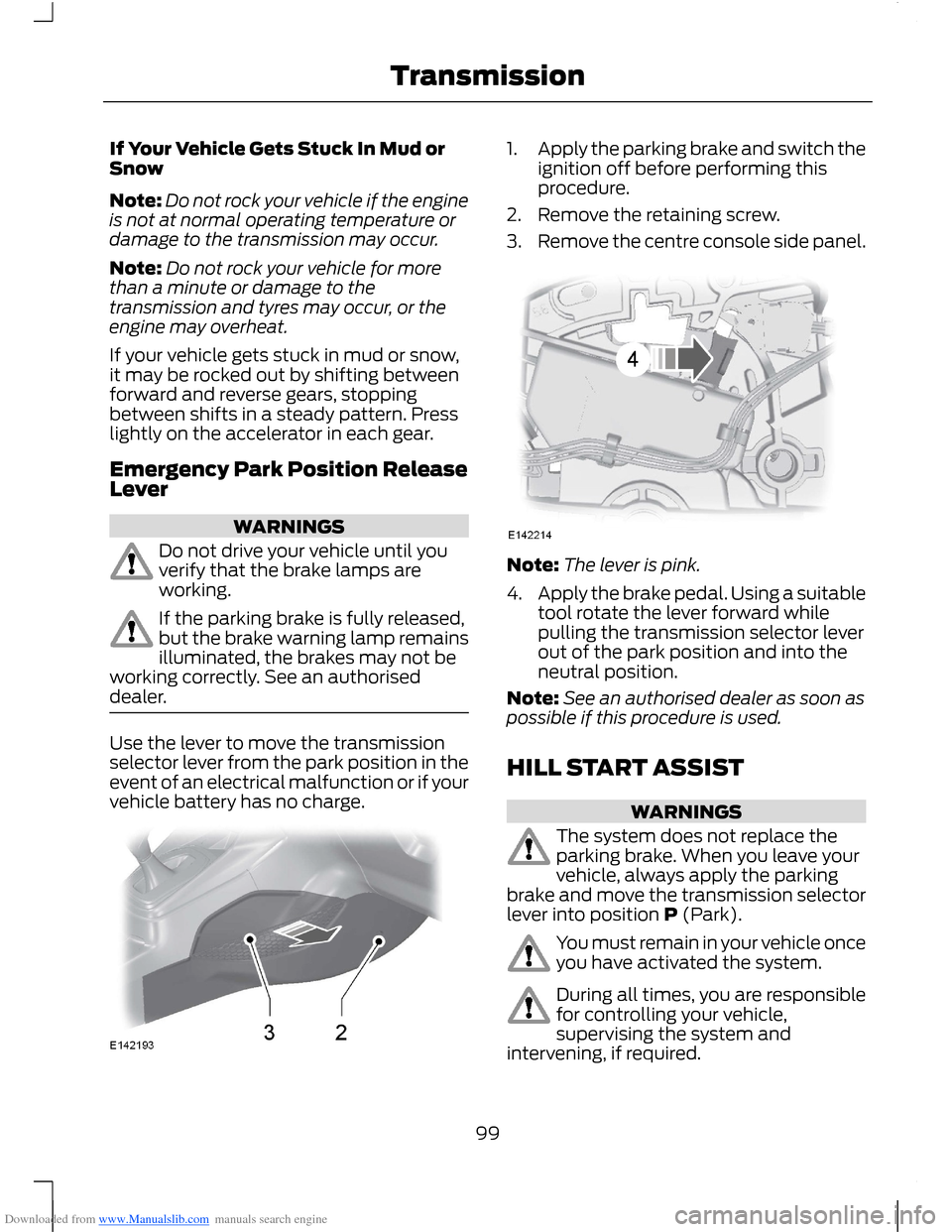
Use the lever to move the transmissionselector lever from the park position in theevent of an electrical malfunction or if yourvehicle battery has no charge.
1.Apply the parking brake and switch theignition off before performing thisprocedure.
2.Remove the retaining screw.
3.Remove the centre console side panel.
Note:The lever is pink.
4.Apply the brake pedal. Using a suitabletool rotate the lever forward whilepulling the transmission selector leverout of the park position and into theneutral position.
Note:See an authorised dealer as soon aspossible if this procedure is used.
HILL START ASSIST
WARNINGS
The system does not replace theparking brake. When you leave yourvehicle, always apply the parkingbrake and move the transmission selectorlever into position P (Park).
You must remain in your vehicle onceyou have activated the system.
During all times, you are responsiblefor controlling your vehicle,supervising the system andintervening, if required.
99Transmission
Page 105 of 256
Downloaded from www.Manualslib.com manuals search engine PRINCIPLE OF OPERATION
Electronic Stability Program
WARNING
The system does not relieve you ofyour responsibility to drive with duecare and attention.
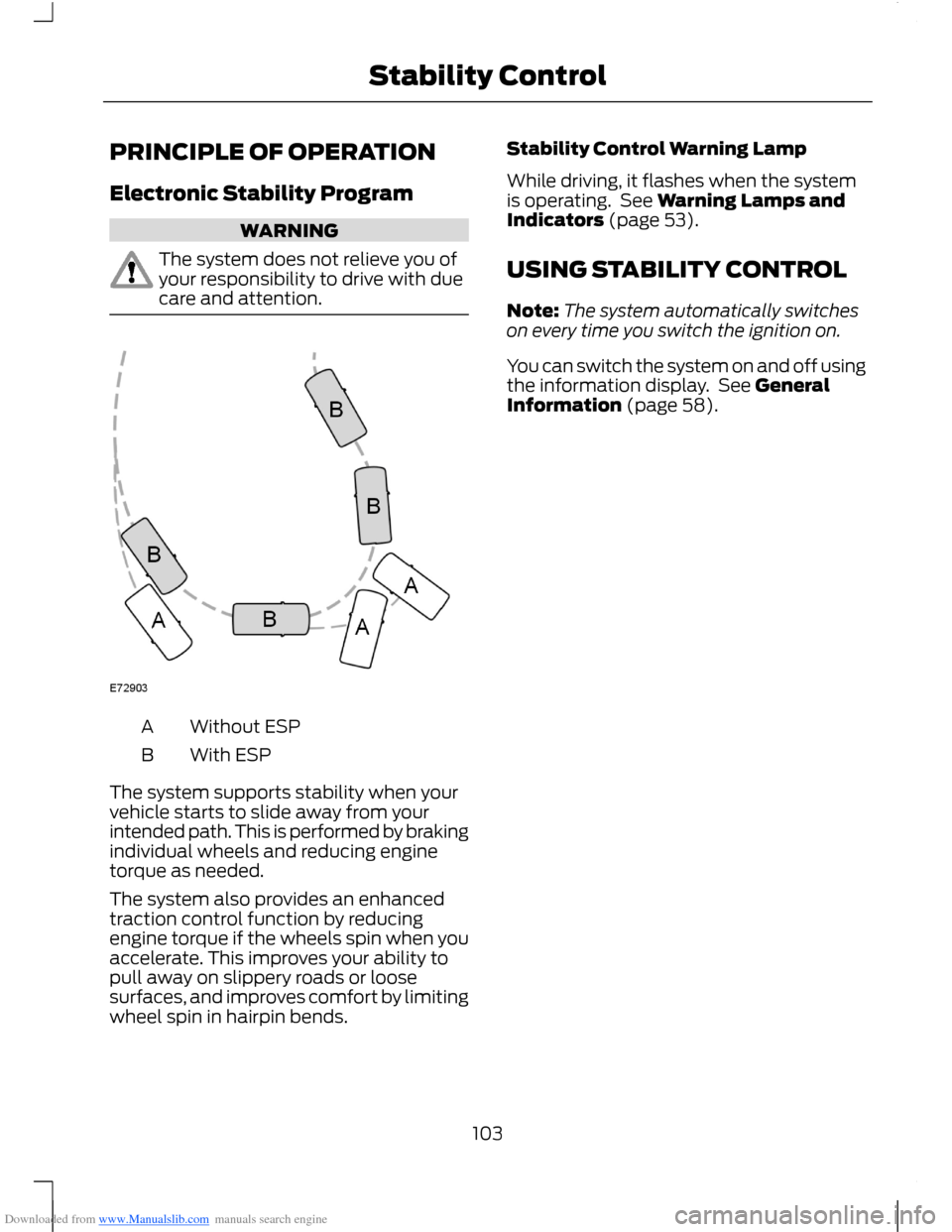
Without ESPA
With ESPB
The system supports stability when yourvehicle starts to slide away from yourintended path. This is performed by brakingindividual wheels and reducing enginetorque as needed.
The system also provides an enhancedtraction control function by reducingengine torque if the wheels spin when youaccelerate. This improves your ability topull away on slippery roads or loosesurfaces, and improves comfort by limitingwheel spin in hairpin bends.
Stability Control Warning Lamp
While driving, it flashes when the systemis operating. See Warning Lamps andIndicators (page 53).
USING STABILITY CONTROL
Note:The system automatically switcheson every time you switch the ignition on.
You can switch the system on and off usingthe information display. See GeneralInformation (page 58).
103Stability Control
Page 107 of 256
Downloaded from www.Manualslib.com manuals search engine Note:If your vehicle sustains damage tothe bumper or fascia, leaving it misalignedor bent, the sensing zone may be alteredcausing inaccurate measurement ofobstacles or false alarms.
The system warns you of obstacles withina certain range of the bumper area.
When receiving a detection warning, theradio volume is reduced to apredetermined level. After the warninggoes away, the radio volume returns to theprevious level.
Rear Sensing System
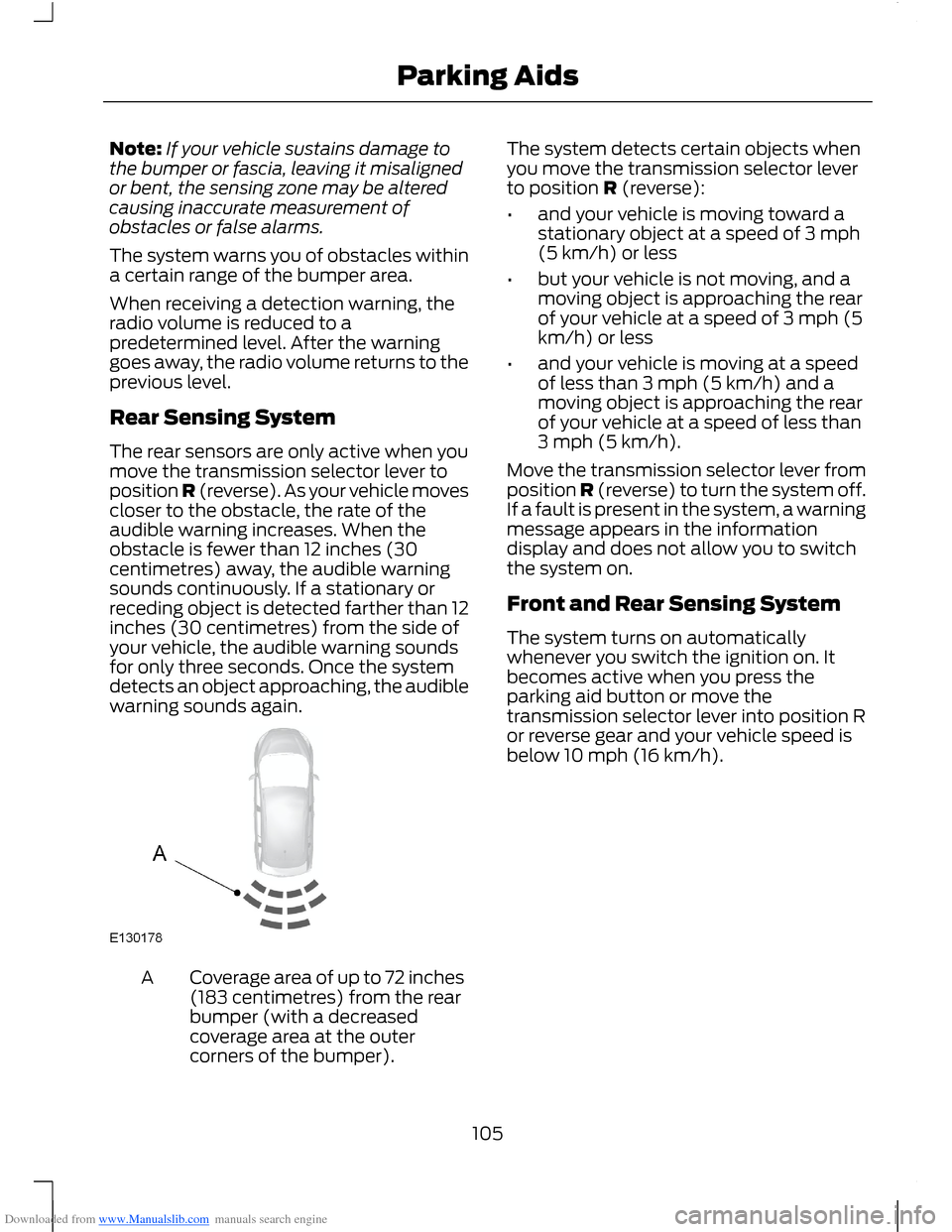
The rear sensors are only active when youmove the transmission selector lever toposition R (reverse). As your vehicle movescloser to the obstacle, the rate of theaudible warning increases. When theobstacle is fewer than 12 inches (30centimetres) away, the audible warningsounds continuously. If a stationary orreceding object is detected farther than 12inches (30 centimetres) from the side ofyour vehicle, the audible warning soundsfor only three seconds. Once the systemdetects an object approaching, the audiblewarning sounds again.
Coverage area of up to 72 inches(183 centimetres) from the rearbumper (with a decreasedcoverage area at the outercorners of the bumper).
A
The system detects certain objects whenyou move the transmission selector leverto position R (reverse):
•and your vehicle is moving toward astationary object at a speed of 3 mph(5 km/h) or less
•but your vehicle is not moving, and amoving object is approaching the rearof your vehicle at a speed of 3 mph (5km/h) or less
•and your vehicle is moving at a speedof less than 3 mph (5 km/h) and amoving object is approaching the rearof your vehicle at a speed of less than3 mph (5 km/h).
Move the transmission selector lever fromposition R (reverse) to turn the system off.If a fault is present in the system, a warningmessage appears in the informationdisplay and does not allow you to switchthe system on.
Front and Rear Sensing System
The system turns on automaticallywhenever you switch the ignition on. Itbecomes active when you press theparking aid button or move thetransmission selector lever into position Ror reverse gear and your vehicle speed isbelow 10 mph (16 km/h).
105Parking Aids
Page 109 of 256
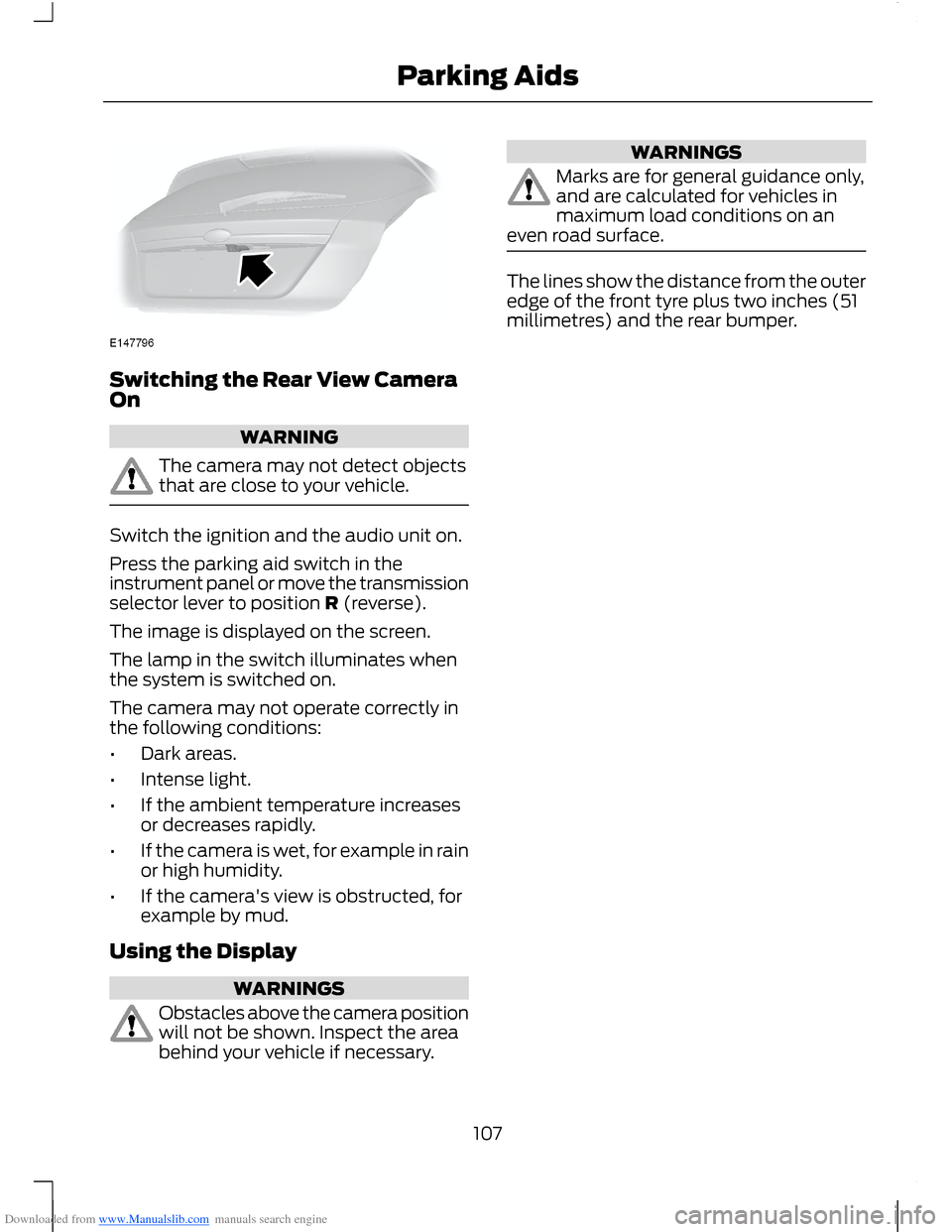
Downloaded from www.Manualslib.com manuals search engine Switching the Rear View CameraOn
WARNING
The camera may not detect objectsthat are close to your vehicle.
Switch the ignition and the audio unit on.
Press the parking aid switch in theinstrument panel or move the transmissionselector lever to position R (reverse).
The image is displayed on the screen.
The lamp in the switch illuminates whenthe system is switched on.
The camera may not operate correctly inthe following conditions:
•Dark areas.
•Intense light.
•If the ambient temperature increasesor decreases rapidly.
•If the camera is wet, for example in rainor high humidity.
•If the camera's view is obstructed, forexample by mud.
Using the Display
WARNINGS
Obstacles above the camera positionwill not be shown. Inspect the areabehind your vehicle if necessary.
WARNINGS
Marks are for general guidance only,and are calculated for vehicles inmaximum load conditions on aneven road surface.
The lines show the distance from the outeredge of the front tyre plus two inches (51millimetres) and the rear bumper.
107Parking Aids
Page 113 of 256
Downloaded from www.Manualslib.com manuals search engine ACTIVE CITY STOP
General Information
WARNINGS
The system does not relieve you ofyour responsibility to drive with duecare and attention.
At all times you are responsible forcontrolling your vehicle, supervisingthe system and intervening ifrequired.
Never look directly into the sensorwith any type of object. There is a riskof eye injury.
If the sensor becomes blocked thesystem may not function.
To achieve full system performance,you must bed the braking system in.See Running-In (page 121).
The system performance may varydepending on your vehicle and roadconditions.
The system will not react to vehiclesdriving in a different direction.
The system will not react to bicycles,motorcycles, people or animals.
When the ignition is on the sensorwill constantly transmit a laserbeam.
The system will not operate duringharsh acceleration and steering.
In cold and severe weatherconditions the system may notfunction. Rain, snow, spray and icecan all influence the sensor.
Do not carry out windscreen repairsin the immediate area surroundingthe sensor.
WARNINGS
If you install a windscreen notapproved by us, the system may notfunction correctly.
If the engine stops after the systemhas been switched on, the hazardwarning flashers will turn on.
The system may not function whendriving around sharp bends.
Note:Keep the windscreen free fromobstructions such as bird droppings, insects,snow or ice.
Note:Keep the bonnet free of ice and snow,otherwise the system may not functioncorrectly.
A sensor is mounted behind the interiorrear view mirror. It continuously monitorsconditions to decide when to intervene.
The system is designed to help you reducelow speed collisions into the rear ofanother vehicle. It will also help you reducethe impact damage or potentially avoidthe collision completely.
The system operates at speeds belowapproximately 19 mph (30 km/h) byapplying the brakes when the sensordetects that a collision is likely.
You must depress the brake pedal toobtain full braking force.
When the system is braking or hasautomatically applied the brakes, amessage will be shown in the informationdisplay.
Using Active City Stop
Switching the System Off and On
Note:The system is on by default.
Note:In certain situations, it is advisable todisable the system, for example driving offroad when objects may cover thewindscreen.
111Driving Aids