ignition FORD B MAX 2012 1.G Workshop Manual
[x] Cancel search | Manufacturer: FORD, Model Year: 2012, Model line: B MAX, Model: FORD B MAX 2012 1.GPages: 256, PDF Size: 19.67 MB
Page 162 of 256
Downloaded from www.Manualslib.com manuals search engine Apart from a too low tyre pressure or adamaged tyre, the following situations canaffect the rolling circumference:
•Vehicle load is uneven.
•When using a trailer or travelling up anddown an incline.
•Using snow chains.
•Driving on soft surfaces such as snowor mud.
Note:The system will still functioncorrectly, but there may be an increaseddetection time.
System Reset
Note:Do not reset the system when yourvehicle is moving.
Note:You should reset the systemfollowing any adjustment to the tyrepressures or any changing of tyres.
1.Switch the ignition on.
2.Using the information display control,navigate to Menu > Vehicle settings> Deflation detection.
3.Press and hold the OK button untilconfirmation appears.
CHANGING A ROAD WHEEL
Wheel Nuts
You can obtain a replacement lockingwheel nut key and replacement lockingwheel nuts from your dealer using thereference number certificate.
Vehicles With a Spare Wheel
If the spare wheel is exactly the same typeand size as the other fitted road wheels,you can replace the existing road wheelwith the spare wheel and continue to drivein the normal manner.
If the spare wheel is different to the otherroad wheels, it will carry a yellow label withthe appropriate speed limit.
Refer to the following information beforechanging the road wheel.
WARNINGS
Drive the shortest possible distances.
Do not fit more than one spare wheelon your vehicle at any one time.
Do not carry out any tyre repairs ona spare wheel.
Do not drive through an automaticcar wash.
If you are unsure what type of sparewheel you have do not exceed 80km/h (50 mph).
Only fit snow chains to specifiedtyres. See TechnicalSpecifications (page 164).
The ground clearance of your vehiclemay be reduced. Take care whenparking next to a kerb.
Note:Your vehicle may exhibit someunusual driving characteristics.
Vehicle Jack
WARNINGS
The vehicle jack supplied with yourvehicle should only be used whenchanging a wheel in emergencysituations.
Before using the vehicle jack, checkthat it is not damaged or deformedand that the thread is lubricated andfree from foreign matter.
Never place anything between thejack and the ground, or the jack andyour vehicle.
160Wheels and Tyres
Page 165 of 256
Downloaded from www.Manualslib.com manuals search engine Note:Make sure that you pull the wheeltrim remover at right angles to the trim.
Removing a Road Wheel
WARNINGS
Park your vehicle in such a positionthat neither the traffic nor you arehindered or endangered.
Set up a warning triangle.
Make sure that your vehicle is on firm,level ground with the wheels pointingstraight ahead.
Switch the ignition off and apply theparking brake.
If your vehicle has a manualtransmission, move the selector leverto first or reverse gear. If it has anautomatic transmission, move the selectorlever to position (P).
Have the passengers leave yourvehicle.
Secure the diagonally oppositewheel with an appropriate block orwheel chock.
Make sure that the arrows ondirectional tyres point in the directionof rotation when your vehicle ismoving forward. If you have to fit a sparewheel with the arrows pointing in theopposite direction, have the tyre refittedin the correct direction by an authoriseddealer.
Do not work underneath your vehiclewhen it is supported only by a jack.
Make sure that the jack is vertical tothe jacking point and the base is flaton the ground.
Note:Do not lay alloy wheels face downon the ground, this will damage the paint.
Note:The spare wheel is located under thefloor cover in the luggage compartment.
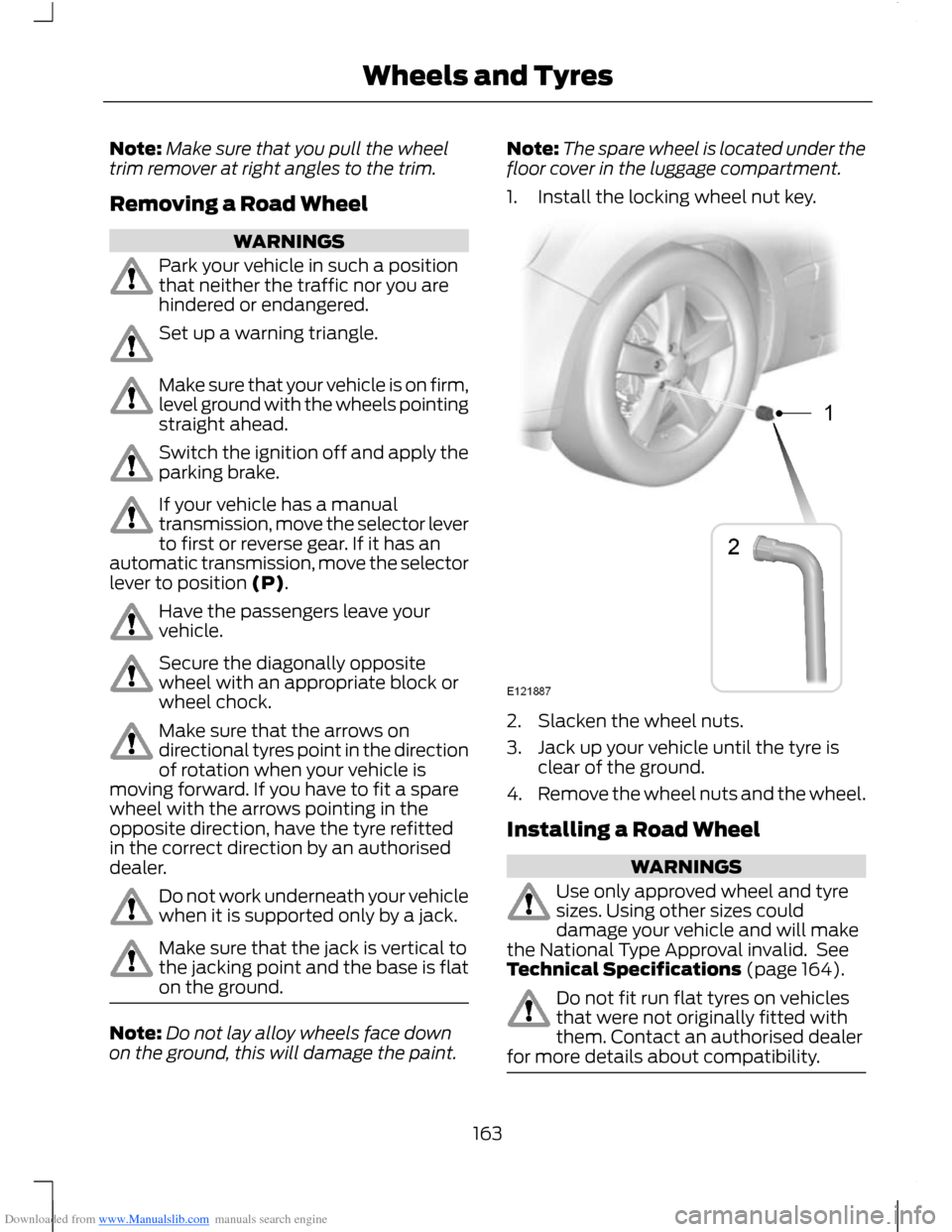
1.Install the locking wheel nut key.
2.Slacken the wheel nuts.
3.Jack up your vehicle until the tyre isclear of the ground.
4.Remove the wheel nuts and the wheel.
Installing a Road Wheel
WARNINGS
Use only approved wheel and tyresizes. Using other sizes coulddamage your vehicle and will makethe National Type Approval invalid. SeeTechnical Specifications (page 164).
Do not fit run flat tyres on vehiclesthat were not originally fitted withthem. Contact an authorised dealerfor more details about compatibility.
163Wheels and Tyres
Page 202 of 256
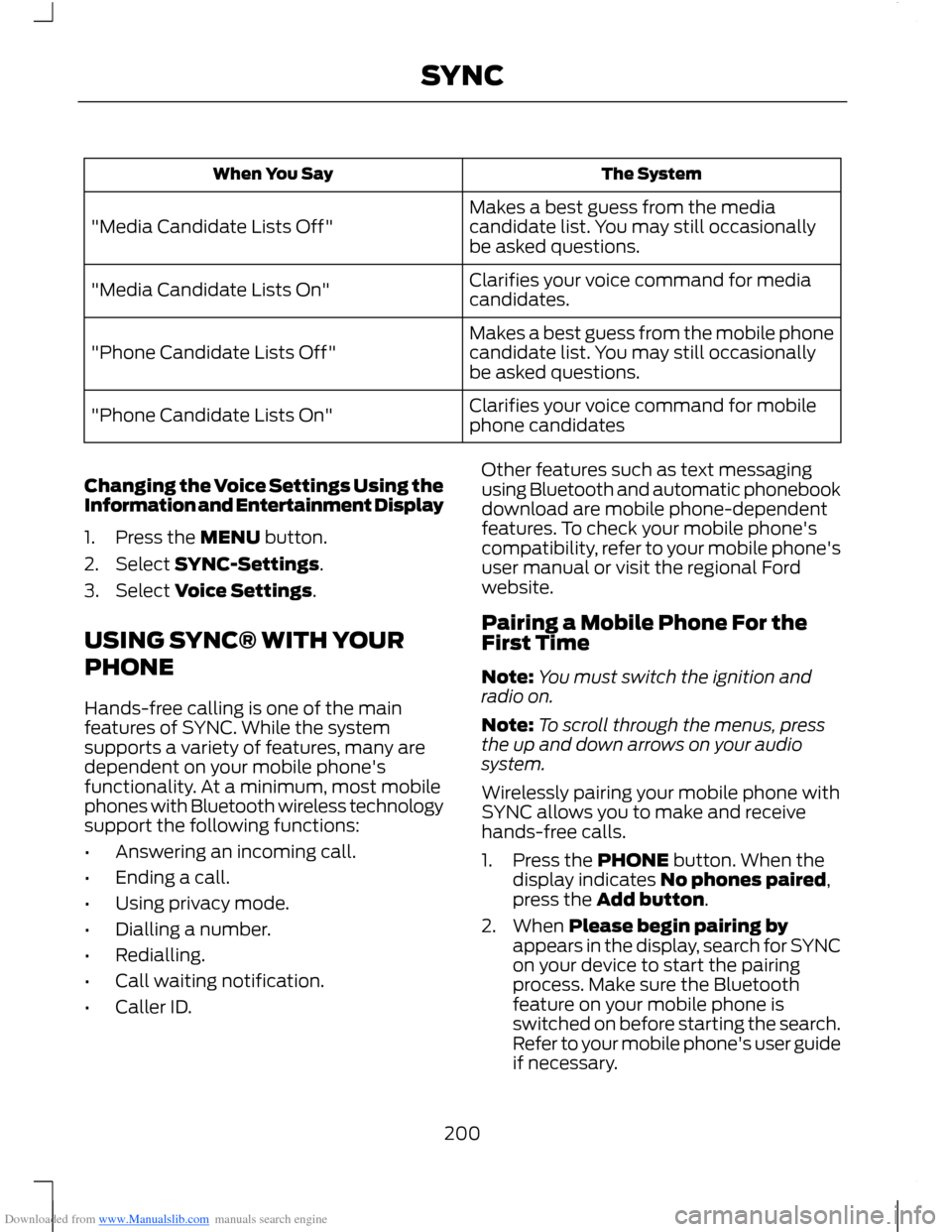
Downloaded from www.Manualslib.com manuals search engine The SystemWhen You Say
Makes a best guess from the mediacandidate list. You may still occasionallybe asked questions."Media Candidate Lists Off"
Clarifies your voice command for mediacandidates."Media Candidate Lists On"
Makes a best guess from the mobile phonecandidate list. You may still occasionallybe asked questions."Phone Candidate Lists Off"
Clarifies your voice command for mobilephone candidates"Phone Candidate Lists On"
Changing the Voice Settings Using theInformation and Entertainment Display
1.Press the MENU button.
2.Select SYNC-Settings.
3.Select Voice Settings.
USING SYNC® WITH YOUR
PHONE
Hands-free calling is one of the mainfeatures of SYNC. While the systemsupports a variety of features, many aredependent on your mobile phone'sfunctionality. At a minimum, most mobilephones with Bluetooth wireless technologysupport the following functions:
•Answering an incoming call.
•Ending a call.
•Using privacy mode.
•Dialling a number.
•Redialling.
•Call waiting notification.
•Caller ID.
Other features such as text messagingusing Bluetooth and automatic phonebookdownload are mobile phone-dependentfeatures. To check your mobile phone'scompatibility, refer to your mobile phone'suser manual or visit the regional Fordwebsite.
Pairing a Mobile Phone For theFirst Time
Note:You must switch the ignition andradio on.
Note:To scroll through the menus, pressthe up and down arrows on your audiosystem.
Wirelessly pairing your mobile phone withSYNC allows you to make and receivehands-free calls.
1.Press the PHONE button. When thedisplay indicates No phones paired,press the Add button.
2.When Please begin pairing byappears in the display, search for SYNCon your device to start the pairingprocess. Make sure the Bluetoothfeature on your mobile phone isswitched on before starting the search.Refer to your mobile phone's user guideif necessary.
200SYNC
Page 211 of 256
Downloaded from www.Manualslib.com manuals search engine You CanIf You Select
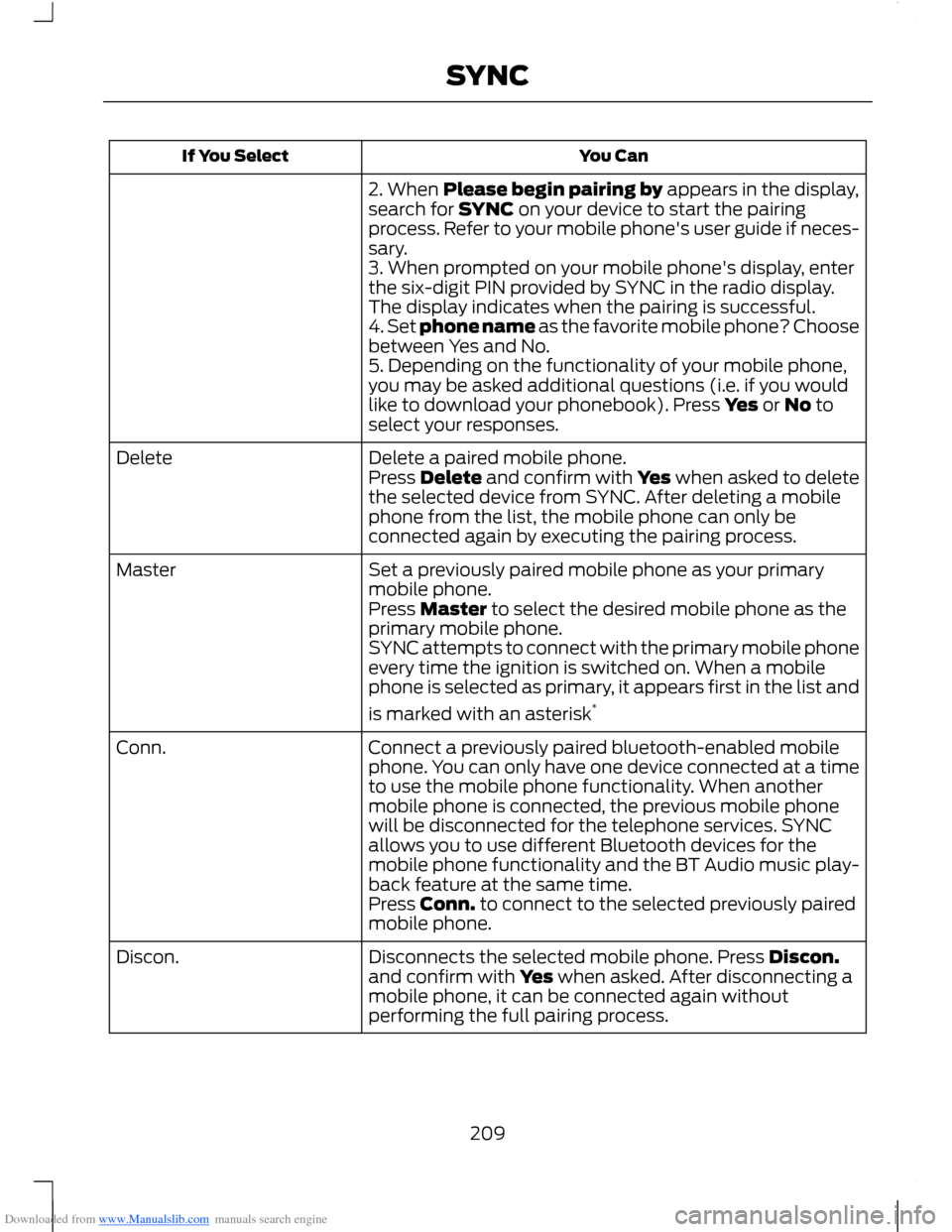
2. When Please begin pairing by appears in the display,search for SYNC on your device to start the pairingprocess. Refer to your mobile phone's user guide if neces-sary.3. When prompted on your mobile phone's display, enterthe six-digit PIN provided by SYNC in the radio display.The display indicates when the pairing is successful.4. Set phone name as the favorite mobile phone? Choosebetween Yes and No.5. Depending on the functionality of your mobile phone,you may be asked additional questions (i.e. if you wouldlike to download your phonebook). Press Yes or No toselect your responses.
Delete a paired mobile phone.DeletePress Delete and confirm with Yes when asked to deletethe selected device from SYNC. After deleting a mobilephone from the list, the mobile phone can only beconnected again by executing the pairing process.
Set a previously paired mobile phone as your primarymobile phone.Master
Press Master to select the desired mobile phone as theprimary mobile phone.SYNC attempts to connect with the primary mobile phoneevery time the ignition is switched on. When a mobilephone is selected as primary, it appears first in the list and
is marked with an asterisk*
Connect a previously paired bluetooth-enabled mobilephone. You can only have one device connected at a timeto use the mobile phone functionality. When anothermobile phone is connected, the previous mobile phonewill be disconnected for the telephone services. SYNCallows you to use different Bluetooth devices for themobile phone functionality and the BT Audio music play-back feature at the same time.
Conn.
Press Conn. to connect to the selected previously pairedmobile phone.
Disconnects the selected mobile phone. Press Discon.and confirm with Yes when asked. After disconnecting amobile phone, it can be connected again withoutperforming the full pairing process.
Discon.
209SYNC
Page 213 of 256
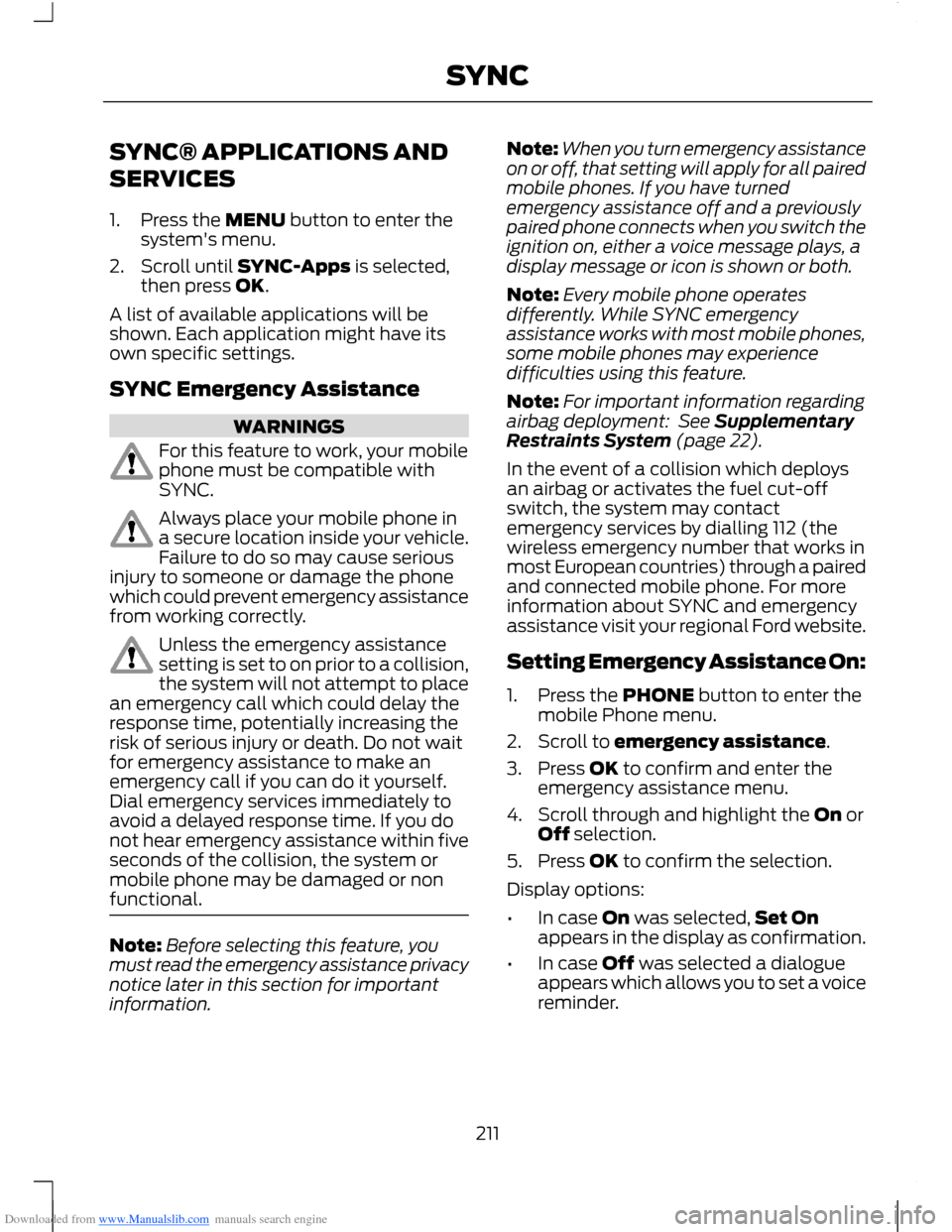
Downloaded from www.Manualslib.com manuals search engine SYNC® APPLICATIONS AND
SERVICES
1.Press the MENU button to enter thesystem's menu.
2.Scroll until SYNC-Apps is selected,then press OK.
A list of available applications will beshown. Each application might have itsown specific settings.
SYNC Emergency Assistance
WARNINGS
For this feature to work, your mobilephone must be compatible withSYNC.
Always place your mobile phone ina secure location inside your vehicle.Failure to do so may cause seriousinjury to someone or damage the phonewhich could prevent emergency assistancefrom working correctly.
Unless the emergency assistancesetting is set to on prior to a collision,the system will not attempt to placean emergency call which could delay theresponse time, potentially increasing therisk of serious injury or death. Do not waitfor emergency assistance to make anemergency call if you can do it yourself.Dial emergency services immediately toavoid a delayed response time. If you donot hear emergency assistance within fiveseconds of the collision, the system ormobile phone may be damaged or nonfunctional.
Note:Before selecting this feature, youmust read the emergency assistance privacynotice later in this section for importantinformation.
Note:When you turn emergency assistanceon or off, that setting will apply for all pairedmobile phones. If you have turnedemergency assistance off and a previouslypaired phone connects when you switch theignition on, either a voice message plays, adisplay message or icon is shown or both.
Note:Every mobile phone operatesdifferently. While SYNC emergencyassistance works with most mobile phones,some mobile phones may experiencedifficulties using this feature.
Note:For important information regardingairbag deployment: See SupplementaryRestraints System (page 22).
In the event of a collision which deploysan airbag or activates the fuel cut-offswitch, the system may contactemergency services by dialling 112 (thewireless emergency number that works inmost European countries) through a pairedand connected mobile phone. For moreinformation about SYNC and emergencyassistance visit your regional Ford website.
Setting Emergency Assistance On:
1.Press the PHONE button to enter themobile Phone menu.
2.Scroll to emergency assistance.
3.Press OK to confirm and enter theemergency assistance menu.
4.Scroll through and highlight the On orOff selection.
5.Press OK to confirm the selection.
Display options:
•In case On was selected,Set Onappears in the display as confirmation.
•In case Off was selected a dialogueappears which allows you to set a voicereminder.
211SYNC
Page 228 of 256
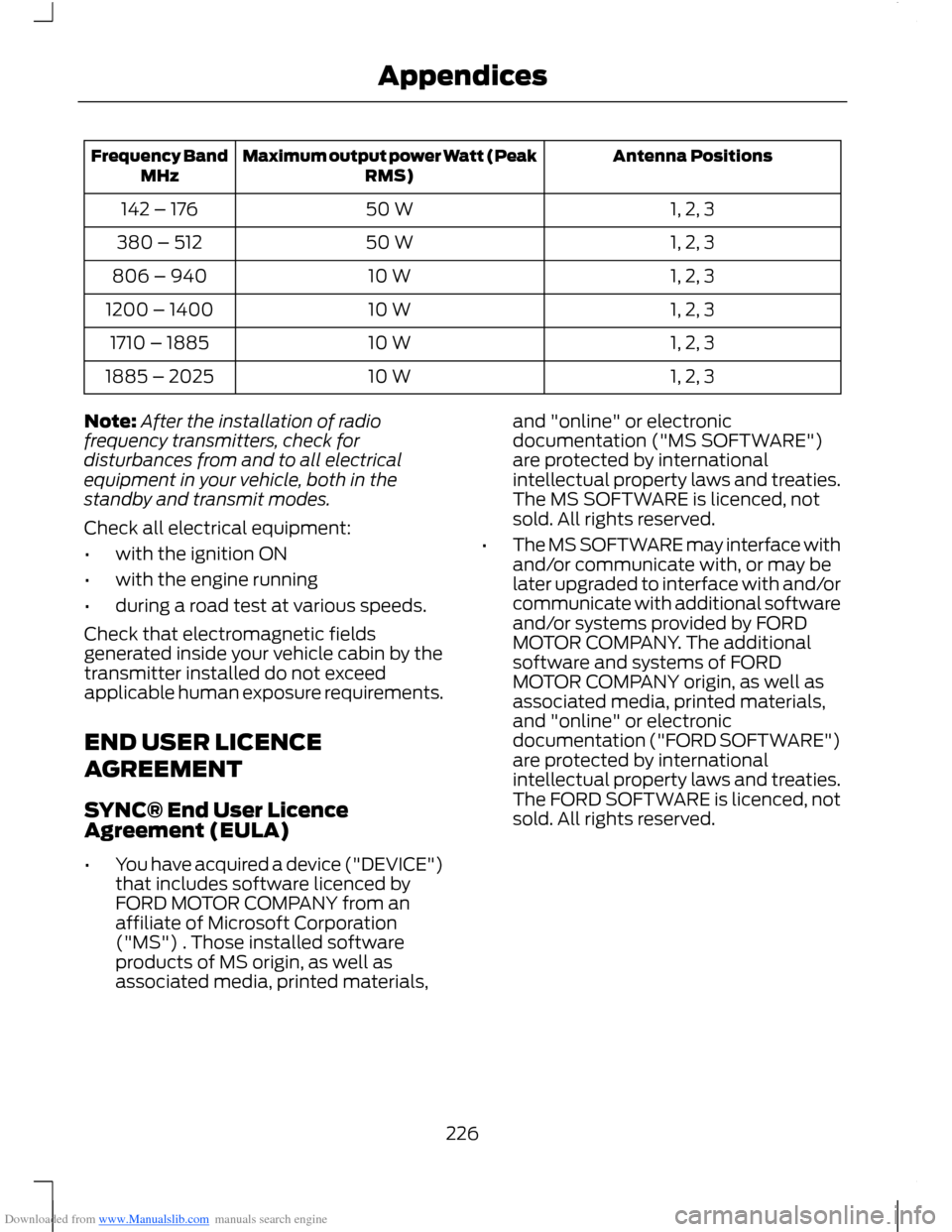
Downloaded from www.Manualslib.com manuals search engine Antenna PositionsMaximum output power Watt (PeakRMS)Frequency BandMHz
1, 2, 350 W142 – 176
1, 2, 350 W380 – 512
1, 2, 310 W806 – 940
1, 2, 310 W1200 – 1400
1, 2, 310 W1710 – 1885
1, 2, 310 W1885 – 2025
Note:After the installation of radiofrequency transmitters, check fordisturbances from and to all electricalequipment in your vehicle, both in thestandby and transmit modes.
Check all electrical equipment:
•with the ignition ON
•with the engine running
•during a road test at various speeds.
Check that electromagnetic fieldsgenerated inside your vehicle cabin by thetransmitter installed do not exceedapplicable human exposure requirements.
END USER LICENCE
AGREEMENT
SYNC® End User LicenceAgreement (EULA)
•You have acquired a device ("DEVICE")that includes software licenced byFORD MOTOR COMPANY from anaffiliate of Microsoft Corporation("MS") . Those installed softwareproducts of MS origin, as well asassociated media, printed materials,
and "online" or electronicdocumentation ("MS SOFTWARE")are protected by internationalintellectual property laws and treaties.The MS SOFTWARE is licenced, notsold. All rights reserved.
•The MS SOFTWARE may interface withand/or communicate with, or may belater upgraded to interface with and/orcommunicate with additional softwareand/or systems provided by FORDMOTOR COMPANY. The additionalsoftware and systems of FORDMOTOR COMPANY origin, as well asassociated media, printed materials,and "online" or electronicdocumentation ("FORD SOFTWARE")are protected by internationalintellectual property laws and treaties.The FORD SOFTWARE is licenced, notsold. All rights reserved.
226Appendices
Page 248 of 256
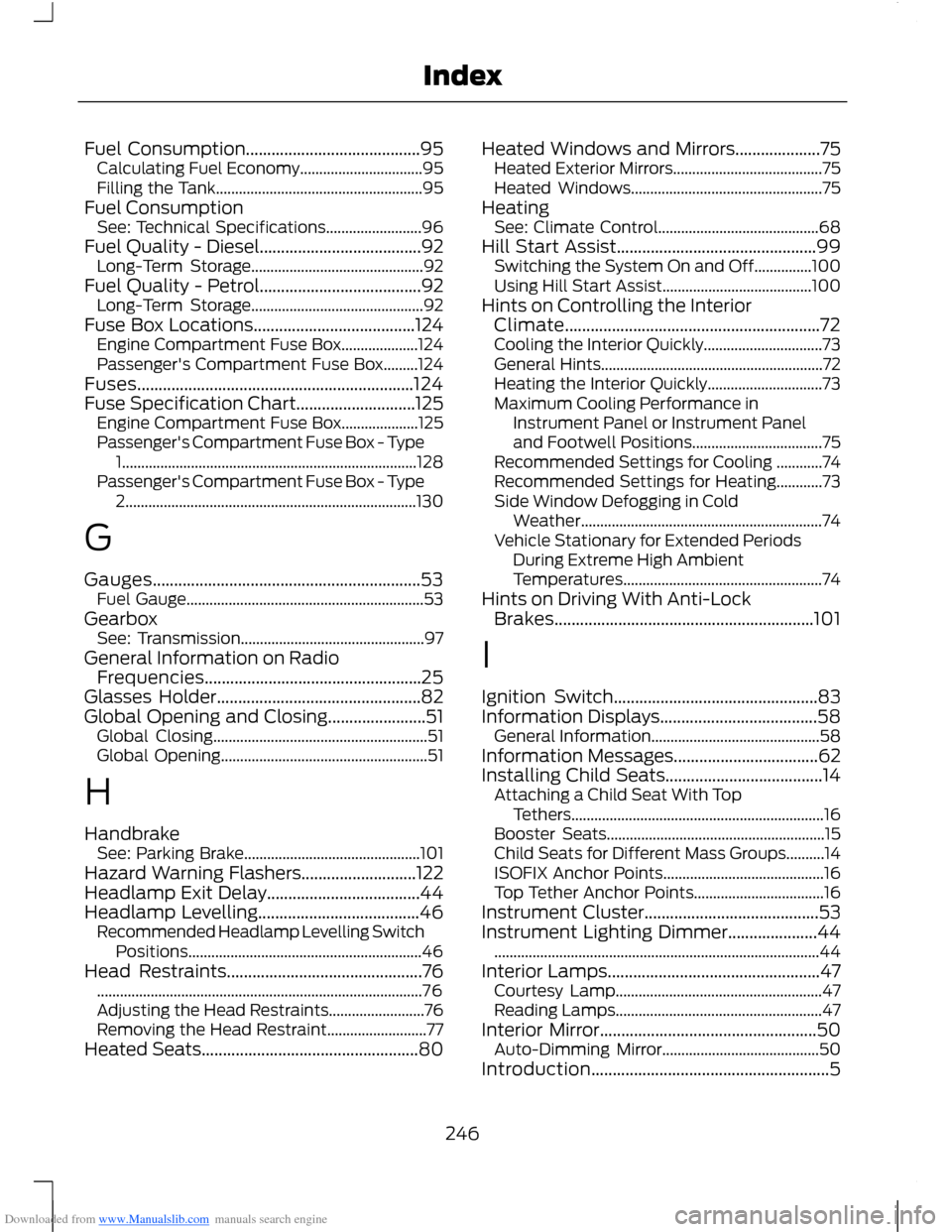
Downloaded from www.Manualslib.com manuals search engine Fuel Consumption.........................................95Calculating Fuel Economy................................95Filling the Tank......................................................95Fuel ConsumptionSee: Technical Specifications.........................96Fuel Quality - Diesel......................................92Long-Term Storage.............................................92Fuel Quality - Petrol......................................92Long-Term Storage.............................................92Fuse Box Locations......................................124Engine Compartment Fuse Box....................124Passenger's Compartment Fuse Box.........124Fuses.................................................................124Fuse Specification Chart............................125Engine Compartment Fuse Box....................125Passenger's Compartment Fuse Box - Type1.............................................................................128Passenger's Compartment Fuse Box - Type2............................................................................130
G
Gauges...............................................................53Fuel Gauge..............................................................53GearboxSee: Transmission................................................97General Information on RadioFrequencies...................................................25Glasses Holder................................................82Global Opening and Closing.......................51Global Closing........................................................51Global Opening......................................................51
H
HandbrakeSee: Parking Brake..............................................101Hazard Warning Flashers...........................122Headlamp Exit Delay....................................44Headlamp Levelling......................................46Recommended Headlamp Levelling SwitchPositions.............................................................46Head Restraints..............................................76.....................................................................................76Adjusting the Head Restraints.........................76Removing the Head Restraint..........................77Heated Seats...................................................80
Heated Windows and Mirrors....................75Heated Exterior Mirrors.......................................75Heated Windows..................................................75HeatingSee: Climate Control..........................................68Hill Start Assist...............................................99Switching the System On and Off...............100Using Hill Start Assist.......................................100Hints on Controlling the InteriorClimate............................................................72Cooling the Interior Quickly...............................73General Hints..........................................................72Heating the Interior Quickly..............................73Maximum Cooling Performance inInstrument Panel or Instrument Paneland Footwell Positions..................................75Recommended Settings for Cooling ............74Recommended Settings for Heating............73Side Window Defogging in ColdWeather...............................................................74Vehicle Stationary for Extended PeriodsDuring Extreme High AmbientTemperatures....................................................74Hints on Driving With Anti-LockBrakes.............................................................101
I
Ignition Switch................................................83Information Displays.....................................58General Information............................................58Information Messages..................................62Installing Child Seats.....................................14Attaching a Child Seat With TopTethers..................................................................16Booster Seats.........................................................15Child Seats for Different Mass Groups..........14ISOFIX Anchor Points..........................................16Top Tether Anchor Points..................................16Instrument Cluster.........................................53Instrument Lighting Dimmer.....................44.....................................................................................44Interior Lamps..................................................47Courtesy Lamp......................................................47Reading Lamps......................................................47Interior Mirror...................................................50Auto-Dimming Mirror.........................................50Introduction........................................................5
246Index
Page 249 of 256
Downloaded from www.Manualslib.com manuals search engine J
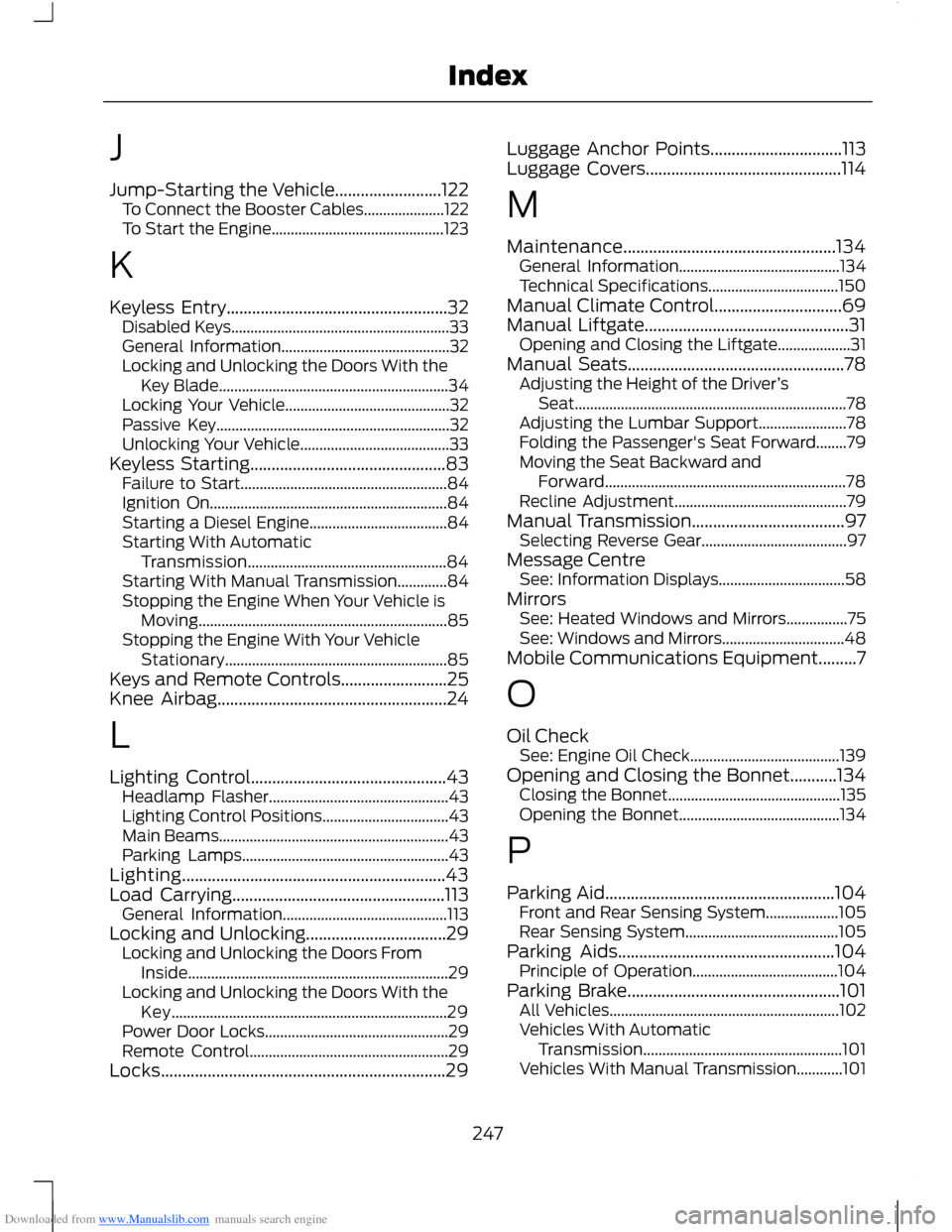
Jump-Starting the Vehicle.........................122To Connect the Booster Cables.....................122To Start the Engine.............................................123
K
Keyless Entry....................................................32Disabled Keys.........................................................33General Information............................................32Locking and Unlocking the Doors With theKey Blade............................................................34Locking Your Vehicle...........................................32Passive Key.............................................................32Unlocking Your Vehicle.......................................33Keyless Starting..............................................83Failure to Start......................................................84Ignition On..............................................................84Starting a Diesel Engine....................................84Starting With AutomaticTransmission....................................................84Starting With Manual Transmission.............84Stopping the Engine When Your Vehicle isMoving.................................................................85Stopping the Engine With Your VehicleStationary..........................................................85Keys and Remote Controls.........................25Knee Airbag......................................................24
L
Lighting Control..............................................43Headlamp Flasher...............................................43Lighting Control Positions.................................43Main Beams............................................................43Parking Lamps......................................................43Lighting..............................................................43Load Carrying..................................................113General Information...........................................113Locking and Unlocking.................................29Locking and Unlocking the Doors FromInside....................................................................29Locking and Unlocking the Doors With theKey........................................................................29Power Door Locks................................................29Remote Control....................................................29Locks...................................................................29
Luggage Anchor Points...............................113Luggage Covers..............................................114
M
Maintenance..................................................134General Information..........................................134Technical Specifications..................................150Manual Climate Control..............................69Manual Liftgate................................................31Opening and Closing the Liftgate...................31Manual Seats...................................................78Adjusting the Height of the Driver’sSeat.......................................................................78Adjusting the Lumbar Support.......................78Folding the Passenger's Seat Forward........79Moving the Seat Backward andForward...............................................................78Recline Adjustment.............................................79Manual Transmission....................................97Selecting Reverse Gear......................................97Message CentreSee: Information Displays.................................58MirrorsSee: Heated Windows and Mirrors................75See: Windows and Mirrors................................48Mobile Communications Equipment.........7
O
Oil CheckSee: Engine Oil Check.......................................139Opening and Closing the Bonnet...........134Closing the Bonnet.............................................135Opening the Bonnet..........................................134
P
Parking Aid......................................................104Front and Rear Sensing System...................105Rear Sensing System........................................105Parking Aids...................................................104Principle of Operation......................................104Parking Brake..................................................101All Vehicles............................................................102Vehicles With AutomaticTransmission....................................................101Vehicles With Manual Transmission............101
247Index
Page 251 of 256
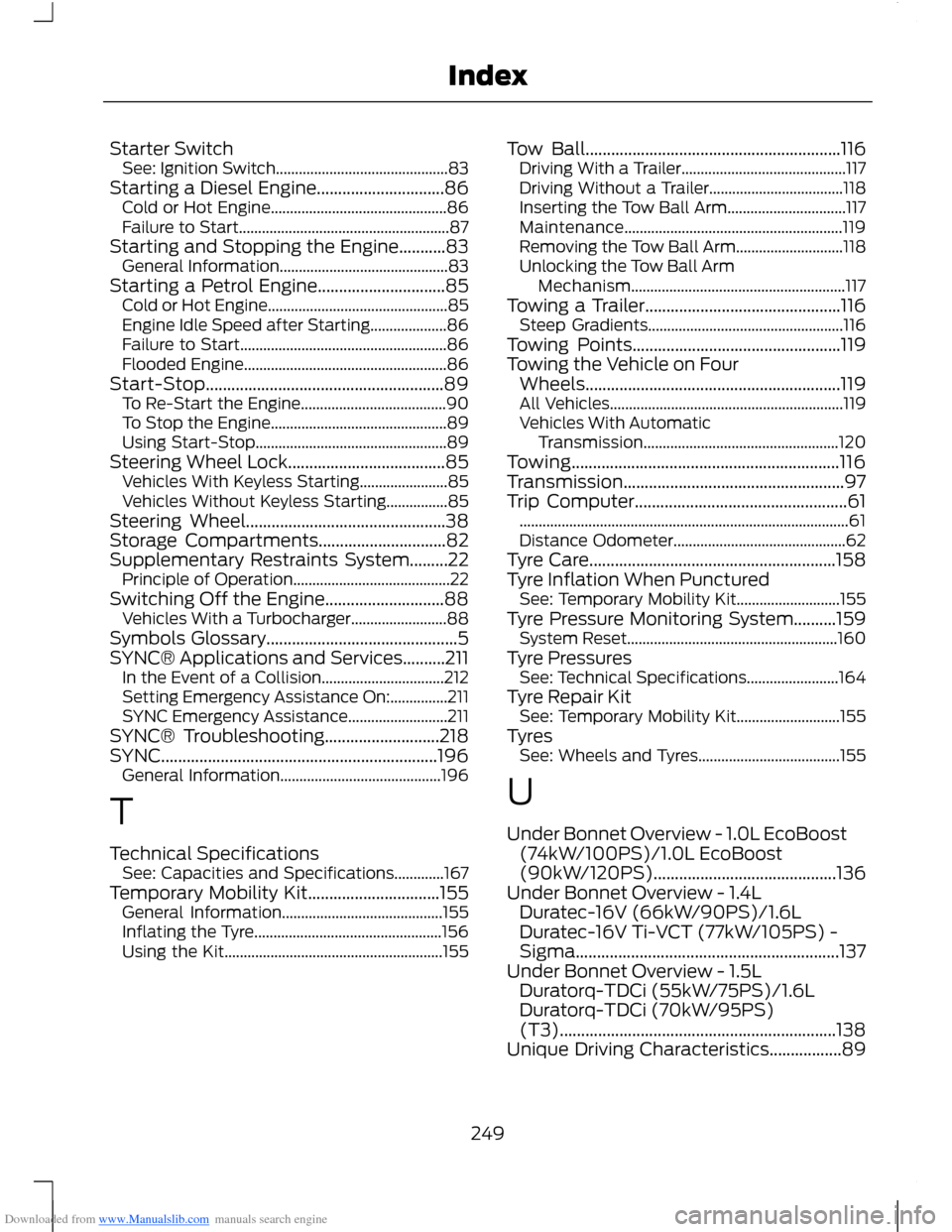
Downloaded from www.Manualslib.com manuals search engine Starter SwitchSee: Ignition Switch.............................................83Starting a Diesel Engine..............................86Cold or Hot Engine..............................................86Failure to Start.......................................................87Starting and Stopping the Engine...........83General Information............................................83Starting a Petrol Engine..............................85Cold or Hot Engine...............................................85Engine Idle Speed after Starting....................86Failure to Start......................................................86Flooded Engine.....................................................86Start-Stop........................................................89To Re-Start the Engine......................................90To Stop the Engine..............................................89Using Start-Stop..................................................89Steering Wheel Lock.....................................85Vehicles With Keyless Starting.......................85Vehicles Without Keyless Starting................85Steering Wheel...............................................38Storage Compartments..............................82Supplementary Restraints System.........22Principle of Operation.........................................22Switching Off the Engine............................88Vehicles With a Turbocharger.........................88Symbols Glossary.............................................5SYNC® Applications and Services..........211In the Event of a Collision................................212Setting Emergency Assistance On:...............211SYNC Emergency Assistance..........................211SYNC® Troubleshooting...........................218SYNC.................................................................196General Information..........................................196
T
Technical SpecificationsSee: Capacities and Specifications.............167Temporary Mobility Kit...............................155General Information..........................................155Inflating the Tyre.................................................156Using the Kit.........................................................155
Tow Ball............................................................116Driving With a Trailer...........................................117Driving Without a Trailer...................................118Inserting the Tow Ball Arm...............................117Maintenance.........................................................119Removing the Tow Ball Arm............................118Unlocking the Tow Ball ArmMechanism........................................................117Towing a Trailer..............................................116Steep Gradients...................................................116Towing Points.................................................119Towing the Vehicle on FourWheels............................................................119All Vehicles.............................................................119Vehicles With AutomaticTransmission...................................................120Towing...............................................................116Transmission....................................................97Trip Computer..................................................61......................................................................................61Distance Odometer.............................................62Tyre Care..........................................................158Tyre Inflation When PuncturedSee: Temporary Mobility Kit...........................155Tyre Pressure Monitoring System..........159System Reset.......................................................160Tyre PressuresSee: Technical Specifications........................164Tyre Repair KitSee: Temporary Mobility Kit...........................155TyresSee: Wheels and Tyres.....................................155
U
Under Bonnet Overview - 1.0L EcoBoost(74kW/100PS)/1.0L EcoBoost(90kW/120PS)...........................................136Under Bonnet Overview - 1.4LDuratec-16V (66kW/90PS)/1.6LDuratec-16V Ti-VCT (77kW/105PS) -Sigma..............................................................137Under Bonnet Overview - 1.5LDuratorq-TDCi (55kW/75PS)/1.6LDuratorq-TDCi (70kW/95PS)(T3).................................................................138Unique Driving Characteristics.................89
249Index
Page 252 of 256
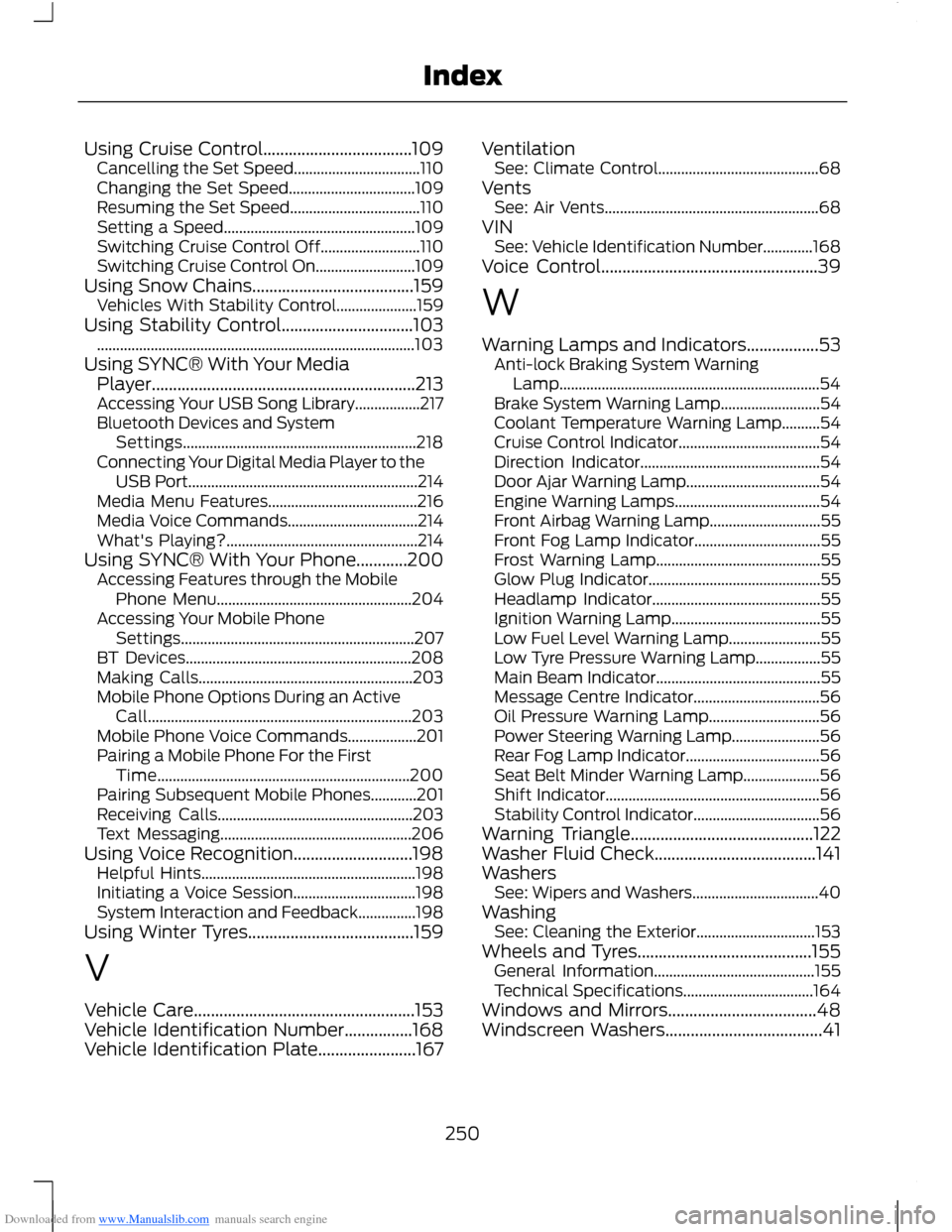
Downloaded from www.Manualslib.com manuals search engine Using Cruise Control...................................109Cancelling the Set Speed.................................110Changing the Set Speed.................................109Resuming the Set Speed..................................110Setting a Speed..................................................109Switching Cruise Control Off..........................110Switching Cruise Control On..........................109Using Snow Chains......................................159Vehicles With Stability Control.....................159Using Stability Control...............................103...................................................................................103Using SYNC® With Your MediaPlayer..............................................................213Accessing Your USB Song Library.................217Bluetooth Devices and SystemSettings.............................................................218Connecting Your Digital Media Player to theUSB Port............................................................214Media Menu Features.......................................216Media Voice Commands..................................214What's Playing?..................................................214Using SYNC® With Your Phone............200Accessing Features through the MobilePhone Menu...................................................204Accessing Your Mobile PhoneSettings.............................................................207BT Devices...........................................................208Making Calls........................................................203Mobile Phone Options During an ActiveCall.....................................................................203Mobile Phone Voice Commands..................201Pairing a Mobile Phone For the FirstTime..................................................................200Pairing Subsequent Mobile Phones............201Receiving Calls...................................................203Text Messaging..................................................206Using Voice Recognition............................198Helpful Hints........................................................198Initiating a Voice Session................................198System Interaction and Feedback...............198Using Winter Tyres.......................................159
V
Vehicle Care....................................................153Vehicle Identification Number................168Vehicle Identification Plate.......................167
VentilationSee: Climate Control..........................................68VentsSee: Air Vents........................................................68VINSee: Vehicle Identification Number.............168Voice Control...................................................39
W
Warning Lamps and Indicators.................53Anti-lock Braking System WarningLamp....................................................................54Brake System Warning Lamp..........................54Coolant Temperature Warning Lamp..........54Cruise Control Indicator.....................................54Direction Indicator...............................................54Door Ajar Warning Lamp...................................54Engine Warning Lamps......................................54Front Airbag Warning Lamp.............................55Front Fog Lamp Indicator.................................55Frost Warning Lamp...........................................55Glow Plug Indicator.............................................55Headlamp Indicator............................................55Ignition Warning Lamp.......................................55Low Fuel Level Warning Lamp........................55Low Tyre Pressure Warning Lamp.................55Main Beam Indicator...........................................55Message Centre Indicator.................................56Oil Pressure Warning Lamp.............................56Power Steering Warning Lamp.......................56Rear Fog Lamp Indicator...................................56Seat Belt Minder Warning Lamp....................56Shift Indicator........................................................56Stability Control Indicator.................................56Warning Triangle...........................................122Washer Fluid Check......................................141WashersSee: Wipers and Washers.................................40WashingSee: Cleaning the Exterior...............................153Wheels and Tyres.........................................155General Information..........................................155Technical Specifications..................................164Windows and Mirrors...................................48Windscreen Washers.....................................41
250Index