service FORD B MAX 2013 1.G User Guide
[x] Cancel search | Manufacturer: FORD, Model Year: 2013, Model line: B MAX, Model: FORD B MAX 2013 1.GPages: 298, PDF Size: 20.63 MB
Page 154 of 298
Downloaded from www.Manualslib.com manuals search engine GENERAL INFORMATION
Have your vehicle serviced regularly to helpmaintain its roadworthiness and resalevalue. There is a large network of Fordauthorized repairers that are there to helpyou with their professional servicingexpertise. Authorized repairers are bestqualified to service your vehicle properlyand expertly, with a wide range of highlyspecialized tools.
In addition to regular servicing, werecommend that you carry out thefollowing checks.
WARNINGS
Switch the ignition off beforetouching or attempting adjustmentof any kind.
Do not touch the electronic ignitionsystem parts after you have switchedthe ignition on or when the engine isrunning. The system operates at highvoltage.
Keep your hands and clothing clearof the engine cooling fan. Undercertain conditions, the fan maycontinue to run for several minutes afteryou have switched the engine off.
Make sure that you fit filler capssecurely after carrying outmaintenance checks.
Daily Checks
•Exterior lamps.
•Interior lamps.
•Warning lamps and indicators.
Check When Refueling
•Engine oil level. See Engine Oil Check(page 157).
•Brake fluid level. See Brake andClutch Fluid Check (page 159).
•Washer fluid level. See Washer FluidCheck (page 159).
•Tire pressures (when cold). SeeTechnical Specifications (page 183).
•Tire condition. See Wheels and Tires(page 174).
Monthly Checks
•Engine coolant level (engine cold). SeeEngine Coolant Check (page 158).
•Pipes, hoses and reservoirs for leaks.
•Air conditioning operation.
•Parking brake operation.
•Horn operation.
•Tightness of lug nuts. See TechnicalSpecifications (page 183).
OPENING AND CLOSING THE
HOOD
Opening the Hood
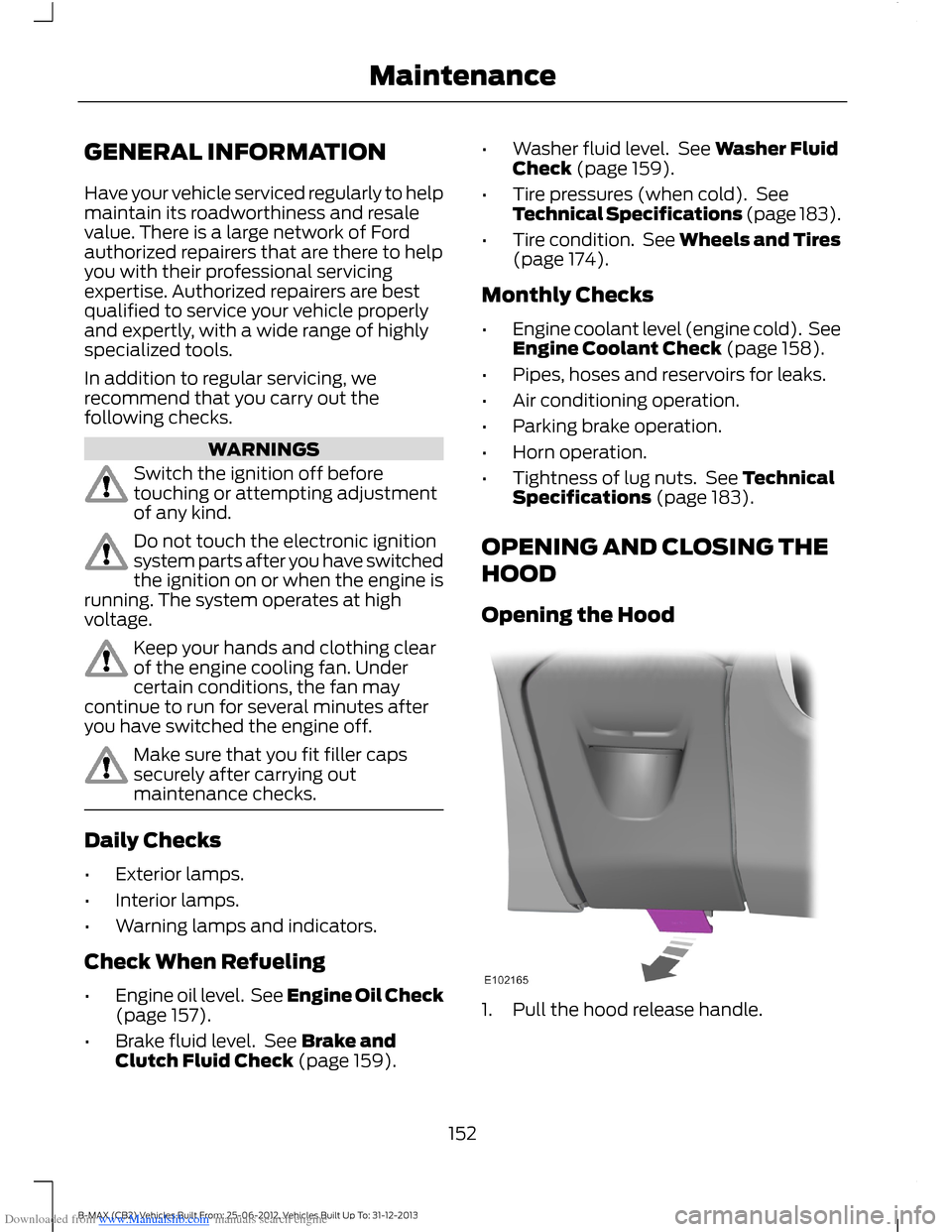
1.Pull the hood release handle.
152B-MAX (CB2) Vehicles Built From: 25-06-2012, Vehicles Built Up To: 31-12-2013Maintenance
Page 160 of 298
Downloaded from www.Manualslib.com manuals search engine Adding Oil
WARNINGS
Only add oil when the engine is cold.If the engine is hot, wait 10 minutesfor the engine to cool down. Failureto take care may result in personal injury.
Do not remove the filler cap whenthe engine is running. Failure to takecare may result in personal injury.
1.Remove the filler cap.
2.Add oil that meets Ford specifications.See Technical Specifications (page169).
3.Replace the filler cap. Turn it until youfeel a strong resistance.
Note:Do not add oil further than themaximum mark. Oil levels above themaximum mark may cause engine damage.
Note:Soak up any spillage with anabsorbent cloth immediately.
ENGINE COOLANT CHECK
WARNING
Do not allow the fluid to touch yourskin or eyes. If this happens, rinse theaffected areas immediately withplenty of water and contact your physician.
Note:Make sure that the level is betweenthe MIN and the MAX marks.
Note:Coolant expands when it is hot. Thelevel may therefore extend beyond the MAXmark.
If the level is at the MIN mark, add coolantimmediately.
Adding Engine Coolant
WARNINGS
Only add coolant when the engine iscold. If the engine is hot, wait 10minutes for the engine to cool down.
Do not remove the filler cap whenthe engine is running.
Do not remove the filler cap whenthe engine is hot. Wait for the engineto cool down.
Undiluted coolant is flammable andmay ignite if spilt on a hot exhaust.
Note:In an emergency, you can add justwater to the cooling system to reach avehicle service station. Have the systemchecked by an authorized dealer as soon aspossible.
Note:Prolonged use of incorrect dilutionof the coolant can cause engine damagefrom corrosion, overheating or freezing.
Note:Do not add coolant further than theMAX mark.
1.Remove the filler cap. Any pressure willescape slowly as you unscrew the cap.
2.Add a 50/50 mixture of coolant andwater using fluid that meets the Fordspecifications. See TechnicalSpecifications (page 169).
3.Replace the filler cap. Turn it until youfeel a strong resistance.
158B-MAX (CB2) Vehicles Built From: 25-06-2012, Vehicles Built Up To: 31-12-2013Maintenance
Page 171 of 298
Downloaded from www.Manualslib.com manuals search engine Note:LED lamps are not serviceable.
TECHNICAL SPECIFICATIONS
Vehicle Fluids
Note:Use fluids which meet the specifications or requirements defined. Use of other fluidsmay lead to damage which is not covered by your warranty.
Recommended fluidViscosityGradeSpecificationItem
Castrol or Ford EngineOil5W-20WSS-M2C948-BEngine oil - gasolineengines only
Castrol or Ford EngineOil5W-30WSS-M2C913-CAlternative engine oil - allgasoline engines except1.0L EcoBoost
Castrol or Ford EngineOil5W-30WSS-M2C913-CEngine oil - diesel engines
Motorcraft SuperPlusAntifreeze-WSS-M97B44-DAntifreeze
Motorcraft or Ford DOT4 LV High PerformanceBrake Fluid-WSS-M6C65-A2Brake fluid
Your engine has been designed to be used with Castrol and Ford Engine Oil, which givesa fuel economy benefit while maintaining the durability of your engine.
Adding oil: If you are unable to find an oil that meets the specification defined byWSS-M2C913-C or WSS-M2C948-B (gasoline engines only), you must use SAE 5W-30that meets the specification defined by ACEA A5/B5.
Using oils other than the one specified can result in longer engine cranking periods, reducedengine performance, reduced fuel economy and increased emission levels.
Castrol engine oil recommended.
169B-MAX (CB2) Vehicles Built From: 25-06-2012, Vehicles Built Up To: 31-12-2013Maintenance
Page 175 of 298
Downloaded from www.Manualslib.com manuals search engine WARNINGS
Do not allow moisture to penetratethe safety belt retractor mechanism.
Clean them with interior cleaner or waterapplied with a soft sponge. Let them drynaturally, away from artificial heat.
Instrument Cluster Screens, LCDScreens and Radio Screens
WARNING
Do not use abrasives, alcoholicsolvents or chemical solvents toclean them.
Rear Windows
WARNING
Do not use any abrasive materials toclean the interior of the rearwindows.
Note:Do not install stickers or labels to theinterior of the rear windows.
REPAIRING MINOR PAINT
DAMAGE
You should repair paintwork damagecaused by stones from the road or minorscratches as soon as possible. A choice ofproducts are available from an authorizeddealer.
Remove particles such as bird droppings,tree sap, insect deposits, tar spots, roadsalt and industrial fallout before repairingpaint chips.
Always read and follow the manufacturer’sinstructions before using the products.
CLEANING THE ALLOY
WHEELS
Note:Do not apply a cleaning chemical towarm or hot wheel rims and covers.
Note:Industrial-strength (heavy-duty)cleaners, or cleaning chemicals, incombination with brush agitation to removebrake dust and dirt, could wear away theclear coat finish over a period of time.
Note:Do not use hydrofluoric acid-basedor high caustic-based wheel cleaners, steelwool, fuels or strong household detergent.
Note:If you intend parking your vehicle foran extended period after cleaning thewheels with a wheel cleaner, drive yourvehicle for a few minutes before doing so.This will reduce the risk of increasedcorrosion of the brake discs, brake pads andlinings.
Note:Some automatic car washes maycause damage to the finish on your wheelrims and covers.
Alloy wheels and wheel covers are coatedwith a clear coat paint finish. To maintaintheir condition we recommend that you:
•Clean them weekly with therecommended wheel and tire cleaner.
•Use a sponge to remove heavydeposits of dirt and brake dustaccumulation.
•Rinse them thoroughly with apressurized stream of water when youhave completed the cleaning process.
We recommend that you use Ford servicewheel cleaner. Make sure that you readand follow the manufacturer’s instructions.
Using other non-recommended cleaningproducts can result in severe andpermanent cosmetic damage.
173B-MAX (CB2) Vehicles Built From: 25-06-2012, Vehicles Built Up To: 31-12-2013Vehicle Care
Page 201 of 298
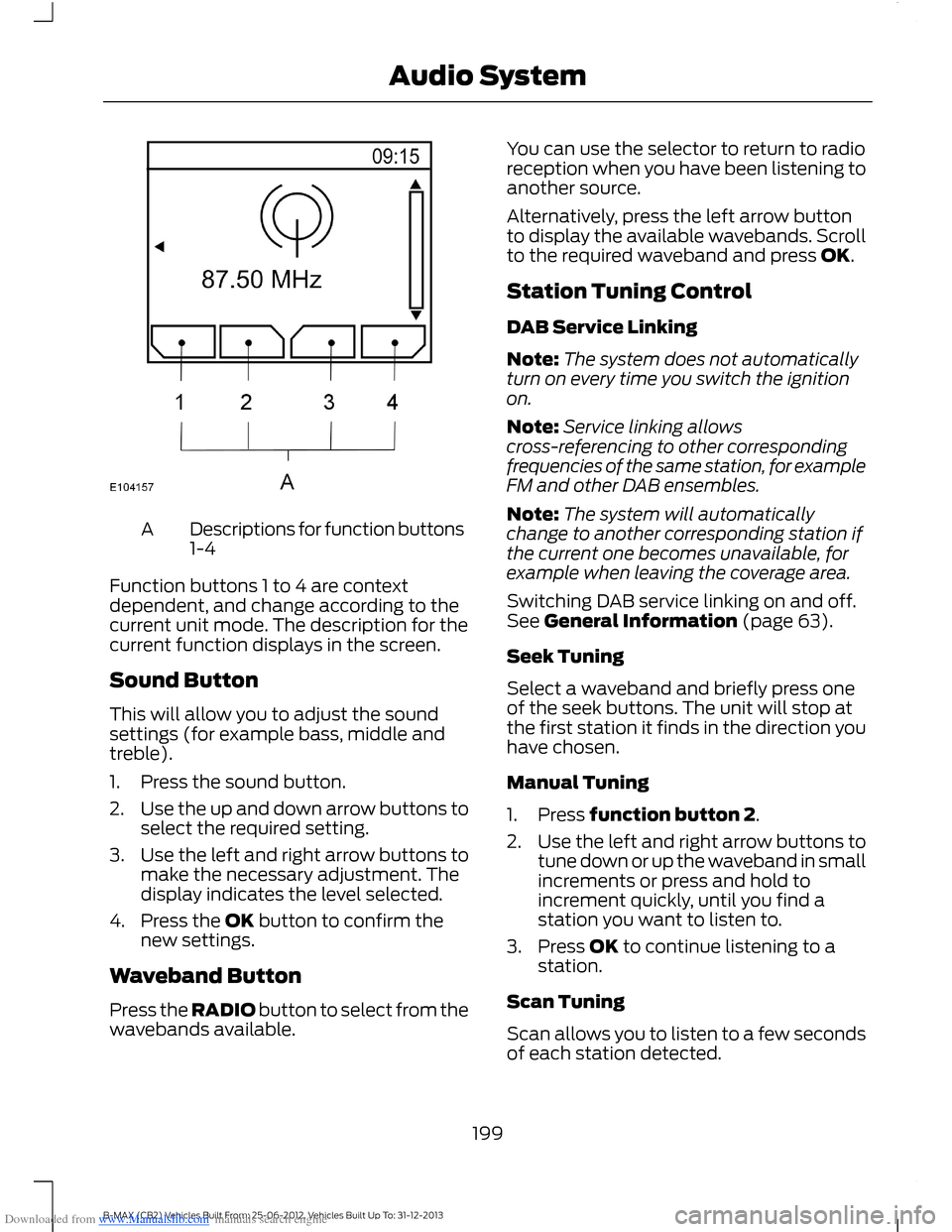
Downloaded from www.Manualslib.com manuals search engine Descriptions for function buttons1-4A
Function buttons 1 to 4 are contextdependent, and change according to thecurrent unit mode. The description for thecurrent function displays in the screen.
Sound Button
This will allow you to adjust the soundsettings (for example bass, middle andtreble).
1.Press the sound button.
2.Use the up and down arrow buttons toselect the required setting.
3.Use the left and right arrow buttons tomake the necessary adjustment. Thedisplay indicates the level selected.
4.Press the OK button to confirm thenew settings.
Waveband Button
Press the RADIO button to select from thewavebands available.
You can use the selector to return to radioreception when you have been listening toanother source.
Alternatively, press the left arrow buttonto display the available wavebands. Scrollto the required waveband and press OK.
Station Tuning Control
DAB Service Linking
Note:The system does not automaticallyturn on every time you switch the ignitionon.
Note:Service linking allowscross-referencing to other correspondingfrequencies of the same station, for exampleFM and other DAB ensembles.
Note:The system will automaticallychange to another corresponding station ifthe current one becomes unavailable, forexample when leaving the coverage area.
Switching DAB service linking on and off.See General Information (page 63).
Seek Tuning
Select a waveband and briefly press oneof the seek buttons. The unit will stop atthe first station it finds in the direction youhave chosen.
Manual Tuning
1.Press function button 2.
2.Use the left and right arrow buttons totune down or up the waveband in smallincrements or press and hold toincrement quickly, until you find astation you want to listen to.
3.Press OK to continue listening to astation.
Scan Tuning
Scan allows you to listen to a few secondsof each station detected.
199B-MAX (CB2) Vehicles Built From: 25-06-2012, Vehicles Built Up To: 31-12-2013Audio System
Page 212 of 298
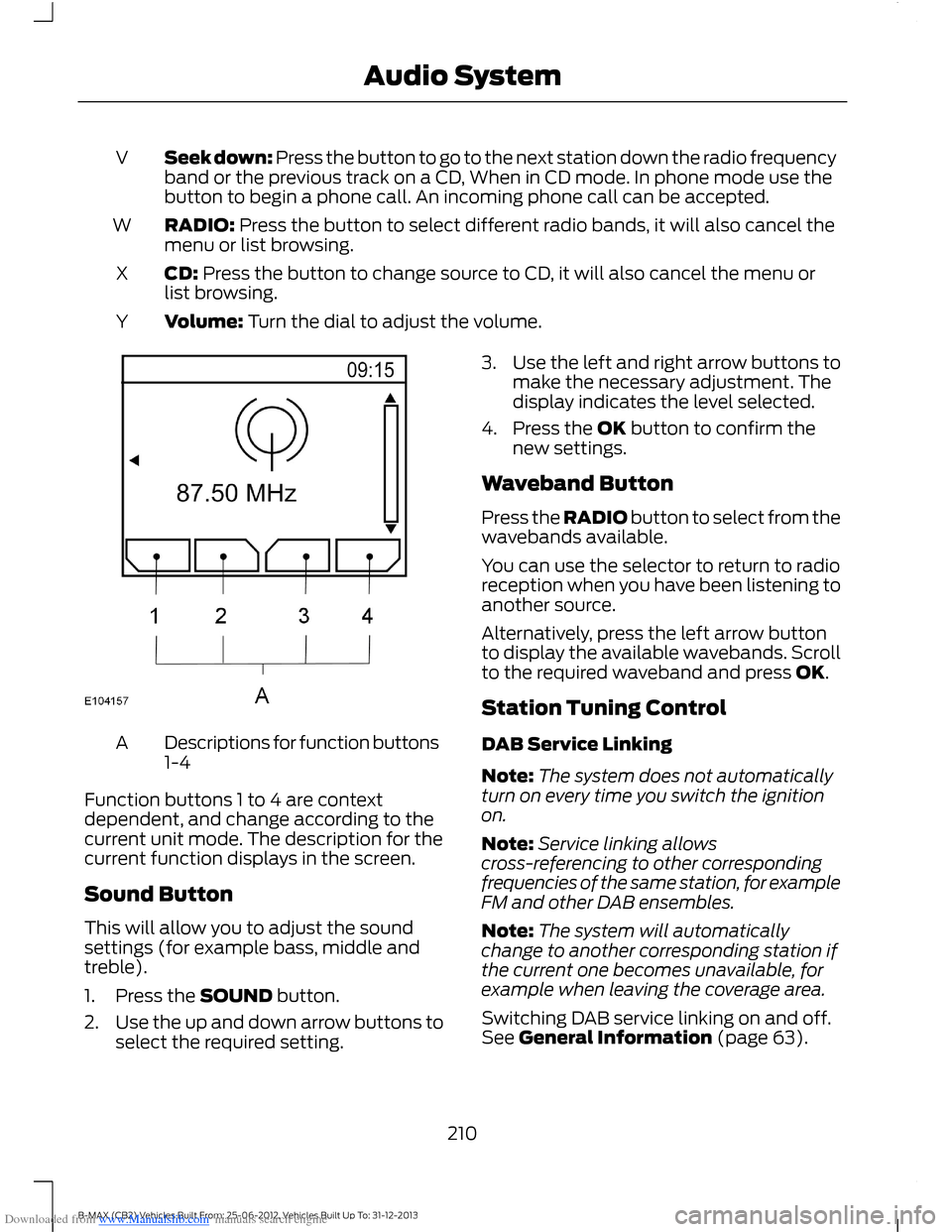
Downloaded from www.Manualslib.com manuals search engine Seek down: Press the button to go to the next station down the radio frequencyband or the previous track on a CD, When in CD mode. In phone mode use thebutton to begin a phone call. An incoming phone call can be accepted.
V
RADIO: Press the button to select different radio bands, it will also cancel themenu or list browsing.W
CD: Press the button to change source to CD, it will also cancel the menu orlist browsing.X
Volume: Turn the dial to adjust the volume.Y
Descriptions for function buttons1-4A
Function buttons 1 to 4 are contextdependent, and change according to thecurrent unit mode. The description for thecurrent function displays in the screen.
Sound Button
This will allow you to adjust the soundsettings (for example bass, middle andtreble).
1.Press the SOUND button.
2.Use the up and down arrow buttons toselect the required setting.
3.Use the left and right arrow buttons tomake the necessary adjustment. Thedisplay indicates the level selected.
4.Press the OK button to confirm thenew settings.
Waveband Button
Press the RADIO button to select from thewavebands available.
You can use the selector to return to radioreception when you have been listening toanother source.
Alternatively, press the left arrow buttonto display the available wavebands. Scrollto the required waveband and press OK.
Station Tuning Control
DAB Service Linking
Note:The system does not automaticallyturn on every time you switch the ignitionon.
Note:Service linking allowscross-referencing to other correspondingfrequencies of the same station, for exampleFM and other DAB ensembles.
Note:The system will automaticallychange to another corresponding station ifthe current one becomes unavailable, forexample when leaving the coverage area.
Switching DAB service linking on and off.See General Information (page 63).
210B-MAX (CB2) Vehicles Built From: 25-06-2012, Vehicles Built Up To: 31-12-2013Audio System
Page 218 of 298
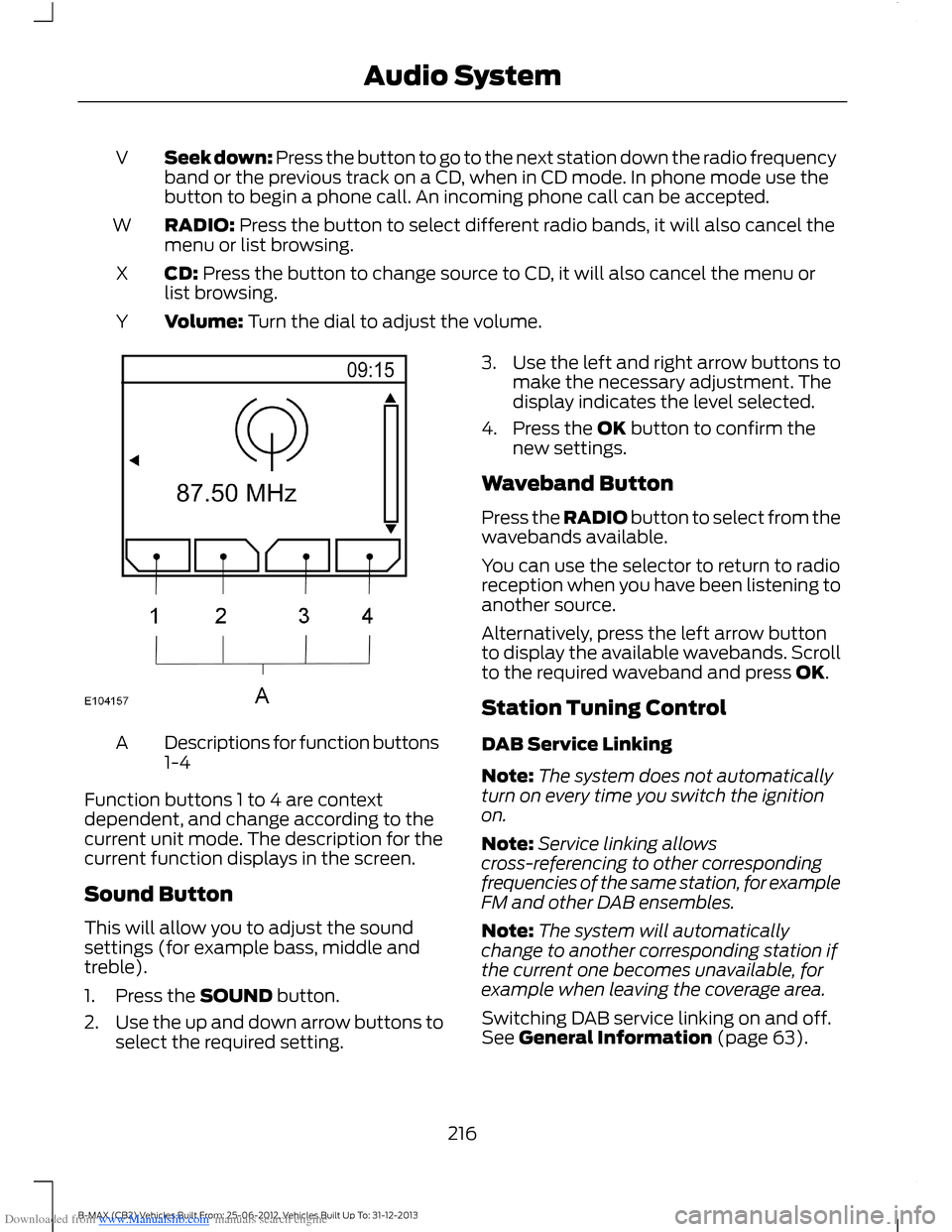
Downloaded from www.Manualslib.com manuals search engine Seek down: Press the button to go to the next station down the radio frequencyband or the previous track on a CD, when in CD mode. In phone mode use thebutton to begin a phone call. An incoming phone call can be accepted.
V
RADIO: Press the button to select different radio bands, it will also cancel themenu or list browsing.W
CD: Press the button to change source to CD, it will also cancel the menu orlist browsing.X
Volume: Turn the dial to adjust the volume.Y
Descriptions for function buttons1-4A
Function buttons 1 to 4 are contextdependent, and change according to thecurrent unit mode. The description for thecurrent function displays in the screen.
Sound Button
This will allow you to adjust the soundsettings (for example bass, middle andtreble).
1.Press the SOUND button.
2.Use the up and down arrow buttons toselect the required setting.
3.Use the left and right arrow buttons tomake the necessary adjustment. Thedisplay indicates the level selected.
4.Press the OK button to confirm thenew settings.
Waveband Button
Press the RADIO button to select from thewavebands available.
You can use the selector to return to radioreception when you have been listening toanother source.
Alternatively, press the left arrow buttonto display the available wavebands. Scrollto the required waveband and press OK.
Station Tuning Control
DAB Service Linking
Note:The system does not automaticallyturn on every time you switch the ignitionon.
Note:Service linking allowscross-referencing to other correspondingfrequencies of the same station, for exampleFM and other DAB ensembles.
Note:The system will automaticallychange to another corresponding station ifthe current one becomes unavailable, forexample when leaving the coverage area.
Switching DAB service linking on and off.See General Information (page 63).
216B-MAX (CB2) Vehicles Built From: 25-06-2012, Vehicles Built Up To: 31-12-2013Audio System
Page 223 of 298
Downloaded from www.Manualslib.com manuals search engine Note:Radio stations stored on the presetbuttons may not always be available if youhave left the coverage area. The system willmute when this happens.
Radio Text
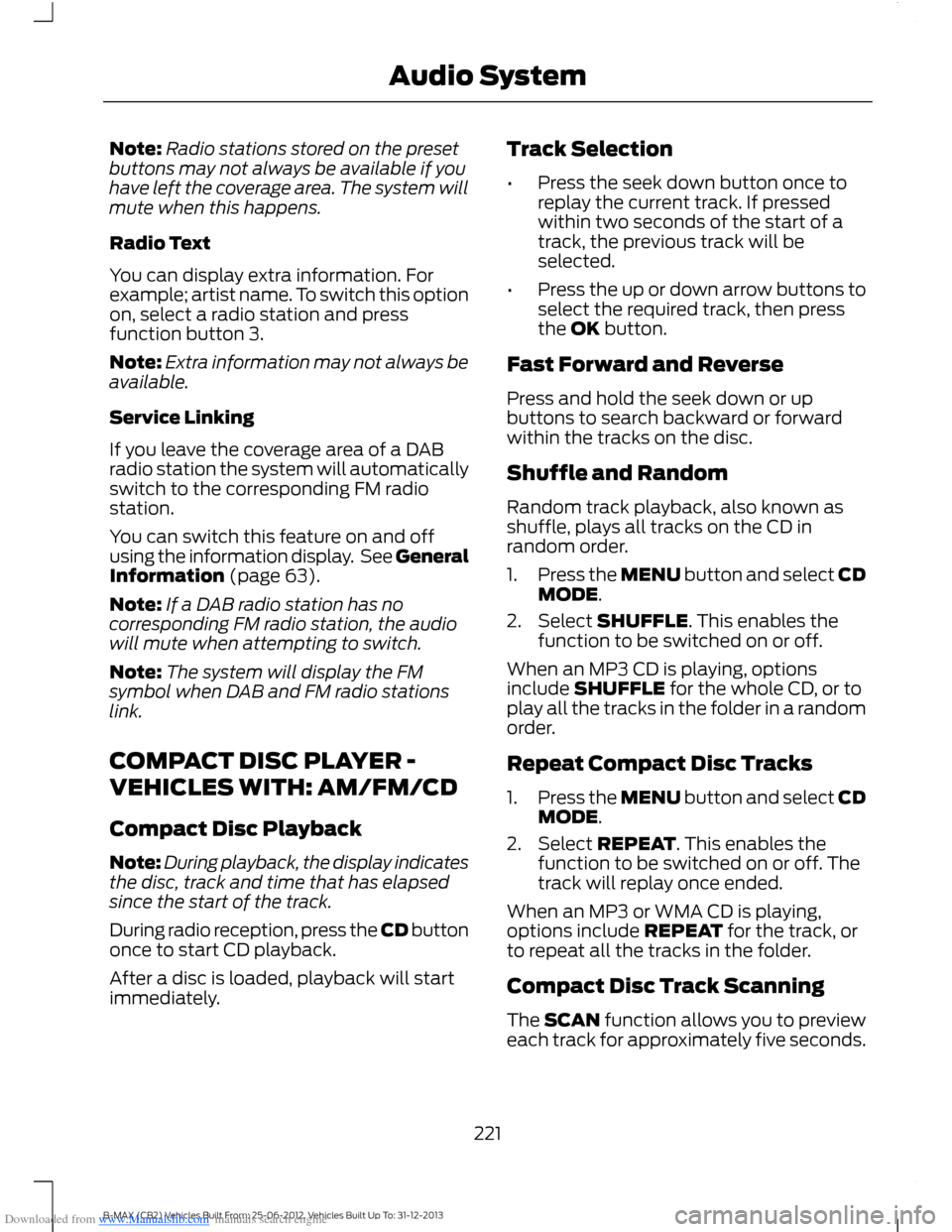
You can display extra information. Forexample; artist name. To switch this optionon, select a radio station and pressfunction button 3.
Note:Extra information may not always beavailable.
Service Linking
If you leave the coverage area of a DABradio station the system will automaticallyswitch to the corresponding FM radiostation.
You can switch this feature on and offusing the information display. See GeneralInformation (page 63).
Note:If a DAB radio station has nocorresponding FM radio station, the audiowill mute when attempting to switch.
Note:The system will display the FMsymbol when DAB and FM radio stationslink.
COMPACT DISC PLAYER -
VEHICLES WITH: AM/FM/CD
Compact Disc Playback
Note:During playback, the display indicatesthe disc, track and time that has elapsedsince the start of the track.
During radio reception, press the CD buttononce to start CD playback.
After a disc is loaded, playback will startimmediately.
Track Selection
•Press the seek down button once toreplay the current track. If pressedwithin two seconds of the start of atrack, the previous track will beselected.
•Press the up or down arrow buttons toselect the required track, then pressthe OK button.
Fast Forward and Reverse
Press and hold the seek down or upbuttons to search backward or forwardwithin the tracks on the disc.
Shuffle and Random
Random track playback, also known asshuffle, plays all tracks on the CD inrandom order.
1.Press the MENU button and select CDMODE.
2.Select SHUFFLE. This enables thefunction to be switched on or off.
When an MP3 CD is playing, optionsinclude SHUFFLE for the whole CD, or toplay all the tracks in the folder in a randomorder.
Repeat Compact Disc Tracks
1.Press the MENU button and select CDMODE.
2.Select REPEAT. This enables thefunction to be switched on or off. Thetrack will replay once ended.
When an MP3 or WMA CD is playing,options include REPEAT for the track, orto repeat all the tracks in the folder.
Compact Disc Track Scanning
The SCAN function allows you to previeweach track for approximately five seconds.
221B-MAX (CB2) Vehicles Built From: 25-06-2012, Vehicles Built Up To: 31-12-2013Audio System
Page 242 of 298
Downloaded from www.Manualslib.com manuals search engine Safety Information
WARNING
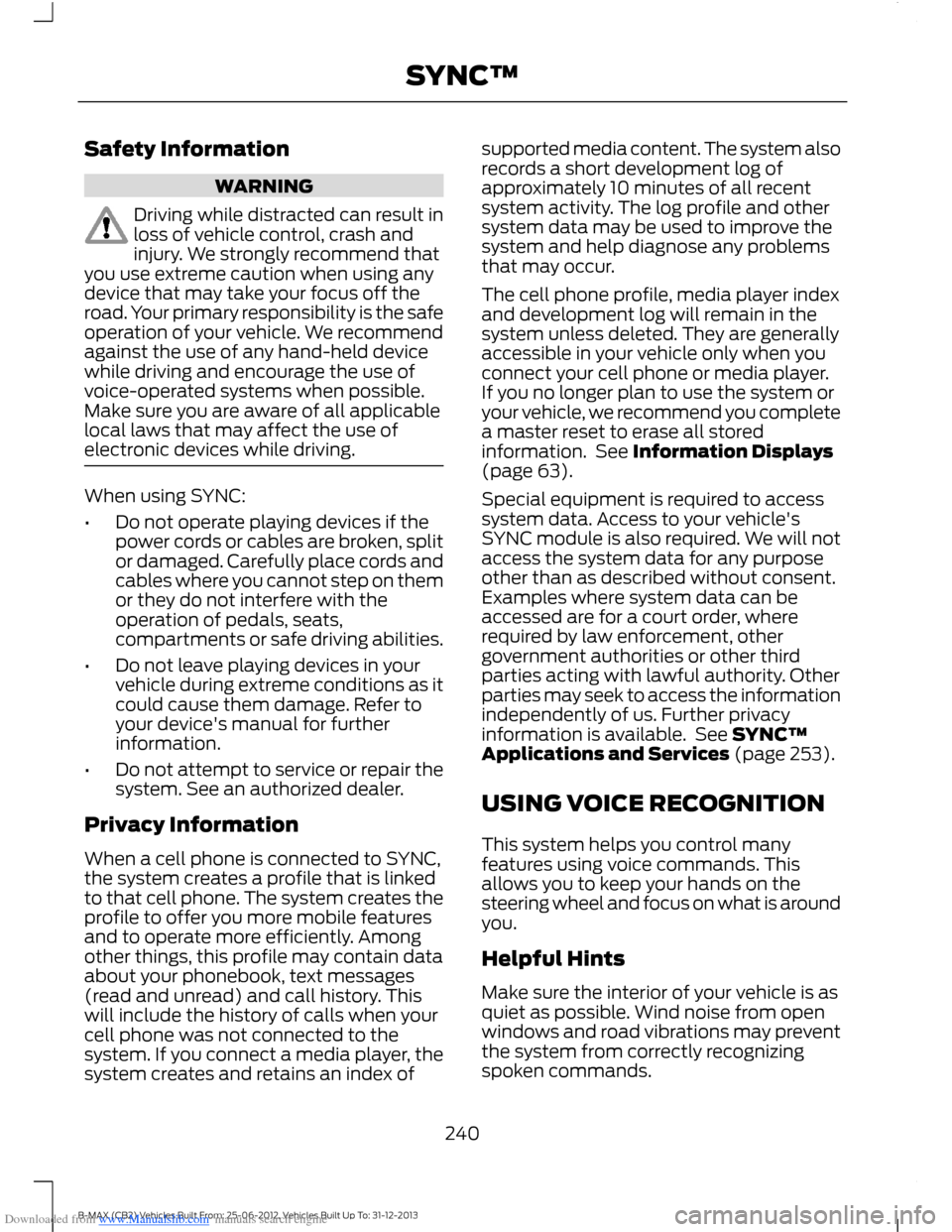
Driving while distracted can result inloss of vehicle control, crash andinjury. We strongly recommend thatyou use extreme caution when using anydevice that may take your focus off theroad. Your primary responsibility is the safeoperation of your vehicle. We recommendagainst the use of any hand-held devicewhile driving and encourage the use ofvoice-operated systems when possible.Make sure you are aware of all applicablelocal laws that may affect the use ofelectronic devices while driving.
When using SYNC:
•Do not operate playing devices if thepower cords or cables are broken, splitor damaged. Carefully place cords andcables where you cannot step on themor they do not interfere with theoperation of pedals, seats,compartments or safe driving abilities.
•Do not leave playing devices in yourvehicle during extreme conditions as itcould cause them damage. Refer toyour device's manual for furtherinformation.
•Do not attempt to service or repair thesystem. See an authorized dealer.
Privacy Information
When a cell phone is connected to SYNC,the system creates a profile that is linkedto that cell phone. The system creates theprofile to offer you more mobile featuresand to operate more efficiently. Amongother things, this profile may contain dataabout your phonebook, text messages(read and unread) and call history. Thiswill include the history of calls when yourcell phone was not connected to thesystem. If you connect a media player, thesystem creates and retains an index of
supported media content. The system alsorecords a short development log ofapproximately 10 minutes of all recentsystem activity. The log profile and othersystem data may be used to improve thesystem and help diagnose any problemsthat may occur.
The cell phone profile, media player indexand development log will remain in thesystem unless deleted. They are generallyaccessible in your vehicle only when youconnect your cell phone or media player.If you no longer plan to use the system oryour vehicle, we recommend you completea master reset to erase all storedinformation. See Information Displays(page 63).
Special equipment is required to accesssystem data. Access to your vehicle'sSYNC module is also required. We will notaccess the system data for any purposeother than as described without consent.Examples where system data can beaccessed are for a court order, whererequired by law enforcement, othergovernment authorities or other thirdparties acting with lawful authority. Otherparties may seek to access the informationindependently of us. Further privacyinformation is available. See SYNC™Applications and Services (page 253).
USING VOICE RECOGNITION
This system helps you control manyfeatures using voice commands. Thisallows you to keep your hands on thesteering wheel and focus on what is aroundyou.
Helpful Hints
Make sure the interior of your vehicle is asquiet as possible. Wind noise from openwindows and road vibrations may preventthe system from correctly recognizingspoken commands.
240B-MAX (CB2) Vehicles Built From: 25-06-2012, Vehicles Built Up To: 31-12-2013SYNC™
Page 254 of 298
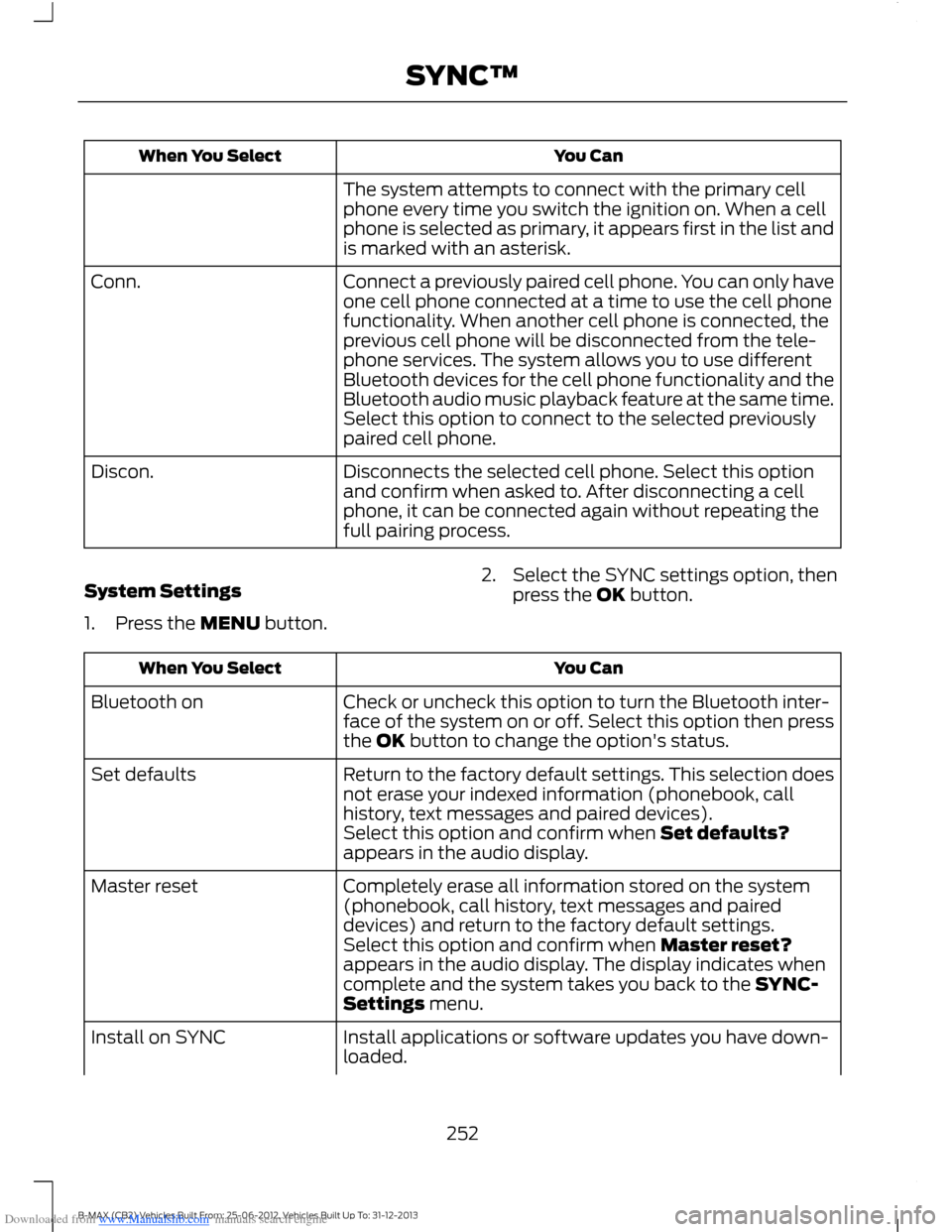
Downloaded from www.Manualslib.com manuals search engine You CanWhen You Select
The system attempts to connect with the primary cellphone every time you switch the ignition on. When a cellphone is selected as primary, it appears first in the list andis marked with an asterisk.
Connect a previously paired cell phone. You can only haveone cell phone connected at a time to use the cell phonefunctionality. When another cell phone is connected, theprevious cell phone will be disconnected from the tele-phone services. The system allows you to use differentBluetooth devices for the cell phone functionality and theBluetooth audio music playback feature at the same time.
Conn.
Select this option to connect to the selected previouslypaired cell phone.
Disconnects the selected cell phone. Select this optionand confirm when asked to. After disconnecting a cellphone, it can be connected again without repeating thefull pairing process.
Discon.
System Settings
1.Press the MENU button.
2.Select the SYNC settings option, thenpress the OK button.
You CanWhen You Select
Check or uncheck this option to turn the Bluetooth inter-face of the system on or off. Select this option then pressthe OK button to change the option's status.
Bluetooth on
Return to the factory default settings. This selection doesnot erase your indexed information (phonebook, callhistory, text messages and paired devices).
Set defaults
Select this option and confirm when Set defaults?appears in the audio display.
Completely erase all information stored on the system(phonebook, call history, text messages and paireddevices) and return to the factory default settings.
Master reset
Select this option and confirm when Master reset?appears in the audio display. The display indicates whencomplete and the system takes you back to the SYNC-Settings menu.
Install applications or software updates you have down-loaded.Install on SYNC
252B-MAX (CB2) Vehicles Built From: 25-06-2012, Vehicles Built Up To: 31-12-2013SYNC™