ignition FORD B MAX 2013 1.G Owners Manual
[x] Cancel search | Manufacturer: FORD, Model Year: 2013, Model line: B MAX, Model: FORD B MAX 2013 1.GPages: 298, PDF Size: 20.63 MB
Page 4 of 298
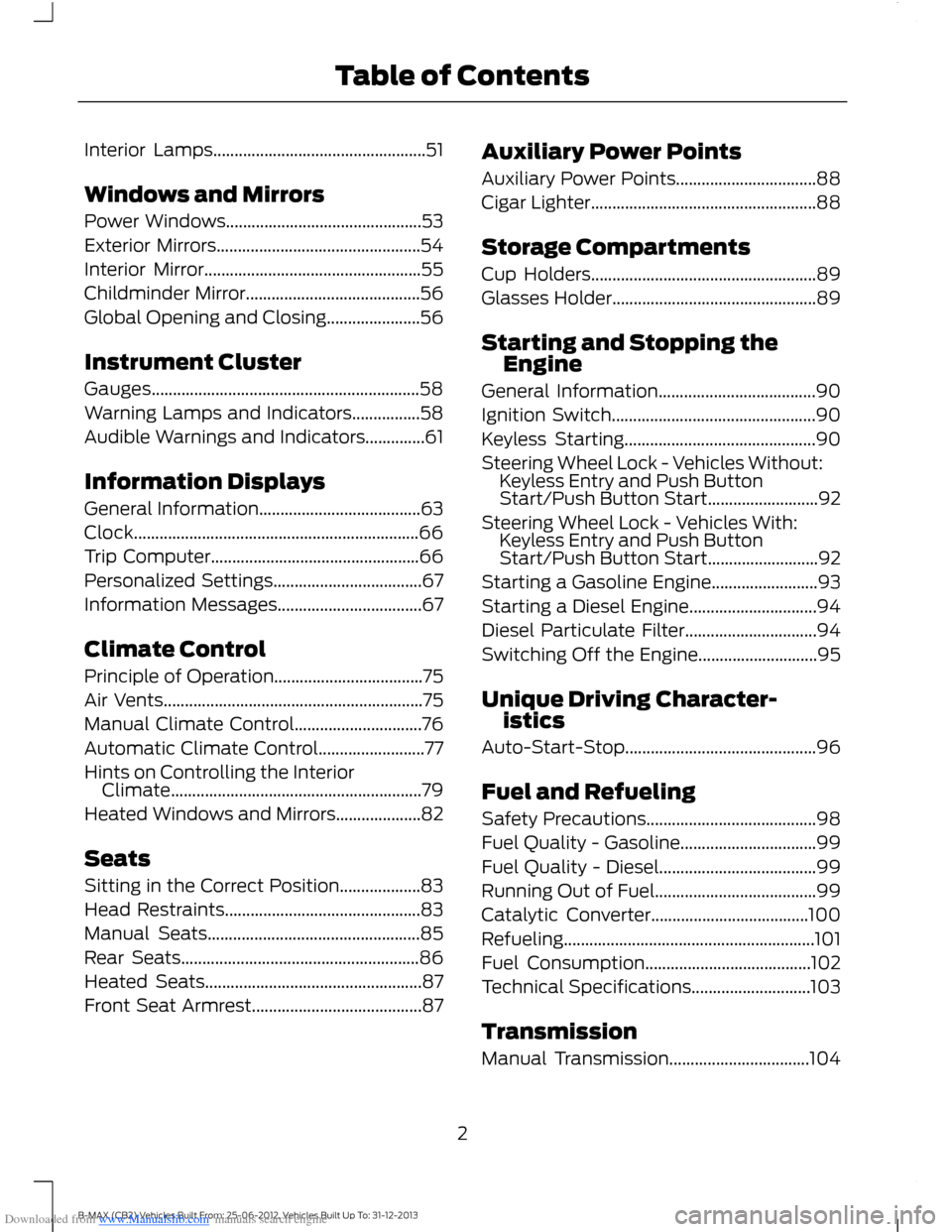
Downloaded from www.Manualslib.com manuals search engine Interior Lamps..................................................51
Windows and Mirrors
Power Windows..............................................53
Exterior Mirrors................................................54
Interior Mirror...................................................55
Childminder Mirror.........................................56
Global Opening and Closing......................56
Instrument Cluster
Gauges...............................................................58
Warning Lamps and Indicators................58
Audible Warnings and Indicators..............61
Information Displays
General Information......................................63
Clock...................................................................66
Trip Computer.................................................66
Personalized Settings...................................67
Information Messages..................................67
Climate Control
Principle of Operation...................................75
Air Vents.............................................................75
Manual Climate Control..............................76
Automatic Climate Control.........................77
Hints on Controlling the InteriorClimate...........................................................79
Heated Windows and Mirrors....................82
Seats
Sitting in the Correct Position...................83
Head Restraints..............................................83
Manual Seats..................................................85
Rear Seats........................................................86
Heated Seats...................................................87
Front Seat Armrest........................................87
Auxiliary Power Points
Auxiliary Power Points.................................88
Cigar Lighter.....................................................88
Storage Compartments
Cup Holders.....................................................89
Glasses Holder................................................89
Starting and Stopping theEngine
General Information.....................................90
Ignition Switch................................................90
Keyless Starting.............................................90
Steering Wheel Lock - Vehicles Without:Keyless Entry and Push ButtonStart/Push Button Start..........................92
Steering Wheel Lock - Vehicles With:Keyless Entry and Push ButtonStart/Push Button Start..........................92
Starting a Gasoline Engine.........................93
Starting a Diesel Engine..............................94
Diesel Particulate Filter...............................94
Switching Off the Engine............................95
Unique Driving Character-istics
Auto-Start-Stop.............................................96
Fuel and Refueling
Safety Precautions........................................98
Fuel Quality - Gasoline................................99
Fuel Quality - Diesel.....................................99
Running Out of Fuel......................................99
Catalytic Converter.....................................100
Refueling...........................................................101
Fuel Consumption.......................................102
Technical Specifications............................103
Transmission
Manual Transmission.................................104
2B-MAX (CB2) Vehicles Built From: 25-06-2012, Vehicles Built Up To: 31-12-2013Table of Contents
Page 15 of 298
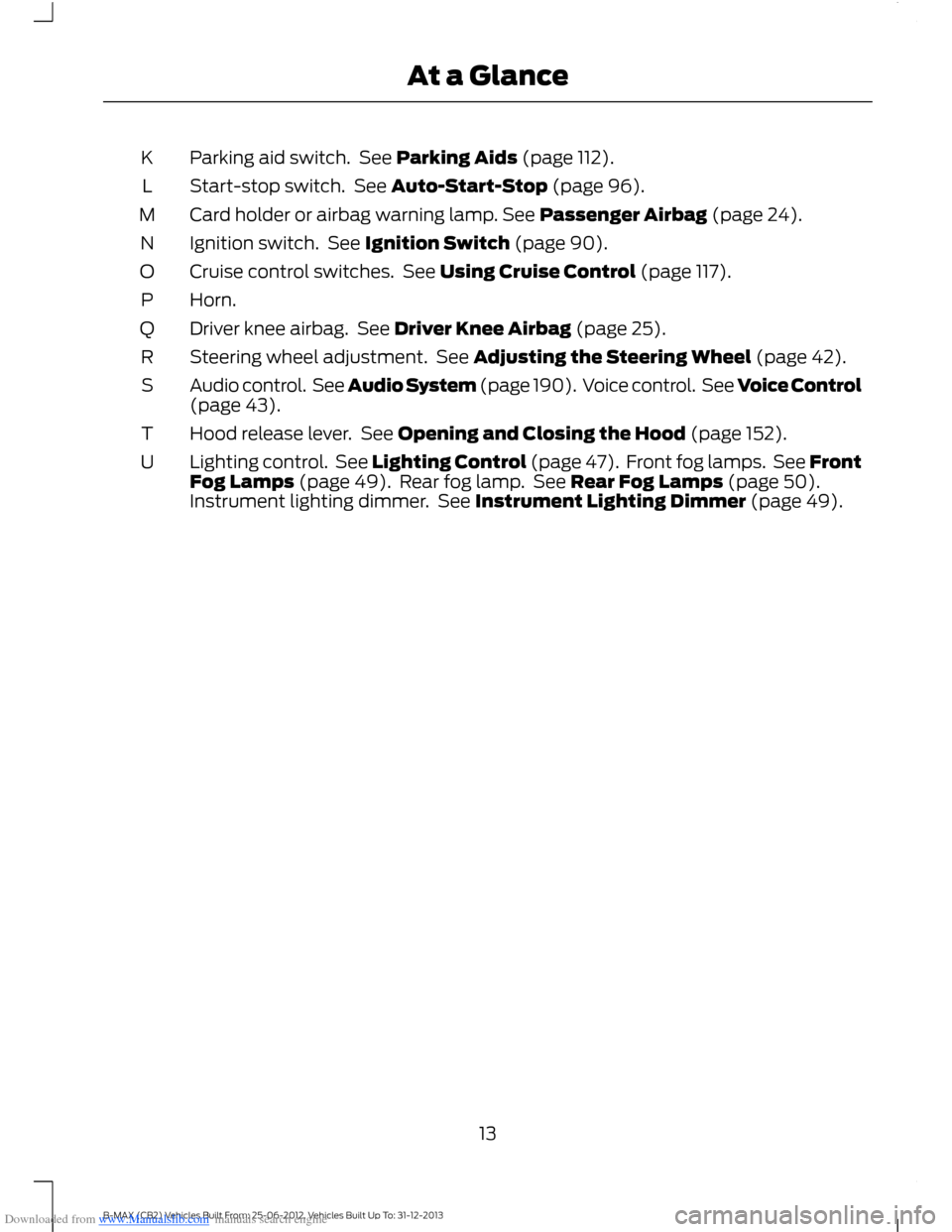
Downloaded from www.Manualslib.com manuals search engine Parking aid switch. See Parking Aids (page 112).K
Start-stop switch. See Auto-Start-Stop (page 96).L
Card holder or airbag warning lamp. See Passenger Airbag (page 24).M
Ignition switch. See Ignition Switch (page 90).N
Cruise control switches. See Using Cruise Control (page 117).O
Horn.P
Driver knee airbag. See Driver Knee Airbag (page 25).Q
Steering wheel adjustment. See Adjusting the Steering Wheel (page 42).R
Audio control. See Audio System (page 190). Voice control. See Voice Control(page 43).S
Hood release lever. See Opening and Closing the Hood (page 152).T
Lighting control. See Lighting Control (page 47). Front fog lamps. See FrontFog Lamps (page 49). Rear fog lamp. See Rear Fog Lamps (page 50).Instrument lighting dimmer. See Instrument Lighting Dimmer (page 49).
U
13B-MAX (CB2) Vehicles Built From: 25-06-2012, Vehicles Built Up To: 31-12-2013At a Glance
Page 26 of 298
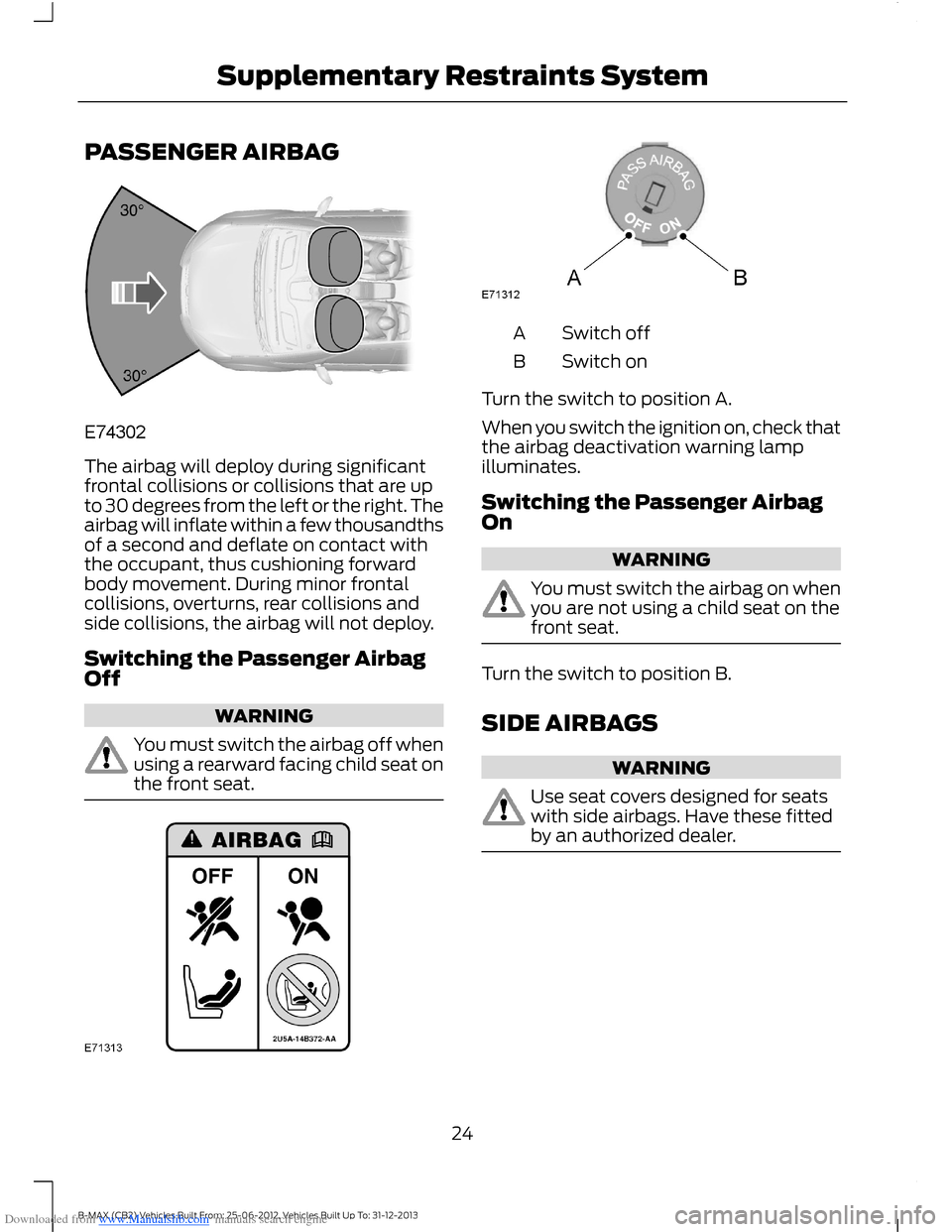
Downloaded from www.Manualslib.com manuals search engine PASSENGER AIRBAG
The airbag will deploy during significantfrontal collisions or collisions that are upto 30 degrees from the left or the right. Theairbag will inflate within a few thousandthsof a second and deflate on contact withthe occupant, thus cushioning forwardbody movement. During minor frontalcollisions, overturns, rear collisions andside collisions, the airbag will not deploy.
Switching the Passenger AirbagOff
WARNING
You must switch the airbag off whenusing a rearward facing child seat onthe front seat.
Switch offA
Switch onB
Turn the switch to position A.
When you switch the ignition on, check thatthe airbag deactivation warning lampilluminates.
Switching the Passenger AirbagOn
WARNING
You must switch the airbag on whenyou are not using a child seat on thefront seat.
Turn the switch to position B.
SIDE AIRBAGS
WARNING
Use seat covers designed for seatswith side airbags. Have these fittedby an authorized dealer.
24B-MAX (CB2) Vehicles Built From: 25-06-2012, Vehicles Built Up To: 31-12-2013Supplementary Restraints System
Page 28 of 298
Downloaded from www.Manualslib.com manuals search engine GENERAL INFORMATION ON
RADIO FREQUENCIES
Note:Changes or modifications notexpressly approved by the party responsiblefor compliance could void the user’sauthority to operate the equipment.
The typical operating range for yourtransmitter is approximately 33 ft (10 m).
A decrease in operating range could becaused by:
•weather conditions
•nearby radio towers
•structures around your vehicle
•other vehicles parked next to yourvehicle.
The radio frequency used by your remotecontrol can also be used by other shortdistance radio transmissions (e.g. amateurradios, medical equipment, wirelessheadphones, remote controls and alarmsystems). If the frequencies are jammed,you will not be able to use your remotecontrol. You can lock and unlock the doorswith the key.
Note:Make sure your vehicle is lockedbefore leaving it unattended.
Note:If you are in range, the remote controlwill operate if you press any buttonunintentionally.
REMOTE CONTROL
You can program a maximum of eightremote controls to your vehicle. Thisincludes any that were supplied with yourvehicle. The remote controls must remaininside your vehicle during the programmingprocedure. Fasten the front safety beltsand close all doors to make sure thatconflicting chimes do not sound duringprogramming.
Programming a New RemoteControl
1.Turn the ignition key from position 0 toposition II four times within sixseconds.
2.Turn the ignition to position 0. A tonesounds to indicate that it is nowpossible to program a remote control.
3.Press any button on a new remotecontrol within 10 seconds. A tone willsound as confirmation.
4.Repeat step three within 10 secondsfor each new remote control. Do notremove the key from the ignition whenpressing the button on the remotecontrol.
5.Switch the ignition back on (positionII) or wait for 10 seconds withoutprogramming another remote controlto end the key programming. Only theremote controls which you have justprogrammed are now able to lock andunlock your vehicle.
Reprogramming the UnlockingFunction
Note:When you press the unlock buttoneither all the doors are unlocked or only thedriver’s door and the liftgate are unlocked.Pressing the unlock button again unlocksall the doors.
Press and hold the unlock and lock buttonson the remote control simultaneously forat least four seconds with the ignition off.The direction indicators will flash twice toconfirm the change.
To return to the original unlocking function,repeat the process.
26B-MAX (CB2) Vehicles Built From: 25-06-2012, Vehicles Built Up To: 31-12-2013Keys and Remote Controls
Page 32 of 298
Downloaded from www.Manualslib.com manuals search engine PRINCIPLE OF OPERATION
The system allows you to program keyswith restricted driving modes to promotegood driving habits. You can use all but oneof the keys programmed to your vehiclewith these restricted modes.
Any keys that have not been programmedare referred to as an administrator key oradmin key. These can be used to:
•create a MyKey
•program optional MyKey settings
•clear all MyKey features.
When you have programmed a MyKey, youcan access the following information usingthe information display:
•How many admin keys and MyKeys areprogrammed to your vehicle.
•The total distance your vehicle hastraveled using a MyKey.
Note:Switch the ignition on to use thesystem.
Note:All MyKeys are programmed to thesame settings. You cannot program themindividually.
Standard Settings
The following settings cannot be changed:
•Safety belt minder. You cannot disablethis feature. The audio system willmute when this feature is activated.
•Low fuel level warning. When the fuellevel is low, warnings will be shown inthe display followed by an audibletone.
•Driver assist features, for examplenavigation and parking aids. Thesesystems turn on automaticallywhenever you switch the ignition on.
Optional Settings
You can configure MyKey settings whenyou first create a MyKey. You can alsochange the settings afterward with anadmin key.
The following settings can be configuredusing an admin key:
•Various vehicle speed limits can be set.Warnings will be shown in the displayfollowed by an audible tone when yourvehicle reaches the set speed. Youcannot override the set speed by fullydepressing the accelerator pedal.
•Various vehicle speed reminders canbe set. Warnings will be shown in thedisplay followed by an audible tonewhen the set vehicle speed isexceeded.
•Audio system maximum volume of45%. A message will be shown in thedisplay when you attempt to exceedthe limited volume. Automatic volumecontrol will be disabled.
•Always on setting. When this isselected you will not be able to disableemergency assistance or the do notdisturb feature.
Vehicles with Keyless Entry
If a MyKey and an admin key are present,your vehicle will recognize the admin keyonly.
CREATING A MYKEY
Vehicles without Keyless Starting
1.Insert the key you want to program intothe ignition.
2.Switch the ignition on.
3.Access the main menu using theinformation display. Select MyKey andpress OK or the right arrow button.
30B-MAX (CB2) Vehicles Built From: 25-06-2012, Vehicles Built Up To: 31-12-2013MyKey™
Page 33 of 298
Downloaded from www.Manualslib.com manuals search engine 4.Select Create MyKey and press OK.
5.When prompted, press and hold OKuntil you see a message informing youto label this key as a MyKey. The keywill be restricted the next time you useit.
Note:Make sure you label the MyKey soyou can distinguish it from the admin keys.
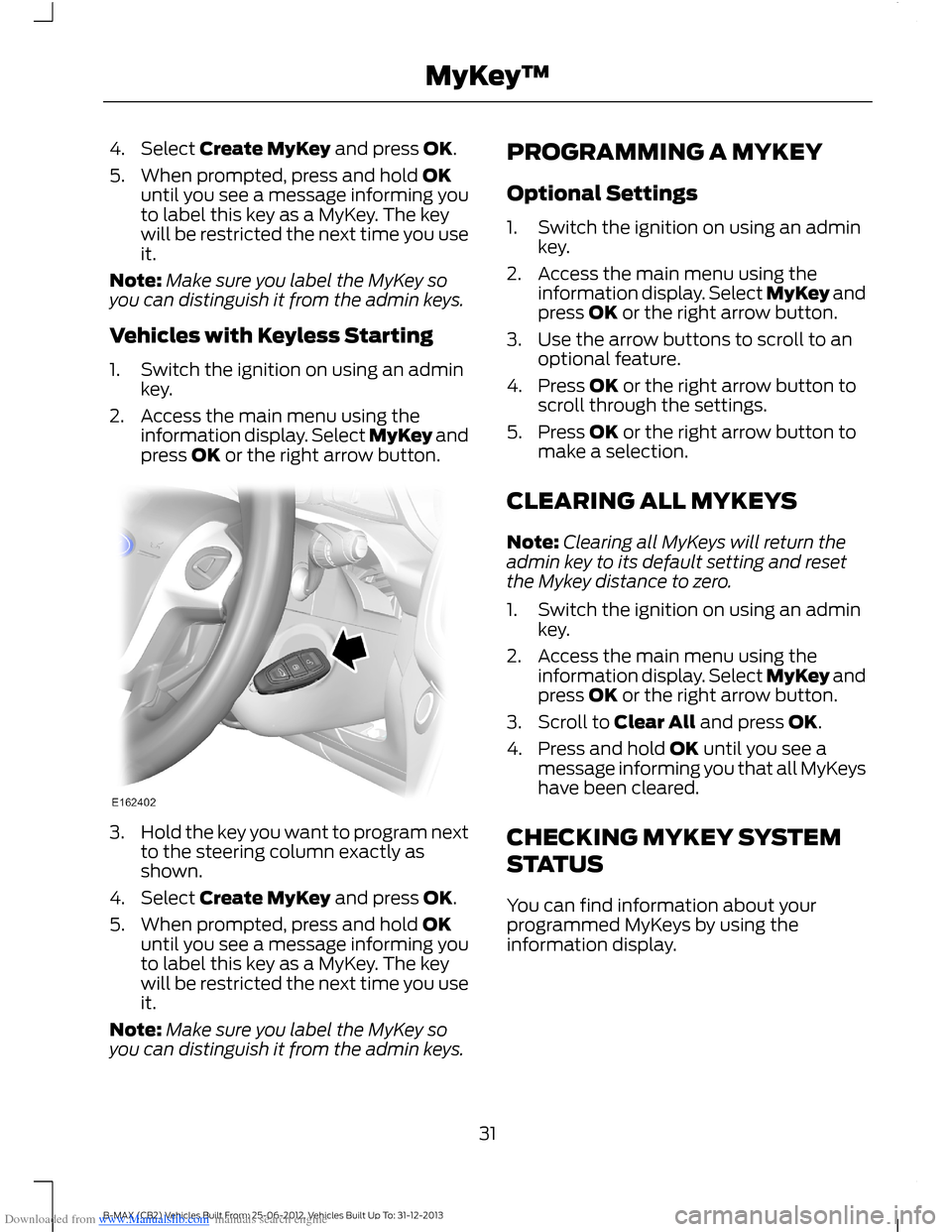
Vehicles with Keyless Starting
1.Switch the ignition on using an adminkey.
2.Access the main menu using theinformation display. Select MyKey andpress OK or the right arrow button.
3.Hold the key you want to program nextto the steering column exactly asshown.
4.Select Create MyKey and press OK.
5.When prompted, press and hold OKuntil you see a message informing youto label this key as a MyKey. The keywill be restricted the next time you useit.
Note:Make sure you label the MyKey soyou can distinguish it from the admin keys.
PROGRAMMING A MYKEY
Optional Settings
1.Switch the ignition on using an adminkey.
2.Access the main menu using theinformation display. Select MyKey andpress OK or the right arrow button.
3.Use the arrow buttons to scroll to anoptional feature.
4.Press OK or the right arrow button toscroll through the settings.
5.Press OK or the right arrow button tomake a selection.
CLEARING ALL MYKEYS
Note:Clearing all MyKeys will return theadmin key to its default setting and resetthe Mykey distance to zero.
1.Switch the ignition on using an adminkey.
2.Access the main menu using theinformation display. Select MyKey andpress OK or the right arrow button.
3.Scroll to Clear All and press OK.
4.Press and hold OK until you see amessage informing you that all MyKeyshave been cleared.
CHECKING MYKEY SYSTEM
STATUS
You can find information about yourprogrammed MyKeys by using theinformation display.
31B-MAX (CB2) Vehicles Built From: 25-06-2012, Vehicles Built Up To: 31-12-2013MyKey™
Page 35 of 298
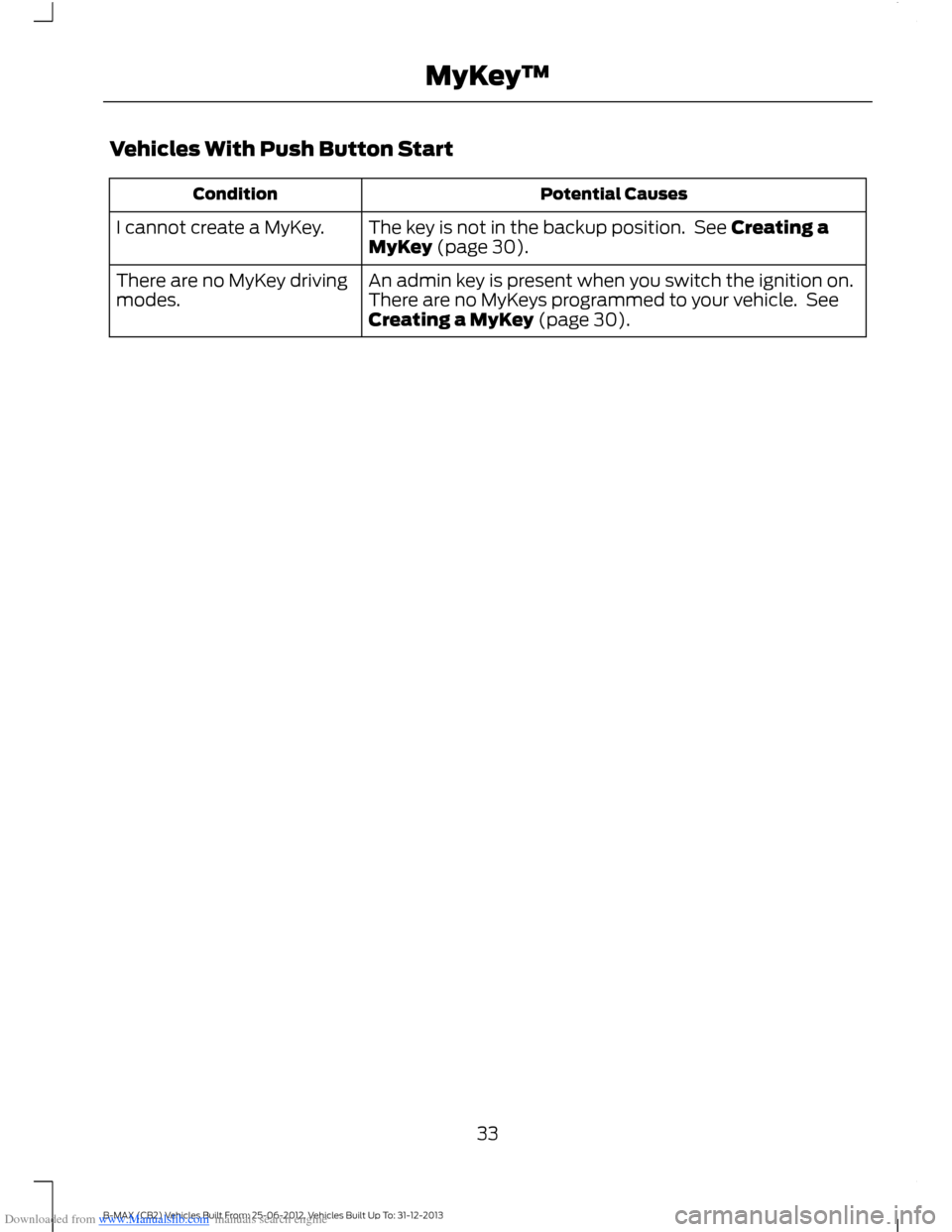
Downloaded from www.Manualslib.com manuals search engine Vehicles With Push Button Start
Potential CausesCondition
The key is not in the backup position. See Creating aMyKey (page 30).I cannot create a MyKey.
An admin key is present when you switch the ignition on.There are no MyKeys programmed to your vehicle. SeeCreating a MyKey (page 30).
There are no MyKey drivingmodes.
33B-MAX (CB2) Vehicles Built From: 25-06-2012, Vehicles Built Up To: 31-12-2013MyKey™
Page 40 of 298
Downloaded from www.Manualslib.com manuals search engine Unlocking Your Vehicle
Note:When your vehicle remains lockedfor longer than three days, the system willenter an energy-saving mode. This is toprevent your vehicle battery running out ofcharge. When your vehicle is unlocked whilein this mode, the reaction time of the systemmay be a little longer than normal. To exitthe energy-saving mode, unlock yourvehicle.
Note:A valid passive key must be locatedwithin the detection range of that door.
One long flash of the direction indicatorsconfirms that all the doors and the liftgatehave been unlocked and that the alarmhas been disarmed.
Unlocking Only the Driver's Door
If the unlocking function is reprogrammedso that only the driver’s door and theliftgate are unlocked. See RemoteControl (page 26). Note the following:
If the driver’s door is the first door which isopened, the other doors will remain locked.All the other doors can be unlocked frominside your vehicle by pressing the unlockbutton on the instrument panel. For itemlocation: See At a Glance (page 9).Doors can be unlocked individually bypulling the interior door handles on thosedoors.
If the front passenger's door is the firstdoor which is opened, all the doors and theliftgate will be unlocked.
Disabled Keys
Any keys left inside your vehicle interiorwhen it is locked will be disabled.
You cannot use a disabled key to switchthe ignition on or start the engine.
You must enable all passive keys again inorder to use them.
To enable all your passive keys, unlock yourvehicle using a passive key that has notbeen disabled or the remote controlunlocking function.
All passive keys will then be enabled if youswitch the ignition on or you start yourvehicle with a valid key.
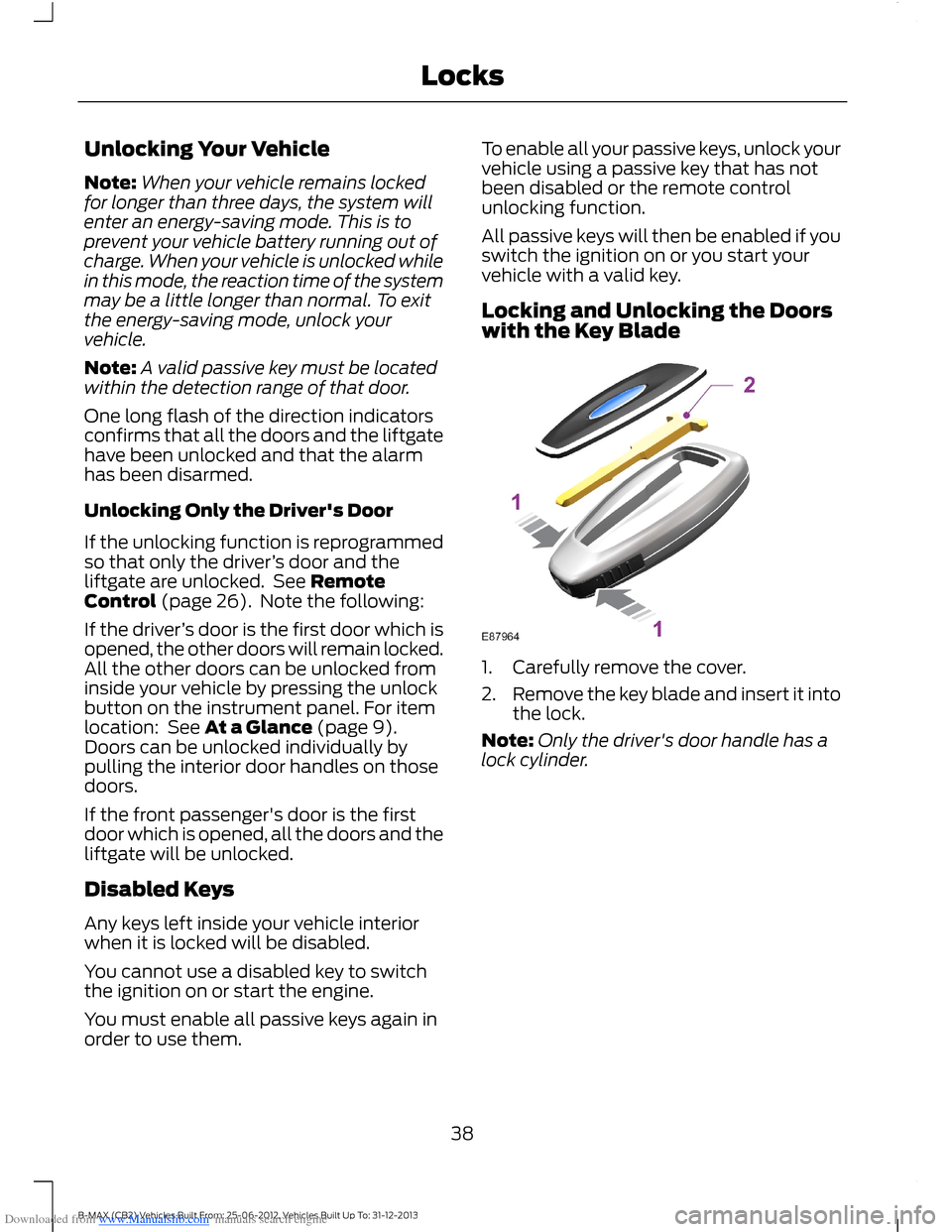
Locking and Unlocking the Doorswith the Key Blade
1.Carefully remove the cover.
2.Remove the key blade and insert it intothe lock.
Note:Only the driver's door handle has alock cylinder.
38B-MAX (CB2) Vehicles Built From: 25-06-2012, Vehicles Built Up To: 31-12-2013Locks
Page 41 of 298
Downloaded from www.Manualslib.com manuals search engine PASSIVE ANTI-THEFT
SYSTEM
Principle of Operation
The system prevents someone fromstarting the engine with an incorrectlycoded key.
Coded Keys
If you lose a key, you can obtain areplacement from an authorized dealer. Ifpossible, provide them with the keynumber from the tag provided with theoriginal keys. You can also obtain extrakeys from an authorized dealer.
Note:Have all of your remaining keyserased and recoded if you lose a key. Havereplacement keys coded together withrecoding your remaining keys. See anauthorized dealer for further information.
Note:Do not shield your keys with metalobjects. This may prevent the receiver fromrecognizing a coded key.
Arming the Engine Immobilizer
When you switch the ignition off the engineimmobilizer will arm automatically after ashort time.
Disarming the Engine Immobilizer
When you switch the ignition on the engineimmobilizer will disarm automatically if acorrectly coded key is used.
If you are unable to start the engine with acorrectly coded key, have your vehiclechecked by an authorized dealer.
ANTI-THEFT ALARM
Alarm System
Your vehicle may have one of the followingalarm systems:
•Perimeter alarm.
•Perimeter alarm with interior sensors.
•Category one alarm with interiorsensors and battery back-up sounder.
Perimeter Alarm
The perimeter alarm is a deterrent againstunauthorized access to your vehiclethrough the doors and the hood. It alsoprotects the audio unit.
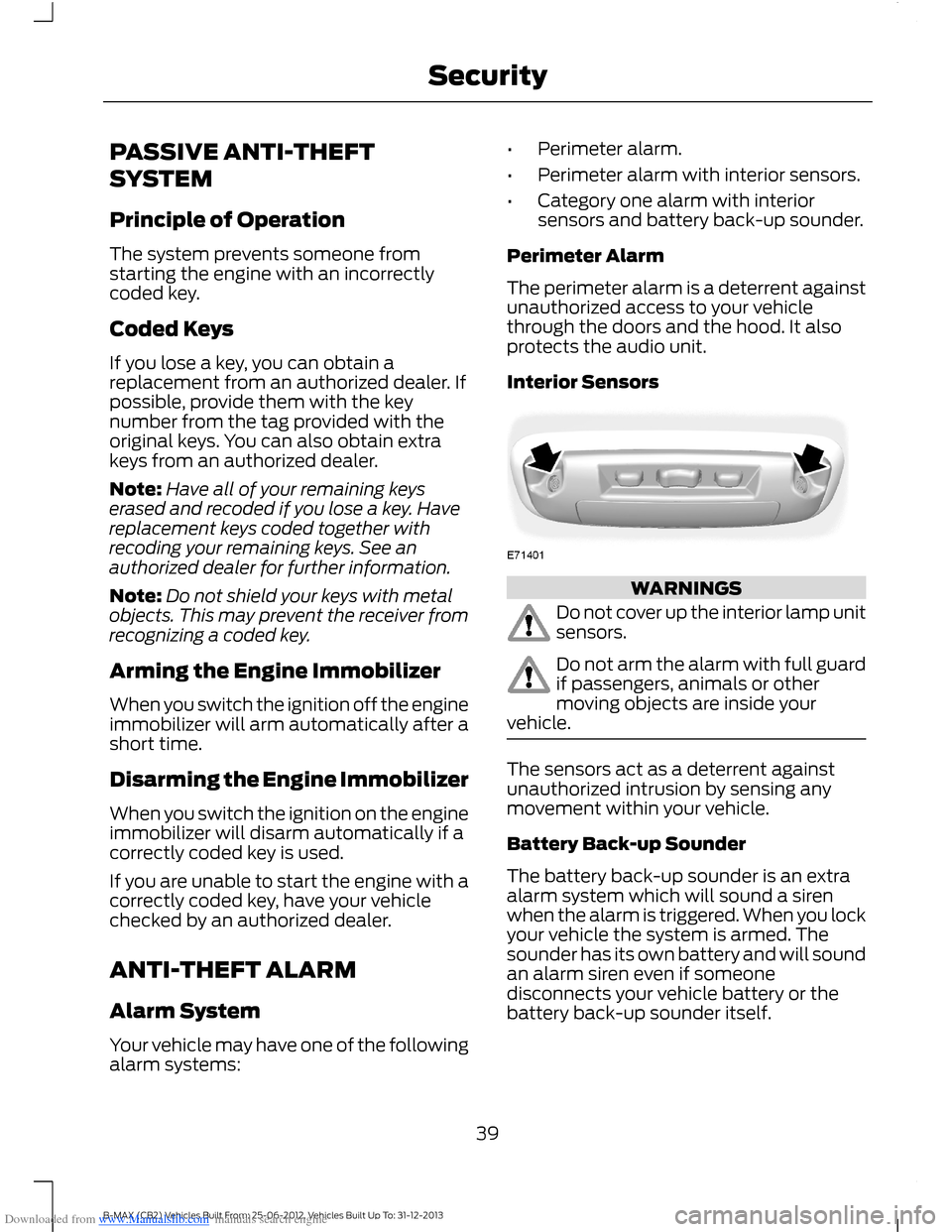
Interior Sensors
WARNINGS
Do not cover up the interior lamp unitsensors.
Do not arm the alarm with full guardif passengers, animals or othermoving objects are inside yourvehicle.
The sensors act as a deterrent againstunauthorized intrusion by sensing anymovement within your vehicle.
Battery Back-up Sounder
The battery back-up sounder is an extraalarm system which will sound a sirenwhen the alarm is triggered. When you lockyour vehicle the system is armed. Thesounder has its own battery and will soundan alarm siren even if someonedisconnects your vehicle battery or thebattery back-up sounder itself.
39B-MAX (CB2) Vehicles Built From: 25-06-2012, Vehicles Built Up To: 31-12-2013Security
Page 42 of 298
Downloaded from www.Manualslib.com manuals search engine Triggering the Alarm
Once armed, the alarm is triggered in anyof the following ways:
•If someone opens a door, the liftgateor the hood without a valid key orremote control.
•If someone removes the audio ornavigation system.
•If you switch the ignition on without avalid key.
•If the interior sensors detect movementwithin your vehicle.
•On vehicles with a battery back-upsounder, if someone disconnects yourvehicle battery or the battery back-upsounder itself.
If the alarm is triggered, the alarm horn willsound for 30 seconds and the hazardwarning flasher will flash for five minutes.
Any further attempts to perform one of theabove will trigger the alarm again.
Full and Reduced Guard
Full Guard
Full guard is the standard setting.
In full guard, the interior sensors are onwhen you arm the alarm.
Note:This may result in false alarms ifanimals or moving objects are inside yourvehicle.
Reduced Guard
In reduced guard, the interior sensors areoff when you arm the alarm.
Note:You can set the alarm to reducedguard for the current ignition cycle only. Thealarm will reset to full guard the next timeyou switch the ignition on.
Ask on Exit (If Equipped)
You can set the information display to askyou each time which level of guard youwish to set.
If you select Ask on Exit, the messageReduced guard? appears in theinformation display each time you switchthe ignition off. See InformationMessages (page 67).
If you wish to arm the alarm with reducedguard, press the OK button when thismessage appears.
If you wish to arm the alarm with full guard,leave your vehicle without pressing the OKbutton.
Selecting Full or Reduced Guard
Note:Selecting Reduced does not set thealarm permanently to reduced guard. It setsit to reduced guard only for the currentignition cycle. If you regularly set the alarmto reduced guard, select Ask on Exit.
You can select full or reduced guard usingthe information display. See GeneralInformation (page 67).
Arming the Alarm
To arm the alarm, lock your vehicle. SeeLocks (page 34).
Disarming the Alarm
Vehicles Without Keyless Entry
Perimeter Alarm
Disarm and silence the alarm by unlockingthe doors with the key and switching theignition on with a correctly coded key orunlocking the doors with the remotecontrol.
40B-MAX (CB2) Vehicles Built From: 25-06-2012, Vehicles Built Up To: 31-12-2013Security