alarm FORD BRONCO 2022 User Guide
[x] Cancel search | Manufacturer: FORD, Model Year: 2022, Model line: BRONCO, Model: FORD BRONCO 2022Pages: 562, PDF Size: 73 MB
Page 321 of 562
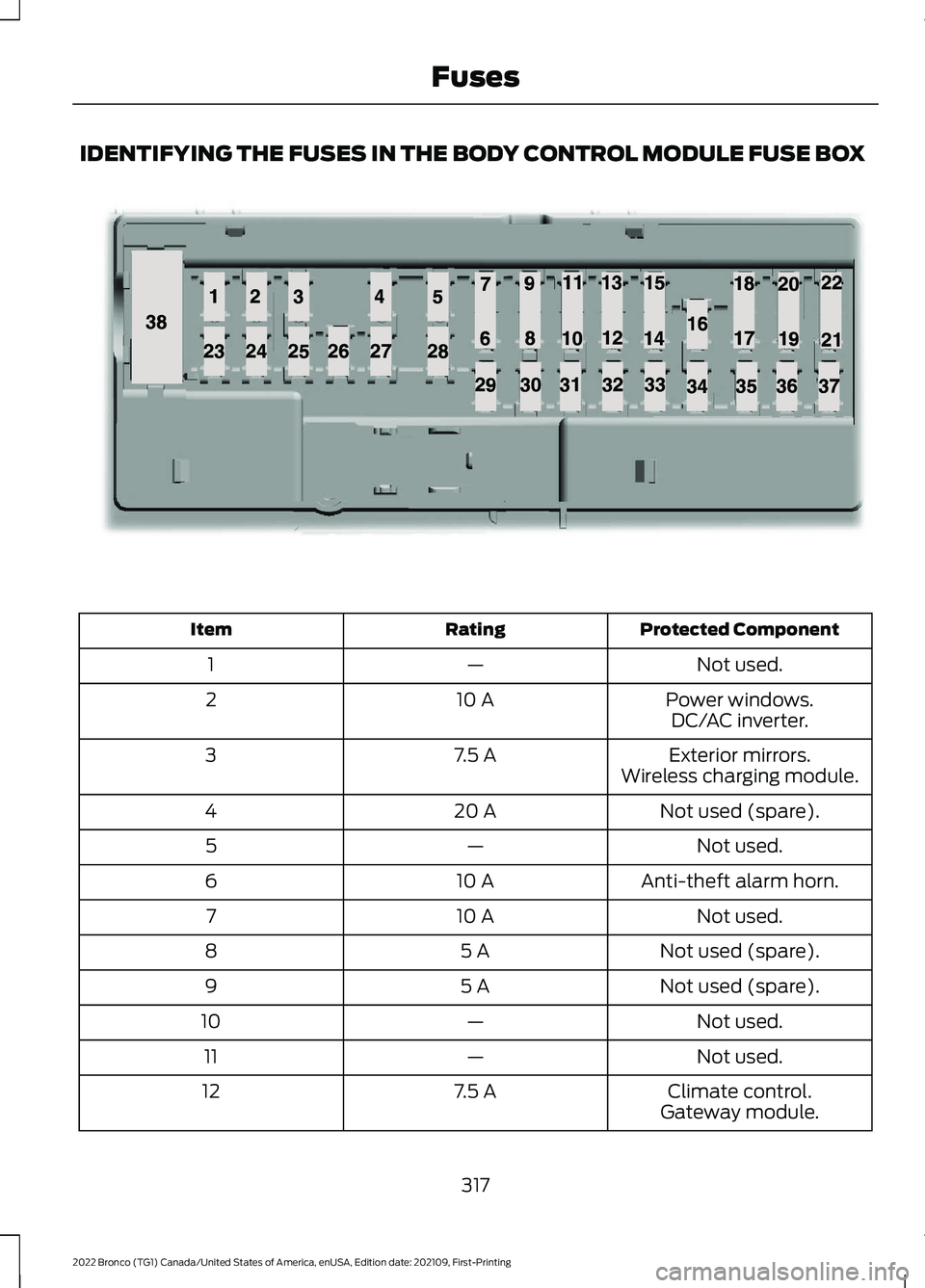
IDENTIFYING THE FUSES IN THE BODY CONTROL MODULE FUSE BOX
Protected ComponentRatingItem
Not used.—1
Power windows.10 A2DC/AC inverter.
Exterior mirrors.7.5 A3Wireless charging module.
Not used (spare).20 A4
Not used.—5
Anti-theft alarm horn.10 A6
Not used.10 A7
Not used (spare).5 A8
Not used (spare).5 A9
Not used.—10
Not used.—11
Climate control.7.5 A12Gateway module.
317
2022 Bronco (TG1) Canada/United States of America, enUSA, Edition date: 202109, First-PrintingFusesE145984
Page 454 of 562
UPDATING THE VEHICLE
SYSTEMS WIRELESSLY
Over the air system updatesallow you to update your vehiclesystem software wirelessly. Tomake sure you receive all updates, set arecurring schedule and connect to Wi-Fi.Updates may take longer if not connectedto Wi-Fi, or may not download at all. SeeConnected Vehicle (page 417).
Over the Air System UpdateRequirements
Before updating, reference this list to makesure your vehicle is ready be updated. Ifthese requirements are not met during ascheduled update, the update will becanceled and you can reschedule.
•Your vehicle is not running.
•Your vehicle is stopped.
•Your vehicle is parked.
•The hazard indicators are switched off.
•The alarm is not sounding.
•The doors are closed.
•The parking lights are switched off.
•You are not pressing the brake pedal.
•An emergency call is not in progress.
•Your vehicle is not in limp mode.
Enabling Over the Air Updates
1.Press Settings on the touchscreen.
2.Press Software Update.
3.Switch Automatic Updates on or off.
Note:Over the air updates are enabled bydefault.
Note:If you do not want to receive over theair updates you can turn them off. You willnot be notified of new updates.
Scheduling an Update
Scheduling an update allows you to set aconvenient time for the update tocomplete. We recommend updatingovernight when your vehicle is not in use.Ensure Vehicle Connectivity and AutomaticUpdates are enabled. Once you completethese steps, your schedule will be savedfor future updates. As long as an update isnot in process you can adjust yourschedule.
Note:Some updates may be appliedoutside of your set schedule. Informationabout the unscheduled update appears onthe touchscreen after it is applied.
Using the Settings Menu
1.Press Settings on the touchscreen.
2.Press Software Update.
3.Press Schedule Updates.
4.Use the controls to set the time andday of the update.
5.Save the schedule.
Note:You can set the updates to occur atany time.
Using the Status Bar Icon
When an update is available, tapthe notification icon and followthe prompts on the screen.
Applying an Over the Air Update
You can see the progress of the update onthe touchscreen. An update cannot becanceled once it has been started.
450
2022 Bronco (TG1) Canada/United States of America, enUSA, Edition date: 202109, First-PrintingVehicle System UpdatesE327789 E327785
Page 455 of 562
During an update you will not be able todrive your vehicle, start the vehicle, useremote controls to lock and unlock thevehicle. The alarm, central locks, and doortones are disabled. The electronic doorlock will not function during an update. Youcan open the doors using the mechanicallatch if child locks are not on. Pull thehandle until it stops to use the mechanicallatch Some updates may not allow you touse your vehicle during the update process.
Note:Some updates can complete in thebackground, but more complex updates cantake up to 45 minutes.
Note:Double locking is switched off andcentral locking is switched on during andafter an update.
Note:If your vehicle is plugged in, chargingwill stop during an update and resume whenthe update is complete.
Viewing Update Details
If an update is successful, the touchscreenwill provide additional details about theupdate. You can also access thisinformation under the System Update tile.
If an update is not successful, follow theprompt that appears on the touchscreen.
PERFORMING A MASTER
RESET
Press the settings option on thefeature bar.
1.Press the Reset tile.
2.Press Master Reset.
3.Follow the prompts on the screen tocomplete the reset.
451
2022 Bronco (TG1) Canada/United States of America, enUSA, Edition date: 202109, First-PrintingVehicle System UpdatesE280315
Page 456 of 562
For a complete listing of the accessoriesthat are available for your vehicle, pleasecontact your authorized dealer or visit theonline store web site:
Web Address (United States)
www.Accessories.Ford.com
Web Address (Canada)
www.Accessories.Ford.ca
We will repair or replace any properlyauthorized dealer-installed Ford OriginalAccessory found to be defective infactory-supplied materials or workmanshipduring the warranty period, as well as anycomponent damaged by the defectiveaccessories.
We will warrant your Ford OriginalAccessory through the warranty thatprovides the greatest benefit:
•24 months, unlimited mileage.
•The remainder of your new vehiclelimited warranty.
Contact an authorized dealer for detailsand a copy of the warranty.
Ford Licensed Accessories are theaccessory manufacturer's designs. Themanufacturer develops and thereforewarrants Ford Licensed Accessories, anddoes not design or test these accessoriesto Ford Motor Company engineeringrequirements.
Contact an authorized Ford dealer for themanufacturer’s limited warranty details,and request a copy of the Ford LicensedAccessories product limited warranty fromthe accessory manufacturer.
Most Ford Performance Parts are sold withno warranty, unless otherwise indicated.Check the Ford Performance Part website:www.performanceparts.ford.com orcontact the Ford Performance Partstech-line at (800) FORD788 for the latestlimited warranty information on specificproducts.
For maximum vehicle performance, keepthe following information in mind whenadding accessories or equipment to yourvehicle:
•When adding accessories, equipment,passengers and luggage to yourvehicle, do not exceed the total weightcapacity of the vehicle or of the frontor rear axle (GVWR or GAWR asindicated on the Safety ComplianceCertification label). Ask an authorizeddealer for specific weight information.
•The Federal CommunicationsCommission (FCC) and CanadianRadio TelecommunicationsCommission (CRTC) regulate the useof mobile communications systemsthat are equipped with radiotransmitters, for example two-wayradios, telephones and theft alarms.Any such equipment installed in yourvehicle should comply with FederalCommunications Commission (FCC)and Canadian RadioTelecommunications Commission(CRTC) regulations and should beinstalled only by an authorized dealer.
452
2022 Bronco (TG1) Canada/United States of America, enUSA, Edition date: 202109, First-PrintingAccessories
Page 555 of 562
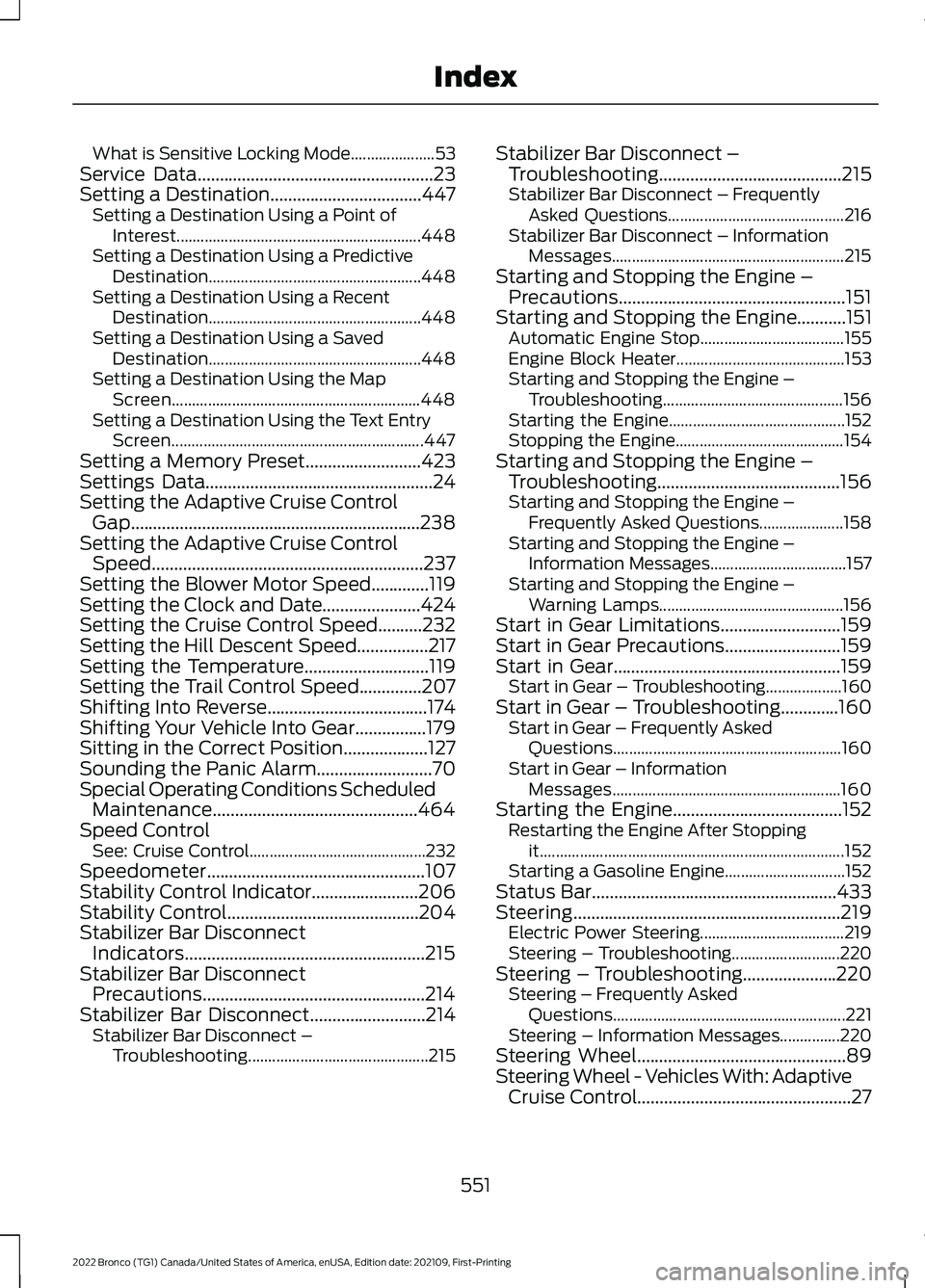
What is Sensitive Locking Mode.....................53Service Data.....................................................23Setting a Destination..................................447Setting a Destination Using a Point ofInterest.............................................................448Setting a Destination Using a PredictiveDestination.....................................................448Setting a Destination Using a RecentDestination.....................................................448Setting a Destination Using a SavedDestination.....................................................448Setting a Destination Using the MapScreen..............................................................448Setting a Destination Using the Text EntryScreen...............................................................447Setting a Memory Preset..........................423Settings Data...................................................24Setting the Adaptive Cruise ControlGap.................................................................238Setting the Adaptive Cruise ControlSpeed.............................................................237Setting the Blower Motor Speed.............119Setting the Clock and Date......................424Setting the Cruise Control Speed..........232Setting the Hill Descent Speed................217Setting the Temperature............................119Setting the Trail Control Speed..............207Shifting Into Reverse....................................174Shifting Your Vehicle Into Gear................179Sitting in the Correct Position...................127Sounding the Panic Alarm..........................70Special Operating Conditions ScheduledMaintenance..............................................464Speed ControlSee: Cruise Control............................................232Speedometer.................................................107Stability Control Indicator........................206Stability Control...........................................204Stabilizer Bar DisconnectIndicators......................................................215Stabilizer Bar DisconnectPrecautions..................................................214Stabilizer Bar Disconnect..........................214Stabilizer Bar Disconnect –Troubleshooting.............................................215
Stabilizer Bar Disconnect –Troubleshooting.........................................215Stabilizer Bar Disconnect – FrequentlyAsked Questions............................................216Stabilizer Bar Disconnect – InformationMessages..........................................................215Starting and Stopping the Engine –Precautions...................................................151Starting and Stopping the Engine...........151Automatic Engine Stop....................................155Engine Block Heater..........................................153Starting and Stopping the Engine –Troubleshooting.............................................156Starting the Engine............................................152Stopping the Engine..........................................154Starting and Stopping the Engine –Troubleshooting.........................................156Starting and Stopping the Engine –Frequently Asked Questions.....................158Starting and Stopping the Engine –Information Messages..................................157Starting and Stopping the Engine –Warning Lamps..............................................156Start in Gear Limitations...........................159Start in Gear Precautions..........................159Start in Gear...................................................159Start in Gear – Troubleshooting...................160Start in Gear – Troubleshooting.............160Start in Gear – Frequently AskedQuestions.........................................................160Start in Gear – InformationMessages.........................................................160Starting the Engine......................................152Restarting the Engine After Stoppingit............................................................................152Starting a Gasoline Engine..............................152Status Bar.......................................................433Steering............................................................219Electric Power Steering....................................219Steering – Troubleshooting...........................220Steering – Troubleshooting.....................220Steering – Frequently AskedQuestions..........................................................221Steering – Information Messages...............220Steering Wheel...............................................89Steering Wheel - Vehicles With: AdaptiveCruise Control................................................27
551
2022 Bronco (TG1) Canada/United States of America, enUSA, Edition date: 202109, First-PrintingIndex