door locks FORD BRONCO 2022 User Guide
[x] Cancel search | Manufacturer: FORD, Model Year: 2022, Model line: BRONCO, Model: FORD BRONCO 2022Pages: 562, PDF Size: 73 MB
Page 88 of 562
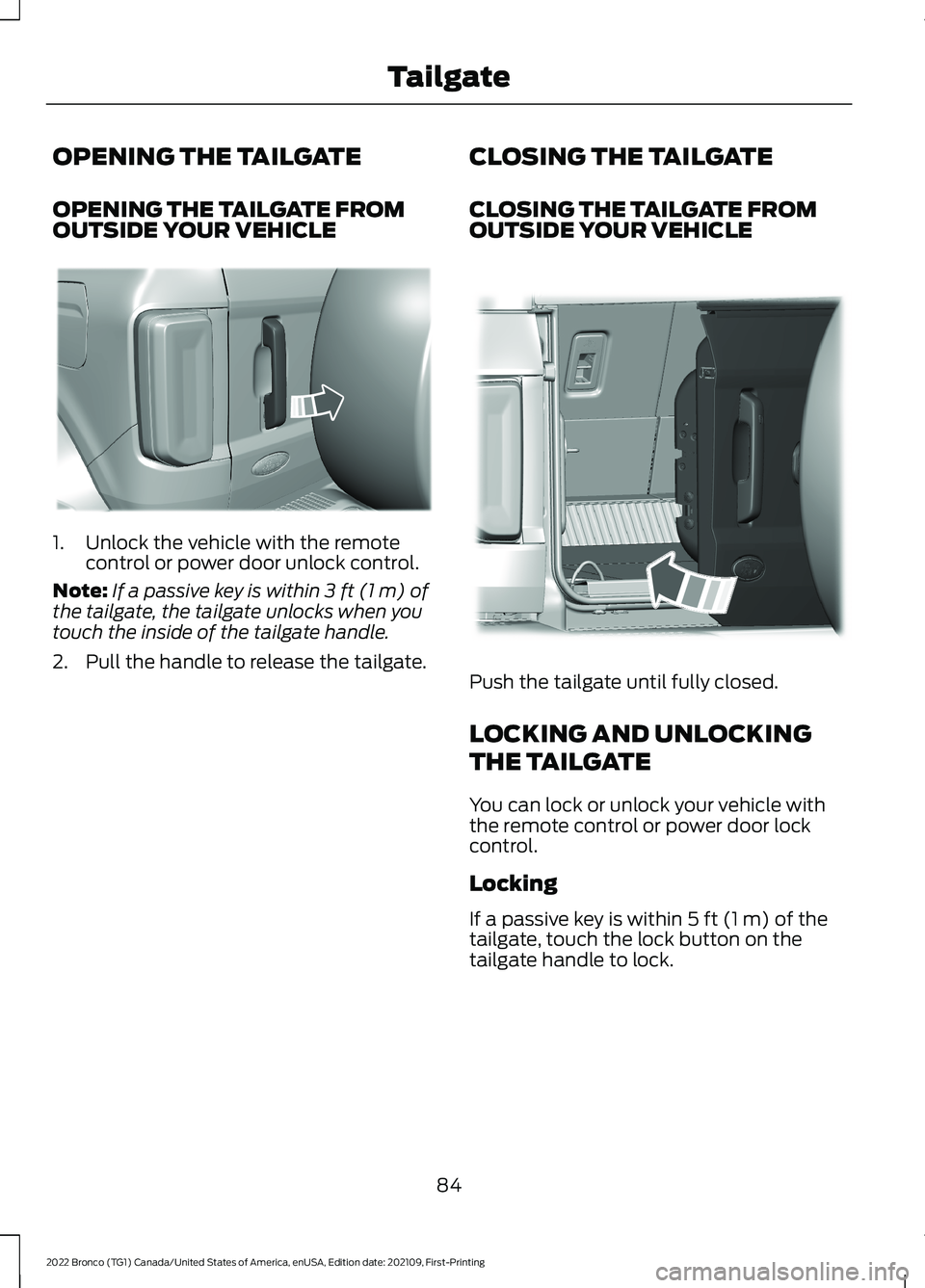
OPENING THE TAILGATE
OPENING THE TAILGATE FROMOUTSIDE YOUR VEHICLE
1.Unlock the vehicle with the remotecontrol or power door unlock control.
Note:If a passive key is within 3 ft (1 m) ofthe tailgate, the tailgate unlocks when youtouch the inside of the tailgate handle.
2.Pull the handle to release the tailgate.
CLOSING THE TAILGATE
CLOSING THE TAILGATE FROMOUTSIDE YOUR VEHICLE
Push the tailgate until fully closed.
LOCKING AND UNLOCKING
THE TAILGATE
You can lock or unlock your vehicle withthe remote control or power door lockcontrol.
Locking
If a passive key is within 5 ft (1 m) of thetailgate, touch the lock button on thetailgate handle to lock.
84
2022 Bronco (TG1) Canada/United States of America, enUSA, Edition date: 202109, First-PrintingTailgateE323095 E323153
Page 139 of 562
2-Door
Pull the strap to fold the head restraintrearward.
REMOVING THE HEAD RESTRAINT
1.Pull up the head restraint until itreaches its highest position.
2.Press and hold the adjust and releasebutton and the unlock and removebutton.
3.Pull up the head restraint.
Note:The head restraints are notremovable on 2-door vehicles.
INSTALLING THE HEADRESTRAINT
Align the steel stems into the guide sleevesand push the head restraint down until itlocks.
ADJUSTING THE SEAT BACKREST
WARNING: Do not place cargo orany objects behind the seat backrestbefore returning it to the original position.Pull on the seat backrest to make surethat it has fully latched after returningthe seat backrest to its original position.An unlatched seat may becomedangerous if you stop suddenly or havea crash.
Note:The rear seats are not adjustable on2-door vehicles.
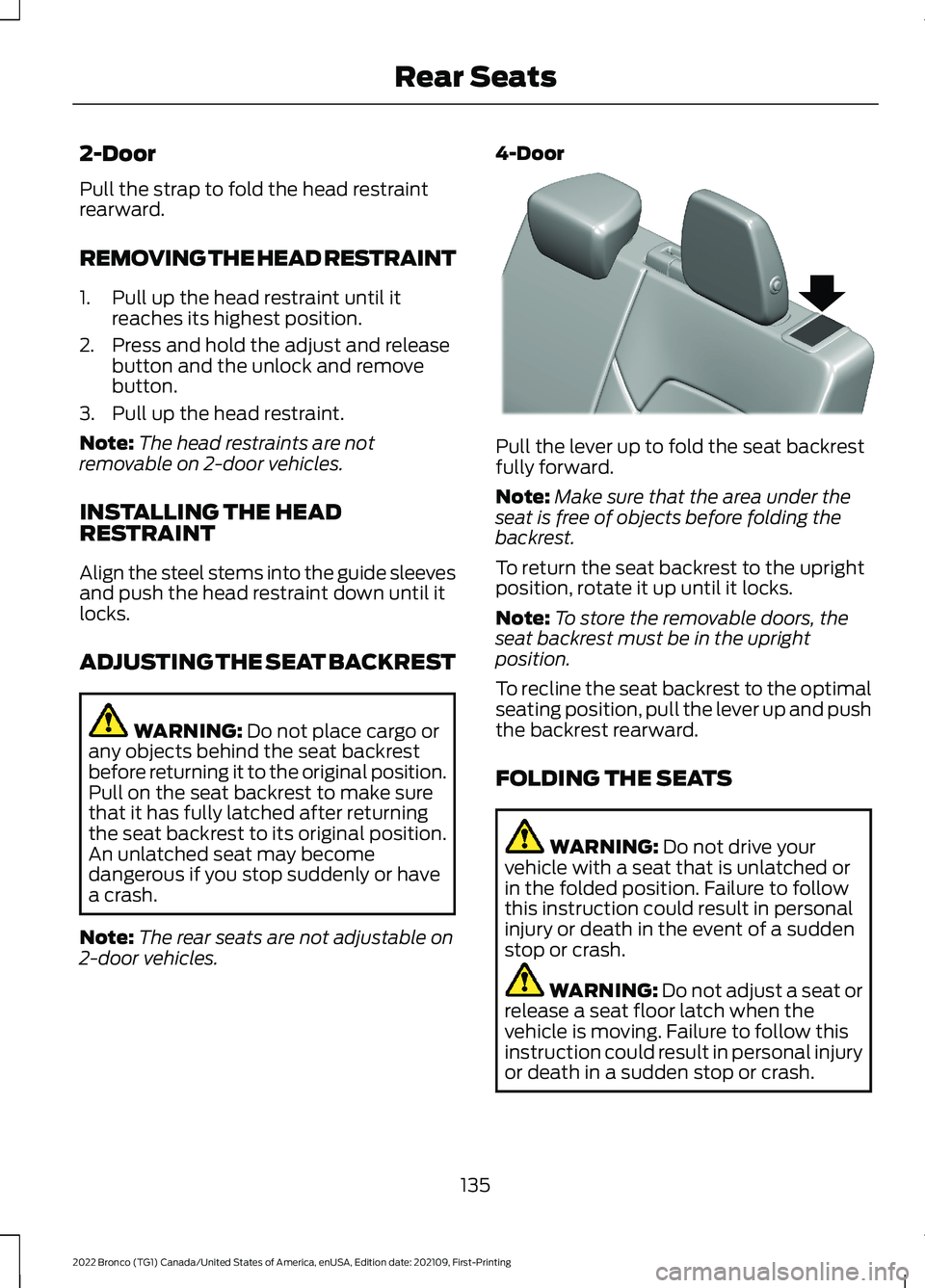
4-Door
Pull the lever up to fold the seat backrestfully forward.
Note:Make sure that the area under theseat is free of objects before folding thebackrest.
To return the seat backrest to the uprightposition, rotate it up until it locks.
Note:To store the removable doors, theseat backrest must be in the uprightposition.
To recline the seat backrest to the optimalseating position, pull the lever up and pushthe backrest rearward.
FOLDING THE SEATS
WARNING: Do not drive yourvehicle with a seat that is unlatched orin the folded position. Failure to followthis instruction could result in personalinjury or death in the event of a suddenstop or crash.
WARNING: Do not adjust a seat orrelease a seat floor latch when thevehicle is moving. Failure to follow thisinstruction could result in personal injuryor death in a sudden stop or crash.
135
2022 Bronco (TG1) Canada/United States of America, enUSA, Edition date: 202109, First-PrintingRear SeatsE327939
Page 140 of 562
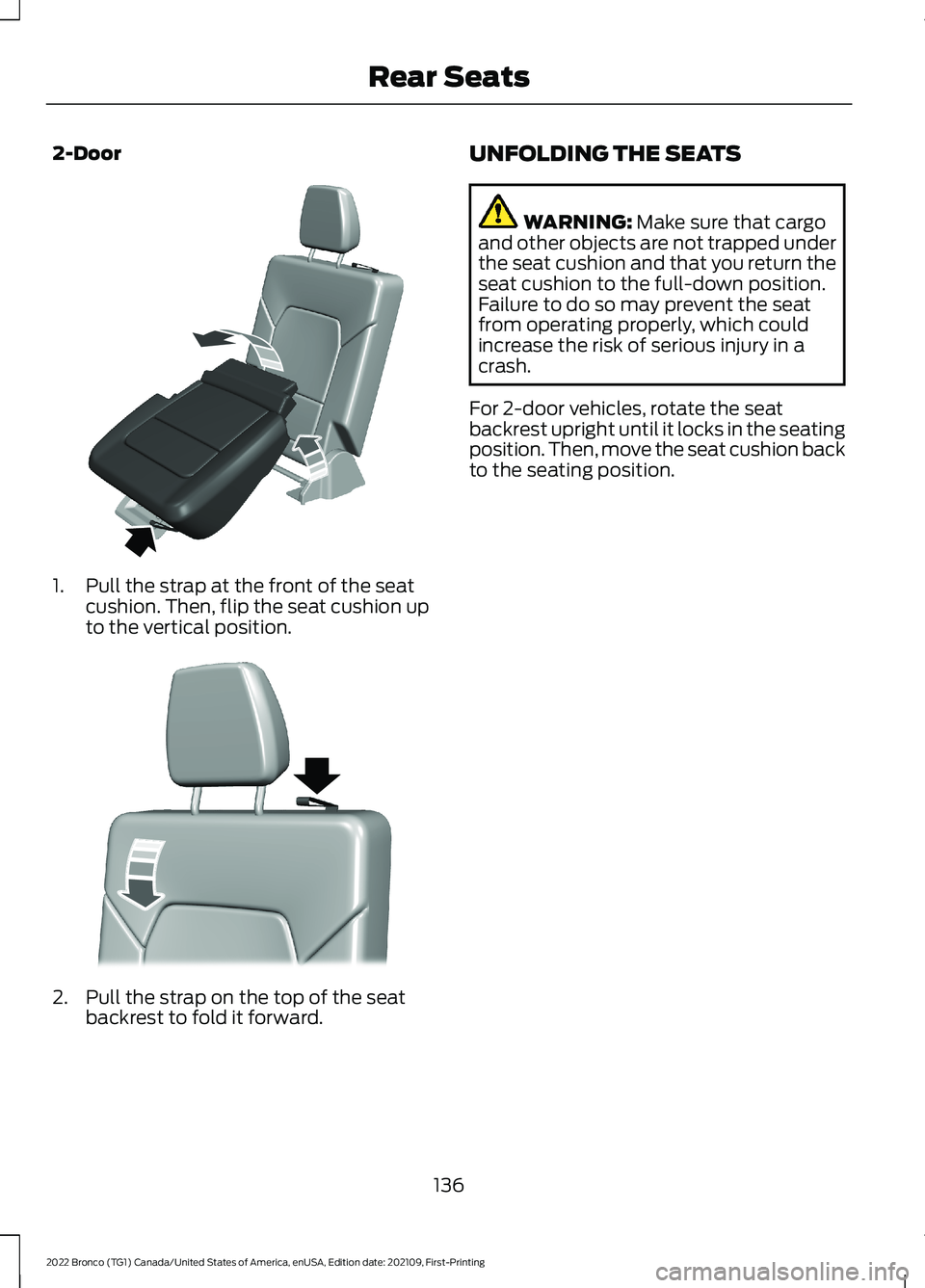
2-Door
1.Pull the strap at the front of the seatcushion. Then, flip the seat cushion upto the vertical position.
2.Pull the strap on the top of the seatbackrest to fold it forward.
UNFOLDING THE SEATS
WARNING: Make sure that cargoand other objects are not trapped underthe seat cushion and that you return theseat cushion to the full-down position.Failure to do so may prevent the seatfrom operating properly, which couldincrease the risk of serious injury in acrash.
For 2-door vehicles, rotate the seatbackrest upright until it locks in the seatingposition. Then, move the seat cushion backto the seating position.
136
2022 Bronco (TG1) Canada/United States of America, enUSA, Edition date: 202109, First-PrintingRear SeatsE342383 E342771
Page 143 of 562
WHAT IS THE GARAGE DOOR
OPENER
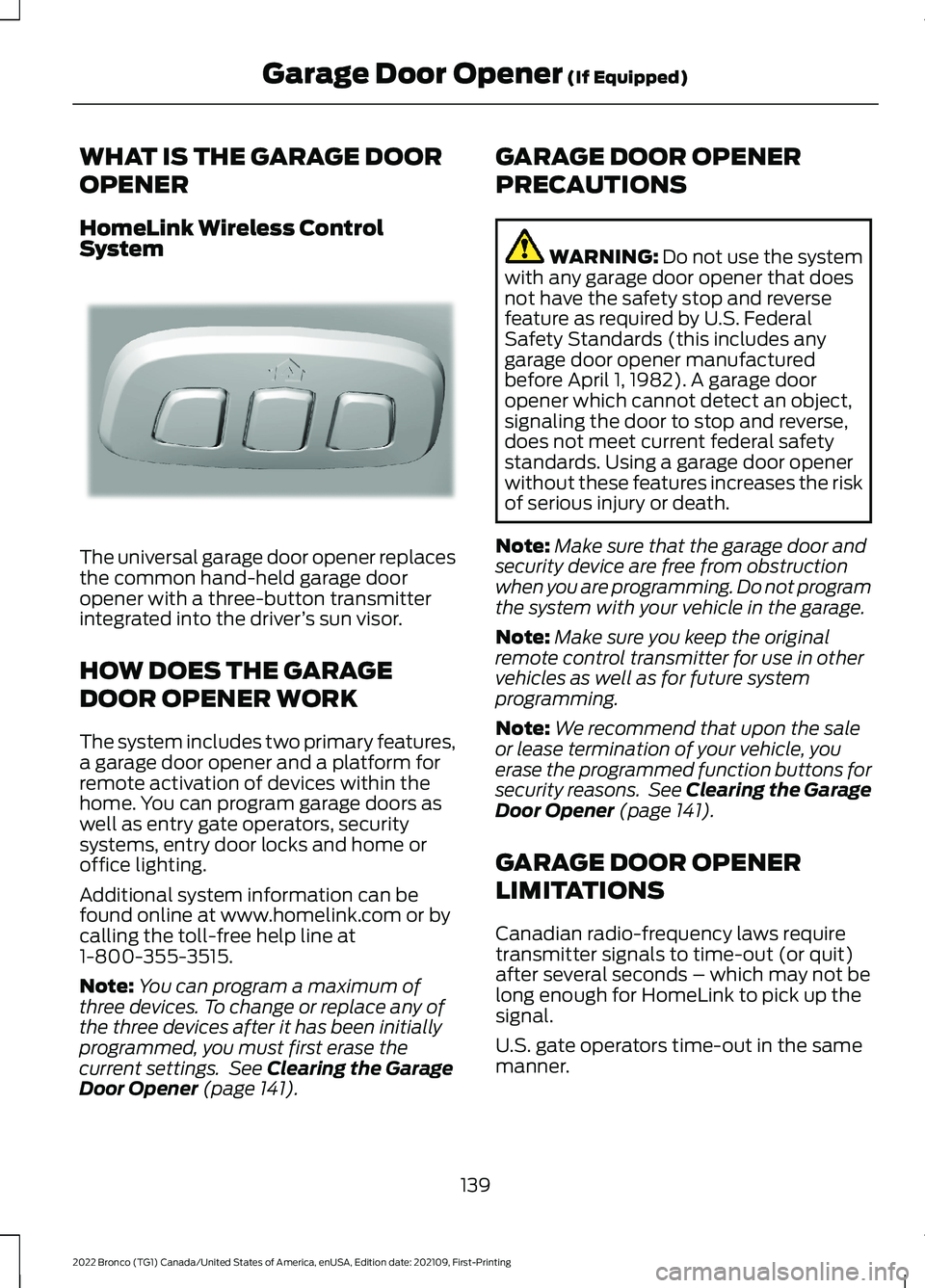
HomeLink Wireless ControlSystem
The universal garage door opener replacesthe common hand-held garage dooropener with a three-button transmitterintegrated into the driver’s sun visor.
HOW DOES THE GARAGE
DOOR OPENER WORK
The system includes two primary features,a garage door opener and a platform forremote activation of devices within thehome. You can program garage doors aswell as entry gate operators, securitysystems, entry door locks and home oroffice lighting.
Additional system information can befound online at www.homelink.com or bycalling the toll-free help line at1-800-355-3515.
Note:You can program a maximum ofthree devices. To change or replace any ofthe three devices after it has been initiallyprogrammed, you must first erase thecurrent settings. See Clearing the GarageDoor Opener (page 141).
GARAGE DOOR OPENER
PRECAUTIONS
WARNING: Do not use the systemwith any garage door opener that doesnot have the safety stop and reversefeature as required by U.S. FederalSafety Standards (this includes anygarage door opener manufacturedbefore April 1, 1982). A garage dooropener which cannot detect an object,signaling the door to stop and reverse,does not meet current federal safetystandards. Using a garage door openerwithout these features increases the riskof serious injury or death.
Note:Make sure that the garage door andsecurity device are free from obstructionwhen you are programming. Do not programthe system with your vehicle in the garage.
Note:Make sure you keep the originalremote control transmitter for use in othervehicles as well as for future systemprogramming.
Note:We recommend that upon the saleor lease termination of your vehicle, youerase the programmed function buttons forsecurity reasons. See Clearing the GarageDoor Opener (page 141).
GARAGE DOOR OPENER
LIMITATIONS
Canadian radio-frequency laws requiretransmitter signals to time-out (or quit)after several seconds – which may not belong enough for HomeLink to pick up thesignal.
U.S. gate operators time-out in the samemanner.
139
2022 Bronco (TG1) Canada/United States of America, enUSA, Edition date: 202109, First-PrintingGarage Door Opener (If Equipped)E188211
Page 353 of 562
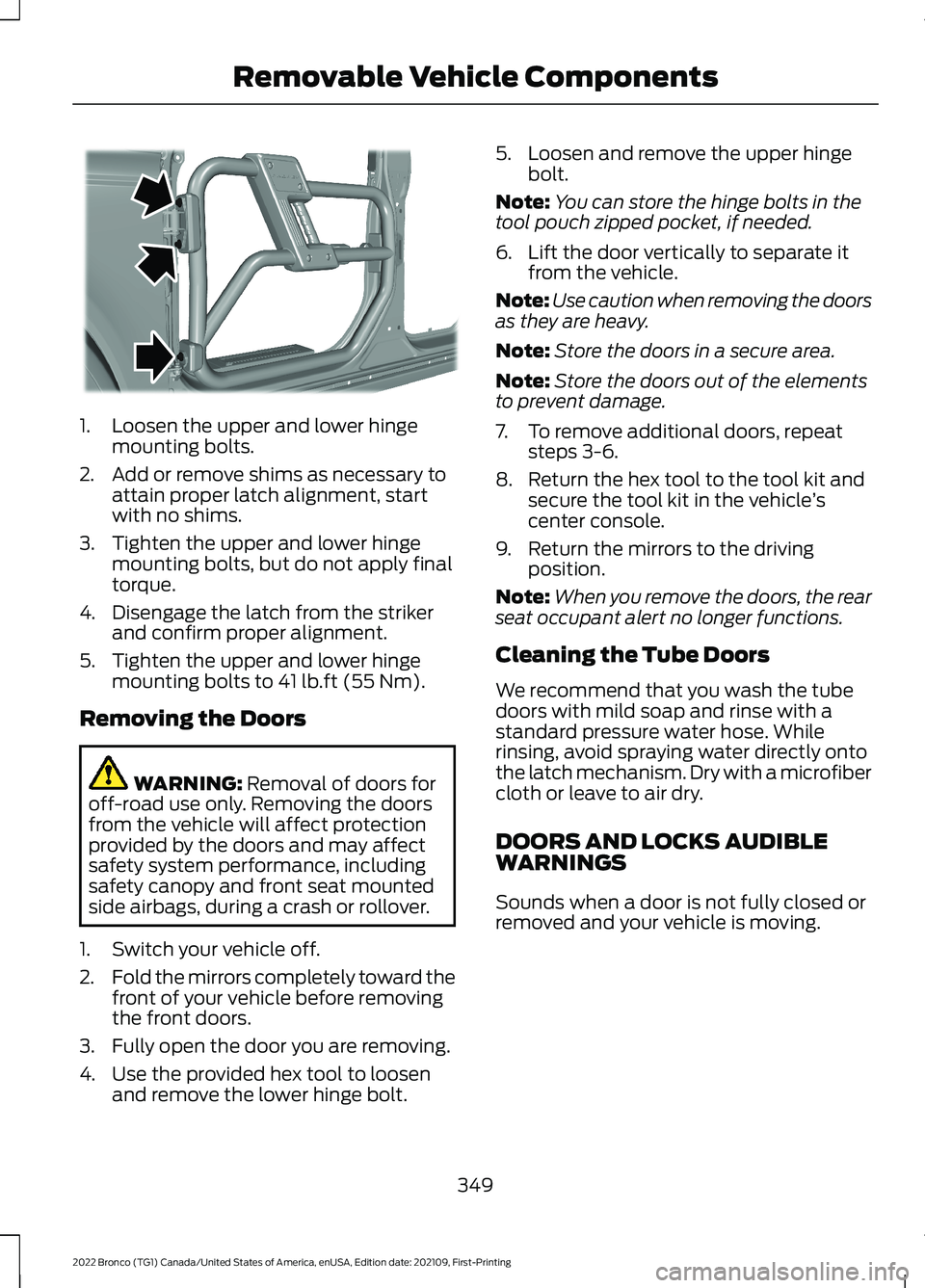
1.Loosen the upper and lower hingemounting bolts.
2.Add or remove shims as necessary toattain proper latch alignment, startwith no shims.
3.Tighten the upper and lower hingemounting bolts, but do not apply finaltorque.
4.Disengage the latch from the strikerand confirm proper alignment.
5.Tighten the upper and lower hingemounting bolts to 41 lb.ft (55 Nm).
Removing the Doors
WARNING: Removal of doors foroff-road use only. Removing the doorsfrom the vehicle will affect protectionprovided by the doors and may affectsafety system performance, includingsafety canopy and front seat mountedside airbags, during a crash or rollover.
1.Switch your vehicle off.
2.Fold the mirrors completely toward thefront of your vehicle before removingthe front doors.
3.Fully open the door you are removing.
4.Use the provided hex tool to loosenand remove the lower hinge bolt.
5.Loosen and remove the upper hingebolt.
Note:You can store the hinge bolts in thetool pouch zipped pocket, if needed.
6.Lift the door vertically to separate itfrom the vehicle.
Note:Use caution when removing the doorsas they are heavy.
Note:Store the doors in a secure area.
Note:Store the doors out of the elementsto prevent damage.
7.To remove additional doors, repeatsteps 3-6.
8.Return the hex tool to the tool kit andsecure the tool kit in the vehicle’scenter console.
9.Return the mirrors to the drivingposition.
Note:When you remove the doors, the rearseat occupant alert no longer functions.
Cleaning the Tube Doors
We recommend that you wash the tubedoors with mild soap and rinse with astandard pressure water hose. Whilerinsing, avoid spraying water directly ontothe latch mechanism. Dry with a microfibercloth or leave to air dry.
DOORS AND LOCKS AUDIBLEWARNINGS
Sounds when a door is not fully closed orremoved and your vehicle is moving.
349
2022 Bronco (TG1) Canada/United States of America, enUSA, Edition date: 202109, First-PrintingRemovable Vehicle ComponentsE344781
Page 455 of 562
During an update you will not be able todrive your vehicle, start the vehicle, useremote controls to lock and unlock thevehicle. The alarm, central locks, and doortones are disabled. The electronic doorlock will not function during an update. Youcan open the doors using the mechanicallatch if child locks are not on. Pull thehandle until it stops to use the mechanicallatch Some updates may not allow you touse your vehicle during the update process.
Note:Some updates can complete in thebackground, but more complex updates cantake up to 45 minutes.
Note:Double locking is switched off andcentral locking is switched on during andafter an update.
Note:If your vehicle is plugged in, chargingwill stop during an update and resume whenthe update is complete.
Viewing Update Details
If an update is successful, the touchscreenwill provide additional details about theupdate. You can also access thisinformation under the System Update tile.
If an update is not successful, follow theprompt that appears on the touchscreen.
PERFORMING A MASTER
RESET
Press the settings option on thefeature bar.
1.Press the Reset tile.
2.Press Master Reset.
3.Follow the prompts on the screen tocomplete the reset.
451
2022 Bronco (TG1) Canada/United States of America, enUSA, Edition date: 202109, First-PrintingVehicle System UpdatesE280315
Page 465 of 562
Check Every Six Months
The battery connections. Clean if necessary.
The body and door drain holes for obstructions. Clean if necessary.
The cooling system fluid level and the coolant system strength.
The door weatherstrips for wear. Lubricate if necessary.
The hinges, latches and outside locks for proper operation. Lubricate if necessary.
The parking brake for proper operation.
The seatbelts and seat latches for wear and function.
Safety warning lamps, brake, ABS, airbag and seatbelt for operation.
The washer spray and wiper operation. Clean or replace blades as necessary.
Multi-Point Inspection
It is important to have the systems on yourvehicle regularly checked. This can helpidentify potential issues and prevent majorproblems. We recommend having thefollowing multi-point inspection performedat every scheduled maintenance intervalto help make sure your vehicle keepsrunning great.
Multi-Point Inspection
Hazard warning system operationAccessory drive belt or belts
Horn operationBattery performance
Radiator, cooler, heater and air conditioninghosesEngine air filter
Suspension components for leaks ordamageExhaust system
Steering and linkageExterior lamps operation
Tires including the spare for wear and
proper pressure2Fluid levels1; fill if necessary
461
2022 Bronco (TG1) Canada/United States of America, enUSA, Edition date: 202109, First-PrintingScheduled Maintenance
Page 544 of 562
Catalytic Converter –Troubleshooting.........................................173Catalytic Converter – WarningLamps.................................................................173Center Console - AutomaticTransmission..................................................31Center Console..............................................149Locking the Center Console...........................149Opening the Center Console..........................149Center Console - ManualTransmission................................................30Center Display Limitations.......................433Center Display Overview...........................433Center Display Precautions.....................433Changing a Flat Tire...................................395Changing a Road Wheel...........................395Changing the 12V Battery..........................331Changing the Engine Air Filter................328Changing the Fuel Filter............................329Changing the Remote ControlBattery.............................................................70Changing the Vehicle Wi-Fi HotspotName or Password..................................420Charging a Device.........................................144Charging a Wireless Device......................148Checking MyKey System Status...............76Checking the Brake Fluid...........................194Checking the Clutch Fluid Level..............176Checking the Coolant.................................324Checking the Manual Transmission FluidLevel................................................................176Checking the Seatbelts...............................56Checking the Tire Pressures....................387Checking the Wiper Blades.........................91Children and Airbags....................................62Child Restraint Anchor Points....................41Locating the Child Restraint Lower AnchorPoints....................................................................41Locating the Child Restraint Top TetherAnchor Points...................................................42What Are the Child Restraint AnchorPoints....................................................................41Child Restraints...............................................42Child Restraint Position Information.............42Child Restraints Recommendation...............44Child Safety......................................................40Child Restraint Anchor Points..........................41Child Restraints.....................................................42
Installing Child Restraints.................................44Child Safety Locks.........................................50Child Safety Precautions............................40Cleaning Products......................................368Cleaning the Exterior..................................368Cleaning Camera Lenses andSensors.............................................................370Cleaning Chrome, Aluminium or StainlessSteel..................................................................369Cleaning Headlamps and RearLamps...............................................................369Cleaning Stripes or Graphics.........................370Cleaning the Convertible Top........................370Cleaning the Engine Compartment...........369Cleaning the Exterior Precautions..............368Cleaning the Hard Top.......................................371Cleaning the Underbody..................................371Cleaning Wheels................................................369Cleaning Windows and WiperBlades...............................................................369Cleaning the Interior.....................................371Cleaning Carpets and Floor Mats.................372Cleaning Displays and Screens......................371Cleaning Fabric Seats andHeadliners........................................................372Cleaning Leather and Vinyl.............................372Cleaning Plastic...................................................371Cleaning Seatbelts............................................373Cleaning the Instrument Panel......................371Clearing All MyKeys.......................................75Clearing the Garage Door Opener...........141Climate Control..............................................118Auto Mode.............................................................120Climate Control Hints...................................121Closing the Tailgate......................................84Closing the Tailgate From Outside YourVehicle.................................................................84Clutch Fluid Capacity andSpecification................................................176Cold Weather Precautions.......................298Connected Vehicle.......................................417Connected Vehicle –Troubleshooting.............................................418Connecting the Vehicle to a MobileNetwork.............................................................417Connected Vehicle Data..............................24Connected Vehicle Limitations................417Connected Vehicle Requirements..........417
540
2022 Bronco (TG1) Canada/United States of America, enUSA, Edition date: 202109, First-PrintingIndex
Page 545 of 562
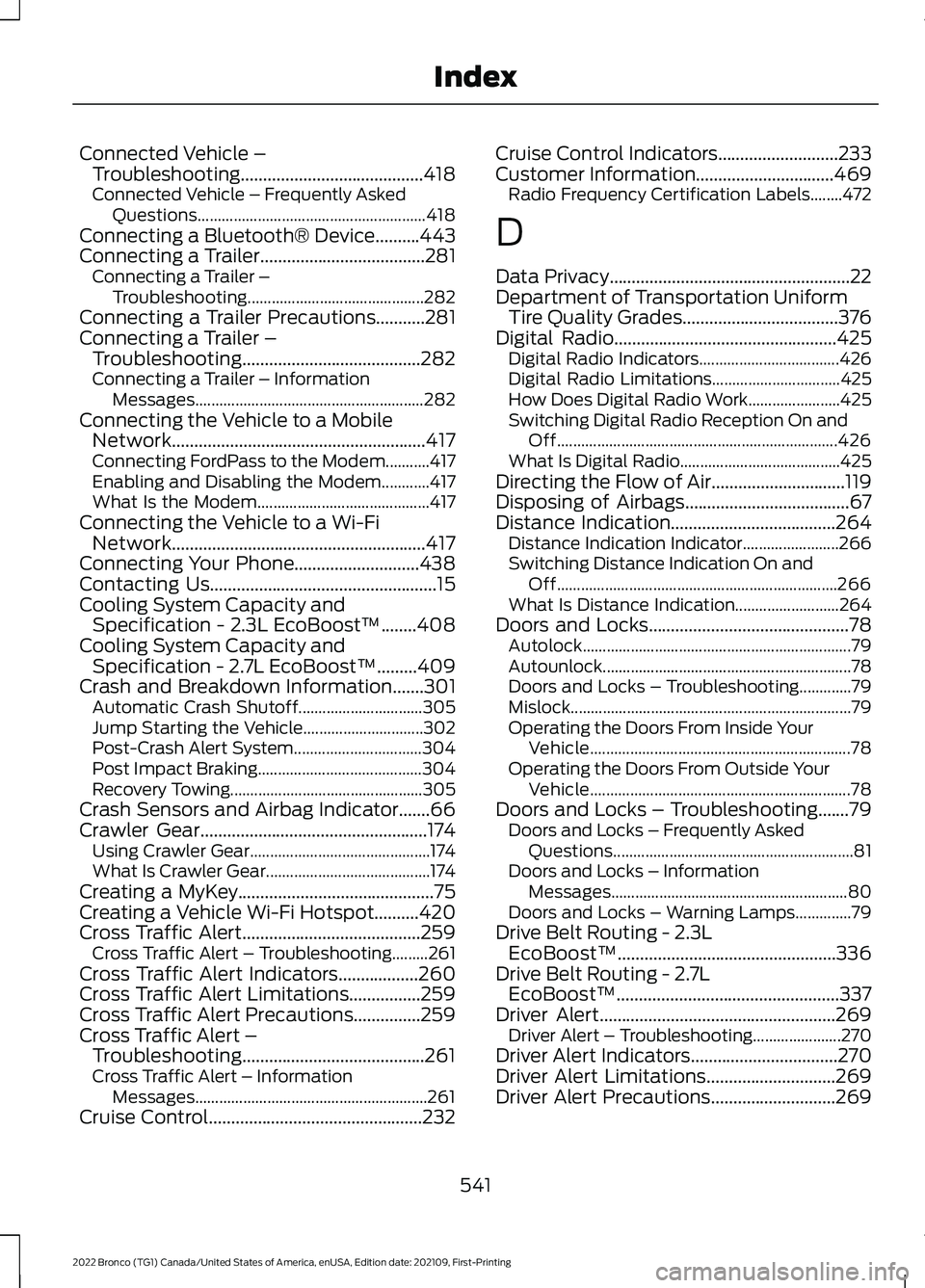
Connected Vehicle –Troubleshooting.........................................418Connected Vehicle – Frequently AskedQuestions.........................................................418Connecting a Bluetooth® Device..........443Connecting a Trailer.....................................281Connecting a Trailer –Troubleshooting............................................282Connecting a Trailer Precautions...........281Connecting a Trailer –Troubleshooting........................................282Connecting a Trailer – InformationMessages.........................................................282Connecting the Vehicle to a MobileNetwork.........................................................417Connecting FordPass to the Modem...........417Enabling and Disabling the Modem............417What Is the Modem...........................................417Connecting the Vehicle to a Wi-FiNetwork.........................................................417Connecting Your Phone............................438Contacting Us...................................................15Cooling System Capacity andSpecification - 2.3L EcoBoost™........408Cooling System Capacity andSpecification - 2.7L EcoBoost™.........409Crash and Breakdown Information.......301Automatic Crash Shutoff...............................305Jump Starting the Vehicle..............................302Post-Crash Alert System................................304Post Impact Braking.........................................304Recovery Towing................................................305Crash Sensors and Airbag Indicator.......66Crawler Gear...................................................174Using Crawler Gear.............................................174What Is Crawler Gear.........................................174Creating a MyKey............................................75Creating a Vehicle Wi-Fi Hotspot..........420Cross Traffic Alert........................................259Cross Traffic Alert – Troubleshooting.........261Cross Traffic Alert Indicators..................260Cross Traffic Alert Limitations................259Cross Traffic Alert Precautions...............259Cross Traffic Alert –Troubleshooting.........................................261Cross Traffic Alert – InformationMessages..........................................................261Cruise Control................................................232
Cruise Control Indicators...........................233Customer Information...............................469Radio Frequency Certification Labels........472
D
Data Privacy......................................................22Department of Transportation UniformTire Quality Grades...................................376Digital Radio..................................................425Digital Radio Indicators...................................426Digital Radio Limitations................................425How Does Digital Radio Work.......................425Switching Digital Radio Reception On andOff......................................................................426What Is Digital Radio........................................425Directing the Flow of Air..............................119Disposing of Airbags.....................................67Distance Indication.....................................264Distance Indication Indicator........................266Switching Distance Indication On andOff......................................................................266What Is Distance Indication..........................264Doors and Locks.............................................78Autolock...................................................................79Autounlock..............................................................78Doors and Locks – Troubleshooting.............79Mislock......................................................................79Operating the Doors From Inside YourVehicle.................................................................78Operating the Doors From Outside YourVehicle.................................................................78Doors and Locks – Troubleshooting.......79Doors and Locks – Frequently AskedQuestions............................................................81Doors and Locks – InformationMessages...........................................................80Doors and Locks – Warning Lamps..............79Drive Belt Routing - 2.3LEcoBoost™.................................................336Drive Belt Routing - 2.7LEcoBoost™..................................................337Driver Alert.....................................................269Driver Alert – Troubleshooting......................270Driver Alert Indicators.................................270Driver Alert Limitations.............................269Driver Alert Precautions............................269
541
2022 Bronco (TG1) Canada/United States of America, enUSA, Edition date: 202109, First-PrintingIndex
Page 548 of 562
G
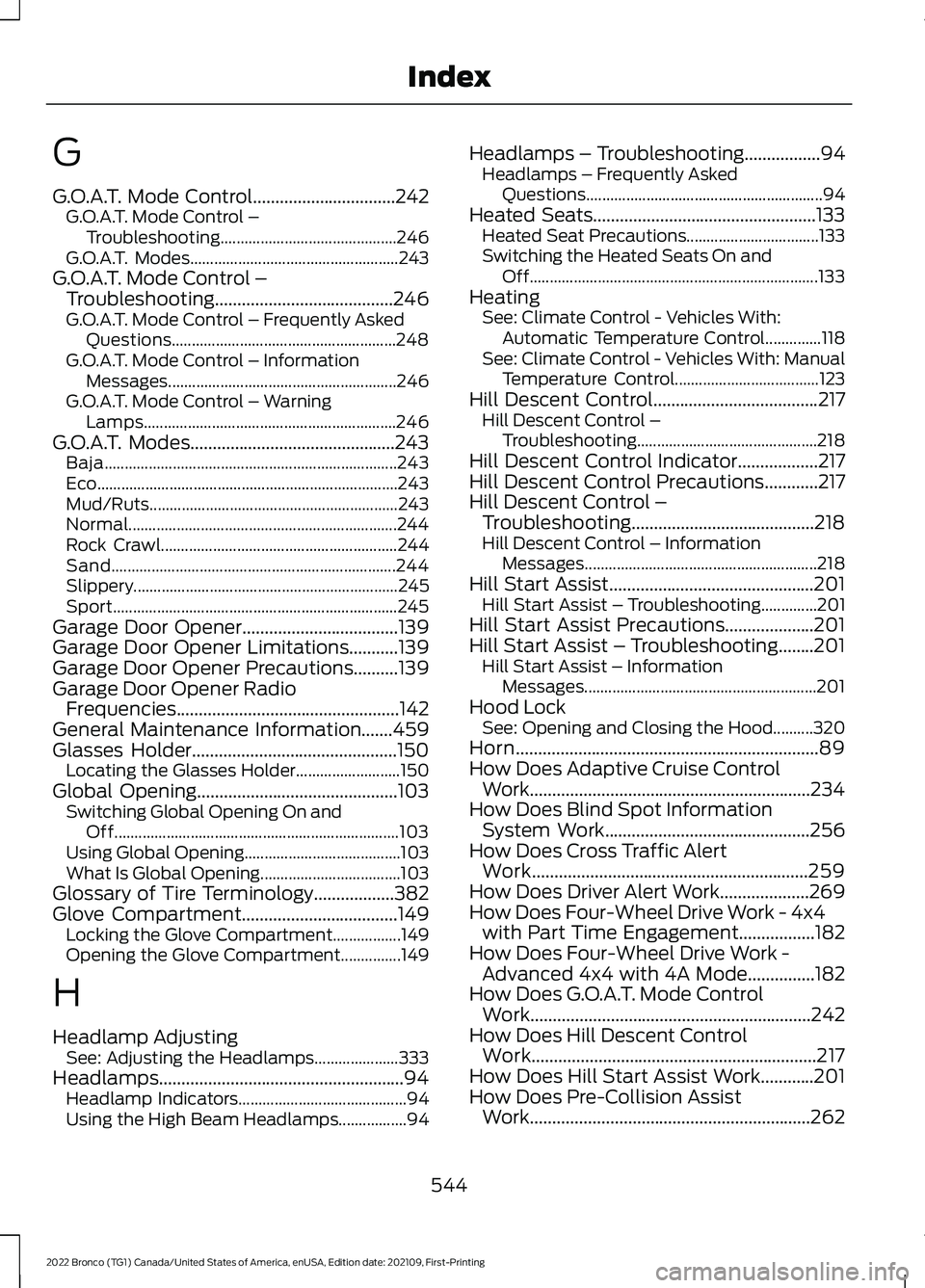
G.O.A.T. Mode Control................................242G.O.A.T. Mode Control –Troubleshooting............................................246G.O.A.T. Modes....................................................243G.O.A.T. Mode Control –Troubleshooting........................................246G.O.A.T. Mode Control – Frequently AskedQuestions........................................................248G.O.A.T. Mode Control – InformationMessages.........................................................246G.O.A.T. Mode Control – WarningLamps...............................................................246G.O.A.T. Modes..............................................243Baja.........................................................................243Eco...........................................................................243Mud/Ruts..............................................................243Normal...................................................................244Rock Crawl...........................................................244Sand.......................................................................244Slippery..................................................................245Sport.......................................................................245Garage Door Opener...................................139Garage Door Opener Limitations...........139Garage Door Opener Precautions..........139Garage Door Opener RadioFrequencies..................................................142General Maintenance Information.......459Glasses Holder..............................................150Locating the Glasses Holder..........................150Global Opening.............................................103Switching Global Opening On andOff.......................................................................103Using Global Opening.......................................103What Is Global Opening...................................103Glossary of Tire Terminology..................382Glove Compartment...................................149Locking the Glove Compartment.................149Opening the Glove Compartment...............149
H
Headlamp AdjustingSee: Adjusting the Headlamps.....................333Headlamps.......................................................94Headlamp Indicators..........................................94Using the High Beam Headlamps.................94
Headlamps – Troubleshooting.................94Headlamps – Frequently AskedQuestions...........................................................94Heated Seats..................................................133Heated Seat Precautions.................................133Switching the Heated Seats On andOff........................................................................133HeatingSee: Climate Control - Vehicles With:Automatic Temperature Control..............118See: Climate Control - Vehicles With: ManualTemperature Control....................................123Hill Descent Control.....................................217Hill Descent Control –Troubleshooting.............................................218Hill Descent Control Indicator..................217Hill Descent Control Precautions............217Hill Descent Control –Troubleshooting.........................................218Hill Descent Control – InformationMessages..........................................................218Hill Start Assist..............................................201Hill Start Assist – Troubleshooting..............201Hill Start Assist Precautions....................201Hill Start Assist – Troubleshooting........201Hill Start Assist – InformationMessages..........................................................201Hood LockSee: Opening and Closing the Hood..........320Horn....................................................................89How Does Adaptive Cruise ControlWork...............................................................234How Does Blind Spot InformationSystem Work..............................................256How Does Cross Traffic AlertWork..............................................................259How Does Driver Alert Work....................269How Does Four-Wheel Drive Work - 4x4with Part Time Engagement.................182How Does Four-Wheel Drive Work -Advanced 4x4 with 4A Mode...............182How Does G.O.A.T. Mode ControlWork...............................................................242How Does Hill Descent ControlWork................................................................217How Does Hill Start Assist Work............201How Does Pre-Collision AssistWork...............................................................262
544
2022 Bronco (TG1) Canada/United States of America, enUSA, Edition date: 202109, First-PrintingIndex