suspension FORD BRONCO 2022 User Guide
[x] Cancel search | Manufacturer: FORD, Model Year: 2022, Model line: BRONCO, Model: FORD BRONCO 2022Pages: 562, PDF Size: 73 MB
Page 302 of 562
Driving off-road places more stress on yourvehicle than most on-road driving. Afterdriving off-road, check for damage to thewheels, chassis and underbody.
Inspect the underbody of your vehicle bychecking tires, body structure, steering,suspension, and exhaust system fordamage.
Inspect the tires for any cuts in the treador sidewall area. Also inspect the sidewallfor any bulge indicating damage to the tire.
Make sure the tires are inflated to propertire pressure as indicated on the tireplacard.
Check the radiator for mud and debris andclean as needed.
Check that the air filter is clean and dry.
Remove accumulations of plants or brush.These things could be a fire hazard or hidedamage to the fuel lines, brake hoses andpropeller shafts.
Make sure the grille and radiator are clearof any obstructions that may affectcooling.
After extended operation in mud, sand,water, or similar dirty conditions, inspectthe wipers and washers to make sure theyare working.
Note:Mud caked windows are hard to seethrough and can damage wiper blades ormotor.
Check wipers for debris or anything thatmay scratch the windshield.
If you experience unusual vibration afterdriving in mud, slush or similar conditions,check the wheels for impacted material.Impacted material can cause vibrationswhen driving and wheel imbalance.Remove the material to reduce thevibration.
Note:If you have removed the impactedmaterial from the wheels and your vehiclestill has a vibration check your vehicle fordamage or see an authorized dealer.
Inspect the exhaust system for damage orlooseness.
Make sure that the brakes are in properworking order and free of any mud, stonesand debris, which can become trappedaround the brake rotor, backing plate andcaliper.
Inspect the wheels for dents, cracks, orother damage.
Inspect undercarriage fasteners. If any areloose or damaged, tighten or replaceensuring that the proper torquespecification is used.
Inspect for torn or punctured boots on balljoints, half shafts, steering gears.
Refit the front license plate if removedpreviously.
COLD WEATHER
PRECAUTIONS
The functional operation of somecomponents and systems can be affectedat temperatures below approximately-13°F (-25°C).
BREAKING-IN
Your vehicle requires a break-in period. Forthe first 1,000 mi (1,600 km), avoid drivingat high speeds, heavy braking, aggressiveshifting or using your vehicle to tow. Duringthis time, your vehicle may exhibit someunusual driving characteristics.
298
2022 Bronco (TG1) Canada/United States of America, enUSA, Edition date: 202109, First-PrintingDriving Hints
Page 390 of 562
•255/70R16
•Only install chains that are 15 mmor less.
•255/75R17
•Only install chains that are 15 mmor less.
We recommend you use steel wheels ofthe same size and specification if snowchains are required because chains maychip aluminum wheels.
Follow these guidelines when using snowtires and traction devices:
•If possible, avoid fully loading yourvehicle.
•Purchase snow chains from amanufacturer that clearly labels bodyto tire dimension restrictions.
•When driving with snow chains do notexceed 30 mph (50 km/h) or themaximum speed recommended by thechain manufacturer, whichever is less.
•Drive cautiously. If you hear the snowchains rub or bang against the vehicle,stop and tighten them. If this does notwork, remove the snow chains toprevent vehicle damage.
•Remove the snow chains when theyare no longer needed. Do not use snowchains on dry roads.
•If a temporary spare wheel is mountedon your vehicle, do not use snow chainson the axle with the temporary sparewheel.
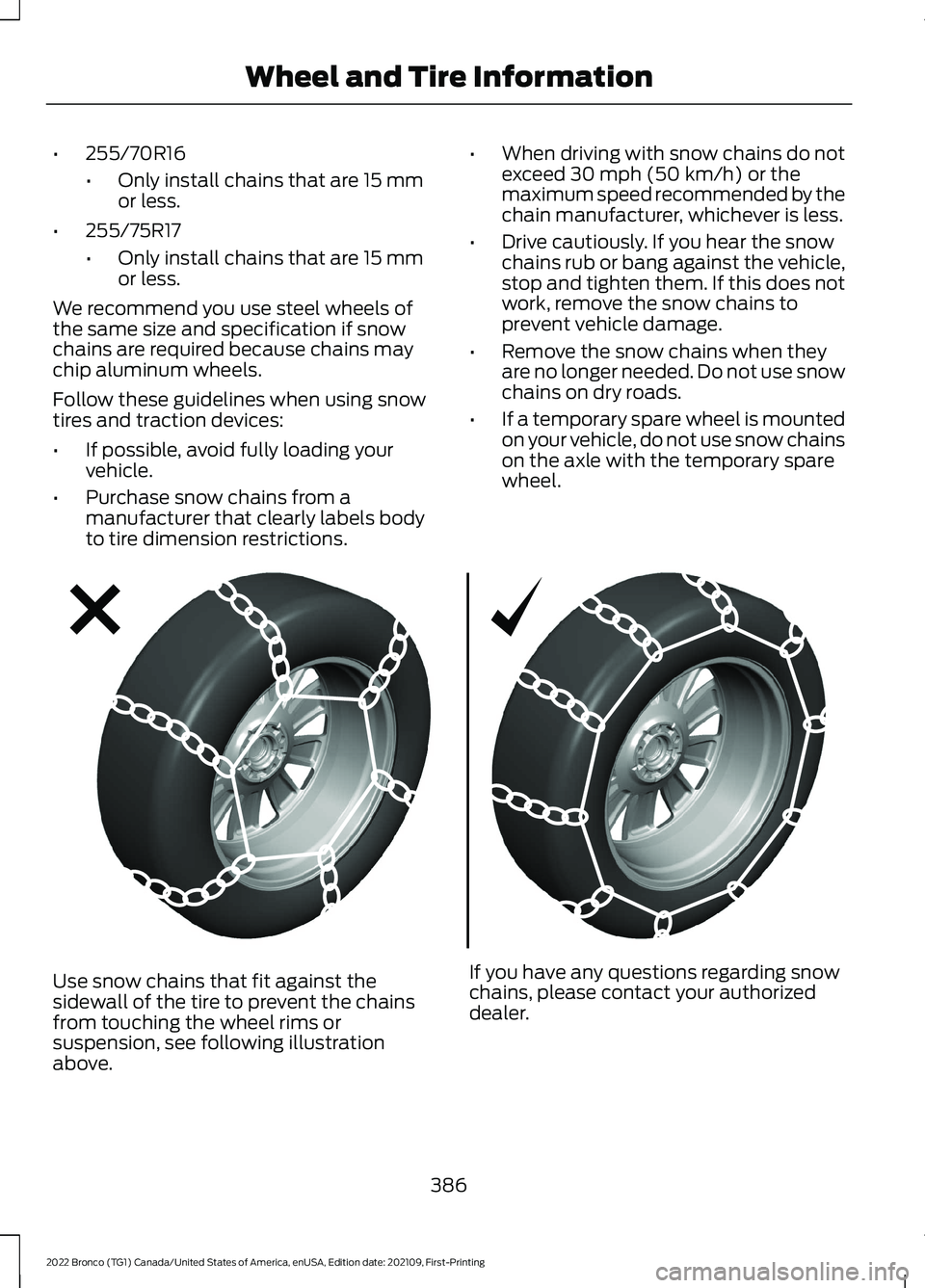
Use snow chains that fit against thesidewall of the tire to prevent the chainsfrom touching the wheel rims orsuspension, see following illustrationabove.
If you have any questions regarding snowchains, please contact your authorizeddealer.
386
2022 Bronco (TG1) Canada/United States of America, enUSA, Edition date: 202109, First-PrintingWheel and Tire InformationE292547
Page 430 of 562
Depending on the station quality, you couldhear a slight sound change when thestation changes between analog anddigital audio.
You cannot access a saved HD station ifyour vehicle is outside the station’sreception area.
SWITCHING DIGITAL RADIORECEPTION ON AND OFF
1.Press Settings on the touchscreen.
2.Press Radio Settings.
3.Switch AM HD Radio or FM HD Radioon or off.
DIGITAL RADIO INDICATORS
HD Radio Indicator
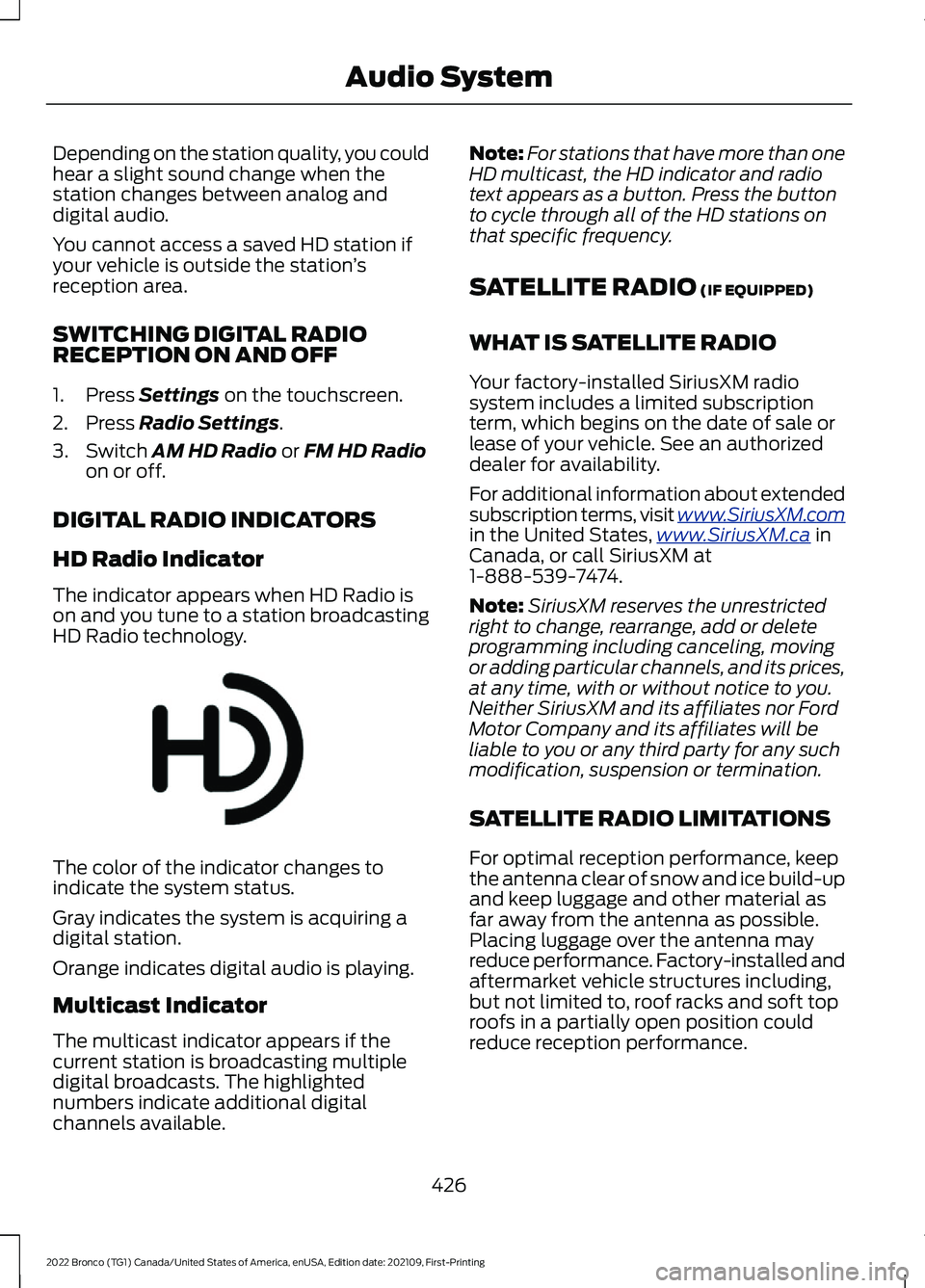
The indicator appears when HD Radio ison and you tune to a station broadcastingHD Radio technology.
The color of the indicator changes toindicate the system status.
Gray indicates the system is acquiring adigital station.
Orange indicates digital audio is playing.
Multicast Indicator
The multicast indicator appears if thecurrent station is broadcasting multipledigital broadcasts. The highlightednumbers indicate additional digitalchannels available.
Note:For stations that have more than oneHD multicast, the HD indicator and radiotext appears as a button. Press the buttonto cycle through all of the HD stations onthat specific frequency.
SATELLITE RADIO (IF EQUIPPED)
WHAT IS SATELLITE RADIO
Your factory-installed SiriusXM radiosystem includes a limited subscriptionterm, which begins on the date of sale orlease of your vehicle. See an authorizeddealer for availability.
For additional information about extendedsubscription terms, visit www.SiriusXM.comin the United States,www.SiriusXM.ca inCanada, or call SiriusXM at1-888-539-7474.
Note:SiriusXM reserves the unrestrictedright to change, rearrange, add or deleteprogramming including canceling, movingor adding particular channels, and its prices,at any time, with or without notice to you.Neither SiriusXM and its affiliates nor FordMotor Company and its affiliates will beliable to you or any third party for any suchmodification, suspension or termination.
SATELLITE RADIO LIMITATIONS
For optimal reception performance, keepthe antenna clear of snow and ice build-upand keep luggage and other material asfar away from the antenna as possible.Placing luggage over the antenna mayreduce performance. Factory-installed andaftermarket vehicle structures including,but not limited to, roof racks and soft toproofs in a partially open position couldreduce reception performance.
426
2022 Bronco (TG1) Canada/United States of America, enUSA, Edition date: 202109, First-PrintingAudio SystemE142616
Page 465 of 562
Check Every Six Months
The battery connections. Clean if necessary.
The body and door drain holes for obstructions. Clean if necessary.
The cooling system fluid level and the coolant system strength.
The door weatherstrips for wear. Lubricate if necessary.
The hinges, latches and outside locks for proper operation. Lubricate if necessary.
The parking brake for proper operation.
The seatbelts and seat latches for wear and function.
Safety warning lamps, brake, ABS, airbag and seatbelt for operation.
The washer spray and wiper operation. Clean or replace blades as necessary.
Multi-Point Inspection
It is important to have the systems on yourvehicle regularly checked. This can helpidentify potential issues and prevent majorproblems. We recommend having thefollowing multi-point inspection performedat every scheduled maintenance intervalto help make sure your vehicle keepsrunning great.
Multi-Point Inspection
Hazard warning system operationAccessory drive belt or belts
Horn operationBattery performance
Radiator, cooler, heater and air conditioninghosesEngine air filter
Suspension components for leaks ordamageExhaust system
Steering and linkageExterior lamps operation
Tires including the spare for wear and
proper pressure2Fluid levels1; fill if necessary
461
2022 Bronco (TG1) Canada/United States of America, enUSA, Edition date: 202109, First-PrintingScheduled Maintenance
Page 467 of 562
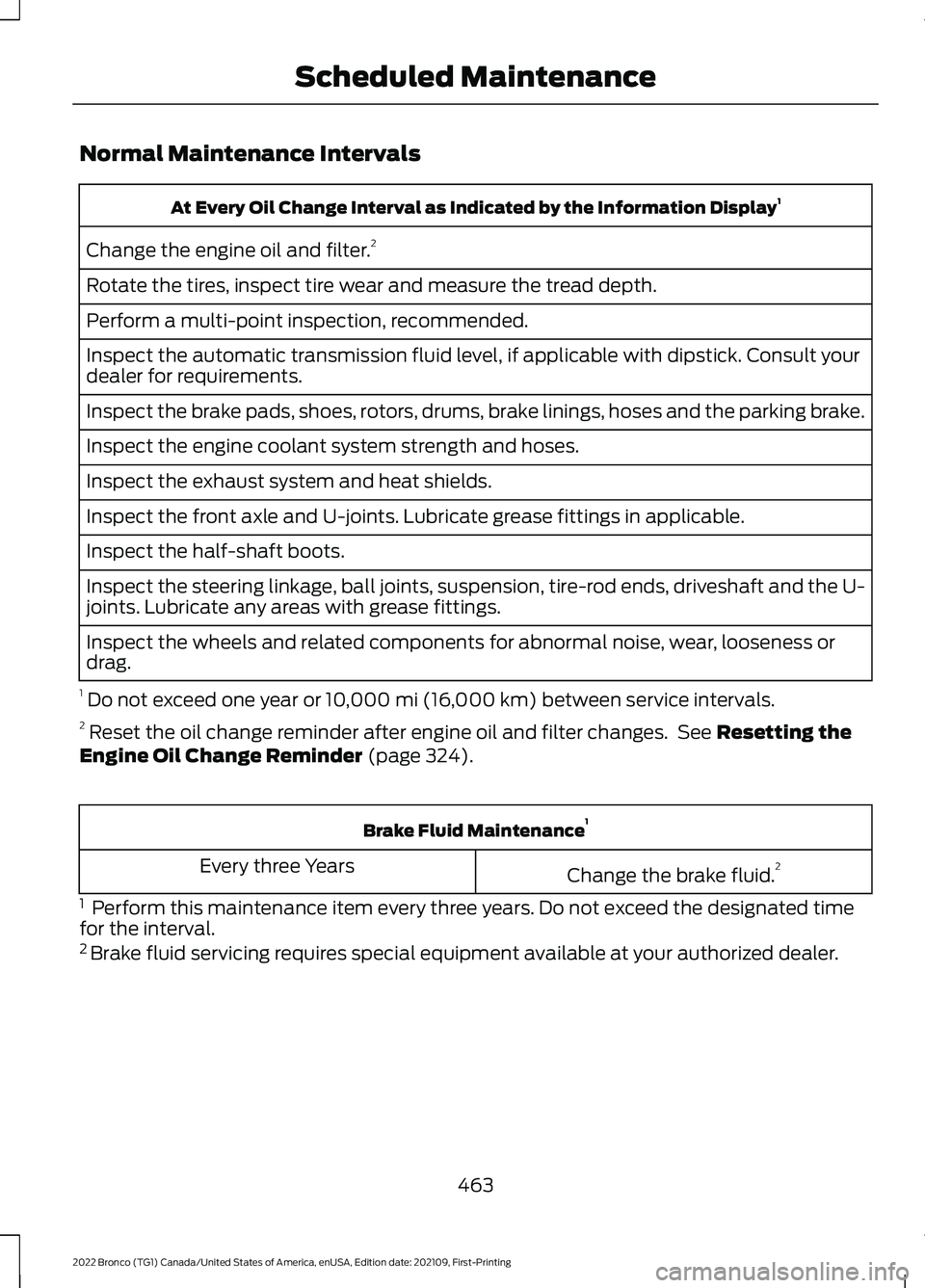
Normal Maintenance Intervals
At Every Oil Change Interval as Indicated by the Information Display1
Change the engine oil and filter.2
Rotate the tires, inspect tire wear and measure the tread depth.
Perform a multi-point inspection, recommended.
Inspect the automatic transmission fluid level, if applicable with dipstick. Consult yourdealer for requirements.
Inspect the brake pads, shoes, rotors, drums, brake linings, hoses and the parking brake.
Inspect the engine coolant system strength and hoses.
Inspect the exhaust system and heat shields.
Inspect the front axle and U-joints. Lubricate grease fittings in applicable.
Inspect the half-shaft boots.
Inspect the steering linkage, ball joints, suspension, tire-rod ends, driveshaft and the U-joints. Lubricate any areas with grease fittings.
Inspect the wheels and related components for abnormal noise, wear, looseness ordrag.
1 Do not exceed one year or 10,000 mi (16,000 km) between service intervals.2 Reset the oil change reminder after engine oil and filter changes. See Resetting theEngine Oil Change Reminder (page 324).
Brake Fluid Maintenance1
Change the brake fluid.2Every three Years
1 Perform this maintenance item every three years. Do not exceed the designated timefor the interval.2 Brake fluid servicing requires special equipment available at your authorized dealer.
463
2022 Bronco (TG1) Canada/United States of America, enUSA, Edition date: 202109, First-PrintingScheduled Maintenance
Page 529 of 562
DISRUPTION OF SERVICE PROVIDEDHEREUNDER, IS LIMITED TO PAYMENTOF DAMAGES IN AN AMOUNT NOT TOEXCEED THE AMOUNT PAID BY END USERFOR THE SERVICES DURING THETWO-MONTH PERIOD PRECEDING THEDATE THE CLAIM AROSE.
(ii) END USER AGREES TO INDEMNIFYAND HOLD HARMLESS THE UNDERLYINGWIRELESS SERVICE CARRIER AND ITSOFFICERS, EMPLOYEES, AND AGENTSAGAINST ANY AND ALL CLAIMS,INCLUDING WITHOUT LIMITATIONCLAIMS FOR LIBEL, SLANDER, OR ANYPROPERTY DAMAGE, PERSONAL INJURYOR DEATH, ARISING IN ANY WAY,DIRECTLY OR INDIRECTLY, INCONNECTION WITH THIS AGREEMENTOR THE USE, FAILURE TO USE, ORINABILITY TO USE THE DEVICE EXCEPTWHERE THE CLAIMS RESULT FROM THEUNDERLYING CARRIER’S GROSSNEGLIGENCE OR WILLFUL MISCONDUCT.THIS INDEMNITY WILL SURVIVE THETERMINATION OF THE AGREEMENT.
(iii) END USER HAS NO PROPERTY RIGHTIN ANY NUMBER ASSIGNED TO THEDEVICE.
(iv) END USER UNDERSTANDS THATFORD AND THE UNDERLYING CARRIERCANNOT GUARANTY THE SECURITY OFWIRELESS TRANSMISSIONS, AND WILLNOT BE LIABLE FOR ANY LACK OFSECURITY RELATING TO THE USE OF THESERVICES
THE SERVICE IS FOR [END USER’S] USEONLY AND END USER MAY NOT RESELLTHE SERVICE TO ANY OTHER PARTY ENDUSER UNDERSTANDS THAT THEUNDERLYING CARRIER DOES NOTGUARANTEE ANY END USERUNINTERRUPTED SERVICE ORCOVERAGE. THE UNDERLYING CARRIERDOES NOT WARRANT THAT END USERSCAN OR WILL BE LOCATED USING THESERVICE. THE UNDERLYING CARRIER
MAKES NO WARRANTY, EXPRESS ORIMPLIED, OF MERCHANTABILITY ORFITNESS FOR A PARTICULAR PURPOSE,SUITABILITY, OR PERFORMANCEREGARDING ANY SERVICES OR GOODS,AND IN NO EVENT SHALL AT&T BELIABLE, WHETHER OR NOT DUE TO ITSOWN NEGLIGENCE, FOR ANY: (A) ACT OROMISSION OF A THIRD PARTY; (B)MISTAKES, OMISSIONS, INTERRUPTIONS,ERRORS, FAILURES TO TRANSMIT,DELAYS, OR DEFECTS IN THE SERVICEPROVIDED BY OR THROUGH THEUNDERLYING CARRIER; (C) DAMAGE ORINJURY CAUSED BY SUSPENSION ORTERMINATION BY THE UNDERLYINGCARRIER; OR (D) DAMAGE OR INJURYCAUSED BY A FAILURE OR DELAY INCONNECTING A CALL TO ANY ENTITY,INCLUDING 911 OR ANY OTHEREMERGENCY SERVICE. TO THE FULLEXTENT ALLOWED BY LAW, THE ENDUSER RELEASES, INDEMNIFIES ANDHOLDS THE UNDERLYING CARRIERHARMLESS FROM AND AGAINST ANYAND ALL CLAIMS OF ANY PERSON ORENTITY FOR DAMAGES OF ANY NATUREARISING IN ANY WAY FROM OR RELATINGTO, DIRECTLY OR INDIRECTLY, SERVICESPROVIDED BY THE UNDERLYING CARRIEROR ANY PERSON’S USE THEREOF,INCLUDING CLAIMS ARISING IN WHOLEOR IN PART FROM THE ALLEGEDNEGLIGENCE OF THE UNDERLYINGCARRIER.
VII. China Territory
Personal Use Only
You agree to use this Data together with[insert name of Client Application] for thesolely personal, non-commercial purposesfor which you were licensed, and not forservice bureau, time-sharing or othersimilar purposes. Accordingly, but subjectto the restrictions set forth in the followingparagraphs, you may copy this Data onlyas necessary for your personal use to (i)
525
2022 Bronco (TG1) Canada/United States of America, enUSA, Edition date: 202109, First-PrintingCustomer Information