traction control FORD BRONCO 2022 User Guide
[x] Cancel search | Manufacturer: FORD, Model Year: 2022, Model line: BRONCO, Model: FORD BRONCO 2022Pages: 562, PDF Size: 73 MB
Page 210 of 562
ESC Features
Traction ControlSystemsElectronicStability ControlStability ControlOff LightModeButton Func-tions
EnabledEnabledOn during bulbcheckDefault - Trac-tion Control Onand NormalAdvancetrac
Default at start-up
DisabledEnabledOnTraction ControlOffButtonmomentarilypressed - singlepress
DisabledDisabledOnAdvanceTracOffButton pressedand held for fiveseconds
EnabledEnabledOffReturn toDefaultButton pressedwhen TractionControl Off orAdvance TracOff
Note:Do not use the AdvanceTrac Offsetting on public roadways.
If a fault occurs in either the stabilitycontrol or the traction control system, youmay experience the following conditions:
•The stability and traction control lightilluminates steadily.
•The stability control and tractioncontrol systems do not enhance yourvehicle's ability to maintain traction ofthe wheels.
If a driving condition activates either thestability control or the traction controlsystem you may experience the followingconditions
•The stability and traction control lightflashes.
•Your vehicle slows down.
•Reduced engine power.
•A vibration in the brake pedal.
•The brake pedal is stiffer than usual.
•If the driving condition is severe andyour foot is not on the brake, the brakepedal may move as the system applieshigher brake force.
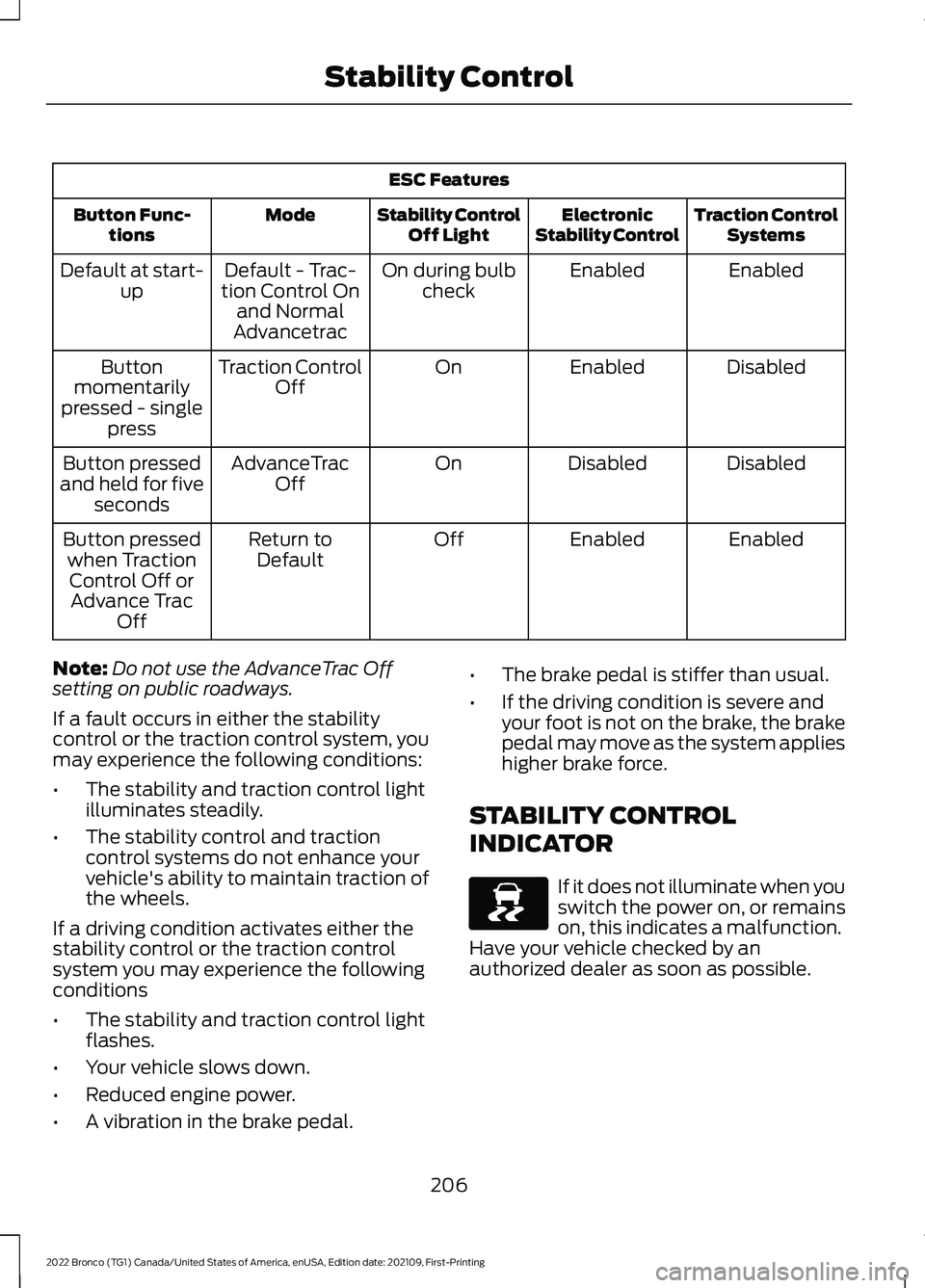
STABILITY CONTROL
INDICATOR
If it does not illuminate when youswitch the power on, or remainson, this indicates a malfunction.Have your vehicle checked by anauthorized dealer as soon as possible.
206
2022 Bronco (TG1) Canada/United States of America, enUSA, Edition date: 202109, First-PrintingStability ControlE138639
Page 211 of 562
WHAT IS TRAIL CONTROL
WARNING: The system does notcontrol speed in low traction conditionsor extremely steep slopes. The systemis designed to be an aid and does notrelieve you of your responsibility to drivewith due care and attention. Failure tofollow this instruction could result inpersonal injury.
Trail control lets you focus on steeringduring low-speed and off-road use bycontrolling your vehicle's acceleration andbraking to maintain the speed that you set.
You may hear a noise from the anti-lockbrake system pump motor when you usethe system. This is normal.
TRAIL CONTROL LIMITATIONS
Trail control is unavailable when any of thefollowing occur:
•Your vehicle speed is greater than20 mph (32 km/h) in two-wheel drivehigh (2H) or four-wheel drive high (4H)modes.
•Your vehicle speed is greater than9 mph (15 km/h) in four-wheel drivelow (4L) mode.
•Your vehicle speed is greater than5 mph (8 km/h) in reverse (R).
•The transmission is in park (P).
•The driver side door is open or yourseatbelt is off when the driver side dooris removed.
•Cruise control is on.
•Pro trailer backup assist is on.
SWITCHING TRAIL CONTROL
ON AND OFF
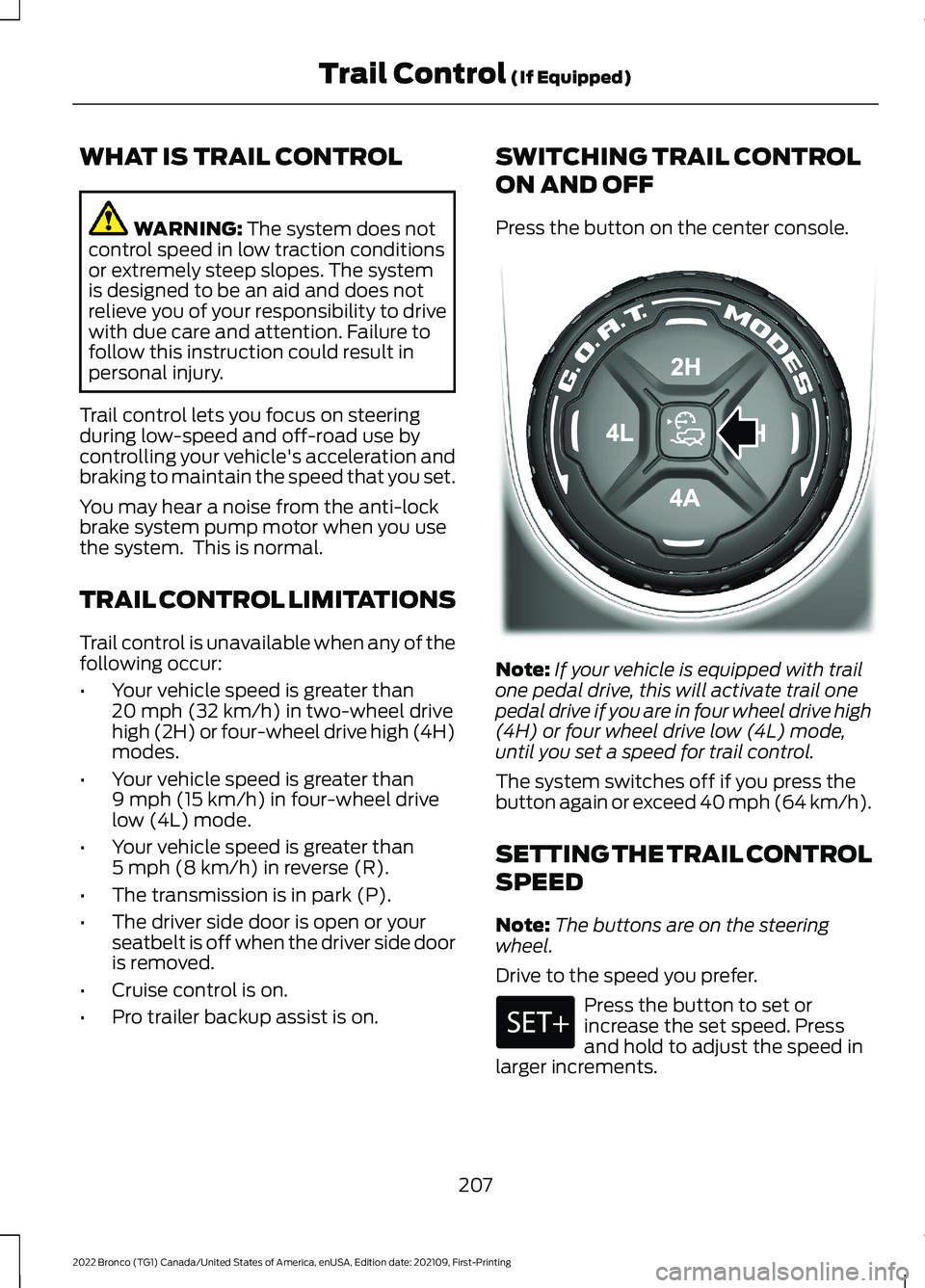
Press the button on the center console.
Note:If your vehicle is equipped with trailone pedal drive, this will activate trail onepedal drive if you are in four wheel drive high(4H) or four wheel drive low (4L) mode,until you set a speed for trail control.
The system switches off if you press thebutton again or exceed 40 mph (64 km/h).
SETTING THE TRAIL CONTROL
SPEED
Note:The buttons are on the steeringwheel.
Drive to the speed you prefer.
Press the button to set orincrease the set speed. Pressand hold to adjust the speed inlarger increments.
207
2022 Bronco (TG1) Canada/United States of America, enUSA, Edition date: 202109, First-PrintingTrail Control (If Equipped)E329455
Page 221 of 562
WHAT IS HILL DESCENT
CONTROL
Hill descent control allows the driver to setand maintain vehicle speed whiledescending steep slopes in various surfaceconditions.
HOW DOES HILL DESCENT
CONTROL WORK
Hill descent control can maintain vehiclespeeds on downhill slopes between2–20 mph (3–32 km/h). Above 20 mph(32 km/h), the system remains on but thedescent speed cannot be set ormaintained.
Note:The system does not function below2 mph (3 km/h).
The system requires a cool down intervalafter a period of sustained use. Hill descentcontrol provides a warning in the messagecenter and a tone sounds when the systemis about to disengage for cooling. At thistime, manually apply the brakes as neededto maintain descent speed.
Note:The amount of time that the systemcan remain active before cooling varies withconditions.
HILL DESCENT CONTROL
PRECAUTIONS
WARNING: The system does notcontrol speed in low traction conditionsor extremely steep slopes. The systemis designed to be an aid and does notrelieve you of your responsibility to drivewith due care and attention. Failure tofollow this instruction could result inpersonal injury.
WARNING: The system does notreplace the parking brake. When youleave your vehicle, always apply theparking brake.
SWITCHING HILL DESCENT
CONTROL ON AND OFF
Press the button on the centerconsole. A light in the instrumentcluster illuminates when thesystem is active.
SETTING THE HILL DESCENT
SPEED
To increase or decrease the descent speed,press the accelerator or brake pedal, or usethe SET + and SET - buttons on thesteering wheel. Once you reach thepreferred speed remove your feet from thepedals.
HILL DESCENT CONTROL
INDICATOR
Illuminates when you switch hilldescent control on.
217
2022 Bronco (TG1) Canada/United States of America, enUSA, Edition date: 202109, First-PrintingHill Descent Control - Manual TransmissionE328593 E328593
Page 238 of 562
HOW DOES ADAPTIVE CRUISE
CONTROL WORK
Adaptive cruise control uses a radar sensorto adjust your vehicle speed to maintain aset gap between you and the vehicle infront of you in the same lane.
ADAPTIVE CRUISE CONTROL
PRECAUTIONS
WARNING: You are responsible forcontrolling your vehicle at all times. Thesystem is designed to be an aid and doesnot relieve you of your responsibility todrive with due care and attention. Failureto follow this instruction could result inthe loss of control of your vehicle,personal injury or death.
WARNING: Pay close attention tochanging road conditions such asentering or leaving a highway, on roadswith intersections or roundabouts, roadswithout visible lanes of travel, roads thatare winding, slippery, unpaved, or steepslopes.
WARNING: The system does notcontrol speed in low traction conditionsor extremely steep slopes. The systemis designed to be an aid and does notrelieve you of your responsibility to drivewith due care and attention. Failure tofollow this instruction could result inpersonal injury.
WARNING: The system is not acrash warning or avoidance system.
WARNING: Do not use the systemwhen towing a trailer that hasaftermarket electronic trailer brakecontrols. Failure to follow this instructioncould result in the loss of control of yourvehicle, personal injury or death.
WARNING: Do not use tire sizesother than those recommended becausethis can affect the normal operation ofthe system. Failure to do so may resultin a loss of vehicle control, which couldresult in serious injury.
WARNING: Do not use the systemwith a snow plow blade installed.
WARNING: Do not use the systemin poor visibility, for example fog, heavyrain, spray or snow.
When Following a Vehicle
WARNING: When following avehicle that is braking, your vehicle doesnot always decelerate quickly enough toavoid a crash without driver intervention.Apply the brakes when necessary. Failureto follow this instruction could result inpersonal injury or death.
Hilly Condition Usage
You should select a lower gear when thesystem is active in situations such asprolonged downhill driving on steep slopes,for example in mountainous areas. Thesystem needs additional engine braking inthese situations to reduce the load on thevehicle’s regular brake system to preventit from overheating.
234
2022 Bronco (TG1) Canada/United States of America, enUSA, Edition date: 202109, First-PrintingAdaptive Cruise Control (If Equipped)
Page 241 of 562
Optimal system performance requires aclear view of the road by thewindshield-mounted camera.
Optimal performance may not occur if:
•The camera is blocked.
•There is poor visibility or lightingconditions.
•There are bad weather conditions.
SWITCHING ADAPTIVE
CRUISE CONTROL ON AND OFF
The cruise controls are on the steeringwheel. See Cruise Control (page 232).
Switching Adaptive Cruise ControlOn
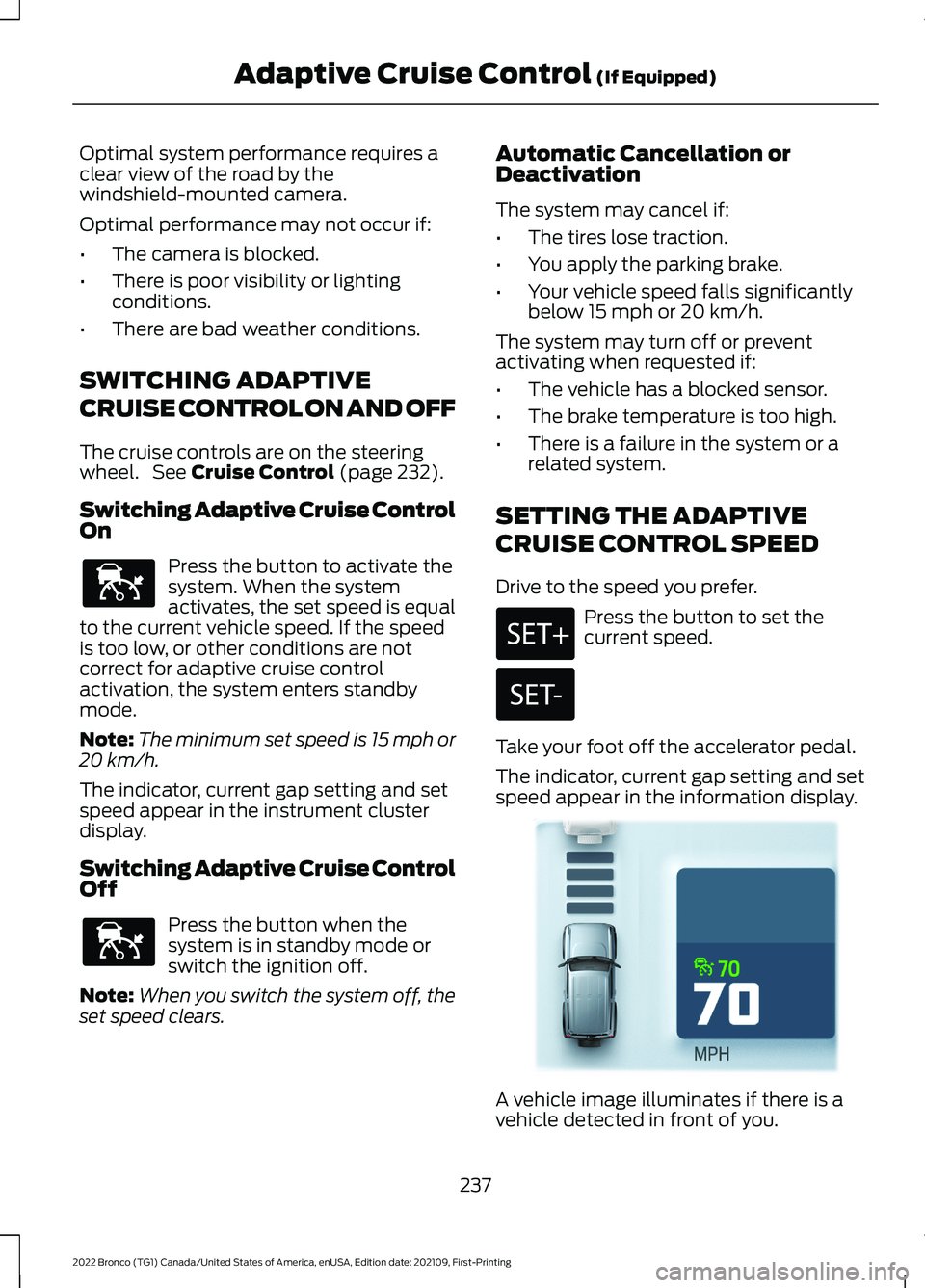
Press the button to activate thesystem. When the systemactivates, the set speed is equalto the current vehicle speed. If the speedis too low, or other conditions are notcorrect for adaptive cruise controlactivation, the system enters standbymode.
Note:The minimum set speed is 15 mph or20 km/h.
The indicator, current gap setting and setspeed appear in the instrument clusterdisplay.
Switching Adaptive Cruise ControlOff
Press the button when thesystem is in standby mode orswitch the ignition off.
Note:When you switch the system off, theset speed clears.
Automatic Cancellation orDeactivation
The system may cancel if:
•The tires lose traction.
•You apply the parking brake.
•Your vehicle speed falls significantlybelow 15 mph or 20 km/h.
The system may turn off or preventactivating when requested if:
•The vehicle has a blocked sensor.
•The brake temperature is too high.
•There is a failure in the system or arelated system.
SETTING THE ADAPTIVE
CRUISE CONTROL SPEED
Drive to the speed you prefer.
Press the button to set thecurrent speed.
Take your foot off the accelerator pedal.
The indicator, current gap setting and setspeed appear in the information display.
A vehicle image illuminates if there is avehicle detected in front of you.
237
2022 Bronco (TG1) Canada/United States of America, enUSA, Edition date: 202109, First-PrintingAdaptive Cruise Control (If Equipped)E144529 E144529 E355963
Page 246 of 562
WHAT IS G.O.A.T. MODE
CONTROL
Your vehicle has several goes overany-type of terrain (G.O.A.T.) modes thatyou can select for different drivingconditions. Depending on the mode thatyou select, the system adjusts variousvehicle settings.
HOW DOES G.O.A.T. MODE
CONTROL WORK
Each selectable mode changes variouselectronic and mechanical settings withinyour vehicle to tailor its performance anddriving characteristics to on-road oroff-road driving conditions. The systemmay alter steering feel and effort, tractioncontrol, stability control, chassis controls,powertrain response, transmission shiftpoints, four-wheel driveline setting,exhaust noise level and suspensiondampening to predetermined settings,depending upon the mode that you select.
The system reverts to the normal modeeach time you start your vehicle. At startupthe system also displays a prompt on theinstrument cluster display that gives youthe option to return to the previouslyselected drive mode during the last ignitioncycle. If you select yes, the system returnsto the last selected drive mode and thedefault driveline settings associated withthat mode. If you select no or do not makea selection within a short time, the systemremains in normal mode and the drivelinesettings remain the same as selected inthe prior ignition cycle.
Note:Your vehicle has diagnostic checksthat continuously monitor all systems forproper operation. If a mode is unavailabledue to a system fault, your vehicle defaultsto normal mode and the driveline remainsin the four-wheel drive setting that you lastselected prior to the system fault.
SELECTING A G.O.A.T. MODE
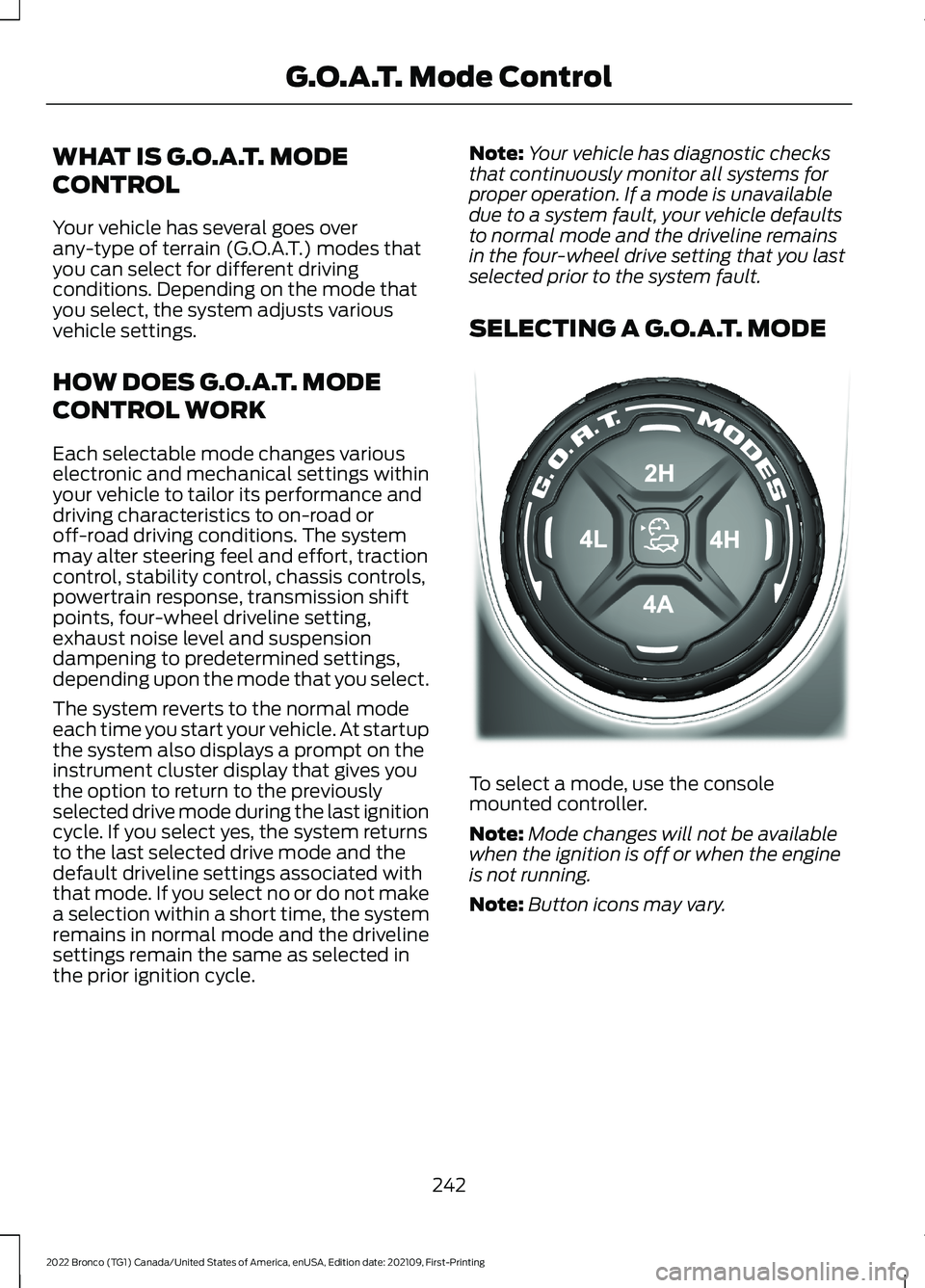
To select a mode, use the consolemounted controller.
Note:Mode changes will not be availablewhen the ignition is off or when the engineis not running.
Note:Button icons may vary.
242
2022 Bronco (TG1) Canada/United States of America, enUSA, Edition date: 202109, First-PrintingG.O.A.T. Mode ControlE324543
Page 250 of 562
SPORT - ADVANCED 4X4 WITH 4AMODE
For sporty driving with improvedperformance handling andresponse. This mode increasesaccelerator pedal response and providesa sportier steering feel. The powertrainsystem holds onto lower gears longer,helping your vehicle accelerate faster.
Four-wheel drive auto (4A) is the defaultfour-wheel drive mode. Four-wheel drivelow (4L) is not selectable in sport mode.
The front electronic locking differential isnot available in sport mode. The rearelectronic locking differential is availablebelow 25 mph (40 km/h).
The stabilizer bar disconnect is notavailable in sport mode.
G.O.A.T. MODE CONTROL –
TROUBLESHOOTING
G.O.A.T. MODE CONTROL –WARNING LAMPS
Some drive modes reducetraction and stability controlperformance and the indicatorilluminates in the instrument cluster.
G.O.A.T. MODE CONTROL – INFORMATION MESSAGES
DetailsMessage
Displays when the system switches tonormal mode to support towing perform-ance.
Changing to Normal Drive Mode forImproved Towing Performance
Displays when you select a drive mode thatis not available. Select a different drivemode.
Drive Mode Not Available
Displays when you select a drive mode thatis not available. Check the four-wheel drivemode, electronic locking differential andstabilizer bar before selecting a drive mode.
Drive Mode Preconditions Not Met
Displays when you select a drive mode thatis not available. Have the system checked.Drive Mode Selection Reduced due toSystem Fault
Displays when you select an off-road drivemode.Off-Road Use Only
246
2022 Bronco (TG1) Canada/United States of America, enUSA, Edition date: 202109, First-PrintingG.O.A.T. Mode ControlE246593 E130458
Page 254 of 562
•You apply direct steering, acceleratefast or brake hard.
•The vehicle speed is less than 40 mph(64 km/h).
•The anti-lock brake, stability control ortraction control system activates.
•The lane is too narrow.
•Something is obscuring the camera orit is unable to detect the lane markingsdue to environment, traffic or vehicleconditions.
The lane keeping system may not correctlane positioning in any of the followingconditions:
•High winds.
•Uneven road surfaces.
•Heavy or uneven loads.
•Incorrect tire pressure.
SWITCHING THE LANE
KEEPING SYSTEM ON AND
OFF
To activate the lane keepingsystem, press the button on thesteering wheel.
To deactivate the lane keeping system,press the button again.
Note:When switching the system on or offa message appears in the information andentertainment display to show the status.
Note:The system stores the on or offsetting until manually changed, unless itdetects a MyKey™. If the system detects aMyKey™, it defaults to the last setting forthat MyKey™.
Note: If the system detects a MyKey™,pressing the button does not affect the onor off status of the system. You can onlychange the mode and intensity settings.
SWITCHING THE LANE
KEEPING SYSTEM MODE
The lane keeping system has differentsettings that you can view or adjust usingthe information display.
The system stores the last known selectionfor each of these settings. You do not needto readjust your settings each time youswitch on the system.
To change the lane keeping system mode,use the touchscreen:
1.Select Driver Assistance.
2.Select Lane Keeping System.
3.Select Mode.
4.Select a setting.
Note:The system remembers the lastsetting when you start your vehicle. If thesystem detects a MyKey™, the mode is setto alert.
ALERT MODE
WHAT IS ALERT MODE
Alert mode vibrates the steering wheelwhen it detects an unintended lanedeparture.
250
2022 Bronco (TG1) Canada/United States of America, enUSA, Edition date: 202109, First-PrintingLane Keeping System (If Equipped)E308131
Page 294 of 562
OFF-ROAD DRIVING
WHAT IS OFF-ROAD DRIVING
Off-road driving is driving your vehicle onunsurfaced roads or trails, made from dirt,rocks, sand and mud.
Your vehicle has been designed andequipped to explore those places wherethe road cannot take you, whether youchoose a forest trail or the open desert.
OFF-ROAD DRIVINGPRECAUTIONS
WARNING: If you continue to driveyour vehicle when the engine isoverheating, the engine could stopwithout warning. Failure to follow thisinstruction could result in the loss ofcontrol of your vehicle.
Before going off-road, consult with yourlocal governmental agencies to determinedesignated off-road trails and recreationareas. Also, be sure to understand anyoff-road vehicle registration requirementsfor the area in which you plan on driving.
Tread Lightly is an educational programdesigned to increase public awareness ofland-use regulations and responsibilitiesin our nation’s wilderness areas. The U.S.Forest Service and Bureau of LandManagement is encouraging you to helppreserve our national forest and otherpublic and private lands by treading lightly.
Before taking your vehicle off-road,perform a basic vehicle inspection to makesure the vehicle is in top working condition.
Before you venture off road, have a clearmental picture of the underside of yourvehicle. Learn the location of any lowhanging items and any skid plates that maybe on the vehicle. You can avoid snaggingthem on rocks and other obstacles if youknow where they are.
Memorizing some basic dimensions helpsyou confidently deal with off-roadobstacles. Get to know your vehicle’sheight and width, its lowest point, itswading depth and angles. Familiarizeyourself with your vehicle’s on-boardtechnology features.
We recommend driving at least twovehicles when driving off-road. The buddysystem helps make sure that help is closeat hand should a vehicle become stuck ordamaged.
We recommend taking supplies such as afirst aid kit, supply of water, tow strap andcell or satellite phone with you any timeyou plan an off-road excursion.
Note:Remove the front license plate beforeoff-road driving to achieve optimalperformance.
BASIC OFF-ROAD DRIVINGTECHNIQUES
Grip the steering wheel with your thumbson the outside of the rim. This reduces therisk of injury due to abrupt steering wheelmotions that occur when negotiating roughterrain.
Control your throttle, brake and steeringinputs in a smooth manner. Sudden inputsto the controls can cause a loss of tractionfor the vehicle, especially when on slopedterrain or crossing obstacles such as rocksor logs.
290
2022 Bronco (TG1) Canada/United States of America, enUSA, Edition date: 202109, First-PrintingDriving Hints
Page 295 of 562
Look ahead on your route noting upcomingobstacles, surface texture or color changesor any other factors which may indicate achange in available traction. Adjust thevehicle speed and route to avoid a loss intraction. Conditions can change causingthe course to vary day to day. Markobstacles with GPS markers to avoidpotential vehicle damage. Wherenecessary, get out of your vehicle andcheck the terrain.
When driving off-road, if the front or rearsuspension is bottoming-out or excessivecontact with the skid-plates is happening,reduce the vehicle's speed to avoidpotential damage to your vehicle.
If you are driving in a dusty area, be sure toleave ample distance between your vehicleand any other vehicles to allow foradequate vision.
When driving off-road verify that yourwipers and washers are working properlyand reduce your speed for better visibility.
When driving in desert conditions, werecommend driving with your headlampson to help other drivers easily see you.
When convoying with other vehicles, werecommend that communication is used,and the lead vehicle notify other vehiclesof upcoming obstacles.
Keep available ground clearance in mindand pick a route that minimizes the risk ofcatching the underside of the vehicle onan obstacle.
When negotiating low speed obstacles,applying light brake pressure in conjunctionwith the throttle allows you to negotiatethe obstacle in a more controlled manner.
Driving off-road requires a high amount ofconcentration. Even if your local law doesnot prohibit drinking alcohol when drivingoff-road we do not recommend it.
DRIVING OFF-ROAD
Driving In Snow and Ice
WARNING: If you are driving inslippery conditions that require tirechains or cables, then it is critical thatyou drive cautiously. Keep speeds down,allow for longer stopping distances andavoid aggressive steering to reduce thechances of a loss of vehicle controlwhich can lead to serious injury or death.If the rear end of your vehicle slides whilecornering, steer in the direction of theslide until you regain control of yourvehicle.
Four-wheel drive vehicles have advantagesover two-wheel drive vehicles in snow andice but can skid like any other vehicle. Ifyour vehicle slides when driving on snowyor icy roads, turn the steering wheel in thedirection of the slide until you regaincontrol. Avoid sudden applications ofpower and quick changes of direction onsnow and ice. Slowly and steadily applythe accelerator when starting from a fullstop. Avoid sudden braking.
WARNING: Do not becomeoverconfident in the ability of four-wheeldrive vehicles. Although a four-wheeldrive vehicle may accelerate better thana two-wheel drive vehicle in low tractionsituations, it won't stop any faster thantwo-wheel drive vehicles. Always driveat a safe speed.
Make sure you allow sufficient distancebetween your vehicle and other vehiclesfor stopping.
In emergency stopping situations, do notpump the brake pedal, apply the brakefirmly.
291
2022 Bronco (TG1) Canada/United States of America, enUSA, Edition date: 202109, First-PrintingDriving Hints