sport mode FORD BRONCO 2023 Owners Manual
[x] Cancel search | Manufacturer: FORD, Model Year: 2023, Model line: BRONCO, Model: FORD BRONCO 2023Pages: 642, PDF Size: 14.71 MB
Page 19 of 642
SVT
The Ford Special Vehicle Team (SVT) wasestablished in 1991 to polish the Ford Ovalby creating low-volume, factory-producedvehicles designed for those select fewwhose idea of driving is a high-powered,passionate experience – not just a meansof getting from point A to point B.
In a move to support this spiritedenthusiasm, Ford Motor Company carefullyintegrated the wide array of talent in thecompany into a small, cross-functionalgroup of engineers and product planners,housed together under one roof with acommon mission: to create vehiclesspecifically designed to meet the uniqueneeds and desires of the knowledgeabledriving enthusiast.
More than 400,000 SVT and FordPerformance vehicles were produced sincethe 1993 model year. These include theSVT Mustang Cobra and the Cobra R, theSVT F-150 Lightning, the SVT Contour, theSVT Focus, Ford GT, Shelby GT350, ShelbyGT500, GT500KR and the F-150 SVTRaptor.
TEAM RS
Team RS traces its roots back nearly 60years from the Lotus Ford Cortina and TwinCam Escorts of the mid 1960’s, throughthe first RS branded Escorts of the 1970’sto the founding of Special VehicleEngineering (SVE) in 1980. Through the1980s and 90s, SVE delivered a breadthof vehicles from exciting XR and RSbranded road going performance carsthrough homologation specials such asthe iconic Sierra Cosworth RS500. The firstST (Sport Technology) vehicle appearedin 1996 as the ST24 Mondeo. The firstcollaboration between Ford’s Europeanand North American performance teamsappeared in 2002 as the ST170 in Europe
and SVT Focus in North America. In 2003,Team RS replaced SVE in Europe asperformance car and motorsport personnelwere brought together as one team. TeamRS subsequently created the 2004 FiestaST, 2005 Focus ST and 2009 Focus RS.
FORD PERFORMANCE
Welcome to the Ford Performance family!
SVT and Team RS officially began workingtogether as one team in 2009. In 2015,these two teams, along with Ford Racing,were formally combined establishing FordPerformance as a single team responsiblefor all performance and racing orientedproducts and activities worldwide at FordMotor Company. Your Ford Performancevehicle represents the best of what FordPerformance has to offer from around theglobe. Your vehicle has been designed anddeveloped with the four hallmarks of FordPerformance in mind: Performance,Substance, Exclusivity and Value. We areproud and passionate about what we do,and we are glad you have made us yourchoice.
15
2023 Bronco (TG1) Canada/United States of America, enUSA, Edition date: 202208, DOMAbout Us - Raptor
Page 59 of 642
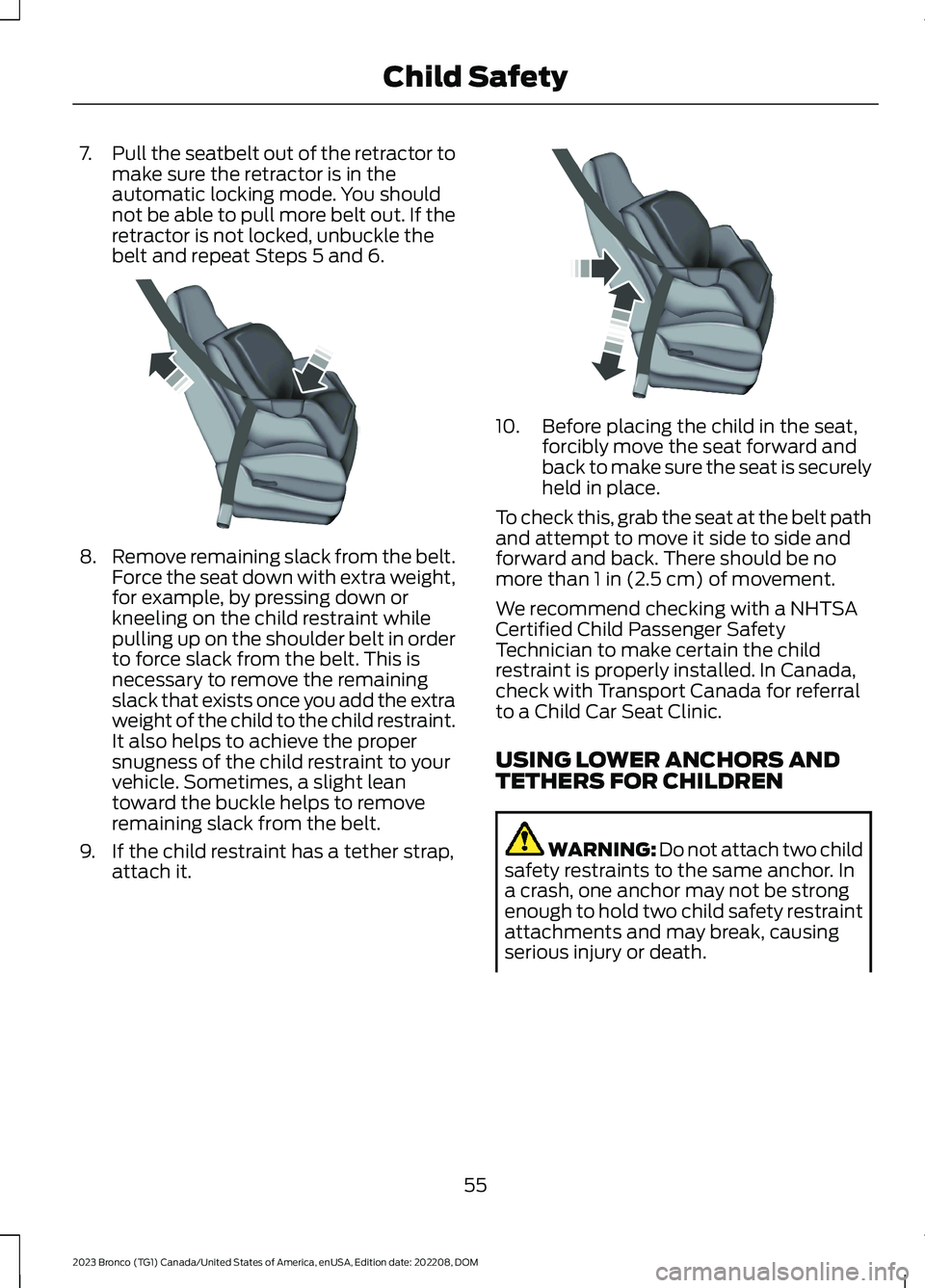
7.Pull the seatbelt out of the retractor tomake sure the retractor is in theautomatic locking mode. You shouldnot be able to pull more belt out. If theretractor is not locked, unbuckle thebelt and repeat Steps 5 and 6.
8.Remove remaining slack from the belt.Force the seat down with extra weight,for example, by pressing down orkneeling on the child restraint whilepulling up on the shoulder belt in orderto force slack from the belt. This isnecessary to remove the remainingslack that exists once you add the extraweight of the child to the child restraint.It also helps to achieve the propersnugness of the child restraint to yourvehicle. Sometimes, a slight leantoward the buckle helps to removeremaining slack from the belt.
9.If the child restraint has a tether strap,attach it.
10.Before placing the child in the seat,forcibly move the seat forward andback to make sure the seat is securelyheld in place.
To check this, grab the seat at the belt pathand attempt to move it side to side andforward and back. There should be nomore than 1 in (2.5 cm) of movement.
We recommend checking with a NHTSACertified Child Passenger SafetyTechnician to make certain the childrestraint is properly installed. In Canada,check with Transport Canada for referralto a Child Car Seat Clinic.
USING LOWER ANCHORS ANDTETHERS FOR CHILDREN
WARNING: Do not attach two childsafety restraints to the same anchor. Ina crash, one anchor may not be strongenough to hold two child safety restraintattachments and may break, causingserious injury or death.
55
2023 Bronco (TG1) Canada/United States of America, enUSA, Edition date: 202208, DOMChild SafetyE142533 E142534
Page 127 of 642
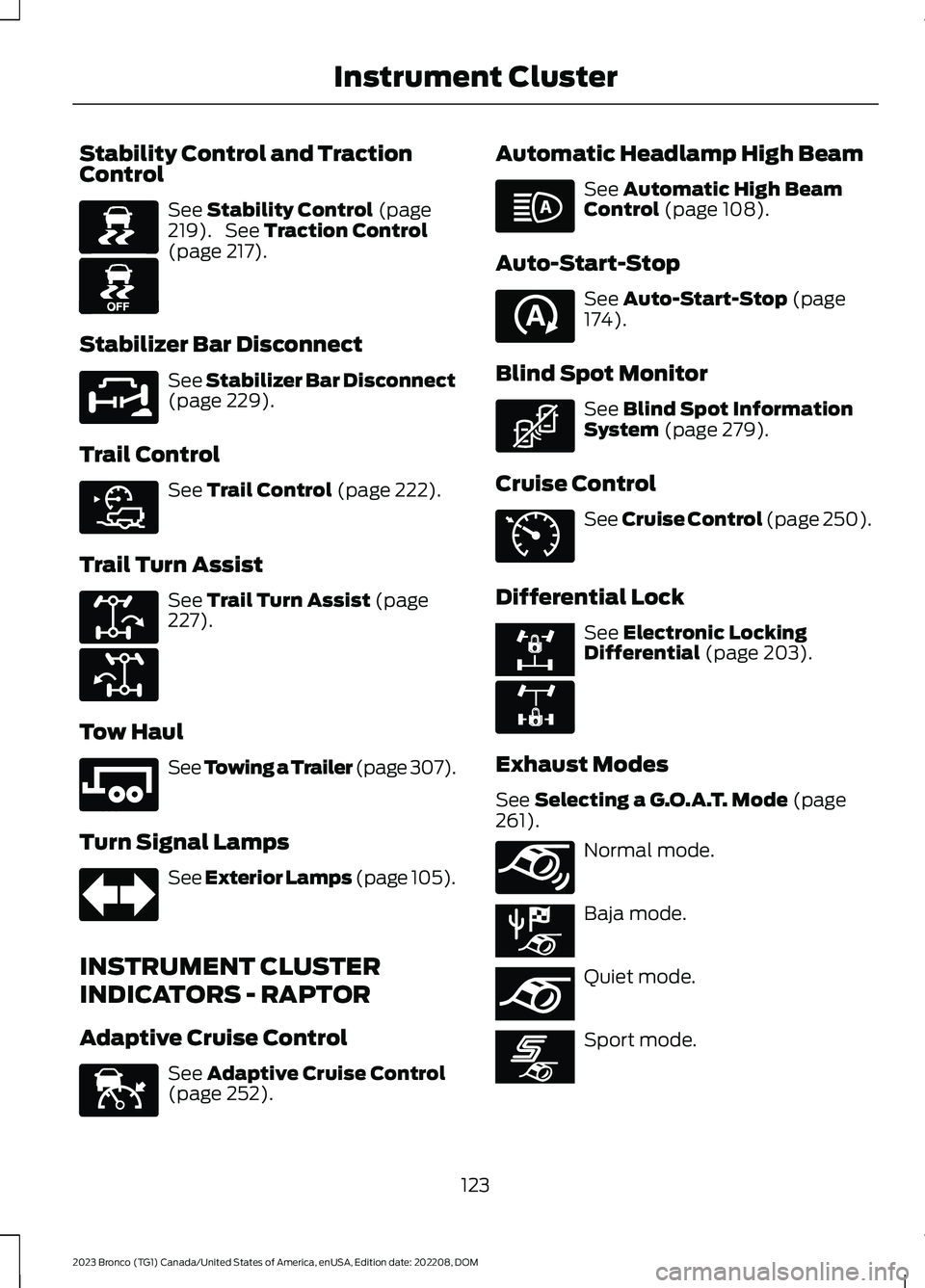
Stability Control and TractionControl
See Stability Control (page219). See Traction Control(page 217).
Stabilizer Bar Disconnect
See Stabilizer Bar Disconnect(page 229).
Trail Control
See Trail Control (page 222).
Trail Turn Assist
See Trail Turn Assist (page227).
Tow Haul
See Towing a Trailer (page 307).
Turn Signal Lamps
See Exterior Lamps (page 105).
INSTRUMENT CLUSTER
INDICATORS - RAPTOR
Adaptive Cruise Control
See Adaptive Cruise Control(page 252).
Automatic Headlamp High Beam
See Automatic High BeamControl (page 108).
Auto-Start-Stop
See Auto-Start-Stop (page174).
Blind Spot Monitor
See Blind Spot InformationSystem (page 279).
Cruise Control
See Cruise Control (page 250).
Differential Lock
See Electronic LockingDifferential (page 203).
Exhaust Modes
See Selecting a G.O.A.T. Mode (page261).
Normal mode.
Baja mode.
Quiet mode.
Sport mode.
123
2023 Bronco (TG1) Canada/United States of America, enUSA, Edition date: 202208, DOMInstrument ClusterE138639 E130458 E329476 E318506 E329474 E329475 E246592 E67018 E144524 E146105 E121377 E323542 E71340 E328595 E325779 E347131 E367612 E367613 E367609
Page 128 of 642
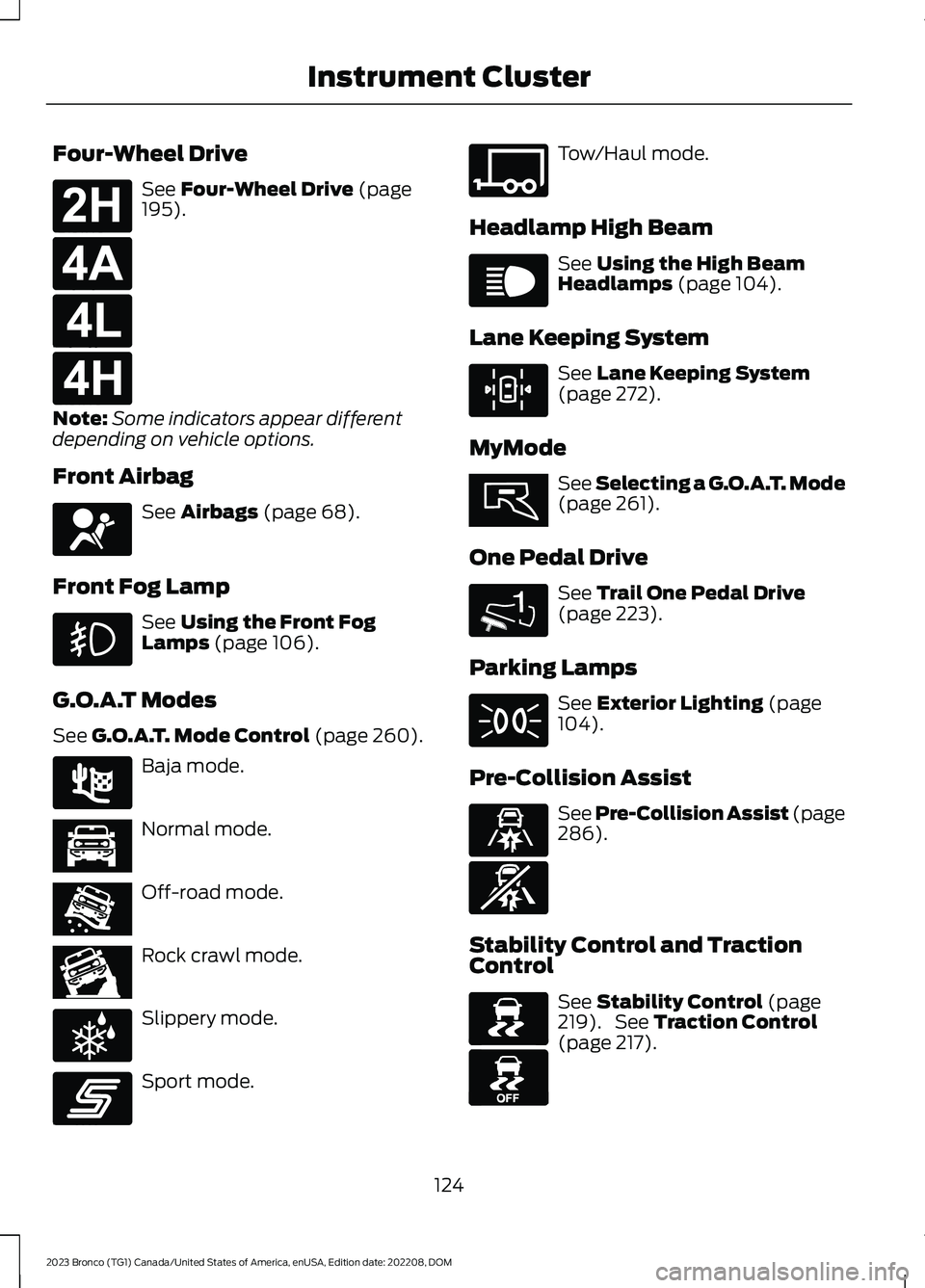
Four-Wheel Drive
See Four-Wheel Drive (page195).
Note:Some indicators appear differentdepending on vehicle options.
Front Airbag
See Airbags (page 68).
Front Fog Lamp
See Using the Front FogLamps (page 106).
G.O.A.T Modes
See G.O.A.T. Mode Control (page 260).
Baja mode.
Normal mode.
Off-road mode.
Rock crawl mode.
Slippery mode.
Sport mode.
Tow/Haul mode.
Headlamp High Beam
See Using the High BeamHeadlamps (page 104).
Lane Keeping System
See Lane Keeping System(page 272).
MyMode
See Selecting a G.O.A.T. Mode(page 261).
One Pedal Drive
See Trail One Pedal Drive(page 223).
Parking Lamps
See Exterior Lighting (page104).
Pre-Collision Assist
See Pre-Collision Assist (page286).
Stability Control and TractionControl
See Stability Control (page219). See Traction Control(page 217).
124
2023 Bronco (TG1) Canada/United States of America, enUSA, Edition date: 202208, DOMInstrument ClusterE181778 E181781 E181780 E181779 E67017 E225314 E366490 E366491 E366492 E347004 E246593 E347108 E67019 E308131 E359278 1E328584 E71341 E329466 E329467 E138639 E130458
Page 129 of 642
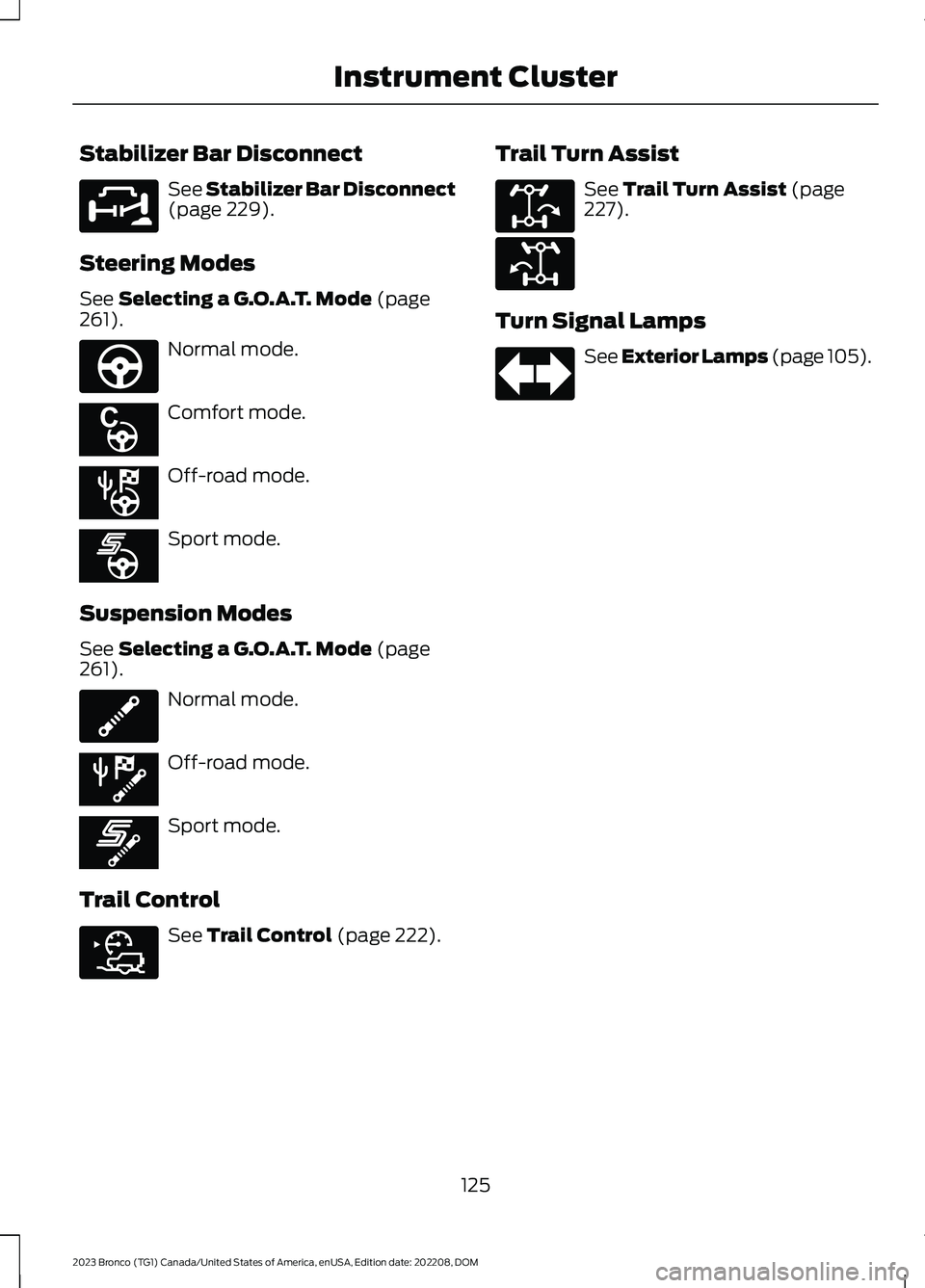
Stabilizer Bar Disconnect
See Stabilizer Bar Disconnect(page 229).
Steering Modes
See Selecting a G.O.A.T. Mode (page261).
Normal mode.
Comfort mode.
Off-road mode.
Sport mode.
Suspension Modes
See Selecting a G.O.A.T. Mode (page261).
Normal mode.
Off-road mode.
Sport mode.
Trail Control
See Trail Control (page 222).
Trail Turn Assist
See Trail Turn Assist (page227).
Turn Signal Lamps
See Exterior Lamps (page 105).
125
2023 Bronco (TG1) Canada/United States of America, enUSA, Edition date: 202208, DOMInstrument ClusterE329476 E347142 E367614 E367611 E367608 E347107 E367610 E367607 E318506 E329474 E329475 E67018
Page 165 of 642
WHAT IS THE WIRELESS
ACCESSORY CHARGER
The wireless accessory charger allows youto charge one compatible Qi wirelesscharging device on the charging area.
WIRELESS ACCESSORY
CHARGER PRECAUTIONS
WARNING: Wireless chargingdevices can affect the operation ofimplanted medical devices, includingcardiac pacemakers. If you have anyimplanted medical devices, werecommend that you consult with yourphysician.
Keep the charging area clean and removeforeign objects prior to charging a device.
Do not place items with a magnetic stripor radio-frequency identification chip, forexample passports, parking tickets,transportation passes or credit cards, nearthe charging area when charging a device.Damage could occur to the magnetic stripor radio-frequency identification chip.
Do not place metal objects, for exampleremote controls, coins and candywrappers, on or near the charging areawhen charging a device. Metal objects mayheat up and degrade the chargingperformance, in addition to causinginterruptions in charging.
Charging could be interrupted, degraded,or could stop if any of the following occur:
•The system detects a foreign object.
•The device is misaligned on thecharging area.
•The device moves on the activecharging area when the vehicle is inmotion.
•The vehicle ambient temperature is toohigh.
•You attempt to charge a non-Qicompatible device on the wirelesscharger.
Note:During charging, the device and thecharger could heat up, this is normal. If thebattery gets hotter than usual, the devicemay stop charging.
LOCATING THE WIRELESS
ACCESSORY CHARGER
The charging area is on thecenter console or in the mediabin below the instrument panel.
CHARGING A WIRELESS
DEVICE
Place the device on the center of thecharging surface with the charging sidedown. The charging stops after your devicereaches a full charge.
You can use the charger when the vehicleis in accessory mode, when the vehicle isrunning, or when SYNC is on.
Displays on the status bar whenwireless charging is in progress.
Note:The charging performance may beaffected if your device is in a case. It may benecessary to remove the case to wirelesslycharge your device.
Note:Software and firmware updates mayaffect device compatibility, including theuse of unofficial software or firmware.Customers should verify chargingfunctionality with their specific devicesin-vehicle.
161
2023 Bronco (TG1) Canada/United States of America, enUSA, Edition date: 202208, DOMWireless Accessory Charger (If Equipped)E297549 E263583
Page 195 of 642
MANUAL (M)
In manual (M) you can select a specificgear. See Manually Shifting Gears (page191).
Note:We recommend using this mode fordriving on hilly or mountainous roads orwhen towing a trailer. See Towing a Trailer(page 307).
SPORT (S)
In sport (S) your vehicle holds gears longer.
Note:We recommend using this mode fora sportier feel or when driving on hilly ormountainous roads.
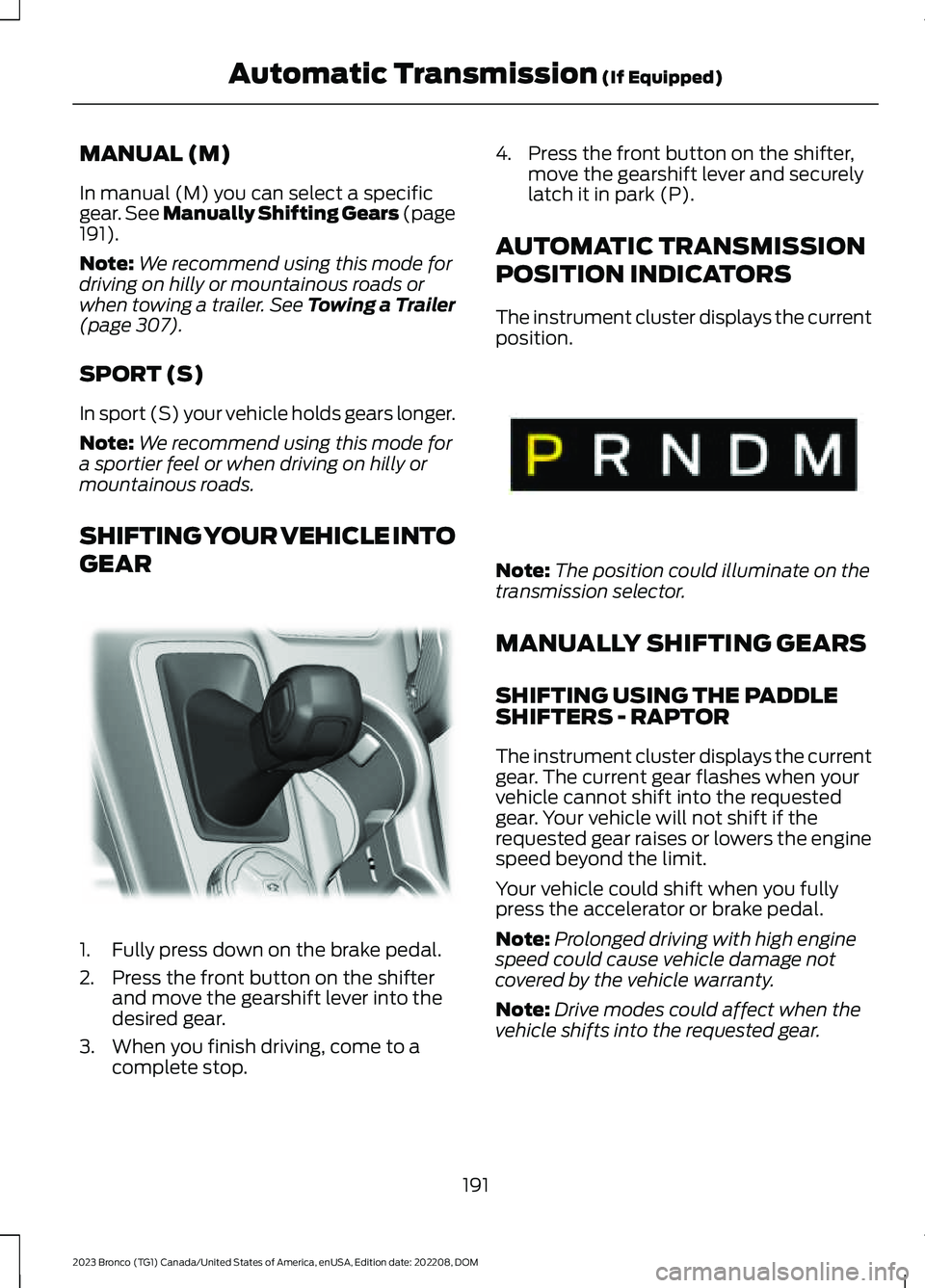
SHIFTING YOUR VEHICLE INTO
GEAR
1.Fully press down on the brake pedal.
2.Press the front button on the shifterand move the gearshift lever into thedesired gear.
3.When you finish driving, come to acomplete stop.
4.Press the front button on the shifter,move the gearshift lever and securelylatch it in park (P).
AUTOMATIC TRANSMISSION
POSITION INDICATORS
The instrument cluster displays the currentposition.
Note:The position could illuminate on thetransmission selector.
MANUALLY SHIFTING GEARS
SHIFTING USING THE PADDLESHIFTERS - RAPTOR
The instrument cluster displays the currentgear. The current gear flashes when yourvehicle cannot shift into the requestedgear. Your vehicle will not shift if therequested gear raises or lowers the enginespeed beyond the limit.
Your vehicle could shift when you fullypress the accelerator or brake pedal.
Note:Prolonged driving with high enginespeed could cause vehicle damage notcovered by the vehicle warranty.
Note:Drive modes could affect when thevehicle shifts into the requested gear.
191
2023 Bronco (TG1) Canada/United States of America, enUSA, Edition date: 202208, DOMAutomatic Transmission (If Equipped)E324063 E341776
Page 208 of 642
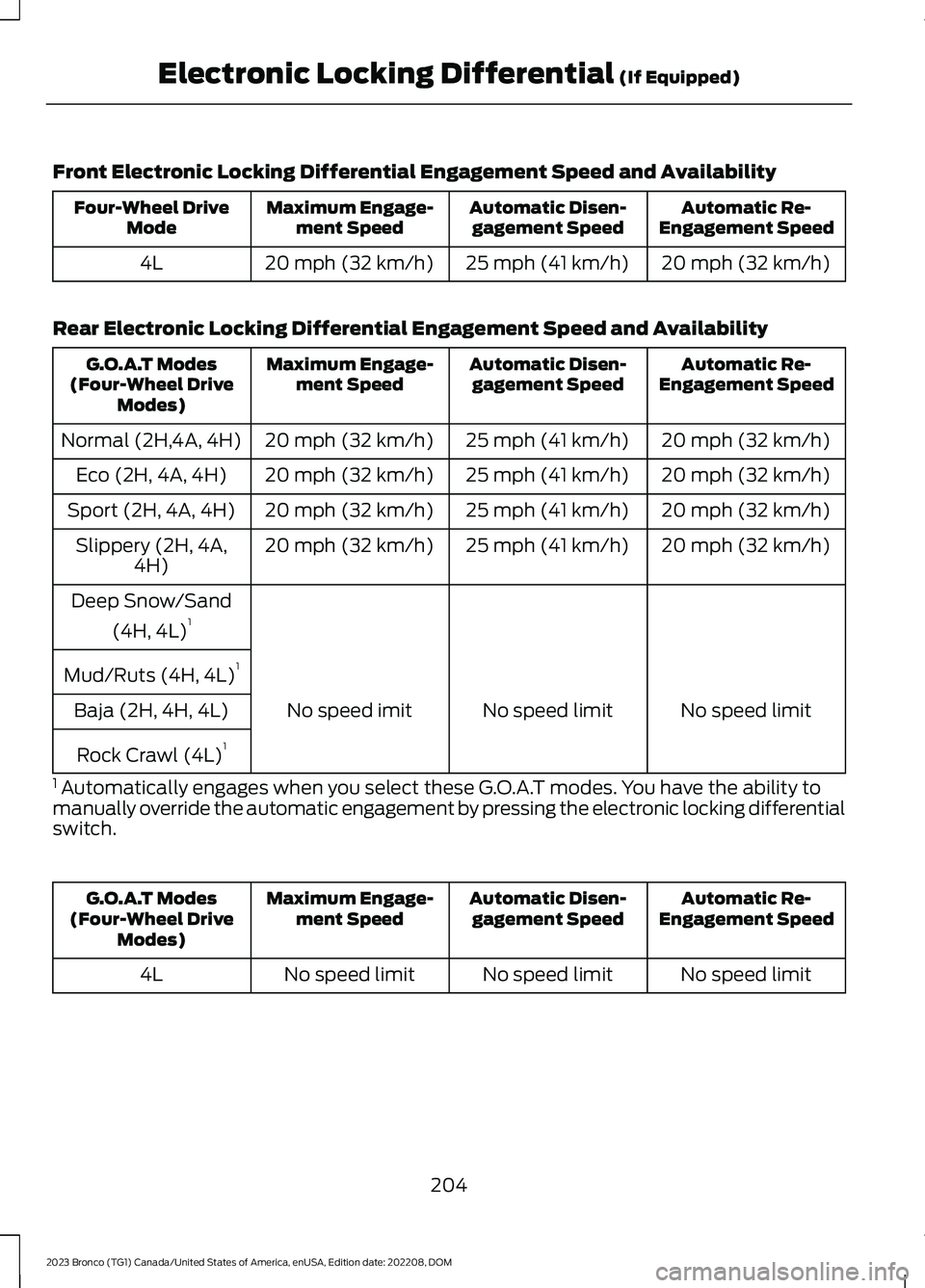
Front Electronic Locking Differential Engagement Speed and Availability
Automatic Re-Engagement SpeedAutomatic Disen-gagement SpeedMaximum Engage-ment SpeedFour-Wheel DriveMode
20 mph (32 km/h)25 mph (41 km/h)20 mph (32 km/h)4L
Rear Electronic Locking Differential Engagement Speed and Availability
Automatic Re-Engagement SpeedAutomatic Disen-gagement SpeedMaximum Engage-ment SpeedG.O.A.T Modes(Four-Wheel DriveModes)
20 mph (32 km/h)25 mph (41 km/h)20 mph (32 km/h)Normal (2H,4A, 4H)
20 mph (32 km/h)25 mph (41 km/h)20 mph (32 km/h)Eco (2H, 4A, 4H)
20 mph (32 km/h)25 mph (41 km/h)20 mph (32 km/h)Sport (2H, 4A, 4H)
20 mph (32 km/h)25 mph (41 km/h)20 mph (32 km/h)Slippery (2H, 4A,4H)
Deep Snow/Sand
(4H, 4L)1
Mud/Ruts (4H, 4L)1
No speed limitNo speed limitNo speed imitBaja (2H, 4H, 4L)
Rock Crawl (4L)1
1 Automatically engages when you select these G.O.A.T modes. You have the ability tomanually override the automatic engagement by pressing the electronic locking differentialswitch.
Automatic Re-Engagement SpeedAutomatic Disen-gagement SpeedMaximum Engage-ment SpeedG.O.A.T Modes(Four-Wheel DriveModes)
No speed limitNo speed limitNo speed limit4L
204
2023 Bronco (TG1) Canada/United States of America, enUSA, Edition date: 202208, DOMElectronic Locking Differential (If Equipped)
Page 209 of 642
SWITCHING THE ELECTRONIC
LOCKING DIFFERENTIAL ON
AND OFF
Activating the Electronic LockingDifferential
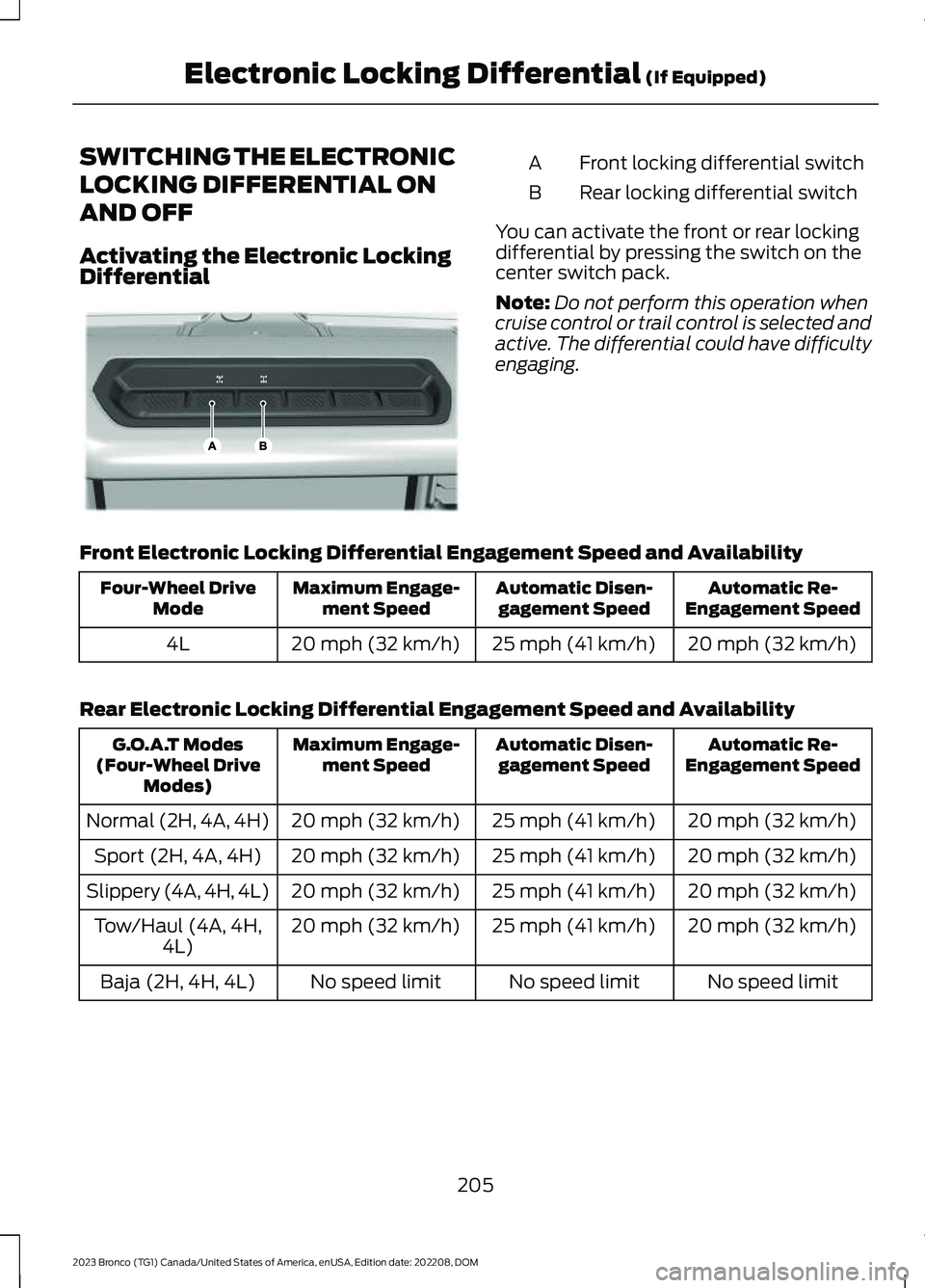
Front locking differential switchA
Rear locking differential switchB
You can activate the front or rear lockingdifferential by pressing the switch on thecenter switch pack.
Note:Do not perform this operation whencruise control or trail control is selected andactive. The differential could have difficultyengaging.
Front Electronic Locking Differential Engagement Speed and Availability
Automatic Re-Engagement SpeedAutomatic Disen-gagement SpeedMaximum Engage-ment SpeedFour-Wheel DriveMode
20 mph (32 km/h)25 mph (41 km/h)20 mph (32 km/h)4L
Rear Electronic Locking Differential Engagement Speed and Availability
Automatic Re-Engagement SpeedAutomatic Disen-gagement SpeedMaximum Engage-ment SpeedG.O.A.T Modes(Four-Wheel DriveModes)
20 mph (32 km/h)25 mph (41 km/h)20 mph (32 km/h)Normal (2H, 4A, 4H)
20 mph (32 km/h)25 mph (41 km/h)20 mph (32 km/h)Sport (2H, 4A, 4H)
20 mph (32 km/h)25 mph (41 km/h)20 mph (32 km/h)Slippery (4A, 4H, 4L)
20 mph (32 km/h)25 mph (41 km/h)20 mph (32 km/h)Tow/Haul (4A, 4H,4L)
No speed limitNo speed limitNo speed limitBaja (2H, 4H, 4L)
205
2023 Bronco (TG1) Canada/United States of America, enUSA, Edition date: 202208, DOMElectronic Locking Differential (If Equipped)E333068
Page 265 of 642
Note:To optimize off-road drivingperformance, the system disables the brakeover accelerator feature when in off-roadmodes, including mud/ruts, sand, baja androck crawl modes. A message displays inthe instrument cluster when you select anoff-road mode. See G.O.A.T. Mode Control– Information Messages (page 269). Brakeover accelerator enables when an off-roadmode is exited or during the next key cycle.Return to on-road modes, normal, eco, sportor slippery, when driving on regular roads.See Brake Over Accelerator (page 209).
SELECTING A G.O.A.T. MODE -
RAPTOR
Bronco 4x4 Systems
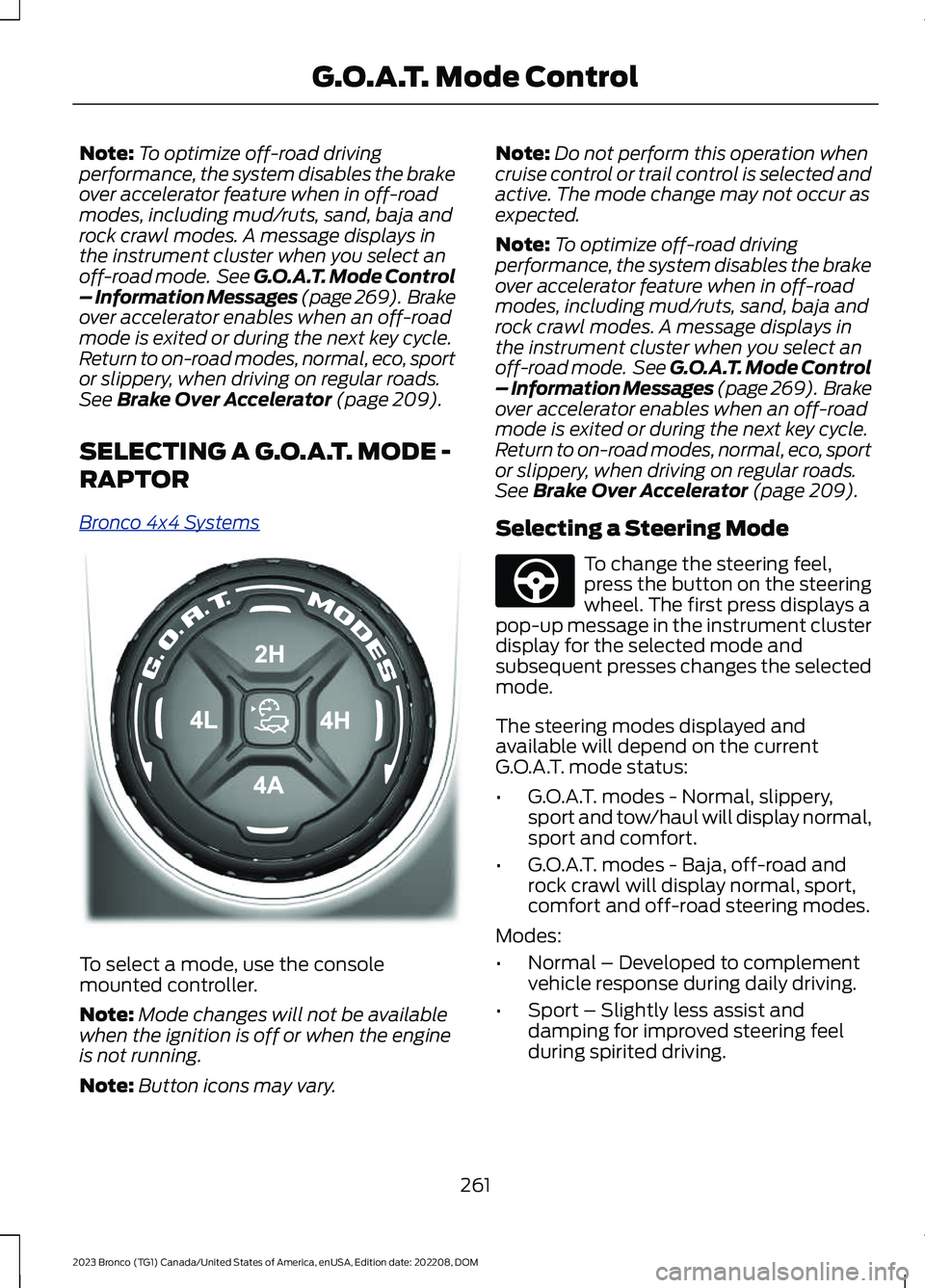
To select a mode, use the consolemounted controller.
Note:Mode changes will not be availablewhen the ignition is off or when the engineis not running.
Note:Button icons may vary.
Note:Do not perform this operation whencruise control or trail control is selected andactive. The mode change may not occur asexpected.
Note:To optimize off-road drivingperformance, the system disables the brakeover accelerator feature when in off-roadmodes, including mud/ruts, sand, baja androck crawl modes. A message displays inthe instrument cluster when you select anoff-road mode. See G.O.A.T. Mode Control– Information Messages (page 269). Brakeover accelerator enables when an off-roadmode is exited or during the next key cycle.Return to on-road modes, normal, eco, sportor slippery, when driving on regular roads.See Brake Over Accelerator (page 209).
Selecting a Steering Mode
To change the steering feel,press the button on the steeringwheel. The first press displays apop-up message in the instrument clusterdisplay for the selected mode andsubsequent presses changes the selectedmode.
The steering modes displayed andavailable will depend on the currentG.O.A.T. mode status:
•G.O.A.T. modes - Normal, slippery,sport and tow/haul will display normal,sport and comfort.
•G.O.A.T. modes - Baja, off-road androck crawl will display normal, sport,comfort and off-road steering modes.
Modes:
•Normal – Developed to complementvehicle response during daily driving.
•Sport – Slightly less assist anddamping for improved steering feelduring spirited driving.
261
2023 Bronco (TG1) Canada/United States of America, enUSA, Edition date: 202208, DOMG.O.A.T. Mode ControlE324543 E347142