panel FORD BRONCO SPORT 2021 Owners Manual
[x] Cancel search | Manufacturer: FORD, Model Year: 2021, Model line: BRONCO SPORT, Model: FORD BRONCO SPORT 2021Pages: 471, PDF Size: 7 MB
Page 4 of 471
Introduction
About This Manual
..........................................9
Symbols Glossary ............................................
9
Data Recording .................................................
11
Perchlorate .......................................................
15
Ford Credit ........................................................
15
Replacement Parts Recommendation ........................................................................\
...
16
Special Notices ...............................................
16
Mobile Communications Equipment ........................................................................\
....
17
Export Unique Options ................................
18
Environment
Protecting the Environment .......................
19
At a Glance
Instrument Panel ..........................................
20
Child Safety
General Information ......................................
21
Installing Child Restraints ..........................
23
Booster Seats .................................................
28
Child Restraint Positioning ........................
30
Child Safety Locks .........................................
32
Seatbelts
Principle of Operation .................................
34
Fastening the Seatbelts ..............................
35
Seatbelt Height Adjustment .....................
37
Seatbelt Warning Lamp and Indicator Chime ............................................................
38
Seatbelt Reminder .......................................
38
Child Restraint and Seatbelt Maintenance ..............................................
40
Seatbelt Extensions .....................................
40
Personal Safety System ™
Personal Safety System ™..........................
41 Supplementary Restraints
System
Principle of Operation .................................
42
Driver and Passenger Airbags ..................
43
Front Passenger Sensing System ...........
44
Side Airbags ....................................................
46
Driver Knee Airbag .........................................
47
Safety Canopy ™...........................................
48
Crash Sensors and Airbag Indicator ......
49
Airbag Disposal .............................................
50
911 Assist
What Is 911 Assist ...........................................
51
Emergency Call Requirements .................
51
Emergency Call Limitations ......................
52
Keys and Remote Controls
General Information on Radio Frequencies .................................................
53
Remote Control .............................................
53
Replacing a Lost Key or Remote Control ........................................................................\
..
58
MyKey ™
Principle of Operation .................................
59
Creating a MyKey ..........................................
60
Clearing All MyKeys .......................................
61
Checking MyKey System Status ...............
61
Using MyKey With Remote Start Systems ........................................................
62
MyKey – Troubleshooting ..........................
62
Doors and Locks
Locking and Unlocking ...............................
64
Keyless Entry ...................................................
67
Liftgate
Opening the Liftgate ....................................
70
Closing the Liftgate ......................................
70
1
Bronco Sport (CHD) Canada/United States of America, enUSA, Edition date: 202007, Second-Printing Table of Contents
Page 10 of 471

Engine Coolant Check
...............................277
Automatic Transmission Fluid Check ........................................................................\
.
281
Brake Fluid Check ........................................
281
Power Steering Fluid Check ....................
282
Changing the 12V Battery ........................
282
Adjusting the Headlamps .......................
284
Washer Fluid Check ...................................
285
Fuel Filter .......................................................
285
Checking the Wiper Blades ....................
286
Changing the Front Wiper Blades ........
286
Changing the Rear Wiper Blades .........
286
Changing a Bulb ..........................................
287
Vehicle Care
General Information ..................................
289
Cleaning Products ......................................
289
Cleaning the Exterior ................................
290
Waxing .............................................................
291
Cleaning the Engine ....................................
291
Cleaning the Windows and Wiper Blades ........................................................................\
292
Cleaning the Interior ..................................
292
Cleaning the Instrument Panel and Instrument Cluster Lens ......................
293
Repairing Minor Paint Damage .............
294
Cleaning the Wheels .................................
294
Vehicle Storage ...........................................
294
Wheels and Tires
General Information ..................................
297
Tire Care .........................................................
299
Using Snow Chains .....................................
312
Tire Pressure Monitoring System ...........
312
Changing a Road Wheel ...........................
316
Technical Specifications ..........................
322Capacities and Specifications
Engine Specifications - 1.5L EcoBoost™
........................................................................\
323
Engine Specifications - 2.0L EcoBoost™ ........................................................................\
323
Vehicle Dimensions ...................................
324
Motorcraft Parts - 1.5L EcoBoost™ ......
325
Motorcraft Parts - 2.0L EcoBoost™ .....
325
Bulb Specification Chart ..........................
326
Engine Oil Capacity and Specification - 2.0L EcoBoost™ .....................................
328
Engine Oil Capacity and Specification - 1.5L EcoBoost™ ......................................
329
Cooling System Capacity and Specification - 2.0L EcoBoost™ ........
331
Cooling System Capacity and Specification - 1.5L EcoBoost™ ........
332
Fuel Tank Capacity .....................................
332
Air Conditioning System Capacity and Specification - 2.0L EcoBoost™ .......
333
Air Conditioning System Capacity and Specification - 1.5L EcoBoost™ .......
334
Washer Fluid Specification .....................
334
Brake Fluid Specification .........................
335
Vehicle Identification
Vehicle Identification Number ...............
336
Connected Vehicle
What Is a Connected Vehicle ..................
337
Connected Vehicle Requirements ........
337
Connected Vehicle Limitations ..............
337
Connecting the Vehicle to a Mobile Network - Vehicles With: Modem ......
337
Connecting the Vehicle to a Wi-Fi Network - Vehicles With: SYNC 3 ......
337
Connected Vehicle – Troubleshooting - Vehicles With: Modem .........................
338
Connected Vehicle – Troubleshooting - Vehicles With: SYNC 3 ..........................
339
7
Bronco Sport (CHD) Canada/United States of America, enUSA, Edition date: 202007, Second-Printing Table of Contents
Page 23 of 471
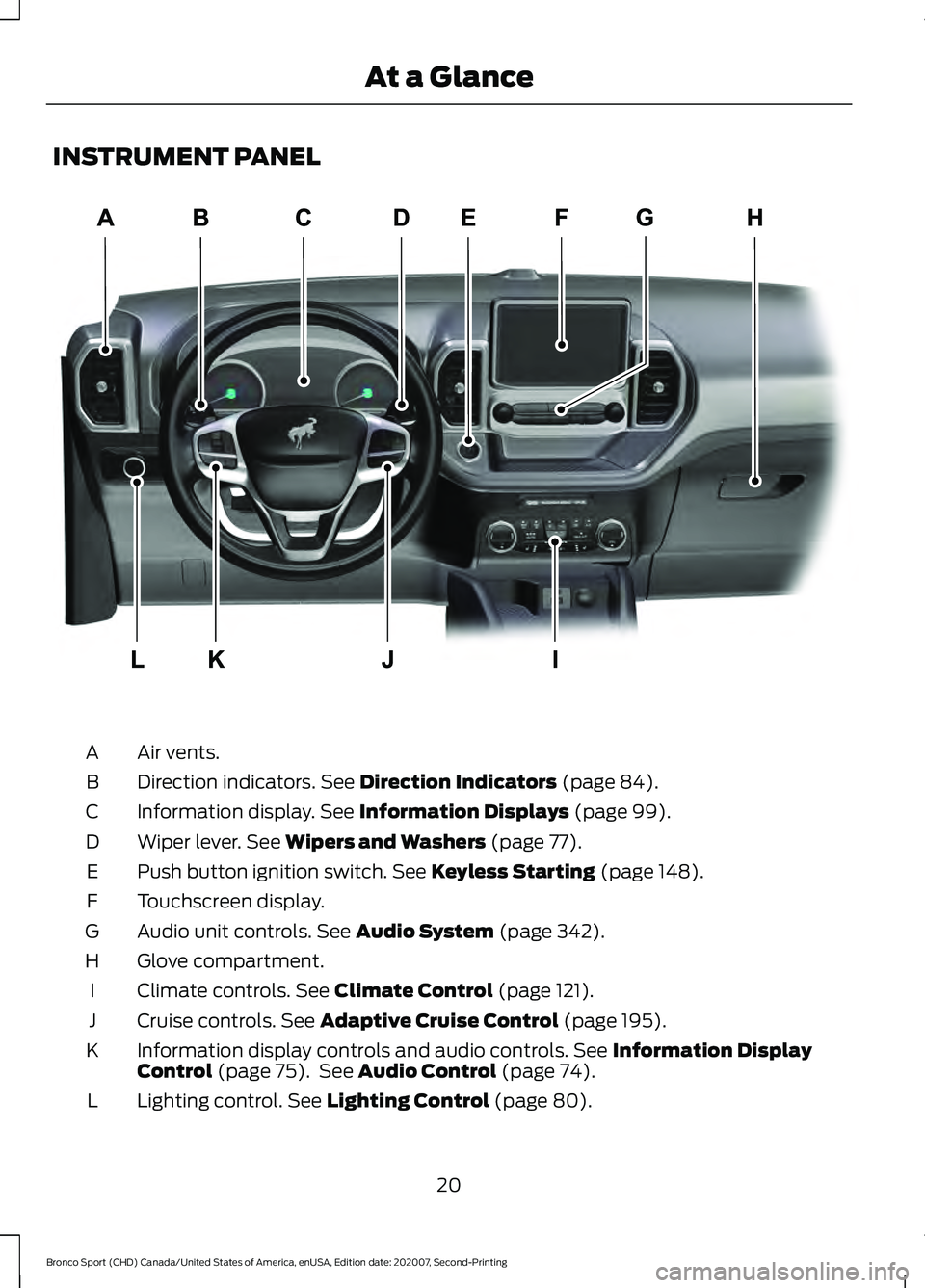
INSTRUMENT PANEL
Air vents.
A
Direction indicators. See Direction Indicators (page 84).
B
Information display.
See Information Displays (page 99).
C
Wiper lever.
See Wipers and Washers (page 77).
D
Push button ignition switch.
See Keyless Starting (page 148).
E
Touchscreen display.
F
Audio unit controls.
See Audio System (page 342).
G
Glove compartment.
H
Climate controls.
See Climate Control (page 121).
I
Cruise controls.
See Adaptive Cruise Control (page 195).
J
Information display controls and audio controls.
See Information Display
Control (page 75). See Audio Control (page 74).
K
Lighting control.
See Lighting Control (page 80).
L
20
Bronco Sport (CHD) Canada/United States of America, enUSA, Edition date: 202007, Second-Printing At a GlanceE322781
Page 31 of 471
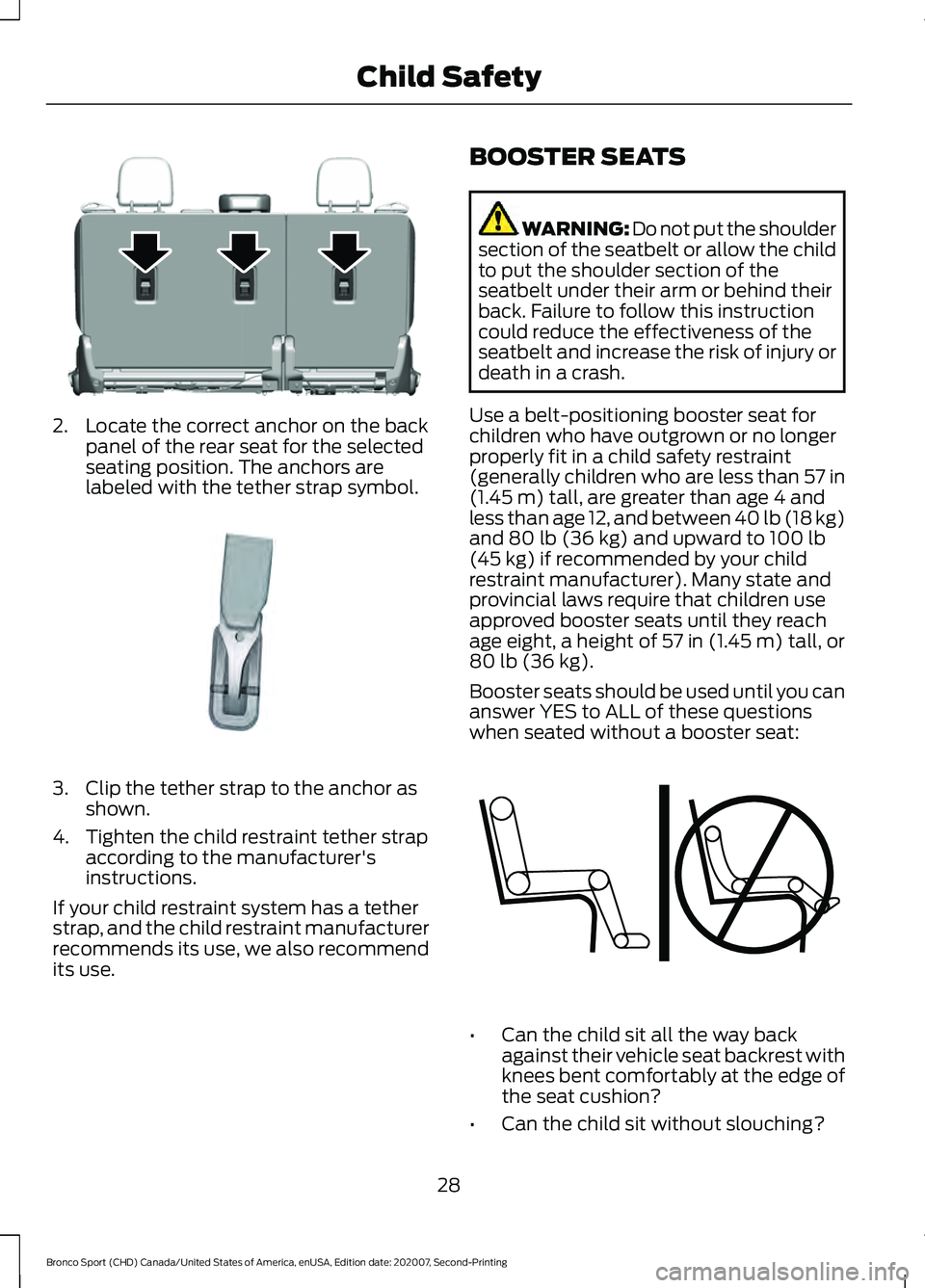
2. Locate the correct anchor on the back
panel of the rear seat for the selected
seating position. The anchors are
labeled with the tether strap symbol. 3. Clip the tether strap to the anchor as
shown.
4. Tighten the child restraint tether strap according to the manufacturer's
instructions.
If your child restraint system has a tether
strap, and the child restraint manufacturer
recommends its use, we also recommend
its use. BOOSTER SEATS WARNING: Do not put the shoulder
section of the seatbelt or allow the child
to put the shoulder section of the
seatbelt under their arm or behind their
back. Failure to follow this instruction
could reduce the effectiveness of the
seatbelt and increase the risk of injury or
death in a crash.
Use a belt-positioning booster seat for
children who have outgrown or no longer
properly fit in a child safety restraint
(generally children who are less than 57 in
(1.45 m) tall, are greater than age 4 and
less than age 12, and between 40 lb (18 kg)
and
80 lb (36 kg) and upward to 100 lb
(45 kg) if recommended by your child
restraint manufacturer). Many state and
provincial laws require that children use
approved booster seats until they reach
age eight, a height of
57 in (1.45 m) tall, or
80 lb (36 kg).
Booster seats should be used until you can
answer YES to ALL of these questions
when seated without a booster seat: •
Can the child sit all the way back
against their vehicle seat backrest with
knees bent comfortably at the edge of
the seat cushion?
• Can the child sit without slouching?
28
Bronco Sport (CHD) Canada/United States of America, enUSA, Edition date: 202007, Second-Printing Child SafetyE305488 E142539 E142595
Page 47 of 471
After all occupants have adjusted their
seats and put on seatbelts, it is very
important that they continue to sit
properly. A properly seated occupant sits
upright, leaning against the seatback, and
centered on the seat cushion, with their
feet comfortably extended on the floor.
Sitting improperly can increase the chance
of injury in a crash event. For example, if
an occupant slouches, lies down, turns
sideways, sits forward, leans forward or
sideways, or puts one or both feet up, the
chance of injury during a crash is greatly
increased.
Children and Airbags
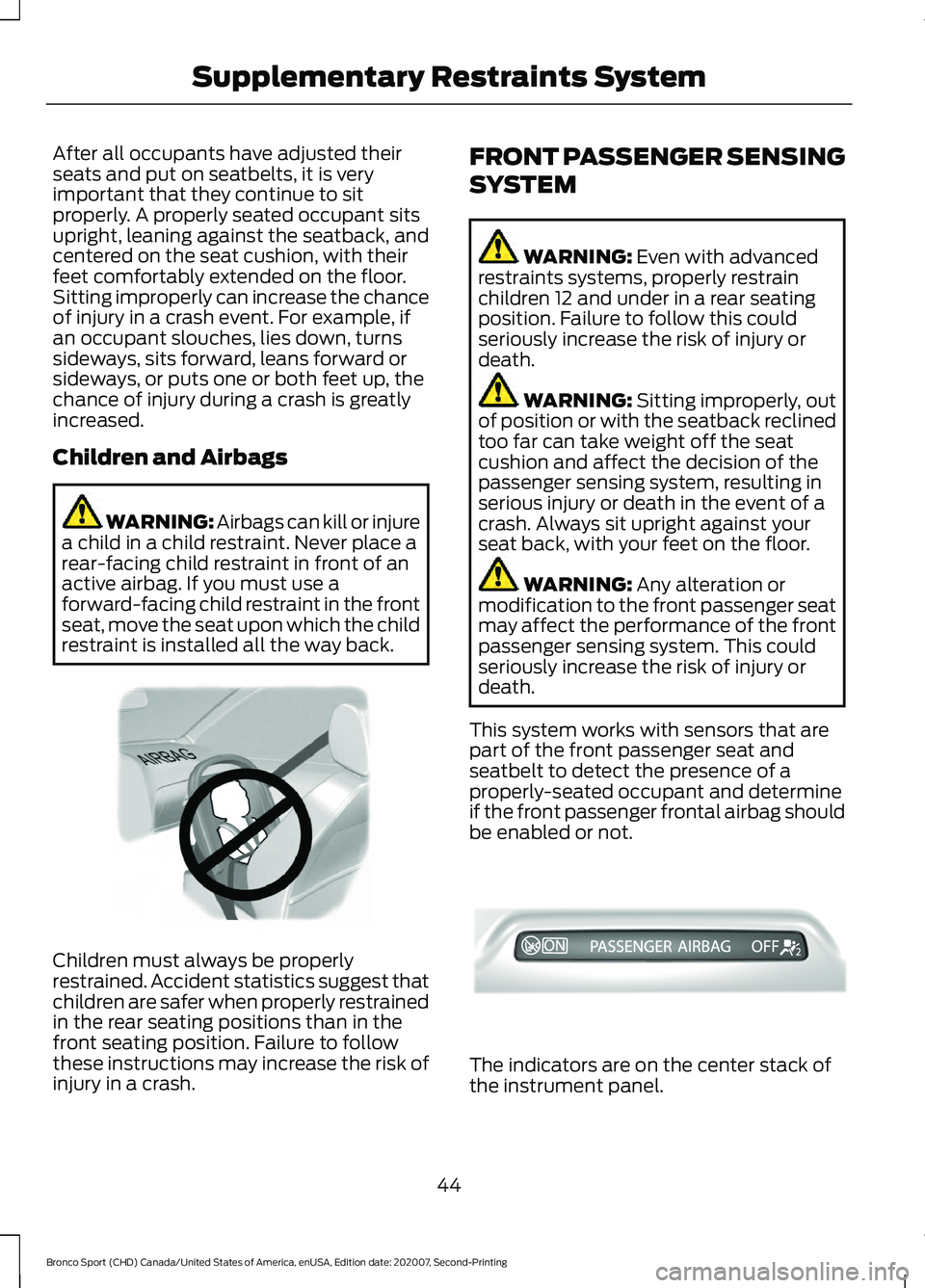
WARNING: Airbags can kill or injure
a child in a child restraint. Never place a
rear-facing child restraint in front of an
active airbag. If you must use a
forward-facing child restraint in the front
seat, move the seat upon which the child
restraint is installed all the way back. Children must always be properly
restrained. Accident statistics suggest that
children are safer when properly restrained
in the rear seating positions than in the
front seating position. Failure to follow
these instructions may increase the risk of
injury in a crash. FRONT PASSENGER SENSING
SYSTEM WARNING: Even with advanced
restraints systems, properly restrain
children 12 and under in a rear seating
position. Failure to follow this could
seriously increase the risk of injury or
death. WARNING:
Sitting improperly, out
of position or with the seatback reclined
too far can take weight off the seat
cushion and affect the decision of the
passenger sensing system, resulting in
serious injury or death in the event of a
crash. Always sit upright against your
seat back, with your feet on the floor. WARNING:
Any alteration or
modification to the front passenger seat
may affect the performance of the front
passenger sensing system. This could
seriously increase the risk of injury or
death.
This system works with sensors that are
part of the front passenger seat and
seatbelt to detect the presence of a
properly-seated occupant and determine
if the front passenger frontal airbag should
be enabled or not. The indicators are on the center stack of
the instrument panel.
44
Bronco Sport (CHD) Canada/United States of America, enUSA, Edition date: 202007, Second-Printing Supplementary Restraints SystemE142846 E327178
Page 50 of 471
WARNING: Do not attempt to
service, repair, or modify the
supplementary restraint system or
associated components. Failure to
follow this instruction could result in
personal injury or death. WARNING:
If a supplementary
restraint system component has
deployed, it will not function again. Have
the system and associated components
inspected as soon as possible. Failure to
follow this instruction could result in
personal injury or death.
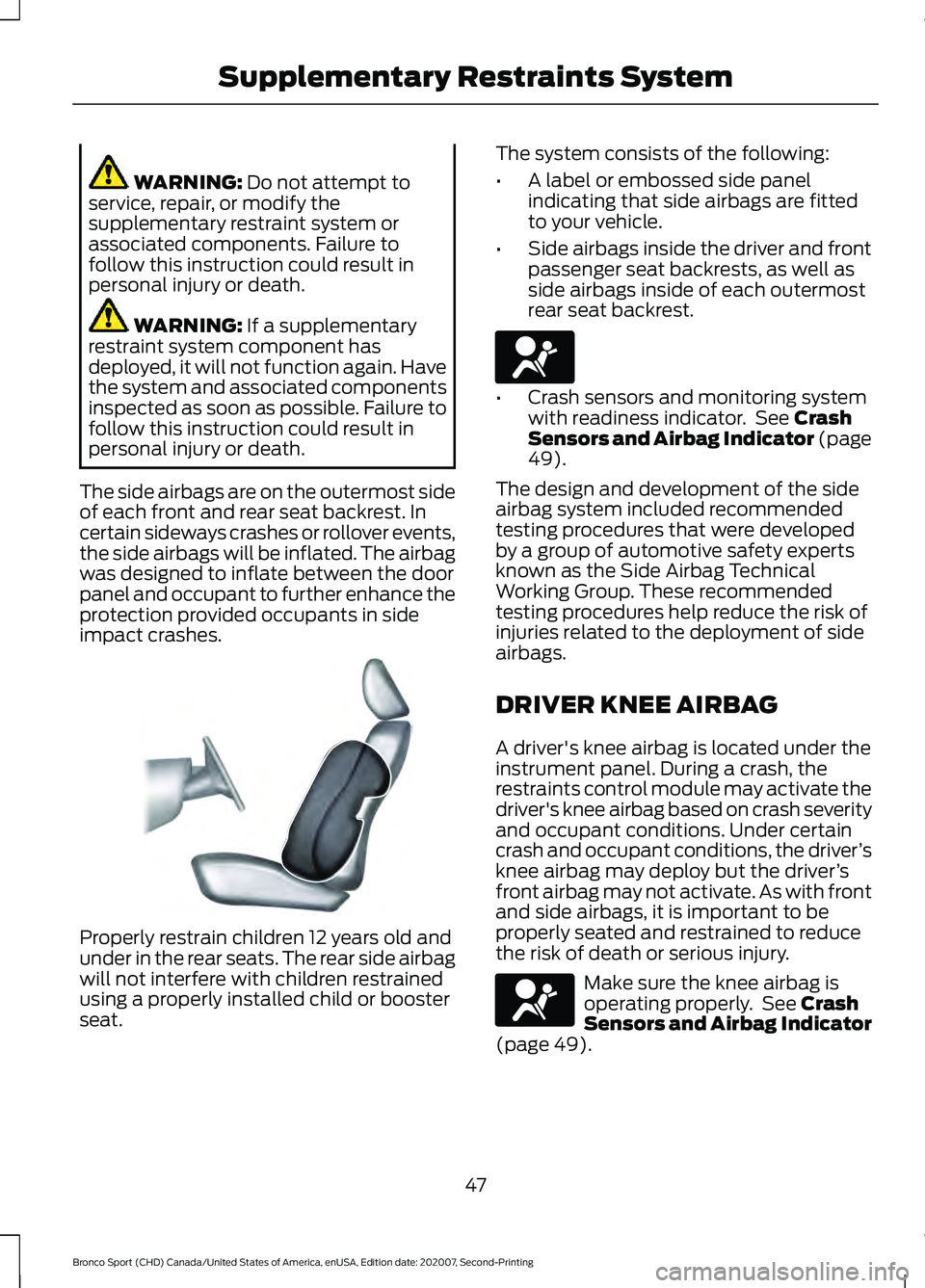
The side airbags are on the outermost side
of each front and rear seat backrest. In
certain sideways crashes or rollover events,
the side airbags will be inflated. The airbag
was designed to inflate between the door
panel and occupant to further enhance the
protection provided occupants in side
impact crashes. Properly restrain children 12 years old and
under in the rear seats. The rear side airbag
will not interfere with children restrained
using a properly installed child or booster
seat. The system consists of the following:
•
A label or embossed side panel
indicating that side airbags are fitted
to your vehicle.
• Side airbags inside the driver and front
passenger seat backrests, as well as
side airbags inside of each outermost
rear seat backrest. •
Crash sensors and monitoring system
with readiness indicator. See
Crash
Sensors and Airbag Indicator (page
49
).
The design and development of the side
airbag system included recommended
testing procedures that were developed
by a group of automotive safety experts
known as the Side Airbag Technical
Working Group. These recommended
testing procedures help reduce the risk of
injuries related to the deployment of side
airbags.
DRIVER KNEE AIRBAG
A driver's knee airbag is located under the
instrument panel. During a crash, the
restraints control module may activate the
driver's knee airbag based on crash severity
and occupant conditions. Under certain
crash and occupant conditions, the driver ’s
knee airbag may deploy but the driver ’s
front airbag may not activate. As with front
and side airbags, it is important to be
properly seated and restrained to reduce
the risk of death or serious injury. Make sure the knee airbag is
operating properly. See
Crash
Sensors and Airbag Indicator
(page
49).
47
Bronco Sport (CHD) Canada/United States of America, enUSA, Edition date: 202007, Second-Printing Supplementary Restraints SystemE152533 E67017 E67017
Page 51 of 471
SAFETY CANOPY™
WARNING: Do not place objects
or mount equipment on or near the
headliner at the siderail that may come
into contact with a deploying curtain
airbag. Failure to follow these
instructions may increase the risk of
personal injury in the event of a crash. WARNING:
Do not lean your head
on the door. The curtain airbag could
injure you as it deploys from the
headliner. WARNING:
Do not attempt to
service, repair, or modify the
supplementary restraint system or
associated components. Failure to
follow this instruction could result in
personal injury or death. WARNING:
All occupants of your
vehicle, including the driver, should
always properly wear their seatbelts,
even when an airbag supplemental
restraint system is provided. Failure to
properly wear your seatbelt could
seriously increase the risk of injury or
death. WARNING:
To reduce risk of injury,
do not obstruct or place objects in the
deployment path of the airbag. WARNING:
If a supplementary
restraint system component has
deployed, it will not function again. Have
the system and associated components
inspected as soon as possible. Failure to
follow this instruction could result in
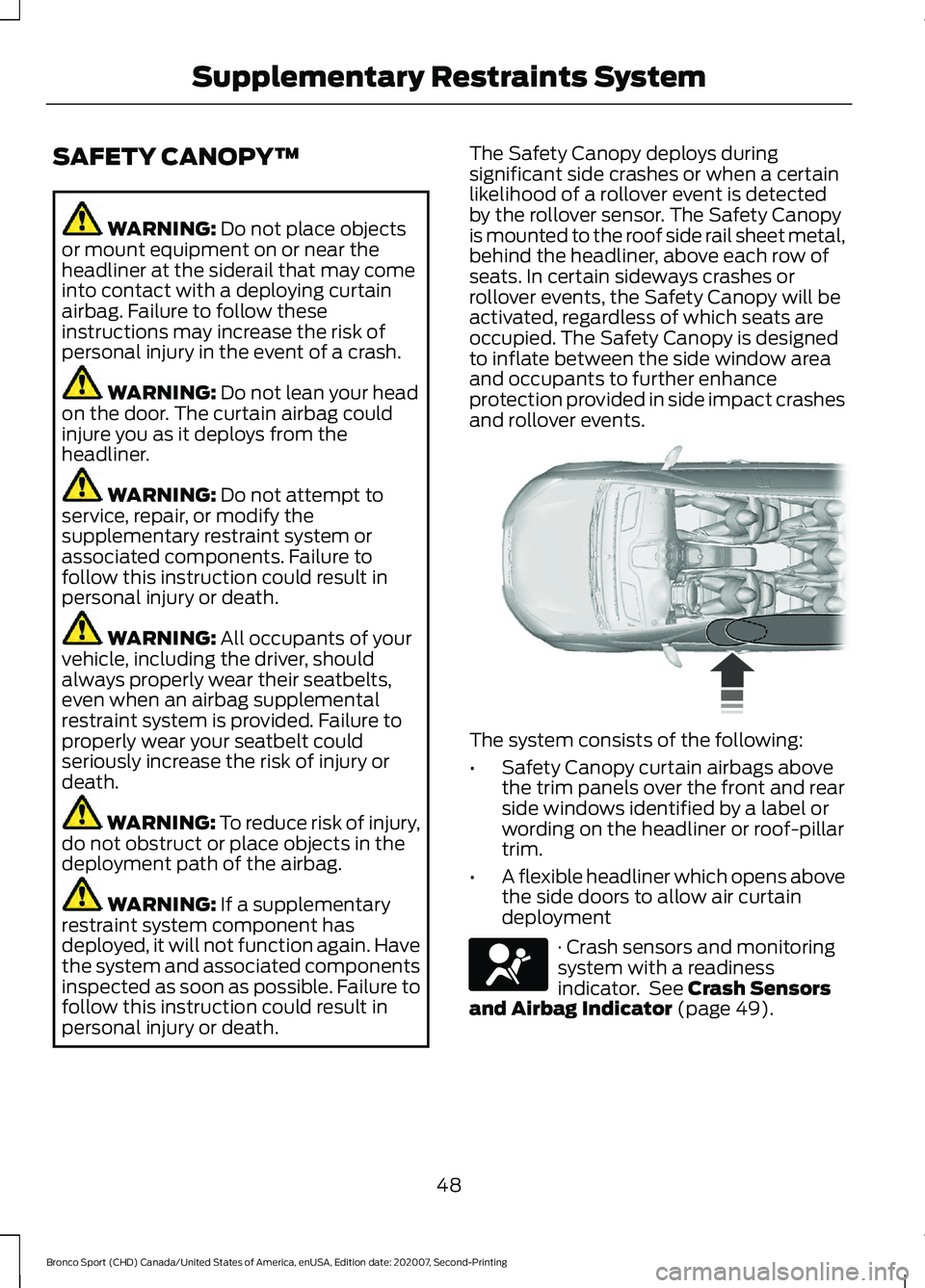
personal injury or death. The Safety Canopy deploys during
significant side crashes or when a certain
likelihood of a rollover event is detected
by the rollover sensor. The Safety Canopy
is mounted to the roof side rail sheet metal,
behind the headliner, above each row of
seats. In certain sideways crashes or
rollover events, the Safety Canopy will be
activated, regardless of which seats are
occupied. The Safety Canopy is designed
to inflate between the side window area
and occupants to further enhance
protection provided in side impact crashes
and rollover events.
The system consists of the following:
•
Safety Canopy curtain airbags above
the trim panels over the front and rear
side windows identified by a label or
wording on the headliner or roof-pillar
trim.
• A flexible headliner which opens above
the side doors to allow air curtain
deployment · Crash sensors and monitoring
system with a readiness
indicator. See
Crash Sensors
and Airbag Indicator (page 49).
48
Bronco Sport (CHD) Canada/United States of America, enUSA, Edition date: 202007, Second-Printing Supplementary Restraints System E75004 E67017
Page 67 of 471
LOCKING AND UNLOCKING
You can use the power door lock control
or the remote control to lock and unlock
your vehicle.
Note:
Do not use the door latch assembly
to attach any accessory, such as handles or
steps, as this can cause damage to your
vehicle.
Note: Always take your keys and lock all
doors when leaving your vehicle.
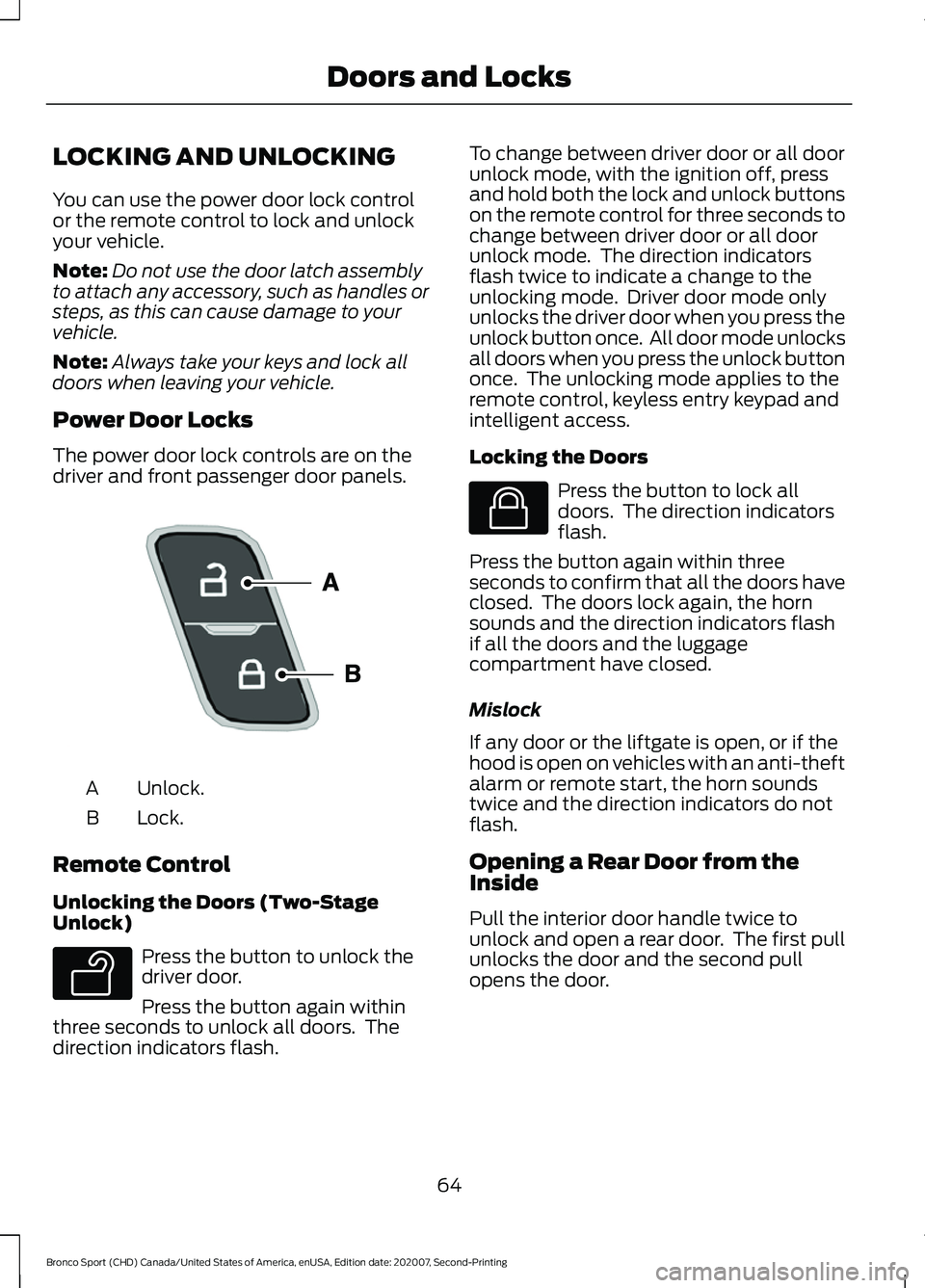
Power Door Locks
The power door lock controls are on the
driver and front passenger door panels. Unlock.
A
Lock.
B
Remote Control
Unlocking the Doors (Two-Stage
Unlock) Press the button to unlock the
driver door.
Press the button again within
three seconds to unlock all doors. The
direction indicators flash. To change between driver door or all door
unlock mode, with the ignition off, press
and hold both the lock and unlock buttons
on the remote control for three seconds to
change between driver door or all door
unlock mode. The direction indicators
flash twice to indicate a change to the
unlocking mode. Driver door mode only
unlocks the driver door when you press the
unlock button once. All door mode unlocks
all doors when you press the unlock button
once. The unlocking mode applies to the
remote control, keyless entry keypad and
intelligent access.
Locking the Doors
Press the button to lock all
doors. The direction indicators
flash.
Press the button again within three
seconds to confirm that all the doors have
closed. The doors lock again, the horn
sounds and the direction indicators flash
if all the doors and the luggage
compartment have closed.
Mislock
If any door or the liftgate is open, or if the
hood is open on vehicles with an anti-theft
alarm or remote start, the horn sounds
twice and the direction indicators do not
flash.
Opening a Rear Door from the
Inside
Pull the interior door handle twice to
unlock and open a rear door. The first pull
unlocks the door and the second pull
opens the door.
64
Bronco Sport (CHD) Canada/United States of America, enUSA, Edition date: 202007, Second-Printing Doors and LocksE196954 E138629 E138623
Page 83 of 471
GENERAL INFORMATION
Condensation in the Exterior Front
Lamps and Rear Lamps
Exterior front lamps and rear lamps have
vents to accommodate normal changes
in air pressure.
Condensation can be a natural by-product
of this design. When moist air enters the
lamp assembly through the vents, there is
a possibility that condensation can occur
when the temperature is cold. When
normal condensation occurs, a fine mist
can form on the interior of the lens. The
fine mist eventually clears and exits
through the vents during normal operation.
Clearing time may take as long as 48 hours
under dry weather conditions.
Examples of acceptable condensation are:
•
The presence of a fine mist (no streaks,
drip marks or large droplets).
• A fine mist covers less than 50% of the
lens.
Examples of unacceptable condensation
are:
• A water puddle inside the lamp.
• Streaks, drip marks or large droplets
present on the interior of the lens.
If you see any unacceptable condensation,
have your vehicle checked by an authorized
dealer.
LIGHTING CONTROL
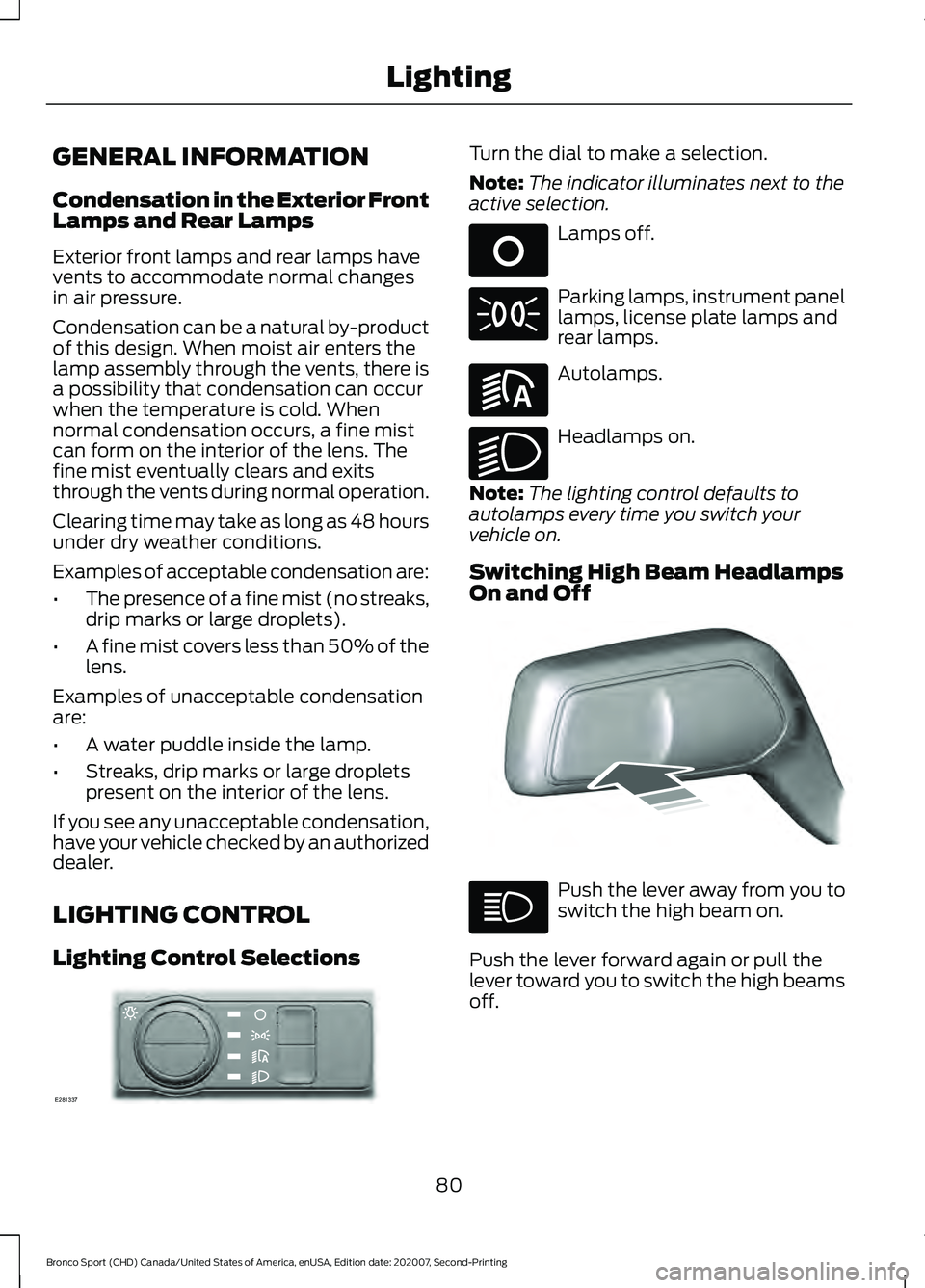
Lighting Control Selections Turn the dial to make a selection.
Note:
The indicator illuminates next to the
active selection. Lamps off.
Parking lamps, instrument panel
lamps, license plate lamps and
rear lamps.
Autolamps.
Headlamps on.
Note: The lighting control defaults to
autolamps every time you switch your
vehicle on.
Switching High Beam Headlamps
On and Off Push the lever away from you to
switch the high beam on.
Push the lever forward again or pull the
lever toward you to switch the high beams
off.
80
Bronco Sport (CHD) Canada/United States of America, enUSA, Edition date: 202007, Second-Printing LightingE281337 E265031 E281240 E270968 E248603
Page 124 of 471
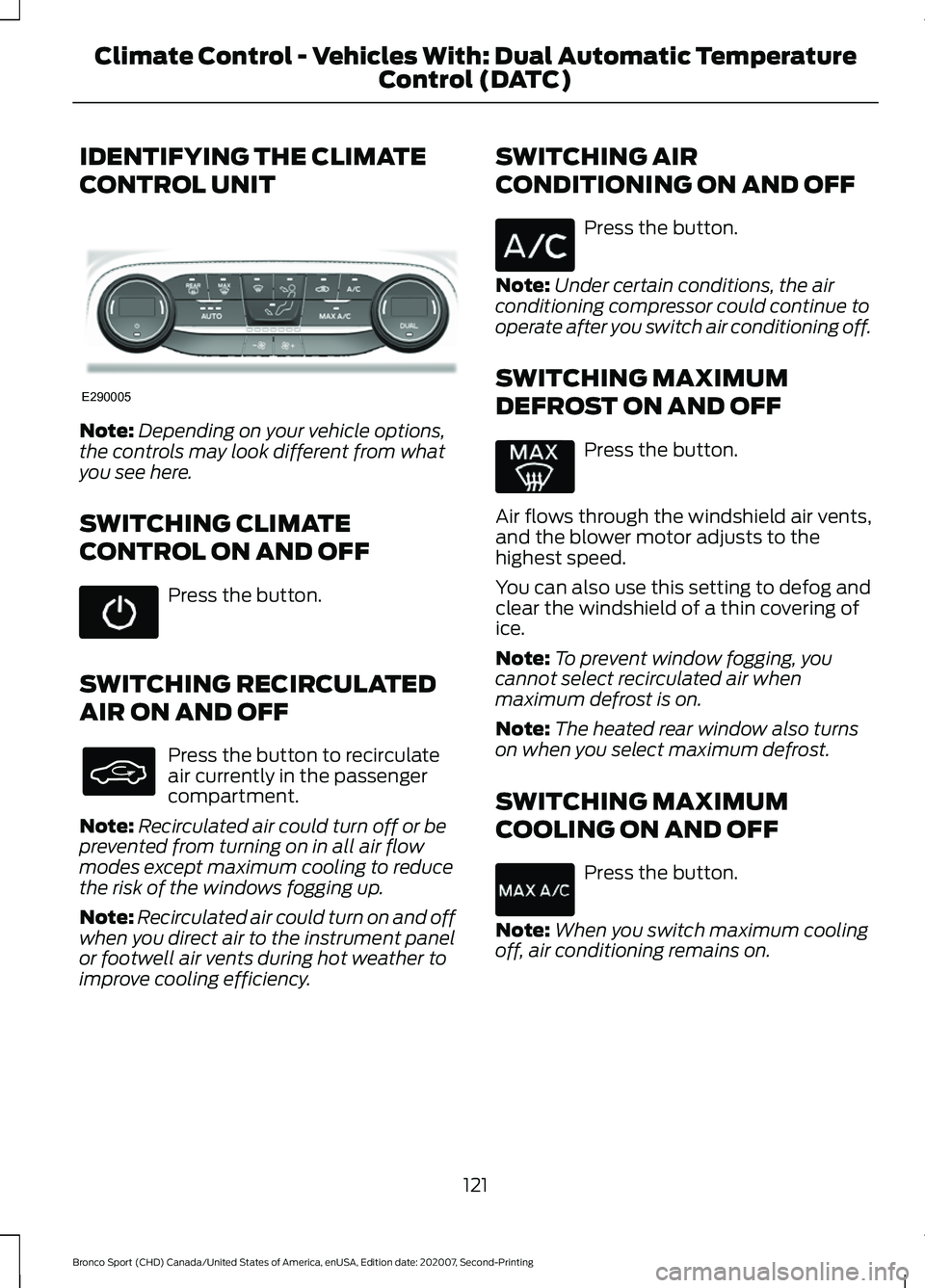
IDENTIFYING THE CLIMATE
CONTROL UNIT
Note:
Depending on your vehicle options,
the controls may look different from what
you see here.
SWITCHING CLIMATE
CONTROL ON AND OFF Press the button.
SWITCHING RECIRCULATED
AIR ON AND OFF Press the button to recirculate
air currently in the passenger
compartment.
Note: Recirculated air could turn off or be
prevented from turning on in all air flow
modes except maximum cooling to reduce
the risk of the windows fogging up.
Note: Recirculated air could turn on and off
when you direct air to the instrument panel
or footwell air vents during hot weather to
improve cooling efficiency. SWITCHING AIR
CONDITIONING ON AND OFF Press the button.
Note: Under certain conditions, the air
conditioning compressor could continue to
operate after you switch air conditioning off.
SWITCHING MAXIMUM
DEFROST ON AND OFF Press the button.
Air flows through the windshield air vents,
and the blower motor adjusts to the
highest speed.
You can also use this setting to defog and
clear the windshield of a thin covering of
ice.
Note: To prevent window fogging, you
cannot select recirculated air when
maximum defrost is on.
Note: The heated rear window also turns
on when you select maximum defrost.
SWITCHING MAXIMUM
COOLING ON AND OFF Press the button.
Note: When you switch maximum cooling
off, air conditioning remains on.
121
Bronco Sport (CHD) Canada/United States of America, enUSA, Edition date: 202007, Second-Printing Climate Control - Vehicles With: Dual Automatic Temperature
Control (DATC)E290005