display FORD BRONCO SPORT 2021 Manual Online
[x] Cancel search | Manufacturer: FORD, Model Year: 2021, Model line: BRONCO SPORT, Model: FORD BRONCO SPORT 2021Pages: 471, PDF Size: 7 MB
Page 219 of 471
Note:
If arrows do not display, a message
appears in the information display.
If the system malfunctions, a warning lamp
illuminates in the instrument cluster and
a message appears in the information
display. Have your vehicle checked as soon
as possible. Note:
In exceptional conditions, the system
could alert you, even when there is nothing
in the detection zone, for example a vehicle
passing further away from your vehicle.
Cross Traffic Alert Information Messages Action
Message
Displays instead of indication arrows when the system
detects a vehicle. Check for approaching traffic.
Cross Traffic Alert
Indicates blocked cross traffic alert system sensors. Clean
the sensors. If the message continues to appear, have your
vehicle checked as soon as possible.
Cross Traffic Not Avail-
able Sensor Blocked See
Manual
The system has malfunctioned. Have your vehicle checked
as soon as possible.
Cross Traffic System
Fault
Displays if you attach a trailer to your vehicle.
Cross Traffic Alert Deac-
tivated Trailer Attached
SPEED SIGN RECOGNITION (IF
EQUIPPED)
Principle of Operation WARNING: You are responsible for
controlling your vehicle at all times. The
system is designed to be an aid and does
not relieve you of your responsibility to
drive with due care and attention. Failure
to follow this instruction could result in
the loss of control of your vehicle,
personal injury or death. WARNING:
In cold and severe
weather conditions the system may not
function. Rain, snow and spray can all
limit sensor performance. WARNING:
The system may not
operate properly if the sensor is blocked.
Keep the windshield free from
obstruction.
The system is designed to detect speed
limit signs to inform you of the current
speed limit. Detected speed signs appear
in the information display. The sensor is
behind the interior mirror.
Note: Do not carry out windshield repairs
in the immediate area surrounding the
sensor.
Note: Speed sign data provided by the
navigation system contains information
integrated to the data carrier release.
Note: The system may not detect all speed
signs and may incorrectly read signs.
216
Bronco Sport (CHD) Canada/United States of America, enUSA, Edition date: 202007, Second-Printing Driving Aids
Page 220 of 471
Note:
If your vehicle has a suspension kit
not approved by us, the system may not
correctly function.
Note: Always replace headlamp bulbs with
those specifically designed for your vehicle.
Other bulbs could reduce system
performance.
The system turns on when you switch the
ignition on and you cannot switch the
system off.
Using Speed Sign Recognition
Setting the System Speed Warning
You can set the system speed warning to
alert you when the vehicle speed exceeds
the speed limit recognized by the system
by a certain speed tolerance.
Note: The system remembers the last
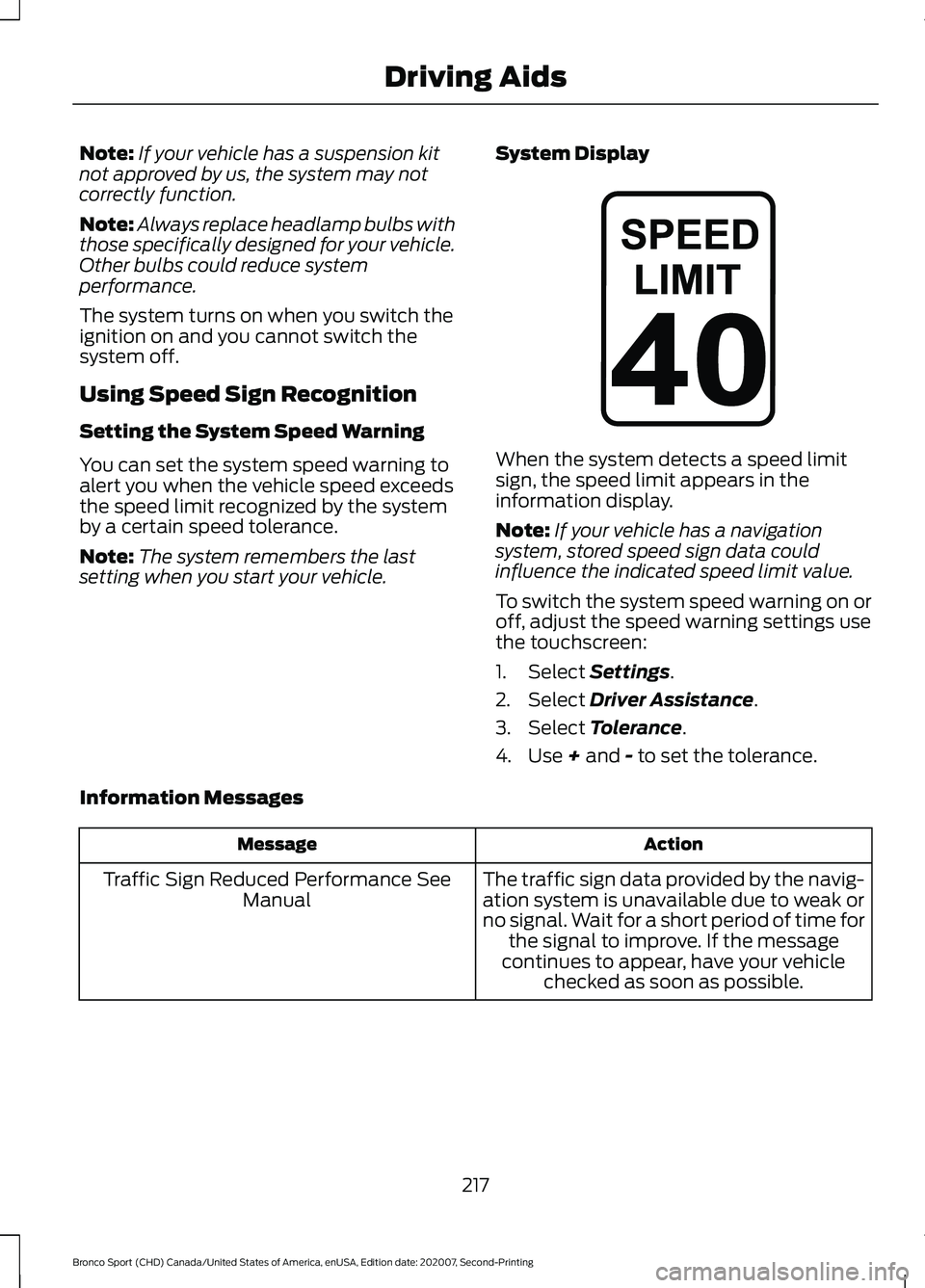
setting when you start your vehicle. System Display When the system detects a speed limit
sign, the speed limit appears in the
information display.
Note:
If your vehicle has a navigation
system, stored speed sign data could
influence the indicated speed limit value.
To switch the system speed warning on or
off, adjust the speed warning settings use
the touchscreen:
1. Select Settings.
2. Select
Driver Assistance.
3. Select
Tolerance.
4. Use
+ and - to set the tolerance.
Information Messages Action
Message
The traffic sign data provided by the navig-ation system is unavailable due to weak or
no signal. Wait for a short period of time for the signal to improve. If the message
continues to appear, have your vehicle checked as soon as possible.
Traffic Sign Reduced Performance See
Manual
217
Bronco Sport (CHD) Canada/United States of America, enUSA, Edition date: 202007, Second-Printing Driving AidsE317824
Page 221 of 471
STEERING
Electric Power Steering
WARNING: The electric power
steering system has diagnostic checks
that continuously monitor the system. If
a fault is detected, a message displays
in the information display. Stop your
vehicle as soon as it is safe to do so.
Switch the ignition off. After at least 10
seconds, switch the ignition on and
watch the information display for a
steering system warning message. If a
steering system warning message
returns, have the system checked as
soon as possible. WARNING:
If the system detects
an error, you may not feel a difference in
the steering, however a serious condition
may exist. Have your vehicle checked as
soon as possible. Failure to do so may
result in loss of steering control.
Your vehicle is equipped with an electric
power-assisted steering system. There is
no fluid reservoir to check or fill.
If your vehicle loses electrical power while
you are driving (or if the ignition is turned
off), you can steer the vehicle manually,
but it takes more effort. You must adapt
your speed and driving behavior to reduced
steering assist. Extreme continuous
steering may increase the effort it takes
for you to steer. This occurs to prevent
internal overheating and permanent
damage to your steering system. If this
should occur, you will neither lose the
ability to steer the vehicle manually nor
will it cause permanent damage. Typical
steering and driving maneuvers will allow
the system to cool down and steering
assist will return to normal. Steering Tips
If the steering wanders or pulls, check for:
•
An improperly inflated tire.
• Uneven tire wear.
• Loose or worn suspension
components.
• Loose or worn steering components.
• Improper vehicle alignment.
A high crown in the road or high crosswinds
may also make the steering seem to
wander or pull.
PRE-COLLISION ASSIST WARNING: You are responsible for
controlling your vehicle at all times. The
system is designed to be an aid and does
not relieve you of your responsibility to
drive with due care and attention. Failure
to follow this instruction could result in
the loss of control of your vehicle,
personal injury or death. WARNING:
The system does not
detect vehicles that are driving in a
different direction, cyclists or animals.
Apply the brakes when necessary. Failure
to follow this instruction could result in
the loss of control of your vehicle,
personal injury or death. WARNING:
The system does not
operate during hard acceleration or
steering. Failure to take care may lead
to a crash or personal injury.
218
Bronco Sport (CHD) Canada/United States of America, enUSA, Edition date: 202007, Second-Printing Driving Aids
Page 223 of 471
Note:
The system turns off when you
manually disable AdvanceTrac ™.
Distance Indication and Alert (If
Equipped)
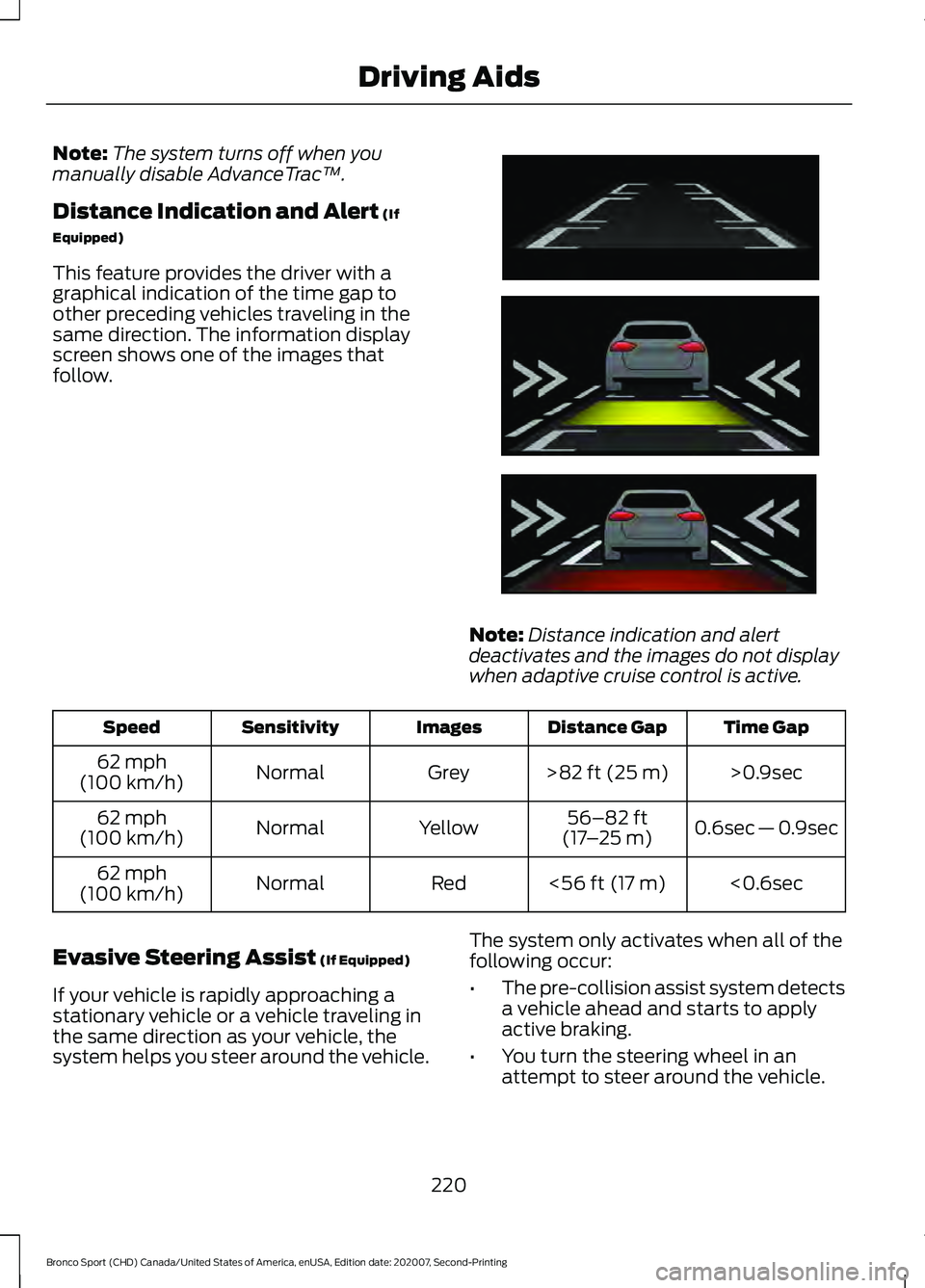
This feature provides the driver with a
graphical indication of the time gap to
other preceding vehicles traveling in the
same direction. The information display
screen shows one of the images that
follow. Note:
Distance indication and alert
deactivates and the images do not display
when adaptive cruise control is active. Time Gap
Distance Gap
Images
Sensitivity
Speed
>0.9sec
>
82 ft (25 m)
Grey
Normal
62 mph
(100 km/h)
0.6sec — 0.9sec
56–82 ft
(17 –25 m)
Yellow
Normal
62 mph
(100 km/h)
<0.6sec
<
56 ft (17 m)
Red
Normal
62 mph
(100 km/h)
Evasive Steering Assist
(If Equipped)
If your vehicle is rapidly approaching a
stationary vehicle or a vehicle traveling in
the same direction as your vehicle, the
system helps you steer around the vehicle. The system only activates when all of the
following occur:
•
The pre-collision assist system detects
a vehicle ahead and starts to apply
active braking.
• You turn the steering wheel in an
attempt to steer around the vehicle.
220
Bronco Sport (CHD) Canada/United States of America, enUSA, Edition date: 202007, Second-Printing Driving AidsE254791
Page 224 of 471
After you turn the steering wheel, the
system applies additional steering torque
to help you steer around the vehicle. After
you pass the vehicle, the system applies
steering torque in the opposite direction to
encourage you to steer back into the lane.
The system deactivates after you fully pass
the vehicle.
Note:
The system does not automatically
steer around a vehicle. If you do not turn the
steering wheel, the system does not
activate.
Note: The system does not activate if the
distance to the vehicle ahead is too small
and a crash cannot be avoided.
Adjusting the Pre-Collision Assist
Settings
Depending on your vehicle options, the
pre-collision assist settings may be in the
following:
• Information display. See General
Information (page 99).
• Touchscreen. See Settings (page 378).
You can adjust the following settings:
• Change alert and distance alert
sensitivity to one of three possible
settings.
• Switch distance indication and alert on
or off.
• If required, switch active braking on or
off.
• If required, switch evasive steering
assist on or off.
Note: Active braking and evasive steering
assist turn on every time you switch the
ignition on. Note:
If you switch active braking off,
evasive steering assist turns off.
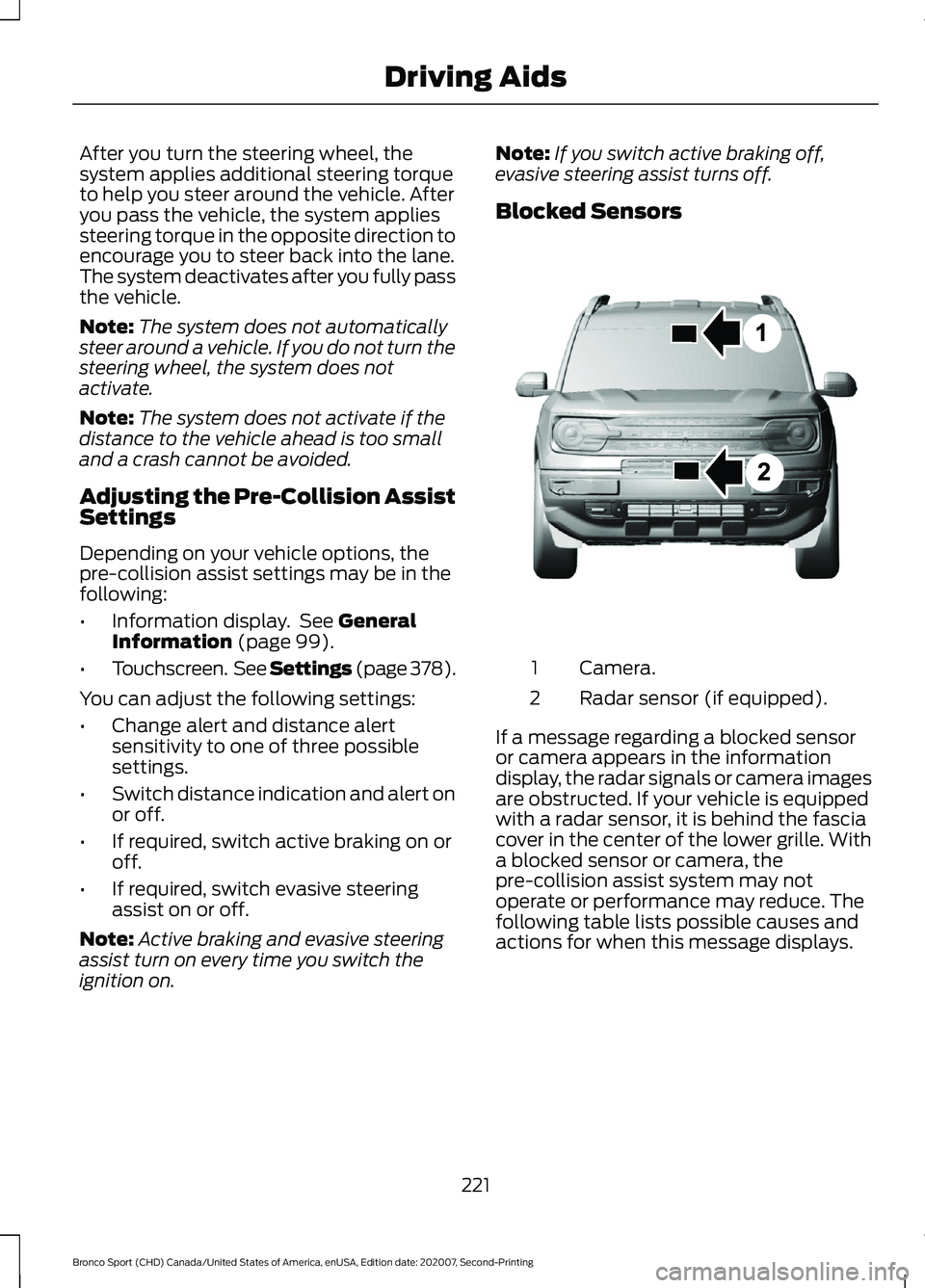
Blocked Sensors Camera.
1
Radar sensor (if equipped).
2
If a message regarding a blocked sensor
or camera appears in the information
display, the radar signals or camera images
are obstructed. If your vehicle is equipped
with a radar sensor, it is behind the fascia
cover in the center of the lower grille. With
a blocked sensor or camera, the
pre-collision assist system may not
operate or performance may reduce. The
following table lists possible causes and
actions for when this message displays.
221
Bronco Sport (CHD) Canada/United States of America, enUSA, Edition date: 202007, Second-Printing Driving AidsE325781
Page 225 of 471
Camera Troubleshooting
Action
Cause
Clean the outside of the windshield in frontof the camera.
The windshield in front of the camera is
dirty or obstructed in some way.
Wait a short time. It could take several
minutes for the camera to detect that there is no obstruction.
The windshield in front of the camera is
clean but the message remains in the display screen.
Radar Troubleshooting (If Equipped) Action
Cause
Clean the grille surface in front of the radaror remove the object causing the obstruc- tion.
The surface of the radar in the grille is dirty
or obstructed in some way.
Wait a short time. It could take several
minutes for the radar to detect that there is no obstruction.
The surface of the radar in the grille is clean
but the message remains in the display screen.
The pre-collision assist system is tempor-arily disabled. Pre-collision assist reactiv-
ates a short time after the weather condi- tions improve.
Heavy rain, spray, snow or fog is interfering
with the radar signals.
The pre-collision assist system is tempor-arily disabled. Pre-collision assist reactiv-
ates a short time after the weather condi- tions improve.
Swirling water, snow or ice on the surface
of the road may interfere with the radar signals.
Have the radar checked for proper coverageand operation.
Radar is out of alignment due to a front-
end impact.
Note: Proper system operation requires a
clear view of the road by the camera. Have
any windshield damage in the area of the
camera's field of view repaired.
Note: If something hits the front end of your
vehicle or damage occurs and your vehicle
is equipped with a radar sensor, the radar
sensing zone may change. This could cause
missed or false detections. Have the radar
checked for proper coverage and operation.
222
Bronco Sport (CHD) Canada/United States of America, enUSA, Edition date: 202007, Second-Printing Driving Aids
Page 226 of 471
WHAT IS DRIVE MODE
CONTROL
Drive mode control delivers a driving
experience through a suite of sophisticated
electronic vehicle systems. These systems
optimize steering, handling and powertrain
response in the selected mode. The drive
mode control provides a single location to
control performance settings for multiple
systems.
Note:
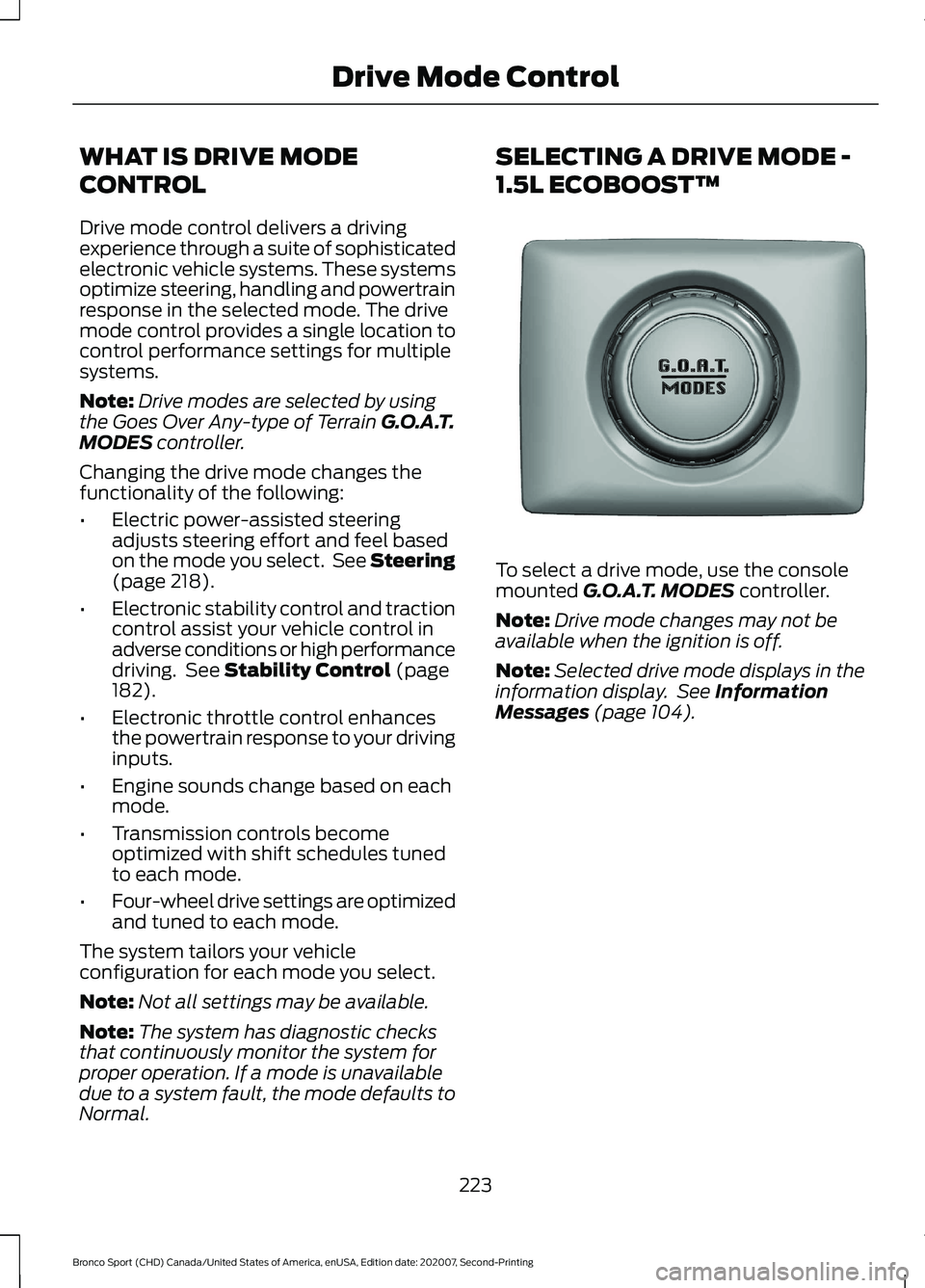
Drive modes are selected by using
the Goes Over Any-type of Terrain G.O.A.T.
MODES controller.
Changing the drive mode changes the
functionality of the following:
• Electric power-assisted steering
adjusts steering effort and feel based
on the mode you select. See Steering
(page
218).
• Electronic stability control and traction
control assist your vehicle control in
adverse conditions or high performance
driving. See
Stability Control (page
182).
• Electronic throttle control enhances
the powertrain response to your driving
inputs.
• Engine sounds change based on each
mode.
• Transmission controls become
optimized with shift schedules tuned
to each mode.
• Four-wheel drive settings are optimized
and tuned to each mode.
The system tailors your vehicle
configuration for each mode you select.
Note: Not all settings may be available.
Note: The system has diagnostic checks
that continuously monitor the system for
proper operation. If a mode is unavailable
due to a system fault, the mode defaults to
Normal. SELECTING A DRIVE MODE -
1.5L ECOBOOST™
To select a drive mode, use the console
mounted
G.O.A.T. MODES controller.
Note: Drive mode changes may not be
available when the ignition is off.
Note: Selected drive mode displays in the
information display. See
Information
Messages (page 104).
223
Bronco Sport (CHD) Canada/United States of America, enUSA, Edition date: 202007, Second-Printing Drive Mode ControlE339228
Page 227 of 471
SELECTING A DRIVE MODE -
2.0L ECOBOOST™
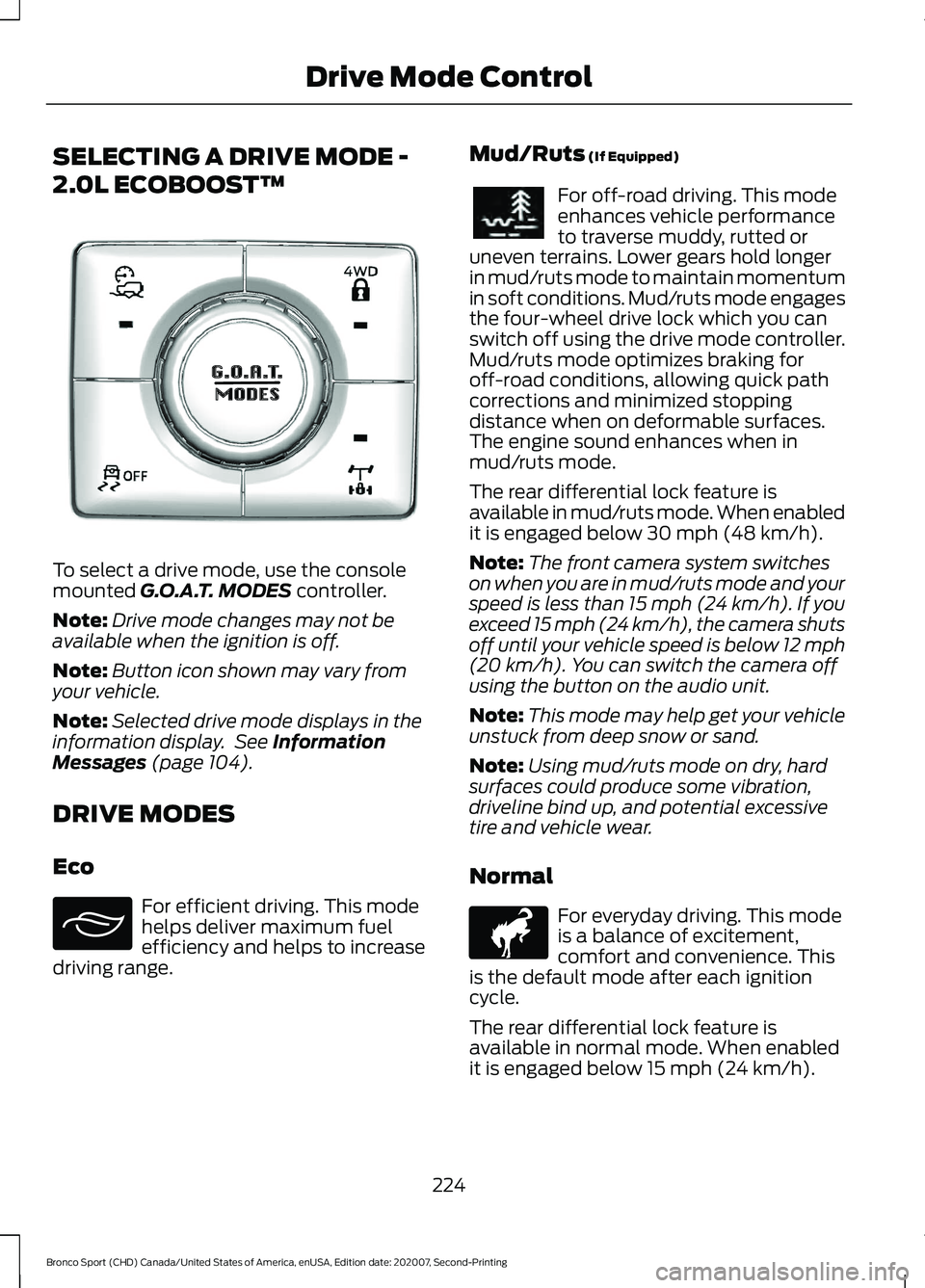
To select a drive mode, use the console
mounted G.O.A.T. MODES controller.
Note: Drive mode changes may not be
available when the ignition is off.
Note: Button icon shown may vary from
your vehicle.
Note: Selected drive mode displays in the
information display. See
Information
Messages (page 104).
DRIVE MODES
Eco For efficient driving. This mode
helps deliver maximum fuel
efficiency and helps to increase
driving range. Mud/Ruts
(If Equipped) For off-road driving. This mode
enhances vehicle performance
to traverse muddy, rutted or
uneven terrains. Lower gears hold longer
in mud/ruts mode to maintain momentum
in soft conditions. Mud/ruts mode engages
the four-wheel drive lock which you can
switch off using the drive mode controller.
Mud/ruts mode optimizes braking for
off-road conditions, allowing quick path
corrections and minimized stopping
distance when on deformable surfaces.
The engine sound enhances when in
mud/ruts mode.
The rear differential lock feature is
available in mud/ruts mode. When enabled
it is engaged below
30 mph (48 km/h).
Note: The front camera system switches
on when you are in mud/ruts mode and your
speed is less than 15 mph (24 km/h). If you
exceed 15 mph (24 km/h), the camera shuts
off until your vehicle speed is below 12 mph
(20 km/h)
. You can switch the camera off
using the button on the audio unit.
Note: This mode may help get your vehicle
unstuck from deep snow or sand.
Note: Using mud/ruts mode on dry, hard
surfaces could produce some vibration,
driveline bind up, and potential excessive
tire and vehicle wear.
Normal For everyday driving. This mode
is a balance of excitement,
comfort and convenience. This
is the default mode after each ignition
cycle.
The rear differential lock feature is
available in normal mode. When enabled
it is engaged below
15 mph (24 km/h).
224
Bronco Sport (CHD) Canada/United States of America, enUSA, Edition date: 202007, Second-Printing Drive Mode ControlE339229 E295413 E296606 E317283
Page 239 of 471
RV & Trailer Towing Guide Online
http://www.fleet.ford.com/towing-guides/
Website
TRAILER SWAY CONTROL WARNING: Turning off trailer sway
control increases the risk of loss of
vehicle control, serious injury or death.
Ford does not recommend disabling this
feature except in situations where speed
reduction may be detrimental (such as
hill climbing), the driver has significant
trailer towing experience, and can control
trailer sway and maintain safe operation.
Note: This feature does not prevent trailer
sway, but reduces it when it begins.
Note: This feature cannot stop all trailers
from swaying.
Note: In some cases, if your vehicle speed
is too high, the system may turn on multiple
times, gradually reducing your vehicle speed.
The system applies the brakes to the
individual wheels and reduces engine
torque to aid vehicle stability. If the trailer
begins to sway, the stability control
warning lamp flashes and a message
appears in the information display. See
Information Messages (page 104). Slow
your vehicle down, pull safely to the side
of the road and check for correct load
distribution. See Load Carrying (page
227).
You can switch this feature off in the
information display. When you switch the
ignition on, the system automatically turns
on. RECOMMENDED TOWING
WEIGHTS WARNING:
Towing trailers
beyond the maximum
recommended gross trailer
weight exceeds the limit of your
vehicle and could result in engine
damage, transmission damage,
structural damage, loss of
vehicle control, vehicle rollover
and personal injury.
Note: Do not exceed the trailer
weight for your vehicle
configuration listed in the following
chart.
Note: Do not exceed the trailer
frontal area for your vehicle
configuration listed in the following
chart.
Note: Your vehicle could have
reduced performance when
operating at high altitudes, and
when heavily loaded or towing a
trailer. When driving at elevation,
to match driving performance as
perceived at sea level, reduce gross
vehicle weight and gross
combination weight by 2% per
1,000 ft (300 m)
of elevation.
236
Bronco Sport (CHD) Canada/United States of America, enUSA, Edition date: 202007, Second-Printing Towing
Page 278 of 471
Only use oils certified for gasoline engines
by the American Petroleum Institute (API).
An oil with this trademark symbol
conforms to the current engine and
emission system protection standards and
fuel economy requirements of the
International Lubricants Specification
Advisory Committee (ILSAC).
To top up the engine oil level do the
following:
1. Clean the area surrounding the engine
oil filler cap before you remove it.
2. Remove the engine oil filler cap. See Under Hood Overview (page 272).
Turn it counterclockwise and remove
it.
3. Add engine oil that meets our specifications. See
Engine Oil
Capacity and Specification (page
329). You may have to use a funnel to
pour the engine oil into the opening.
4. Recheck the oil level.
5. If the oil level is correct, replace the dipstick and make sure it is fully seated.
6. Replace the engine oil filler cap. Turn it clockwise until you feel a strong
resistance.
Note: Do not add oil further than the
maximum mark. Oil levels above the
maximum mark may cause engine damage.
Note: Make sure you install the oil filler cap
correctly.
Note: Soak up any spillage with an
absorbent cloth immediately.
OIL CHANGE INDICATOR
RESET
Use the information display controls on
the steering wheel to reset the oil change
indicator. From the main menu scroll to: Action and description
Message
Press the right arrow button,
then from this menu scroll
to the following message.
Settings
Press the right arrow button,
then from this menu scroll
to the following message.
Vehicle
Press the right arrow button,
then from this menu scroll
to the following message.
Oil Life
Press and hold the
OK
button until the instrument
cluster displays the
following message.
Hold OK to
Reset
Reset Successful
When the oil change indic-
ator resets the instrument
cluster displays 100%.
Remaining Life
{00}%
If the instrument cluster
displays one of the following
messages, repeat the
process.
Not Reset
Reset Cancelled
275
Bronco Sport (CHD) Canada/United States of America, enUSA, Edition date: 202007, Second-Printing Maintenance