settings FORD BRONCO SPORT 2022 Owner's Guide
[x] Cancel search | Manufacturer: FORD, Model Year: 2022, Model line: BRONCO SPORT, Model: FORD BRONCO SPORT 2022Pages: 494, PDF Size: 8.74 MB
Page 201 of 494
The fixed and active guidelines fade in and
out depending on the steering wheel
position. The active guidelines do not
display when the steering wheel position
is straight.
Always use caution while reversing.
Objects in the red zone are closest to your
vehicle and objects in the green zone are
farther away. Objects are getting closer to
your vehicle as they move from the green
zone to the yellow or red zones. Use the
side view mirrors and rear view mirror to
get better coverage on both sides and rear
of your vehicle.
Note:
Active guidelines are only available
when the transmission is in reverse (R).
Note: Upon a battery disconnect, the active
guidelines may not be functional until your
vehicle has been driven a short distance and
exceeds a speed of 12 mph (20 km/h).
Manual Zoom WARNING:
When manual zoom is
on, the full area behind your vehicle may
not show. Be aware of your surroundings
when using the manual zoom feature.
Selectable settings for this feature are
zoom in (+) and zoom out (-). Press the
symbol in the camera screen to change the
view. The default setting is with the zoom
off.
This allows you to get a closer view of an
object behind your vehicle. The zoomed
image keeps the bumper in the image to
provide a reference. The zoom is only
active while the transmission is in reverse
(R).
Note: Manual zoom is only available when
the transmission is in reverse (R).
Note: When you enable manual zoom, only
the centerline is shown. Camera System Settings
The rear view camera system settings can
be accessed through the display screen.
See
General Information (page 102).
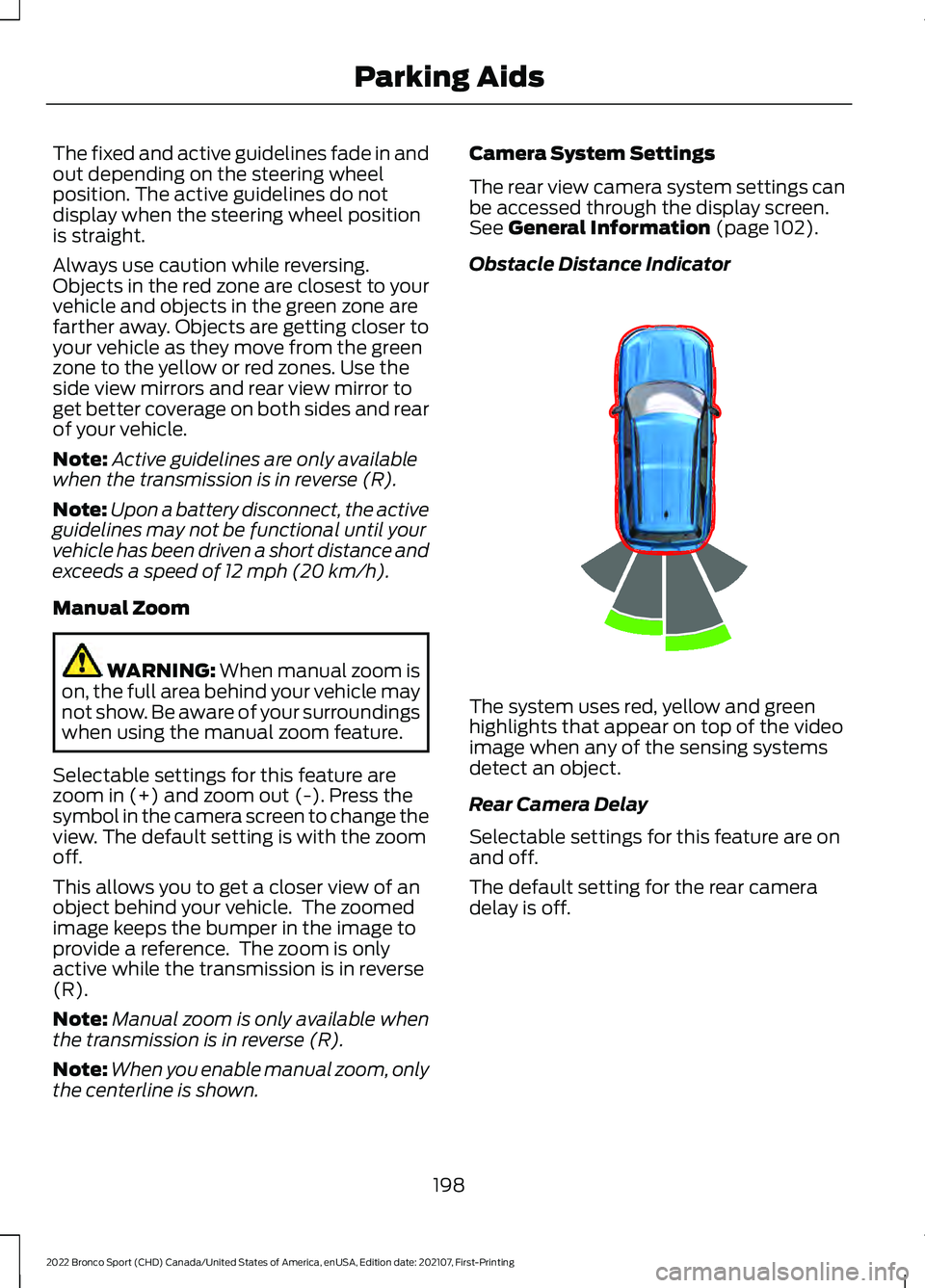
Obstacle Distance Indicator The system uses red, yellow and green
highlights that appear on top of the video
image when any of the sensing systems
detect an object.
Rear Camera Delay
Selectable settings for this feature are on
and off.
The default setting for the rear camera
delay is off.
198
2022 Bronco Sport (CHD) Canada/United States of America, enUSA, Edition date: 202107, First-Printing Parking AidsE322352
Page 211 of 494
Press and hold the toggle button upward
to increase the set speed in large
increments. Release the button when the
set speed is equal to the desired speed.
Press and release the toggle
button downward to decrease
the set speed in small
increments.
Press and hold the toggle button
downward to decrease the set speed in
large increments. Release the button when
the set speed is equal to the desired speed.
You can also press the accelerator or brake
pedal until you reach the speed you prefer.
Press the toggle button upward or
downward to select the current speed as
the set speed.
The system may apply the brakes to slow
the vehicle to the new set speed. The set
speed continuously displays in the
information display when the system is
active.
SETTING THE ADAPTIVE
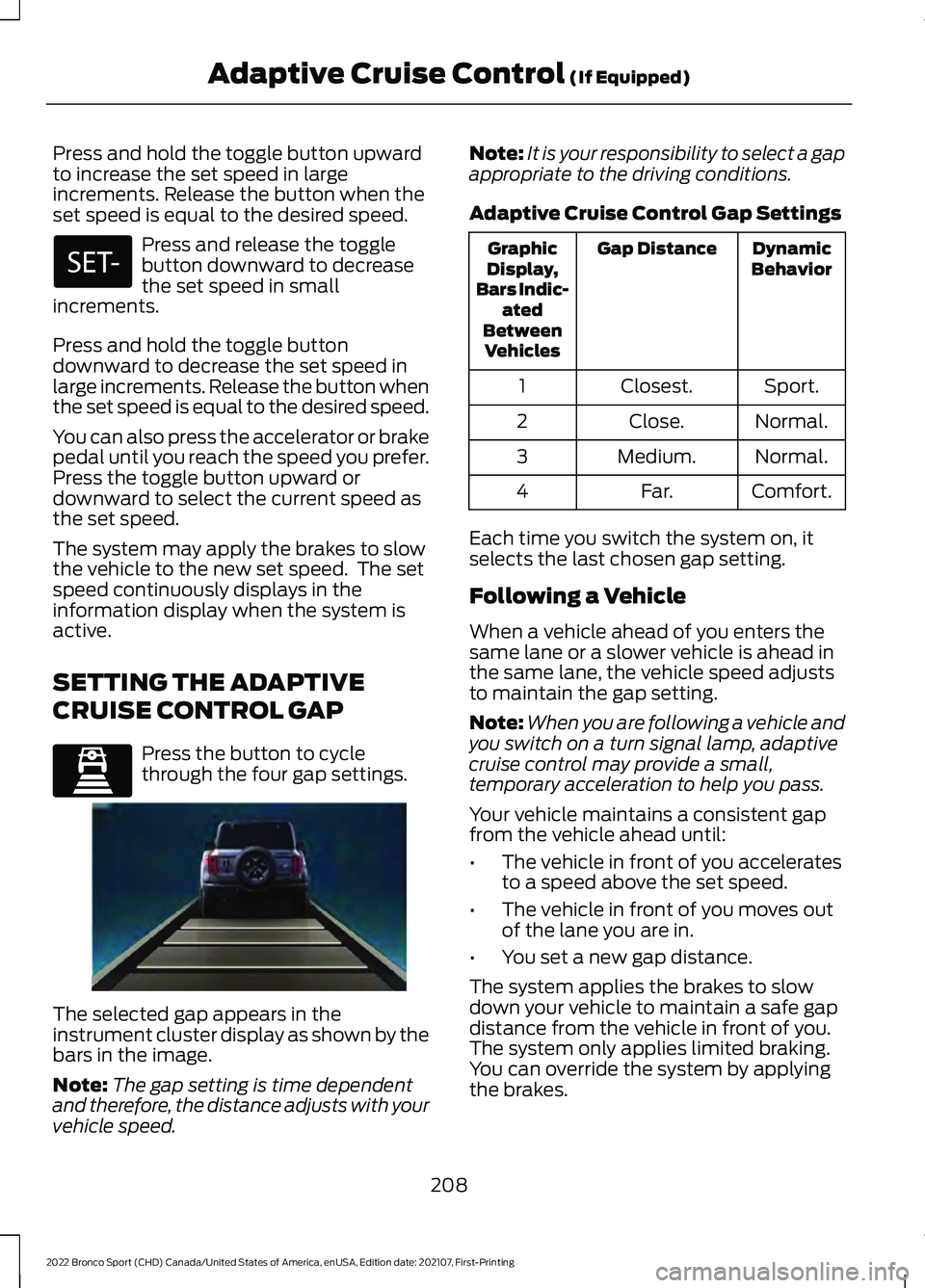
CRUISE CONTROL GAP Press the button to cycle
through the four gap settings.
The selected gap appears in the
instrument cluster display as shown by the
bars in the image.
Note:
The gap setting is time dependent
and therefore, the distance adjusts with your
vehicle speed. Note:
It is your responsibility to select a gap
appropriate to the driving conditions.
Adaptive Cruise Control Gap Settings Dynamic
Behavior
Gap Distance
Graphic
Display,
Bars Indic- ated
Between Vehicles
Sport.
Closest.
1
Normal.
Close.
2
Normal.
Medium.
3
Comfort.
Far.
4
Each time you switch the system on, it
selects the last chosen gap setting.
Following a Vehicle
When a vehicle ahead of you enters the
same lane or a slower vehicle is ahead in
the same lane, the vehicle speed adjusts
to maintain the gap setting.
Note: When you are following a vehicle and
you switch on a turn signal lamp, adaptive
cruise control may provide a small,
temporary acceleration to help you pass.
Your vehicle maintains a consistent gap
from the vehicle ahead until:
• The vehicle in front of you accelerates
to a speed above the set speed.
• The vehicle in front of you moves out
of the lane you are in.
• You set a new gap distance.
The system applies the brakes to slow
down your vehicle to maintain a safe gap
distance from the vehicle in front of you.
The system only applies limited braking.
You can override the system by applying
the brakes.
208
2022 Bronco Sport (CHD) Canada/United States of America, enUSA, Edition date: 202107, First-Printing Adaptive Cruise Control (If Equipped) E339110 E338558
Page 213 of 494
Green indicates the system is active and
applying assistance steering torque input
to keep your vehicle in the center of the
lane.
Amber indicates a system
auto-cancellation.
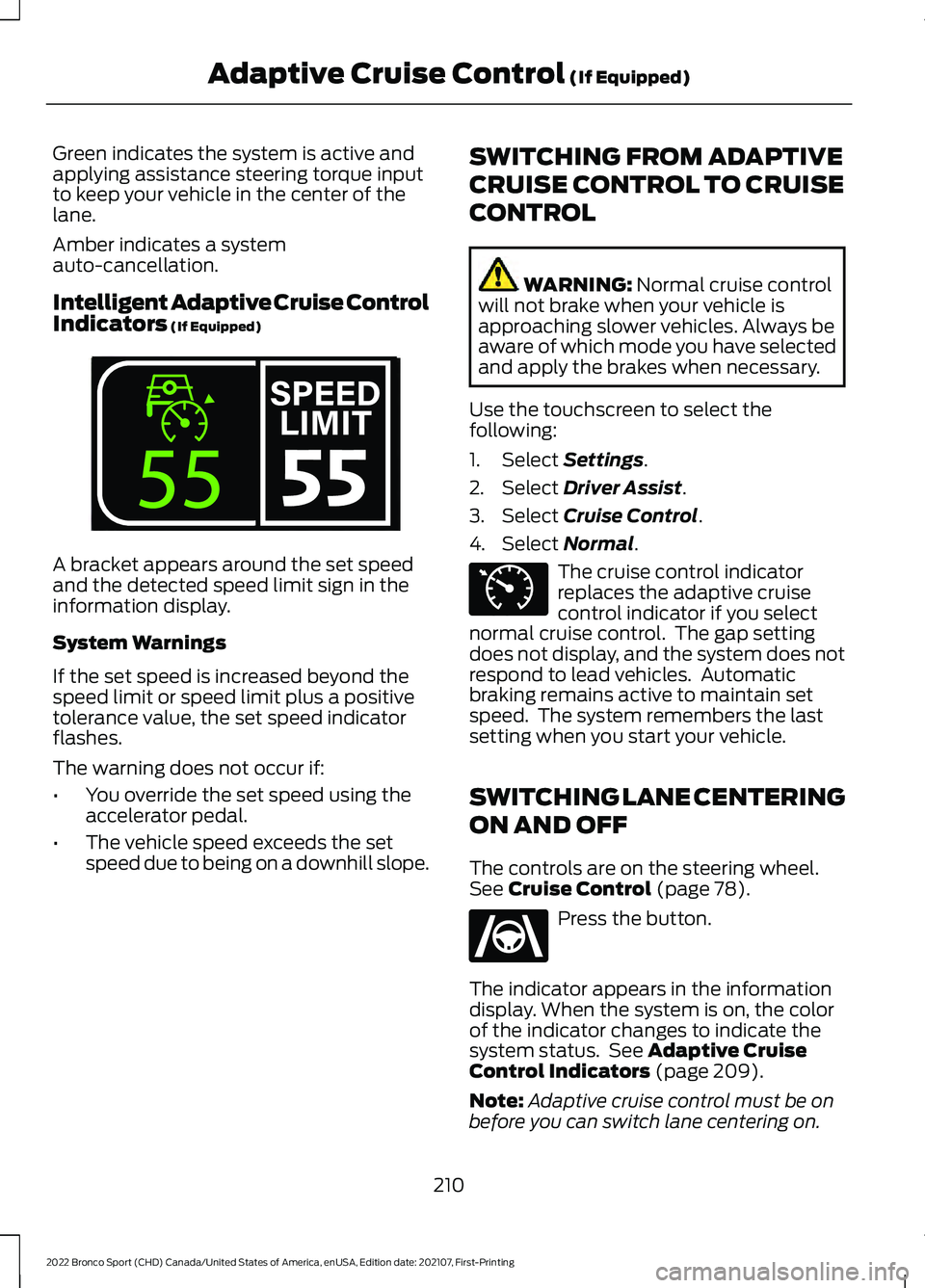
Intelligent Adaptive Cruise Control
Indicators (If Equipped)
A bracket appears around the set speed
and the detected speed limit sign in the
information display.
System Warnings
If the set speed is increased beyond the
speed limit or speed limit plus a positive
tolerance value, the set speed indicator
flashes.
The warning does not occur if:
•
You override the set speed using the
accelerator pedal.
• The vehicle speed exceeds the set
speed due to being on a downhill slope. SWITCHING FROM ADAPTIVE
CRUISE CONTROL TO CRUISE
CONTROL WARNING:
Normal cruise control
will not brake when your vehicle is
approaching slower vehicles. Always be
aware of which mode you have selected
and apply the brakes when necessary.
Use the touchscreen to select the
following:
1. Select
Settings.
2. Select
Driver Assist.
3. Select
Cruise Control.
4. Select
Normal. The cruise control indicator
replaces the adaptive cruise
control indicator if you select
normal cruise control. The gap setting
does not display, and the system does not
respond to lead vehicles. Automatic
braking remains active to maintain set
speed. The system remembers the last
setting when you start your vehicle.
SWITCHING LANE CENTERING
ON AND OFF
The controls are on the steering wheel.
See
Cruise Control (page 78). Press the button.
The indicator appears in the information
display. When the system is on, the color
of the indicator changes to indicate the
system status. See
Adaptive Cruise
Control Indicators (page 209).
Note: Adaptive cruise control must be on
before you can switch lane centering on.
210
2022 Bronco Sport (CHD) Canada/United States of America, enUSA, Edition date: 202107, First-Printing Adaptive Cruise Control
(If Equipped)E339108 E71340 E262175
Page 215 of 494
SWITCHING INTELLIGENT
MODE ON AND OFF
WARNING: You are responsible for
controlling your vehicle at all times. The
system is designed to be an aid and does
not relieve you of your responsibility to
drive with due care and attention. Failure
to follow this instruction could result in
the loss of control of your vehicle,
personal injury or death.
1. Press Settings on the touchscreen.
2. Press
Driver Assistance.
3. Press
Cruise Control.
4. Press
Intelligent.
Changing the Set Speed with
Intelligent Adaptive Cruise Control
When intelligent mode is on, the system
adjusts the set speed to the speed limit
detected by the camera and the speed
limit information provided by the
navigation system.
Note: The set speed adjusts when the
system detects a different maximum speed
limit.
Note: The speed limit information provided
by the navigation map data may be
inaccurate or out of date.
Note: The system alerts you if the set speed
increases beyond the speed limit. See
Adaptive Cruise Control Indicators (page
209
).
If the system does not detect a speed limit,
the vehicle speed remains at the current
set speed. You can override the set speed at any time.
You may need to override or cancel the
system in certain situations such as
inclement weather or if an incorrect speed
is set.
Note:
The system may not detect and read
speed limit signs with conditional
information, for example, when a sign is
flashing, during specific time ranges, or
when children are present.
Note: Under certain conditions, the system
may not adjust the vehicle speed until after
your vehicle passes the speed limit sign.
ADJUSTING THE SET SPEED
TOLERANCE
You can set a permanent speed tolerance
that is above or below the detected speed
limit.
Use the touchscreen to select the
following:
1. Press
Settings.
2. Press
Driver Assistance.
3. Press
Cruise Control.
4. Press
Intelligent.
5. Use
+ and - to set the tolerance.
ADAPTIVE CRUISE CONTROL
– TROUBLESHOOTING
ADAPTIVE CRUISE CONTROL –
INFORMATION MESSAGES
Note: Depending on your vehicle options
and instrument cluster type, not all
messages display or are available.
Note: Certain messages may be
abbreviated or shortened depending upon
which cluster type you have.
212
2022 Bronco Sport (CHD) Canada/United States of America, enUSA, Edition date: 202107, First-Printing Adaptive Cruise Control
(If Equipped)
Page 218 of 494
DRIVER ALERT
WARNING: You are responsible for
controlling your vehicle at all times. The
system is designed to be an aid and does
not relieve you of your responsibility to
drive with due care and attention. Failure
to follow this instruction could result in
the loss of control of your vehicle,
personal injury or death. WARNING: The system may not
function if the sensor is blocked. WARNING:
Take regular rest
breaks if you feel tired. Do not wait for
the system to warn you. WARNING:
Certain driving styles
may result in the system warning you
even if you are not feeling tired. WARNING:
In cold and severe
weather conditions the system may not
function. Rain, snow and spray can all
limit sensor performance. WARNING:
The system will not
operate if the sensor cannot track the
road lane markings. WARNING:
If damage occurs in the
immediate area surrounding the sensor,
have your vehicle checked as soon as
possible. WARNING:
The system may not
correctly operate if your vehicle is fitted
with a suspension kit not approved by
us.
Note: Keep the windshield free from
obstructions. For example, bird droppings,
insects and snow or ice. Note:
If you have a blocked camera or
damaged windshield, the system may not
function.
Note: The system remembers the last
setting when you start your vehicle, unless
it detects a MyKey ™.
Note: If enabled in the menu, the system
activates at speeds above
40 mph
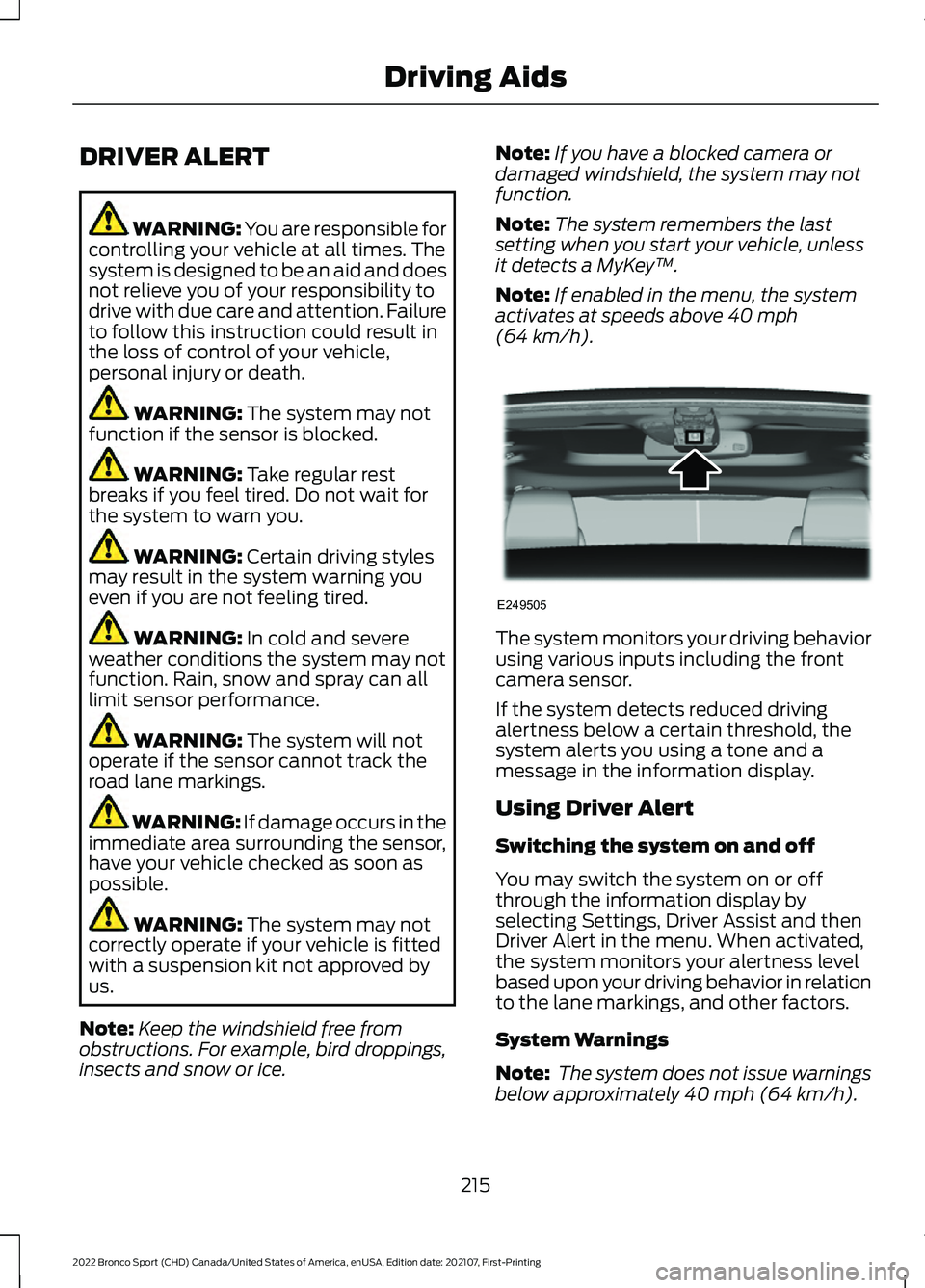
(64 km/h). The system monitors your driving behavior
using various inputs including the front
camera sensor.
If the system detects reduced driving
alertness below a certain threshold, the
system alerts you using a tone and a
message in the information display.
Using Driver Alert
Switching the system on and off
You may switch the system on or off
through the information display by
selecting Settings, Driver Assist and then
Driver Alert in the menu. When activated,
the system monitors your alertness level
based upon your driving behavior in relation
to the lane markings, and other factors.
System Warnings
Note:
The system does not issue warnings
below approximately
40 mph (64 km/h).
215
2022 Bronco Sport (CHD) Canada/United States of America, enUSA, Edition date: 202107, First-Printing Driving AidsE249505
Page 220 of 494
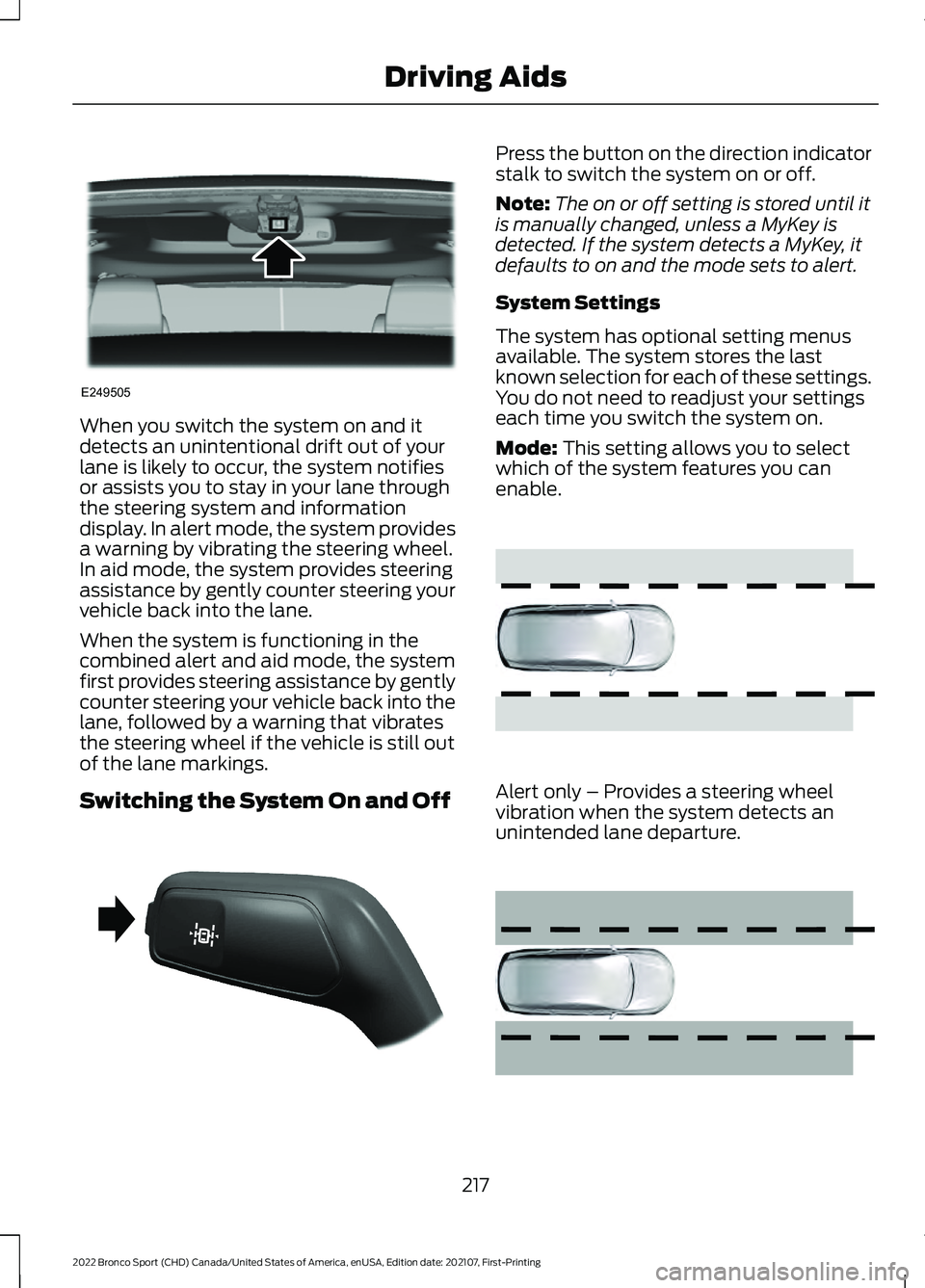
When you switch the system on and it
detects an unintentional drift out of your
lane is likely to occur, the system notifies
or assists you to stay in your lane through
the steering system and information
display. In alert mode, the system provides
a warning by vibrating the steering wheel.
In aid mode, the system provides steering
assistance by gently counter steering your
vehicle back into the lane.
When the system is functioning in the
combined alert and aid mode, the system
first provides steering assistance by gently
counter steering your vehicle back into the
lane, followed by a warning that vibrates
the steering wheel if the vehicle is still out
of the lane markings.
Switching the System On and Off Press the button on the direction indicator
stalk to switch the system on or off.
Note:
The on or off setting is stored until it
is manually changed, unless a MyKey is
detected. If the system detects a MyKey, it
defaults to on and the mode sets to alert.
System Settings
The system has optional setting menus
available. The system stores the last
known selection for each of these settings.
You do not need to readjust your settings
each time you switch the system on.
Mode: This setting allows you to select
which of the system features you can
enable. Alert only – Provides a steering wheel
vibration when the system detects an
unintended lane departure.
217
2022 Bronco Sport (CHD) Canada/United States of America, enUSA, Edition date: 202107, First-Printing Driving AidsE249505 E288067 E165515 E165516
Page 224 of 494
Note:
The system does not prevent contact
with other vehicles. It is not designed to
detect parked vehicles, pedestrians, animals
or other infrastructures.
Using the Blind Spot Information
System
Vehicles with Automatic Transmission
The system turns on when all of the
following occur:
• You start your vehicle.
• You shift into drive (D).
• The vehicle speed is greater than
6 mph (10 km/h).
Note: The system does not operate in park
(P) or reverse (R).
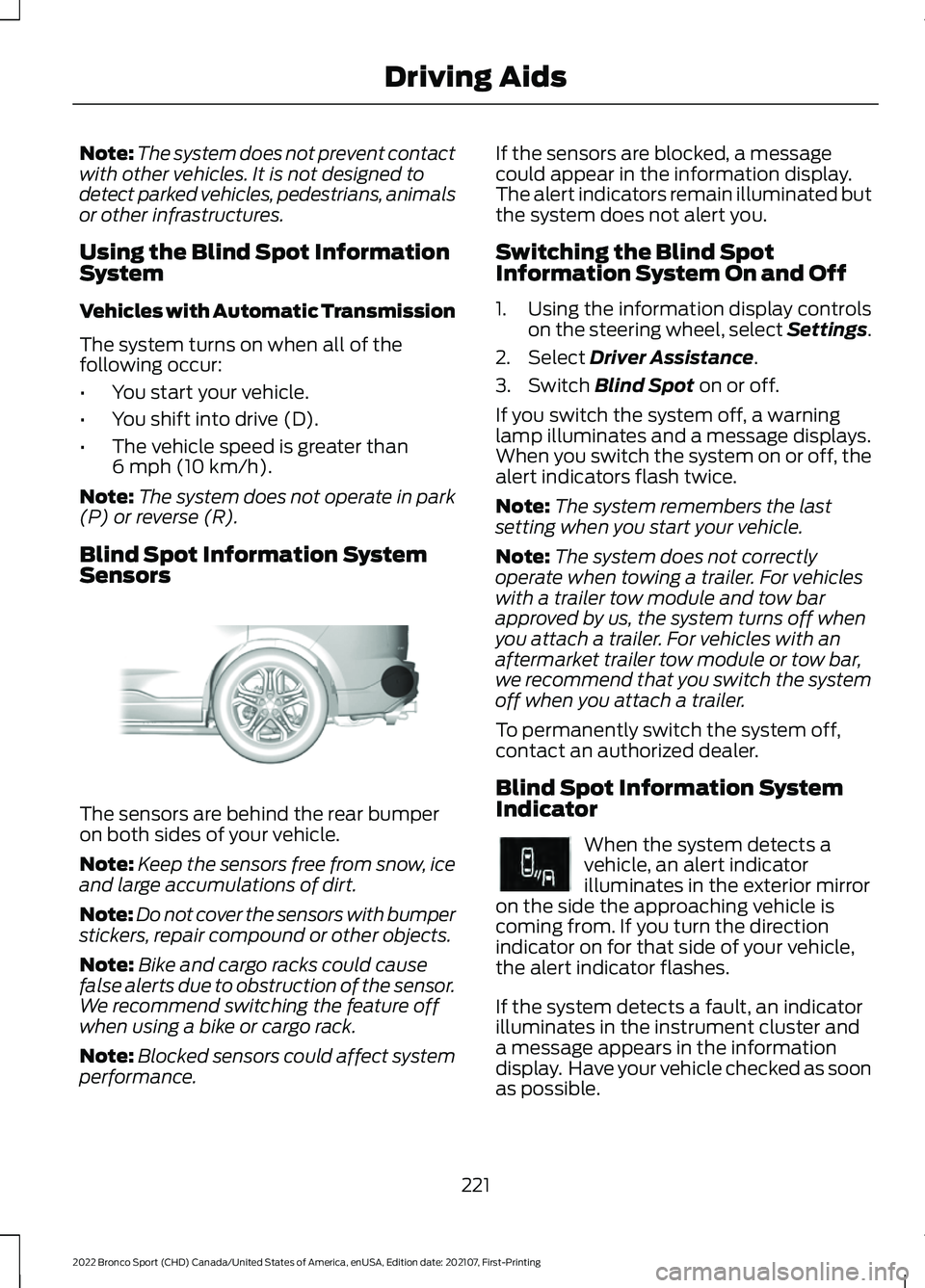
Blind Spot Information System
Sensors The sensors are behind the rear bumper
on both sides of your vehicle.
Note:
Keep the sensors free from snow, ice
and large accumulations of dirt.
Note: Do not cover the sensors with bumper
stickers, repair compound or other objects.
Note: Bike and cargo racks could cause
false alerts due to obstruction of the sensor.
We recommend switching the feature off
when using a bike or cargo rack.
Note: Blocked sensors could affect system
performance. If the sensors are blocked, a message
could appear in the information display.
The alert indicators remain illuminated but
the system does not alert you.
Switching the Blind Spot
Information System On and Off
1. Using the information display controls
on the steering wheel, select Settings.
2. Select
Driver Assistance.
3. Switch
Blind Spot on or off.
If you switch the system off, a warning
lamp illuminates and a message displays.
When you switch the system on or off, the
alert indicators flash twice.
Note: The system remembers the last
setting when you start your vehicle.
Note: The system does not correctly
operate when towing a trailer. For vehicles
with a trailer tow module and tow bar
approved by us, the system turns off when
you attach a trailer. For vehicles with an
aftermarket trailer tow module or tow bar,
we recommend that you switch the system
off when you attach a trailer.
To permanently switch the system off,
contact an authorized dealer.
Blind Spot Information System
Indicator When the system detects a
vehicle, an alert indicator
illuminates in the exterior mirror
on the side the approaching vehicle is
coming from. If you turn the direction
indicator on for that side of your vehicle,
the alert indicator flashes.
If the system detects a fault, an indicator
illuminates in the instrument cluster and
a message appears in the information
display. Have your vehicle checked as soon
as possible.
221
2022 Bronco Sport (CHD) Canada/United States of America, enUSA, Edition date: 202107, First-Printing Driving AidsE205199 E249861E249861
Page 227 of 494
Zone coverage also decreases when
parking at narrow angles. The sensor on
the left-hand side is mostly obstructed and
zone coverage on that side is severely
reduced.
Cross Traffic Alert System
Limitations
The system may not correctly operate
when any of the following occur:
•
Something blocks the sensors.
• Adjacently parked vehicles or objects
obstruct the sensors.
• Vehicles approach at speeds less than
4 mph (6 km/h) or greater than 37 mph
(60 km/h).
• The vehicle speed is greater than 7 mph
(12 km/h)
.
• You reverse out of an angled parking
space.
Switching the System On and Off
To switch the system on or off, adjust the
settings using the touchscreen. See
Settings
(page 391).
Note: The system turns on every time you
switch the ignition on. To permanently
switch the system off, contact an authorized
dealer.
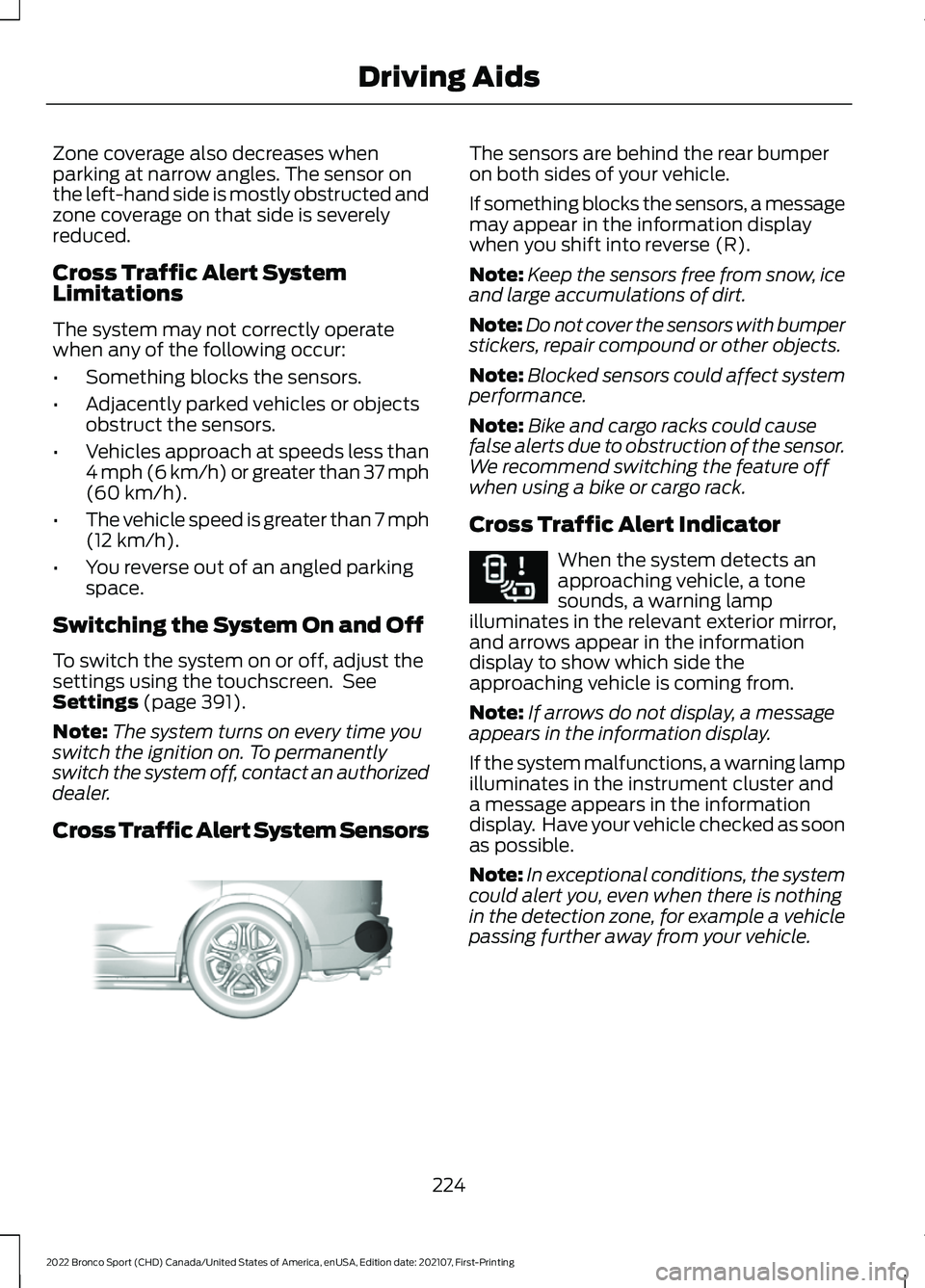
Cross Traffic Alert System Sensors The sensors are behind the rear bumper
on both sides of your vehicle.
If something blocks the sensors, a message
may appear in the information display
when you shift into reverse (R).
Note:
Keep the sensors free from snow, ice
and large accumulations of dirt.
Note: Do not cover the sensors with bumper
stickers, repair compound or other objects.
Note: Blocked sensors could affect system
performance.
Note: Bike and cargo racks could cause
false alerts due to obstruction of the sensor.
We recommend switching the feature off
when using a bike or cargo rack.
Cross Traffic Alert Indicator When the system detects an
approaching vehicle, a tone
sounds, a warning lamp
illuminates in the relevant exterior mirror,
and arrows appear in the information
display to show which side the
approaching vehicle is coming from.
Note: If arrows do not display, a message
appears in the information display.
If the system malfunctions, a warning lamp
illuminates in the instrument cluster and
a message appears in the information
display. Have your vehicle checked as soon
as possible.
Note: In exceptional conditions, the system
could alert you, even when there is nothing
in the detection zone, for example a vehicle
passing further away from your vehicle.
224
2022 Bronco Sport (CHD) Canada/United States of America, enUSA, Edition date: 202107, First-Printing Driving AidsE205199 E268294
Page 229 of 494
Using Speed Sign Recognition
Setting the System Speed Warning
You can set the system speed warning to
alert you when the vehicle speed exceeds
the speed limit recognized by the system
by a certain speed tolerance.
Note:
The system remembers the last
setting when you start your vehicle.
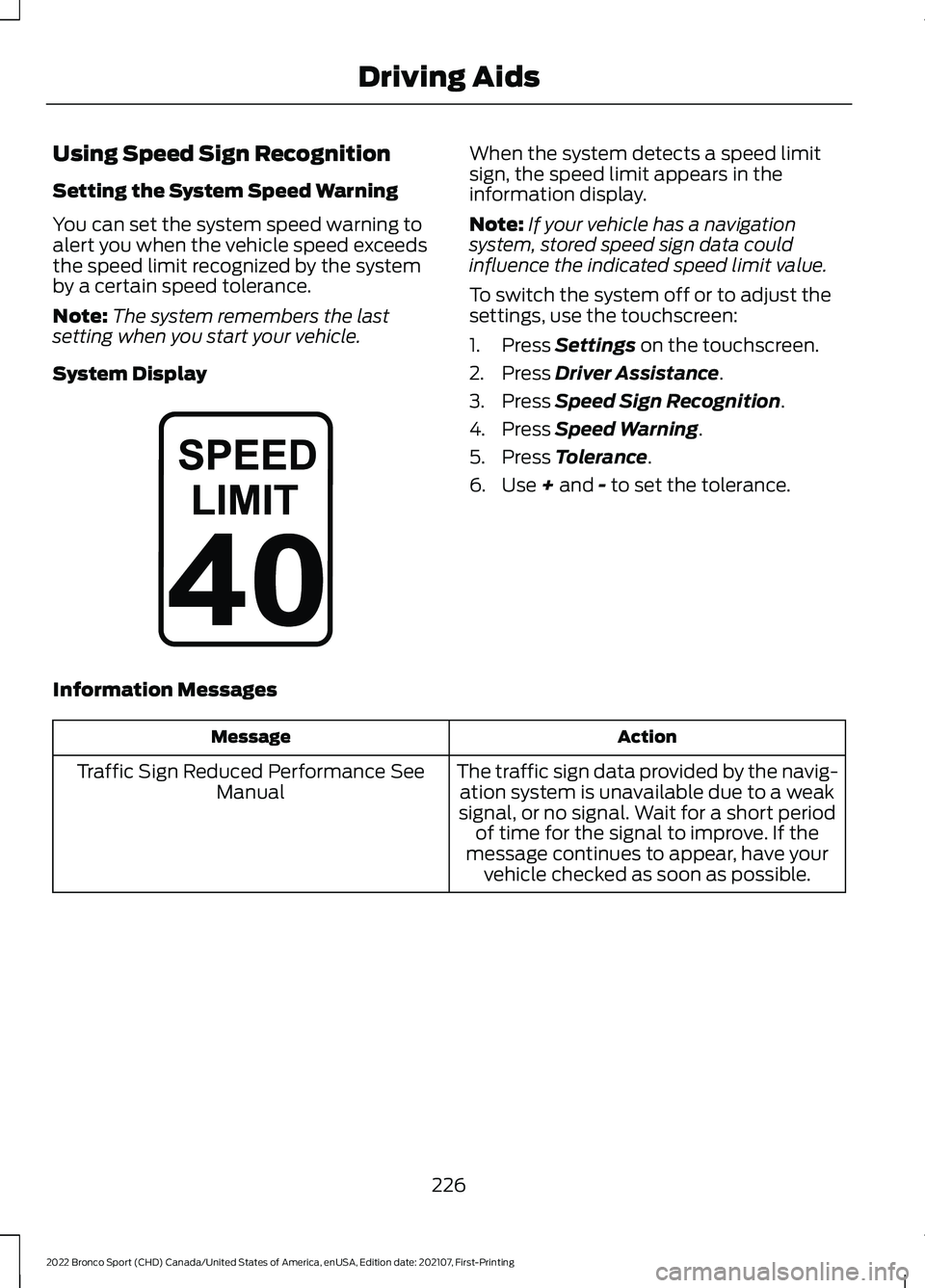
System Display When the system detects a speed limit
sign, the speed limit appears in the
information display.
Note:
If your vehicle has a navigation
system, stored speed sign data could
influence the indicated speed limit value.
To switch the system off or to adjust the
settings, use the touchscreen:
1. Press Settings on the touchscreen.
2. Press
Driver Assistance.
3. Press
Speed Sign Recognition.
4. Press
Speed Warning.
5. Press
Tolerance.
6. Use
+ and - to set the tolerance.
Information Messages Action
Message
The traffic sign data provided by the navig-ation system is unavailable due to a weak
signal, or no signal. Wait for a short period of time for the signal to improve. If the
message continues to appear, have your vehicle checked as soon as possible.
Traffic Sign Reduced Performance See
Manual
226
2022 Bronco Sport (CHD) Canada/United States of America, enUSA, Edition date: 202107, First-Printing Driving AidsE317824
Page 233 of 494
After you turn the steering wheel, the
system applies additional steering torque
to help you steer around the vehicle. After
you pass the vehicle, the system applies
steering torque in the opposite direction to
encourage you to steer back into the lane.
The system deactivates after you fully pass
the vehicle.
Note:
The system does not automatically
steer around a vehicle. If you do not turn the
steering wheel, the system does not
activate.
Note: The system does not activate if the
distance to the vehicle ahead is too small
and you cannot avoid a crash.
Adjusting the Pre-Collision Assist
Settings
Depending on your vehicle options, the
pre-collision assist settings can be in the
following:
• Information display. See General
Information (page 102).
• Touchscreen. See
Settings (page 391).
You can adjust the following settings:
• Change alert and distance alert
sensitivity to one of three possible
settings.
• Switch distance indication and alert on
or off.
• If required, switch active braking on or
off.
• If required, switch evasive steering
assist on or off.
Note: Active braking and evasive steering
assist turn on every time you switch the
ignition on. Note:
If you switch active braking off,
evasive steering assist turns off.
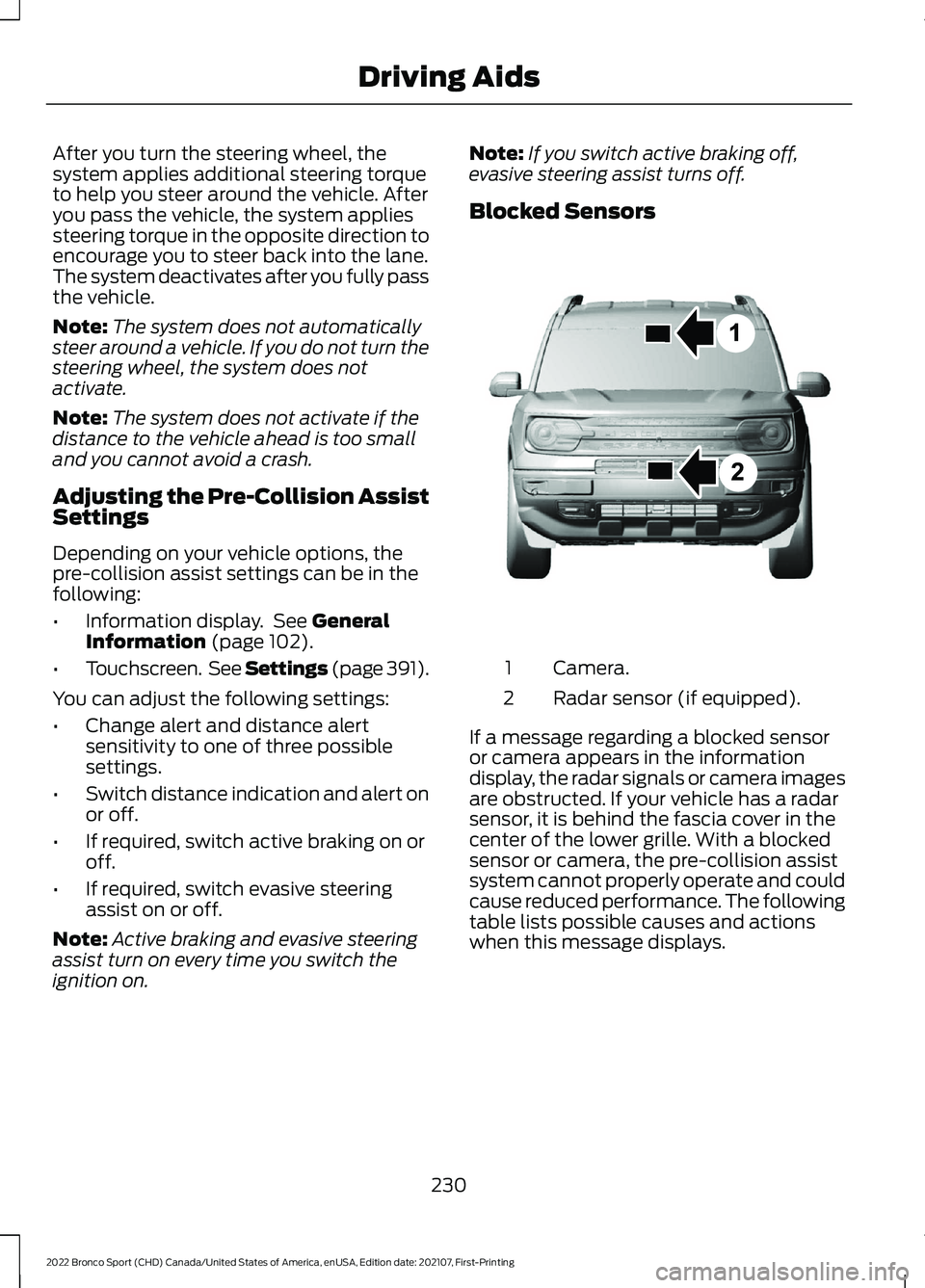
Blocked Sensors Camera.
1
Radar sensor (if equipped).
2
If a message regarding a blocked sensor
or camera appears in the information
display, the radar signals or camera images
are obstructed. If your vehicle has a radar
sensor, it is behind the fascia cover in the
center of the lower grille. With a blocked
sensor or camera, the pre-collision assist
system cannot properly operate and could
cause reduced performance. The following
table lists possible causes and actions
when this message displays.
230
2022 Bronco Sport (CHD) Canada/United States of America, enUSA, Edition date: 202107, First-Printing Driving AidsE325781