audio FORD BRONCO SPORT 2023 User Guide
[x] Cancel search | Manufacturer: FORD, Model Year: 2023, Model line: BRONCO SPORT, Model: FORD BRONCO SPORT 2023Pages: 516, PDF Size: 14.27 MB
Page 111 of 516
Note:Some options could appear slightlydifferent or not at all if the items areoptional.
Note:Some MyKey menu options onlyappear if MyKey is enabled and at least oneMyKey is programmed.
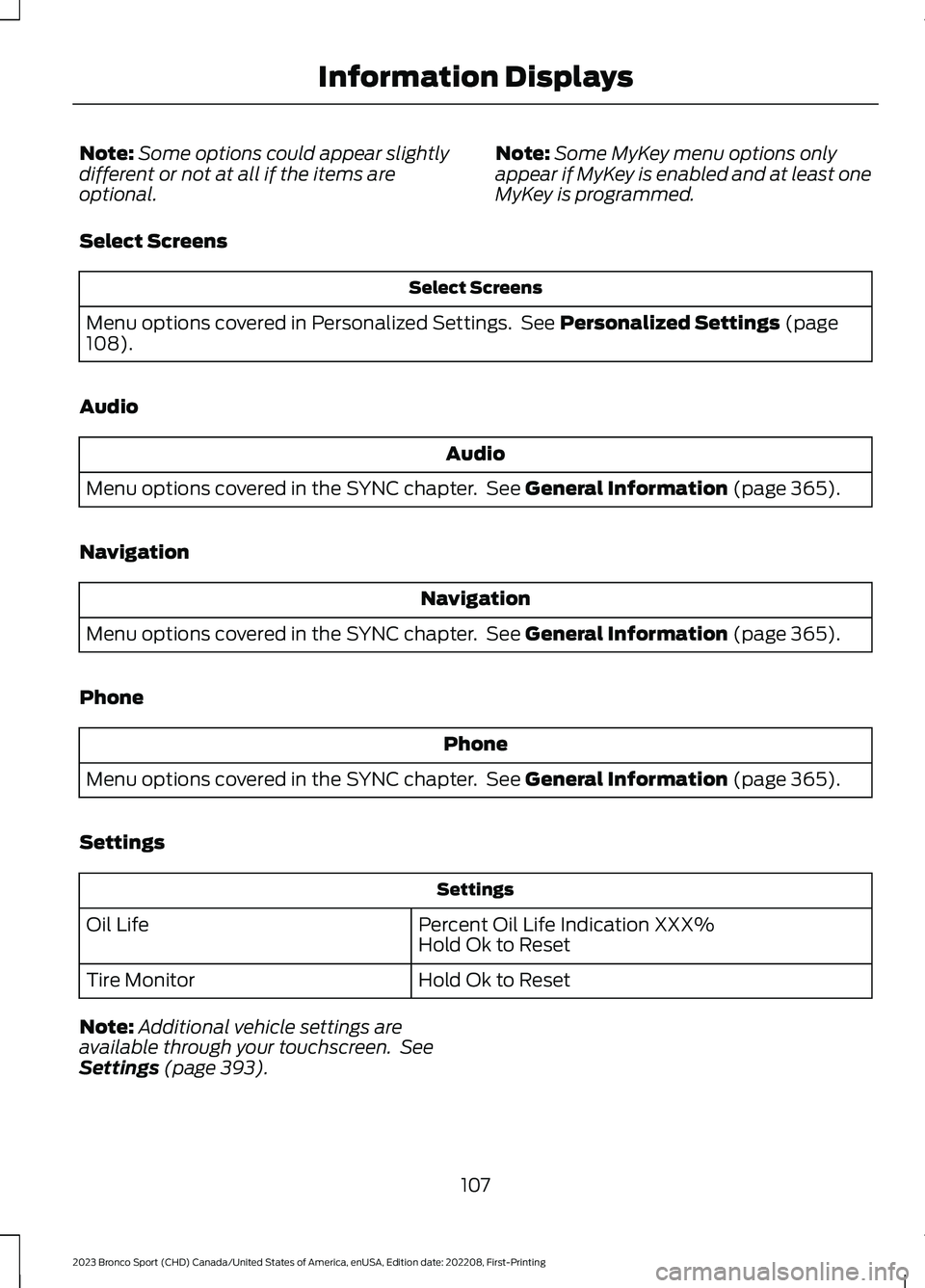
Select Screens
Select Screens
Menu options covered in Personalized Settings. See Personalized Settings (page108).
Audio
Audio
Menu options covered in the SYNC chapter. See General Information (page 365).
Navigation
Navigation
Menu options covered in the SYNC chapter. See General Information (page 365).
Phone
Phone
Menu options covered in the SYNC chapter. See General Information (page 365).
Settings
Settings
Percent Oil Life Indication XXX%Hold Ok to ResetOil Life
Hold Ok to ResetTire Monitor
Note:Additional vehicle settings areavailable through your touchscreen. SeeSettings (page 393).
107
2023 Bronco Sport (CHD) Canada/United States of America, enUSA, Edition date: 202208, First-PrintingInformation Displays
Page 121 of 516
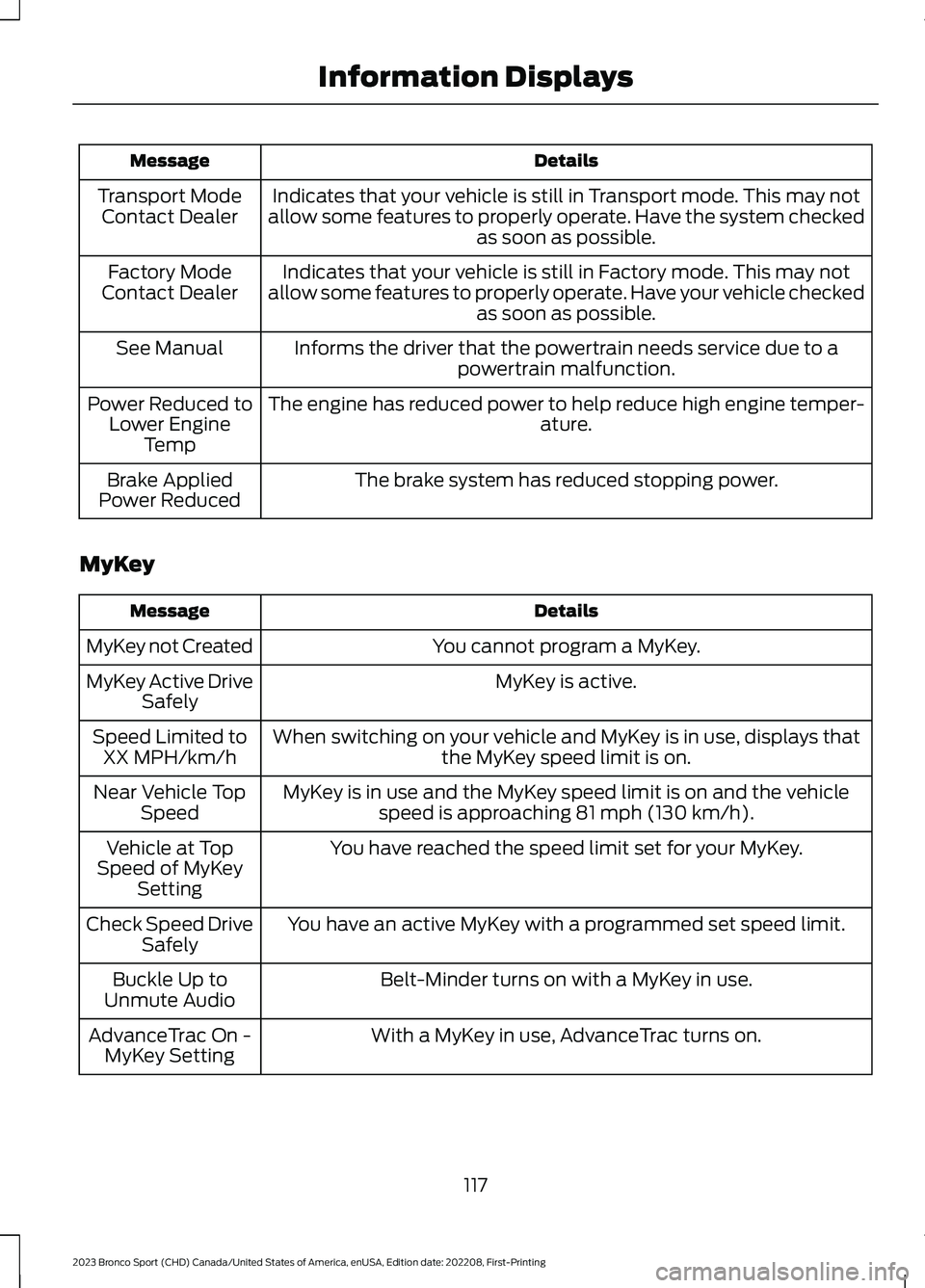
DetailsMessage
Indicates that your vehicle is still in Transport mode. This may notallow some features to properly operate. Have the system checkedas soon as possible.
Transport ModeContact Dealer
Indicates that your vehicle is still in Factory mode. This may notallow some features to properly operate. Have your vehicle checkedas soon as possible.
Factory ModeContact Dealer
Informs the driver that the powertrain needs service due to apowertrain malfunction.See Manual
The engine has reduced power to help reduce high engine temper-ature.Power Reduced toLower EngineTemp
The brake system has reduced stopping power.Brake AppliedPower Reduced
MyKey
DetailsMessage
You cannot program a MyKey.MyKey not Created
MyKey is active.MyKey Active DriveSafely
When switching on your vehicle and MyKey is in use, displays thatthe MyKey speed limit is on.Speed Limited toXX MPH/km/h
MyKey is in use and the MyKey speed limit is on and the vehiclespeed is approaching 81 mph (130 km/h).Near Vehicle TopSpeed
You have reached the speed limit set for your MyKey.Vehicle at TopSpeed of MyKeySetting
You have an active MyKey with a programmed set speed limit.Check Speed DriveSafely
Belt-Minder turns on with a MyKey in use.Buckle Up toUnmute Audio
With a MyKey in use, AdvanceTrac turns on.AdvanceTrac On -MyKey Setting
117
2023 Bronco Sport (CHD) Canada/United States of America, enUSA, Edition date: 202208, First-PrintingInformation Displays
Page 161 of 516
LOCATING THE USB PORTS
Data Transfer USB Ports
The USB ports could be in the followinglocations:
•On the lower instrument panel.
•Inside the center console.
Note: These USB ports can also chargedevices.
Note: Not all USB ports in your vehicle havedata transfer capabilities.
Note: We recommend using only USB-IFcertified cables and adapters. Non-certifiedcables and adapters may not work.
Charge Only USB Ports
The USB ports could be in the followinglocations:
•On the lower instrument panel.
•On the upper instrument panel.
•Inside the media bin.
•Inside the center console.
•On the rear of the center console.
•In the cargo area.
PLAYING MEDIA USING THE
USB PORT
WARNING: Driving while distractedcan result in loss of vehicle control, crashand injury. We strongly recommend thatyou use extreme caution when using anydevice that may take your focus off theroad. Your primary responsibility is the
safe operation of your vehicle. Werecommend against the use of anyhand-held device while driving andencourage the use of voice-operatedsystems when possible. Make sure youare aware of all applicable local lawsthat may affect the use of electronicdevices while driving.
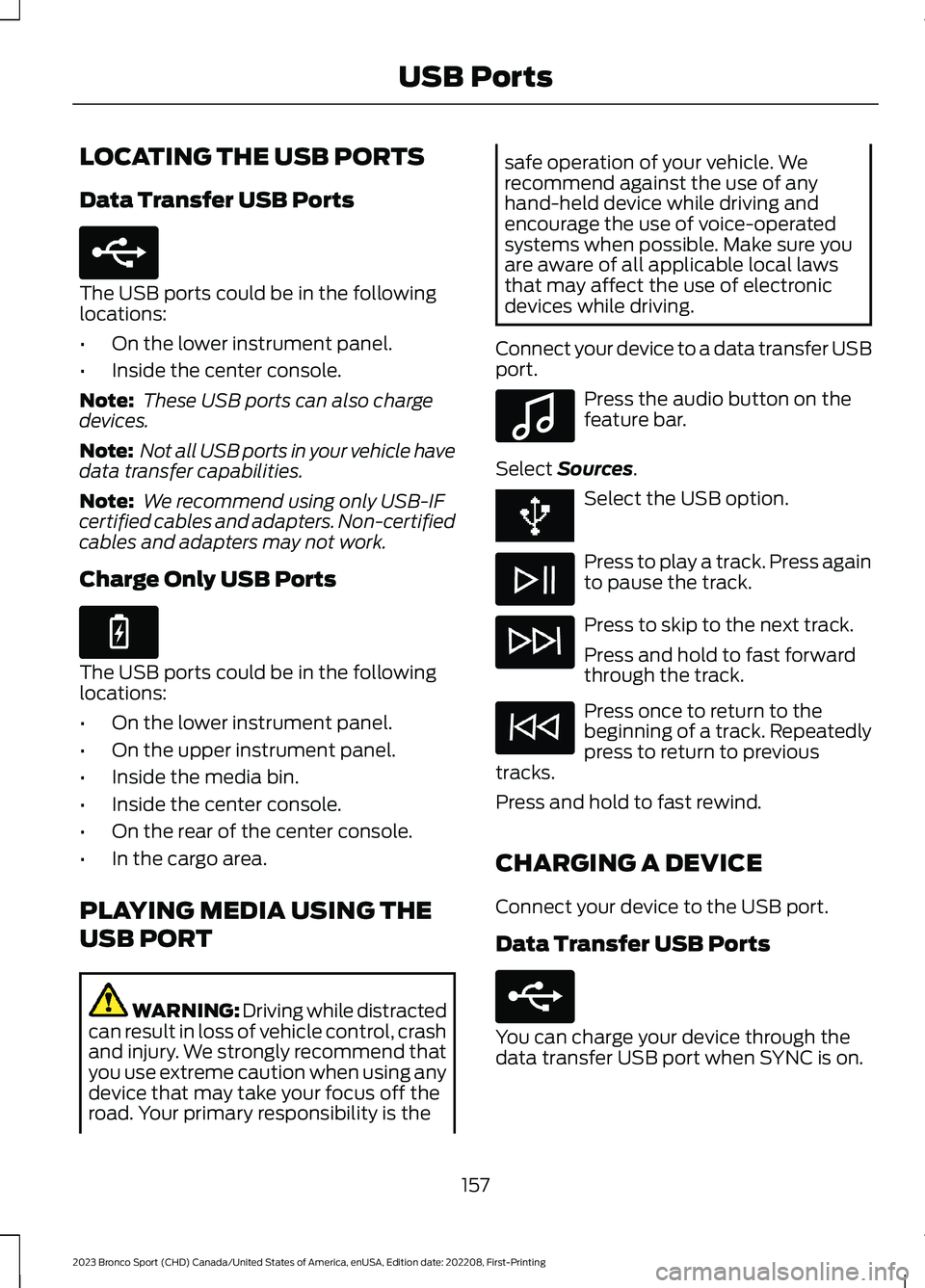
Connect your device to a data transfer USBport.
Press the audio button on thefeature bar.
Select Sources.
Select the USB option.
Press to play a track. Press againto pause the track.
Press to skip to the next track.
Press and hold to fast forwardthrough the track.
Press once to return to thebeginning of a track. Repeatedlypress to return to previoustracks.
Press and hold to fast rewind.
CHARGING A DEVICE
Connect your device to the USB port.
Data Transfer USB Ports
You can charge your device through thedata transfer USB port when SYNC is on.
157
2023 Bronco Sport (CHD) Canada/United States of America, enUSA, Edition date: 202208, First-PrintingUSB PortsE250655 E263583 E100027 E250655
Page 208 of 516
REAR PARKING AID
WARNING: The system may notdetect objects with surfaces that absorbreflection. Always drive with due careand attention. Failure to take care mayresult in a crash.
WARNING: The system may notdetect small or moving objects,particularly those close to the ground.
WARNING: To help avoid personalinjury, always use caution when inreverse (R) and when using the sensingsystem.
WARNING: The parking aid systemcan only assist you to detect objectswhen your vehicle is moving at parkingspeeds. To help avoid personal injury youmust take care when using the parkingaid system.
The sensors are on the rear bumper.
The sensors are active when thetransmission is in reverse (R) and thevehicle speed is less than 5 mph (8 km/h).When the parking aid system sounds atone, the audio system could reduce theset volume.
Note:Keep the sensors free from snow, iceand large accumulations of dirt.
Note:Do not cover up the sensors.
Note:Do not clean the sensors with sharpobjects.
Note:If your vehicle sustains damageleaving the sensors misaligned, this couldcause inaccurate measurements or falsealerts.
Note:Some accessories, for example, largetrailer hitches or bike or surfboard racks cancause reduced performance or false alerts.
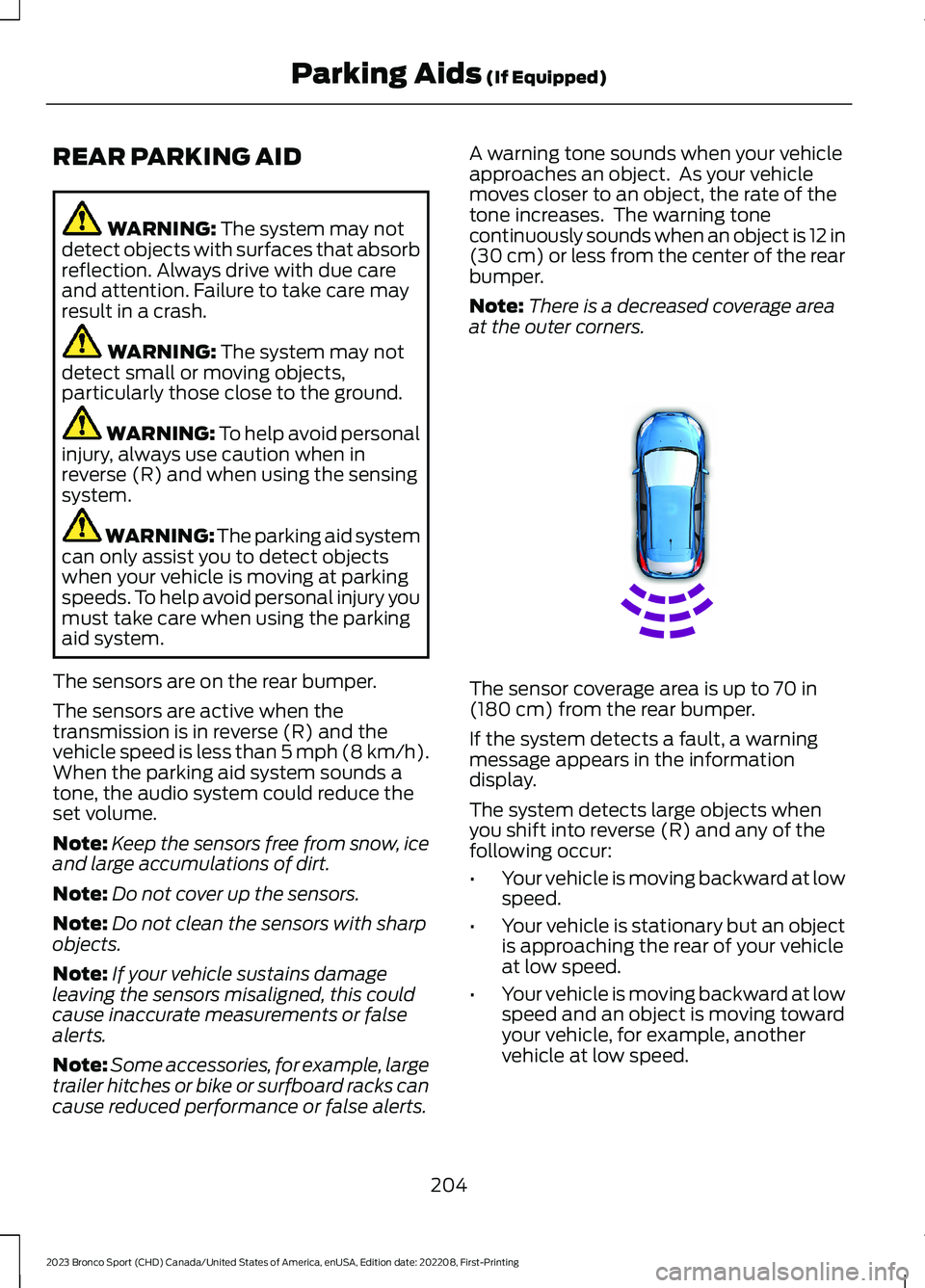
A warning tone sounds when your vehicleapproaches an object. As your vehiclemoves closer to an object, the rate of thetone increases. The warning tonecontinuously sounds when an object is 12 in(30 cm) or less from the center of the rearbumper.
Note:There is a decreased coverage areaat the outer corners.
The sensor coverage area is up to 70 in(180 cm) from the rear bumper.
If the system detects a fault, a warningmessage appears in the informationdisplay.
The system detects large objects whenyou shift into reverse (R) and any of thefollowing occur:
•Your vehicle is moving backward at lowspeed.
•Your vehicle is stationary but an objectis approaching the rear of your vehicleat low speed.
•Your vehicle is moving backward at lowspeed and an object is moving towardyour vehicle, for example, anothervehicle at low speed.
204
2023 Bronco Sport (CHD) Canada/United States of America, enUSA, Edition date: 202208, First-PrintingParking Aids (If Equipped)E130178
Page 213 of 516
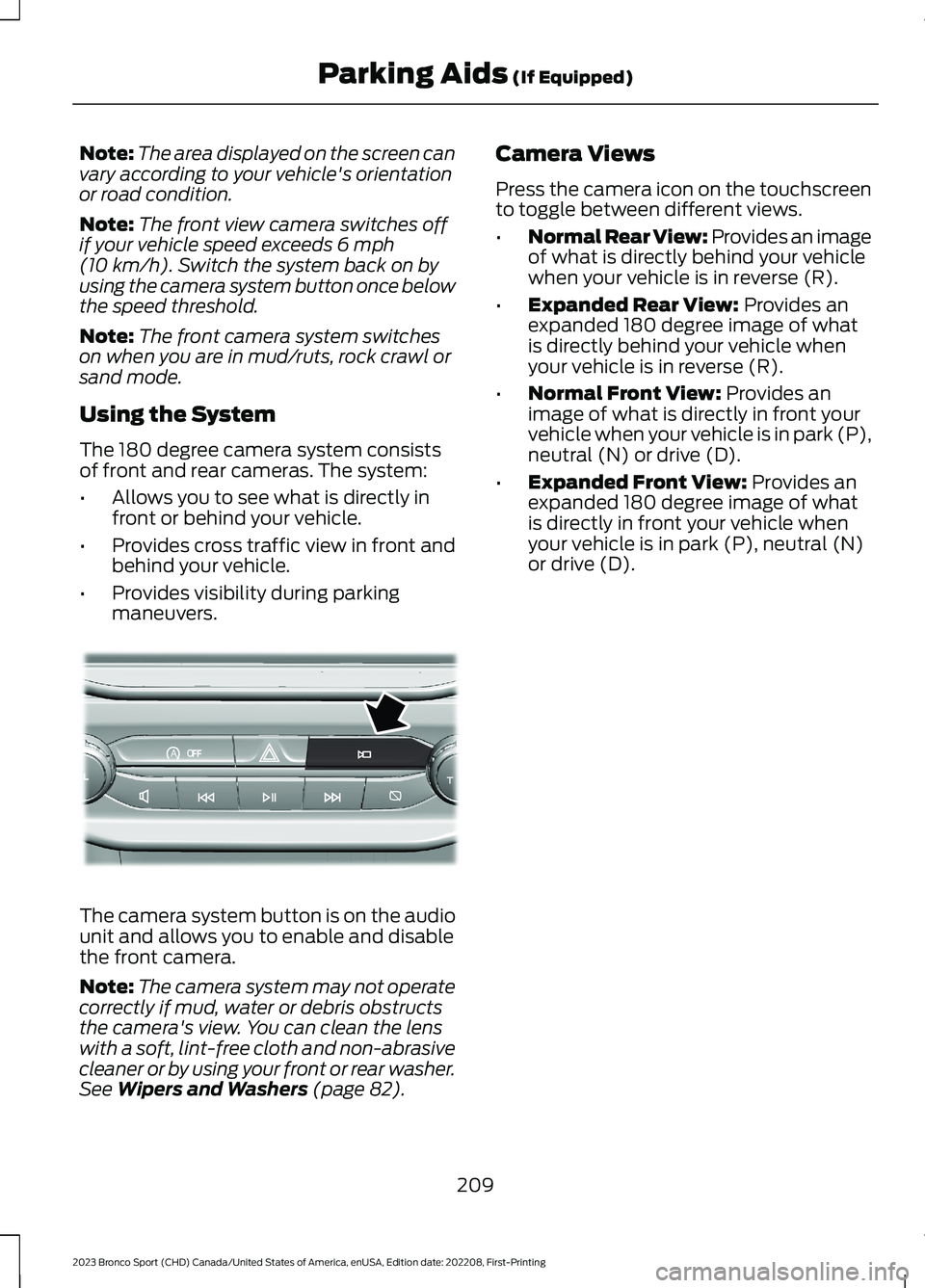
Note:The area displayed on the screen canvary according to your vehicle's orientationor road condition.
Note:The front view camera switches offif your vehicle speed exceeds 6 mph(10 km/h). Switch the system back on byusing the camera system button once belowthe speed threshold.
Note:The front camera system switcheson when you are in mud/ruts, rock crawl orsand mode.
Using the System
The 180 degree camera system consistsof front and rear cameras. The system:
•Allows you to see what is directly infront or behind your vehicle.
•Provides cross traffic view in front andbehind your vehicle.
•Provides visibility during parkingmaneuvers.
The camera system button is on the audiounit and allows you to enable and disablethe front camera.
Note:The camera system may not operatecorrectly if mud, water or debris obstructsthe camera's view. You can clean the lenswith a soft, lint-free cloth and non-abrasivecleaner or by using your front or rear washer.See Wipers and Washers (page 82).
Camera Views
Press the camera icon on the touchscreento toggle between different views.
•Normal Rear View: Provides an imageof what is directly behind your vehiclewhen your vehicle is in reverse (R).
•Expanded Rear View: Provides anexpanded 180 degree image of whatis directly behind your vehicle whenyour vehicle is in reverse (R).
•Normal Front View: Provides animage of what is directly in front yourvehicle when your vehicle is in park (P),neutral (N) or drive (D).
•Expanded Front View: Provides anexpanded 180 degree image of whatis directly in front your vehicle whenyour vehicle is in park (P), neutral (N)or drive (D).
209
2023 Bronco Sport (CHD) Canada/United States of America, enUSA, Edition date: 202208, First-PrintingParking Aids (If Equipped)AoE321477
Page 246 of 516
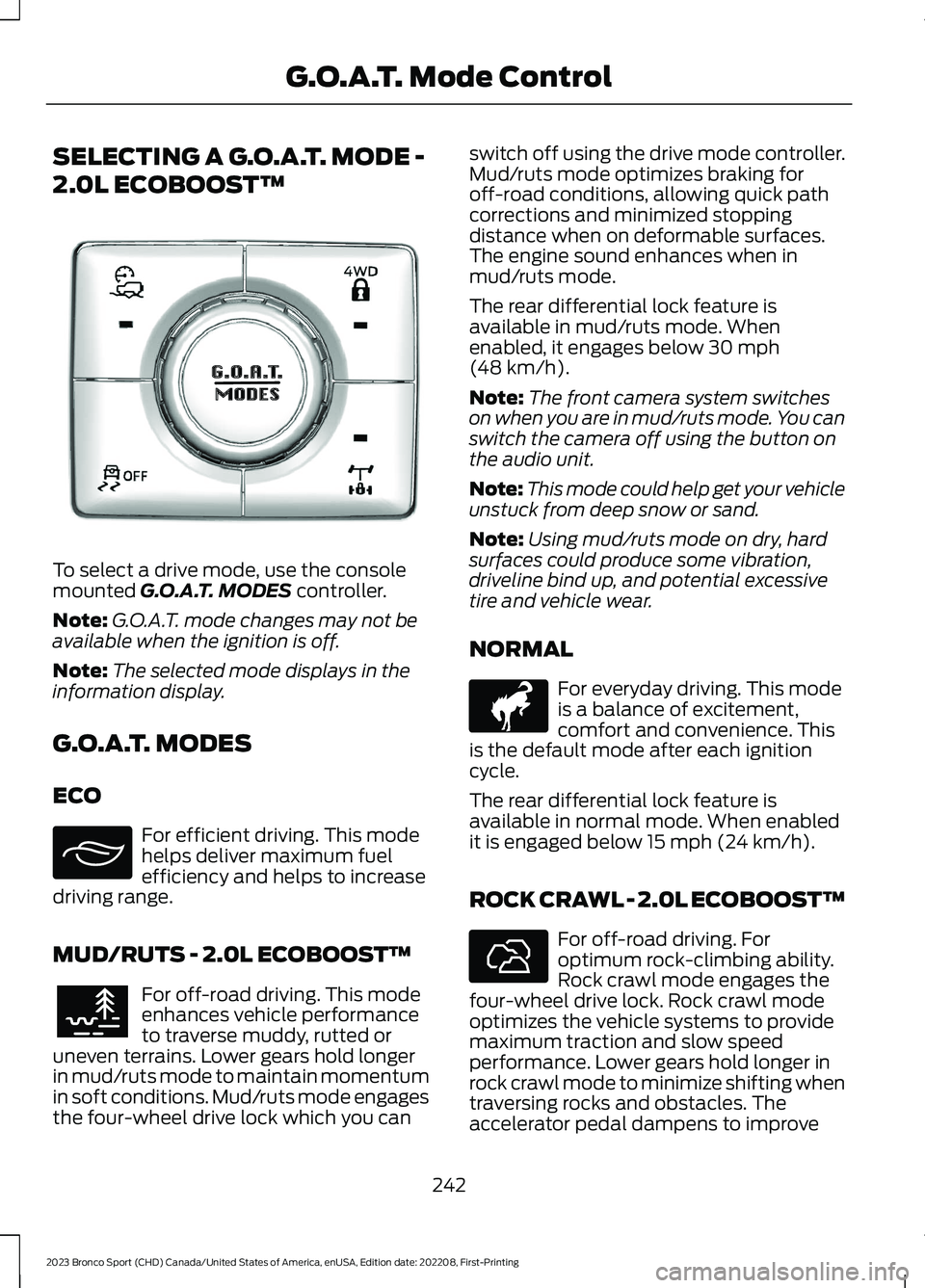
SELECTING A G.O.A.T. MODE -
2.0L ECOBOOST™
To select a drive mode, use the consolemounted G.O.A.T. MODES controller.
Note:G.O.A.T. mode changes may not beavailable when the ignition is off.
Note:The selected mode displays in theinformation display.
G.O.A.T. MODES
ECO
For efficient driving. This modehelps deliver maximum fuelefficiency and helps to increasedriving range.
MUD/RUTS - 2.0L ECOBOOST™
For off-road driving. This modeenhances vehicle performanceto traverse muddy, rutted oruneven terrains. Lower gears hold longerin mud/ruts mode to maintain momentumin soft conditions. Mud/ruts mode engagesthe four-wheel drive lock which you can
switch off using the drive mode controller.Mud/ruts mode optimizes braking foroff-road conditions, allowing quick pathcorrections and minimized stoppingdistance when on deformable surfaces.The engine sound enhances when inmud/ruts mode.
The rear differential lock feature isavailable in mud/ruts mode. Whenenabled, it engages below 30 mph(48 km/h).
Note:The front camera system switcheson when you are in mud/ruts mode. You canswitch the camera off using the button onthe audio unit.
Note:This mode could help get your vehicleunstuck from deep snow or sand.
Note:Using mud/ruts mode on dry, hardsurfaces could produce some vibration,driveline bind up, and potential excessivetire and vehicle wear.
NORMAL
For everyday driving. This modeis a balance of excitement,comfort and convenience. Thisis the default mode after each ignitioncycle.
The rear differential lock feature isavailable in normal mode. When enabledit is engaged below 15 mph (24 km/h).
ROCK CRAWL - 2.0L ECOBOOST™
For off-road driving. Foroptimum rock-climbing ability.Rock crawl mode engages thefour-wheel drive lock. Rock crawl modeoptimizes the vehicle systems to providemaximum traction and slow speedperformance. Lower gears hold longer inrock crawl mode to minimize shifting whentraversing rocks and obstacles. Theaccelerator pedal dampens to improve
242
2023 Bronco Sport (CHD) Canada/United States of America, enUSA, Edition date: 202208, First-PrintingG.O.A.T. Mode ControlE339229 E295413 E296606 E317283 E322413
Page 247 of 516
throttle control and minimize speedchange over rough terrain. The steeringoptimizes for less effort with reducedkick-back. Rock crawl mode optimizesbraking for off-road conditions, allowingquick path corrections and minimizedstopping distance when on deformablesurfaces. The engine sound enhanceswhen in rock crawl mode.
The rear differential lock feature enablesin rock crawl mode. When enabled it isengaged below 30 mph (48 km/h). Youcan disable the feature using the drivemode controller.
Note:The front camera system switcheson when you are in rock crawl mode. Youcan switch the camera off using the buttonon the audio unit.
Note:This mode may help get your vehicleunstuck from deep snow or sand.
Note:Do not use this mode on dry, hardpavement. This could produce somevibration, driveline bind up, and potentialexcessive tire and vehicle wear dependingon the four-wheel drive mode selection.
SAND
For more spirited off-roaddriving. Sand mode is foroff-road driving on soft, dry sandor deep conditions. Lower gears holdlonger in sand mode to maintainmomentum in soft conditions. Sand modeengages the four-wheel drive lock, whichyou can switch off using the drive modecontroller. Sand mode optimizes brakingfor off-road conditions, allowing quick pathcorrections and minimized stoppingdistance when on deformable surfaces.The engine sound enhances when in sandmode.
The rear differential lock feature enablesin sand mode. When enabled it is engagedbelow 30 mph (48 km/h). You can disablethe feature using the drive mode controller.
Note:The front camera system switcheson when you are in sand mode. You canswitch the camera off using the button onthe audio unit.
Note:Using sand mode on dry, hardsurfaces could produce some vibration,driveline bind up, potential excessive tirewear and vehicle wear.
Note:Do not use on firm, slippery surfaces,such as paved roads covered with snow orice or driving on packed snow. For slippery,firm surfaces use slippery mode.
SLIPPERY
For less than ideal roadconditions such as snow or icecovered roads. You can use thismode for crossing terrain where loose, wetor slippery materials covers a firm surface.Slippery mode lowers throttle responseand optimizes shifting for slippery surfaces.
The rear differential lock feature isavailable in slippery mode. When enabledit is engaged below 15 mph (24 km/h).
Note:Do not use this mode on dry, hardpavement. This could produce somevibration, driveline bind up, and potentialexcessive tire and vehicle wear dependingon the four-wheel drive mode selection.
243
2023 Bronco Sport (CHD) Canada/United States of America, enUSA, Edition date: 202208, First-PrintingG.O.A.T. Mode ControlE332185 E295414
Page 301 of 516
If you replace the battery make sure itmatches the electrical requirements ofyour vehicle.
If you disconnect or replace the batteryand your vehicle has an automatictransmission, it must relearn its adaptivestrategy. Because of this, the transmissionmay shift firmly when first driven. This isnormal operation while the transmissionfully updates its operation to optimumshift feel.
Battery Sensor Reset
When you install a new battery, reset thebattery sensor by doing the following:
1.Switch the ignition on, and leave theengine off.
Note:Complete Steps 2 and 3 within 10seconds.
2.Flash the high beam headlamps fivetimes, ending with the high beams off.
3.Press and release the brake pedal threetimes.
The battery warning lamp flashes threetimes to confirm that the reset issuccessful.
Battery Management System (If
Equipped)
The system monitors battery conditionsand takes actions to extend battery life. Ifexcessive battery drain is detected, thesystem temporarily disables someelectrical systems to protect the battery.
Systems included are:
•Heated rear window.
•Heated seats.
•Climate control.
•Heated steering wheel.
•Audio unit.
•Navigation system.
A message may appear in the informationdisplay to alert you that battery protectionactions are active. This message is only fornotification that an action is taking place,and not intended to indicate an electricalproblem or that the battery requiresreplacement.
After battery replacement, or in somecases after charging the battery with anexternal charger, the battery managementsystem requires eight hours of vehicle sleeptime to relearn the battery state of charge.During this time, your vehicle must remainfully locked with the ignition switched off.
Note:Prior to relearning the battery stateof charge, the battery management systemmay temporarily disable some electricalsystems.
Electrical Accessory Installation
To make sure the battery managementsystem works correctly, do not connect anelectrical device ground connectiondirectly to the battery negative post. Thiscan cause inaccurate measurements ofthe battery condition and potentialincorrect system operation.
Note:If you add electrical accessories orcomponents to the vehicle, it may adverselyaffect battery performance and durability.This may also affect the performance ofother electrical systems in the vehicle.
Remove and Reinstall the Battery
Install a battery approved for use by ourspecifications. See Capacities andSpecifications (page 339).
To disconnect or remove the battery, dothe following:
1.Apply the parking brake and switch theignition off.
2.Switch all electrical equipment off, forexample lights and radio.
297
2023 Bronco Sport (CHD) Canada/United States of America, enUSA, Edition date: 202208, First-PrintingMaintenance
Page 361 of 516
GENERAL INFORMATION
WARNING: Driving while distractedcan result in loss of vehicle control, crashand injury. We strongly recommend thatyou use extreme caution when using anydevice that may take your focus off theroad. Your primary responsibility is thesafe operation of your vehicle. Werecommend against the use of any
hand-held device while driving andencourage the use of voice-operatedsystems when possible. Make sure youare aware of all applicable local lawsthat may affect the use of electronicdevices while driving.
Radio Frequencies and ReceptionFactors
Note:Listening to loud audio for longperiods of time could damage your hearing.
Radio Reception Factors
The further you travel from an AM or FM station, theweaker the signal and the weaker the reception.Distance and strength
Hills, mountains, tall buildings, bridges, tunnels, freewayoverpasses, parking garages, dense tree foliage andthunderstorms can interfere with the reception.
Terrain
When you pass a ground-based broadcast repeatingtower, a stronger signal may overtake a weaker one andresult in the audio system muting.
Station overload
AUDIO UNIT
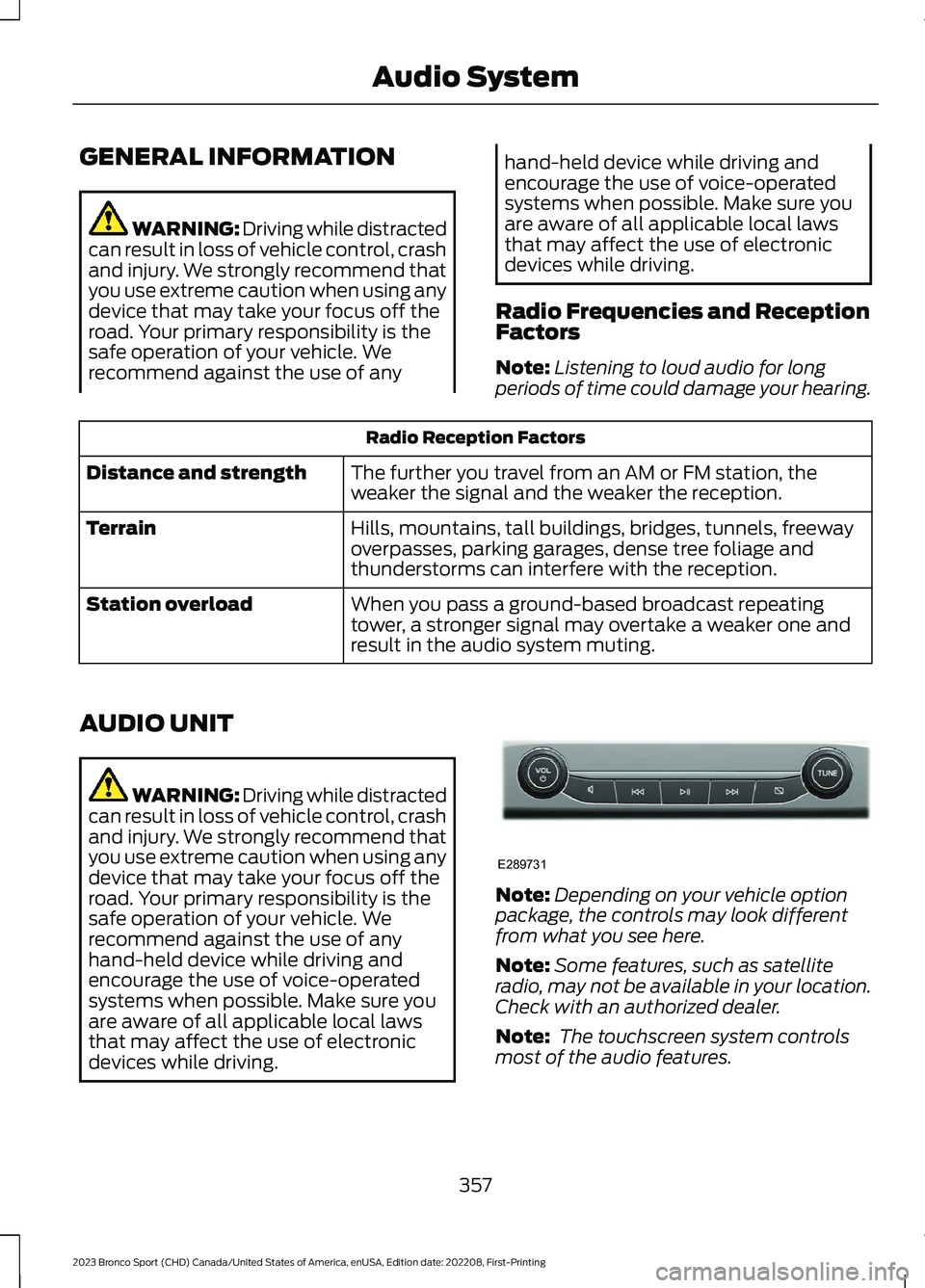
WARNING: Driving while distractedcan result in loss of vehicle control, crashand injury. We strongly recommend thatyou use extreme caution when using anydevice that may take your focus off theroad. Your primary responsibility is thesafe operation of your vehicle. Werecommend against the use of anyhand-held device while driving andencourage the use of voice-operatedsystems when possible. Make sure youare aware of all applicable local lawsthat may affect the use of electronicdevices while driving.
Note:Depending on your vehicle optionpackage, the controls may look differentfrom what you see here.
Note:Some features, such as satelliteradio, may not be available in your location.Check with an authorized dealer.
Note: The touchscreen system controlsmost of the audio features.
357
2023 Bronco Sport (CHD) Canada/United States of America, enUSA, Edition date: 202208, First-PrintingAudio SystemE289731
Page 362 of 516
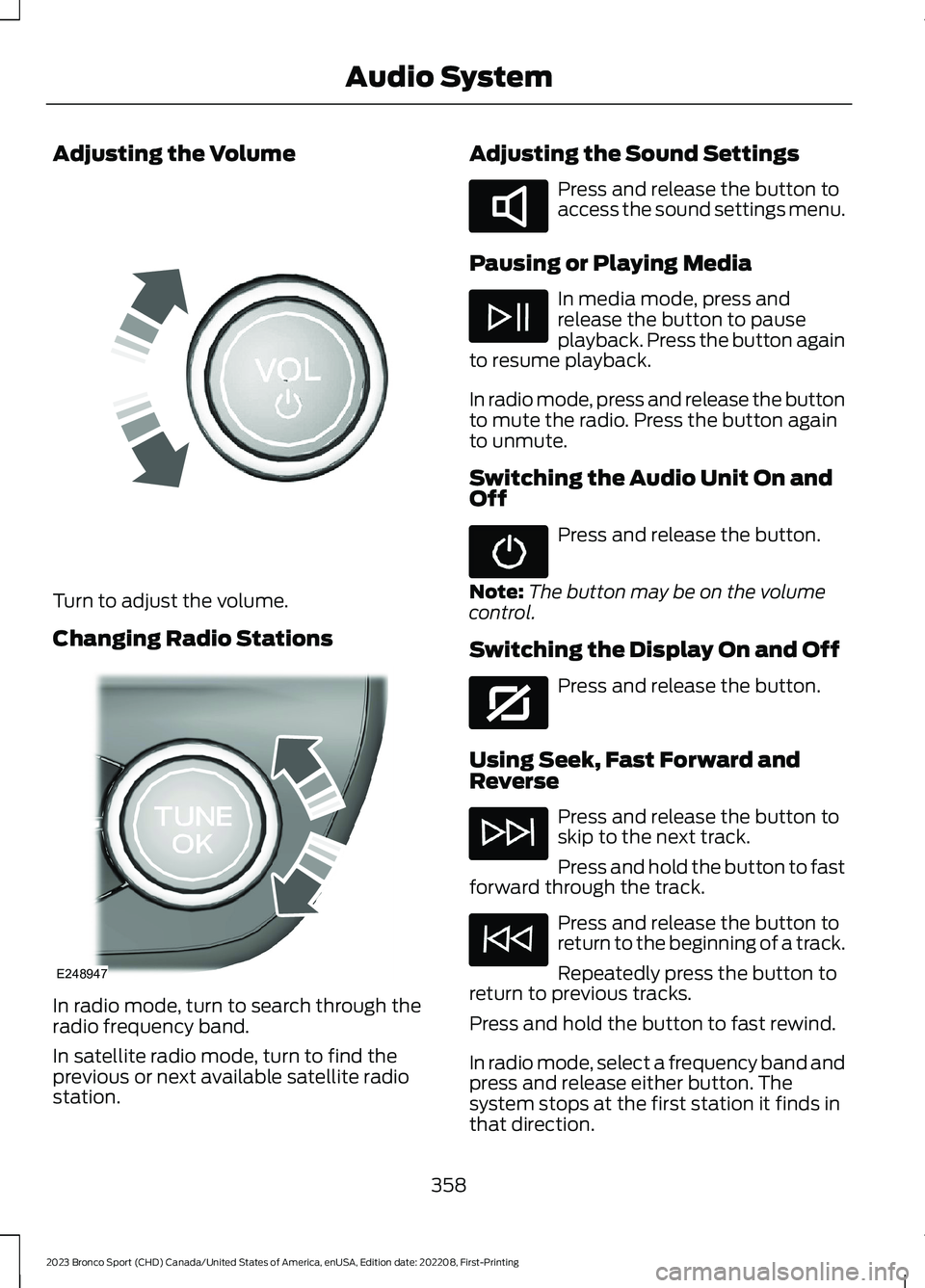
Adjusting the Volume
Turn to adjust the volume.
Changing Radio Stations
In radio mode, turn to search through theradio frequency band.
In satellite radio mode, turn to find theprevious or next available satellite radiostation.
Adjusting the Sound Settings
Press and release the button toaccess the sound settings menu.
Pausing or Playing Media
In media mode, press andrelease the button to pauseplayback. Press the button againto resume playback.
In radio mode, press and release the buttonto mute the radio. Press the button againto unmute.
Switching the Audio Unit On andOff
Press and release the button.
Note:The button may be on the volumecontrol.
Switching the Display On and Off
Press and release the button.
Using Seek, Fast Forward andReverse
Press and release the button toskip to the next track.
Press and hold the button to fastforward through the track.
Press and release the button toreturn to the beginning of a track.
Repeatedly press the button toreturn to previous tracks.
Press and hold the button to fast rewind.
In radio mode, select a frequency band andpress and release either button. Thesystem stops at the first station it finds inthat direction.
358
2023 Bronco Sport (CHD) Canada/United States of America, enUSA, Edition date: 202208, First-PrintingAudio SystemE248939 E248947 E285283 E272035