climate settings FORD BRONCO SPORT 2023 User Guide
[x] Cancel search | Manufacturer: FORD, Model Year: 2023, Model line: BRONCO SPORT, Model: FORD BRONCO SPORT 2023Pages: 516, PDF Size: 14.27 MB
Page 373 of 516
DescriptionVoice Command
Play Audiobook ___
For USB audio only, you can say the name of anartist, album, or a genre to browse by that selec-tion. Your system must finish indexing before thisoption is available. For example you can say"Browse artist The Beatles" or "Browse genrefolk".
Browse ___
Browse Artist ___
Browse Album ___
Browse Genre ___
Browse Playlist ___
Browse Audiobook ___
Browse Podcast ___
1 This option may not be available in all markets or may require a subscription.
Climate Voice Commands (If Equipped)
You can control the temperature of thevehicle using voice commands.
___ is a dynamic listing, meaning that forclimate voice commands it can be thedesired degrees for the temperaturesetting.
To adjust the temperature, say:
DescriptionVoice Command
Adjust the temperature between 60–85°F(15.5–29.5°C).Set the Temperature to ____
Phone Voice Commands
Pairing a Phone
You can use voice commands to connectyour Bluetooth®-enabled phone to thesystem.
To pair your phone, press the voice button and when prompted, say:
DescriptionVoice Command
Follow the on-screen instructions to complete the pairingprocess. See Settings (page 393).Pair Phone
369
2023 Bronco Sport (CHD) Canada/United States of America, enUSA, Edition date: 202208, First-PrintingSYNC™ 3
Page 378 of 516
DescriptionVoice Command
The system does not confirm before placing a call.Phone Confirmation Off
The system displays a short list of available commands.Voice Command Lists On
The system does not display the list of commands.Voice Command Lists Off
You can use the volume control to adjustthe volume of the system voice prompts.While prompt is active, adjust the volumecontrol up or down to your desired setting.
Note:Depending on the current climatecontrol settings, the fan speed mayautomatically go down while issuing voicecommands or while making and receivingphone calls via SYNC to reduce the amountof background noise in the vehicle. The fanspeed will automatically return to normaloperation once the voice session ends. Youcan adjust the fan speed during a voicesession, simply press the fan buttons (orturn the fan knob) to increase or decreasethe fan speed to the setting you prefer.
To disable this automatic fan speedreduction feature during voice sessions,press and hold the climate control AC andRecirculated air buttons simultaneously,release and then increase fan speed within2 seconds. To re-enable this feature, repeatthe above sequence.
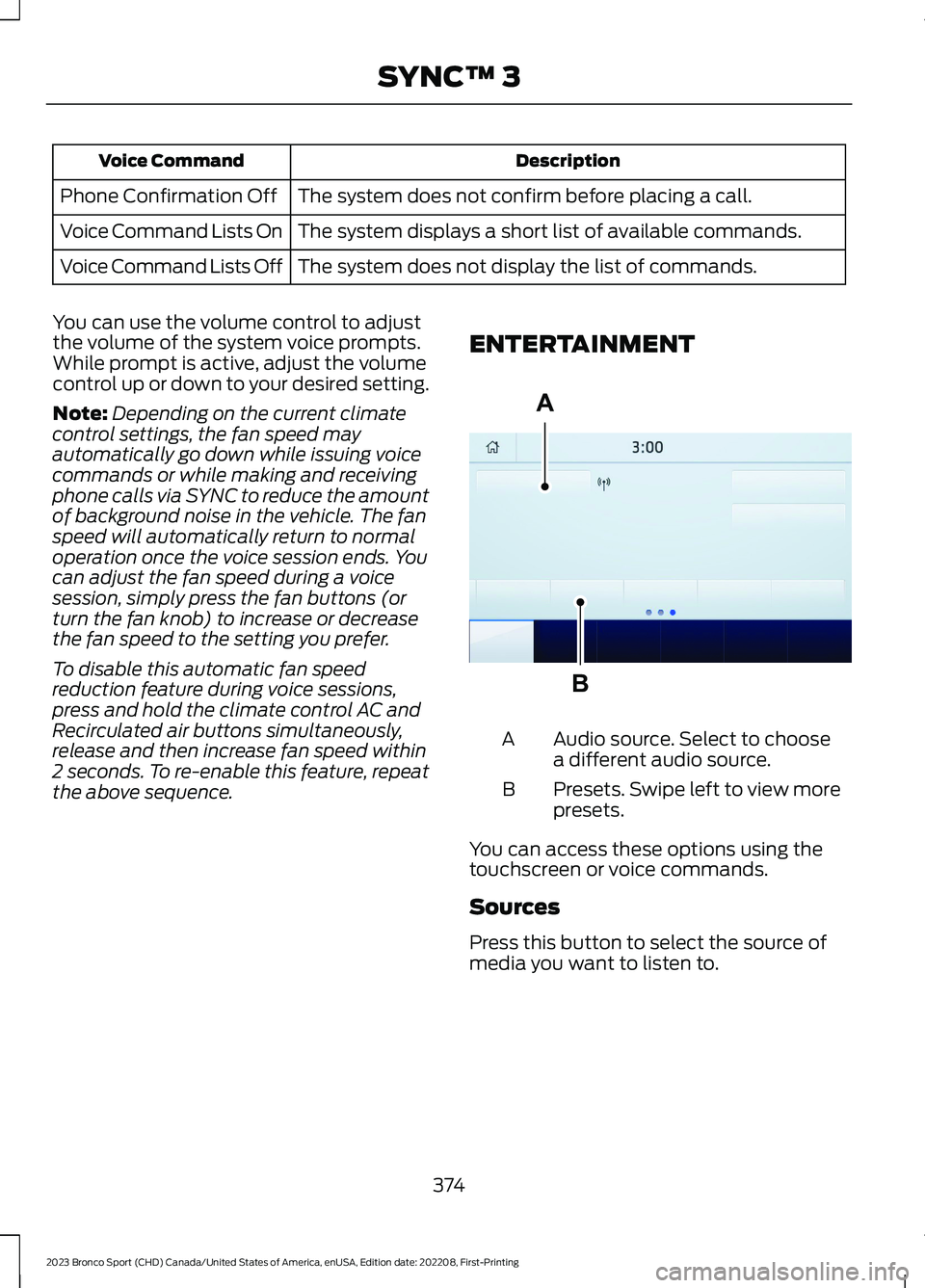
ENTERTAINMENT
Audio source. Select to choosea different audio source.A
Presets. Swipe left to view morepresets.B
You can access these options using thetouchscreen or voice commands.
Sources
Press this button to select the source ofmedia you want to listen to.
374
2023 Bronco Sport (CHD) Canada/United States of America, enUSA, Edition date: 202208, First-PrintingSYNC™ 3ABE293491
Page 509 of 516
How Does the Rear Occupant AlertSystem Work...............................................149
I
Identifying Fuse Types...............................284Identifying the Climate ControlUnit..................................................................128Ignition Switch...............................................165Information Display Control......................80Information Displays...................................104General Information..........................................104Information Messages...............................109Installing Child Restraints...........................30Instrument Cluster.........................................97Instrument Lighting Dimmer.....................86Instrument Panel............................................24Interior Air Quality........................................140Interior Lamps.................................................89Interior Mirror...................................................95Introduction.......................................................13
J
Jump Starting the Vehicle........................270
K
Keyless Entry....................................................72Keyless Starting............................................165Keys and Remote Controls........................60
L
Lane Keeping System.................................225Liftgate...............................................................75Closing the Liftgate..............................................75Opening the Liftgate...........................................75Lighting Control..............................................85Lighting..............................................................85General Information............................................85Load CarriersSee: Roof Racks and Load Carriers............246Load Carrying................................................246Load Limit......................................................246Locating the Cabin Air Filter.....................140Locating the Memory FunctionButtons...........................................................151
Locating the Power Outlets......................159Locating the USB Ports..............................157Locating the Wireless AccessoryCharger..........................................................162Locking and Unlocking.................................70Luggage Compartment.............................252Lug NutsSee: Changing a Road Wheel........................332
M
Maintenance.................................................285General Information.........................................285Manual Seats.................................................144Map Pocket.....................................................164Locating the Map Pocket................................164Memory Function...........................................151Memory Function Precautions.................151Message CenterSee: Information Displays...............................104MirrorsSee: Windows and Mirrors................................93Mobile CommunicationsEquipment..................................................468Mobile Device Data.........................................21Moonroof..........................................................96Motorcraft Parts - 1.5LEcoBoost™................................................340Motorcraft Parts - 2.0LEcoBoost™..................................................341MyKey Settings...............................................66Configurable MyKey Settings..........................66Non-Configurable MyKey Settings................66MyKey – Troubleshooting...........................68MyKey – Frequently Asked Questions.........69MyKey – Information Messages.....................68MyKey™............................................................66MyKey Settings.....................................................66MyKey – Troubleshooting.................................68
N
Navigation......................................................386Normal Scheduled Maintenance...........414
505
2023 Bronco Sport (CHD) Canada/United States of America, enUSA, Edition date: 202208, First-PrintingIndex