remote start FORD BRONCO SPORT 2023 User Guide
[x] Cancel search | Manufacturer: FORD, Model Year: 2023, Model line: BRONCO SPORT, Model: FORD BRONCO SPORT 2023Pages: 516, PDF Size: 14.27 MB
Page 124 of 516
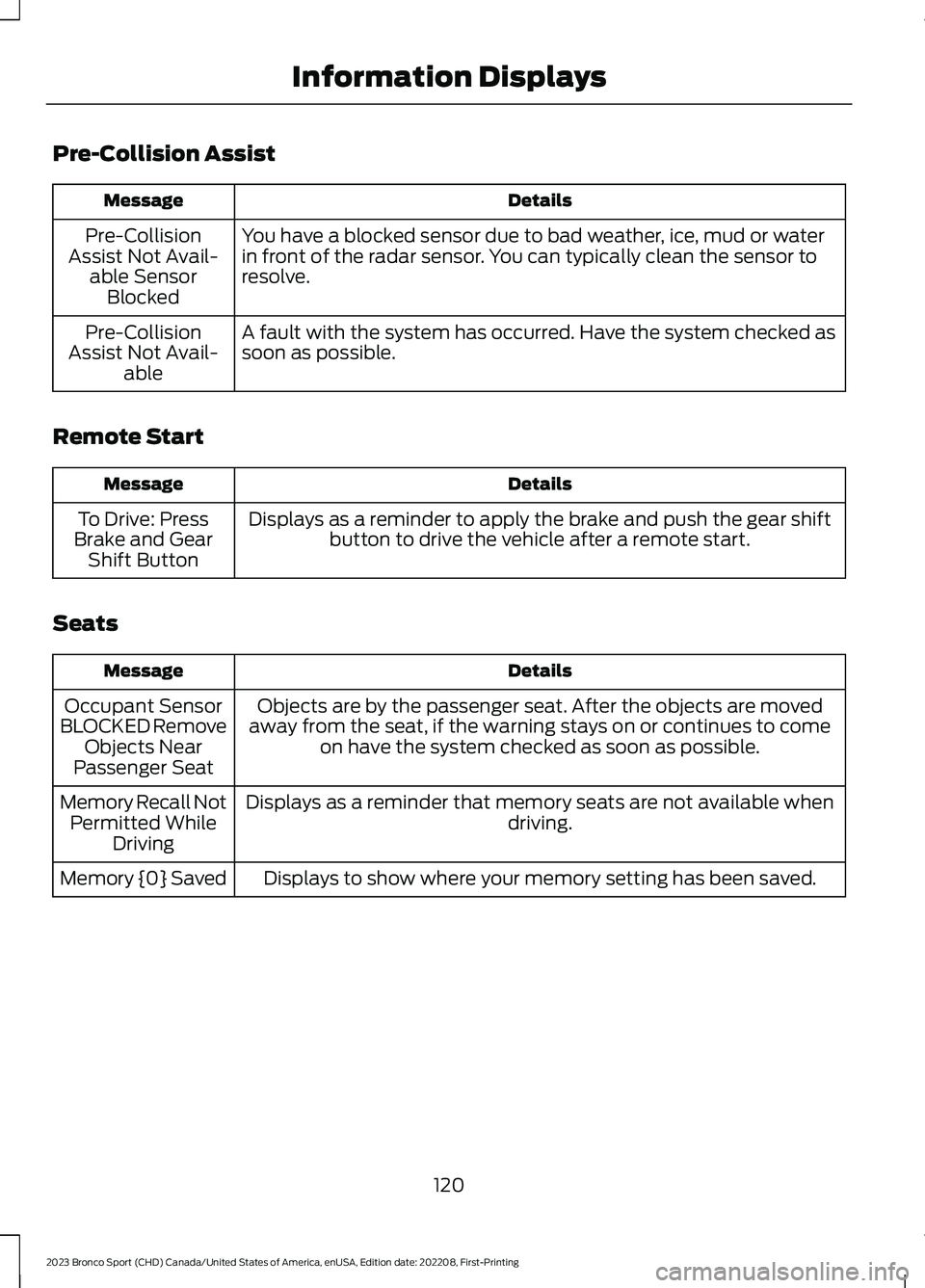
Pre-Collision Assist
DetailsMessage
You have a blocked sensor due to bad weather, ice, mud or waterin front of the radar sensor. You can typically clean the sensor toresolve.
Pre-CollisionAssist Not Avail-able SensorBlocked
A fault with the system has occurred. Have the system checked assoon as possible.Pre-CollisionAssist Not Avail-able
Remote Start
DetailsMessage
Displays as a reminder to apply the brake and push the gear shiftbutton to drive the vehicle after a remote start.To Drive: PressBrake and GearShift Button
Seats
DetailsMessage
Objects are by the passenger seat. After the objects are movedaway from the seat, if the warning stays on or continues to comeon have the system checked as soon as possible.
Occupant SensorBLOCKED RemoveObjects NearPassenger Seat
Displays as a reminder that memory seats are not available whendriving.Memory Recall NotPermitted WhileDriving
Displays to show where your memory setting has been saved.Memory {0} Saved
120
2023 Bronco Sport (CHD) Canada/United States of America, enUSA, Edition date: 202208, First-PrintingInformation Displays
Page 129 of 516

WHAT IS REMOTE START
The system allows you to remotely startyour vehicle and to adjust the interiortemperature according to the settings thatyou chose.
REMOTE START
PRECAUTIONS
WARNING: Do not start the enginein a closed garage or in other enclosedareas. Exhaust fumes are toxic. Alwaysopen the garage door before you startthe engine. Failure to follow thisinstruction could result in personal injuryor death.
REMOTE START LIMITATIONS
Remote start does not work under thefollowing conditions:
•The alarm horn is sounding.
•The hood is open.
•The transmission is not in park (P).
•The ignition is on.
•The battery voltage is below theminimum operating voltage.
•Remote start is not enabled.
Note:Do not use remote start if the fuellevel is low.
ENABLING REMOTE START
1.Press Settings on the touchscreen.
2.Press Vehicle.
3.Press Remote Start Setup.
4.Switch System on.
Note:To use remote start, make sure thatthe modem is enabled. See Connecting theVehicle to a Mobile Network (page 352).
REMOTELY STARTING AND
STOPPING THE VEHICLE
Remotely Starting the Vehicle
Press the button on the remotecontrol.
Within three seconds, press thebutton on the remote control.
Within three seconds, press thebutton again.
Note:You can also use FordPass to startthe vehicle.
Note:The vehicle doors lock when yousuccessfully remote start your vehicle.
Note:The turn signal lamps flash twice.
Note:The parking lamps turn on when thevehicle is running.
Note:The horn sounds if the system failsto start.
Note:All other vehicle systems remain offwhen you have remotely started the vehicle.
Note:The vehicle remains secured whenyou have remotely started the vehicle. Avalid key must be inside your vehicle toswitch the ignition on and drive your vehicle.
Remotely Stopping the Vehicle
Within three seconds, press thebutton on the remote control.
Within three seconds, press thebutton again.
125
2023 Bronco Sport (CHD) Canada/United States of America, enUSA, Edition date: 202208, First-PrintingRemote Start (If Equipped)E138623 E138625 E138625
Page 130 of 516
EXTENDING THE REMOTE
START DURATION
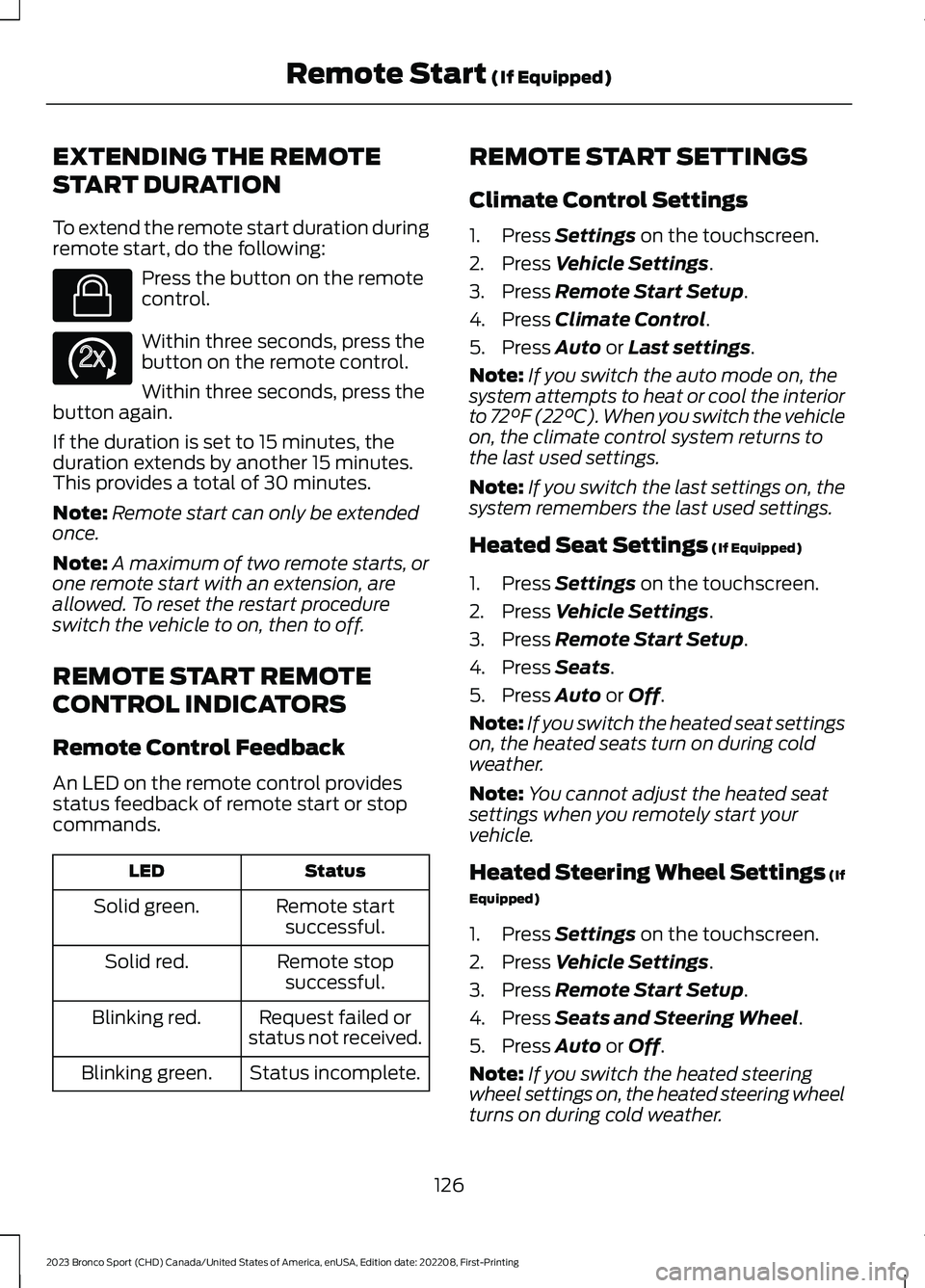
To extend the remote start duration duringremote start, do the following:
Press the button on the remotecontrol.
Within three seconds, press thebutton on the remote control.
Within three seconds, press thebutton again.
If the duration is set to 15 minutes, theduration extends by another 15 minutes.This provides a total of 30 minutes.
Note:Remote start can only be extendedonce.
Note:A maximum of two remote starts, orone remote start with an extension, areallowed. To reset the restart procedureswitch the vehicle to on, then to off.
REMOTE START REMOTE
CONTROL INDICATORS
Remote Control Feedback
An LED on the remote control providesstatus feedback of remote start or stopcommands.
StatusLED
Remote startsuccessful.Solid green.
Remote stopsuccessful.Solid red.
Request failed orstatus not received.Blinking red.
Status incomplete.Blinking green.
REMOTE START SETTINGS
Climate Control Settings
1.Press Settings on the touchscreen.
2.Press Vehicle Settings.
3.Press Remote Start Setup.
4.Press Climate Control.
5.Press Auto or Last settings.
Note:If you switch the auto mode on, thesystem attempts to heat or cool the interiorto 72°F (22°C). When you switch the vehicleon, the climate control system returns tothe last used settings.
Note:If you switch the last settings on, thesystem remembers the last used settings.
Heated Seat Settings (If Equipped)
1.Press Settings on the touchscreen.
2.Press Vehicle Settings.
3.Press Remote Start Setup.
4.Press Seats.
5.Press Auto or Off.
Note:If you switch the heated seat settingson, the heated seats turn on during coldweather.
Note:You cannot adjust the heated seatsettings when you remotely start yourvehicle.
Heated Steering Wheel Settings (If
Equipped)
1.Press Settings on the touchscreen.
2.Press Vehicle Settings.
3.Press Remote Start Setup.
4.Press Seats and Steering Wheel.
5.Press Auto or Off.
Note:If you switch the heated steeringwheel settings on, the heated steering wheelturns on during cold weather.
126
2023 Bronco Sport (CHD) Canada/United States of America, enUSA, Edition date: 202208, First-PrintingRemote Start (If Equipped)E138623 E138625
Page 131 of 516
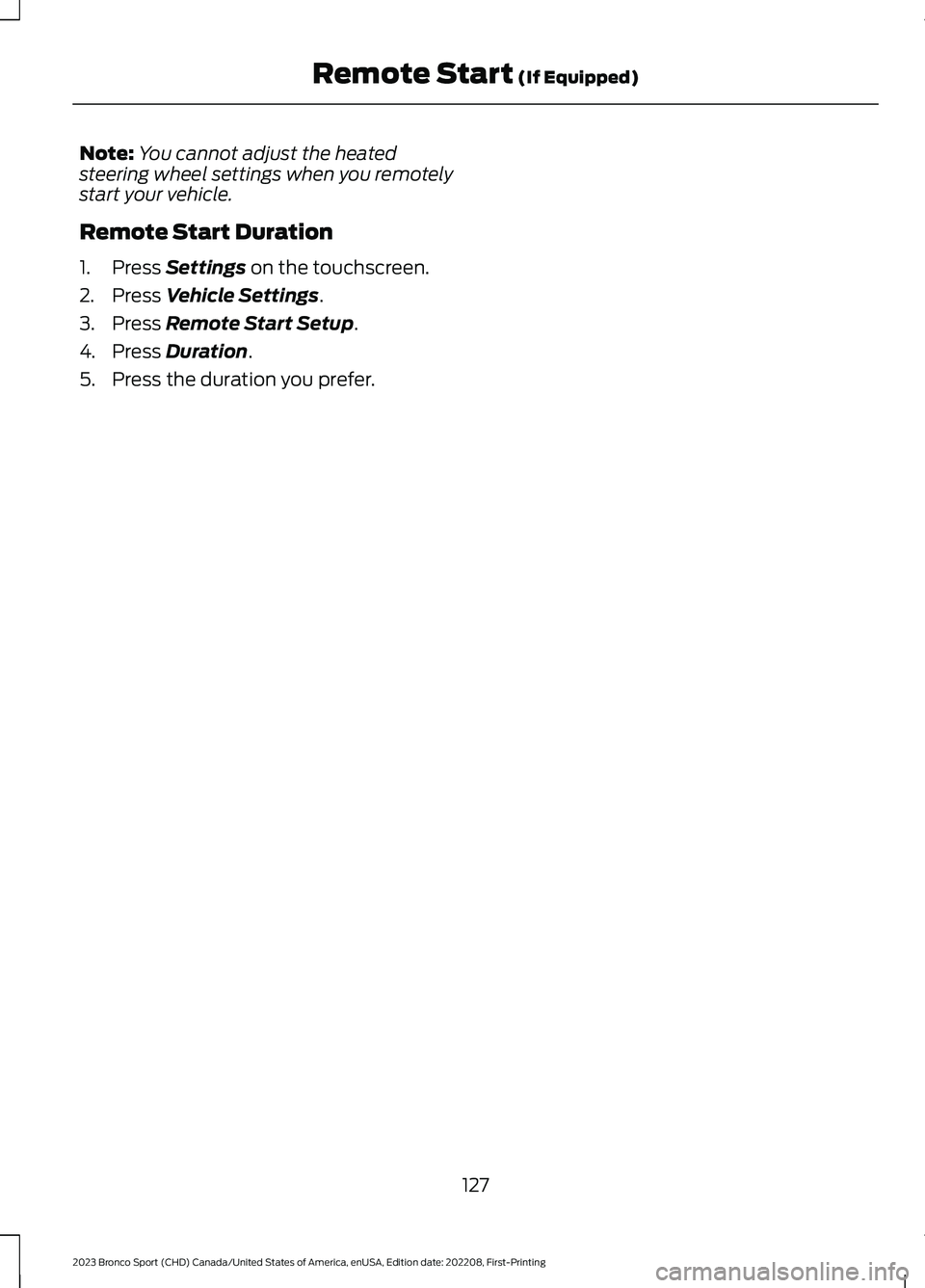
Note:You cannot adjust the heatedsteering wheel settings when you remotelystart your vehicle.
Remote Start Duration
1.Press Settings on the touchscreen.
2.Press Vehicle Settings.
3.Press Remote Start Setup.
4.Press Duration.
5.Press the duration you prefer.
127
2023 Bronco Sport (CHD) Canada/United States of America, enUSA, Edition date: 202208, First-PrintingRemote Start (If Equipped)
Page 159 of 516
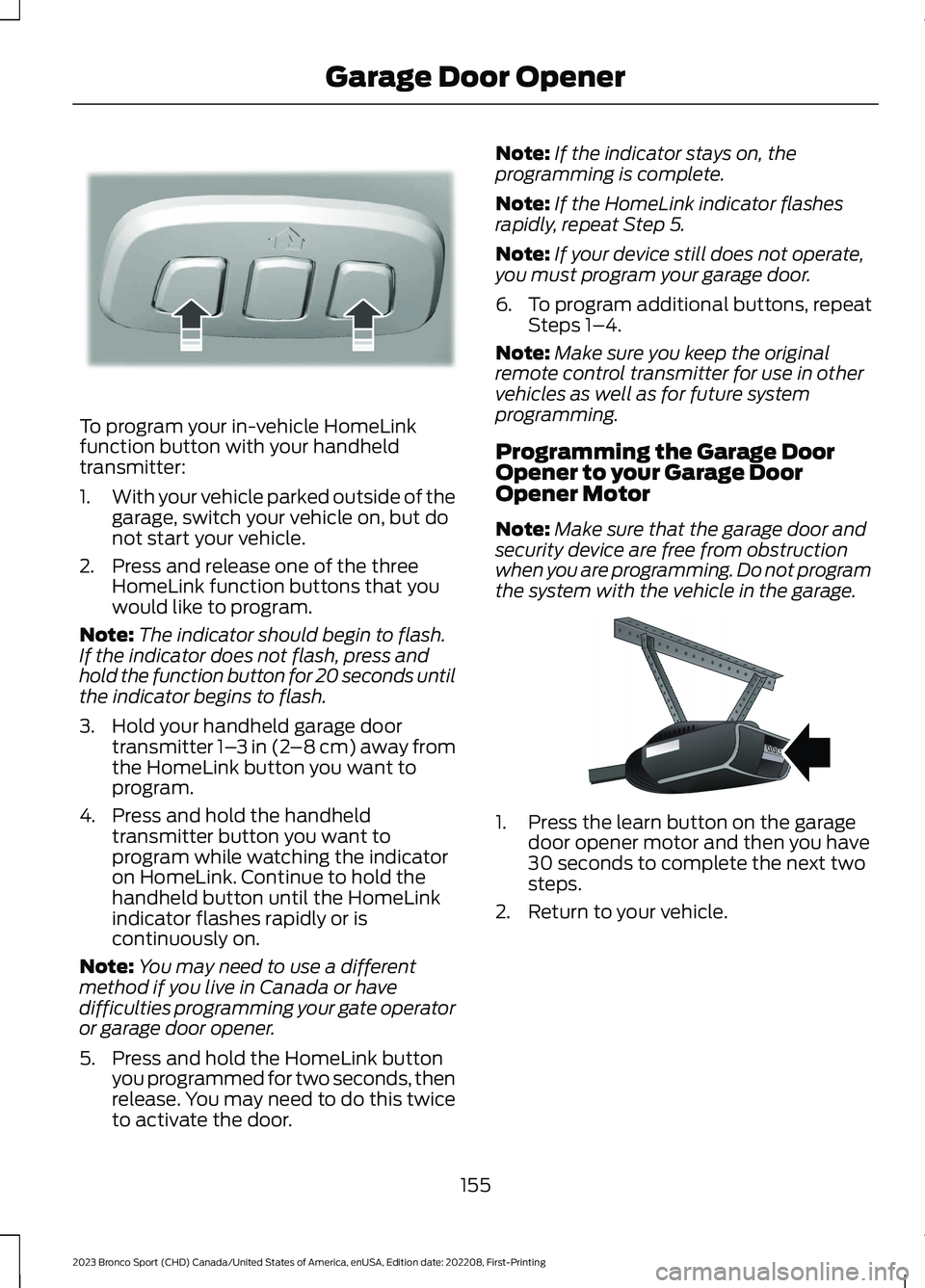
To program your in-vehicle HomeLinkfunction button with your handheldtransmitter:
1.With your vehicle parked outside of thegarage, switch your vehicle on, but donot start your vehicle.
2.Press and release one of the threeHomeLink function buttons that youwould like to program.
Note:The indicator should begin to flash.If the indicator does not flash, press andhold the function button for 20 seconds untilthe indicator begins to flash.
3.Hold your handheld garage doortransmitter 1–3 in (2–8 cm) away fromthe HomeLink button you want toprogram.
4.Press and hold the handheldtransmitter button you want toprogram while watching the indicatoron HomeLink. Continue to hold thehandheld button until the HomeLinkindicator flashes rapidly or iscontinuously on.
Note:You may need to use a differentmethod if you live in Canada or havedifficulties programming your gate operatoror garage door opener.
5.Press and hold the HomeLink buttonyou programmed for two seconds, thenrelease. You may need to do this twiceto activate the door.
Note:If the indicator stays on, theprogramming is complete.
Note:If the HomeLink indicator flashesrapidly, repeat Step 5.
Note:If your device still does not operate,you must program your garage door.
6.To program additional buttons, repeatSteps 1–4.
Note:Make sure you keep the originalremote control transmitter for use in othervehicles as well as for future systemprogramming.
Programming the Garage DoorOpener to your Garage DoorOpener Motor
Note:Make sure that the garage door andsecurity device are free from obstructionwhen you are programming. Do not programthe system with the vehicle in the garage.
1.Press the learn button on the garagedoor opener motor and then you have30 seconds to complete the next twosteps.
2.Return to your vehicle.
155
2023 Bronco Sport (CHD) Canada/United States of America, enUSA, Edition date: 202208, First-PrintingGarage Door OpenerE188213 E142659
Page 187 of 516
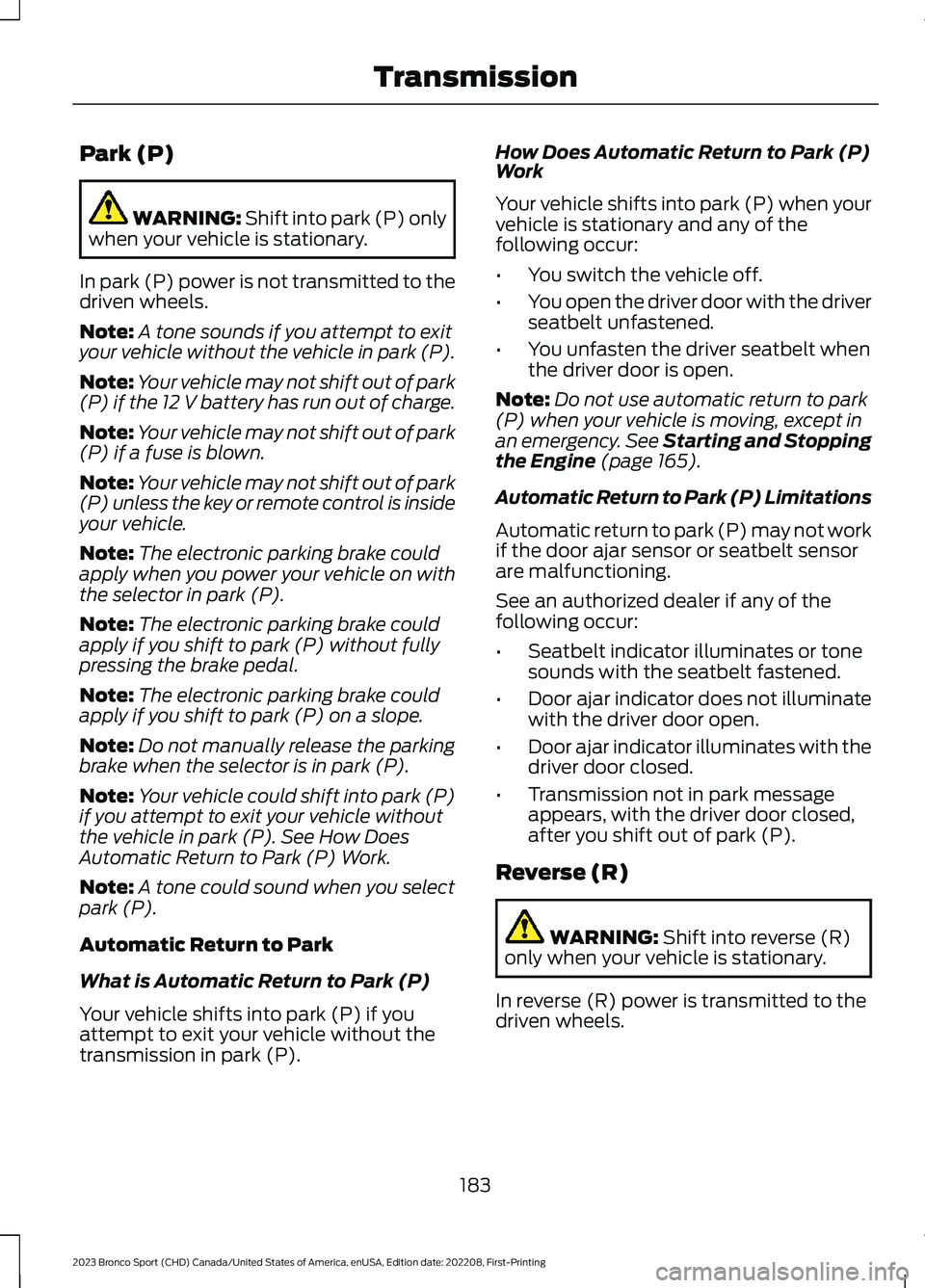
Park (P)
WARNING: Shift into park (P) onlywhen your vehicle is stationary.
In park (P) power is not transmitted to thedriven wheels.
Note:A tone sounds if you attempt to exityour vehicle without the vehicle in park (P).
Note:Your vehicle may not shift out of park(P) if the 12 V battery has run out of charge.
Note:Your vehicle may not shift out of park(P) if a fuse is blown.
Note:Your vehicle may not shift out of park(P) unless the key or remote control is insideyour vehicle.
Note:The electronic parking brake couldapply when you power your vehicle on withthe selector in park (P).
Note:The electronic parking brake couldapply if you shift to park (P) without fullypressing the brake pedal.
Note:The electronic parking brake couldapply if you shift to park (P) on a slope.
Note:Do not manually release the parkingbrake when the selector is in park (P).
Note:Your vehicle could shift into park (P)if you attempt to exit your vehicle withoutthe vehicle in park (P). See How DoesAutomatic Return to Park (P) Work.
Note:A tone could sound when you selectpark (P).
Automatic Return to Park
What is Automatic Return to Park (P)
Your vehicle shifts into park (P) if youattempt to exit your vehicle without thetransmission in park (P).
How Does Automatic Return to Park (P)Work
Your vehicle shifts into park (P) when yourvehicle is stationary and any of thefollowing occur:
•You switch the vehicle off.
•You open the driver door with the driverseatbelt unfastened.
•You unfasten the driver seatbelt whenthe driver door is open.
Note:Do not use automatic return to park(P) when your vehicle is moving, except inan emergency. See Starting and Stoppingthe Engine (page 165).
Automatic Return to Park (P) Limitations
Automatic return to park (P) may not workif the door ajar sensor or seatbelt sensorare malfunctioning.
See an authorized dealer if any of thefollowing occur:
•Seatbelt indicator illuminates or tonesounds with the seatbelt fastened.
•Door ajar indicator does not illuminatewith the driver door open.
•Door ajar indicator illuminates with thedriver door closed.
•Transmission not in park messageappears, with the driver door closed,after you shift out of park (P).
Reverse (R)
WARNING: Shift into reverse (R)only when your vehicle is stationary.
In reverse (R) power is transmitted to thedriven wheels.
183
2023 Bronco Sport (CHD) Canada/United States of America, enUSA, Edition date: 202208, First-PrintingTransmission
Page 410 of 516
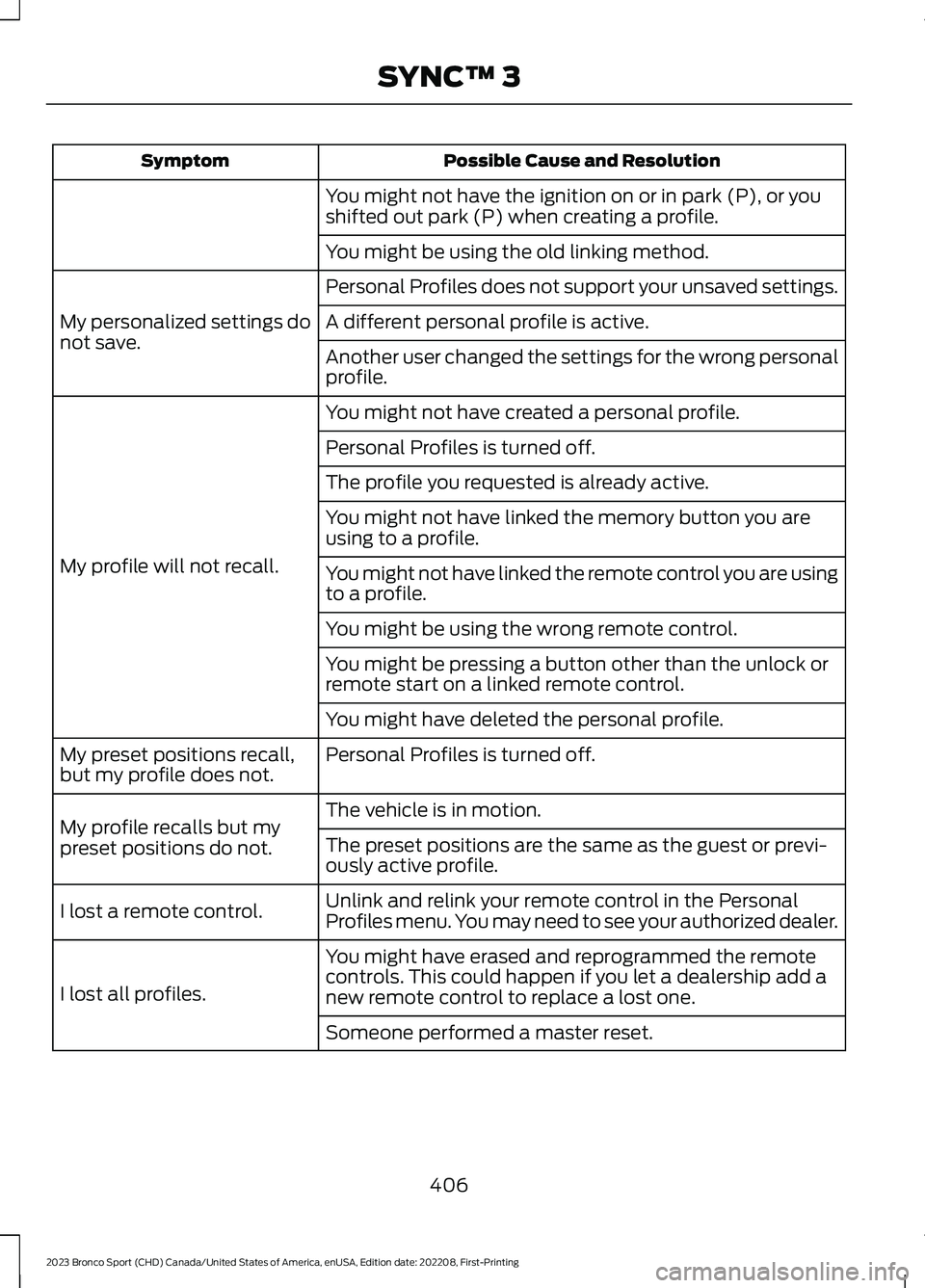
Possible Cause and ResolutionSymptom
You might not have the ignition on or in park (P), or youshifted out park (P) when creating a profile.
You might be using the old linking method.
Personal Profiles does not support your unsaved settings.
My personalized settings donot save.A different personal profile is active.
Another user changed the settings for the wrong personalprofile.
You might not have created a personal profile.
My profile will not recall.
Personal Profiles is turned off.
The profile you requested is already active.
You might not have linked the memory button you areusing to a profile.
You might not have linked the remote control you are usingto a profile.
You might be using the wrong remote control.
You might be pressing a button other than the unlock orremote start on a linked remote control.
You might have deleted the personal profile.
Personal Profiles is turned off.My preset positions recall,but my profile does not.
The vehicle is in motion.My profile recalls but mypreset positions do not.The preset positions are the same as the guest or previ-ously active profile.
Unlink and relink your remote control in the PersonalProfiles menu. You may need to see your authorized dealer.I lost a remote control.
You might have erased and reprogrammed the remotecontrols. This could happen if you let a dealership add anew remote control to replace a lost one.I lost all profiles.
Someone performed a master reset.
406
2023 Bronco Sport (CHD) Canada/United States of America, enUSA, Edition date: 202208, First-PrintingSYNC™ 3
Page 507 of 516
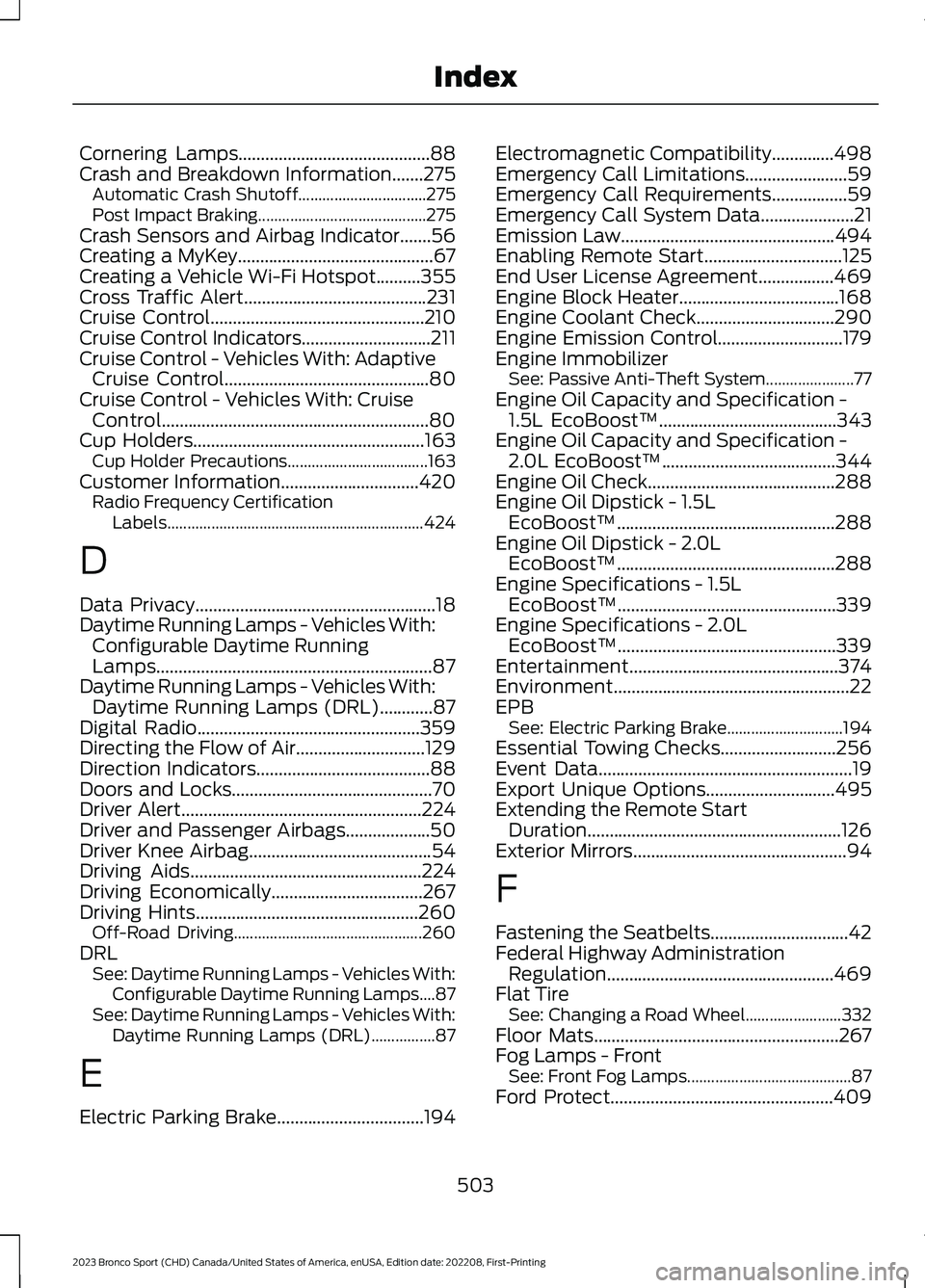
Cornering Lamps...........................................88Crash and Breakdown Information.......275Automatic Crash Shutoff................................275Post Impact Braking..........................................275Crash Sensors and Airbag Indicator.......56Creating a MyKey............................................67Creating a Vehicle Wi-Fi Hotspot..........355Cross Traffic Alert.........................................231Cruise Control................................................210Cruise Control Indicators.............................211Cruise Control - Vehicles With: AdaptiveCruise Control..............................................80Cruise Control - Vehicles With: CruiseControl............................................................80Cup Holders....................................................163Cup Holder Precautions...................................163Customer Information...............................420Radio Frequency CertificationLabels................................................................424
D
Data Privacy......................................................18Daytime Running Lamps - Vehicles With:Configurable Daytime RunningLamps..............................................................87Daytime Running Lamps - Vehicles With:Daytime Running Lamps (DRL)............87Digital Radio..................................................359Directing the Flow of Air.............................129Direction Indicators.......................................88Doors and Locks.............................................70Driver Alert......................................................224Driver and Passenger Airbags...................50Driver Knee Airbag.........................................54Driving Aids....................................................224Driving Economically..................................267Driving Hints..................................................260Off-Road Driving...............................................260DRLSee: Daytime Running Lamps - Vehicles With:Configurable Daytime Running Lamps....87See: Daytime Running Lamps - Vehicles With:Daytime Running Lamps (DRL)................87
E
Electric Parking Brake.................................194
Electromagnetic Compatibility..............498Emergency Call Limitations.......................59Emergency Call Requirements.................59Emergency Call System Data.....................21Emission Law................................................494Enabling Remote Start...............................125End User License Agreement.................469Engine Block Heater....................................168Engine Coolant Check...............................290Engine Emission Control............................179Engine ImmobilizerSee: Passive Anti-Theft System......................77Engine Oil Capacity and Specification -1.5L EcoBoost™........................................343Engine Oil Capacity and Specification -2.0L EcoBoost™.......................................344Engine Oil Check..........................................288Engine Oil Dipstick - 1.5LEcoBoost™.................................................288Engine Oil Dipstick - 2.0LEcoBoost™.................................................288Engine Specifications - 1.5LEcoBoost™.................................................339Engine Specifications - 2.0LEcoBoost™.................................................339Entertainment...............................................374Environment.....................................................22EPBSee: Electric Parking Brake.............................194Essential Towing Checks..........................256Event Data.........................................................19Export Unique Options.............................495Extending the Remote StartDuration.........................................................126Exterior Mirrors................................................94
F
Fastening the Seatbelts...............................42Federal Highway AdministrationRegulation...................................................469Flat TireSee: Changing a Road Wheel........................332Floor Mats.......................................................267Fog Lamps - FrontSee: Front Fog Lamps.........................................87Ford Protect..................................................409
503
2023 Bronco Sport (CHD) Canada/United States of America, enUSA, Edition date: 202208, First-PrintingIndex
Page 509 of 516
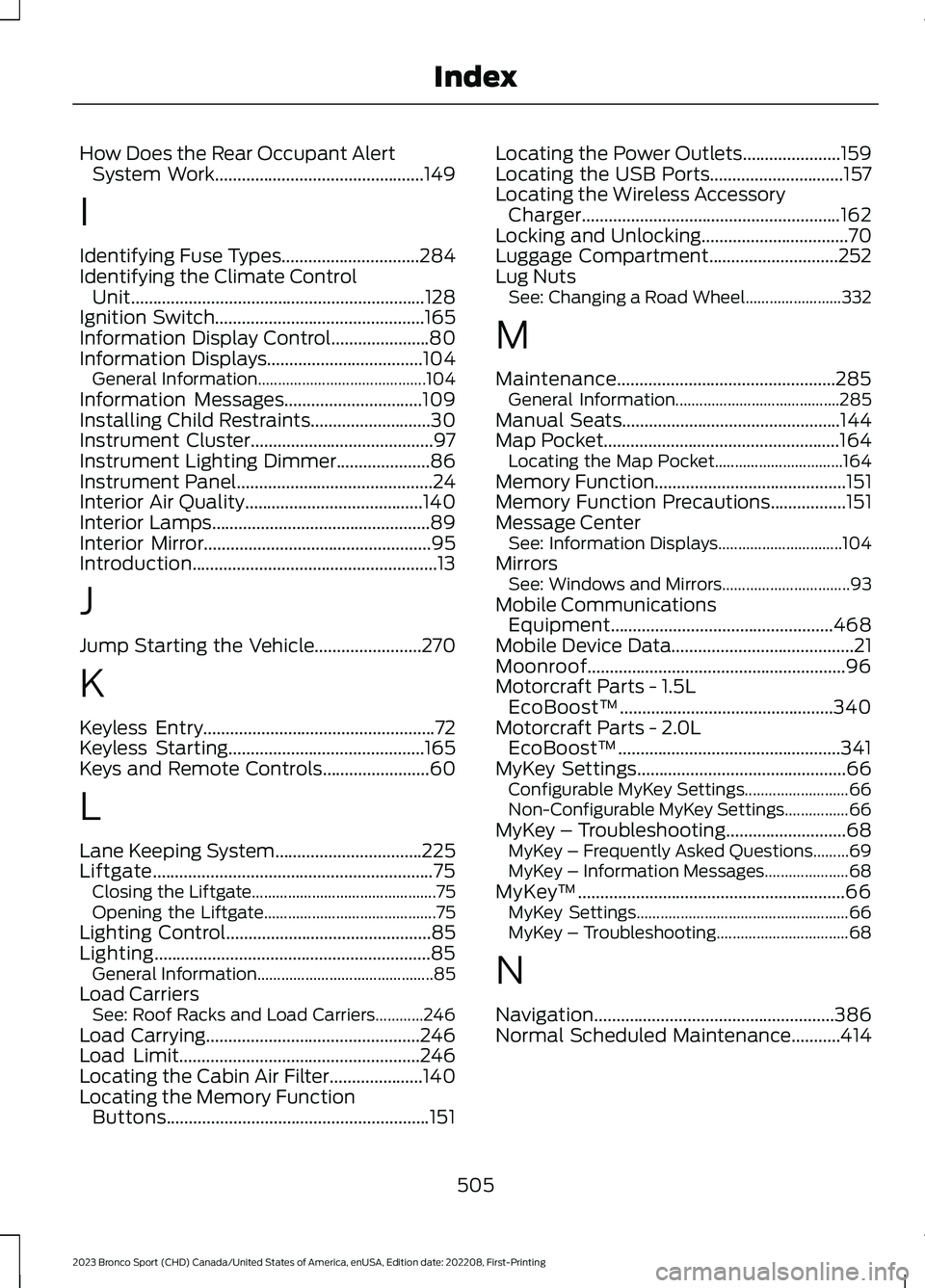
How Does the Rear Occupant AlertSystem Work...............................................149
I
Identifying Fuse Types...............................284Identifying the Climate ControlUnit..................................................................128Ignition Switch...............................................165Information Display Control......................80Information Displays...................................104General Information..........................................104Information Messages...............................109Installing Child Restraints...........................30Instrument Cluster.........................................97Instrument Lighting Dimmer.....................86Instrument Panel............................................24Interior Air Quality........................................140Interior Lamps.................................................89Interior Mirror...................................................95Introduction.......................................................13
J
Jump Starting the Vehicle........................270
K
Keyless Entry....................................................72Keyless Starting............................................165Keys and Remote Controls........................60
L
Lane Keeping System.................................225Liftgate...............................................................75Closing the Liftgate..............................................75Opening the Liftgate...........................................75Lighting Control..............................................85Lighting..............................................................85General Information............................................85Load CarriersSee: Roof Racks and Load Carriers............246Load Carrying................................................246Load Limit......................................................246Locating the Cabin Air Filter.....................140Locating the Memory FunctionButtons...........................................................151
Locating the Power Outlets......................159Locating the USB Ports..............................157Locating the Wireless AccessoryCharger..........................................................162Locking and Unlocking.................................70Luggage Compartment.............................252Lug NutsSee: Changing a Road Wheel........................332
M
Maintenance.................................................285General Information.........................................285Manual Seats.................................................144Map Pocket.....................................................164Locating the Map Pocket................................164Memory Function...........................................151Memory Function Precautions.................151Message CenterSee: Information Displays...............................104MirrorsSee: Windows and Mirrors................................93Mobile CommunicationsEquipment..................................................468Mobile Device Data.........................................21Moonroof..........................................................96Motorcraft Parts - 1.5LEcoBoost™................................................340Motorcraft Parts - 2.0LEcoBoost™..................................................341MyKey Settings...............................................66Configurable MyKey Settings..........................66Non-Configurable MyKey Settings................66MyKey – Troubleshooting...........................68MyKey – Frequently Asked Questions.........69MyKey – Information Messages.....................68MyKey™............................................................66MyKey Settings.....................................................66MyKey – Troubleshooting.................................68
N
Navigation......................................................386Normal Scheduled Maintenance...........414
505
2023 Bronco Sport (CHD) Canada/United States of America, enUSA, Edition date: 202208, First-PrintingIndex
Page 511 of 516
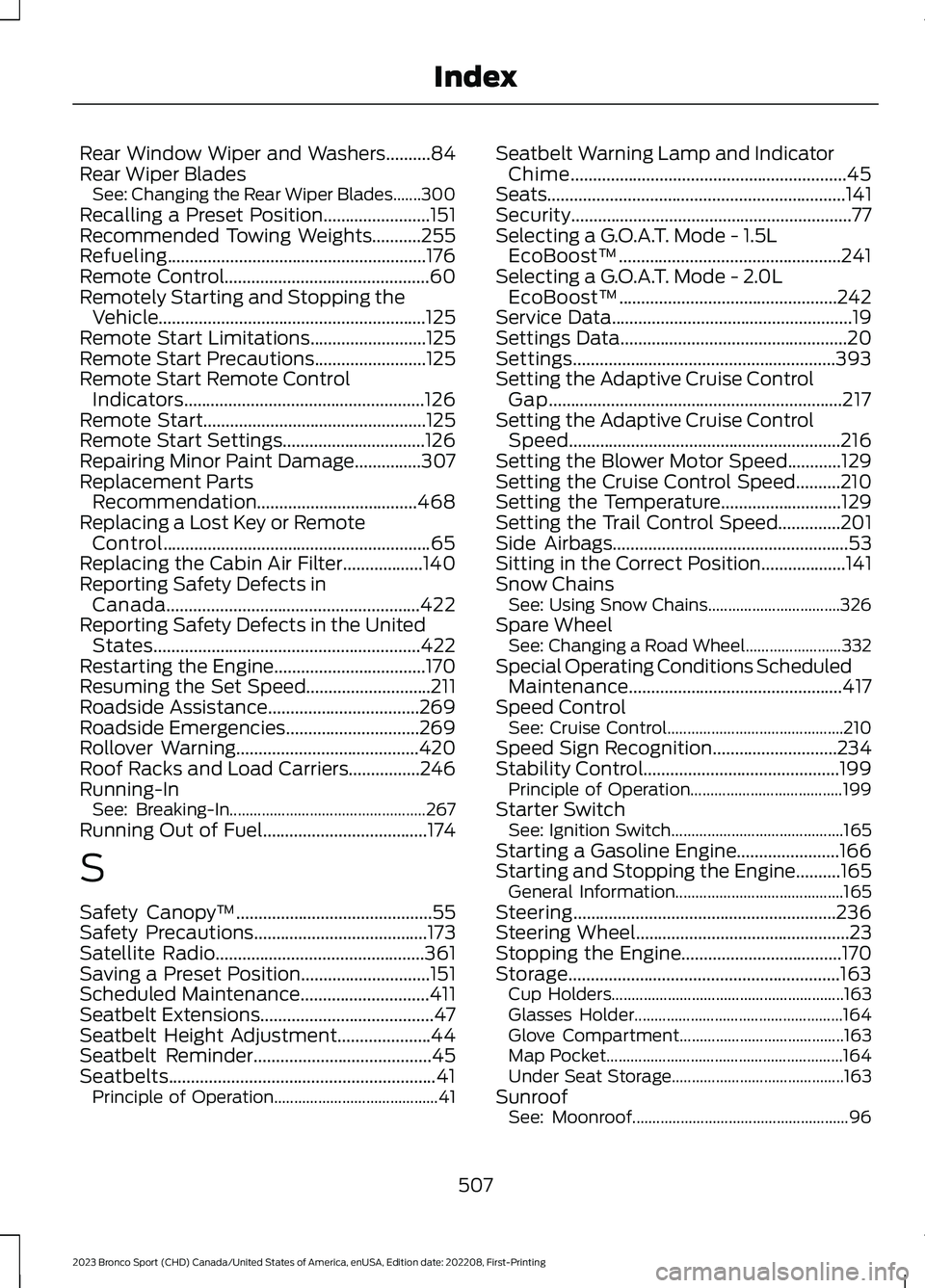
Rear Window Wiper and Washers..........84Rear Wiper BladesSee: Changing the Rear Wiper Blades.......300Recalling a Preset Position........................151Recommended Towing Weights...........255Refueling..........................................................176Remote Control..............................................60Remotely Starting and Stopping theVehicle............................................................125Remote Start Limitations..........................125Remote Start Precautions.........................125Remote Start Remote ControlIndicators......................................................126Remote Start..................................................125Remote Start Settings................................126Repairing Minor Paint Damage...............307Replacement PartsRecommendation....................................468Replacing a Lost Key or RemoteControl............................................................65Replacing the Cabin Air Filter..................140Reporting Safety Defects inCanada.........................................................422Reporting Safety Defects in the UnitedStates............................................................422Restarting the Engine..................................170Resuming the Set Speed............................211Roadside Assistance..................................269Roadside Emergencies..............................269Rollover Warning.........................................420Roof Racks and Load Carriers................246Running-InSee: Breaking-In.................................................267Running Out of Fuel.....................................174
S
Safety Canopy™............................................55Safety Precautions.......................................173Satellite Radio...............................................361Saving a Preset Position.............................151Scheduled Maintenance.............................411Seatbelt Extensions.......................................47Seatbelt Height Adjustment.....................44Seatbelt Reminder........................................45Seatbelts............................................................41Principle of Operation.........................................41
Seatbelt Warning Lamp and IndicatorChime..............................................................45Seats...................................................................141Security...............................................................77Selecting a G.O.A.T. Mode - 1.5LEcoBoost™..................................................241Selecting a G.O.A.T. Mode - 2.0LEcoBoost™.................................................242Service Data......................................................19Settings Data...................................................20Settings...........................................................393Setting the Adaptive Cruise ControlGap..................................................................217Setting the Adaptive Cruise ControlSpeed.............................................................216Setting the Blower Motor Speed............129Setting the Cruise Control Speed..........210Setting the Temperature...........................129Setting the Trail Control Speed..............201Side Airbags.....................................................53Sitting in the Correct Position...................141Snow ChainsSee: Using Snow Chains.................................326Spare WheelSee: Changing a Road Wheel........................332Special Operating Conditions ScheduledMaintenance................................................417Speed ControlSee: Cruise Control............................................210Speed Sign Recognition............................234Stability Control............................................199Principle of Operation......................................199Starter SwitchSee: Ignition Switch...........................................165Starting a Gasoline Engine.......................166Starting and Stopping the Engine..........165General Information..........................................165Steering...........................................................236Steering Wheel................................................23Stopping the Engine....................................170Storage.............................................................163Cup Holders..........................................................163Glasses Holder....................................................164Glove Compartment.........................................163Map Pocket...........................................................164Under Seat Storage...........................................163SunroofSee: Moonroof......................................................96
507
2023 Bronco Sport (CHD) Canada/United States of America, enUSA, Edition date: 202208, First-PrintingIndex