wheel FORD BRONCO SPORT 2023 Workshop Manual
[x] Cancel search | Manufacturer: FORD, Model Year: 2023, Model line: BRONCO SPORT, Model: FORD BRONCO SPORT 2023Pages: 516, PDF Size: 14.27 MB
Page 242 of 516
Distance Indication and Alert (If
Equipped)
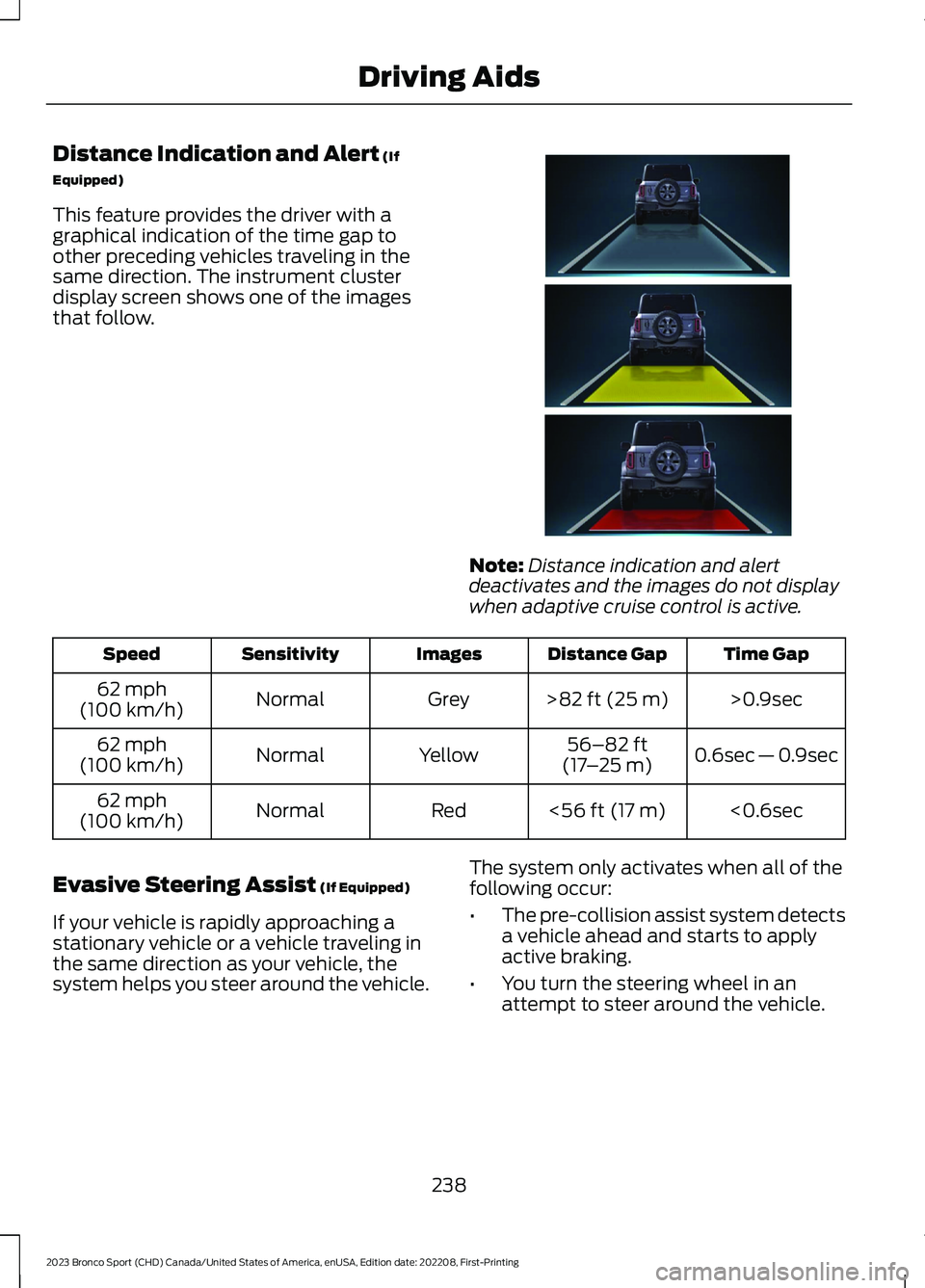
This feature provides the driver with agraphical indication of the time gap toother preceding vehicles traveling in thesame direction. The instrument clusterdisplay screen shows one of the imagesthat follow.
Note:Distance indication and alertdeactivates and the images do not displaywhen adaptive cruise control is active.
Time GapDistance GapImagesSensitivitySpeed
>0.9sec>82 ft (25 m)GreyNormal62 mph(100 km/h)
0.6sec — 0.9sec56–82 ft(17–25 m)YellowNormal62 mph(100 km/h)
<0.6sec<56 ft (17 m)RedNormal62 mph(100 km/h)
Evasive Steering Assist (If Equipped)
If your vehicle is rapidly approaching astationary vehicle or a vehicle traveling inthe same direction as your vehicle, thesystem helps you steer around the vehicle.
The system only activates when all of thefollowing occur:
•The pre-collision assist system detectsa vehicle ahead and starts to applyactive braking.
•You turn the steering wheel in anattempt to steer around the vehicle.
238
2023 Bronco Sport (CHD) Canada/United States of America, enUSA, Edition date: 202208, First-PrintingDriving AidsE357884
Page 243 of 516
After you turn the steering wheel, thesystem applies additional steering torqueto help you steer around the vehicle. Afteryou pass the vehicle, the system appliessteering torque in the opposite direction toencourage you to steer back into the lane.The system deactivates after you fully passthe vehicle.
Note:The system does not automaticallysteer around a vehicle. If you do not turn thesteering wheel, the system does notactivate.
Note:The system does not activate if thedistance to the vehicle ahead is too smalland you cannot avoid a crash.
Note:The system does not activate forcyclists or pedestrians.
Adjusting the Pre-Collision AssistSettings
Depending on your vehicle options, thepre-collision assist settings can be in thefollowing:
•instrument cluster display. SeeGeneral Information (page 104).
•Touchscreen. See Settings (page 393).
You can adjust the following settings:
•Change alert and distance alertsensitivity to one of three possiblesettings.
•Switch distance indication and alert onor off.
•If required, switch active braking on oroff.
•If required, switch evasive steeringassist on or off.
Note:Active braking and evasive steeringassist turn on every time you switch theignition on.
Note:If you switch active braking off,evasive steering assist turns off.
Blocked Sensors
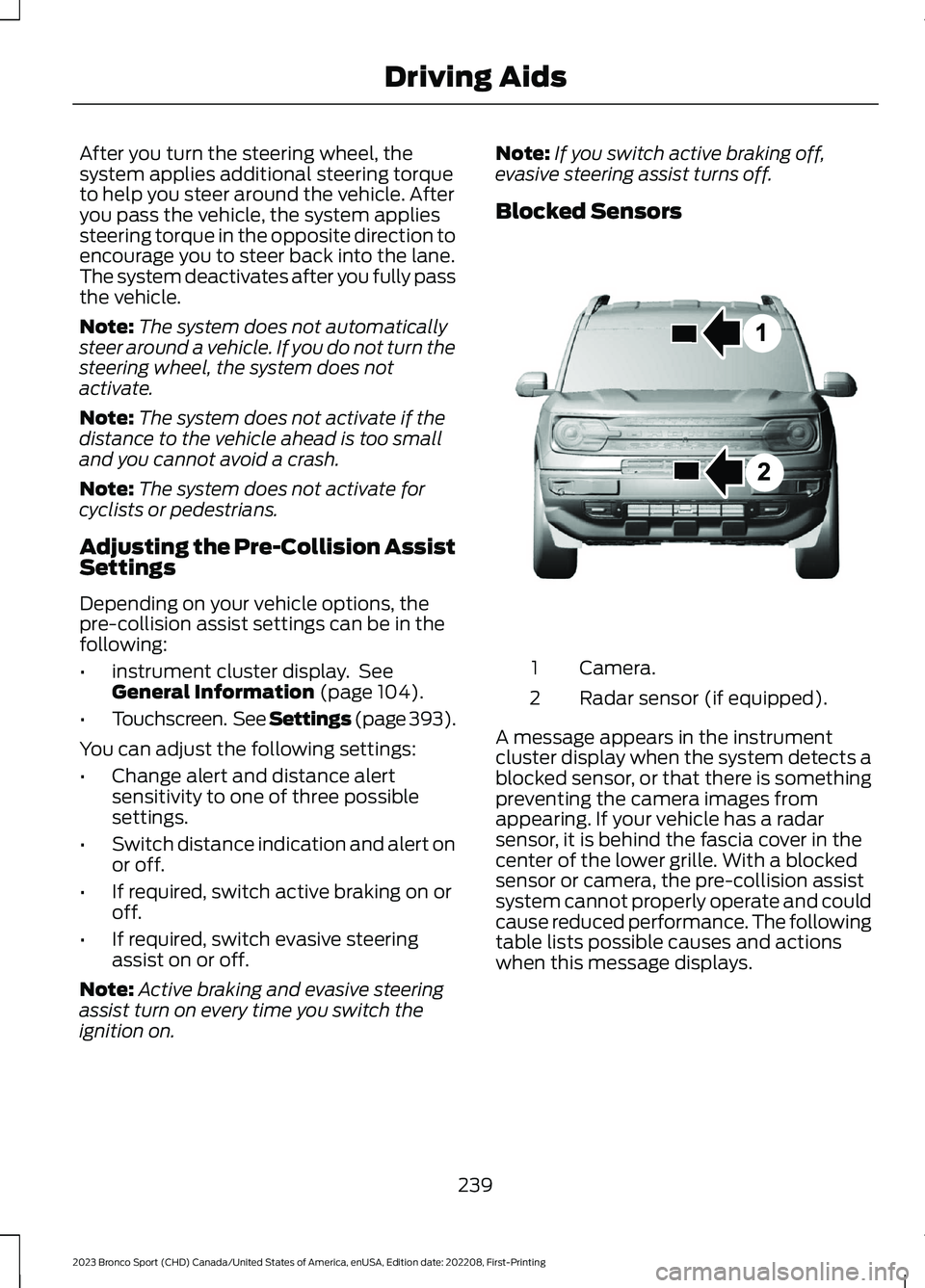
Camera.1
Radar sensor (if equipped).2
A message appears in the instrumentcluster display when the system detects ablocked sensor, or that there is somethingpreventing the camera images fromappearing. If your vehicle has a radarsensor, it is behind the fascia cover in thecenter of the lower grille. With a blockedsensor or camera, the pre-collision assistsystem cannot properly operate and couldcause reduced performance. The followingtable lists possible causes and actionswhen this message displays.
239
2023 Bronco Sport (CHD) Canada/United States of America, enUSA, Edition date: 202208, First-PrintingDriving AidsE325781
Page 245 of 516
WHAT IS G.O.A.T. MODE
CONTROL
Your vehicle has several goes overany-type of terrain (G.O.A.T.) modes thatyou can select for different drivingconditions. Depending on the mode thatyou select, the system adjusts variousvehicle settings.
HOW DOES G.O.A.T. MODE
CONTROL WORK
Each selectable mode changes variouselectronic and mechanical settings withinyour vehicle to tailor its performance anddriving characteristics to on-road oroff-road driving conditions. The systemcan alter steering feel and effort, tractioncontrol, stability control, chassis controls,powertrain response, transmission shiftpoints, four-wheel driveline settings andthe exhaust noise level to apre-determined setting, depending uponthe mode that you select.
Your vehicle reverts to normal mode eachtime you start it.
Note:Your vehicle has diagnostic checksthat continuously monitor all systems forproper operation. If a mode is unavailabledue to a system fault, your vehicle defaultsto normal mode and the driveline remainsin the four-wheel drive setting that you lastselected prior to the system fault.
SELECTING A G.O.A.T. MODE -
1.5L ECOBOOST™
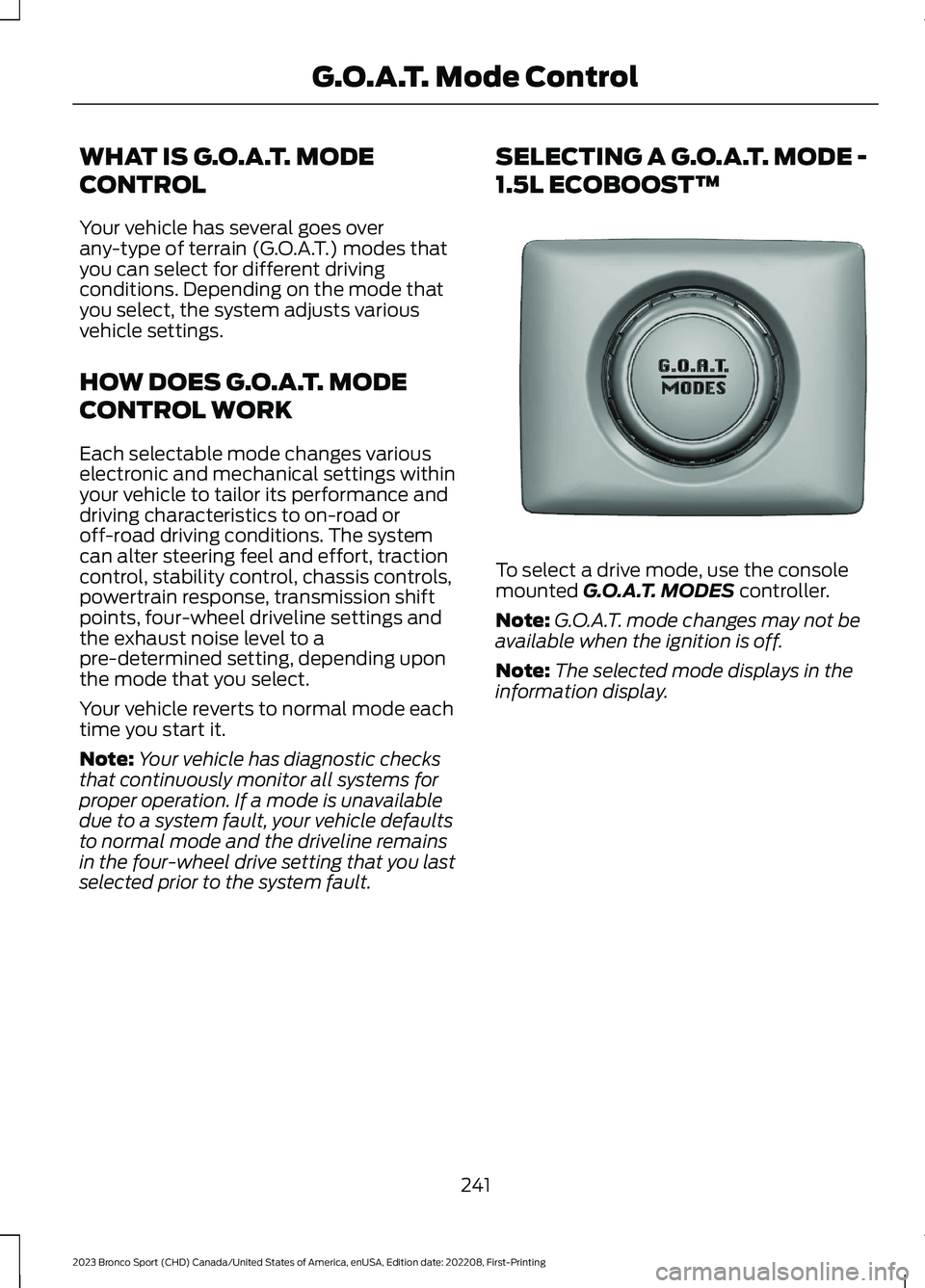
To select a drive mode, use the consolemounted G.O.A.T. MODES controller.
Note:G.O.A.T. mode changes may not beavailable when the ignition is off.
Note:The selected mode displays in theinformation display.
241
2023 Bronco Sport (CHD) Canada/United States of America, enUSA, Edition date: 202208, First-PrintingG.O.A.T. Mode ControlE339228
Page 246 of 516
SELECTING A G.O.A.T. MODE -
2.0L ECOBOOST™
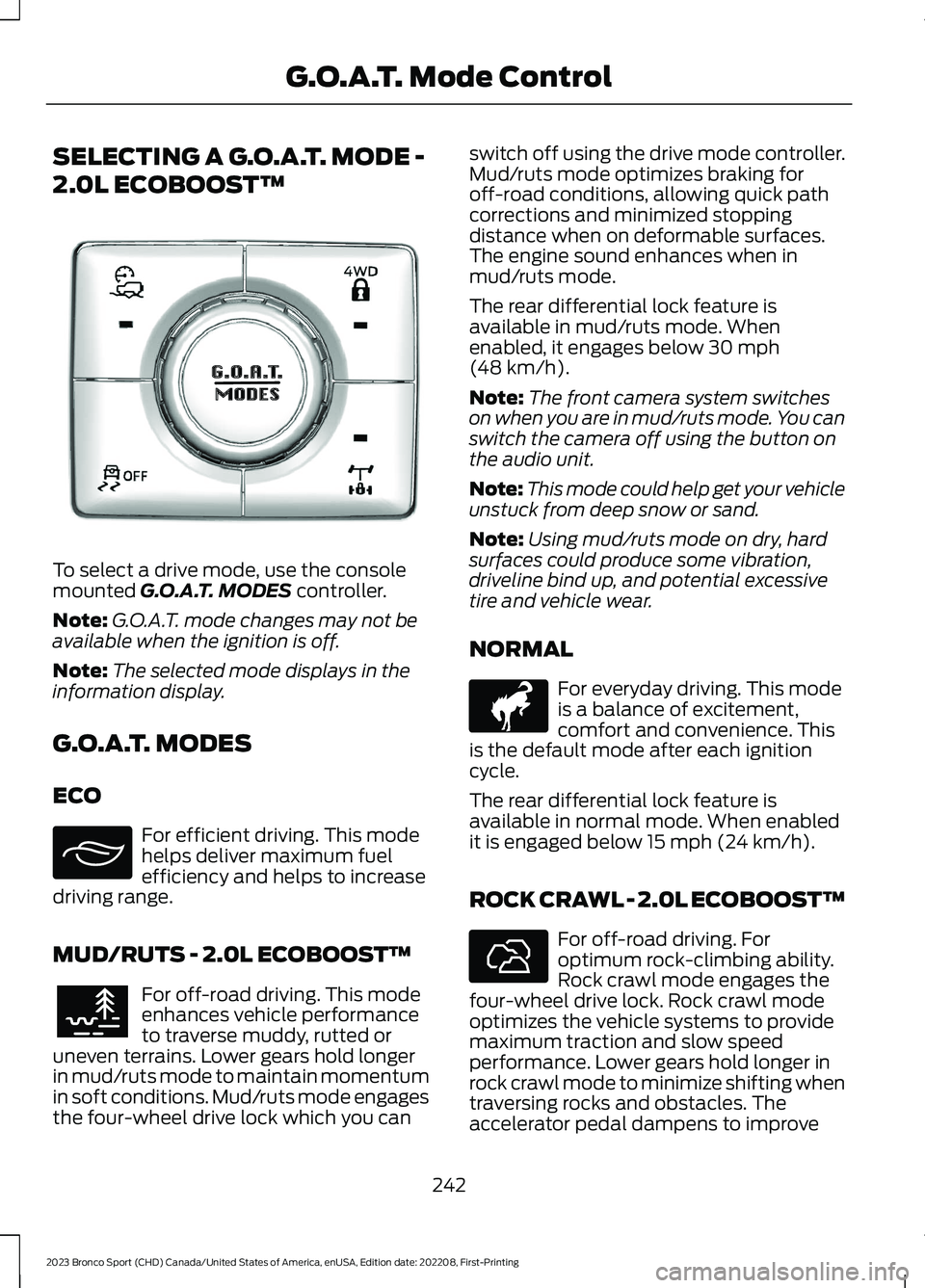
To select a drive mode, use the consolemounted G.O.A.T. MODES controller.
Note:G.O.A.T. mode changes may not beavailable when the ignition is off.
Note:The selected mode displays in theinformation display.
G.O.A.T. MODES
ECO
For efficient driving. This modehelps deliver maximum fuelefficiency and helps to increasedriving range.
MUD/RUTS - 2.0L ECOBOOST™
For off-road driving. This modeenhances vehicle performanceto traverse muddy, rutted oruneven terrains. Lower gears hold longerin mud/ruts mode to maintain momentumin soft conditions. Mud/ruts mode engagesthe four-wheel drive lock which you can
switch off using the drive mode controller.Mud/ruts mode optimizes braking foroff-road conditions, allowing quick pathcorrections and minimized stoppingdistance when on deformable surfaces.The engine sound enhances when inmud/ruts mode.
The rear differential lock feature isavailable in mud/ruts mode. Whenenabled, it engages below 30 mph(48 km/h).
Note:The front camera system switcheson when you are in mud/ruts mode. You canswitch the camera off using the button onthe audio unit.
Note:This mode could help get your vehicleunstuck from deep snow or sand.
Note:Using mud/ruts mode on dry, hardsurfaces could produce some vibration,driveline bind up, and potential excessivetire and vehicle wear.
NORMAL
For everyday driving. This modeis a balance of excitement,comfort and convenience. Thisis the default mode after each ignitioncycle.
The rear differential lock feature isavailable in normal mode. When enabledit is engaged below 15 mph (24 km/h).
ROCK CRAWL - 2.0L ECOBOOST™
For off-road driving. Foroptimum rock-climbing ability.Rock crawl mode engages thefour-wheel drive lock. Rock crawl modeoptimizes the vehicle systems to providemaximum traction and slow speedperformance. Lower gears hold longer inrock crawl mode to minimize shifting whentraversing rocks and obstacles. Theaccelerator pedal dampens to improve
242
2023 Bronco Sport (CHD) Canada/United States of America, enUSA, Edition date: 202208, First-PrintingG.O.A.T. Mode ControlE339229 E295413 E296606 E317283 E322413
Page 247 of 516
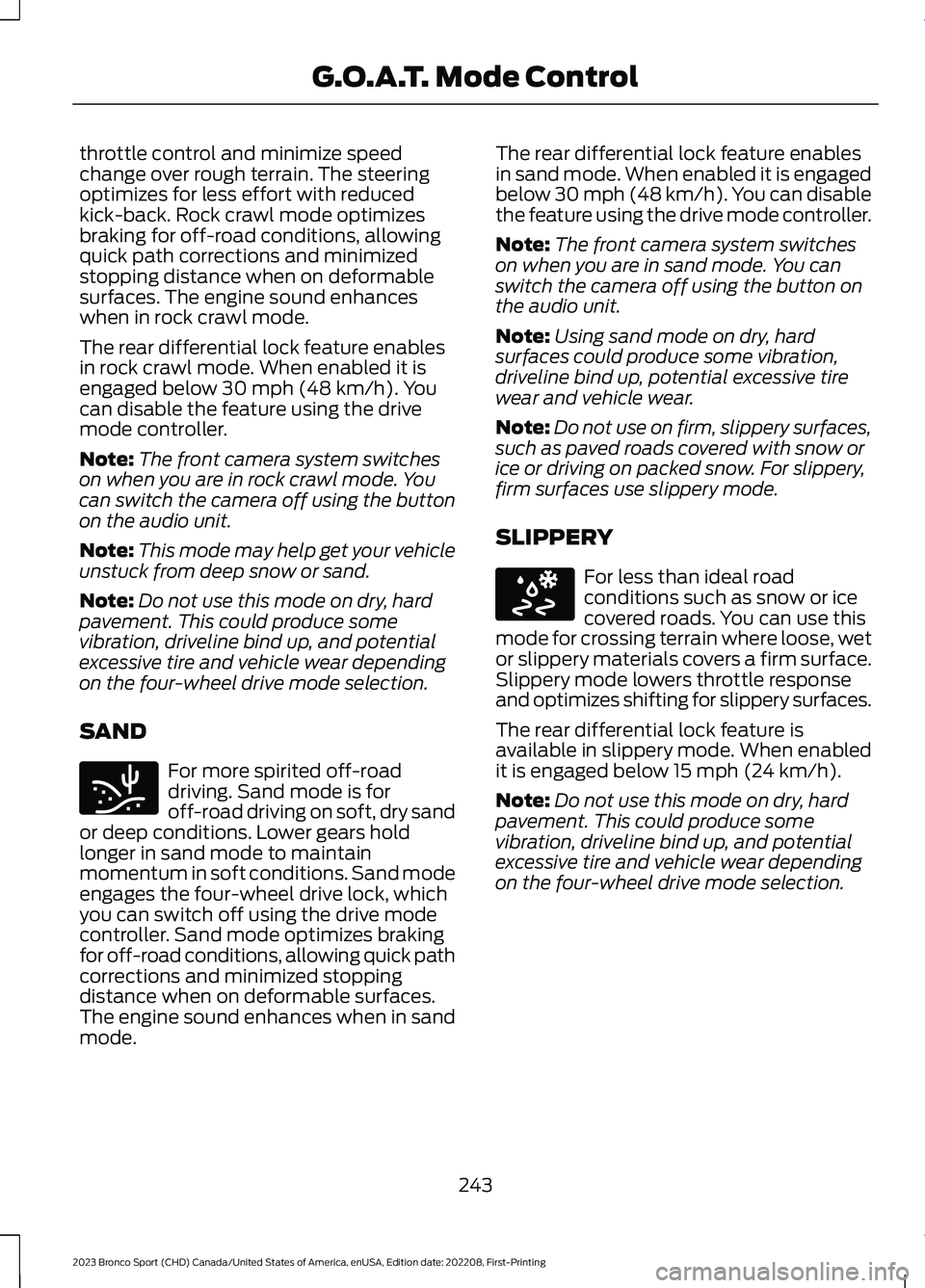
throttle control and minimize speedchange over rough terrain. The steeringoptimizes for less effort with reducedkick-back. Rock crawl mode optimizesbraking for off-road conditions, allowingquick path corrections and minimizedstopping distance when on deformablesurfaces. The engine sound enhanceswhen in rock crawl mode.
The rear differential lock feature enablesin rock crawl mode. When enabled it isengaged below 30 mph (48 km/h). Youcan disable the feature using the drivemode controller.
Note:The front camera system switcheson when you are in rock crawl mode. Youcan switch the camera off using the buttonon the audio unit.
Note:This mode may help get your vehicleunstuck from deep snow or sand.
Note:Do not use this mode on dry, hardpavement. This could produce somevibration, driveline bind up, and potentialexcessive tire and vehicle wear dependingon the four-wheel drive mode selection.
SAND
For more spirited off-roaddriving. Sand mode is foroff-road driving on soft, dry sandor deep conditions. Lower gears holdlonger in sand mode to maintainmomentum in soft conditions. Sand modeengages the four-wheel drive lock, whichyou can switch off using the drive modecontroller. Sand mode optimizes brakingfor off-road conditions, allowing quick pathcorrections and minimized stoppingdistance when on deformable surfaces.The engine sound enhances when in sandmode.
The rear differential lock feature enablesin sand mode. When enabled it is engagedbelow 30 mph (48 km/h). You can disablethe feature using the drive mode controller.
Note:The front camera system switcheson when you are in sand mode. You canswitch the camera off using the button onthe audio unit.
Note:Using sand mode on dry, hardsurfaces could produce some vibration,driveline bind up, potential excessive tirewear and vehicle wear.
Note:Do not use on firm, slippery surfaces,such as paved roads covered with snow orice or driving on packed snow. For slippery,firm surfaces use slippery mode.
SLIPPERY
For less than ideal roadconditions such as snow or icecovered roads. You can use thismode for crossing terrain where loose, wetor slippery materials covers a firm surface.Slippery mode lowers throttle responseand optimizes shifting for slippery surfaces.
The rear differential lock feature isavailable in slippery mode. When enabledit is engaged below 15 mph (24 km/h).
Note:Do not use this mode on dry, hardpavement. This could produce somevibration, driveline bind up, and potentialexcessive tire and vehicle wear dependingon the four-wheel drive mode selection.
243
2023 Bronco Sport (CHD) Canada/United States of America, enUSA, Edition date: 202208, First-PrintingG.O.A.T. Mode ControlE332185 E295414
Page 248 of 516
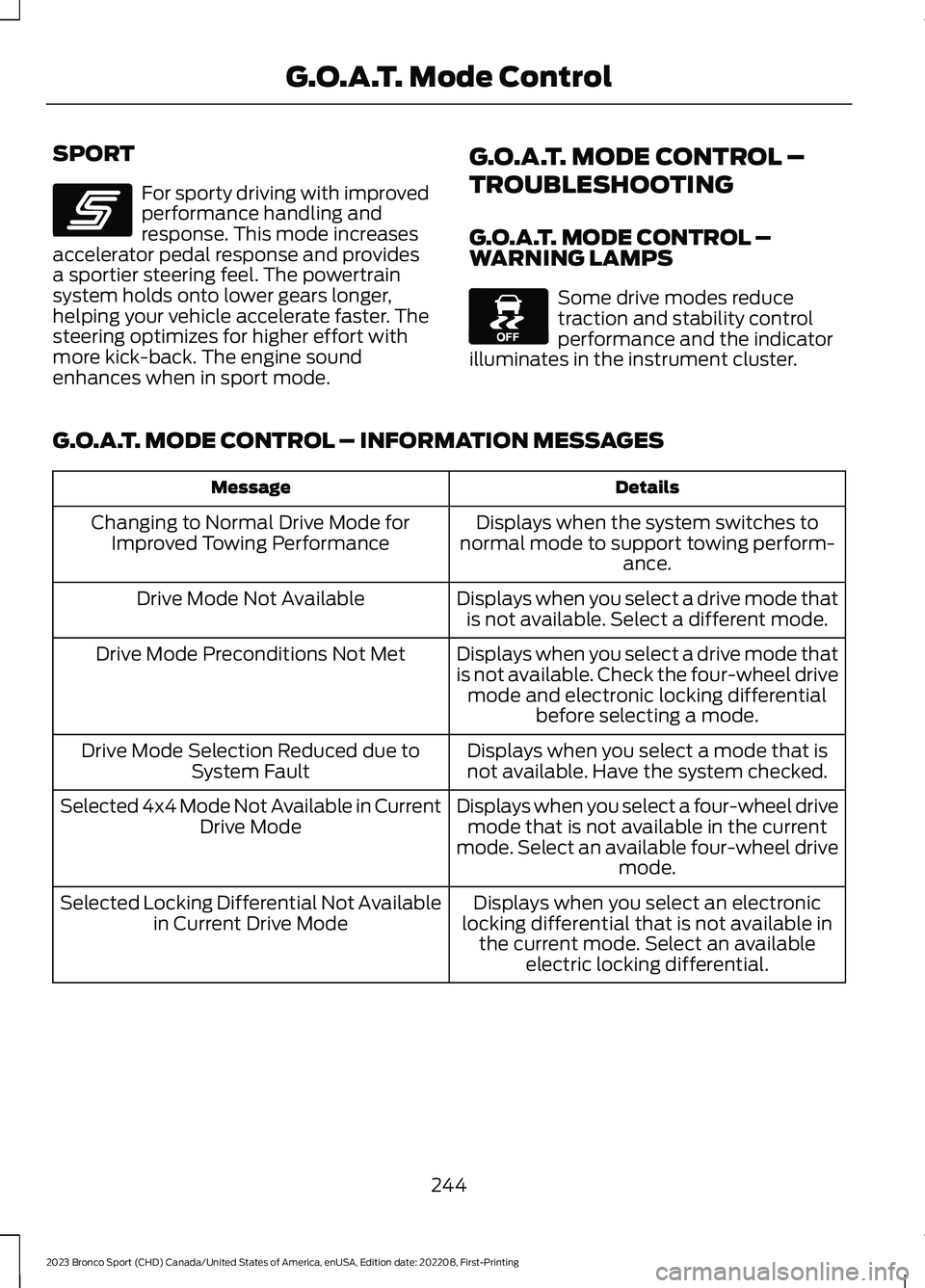
SPORT
For sporty driving with improvedperformance handling andresponse. This mode increasesaccelerator pedal response and providesa sportier steering feel. The powertrainsystem holds onto lower gears longer,helping your vehicle accelerate faster. Thesteering optimizes for higher effort withmore kick-back. The engine soundenhances when in sport mode.
G.O.A.T. MODE CONTROL –
TROUBLESHOOTING
G.O.A.T. MODE CONTROL –WARNING LAMPS
Some drive modes reducetraction and stability controlperformance and the indicatorilluminates in the instrument cluster.
G.O.A.T. MODE CONTROL – INFORMATION MESSAGES
DetailsMessage
Displays when the system switches tonormal mode to support towing perform-ance.
Changing to Normal Drive Mode forImproved Towing Performance
Displays when you select a drive mode thatis not available. Select a different mode.Drive Mode Not Available
Displays when you select a drive mode thatis not available. Check the four-wheel drivemode and electronic locking differentialbefore selecting a mode.
Drive Mode Preconditions Not Met
Displays when you select a mode that isnot available. Have the system checked.Drive Mode Selection Reduced due toSystem Fault
Displays when you select a four-wheel drivemode that is not available in the currentmode. Select an available four-wheel drivemode.
Selected 4x4 Mode Not Available in CurrentDrive Mode
Displays when you select an electroniclocking differential that is not available inthe current mode. Select an availableelectric locking differential.
Selected Locking Differential Not Availablein Current Drive Mode
244
2023 Bronco Sport (CHD) Canada/United States of America, enUSA, Edition date: 202208, First-PrintingG.O.A.T. Mode ControlE246593 E130458
Page 259 of 516
RV & Trailer Towing Guide Online
http://www.fleet.ford.com/towing-guides/Website
TRAILER SWAY CONTROL
WARNING: Turning off trailer swaycontrol increases the risk of loss ofvehicle control, serious injury or death.Ford does not recommend disabling thisfeature except in situations where speedreduction may be detrimental (such ashill climbing), the driver has significanttrailer towing experience, and can controltrailer sway and maintain safe operation.
Note:This feature does not prevent trailersway, but reduces it when it begins.
Note:This feature cannot stop all trailersfrom swaying.
Note:In some cases, if your vehicle speedis too high, the system may turn on multipletimes, gradually reducing your vehicle speed.
The system applies the brakes to theindividual wheels and reduces enginetorque to aid vehicle stability. If the trailerbegins to sway, the stability controlwarning lamp flashes and a messageappears in the information display. SeeInformation Messages (page 109). Slowyour vehicle down, pull safely to the sideof the road and check for correct loaddistribution. See Load Carrying (page246).
You can switch this feature off in theinformation display. When you switch theignition on, the system automatically turnson.
RECOMMENDED TOWING WEIGHTS
WebsiteMarket
https://www.fleet.ford.com/towing-guides/United States of America
https://www.fleet.ford.ca/towing-guides/Canada
255
2023 Bronco Sport (CHD) Canada/United States of America, enUSA, Edition date: 202208, First-PrintingTowing
Page 261 of 516
Trailer Brakes
WARNING: Do not connect atrailer's hydraulic brake system directlyto your vehicle's brake system. Yourvehicle may not have enough brakingpower and your chances of having acollision greatly increase.
WARNING: Do not tow a trailerfitted with electric trailer brakes unlessyour vehicle is fitted with a compatibleaftermarket electronic trailer brakecontroller. Failure to follow thisinstruction could result in the loss ofcontrol of your vehicle, personal injury ordeath. For additional information andassistance, we recommend that youcontact an authorized dealer.
Electric brakes and manual, automatic orsurge-type trailer brakes are safe if youinstall them properly and adjust them tothe manufacturer's specifications. Thetrailer brakes must meet local and federalregulations.
The rating for the tow vehicle's brakingsystem operation is at the gross vehicleweight rating, not the gross combinedweight rating.
Separate functioning brake systemsare required for safe control of towedvehicles and trailers weighing morethan 1500 lb (680 kg) when loaded.
Trailer Lamps
WARNING: Never connect anytrailer lamp wiring to the vehicle's taillamp wiring; this may damage theelectrical system resulting in fire. Contactyour authorized dealer as soon aspossible for assistance in proper trailertow wiring installation. Additionalelectrical equipment may be required.
Trailer lamps are required on most towedvehicles. Make sure all running lights, brakelights, turn signals and hazard lights areworking.
Before Towing a Trailer
Practice turning, stopping and backing upto get the feel of your vehicle-trailercombination before starting on a trip.When turning, make wider turns so thetrailer wheels clear curbs and otherobstacles.
When Towing a Trailer
•Do not drive faster than 70 mph(113 km/h) during the first 500 mi(800 km).
•Do not make full-throttle starts.
•Check your hitch, electrical connectionsand trailer wheel lug nuts thoroughlyafter you have traveled 50 mi (80 km).
•When stopped in congested or heavytraffic during hot weather, place thetransmission in park (P) to aid engineand transmission cooling and to helpA/C performance.
•Turn off the speed control with heavyloads or in hilly terrain. The speedcontrol may turn off automaticallywhen you are towing on long, steepgrades.
257
2023 Bronco Sport (CHD) Canada/United States of America, enUSA, Edition date: 202208, First-PrintingTowing
Page 262 of 516
•Shift to a lower gear when driving downa long or steep hill. Do not apply thebrakes continuously, as they mayoverheat and become less effective.
•If your transmission is equipped with aGrade Assist or Tow/Haul feature, usethis feature when towing. This providesengine braking and helps eliminateexcessive transmission shifting foroptimum fuel economy andtransmission cooling.
•Allow more distance for stopping witha trailer attached. Anticipate stops andbrake gradually.
•Avoid parking on a grade. However, ifyou must park on a grade:
1.Turn the steering wheel to point yourvehicle tires away from traffic flow.
2.Set your vehicle parking brake.
3.Place the automatic transmission inpark (P).
4.Place wheel chocks in front and backof the trailer wheels. Chocks are notincluded with your vehicle.
Launching or Retrieving a Boat orPersonal Watercraft (PWC)
Note:Disconnect the wiring to the trailerbefore backing the trailer into the water.
Note:Reconnect the wiring to the trailerafter removing the trailer from the water.
When backing down a ramp during boatlaunching or retrieval:
•Do not allow the static water level torise above the bottom edge of the rearbumper.
•Do not allow waves to break higherthan 6 in (15 cm) above the bottomedge of the rear bumper.
Exceeding these limits may allow water toenter vehicle components:
•Causing internal damage to thecomponents.
•Affecting driveability, emissions, andreliability.
Replace the rear axle lubricant anytimethe rear axle has been submerged in water.Water may have contaminated the rearaxle lubricant, which is not normallychecked or changed unless a leak issuspected or other axle repair is required.
TOWING THE VEHICLE ON
FOUR WHEELS
Emergency Towing
If you need to tow your vehicle, contact aprofessional towing service or, if you are amember of a roadside assistance program,your roadside assistance service provider.
Recreational Towing - Front-WheelDrive Vehicles (If Equipped)
You cannot recreational tow your vehiclewith all wheels on the ground becausevehicle or transmission damage couldoccur. Place the front wheels on atwo-wheel tow dolly. If you are using a towdolly, follow the instructions specified bythe equipment provider.
Recreational Towing - Rear-WheelDrive Vehicles (If Equipped)
You cannot recreational tow your vehiclewith all wheels on the ground becausevehicle or transmission damage couldoccur. We recommend towing your vehiclewith all four wheels off the ground, suchas when using a car-hauling trailer.Otherwise, you cannot recreational towyour vehicle.
258
2023 Bronco Sport (CHD) Canada/United States of America, enUSA, Edition date: 202208, First-PrintingTowing
Page 263 of 516
Recreational Towing - All-Wheeland Four-Wheel Drive Vehicles (If
Equipped)
You cannot recreational tow your vehiclewith all wheels on the ground becausevehicle or transmission damage couldoccur. We recommend towing your vehiclewith all four wheels off the ground, suchas when using a car-hauling trailer.Otherwise, you cannot recreational towyour vehicle.
259
2023 Bronco Sport (CHD) Canada/United States of America, enUSA, Edition date: 202208, First-PrintingTowing