Auto park FORD C MAX 2013 User Guide
[x] Cancel search | Manufacturer: FORD, Model Year: 2013, Model line: C MAX, Model: FORD C MAX 2013Pages: 552, PDF Size: 8.55 MB
Page 218 of 552
HILL START ASSIST
WARNING:The hill start assist feature does not replace the
parking brake. When you leave the vehicle, always apply the
parking brake and shift the transmission into P (Park).
WARNING:You must remain in the vehicle once you have
activated the hill start assist feature.
WARNING:During all times, you are responsible for controlling
the vehicle, supervising the hill start assist system and
intervening, if required.
WARNING:If the engine is revved excessively, or if a
malfunction is detected when the hill start assist feature is active,
the hill start assist feature will be deactivated.
Hill start assist keeps your vehicle stationary long enough to move your
foot from the brake pedal to the accelerator pedal when your vehicle is
on a slope.
The brakes are released automatically once the engine has developed
sufficient drive to prevent the vehicle from rolling down the slope. This
is an advantage when pulling away on a slope, (for example from a car
park ramp, traffic lights or when reversing uphill into a parking space).
Using Hill Start Assist
1. Press the brake pedal to bring the vehicle to a complete standstill.
Keep the brake pedal pressed.
2. If the sensors detect that the vehicle is on a slope, the hill start assist
feature will be activated automatically.
3. When you remove your foot from the brake pedal, the vehicle will
remain on the slope without rolling away for approximately two or three
seconds. This hold time will automatically be extended if you are in the
process of driving off.
4. Drive off in the normal manner. The brakes will be released
automatically.
Transmission217
2013 C-Max Full Hybrid(34h)
Owners Guide gf, 3rd Printing, January 2013
USA(fus)
Page 225 of 552
SENSING SYSTEM (IF EQUIPPED)
WARNING:To help avoid personal injury, please read and
understand the limitations of the system as contained in this
section. Sensing is only an aid for some (generally large and fixed)
objects when moving in reverse on a flat surface at parking speeds.
Traffic control systems, inclement weather, air brakes, and external
motors and fans may also affect the function of the sensing system; this
may include reduced performance or a false activation.
WARNING:To help avoid personal injury, always use caution
when in R (Reverse) and when using the sensing system.
WARNING:This system is not designed to prevent contact with
small or moving objects. The system is designed to provide a
warning to assist the driver in detecting large stationary objects to
avoid damaging the vehicle. The system may not detect smaller objects,
particularly those close to the ground.
WARNING:Certain add-on devices such as large trailer hitches,
bike or surfboard racks and any device that may block the normal
detection zone of the system, may create false beeps.
Note:Keep the sensors (located on the bumper/fascia) free from snow,
ice and large accumulations of dirt. If the sensors are covered, the
system’s accuracy can be affected. Do not clean the sensors with sharp
objects.
Note:If your vehicle sustains damage to the bumper/fascia, leaving it
misaligned or bent, the sensing zone may be altered causing inaccurate
measurement of obstacles or false alarms.
Note:If your vehicle is equipped with MyKey®, it is possible to prevent
turning the sensing system off. Refer to theMyKey®chapter.
The sensing system warns the driver of obstacles within a certain range
of the bumper area. The system turns on automatically whenever the
ignition is switched on.
When receiving a detection warning, the radio volume is reduced to a
predetermined level. After the warning goes away, the radio volume
returns to the previous level.
224Parking Aids
2013 C-Max Full Hybrid(34h)
Owners Guide gf, 3rd Printing, January 2013
USA(fus)
Page 228 of 552
ACTIVE PARK ASSIST (IF EQUIPPED)
WARNING:This system is designed to be a supplementary park
aid. It may not work in all conditions and is not intended to
replace the driver’s attention and judgment. The driver is responsible
for avoiding hazards and maintaining a safe distance and speed, even
when the system is in use.
Note:The driver is always responsible for controlling the vehicle,
supervising the system and intervening if required.
The system detects an available parallel parking space and automatically
steers the vehicle into the space (hands-free) while you control the
accelerator, gearshift and brakes. The system visually and/or audibly
instructs the driver to park the vehicle.
The system may not function correctly if something passes between the
front bumper and the parking space (i.e. a pedestrian or cyclist) or if
the edge of the neighboring parked vehicle is high from the ground
(i.e. a bus, tow truck or flatbed truck).
Note:The sensors may not detect objects in heavy rain or other
conditions that cause disruptive reflections.
Note:The sensors may not detect objects with surfaces that absorb
ultrasonic waves.
The system should not be used if:
•a foreign object (i.e. bike rack or trailer) is attached to the front or
rear of the vehicle or at another location close to the sensors.
•an overhanging object (i.e. surfboard) is attached to the roof.
•the front bumper or side sensors are damaged (i.e. in a collision) or
obstructed by a foreign object (i.e. front bumper cover).
•a mini-spare tire is in use.
Parking Aids227
2013 C-Max Full Hybrid(34h)
Owners Guide gf, 3rd Printing, January 2013
USA(fus)
Page 229 of 552
Using Active Park Assist
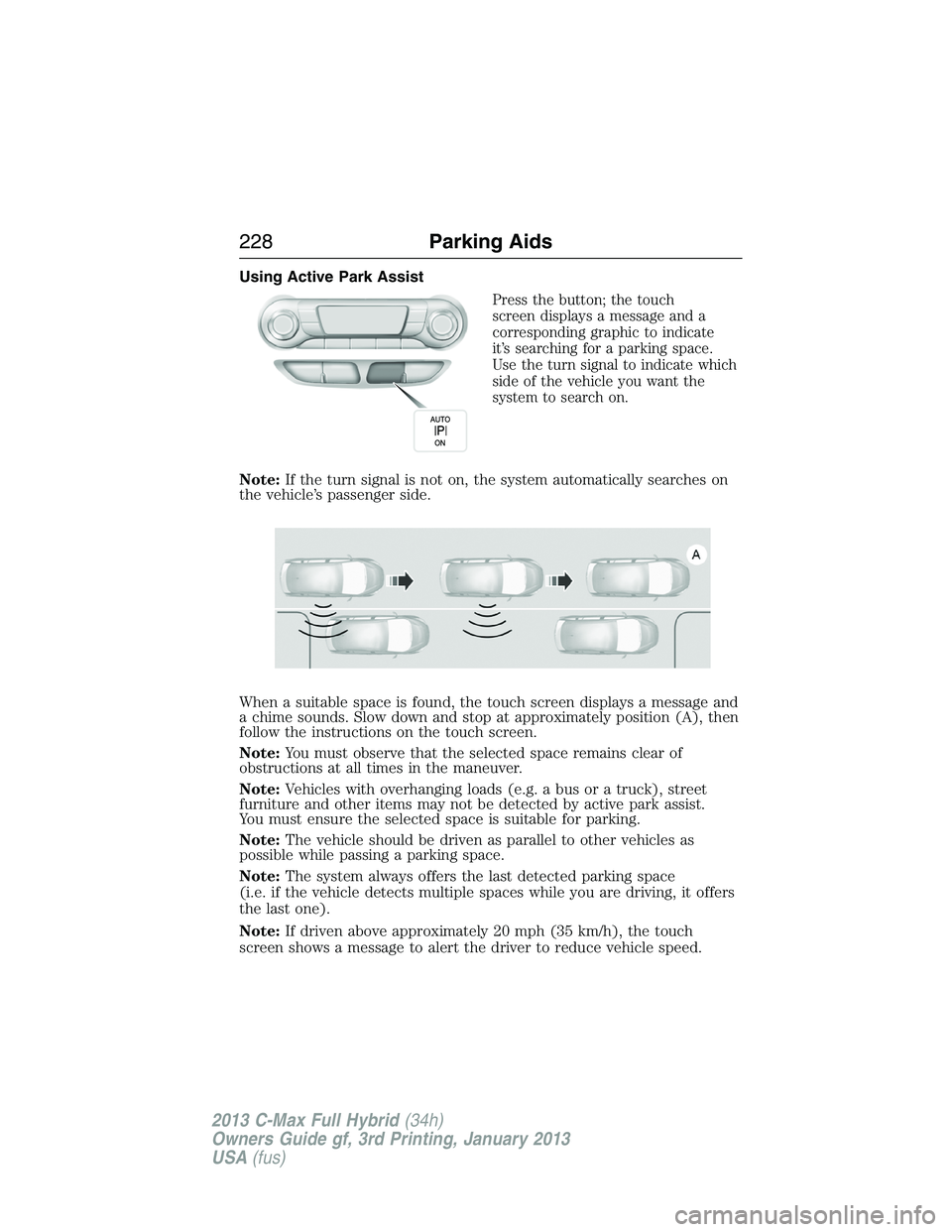
Press the button; the touch
screen displays a message and a
corresponding graphic to indicate
it’s searching for a parking space.
Use the turn signal to indicate which
side of the vehicle you want the
system to search on.
Note:If the turn signal is not on, the system automatically searches on
the vehicle’s passenger side.
When a suitable space is found, the touch screen displays a message and
a chime sounds. Slow down and stop at approximately position (A), then
follow the instructions on the touch screen.
Note:You must observe that the selected space remains clear of
obstructions at all times in the maneuver.
Note:Vehicles with overhanging loads (e.g. a bus or a truck), street
furniture and other items may not be detected by active park assist.
You must ensure the selected space is suitable for parking.
Note:The vehicle should be driven as parallel to other vehicles as
possible while passing a parking space.
Note:The system always offers the last detected parking space
(i.e. if the vehicle detects multiple spaces while you are driving, it offers
the last one).
Note:If driven above approximately 20 mph (35 km/h), the touch
screen shows a message to alert the driver to reduce vehicle speed.
228Parking Aids
2013 C-Max Full Hybrid(34h)
Owners Guide gf, 3rd Printing, January 2013
USA(fus)
Page 230 of 552
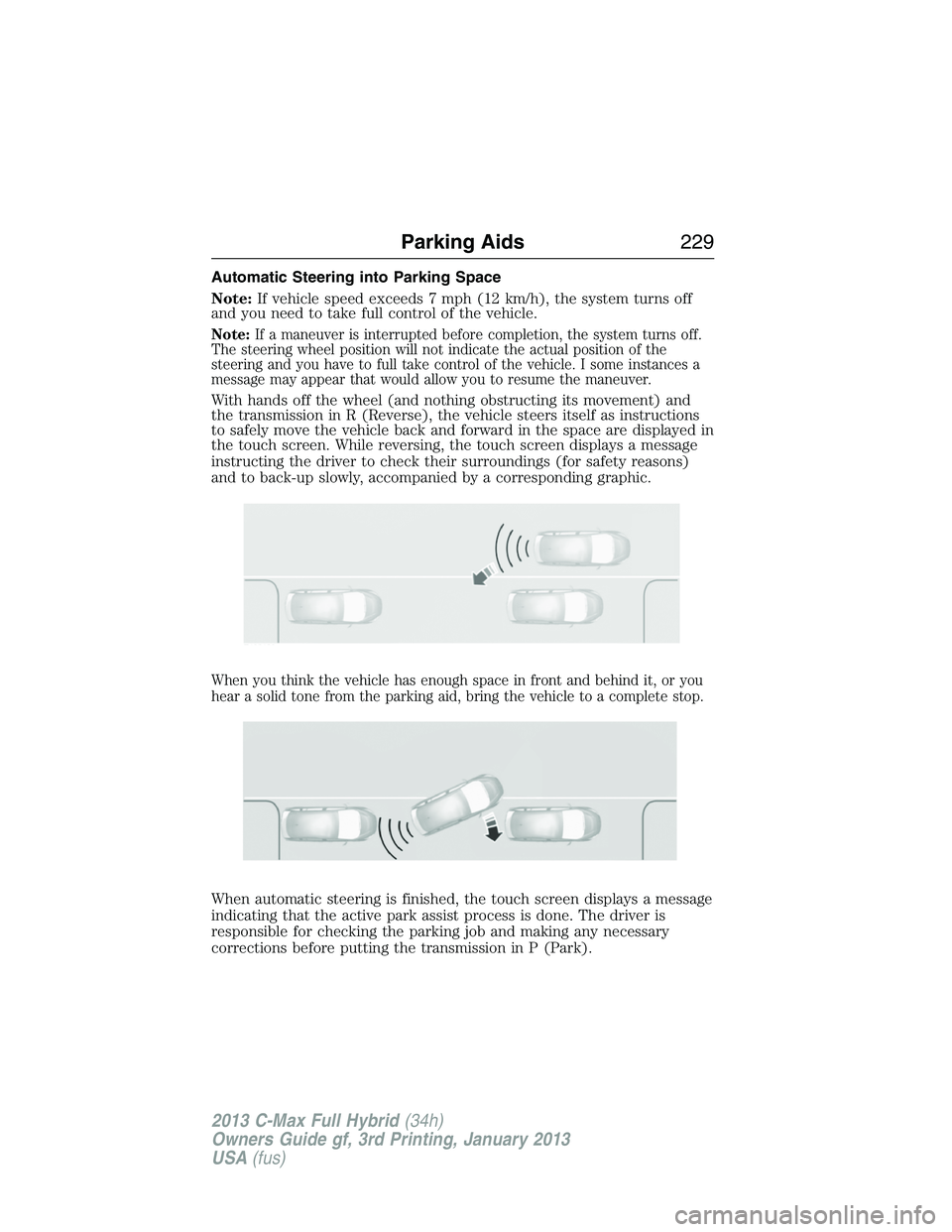
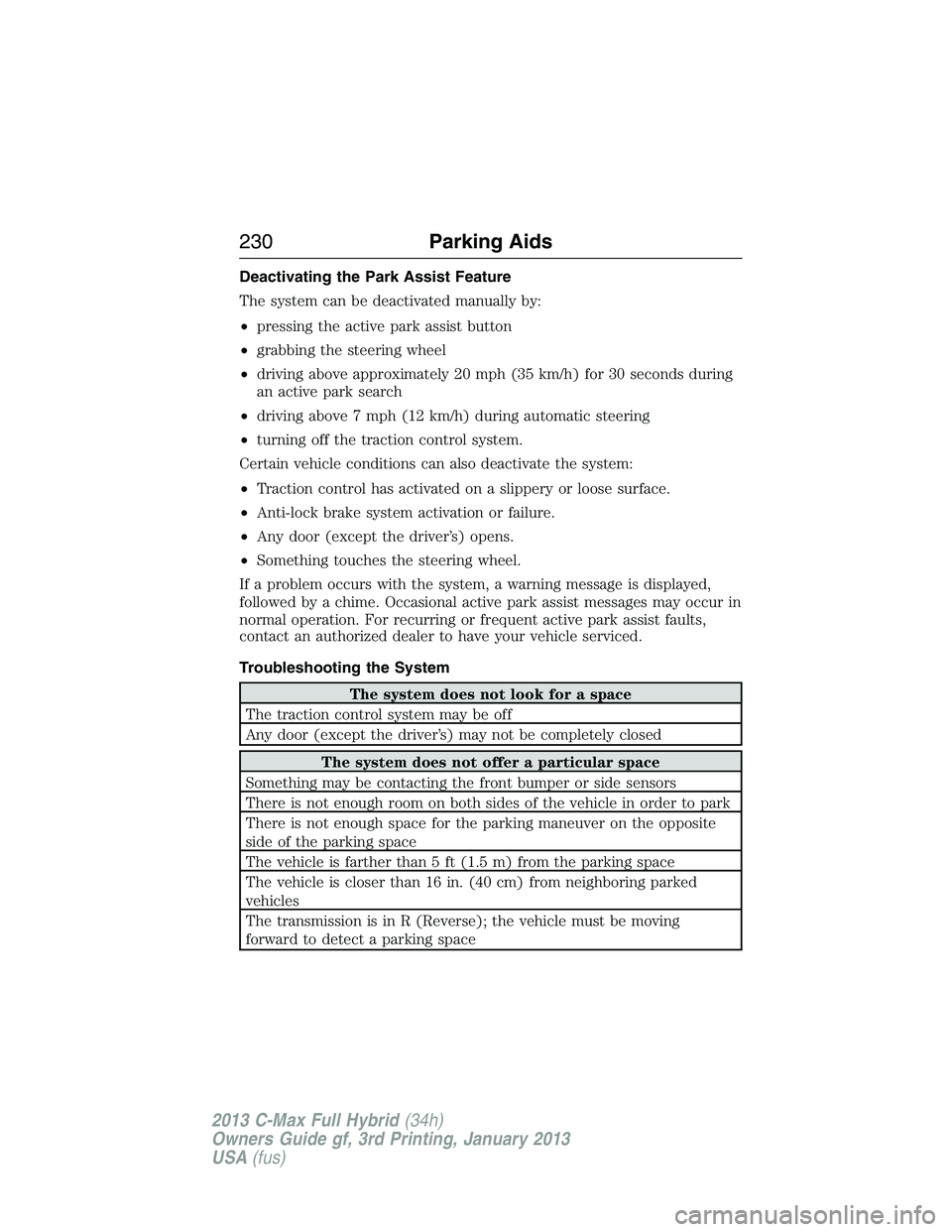
Automatic Steering into Parking Space
Note:If vehicle speed exceeds 7 mph (12 km/h), the system turns off
and you need to take full control of the vehicle.
Note:If a maneuver is interrupted before completion, the system turns off.
The steering wheel position will not indicate the actual position of the
steering and you have to full take control of the vehicle. I some instances a
message may appear that would allow you to resume the maneuver.
With hands off the wheel (and nothing obstructing its movement) and
the transmission in R (Reverse), the vehicle steers itself as instructions
to safely move the vehicle back and forward in the space are displayed in
the touch screen. While reversing, the touch screen displays a message
instructing the driver to check their surroundings (for safety reasons)
and to back-up slowly, accompanied by a corresponding graphic.
When you think the vehicle has enough space in front and behind it, or you
hear a solid tone from the parking aid, bring the vehicle to a complete stop.
When automatic steering is finished, the touch screen displays a message
indicating that the active park assist process is done. The driver is
responsible for checking the parking job and making any necessary
corrections before putting the transmission in P (Park).
Parking Aids229
2013 C-Max Full Hybrid(34h)
Owners Guide gf, 3rd Printing, January 2013
USA(fus)
Page 231 of 552
Deactivating the Park Assist Feature
The system can be deactivated manually by:
•pressing the active park assist button
•grabbing the steering wheel
•driving above approximately 20 mph (35 km/h) for 30 seconds during
an active park search
•driving above 7 mph (12 km/h) during automatic steering
•turning off the traction control system.
Certain vehicle conditions can also deactivate the system:
•Traction control has activated on a slippery or loose surface.
•Anti-lock brake system activation or failure.
•Any door (except the driver’s) opens.
•Something touches the steering wheel.
If a problem occurs with the system, a warning message is displayed,
followed by a chime. Occasional active park assist messages may occur in
normal operation. For recurring or frequent active park assist faults,
contact an authorized dealer to have your vehicle serviced.
Troubleshooting the System
The system does not look for a space
The traction control system may be off
Any door (except the driver’s) may not be completely closed
The system does not offer a particular space
Something may be contacting the front bumper or side sensors
There is not enough room on both sides of the vehicle in order to park
There is not enough space for the parking maneuver on the opposite
side of the parking space
The vehicle is farther than 5 ft (1.5 m) from the parking space
The vehicle is closer than 16 in. (40 cm) from neighboring parked
vehicles
The transmission is in R (Reverse); the vehicle must be moving
forward to detect a parking space
230Parking Aids
2013 C-Max Full Hybrid(34h)
Owners Guide gf, 3rd Printing, January 2013
USA(fus)
Page 236 of 552
Visual Park Aid Alert
Note:Visual park alert is only available when the transmission is in R
(Reverse).
Note:The reverse sensing system is not effective at speeds above 3 mph
(5 km/h) and may not detect certain angular or moving objects.
The visual park aid alert allows the driver to view the area that is being
detected by the reverse sensing system. The system uses red, yellow and
green highlights which appear on top of the video image when an object
is detected by the reverse sensing system. The alert highlights the
closest object detected. The reverse sensing alert can be disabled and if
visual park aid alert is enabled, highlighted areas are still displayed.
Selectable settings for this feature are ON and OFF.
Manual Zoom
WARNING:When manual zoom is on, the full area behind the
vehicle is not shown. Be aware of your surroundings when using
the manual zoom feature.
Note:Manual zoom is only available when the transmission is in R
(Reverse).
Note:When manual zoom is enabled, only the centerline is shown.
Allows the driver to get a closer view of an object behind the vehicle.
The zoomed image keeps the bumper in the image to provide a
reference. The zoom is only active while the transmission is in R
(Reverse), When the transmission is shifted out of R (Reverse), the
feature automatically turns off and must be reset when it is used again.
Selectable settings for this feature are OFF, Level 1, Level 2 or Level 3.
Press the up and down arrows to change the view. The selection level
appears between the buttons (i.e. Level 1). The default setting for the
manual zoom is OFF.
Rear Camera Delay
When shifting the transmission out of R (Reverse) and into any gear
other than P (Park), the camera image remains in the display until the
vehicle speed reaches 6 mph (10 km/h). This occurs when the rear
camera delay feature is on, or until a radio button is selected.
Selectable settings for this feature are ON and OFF. The default setting
for the rear camera delay is OFF.
Parking Aids235
2013 C-Max Full Hybrid(34h)
Owners Guide gf, 3rd Printing, January 2013
USA(fus)
Page 250 of 552
The front wheels must be on a tow dolly when towing your vehicle
from the rear using wheel lift equipment. This prevents damage to the
transmission.
TOWING THE VEHICLE ON FOUR WHEELS
Emergency Towing
If your vehicle becomes inoperable (without access to wheel dollies,
car-hauling trailer, or flatbed transport vehicle), it can be flat-towed
(all wheels on the ground, regardless of the powertrain and transmission
configuration) under the following conditions:
•Your vehicle is facing forward for towing in a forward direction.
•
Place the transmission in positionN.SeeAutomatic transmissionin
theTransmissionchapter if you cannot move the transmission intoN.
•Maximum speed is 35 mph (56 km/h).
•Maximum distance is 50 miles (80 kilometers).
Recreational Towing
Note:Put your climate control system in recirculated air mode to
prevent exhaust fumes from entering your vehicle. See theClimate
Controlchapter.
Follow these guidelines if you have a need for recreational towing,
such as towing your vehicle behind a motorhome. We designed these
guidelines to prevent damage to your transmission.
You can tow your vehicle with all four wheels on the ground or with
the front wheels off the ground by using a tow dolly. If you are using a
tow dolly, follow the instructions specified by the equipment provider.
If you are towing with all four wheels on the ground, see the following
instructions.
If you tow your vehicle with all four wheels on the ground:
•Tow only in the forward direction.
•Release the parking brake.
•Place the transmission in positionN.
•Place the ignition in the accessory mode. See theStarting and
Stopping the Enginechapter.
•Do not exceed 70 mph (113 km/h).
•Place the transmission in positionP,start the engine and allow it to
run for one minute at the beginning of each day (you may need to
press the accelerator pedal in order to start the engine). After
allowing the engine to run, place the transmission back into position
Nand the ignition in the accessory position.
Towing249
2013 C-Max Full Hybrid(34h)
Owners Guide gf, 3rd Printing, January 2013
USA(fus)
Page 294 of 552
CHANGING THE LOW VOLTAGE BATTERY
Your vehicle is equipped with a Motorcraft® maintenance-free low
voltage battery which normally does not require additional water during
its life of service.
Note:See an authorized dealer for low voltage battery access, testing, or
replacement.
When a low voltage battery replacement is necessary, see an authorized
dealer to replace the low voltage battery with a Ford recommended
replacement low voltage battery that matches the electrical requirements
of the vehicle.
To ensure proper operation of the battery management system (BMS), do
not allow a technician to connect any electrical device ground connection
directly to the low voltage battery negative post. A connection at the low
voltage battery negative post can cause inaccurate measurements of the
battery condition and potential incorrect system operation.
Note:If a person adds electrical or electronic accessories or components
to the vehicle, the accessories or components may adversely affect the
low voltage battery performance and durability and may also affect the
performance of other electrical systems in the vehicle.
Note:Always dispose of automotive batteries in a responsible manner.
Follow your local authorized standards for disposal. Call your local
authorized recycling center to find out more about recycling automotive
batteries.
Because your vehicle’s engine is electronically-controlled by a computer,
some engine control settings are maintained by power from the low
voltage battery. Some engine computer settings, like the idle trim and
fuel trim strategy, optimize the driveability and performance of the
engine. Some other computer settings, like the clock and radio station
presets, are also maintained in memory by power from the low voltage
battery. When a technician disconnects and connects the low voltage
battery, these settings are erased. Complete the following procedure in
order to restore the settings:
1. With the vehicle at a complete stop, set the parking brake.
2. Shift the transmission to P (Park).
3. Turn off all accessories.
4. Step on the brake pedal and start the vehicle.
5. Step on the accelerator to start the engine.
Maintenance293
2013 C-Max Full Hybrid(34h)
Owners Guide gf, 3rd Printing, January 2013
USA(fus)
Page 295 of 552
6. Run the engine until the engine reaches normal operating
temperature. While the engine is warming up, complete the following:
•Reset the clock. SeeClockin theAudio Systemchapter.
•Reset the radio station presets. SeeNumber blockin theAudio
Systemchapter.
•Reset the power windows bounce-back feature. SeeResetting the
Bounce-Back Featurein thePower Windowssection.
7. Allow the engine to idle for at least one minute.
8. If the engine turns off, step on the accelerator to start the engine.
9. While the engine is running, step on the brake pedal and shift the
transmission to N (Neutral).
10. Allow the engine to run for at least one minute by pressing on the
accelerator pedal.
11. Drive the vehicle at least 10 miles (16 kilometers) to completely
relearn the idle and fuel trim strategy.
Note:If you do not allow the engine to relearn the idle and fuel trim
strategy, the idle quality of your vehicle may be adversely affected until the
engine computer eventually relearns the idle trim and fuel trim strategy.
CHECKING THE WIPER BLADES
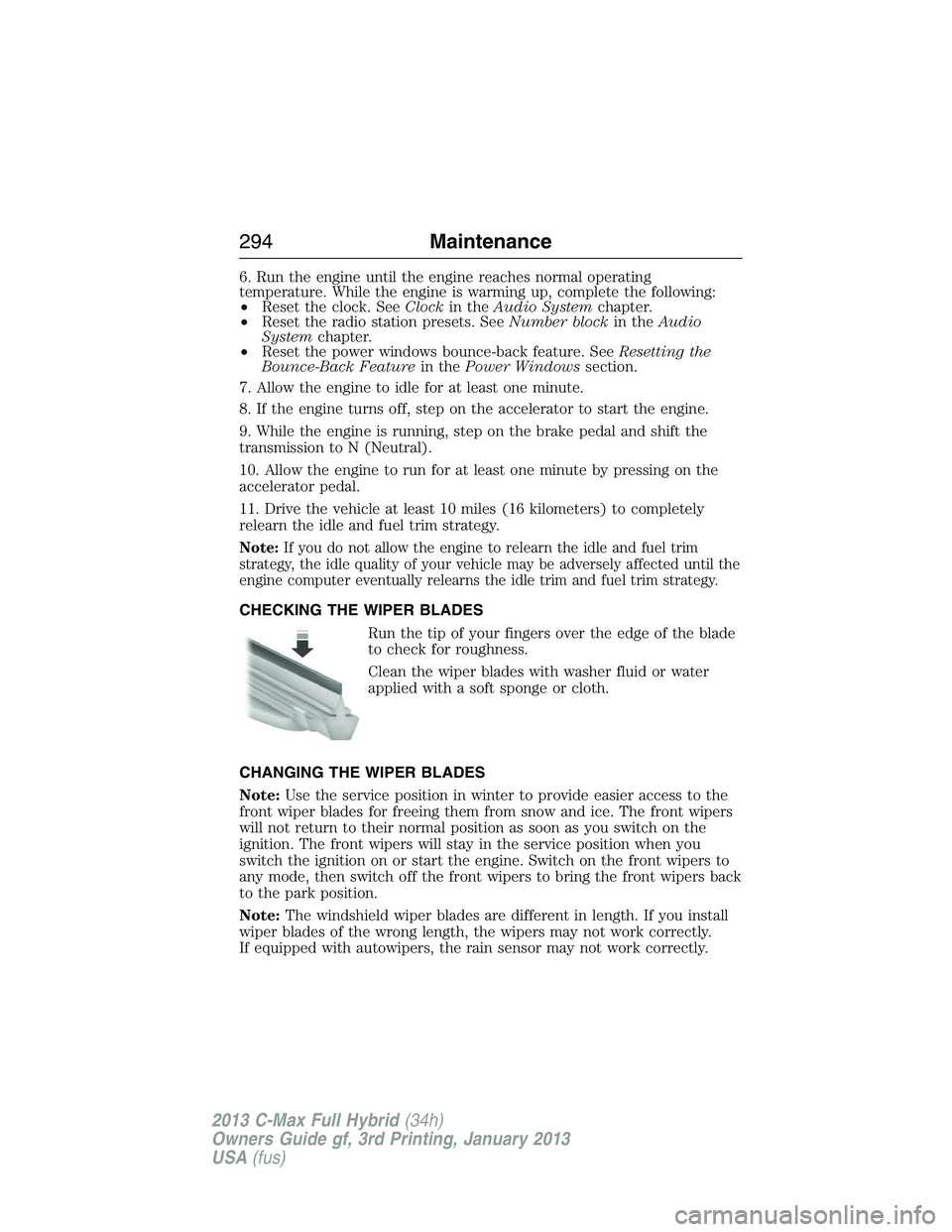
Run the tip of your fingers over the edge of the blade
to check for roughness.
Clean the wiper blades with washer fluid or water
applied with a soft sponge or cloth.
CHANGING THE WIPER BLADES
Note:Use the service position in winter to provide easier access to the
front wiper blades for freeing them from snow and ice. The front wipers
will not return to their normal position as soon as you switch on the
ignition. The front wipers will stay in the service position when you
switch the ignition on or start the engine. Switch on the front wipers to
any mode, then switch off the front wipers to bring the front wipers back
to the park position.
Note:The windshield wiper blades are different in length. If you install
wiper blades of the wrong length, the wipers may not work correctly.
If equipped with autowipers, the rain sensor may not work correctly.
294Maintenance
2013 C-Max Full Hybrid(34h)
Owners Guide gf, 3rd Printing, January 2013
USA(fus)