brake FORD C MAX 2013 User Guide
[x] Cancel search | Manufacturer: FORD, Model Year: 2013, Model line: C MAX, Model: FORD C MAX 2013Pages: 552, PDF Size: 8.55 MB
Page 114 of 552
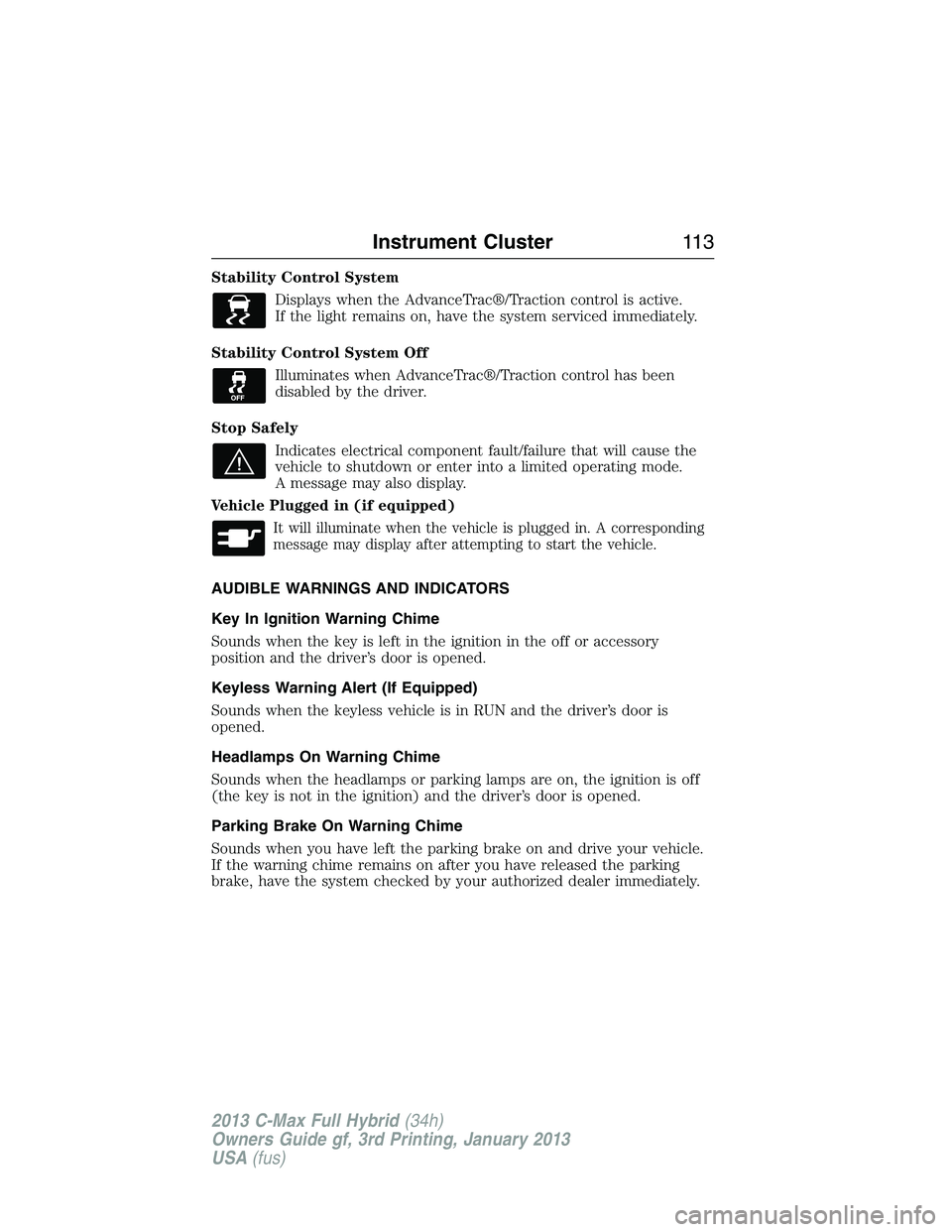
Stability Control System
Displays when the AdvanceTrac®/Traction control is active.
If the light remains on, have the system serviced immediately.
Stability Control System Off
Illuminates when AdvanceTrac®/Traction control has been
disabled by the driver.
Stop Safely
Indicates electrical component fault/failure that will cause the
vehicle to shutdown or enter into a limited operating mode.
A message may also display.
Vehicle Plugged in (if equipped)
It will illuminate when the vehicle is plugged in. A corresponding
message may display after attempting to start the vehicle.
AUDIBLE WARNINGS AND INDICATORS
Key In Ignition Warning Chime
Sounds when the key is left in the ignition in the off or accessory
position and the driver’s door is opened.
Keyless Warning Alert (If Equipped)
Sounds when the keyless vehicle is in RUN and the driver’s door is
opened.
Headlamps On Warning Chime
Sounds when the headlamps or parking lamps are on, the ignition is off
(the key is not in the ignition) and the driver’s door is opened.
Parking Brake On Warning Chime
Sounds when you have left the parking brake on and drive your vehicle.
If the warning chime remains on after you have released the parking
brake, have the system checked by your authorized dealer immediately.
Instrument Cluster11 3
2013 C-Max Full Hybrid(34h)
Owners Guide gf, 3rd Printing, January 2013
USA(fus)
Page 125 of 552
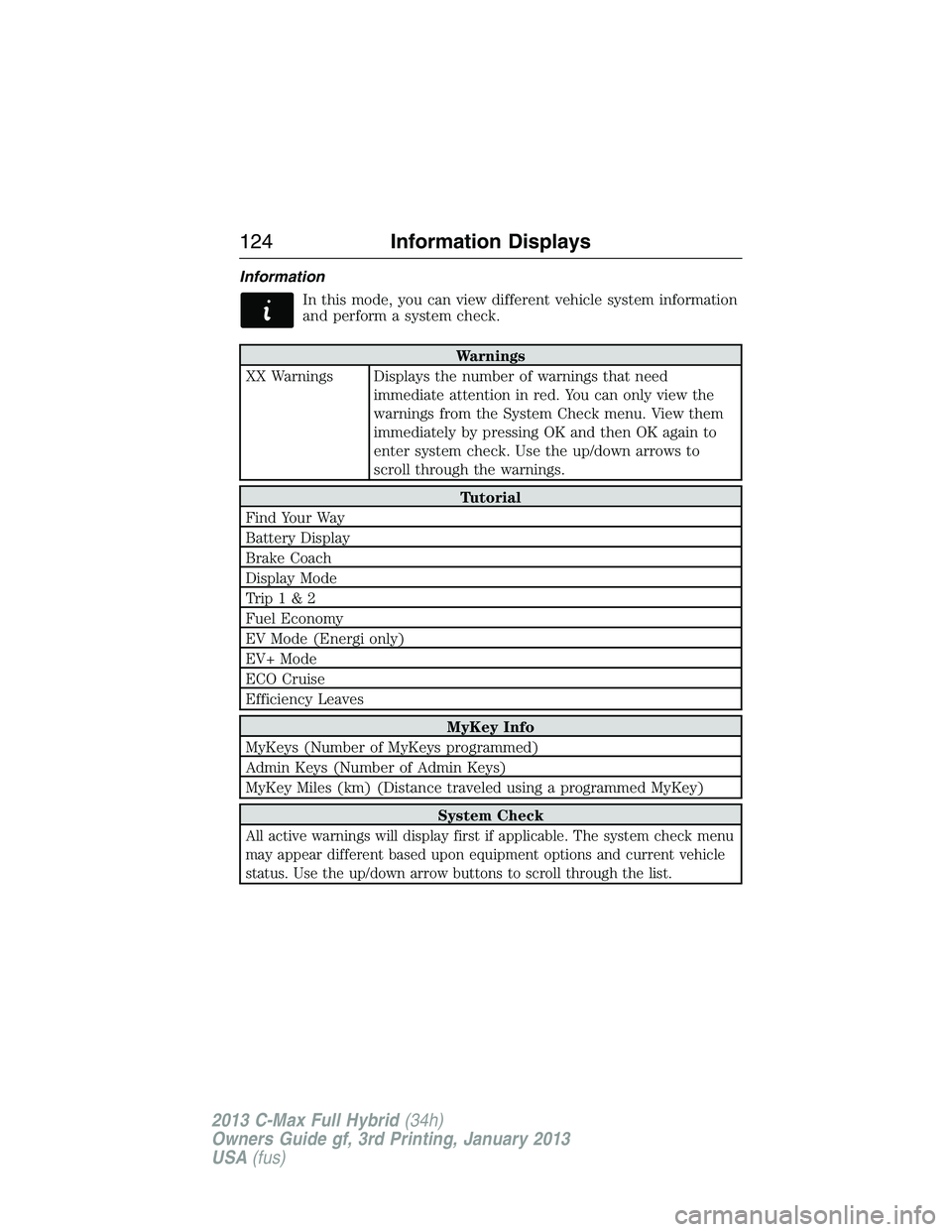
Information
In this mode, you can view different vehicle system information
and perform a system check.
Warnings
XX Warnings Displays the number of warnings that need
immediate attention in red. You can only view the
warnings from the System Check menu. View them
immediately by pressing OK and then OK again to
enter system check. Use the up/down arrows to
scroll through the warnings.
Tutorial
Find Your Way
Battery Display
Brake Coach
Display Mode
Trip1&2
Fuel Economy
EV Mode (Energi only)
EV+ Mode
ECO Cruise
Efficiency Leaves
MyKey Info
MyKeys (Number of MyKeys programmed)
Admin Keys (Number of Admin Keys)
MyKey Miles (km) (Distance traveled using a programmed MyKey)
System Check
All active warnings will display first if applicable. The system check menu
may appear different based upon equipment options and current vehicle
status. Use the up/down arrow buttons to scroll through the list.
124Information Displays
2013 C-Max Full Hybrid(34h)
Owners Guide gf, 3rd Printing, January 2013
USA(fus)
Page 127 of 552
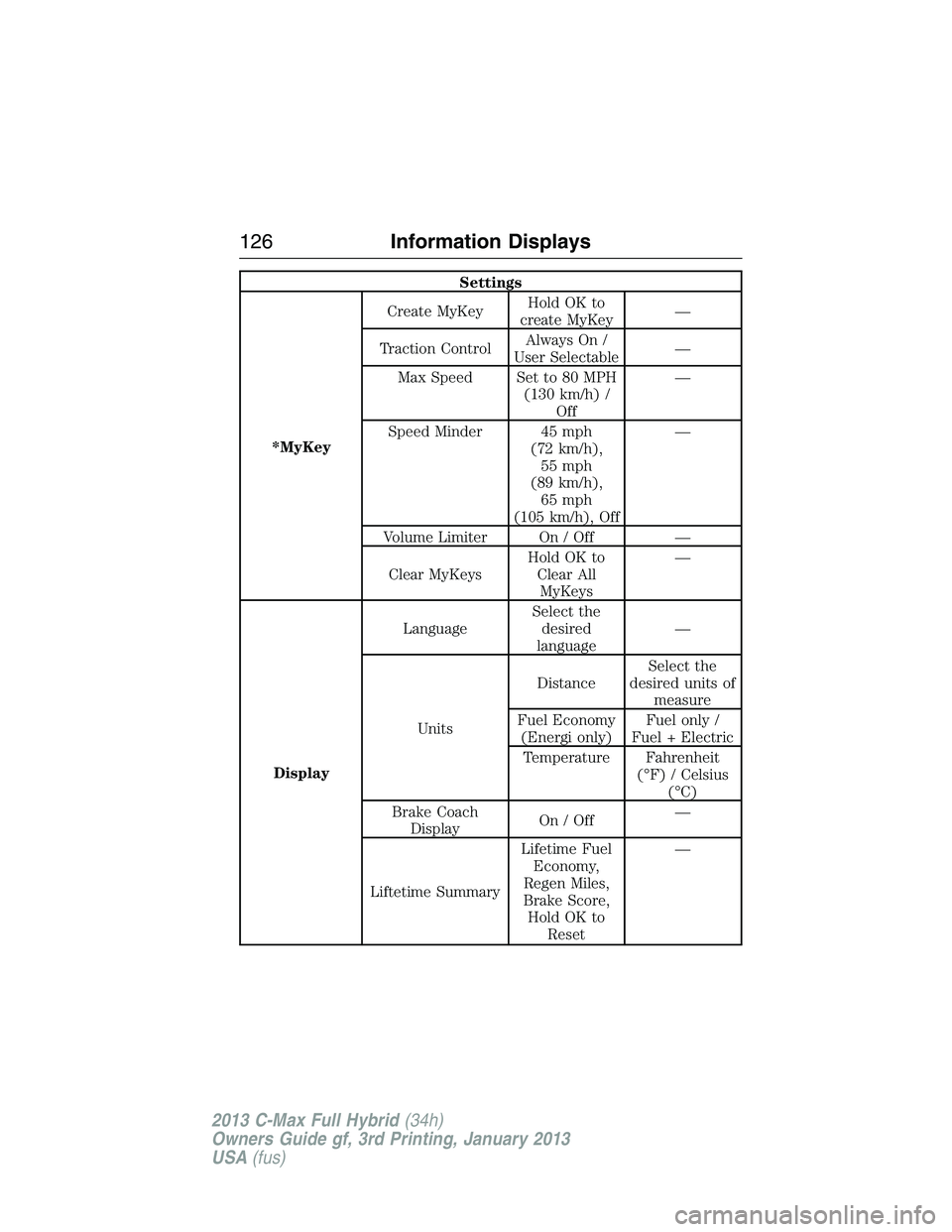
Settings
*MyKeyCreate MyKeyHoldOKto
create MyKey—
Traction ControlAlways On /
User Selectable—
Max Speed Set to 80 MPH
(130 km/h) /
Off—
Speed Minder 45 mph
(72 km/h),
55 mph
(89 km/h),
65 mph
(105 km/h), Off—
Volume Limiter On / Off —
Clear MyKeysHoldOKto
Clear All
MyKeys—
DisplayLanguageSelect the
desired
language—
UnitsDistanceSelect the
desired units of
measure
Fuel Economy
(Energi only)Fuel only /
Fuel + Electric
Temperature Fahrenheit
(°F) / Celsius
(°C)
Brake Coach
DisplayOn/Off—
Liftetime SummaryLifetime Fuel
Economy,
Regen Miles,
Brake Score,
HoldOKto
Reset—
126Information Displays
2013 C-Max Full Hybrid(34h)
Owners Guide gf, 3rd Printing, January 2013
USA(fus)
Page 128 of 552
Brake Coach Display: This appears after the vehicle has come to a stop.
It coaches you to brake in a manner which maximizes the amount of
energy returned through the regenerative braking system. The percent
displayed is an indication of the regenerative braking efficiency with
100% representing the maximum amount of regenerative braking energy
recovery.
INFORMATION MESSAGES
Note:Depending on the vehicle options equipped with your vehicle, not
all of the messages will display or be available. Certain messages may be
abbreviated or shortened depending upon which cluster type you have.
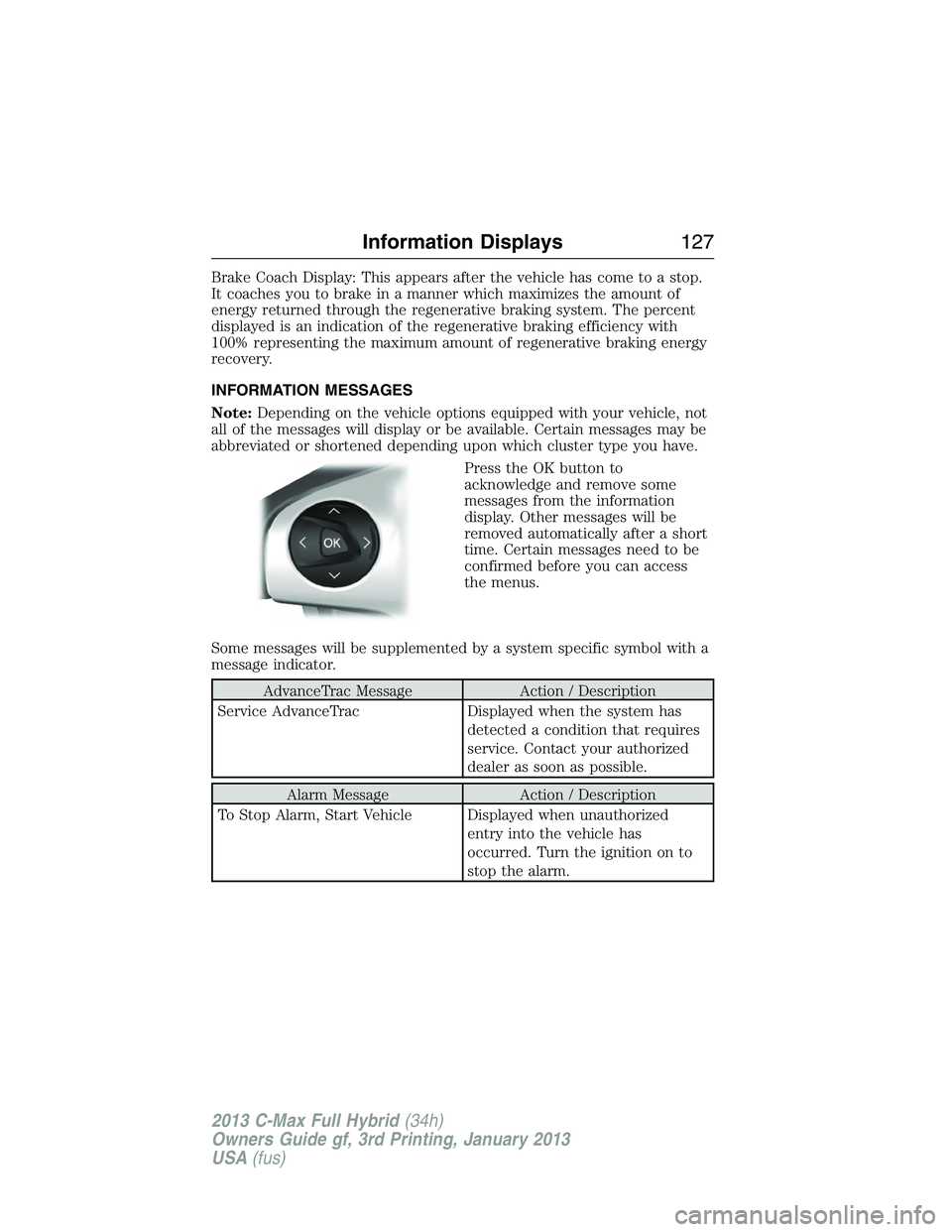
Press the OK button to
acknowledge and remove some
messages from the information
display. Other messages will be
removed automatically after a short
time. Certain messages need to be
confirmed before you can access
the menus.
Some messages will be supplemented by a system specific symbol with a
message indicator.
AdvanceTrac Message Action / Description
Service AdvanceTrac Displayed when the system has
detected a condition that requires
service. Contact your authorized
dealer as soon as possible.
Alarm Message Action / Description
To Stop Alarm, Start Vehicle Displayed when unauthorized
entry into the vehicle has
occurred. Turn the ignition on to
stop the alarm.
Information Displays127
2013 C-Max Full Hybrid(34h)
Owners Guide gf, 3rd Printing, January 2013
USA(fus)
Page 129 of 552
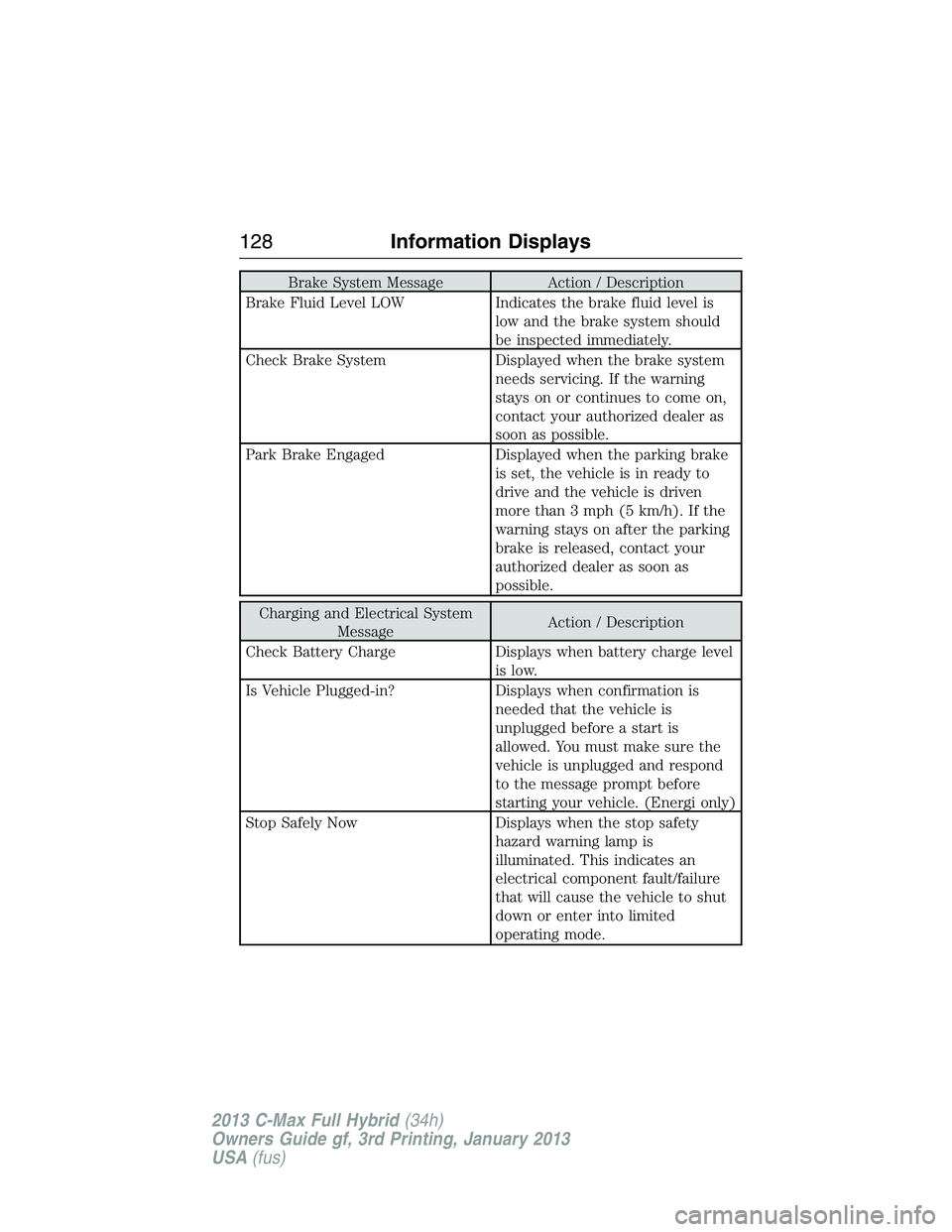
Brake System Message Action / Description
Brake Fluid Level LOW Indicates the brake fluid level is
low and the brake system should
be inspected immediately.
Check Brake System Displayed when the brake system
needs servicing. If the warning
stays on or continues to come on,
contact your authorized dealer as
soon as possible.
Park Brake Engaged Displayed when the parking brake
is set, the vehicle is in ready to
drive and the vehicle is driven
more than 3 mph (5 km/h). If the
warning stays on after the parking
brake is released, contact your
authorized dealer as soon as
possible.
Charging and Electrical System
MessageAction / Description
Check Battery Charge Displays when battery charge level
is low.
Is Vehicle Plugged-in? Displays when confirmation is
needed that the vehicle is
unplugged before a start is
allowed. You must make sure the
vehicle is unplugged and respond
to the message prompt before
starting your vehicle. (Energi only)
Stop Safely Now Displays when the stop safety
hazard warning lamp is
illuminated. This indicates an
electrical component fault/failure
that will cause the vehicle to shut
down or enter into limited
operating mode.
128Information Displays
2013 C-Max Full Hybrid(34h)
Owners Guide gf, 3rd Printing, January 2013
USA(fus)
Page 132 of 552
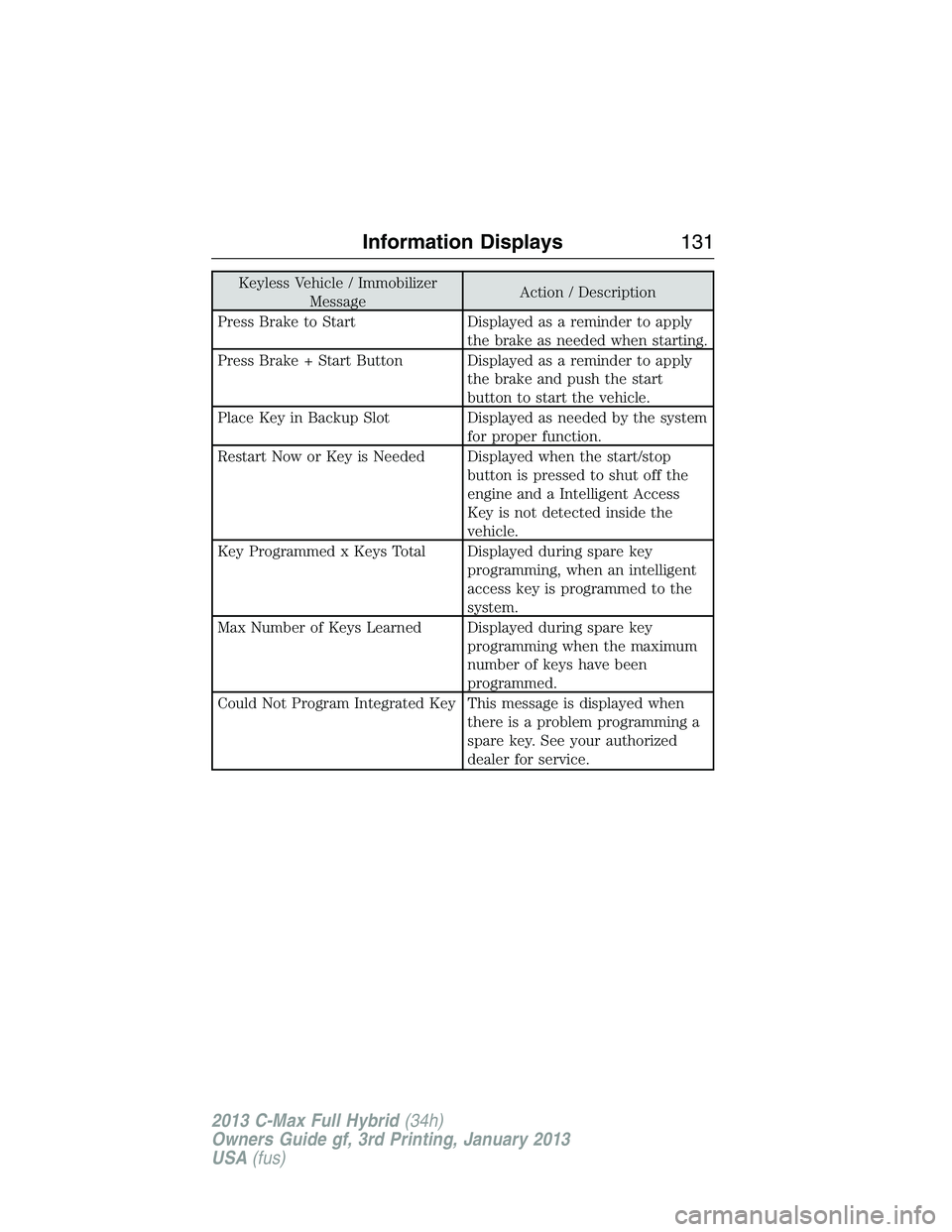
Keyless Vehicle / Immobilizer
MessageAction / Description
Press Brake to Start Displayed as a reminder to apply
the brake as needed when starting.
Press Brake + Start Button Displayed as a reminder to apply
the brake and push the start
button to start the vehicle.
Place Key in Backup Slot Displayed as needed by the system
for proper function.
Restart Now or Key is Needed Displayed when the start/stop
button is pressed to shut off the
engine and a Intelligent Access
Key is not detected inside the
vehicle.
Key Programmed x Keys Total Displayed during spare key
programming, when an intelligent
access key is programmed to the
system.
Max Number of Keys Learned Displayed during spare key
programming when the maximum
number of keys have been
programmed.
Could Not Program Integrated Key This message is displayed when
there is a problem programming a
spare key. See your authorized
dealer for service.
Information Displays131
2013 C-Max Full Hybrid(34h)
Owners Guide gf, 3rd Printing, January 2013
USA(fus)
Page 147 of 552
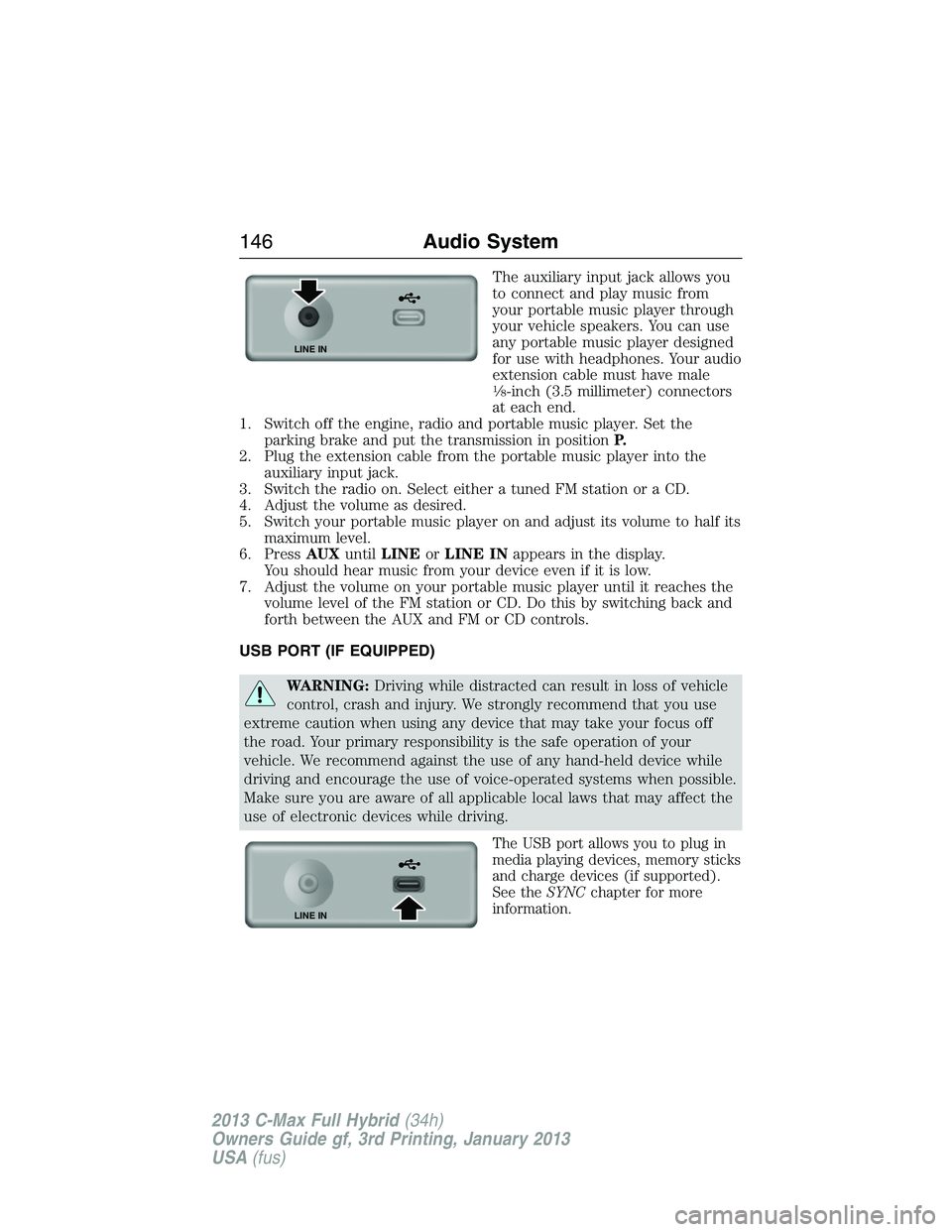
The auxiliary input jack allows you
to connect and play music from
your portable music player through
your vehicle speakers. You can use
any portable music player designed
for use with headphones. Your audio
extension cable must have male
18-inch (3.5 millimeter) connectors
at each end.
1. Switch off the engine, radio and portable music player. Set the
parking brake and put the transmission in positionP.
2. Plug the extension cable from the portable music player into the
auxiliary input jack.
3. Switch the radio on. Select either a tuned FM station or a CD.
4. Adjust the volume as desired.
5. Switch your portable music player on and adjust its volume to half its
maximum level.
6. PressAUXuntilLINEorLINE INappears in the display.
You should hear music from your device even if it is low.
7. Adjust the volume on your portable music player until it reaches the
volume level of the FM station or CD. Do this by switching back and
forth between the AUX and FM or CD controls.
USB PORT (IF EQUIPPED)
WARNING:Driving while distracted can result in loss of vehicle
control, crash and injury. We strongly recommend that you use
extreme caution when using any device that may take your focus off
the road. Your primary responsibility is the safe operation of your
vehicle. We recommend against the use of any hand-held device while
driving and encourage the use of voice-operated systems when possible.
Make sure you are aware of all applicable local laws that may affect the
use of electronic devices while driving.
The USB port allows you to plug in
media playing devices, memory sticks
and charge devices (if supported).
See theSYNCchapter for more
information.
LINE IN
LINE IN
146Audio System
2013 C-Max Full Hybrid(34h)
Owners Guide gf, 3rd Printing, January 2013
USA(fus)
Page 155 of 552
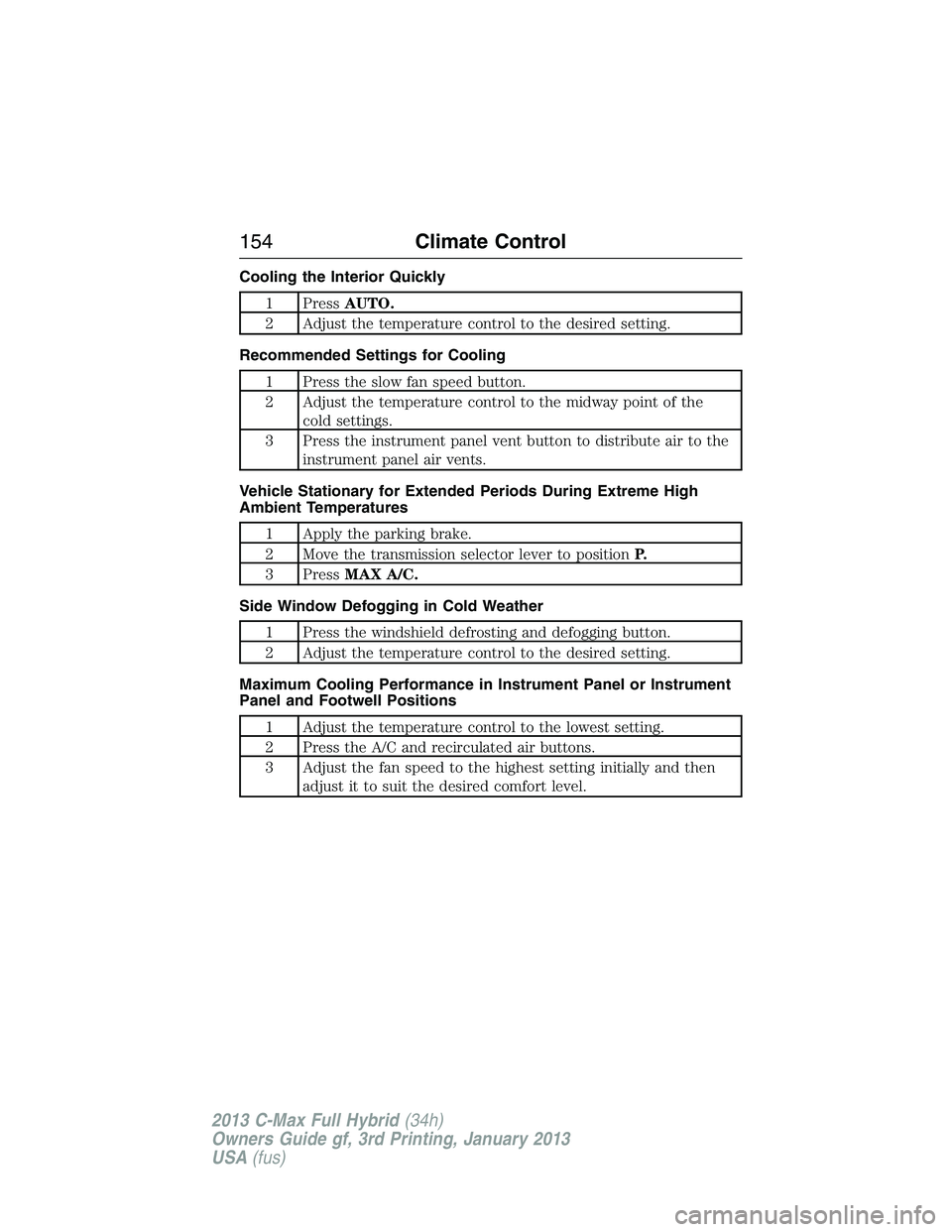
Cooling the Interior Quickly
1 PressAUTO.
2 Adjust the temperature control to the desired setting.
Recommended Settings for Cooling
1 Press the slow fan speed button.
2 Adjust the temperature control to the midway point of the
cold settings.
3 Press the instrument panel vent button to distribute air to the
instrument panel air vents.
Vehicle Stationary for Extended Periods During Extreme High
Ambient Temperatures
1 Apply the parking brake.
2 Move the transmission selector lever to positionP.
3 PressMAX A/C.
Side Window Defogging in Cold Weather
1 Press the windshield defrosting and defogging button.
2 Adjust the temperature control to the desired setting.
Maximum Cooling Performance in Instrument Panel or Instrument
Panel and Footwell Positions
1 Adjust the temperature control to the lowest setting.
2 Press the A/C and recirculated air buttons.
3 Adjust the fan speed to the highest setting initially and then
adjust it to suit the desired comfort level.
154Climate Control
2013 C-Max Full Hybrid(34h)
Owners Guide gf, 3rd Printing, January 2013
USA(fus)
Page 177 of 552
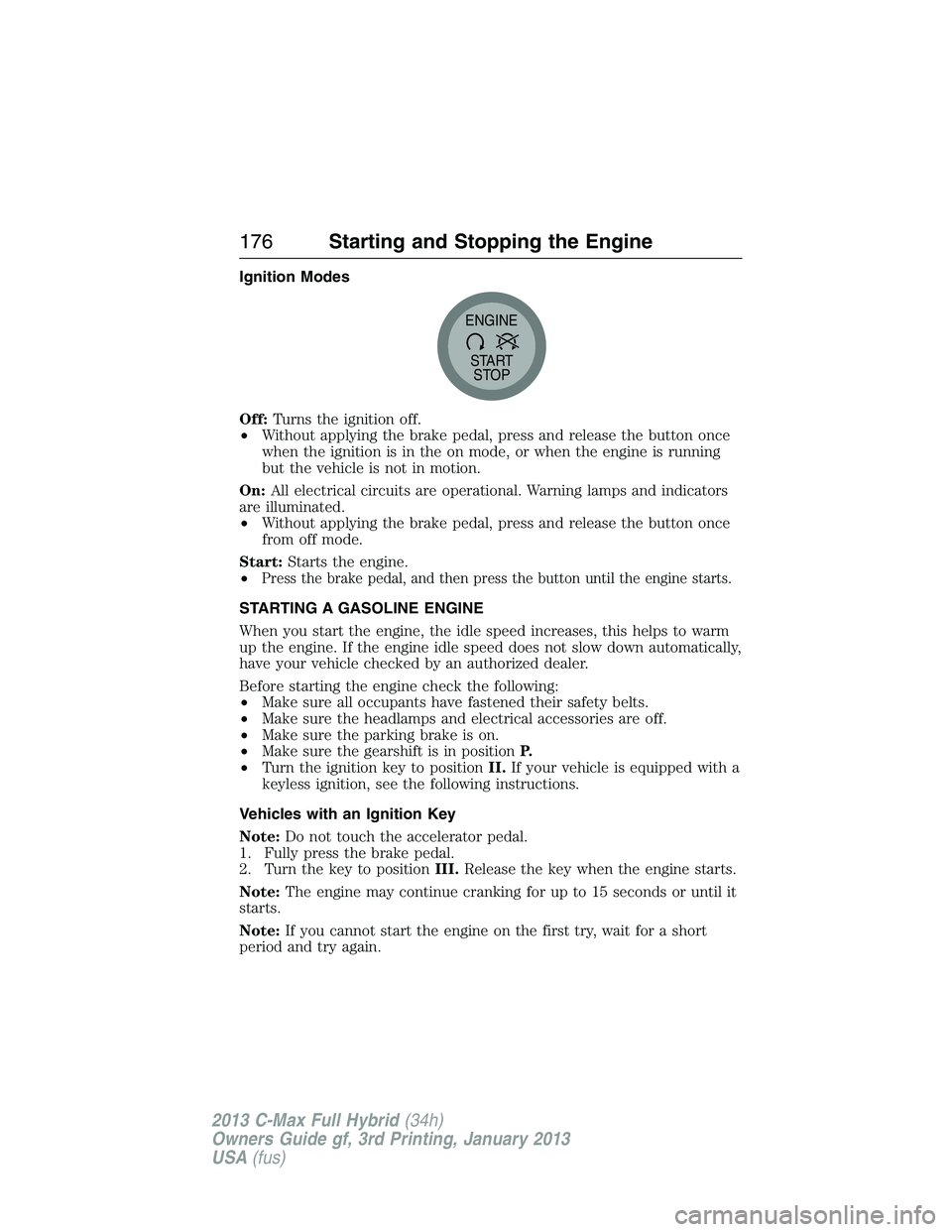
Ignition Modes
Off:Turns the ignition off.
•Without applying the brake pedal, press and release the button once
when the ignition is in the on mode, or when the engine is running
but the vehicle is not in motion.
On:All electrical circuits are operational. Warning lamps and indicators
are illuminated.
•Without applying the brake pedal, press and release the button once
from off mode.
Start:Starts the engine.
•
Press the brake pedal, and then press the button until the engine starts.
STARTING A GASOLINE ENGINE
When you start the engine, the idle speed increases, this helps to warm
up the engine. If the engine idle speed does not slow down automatically,
have your vehicle checked by an authorized dealer.
Before starting the engine check the following:
•Make sure all occupants have fastened their safety belts.
•Make sure the headlamps and electrical accessories are off.
•Make sure the parking brake is on.
•Make sure the gearshift is in positionP.
•Turn the ignition key to positionII.If your vehicle is equipped with a
keyless ignition, see the following instructions.
Vehicles with an Ignition Key
Note:Do not touch the accelerator pedal.
1. Fully press the brake pedal.
2. Turn the key to positionIII.Release the key when the engine starts.
Note:The engine may continue cranking for up to 15 seconds or until it
starts.
Note:If you cannot start the engine on the first try, wait for a short
period and try again.
START
STOP ENGINE
176Starting and Stopping the Engine
2013 C-Max Full Hybrid(34h)
Owners Guide gf, 3rd Printing, January 2013
USA(fus)
Page 178 of 552
Vehicles with Keyless Start
Note:Do not touch the accelerator pedal.
1. Fully press the brake pedal.
2. Press the button.
The system does not function if:
•The key frequencies are jammed.
•The key battery has no charge.
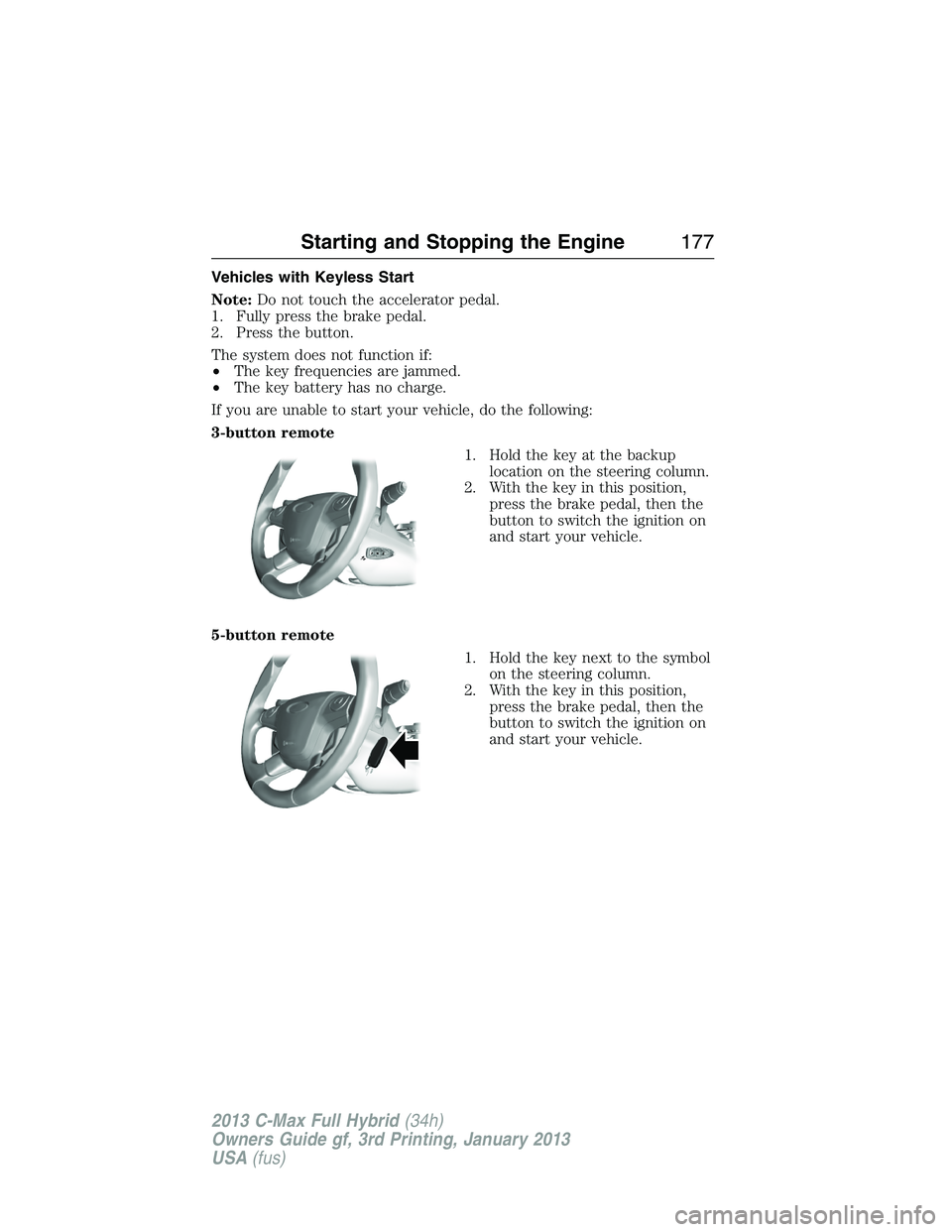
If you are unable to start your vehicle, do the following:
3-button remote
1. Hold the key at the backup
location on the steering column.
2. With the key in this position,
press the brake pedal, then the
button to switch the ignition on
and start your vehicle.
5-button remote
1. Hold the key next to the symbol
on the steering column.
2. With the key in this position,
press the brake pedal, then the
button to switch the ignition on
and start your vehicle.
Starting and Stopping the Engine177
2013 C-Max Full Hybrid(34h)
Owners Guide gf, 3rd Printing, January 2013
USA(fus)