battery FORD C MAX 2013 Manual Online
[x] Cancel search | Manufacturer: FORD, Model Year: 2013, Model line: C MAX, Model: FORD C MAX 2013Pages: 552, PDF Size: 8.55 MB
Page 423 of 552
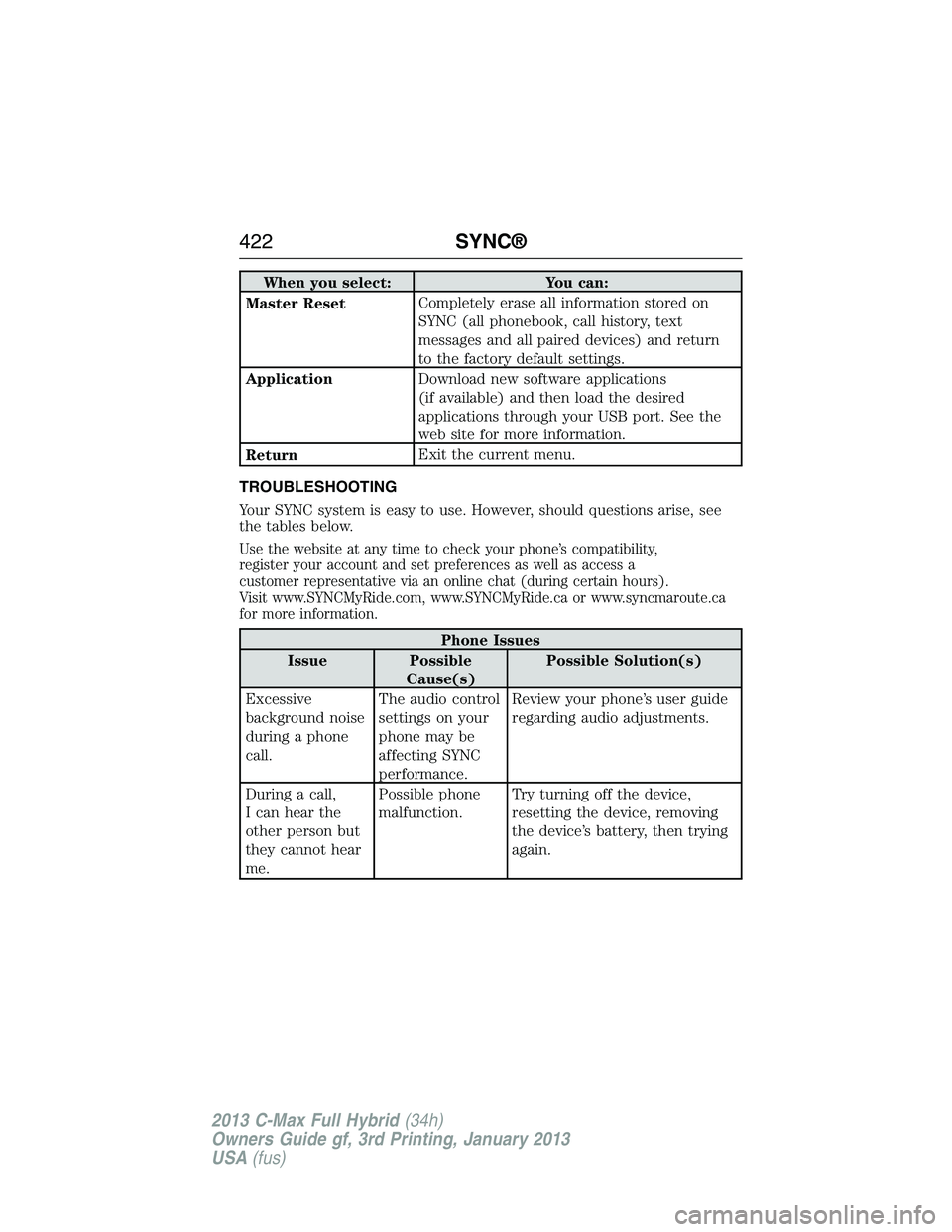
When you select: You can:
Master ResetCompletely erase all information stored on
SYNC (all phonebook, call history, text
messages and all paired devices) and return
to the factory default settings.
ApplicationDownload new software applications
(if available) and then load the desired
applications through your USB port. See the
web site for more information.
ReturnExit the current menu.
TROUBLESHOOTING
Your SYNC system is easy to use. However, should questions arise, see
the tables below.
Use the website at any time to check your phone’s compatibility,
register your account and set preferences as well as access a
customer representative via an online chat (during certain hours).
Visit www.SYNCMyRide.com, www.SYNCMyRide.ca or www.syncmaroute.ca
for more information.
Phone Issues
Issue Possible
Cause(s)Possible Solution(s)
Excessive
background noise
during a phone
call.The audio control
settings on your
phone may be
affecting SYNC
performance.Review your phone’s user guide
regarding audio adjustments.
During a call,
I can hear the
other person but
they cannot hear
me.Possible phone
malfunction.Try turning off the device,
resetting the device, removing
the device’s battery, then trying
again.
422SYNC®
2013 C-Max Full Hybrid(34h)
Owners Guide gf, 3rd Printing, January 2013
USA(fus)
Page 424 of 552
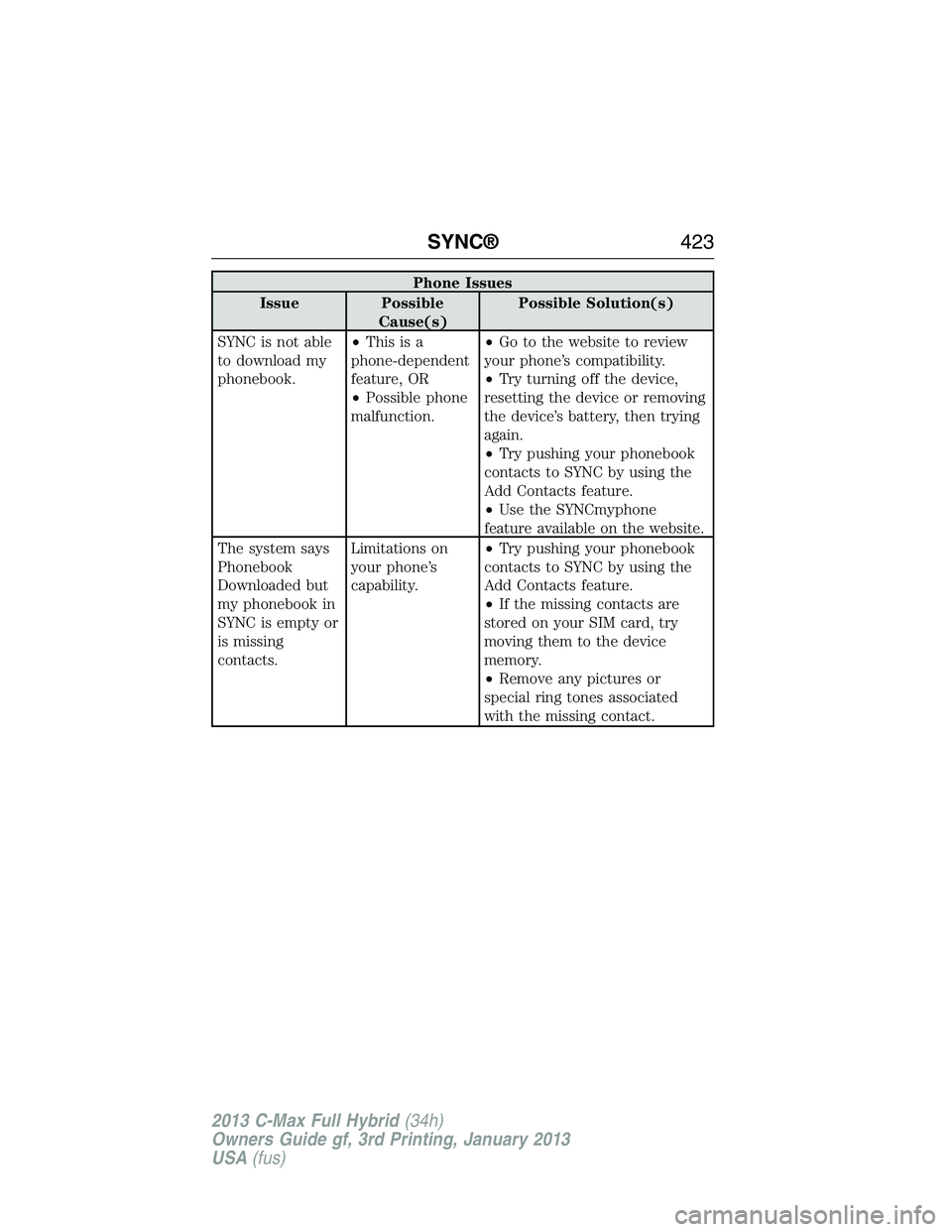
Phone Issues
Issue Possible
Cause(s)Possible Solution(s)
SYNC is not able
to download my
phonebook.•Thisisa
phone-dependent
feature, OR
•Possible phone
malfunction.•Go to the website to review
your phone’s compatibility.
•Try turning off the device,
resetting the device or removing
the device’s battery, then trying
again.
•Try pushing your phonebook
contacts to SYNC by using the
Add Contacts feature.
•Use the SYNCmyphone
feature available on the website.
The system says
Phonebook
Downloaded but
my phonebook in
SYNC is empty or
is missing
contacts.Limitations on
your phone’s
capability.•Try pushing your phonebook
contacts to SYNC by using the
Add Contacts feature.
•If the missing contacts are
stored on your SIM card, try
moving them to the device
memory.
•Remove any pictures or
special ring tones associated
with the missing contact.
SYNC®423
2013 C-Max Full Hybrid(34h)
Owners Guide gf, 3rd Printing, January 2013
USA(fus)
Page 425 of 552
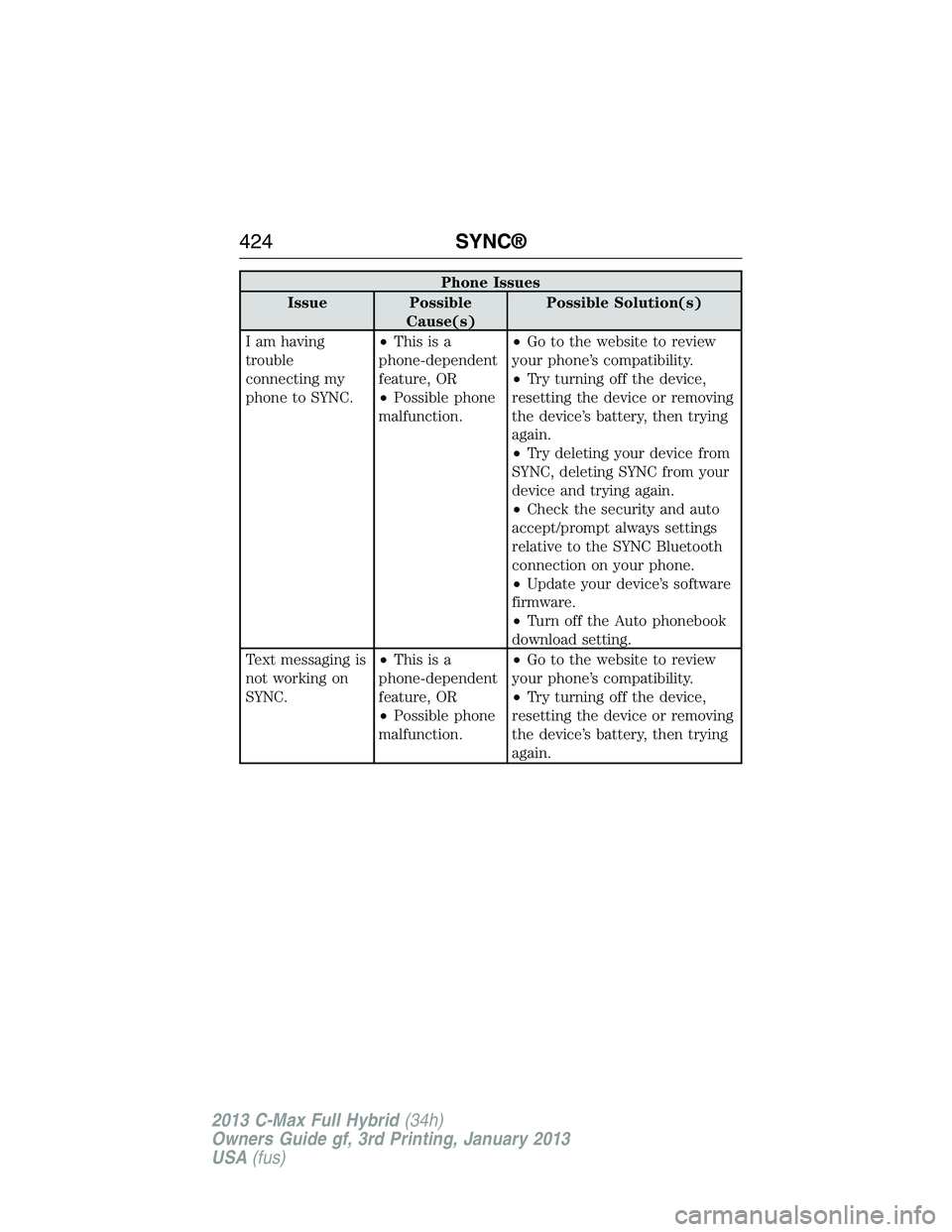
Phone Issues
Issue Possible
Cause(s)Possible Solution(s)
I am having
trouble
connecting my
phone to SYNC.•Thisisa
phone-dependent
feature, OR
•Possible phone
malfunction.•Go to the website to review
your phone’s compatibility.
•Try turning off the device,
resetting the device or removing
the device’s battery, then trying
again.
•Try deleting your device from
SYNC, deleting SYNC from your
device and trying again.
•Check the security and auto
accept/prompt always settings
relative to the SYNC Bluetooth
connection on your phone.
•Update your device’s software
firmware.
•Turn off the Auto phonebook
download setting.
Text messaging is
not working on
SYNC.•Thisisa
phone-dependent
feature, OR
•Possible phone
malfunction.•Go to the website to review
your phone’s compatibility.
•Try turning off the device,
resetting the device or removing
the device’s battery, then trying
again.
424SYNC®
2013 C-Max Full Hybrid(34h)
Owners Guide gf, 3rd Printing, January 2013
USA(fus)
Page 426 of 552
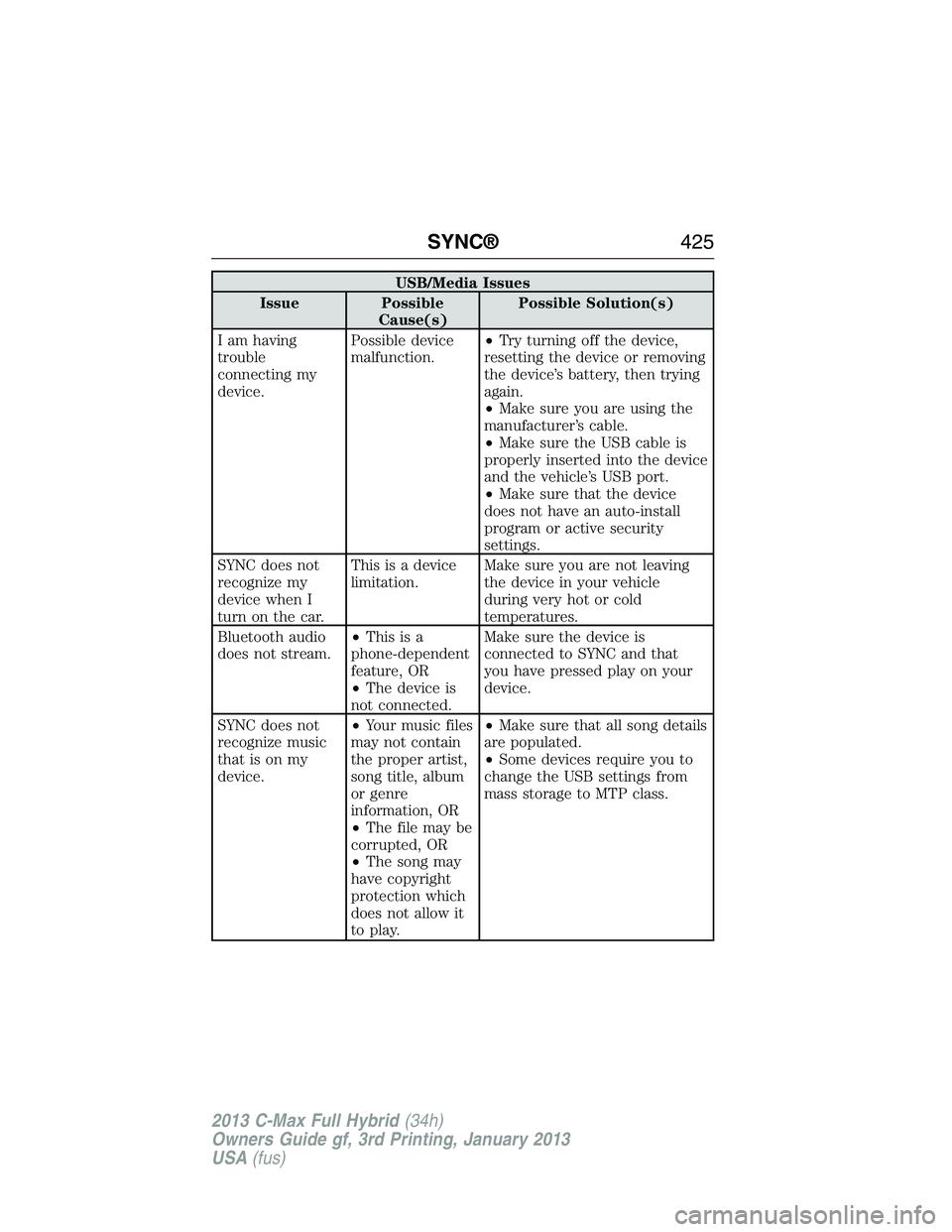
USB/Media Issues
Issue Possible
Cause(s)Possible Solution(s)
I am having
trouble
connecting my
device.Possible device
malfunction.•Try turning off the device,
resetting the device or removing
the device’s battery, then trying
again.
•Make sure you are using the
manufacturer’s cable.
•Make sure the USB cable is
properly inserted into the device
and the vehicle’s USB port.
•Make sure that the device
does not have an auto-install
program or active security
settings.
SYNC does not
recognize my
device when I
turn on the car.This is a device
limitation.Make sure you are not leaving
the device in your vehicle
during very hot or cold
temperatures.
Bluetooth audio
does not stream.•Thisisa
phone-dependent
feature, OR
•The device is
not connected.Make sure the device is
connected to SYNC and that
you have pressed play on your
device.
SYNC does not
recognize music
that is on my
device.•Your music files
may not contain
the proper artist,
song title, album
or genre
information, OR
•The file may be
corrupted, OR
•The song may
have copyright
protection which
does not allow it
to play.•Make sure that all song details
are populated.
•Some devices require you to
change the USB settings from
mass storage to MTP class.
SYNC®425
2013 C-Max Full Hybrid(34h)
Owners Guide gf, 3rd Printing, January 2013
USA(fus)
Page 475 of 552
Settings
This screen allows you to set up the charging convenience features.
Note:You can also set up the charging convenience features using
MyFord Mobile over the internet or smartphone application. For more
information on MyFord Mobile, and to set up your MyFord Mobile
account, visit www.myfordmobile.com.
To improve the charging experience, your vehicle has the following
convenience features:
•Value Charge:Your vehicle schedules its charging time when the
utility rates are lowest. Contact your utility company to see what
rates are available.
•Charge Now:Fully charge your vehicle at the quickest rate. Your
vehicle starts charging immediately after you connect the charging
plug to your vehicle.
•My GO Time:Setting the My GO Time allows you to control charging
schedules and cabin conditioning settings so your vehicle is ready to
drive when you are. By setting a My GO Time, your vehicle can have
a complete charge before your next set drive time. A calendar view
allows you to program two My GO Times per day for each day of the
week.
Note:Remember, you must plug in your vehicle for My GO Time to
work.
•Cabin Conditioning:Get the most miles out of every charge by
conditioning your vehicle while it is charging. Set the cabin
temperature and departure time before you leave so you use energy
from your home instead of your vehicle’s battery.
474MyFord Touch® (If Equipped)
2013 C-Max Full Hybrid(34h)
Owners Guide gf, 3rd Printing, January 2013
USA(fus)
Page 476 of 552
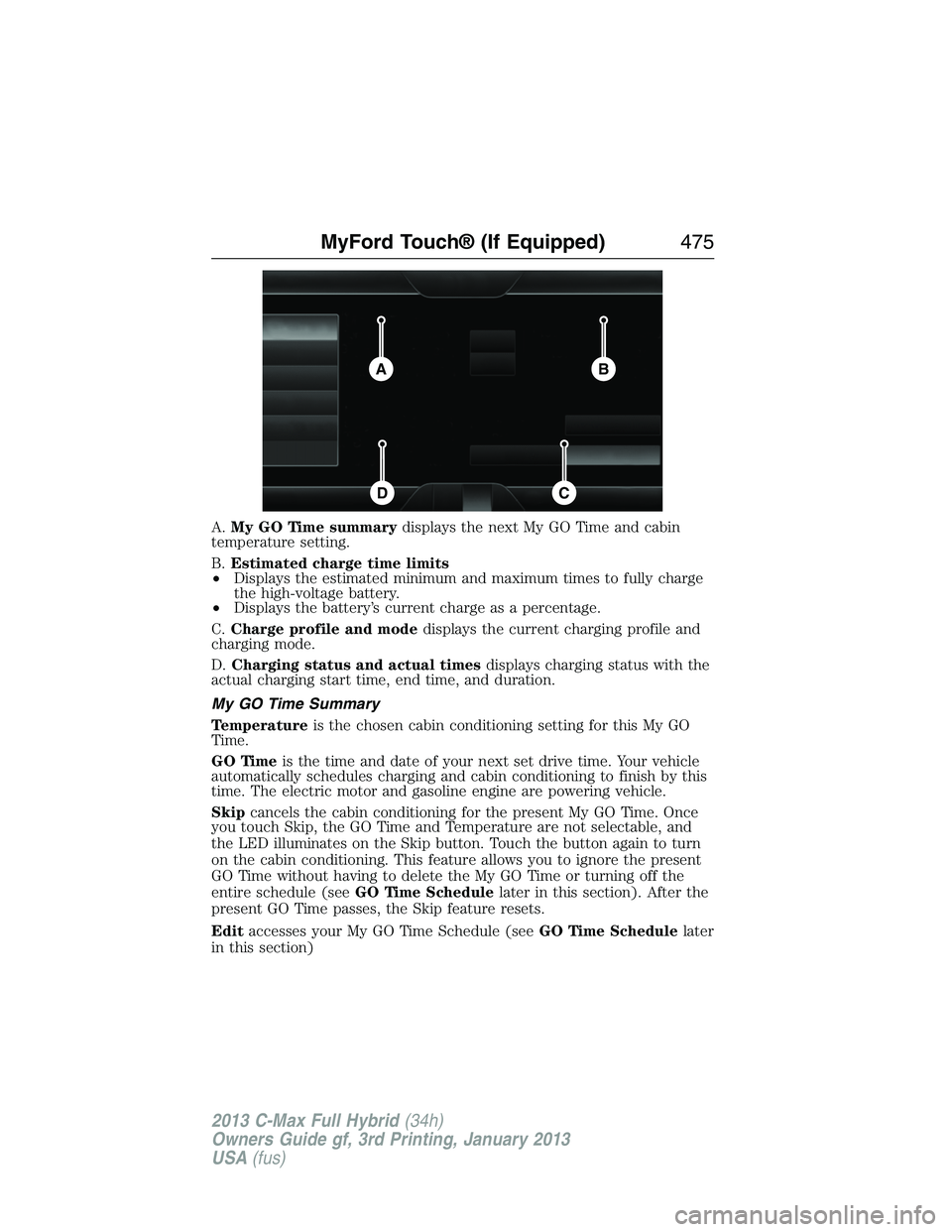
A.My GO Time summarydisplays the next My GO Time and cabin
temperature setting.
B.Estimated charge time limits
•Displays the estimated minimum and maximum times to fully charge
the high-voltage battery.
•Displays the battery’s current charge as a percentage.
C.Charge profile and modedisplays the current charging profile and
charging mode.
D.Charging status and actual timesdisplays charging status with the
actual charging start time, end time, and duration.
My GO Time Summary
Temperatureis the chosen cabin conditioning setting for this My GO
Time.
GO Timeis the time and date of your next set drive time. Your vehicle
automatically schedules charging and cabin conditioning to finish by this
time. The electric motor and gasoline engine are powering vehicle.
Skipcancels the cabin conditioning for the present My GO Time. Once
you touch Skip, the GO Time and Temperature are not selectable, and
the LED illuminates on the Skip button. Touch the button again to turn
on the cabin conditioning. This feature allows you to ignore the present
GO Time without having to delete the My GO Time or turning off the
entire schedule (seeGO Time Schedulelater in this section). After the
present GO Time passes, the Skip feature resets.
Editaccesses your My GO Time Schedule (seeGO Time Schedulelater
in this section)
BA
CD
MyFord Touch® (If Equipped)475
2013 C-Max Full Hybrid(34h)
Owners Guide gf, 3rd Printing, January 2013
USA(fus)
Page 477 of 552
The system also alerts you to any conflicts by highlighting areas of the
screen in yellow. If your battery cannot have a full charge by the
scheduled drive time, the system highlights the current My GO Time and
Actual Charge End Time and a messageCharge at GO Time: under
100%appears. This is normal; the vehicle is informing you of the
conflicting situation. This notification only displays when the gearshift
selector lever is in positionP.
Note:Charging occurs as soon as you plug the vehicle in. The system
limits cabin conditioning to 15 minutes before the My GO Time.
To eliminate the conflict notification immediately or to prevent a conflict
in the future, try the following:
•Change the present My GO Time to occur later.
•Plug the vehicle into a 240V charging station instead of 120V
convenience cord. Higher power charging yields shorter charge times.
•Plug the vehicle in sooner.
Estimated Charge Time Limits
Batteryshows you the battery’s current charge displayed as a
percentage. A reading of 100% means the battery has a full charge.
A reading of 0% means the battery has no charge.
To fully charge
•240Vis the estimated minimum charging time from the current
high-voltage battery level to full charge (100%). This represents the
shortest amount of time you should expect the high-voltage battery
to recharge under ideal conditions. Ideal conditions include a 240V
charging station and a minimum 30A service and high-voltage battery
at a moderate temperature.
Note:This charging time is only an estimate. It is normal for your actual
charge duration to be longer.
Note:Some charging stations use lower voltage (208V), which result in
longer charge times.
•120Vis the estimated maximum charging time from the current
high-voltage battery level to full charge (100%). This represents the
longest amount of time you should expect the high-voltage battery to
recharge under normal conditions. Normal conditions include a 120V
convenience cord and 12A service.
Note:This charging time is only an estimate. It is possible for your
actual charge duration to be longer. This occurs when the AC line
voltage is low and may indicate your electrical source is not meeting
certain requirements (seeCharging the high-voltage batteryin the
High Voltage Batterychapter).
476MyFord Touch® (If Equipped)
2013 C-Max Full Hybrid(34h)
Owners Guide gf, 3rd Printing, January 2013
USA(fus)
Page 478 of 552
Value Charge Profile and Mode
Value Charge profile nameis the name of the presently detected
Value Charge Profile. The system detects a customer defined value
charge profile when the vehicle is within approximately 300 feet
(100 meters) of the GPS location registered for the profile. If the vehicle
is close to more than one charge profile, it chooses the closest. When
the vehicle is not at a defined profile, it uses theDefault Valuecharge
profile. The system normally displaysDefault Profilewhile you are
driving because the vehicle is typically between defined value charge
profiles.
Editallows you to access your Value Charge profiles settings screen
(seeValue Charge Profileslater in this section).
Charge Nowif you want your vehicle to immediately charge when
plugged in at this profile location. This button illuminates if the current
charge mode for the currently detected charge profile.
Value Chargeif you want to take advantage of off-peak electricity rates.
The vehicle optimizes the charge schedule to be complete by the next
GO Time. This button illuminates if the current charge mode for the
currently detected charge profile.
Charging Status and Actual Times
This is the status of the charging system, which includes the charging
plug, high-voltage battery and charger.
Next Chargemeans the vehicle is unplugged. Estimated charge
information is for the present vehicle location.
Waiting to Chargemeans the vehicle is plugged in. Typical of Value
Charge mode, the vehicle may not start charging right away because it is
set to charge at times with lower utility costs.
Chargingmeans the high-voltage battery is charging.
Chargedmeans the high-voltage battery is fully charged and not
currently scheduled for further charging.
Charge Faultmeans a fault is present that is preventing the
high-voltage battery from charging. Inspect the charge plug connection,
charge cord and charging station.
MyFord Touch® (If Equipped)477
2013 C-Max Full Hybrid(34h)
Owners Guide gf, 3rd Printing, January 2013
USA(fus)
Page 479 of 552
Startis the scheduled start time of charging.
•At Plug In:When the vehicle is in Charge Now mode, and
unplugged, the message At Plug In appears, indicating the vehicle
immediately starts charging once you plug it in. Once you plug it in,
the system shows the actual charge start time.
•Scheduled Charge Start Time:When the vehicle is in Value
Charge mode, the system displays the scheduled charge start time
(for example, 8:00 PM). Once charging starts, the system continues
to display the actual charge start time.
Endis the estimated end time of charging.
•Charge Now Duration:When the vehicle is in Charge Now mode,
and unplugged, the system displays the charging duration in hours.
Once you plug in the vehicle, the value shows the estimated time to
finish charging.
•Scheduled Charge End Time:When the vehicle is in Value Charge
mode, the system displays the estimated charge end time. It is normal
for the actual end time to change while charging. The vehicle keeps
charging until the high-voltage battery is fully charged.
GO Time Schedule
The highlighted button displays the current schedule mode. Touch the
Editbutton next to the My GO Time to see the GO Time Schedule.
Onturns on the GO Time schedule.
Offturns off the GO Time schedule. This also turns off the cabin
conditioning function. Use this mode when you store your vehicle
on-plug to prevent using energy for cabin preconditioning.
Note:If you choose to perform Value Charging with the schedule off, the
vehicle schedules charging to finish at the lowest cost within 24 hours of
plugging the vehicle in.
478MyFord Touch® (If Equipped)
2013 C-Max Full Hybrid(34h)
Owners Guide gf, 3rd Printing, January 2013
USA(fus)
Page 482 of 552
Power
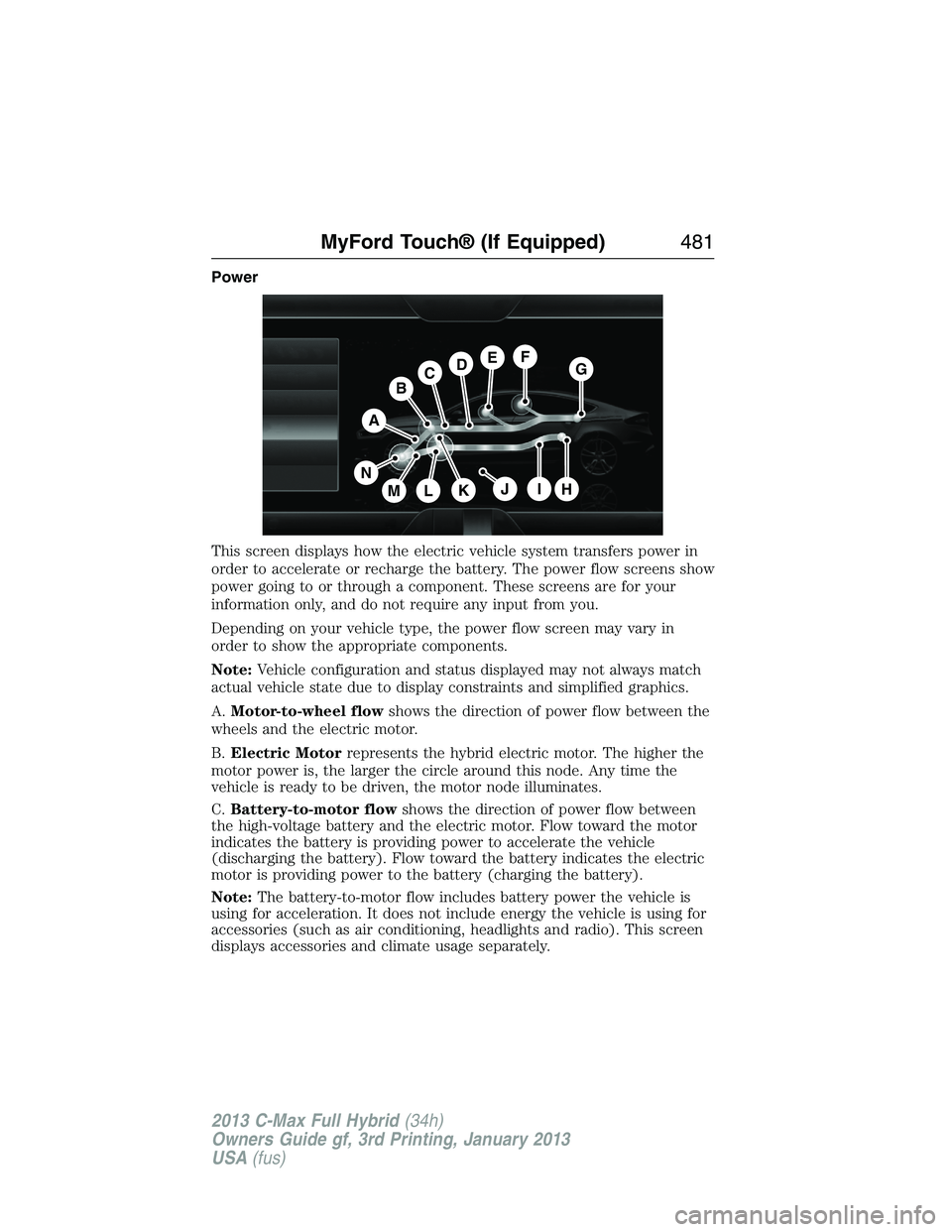
This screen displays how the electric vehicle system transfers power in
order to accelerate or recharge the battery. The power flow screens show
power going to or through a component. These screens are for your
information only, and do not require any input from you.
Depending on your vehicle type, the power flow screen may vary in
order to show the appropriate components.
Note:Vehicle configuration and status displayed may not always match
actual vehicle state due to display constraints and simplified graphics.
A.Motor-to-wheel flowshows the direction of power flow between the
wheels and the electric motor.
B.Electric Motorrepresents the hybrid electric motor. The higher the
motor power is, the larger the circle around this node. Any time the
vehicle is ready to be driven, the motor node illuminates.
C.Battery-to-motor flowshows the direction of power flow between
the high-voltage battery and the electric motor. Flow toward the motor
indicates the battery is providing power to accelerate the vehicle
(discharging the battery). Flow toward the battery indicates the electric
motor is providing power to the battery (charging the battery).
Note:The battery-to-motor flow includes battery power the vehicle is
using for acceleration. It does not include energy the vehicle is using for
accessories (such as air conditioning, headlights and radio). This screen
displays accessories and climate usage separately.
A
H
DGEF
BC
IKMLJ
N
MyFord Touch® (If Equipped)481
2013 C-Max Full Hybrid(34h)
Owners Guide gf, 3rd Printing, January 2013
USA(fus)