climate FORD C MAX 2015 Owners Manual
[x] Cancel search | Manufacturer: FORD, Model Year: 2015, Model line: C MAX, Model: FORD C MAX 2015Pages: 469, PDF Size: 6.16 MB
Page 5 of 469
Wipers and Washers
Windshield Wipers.........................................70
Autowipers........................................................70
Rear Window Wiper and Washers
............71
Lighting
Lighting Control...............................................73
Autolamps
.........................................................73
Instrument Lighting Dimmer......................74
Headlamp Exit Delay
.....................................75
Daytime Running Lamps.............................75
Front Fog Lamps............................................76
Direction Indicators........................................76
Interior Lamps
.................................................76
Ambient Lighting.............................................77
Windows and Mirrors
Power Windows
..............................................79
Global Opening
..............................................80
Exterior Mirrors
...............................................80
Interior Mirror
...................................................82
Sun Visors
.........................................................82
Sun Shades
......................................................82
Instrument Cluster
Gauges...............................................................84
Warning Lamps and Indicators................86
Audible Warnings and Indicators............90
Information Displays
General Information
.......................................91
Information Messages
...............................100
Climate Control
Automatic Climate Control
.......................107
Hints on Controlling the Interior Climate........................................................108
Heated Windows and Mirrors...................110
Cabin Air Filter
................................................110 Remote Start..................................................110
Seats
Sitting in the Correct Position...................112
Head Restraints
..............................................112
Manual Seats
..................................................114
Power Seats
.....................................................115
Rear Seats
.........................................................117
Heated Seats
...................................................117
Rear Seat Armrest.........................................118
Universal Garage Door Opener
Universal Garage Door Opener................119
Auxiliary Power Points
Auxiliary Power Points................................124
Storage Compartments
Center Console
..............................................126
Overhead Console........................................126
Starting and Stopping the Engine
General Information.....................................127
Ignition Switch................................................127
Keyless Starting
.............................................127
Starting a Gasoline Engine.......................128
Engine Block Heater
....................................130
Unique Driving Character- istics
Hybrid Electric Vehicle................................132
Fuel and Refueling
Safety Precautions
......................................138
Fuel Quality.....................................................139
Running Out of Fuel....................................140
Refueling...........................................................141
Fuel Consumption
........................................145
2
C-MAX (CCG) Canada/United States of America, enUSA, Second Printing Table of Contents
Page 8 of 469
MyFord Touch
™
General Information...................................336
Settings...........................................................344
Entertainment..............................................354
Phone...............................................................373
Electric Vehicle Information.....................378
Information....................................................388
Climate............................................................397
Navigation.......................................................401
MyFord Touch ™ Troubleshooting.........410
Accessories
Accessories.....................................................416
Extended Service Plan (ESP)
Extended Service Plan (ESP)..................418
Scheduled Maintenance
General Maintenance Information.......420
Normal Scheduled Maintenance..........424
Special Operating Conditions Scheduled Maintenance.............................................426
Scheduled Maintenance Record...........428
Appendices
End User License Agreement.................435
5
C-MAX (CCG) Canada/United States of America, enUSA, Second Printing Table of Contents
Page 51 of 469
3. Remove the old battery.
4. Insert a new battery with the + facing
downward. Press the battery down to
make sure it is fully in the housing.
5. Snap the battery cover back onto the transmitter and install the backup key.
Car Finder
Press the lock button on the key twice
within three seconds. The horn sounds and
the turn signals flash. We recommend you
use this method to locate your vehicle,
rather than using the panic alarm.
Note: If locking was not successful or if any
door or the liftgate is open, or if the hood is
open on vehicles with a perimeter alarm or
remote start, the horn does sound twice and
the lamp does not flash.
Sounding a Panic Alarm
(If Equipped)
Note: The panic alarm only operates when
the ignition is off. Press the button to activate the
alarm. Press the button again or
switch the ignition on to
deactivate it.
Remote Start (If Equipped) WARNING
To avoid exhaust fumes, do not use
remote start if your vehicle is parked
indoors or areas that are not well
ventilated. Note:
Do not use remote start if your vehicle
is low on fuel. The remote start button is on the
transmitter. This feature allows you to start your
vehicle from outside the vehicle. The
transmitter has an extended operating
range.
Vehicles with automatic climate control
can be configured to operate when the
vehicle is remote started. See Automatic
Climate Control
(page 107).
Many states and provinces have
restrictions for the use of remote start.
Check your local and state or provincial
laws for specific requirements regarding
remote start systems.
The remote start system does not work if
any of the following occur:
• The ignition is on.
• The alarm system triggers.
• You disable the feature.
• The hood is open.
• The transmission is not in
P.
• The vehicle battery voltage is too low.
• The powertrain fault indicator was on
the last time your vehicle was driven.
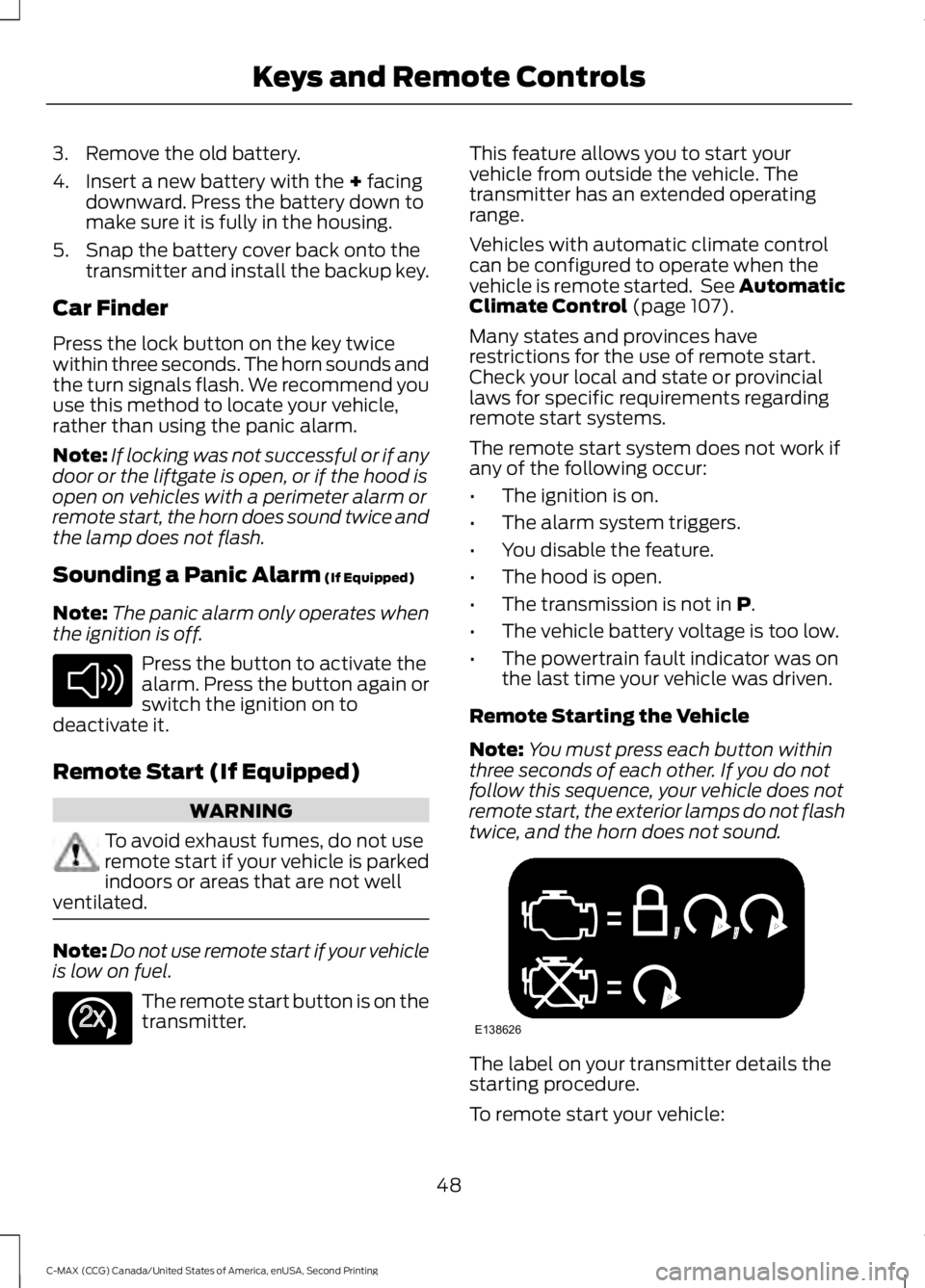
Remote Starting the Vehicle
Note: You must press each button within
three seconds of each other. If you do not
follow this sequence, your vehicle does not
remote start, the exterior lamps do not flash
twice, and the horn does not sound. The label on your transmitter details the
starting procedure.
To remote start your vehicle:
48
C-MAX (CCG) Canada/United States of America, enUSA, Second Printing Keys and Remote ControlsE138624 E138625 E138626
Page 89 of 469
Brake Coach Display:
The Brake Coach appears after the vehicle
has come to a stop. It coaches you to brake
in a manner which maximizes the amount
of energy returned through the
regenerative braking system. The percent
displayed is an indication of the
regenerative braking efficiency with 100%
representing the maximum amount of
energy recovery.
This feature can be switched on or off in
the information displays settings menu.
See General Information (page 91).
Trip Summary:
Trip Summary displays upon shutting off
your vehicle. The information is cumulative
over the last trip. A new trip begins each
time your start your vehicle (when the
Ready to Drive message comes on).
Corresponding trip efficiency leaves appear
on the right information display.
• Distance - Displays the total distance
traveled, distance traveled on battery
power only (EV distance) and Regen
distance. Regen distance is the
estimated range gained from energy
recaptured through regenerative
braking.
• Energy Use - Displays the average fuel
economy. In addition for Energi,
displays the total electrical energy used
while in Plug-in Power Mode in kilowatt
hours (kWh).
• Brake Score - The percent displayed is
an indication of the regenerative
braking efficiency for the trip.
Right Information Display
Entertainment
See
General Information (page 336).
Phone
See
General Information (page 336). Navigation or Compass
See
General Information (page 336).
Fuel Economy
See
General Information (page 91).
Vehicle Range
Vehicle range indicates the estimated
distance your vehicle will travel with the
energy currently onboard.
• For Energi vehicles the range is the
total of the range available in Hybrid
Mode fueled by gasoline, plus the
electric range available in Plug-in
Power Mode.
• For Hybrid vehicles the range shown is
the estimated distance to empty based
on the fuel remaining in the tank.
Changes in driving pattern and climate
control use will cause the value to vary.
Trip Efficiency Leaves
Trip Efficiency Leaves display upon
shutting off your vehicle. The number of
leaves represent the average for the last
trip. A new trip begins each time you start
your vehicle (when the Ready to Drive
message comes on). Corresponding Trip
Summary data displays on the left
information display.
WARNING LAMPS AND
INDICATORS
The following warning lamps and
indicators will alert you to a vehicle
condition that may become serious. Some
lamps will light when you start your vehicle
to make sure they work. If any lamps
remain on after starting your vehicle, refer
to the respective system warning lamp for
further information.
86
C-MAX (CCG) Canada/United States of America, enUSA, Second Printing Instrument Cluster
Page 91 of 469
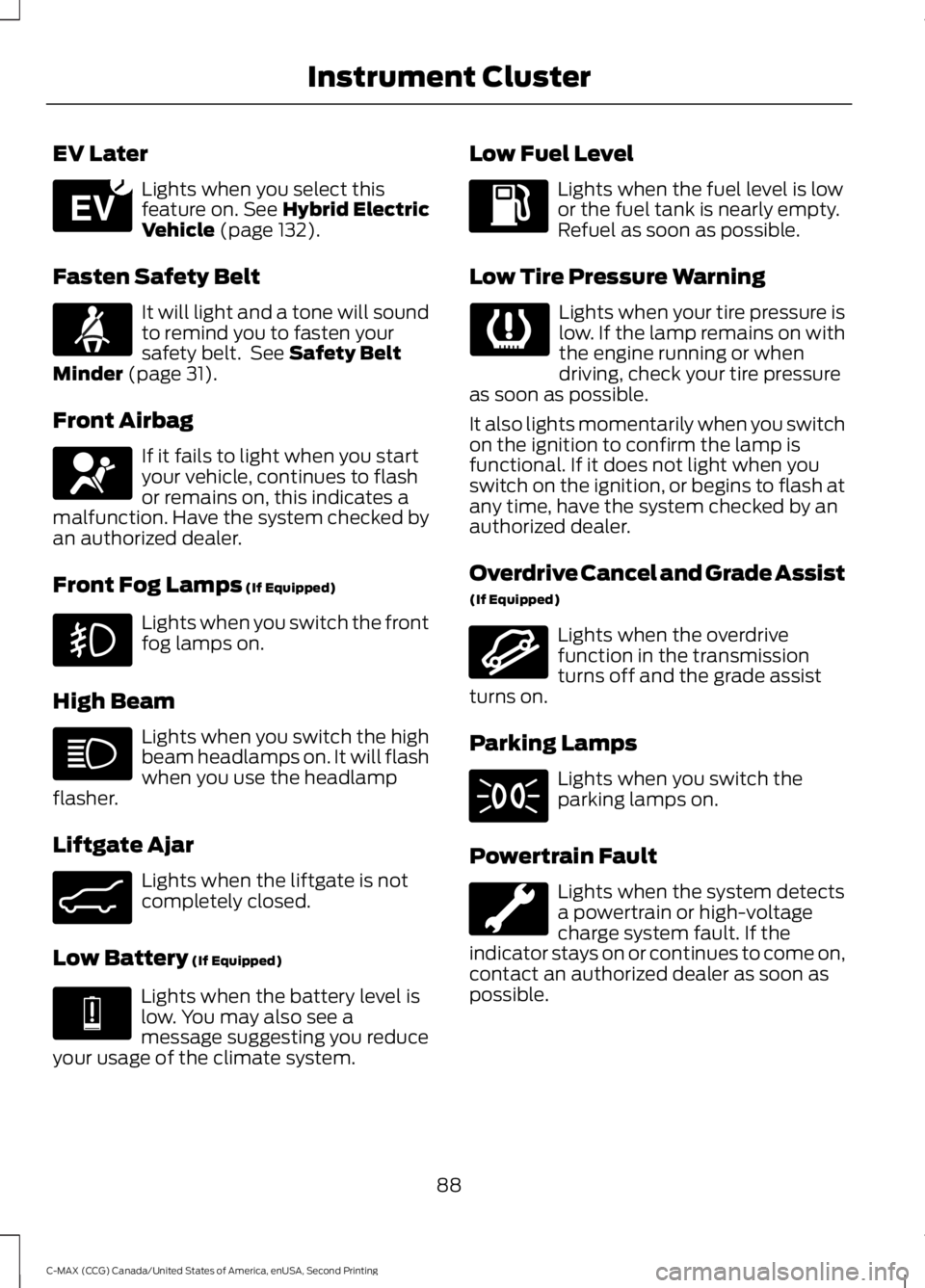
EV Later
Lights when you select this
feature on. See Hybrid Electric
Vehicle (page 132).
Fasten Safety Belt It will light and a tone will sound
to remind you to fasten your
safety belt. See
Safety Belt
Minder (page 31).
Front Airbag If it fails to light when you start
your vehicle, continues to flash
or remains on, this indicates a
malfunction. Have the system checked by
an authorized dealer.
Front Fog Lamps
(If Equipped) Lights when you switch the front
fog lamps on.
High Beam Lights when you switch the high
beam headlamps on. It will flash
when you use the headlamp
flasher.
Liftgate Ajar Lights when the liftgate is not
completely closed.
Low Battery
(If Equipped) Lights when the battery level is
low. You may also see a
message suggesting you reduce
your usage of the climate system. Low Fuel Level Lights when the fuel level is low
or the fuel tank is nearly empty.
Refuel as soon as possible.
Low Tire Pressure Warning Lights when your tire pressure is
low. If the lamp remains on with
the engine running or when
driving, check your tire pressure
as soon as possible.
It also lights momentarily when you switch
on the ignition to confirm the lamp is
functional. If it does not light when you
switch on the ignition, or begins to flash at
any time, have the system checked by an
authorized dealer.
Overdrive Cancel and Grade Assist
(If Equipped) Lights when the overdrive
function in the transmission
turns off and the grade assist
turns on.
Parking Lamps Lights when you switch the
parking lamps on.
Powertrain Fault Lights when the system detects
a powertrain or high-voltage
charge system fault. If the
indicator stays on or continues to come on,
contact an authorized dealer as soon as
possible.
88
C-MAX (CCG) Canada/United States of America, enUSA, Second Printing Instrument ClusterE151263 E162453 E144691 E162456
Page 96 of 469
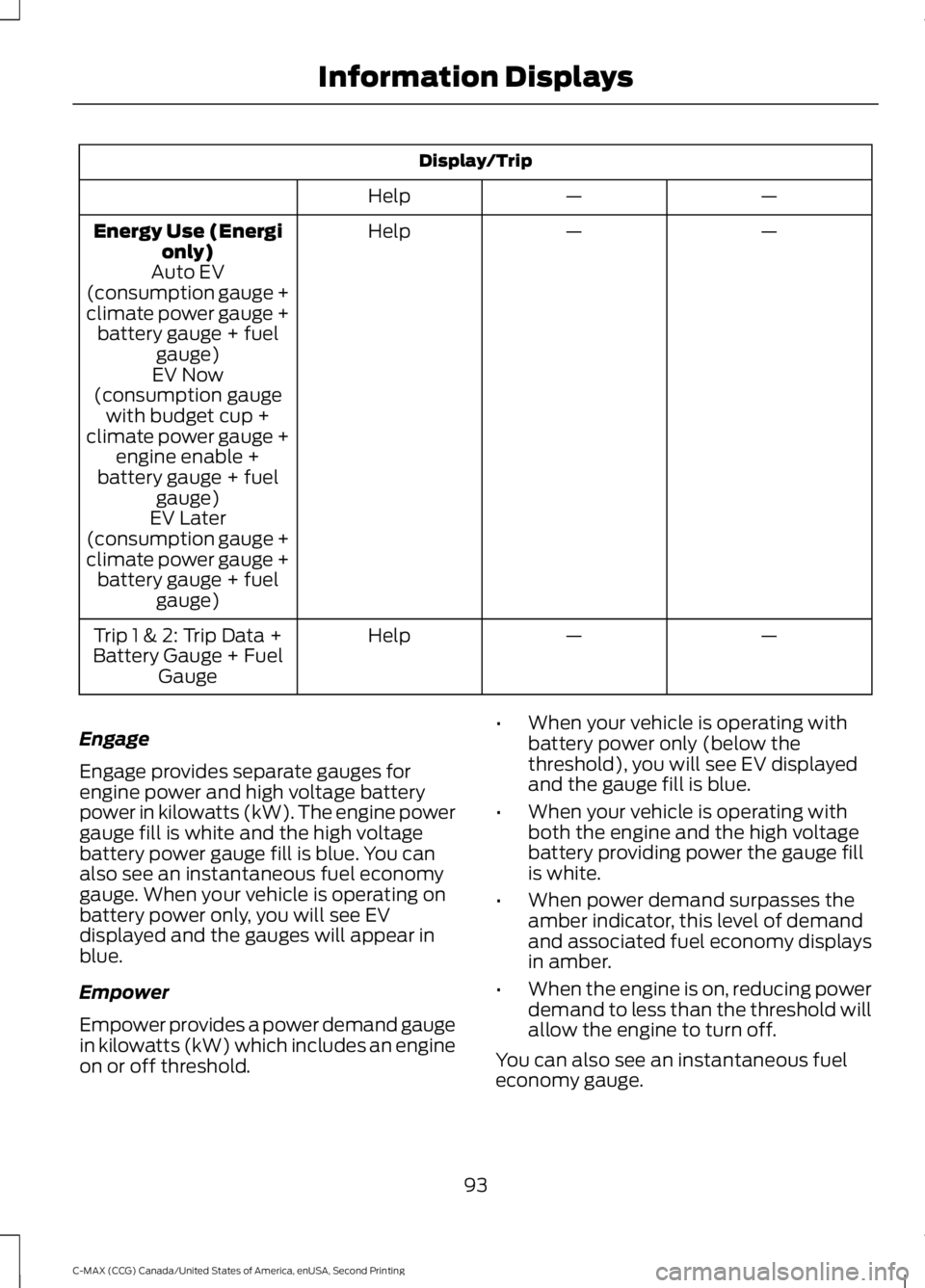
Display/Trip
—
—
Help
—
—
Help
Energy Use (Energi
only)
Auto EV
(consumption gauge +
climate power gauge + battery gauge + fuel gauge)
EV Now
(consumption gauge with budget cup +
climate power gauge + engine enable +
battery gauge + fuel gauge)
EV Later
(consumption gauge +
climate power gauge + battery gauge + fuel gauge)
—
—
Help
Trip 1 & 2: Trip Data +
Battery Gauge + Fuel Gauge
Engage
Engage provides separate gauges for
engine power and high voltage battery
power in kilowatts (kW). The engine power
gauge fill is white and the high voltage
battery power gauge fill is blue. You can
also see an instantaneous fuel economy
gauge. When your vehicle is operating on
battery power only, you will see EV
displayed and the gauges will appear in
blue.
Empower
Empower provides a power demand gauge
in kilowatts (kW) which includes an engine
on or off threshold. •
When your vehicle is operating with
battery power only (below the
threshold), you will see EV displayed
and the gauge fill is blue.
• When your vehicle is operating with
both the engine and the high voltage
battery providing power the gauge fill
is white.
• When power demand surpasses the
amber indicator, this level of demand
and associated fuel economy displays
in amber.
• When the engine is on, reducing power
demand to less than the threshold will
allow the engine to turn off.
You can also see an instantaneous fuel
economy gauge.
93
C-MAX (CCG) Canada/United States of America, enUSA, Second Printing Information Displays
Page 97 of 469
Note:
You can reset your average fuel
economy by pressing and holding the OK
button on the left hand steering wheel
controls.
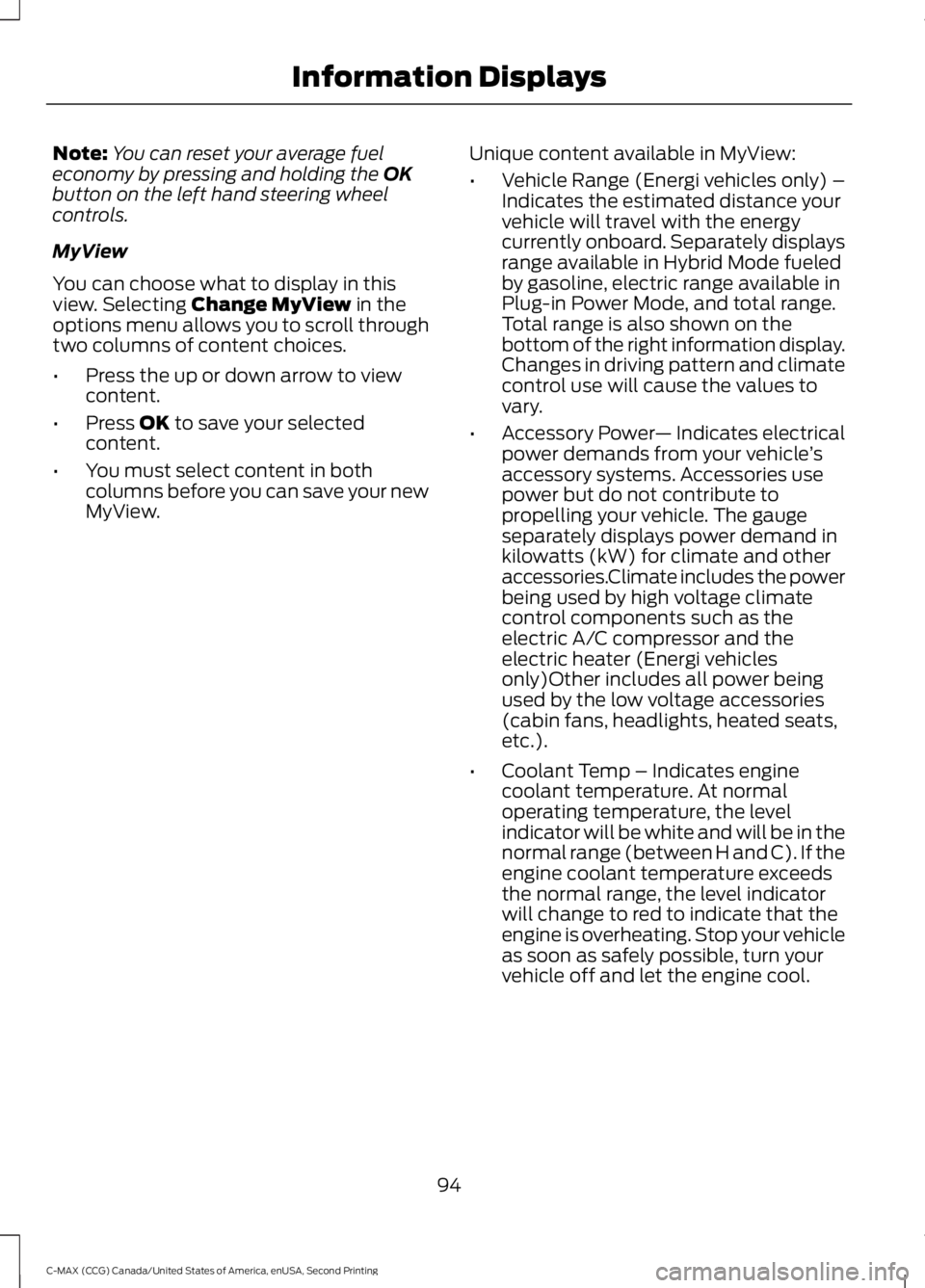
MyView
You can choose what to display in this
view. Selecting
Change MyView in the
options menu allows you to scroll through
two columns of content choices.
• Press the up or down arrow to view
content.
• Press
OK to save your selected
content.
• You must select content in both
columns before you can save your new
MyView. Unique content available in MyView:
•
Vehicle Range (Energi vehicles only) –
Indicates the estimated distance your
vehicle will travel with the energy
currently onboard. Separately displays
range available in Hybrid Mode fueled
by gasoline, electric range available in
Plug-in Power Mode, and total range.
Total range is also shown on the
bottom of the right information display.
Changes in driving pattern and climate
control use will cause the values to
vary.
• Accessory Power — Indicates electrical
power demands from your vehicle ’s
accessory systems. Accessories use
power but do not contribute to
propelling your vehicle. The gauge
separately displays power demand in
kilowatts (kW) for climate and other
accessories.Climate includes the power
being used by high voltage climate
control components such as the
electric A/C compressor and the
electric heater (Energi vehicles
only)Other includes all power being
used by the low voltage accessories
(cabin fans, headlights, heated seats,
etc.).
• Coolant Temp – Indicates engine
coolant temperature. At normal
operating temperature, the level
indicator will be white and will be in the
normal range (between H and C). If the
engine coolant temperature exceeds
the normal range, the level indicator
will change to red to indicate that the
engine is overheating. Stop your vehicle
as soon as safely possible, turn your
vehicle off and let the engine cool.
94
C-MAX (CCG) Canada/United States of America, enUSA, Second Printing Information Displays
Page 98 of 469
•
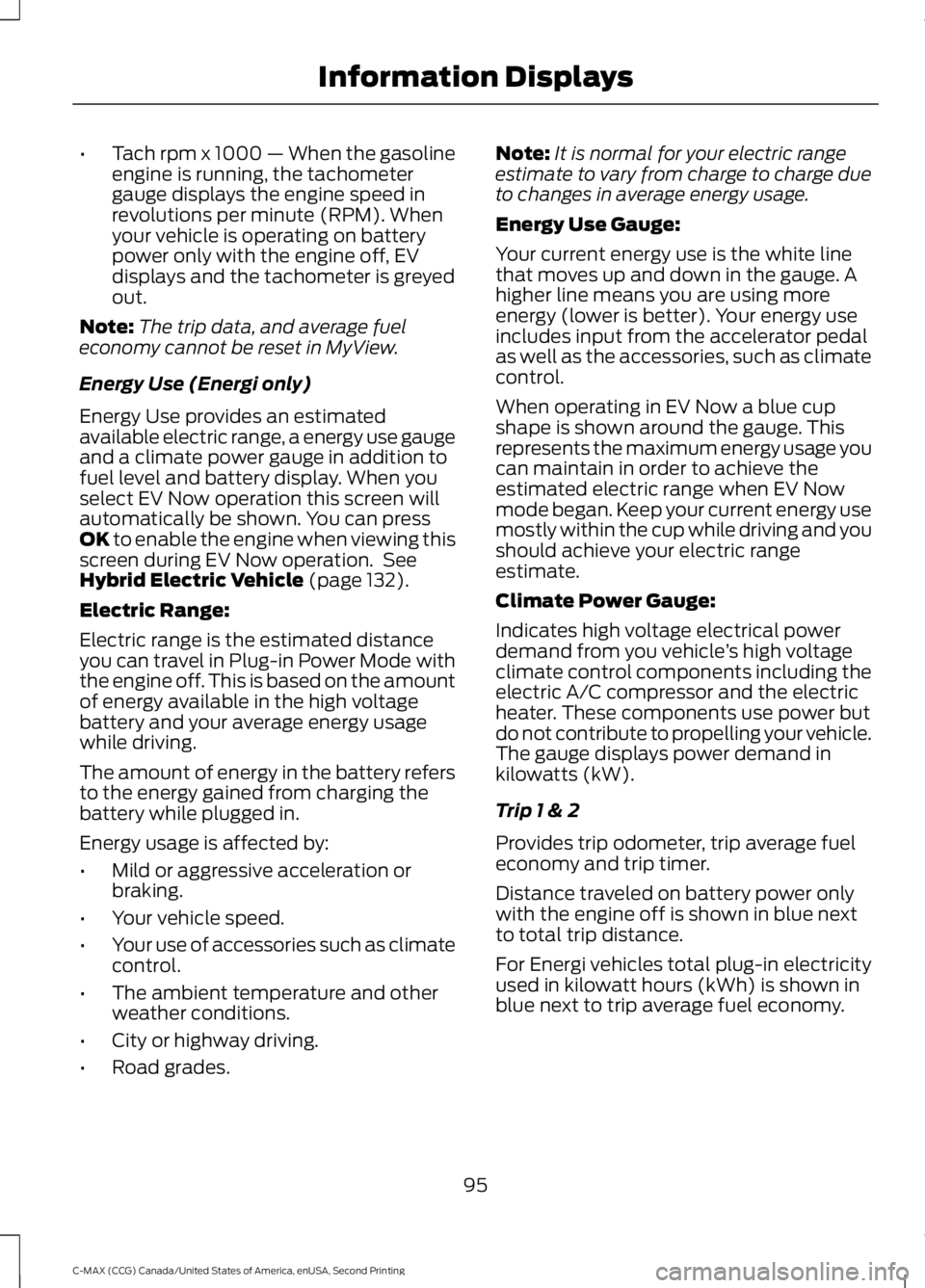
Tach rpm x 1000 — When the gasoline
engine is running, the tachometer
gauge displays the engine speed in
revolutions per minute (RPM). When
your vehicle is operating on battery
power only with the engine off, EV
displays and the tachometer is greyed
out.
Note: The trip data, and average fuel
economy cannot be reset in MyView.
Energy Use (Energi only)
Energy Use provides an estimated
available electric range, a energy use gauge
and a climate power gauge in addition to
fuel level and battery display. When you
select EV Now operation this screen will
automatically be shown. You can press
OK to enable the engine when viewing this
screen during EV Now operation. See
Hybrid Electric Vehicle
(page 132).
Electric Range:
Electric range is the estimated distance
you can travel in Plug-in Power Mode with
the engine off. This is based on the amount
of energy available in the high voltage
battery and your average energy usage
while driving.
The amount of energy in the battery refers
to the energy gained from charging the
battery while plugged in.
Energy usage is affected by:
• Mild or aggressive acceleration or
braking.
• Your vehicle speed.
• Your use of accessories such as climate
control.
• The ambient temperature and other
weather conditions.
• City or highway driving.
• Road grades. Note:
It is normal for your electric range
estimate to vary from charge to charge due
to changes in average energy usage.
Energy Use Gauge:
Your current energy use is the white line
that moves up and down in the gauge. A
higher line means you are using more
energy (lower is better). Your energy use
includes input from the accelerator pedal
as well as the accessories, such as climate
control.
When operating in EV Now a blue cup
shape is shown around the gauge. This
represents the maximum energy usage you
can maintain in order to achieve the
estimated electric range when EV Now
mode began. Keep your current energy use
mostly within the cup while driving and you
should achieve your electric range
estimate.
Climate Power Gauge:
Indicates high voltage electrical power
demand from you vehicle ’s high voltage
climate control components including the
electric A/C compressor and the electric
heater. These components use power but
do not contribute to propelling your vehicle.
The gauge displays power demand in
kilowatts (kW).
Trip 1 & 2
Provides trip odometer, trip average fuel
economy and trip timer.
Distance traveled on battery power only
with the engine off is shown in blue next
to total trip distance.
For Energi vehicles total plug-in electricity
used in kilowatt hours (kWh) is shown in
blue next to trip average fuel economy.
95
C-MAX (CCG) Canada/United States of America, enUSA, Second Printing Information Displays
Page 100 of 469
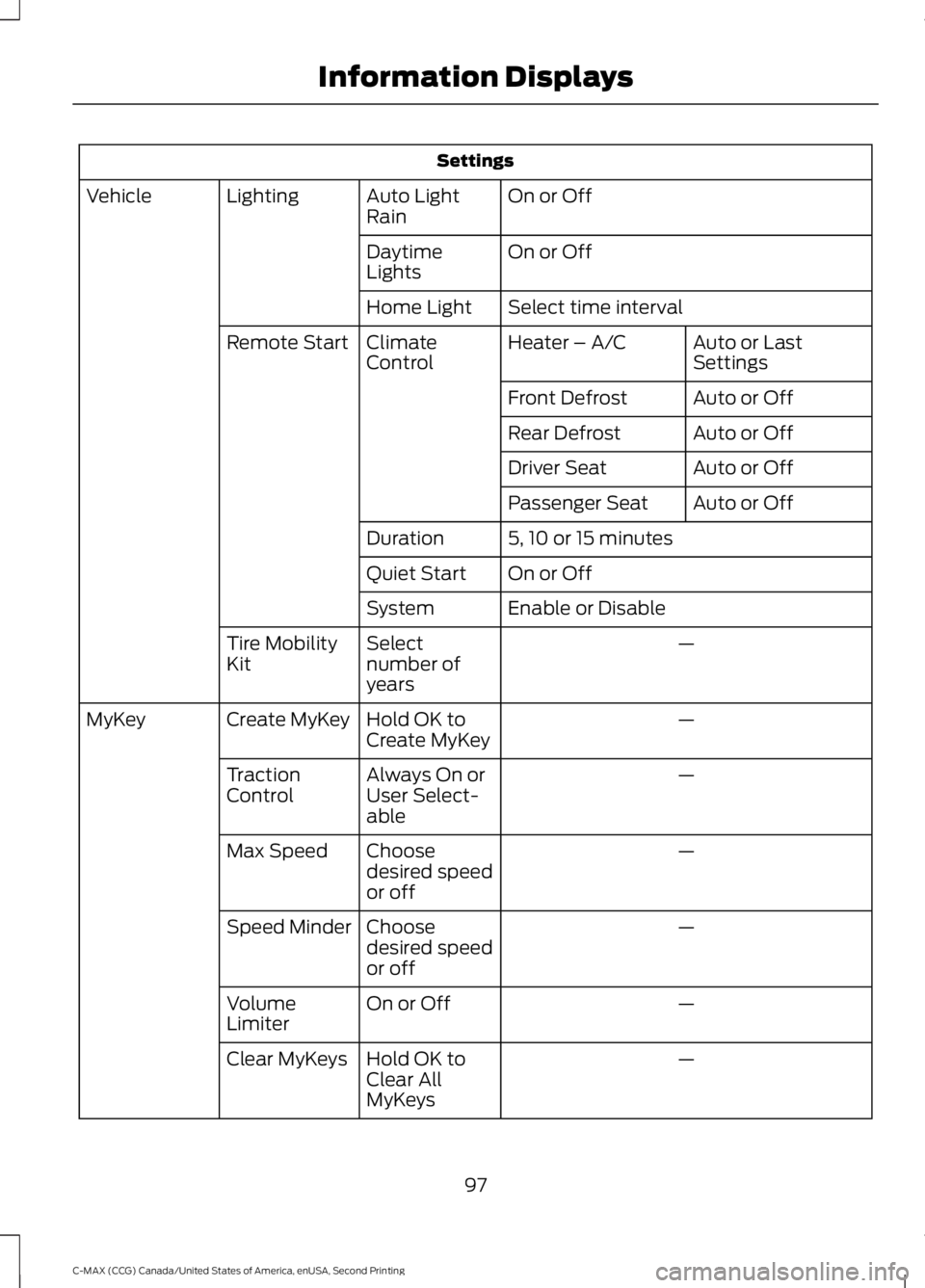
Settings
On or Off
Auto Light
Rain
Lighting
Vehicle
On or Off
Daytime
Lights
Select time interval
Home Light
Auto or Last
Settings
Heater – A/C
Climate
Control
Remote Start
Auto or Off
Front Defrost
Auto or Off
Rear Defrost
Auto or Off
Driver Seat
Auto or Off
Passenger Seat
5, 10 or 15 minutes
Duration
On or Off
Quiet Start
Enable or Disable
System
—
Select
number of
years
Tire Mobility
Kit
—
Hold OK to
Create MyKey
Create MyKey
MyKey
—
Always On or
User Select-
able
Traction
Control
—
Choose
desired speed
or off
Max Speed
—
Choose
desired speed
or off
Speed Minder
—
On or Off
Volume
Limiter
—
Hold OK to
Clear All
MyKeys
Clear MyKeys
97
C-MAX (CCG) Canada/United States of America, enUSA, Second Printing Information Displays
Page 104 of 469
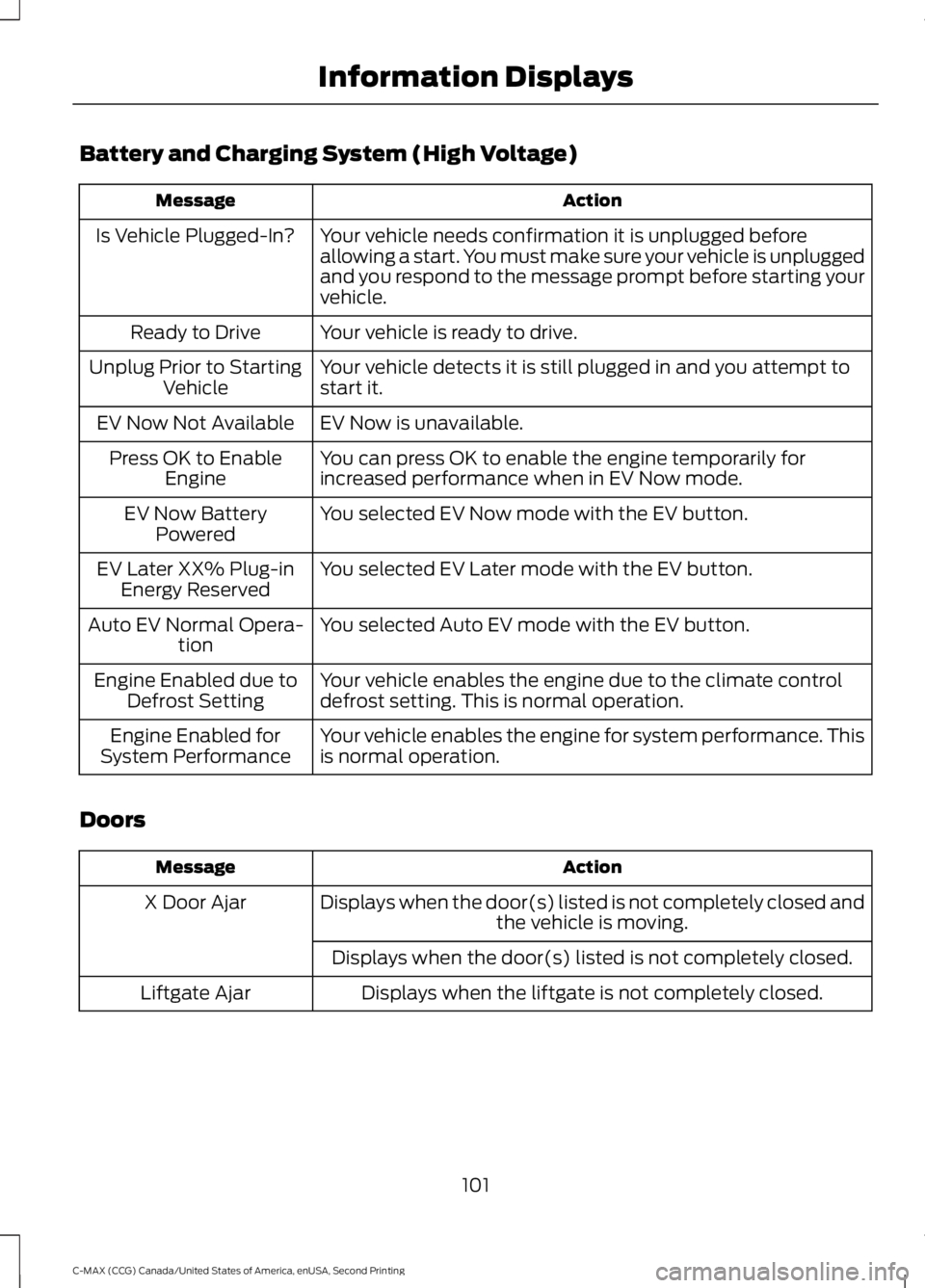
Battery and Charging System (High Voltage)
Action
Message
Your vehicle needs confirmation it is unplugged before
allowing a start. You must make sure your vehicle is unplugged
and you respond to the message prompt before starting your
vehicle.
Is Vehicle Plugged-In?
Your vehicle is ready to drive.
Ready to Drive
Your vehicle detects it is still plugged in and you attempt to
start it.
Unplug Prior to Starting
Vehicle
EV Now is unavailable.
EV Now Not Available
You can press OK to enable the engine temporarily for
increased performance when in EV Now mode.
Press OK to Enable
Engine
You selected EV Now mode with the EV button.
EV Now Battery
Powered
You selected EV Later mode with the EV button.
EV Later XX% Plug-in
Energy Reserved
You selected Auto EV mode with the EV button.
Auto EV Normal Opera-
tion
Your vehicle enables the engine due to the climate control
defrost setting. This is normal operation.
Engine Enabled due to
Defrost Setting
Your vehicle enables the engine for system performance. This
is normal operation.
Engine Enabled for
System Performance
Doors Action
Message
Displays when the door(s) listed is not completely closed and the vehicle is moving.
X Door Ajar
Displays when the door(s) listed is not completely closed.Displays when the liftgate is not completely closed.
Liftgate Ajar
101
C-MAX (CCG) Canada/United States of America, enUSA, Second Printing Information Displays