ignition FORD C MAX ENERGI 2016 Owner's Manual
[x] Cancel search | Manufacturer: FORD, Model Year: 2016, Model line: C MAX ENERGI, Model: FORD C MAX ENERGI 2016Pages: 395, PDF Size: 6.78 MB
Page 84 of 395
2. Close the window a third time to thepoint of resistance. The bounce-backfeature is now disabled and you canclose the window manually. Thewindow will go past the point ofresistance and you can close it fully.
See an authorized dealer as soon aspossible if the window does not close afterthe third attempt.
Resetting the Bounce-Back Feature
WARNING
The bounce-back feature remainsturned off until you reset thememory.
If you have disconnected the battery, youmust reset the bounce-back memoryseparately for each window.
1. Lift and hold the switch until thewindow is fully closed.
2. Release the switch.
3. Lift the switch again for one moresecond.
4. Press and hold the switch until thewindow is fully open.
5. Release the switch.
6. Lift and hold the switch until thewindow is fully closed.
7.Open the window and then try to closeit automatically.
8. Reset and repeat the procedure if thewindow does not close automatically.
Accessory Delay (If Equipped)
You can use the window switches forseveral minutes after you switch theignition off or until you open either frontdoor.
GLOBAL OPENING
You can use the remote control to operatethe windows with the ignition off.
Note:To operate this feature, accessorydelay must not be active.
Opening the Windows
You can use the global opening feature toopen the windows only for a short timeafter you unlock your vehicle by using theremote control.
To use the global opening feature:
1. Press and release the remote controlunlock button.
2.Press the remote control unlock buttonagain and hold it for approximatelythree seconds. Release the controlwhen the windows begin to open.
3.Press the lock or unlock button on yourremote control to stop the windowopening function.
Note:Contact an authorized Ford dealer todeactivate this feature.
EXTERIOR MIRRORS
Power Exterior Mirrors
WARNING
Do not adjust the mirrors when yourvehicle is moving.
81
C-MAX (CCG) Canada/United States of America, enUSA, First Printing
Windows and Mirrors
Page 87 of 395
SUN SHADES (If Equipped)
WARNINGS
Do not let children play with the sunshade or leave them unattended inthe vehicle. They may seriously hurtthemselves.
When closing the sun shade, youshould verify that it is free ofobstructions and make sure thatchildren and pets are not in the proximityof the sunshade.
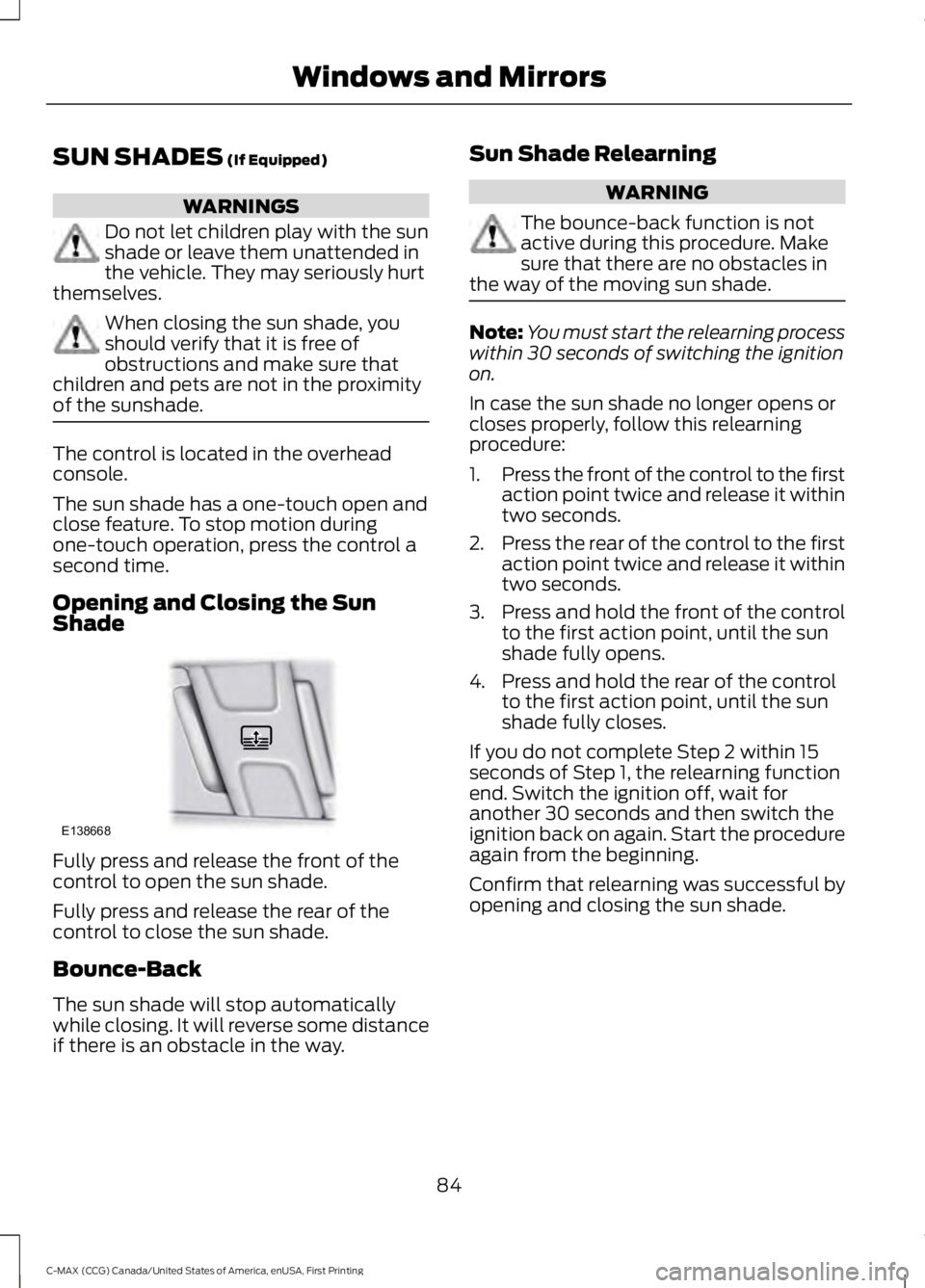
The control is located in the overheadconsole.
The sun shade has a one-touch open andclose feature. To stop motion duringone-touch operation, press the control asecond time.
Opening and Closing the SunShade
Fully press and release the front of thecontrol to open the sun shade.
Fully press and release the rear of thecontrol to close the sun shade.
Bounce-Back
The sun shade will stop automaticallywhile closing. It will reverse some distanceif there is an obstacle in the way.
Sun Shade Relearning
WARNING
The bounce-back function is notactive during this procedure. Makesure that there are no obstacles inthe way of the moving sun shade.
Note:You must start the relearning processwithin 30 seconds of switching the ignitionon.
In case the sun shade no longer opens orcloses properly, follow this relearningprocedure:
1.Press the front of the control to the firstaction point twice and release it withintwo seconds.
2.Press the rear of the control to the firstaction point twice and release it withintwo seconds.
3.Press and hold the front of the controlto the first action point, until the sunshade fully opens.
4. Press and hold the rear of the controlto the first action point, until the sunshade fully closes.
If you do not complete Step 2 within 15seconds of Step 1, the relearning functionend. Switch the ignition off, wait foranother 30 seconds and then switch theignition back on again. Start the procedureagain from the beginning.
Confirm that relearning was successful byopening and closing the sun shade.
84
C-MAX (CCG) Canada/United States of America, enUSA, First Printing
Windows and MirrorsE138668
Page 89 of 395
Charge Assist
The up and down arrows provideinformation about the energy going intoand out of the high voltage battery. The uparrow above the battery indicates batterycharging such as from regenerative braking.The down arrow below the batteryindicates battery discharging to providepower for propulsion or vehicleaccessories.
Regen Active
A circular arrow symbol appears in thecenter of the battery gauge when energyis being recaptured through theregenerative braking system.
This feature can be switched on or off inthe information displays settings menu.See General Information (page 93).
Fuel Gauge:
Note:The fuel gauge may vary slightlywhen your vehicle is moving or on a gradient.
Switch the ignition on. The fuel gauge willindicate approximately how much fuel isleft in the fuel tank. The arrow adjacent tothe fuel pump symbol indicates on whichside of your vehicle the fuel filler door islocated.
The needle should move toward F whenyou refuel your vehicle. If the needle pointsto E after adding fuel, this indicates yourvehicle needs service soon.
After refueling some variability in needleposition is normal:
•It may take a short time for the needleto reach F after leaving the gas station.This is normal and depends upon theslope of pavement at the gas station.
•The fuel amount dispensed into thetank is a little less or more than thegauge indicated. This is normal anddepends upon the slope of pavementat the gas station.
•If the gas station nozzle shuts offbefore the tank is full, try a differentgas pump nozzle.
Low Fuel Reminder
A low fuel reminder triggers when the fuelgauge needle is at 1/16th.
Variations:
Distance-to-emptyFuel gauge positionDriving type (fuel economyconditions)
35–80 mi (56–129 km)1/16thHighway driving
35 mi (56 km)1/16thSevere duty driving (trailertowing, extended idle)
Vehicle Settings and Personalization
Display/Trip
See General Information (page 93).
Information
See General Information (page 93).
Settings
See General Information (page 93).
86
C-MAX (CCG) Canada/United States of America, enUSA, First Printing
Instrument Cluster
Page 92 of 395
WARNING LAMPS AND
INDICATORS
The following warning lamps andindicators will alert you to a vehiclecondition that may become serious. Somelamps will light when you start your vehicleto make sure they work. If any lampsremain on after starting your vehicle, referto the respective system warning lamp forfurther information.
Note:Some warning indicators appear inthe information display and function thesame as a warning lamp but do not displaywhen you start your vehicle.
Anti-Lock Braking System
If it lights when you are driving,this indicates a malfunction. Youwill continue to have normalbraking (without anti-lock braking system)unless the brake system warning lamp alsolights. Have the system checked by anauthorized dealer.
Battery
If it lights while driving, thisindicates a malfunction. Switchoff all unnecessary electricalequipment and have the system checkedby an authorized dealer immediately.
Brake System
Lights when you engage theparking brake with the ignitionon.
If it lights when you are driving, check thatyou do not have the parking brakeengaged. If you do not have the parkingbrake engaged, this indicates low brakefluid level or a brake system malfunction.Have the system checked immediately byan authorized dealer.
WARNING
Driving your vehicle with the warninglamp on is dangerous. A significantdecrease in braking performancemay occur. It will take you longer to stopyour vehicle. Have your vehicle checked byyour authorized dealer immediately. Drivingextended distances with the parking brakeengaged can cause brake failure and therisk of personal injury.
Cruise Control (If Equipped)
Lights when you switch on thisfeature.
Direction Indicator
Lights when you switch on theleft or right direction indicator orhazard warning flasher. If theindicators stay on or flash faster, check fora burned out bulb. See Changing a Bulb(page 232).
Door Ajar
Displays when the ignition is onand any door is not completelyclosed.
EcoSelect
Lights when you switch on thisfeature. See Hybrid VehicleOperation (page 135).
Engine and Motor CoolantTemperature
Lights when the engine or motorcoolant temperature is high.Stop the vehicle as soon aspossible, switch off the engine and let cool.
89
C-MAX (CCG) Canada/United States of America, enUSA, First Printing
Instrument Cluster E144522 E71340 E194390
Page 93 of 395
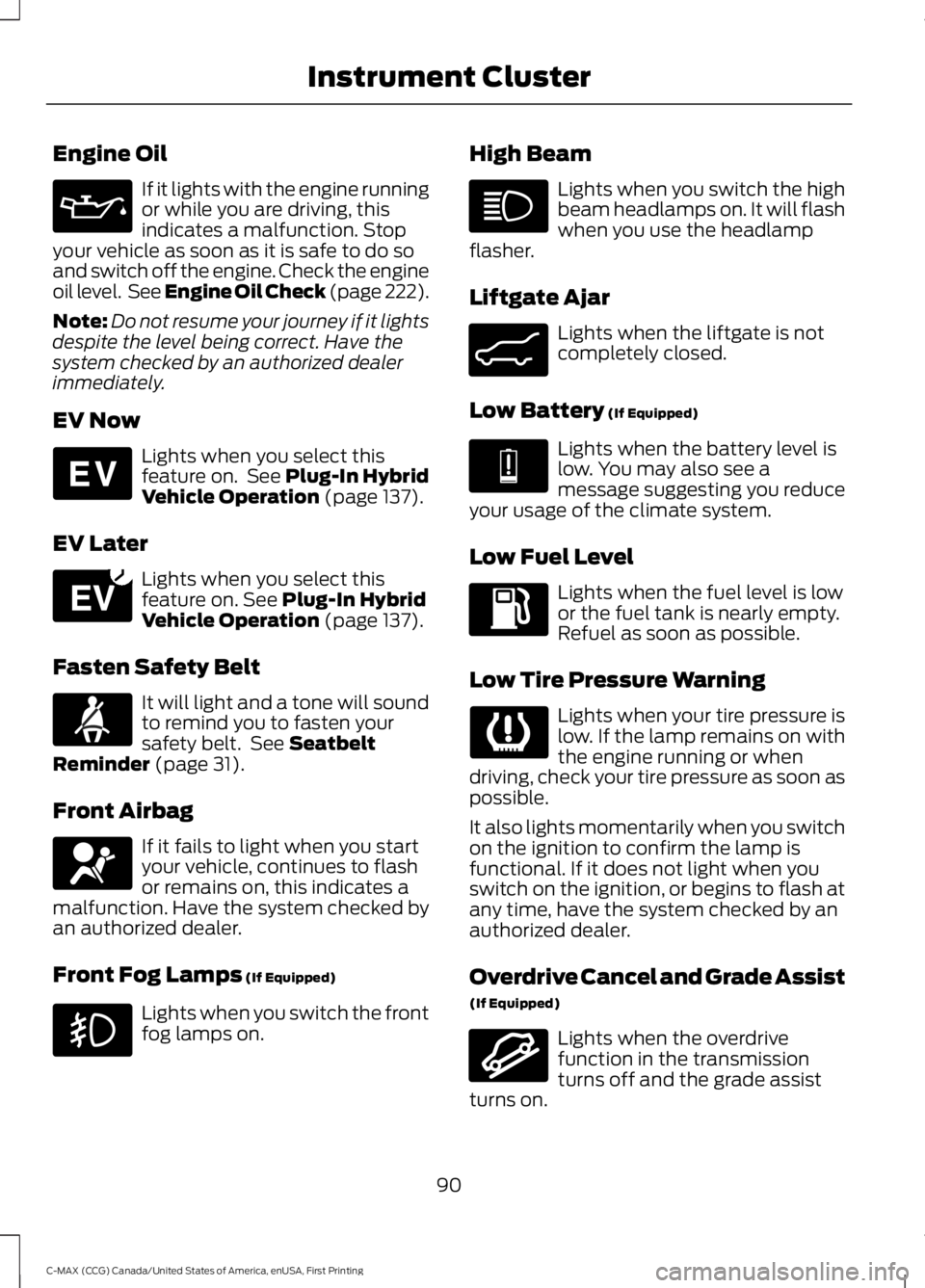
Engine Oil
If it lights with the engine runningor while you are driving, thisindicates a malfunction. Stopyour vehicle as soon as it is safe to do soand switch off the engine. Check the engineoil level. See Engine Oil Check (page 222).
Note:Do not resume your journey if it lightsdespite the level being correct. Have thesystem checked by an authorized dealerimmediately.
EV Now
Lights when you select thisfeature on. See Plug-In HybridVehicle Operation (page 137).
EV Later
Lights when you select thisfeature on. See Plug-In HybridVehicle Operation (page 137).
Fasten Safety Belt
It will light and a tone will soundto remind you to fasten yoursafety belt. See SeatbeltReminder (page 31).
Front Airbag
If it fails to light when you startyour vehicle, continues to flashor remains on, this indicates amalfunction. Have the system checked byan authorized dealer.
Front Fog Lamps (If Equipped)
Lights when you switch the frontfog lamps on.
High Beam
Lights when you switch the highbeam headlamps on. It will flashwhen you use the headlampflasher.
Liftgate Ajar
Lights when the liftgate is notcompletely closed.
Low Battery (If Equipped)
Lights when the battery level islow. You may also see amessage suggesting you reduceyour usage of the climate system.
Low Fuel Level
Lights when the fuel level is lowor the fuel tank is nearly empty.Refuel as soon as possible.
Low Tire Pressure Warning
Lights when your tire pressure islow. If the lamp remains on withthe engine running or whendriving, check your tire pressure as soon aspossible.
It also lights momentarily when you switchon the ignition to confirm the lamp isfunctional. If it does not light when youswitch on the ignition, or begins to flash atany time, have the system checked by anauthorized dealer.
Overdrive Cancel and Grade Assist
(If Equipped)
Lights when the overdrivefunction in the transmissionturns off and the grade assistturns on.
90
C-MAX (CCG) Canada/United States of America, enUSA, First Printing
Instrument Cluster E144814 E151263 E162453 E144691 E162456
Page 94 of 395
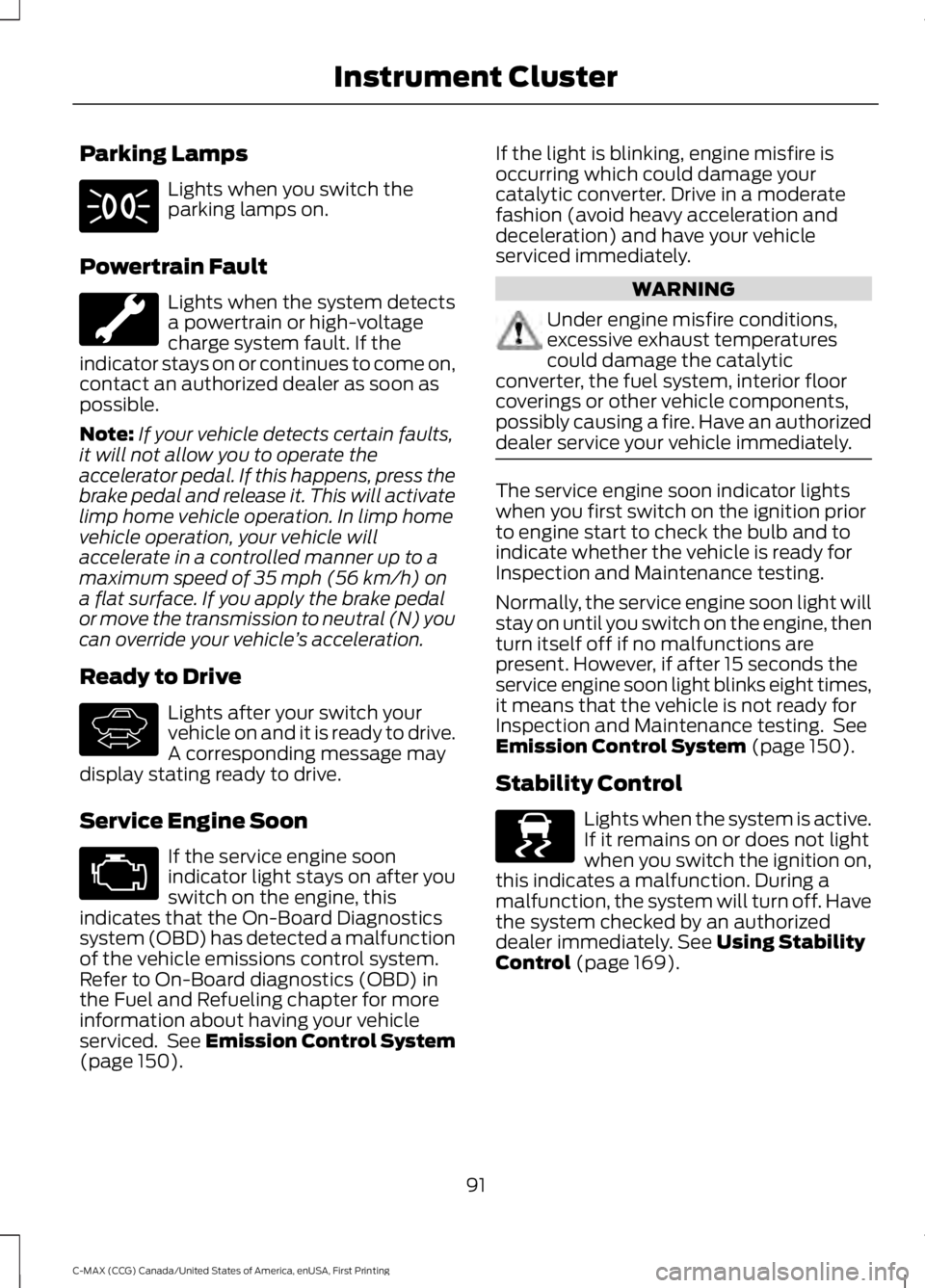
Parking Lamps
Lights when you switch theparking lamps on.
Powertrain Fault
Lights when the system detectsa powertrain or high-voltagecharge system fault. If theindicator stays on or continues to come on,contact an authorized dealer as soon aspossible.
Note:If your vehicle detects certain faults,it will not allow you to operate theaccelerator pedal. If this happens, press thebrake pedal and release it. This will activatelimp home vehicle operation. In limp homevehicle operation, your vehicle willaccelerate in a controlled manner up to amaximum speed of 35 mph (56 km/h) ona flat surface. If you apply the brake pedalor move the transmission to neutral (N) youcan override your vehicle’s acceleration.
Ready to Drive
Lights after your switch yourvehicle on and it is ready to drive.A corresponding message maydisplay stating ready to drive.
Service Engine Soon
If the service engine soonindicator light stays on after youswitch on the engine, thisindicates that the On-Board Diagnosticssystem (OBD) has detected a malfunctionof the vehicle emissions control system.Refer to On-Board diagnostics (OBD) inthe Fuel and Refueling chapter for moreinformation about having your vehicleserviced. See Emission Control System(page 150).
If the light is blinking, engine misfire isoccurring which could damage yourcatalytic converter. Drive in a moderatefashion (avoid heavy acceleration anddeceleration) and have your vehicleserviced immediately.
WARNING
Under engine misfire conditions,excessive exhaust temperaturescould damage the catalyticconverter, the fuel system, interior floorcoverings or other vehicle components,possibly causing a fire. Have an authorizeddealer service your vehicle immediately.
The service engine soon indicator lightswhen you first switch on the ignition priorto engine start to check the bulb and toindicate whether the vehicle is ready forInspection and Maintenance testing.
Normally, the service engine soon light willstay on until you switch on the engine, thenturn itself off if no malfunctions arepresent. However, if after 15 seconds theservice engine soon light blinks eight times,it means that the vehicle is not ready forInspection and Maintenance testing. SeeEmission Control System (page 150).
Stability Control
Lights when the system is active.If it remains on or does not lightwhen you switch the ignition on,this indicates a malfunction. During amalfunction, the system will turn off. Havethe system checked by an authorizeddealer immediately. See Using StabilityControl (page 169).
91
C-MAX (CCG) Canada/United States of America, enUSA, First Printing
Instrument Cluster E144692 E138639
Page 95 of 395
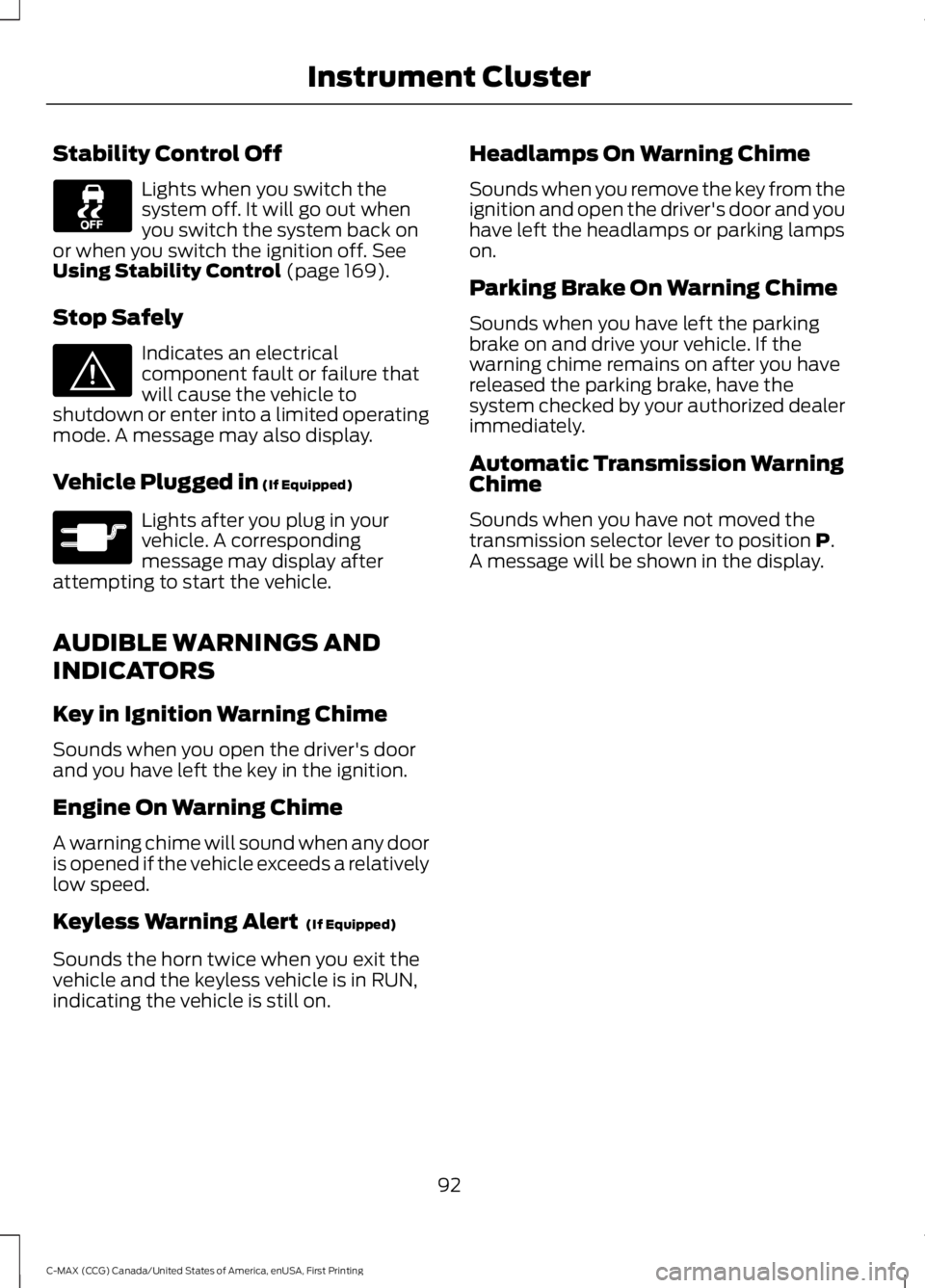
Stability Control Off
Lights when you switch thesystem off. It will go out whenyou switch the system back onor when you switch the ignition off. SeeUsing Stability Control (page 169).
Stop Safely
Indicates an electricalcomponent fault or failure thatwill cause the vehicle toshutdown or enter into a limited operatingmode. A message may also display.
Vehicle Plugged in (If Equipped)
Lights after you plug in yourvehicle. A correspondingmessage may display afterattempting to start the vehicle.
AUDIBLE WARNINGS AND
INDICATORS
Key in Ignition Warning Chime
Sounds when you open the driver's doorand you have left the key in the ignition.
Engine On Warning Chime
A warning chime will sound when any dooris opened if the vehicle exceeds a relativelylow speed.
Keyless Warning Alert (If Equipped)
Sounds the horn twice when you exit thevehicle and the keyless vehicle is in RUN,indicating the vehicle is still on.
Headlamps On Warning Chime
Sounds when you remove the key from theignition and open the driver's door and youhave left the headlamps or parking lampson.
Parking Brake On Warning Chime
Sounds when you have left the parkingbrake on and drive your vehicle. If thewarning chime remains on after you havereleased the parking brake, have thesystem checked by your authorized dealerimmediately.
Automatic Transmission WarningChime
Sounds when you have not moved thetransmission selector lever to position P.A message will be shown in the display.
92
C-MAX (CCG) Canada/United States of America, enUSA, First Printing
Instrument Cluster E144693 E144694
Page 107 of 395
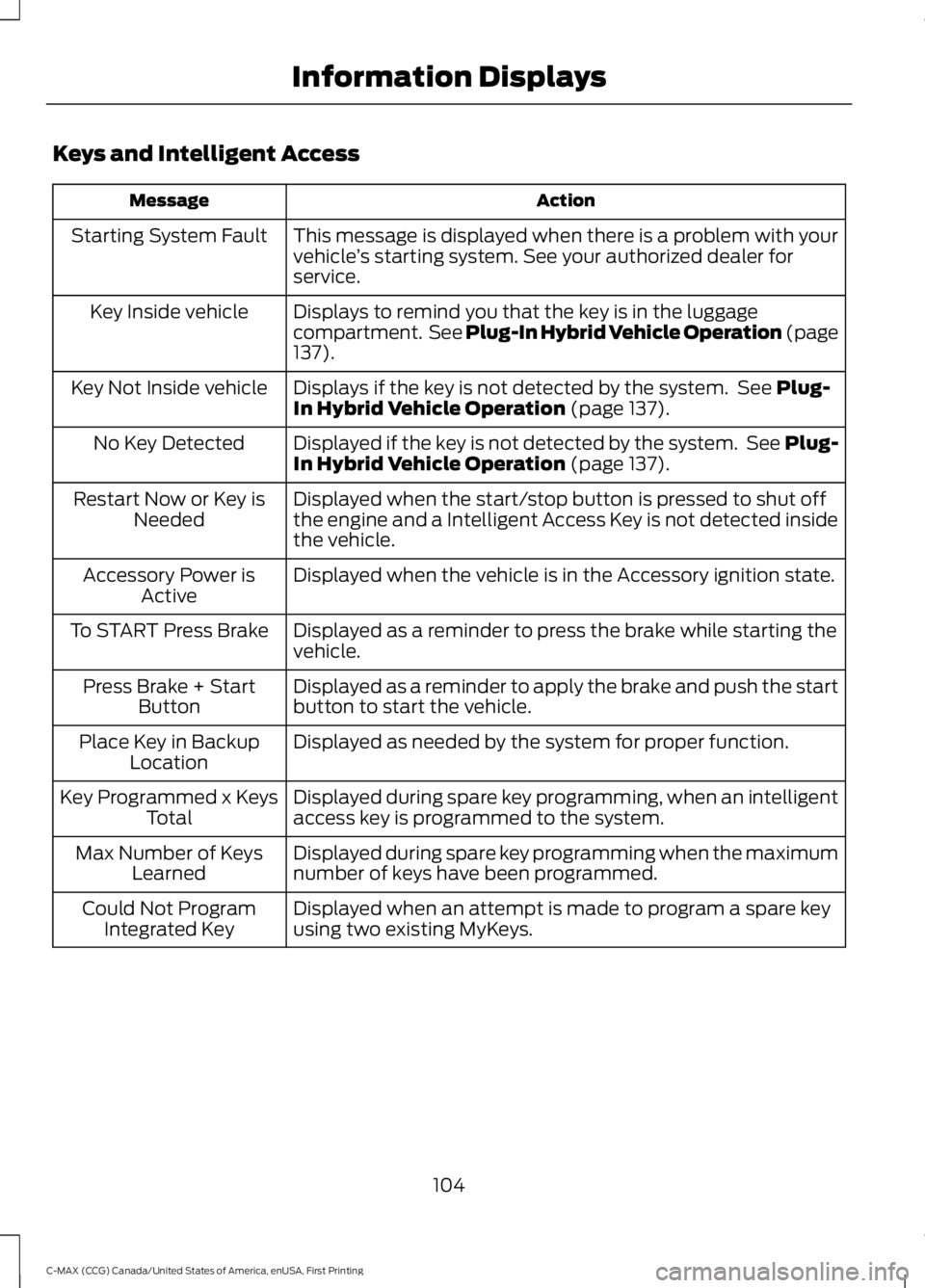
Keys and Intelligent Access
ActionMessage
This message is displayed when there is a problem with yourvehicle’s starting system. See your authorized dealer forservice.
Starting System Fault
Displays to remind you that the key is in the luggagecompartment. See Plug-In Hybrid Vehicle Operation (page137).
Key Inside vehicle
Displays if the key is not detected by the system. See Plug-In Hybrid Vehicle Operation (page 137).Key Not Inside vehicle
Displayed if the key is not detected by the system. See Plug-In Hybrid Vehicle Operation (page 137).No Key Detected
Displayed when the start/stop button is pressed to shut offthe engine and a Intelligent Access Key is not detected insidethe vehicle.
Restart Now or Key isNeeded
Displayed when the vehicle is in the Accessory ignition state.Accessory Power isActive
Displayed as a reminder to press the brake while starting thevehicle.To START Press Brake
Displayed as a reminder to apply the brake and push the startbutton to start the vehicle.Press Brake + StartButton
Displayed as needed by the system for proper function.Place Key in BackupLocation
Displayed during spare key programming, when an intelligentaccess key is programmed to the system.Key Programmed x KeysTotal
Displayed during spare key programming when the maximumnumber of keys have been programmed.Max Number of KeysLearned
Displayed when an attempt is made to program a spare keyusing two existing MyKeys.Could Not ProgramIntegrated Key
104
C-MAX (CCG) Canada/United States of America, enUSA, First Printing
Information Displays
Page 114 of 395
5. Direct the outer instrument panel airvents toward the side windows.
6. To increase the airflow to the outerinstrument panel vents, close the airvents in the middle of the instrumentpanel and in the rear of the centerconsole.
HEATED WINDOWS AND
MIRRORS
Note:Make sure the engine is runningbefore operating the heated windows.
Heated Rear Window
The heated rear window buttonis below the climate control unit.
Press the button to clear theheated rear window of thin ice and fog.The heated rear window will automaticallyturn off after a short period of time.
Note: Do not use razor blades or othersharp objects to clean or remove decalsfrom the inside of the heated rear window.The vehicle warranty does not coverdamage caused to the heated rear windowgrid lines.
Heated Exterior Mirrors (If Equipped)
When you switch the heated rear windowon, the heated exterior mirrors willautomatically turn on.
Note:Do not remove ice from the mirrorswith a scraper or adjust the mirror glasswhen it is frozen in place.
Note:Do not clean the mirror housing orglass with harsh abrasives, fuel or otherpetroleum-based cleaning products.
CABIN AIR FILTER
Your vehicle is equipped with a cabin airfilter, which gives you and your passengersthe following benefits:
•It improves your driving comfort byreducing particle concentration.
•It improves the interior compartmentcleanliness.
•It protects the climate controlcomponents from particle deposits.
Your cabin air filter is located under theinstrument panel in the passenger footwellarea.
Note:Make sure you have a cabin air filterinstalled at all times. This prevents foreignobjects from entering the system. Runningthe system without a filter in place couldresult in degradation or damage to thesystem.
Replace the filter at regular intervals. SeeMaintenance (page 218).
For additional cabin air filter information,or to replace the filter, see an authorizeddealer.
REMOTE START (If Equipped)
The remote start feature allows you topre-condition the interior of your vehicle.The climate control system works toachieve comfort according to your previoussettings.
Note:You cannot adjust the system duringremote start operation.
Turn the ignition on to return the systemto its previous settings. You can now makeadjustments normally, but you need to turncertain vehicle-dependent features backon, such as:
•Heated seats.
•Cooled seats.
111
C-MAX (CCG) Canada/United States of America, enUSA, First Printing
Climate ControlE72507
Page 125 of 395
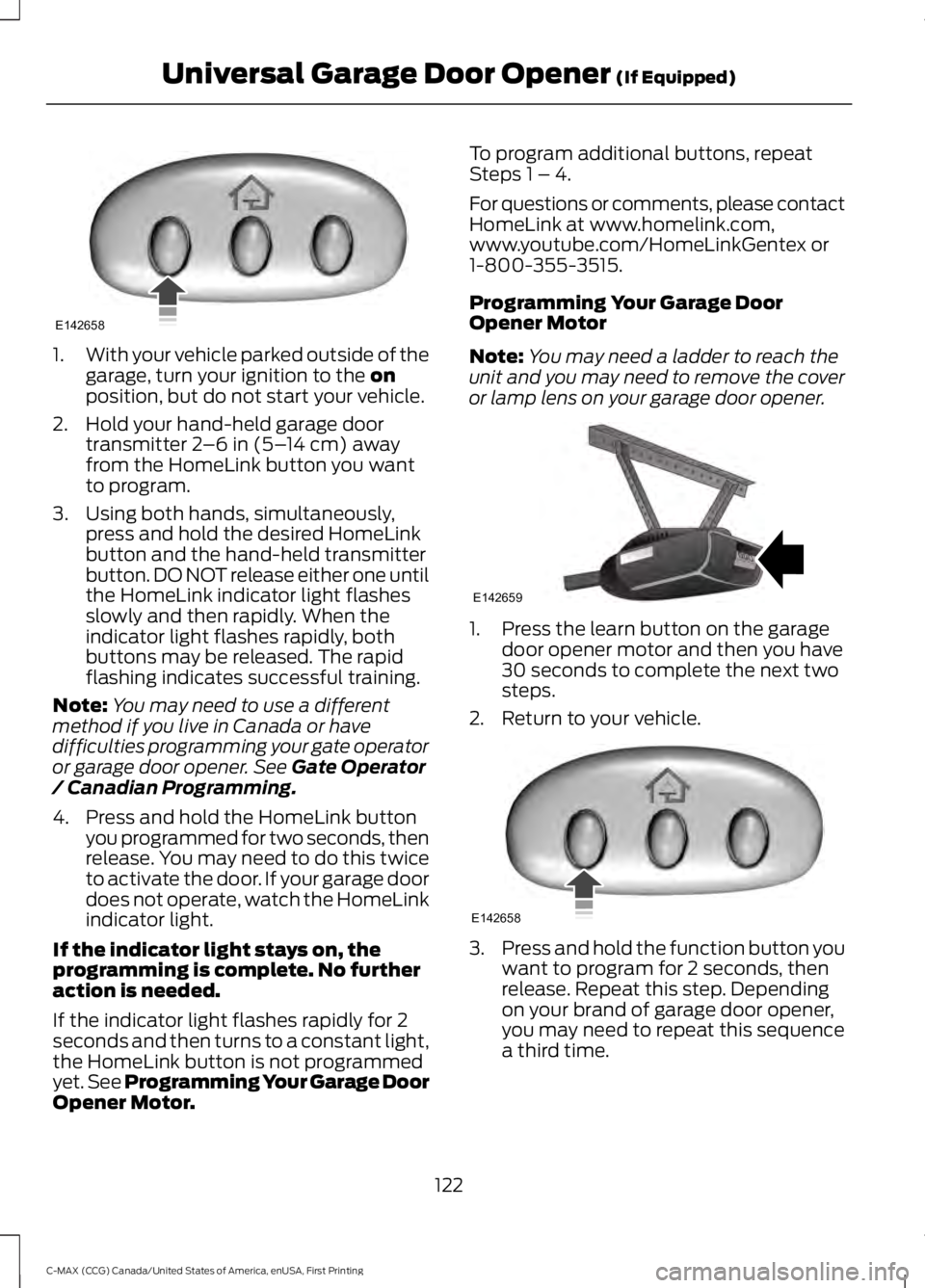
1.With your vehicle parked outside of thegarage, turn your ignition to the onposition, but do not start your vehicle.
2. Hold your hand-held garage doortransmitter 2–6 in (5–14 cm) awayfrom the HomeLink button you wantto program.
3. Using both hands, simultaneously,press and hold the desired HomeLinkbutton and the hand-held transmitterbutton. DO NOT release either one untilthe HomeLink indicator light flashesslowly and then rapidly. When theindicator light flashes rapidly, bothbuttons may be released. The rapidflashing indicates successful training.
Note:You may need to use a differentmethod if you live in Canada or havedifficulties programming your gate operatoror garage door opener. See Gate Operator/ Canadian Programming.
4. Press and hold the HomeLink buttonyou programmed for two seconds, thenrelease. You may need to do this twiceto activate the door. If your garage doordoes not operate, watch the HomeLinkindicator light.
If the indicator light stays on, theprogramming is complete. No furtheraction is needed.
If the indicator light flashes rapidly for 2seconds and then turns to a constant light,the HomeLink button is not programmedyet. See Programming Your Garage DoorOpener Motor.
To program additional buttons, repeatSteps 1 – 4.
For questions or comments, please contactHomeLink at www.homelink.com,www.youtube.com/HomeLinkGentex or1-800-355-3515.
Programming Your Garage DoorOpener Motor
Note:You may need a ladder to reach theunit and you may need to remove the coveror lamp lens on your garage door opener.
1. Press the learn button on the garagedoor opener motor and then you have30 seconds to complete the next twosteps.
2. Return to your vehicle.
3.Press and hold the function button youwant to program for 2 seconds, thenrelease. Repeat this step. Dependingon your brand of garage door opener,you may need to repeat this sequencea third time.
122
C-MAX (CCG) Canada/United States of America, enUSA, First Printing
Universal Garage Door Opener (If Equipped)E142658 E142659 E142658