steering FORD C MAX ENERGI 2016 Owners Manual
[x] Cancel search | Manufacturer: FORD, Model Year: 2016, Model line: C MAX ENERGI, Model: FORD C MAX ENERGI 2016Pages: 395, PDF Size: 6.78 MB
Page 4 of 395
Introduction
About This Manual...........................................7
Symbols Glossary.............................................7
Data Recording..................................................9
California Proposition 65..............................11
Perchlorate.........................................................11
Ford Credit..........................................................11
Replacement PartsRecommendation........................................11
Special Notices................................................12
Mobile CommunicationsEquipment.....................................................12
Export Unique Options..................................13
Environment
Protecting the Environment........................14
Child Safety
General Information.......................................15
Installing Child Restraints............................16
Booster Seats..................................................22
Child Restraint Positioning.........................24
Child Safety Locks..........................................25
Seatbelts
Principle of Operation...................................27
Fastening the Seatbelts..............................28
Seatbelt Height Adjustment.....................30
Seatbelt Warning Lamp and IndicatorChime..............................................................31
Seatbelt Reminder..........................................31
Child Restraint and SeatbeltMaintenance................................................33
Personal Safety System™
Personal Safety System™..........................34
Supplementary RestraintsSystem
Principle of Operation..................................35
Driver and Passenger Airbags...................36
Front Passenger Sensing System.............37
Side Airbags.....................................................39
Driver Knee Airbag.........................................40
Safety Canopy™............................................40
Crash Sensors and Airbag Indicator........42
Airbag Disposal...............................................43
Keys and Remote Controls
General Information on RadioFrequencies..................................................44
Remote Control..............................................44
Replacing a Lost Key or RemoteControl...........................................................50
MyKey™
Principle of Operation...................................51
Creating a MyKey............................................52
Clearing All MyKeys.......................................52
Checking MyKey System Status...............54
Using MyKey With Remote StartSystems.........................................................54
MyKey Troubleshooting...............................54
Locks
Locking and Unlocking.................................56
Manual Liftgate..............................................60
Power Liftgate..................................................61
Security
Passive Anti-Theft System........................65
Anti-Theft Alarm............................................66
Steering Wheel
Adjusting the Steering Wheel....................67
Audio Control...................................................67
Voice Control...................................................68
Cruise Control.................................................68
Information Display Control......................69
1
C-MAX (CCG) Canada/United States of America, enUSA, First Printing
Table of Contents
Page 6 of 395
Fuel and Refueling
Safety Precautions.......................................143
Fuel Quality....................................................144
Fuel Filler Funnel Location........................145
Running Out of Fuel....................................145
Refueling.........................................................146
Fuel Consumption.......................................150
Emission Control System..........................150
High Voltage Battery
General Information....................................153
Charging the High Voltage Battery........155
High Voltage Battery Cut-OffSwitch..........................................................160
Transmission
Automatic Transmission.............................161
Brakes
General Information....................................164
Hints on Driving With Anti-LockBrakes...........................................................165
Parking Brake.................................................165
Hill Start Assist..............................................165
Traction Control
Principle of Operation.................................167
Using Traction Control................................167
Stability Control
Principle of Operation................................168
Using Stability Control...............................169
Parking Aids
Principle of Operation.................................170
Rear Parking Aid............................................170
Front Parking Aid............................................171
Active Park Assist..........................................172
Rear View Camera........................................176
Cruise Control
Principle of Operation.................................179
Using Cruise Control....................................179
Driving Aids
Steering.............................................................181
Load Carrying
Rear Under Floor Storage..........................182
Luggage Covers.............................................182
Load Limit.......................................................183
Towing
Towing a Trailer.............................................190
Transporting the Vehicle...........................190
Towing the Vehicle on Four Wheels......190
Driving Hints
Breaking-In......................................................192
Economical Driving......................................192
Driving Through Water................................193
Floor Mats.......................................................194
Roadside Emergencies
Roadside Assistance...................................195
Hazard Warning Flashers..........................196
Fuel Shutoff...................................................196
Jump Starting the Vehicle.........................197
Collision, Damage or Fire Event..............199
Post-Crash Alert System...........................201
Customer Assistance
Getting the Services You Need...............202
In California (U.S. Only)............................203
The Better Business Bureau (BBB) AutoLine Program (U.S. Only).....................204
Utilizing the Mediation/ArbitrationProgram (Canada Only).......................205
Getting Assistance Outside the U.S. andCanada........................................................205
3
C-MAX (CCG) Canada/United States of America, enUSA, First Printing
Table of Contents
Page 7 of 395
Ordering Additional Owner'sLiterature....................................................206
Reporting Safety Defects (U.S.Only).............................................................207
Reporting Safety Defects (CanadaOnly).............................................................207
Fuses
Fuse Specification Chart..........................209
Changing a Fuse............................................217
Maintenance
General Information....................................218
Opening and Closing the Hood...............218
Under Hood Overview - Hybrid ElectricVehicle (HEV)............................................219
Under Hood Overview - Plug-In HybridElectric Vehicle (PHEV)..........................221
Engine Oil Dipstick.......................................222
Engine Oil Check..........................................222
Engine Coolant Check................................223
Automatic Transmission FluidCheck............................................................227
Brake Fluid Check.........................................227
Power Steering Fluid Check.....................227
Washer Fluid Check.....................................227
Fuel Filter.........................................................227
Changing the 12V Battery.........................228
Checking the Wiper Blades......................229
Changing the Wiper Blades.....................229
Adjusting the Headlamps..........................231
Removing a Headlamp..............................232
Changing a Bulb...........................................232
Bulb Specification Chart...........................237
Changing the Engine Air Filter................238
Vehicle Care
General Information....................................241
Cleaning Products........................................241
Cleaning the Exterior...................................241
Waxing.............................................................242
Cleaning the Engine....................................243
Cleaning the Windows and WiperBlades..........................................................243
Cleaning the Interior...................................244
Cleaning the Instrument Panel andInstrument Cluster Lens.......................244
Cleaning Leather Seats.............................245
Repairing Minor Paint Damage..............245
Cleaning the Alloy Wheels.......................245
Vehicle Storage............................................246
Wheels and Tires
Tire Sealant and Inflator Kit....................249
Tire Care..........................................................255
Using Snow Chains.....................................270
Tire Pressure Monitoring System...........270
Technical Specifications...........................274
Capacities and Specific-ations
Engine Specifications.................................276
Motorcraft Parts............................................277
Vehicle Identification Number................278
Vehicle Certification Label.......................279
Transmission Code Designation............279
Capacities and Specifications...............280
Audio System
General Information...................................283
Audio Unit - Vehicles With: AM/FM/CD/SYNC............................................................284
Audio Unit - Vehicles With: Premium AM/FM/CD.........................................................286
Audio Unit - Vehicles With: Sony AM/FM/CD.................................................................288
Digital Radio...................................................291
Satellite Radio..............................................294
USB Port.........................................................296
Media Hub......................................................296
4
C-MAX (CCG) Canada/United States of America, enUSA, First Printing
Table of Contents
Page 12 of 395
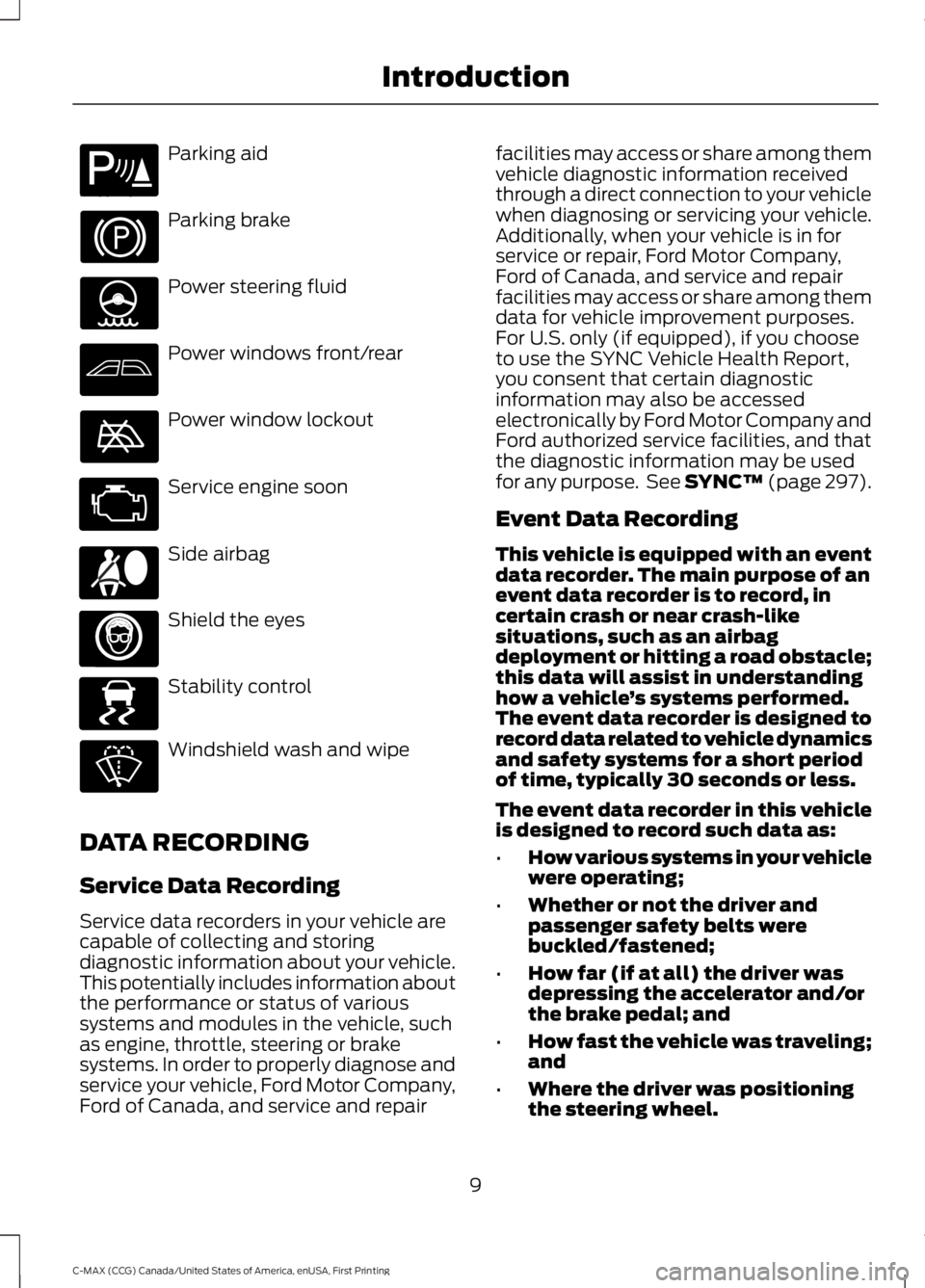
Parking aid
Parking brake
Power steering fluid
Power windows front/rear
Power window lockout
Service engine soon
Side airbag
Shield the eyes
Stability control
Windshield wash and wipe
DATA RECORDING
Service Data Recording
Service data recorders in your vehicle arecapable of collecting and storingdiagnostic information about your vehicle.This potentially includes information aboutthe performance or status of varioussystems and modules in the vehicle, suchas engine, throttle, steering or brakesystems. In order to properly diagnose andservice your vehicle, Ford Motor Company,Ford of Canada, and service and repair
facilities may access or share among themvehicle diagnostic information receivedthrough a direct connection to your vehiclewhen diagnosing or servicing your vehicle.Additionally, when your vehicle is in forservice or repair, Ford Motor Company,Ford of Canada, and service and repairfacilities may access or share among themdata for vehicle improvement purposes.For U.S. only (if equipped), if you chooseto use the SYNC Vehicle Health Report,you consent that certain diagnosticinformation may also be accessedelectronically by Ford Motor Company andFord authorized service facilities, and thatthe diagnostic information may be usedfor any purpose. See SYNC™ (page 297).
Event Data Recording
This vehicle is equipped with an eventdata recorder. The main purpose of anevent data recorder is to record, incertain crash or near crash-likesituations, such as an airbagdeployment or hitting a road obstacle;this data will assist in understandinghow a vehicle’s systems performed.The event data recorder is designed torecord data related to vehicle dynamicsand safety systems for a short periodof time, typically 30 seconds or less.
The event data recorder in this vehicleis designed to record such data as:
•How various systems in your vehiclewere operating;
•Whether or not the driver andpassenger safety belts werebuckled/fastened;
•How far (if at all) the driver wasdepressing the accelerator and/orthe brake pedal; and
•How fast the vehicle was traveling;and
•Where the driver was positioningthe steering wheel.
9
C-MAX (CCG) Canada/United States of America, enUSA, First Printing
IntroductionE139213 E167012 E138639
Page 55 of 395
•Various vehicle speed minders can beset. Once you select a speed, it will beshown in the display, followed by anaudible tone when the preselectedvehicle speed is exceeded.
•Audio system maximum volume of45%. A message will be shown in thedisplay when you attempt to exceedthe limited volume. Also, thespeed-sensitive or compensatedautomatic volume control will bedisabled.
•Always on setting. When this isselected, you will not be able to turnoff Advance Trac or traction control (ifyour vehicle is equipped with thisfeature).
CREATING A MYKEY
Use the information display to create aMyKey:
1. Insert the key you want to program intothe ignition. If your vehicle is equipped witha push-button start, hold the intelligentaccess key next to the steering column.Details on the correct fob placement andposition is in another chapter. SeeStarting and Stopping the Engine (page129).
2. Switch the ignition on.
3. Access the main menu on theinformation display controls, and selectSettings and then MyKey by pressing OKor the > button.
4. Press OK or the > button to selectCreate MyKey.
5. When prompted, hold the OK buttonuntil you see a message informing you tolabel this key as a MyKey. The key will berestricted at your vehicle's next start.
MyKey is successfully created. Make sureyou label it so you can distinguish it fromthe admin keys.
You can also program configurablesettings for the key(s). Refer toProgramming/Changing ConfigurableSettings.
Programming/ChangingConfigurable Settings
Use the information display to access yourconfigurable MyKey settings:
1. Switch the ignition on using an adminkey or fob.
2. Access the main menu on theinformation display controls, and selectSettings, then MyKey by pressing OKor the > button.
3. Use the arrow buttons to get to aconfigurable feature.
4. Press OK or > to make a selection.
Note:You can clear or change your MyKeysettings at any time during the same keycycle as you created the MyKey. Once youhave switched the engine off, however, youwill need an admin key to change or clearyour MyKey settings.
CLEARING ALL MYKEYS
You can clear or change your MyKeysettings using the information displaycontrol on the steering wheel. SeeInformation Displays (page 93).
Switch the ignition on using an admin keyor remote control.
52
C-MAX (CCG) Canada/United States of America, enUSA, First Printing
MyKey™
Page 70 of 395
ADJUSTING THE STEERING
WHEEL
WARNING
Do not adjust the steering wheelwhen your vehicle is moving.
Note:Make sure that you are sitting in thecorrect position. See Sitting in the CorrectPosition (page 113).
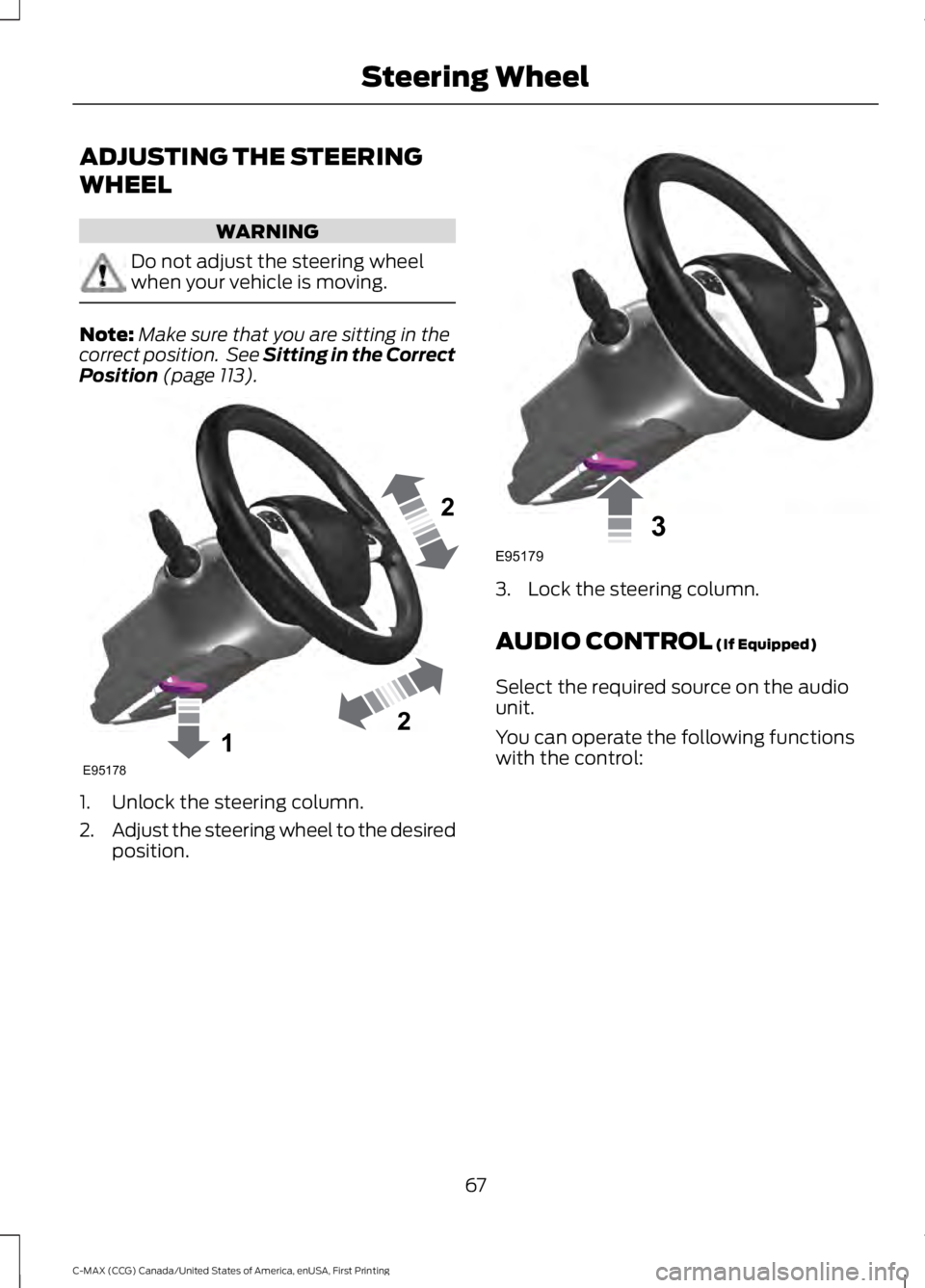
1. Unlock the steering column.
2.Adjust the steering wheel to the desiredposition.
3. Lock the steering column.
AUDIO CONTROL (If Equipped)
Select the required source on the audiounit.
You can operate the following functionswith the control:
67
C-MAX (CCG) Canada/United States of America, enUSA, First Printing
Steering Wheel122E95178 3E95179
Page 71 of 395
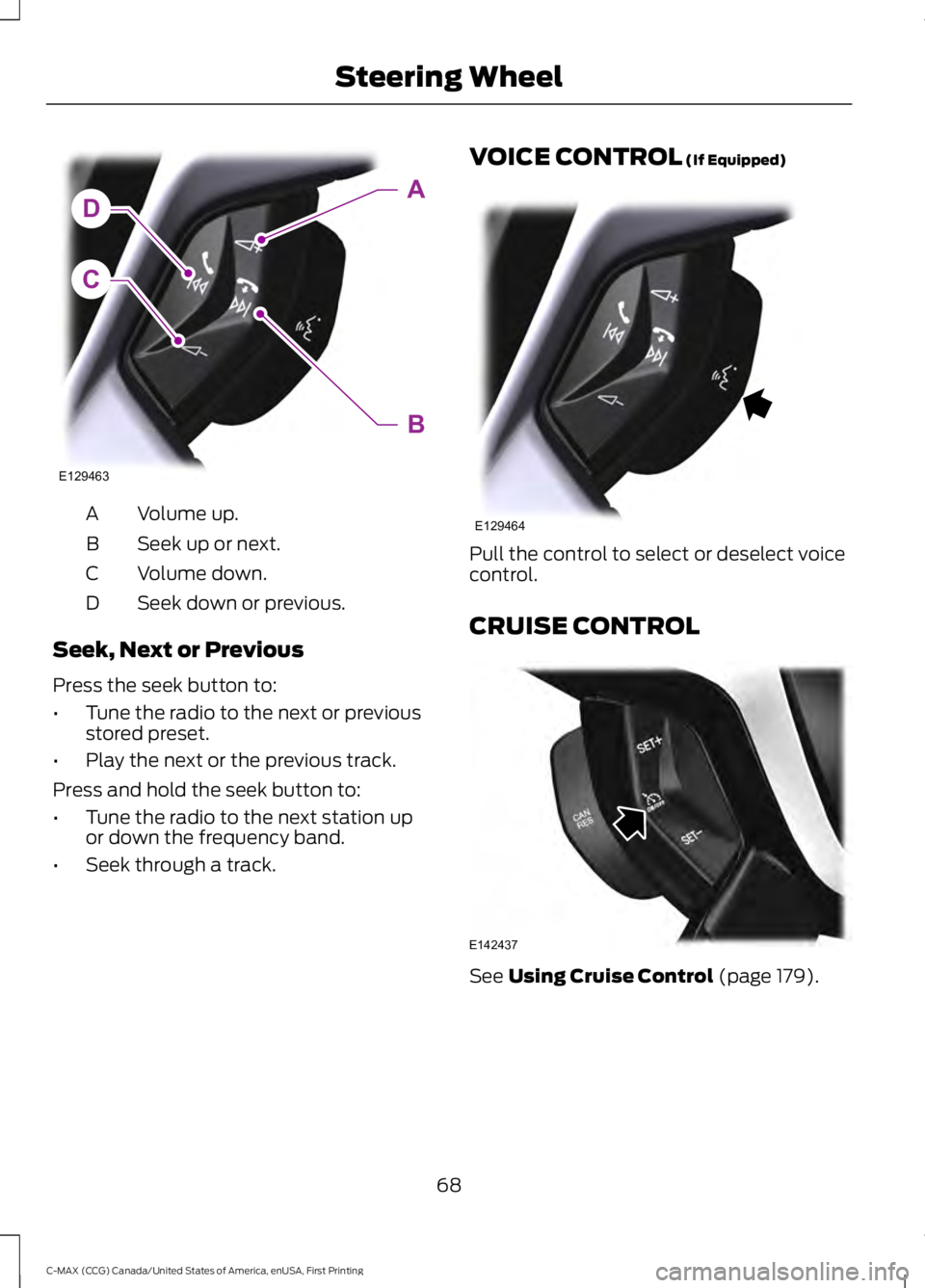
Volume up.A
Seek up or next.B
Volume down.C
Seek down or previous.D
Seek, Next or Previous
Press the seek button to:
•Tune the radio to the next or previousstored preset.
•Play the next or the previous track.
Press and hold the seek button to:
•Tune the radio to the next station upor down the frequency band.
•Seek through a track.
VOICE CONTROL (If Equipped)
Pull the control to select or deselect voicecontrol.
CRUISE CONTROL
See Using Cruise Control (page 179).
68
C-MAX (CCG) Canada/United States of America, enUSA, First Printing
Steering WheelC
DA
B
E129463 E129464 E142437
Page 72 of 395
INFORMATION DISPLAY
CONTROL
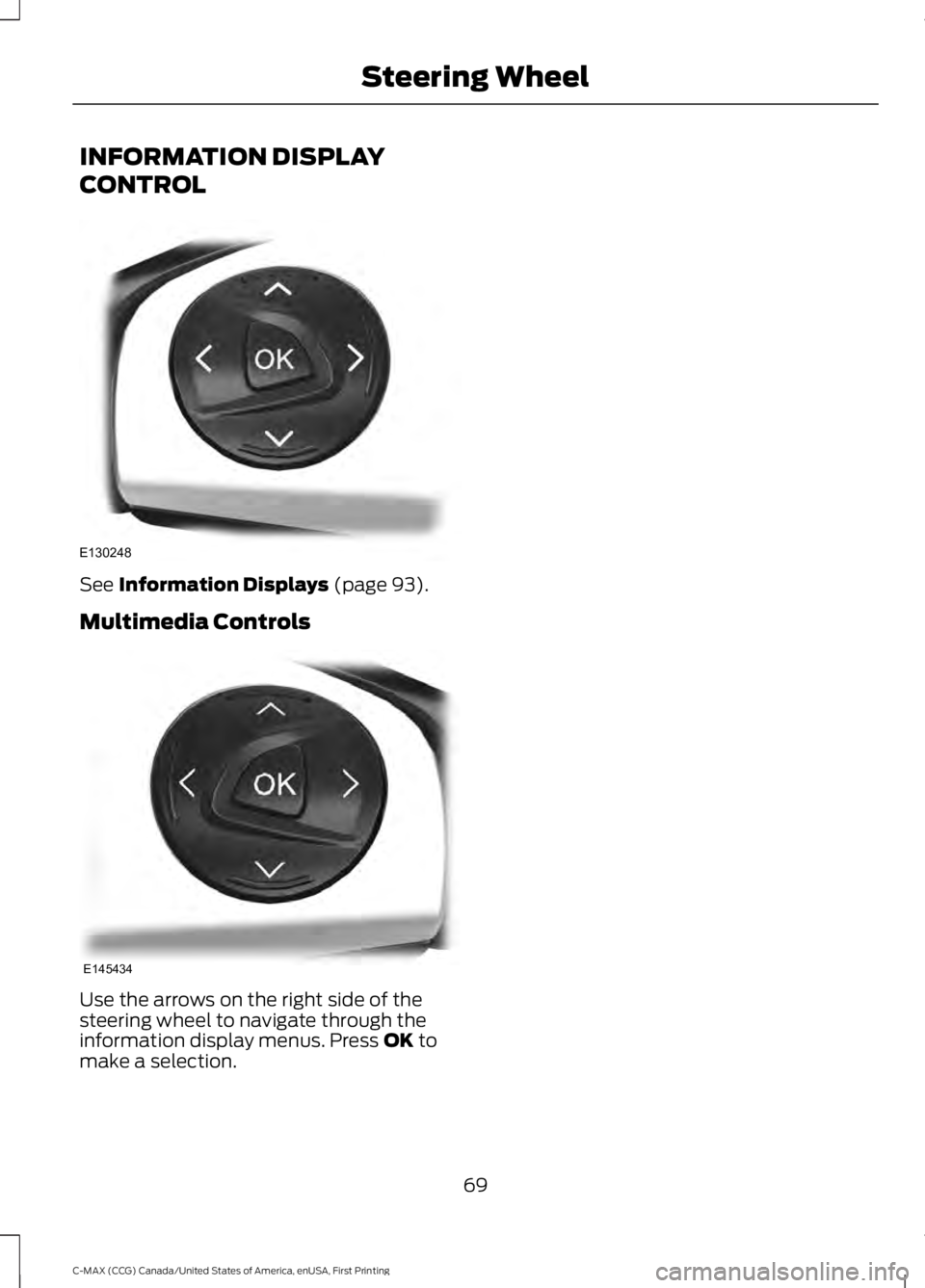
See Information Displays (page 93).
Multimedia Controls
Use the arrows on the right side of thesteering wheel to navigate through theinformation display menus. Press OK tomake a selection.
69
C-MAX (CCG) Canada/United States of America, enUSA, First Printing
Steering WheelE130248 E145434
Page 96 of 395
GENERAL INFORMATION
WARNING
Driving while distracted can result inloss of vehicle control, crash andinjury. We strongly recommend thatyou use extreme caution when using anydevice that may take your focus off theroad. Your primary responsibility is the safeoperation of your vehicle. We recommendagainst the use of any hand-held devicewhile driving and encourage the use ofvoice-operated systems when possible.Make sure you are aware of all applicablelocal laws that may affect the use ofelectronic devices while driving.
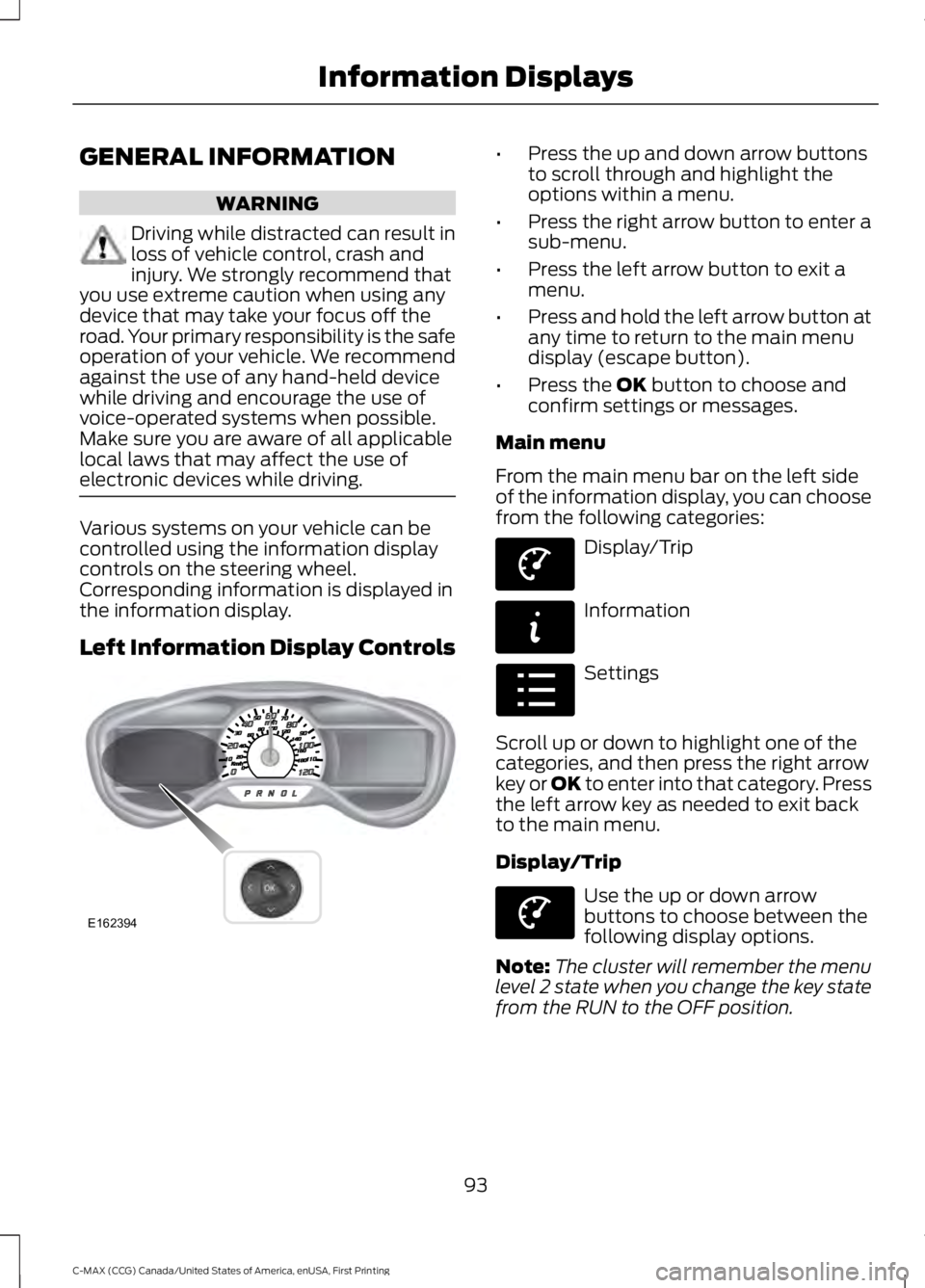
Various systems on your vehicle can becontrolled using the information displaycontrols on the steering wheel.Corresponding information is displayed inthe information display.
Left Information Display Controls
•Press the up and down arrow buttonsto scroll through and highlight theoptions within a menu.
•Press the right arrow button to enter asub-menu.
•Press the left arrow button to exit amenu.
•Press and hold the left arrow button atany time to return to the main menudisplay (escape button).
•Press the OK button to choose andconfirm settings or messages.
Main menu
From the main menu bar on the left sideof the information display, you can choosefrom the following categories:
Display/Trip
Information
Settings
Scroll up or down to highlight one of thecategories, and then press the right arrowkey or OK to enter into that category. Pressthe left arrow key as needed to exit backto the main menu.
Display/Trip
Use the up or down arrowbuttons to choose between thefollowing display options.
Note:The cluster will remember the menulevel 2 state when you change the key statefrom the RUN to the OFF position.
93
C-MAX (CCG) Canada/United States of America, enUSA, First Printing
Information DisplaysE162394 E144639 E144642 E100023 E144639
Page 98 of 395
Display/Trip
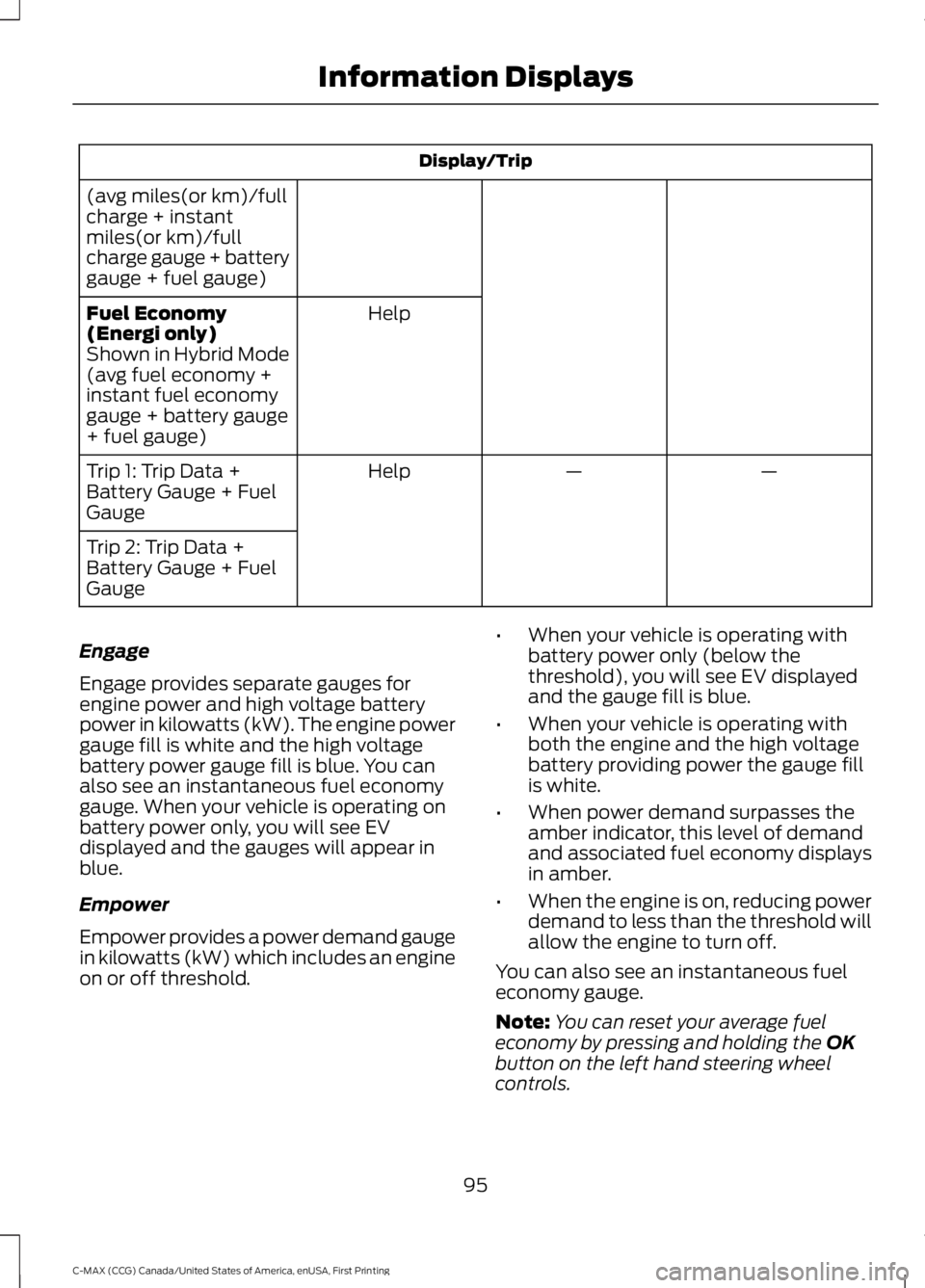
(avg miles(or km)/fullcharge + instantmiles(or km)/fullcharge gauge + batterygauge + fuel gauge)
HelpFuel Economy(Energi only)Shown in Hybrid Mode(avg fuel economy +instant fuel economygauge + battery gauge+ fuel gauge)
——HelpTrip 1: Trip Data +Battery Gauge + FuelGauge
Trip 2: Trip Data +Battery Gauge + FuelGauge
Engage
Engage provides separate gauges forengine power and high voltage batterypower in kilowatts (kW). The engine powergauge fill is white and the high voltagebattery power gauge fill is blue. You canalso see an instantaneous fuel economygauge. When your vehicle is operating onbattery power only, you will see EVdisplayed and the gauges will appear inblue.
Empower
Empower provides a power demand gaugein kilowatts (kW) which includes an engineon or off threshold.
•When your vehicle is operating withbattery power only (below thethreshold), you will see EV displayedand the gauge fill is blue.
•When your vehicle is operating withboth the engine and the high voltagebattery providing power the gauge fillis white.
•When power demand surpasses theamber indicator, this level of demandand associated fuel economy displaysin amber.
•When the engine is on, reducing powerdemand to less than the threshold willallow the engine to turn off.
You can also see an instantaneous fueleconomy gauge.
Note:You can reset your average fueleconomy by pressing and holding the OKbutton on the left hand steering wheelcontrols.
95
C-MAX (CCG) Canada/United States of America, enUSA, First Printing
Information Displays