instrument panel FORD C MAX ENERGI 2016 Owner's Manual
[x] Cancel search | Manufacturer: FORD, Model Year: 2016, Model line: C MAX ENERGI, Model: FORD C MAX ENERGI 2016Pages: 395, PDF Size: 6.78 MB
Page 255 of 395
5. Remove the warning sticker found onthe canister and place it on the top ofthe instrument panel or the center ofthe dash.
6. Start the vehicle and leave the enginerunning so the compressor does notdrain the vehicle’s battery.
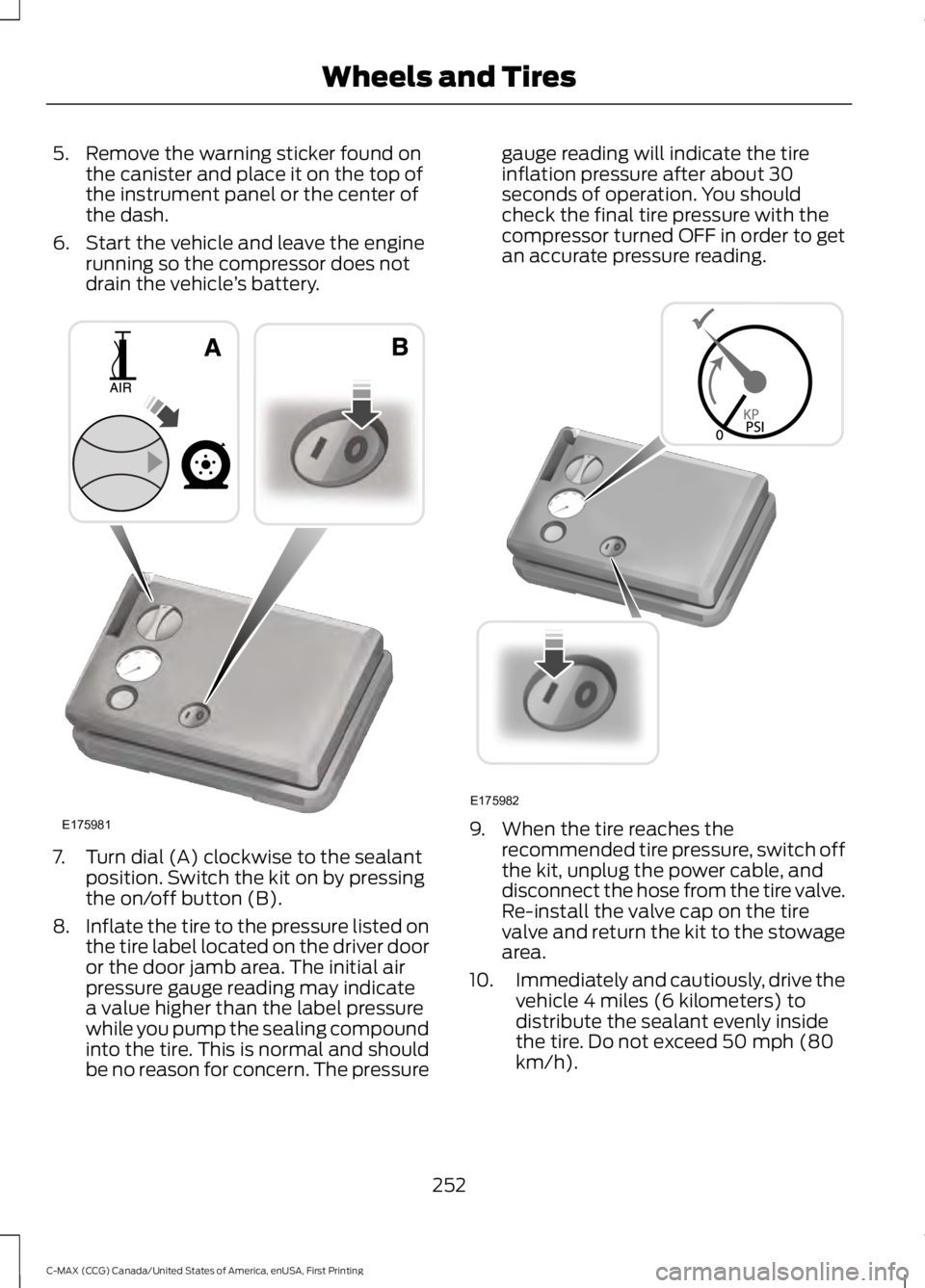
7. Turn dial (A) clockwise to the sealantposition. Switch the kit on by pressingthe on/off button (B).
8.Inflate the tire to the pressure listed onthe tire label located on the driver dooror the door jamb area. The initial airpressure gauge reading may indicatea value higher than the label pressurewhile you pump the sealing compoundinto the tire. This is normal and shouldbe no reason for concern. The pressure
gauge reading will indicate the tireinflation pressure after about 30seconds of operation. You shouldcheck the final tire pressure with thecompressor turned OFF in order to getan accurate pressure reading.
9. When the tire reaches therecommended tire pressure, switch offthe kit, unplug the power cable, anddisconnect the hose from the tire valve.Re-install the valve cap on the tirevalve and return the kit to the stowagearea.
10.Immediately and cautiously, drive thevehicle 4 miles (6 kilometers) todistribute the sealant evenly insidethe tire. Do not exceed 50 mph (80km/h).
252
C-MAX (CCG) Canada/United States of America, enUSA, First Printing
Wheels and TiresE175981 E175982
Page 281 of 395
VEHICLE IDENTIFICATION
NUMBER
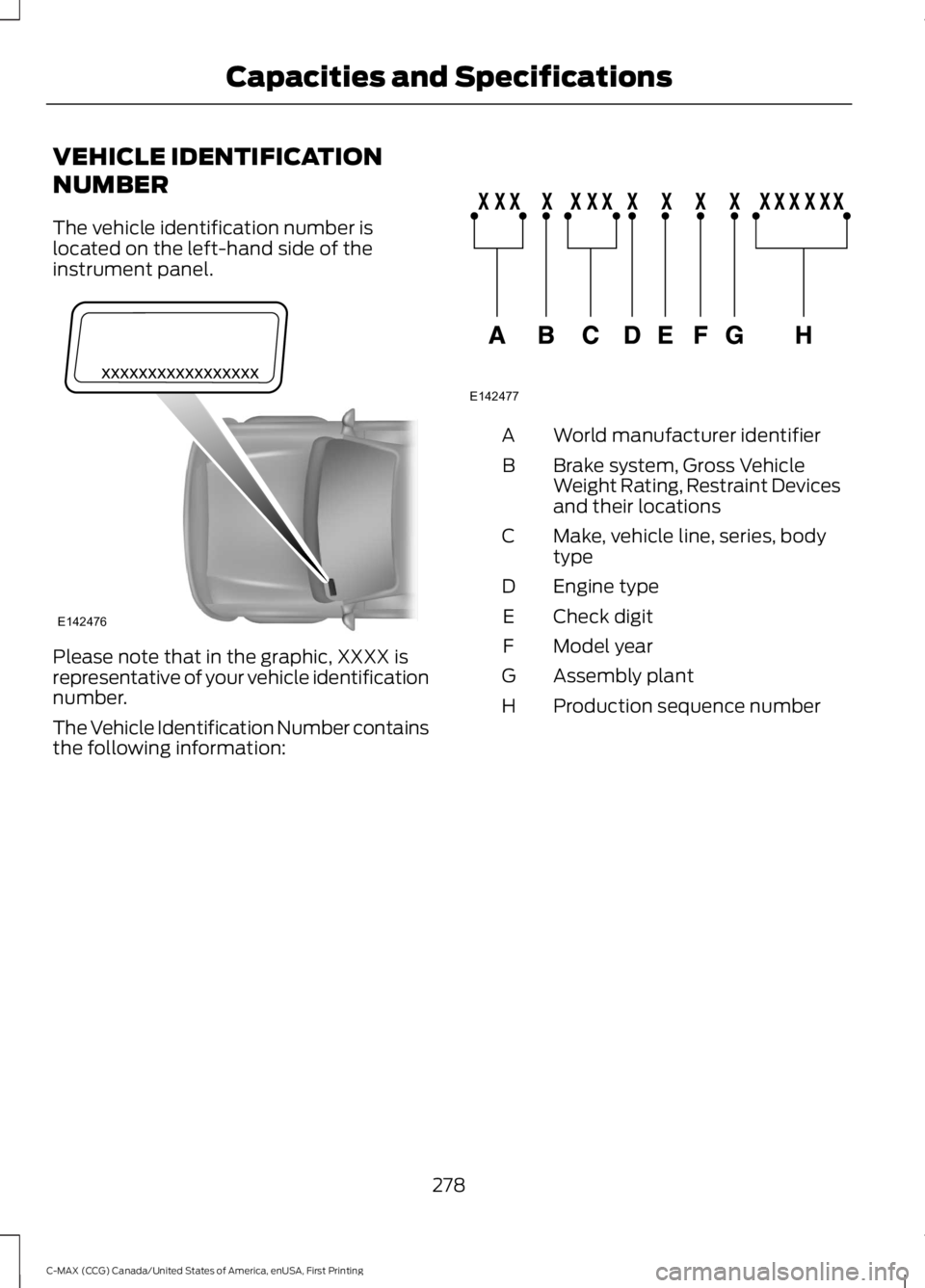
The vehicle identification number islocated on the left-hand side of theinstrument panel.
Please note that in the graphic, XXXX isrepresentative of your vehicle identificationnumber.
The Vehicle Identification Number containsthe following information:
World manufacturer identifierA
Brake system, Gross VehicleWeight Rating, Restraint Devicesand their locations
B
Make, vehicle line, series, bodytypeC
Engine typeD
Check digitE
Model yearF
Assembly plantG
Production sequence numberH
278
C-MAX (CCG) Canada/United States of America, enUSA, First Printing
Capacities and SpecificationsE142476 E142477
Page 299 of 395
ActionConditionMessage
Contact SIRIUS at 1-888-539-7474 to resolvesubscription issues.
Your satellite service is nolonger available.Questions? Call
1-888-539-7474
Use the channel guide toturn off the Lock or Skipfunction on that station.
All the channels in theselected category are eitherskipped or locked.
None found
Check Channel Guide
No action required.SIRIUS has updated thechannels available for yourvehicle.
Subscription Updated
USB PORT (If Equipped)
WARNING
Driving while distracted can result inloss of vehicle control, crash andinjury. We strongly recommend thatyou use extreme caution when using anydevice that may take your focus off theroad. Your primary responsibility is the safeoperation of your vehicle. We recommendagainst the use of any hand-held devicewhile driving and encourage the use ofvoice-operated systems when possible.Make sure you are aware of all applicablelocal laws that may affect the use ofelectronic devices while driving.
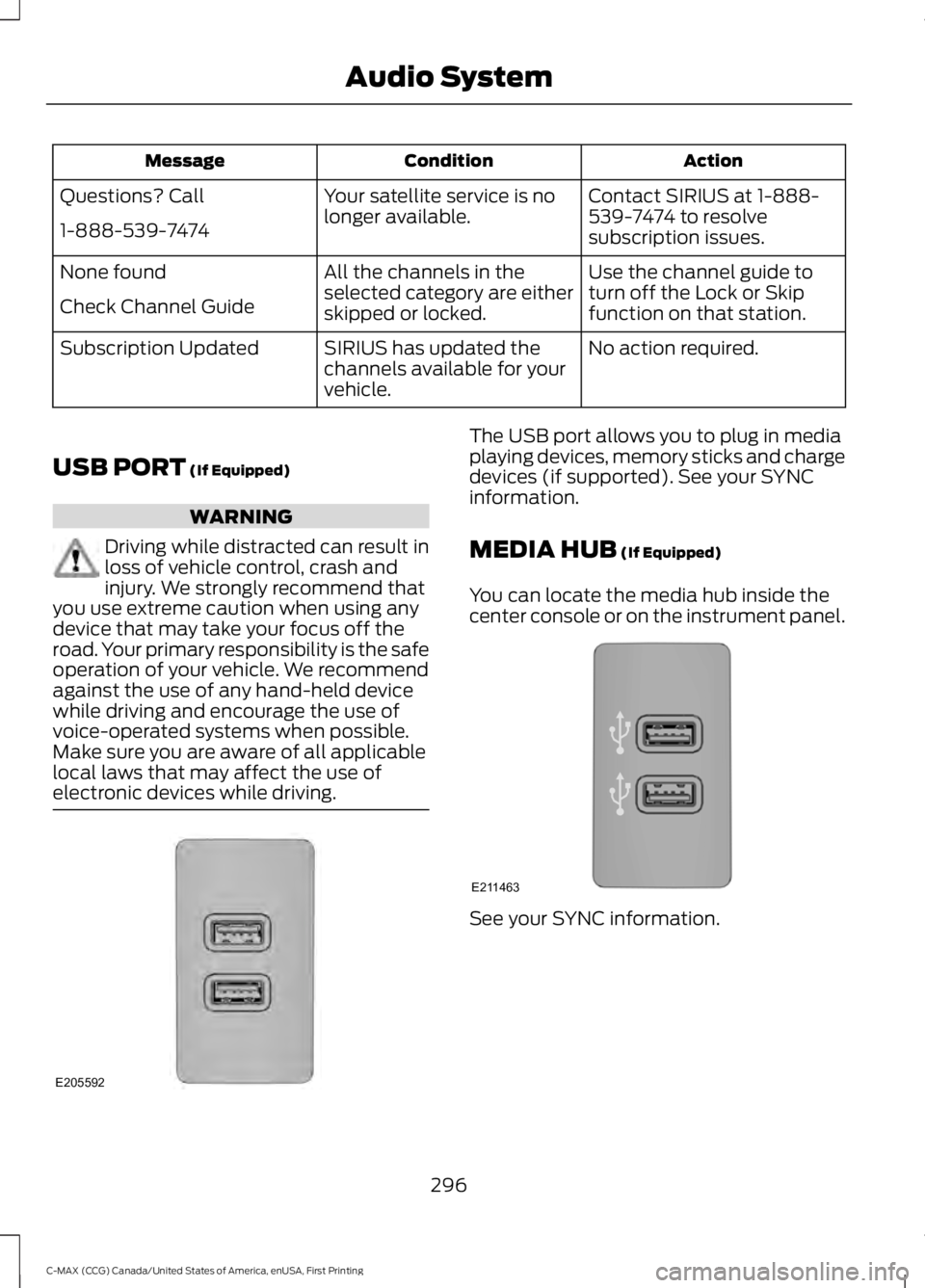
The USB port allows you to plug in mediaplaying devices, memory sticks and chargedevices (if supported). See your SYNCinformation.
MEDIA HUB (If Equipped)
You can locate the media hub inside thecenter console or on the instrument panel.
See your SYNC information.
296
C-MAX (CCG) Canada/United States of America, enUSA, First Printing
Audio SystemE205592 E211463
Page 387 of 395
Capacities and Specifications...............280Specifications.....................................................280Car WashSee: Cleaning the Exterior...............................241Center Console..............................................128Changing a Bulb...........................................232Replacing Fog, Park and Direction IndicatorBulbs..................................................................234Replacing Headlamp Bulbs...........................232Replacing License Plate Lamp Bulb...........236Replacing Reverse Lamp and Tail LampBulbs..................................................................235Replacing Tail, Brake and DirectionIndicator Bulbs...............................................234Replacing the Center High Mounted BrakeLamp Bulbs.....................................................236Changing a Fuse............................................217Fuses........................................................................217Changing the 12V Battery.........................228Changing the Engine Air Filter................238Air Cleaner Assembly Components...........238Installing the Engine Air FilterElement............................................................240Removing the Engine Air FilterElement............................................................239Changing the Wiper Blades.....................229Changing the Rear Window WiperBlade.................................................................230Changing the Windshield WiperBlades...............................................................230Service Position..................................................229Charging the High Voltage Battery........155Charge Port...........................................................158Charging.................................................................158Charging Equipment.........................................155Disconnecting the Charging Coupler..........160Locking the Charging Coupler.......................159Waiting to Charge...............................................159Checking MyKey System Status...............54MyKey Distance....................................................54Number of Admin Keys......................................54Number of MyKeys..............................................54Checking the Wiper Blades......................229Child Restraint and SeatbeltMaintenance.................................................33Child Restraint Positioning.........................24Child Safety.......................................................15General Information.............................................15
Child Safety Locks..........................................25Left-Hand Side......................................................26Right-Hand Side...................................................26Cleaning Leather Seats.............................245Cleaning Products........................................241Cleaning the Alloy Wheels.......................245Cleaning the Engine....................................243Cleaning the Exterior...................................241Exterior Chrome Parts......................................242Exterior Plastic Parts........................................242Stripes or Graphics............................................242Underbody............................................................242Cleaning the Instrument Panel andInstrument Cluster Lens........................244Cleaning the Interior...................................244Cleaning the Windows and WiperBlades...........................................................243Clearing All MyKeys.......................................52Climate Control............................................108Collision, Damage or Fire Event..............199Guidance for Ford Motor Company Electricand Hybrid-Electric Vehicles EquippedWith High Voltage Batteries......................199Coolant CheckSee: Engine Coolant Check............................223Crash Sensors and Airbag Indicator........42Creating a MyKey............................................52Programming/Changing ConfigurableSettings...............................................................52Cruise Control.................................................68Principle of Operation.......................................179Cruise controlSee: Using Cruise Control................................179Customer Assistance.................................202
D
Data Recording..................................................9Event Data Recording...........................................9Service Data Recording........................................9Daytime Running Lamps..............................77Type 1 - Conventional(Non-Configurable)........................................77Type 2 - Configurable..........................................77Digital Radio...................................................291HD Radio Reception and StationTroubleshooting............................................292Direction Indicators........................................78
384
C-MAX (CCG) Canada/United States of America, enUSA, First Printing
Index