ECU FORD C MAX ENERGI 2016 Owner's Guide
[x] Cancel search | Manufacturer: FORD, Model Year: 2016, Model line: C MAX ENERGI, Model: FORD C MAX ENERGI 2016Pages: 395, PDF Size: 6.78 MB
Page 292 of 395
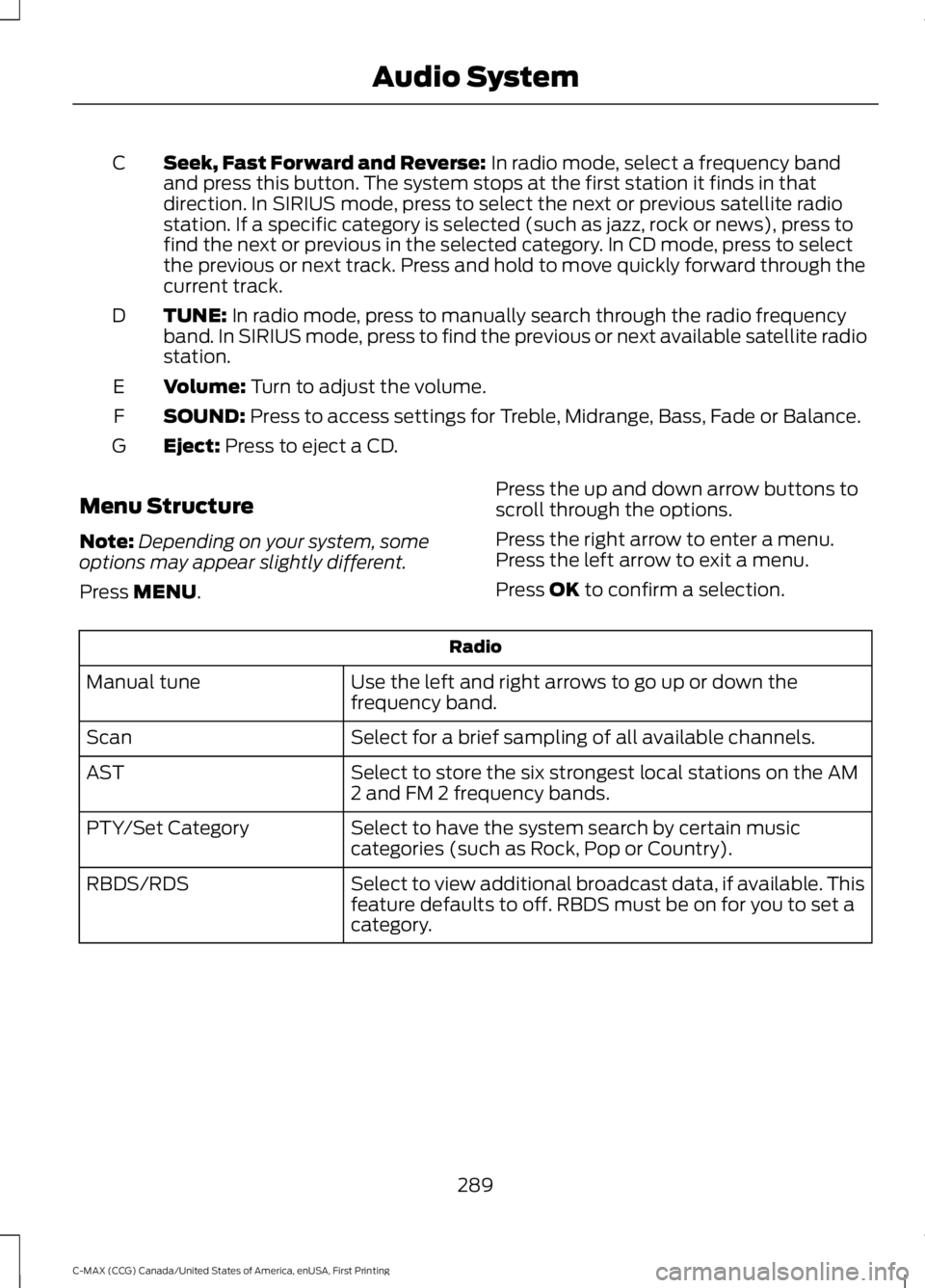
Seek, Fast Forward and Reverse: In radio mode, select a frequency bandand press this button. The system stops at the first station it finds in thatdirection. In SIRIUS mode, press to select the next or previous satellite radiostation. If a specific category is selected (such as jazz, rock or news), press tofind the next or previous in the selected category. In CD mode, press to selectthe previous or next track. Press and hold to move quickly forward through thecurrent track.
C
TUNE: In radio mode, press to manually search through the radio frequencyband. In SIRIUS mode, press to find the previous or next available satellite radiostation.
D
Volume: Turn to adjust the volume.E
SOUND: Press to access settings for Treble, Midrange, Bass, Fade or Balance.F
Eject: Press to eject a CD.G
Menu Structure
Note:Depending on your system, someoptions may appear slightly different.
Press MENU.
Press the up and down arrow buttons toscroll through the options.
Press the right arrow to enter a menu.Press the left arrow to exit a menu.
Press OK to confirm a selection.
Radio
Use the left and right arrows to go up or down thefrequency band.Manual tune
Select for a brief sampling of all available channels.Scan
Select to store the six strongest local stations on the AM2 and FM 2 frequency bands.AST
Select to have the system search by certain musiccategories (such as Rock, Pop or Country).PTY/Set Category
Select to view additional broadcast data, if available. Thisfeature defaults to off. RBDS must be on for you to set acategory.
RBDS/RDS
289
C-MAX (CCG) Canada/United States of America, enUSA, First Printing
Audio System
Page 306 of 395
Depending on your cell phone's capabilityand your market, the system may promptyou with questions, such as setting thecurrent cell phone as the primary cellphone (the cell phone SYNC automaticallytries to connect with first upon vehiclestart-up) and downloading yourphonebook.
Pairing Subsequent Cell Phones
Note:To scroll through the menus, pressthe up and down arrows on your audiosystem.
Note:Make sure to switch on the ignitionand the radio. Put the transmission inposition park (P) (automatic transmission)or neutral with the parking brake applied(manual transmission).
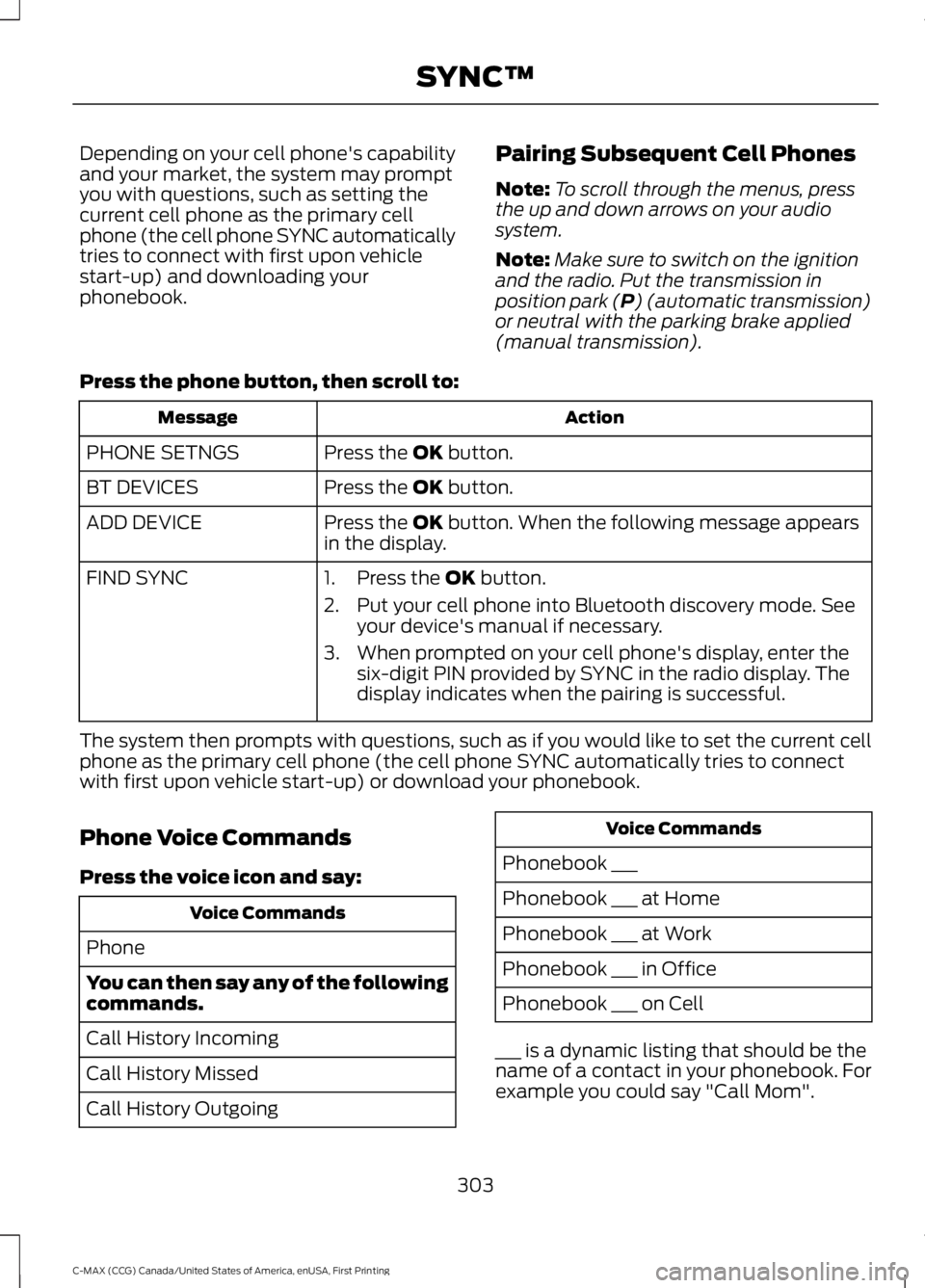
Press the phone button, then scroll to:
ActionMessage
Press the OK button.PHONE SETNGS
Press the OK button.BT DEVICES
Press the OK button. When the following message appearsin the display.ADD DEVICE
FIND SYNC1. Press the OK button.
2. Put your cell phone into Bluetooth discovery mode. Seeyour device's manual if necessary.
3. When prompted on your cell phone's display, enter thesix-digit PIN provided by SYNC in the radio display. Thedisplay indicates when the pairing is successful.
The system then prompts with questions, such as if you would like to set the current cellphone as the primary cell phone (the cell phone SYNC automatically tries to connectwith first upon vehicle start-up) or download your phonebook.
Phone Voice Commands
Press the voice icon and say:
Voice Commands
Phone
You can then say any of the followingcommands.
Call History Incoming
Call History Missed
Call History Outgoing
Voice Commands
Phonebook ___
Phonebook ___ at Home
Phonebook ___ at Work
Phonebook ___ in Office
Phonebook ___ on Cell
___ is a dynamic listing that should be thename of a contact in your phonebook. Forexample you could say "Call Mom".
303
C-MAX (CCG) Canada/United States of America, enUSA, First Printing
SYNC™
Page 318 of 395
Action and DescriptionMessage
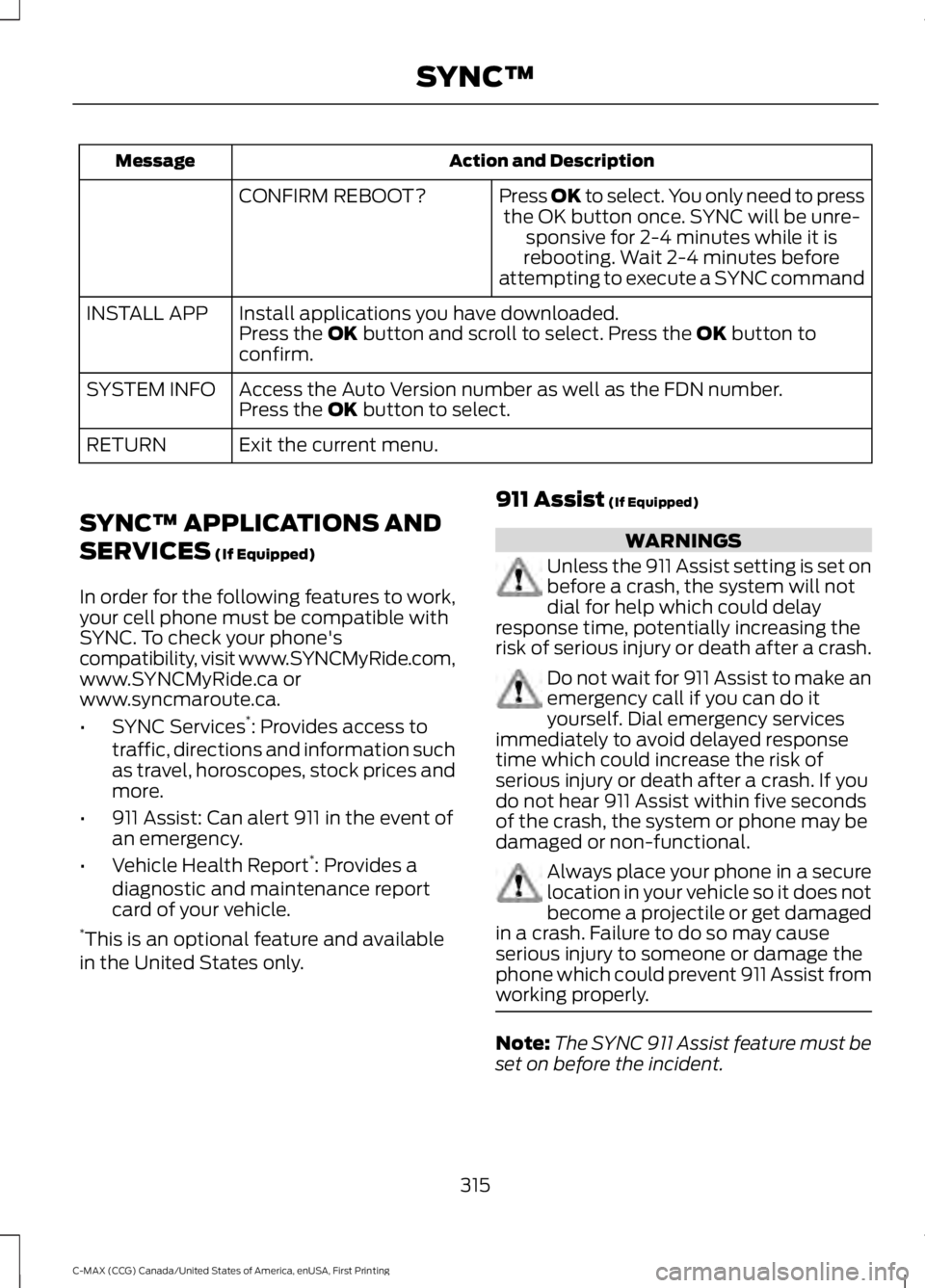
Press OK to select. You only need to pressthe OK button once. SYNC will be unre-sponsive for 2-4 minutes while it isrebooting. Wait 2-4 minutes beforeattempting to execute a SYNC command
CONFIRM REBOOT?
Install applications you have downloaded.INSTALL APPPress the OK button and scroll to select. Press the OK button toconfirm.
Access the Auto Version number as well as the FDN number.SYSTEM INFOPress the OK button to select.
Exit the current menu.RETURN
SYNC™ APPLICATIONS AND
SERVICES (If Equipped)
In order for the following features to work,your cell phone must be compatible withSYNC. To check your phone'scompatibility, visit www.SYNCMyRide.com,www.SYNCMyRide.ca orwww.syncmaroute.ca.
•SYNC Services*: Provides access totraffic, directions and information suchas travel, horoscopes, stock prices andmore.
•911 Assist: Can alert 911 in the event ofan emergency.
•Vehicle Health Report*: Provides adiagnostic and maintenance reportcard of your vehicle.*This is an optional feature and availablein the United States only.
911 Assist (If Equipped)
WARNINGS
Unless the 911 Assist setting is set onbefore a crash, the system will notdial for help which could delayresponse time, potentially increasing therisk of serious injury or death after a crash.
Do not wait for 911 Assist to make anemergency call if you can do ityourself. Dial emergency servicesimmediately to avoid delayed responsetime which could increase the risk ofserious injury or death after a crash. If youdo not hear 911 Assist within five secondsof the crash, the system or phone may bedamaged or non-functional.
Always place your phone in a securelocation in your vehicle so it does notbecome a projectile or get damagedin a crash. Failure to do so may causeserious injury to someone or damage thephone which could prevent 911 Assist fromworking properly.
Note:The SYNC 911 Assist feature must beset on before the incident.
315
C-MAX (CCG) Canada/United States of America, enUSA, First Printing
SYNC™
Page 339 of 395
Phone issues
Possible solution(s)Possible cause(s)Issue
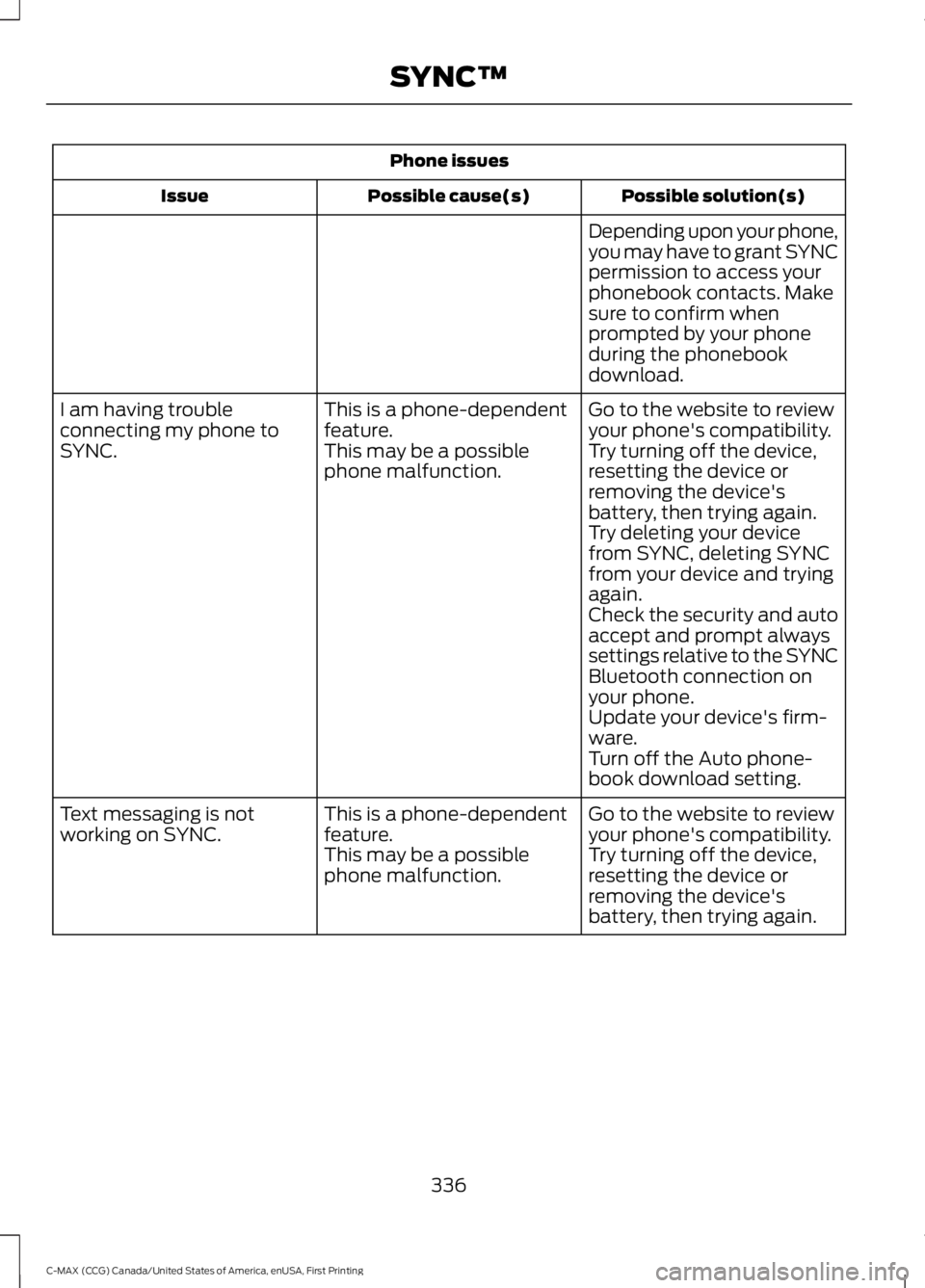
Depending upon your phone,you may have to grant SYNCpermission to access yourphonebook contacts. Makesure to confirm whenprompted by your phoneduring the phonebookdownload.
Go to the website to reviewyour phone's compatibility.This is a phone-dependentfeature.I am having troubleconnecting my phone toSYNC.Try turning off the device,resetting the device orremoving the device'sbattery, then trying again.
This may be a possiblephone malfunction.
Try deleting your devicefrom SYNC, deleting SYNCfrom your device and tryingagain.Check the security and autoaccept and prompt alwayssettings relative to the SYNCBluetooth connection onyour phone.Update your device's firm-ware.Turn off the Auto phone-book download setting.
Go to the website to reviewyour phone's compatibility.This is a phone-dependentfeature.Text messaging is notworking on SYNC.Try turning off the device,resetting the device orremoving the device'sbattery, then trying again.
This may be a possiblephone malfunction.
336
C-MAX (CCG) Canada/United States of America, enUSA, First Printing
SYNC™
Page 340 of 395
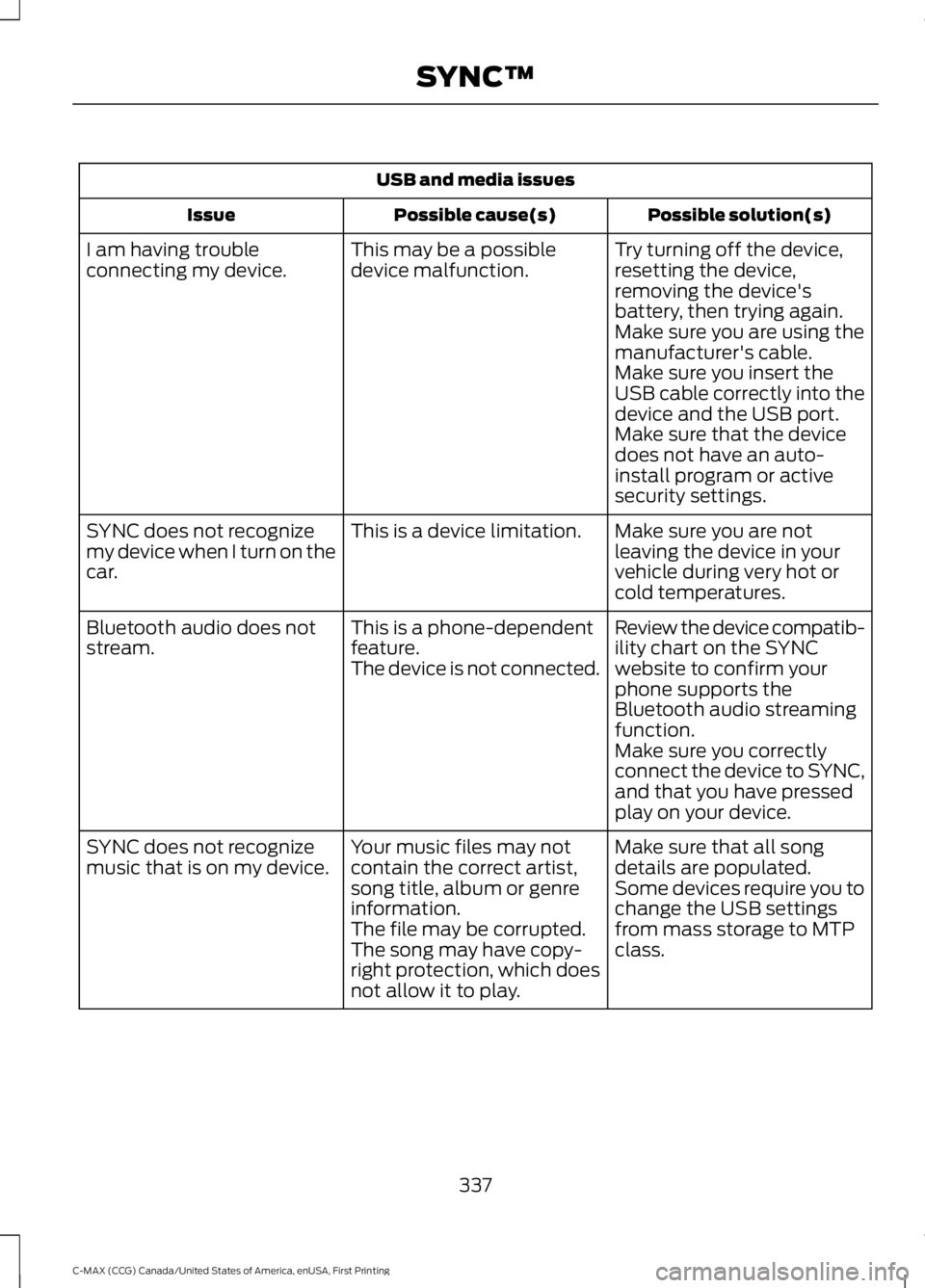
USB and media issues
Possible solution(s)Possible cause(s)Issue
Try turning off the device,resetting the device,removing the device'sbattery, then trying again.
This may be a possibledevice malfunction.I am having troubleconnecting my device.
Make sure you are using themanufacturer's cable.Make sure you insert theUSB cable correctly into thedevice and the USB port.Make sure that the devicedoes not have an auto-install program or activesecurity settings.
Make sure you are notleaving the device in yourvehicle during very hot orcold temperatures.
This is a device limitation.SYNC does not recognizemy device when I turn on thecar.
Review the device compatib-ility chart on the SYNCwebsite to confirm yourphone supports theBluetooth audio streamingfunction.
This is a phone-dependentfeature.The device is not connected.
Bluetooth audio does notstream.
Make sure you correctlyconnect the device to SYNC,and that you have pressedplay on your device.
Make sure that all songdetails are populated.Your music files may notcontain the correct artist,song title, album or genreinformation.
SYNC does not recognizemusic that is on my device.Some devices require you tochange the USB settingsfrom mass storage to MTPclass.The file may be corrupted.The song may have copy-right protection, which doesnot allow it to play.
337
C-MAX (CCG) Canada/United States of America, enUSA, First Printing
SYNC™
Page 347 of 395
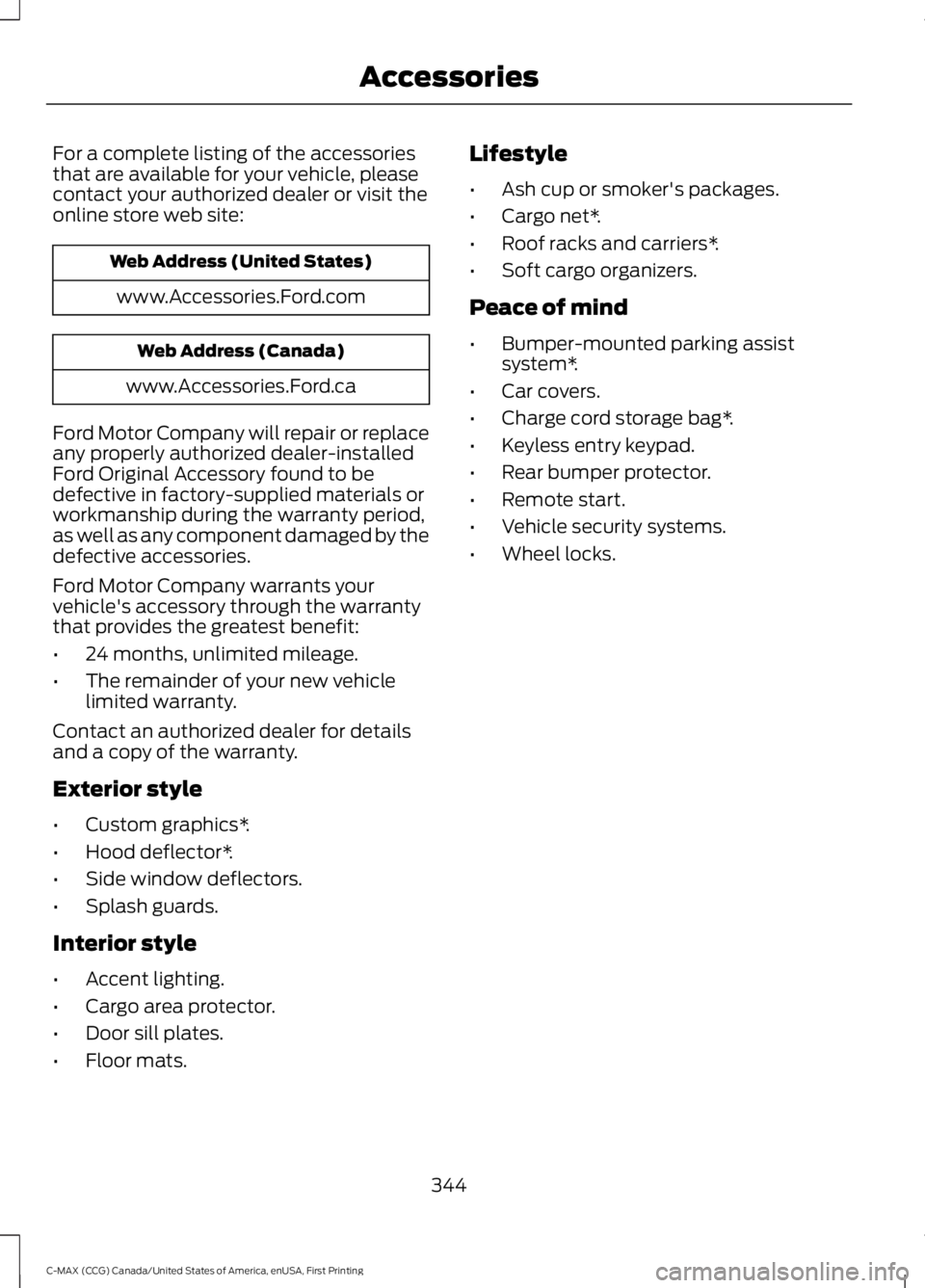
For a complete listing of the accessoriesthat are available for your vehicle, pleasecontact your authorized dealer or visit theonline store web site:
Web Address (United States)
www.Accessories.Ford.com
Web Address (Canada)
www.Accessories.Ford.ca
Ford Motor Company will repair or replaceany properly authorized dealer-installedFord Original Accessory found to bedefective in factory-supplied materials orworkmanship during the warranty period,as well as any component damaged by thedefective accessories.
Ford Motor Company warrants yourvehicle's accessory through the warrantythat provides the greatest benefit:
•24 months, unlimited mileage.
•The remainder of your new vehiclelimited warranty.
Contact an authorized dealer for detailsand a copy of the warranty.
Exterior style
•Custom graphics*.
•Hood deflector*.
•Side window deflectors.
•Splash guards.
Interior style
•Accent lighting.
•Cargo area protector.
•Door sill plates.
•Floor mats.
Lifestyle
•Ash cup or smoker's packages.
•Cargo net*.
•Roof racks and carriers*.
•Soft cargo organizers.
Peace of mind
•Bumper-mounted parking assistsystem*.
•Car covers.
•Charge cord storage bag*.
•Keyless entry keypad.
•Rear bumper protector.
•Remote start.
•Vehicle security systems.
•Wheel locks.
344
C-MAX (CCG) Canada/United States of America, enUSA, First Printing
Accessories
Page 350 of 395
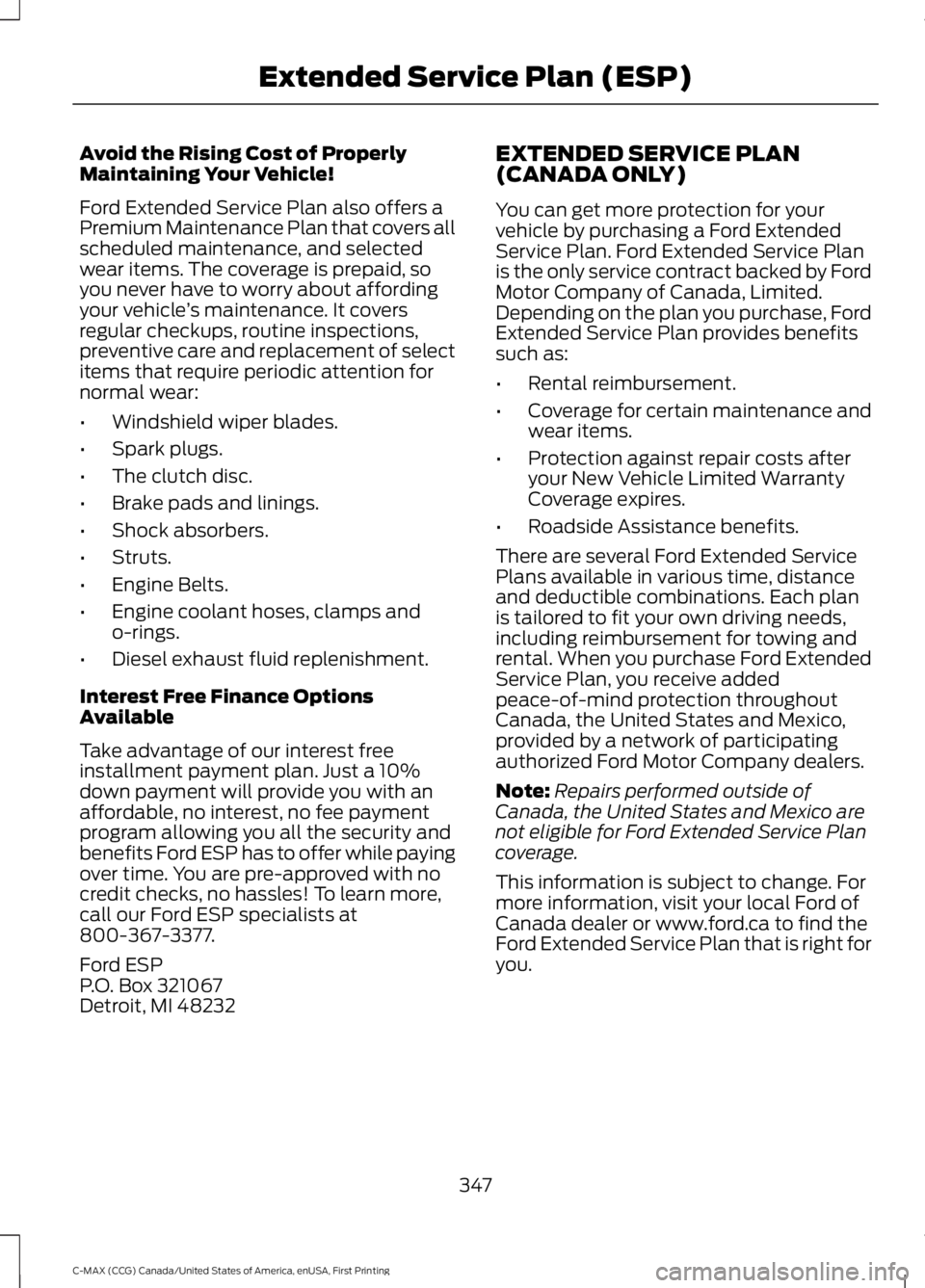
Avoid the Rising Cost of ProperlyMaintaining Your Vehicle!
Ford Extended Service Plan also offers aPremium Maintenance Plan that covers allscheduled maintenance, and selectedwear items. The coverage is prepaid, soyou never have to worry about affordingyour vehicle’s maintenance. It coversregular checkups, routine inspections,preventive care and replacement of selectitems that require periodic attention fornormal wear:
•Windshield wiper blades.
•Spark plugs.
•The clutch disc.
•Brake pads and linings.
•Shock absorbers.
•Struts.
•Engine Belts.
•Engine coolant hoses, clamps ando-rings.
•Diesel exhaust fluid replenishment.
Interest Free Finance OptionsAvailable
Take advantage of our interest freeinstallment payment plan. Just a 10%down payment will provide you with anaffordable, no interest, no fee paymentprogram allowing you all the security andbenefits Ford ESP has to offer while payingover time. You are pre-approved with nocredit checks, no hassles! To learn more,call our Ford ESP specialists at800-367-3377.
Ford ESPP.O. Box 321067Detroit, MI 48232
EXTENDED SERVICE PLAN(CANADA ONLY)
You can get more protection for yourvehicle by purchasing a Ford ExtendedService Plan. Ford Extended Service Planis the only service contract backed by FordMotor Company of Canada, Limited.Depending on the plan you purchase, FordExtended Service Plan provides benefitssuch as:
•Rental reimbursement.
•Coverage for certain maintenance andwear items.
•Protection against repair costs afteryour New Vehicle Limited WarrantyCoverage expires.
•Roadside Assistance benefits.
There are several Ford Extended ServicePlans available in various time, distanceand deductible combinations. Each planis tailored to fit your own driving needs,including reimbursement for towing andrental. When you purchase Ford ExtendedService Plan, you receive addedpeace-of-mind protection throughoutCanada, the United States and Mexico,provided by a network of participatingauthorized Ford Motor Company dealers.
Note:Repairs performed outside ofCanada, the United States and Mexico arenot eligible for Ford Extended Service Plancoverage.
This information is subject to change. Formore information, visit your local Ford ofCanada dealer or www.ford.ca to find theFord Extended Service Plan that is right foryou.
347
C-MAX (CCG) Canada/United States of America, enUSA, First Printing
Extended Service Plan (ESP)
Page 377 of 395
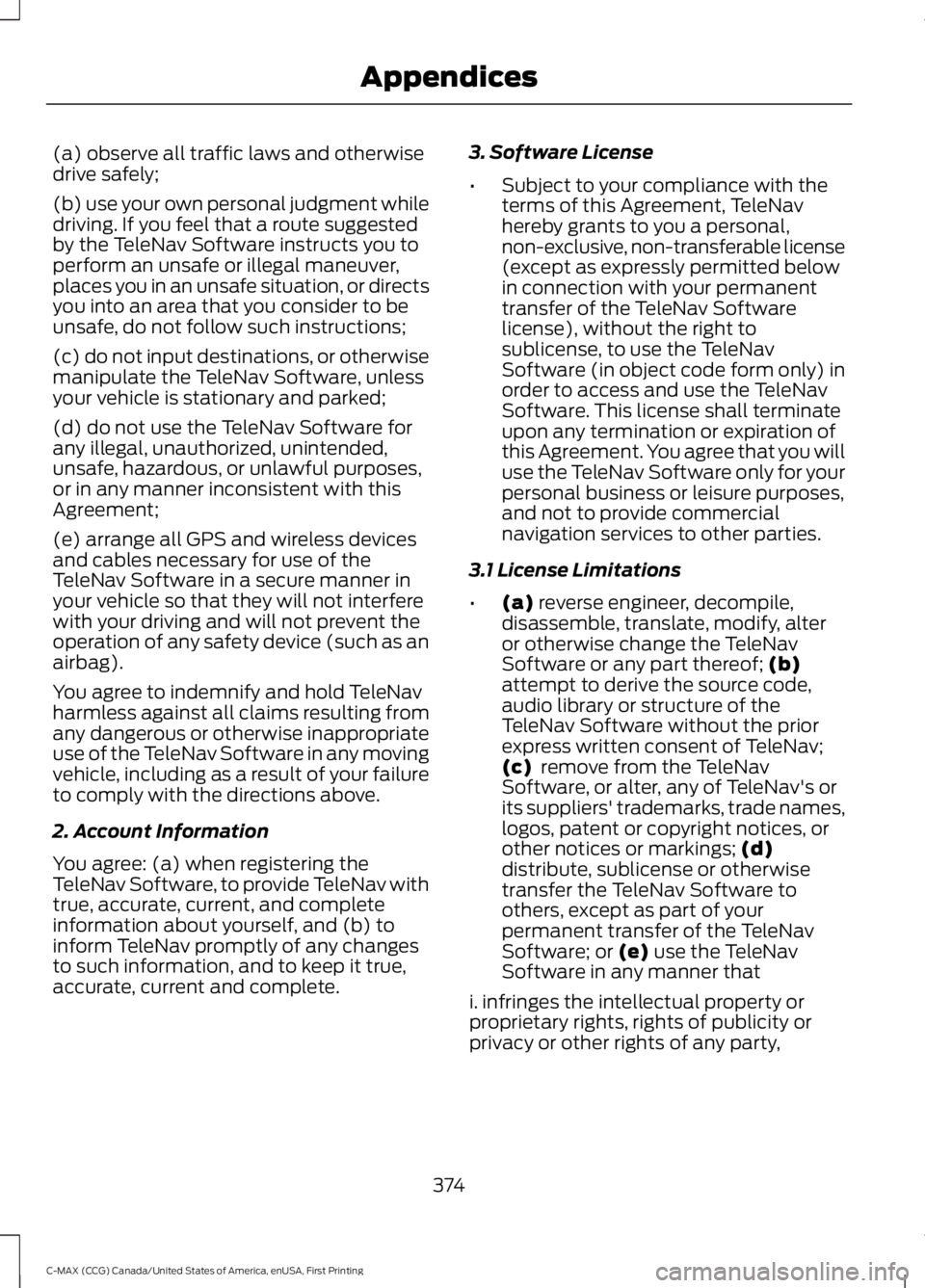
(a) observe all traffic laws and otherwisedrive safely;
(b) use your own personal judgment whiledriving. If you feel that a route suggestedby the TeleNav Software instructs you toperform an unsafe or illegal maneuver,places you in an unsafe situation, or directsyou into an area that you consider to beunsafe, do not follow such instructions;
(c) do not input destinations, or otherwisemanipulate the TeleNav Software, unlessyour vehicle is stationary and parked;
(d) do not use the TeleNav Software forany illegal, unauthorized, unintended,unsafe, hazardous, or unlawful purposes,or in any manner inconsistent with thisAgreement;
(e) arrange all GPS and wireless devicesand cables necessary for use of theTeleNav Software in a secure manner inyour vehicle so that they will not interferewith your driving and will not prevent theoperation of any safety device (such as anairbag).
You agree to indemnify and hold TeleNavharmless against all claims resulting fromany dangerous or otherwise inappropriateuse of the TeleNav Software in any movingvehicle, including as a result of your failureto comply with the directions above.
2. Account Information
You agree: (a) when registering theTeleNav Software, to provide TeleNav withtrue, accurate, current, and completeinformation about yourself, and (b) toinform TeleNav promptly of any changesto such information, and to keep it true,accurate, current and complete.
3. Software License
•Subject to your compliance with theterms of this Agreement, TeleNavhereby grants to you a personal,non-exclusive, non-transferable license(except as expressly permitted belowin connection with your permanenttransfer of the TeleNav Softwarelicense), without the right tosublicense, to use the TeleNavSoftware (in object code form only) inorder to access and use the TeleNavSoftware. This license shall terminateupon any termination or expiration ofthis Agreement. You agree that you willuse the TeleNav Software only for yourpersonal business or leisure purposes,and not to provide commercialnavigation services to other parties.
3.1 License Limitations
•(a) reverse engineer, decompile,disassemble, translate, modify, alteror otherwise change the TeleNavSoftware or any part thereof; (b)attempt to derive the source code,audio library or structure of theTeleNav Software without the priorexpress written consent of TeleNav;(c) remove from the TeleNavSoftware, or alter, any of TeleNav's orits suppliers' trademarks, trade names,logos, patent or copyright notices, orother notices or markings; (d)distribute, sublicense or otherwisetransfer the TeleNav Software toothers, except as part of yourpermanent transfer of the TeleNavSoftware; or (e) use the TeleNavSoftware in any manner that
i. infringes the intellectual property orproprietary rights, rights of publicity orprivacy or other rights of any party,
374
C-MAX (CCG) Canada/United States of America, enUSA, First Printing
Appendices
Page 382 of 395
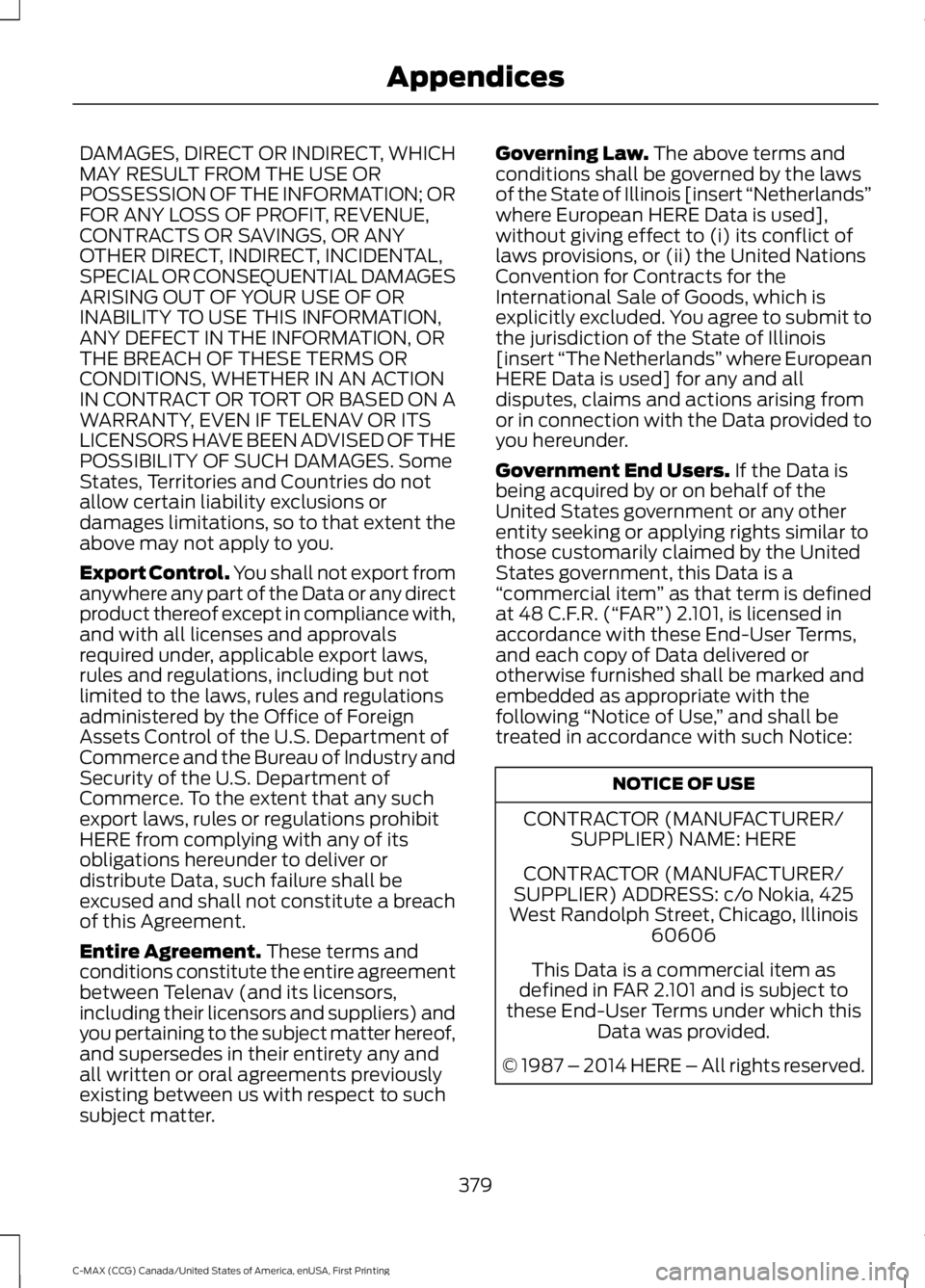
DAMAGES, DIRECT OR INDIRECT, WHICHMAY RESULT FROM THE USE ORPOSSESSION OF THE INFORMATION; ORFOR ANY LOSS OF PROFIT, REVENUE,CONTRACTS OR SAVINGS, OR ANYOTHER DIRECT, INDIRECT, INCIDENTAL,SPECIAL OR CONSEQUENTIAL DAMAGESARISING OUT OF YOUR USE OF ORINABILITY TO USE THIS INFORMATION,ANY DEFECT IN THE INFORMATION, ORTHE BREACH OF THESE TERMS ORCONDITIONS, WHETHER IN AN ACTIONIN CONTRACT OR TORT OR BASED ON AWARRANTY, EVEN IF TELENAV OR ITSLICENSORS HAVE BEEN ADVISED OF THEPOSSIBILITY OF SUCH DAMAGES. SomeStates, Territories and Countries do notallow certain liability exclusions ordamages limitations, so to that extent theabove may not apply to you.
Export Control. You shall not export fromanywhere any part of the Data or any directproduct thereof except in compliance with,and with all licenses and approvalsrequired under, applicable export laws,rules and regulations, including but notlimited to the laws, rules and regulationsadministered by the Office of ForeignAssets Control of the U.S. Department ofCommerce and the Bureau of Industry andSecurity of the U.S. Department ofCommerce. To the extent that any suchexport laws, rules or regulations prohibitHERE from complying with any of itsobligations hereunder to deliver ordistribute Data, such failure shall beexcused and shall not constitute a breachof this Agreement.
Entire Agreement. These terms andconditions constitute the entire agreementbetween Telenav (and its licensors,including their licensors and suppliers) andyou pertaining to the subject matter hereof,and supersedes in their entirety any andall written or oral agreements previouslyexisting between us with respect to suchsubject matter.
Governing Law. The above terms andconditions shall be governed by the lawsof the State of Illinois [insert “Netherlands”where European HERE Data is used],without giving effect to (i) its conflict oflaws provisions, or (ii) the United NationsConvention for Contracts for theInternational Sale of Goods, which isexplicitly excluded. You agree to submit tothe jurisdiction of the State of Illinois[insert “The Netherlands” where EuropeanHERE Data is used] for any and alldisputes, claims and actions arising fromor in connection with the Data provided toyou hereunder.
Government End Users. If the Data isbeing acquired by or on behalf of theUnited States government or any otherentity seeking or applying rights similar tothose customarily claimed by the UnitedStates government, this Data is a“commercial item” as that term is definedat 48 C.F.R. (“FAR”) 2.101, is licensed inaccordance with these End-User Terms,and each copy of Data delivered orotherwise furnished shall be marked andembedded as appropriate with thefollowing “Notice of Use,” and shall betreated in accordance with such Notice:
NOTICE OF USE
CONTRACTOR (MANUFACTURER/SUPPLIER) NAME: HERE
CONTRACTOR (MANUFACTURER/SUPPLIER) ADDRESS: c/o Nokia, 425West Randolph Street, Chicago, Illinois60606
This Data is a commercial item asdefined in FAR 2.101 and is subject tothese End-User Terms under which thisData was provided.
© 1987 – 2014 HERE – All rights reserved.
379
C-MAX (CCG) Canada/United States of America, enUSA, First Printing
Appendices
Page 391 of 395
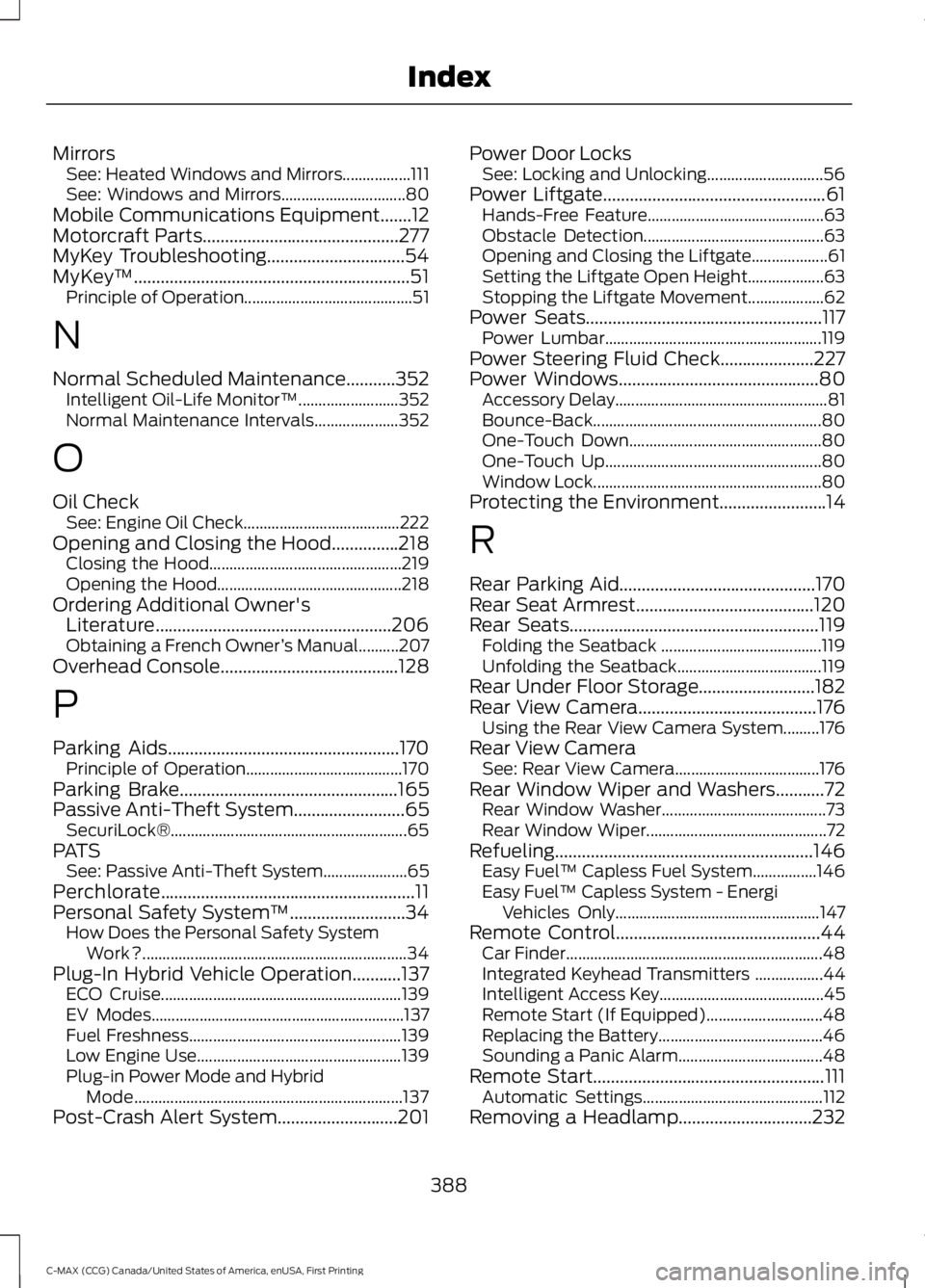
MirrorsSee: Heated Windows and Mirrors.................111See: Windows and Mirrors...............................80Mobile Communications Equipment.......12Motorcraft Parts............................................277MyKey Troubleshooting...............................54MyKey™..............................................................51Principle of Operation..........................................51
N
Normal Scheduled Maintenance...........352Intelligent Oil-Life Monitor™.........................352Normal Maintenance Intervals.....................352
O
Oil CheckSee: Engine Oil Check.......................................222Opening and Closing the Hood...............218Closing the Hood................................................219Opening the Hood..............................................218Ordering Additional Owner'sLiterature.....................................................206Obtaining a French Owner’s Manual..........207Overhead Console........................................128
P
Parking Aids....................................................170Principle of Operation.......................................170Parking Brake.................................................165Passive Anti-Theft System.........................65SecuriLock®...........................................................65PATSSee: Passive Anti-Theft System.....................65Perchlorate.........................................................11Personal Safety System™..........................34How Does the Personal Safety SystemWork?..................................................................34Plug-In Hybrid Vehicle Operation...........137ECO Cruise............................................................139EV Modes...............................................................137Fuel Freshness.....................................................139Low Engine Use...................................................139Plug-in Power Mode and HybridMode...................................................................137Post-Crash Alert System...........................201
Power Door LocksSee: Locking and Unlocking.............................56Power Liftgate..................................................61Hands-Free Feature............................................63Obstacle Detection.............................................63Opening and Closing the Liftgate...................61Setting the Liftgate Open Height...................63Stopping the Liftgate Movement...................62Power Seats.....................................................117Power Lumbar......................................................119Power Steering Fluid Check.....................227Power Windows.............................................80Accessory Delay.....................................................81Bounce-Back.........................................................80One-Touch Down................................................80One-Touch Up......................................................80Window Lock.........................................................80Protecting the Environment........................14
R
Rear Parking Aid............................................170Rear Seat Armrest........................................120Rear Seats........................................................119Folding the Seatback ........................................119Unfolding the Seatback....................................119Rear Under Floor Storage..........................182Rear View Camera........................................176Using the Rear View Camera System.........176Rear View CameraSee: Rear View Camera....................................176Rear Window Wiper and Washers...........72Rear Window Washer.........................................73Rear Window Wiper.............................................72Refueling..........................................................146Easy Fuel™ Capless Fuel System................146Easy Fuel™ Capless System - EnergiVehicles Only...................................................147Remote Control..............................................44Car Finder................................................................48Integrated Keyhead Transmitters .................44Intelligent Access Key.........................................45Remote Start (If Equipped).............................48Replacing the Battery.........................................46Sounding a Panic Alarm....................................48Remote Start....................................................111Automatic Settings.............................................112Removing a Headlamp..............................232
388
C-MAX (CCG) Canada/United States of America, enUSA, First Printing
Index