wheel FORD C MAX ENERGI 2016 Manual PDF
[x] Cancel search | Manufacturer: FORD, Model Year: 2016, Model line: C MAX ENERGI, Model: FORD C MAX ENERGI 2016Pages: 395, PDF Size: 6.78 MB
Page 320 of 395
•A connected Bluetooth-enabled phonemust have adequate network coverage,battery power and signal strength.
•The vehicle must have battery powerand be located in the U.S., Canada orin a territory in which 911 is theemergency number.
In the Event of a Crash
Not all crashes will deploy an airbag oractivate the fuel pump shut-off (thetriggers for 911 Assist). If a connected cellphone sustains damage or loses itsconnection to SYNC during a crash, SYNCwill search for and try to connect to apreviously paired cell phone; SYNC willthen attempt to call the emergencyservices.
Before making the call:
•SYNC provides a short window of time(about 10 seconds) to cancel the call.If you fail to cancel the call, SYNCattempts to dial 911.
•SYNC says the following, or a similarmessage: "SYNC will attempt to call911, to cancel the call, press Cancel onyour screen or press and hold thephone button on your steering wheel."
If you do not cancel the call, and SYNCmakes a successful call, a pre-recordedmessage plays for the 911 operator, andthen the occupant(s) in your vehicle is ableto talk with the operator. Be prepared toprovide your name, phone number andlocation immediately, because not all 911systems are capable of receiving thisinformation electronically.
911 Assist May Not Work If
•Your cellular phone or 911 Assisthardware sustains damage in a crash.
•The vehicle's battery or the SYNCsystem has no power.
•The phone(s) thrown from your vehicleare the ones paired and connected tothe system.
911 Assist Privacy Notice
When you turn on 911 Assist, it maydisclose to emergency services that yourvehicle has been in a crash involving thedeployment of an airbag or activation ofthe fuel pump shut-off. Certain versions orupdates to 911 Assist may also be capableof electronically or verbally disclosing to911 operators your vehicle location or otherdetails about your vehicle or crash to assist911 operators to provide the mostappropriate emergency services. If you donot want to disclose this information, donot turn the feature on.
Vehicle Health Report (IfEquipped, United States Only)
WARNING
Always follow scheduledmaintenance instructions, regularlyinspect your vehicle, and seek repairfor any damage or problem you suspect.Vehicle Health Report supplements, butcannot replace, normal maintenance andvehicle inspection. Vehicle Health Reportonly monitors certain systemselectronically monitored by your vehicleand will not monitor or report the statusof any other system, (such as brake liningwear). Failure to perform scheduledmaintenance and regularly inspect yourvehicle may result in vehicle damage andserious injury.
Note:This feature is only available in theUnited States.
317
C-MAX (CCG) Canada/United States of America, enUSA, First Printing
SYNC™
Page 326 of 395
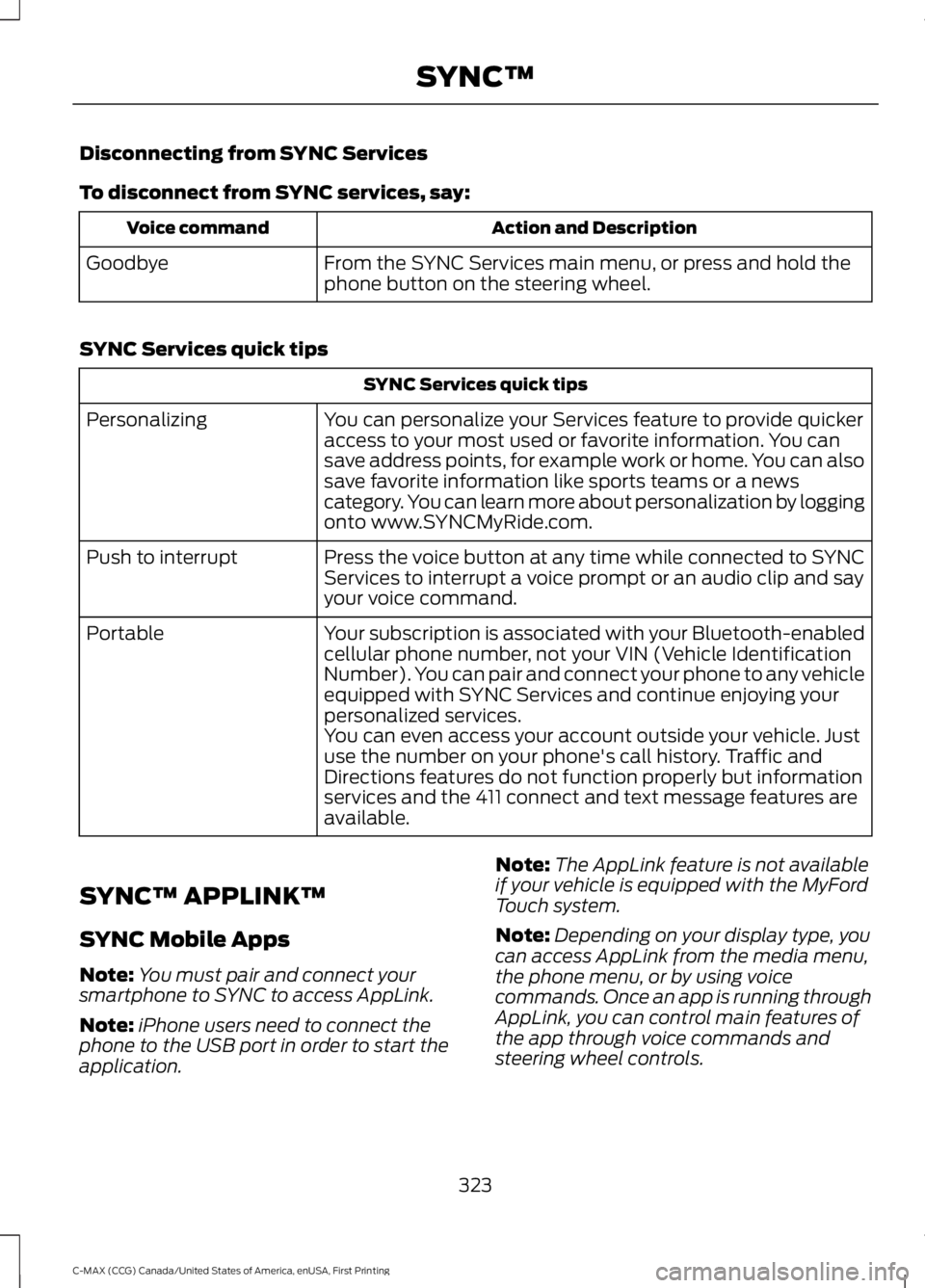
Disconnecting from SYNC Services
To disconnect from SYNC services, say:
Action and DescriptionVoice command
From the SYNC Services main menu, or press and hold thephone button on the steering wheel.Goodbye
SYNC Services quick tips
SYNC Services quick tips
You can personalize your Services feature to provide quickeraccess to your most used or favorite information. You cansave address points, for example work or home. You can alsosave favorite information like sports teams or a newscategory. You can learn more about personalization by loggingonto www.SYNCMyRide.com.
Personalizing
Press the voice button at any time while connected to SYNCServices to interrupt a voice prompt or an audio clip and sayyour voice command.
Push to interrupt
Your subscription is associated with your Bluetooth-enabledcellular phone number, not your VIN (Vehicle IdentificationNumber). You can pair and connect your phone to any vehicleequipped with SYNC Services and continue enjoying yourpersonalized services.
Portable
You can even access your account outside your vehicle. Justuse the number on your phone's call history. Traffic andDirections features do not function properly but informationservices and the 411 connect and text message features areavailable.
SYNC™ APPLINK™
SYNC Mobile Apps
Note:You must pair and connect yoursmartphone to SYNC to access AppLink.
Note:iPhone users need to connect thephone to the USB port in order to start theapplication.
Note:The AppLink feature is not availableif your vehicle is equipped with the MyFordTouch system.
Note:Depending on your display type, youcan access AppLink from the media menu,the phone menu, or by using voicecommands. Once an app is running throughAppLink, you can control main features ofthe app through voice commands andsteering wheel controls.
323
C-MAX (CCG) Canada/United States of America, enUSA, First Printing
SYNC™
Page 347 of 395
For a complete listing of the accessoriesthat are available for your vehicle, pleasecontact your authorized dealer or visit theonline store web site:
Web Address (United States)
www.Accessories.Ford.com
Web Address (Canada)
www.Accessories.Ford.ca
Ford Motor Company will repair or replaceany properly authorized dealer-installedFord Original Accessory found to bedefective in factory-supplied materials orworkmanship during the warranty period,as well as any component damaged by thedefective accessories.
Ford Motor Company warrants yourvehicle's accessory through the warrantythat provides the greatest benefit:
•24 months, unlimited mileage.
•The remainder of your new vehiclelimited warranty.
Contact an authorized dealer for detailsand a copy of the warranty.
Exterior style
•Custom graphics*.
•Hood deflector*.
•Side window deflectors.
•Splash guards.
Interior style
•Accent lighting.
•Cargo area protector.
•Door sill plates.
•Floor mats.
Lifestyle
•Ash cup or smoker's packages.
•Cargo net*.
•Roof racks and carriers*.
•Soft cargo organizers.
Peace of mind
•Bumper-mounted parking assistsystem*.
•Car covers.
•Charge cord storage bag*.
•Keyless entry keypad.
•Rear bumper protector.
•Remote start.
•Vehicle security systems.
•Wheel locks.
344
C-MAX (CCG) Canada/United States of America, enUSA, First Printing
Accessories
Page 356 of 395
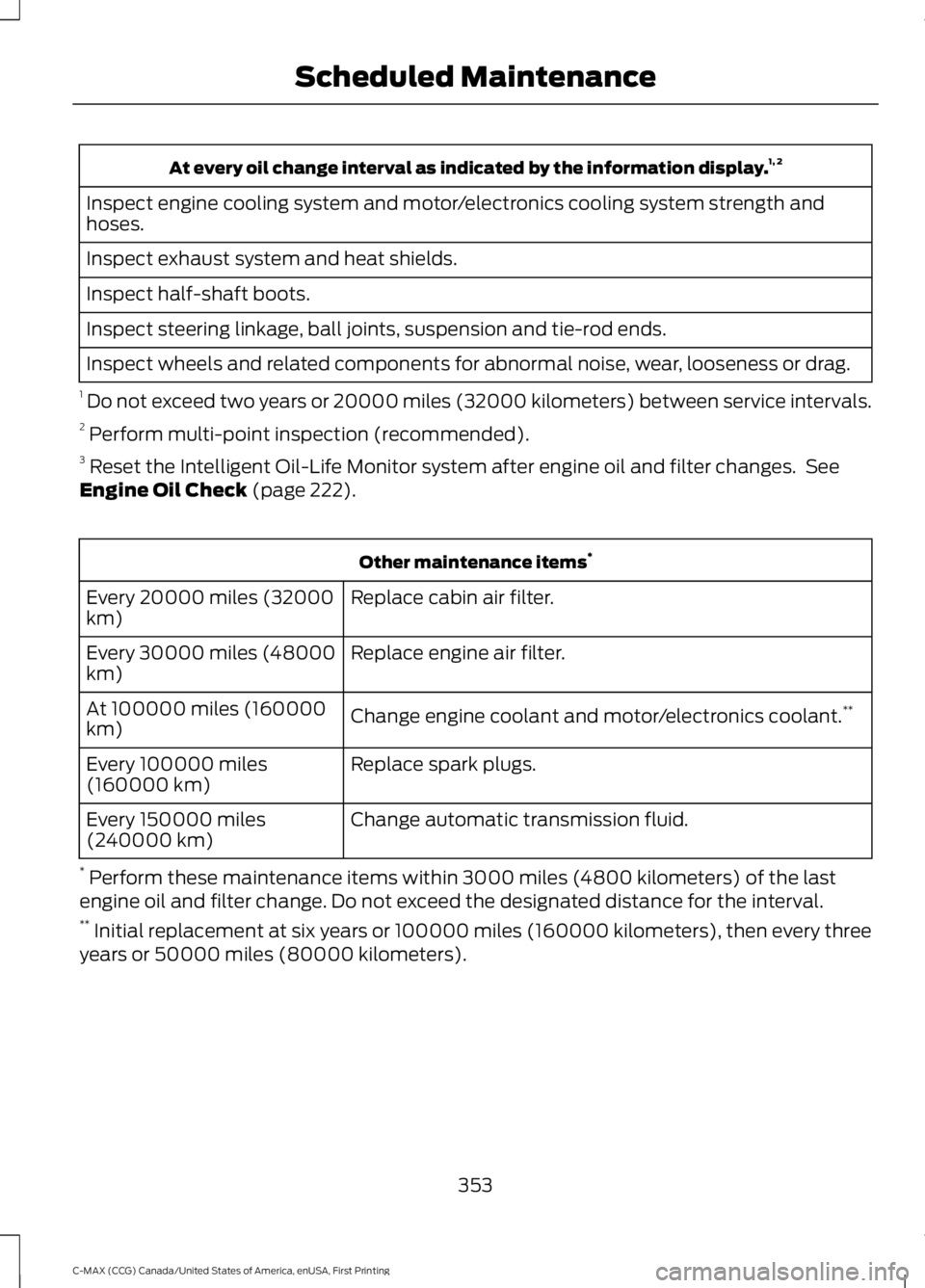
At every oil change interval as indicated by the information display.1, 2
Inspect engine cooling system and motor/electronics cooling system strength andhoses.
Inspect exhaust system and heat shields.
Inspect half-shaft boots.
Inspect steering linkage, ball joints, suspension and tie-rod ends.
Inspect wheels and related components for abnormal noise, wear, looseness or drag.
1 Do not exceed two years or 20000 miles (32000 kilometers) between service intervals.2 Perform multi-point inspection (recommended).3 Reset the Intelligent Oil-Life Monitor system after engine oil and filter changes. SeeEngine Oil Check (page 222).
Other maintenance items*
Replace cabin air filter.Every 20000 miles (32000km)
Replace engine air filter.Every 30000 miles (48000km)
Change engine coolant and motor/electronics coolant.**At 100000 miles (160000km)
Replace spark plugs.Every 100000 miles(160000 km)
Change automatic transmission fluid.Every 150000 miles(240000 km)
* Perform these maintenance items within 3000 miles (4800 kilometers) of the lastengine oil and filter change. Do not exceed the designated distance for the interval.** Initial replacement at six years or 100000 miles (160000 kilometers), then every threeyears or 50000 miles (80000 kilometers).
353
C-MAX (CCG) Canada/United States of America, enUSA, First Printing
Scheduled Maintenance
Page 357 of 395
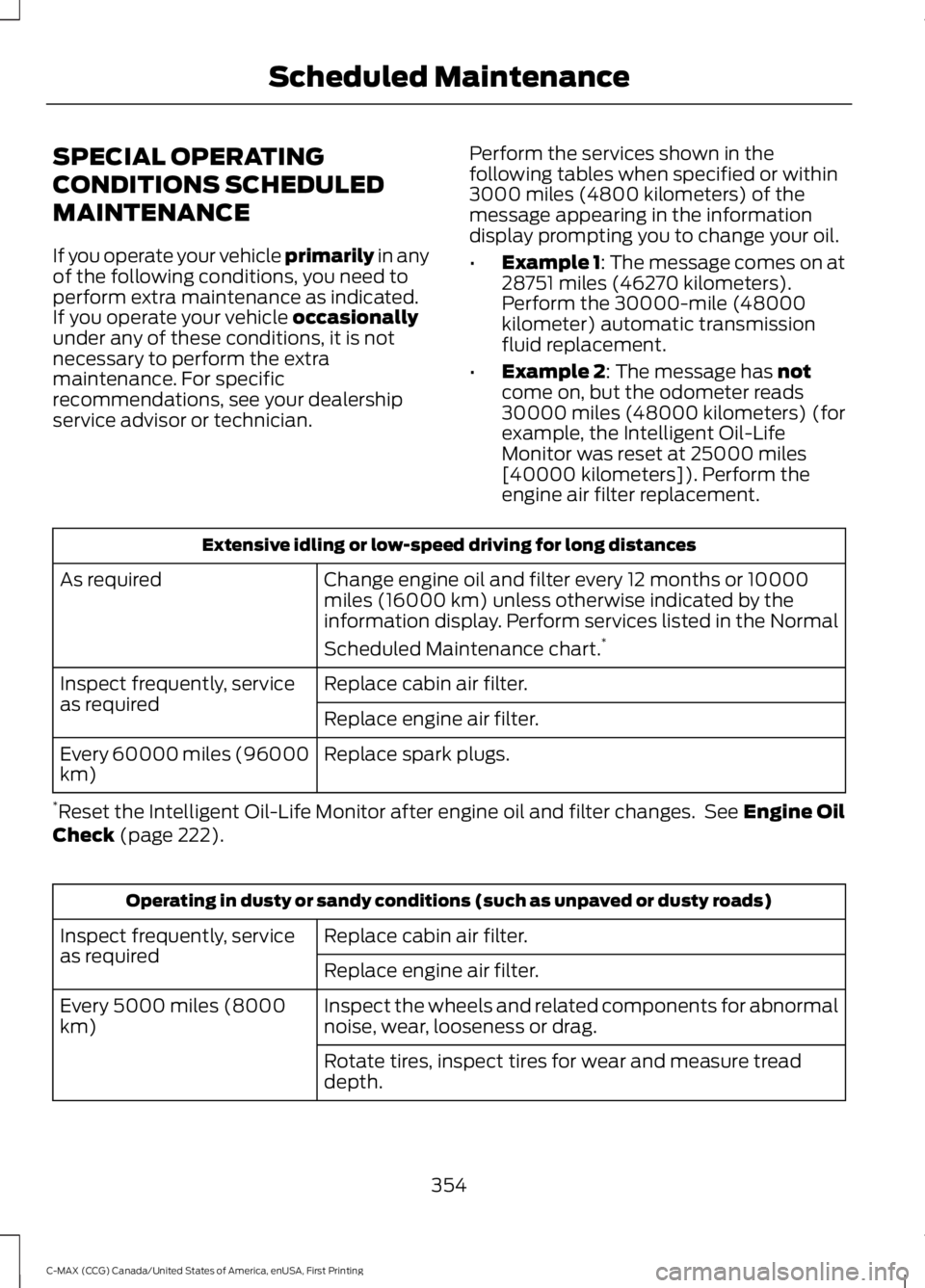
SPECIAL OPERATING
CONDITIONS SCHEDULED
MAINTENANCE
If you operate your vehicle primarily in anyof the following conditions, you need toperform extra maintenance as indicated.If you operate your vehicle occasionallyunder any of these conditions, it is notnecessary to perform the extramaintenance. For specificrecommendations, see your dealershipservice advisor or technician.
Perform the services shown in thefollowing tables when specified or within3000 miles (4800 kilometers) of themessage appearing in the informationdisplay prompting you to change your oil.
•Example 1: The message comes on at28751 miles (46270 kilometers).Perform the 30000-mile (48000kilometer) automatic transmissionfluid replacement.
•Example 2: The message has notcome on, but the odometer reads30000 miles (48000 kilometers) (forexample, the Intelligent Oil-LifeMonitor was reset at 25000 miles[40000 kilometers]). Perform theengine air filter replacement.
Extensive idling or low-speed driving for long distances
Change engine oil and filter every 12 months or 10000miles (16000 km) unless otherwise indicated by theinformation display. Perform services listed in the Normal
Scheduled Maintenance chart.*
As required
Replace cabin air filter.Inspect frequently, serviceas requiredReplace engine air filter.
Replace spark plugs.Every 60000 miles (96000km)
*Reset the Intelligent Oil-Life Monitor after engine oil and filter changes. See Engine OilCheck (page 222).
Operating in dusty or sandy conditions (such as unpaved or dusty roads)
Replace cabin air filter.Inspect frequently, serviceas requiredReplace engine air filter.
Inspect the wheels and related components for abnormalnoise, wear, looseness or drag.Every 5000 miles (8000km)
Rotate tires, inspect tires for wear and measure treaddepth.
354
C-MAX (CCG) Canada/United States of America, enUSA, First Printing
Scheduled Maintenance
Page 372 of 395
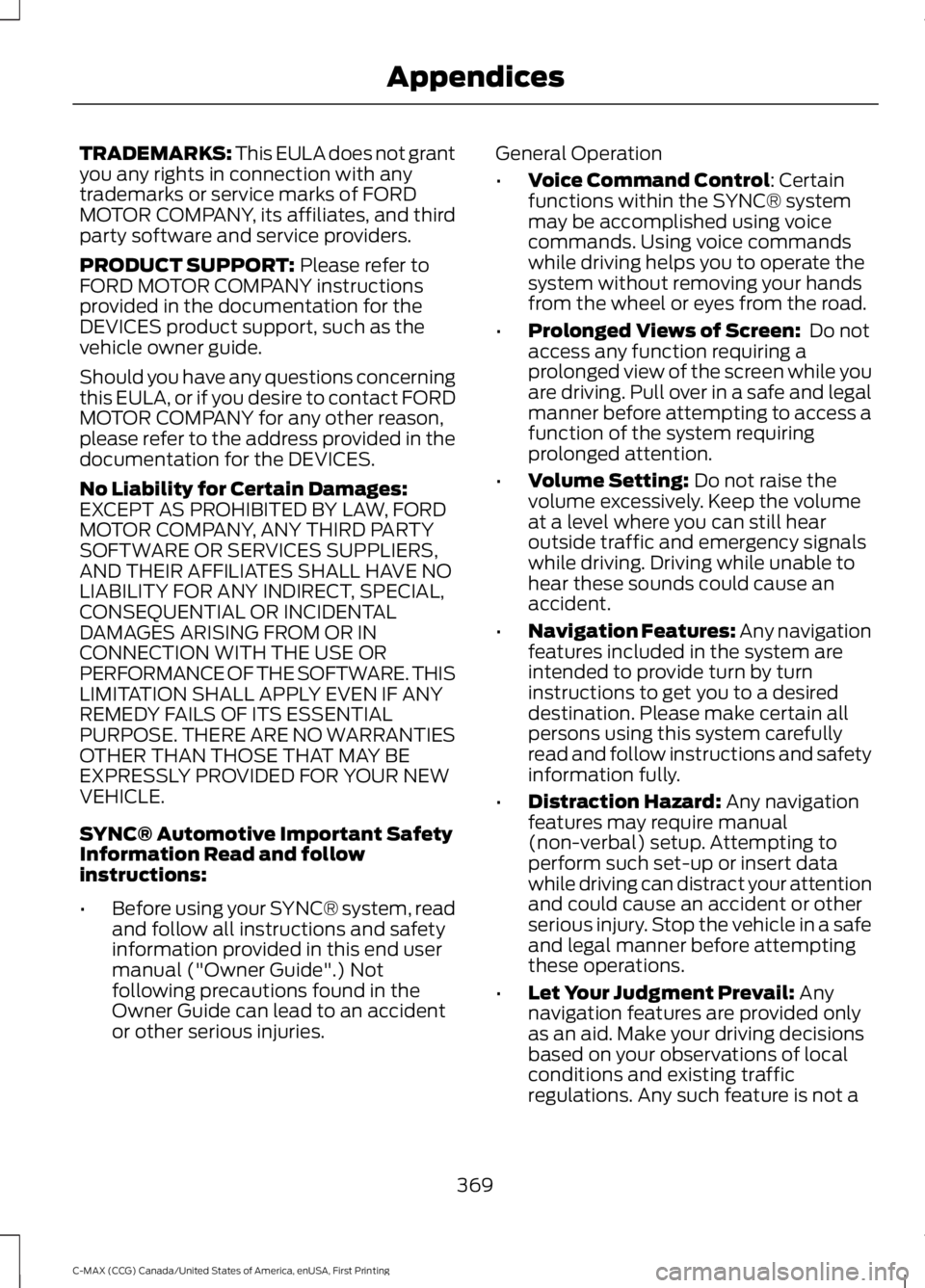
TRADEMARKS: This EULA does not grantyou any rights in connection with anytrademarks or service marks of FORDMOTOR COMPANY, its affiliates, and thirdparty software and service providers.
PRODUCT SUPPORT: Please refer toFORD MOTOR COMPANY instructionsprovided in the documentation for theDEVICES product support, such as thevehicle owner guide.
Should you have any questions concerningthis EULA, or if you desire to contact FORDMOTOR COMPANY for any other reason,please refer to the address provided in thedocumentation for the DEVICES.
No Liability for Certain Damages:EXCEPT AS PROHIBITED BY LAW, FORDMOTOR COMPANY, ANY THIRD PARTYSOFTWARE OR SERVICES SUPPLIERS,AND THEIR AFFILIATES SHALL HAVE NOLIABILITY FOR ANY INDIRECT, SPECIAL,CONSEQUENTIAL OR INCIDENTALDAMAGES ARISING FROM OR INCONNECTION WITH THE USE ORPERFORMANCE OF THE SOFTWARE. THISLIMITATION SHALL APPLY EVEN IF ANYREMEDY FAILS OF ITS ESSENTIALPURPOSE. THERE ARE NO WARRANTIESOTHER THAN THOSE THAT MAY BEEXPRESSLY PROVIDED FOR YOUR NEWVEHICLE.
SYNC® Automotive Important SafetyInformation Read and followinstructions:
•Before using your SYNC® system, readand follow all instructions and safetyinformation provided in this end usermanual ("Owner Guide".) Notfollowing precautions found in theOwner Guide can lead to an accidentor other serious injuries.
General Operation
•Voice Command Control: Certainfunctions within the SYNC® systemmay be accomplished using voicecommands. Using voice commandswhile driving helps you to operate thesystem without removing your handsfrom the wheel or eyes from the road.
•Prolonged Views of Screen: Do notaccess any function requiring aprolonged view of the screen while youare driving. Pull over in a safe and legalmanner before attempting to access afunction of the system requiringprolonged attention.
•Volume Setting: Do not raise thevolume excessively. Keep the volumeat a level where you can still hearoutside traffic and emergency signalswhile driving. Driving while unable tohear these sounds could cause anaccident.
•Navigation Features: Any navigationfeatures included in the system areintended to provide turn by turninstructions to get you to a desireddestination. Please make certain allpersons using this system carefullyread and follow instructions and safetyinformation fully.
•Distraction Hazard: Any navigationfeatures may require manual(non-verbal) setup. Attempting toperform such set-up or insert datawhile driving can distract your attentionand could cause an accident or otherserious injury. Stop the vehicle in a safeand legal manner before attemptingthese operations.
•Let Your Judgment Prevail: Anynavigation features are provided onlyas an aid. Make your driving decisionsbased on your observations of localconditions and existing trafficregulations. Any such feature is not a
369
C-MAX (CCG) Canada/United States of America, enUSA, First Printing
Appendices
Page 386 of 395
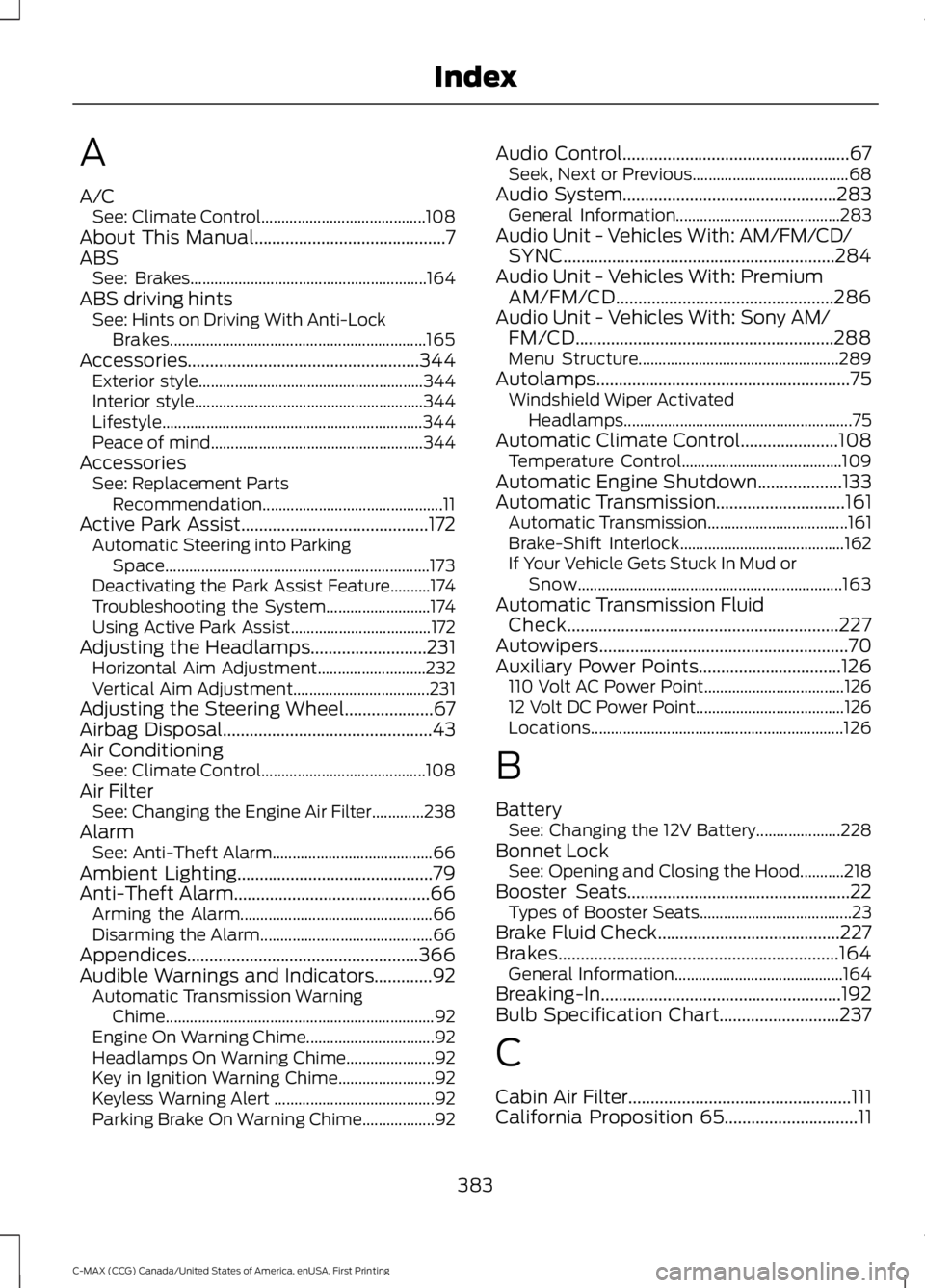
A
A/CSee: Climate Control.........................................108About This Manual...........................................7ABSSee: Brakes...........................................................164ABS driving hintsSee: Hints on Driving With Anti-LockBrakes................................................................165Accessories....................................................344Exterior style........................................................344Interior style.........................................................344Lifestyle.................................................................344Peace of mind.....................................................344AccessoriesSee: Replacement PartsRecommendation.............................................11Active Park Assist..........................................172Automatic Steering into ParkingSpace..................................................................173Deactivating the Park Assist Feature..........174Troubleshooting the System..........................174Using Active Park Assist...................................172Adjusting the Headlamps..........................231Horizontal Aim Adjustment...........................232Vertical Aim Adjustment..................................231Adjusting the Steering Wheel....................67Airbag Disposal...............................................43Air ConditioningSee: Climate Control.........................................108Air FilterSee: Changing the Engine Air Filter.............238AlarmSee: Anti-Theft Alarm........................................66Ambient Lighting............................................79Anti-Theft Alarm............................................66Arming the Alarm................................................66Disarming the Alarm...........................................66Appendices....................................................366Audible Warnings and Indicators.............92Automatic Transmission WarningChime...................................................................92Engine On Warning Chime................................92Headlamps On Warning Chime......................92Key in Ignition Warning Chime........................92Keyless Warning Alert ........................................92Parking Brake On Warning Chime..................92
Audio Control...................................................67Seek, Next or Previous.......................................68Audio System................................................283General Information.........................................283Audio Unit - Vehicles With: AM/FM/CD/SYNC.............................................................284Audio Unit - Vehicles With: PremiumAM/FM/CD.................................................286Audio Unit - Vehicles With: Sony AM/FM/CD..........................................................288Menu Structure..................................................289Autolamps.........................................................75Windshield Wiper ActivatedHeadlamps.........................................................75Automatic Climate Control......................108Temperature Control........................................109Automatic Engine Shutdown...................133Automatic Transmission.............................161Automatic Transmission...................................161Brake-Shift Interlock.........................................162If Your Vehicle Gets Stuck In Mud orSnow..................................................................163Automatic Transmission FluidCheck.............................................................227Autowipers........................................................70Auxiliary Power Points................................126110 Volt AC Power Point...................................12612 Volt DC Power Point.....................................126Locations...............................................................126
B
BatterySee: Changing the 12V Battery.....................228Bonnet LockSee: Opening and Closing the Hood...........218Booster Seats..................................................22Types of Booster Seats......................................23Brake Fluid Check.........................................227Brakes...............................................................164General Information..........................................164Breaking-In......................................................192Bulb Specification Chart...........................237
C
Cabin Air Filter..................................................111California Proposition 65..............................11
383
C-MAX (CCG) Canada/United States of America, enUSA, First Printing
Index
Page 387 of 395
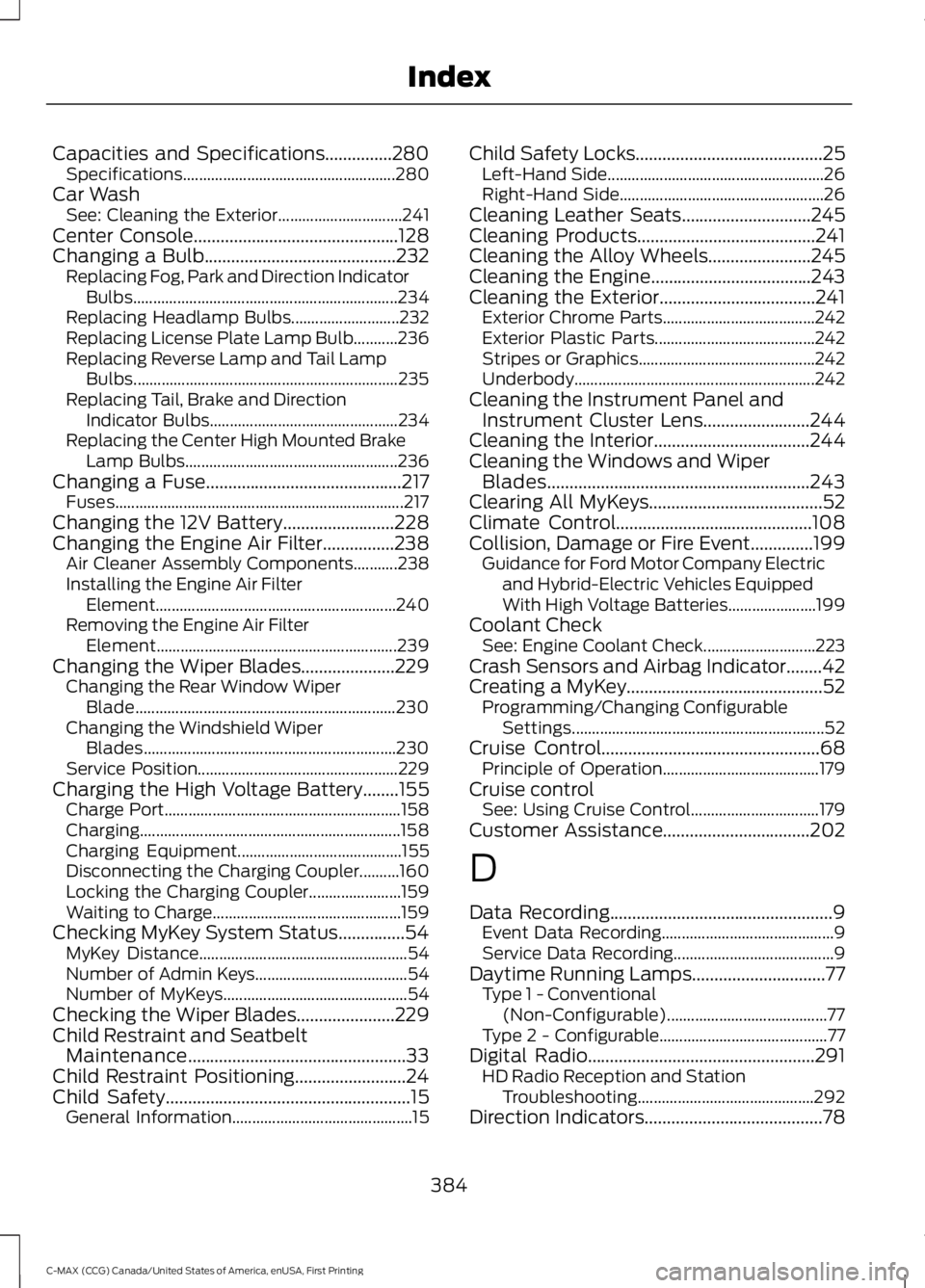
Capacities and Specifications...............280Specifications.....................................................280Car WashSee: Cleaning the Exterior...............................241Center Console..............................................128Changing a Bulb...........................................232Replacing Fog, Park and Direction IndicatorBulbs..................................................................234Replacing Headlamp Bulbs...........................232Replacing License Plate Lamp Bulb...........236Replacing Reverse Lamp and Tail LampBulbs..................................................................235Replacing Tail, Brake and DirectionIndicator Bulbs...............................................234Replacing the Center High Mounted BrakeLamp Bulbs.....................................................236Changing a Fuse............................................217Fuses........................................................................217Changing the 12V Battery.........................228Changing the Engine Air Filter................238Air Cleaner Assembly Components...........238Installing the Engine Air FilterElement............................................................240Removing the Engine Air FilterElement............................................................239Changing the Wiper Blades.....................229Changing the Rear Window WiperBlade.................................................................230Changing the Windshield WiperBlades...............................................................230Service Position..................................................229Charging the High Voltage Battery........155Charge Port...........................................................158Charging.................................................................158Charging Equipment.........................................155Disconnecting the Charging Coupler..........160Locking the Charging Coupler.......................159Waiting to Charge...............................................159Checking MyKey System Status...............54MyKey Distance....................................................54Number of Admin Keys......................................54Number of MyKeys..............................................54Checking the Wiper Blades......................229Child Restraint and SeatbeltMaintenance.................................................33Child Restraint Positioning.........................24Child Safety.......................................................15General Information.............................................15
Child Safety Locks..........................................25Left-Hand Side......................................................26Right-Hand Side...................................................26Cleaning Leather Seats.............................245Cleaning Products........................................241Cleaning the Alloy Wheels.......................245Cleaning the Engine....................................243Cleaning the Exterior...................................241Exterior Chrome Parts......................................242Exterior Plastic Parts........................................242Stripes or Graphics............................................242Underbody............................................................242Cleaning the Instrument Panel andInstrument Cluster Lens........................244Cleaning the Interior...................................244Cleaning the Windows and WiperBlades...........................................................243Clearing All MyKeys.......................................52Climate Control............................................108Collision, Damage or Fire Event..............199Guidance for Ford Motor Company Electricand Hybrid-Electric Vehicles EquippedWith High Voltage Batteries......................199Coolant CheckSee: Engine Coolant Check............................223Crash Sensors and Airbag Indicator........42Creating a MyKey............................................52Programming/Changing ConfigurableSettings...............................................................52Cruise Control.................................................68Principle of Operation.......................................179Cruise controlSee: Using Cruise Control................................179Customer Assistance.................................202
D
Data Recording..................................................9Event Data Recording...........................................9Service Data Recording........................................9Daytime Running Lamps..............................77Type 1 - Conventional(Non-Configurable)........................................77Type 2 - Configurable..........................................77Digital Radio...................................................291HD Radio Reception and StationTroubleshooting............................................292Direction Indicators........................................78
384
C-MAX (CCG) Canada/United States of America, enUSA, First Printing
Index
Page 392 of 395
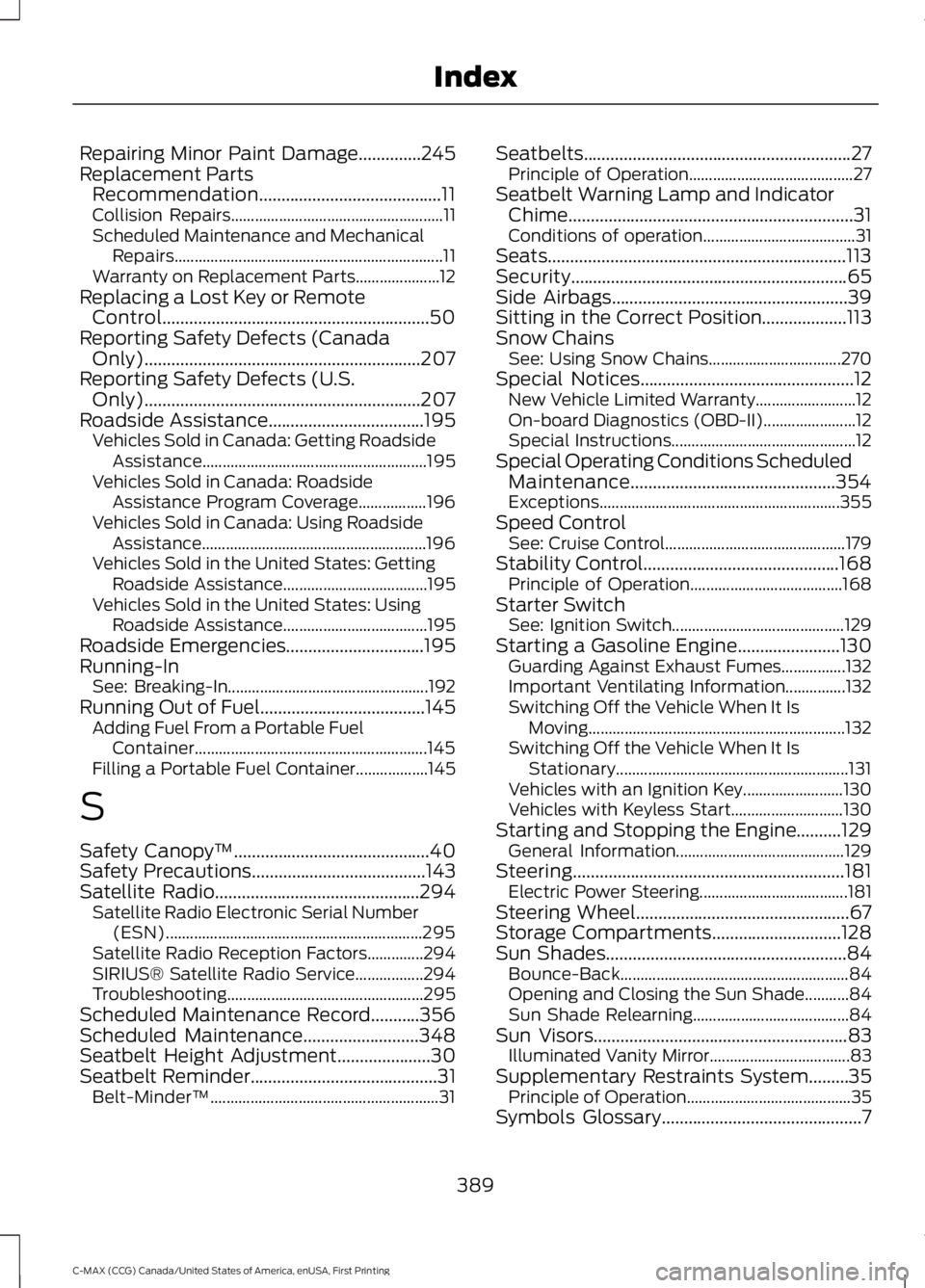
Repairing Minor Paint Damage..............245Replacement PartsRecommendation.........................................11Collision Repairs.....................................................11Scheduled Maintenance and MechanicalRepairs...................................................................11Warranty on Replacement Parts.....................12Replacing a Lost Key or RemoteControl............................................................50Reporting Safety Defects (CanadaOnly)..............................................................207Reporting Safety Defects (U.S.Only)..............................................................207Roadside Assistance...................................195Vehicles Sold in Canada: Getting RoadsideAssistance........................................................195Vehicles Sold in Canada: RoadsideAssistance Program Coverage.................196Vehicles Sold in Canada: Using RoadsideAssistance........................................................196Vehicles Sold in the United States: GettingRoadside Assistance....................................195Vehicles Sold in the United States: UsingRoadside Assistance....................................195Roadside Emergencies...............................195Running-InSee: Breaking-In..................................................192Running Out of Fuel.....................................145Adding Fuel From a Portable FuelContainer..........................................................145Filling a Portable Fuel Container..................145
S
Safety Canopy™............................................40Safety Precautions.......................................143Satellite Radio..............................................294Satellite Radio Electronic Serial Number(ESN)................................................................295Satellite Radio Reception Factors..............294SIRIUS® Satellite Radio Service.................294Troubleshooting.................................................295Scheduled Maintenance Record...........356Scheduled Maintenance..........................348Seatbelt Height Adjustment.....................30Seatbelt Reminder..........................................31Belt-Minder™.........................................................31
Seatbelts............................................................27Principle of Operation.........................................27Seatbelt Warning Lamp and IndicatorChime................................................................31Conditions of operation......................................31Seats...................................................................113Security..............................................................65Side Airbags.....................................................39Sitting in the Correct Position...................113Snow ChainsSee: Using Snow Chains.................................270Special Notices................................................12New Vehicle Limited Warranty.........................12On-board Diagnostics (OBD-II).......................12Special Instructions..............................................12Special Operating Conditions ScheduledMaintenance..............................................354Exceptions............................................................355Speed ControlSee: Cruise Control.............................................179Stability Control............................................168Principle of Operation......................................168Starter SwitchSee: Ignition Switch...........................................129Starting a Gasoline Engine.......................130Guarding Against Exhaust Fumes................132Important Ventilating Information...............132Switching Off the Vehicle When It IsMoving................................................................132Switching Off the Vehicle When It IsStationary..........................................................131Vehicles with an Ignition Key.........................130Vehicles with Keyless Start............................130Starting and Stopping the Engine..........129General Information..........................................129Steering.............................................................181Electric Power Steering.....................................181Steering Wheel................................................67Storage Compartments.............................128Sun Shades......................................................84Bounce-Back.........................................................84Opening and Closing the Sun Shade...........84Sun Shade Relearning.......................................84Sun Visors.........................................................83Illuminated Vanity Mirror...................................83Supplementary Restraints System.........35Principle of Operation.........................................35Symbols Glossary.............................................7
389
C-MAX (CCG) Canada/United States of America, enUSA, First Printing
Index
Page 393 of 395
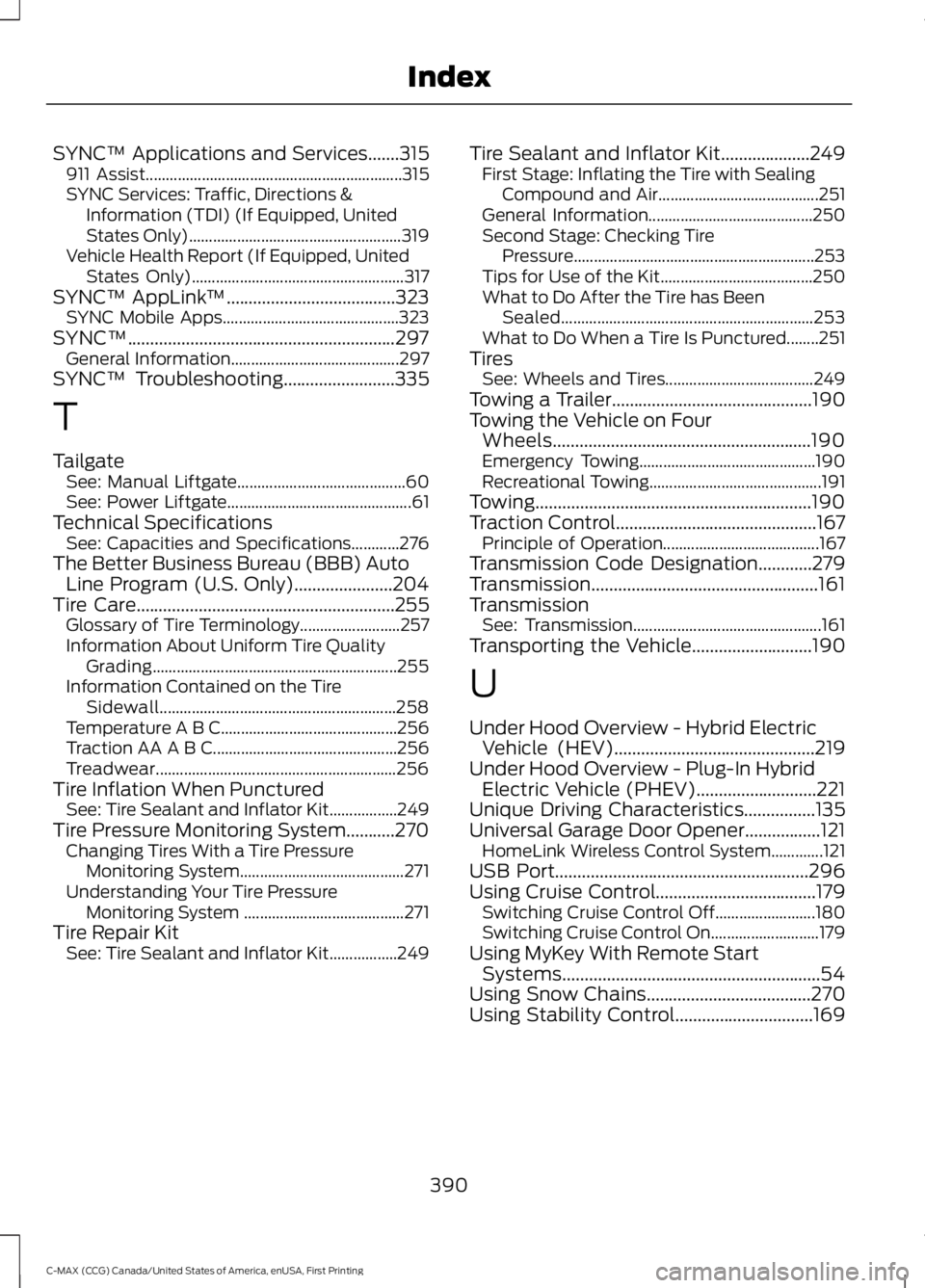
SYNC™ Applications and Services.......315911 Assist................................................................315SYNC Services: Traffic, Directions &Information (TDI) (If Equipped, UnitedStates Only).....................................................319Vehicle Health Report (If Equipped, UnitedStates Only).....................................................317SYNC™ AppLink™......................................323SYNC Mobile Apps............................................323SYNC™............................................................297General Information..........................................297SYNC™ Troubleshooting.........................335
T
TailgateSee: Manual Liftgate..........................................60See: Power Liftgate..............................................61Technical SpecificationsSee: Capacities and Specifications............276The Better Business Bureau (BBB) AutoLine Program (U.S. Only)......................204Tire Care..........................................................255Glossary of Tire Terminology.........................257Information About Uniform Tire QualityGrading.............................................................255Information Contained on the TireSidewall...........................................................258Temperature A B C............................................256Traction AA A B C..............................................256Treadwear............................................................256Tire Inflation When PuncturedSee: Tire Sealant and Inflator Kit.................249Tire Pressure Monitoring System...........270Changing Tires With a Tire PressureMonitoring System.........................................271Understanding Your Tire PressureMonitoring System ........................................271Tire Repair KitSee: Tire Sealant and Inflator Kit.................249
Tire Sealant and Inflator Kit....................249First Stage: Inflating the Tire with SealingCompound and Air........................................251General Information.........................................250Second Stage: Checking TirePressure............................................................253Tips for Use of the Kit......................................250What to Do After the Tire has BeenSealed...............................................................253What to Do When a Tire Is Punctured........251TiresSee: Wheels and Tires.....................................249Towing a Trailer.............................................190Towing the Vehicle on FourWheels..........................................................190Emergency Towing............................................190Recreational Towing...........................................191Towing..............................................................190Traction Control.............................................167Principle of Operation.......................................167Transmission Code Designation............279Transmission...................................................161TransmissionSee: Transmission...............................................161Transporting the Vehicle...........................190
U
Under Hood Overview - Hybrid ElectricVehicle (HEV).............................................219Under Hood Overview - Plug-In HybridElectric Vehicle (PHEV)...........................221Unique Driving Characteristics................135Universal Garage Door Opener.................121HomeLink Wireless Control System.............121USB Port.........................................................296Using Cruise Control....................................179Switching Cruise Control Off.........................180Switching Cruise Control On...........................179Using MyKey With Remote StartSystems..........................................................54Using Snow Chains.....................................270Using Stability Control...............................169
390
C-MAX (CCG) Canada/United States of America, enUSA, First Printing
Index