brake FORD C MAX ENERGI 2016 Owners Manual
[x] Cancel search | Manufacturer: FORD, Model Year: 2016, Model line: C MAX ENERGI, Model: FORD C MAX ENERGI 2016Pages: 395, PDF Size: 6.78 MB
Page 6 of 395
Fuel and Refueling
Safety Precautions.......................................143
Fuel Quality....................................................144
Fuel Filler Funnel Location........................145
Running Out of Fuel....................................145
Refueling.........................................................146
Fuel Consumption.......................................150
Emission Control System..........................150
High Voltage Battery
General Information....................................153
Charging the High Voltage Battery........155
High Voltage Battery Cut-OffSwitch..........................................................160
Transmission
Automatic Transmission.............................161
Brakes
General Information....................................164
Hints on Driving With Anti-LockBrakes...........................................................165
Parking Brake.................................................165
Hill Start Assist..............................................165
Traction Control
Principle of Operation.................................167
Using Traction Control................................167
Stability Control
Principle of Operation................................168
Using Stability Control...............................169
Parking Aids
Principle of Operation.................................170
Rear Parking Aid............................................170
Front Parking Aid............................................171
Active Park Assist..........................................172
Rear View Camera........................................176
Cruise Control
Principle of Operation.................................179
Using Cruise Control....................................179
Driving Aids
Steering.............................................................181
Load Carrying
Rear Under Floor Storage..........................182
Luggage Covers.............................................182
Load Limit.......................................................183
Towing
Towing a Trailer.............................................190
Transporting the Vehicle...........................190
Towing the Vehicle on Four Wheels......190
Driving Hints
Breaking-In......................................................192
Economical Driving......................................192
Driving Through Water................................193
Floor Mats.......................................................194
Roadside Emergencies
Roadside Assistance...................................195
Hazard Warning Flashers..........................196
Fuel Shutoff...................................................196
Jump Starting the Vehicle.........................197
Collision, Damage or Fire Event..............199
Post-Crash Alert System...........................201
Customer Assistance
Getting the Services You Need...............202
In California (U.S. Only)............................203
The Better Business Bureau (BBB) AutoLine Program (U.S. Only).....................204
Utilizing the Mediation/ArbitrationProgram (Canada Only).......................205
Getting Assistance Outside the U.S. andCanada........................................................205
3
C-MAX (CCG) Canada/United States of America, enUSA, First Printing
Table of Contents
Page 7 of 395
Ordering Additional Owner'sLiterature....................................................206
Reporting Safety Defects (U.S.Only).............................................................207
Reporting Safety Defects (CanadaOnly).............................................................207
Fuses
Fuse Specification Chart..........................209
Changing a Fuse............................................217
Maintenance
General Information....................................218
Opening and Closing the Hood...............218
Under Hood Overview - Hybrid ElectricVehicle (HEV)............................................219
Under Hood Overview - Plug-In HybridElectric Vehicle (PHEV)..........................221
Engine Oil Dipstick.......................................222
Engine Oil Check..........................................222
Engine Coolant Check................................223
Automatic Transmission FluidCheck............................................................227
Brake Fluid Check.........................................227
Power Steering Fluid Check.....................227
Washer Fluid Check.....................................227
Fuel Filter.........................................................227
Changing the 12V Battery.........................228
Checking the Wiper Blades......................229
Changing the Wiper Blades.....................229
Adjusting the Headlamps..........................231
Removing a Headlamp..............................232
Changing a Bulb...........................................232
Bulb Specification Chart...........................237
Changing the Engine Air Filter................238
Vehicle Care
General Information....................................241
Cleaning Products........................................241
Cleaning the Exterior...................................241
Waxing.............................................................242
Cleaning the Engine....................................243
Cleaning the Windows and WiperBlades..........................................................243
Cleaning the Interior...................................244
Cleaning the Instrument Panel andInstrument Cluster Lens.......................244
Cleaning Leather Seats.............................245
Repairing Minor Paint Damage..............245
Cleaning the Alloy Wheels.......................245
Vehicle Storage............................................246
Wheels and Tires
Tire Sealant and Inflator Kit....................249
Tire Care..........................................................255
Using Snow Chains.....................................270
Tire Pressure Monitoring System...........270
Technical Specifications...........................274
Capacities and Specific-ations
Engine Specifications.................................276
Motorcraft Parts............................................277
Vehicle Identification Number................278
Vehicle Certification Label.......................279
Transmission Code Designation............279
Capacities and Specifications...............280
Audio System
General Information...................................283
Audio Unit - Vehicles With: AM/FM/CD/SYNC............................................................284
Audio Unit - Vehicles With: Premium AM/FM/CD.........................................................286
Audio Unit - Vehicles With: Sony AM/FM/CD.................................................................288
Digital Radio...................................................291
Satellite Radio..............................................294
USB Port.........................................................296
Media Hub......................................................296
4
C-MAX (CCG) Canada/United States of America, enUSA, First Printing
Table of Contents
Page 10 of 395
ABOUT THIS MANUAL
Thank you for choosing Ford. Werecommend that you take some time toget to know your vehicle by reading thismanual. The more that you know aboutyour vehicle, the greater the safety andpleasure you will get from driving it.
WARNING
Driving while distracted can result inloss of vehicle control, crash andinjury. We strongly recommend thatyou use extreme caution when using anydevice that may take your focus off theroad. Your primary responsibility is the safeoperation of your vehicle. We recommendagainst the use of any hand-held devicewhile driving and encourage the use ofvoice-operated systems when possible.Make sure you are aware of all applicablelocal laws that may affect the use ofelectronic devices while driving.
Note: This manual describes productfeatures and options available throughoutthe range of available models, sometimeseven before they are generally available. Itmay describe options not fitted to thevehicle you have purchased.
Note: Some of the illustrations in thismanual may show features as used indifferent models, so they may appeardifferent to you on your vehicle.
Note: Always use and operate your vehiclein line with all applicable laws andregulations.
Note: Pass on this manual when sellingyour vehicle. It is an integral part of yourvehicle.
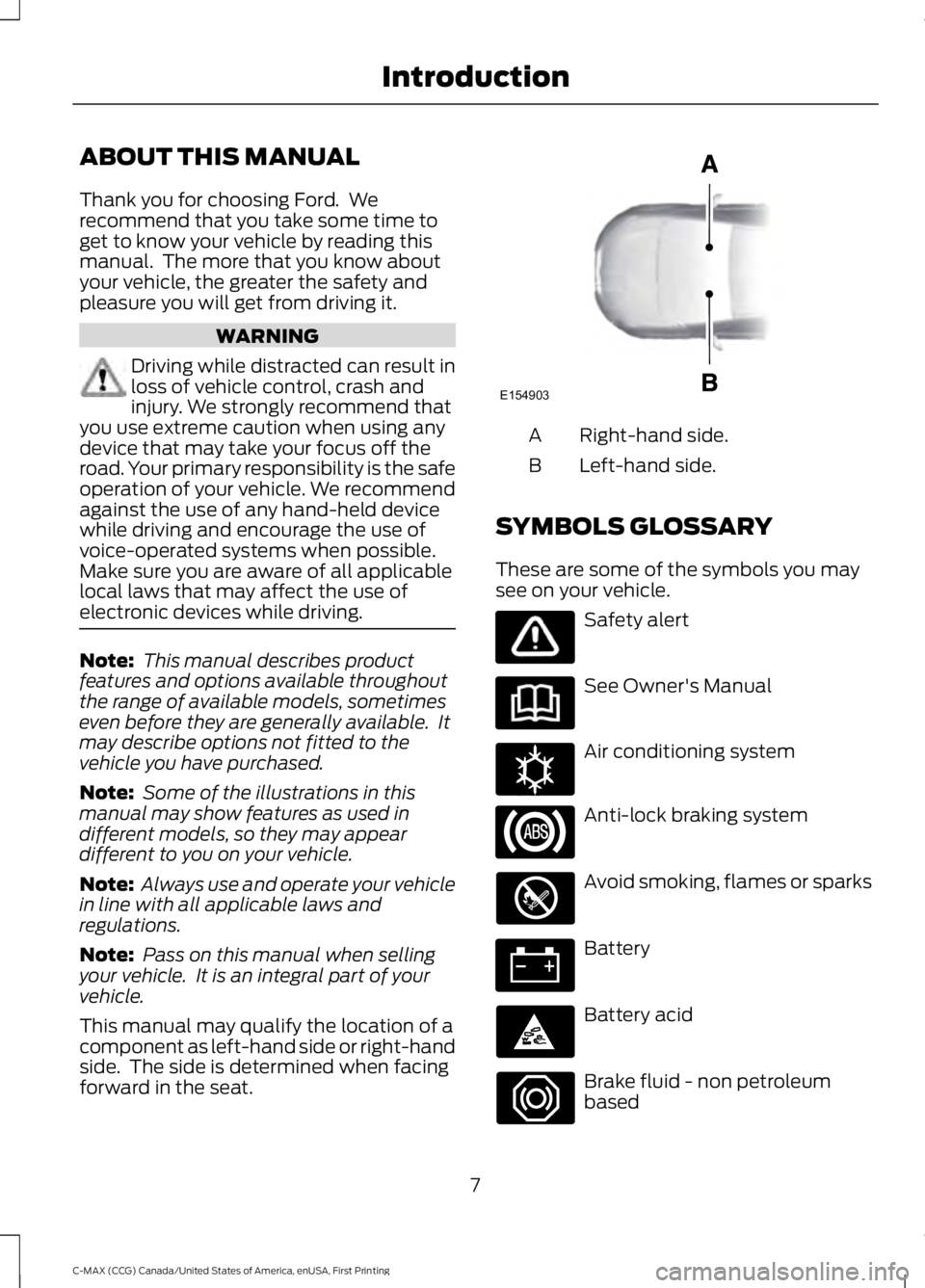
This manual may qualify the location of acomponent as left-hand side or right-handside. The side is determined when facingforward in the seat.
Right-hand side.A
Left-hand side.B
SYMBOLS GLOSSARY
These are some of the symbols you maysee on your vehicle.
Safety alert
See Owner's Manual
Air conditioning system
Anti-lock braking system
Avoid smoking, flames or sparks
Battery
Battery acid
Brake fluid - non petroleumbased
7
C-MAX (CCG) Canada/United States of America, enUSA, First Printing
IntroductionE154903 E162384
Page 11 of 395
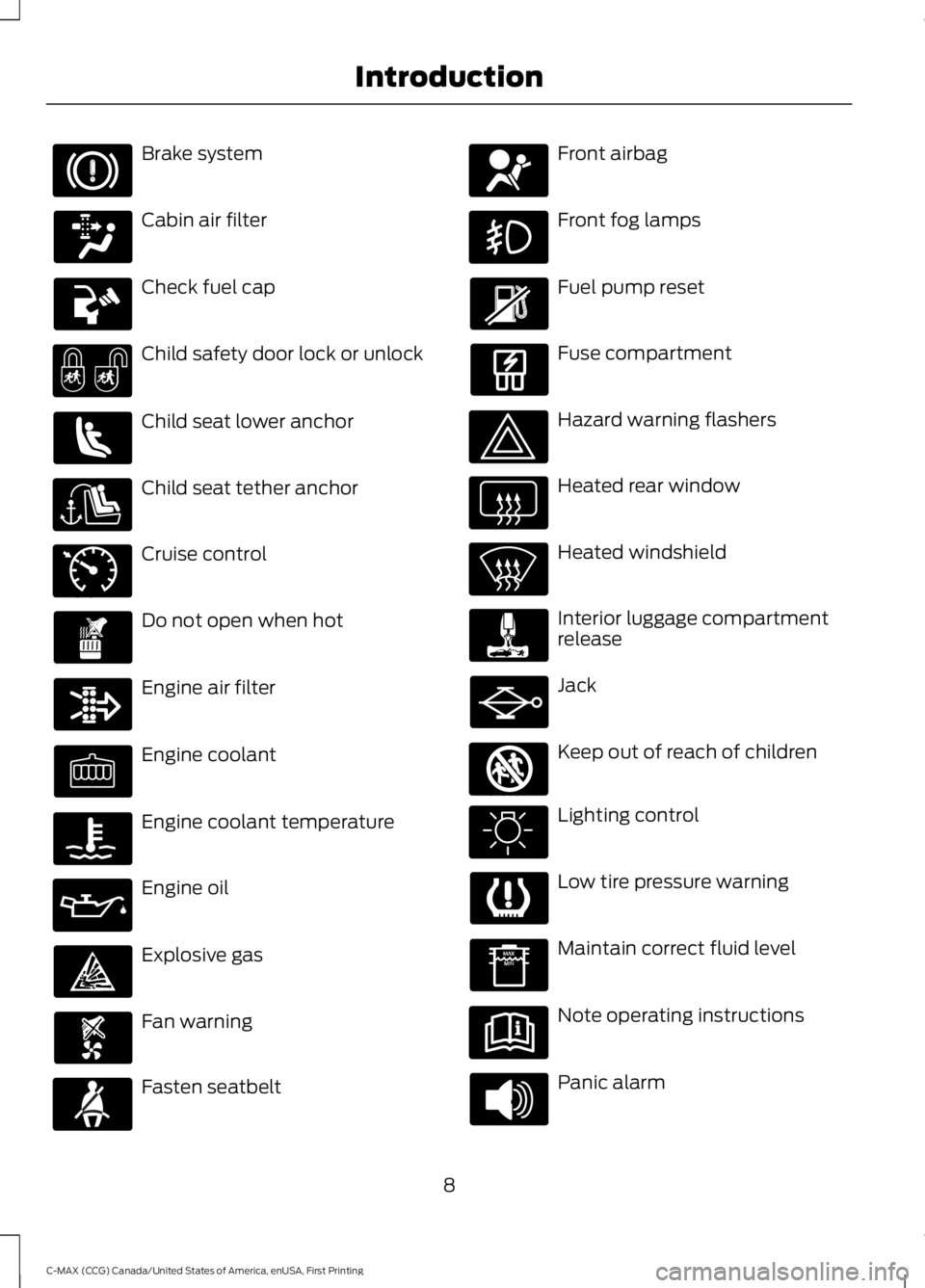
Brake system
Cabin air filter
Check fuel cap
Child safety door lock or unlock
Child seat lower anchor
Child seat tether anchor
Cruise control
Do not open when hot
Engine air filter
Engine coolant
Engine coolant temperature
Engine oil
Explosive gas
Fan warning
Fasten seatbelt
Front airbag
Front fog lamps
Fuel pump reset
Fuse compartment
Hazard warning flashers
Heated rear window
Heated windshield
Interior luggage compartmentrelease
Jack
Keep out of reach of children
Lighting control
Low tire pressure warning
Maintain correct fluid level
Note operating instructions
Panic alarm
8
C-MAX (CCG) Canada/United States of America, enUSA, First Printing
Introduction E71340 E161353
Page 12 of 395
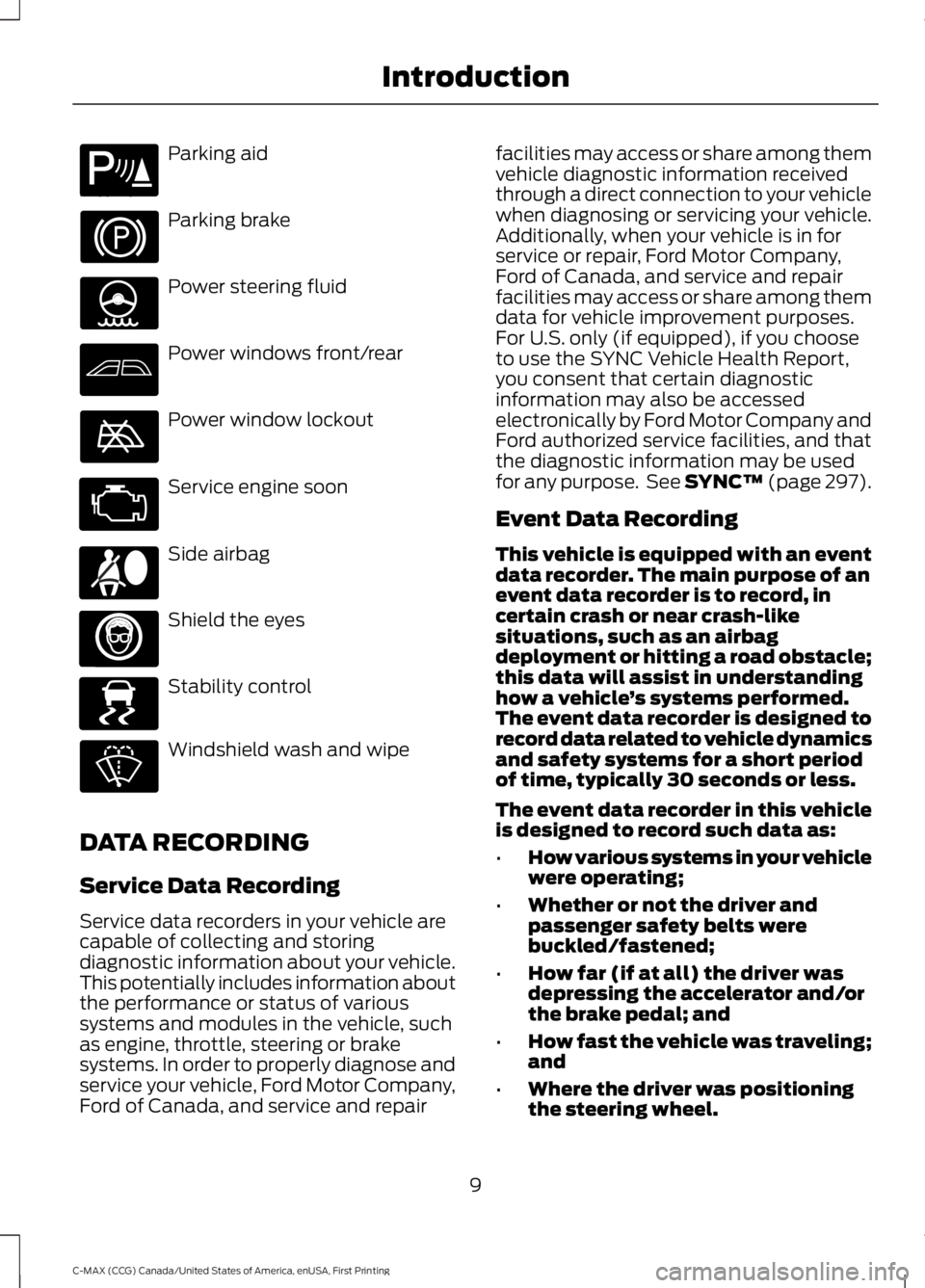
Parking aid
Parking brake
Power steering fluid
Power windows front/rear
Power window lockout
Service engine soon
Side airbag
Shield the eyes
Stability control
Windshield wash and wipe
DATA RECORDING
Service Data Recording
Service data recorders in your vehicle arecapable of collecting and storingdiagnostic information about your vehicle.This potentially includes information aboutthe performance or status of varioussystems and modules in the vehicle, suchas engine, throttle, steering or brakesystems. In order to properly diagnose andservice your vehicle, Ford Motor Company,Ford of Canada, and service and repair
facilities may access or share among themvehicle diagnostic information receivedthrough a direct connection to your vehiclewhen diagnosing or servicing your vehicle.Additionally, when your vehicle is in forservice or repair, Ford Motor Company,Ford of Canada, and service and repairfacilities may access or share among themdata for vehicle improvement purposes.For U.S. only (if equipped), if you chooseto use the SYNC Vehicle Health Report,you consent that certain diagnosticinformation may also be accessedelectronically by Ford Motor Company andFord authorized service facilities, and thatthe diagnostic information may be usedfor any purpose. See SYNC™ (page 297).
Event Data Recording
This vehicle is equipped with an eventdata recorder. The main purpose of anevent data recorder is to record, incertain crash or near crash-likesituations, such as an airbagdeployment or hitting a road obstacle;this data will assist in understandinghow a vehicle’s systems performed.The event data recorder is designed torecord data related to vehicle dynamicsand safety systems for a short periodof time, typically 30 seconds or less.
The event data recorder in this vehicleis designed to record such data as:
•How various systems in your vehiclewere operating;
•Whether or not the driver andpassenger safety belts werebuckled/fastened;
•How far (if at all) the driver wasdepressing the accelerator and/orthe brake pedal; and
•How fast the vehicle was traveling;and
•Where the driver was positioningthe steering wheel.
9
C-MAX (CCG) Canada/United States of America, enUSA, First Printing
IntroductionE139213 E167012 E138639
Page 32 of 395
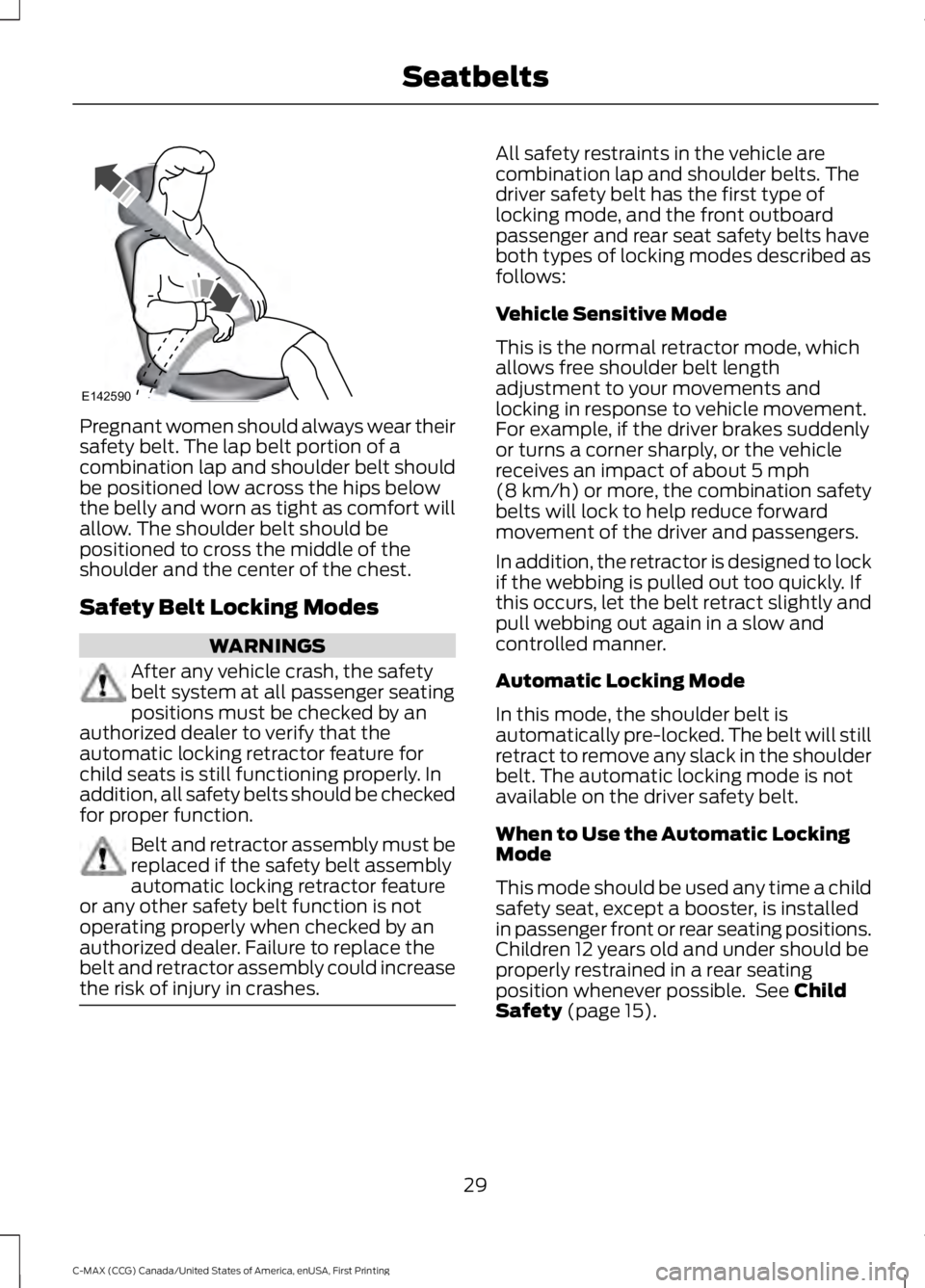
Pregnant women should always wear theirsafety belt. The lap belt portion of acombination lap and shoulder belt shouldbe positioned low across the hips belowthe belly and worn as tight as comfort willallow. The shoulder belt should bepositioned to cross the middle of theshoulder and the center of the chest.
Safety Belt Locking Modes
WARNINGS
After any vehicle crash, the safetybelt system at all passenger seatingpositions must be checked by anauthorized dealer to verify that theautomatic locking retractor feature forchild seats is still functioning properly. Inaddition, all safety belts should be checkedfor proper function.
Belt and retractor assembly must bereplaced if the safety belt assemblyautomatic locking retractor featureor any other safety belt function is notoperating properly when checked by anauthorized dealer. Failure to replace thebelt and retractor assembly could increasethe risk of injury in crashes.
All safety restraints in the vehicle arecombination lap and shoulder belts. Thedriver safety belt has the first type oflocking mode, and the front outboardpassenger and rear seat safety belts haveboth types of locking modes described asfollows:
Vehicle Sensitive Mode
This is the normal retractor mode, whichallows free shoulder belt lengthadjustment to your movements andlocking in response to vehicle movement.For example, if the driver brakes suddenlyor turns a corner sharply, or the vehiclereceives an impact of about 5 mph(8 km/h) or more, the combination safetybelts will lock to help reduce forwardmovement of the driver and passengers.
In addition, the retractor is designed to lockif the webbing is pulled out too quickly. Ifthis occurs, let the belt retract slightly andpull webbing out again in a slow andcontrolled manner.
Automatic Locking Mode
In this mode, the shoulder belt isautomatically pre-locked. The belt will stillretract to remove any slack in the shoulderbelt. The automatic locking mode is notavailable on the driver safety belt.
When to Use the Automatic LockingMode
This mode should be used any time a childsafety seat, except a booster, is installedin passenger front or rear seating positions.Children 12 years old and under should beproperly restrained in a rear seatingposition whenever possible. See ChildSafety (page 15).
29
C-MAX (CCG) Canada/United States of America, enUSA, First Printing
SeatbeltsE142590
Page 35 of 395
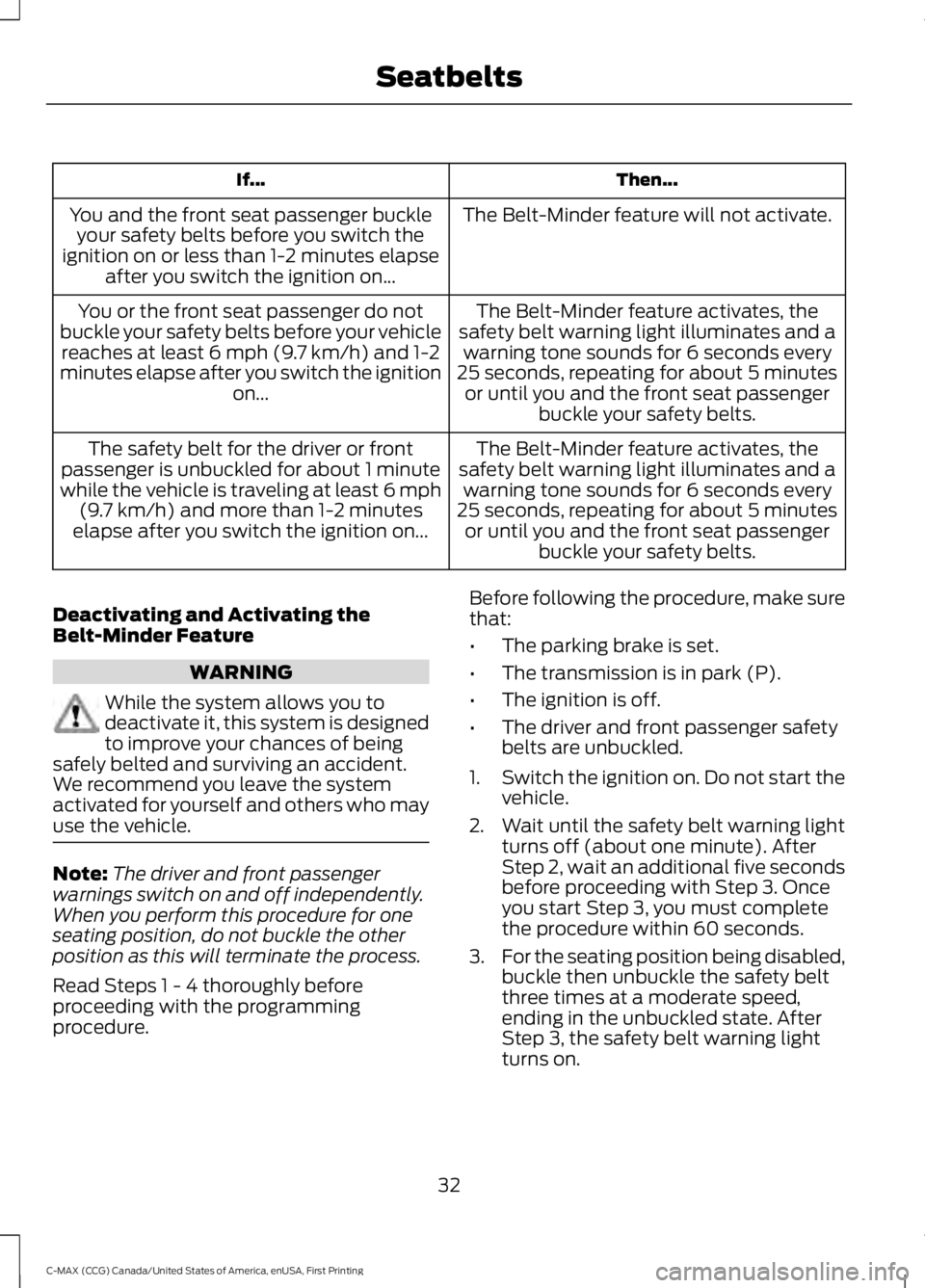
Then...If...
The Belt-Minder feature will not activate.You and the front seat passenger buckleyour safety belts before you switch theignition on or less than 1-2 minutes elapseafter you switch the ignition on...
The Belt-Minder feature activates, thesafety belt warning light illuminates and awarning tone sounds for 6 seconds every25 seconds, repeating for about 5 minutesor until you and the front seat passengerbuckle your safety belts.
You or the front seat passenger do notbuckle your safety belts before your vehiclereaches at least 6 mph (9.7 km/h) and 1-2minutes elapse after you switch the ignitionon...
The Belt-Minder feature activates, thesafety belt warning light illuminates and awarning tone sounds for 6 seconds every25 seconds, repeating for about 5 minutesor until you and the front seat passengerbuckle your safety belts.
The safety belt for the driver or frontpassenger is unbuckled for about 1 minutewhile the vehicle is traveling at least 6 mph(9.7 km/h) and more than 1-2 minuteselapse after you switch the ignition on...
Deactivating and Activating theBelt-Minder Feature
WARNING
While the system allows you todeactivate it, this system is designedto improve your chances of beingsafely belted and surviving an accident.We recommend you leave the systemactivated for yourself and others who mayuse the vehicle.
Note:The driver and front passengerwarnings switch on and off independently.When you perform this procedure for oneseating position, do not buckle the otherposition as this will terminate the process.
Read Steps 1 - 4 thoroughly beforeproceeding with the programmingprocedure.
Before following the procedure, make surethat:
•The parking brake is set.
•The transmission is in park (P).
•The ignition is off.
•The driver and front passenger safetybelts are unbuckled.
1.Switch the ignition on. Do not start thevehicle.
2. Wait until the safety belt warning lightturns off (about one minute). AfterStep 2, wait an additional five secondsbefore proceeding with Step 3. Onceyou start Step 3, you must completethe procedure within 60 seconds.
3.For the seating position being disabled,buckle then unbuckle the safety beltthree times at a moderate speed,ending in the unbuckled state. AfterStep 3, the safety belt warning lightturns on.
32
C-MAX (CCG) Canada/United States of America, enUSA, First Printing
Seatbelts
Page 52 of 395
Many states and provinces haverestrictions for the use of remote start.Check your local and state or provinciallaws for specific requirements regardingremote start systems.
The remote start system does not work ifany of the following occur:
•The ignition is on.
•The alarm system triggers.
•You disable the feature.
•The hood is open.
•The transmission is not in P.
•The vehicle battery voltage is too low.
•The powertrain fault indicator was onthe last time your vehicle was driven.
Remote Starting the Vehicle
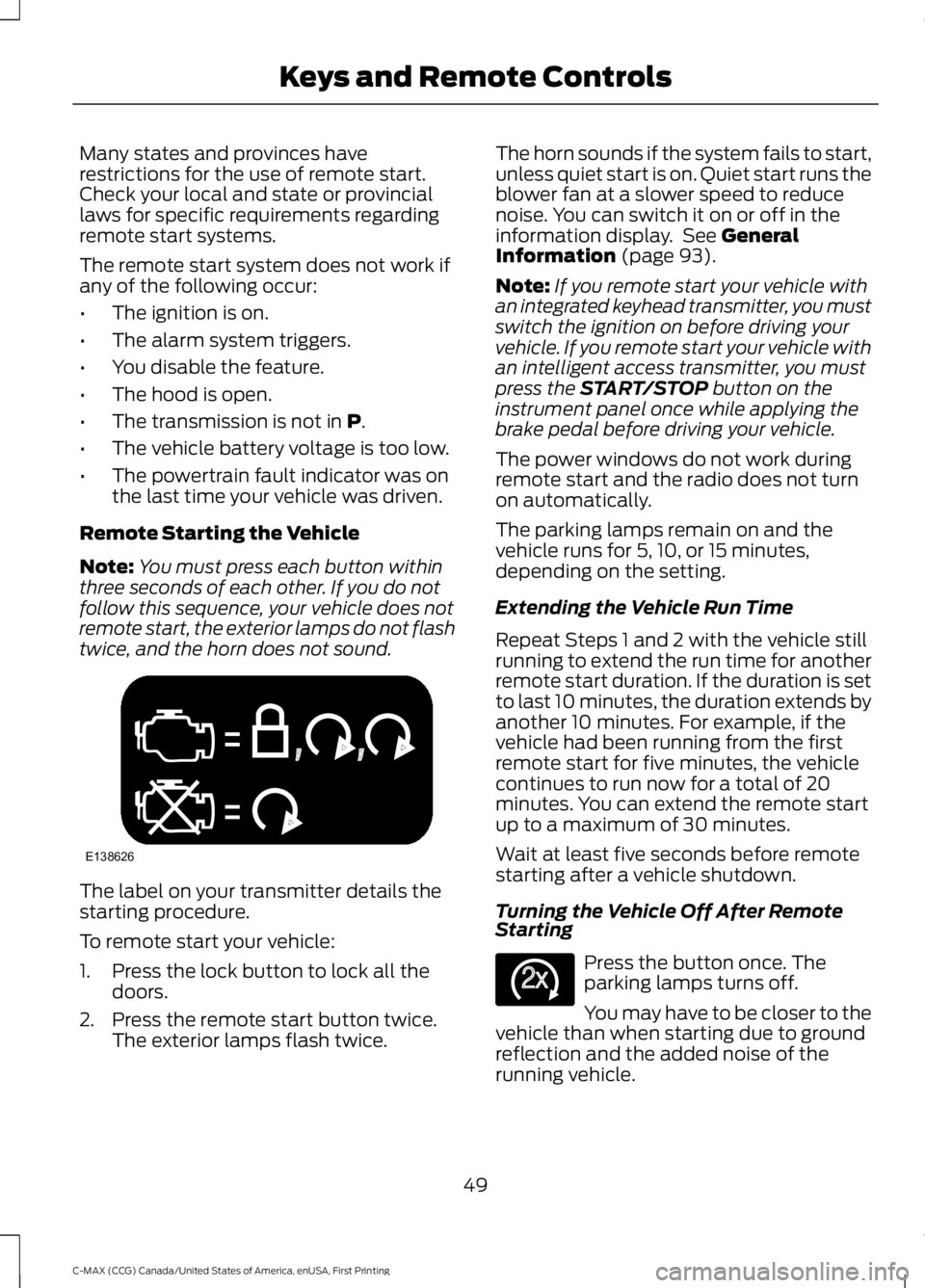
Note:You must press each button withinthree seconds of each other. If you do notfollow this sequence, your vehicle does notremote start, the exterior lamps do not flashtwice, and the horn does not sound.
The label on your transmitter details thestarting procedure.
To remote start your vehicle:
1. Press the lock button to lock all thedoors.
2. Press the remote start button twice.The exterior lamps flash twice.
The horn sounds if the system fails to start,unless quiet start is on. Quiet start runs theblower fan at a slower speed to reducenoise. You can switch it on or off in theinformation display. See GeneralInformation (page 93).
Note:If you remote start your vehicle withan integrated keyhead transmitter, you mustswitch the ignition on before driving yourvehicle. If you remote start your vehicle withan intelligent access transmitter, you mustpress the START/STOP button on theinstrument panel once while applying thebrake pedal before driving your vehicle.
The power windows do not work duringremote start and the radio does not turnon automatically.
The parking lamps remain on and thevehicle runs for 5, 10, or 15 minutes,depending on the setting.
Extending the Vehicle Run Time
Repeat Steps 1 and 2 with the vehicle stillrunning to extend the run time for anotherremote start duration. If the duration is setto last 10 minutes, the duration extends byanother 10 minutes. For example, if thevehicle had been running from the firstremote start for five minutes, the vehiclecontinues to run now for a total of 20minutes. You can extend the remote startup to a maximum of 30 minutes.
Wait at least five seconds before remotestarting after a vehicle shutdown.
Turning the Vehicle Off After RemoteStarting
Press the button once. Theparking lamps turns off.
You may have to be closer to thevehicle than when starting due to groundreflection and the added noise of therunning vehicle.
49
C-MAX (CCG) Canada/United States of America, enUSA, First Printing
Keys and Remote ControlsE138626 E138625
Page 80 of 395
DAYTIME RUNNING LAMPS
WARNING
The daytime running lamps systemdoes not activate the rear lamps andmay not provide adequate lightingduring low visibility driving conditions. Also,the autolamps switch position may notactivate the headlamps in all low visibilityconditions, such as daytime fog. Make surethe headlamps are switched to auto or on,as appropriate, during all low visibilityconditions. Failure to do so may result in acrash.
Type 1 - Conventional (Non-Configurable)
The daytime running lamps turn on when:
1. The ignition is switched to the onposition.
2. The transmission is not in park (P) forvehicles with automatic transmissionsor the parking brake is released forvehicles with manual transmissions.
3.The lighting control is in the off, parkinglamp or autolamps positions.
4. The headlamps are off.
Type 2 - Configurable
Switch the daytime running lamps on oroff using the information display controls.See Information Displays (page 93).
The daytime running lamps turn on when:
1.They are switched on in the informationdisplay. See Information Displays(page 93).
2. The ignition is switched to the onposition.
3. The transmission is not in park (P) forvehicles with automatic transmissionsor the parking brake is released forvehicles with manual transmissions.
4.The lighting control is in the autolampsposition.
5. The headlamps are off.
The other lighting control switch positionsdo not activate the daytime running lamps,and you can use them to temporarilyoverride autolamp control.
When switched off in the informationdisplay, the daytime running lamps are offin all lighting control switch positions.
FRONT FOG LAMPS (If Equipped)
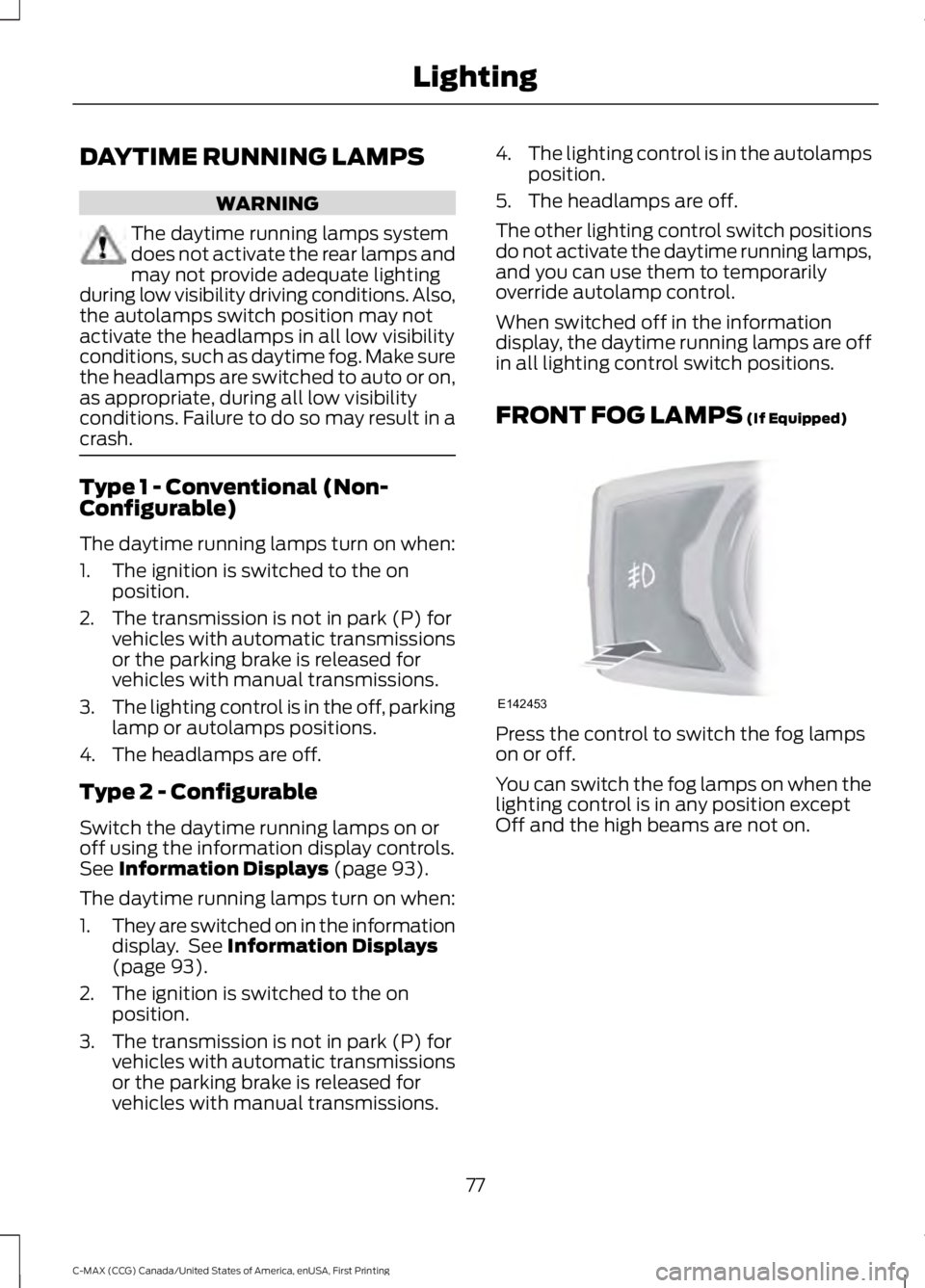
Press the control to switch the fog lampson or off.
You can switch the fog lamps on when thelighting control is in any position exceptOff and the high beams are not on.
77
C-MAX (CCG) Canada/United States of America, enUSA, First Printing
LightingE142453
Page 90 of 395
Brake Coach Display:
The Brake Coach appears after the vehiclehas come to a stop. It coaches you to brakein a manner which maximizes the amountof energy returned through theregenerative braking system. The percentdisplayed is an indication of theregenerative braking efficiency with 100%representing the maximum amount ofenergy recovery.
This feature can be switched on or off inthe information displays settings menu.See General Information (page 93).
Trip Summary:
The Trip Summary displays upon shuttingoff your vehicle. The information iscumulative over the last trip. A new tripbegins each time you start your vehicle(when the Ready to Drive message comeson).
•Distance - Displays the total distancetraveled, distance traveled on batterypower only (EV distance) and Regendistance. Regen distance is theestimated range gained from energyrecaptured through regenerativebraking.
•Energy Use - Displays the average fueleconomy. In addition for Energi,displays the total electrical energy usedwhile in Plug-in Power Mode in kilowatthours (kWh).
•Brake Score - The percent displayed isan indication of the regenerativebraking efficiency for the trip.
Note:Corresponding trip efficiency leavesappear on the right information display uponshutting off your Hybrid vehicle. On Energivehicles the trip efficiency leaves are shownon the right information display when thevehicle operates in Hybrid Mode for theentire trip. For trips with Plug-in Power Modeoperation an estimate of your EV Range/FullCharge is provided along with a listing offactors and their contributions to thisestimate. See Next Full Charge under RightInformation Display in this chapter.
Right Information Display
Entertainment
See your SYNC information.
Navigation or Compass
See your SYNC information.
Phone
See your SYNC information.
Fuel Economy
See General Information (page 93).
Vehicle Range
Vehicle range indicates the estimateddistance your vehicle will travel with theenergy currently onboard. The range isdisplayed at the bottom of the screen withgasoline range shown in white and electricrange (Energi only) shown in blue.
•Gasoline Range: Is the estimateddistance to empty based on the fuelremaining in the tank.
•Electric Range: Is the estimateddistance you can travel in Plug-InPower Mode with the engine off. Thisrange is based on a calculationdetermined by the amount of energystored in the high voltage battery as aresult of charging while plugged in andthe energy being used while driving.
87
C-MAX (CCG) Canada/United States of America, enUSA, First Printing
Instrument Cluster