trailer FORD C MAX ENERGI 2016 Owners Manual
[x] Cancel search | Manufacturer: FORD, Model Year: 2016, Model line: C MAX ENERGI, Model: FORD C MAX ENERGI 2016Pages: 395, PDF Size: 6.78 MB
Page 6 of 395
Fuel and Refueling
Safety Precautions.......................................143
Fuel Quality....................................................144
Fuel Filler Funnel Location........................145
Running Out of Fuel....................................145
Refueling.........................................................146
Fuel Consumption.......................................150
Emission Control System..........................150
High Voltage Battery
General Information....................................153
Charging the High Voltage Battery........155
High Voltage Battery Cut-OffSwitch..........................................................160
Transmission
Automatic Transmission.............................161
Brakes
General Information....................................164
Hints on Driving With Anti-LockBrakes...........................................................165
Parking Brake.................................................165
Hill Start Assist..............................................165
Traction Control
Principle of Operation.................................167
Using Traction Control................................167
Stability Control
Principle of Operation................................168
Using Stability Control...............................169
Parking Aids
Principle of Operation.................................170
Rear Parking Aid............................................170
Front Parking Aid............................................171
Active Park Assist..........................................172
Rear View Camera........................................176
Cruise Control
Principle of Operation.................................179
Using Cruise Control....................................179
Driving Aids
Steering.............................................................181
Load Carrying
Rear Under Floor Storage..........................182
Luggage Covers.............................................182
Load Limit.......................................................183
Towing
Towing a Trailer.............................................190
Transporting the Vehicle...........................190
Towing the Vehicle on Four Wheels......190
Driving Hints
Breaking-In......................................................192
Economical Driving......................................192
Driving Through Water................................193
Floor Mats.......................................................194
Roadside Emergencies
Roadside Assistance...................................195
Hazard Warning Flashers..........................196
Fuel Shutoff...................................................196
Jump Starting the Vehicle.........................197
Collision, Damage or Fire Event..............199
Post-Crash Alert System...........................201
Customer Assistance
Getting the Services You Need...............202
In California (U.S. Only)............................203
The Better Business Bureau (BBB) AutoLine Program (U.S. Only).....................204
Utilizing the Mediation/ArbitrationProgram (Canada Only).......................205
Getting Assistance Outside the U.S. andCanada........................................................205
3
C-MAX (CCG) Canada/United States of America, enUSA, First Printing
Table of Contents
Page 89 of 395
Charge Assist
The up and down arrows provideinformation about the energy going intoand out of the high voltage battery. The uparrow above the battery indicates batterycharging such as from regenerative braking.The down arrow below the batteryindicates battery discharging to providepower for propulsion or vehicleaccessories.
Regen Active
A circular arrow symbol appears in thecenter of the battery gauge when energyis being recaptured through theregenerative braking system.
This feature can be switched on or off inthe information displays settings menu.See General Information (page 93).
Fuel Gauge:
Note:The fuel gauge may vary slightlywhen your vehicle is moving or on a gradient.
Switch the ignition on. The fuel gauge willindicate approximately how much fuel isleft in the fuel tank. The arrow adjacent tothe fuel pump symbol indicates on whichside of your vehicle the fuel filler door islocated.
The needle should move toward F whenyou refuel your vehicle. If the needle pointsto E after adding fuel, this indicates yourvehicle needs service soon.
After refueling some variability in needleposition is normal:
•It may take a short time for the needleto reach F after leaving the gas station.This is normal and depends upon theslope of pavement at the gas station.
•The fuel amount dispensed into thetank is a little less or more than thegauge indicated. This is normal anddepends upon the slope of pavementat the gas station.
•If the gas station nozzle shuts offbefore the tank is full, try a differentgas pump nozzle.
Low Fuel Reminder
A low fuel reminder triggers when the fuelgauge needle is at 1/16th.
Variations:
Distance-to-emptyFuel gauge positionDriving type (fuel economyconditions)
35–80 mi (56–129 km)1/16thHighway driving
35 mi (56 km)1/16thSevere duty driving (trailertowing, extended idle)
Vehicle Settings and Personalization
Display/Trip
See General Information (page 93).
Information
See General Information (page 93).
Settings
See General Information (page 93).
86
C-MAX (CCG) Canada/United States of America, enUSA, First Printing
Instrument Cluster
Page 173 of 395
PRINCIPLE OF OPERATION
WARNINGS
To help avoid personal injury, pleaseread and understand the limitationsof the system as contained in thissection. Sensing is only an aid for some(generally large and fixed) objects whenmoving on a flat surface at parking speeds.Certain objects with surfaces that absorbultrasonic waves, surrounding vehicle'sparking aid systems, traffic controlsystems, fluorescent lamps, inclementweather, air brakes, and external motorsand fans may also affect the function ofthe sensing system; this may includereduced performance or a false activation.
To help avoid personal injury, alwaysuse caution when in reverse (R) andwhen using the sensing system.
This system is not designed toprevent contact with small or movingobjects. The system is designed toprovide a warning to assist the driver indetecting large stationary objects to avoiddamaging your vehicle. The system maynot detect smaller objects, particularlythose close to the ground.
Certain add-on devices such as largetrailer hitches, bike or surfboard racksand any device that may block thenormal detection zone of the system, maycreate false beeps.
Note:Keep the sensors, located on thebumper or fascia, free from snow, ice andlarge accumulations of dirt. If the sensorsare covered, the system’s accuracy can beaffected. Do not clean the sensors withsharp objects.
Note:If your vehicle sustains damage tothe bumper or fascia, leaving it misalignedor bent, the sensing zone may be alteredcausing inaccurate measurement ofobstacles or false alarms.
Note:The sensing system cannot be turnedoff when a MyKey is present. See Principleof Operation (page 51).
Note:If you attach certain add-on devicessuch as a trailer or bike rack, the rear sensingsystem may detect that add-on device andtherefore provide warnings. It is suggestedthat you disable the rear sensing systemwhen you attach an add-on device to yourvehicle to prevent these warnings.
The sensing system warns the driver ofobstacles within a certain range of yourvehicle. The system turns on automaticallywhenever you switch the ignition on.
The system can be switched off throughthe information display menu or from thepop-up message that appears once youshift the transmission into reverse (R). SeeGeneral Information (page 93).
If a fault is present in the system, a warningmessage appears in the informationdisplay. See Information Messages(page 101).
REAR PARKING AID
The rear sensors are only active when thetransmission is in reverse (R). As yourvehicle moves closer to the obstacle, therate of the audible warning increases.When the obstacle is less than 10 in(25 cm) away, the warning soundscontinuously. If the system detects astationary or receding object farther than10 in (25 cm) from the corners of thebumper, the tone sounds for only threeseconds. Once the system detects anobject approaching, the warning soundsagain.
170
C-MAX (CCG) Canada/United States of America, enUSA, First Printing
Parking Aids
Page 175 of 395
ACTIVE PARK ASSIST (If Equipped)
WARNING
This system is designed to be asupplementary park aid. It may notwork in all conditions and is notintended to replace the driver’s attentionand judgment. The driver is responsible foravoiding hazards and maintaining a safedistance and speed, even when the systemis in use.
Note:The driver is always responsible forcontrolling the vehicle, supervising thesystem and intervening if required.
The system detects an available parallelparking space and automatically steersthe vehicle into the space (hands-free)while you control the accelerator, gearshiftand brakes. The system visually andaudibly instructs you to park the vehicle.
The system may not function correctly ifsomething passes between the frontbumper and the parking space (i.e. apedestrian or cyclist) or if the edge of theneighboring parked vehicle is high from theground (i.e. a bus, tow truck or flatbedtruck).
Note:The sensors may not detect objectsin heavy rain or other conditions that causedisruptive reflections.
Note:The sensors may not detect objectswith surfaces that absorb ultrasonic waves.
Note:After a tire change the system will gothrough a relearning procedure. During thistime the system performance maydeteriorate.
The system should not be used if:
•a foreign object (i.e. bike rack or trailer)is attached to the front or rear of thevehicle or at another location close tothe sensors.
•an overhanging object (i.e. surfboard)is attached to the roof.
•the front bumper, rear bumper or sidesensors are damaged (i.e. in a collision)or obstructed by a foreign object (i.e.front bumper cover).
•a mini-spare tire is in use.
Using Active Park Assist
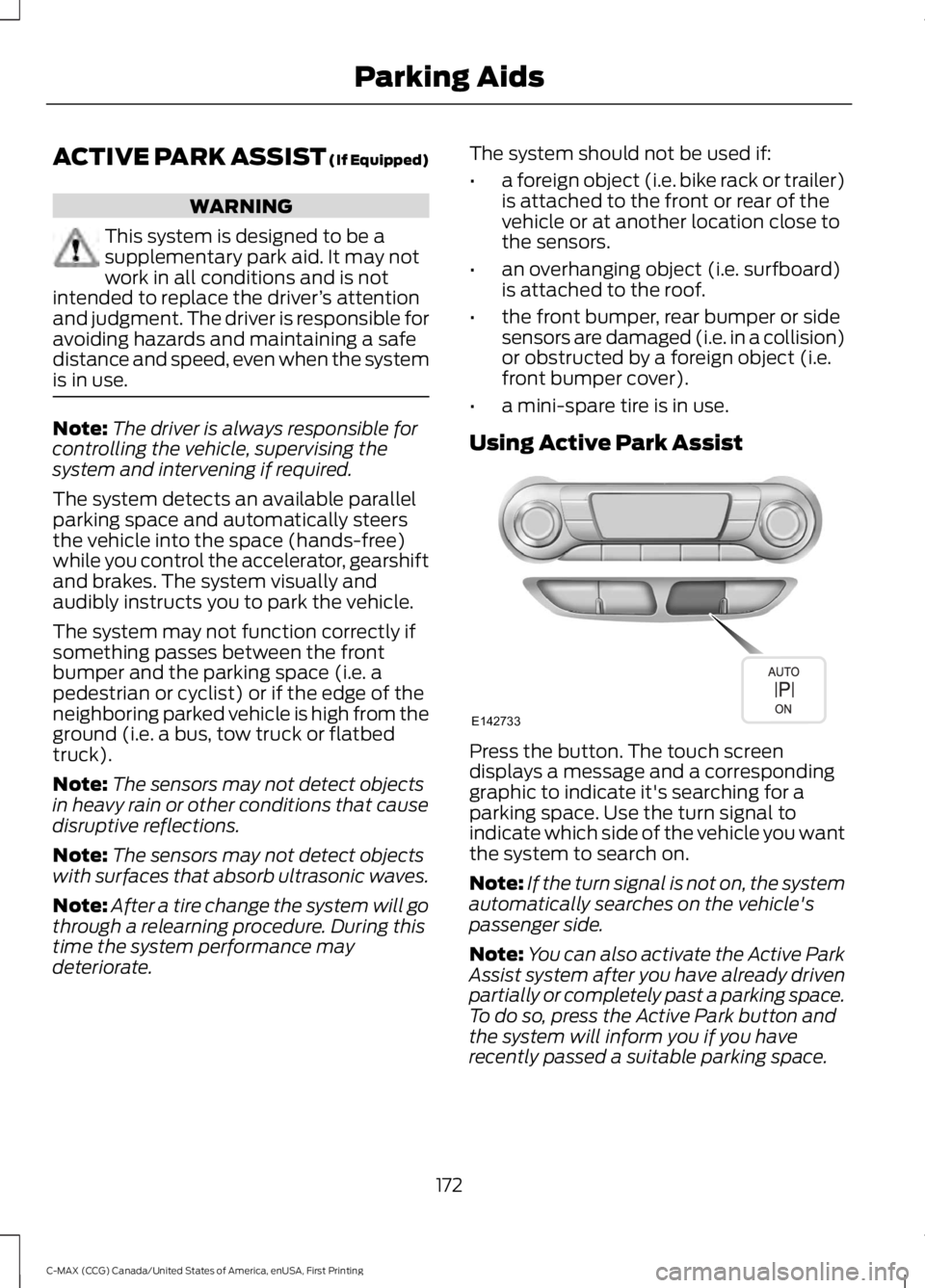
Press the button. The touch screendisplays a message and a correspondinggraphic to indicate it's searching for aparking space. Use the turn signal toindicate which side of the vehicle you wantthe system to search on.
Note:If the turn signal is not on, the systemautomatically searches on the vehicle'spassenger side.
Note:You can also activate the Active ParkAssist system after you have already drivenpartially or completely past a parking space.To do so, press the Active Park button andthe system will inform you if you haverecently passed a suitable parking space.
172
C-MAX (CCG) Canada/United States of America, enUSA, First Printing
Parking AidsE142733
Page 179 of 395
REAR VIEW CAMERA (If Equipped)
WARNINGS
The rear view camera system is areverse aid supplement device thatstill requires the driver to use it inconjunction with the interior and exteriormirrors for maximum coverage.
Objects that are close to eithercorner of the bumper or under thebumper, might not be seen on thescreen due to the limited coverage of thecamera system.
Back up as slow as possible sincehigher speeds might limit yourreaction time to stop your vehicle.
Use caution when using the rearvideo camera and the liftgate is ajar.If the liftgate is ajar, the camera willbe out of position and the video image maybe incorrect. All guidelines have beenremoved when the liftgate is ajar.
Use caution when turning camerafeatures on or off while in reverse(R). Make sure your vehicle is notmoving.
The rear view camera system provides avideo image of the area behind yourvehicle.
During operation, lines appear in thedisplay which represent your vehicle’s pathand proximity to objects behind yourvehicle.
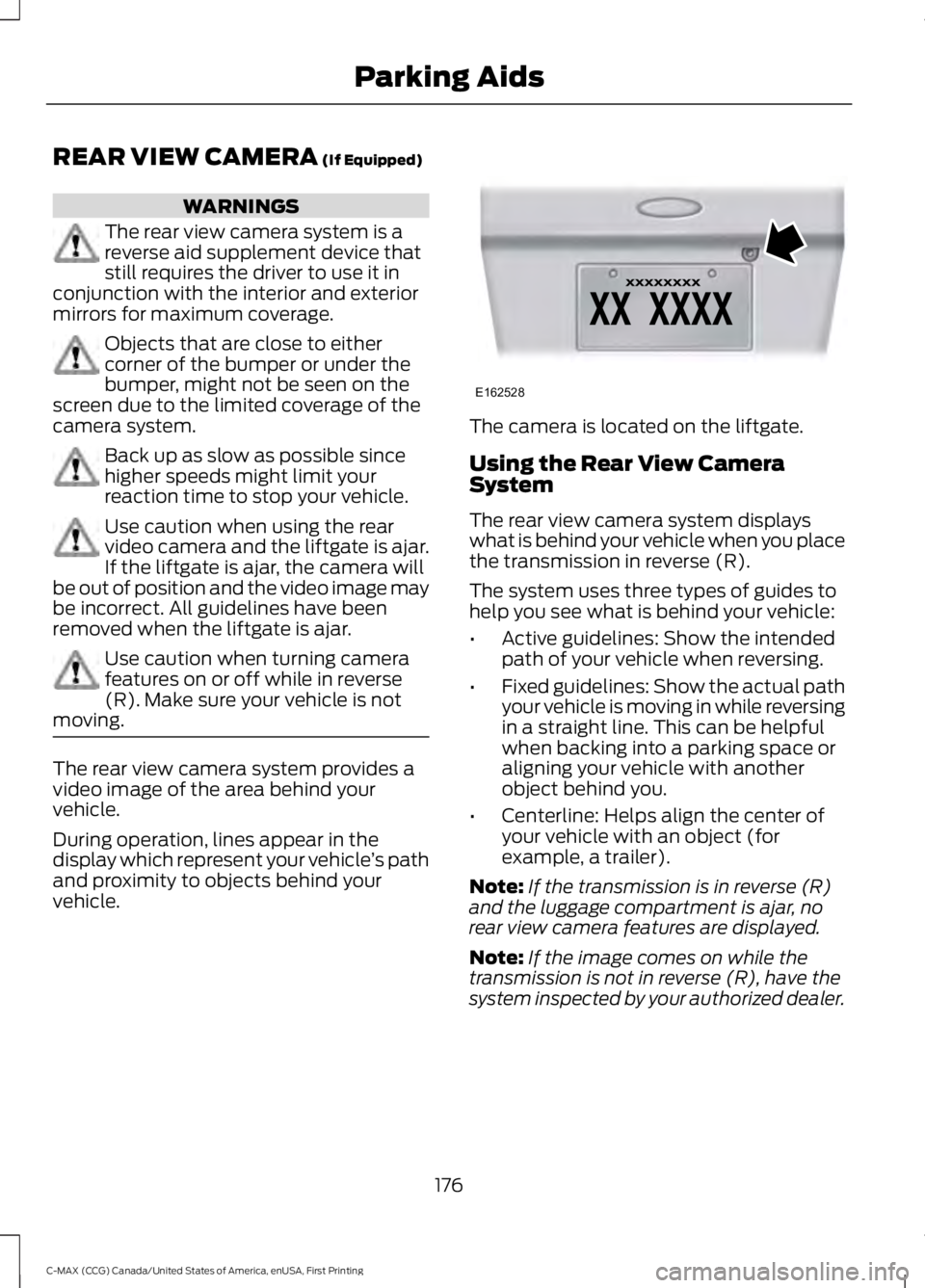
The camera is located on the liftgate.
Using the Rear View CameraSystem
The rear view camera system displayswhat is behind your vehicle when you placethe transmission in reverse (R).
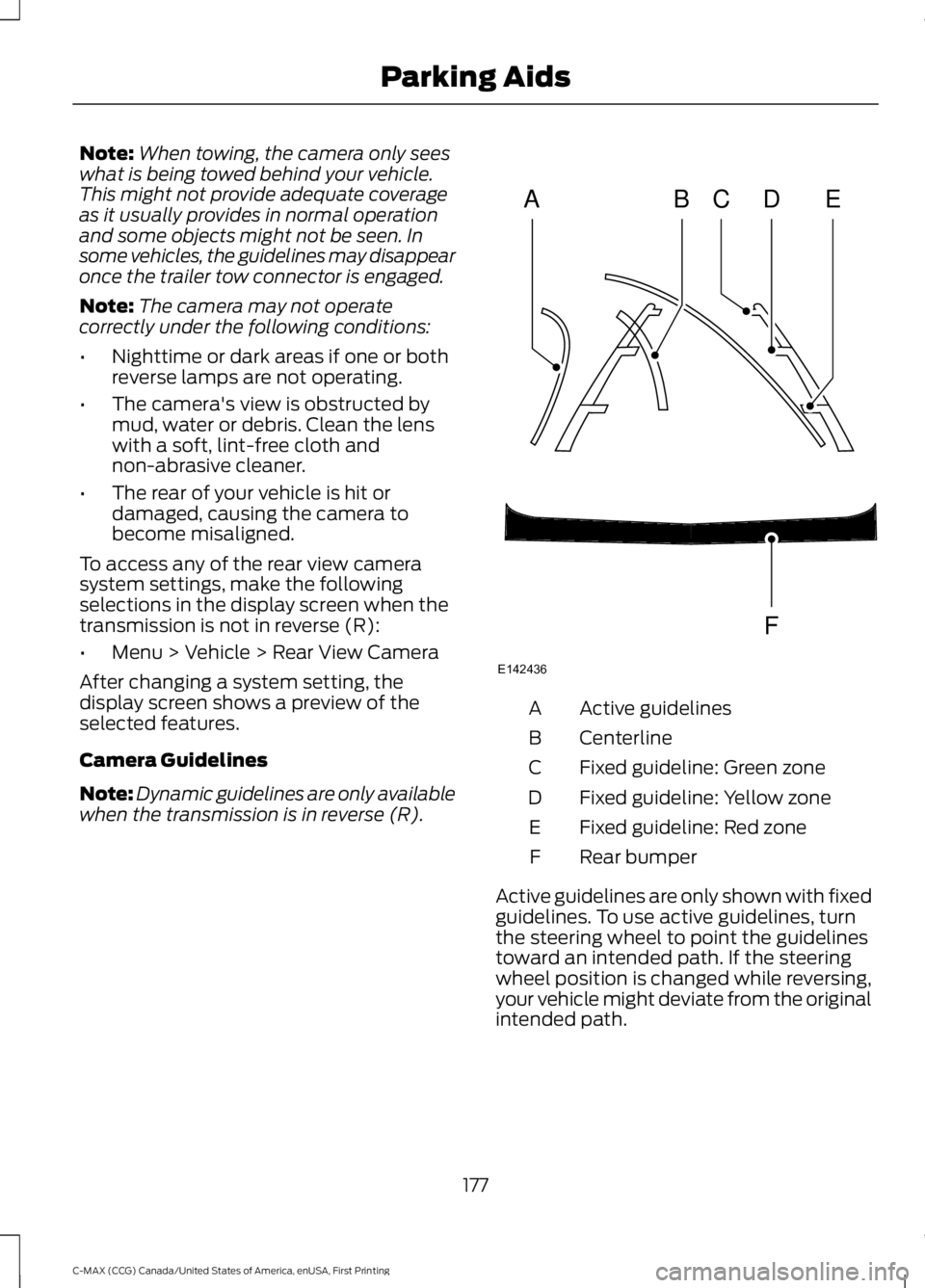
The system uses three types of guides tohelp you see what is behind your vehicle:
•Active guidelines: Show the intendedpath of your vehicle when reversing.
•Fixed guidelines: Show the actual pathyour vehicle is moving in while reversingin a straight line. This can be helpfulwhen backing into a parking space oraligning your vehicle with anotherobject behind you.
•Centerline: Helps align the center ofyour vehicle with an object (forexample, a trailer).
Note:If the transmission is in reverse (R)and the luggage compartment is ajar, norear view camera features are displayed.
Note:If the image comes on while thetransmission is not in reverse (R), have thesystem inspected by your authorized dealer.
176
C-MAX (CCG) Canada/United States of America, enUSA, First Printing
Parking AidsE162528
Page 180 of 395
Note:When towing, the camera only seeswhat is being towed behind your vehicle.This might not provide adequate coverageas it usually provides in normal operationand some objects might not be seen. Insome vehicles, the guidelines may disappearonce the trailer tow connector is engaged.
Note:The camera may not operatecorrectly under the following conditions:
•Nighttime or dark areas if one or bothreverse lamps are not operating.
•The camera's view is obstructed bymud, water or debris. Clean the lenswith a soft, lint-free cloth andnon-abrasive cleaner.
•The rear of your vehicle is hit ordamaged, causing the camera tobecome misaligned.
To access any of the rear view camerasystem settings, make the followingselections in the display screen when thetransmission is not in reverse (R):
•Menu > Vehicle > Rear View Camera
After changing a system setting, thedisplay screen shows a preview of theselected features.
Camera Guidelines
Note:Dynamic guidelines are only availablewhen the transmission is in reverse (R).
Active guidelinesA
CenterlineB
Fixed guideline: Green zoneC
Fixed guideline: Yellow zoneD
Fixed guideline: Red zoneE
Rear bumperF
Active guidelines are only shown with fixedguidelines. To use active guidelines, turnthe steering wheel to point the guidelinestoward an intended path. If the steeringwheel position is changed while reversing,your vehicle might deviate from the originalintended path.
177
C-MAX (CCG) Canada/United States of America, enUSA, First Printing
Parking AidsABCD
F
E
E142436
Page 186 of 395
LOAD LIMIT
Vehicle Loading - with andwithout a Trailer
This section will guide you in theproper loading of your vehicle,trailer or both, to keep your loadedvehicle weight within its designrating capability, with or withouta trailer. Properly loading yourvehicle will provide maximumreturn of vehicle designperformance. Before loading yourvehicle, familiarize yourself with
the following terms fordetermining your vehicle’s weightratings, with or without a trailer,from the vehicle’s Tire Label orSafety Compliance CertificationLabel:
Base Curb Weight - is the weightof the vehicle including full fluidsand all standard equipment. Itdoes not include passengers,cargo, or optional equipment.
Vehicle Curb Weight - is theweight of your new vehicle whenyou picked it up from yourauthorized dealer plus anyaftermarket equipment.
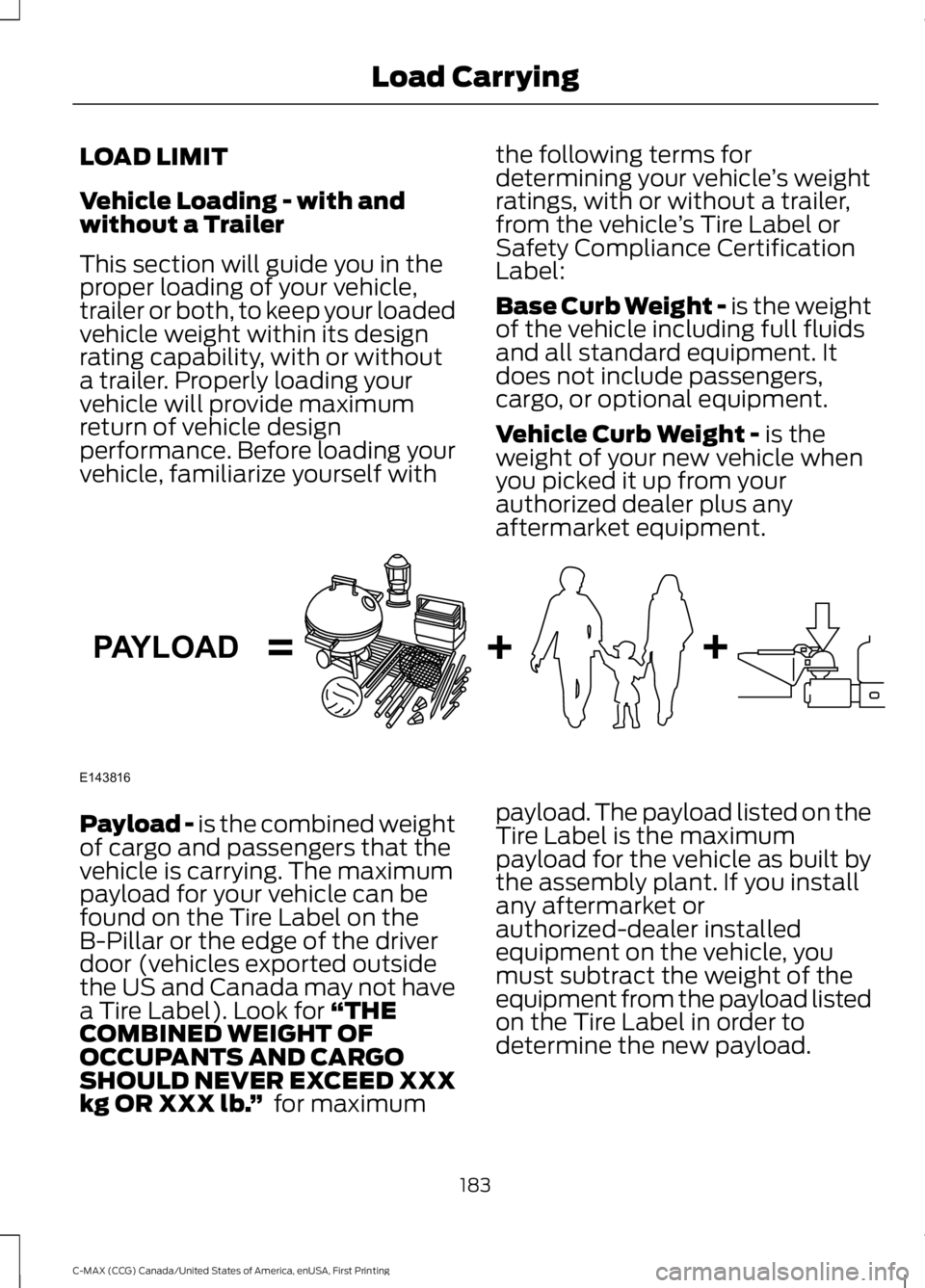
Payload - is the combined weightof cargo and passengers that thevehicle is carrying. The maximumpayload for your vehicle can befound on the Tire Label on theB-Pillar or the edge of the driverdoor (vehicles exported outsidethe US and Canada may not havea Tire Label). Look for “THECOMBINED WEIGHT OFOCCUPANTS AND CARGOSHOULD NEVER EXCEED XXXkg OR XXX lb.” for maximum
payload. The payload listed on theTire Label is the maximumpayload for the vehicle as built bythe assembly plant. If you installany aftermarket orauthorized-dealer installedequipment on the vehicle, youmust subtract the weight of theequipment from the payload listedon the Tire Label in order todetermine the new payload.
183
C-MAX (CCG) Canada/United States of America, enUSA, First Printing
Load CarryingE143816PAYLOAD
Page 188 of 395
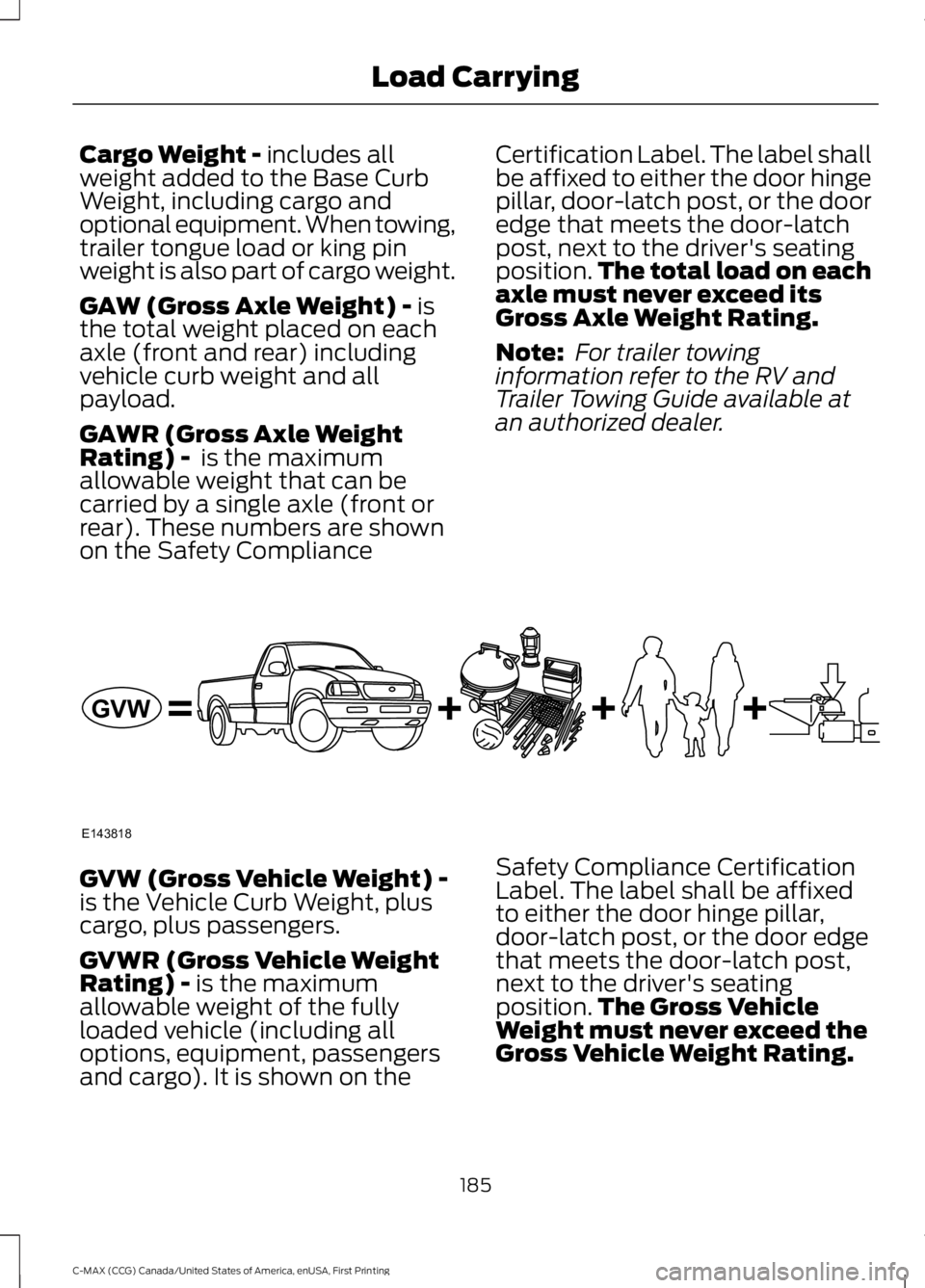
Cargo Weight - includes allweight added to the Base CurbWeight, including cargo andoptional equipment. When towing,trailer tongue load or king pinweight is also part of cargo weight.
GAW (Gross Axle Weight) - isthe total weight placed on eachaxle (front and rear) includingvehicle curb weight and allpayload.
GAWR (Gross Axle WeightRating) - is the maximumallowable weight that can becarried by a single axle (front orrear). These numbers are shownon the Safety Compliance
Certification Label. The label shallbe affixed to either the door hingepillar, door-latch post, or the dooredge that meets the door-latchpost, next to the driver's seatingposition.The total load on eachaxle must never exceed itsGross Axle Weight Rating.
Note: For trailer towinginformation refer to the RV andTrailer Towing Guide available atan authorized dealer.
GVW (Gross Vehicle Weight) -is the Vehicle Curb Weight, pluscargo, plus passengers.
GVWR (Gross Vehicle WeightRating) - is the maximumallowable weight of the fullyloaded vehicle (including alloptions, equipment, passengersand cargo). It is shown on the
Safety Compliance CertificationLabel. The label shall be affixedto either the door hinge pillar,door-latch post, or the door edgethat meets the door-latch post,next to the driver's seatingposition.The Gross VehicleWeight must never exceed theGross Vehicle Weight Rating.
185
C-MAX (CCG) Canada/United States of America, enUSA, First Printing
Load CarryingE143818GVW
Page 190 of 395
GCW (Gross Combined Weight)- is the Gross Vehicle Weight plusthe weight of the fully loadedtrailer.
GCWR (Gross CombinedWeight Rating) - is the maximumallowable weight of the vehicleand the loaded trailer, includingall cargo and passengers, that thevehicle can handle without riskingdamage. (Important: The towingvehicle’s braking system is ratedfor operation at Gross VehicleWeight Rating, not at GrossCombined Weight Rating.)Separate functional brakes shouldbe used for safe control of towedvehicles and for trailers where theGross Combined Weight of thetowing vehicle plus the trailerexceed the Gross Vehicle WeightRating of the towing vehicle.TheGross Combined Weight mustnever exceed the GrossCombined Weight Rating.
Maximum Loaded TrailerWeight - is the highest possibleweight of a fully loaded trailer thevehicle can tow. It assumes avehicle with mandatory options,driver and front passenger weight(150 pounds [68 kilograms]each), no cargo weight (internalor external) and a tongue load of10–15% (conventional trailer) orking pin weight of 15–25% (fifthwheel trailer). Consult anauthorized dealer (or the RV andTrailer Towing Guide available at
an authorized dealer) for moredetailed information.
Tongue Load or Fifth WheelKing Pin Weight - refers to theamount of the weight that a trailerpushes down on a trailer hitch.
Examples: For a 5000 pound(2268 kilogram) conventionaltrailer, multiply 5000 by 0.10 and0.15 to obtain a proper tongueload range of 500 to 750 pounds(227 to 340 kilograms). For an11500 pound (5216 kilogram) fifthwheel trailer, multiply by 0.15 and0.25 to obtain a proper king pinload range of 1725 to 2875 pounds(782 to 1304 kilograms).
WARNINGS
Do not exceed the GVWR orthe GAWR specified on theSafety Compliance CertificationLabel.
Do not use replacement tireswith lower load carryingcapacities than the original tiresbecause they may lower thevehicle’s GVWR and GAWRlimitations. Replacement tireswith a higher limit than the originaltires do not increase the GVWRand GAWR limitations.
Exceeding any vehicle weightrating limitation could resultin serious damage to the vehicleand/or personal injury.
Steps for determining thecorrect load limit:
187
C-MAX (CCG) Canada/United States of America, enUSA, First Printing
Load Carrying
Page 191 of 395
1. Locate the statement "Thecombined weight of occupantsand cargo should never exceedXXX kg or XXX lb." on yourvehicle’s placard.
2.Determine the combinedweight of the driver andpassengers that will be ridingin your vehicle.
3.Subtract the combined weightof the driver and passengersfrom XXX kg or XXX lb.
4.The resulting figure equals theavailable amount of cargo andluggage load capacity. Forexample, if the “XXX” amountequals 1,400 lb. and there willbe five 150 lb. passengers inyour vehicle, the amount ofavailable cargo and luggageload capacity is 650 lb.(1400-750 (5 x 150) = 650 lb.)
5.Determine the combinedweight of luggage and cargobeing loaded on the vehicle.That weight may not safelyexceed the available cargo andluggage load capacitycalculated in Step 4.
6.If your vehicle will be towing atrailer, load from your trailerwill be transferred to yourvehicle. Consult this manual todetermine how this reduces theavailable cargo and luggageload capacity of your vehicle.
The following gives you a fewexamples on how to calculate the
available amount of cargo andluggage load capacity:
*Suppose your vehicle has a1400-pound (635-kilogram) cargoand luggage capacity. You decideto go golfing. Is there enough loadcapacity to carry you, four of yourfriends and all the golf bags? Youand four friends average 220pounds (99 kilograms) each andthe golf bags weigh approximately30 pounds (13.5 kilograms) each.The calculation would be: 1400 -(5 x 220) - (5 x 30) = 1400 - 1100- 150 = 150 pounds. Yes, you haveenough load capacity in yourvehicle to transport four friendsand your golf bags. In metric units,the calculation would be: 635kilograms - (5 x 99 kilograms) -(5 x 13.5 kilograms) = 635 - 495 -67.5 = 72.5 kilograms.
*Suppose your vehicle has a1400-pound (635-kilogram) cargoand luggage capacity. You andone of your friends decide to pickup cement from the local homeimprovement store to finish thatpatio you have been planning forthe past two years. Measuring theinside of the vehicle with the rearseat folded down, you have roomfor twelve 100-pound(45-kilogram) bags of cement. Doyou have enough load capacity totransport the cement to yourhome? If you and your friend eachweigh 220 pounds (99 kilograms),the calculation would be: 1400 -(2 x 220) - (12 x 100) = 1400 - 440- 1200 = - 240 pounds. No, you donot have enough cargo capacity
to carry that much weight. Inmetric units, the calculation would
188
C-MAX (CCG) Canada/United States of America, enUSA, First Printing
Load Carrying