charging FORD C MAX HYBRID 2014 2.G User Guide
[x] Cancel search | Manufacturer: FORD, Model Year: 2014, Model line: C MAX HYBRID, Model: FORD C MAX HYBRID 2014 2.GPages: 447, PDF Size: 8.06 MB
Page 159 of 447
When the accelerator pedal is released or
the brake pedal is applied, the brake
controller automatically detects the
amount of deceleration requested and
optimizes how much of the deceleration
will be produced by regenerative braking.
The remaining portion is generated by
standard friction braking. When the battery
is almost fully charged, the amount of
regenerative braking is limited to avoid
overcharging, and the requested
deceleration is produced by standard
friction braking alone.
Regenerative braking does not take the
place of the standard friction brakes; it only
assists them. Regenerative braking has
also been designed to interact with the
anti-lock brake system. Regenerative
braking is disabled when the anti-lock
brake system is activated or the battery is
fully charged.
HINTS ON DRIVING WITH
ANTI-LOCK BRAKES
Note:
When the system is operating, the
brake pedal will pulse and may travel
further. Maintain pressure on the brake
pedal. You may also hear a noise from the
system. This is normal.
The anti-lock braking system will not
eliminate the risks when:
• you drive too closely to the vehicle in
front of you
• your vehicle is hydroplaning
• you take corners too fast
• the road surface is poor. PARKING BRAKE WARNING
Always set the parking brake fully
and leave your vehicle with the
transmission selector lever in
position P. Note:
Do not press the release button while
pulling the lever up.
To apply the parking brake:
1. Press the foot brake pedal firmly.
2. Pull the parking brake lever up to its fullest extent.
Note: If you park your vehicle on a hill and
facing uphill, move the transmission selector
lever to position
P and turn the steering
wheel away from the curb.
Note: If you park your vehicle on a hill and
facing downhill, move the transmission
selector lever to
P and turn the steering
wheel toward the curb.
To release the parking brake:
1. Press the brake pedal firmly.
2. Pull the lever up slightly.
3. Press the release button and push the lever down.
HILL START ASSIST WARNINGS
The system does not replace the
parking brake. When you leave your
vehicle, always apply the parking
brake and put the transmission in park (P). You must remain in your vehicle once
you have activated the system.
During all times, you are responsible
for controlling your vehicle,
supervising the system and
intervening, if required.
157
C-MAX (CCG) Brakes
Page 239 of 447
•
Touch-up exposed or primed metal to
prevent rust.
• Cover chrome and stainless steel parts
with a thick coat of auto wax to prevent
discoloration. Re-wax as necessary
when your vehicle is washed.
• Lubricate all hood, door and trunk lid
hinges, and latches with a light grade
oil.
• Cover interior trim to prevent fading.
• Keep all rubber parts free from oil and
solvents.
Engine
• The engine oil and filter should be
changed prior to storage, as used
engine oil contain contaminates that
may cause engine damage.
• Start the engine every 15 days. Run at
fast idle until it reaches normal
operating temperature
• With your foot on the brake, shift
through all the gears while the engine
is running.
Fuel system
• Fill the fuel tank with high-quality fuel
until the first automatic shutoff of the
fuel pump nozzle.
Cooling system
• Protect against freezing temperatures.
• When removing your vehicle from
storage, check coolant fluid level.
Confirm there are no cooling system
leaks, and fluid is at the recommended
level. Battery
•
Check and recharge as necessary. Keep
connections clean.
• If storing your vehicle for more than 30
days without recharging the battery, it
may be advisable to disconnect the
battery cables to ensure battery charge
is maintained for quick starting.
Note: If battery cables are disconnected, it
will be necessary to reset memory features.
Brakes
• Make sure brakes and parking brake
are fully released.
Tires
• Maintain recommended air pressure.
Miscellaneous
• Make sure all linkages, cables, levers
and pins under your vehicle are covered
with grease to prevent rust.
• Move vehicles at least 25 feet (8
meters) every 15 days to lubricate
working parts and prevent corrosion.
Removing Vehicle From Storage
When your vehicle is ready to come out of
storage, do the following:
• Wash your vehicle to remove any dirt
or grease film build-up on window
surfaces.
• Check windshield wipers for any
deterioration.
• Check under the hood for any foreign
material that may have collected
during storage (mice/squirrel nests).
• Check the exhaust for any foreign
material that may have collected
during storage.
• Check tire pressures and set tire
inflation per the Tire Label.
237
C-MAX (CCG) Vehicle Care
Page 335 of 447
Press the Settings icon >
Vehicle > Rear View Camera,
then select from the following
settings:
• Rear Camera Delay
• Visual Park Aid Alert
• Guidelines.
You can find more information on the rear
view camera in another chapter. See Rear
View Camera
(page 168).
Enable Valet Mode
Valet mode allows you to lock the system.
No information is accessible until the
system is unlocked with the correct PIN.
You can create your own four-digit PIN to
lock and unlock the system. 1. Press the Settings icon >
Vehicle >
Enable Valet Mode.
2. When prompted, enter a four-digit PIN.
After you press Continue, the system locks
until you enter the PIN again.
Note: If the system locks, and you need to
reset the PIN, enter 3681 and the system
unlocks.
Charge Point Light Ring Press the Settings icon >
Vehicle
> Charge Point Light
Ring, then select from the
following: Charge point light ring
Illuminates when plugging in, opening doors, pressing the
unlock button on your remote, and while charging.
On
Does not illuminate.
Off
Cord Acknowledgement:
Illuminates when plugging in.
Limited
Charge Status:
Illuminates when opening doors or
pressing the unlock button on your remote.
Note: Details on the charge port light ring
functions are in another chapter. See
High
Voltage Battery (page 146).
Settings
Access and adjust system settings, voice
features, as well as phone, navigation and
wireless settings. System Press the Settings icon >
Settings > System, then select
from the following:
333
C-MAX (CCG) MyFord Touch
™
(If Equipped)E142607 E142607 E142607 E142607
Page 367 of 447
Settings (Energi Only)
This screen allows you to set up the
charging convenience features.
MyFord Mobile
You can also set up the charging
convenience features using MyFord Mobile
over the internet or smartphone
application. For more information on
MyFord Mobile, and to set up your MyFord
Mobile account, visit
www.myfordmobile.com.
Privacy Notice and GPS Mapping with
MyFord Mobile in the US and Canada
MyFord Mobile allows for GPS mapping
when you register your vehicle to a MyFord
Mobile account. To remove your vehicle
from the account, thereby removing GPS
mapping ability, you can perform a Master
Reset in your vehicle. See Settings (page
330).
Prior to transferring ownership of your
vehicle, owners may choose to execute a
Master Reset or Factory Reset (completed
via the MyFord Mobile website). Either
method will remove your vehicle from all
MyFord Mobile accounts.
We recommend you perform a Master
Reset upon taking possession of your
vehicle to remove it from any existing
MyFord Mobile accounts. The new owner
can activate a MyFord Mobile account by
going to www.myfordmobile.com and
following the registration process. Convenience Features
To improve the charging experience, your
vehicle has the following convenience
features:
•
Value Charge:
Your vehicle schedules
its charging time for when the utility
rates are lowest. Contact your utility
company to see what rates are
available.
• Charge Now:
Your vehicle starts
charging immediately after you
connect the charging plug.
• GO Time: Setting GO Times allows you
to control charging schedules and
cabin conditioning settings so your
vehicle is ready to drive when you are.
By setting a GO Time, your vehicle can
use your value charge settings to
minimize your electricity costs but still
prioritize getting a full charge before
your GO Time. A calendar view allows
you to program two GO Times per day
for each day of the week.
Note: Remember, you must plug in your
vehicle for My GO Time to work.
• Cabin Conditioning:
Get the most
miles out of every charge by
conditioning your vehicle while it is
plugged in. Set the cabin temperature
when you set your GO Time in order to
use energy from your home (or
charging station) instead of from your
vehicle ’s battery.
365
C-MAX (CCG) MyFord Touch
™
(If Equipped)
Page 368 of 447
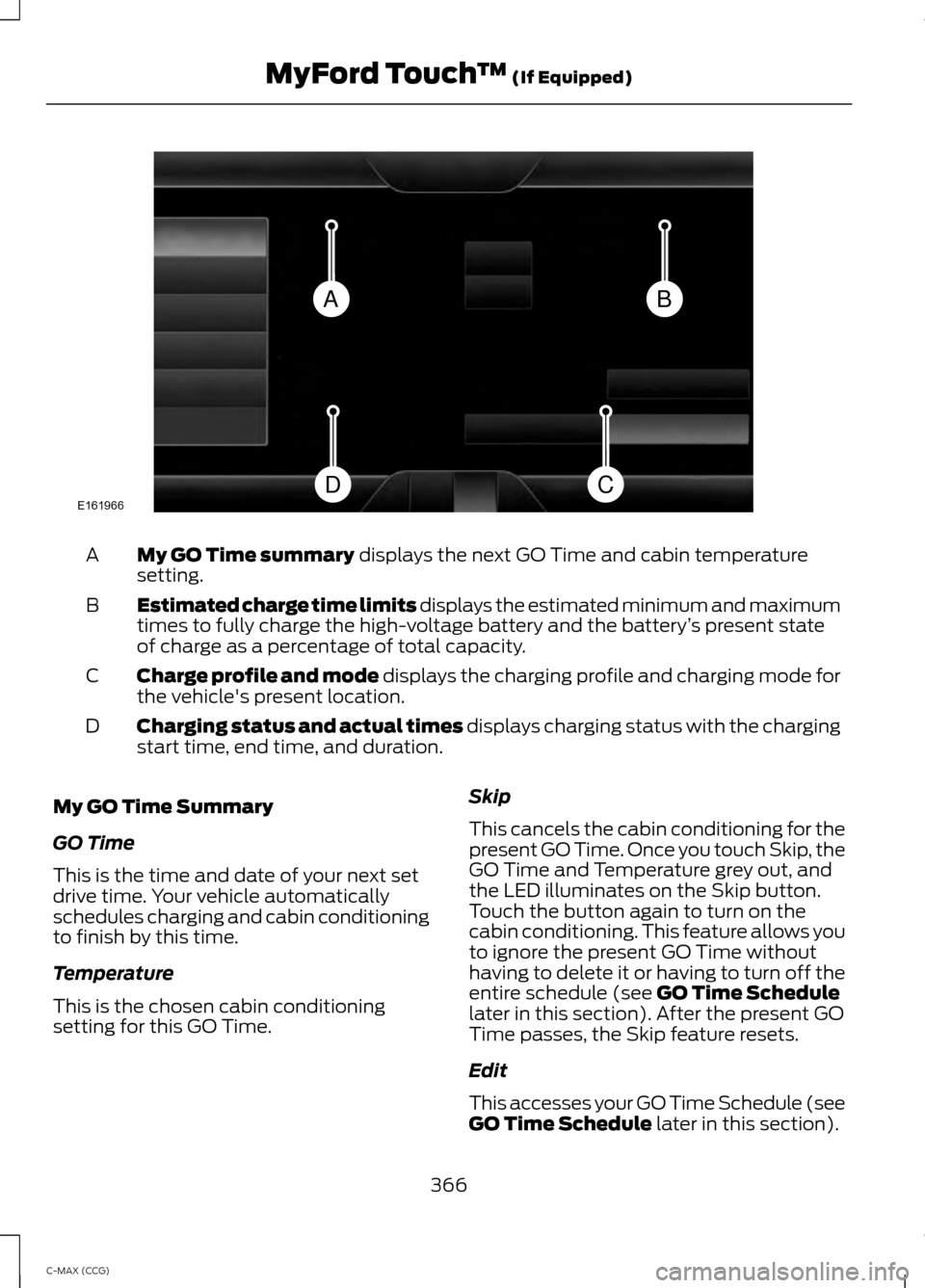
My GO Time summary displays the next GO Time and cabin temperature
setting.
A
Estimated charge time limits displays the estimated minimum and maximum
times to fully charge the high-voltage battery and the battery ’s present state
of charge as a percentage of total capacity.
B
Charge profile and mode displays the charging profile and charging mode for
the vehicle's present location.
C
Charging status and actual times displays charging status with the charging
start time, end time, and duration.
D
My GO Time Summary
GO Time
This is the time and date of your next set
drive time. Your vehicle automatically
schedules charging and cabin conditioning
to finish by this time.
Temperature
This is the chosen cabin conditioning
setting for this GO Time. Skip
This cancels the cabin conditioning for the
present GO Time. Once you touch Skip, the
GO Time and Temperature grey out, and
the LED illuminates on the Skip button.
Touch the button again to turn on the
cabin conditioning. This feature allows you
to ignore the present GO Time without
having to delete it or having to turn off the
entire schedule (see
GO Time Schedule
later in this section). After the present GO
Time passes, the Skip feature resets.
Edit
This accesses your GO Time Schedule (see
GO Time Schedule
later in this section).
366
C-MAX (CCG) MyFord Touch
™
(If Equipped)BA
CDE161966
Page 369 of 447
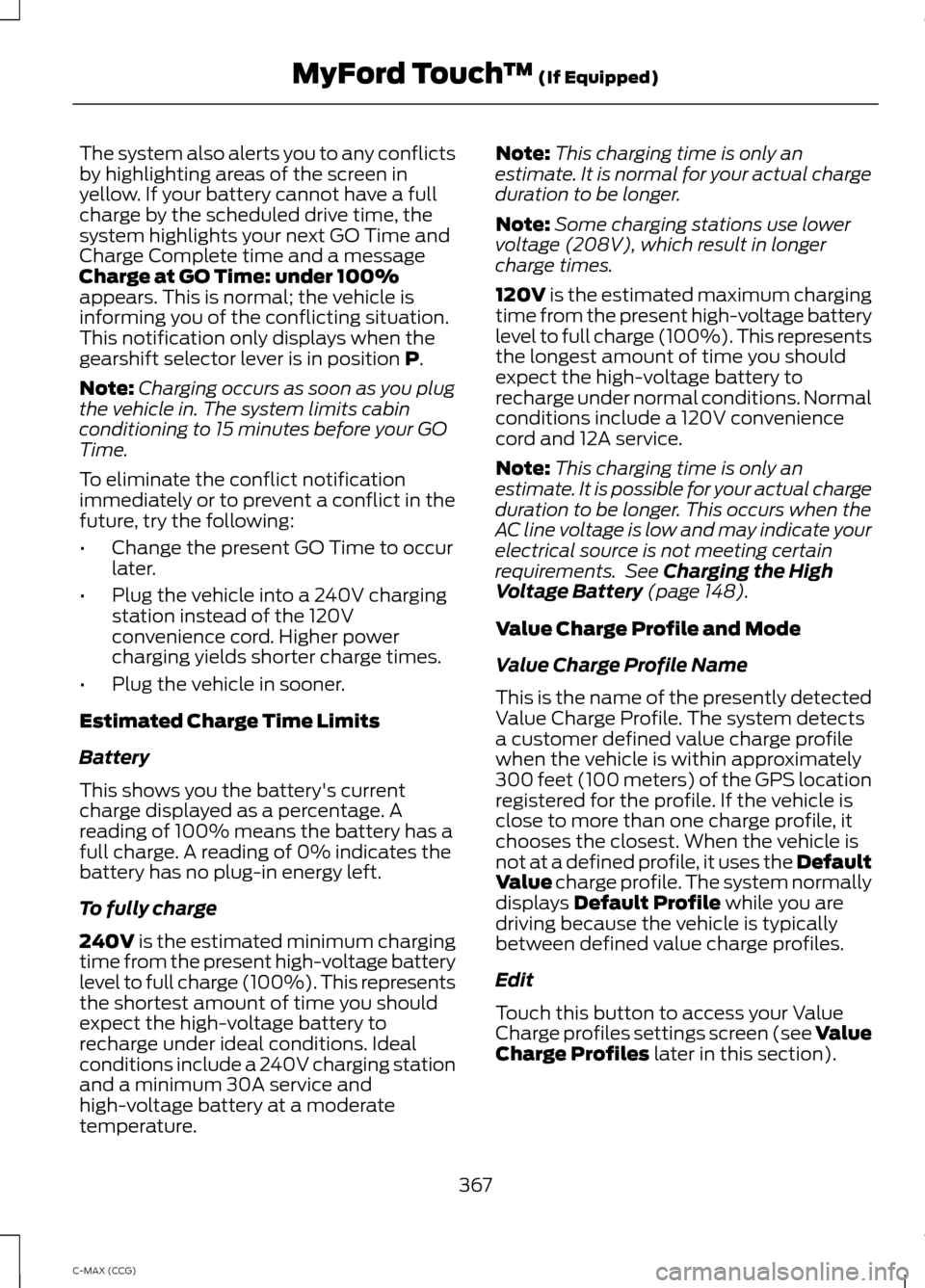
The system also alerts you to any conflicts
by highlighting areas of the screen in
yellow. If your battery cannot have a full
charge by the scheduled drive time, the
system highlights your next GO Time and
Charge Complete time and a message
Charge at GO Time: under 100%
appears. This is normal; the vehicle is
informing you of the conflicting situation.
This notification only displays when the
gearshift selector lever is in position P.
Note: Charging occurs as soon as you plug
the vehicle in. The system limits cabin
conditioning to 15 minutes before your GO
Time.
To eliminate the conflict notification
immediately or to prevent a conflict in the
future, try the following:
• Change the present GO Time to occur
later.
• Plug the vehicle into a 240V charging
station instead of the 120V
convenience cord. Higher power
charging yields shorter charge times.
• Plug the vehicle in sooner.
Estimated Charge Time Limits
Battery
This shows you the battery's current
charge displayed as a percentage. A
reading of 100% means the battery has a
full charge. A reading of 0% indicates the
battery has no plug-in energy left.
To fully charge
240V
is the estimated minimum charging
time from the present high-voltage battery
level to full charge (100%). This represents
the shortest amount of time you should
expect the high-voltage battery to
recharge under ideal conditions. Ideal
conditions include a 240V charging station
and a minimum 30A service and
high-voltage battery at a moderate
temperature. Note:
This charging time is only an
estimate. It is normal for your actual charge
duration to be longer.
Note: Some charging stations use lower
voltage (208V), which result in longer
charge times.
120V
is the estimated maximum charging
time from the present high-voltage battery
level to full charge (100%). This represents
the longest amount of time you should
expect the high-voltage battery to
recharge under normal conditions. Normal
conditions include a 120V convenience
cord and 12A service.
Note: This charging time is only an
estimate. It is possible for your actual charge
duration to be longer. This occurs when the
AC line voltage is low and may indicate your
electrical source is not meeting certain
requirements. See
Charging the High
Voltage Battery (page 148).
Value Charge Profile and Mode
Value Charge Profile Name
This is the name of the presently detected
Value Charge Profile. The system detects
a customer defined value charge profile
when the vehicle is within approximately
300 feet (100 meters) of the GPS location
registered for the profile. If the vehicle is
close to more than one charge profile, it
chooses the closest. When the vehicle is
not at a defined profile, it uses the Default
Value
charge profile. The system normally
displays Default Profile while you are
driving because the vehicle is typically
between defined value charge profiles.
Edit
Touch this button to access your Value
Charge profiles settings screen (see Value
Charge Profiles
later in this section).
367
C-MAX (CCG) MyFord Touch
™
(If Equipped)
Page 370 of 447
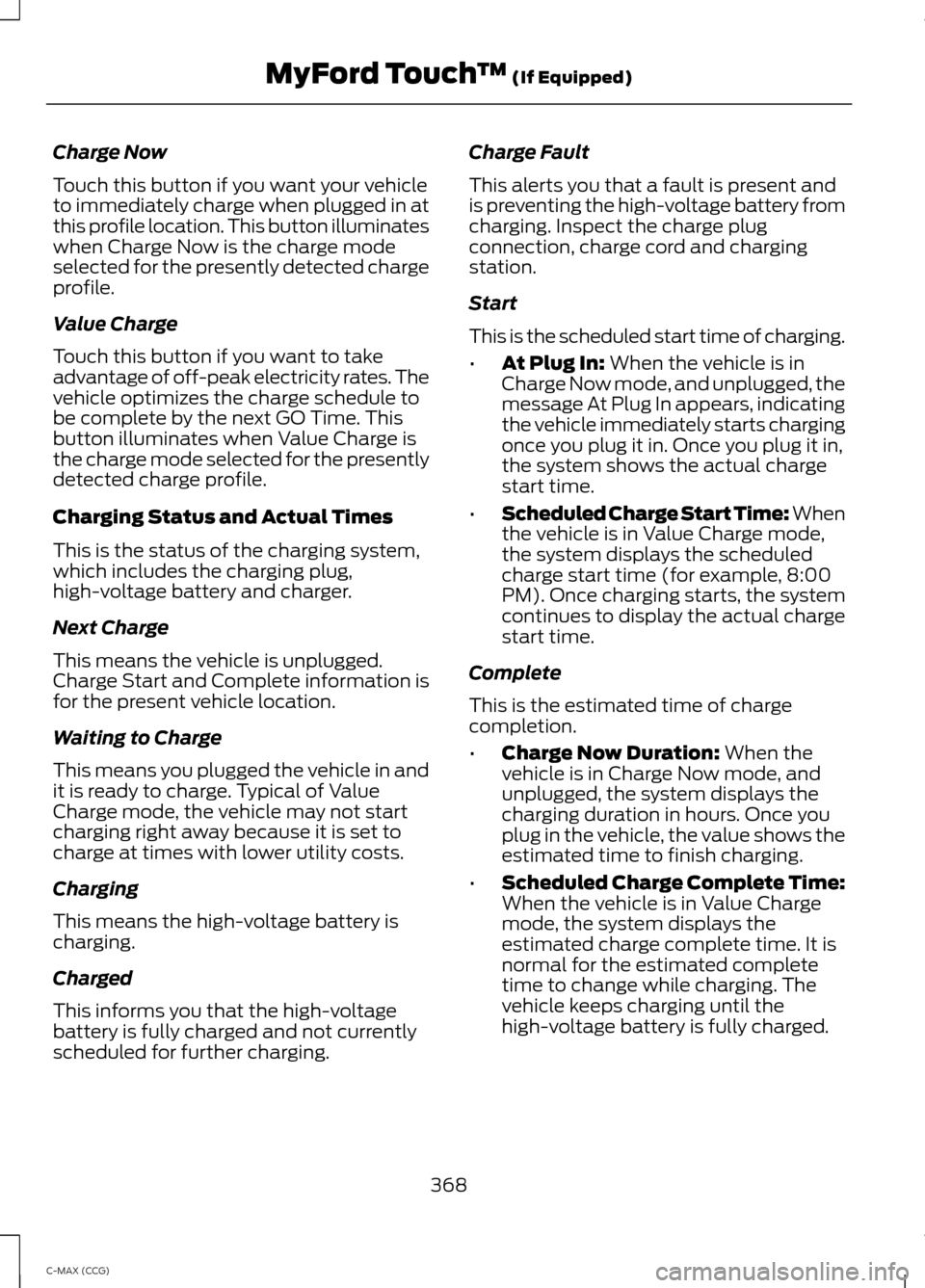
Charge Now
Touch this button if you want your vehicle
to immediately charge when plugged in at
this profile location. This button illuminates
when Charge Now is the charge mode
selected for the presently detected charge
profile.
Value Charge
Touch this button if you want to take
advantage of off-peak electricity rates. The
vehicle optimizes the charge schedule to
be complete by the next GO Time. This
button illuminates when Value Charge is
the charge mode selected for the presently
detected charge profile.
Charging Status and Actual Times
This is the status of the charging system,
which includes the charging plug,
high-voltage battery and charger.
Next Charge
This means the vehicle is unplugged.
Charge Start and Complete information is
for the present vehicle location.
Waiting to Charge
This means you plugged the vehicle in and
it is ready to charge. Typical of Value
Charge mode, the vehicle may not start
charging right away because it is set to
charge at times with lower utility costs.
Charging
This means the high-voltage battery is
charging.
Charged
This informs you that the high-voltage
battery is fully charged and not currently
scheduled for further charging.
Charge Fault
This alerts you that a fault is present and
is preventing the high-voltage battery from
charging. Inspect the charge plug
connection, charge cord and charging
station.
Start
This is the scheduled start time of charging.
•
At Plug In: When the vehicle is in
Charge Now mode, and unplugged, the
message At Plug In appears, indicating
the vehicle immediately starts charging
once you plug it in. Once you plug it in,
the system shows the actual charge
start time.
• Scheduled Charge Start Time: When
the vehicle is in Value Charge mode,
the system displays the scheduled
charge start time (for example, 8:00
PM). Once charging starts, the system
continues to display the actual charge
start time.
Complete
This is the estimated time of charge
completion.
• Charge Now Duration:
When the
vehicle is in Charge Now mode, and
unplugged, the system displays the
charging duration in hours. Once you
plug in the vehicle, the value shows the
estimated time to finish charging.
• Scheduled Charge Complete Time:
When the vehicle is in Value Charge
mode, the system displays the
estimated charge complete time. It is
normal for the estimated complete
time to change while charging. The
vehicle keeps charging until the
high-voltage battery is fully charged.
368
C-MAX (CCG) MyFord Touch
™
(If Equipped)
Page 371 of 447
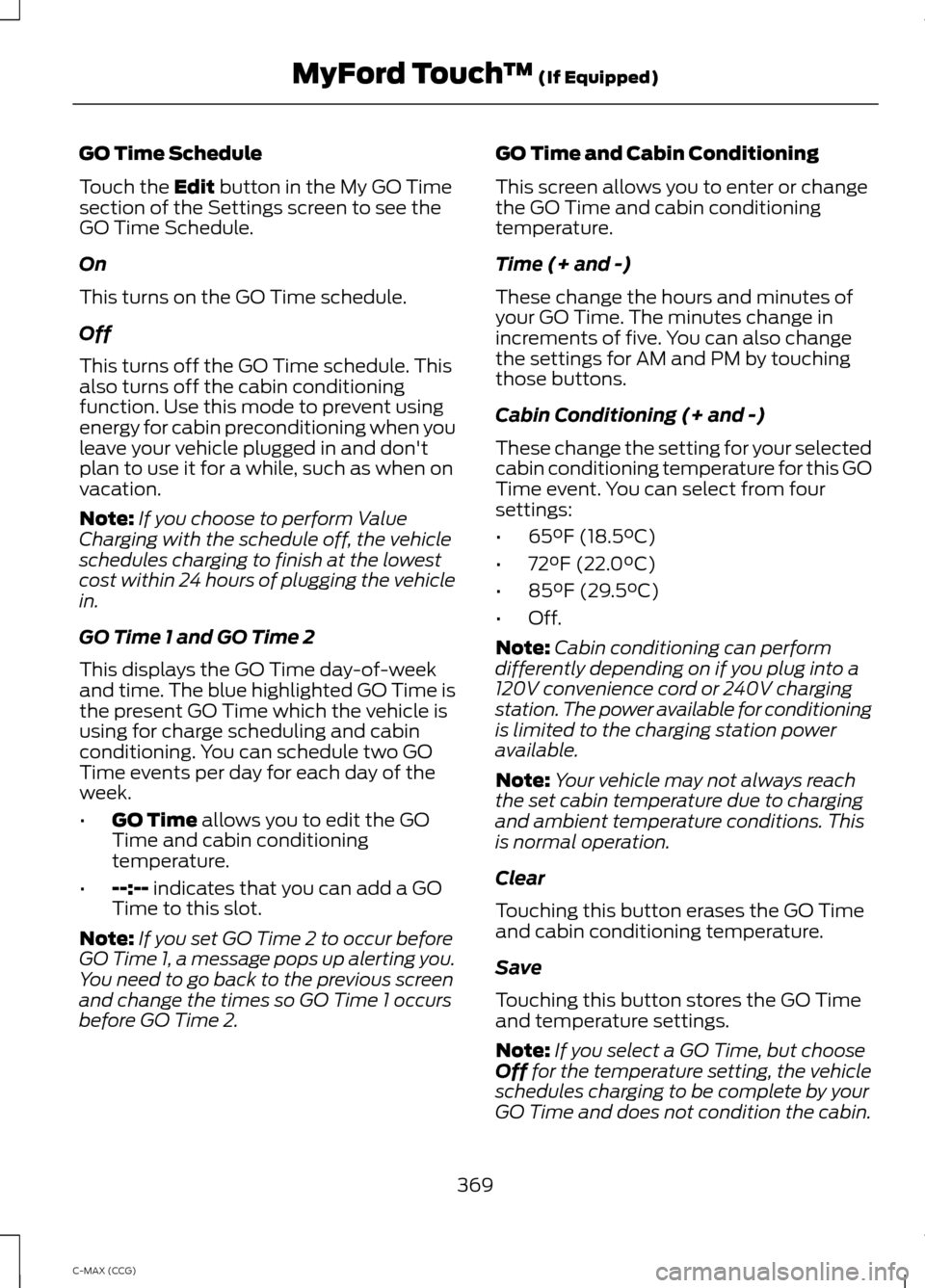
GO Time Schedule
Touch the Edit button in the My GO Time
section of the Settings screen to see the
GO Time Schedule.
On
This turns on the GO Time schedule.
Off
This turns off the GO Time schedule. This
also turns off the cabin conditioning
function. Use this mode to prevent using
energy for cabin preconditioning when you
leave your vehicle plugged in and don't
plan to use it for a while, such as when on
vacation.
Note: If you choose to perform Value
Charging with the schedule off, the vehicle
schedules charging to finish at the lowest
cost within 24 hours of plugging the vehicle
in.
GO Time 1 and GO Time 2
This displays the GO Time day-of-week
and time. The blue highlighted GO Time is
the present GO Time which the vehicle is
using for charge scheduling and cabin
conditioning. You can schedule two GO
Time events per day for each day of the
week.
• GO Time
allows you to edit the GO
Time and cabin conditioning
temperature.
• --:--
indicates that you can add a GO
Time to this slot.
Note: If you set GO Time 2 to occur before
GO Time 1, a message pops up alerting you.
You need to go back to the previous screen
and change the times so GO Time 1 occurs
before GO Time 2. GO Time and Cabin Conditioning
This screen allows you to enter or change
the GO Time and cabin conditioning
temperature.
Time (+ and -)
These change the hours and minutes of
your GO Time. The minutes change in
increments of five. You can also change
the settings for AM and PM by touching
those buttons.
Cabin Conditioning (+ and -)
These change the setting for your selected
cabin conditioning temperature for this GO
Time event. You can select from four
settings:
•
65°F (18.5°C)
• 72°F (22.0°C)
• 85°F (29.5°C)
• Off.
Note: Cabin conditioning can perform
differently depending on if you plug into a
120V convenience cord or 240V charging
station. The power available for conditioning
is limited to the charging station power
available.
Note: Your vehicle may not always reach
the set cabin temperature due to charging
and ambient temperature conditions. This
is normal operation.
Clear
Touching this button erases the GO Time
and cabin conditioning temperature.
Save
Touching this button stores the GO Time
and temperature settings.
Note: If you select a GO Time, but choose
Off
for the temperature setting, the vehicle
schedules charging to be complete by your
GO Time and does not condition the cabin.
369
C-MAX (CCG) MyFord Touch
™
(If Equipped)
Page 372 of 447
Note:
Make sure you save your settings
before returning to the previous screen. If
you do not touch Save, your settings are not
stored in the system.
Value Charge Profiles
Touch the Edit button next to the profile
name on the Settings screen to see the
value charge profiles.
Default
This displays the charging mode and
off-peak times for your Default Value
Charge profile. The system displays
off-peak times for weekdays; the
remaining hours of the day are considered
peak time. The system displays similar
off-peak times for weekend days.
• Charge Now
if you want your vehicle
to immediately charge when you plug
it in at this profile location.
• Value Charge
if you want to take
advantage of off-peak electricity rates.
The vehicle optimizes the charge
schedule to be complete by the next
GO Time.
• Edit
to access your Default Value
Charge Profile settings screen (see
Default Value Charge Profile later in
this section).
Customer Defined Value Charge Profiles
Once you create profile names, this section
displays the Value Charge Profile names
and current Charge Mode for specific
locations. You can set up and edit these
profiles using the MyFord Mobile internet
or smartphone application. You can
program up to nine unique charge profiles. Default Value Charge Profile
Weekday and Weekend
Touch the
Edit button to set the off-peak
charge times. Set the Weekday times and
Weekend time (by touching the Weekday
and
Weekend buttons), then touch Save.
The system does not store your settings
until you make selections for both
Weekday and Weekend. If you touch the
back arrow button to return to the previous
screen without saving your settings, the
system does not store them and you need
to enter them again.
Start and Finish
These buttons display the times, which you
can modify, using the following:
• +
and - allow you to change the hours
of your start and finish times.
• AM
and PM allow you to change the
time of your start and finish time. This
setting is viewable in 12-hour mode.
240V and 120V
These represent the voltage service the
default profile is using. The system uses
this selection to calculate estimated
charge times.
Clear
Touching this button erases the Default
Value Charge preferences.
Save All
Touching this button stores your Default
Value Charge preferences
Note: Make sure you save your settings
before returning to the previous screen. If
you do not touch Save, your settings are not
stored in the system.
370
C-MAX (CCG) MyFord Touch
™
(If Equipped)
Page 373 of 447
Power
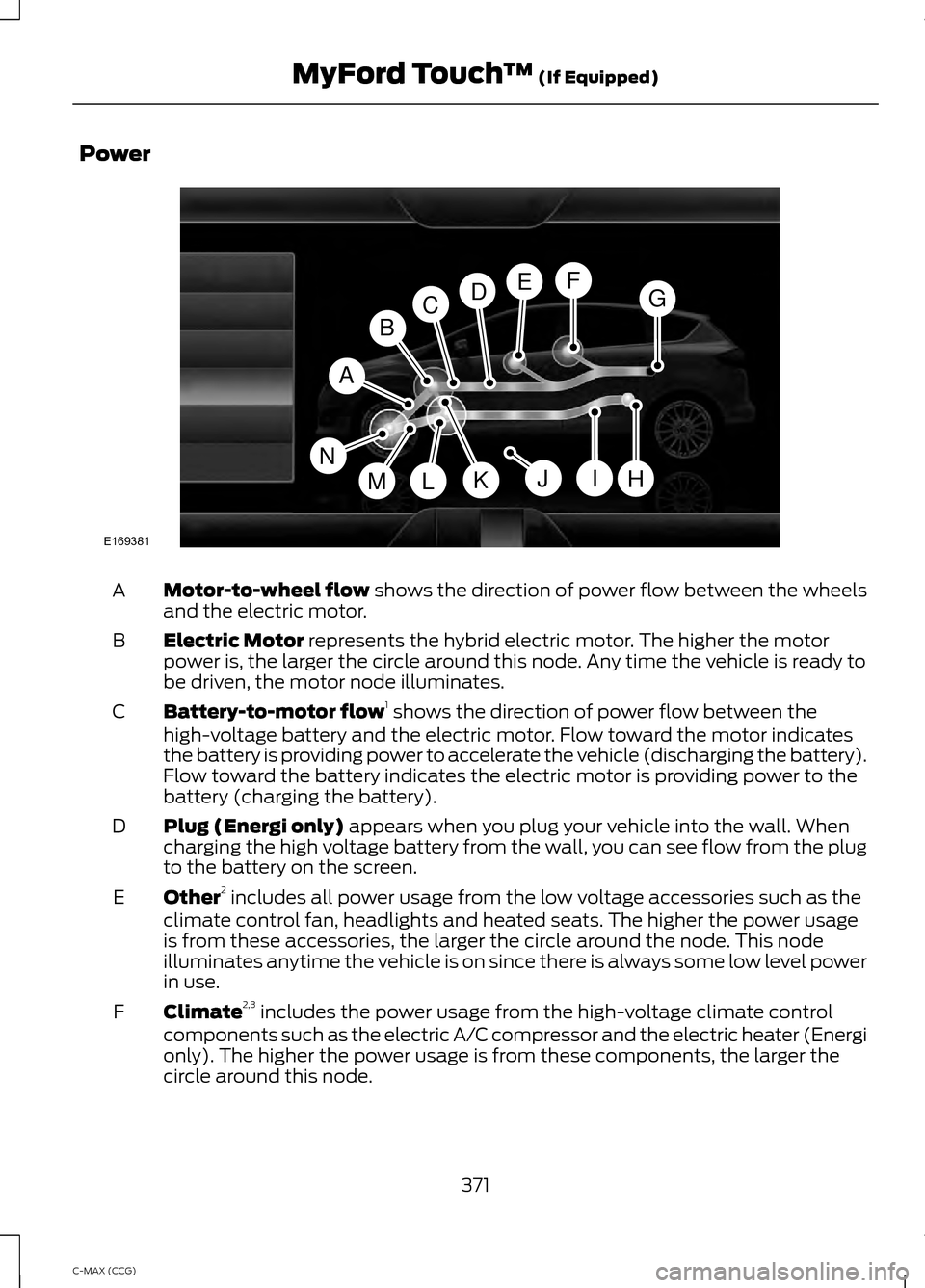
Motor-to-wheel flow shows the direction of power flow between the wheels
and the electric motor.
A
Electric Motor
represents the hybrid electric motor. The higher the motor
power is, the larger the circle around this node. Any time the vehicle is ready to
be driven, the motor node illuminates.
B
Battery-to-motor flow 1
shows the direction of power flow between the
high-voltage battery and the electric motor. Flow toward the motor indicates
the battery is providing power to accelerate the vehicle (discharging the battery).
Flow toward the battery indicates the electric motor is providing power to the
battery (charging the battery).
C
Plug (Energi only)
appears when you plug your vehicle into the wall. When
charging the high voltage battery from the wall, you can see flow from the plug
to the battery on the screen.
D
Other 2
includes all power usage from the low voltage accessories such as the
climate control fan, headlights and heated seats. The higher the power usage
is from these accessories, the larger the circle around the node. This node
illuminates anytime the vehicle is on since there is always some low level power
in use.
E
Climate 2,3
includes the power usage from the high-voltage climate control
components such as the electric A/C compressor and the electric heater (Energi
only). The higher the power usage is from these components, the larger the
circle around this node.
F
371
C-MAX (CCG) MyFord Touch
™
(If Equipped)A
H
DGEF
BC
IKMLJ
E169381
N