charging FORD C MAX HYBRID 2014 2.G Owner's Manual
[x] Cancel search | Manufacturer: FORD, Model Year: 2014, Model line: C MAX HYBRID, Model: FORD C MAX HYBRID 2014 2.GPages: 447, PDF Size: 8.06 MB
Page 374 of 447
High voltage battery power represents your high-voltage battery. A circle
illuminates around the node when the high-voltage battery is receiving power
from regenerative braking, engine charging or external charging (when you plug
it in). The higher the power going into the high-voltage battery, the larger the
circle around this node.
G
Fuel
represents the fuel tank in the vehicle.
H
Fuel-to-engine flow
shows flow from the fuel tank to the engine when the
engine is on and using fuel (there are some cases where the engine is on, but
not using any fuel). When the engine is on, but not using fuel, the engine node
is active, but the fuel flow path is off. An example of this is when your foot is
off the accelerator pedal and the vehicle is traveling at a high speed.
I
Engine On due to
provides you with the reason(s) the gasoline engine is on.
When the gasoline engine is off, this display does not appear. Engine On due
to
reasons displayed by the system are in a chart following this list.
J
Motor-to-engine flow
shows the direction of power flow between the engine
and the electric motor. The direction indicates if the engine is providing power
to the high-voltage electrical system, or if the high-voltage electrical system is
providing power to control or start the engine.
K
Engine power
represents the gasoline engine. It illuminates only when the
gasoline engine is on. The higher the engine power is, the larger the circle around
this node.
L
Engine-to-wheels flow
shows the direction of the power flow between the
engine and the wheels.
M
Drive power
represents the power going to the wheels. The higher the wheel
power is, the larger the circle around this node. When the engine is off, drive
power is shown in blue. When the engine is on, drive power is shown in grey.
N
1 The battery-to-motor flow includes
battery power the vehicle is using for
acceleration. It does not include energy the
vehicle is using for accessories (such as air
conditioning, headlights and radio). This
screen displays accessories and climate
usage separately. 2
Accessories
indicates electrical power
demands from your vehicle ’s accessory
systems. Accessories use power but do not
contribute to making the vehicle move. The
power flow displays power usage from the
climate control system and other
accessories separately.
3 The climate control system may
determine A/C is necessary even when you
turn it off. In this case, you may see some
climate power when the A/C is off.
372
C-MAX (CCG) MyFord Touch
™
(If Equipped)
Page 375 of 447
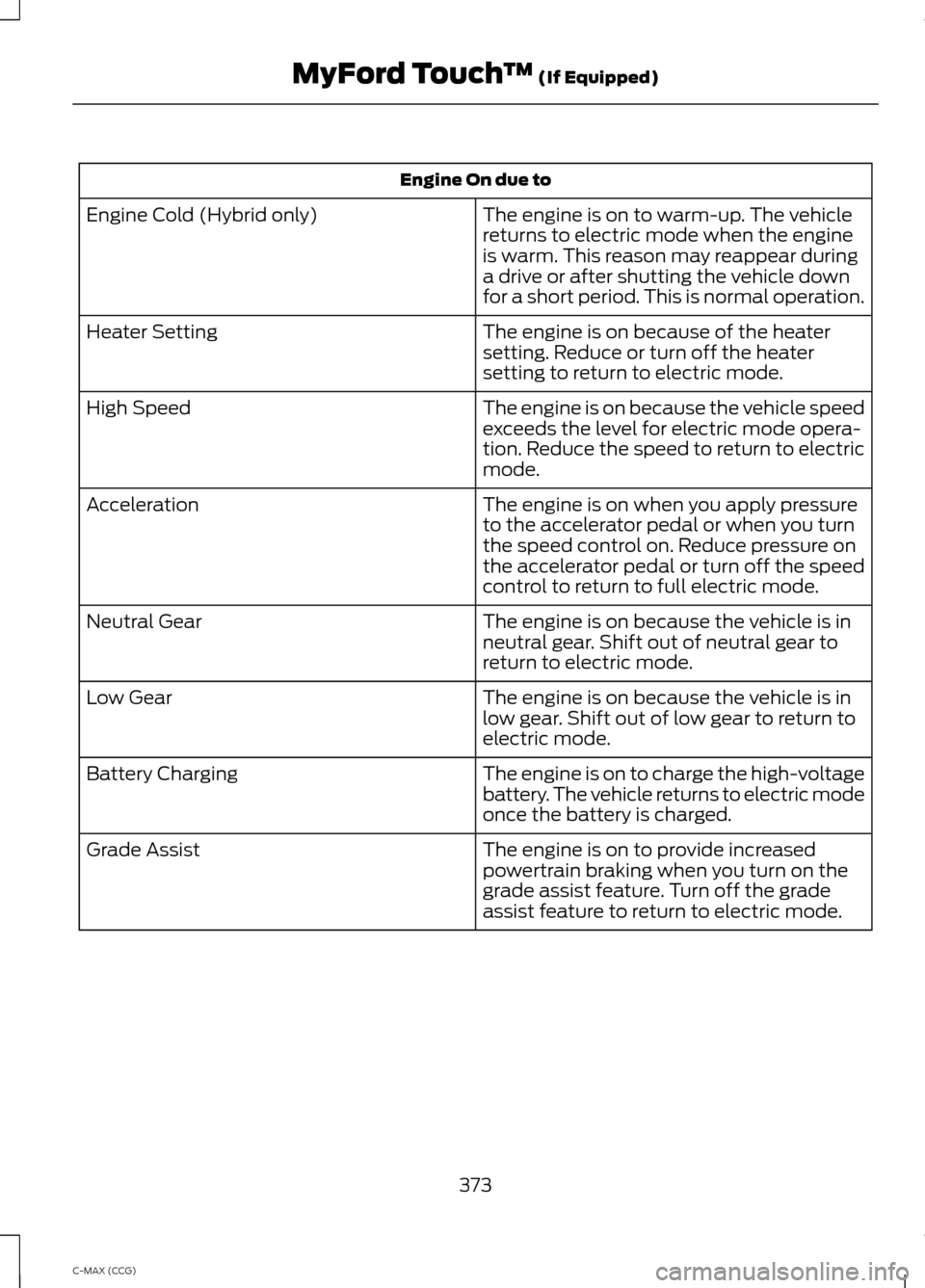
Engine On due to
The engine is on to warm-up. The vehicle
returns to electric mode when the engine
is warm. This reason may reappear during
a drive or after shutting the vehicle down
for a short period. This is normal operation.
Engine Cold (Hybrid only)
The engine is on because of the heater
setting. Reduce or turn off the heater
setting to return to electric mode.
Heater Setting
The engine is on because the vehicle speed
exceeds the level for electric mode opera-
tion. Reduce the speed to return to electric
mode.
High Speed
The engine is on when you apply pressure
to the accelerator pedal or when you turn
the speed control on. Reduce pressure on
the accelerator pedal or turn off the speed
control to return to full electric mode.
Acceleration
The engine is on because the vehicle is in
neutral gear. Shift out of neutral gear to
return to electric mode.
Neutral Gear
The engine is on because the vehicle is in
low gear. Shift out of low gear to return to
electric mode.
Low Gear
The engine is on to charge the high-voltage
battery. The vehicle returns to electric mode
once the battery is charged.
Battery Charging
The engine is on to provide increased
powertrain braking when you turn on the
grade assist feature. Turn off the grade
assist feature to return to electric mode.
Grade Assist
373
C-MAX (CCG) MyFord Touch
™ (If Equipped)
Page 376 of 447
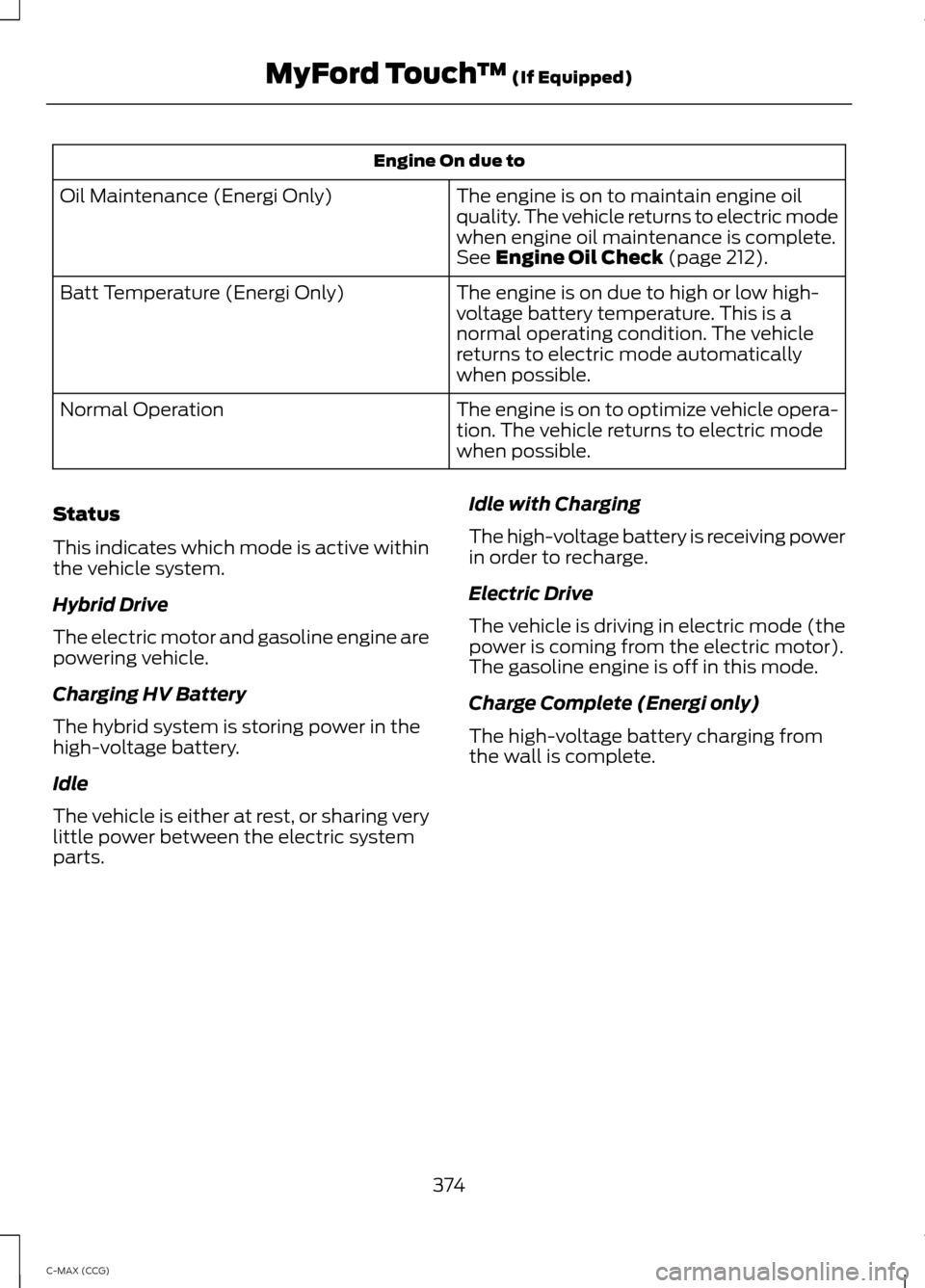
Engine On due to
The engine is on to maintain engine oil
quality. The vehicle returns to electric mode
when engine oil maintenance is complete.
See Engine Oil Check (page 212).
Oil Maintenance (Energi Only)
The engine is on due to high or low high-
voltage battery temperature. This is a
normal operating condition. The vehicle
returns to electric mode automatically
when possible.
Batt Temperature (Energi Only)
The engine is on to optimize vehicle opera-
tion. The vehicle returns to electric mode
when possible.
Normal Operation
Status
This indicates which mode is active within
the vehicle system.
Hybrid Drive
The electric motor and gasoline engine are
powering vehicle.
Charging HV Battery
The hybrid system is storing power in the
high-voltage battery.
Idle
The vehicle is either at rest, or sharing very
little power between the electric system
parts. Idle with Charging
The high-voltage battery is receiving power
in order to recharge.
Electric Drive
The vehicle is driving in electric mode (the
power is coming from the electric motor).
The gasoline engine is off in this mode.
Charge Complete (Energi only)
The high-voltage battery charging from
the wall is complete.
374
C-MAX (CCG) MyFord Touch
™
(If Equipped)
Page 391 of 447
Subcategories
Govt Office
Public Transit Education To expand these listings, press the + in
front of the listing.
The system also allows you to sort
alphabetically, by distance or by cityseekr
listings (if available).
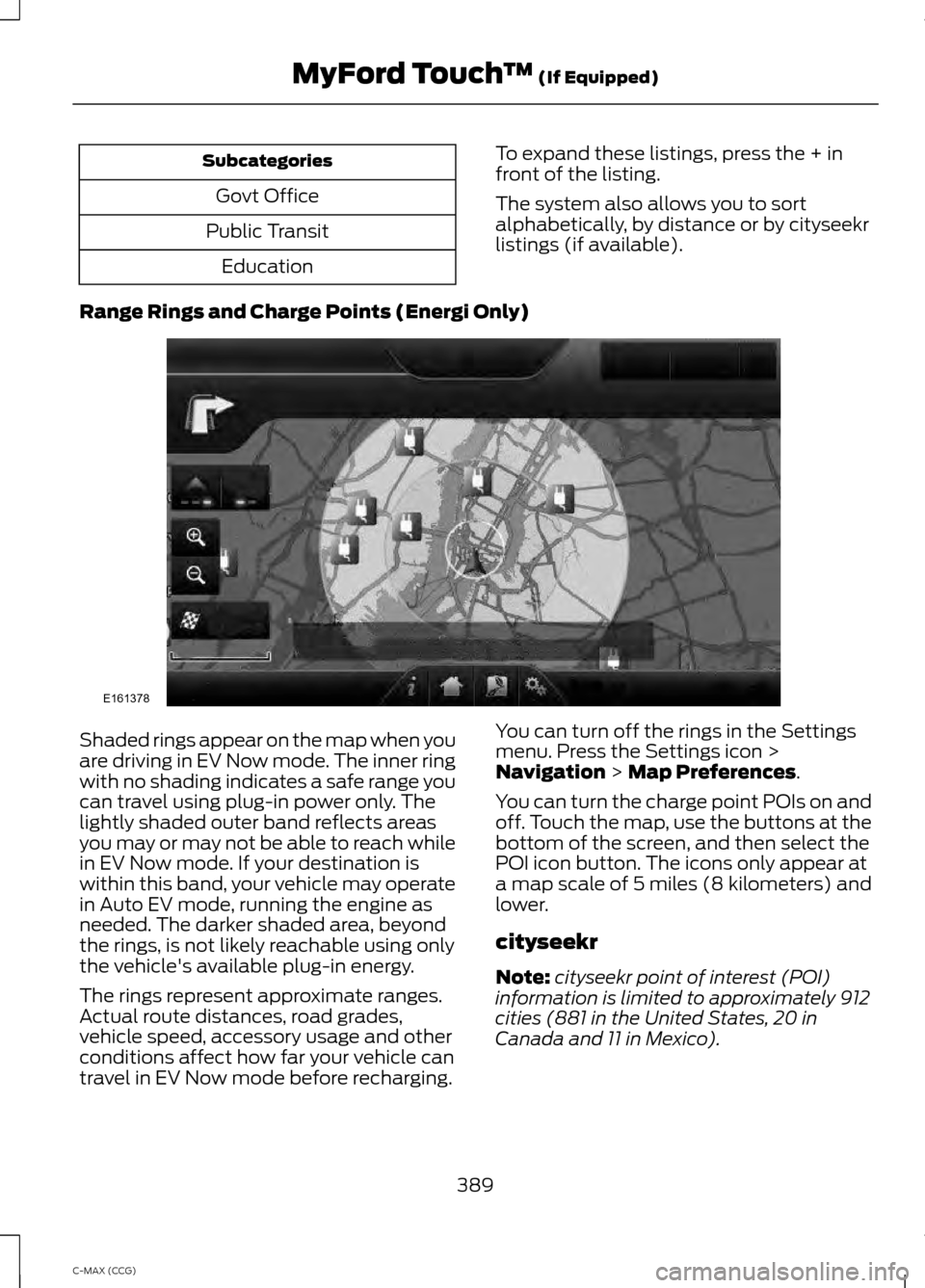
Range Rings and Charge Points (Energi Only) Shaded rings appear on the map when you
are driving in EV Now mode. The inner ring
with no shading indicates a safe range you
can travel using plug-in power only. The
lightly shaded outer band reflects areas
you may or may not be able to reach while
in EV Now mode. If your destination is
within this band, your vehicle may operate
in Auto EV mode, running the engine as
needed. The darker shaded area, beyond
the rings, is not likely reachable using only
the vehicle's available plug-in energy.
The rings represent approximate ranges.
Actual route distances, road grades,
vehicle speed, accessory usage and other
conditions affect how far your vehicle can
travel in EV Now mode before recharging.
You can turn off the rings in the Settings
menu. Press the Settings icon >
Navigation > Map Preferences.
You can turn the charge point POIs on and
off. Touch the map, use the buttons at the
bottom of the screen, and then select the
POI icon button. The icons only appear at
a map scale of 5 miles (8 kilometers) and
lower.
cityseekr
Note: cityseekr point of interest (POI)
information is limited to approximately 912
cities (881 in the United States, 20 in
Canada and 11 in Mexico).
389
C-MAX (CCG) MyFord Touch
™
(If Equipped)E161378
Page 438 of 447
Center Console..............................................123
Changing a Bulb...........................................222
Lamp Assembly Condensation.................... 222
Replacing Fog, Park and Turn Signal Bulbs.................................................................. 224
Replacing Headlamp Bulbs........................... 223
Replacing License Plate Lamp Bulb...........227
Replacing Reverse Lamp and Tail Lamp Bulbs:................................................................. 226
Replacing Tail, Brake and Turn Signal Bulbs.................................................................. 225
Replacing the Center High Mounted Brake Lamp Bulbs...................................................... 227
Changing a Fuse...........................................207 Fuses....................................................................... 207
Changing the 12V Battery..........................218
Changing the Engine Air Filter.................229 Identifying Air Filter Element
Components................................................... 229
Installing the Engine Air Filter Element............................................................ 230
Removing the Engine Air Filter Element
............................................................ 230
Changing the Wiper Blades......................219
Changing the Front Wiper Blades...............220
Changing the Rear Window Wiper
Blade................................................................. 220
Setting the Front Wipers in the Service Position............................................................. 220
Charging the High Voltage Battery
........148
CHARGING THE HIGH-VOLTAGE BATTERY
(ENERGI VEHICLES).................................... 148
Checking MyKey System Status..............50
Checking the Wiper Blades.......................219
Child Restraint and Safety Belt Maintenance.................................................32
Child Safety.......................................................14 General Information............................................. 14
Child Safety Locks
..........................................24
Left-Hand Side...................................................... 25
Right-Hand Side................................................... 25
Child Seat Positioning
..................................23
Cleaning Leather Seats.............................235
Cleaning Products.......................................232
Cleaning the Alloy Wheels
.......................236
Cleaning the Engine....................................233 Cleaning the Exterior
..................................232
Cleaning Plastic Exterior Parts...................... 233
Exterior Chrome.................................................. 232
Stripes or Graphics (if equipped)................232
Underbody............................................................ 233
Cleaning the Instrument Panel and Instrument Cluster Lens.........................234
Cleaning the Interior...................................234
Cleaning the Windows and Wiper Blades...........................................................234
Clearing All MyKeys.......................................50
Climate............................................................384 Climate Control Voice Commands.............385
Climate Control.............................................105
Collision, Damage or Fire Event...............191 Guidance for Ford Motor Company Electric
and Hybrid-Electric Vehicles Equipped
With High Voltage Batteries....................... 191
Coolant Check See: Engine Coolant Check............................. 213
Crash Sensors and Airbag Indicator
.........41
Creating a MyKey...........................................50
Programming/Changing Configurable
Settings............................................................... 50
Cruise Control
.................................................66
Principle of Operation........................................ 171
Cruise control See: Using Cruise Control.................................. 171
Customer Assistance
..................................194
D
Data Recording
..................................................9
Event Data Recording........................................... 9
Service Data Recording........................................ 9
Daytime Running Lamps
.............................73
Digital Radio..................................................280
HD Radio Reception and Station
Troubleshooting............................................. 281
Direction Indicators
........................................73
Driver and Passenger Airbags....................35 Children and Airbags........................................... 35
Proper Driver and Front Passenger Seating Adjustment........................................................ 35
Driver Knee Airbag.........................................39
Driving Aids
......................................................173
Driving Hints...................................................184
Driving Through Water................................185
436
C-MAX (CCG) Index
Page 441 of 447
Information Messages.................................98
AdvanceTrac®...................................................... 98
Alarm........................................................................\
99
Battery and Charging System (High Voltage).............................................................. 99
Doors........................................................................\
99
Fuel........................................................................\
.. 100
Hill Start Assist................................................... 100
Keys and Intelligent Access........................... 100
Maintenance......................................................... 101
MyKey...................................................................... 102
Park Aid.................................................................. 103
Park Brake............................................................. 103
Power Steering.................................................... 103
Remote Start....................................................... 103
Tire Pressure Monitoring System.................104
Transmission........................................................ 104
Installing Child Seats.....................................15 Child Seats............................................................... 15
Using Lap and Shoulder Belts.......................... 16
Using Lower Anchors and Tethers for CHildren (LATCH)............................................ 18
Using Tether Straps............................................. 20
Instrument Cluster
.........................................81
Instrument Lighting Dimmer......................72 Vehicles With Front Fog Lamps...................... 72
Vehicles Without Front Fog Lamps...............72
Interior Lamps
..................................................73
Front Interior Lamp ............................................. 74
Rear Interior Lamp................................................ 74
Interior Mirror
....................................................79
Auto-Dimming Mirror.......................................... 79
Introduction.........................................................7
J
Jump-Starting the Vehicle........................188 Connecting the Jumper Cables..................... 189
Jump Starting...................................................... 190
Preparing Your Vehicle..................................... 188
Removing the Jumper Cables....................... 190
K
Keyless Starting.............................................124 Ignition Modes..................................................... 125
Keys and Remote Controls.........................43 L
Lighting Control................................................71
Headlamp Flasher................................................. 71
High Beams.............................................................. 71
Lighting................................................................71
Load Carrying
..................................................174
Load Limit........................................................175
Vehicle Loading.................................................... 175
Locking and Unlocking.................................55 Activating Intelligent Access .......................... 56
Autolock................................................................... 57
Battery Saver......................................................... 58
Illuminated Entry.................................................. 58
Illuminated Exit..................................................... 58
Mechanical Key..................................................... 56
Opening a Rear Door from Inside.................. 56
Power Door Locks................................................ 55
Remote Control.................................................... 55
Smart Unlocks For Integrated Keyhead Transmitter......................................................... 57
Smart Unlocks For Intelligent Access Keys ........................................................................\
........ 57
Locks...................................................................55
Luggage Covers
..............................................174
Removing the Shade......................................... 174
M
Maintenance.................................................209 General Information......................................... 209
Manual Liftgate
..............................................59
Closing the Liftgate............................................. 59
Opening the Liftgate........................................... 59
Manual Seats
..................................................112
Adjusting the Height of the Driver's
Seat...................................................................... 113
Lumbar Adjustment (If Equipped)...............113
Moving the Seat Backward and Forward............................................................... 112
Recline Adjustment............................................ 113
Media Hub......................................................286
Message Center See: Information Displays................................ 88
Mirrors See: Heated Windows and Mirrors...............107
See: Windows and Mirrors................................ 76
Mobile Communications Equipment
.......12
439
C-MAX (CCG) Index