battery FORD C MAX HYBRID 2015 2.G User Guide
[x] Cancel search | Manufacturer: FORD, Model Year: 2015, Model line: C MAX HYBRID, Model: FORD C MAX HYBRID 2015 2.GPages: 455, PDF Size: 5.94 MB
Page 74 of 455
If equipped, the following also activate
when the lighting control is in the
autolamps position and you switch them
on in the information display:
•
Configurable daytime running lamps.
• Automatic high beam control.
• Adaptive headlamp control.
The headlamps remain on for a period of
time after you switch the ignition off. Use
the information display controls to adjust
the period of time that the headlamps
remain on. See Information Displays
(page 88).
Note: With the headlamps in the
autolamps position, you cannot switch the
high beam headlamps on until the
autolamps system turns the low beam
headlamps on.
Windshield Wiper Activated
Headlamps
The windshield wiper activated headlamps
turn on within 10 seconds when you switch
the windshield wipers on and the lighting
control is in the autolamps position. They
turn off approximately 60 seconds after
you switch the windshield wipers off.
The headlamps will not turn on by wiper
activation:
• During a mist wipe.
• When the wipers are on to clear washer
fluid during a wash condition.
• If the wipers are in intermittent mode.
Note: If you switch autolamps and
autowipers on, the headlamps will
automatically turn on when the windshield
wipers continuously operate. INSTRUMENT LIGHTING
DIMMER
Note:
If you disconnect the battery or it
becomes discharged, the illuminated
components will switch to the maximum
setting.
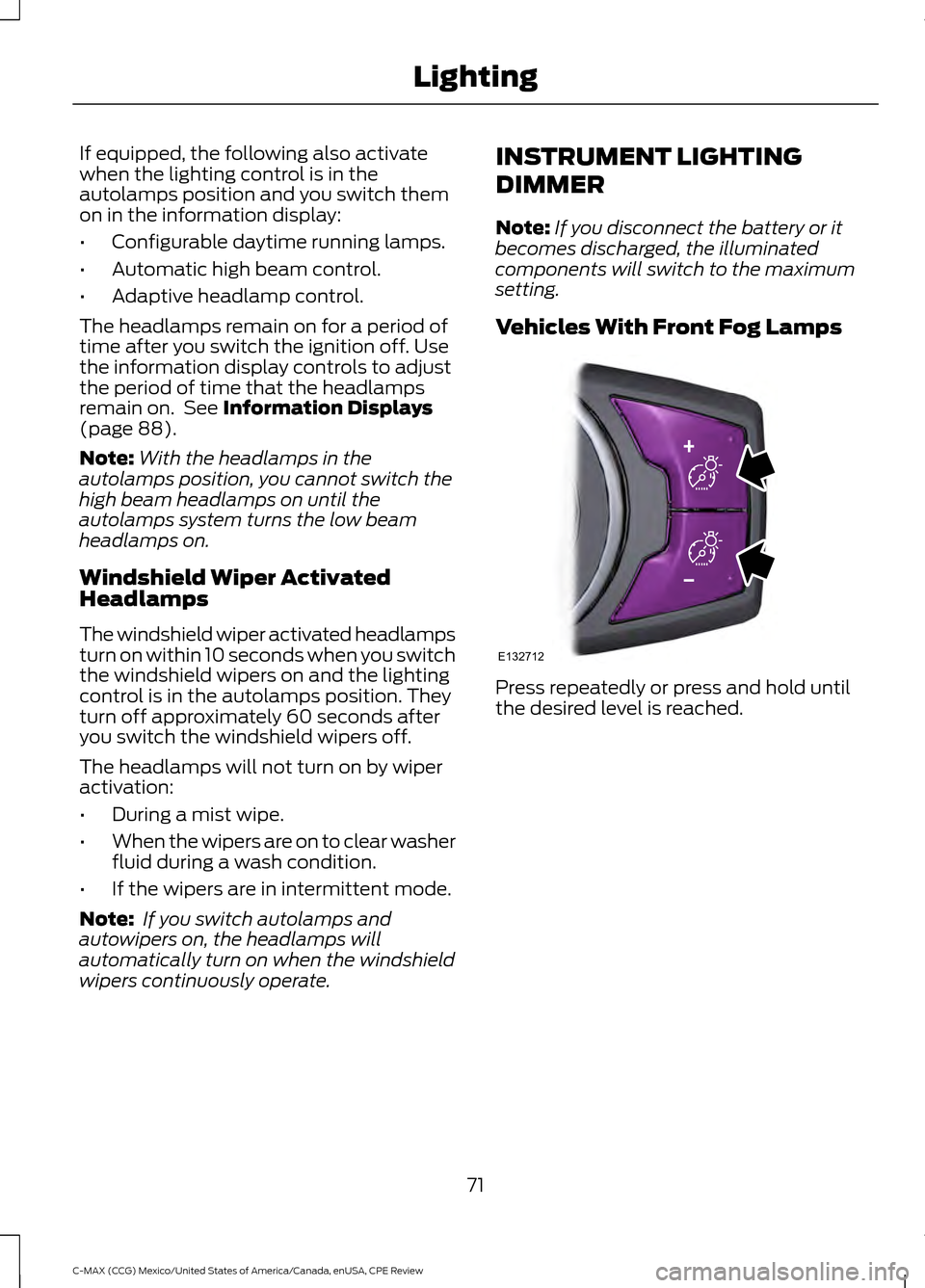
Vehicles With Front Fog Lamps Press repeatedly or press and hold until
the desired level is reached.
71
C-MAX (CCG) Mexico/United States of America/Canada, enUSA, CPE Review LightingE132712
Page 80 of 455
2. Close the window a third time to the
point of resistance. The bounce-back
feature is now disabled and you can
close the window manually. The
window will go past the point of
resistance and you can close it fully.
See an authorized dealer as soon as
possible if the window does not close after
the third attempt.
Resetting the Bounce-Back Feature WARNING
The bounce-back feature remains
turned off until you reset the
memory.
If you have disconnected the battery, you
must reset the bounce-back memory
separately for each window.
1. Lift and hold the switch until the
window is fully closed.
2. Release the switch.
3. Lift the switch again for one more second.
4. Press and hold the switch until the window is fully open.
5. Release the switch.
6. Lift and hold the switch until the window is fully closed.
7. Open the window and then try to close
it automatically.
8. Reset and repeat the procedure if the window does not close automatically.
Accessory Delay (If Equipped)
You can use the window switches for
several minutes after you switch the
ignition off or until you open either front
door. GLOBAL OPENING
(If Equipped)
You can use the remote control to operate
the windows with the ignition off.
Note: To operate this feature, accessory
delay must not be active.
Opening the Windows
(If Equipped)
You can use the global opening feature to
open the windows only for a short time
after you unlock your vehicle by using the
remote control.
To use the global opening feature:
1. Press and release the remote control unlock button.
2. Press the remote control unlock button
again and hold it for approximately
three seconds. Release the control
when the windows begin to open.
3. Press the lock or unlock button on your
remote control to stop the window
opening function.
Note: Contact an authorized Ford dealer to
deactivate this feature.
EXTERIOR MIRRORS
Power Exterior Mirrors WARNING
Do not adjust the mirrors when your
vehicle is moving.
77
C-MAX (CCG) Mexico/United States of America/Canada, enUSA, CPE Review Windows and Mirrors
Page 84 of 455
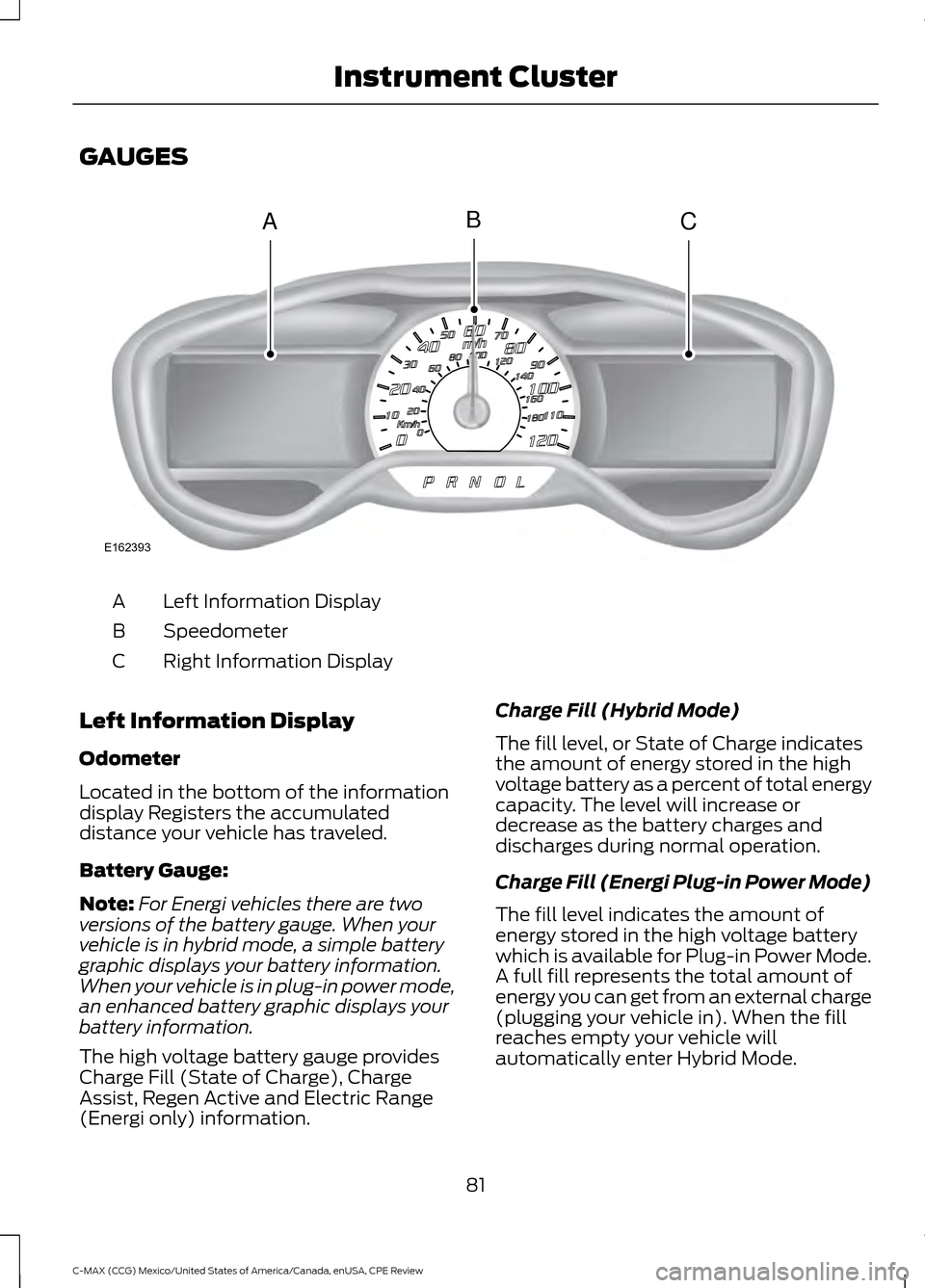
GAUGES
Left Information Display
A
Speedometer
B
Right Information Display
C
Left Information Display
Odometer
Located in the bottom of the information
display Registers the accumulated
distance your vehicle has traveled.
Battery Gauge:
Note: For Energi vehicles there are two
versions of the battery gauge. When your
vehicle is in hybrid mode, a simple battery
graphic displays your battery information.
When your vehicle is in plug-in power mode,
an enhanced battery graphic displays your
battery information.
The high voltage battery gauge provides
Charge Fill (State of Charge), Charge
Assist, Regen Active and Electric Range
(Energi only) information. Charge Fill (Hybrid Mode)
The fill level, or State of Charge indicates
the amount of energy stored in the high
voltage battery as a percent of total energy
capacity. The level will increase or
decrease as the battery charges and
discharges during normal operation.
Charge Fill (Energi Plug-in Power Mode)
The fill level indicates the amount of
energy stored in the high voltage battery
which is available for Plug-in Power Mode.
A full fill represents the total amount of
energy you can get from an external charge
(plugging your vehicle in). When the fill
reaches empty your vehicle will
automatically enter Hybrid Mode.
81
C-MAX (CCG) Mexico/United States of America/Canada, enUSA, CPE Review Instrument ClusterACB
E162393
Page 85 of 455
Charge Assist
The up and down arrows provide
information about the energy going into
and out of the high voltage battery. The up
arrow above the battery indicates battery
charging such as from regenerative braking.
The down arrow below the battery
indicates battery discharging to provide
power for propulsion or vehicle
accessories.
Regen Active
A circular arrow symbol appears in the
center of the battery gauge when energy
is being recaptured through the
regenerative braking system.
This feature can be switched on or off in
the information displays settings menu.
See General Information (page 88).
Fuel Gauge:
Note: The fuel gauge may vary slightly
when your vehicle is moving or on a gradient. Switch the ignition on. The fuel gauge will
indicate approximately how much fuel is
left in the fuel tank. The arrow adjacent to
the fuel pump symbol indicates on which
side of your vehicle the fuel filler door is
located.
The needle should move toward F when
you refuel your vehicle. If the needle points
to E after adding fuel, this indicates your
vehicle needs service soon.
After refueling some variability in needle
position is normal:
•
It may take a short time for the needle
to reach F after leaving the gas station.
This is normal and depends upon the
slope of pavement at the gas station.
• The fuel amount dispensed into the
tank is a little less or more than the
gauge indicated. This is normal and
depends upon the slope of pavement
at the gas station.
• If the gas station nozzle shuts off
before the tank is full, try a different
gas pump nozzle.
Low Fuel Reminder
A low fuel reminder triggers when the fuel
gauge needle is at 1/16th.
Variations: Distance-to-empty
Fuel gauge position
Driving type (fuel economy
conditions)
35 miles to 80 miles (56 kmto 129 km)
1/16th
Highway driving
35 miles (56km)
1/16th
Severe duty driving (trailer
towing, extended idle)
Vehicle Settings and Personalization
Display/Trip
See
General Information (page 88). Information
See
General Information (page 88).
Settings
See
General Information (page 88).
82
C-MAX (CCG) Mexico/United States of America/Canada, enUSA, CPE Review Instrument Cluster
Page 86 of 455
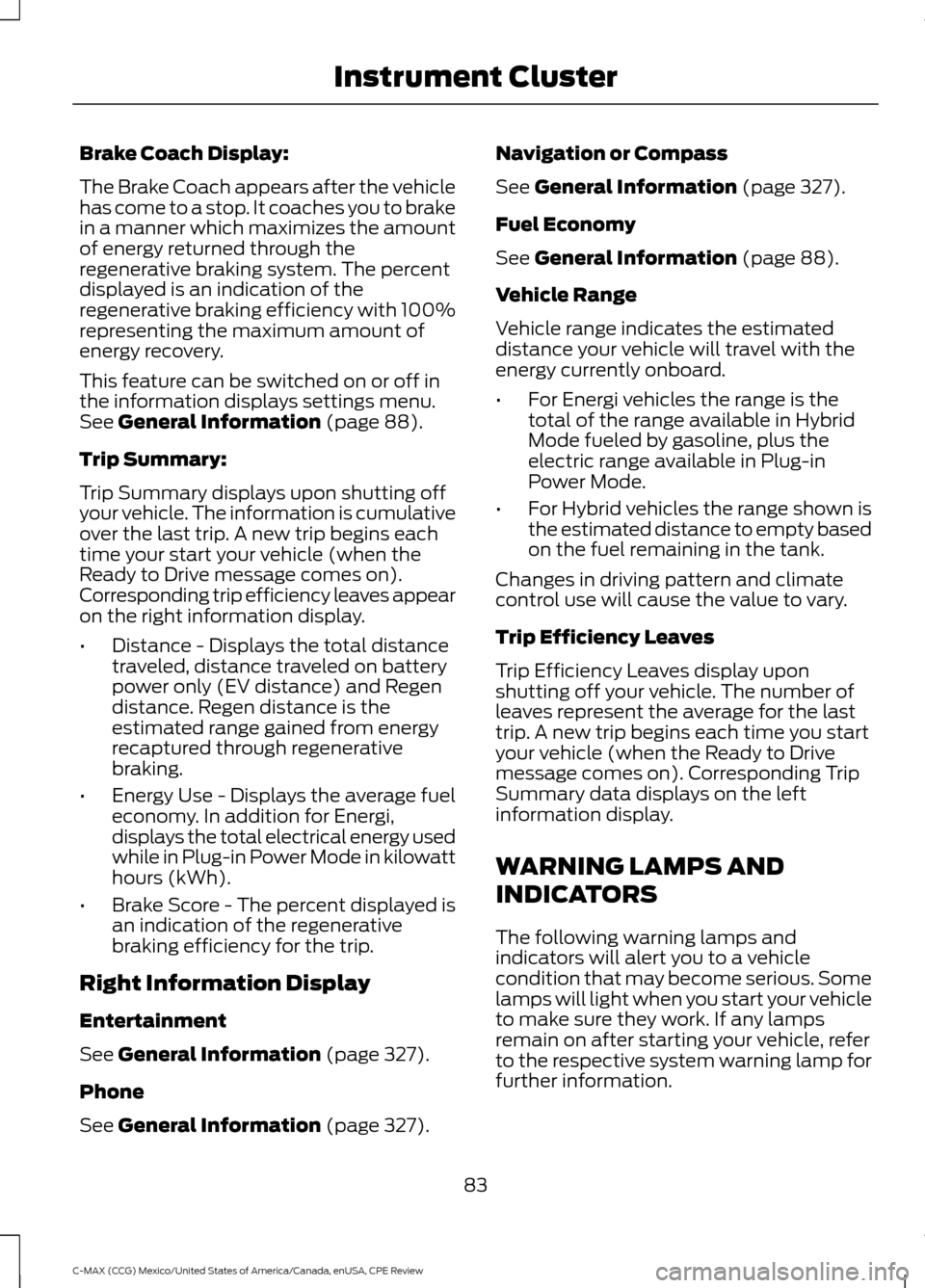
Brake Coach Display:
The Brake Coach appears after the vehicle
has come to a stop. It coaches you to brake
in a manner which maximizes the amount
of energy returned through the
regenerative braking system. The percent
displayed is an indication of the
regenerative braking efficiency with 100%
representing the maximum amount of
energy recovery.
This feature can be switched on or off in
the information displays settings menu.
See General Information (page 88).
Trip Summary:
Trip Summary displays upon shutting off
your vehicle. The information is cumulative
over the last trip. A new trip begins each
time your start your vehicle (when the
Ready to Drive message comes on).
Corresponding trip efficiency leaves appear
on the right information display.
• Distance - Displays the total distance
traveled, distance traveled on battery
power only (EV distance) and Regen
distance. Regen distance is the
estimated range gained from energy
recaptured through regenerative
braking.
• Energy Use - Displays the average fuel
economy. In addition for Energi,
displays the total electrical energy used
while in Plug-in Power Mode in kilowatt
hours (kWh).
• Brake Score - The percent displayed is
an indication of the regenerative
braking efficiency for the trip.
Right Information Display
Entertainment
See
General Information (page 327).
Phone
See
General Information (page 327). Navigation or Compass
See
General Information (page 327).
Fuel Economy
See
General Information (page 88).
Vehicle Range
Vehicle range indicates the estimated
distance your vehicle will travel with the
energy currently onboard.
• For Energi vehicles the range is the
total of the range available in Hybrid
Mode fueled by gasoline, plus the
electric range available in Plug-in
Power Mode.
• For Hybrid vehicles the range shown is
the estimated distance to empty based
on the fuel remaining in the tank.
Changes in driving pattern and climate
control use will cause the value to vary.
Trip Efficiency Leaves
Trip Efficiency Leaves display upon
shutting off your vehicle. The number of
leaves represent the average for the last
trip. A new trip begins each time you start
your vehicle (when the Ready to Drive
message comes on). Corresponding Trip
Summary data displays on the left
information display.
WARNING LAMPS AND
INDICATORS
The following warning lamps and
indicators will alert you to a vehicle
condition that may become serious. Some
lamps will light when you start your vehicle
to make sure they work. If any lamps
remain on after starting your vehicle, refer
to the respective system warning lamp for
further information.
83
C-MAX (CCG) Mexico/United States of America/Canada, enUSA, CPE Review Instrument Cluster
Page 87 of 455
Note:
Some warning indicators appear in
the information display and function the
same as a warning lamp but do not display
when you start your vehicle.
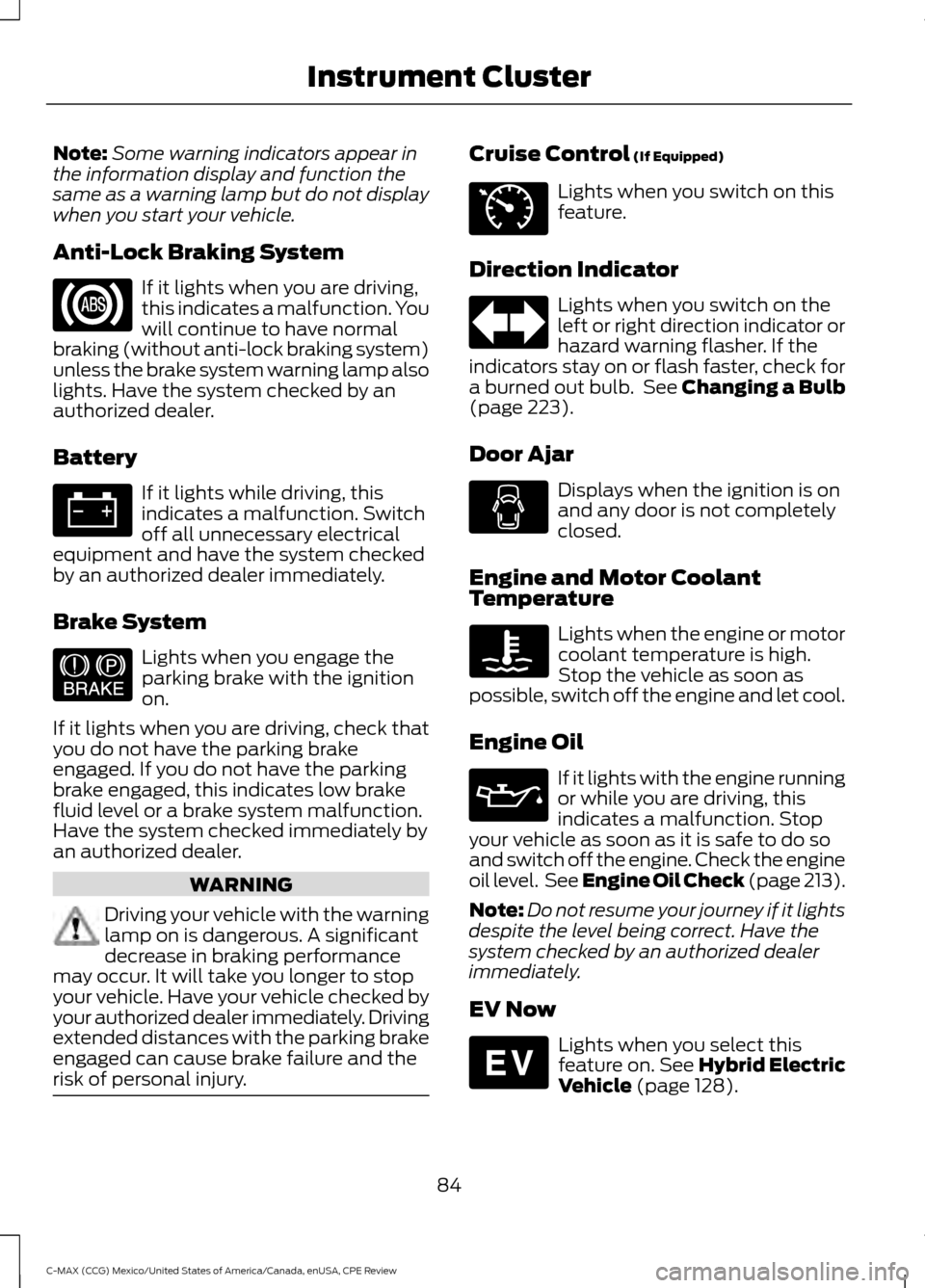
Anti-Lock Braking System If it lights when you are driving,
this indicates a malfunction. You
will continue to have normal
braking (without anti-lock braking system)
unless the brake system warning lamp also
lights. Have the system checked by an
authorized dealer.
Battery If it lights while driving, this
indicates a malfunction. Switch
off all unnecessary electrical
equipment and have the system checked
by an authorized dealer immediately.
Brake System Lights when you engage the
parking brake with the ignition
on.
If it lights when you are driving, check that
you do not have the parking brake
engaged. If you do not have the parking
brake engaged, this indicates low brake
fluid level or a brake system malfunction.
Have the system checked immediately by
an authorized dealer. WARNING
Driving your vehicle with the warning
lamp on is dangerous. A significant
decrease in braking performance
may occur. It will take you longer to stop
your vehicle. Have your vehicle checked by
your authorized dealer immediately. Driving
extended distances with the parking brake
engaged can cause brake failure and the
risk of personal injury. Cruise Control (If Equipped)
Lights when you switch on this
feature.
Direction Indicator Lights when you switch on the
left or right direction indicator or
hazard warning flasher. If the
indicators stay on or flash faster, check for
a burned out bulb. See
Changing a Bulb
(page 223).
Door Ajar Displays when the ignition is on
and any door is not completely
closed.
Engine and Motor Coolant
Temperature Lights when the engine or motor
coolant temperature is high.
Stop the vehicle as soon as
possible, switch off the engine and let cool.
Engine Oil If it lights with the engine running
or while you are driving, this
indicates a malfunction. Stop
your vehicle as soon as it is safe to do so
and switch off the engine. Check the engine
oil level. See Engine Oil Check (page 213).
Note: Do not resume your journey if it lights
despite the level being correct. Have the
system checked by an authorized dealer
immediately.
EV Now Lights when you select this
feature on. See Hybrid Electric
Vehicle
(page 128).
84
C-MAX (CCG) Mexico/United States of America/Canada, enUSA, CPE Review Instrument Cluster E144522 E71340 E144814
Page 88 of 455
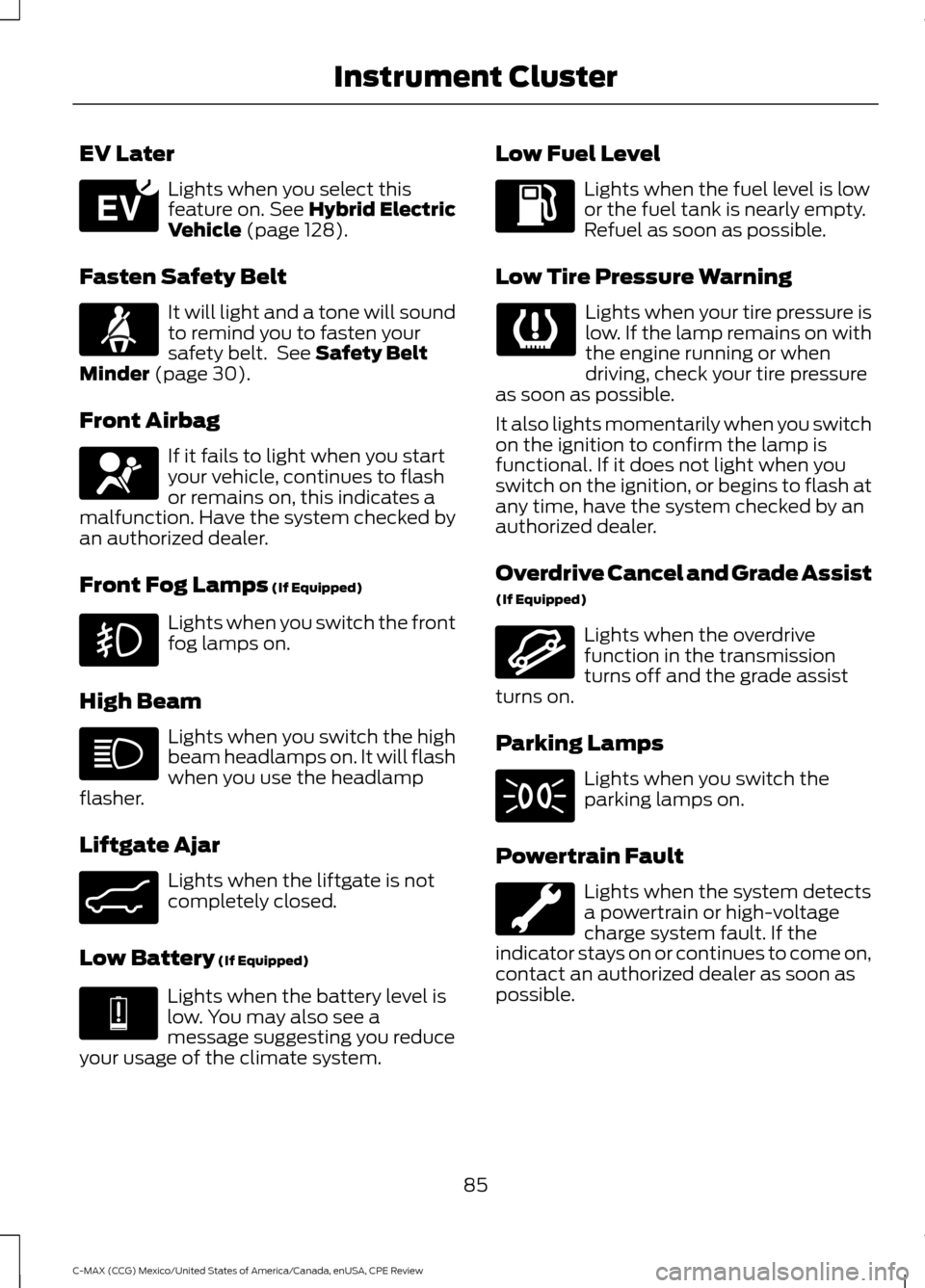
EV Later
Lights when you select this
feature on. See Hybrid Electric
Vehicle (page 128).
Fasten Safety Belt It will light and a tone will sound
to remind you to fasten your
safety belt. See
Safety Belt
Minder (page 30).
Front Airbag If it fails to light when you start
your vehicle, continues to flash
or remains on, this indicates a
malfunction. Have the system checked by
an authorized dealer.
Front Fog Lamps
(If Equipped) Lights when you switch the front
fog lamps on.
High Beam Lights when you switch the high
beam headlamps on. It will flash
when you use the headlamp
flasher.
Liftgate Ajar Lights when the liftgate is not
completely closed.
Low Battery
(If Equipped) Lights when the battery level is
low. You may also see a
message suggesting you reduce
your usage of the climate system. Low Fuel Level Lights when the fuel level is low
or the fuel tank is nearly empty.
Refuel as soon as possible.
Low Tire Pressure Warning Lights when your tire pressure is
low. If the lamp remains on with
the engine running or when
driving, check your tire pressure
as soon as possible.
It also lights momentarily when you switch
on the ignition to confirm the lamp is
functional. If it does not light when you
switch on the ignition, or begins to flash at
any time, have the system checked by an
authorized dealer.
Overdrive Cancel and Grade Assist
(If Equipped) Lights when the overdrive
function in the transmission
turns off and the grade assist
turns on.
Parking Lamps Lights when you switch the
parking lamps on.
Powertrain Fault Lights when the system detects
a powertrain or high-voltage
charge system fault. If the
indicator stays on or continues to come on,
contact an authorized dealer as soon as
possible.
85
C-MAX (CCG) Mexico/United States of America/Canada, enUSA, CPE Review Instrument ClusterE151263 E162453 E144691 E162456
Page 92 of 455
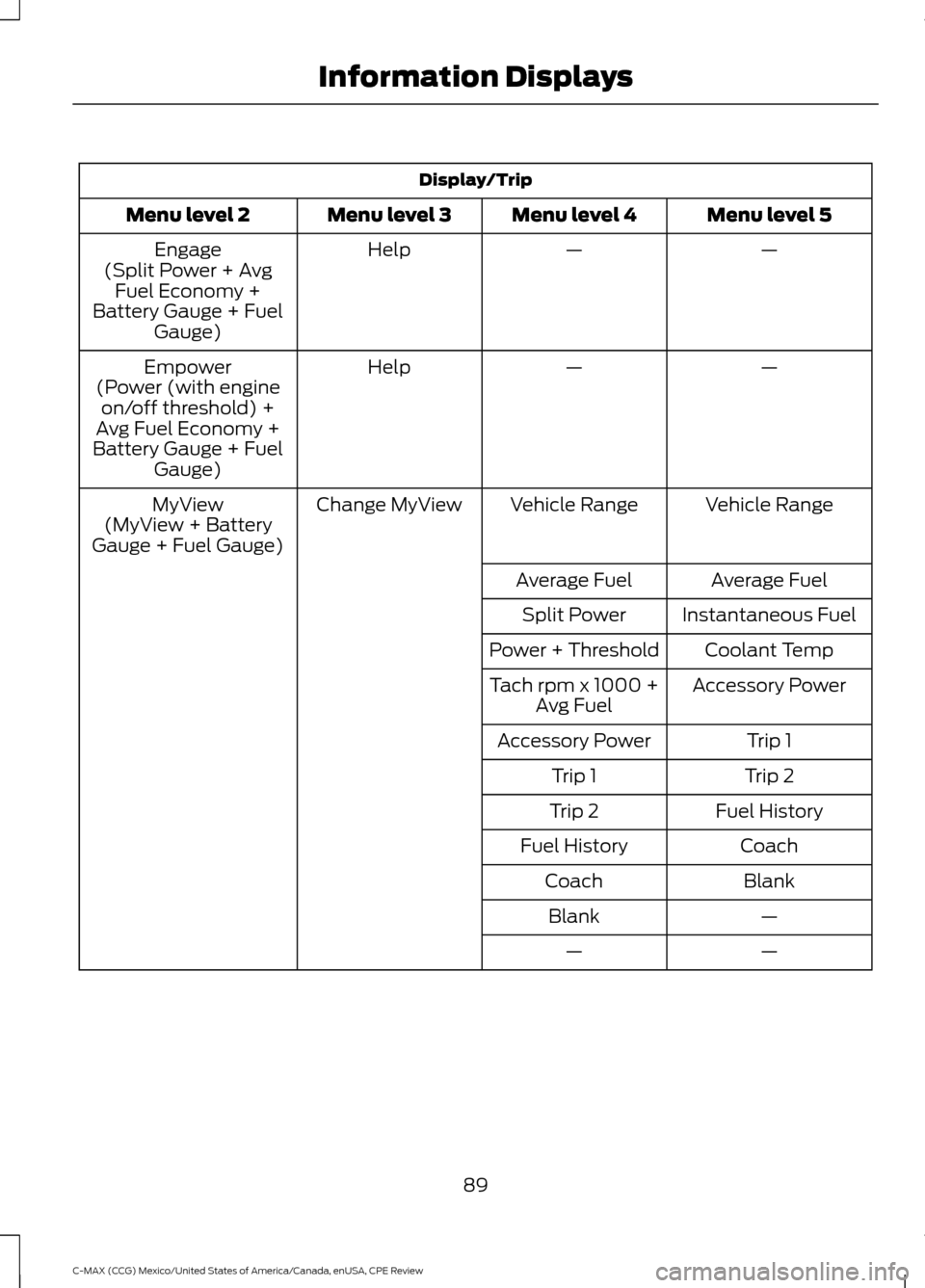
Display/Trip
Menu level 5
Menu level 4
Menu level 3
Menu level 2
—
—
Help
Engage
(Split Power + Avg Fuel Economy +
Battery Gauge + Fuel Gauge)
—
—
Help
Empower
(Power (with engine on/off threshold) +
Avg Fuel Economy +
Battery Gauge + Fuel Gauge)
Vehicle Range
Vehicle Range
Change MyView
MyView
(MyView + Battery
Gauge + Fuel Gauge)
Average Fuel
Average Fuel
Instantaneous Fuel
Split Power
Coolant Temp
Power + Threshold
Accessory Power
Tach rpm x 1000 +
Avg Fuel
Trip 1
Accessory Power
Trip 2
Trip 1
Fuel History
Trip 2
Coach
Fuel History
Blank
Coach
—
Blank
—
—
89
C-MAX (CCG) Mexico/United States of America/Canada, enUSA, CPE Review Information Displays
Page 93 of 455
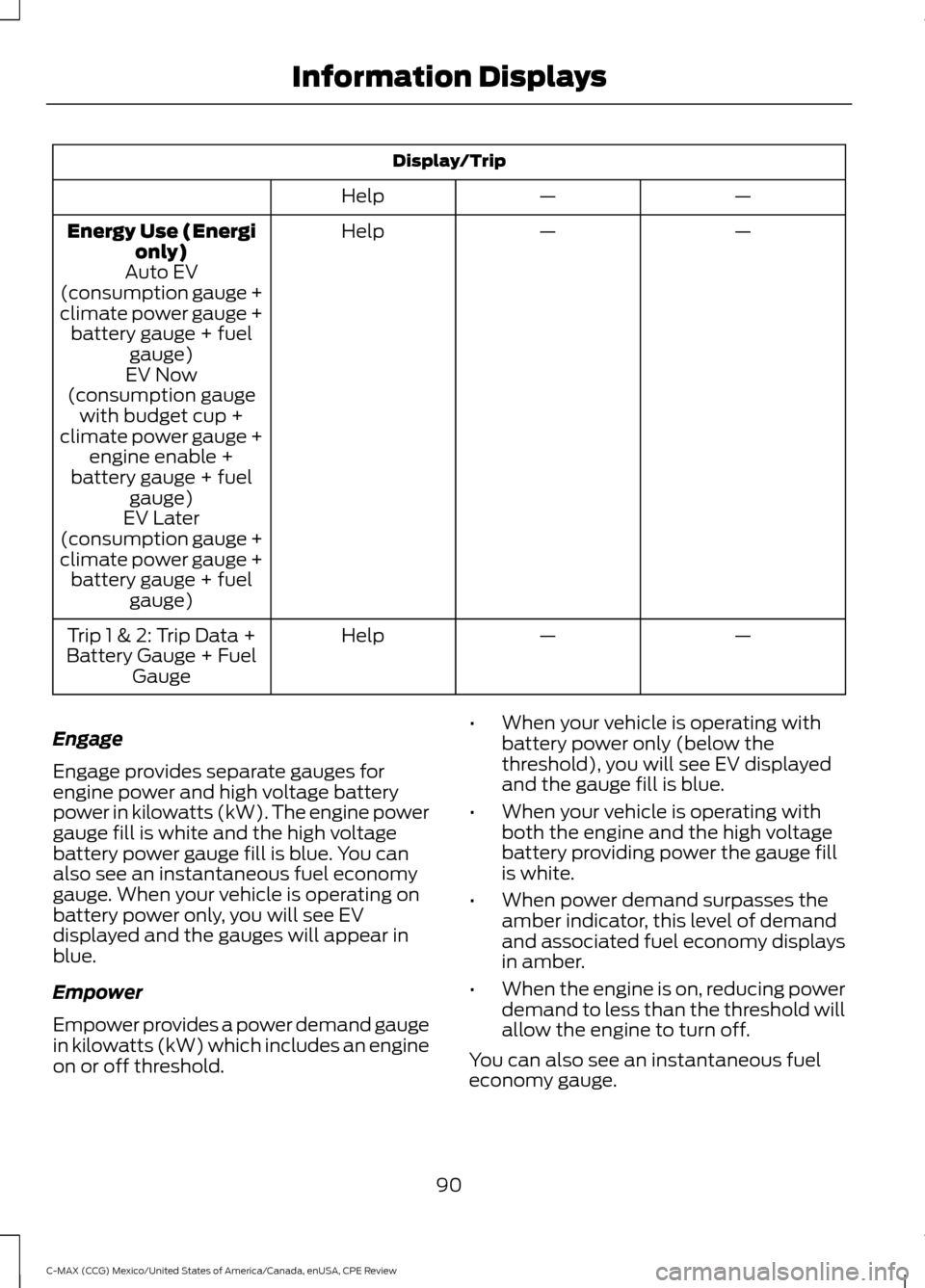
Display/Trip
—
—
Help
—
—
Help
Energy Use (Energi
only)
Auto EV
(consumption gauge +
climate power gauge + battery gauge + fuel gauge)
EV Now
(consumption gauge with budget cup +
climate power gauge + engine enable +
battery gauge + fuel gauge)
EV Later
(consumption gauge +
climate power gauge + battery gauge + fuel gauge)
—
—
Help
Trip 1 & 2: Trip Data +
Battery Gauge + Fuel Gauge
Engage
Engage provides separate gauges for
engine power and high voltage battery
power in kilowatts (kW). The engine power
gauge fill is white and the high voltage
battery power gauge fill is blue. You can
also see an instantaneous fuel economy
gauge. When your vehicle is operating on
battery power only, you will see EV
displayed and the gauges will appear in
blue.
Empower
Empower provides a power demand gauge
in kilowatts (kW) which includes an engine
on or off threshold. •
When your vehicle is operating with
battery power only (below the
threshold), you will see EV displayed
and the gauge fill is blue.
• When your vehicle is operating with
both the engine and the high voltage
battery providing power the gauge fill
is white.
• When power demand surpasses the
amber indicator, this level of demand
and associated fuel economy displays
in amber.
• When the engine is on, reducing power
demand to less than the threshold will
allow the engine to turn off.
You can also see an instantaneous fuel
economy gauge.
90
C-MAX (CCG) Mexico/United States of America/Canada, enUSA, CPE Review Information Displays
Page 95 of 455
•
Tach rpm x 1000 — When the gasoline
engine is running, the tachometer
gauge displays the engine speed in
revolutions per minute (RPM). When
your vehicle is operating on battery
power only with the engine off, EV
displays and the tachometer is greyed
out.
Note: The trip data, and average fuel
economy cannot be reset in MyView.
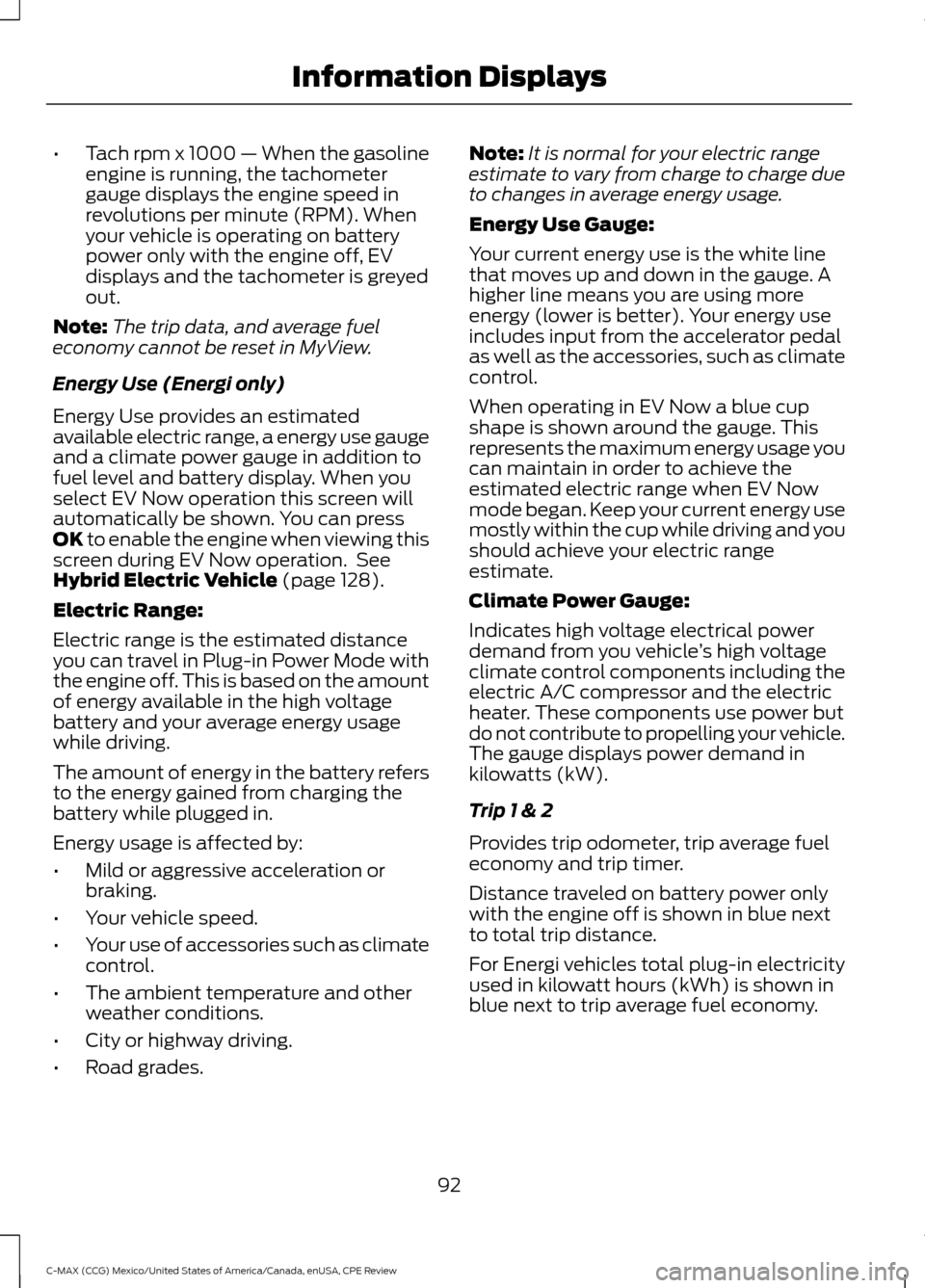
Energy Use (Energi only)
Energy Use provides an estimated
available electric range, a energy use gauge
and a climate power gauge in addition to
fuel level and battery display. When you
select EV Now operation this screen will
automatically be shown. You can press
OK to enable the engine when viewing this
screen during EV Now operation. See
Hybrid Electric Vehicle
(page 128).
Electric Range:
Electric range is the estimated distance
you can travel in Plug-in Power Mode with
the engine off. This is based on the amount
of energy available in the high voltage
battery and your average energy usage
while driving.
The amount of energy in the battery refers
to the energy gained from charging the
battery while plugged in.
Energy usage is affected by:
• Mild or aggressive acceleration or
braking.
• Your vehicle speed.
• Your use of accessories such as climate
control.
• The ambient temperature and other
weather conditions.
• City or highway driving.
• Road grades. Note:
It is normal for your electric range
estimate to vary from charge to charge due
to changes in average energy usage.
Energy Use Gauge:
Your current energy use is the white line
that moves up and down in the gauge. A
higher line means you are using more
energy (lower is better). Your energy use
includes input from the accelerator pedal
as well as the accessories, such as climate
control.
When operating in EV Now a blue cup
shape is shown around the gauge. This
represents the maximum energy usage you
can maintain in order to achieve the
estimated electric range when EV Now
mode began. Keep your current energy use
mostly within the cup while driving and you
should achieve your electric range
estimate.
Climate Power Gauge:
Indicates high voltage electrical power
demand from you vehicle ’s high voltage
climate control components including the
electric A/C compressor and the electric
heater. These components use power but
do not contribute to propelling your vehicle.
The gauge displays power demand in
kilowatts (kW).
Trip 1 & 2
Provides trip odometer, trip average fuel
economy and trip timer.
Distance traveled on battery power only
with the engine off is shown in blue next
to total trip distance.
For Energi vehicles total plug-in electricity
used in kilowatt hours (kWh) is shown in
blue next to trip average fuel economy.
92
C-MAX (CCG) Mexico/United States of America/Canada, enUSA, CPE Review Information Displays