CD player FORD C-MAY HYBRID 2018 Owner's Manual
[x] Cancel search | Manufacturer: FORD, Model Year: 2018, Model line: C-MAY HYBRID, Model: FORD C-MAY HYBRID 2018Pages: 475, PDF Size: 8.09 MB
Page 410 of 475
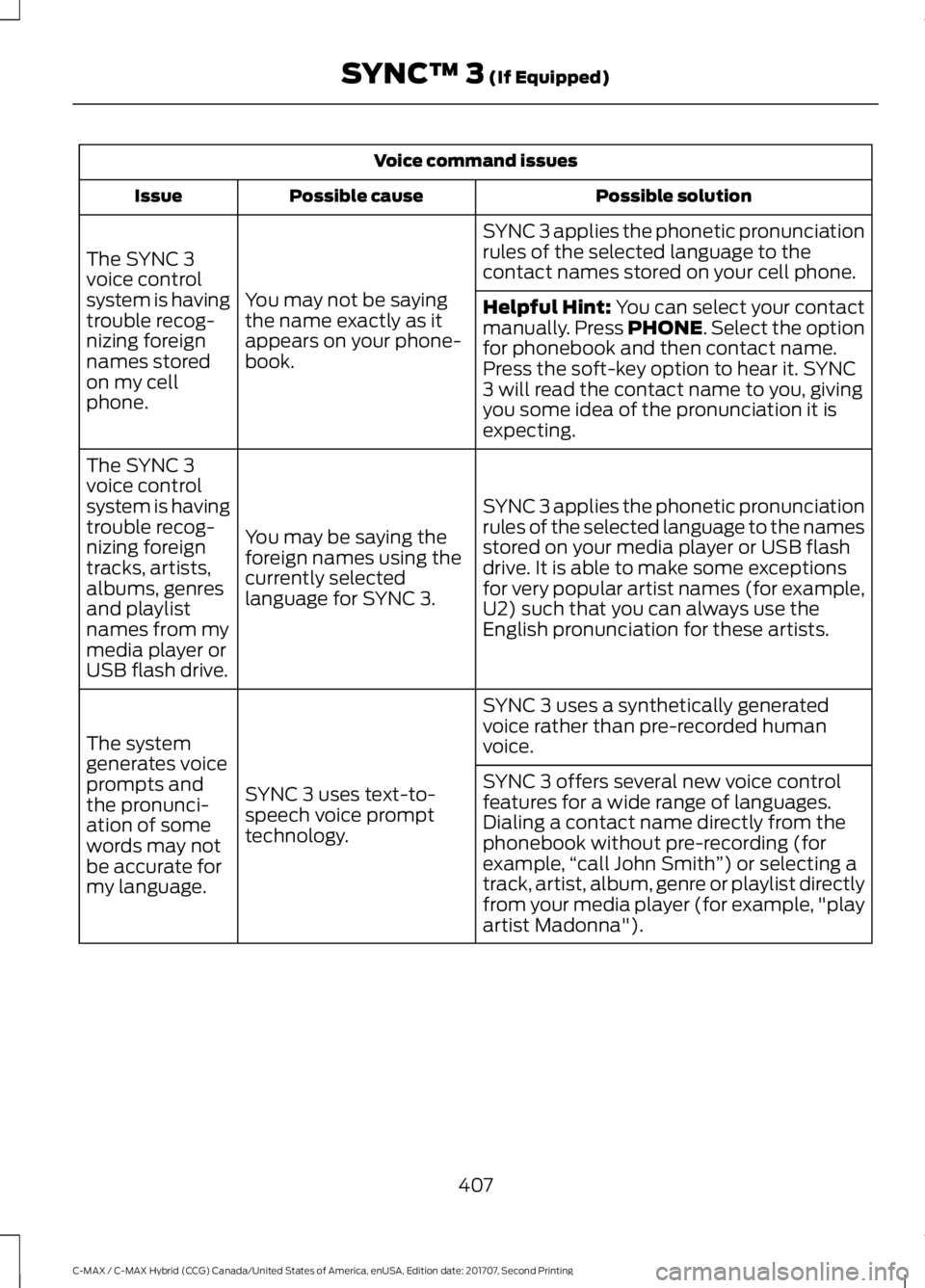
Voice command issues
Possible solution
Possible cause
Issue
SYNC 3 applies the phonetic pronunciation
rules of the selected language to the
contact names stored on your cell phone.
You may not be saying
the name exactly as it
appears on your phone-
book.
The SYNC 3
voice control
system is having
trouble recog-
nizing foreign
names stored
on my cell
phone.
Helpful Hint: You can select your contact
manually. Press PHONE. Select the option
for phonebook and then contact name.
Press the soft-key option to hear it. SYNC
3 will read the contact name to you, giving
you some idea of the pronunciation it is
expecting.
SYNC 3 applies the phonetic pronunciation
rules of the selected language to the names
stored on your media player or USB flash
drive. It is able to make some exceptions
for very popular artist names (for example,
U2) such that you can always use the
English pronunciation for these artists.
You may be saying the
foreign names using the
currently selected
language for SYNC 3.
The SYNC 3
voice control
system is having
trouble recog-
nizing foreign
tracks, artists,
albums, genres
and playlist
names from my
media player or
USB flash drive.
SYNC 3 uses a synthetically generated
voice rather than pre-recorded human
voice.
SYNC 3 uses text-to-
speech voice prompt
technology.
The system
generates voice
prompts and
the pronunci-
ation of some
words may not
be accurate for
my language. SYNC 3 offers several new voice control
features for a wide range of languages.
Dialing a contact name directly from the
phonebook without pre-recording (for
example,
“call John Smith ”) or selecting a
track, artist, album, genre or playlist directly
from your media player (for example, "play
artist Madonna").
407
C-MAX / C-MAX Hybrid (CCG) Canada/United States of America, enUSA, Edition date: 201707, Second Printing SYNC™ 3
(If Equipped)
Page 413 of 475
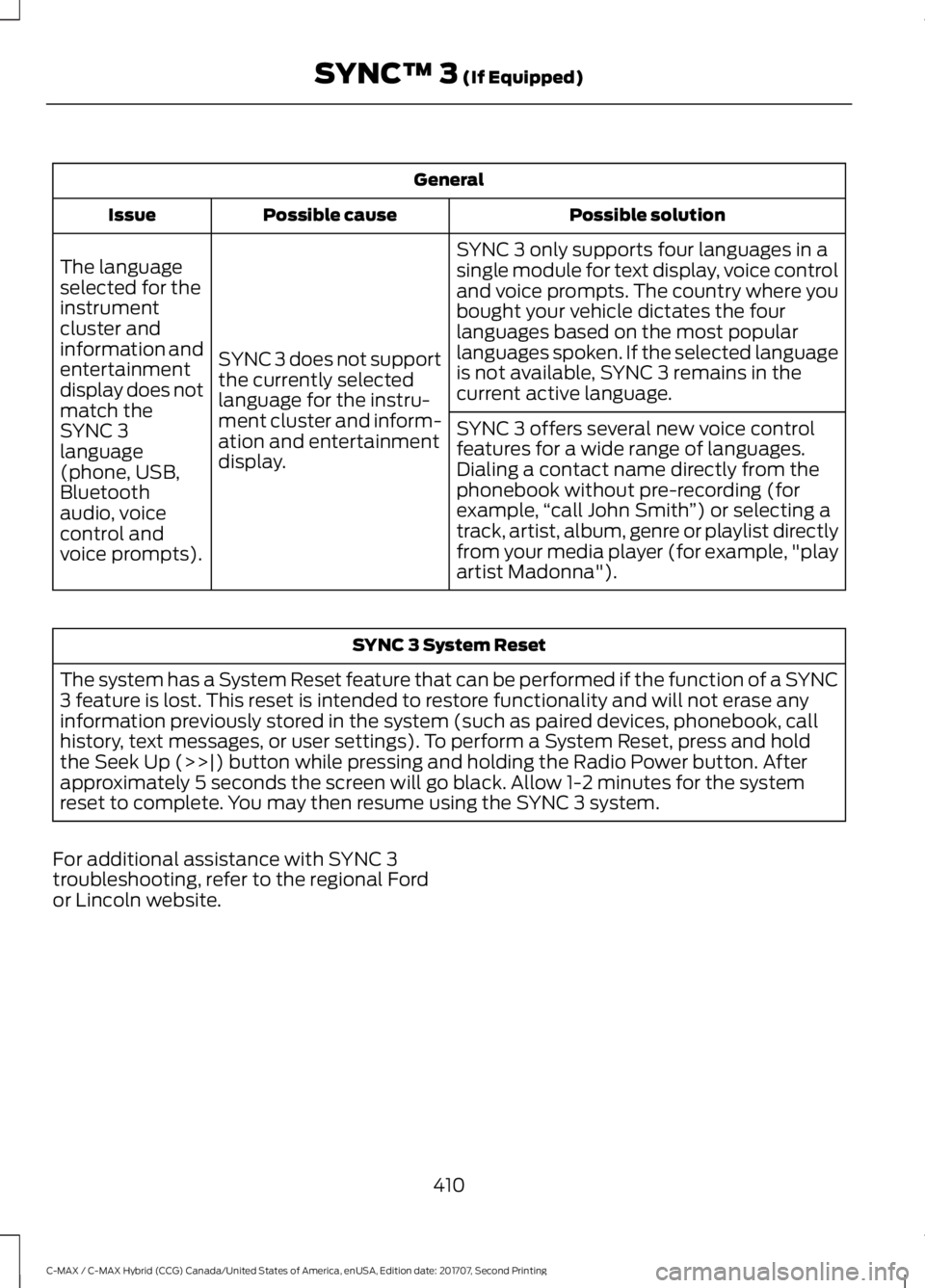
General
Possible solution
Possible cause
Issue
SYNC 3 only supports four languages in a
single module for text display, voice control
and voice prompts. The country where you
bought your vehicle dictates the four
languages based on the most popular
languages spoken. If the selected language
is not available, SYNC 3 remains in the
current active language.
SYNC 3 does not support
the currently selected
language for the instru-
ment cluster and inform-
ation and entertainment
display.
The language
selected for the
instrument
cluster and
information and
entertainment
display does not
match the
SYNC 3
SYNC 3 offers several new voice control
features for a wide range of languages.
Dialing a contact name directly from the
phonebook without pre-recording (for
example,
“call John Smith ”) or selecting a
track, artist, album, genre or playlist directly
from your media player (for example, "play
artist Madonna").
language
(phone, USB,
Bluetooth
audio, voice
control and
voice prompts). SYNC 3 System Reset
The system has a System Reset feature that can be performed if the function of a SYNC
3 feature is lost. This reset is intended to restore functionality and will not erase any
information previously stored in the system (such as paired devices, phonebook, call
history, text messages, or user settings). To perform a System Reset, press and hold
the Seek Up (>>|) button while pressing and holding the Radio Power button. After
approximately 5 seconds the screen will go black. Allow 1-2 minutes for the system
reset to complete. You may then resume using the SYNC 3 system.
For additional assistance with SYNC 3
troubleshooting, refer to the regional Ford
or Lincoln website.
410
C-MAX / C-MAX Hybrid (CCG) Canada/United States of America, enUSA, Edition date: 201707, Second Printing SYNC™ 3 (If Equipped)
Page 468 of 475
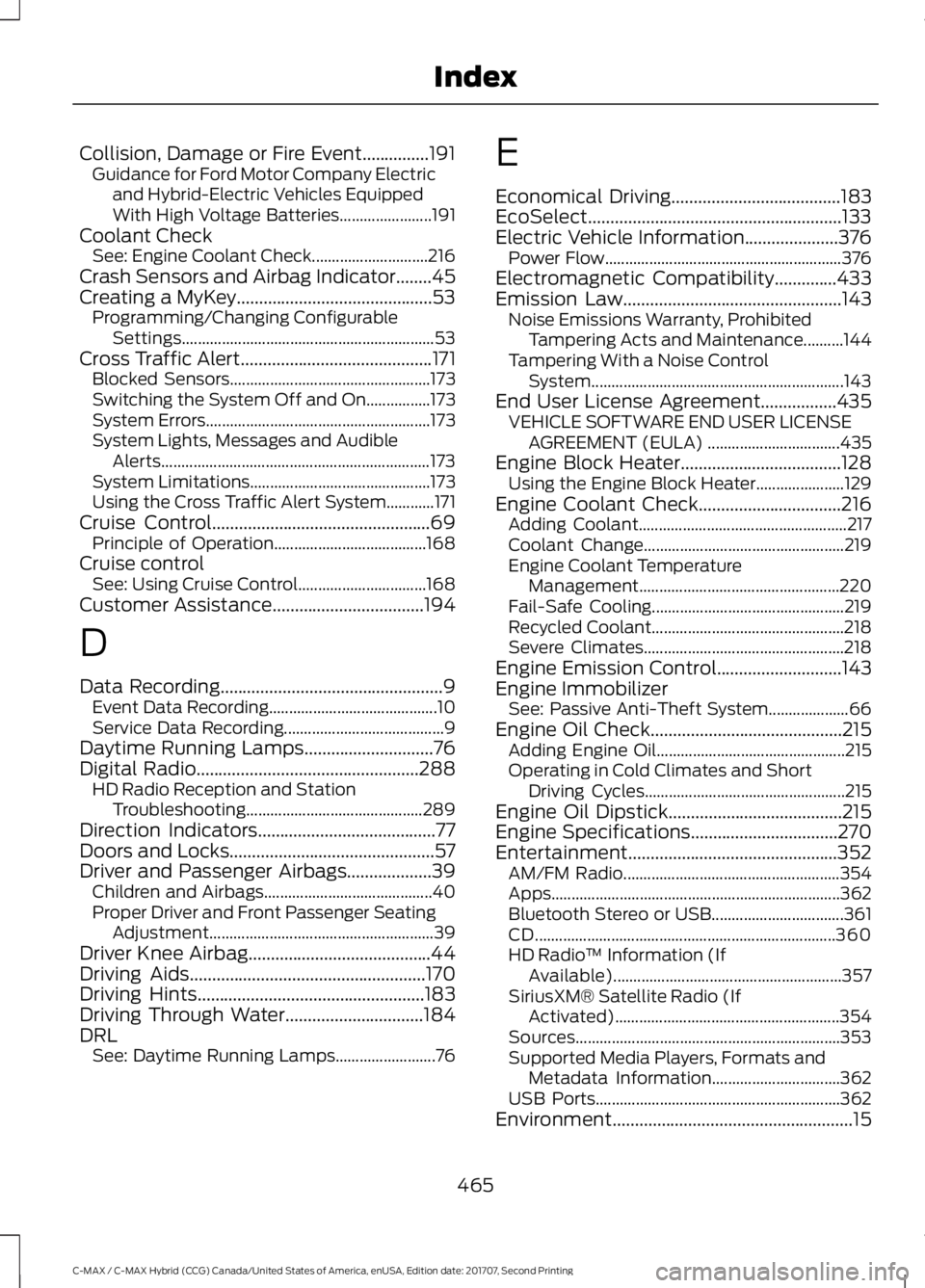
Collision, Damage or Fire Event...............191
Guidance for Ford Motor Company Electric
and Hybrid-Electric Vehicles Equipped
With High Voltage Batteries....................... 191
Coolant Check See: Engine Coolant Check............................. 216
Crash Sensors and Airbag Indicator........45
Creating a MyKey............................................53 Programming/Changing Configurable
Settings............................................................... 53
Cross Traffic Alert
...........................................171
Blocked Sensors.................................................. 173
Switching the System Off and On................173
System Errors........................................................ 173
System Lights, Messages and Audible Alerts................................................................... 173
System Limitations............................................. 173
Using the Cross Traffic Alert System............171
Cruise Control
.................................................69
Principle of Operation...................................... 168
Cruise control See: Using Cruise Control................................ 168
Customer Assistance
..................................194
D
Data Recording
..................................................9
Event Data Recording.......................................... 10
Service Data Recording........................................ 9
Daytime Running Lamps.............................76
Digital Radio
..................................................288
HD Radio Reception and Station
Troubleshooting............................................ 289
Direction Indicators
........................................77
Doors and Locks..............................................57
Driver and Passenger Airbags...................39 Children and Airbags.......................................... 40
Proper Driver and Front Passenger Seating Adjustment........................................................ 39
Driver Knee Airbag
.........................................44
Driving Aids.....................................................170
Driving Hints...................................................183
Driving Through Water...............................184
DRL See: Daytime Running Lamps......................... 76E
Economical Driving
......................................183
EcoSelect.........................................................133
Electric Vehicle Information
.....................376
Power Flow........................................................... 376
Electromagnetic Compatibility
..............433
Emission Law.................................................143 Noise Emissions Warranty, Prohibited
Tampering Acts and Maintenance..........144
Tampering With a Noise Control System............................................................... 143
End User License Agreement
.................435
VEHICLE SOFTWARE END USER LICENSE
AGREEMENT (EULA) ................................. 435
Engine Block Heater
....................................128
Using the Engine Block Heater...................... 129
Engine Coolant Check
................................216
Adding Coolant.................................................... 217
Coolant Change.................................................. 219
Engine Coolant Temperature Management.................................................. 220
Fail-Safe Cooling................................................ 219
Recycled Coolant................................................ 218
Severe Climates.................................................. 218
Engine Emission Control............................143
Engine Immobilizer See: Passive Anti-Theft System.................... 66
Engine Oil Check
...........................................215
Adding Engine Oil............................................... 215
Operating in Cold Climates and Short Driving Cycles.................................................. 215
Engine Oil Dipstick.......................................215
Engine Specifications
.................................270
Entertainment...............................................352 AM/FM Radio...................................................... 354
Apps........................................................................\
362
Bluetooth Stereo or USB................................. 361
CD........................................................................\
... 360
HD Radio ™ Information (If
Available)......................................................... 357
SiriusXM® Satellite Radio (If Activated)........................................................ 354
Sources.................................................................. 353
Supported Media Players, Formats and Metadata Information................................ 362
USB Ports............................................................. 362
Environment
......................................................15
465
C-MAX / C-MAX Hybrid (CCG) Canada/United States of America, enUSA, Edition date: 201707, Second Printing Index
Page 473 of 475
S
Safety Canopy
™............................................44
Safety Precautions......................................136
Satellite Radio
..............................................290
Satellite Radio Electronic Serial Number
(ESN)................................................................. 291
Satellite Radio Reception Factors................291
SiriusXM Satellite Radio Service................... 291
Troubleshooting................................................. 292
Scheduled Maintenance Record
............422
Scheduled Maintenance............................415
Seatbelt Extension........................................36
Seatbelt Height Adjustment
......................33
Seatbelt Reminder........................................34
Belt-Minder™........................................................ 34
Seatbelts...........................................................30 Principle of Operation........................................ 30
Seatbelt Warning Lamp and Indicator Chime...............................................................33
Conditions of operation..................................... 33
Seats....................................................................111
Security
..............................................................66
Settings...........................................................383 911 Assist............................................................... 388
Ambient Lighting............................................... 395
Bluetooth.............................................................. 385
Clock....................................................................... 385
Display................................................................... 396
General.................................................................. 393
Media Player........................................................ 384
Mobile Apps.......................................................... 391
Navigation............................................................ 389
Phone..................................................................... 385
Radio...................................................................... 388
SiriusXM................................................................ 389
Sound..................................................................... 383
Valet Mode........................................................... 397
Vehicle................................................................... 395
Voice Control....................................................... 396
Wi-Fi & Hotspot................................................. 393
Side Airbags
.....................................................43
Sitting in the Correct Position....................111
Snow Chains See: Using Snow Chains................................. 264
Special Notices................................................12 New Vehicle Limited Warranty......................... 12On Board Diagnostics Data Link
Connector............................................................ 13
Special Instructions.............................................. 12
Special Operating Conditions Scheduled Maintenance..............................................420
Exceptions............................................................. 421
Speed Control See: Cruise Control............................................ 168
Stability Control
.............................................157
Principle of Operation....................................... 157
Starter Switch See: Ignition Switch........................................... 125
Starting a Hybrid Electric Vehicle System...........................................................126
Guarding Against Exhaust Fumes................128
Important Ventilating Information...............128
Switching Off the Vehicle When It Is Moving............................................................... 128
Switching Off the Vehicle When It Is Stationary.......................................................... 127
Vehicles with an Ignition Key.......................... 127
Vehicles with Keyless Start............................. 126
Starting and Stopping the Engine
..........125
General Information.......................................... 125
Steering.............................................................174 Electric Power Steering..................................... 174
Steering Wheel
...............................................68
Storage Compartments.............................124
Sun Shades
......................................................83
Bounce-Back......................................................... 83
Opening and Closing the Sun Shade...........83
Sun Shade Relearning........................................ 83
Sun Visors
.........................................................82
Illuminated Vanity Mirror................................... 83
Supplementary Restraints System.........38 Principle of Operation........................................ 38
Symbols Glossary
.............................................7
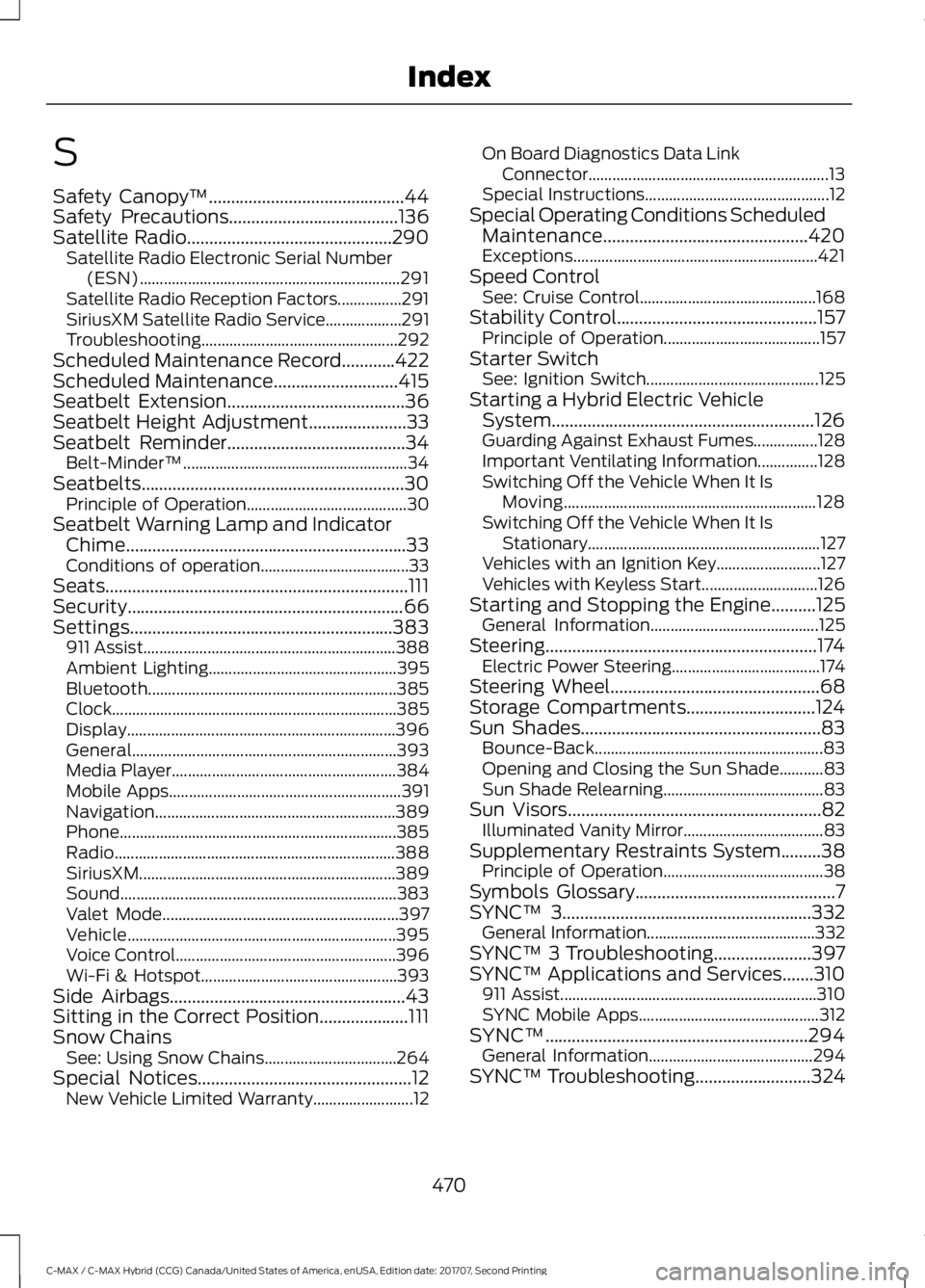
SYNC™ 3........................................................332
General Information.......................................... 332
SYNC™ 3 Troubleshooting......................397
SYNC™ Applications and Services
.......310
911 Assist................................................................ 310
SYNC Mobile Apps............................................. 312
SYNC™...........................................................294 General Information......................................... 294
SYNC™ Troubleshooting
..........................324
470
C-MAX / C-MAX Hybrid (CCG) Canada/United States of America, enUSA, Edition date: 201707, Second Printing Index
Page 474 of 475
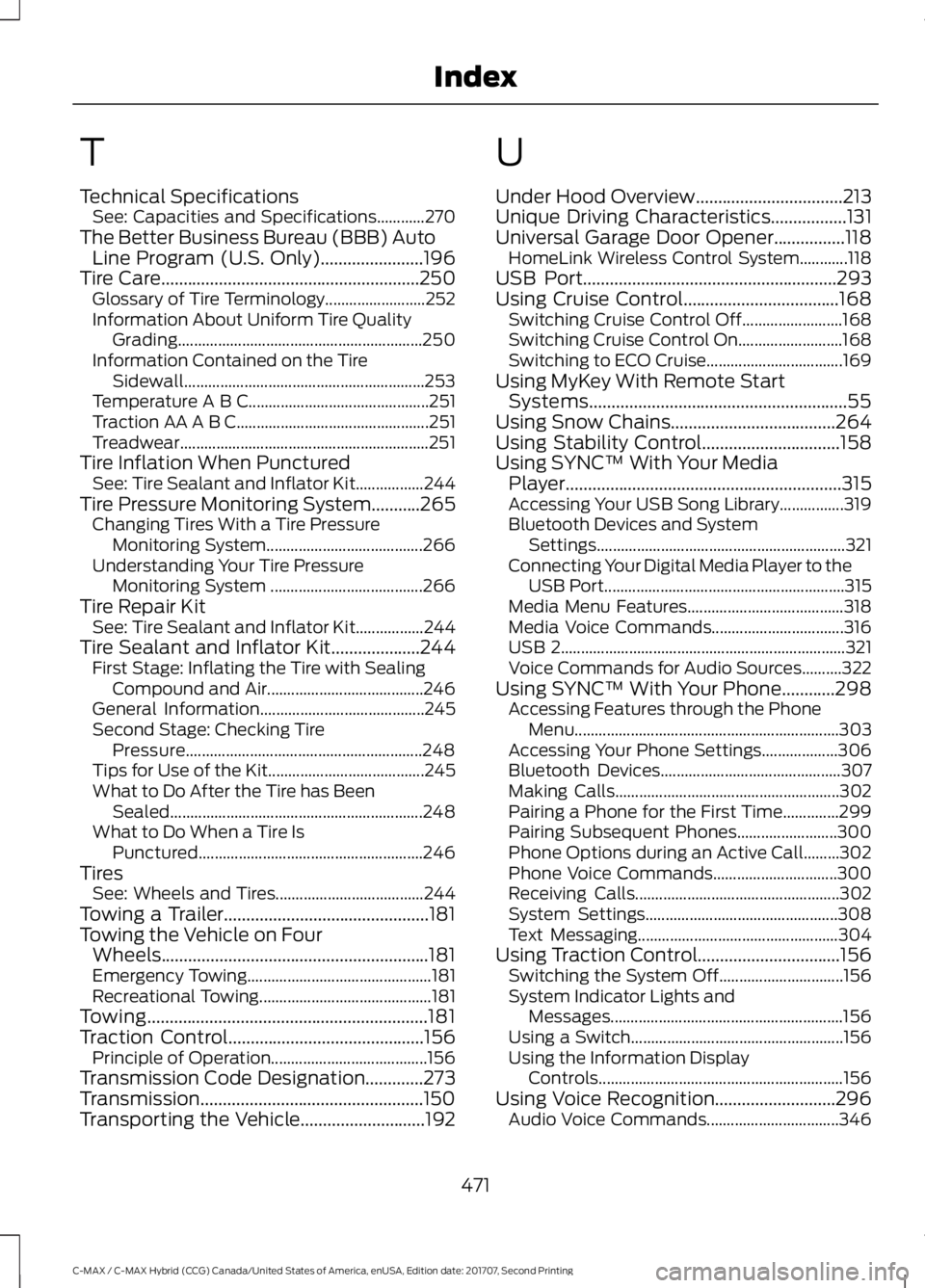
T
Technical Specifications
See: Capacities and Specifications............270
The Better Business Bureau (BBB) Auto Line Program (U.S. Only).......................196
Tire Care..........................................................250 Glossary of Tire Terminology......................... 252
Information About Uniform Tire Quality Grading............................................................. 250
Information Contained on the Tire Sidewall............................................................ 253
Temperature A B C............................................. 251
Traction AA A B C................................................ 251
Treadwear.............................................................. 251
Tire Inflation When Punctured See: Tire Sealant and Inflator Kit.................244
Tire Pressure Monitoring System...........265 Changing Tires With a Tire Pressure
Monitoring System....................................... 266
Understanding Your Tire Pressure Monitoring System ...................................... 266
Tire Repair Kit See: Tire Sealant and Inflator Kit.................244
Tire Sealant and Inflator Kit....................244 First Stage: Inflating the Tire with Sealing
Compound and Air....................................... 246
General Information......................................... 245
Second Stage: Checking Tire Pressure........................................................... 248
Tips for Use of the Kit....................................... 245
What to Do After the Tire has Been Sealed............................................................... 248
What to Do When a Tire Is Punctured........................................................ 246
Tires See: Wheels and Tires..................................... 244
Towing a Trailer..............................................181
Towing the Vehicle on Four Wheels............................................................181
Emergency Towing.............................................. 181
Recreational Towing........................................... 181
Towing...............................................................181
Traction Control............................................156
Principle of Operation....................................... 156
Transmission Code Designation
.............273
Transmission..................................................150
Transporting the Vehicle............................192 U
Under Hood Overview
.................................213
Unique Driving Characteristics.................131
Universal Garage Door Opener
................118
HomeLink Wireless Control System............118
USB Port
.........................................................293
Using Cruise Control...................................168 Switching Cruise Control Off......................... 168
Switching Cruise Control On.......................... 168
Switching to ECO Cruise.................................. 169
Using MyKey With Remote Start Systems..........................................................55
Using Snow Chains
.....................................264
Using Stability Control...............................158
Using SYNC™ With Your Media Player
..............................................................315
Accessing Your USB Song Library................319
Bluetooth Devices and System
Settings.............................................................. 321
Connecting Your Digital Media Player to the USB Port............................................................ 315
Media Menu Features....................................... 318
Media Voice Commands................................. 316
USB 2....................................................................... 321
Voice Commands for Audio Sources..........322
Using SYNC™ With Your Phone
............298
Accessing Features through the Phone
Menu.................................................................. 303
Accessing Your Phone Settings................... 306
Bluetooth Devices............................................. 307
Making Calls........................................................ 302
Pairing a Phone for the First Time..............299
Pairing Subsequent Phones......................... 300
Phone Options during an Active Call.........302
Phone Voice Commands............................... 300
Receiving Calls................................................... 302
System Settings................................................ 308
Text Messaging.................................................. 304
Using Traction Control................................156 Switching the System Off............................... 156
System Indicator Lights and Messages.......................................................... 156
Using a Switch..................................................... 156
Using the Information Display Controls............................................................. 156
Using Voice Recognition
...........................296
Audio Voice Commands................................. 346
471
C-MAX / C-MAX Hybrid (CCG) Canada/United States of America, enUSA, Edition date: 201707, Second Printing Index