buttons FORD C-MAY HYBRID 2018 Owners Manual
[x] Cancel search | Manufacturer: FORD, Model Year: 2018, Model line: C-MAY HYBRID, Model: FORD C-MAY HYBRID 2018Pages: 475, PDF Size: 8.09 MB
Page 56 of 475
•
Various vehicle speed minders can be
set. Once you select a speed, it will be
shown in the display, followed by an
audible tone when the preselected
vehicle speed is exceeded.
• Audio system maximum volume of
45%. A message will be shown in the
display when you attempt to exceed
the limited volume. Also, the
speed-sensitive or compensated
automatic volume control will be
disabled.
• Always on setting. When this is
selected, you will not be able to turn
off Advance Trac or traction control (if
your vehicle is equipped with this
feature).
CREATING A MYKEY
Use the information display to create a
MyKey:
1. Insert the key you want to program into
the ignition. If your vehicle is equipped with
a push-button start, hold the intelligent
access key next to the steering column.
Details on the correct fob placement and
position is in another chapter. See
Starting a Hybrid Electric Vehicle
System (page 126).
2. Switch the ignition on.
3. Access the main menu on the
information display controls, and select
Settings
and then MyKey by pressing OK
or the > button.
4. Press
OK or the > button to select
Create MyKey. 5. When prompted, hold the
OK button
until you see a message informing you to
label this key as a MyKey. The key will be
restricted at your vehicle's next start.
MyKey is successfully created. Make sure
you label it so you can distinguish it from
the admin keys.
You can also program configurable
settings for the key(s). Refer to
Programming/Changing Configurable
Settings
.
Programming/Changing
Configurable Settings
Use the information display to access your
configurable MyKey settings:
1. Switch the ignition on using an admin key or fob.
2. Access the main menu on the information display controls, and select
Settings
, then MyKey by pressing OK
or the > button.
3. Use the arrow buttons to get to a configurable feature.
4. Press
OK or > to make a selection.
Note: You can clear or change your MyKey
settings at any time during the same key
cycle as you created the MyKey. Once you
have switched the engine off, however, you
will need an admin key to change or clear
your MyKey settings.
CLEARING ALL MYKEYS
You can clear or change your MyKey
settings using the information display
control on the steering wheel. See
Information Displays
(page 92).
Switch the ignition on using an admin key.
53
C-MAX / C-MAX Hybrid (CCG) Canada/United States of America, enUSA, Edition date: 201707, Second Printing MyKey
™
Page 60 of 475
LOCKING AND UNLOCKING
You can use the power door lock control
or the remote control to lock and unlock
your vehicle.
Note:
Always take your keys and lock all
doors when leaving your vehicle.
Power Door Locks
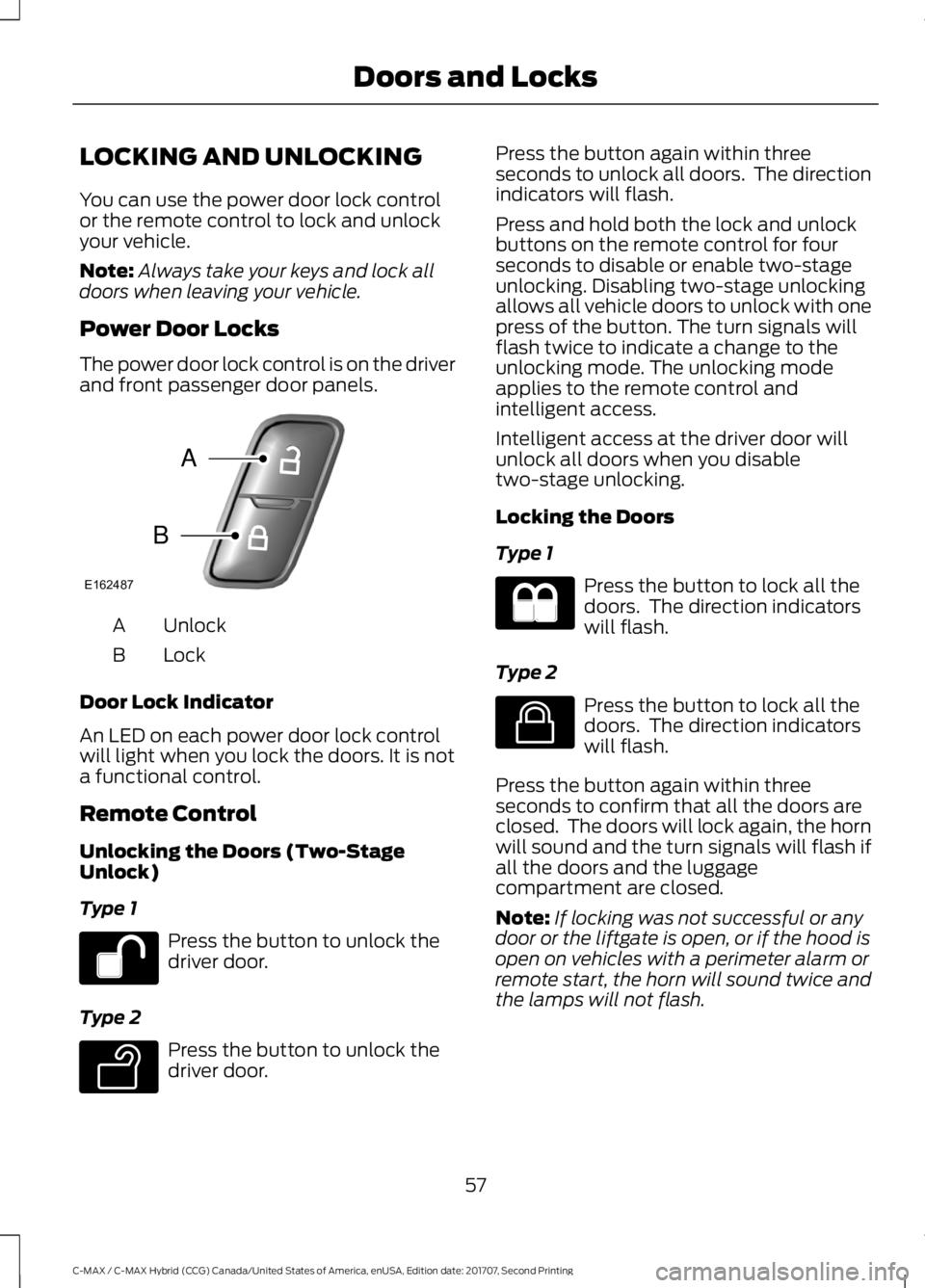
The power door lock control is on the driver
and front passenger door panels. Unlock
A
Lock
B
Door Lock Indicator
An LED on each power door lock control
will light when you lock the doors. It is not
a functional control.
Remote Control
Unlocking the Doors (Two-Stage
Unlock)
Type 1 Press the button to unlock the
driver door.
Type 2 Press the button to unlock the
driver door. Press the button again within three
seconds to unlock all doors. The direction
indicators will flash.
Press and hold both the lock and unlock
buttons on the remote control for four
seconds to disable or enable two-stage
unlocking. Disabling two-stage unlocking
allows all vehicle doors to unlock with one
press of the button. The turn signals will
flash twice to indicate a change to the
unlocking mode. The unlocking mode
applies to the remote control and
intelligent access.
Intelligent access at the driver door will
unlock all doors when you disable
two-stage unlocking.
Locking the Doors
Type 1
Press the button to lock all the
doors. The direction indicators
will flash.
Type 2 Press the button to lock all the
doors. The direction indicators
will flash.
Press the button again within three
seconds to confirm that all the doors are
closed. The doors will lock again, the horn
will sound and the turn signals will flash if
all the doors and the luggage
compartment are closed.
Note: If locking was not successful or any
door or the liftgate is open, or if the hood is
open on vehicles with a perimeter alarm or
remote start, the horn will sound twice and
the lamps will not flash.
57
C-MAX / C-MAX Hybrid (CCG) Canada/United States of America, enUSA, Edition date: 201707, Second Printing Doors and LocksE162487
A
B E138629 E138623
Page 95 of 475
GENERAL INFORMATION
WARNING
Driving while distracted can result in
loss of vehicle control, crash and
injury. We strongly recommend that
you use extreme caution when using any
device that may take your focus off the
road. Your primary responsibility is the safe
operation of your vehicle. We recommend
against the use of any hand-held device
while driving and encourage the use of
voice-operated systems when possible.
Make sure you are aware of all applicable
local laws that may affect the use of
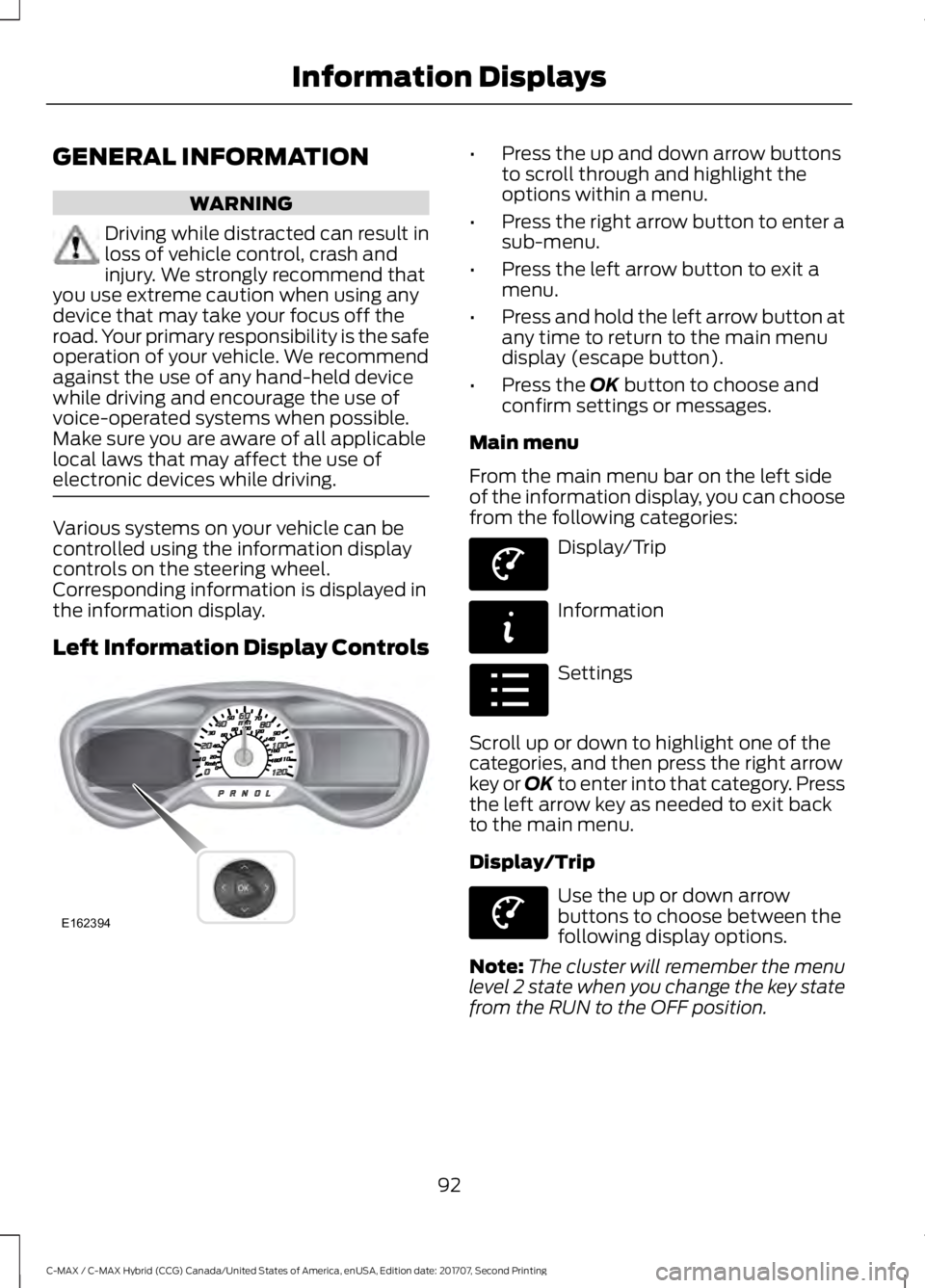
electronic devices while driving. Various systems on your vehicle can be
controlled using the information display
controls on the steering wheel.
Corresponding information is displayed in
the information display.
Left Information Display Controls •
Press the up and down arrow buttons
to scroll through and highlight the
options within a menu.
• Press the right arrow button to enter a
sub-menu.
• Press the left arrow button to exit a
menu.
• Press and hold the left arrow button at
any time to return to the main menu
display (escape button).
• Press the OK button to choose and
confirm settings or messages.
Main menu
From the main menu bar on the left side
of the information display, you can choose
from the following categories: Display/Trip
Information
Settings
Scroll up or down to highlight one of the
categories, and then press the right arrow
key or OK to enter into that category. Press
the left arrow key as needed to exit back
to the main menu.
Display/Trip Use the up or down arrow
buttons to choose between the
following display options.
Note: The cluster will remember the menu
level 2 state when you change the key state
from the RUN to the OFF position.
92
C-MAX / C-MAX Hybrid (CCG) Canada/United States of America, enUSA, Edition date: 201707, Second Printing Information DisplaysE162394 E144639 E144642 E100023 E144639
Page 98 of 475
Trip 1 & 2
Provides trip odometer, trip average fuel
economy and trip timer.
Distance traveled on battery power only
with the engine off is shown in blue next
to total trip distance.
Info In this mode, you can view
different vehicle system
information and perform a
system check. Information
Displays a number of different system tutorials. Use the up/down
arrows to scroll through the tutorials. Then press OK to view.
Tutorial
MyKeys (Number of MyKeys programmed)
MyKey
MyKey Miles (km) (Distance traveled using a programmed MyKey)
Admin Keys (Number of admin keys)
All active warnings will display first if applicable. The system check
menu may appear different based upon equipment options and
current vehicle status. Use the up/down arrow buttons to scroll
through the list.
System Check
Settings In this mode, you can configure
different driver setting choices.
Note: Some items are optional and may not appear.
Note: Some MyKey items will only appear if a MyKey is set. Settings
Menu level 6
Menu level 5
Menu level 4
Menu level 3
Menu level 2
—
On or Off
Traction Ctrl
Driver Assist
—
On or Off
Blindspot
—
On or Off
Cross Traffic
—
On or Off
Rear Park Aid
—
Hold OK to
Reset
Tire Monitor
—
On or Off
Auto Engine
Off
Vehicle
95
C-MAX / C-MAX Hybrid (CCG) Canada/United States of America, enUSA, Edition date: 201707, Second Printing Information DisplaysE144642 E100023
Page 100 of 475
Settings
—
Select the
desired
language
Language
Display
Select the desired units of measure
Distance
Units
Fahrenheit (°F) or Celsius (°C)
Temperature
—
On or Off
Brake Coach
—
On or Off
Battery
Display
—
On or Off
Regen Display
—
Hold OK to
Reset
Driving History
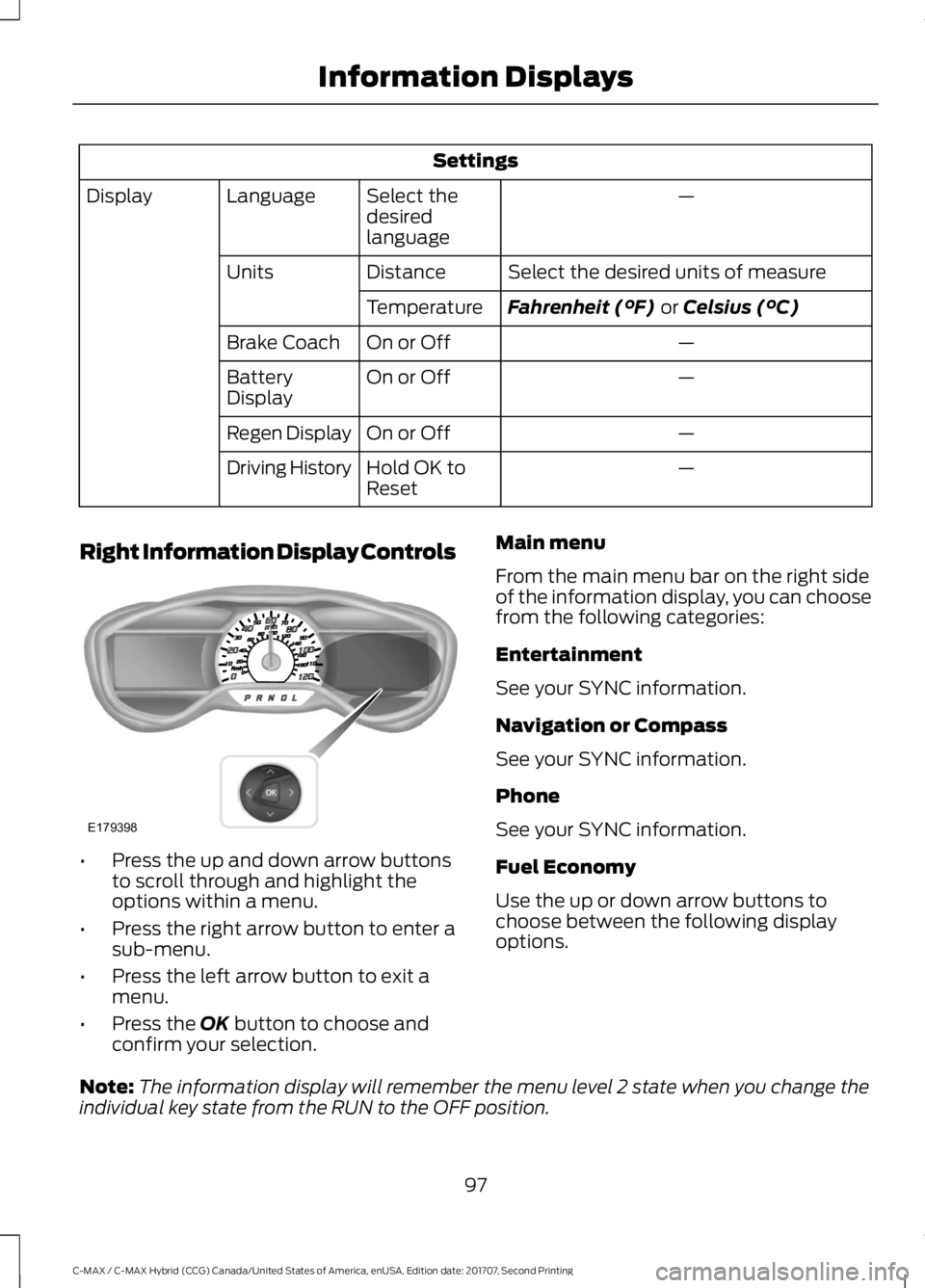
Right Information Display Controls •
Press the up and down arrow buttons
to scroll through and highlight the
options within a menu.
• Press the right arrow button to enter a
sub-menu.
• Press the left arrow button to exit a
menu.
• Press the
OK button to choose and
confirm your selection. Main menu
From the main menu bar on the right side
of the information display, you can choose
from the following categories:
Entertainment
See your SYNC information.
Navigation or Compass
See your SYNC information.
Phone
See your SYNC information.
Fuel Economy
Use the up or down arrow buttons to
choose between the following display
options.
Note: The information display will remember the menu level 2 state when you change the
individual key state from the RUN to the OFF position.
97
C-MAX / C-MAX Hybrid (CCG) Canada/United States of America, enUSA, Edition date: 201707, Second Printing Information DisplaysE179398
Page 115 of 475
Note:
Adjust the seat backrest to an upright
driving position before adjusting the head
restraint. Adjust the head restraint so that
the top of it is level with the top of your head
and as far forward as possible. Make sure
that you remain comfortable. If you are
extremely tall, adjust the head restraint to
its highest position.
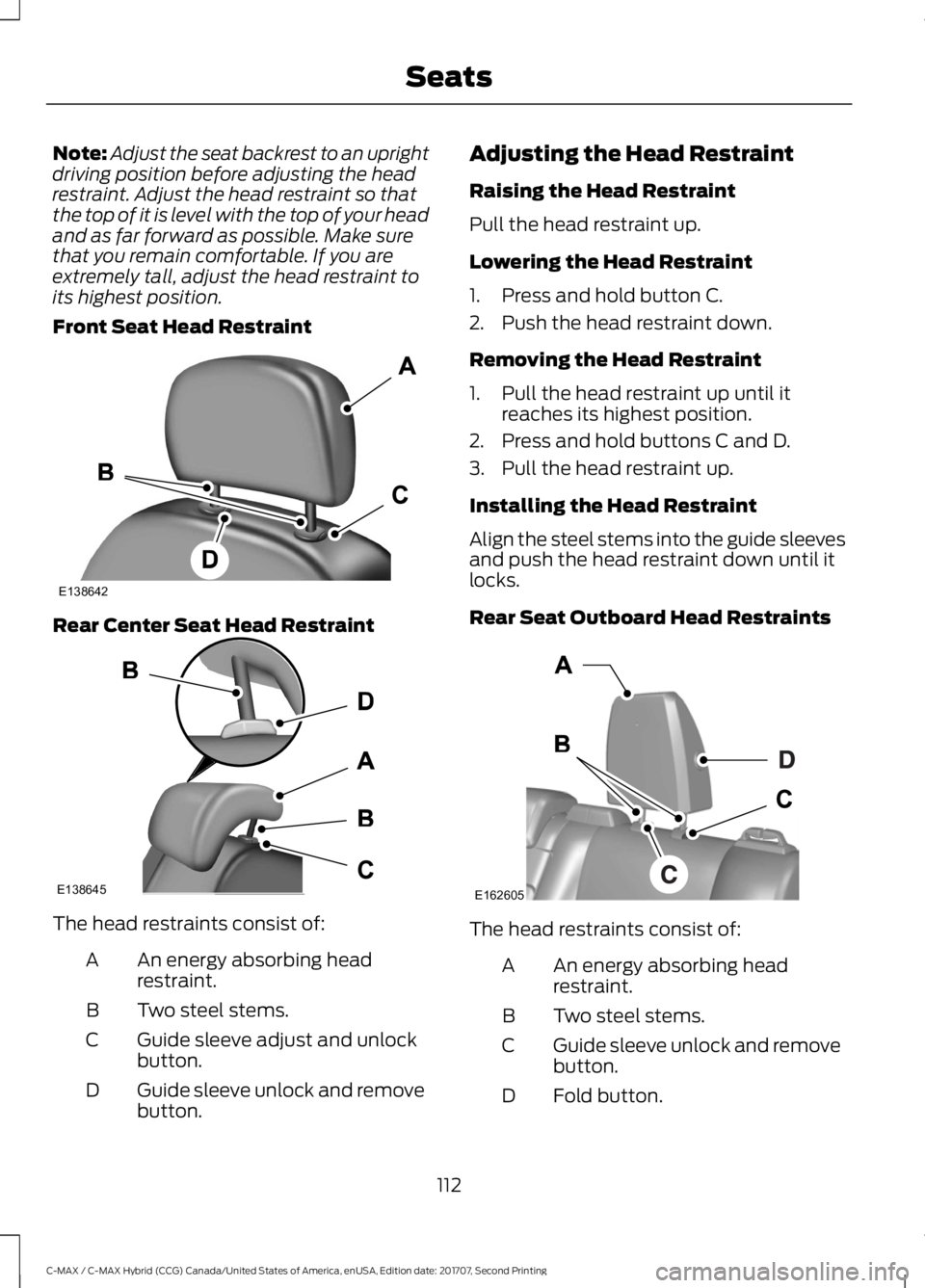
Front Seat Head Restraint Rear Center Seat Head Restraint
The head restraints consist of:
An energy absorbing head
restraint.
A
Two steel stems.
B
Guide sleeve adjust and unlock
button.
C
Guide sleeve unlock and remove
button.
D Adjusting the Head Restraint
Raising the Head Restraint
Pull the head restraint up.
Lowering the Head Restraint
1. Press and hold button C.
2. Push the head restraint down.
Removing the Head Restraint
1. Pull the head restraint up until it
reaches its highest position.
2. Press and hold buttons C and D.
3. Pull the head restraint up.
Installing the Head Restraint
Align the steel stems into the guide sleeves
and push the head restraint down until it
locks.
Rear Seat Outboard Head Restraints The head restraints consist of:
An energy absorbing head
restraint.
A
Two steel stems.
B
Guide sleeve unlock and remove
button.
C
Fold button.
D
112
C-MAX / C-MAX Hybrid (CCG) Canada/United States of America, enUSA, Edition date: 201707, Second Printing SeatsE138642 E138645 E162605
Page 116 of 475
Removing the Head Restraint
1. Press and hold buttons C.
2. Pull the head restraint up.
Installing the Head Restraint
Align the steel stems into the guide sleeves
and push the head restraint down until it
locks.
Folding the Head Restraint
1. Press and hold button D.
2.
Pull the head restraint back up to reset.
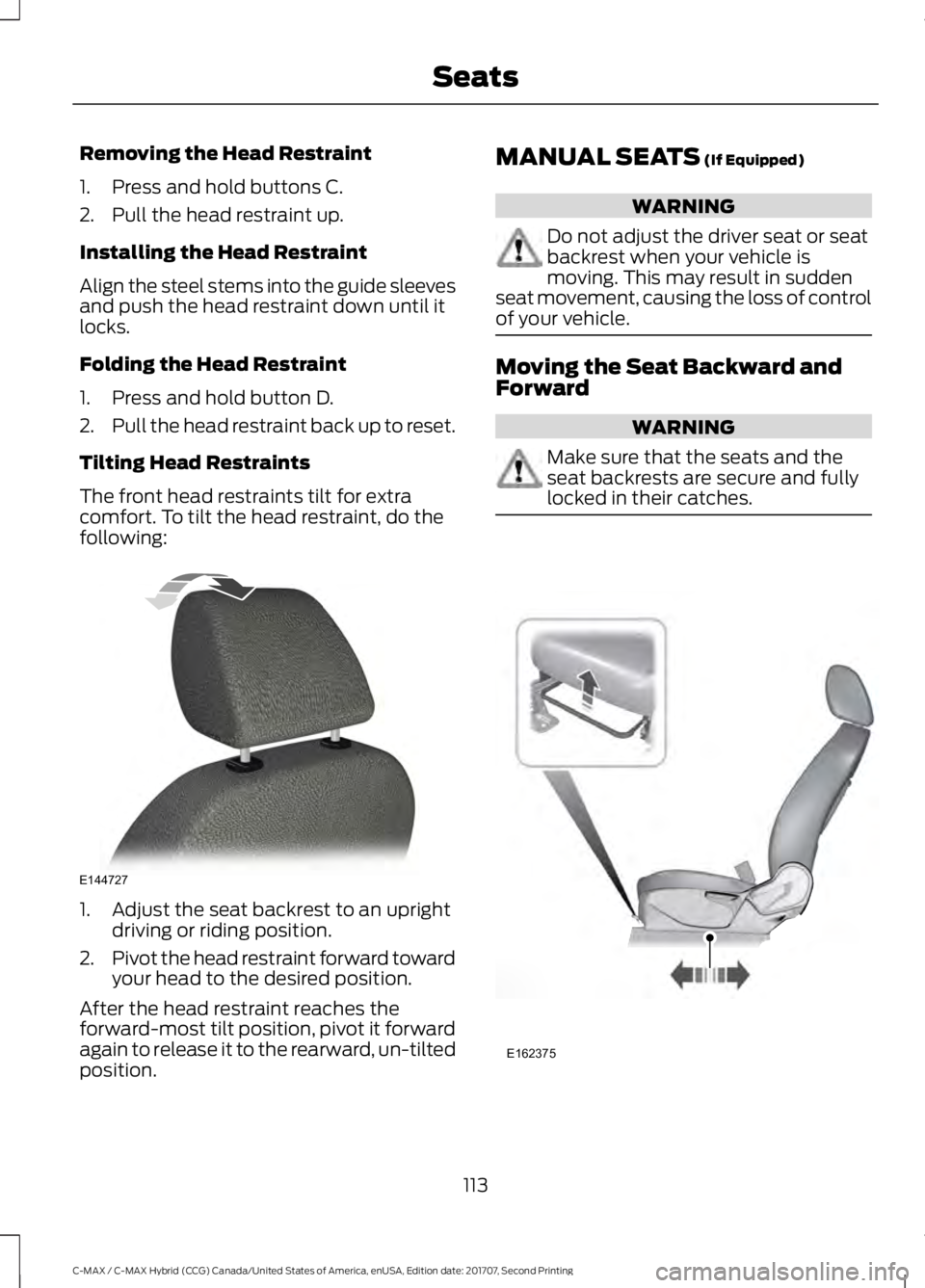
Tilting Head Restraints
The front head restraints tilt for extra
comfort. To tilt the head restraint, do the
following: 1. Adjust the seat backrest to an upright
driving or riding position.
2. Pivot the head restraint forward toward
your head to the desired position.
After the head restraint reaches the
forward-most tilt position, pivot it forward
again to release it to the rearward, un-tilted
position. MANUAL SEATS (If Equipped) WARNING
Do not adjust the driver seat or seat
backrest when your vehicle is
moving. This may result in sudden
seat movement, causing the loss of control
of your vehicle. Moving the Seat Backward and
Forward
WARNING
Make sure that the seats and the
seat backrests are secure and fully
locked in their catches.
113
C-MAX / C-MAX Hybrid (CCG) Canada/United States of America, enUSA, Edition date: 201707, Second Printing SeatsE144727 E162375
Page 121 of 475
(If Equipped)
HomeLink Wireless Control
System
WARNINGS
Make sure that the garage door and
security device are free from
obstruction when you are
programming. Do not program the system
with the vehicle in the garage. Do not use the system with any
garage door opener that does not
have the safety stop and reverse
feature as required by U.S. Federal Safety
Standards (this includes any garage door
opener manufactured before April 1, 1982).
A garage door opener which cannot detect
an object, signaling the door to stop and
reverse, does not meet current federal
safety standards. Using a garage door
opener without these features increases
the risk of serious injury or death. Note:
Make sure you keep the original
remote control transmitter for use in other
vehicles as well as for future system
programming.
Note: We recommend that upon the sale
or lease termination of your vehicle, you
erase the programmed function buttons for
security reasons. See Erasing the Function
Button Codes later in this section.
Note: You can program a maximum of
three devices. To change or replace any of
the three devices after it has been initially
programmed, you must first erase the
current settings. See Erasing the Function
Button Codes
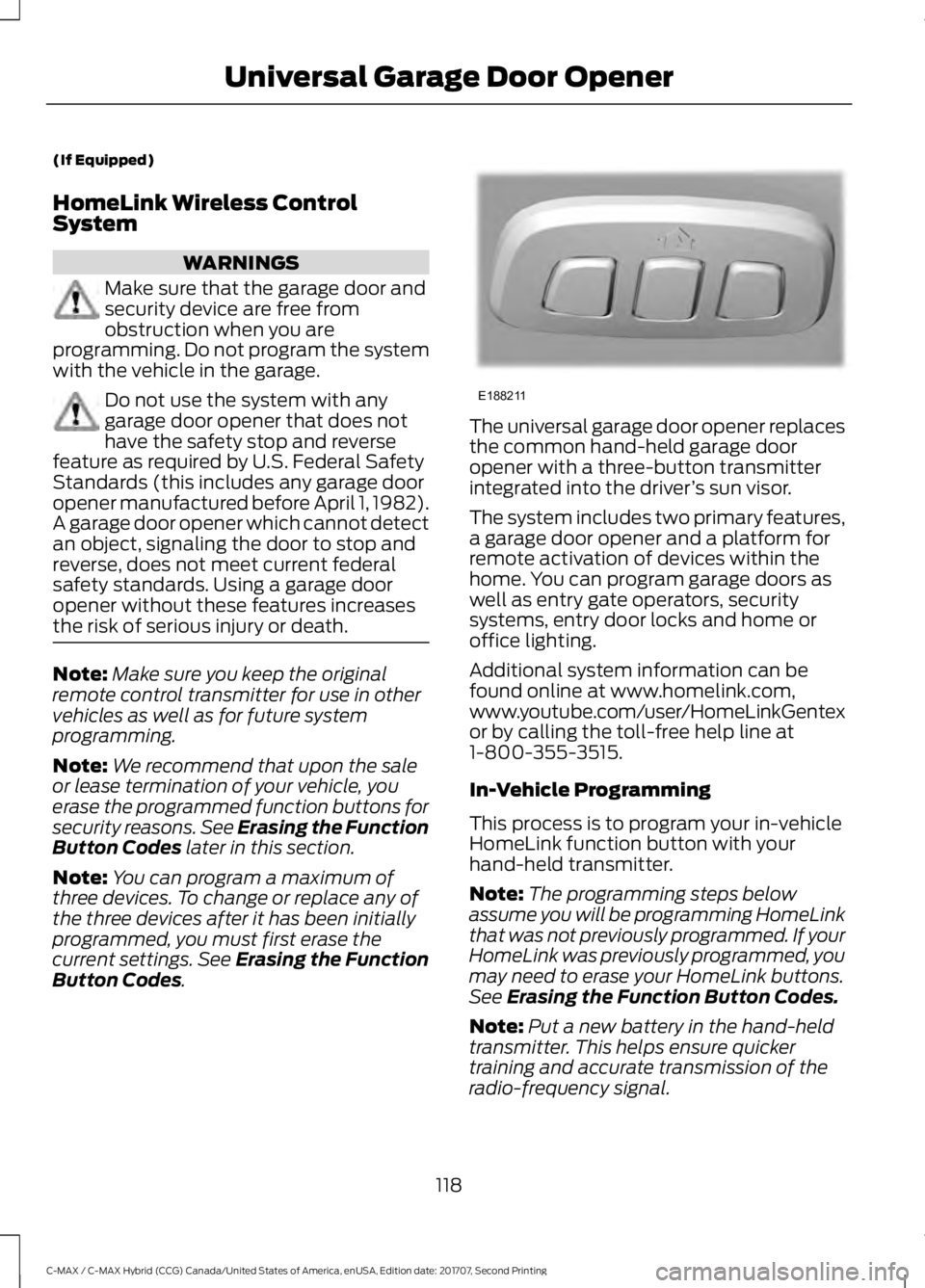
. The universal garage door opener replaces
the common hand-held garage door
opener with a three-button transmitter
integrated into the driver
’s sun visor.
The system includes two primary features,
a garage door opener and a platform for
remote activation of devices within the
home. You can program garage doors as
well as entry gate operators, security
systems, entry door locks and home or
office lighting.
Additional system information can be
found online at www.homelink.com,
www.youtube.com/user/HomeLinkGentex
or by calling the toll-free help line at
1-800-355-3515.
In-Vehicle Programming
This process is to program your in-vehicle
HomeLink function button with your
hand-held transmitter.
Note: The programming steps below
assume you will be programming HomeLink
that was not previously programmed. If your
HomeLink was previously programmed, you
may need to erase your HomeLink buttons.
See Erasing the Function Button Codes.
Note: Put a new battery in the hand-held
transmitter. This helps ensure quicker
training and accurate transmission of the
radio-frequency signal.
118
C-MAX / C-MAX Hybrid (CCG) Canada/United States of America, enUSA, Edition date: 201707, Second Printing Universal Garage Door OpenerE188211
Page 122 of 475
1.
With your vehicle parked outside of the
garage, switch your ignition to the on
position, but do not start your vehicle.
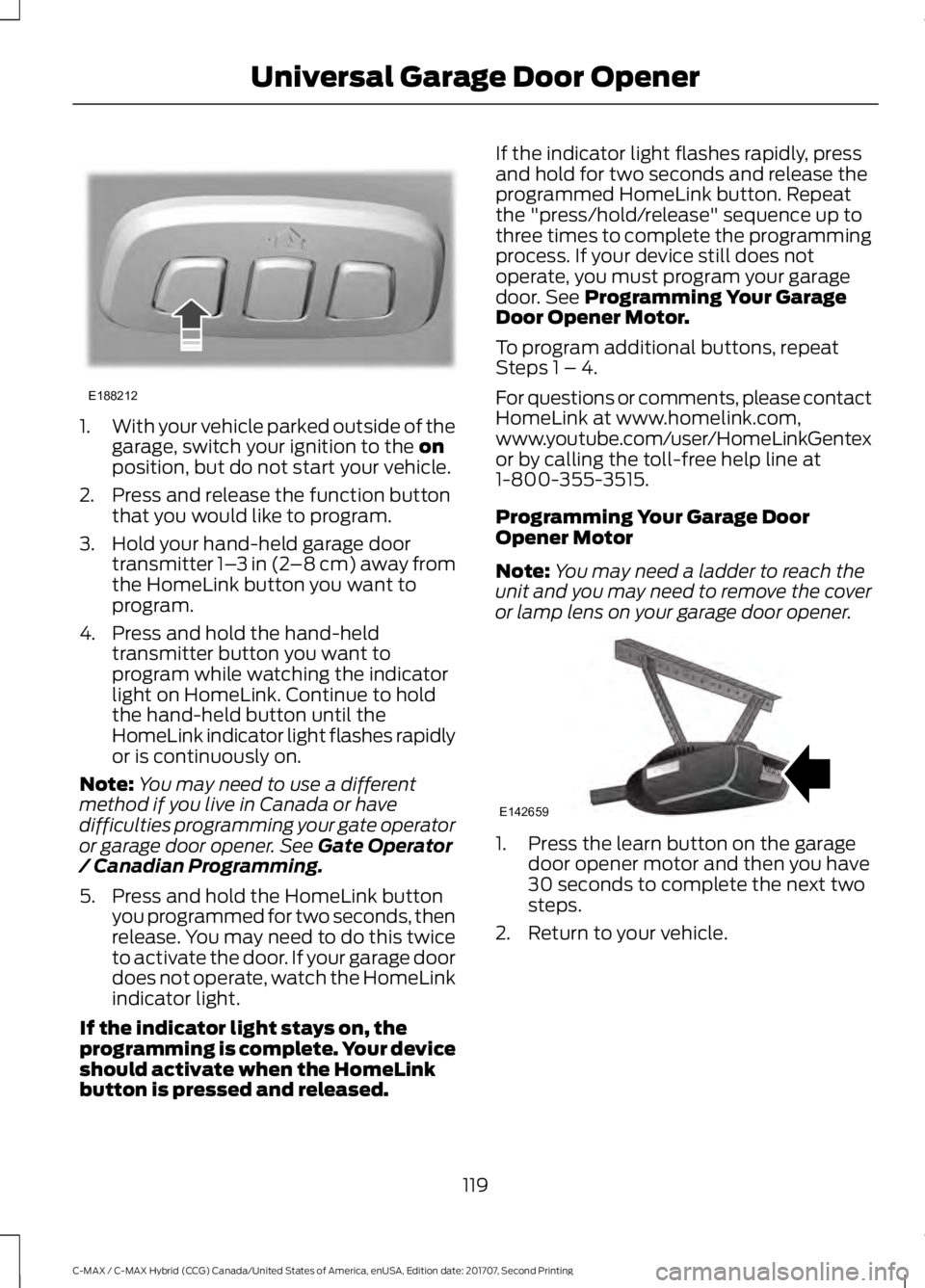
2. Press and release the function button that you would like to program.
3. Hold your hand-held garage door transmitter 1– 3 in (2–8 cm) away from
the HomeLink button you want to
program.
4. Press and hold the hand-held transmitter button you want to
program while watching the indicator
light on HomeLink. Continue to hold
the hand-held button until the
HomeLink indicator light flashes rapidly
or is continuously on.
Note: You may need to use a different
method if you live in Canada or have
difficulties programming your gate operator
or garage door opener. See
Gate Operator
/ Canadian Programming.
5. Press and hold the HomeLink button you programmed for two seconds, then
release. You may need to do this twice
to activate the door. If your garage door
does not operate, watch the HomeLink
indicator light.
If the indicator light stays on, the
programming is complete. Your device
should activate when the HomeLink
button is pressed and released. If the indicator light flashes rapidly, press
and hold for two seconds and release the
programmed HomeLink button. Repeat
the "press/hold/release" sequence up to
three times to complete the programming
process. If your device still does not
operate, you must program your garage
door. See
Programming Your Garage
Door Opener Motor.
To program additional buttons, repeat
Steps 1 – 4.
For questions or comments, please contact
HomeLink at www.homelink.com,
www.youtube.com/user/HomeLinkGentex
or by calling the toll-free help line at
1-800-355-3515.
Programming Your Garage Door
Opener Motor
Note: You may need a ladder to reach the
unit and you may need to remove the cover
or lamp lens on your garage door opener. 1. Press the learn button on the garage
door opener motor and then you have
30 seconds to complete the next two
steps.
2. Return to your vehicle.
119
C-MAX / C-MAX Hybrid (CCG) Canada/United States of America, enUSA, Edition date: 201707, Second Printing Universal Garage Door OpenerE188212 E142659
Page 123 of 475
3.
Press and hold the function button you
want to program for 2 seconds, then
release. Repeat this step. Depending
on your brand of garage door opener,
you may need to repeat this sequence
a third time.
Gate Operator / Canadian
Programming
Canadian radio-frequency laws require
transmitter signals to “time-out” (or quit)
after several seconds of transmission –
which may not be long enough for
HomeLink to pick up the signal during
programming. Similar to this Canadian law,
some U.S. gate operators are designed to
“time-out” in the same manner.
Note: If programming a garage door opener
or gate operator, it is advised to unplug the
device during the “cycling” process to
prevent possible overheating.
1. Press and release, every two seconds,
your hand-held transmitter until the
HomeLink indicator light changes to a
rapidly blinking or continuously on light.
2. Release the hand-held transmitter button.
3. Continue programing HomeLink. See In-Vehicle Programming, Step 4.
Erasing the Function Button Codes
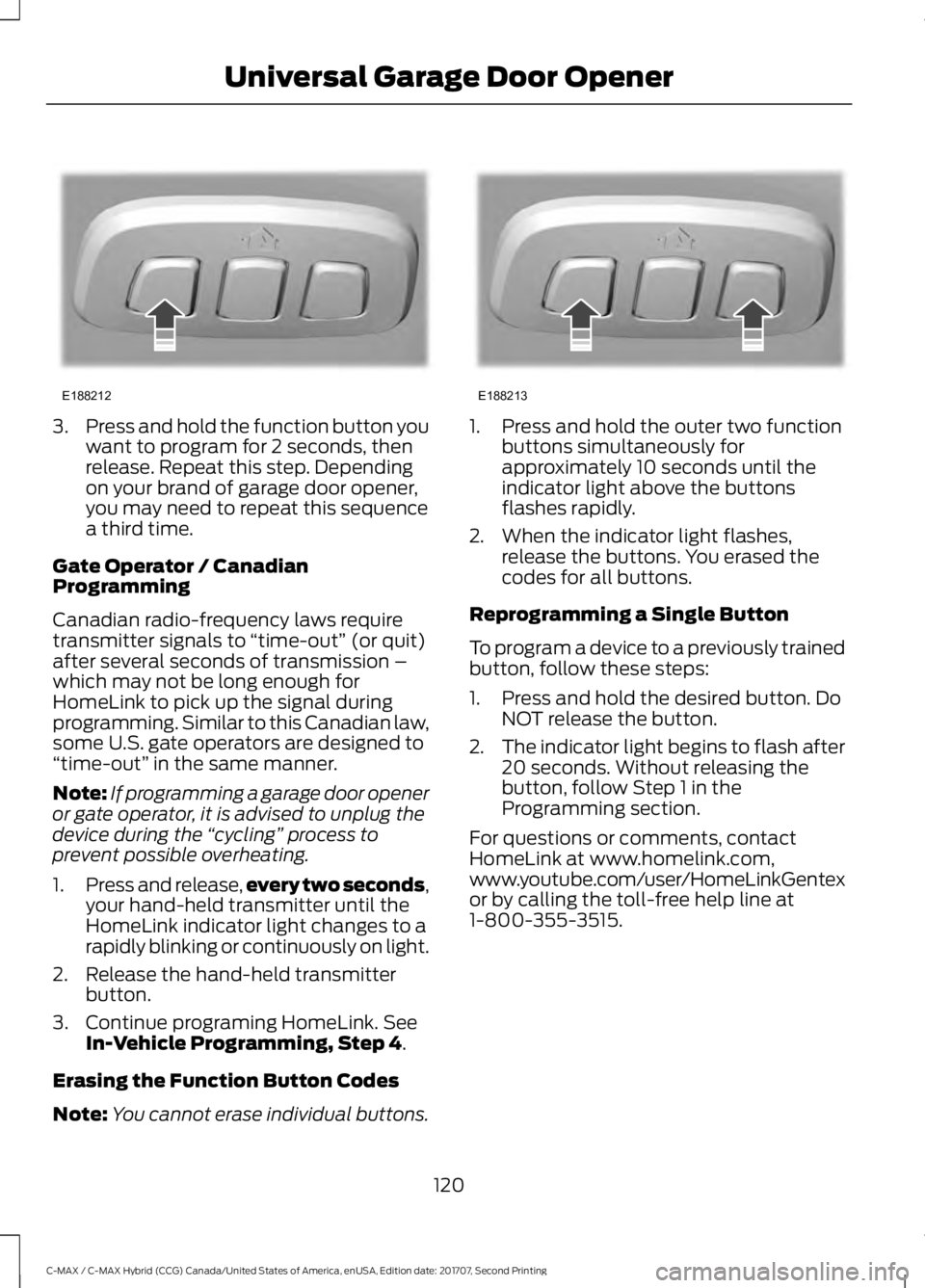
Note: You cannot erase individual buttons. 1. Press and hold the outer two function
buttons simultaneously for
approximately 10 seconds until the
indicator light above the buttons
flashes rapidly.
2. When the indicator light flashes, release the buttons. You erased the
codes for all buttons.
Reprogramming a Single Button
To program a device to a previously trained
button, follow these steps:
1. Press and hold the desired button. Do NOT release the button.
2. The indicator light begins to flash after
20 seconds. Without releasing the
button, follow Step 1 in the
Programming section.
For questions or comments, contact
HomeLink at www.homelink.com,
www.youtube.com/user/HomeLinkGentex
or by calling the toll-free help line at
1-800-355-3515.
120
C-MAX / C-MAX Hybrid (CCG) Canada/United States of America, enUSA, Edition date: 201707, Second Printing Universal Garage Door OpenerE188212 E188213