ignition FORD CONTOUR 1998 2.G User Guide
[x] Cancel search | Manufacturer: FORD, Model Year: 1998, Model line: CONTOUR, Model: FORD CONTOUR 1998 2.GPages: 200, PDF Size: 2.7 MB
Page 19 of 200
Controls and features
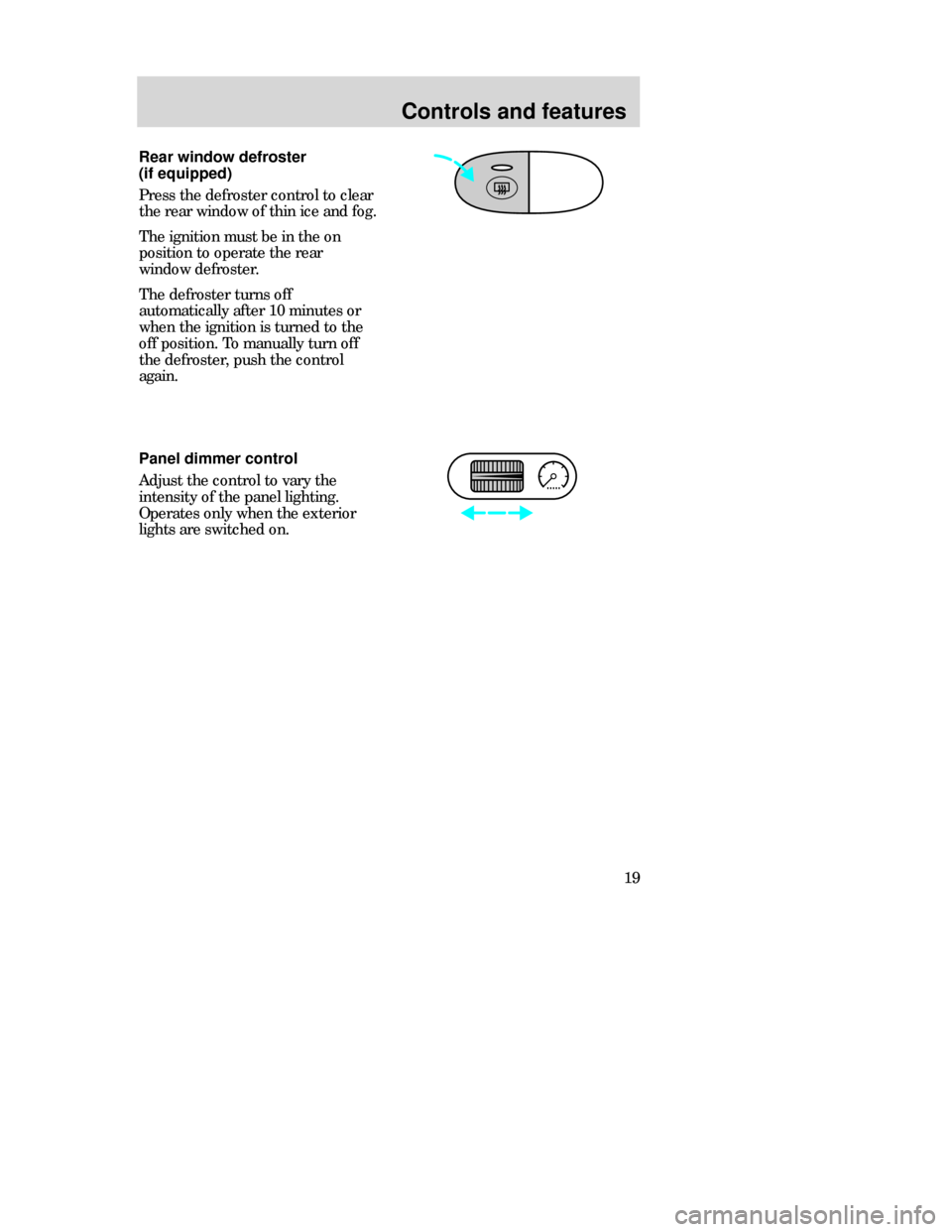
19 Panel dimmer control
Adjust the control to vary the
intensity of the panel lighting.
Operates only when the exterior
lights are switched on.
Rear window defroster
(if equipped)
Press the defroster control to clear
the rear window of thin ice and fog.
The ignition must be in the on
position to operate the rear
window defroster.
The defroster turns off
automatically after 10 minutes or
when the ignition is turned to the
off position. To manually turn off
the defroster, push the control
again.
CDW IIIC3Controls en C 5/15/97 8:44 PM Page 19
Page 21 of 200
Controls and features
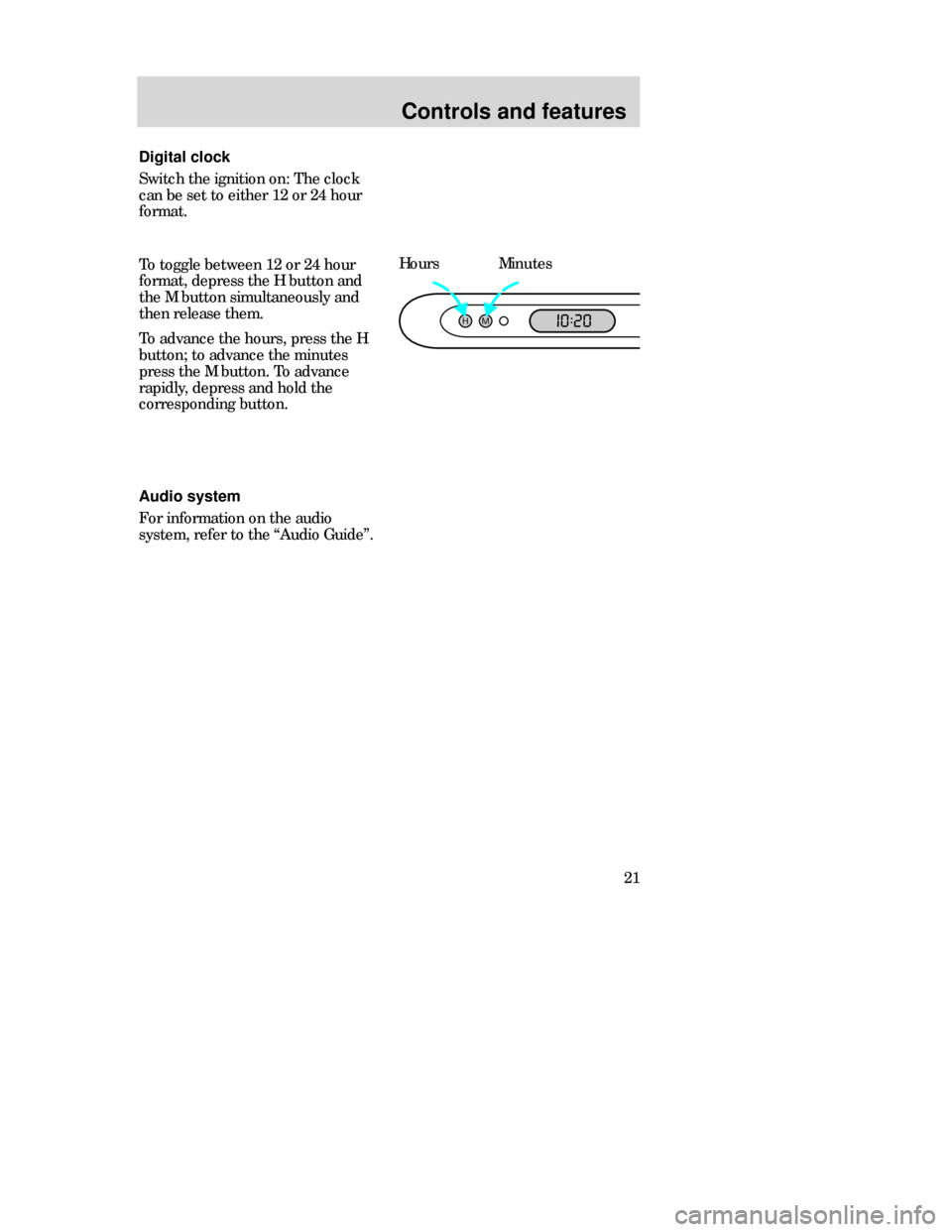
21 To toggle between 12 or 24 hour
format, depress the H button and
the M button simultaneously and
then release them.
To advance the hours, press the H
button; to advance the minutes
press the M button. To advance
rapidly, depress and hold the
corresponding button.HoursMinutes
HM:
I0 20
Audio system
For information on the audio
system, refer to the “Audio Guide”. Digital clock
Switch the ignition on: The clock
can be set to either 12 or 24 hour
format.
CDW IIIC3Controls en C 5/15/97 8:44 PM Page 21
Page 27 of 200
Controls and features
27 STEERING COLUMN
CONTROLS
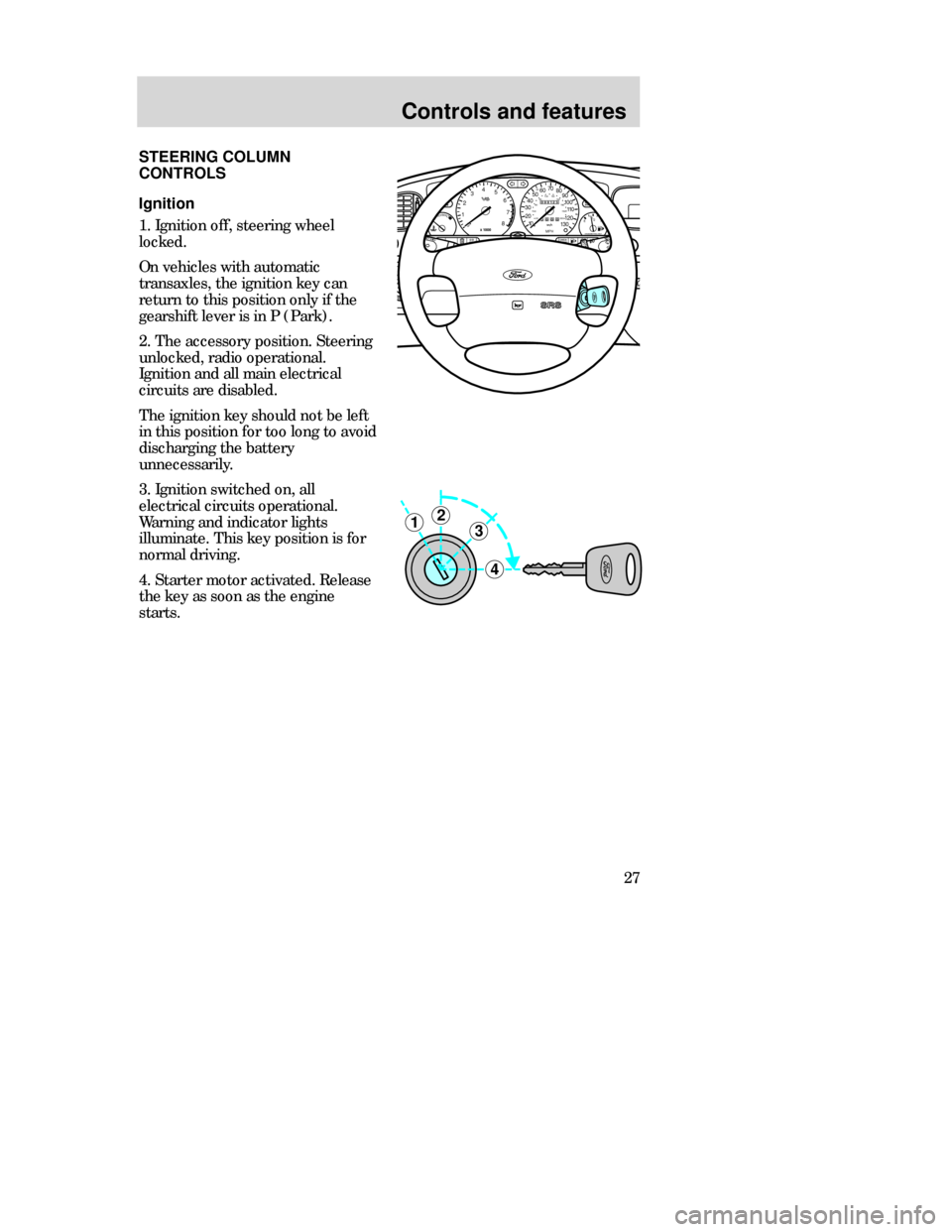
Ignition
1. Ignition off, steering wheel
locked.
On vehicles with automatic
transaxles, the ignition key can
return to this position only if the
gearshift lever is in P (Park).
2. The accessory position. Steering
unlocked, radio operational.
Ignition and all main electrical
circuits are disabled.
The ignition key should not be left
in this position for too long to avoid
discharging the battery
unnecessarily.
3. Ignition switched on, all
electrical circuits operational.
Warning and indicator lights
illuminate. This key position is for
normal driving.
4. Starter motor activated. Release
the key as soon as the engine
starts.
3
4
21
000123
000010 20 3040506070
80
90
100
110
120
130MPH20 406055
80120 100
140
160
180
200EF 1
/
2UNLEADED FUEL ONLY
12
03x 1000
4
5
6
7
8
NORMALBRAKE
CHECK
ENGINE TRACTION
CONTROLO/D
OFF
IRRORS
CDW IIIC3Controls en C 5/15/97 8:44 PM Page 27
Page 29 of 200
Controls and features
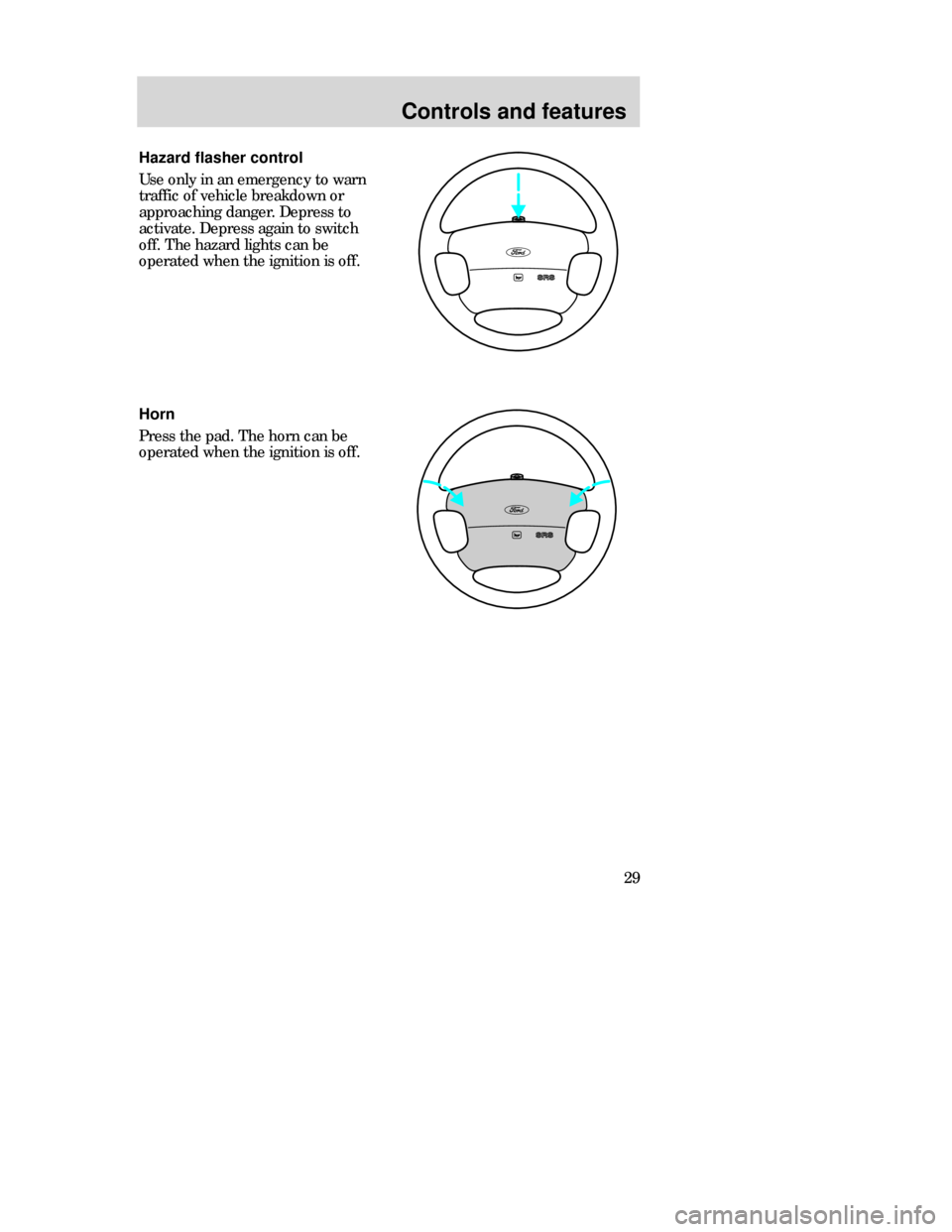
29 Hazard flasher control
Use only in an emergency to warn
traffic of vehicle breakdown or
approaching danger. Depress to
activate. Depress again to switch
off. The hazard lights can be
operated when the ignition is off.
Horn
Press the pad. The horn can be
operated when the ignition is off.
CDW IIIC3Controls en C 5/15/97 8:44 PM Page 29
Page 30 of 200
Controls and features
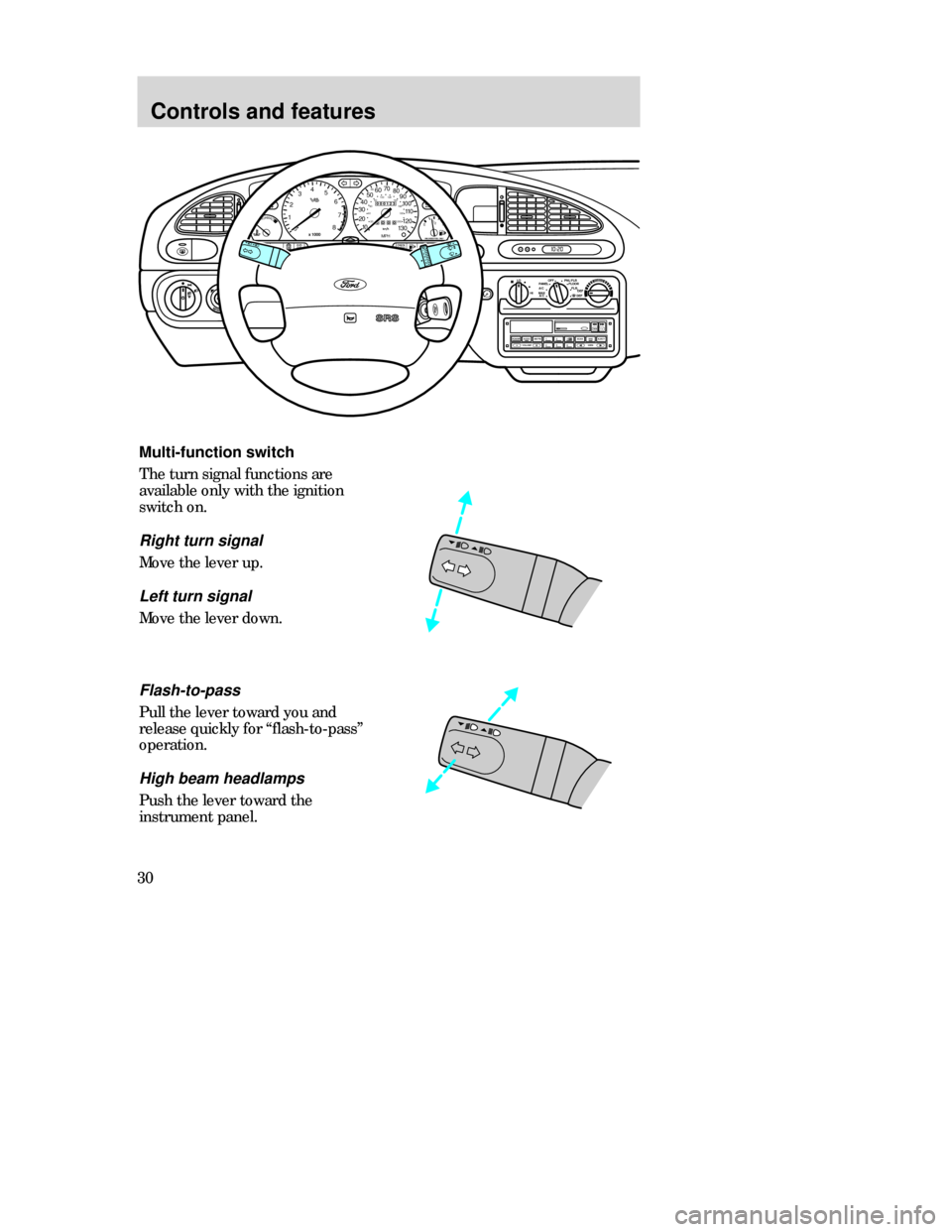
30Multi-function switch
The turn signal functions are
available only with the ignition
switch on.
Right turn signal
Move the lever up.
Left turn signal
Move the lever down.
HM:
I0 20
OFF LOPNL/FLR
PANEL
A/CFLOOR
DEF FLR
DEF
MAX
A/C HI/
POWERAUDIOAM/FM
SCAN
SEEK 312645ANSSIDE1-2EJECTVOLUME
000123
000010 20 3040506070
80
90
100
110
120
130MPH20 406055
80120 100
140
160
180
200EF 1
/
2UNLEADED FUEL ONLY
12
03
x 1000
4
5
6
7
8
NORMALBRAKE
CHECK
ENGINE TRACTION
CONTROLO/D
OFF
MIRRORS
Flash-to-pass
Pull the lever toward you and
release quickly for “flash-to-pass”
operation.
High beam headlamps
Push the lever toward the
instrument panel.
CDW IIIC3Controls en C 5/15/97 8:44 PM Page 30
Page 32 of 200
Controls and features
32
Do not use the speed control
in heavy traffic or on roads
that are winding, slippery, or
unpaved.
Off
On
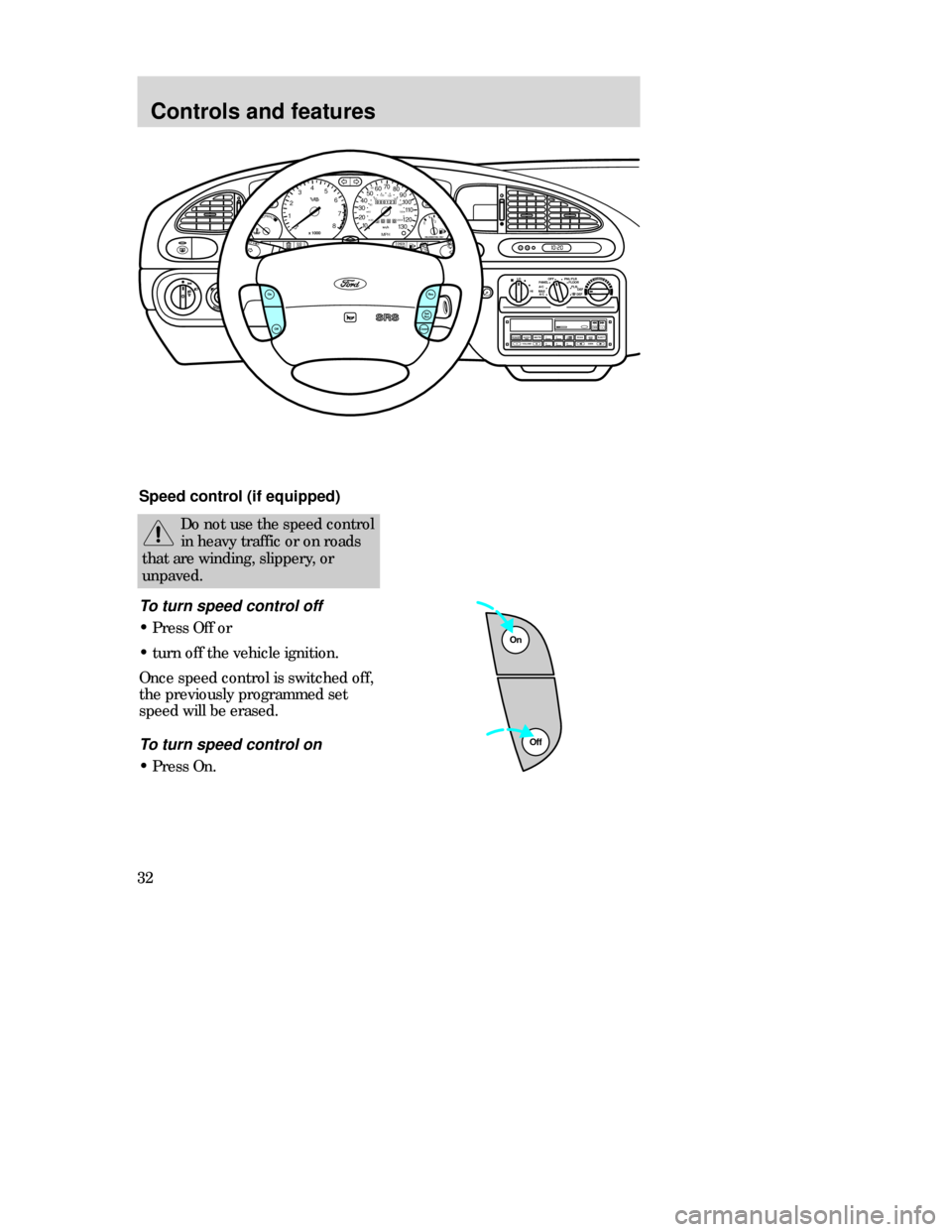
Speed control (if equipped)
To turn speed control off
•Press Off or
•turn off the vehicle ignition.
Once speed control is switched off,
the previously programmed set
speed will be erased.
To turn speed control on
•Press On.
HM:
I0 20
OFF LOPNL/FLR
PANEL
A/CFLOOR
DEF FLR
DEF
MAX
A/C HI/
POWERAUDIOAM/FM
SCAN
SEEK 312645ANSSIDE1-2EJECTVOLUME
000123
000010 20 3040506070
80
90
100
110
120
130MPH20 406055
80120 100
140
160
180
200EF 1
/
2UNLEADED FUEL ONLY
12
03
x 1000
4
5
6
7
8
NORMALBRAKE
CHECK
ENGINE TRACTION
CONTROLO/D
OFF
MIRRORSRes
Set
AccCoastOff
On
CDW IIIC3Controls en C 5/15/97 8:44 PM Page 32
Page 36 of 200
Controls and features
36
Door delay
Off
On
12
SEC
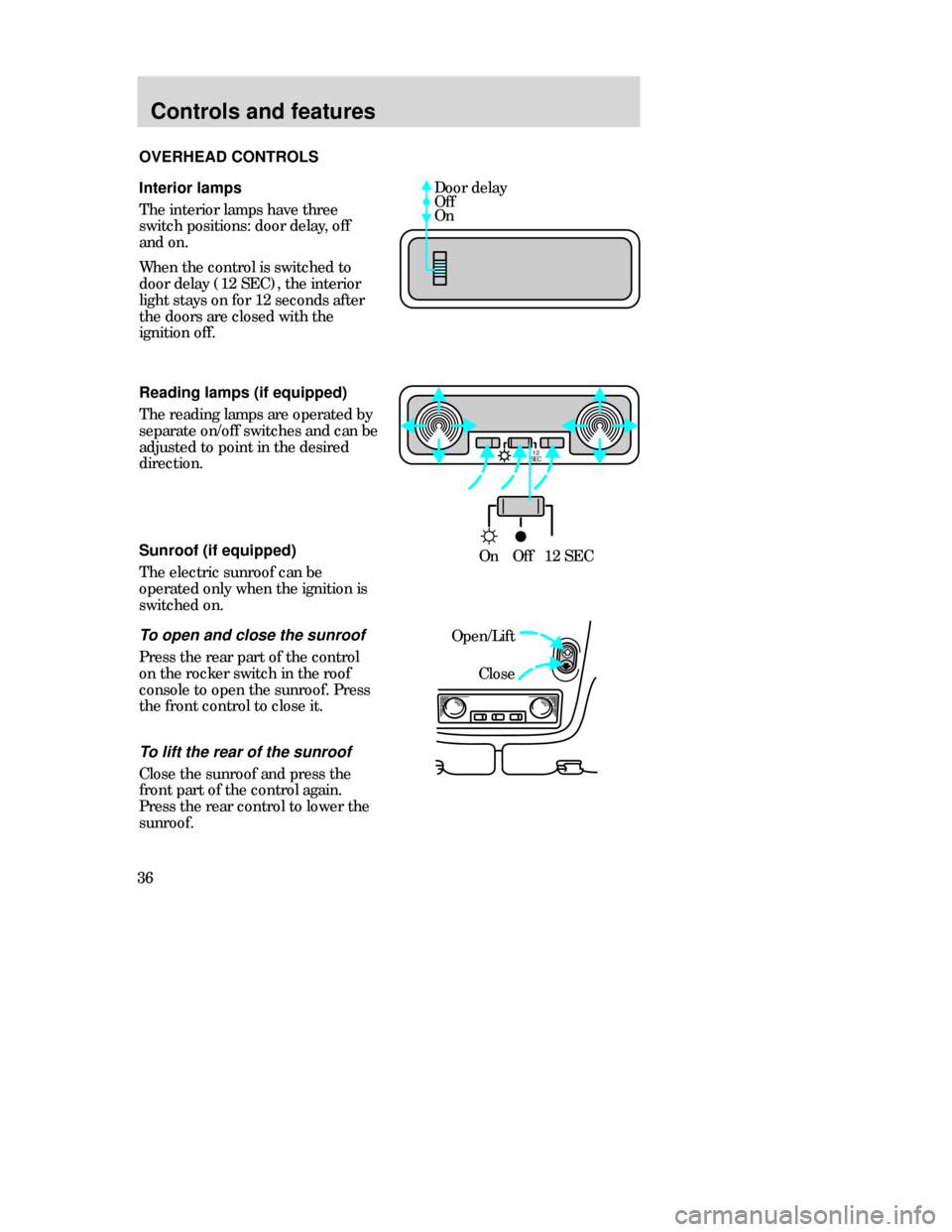
OnOff12 SEC Interior lamps
The interior lamps have three
switch positions: door delay, off
and on.
When the control is switched to
door delay (12 SEC), the interior
light stays on for 12 seconds after
the doors are closed with the
ignition off.
Reading lamps (if equipped)
The reading lamps are operated by
separate on/off switches and can be
adjusted to point in the desired
direction.
Open/Lift
Close Sunroof (if equipped)
The electric sunroof can be
operated only when the ignition is
switched on.To open and close the sunroof
Press the rear part of the control
on the rocker switch in the roof
console to open the sunroof. Press
the front control to close it. OVERHEAD CONTROLS
To lift the rear of the sunroof
Close the sunroof and press the
front part of the control again.
Press the rear control to lower the
sunroof.
CDW IIIC3Controls en C 5/15/97 8:45 PM Page 36
Page 37 of 200
Controls and features
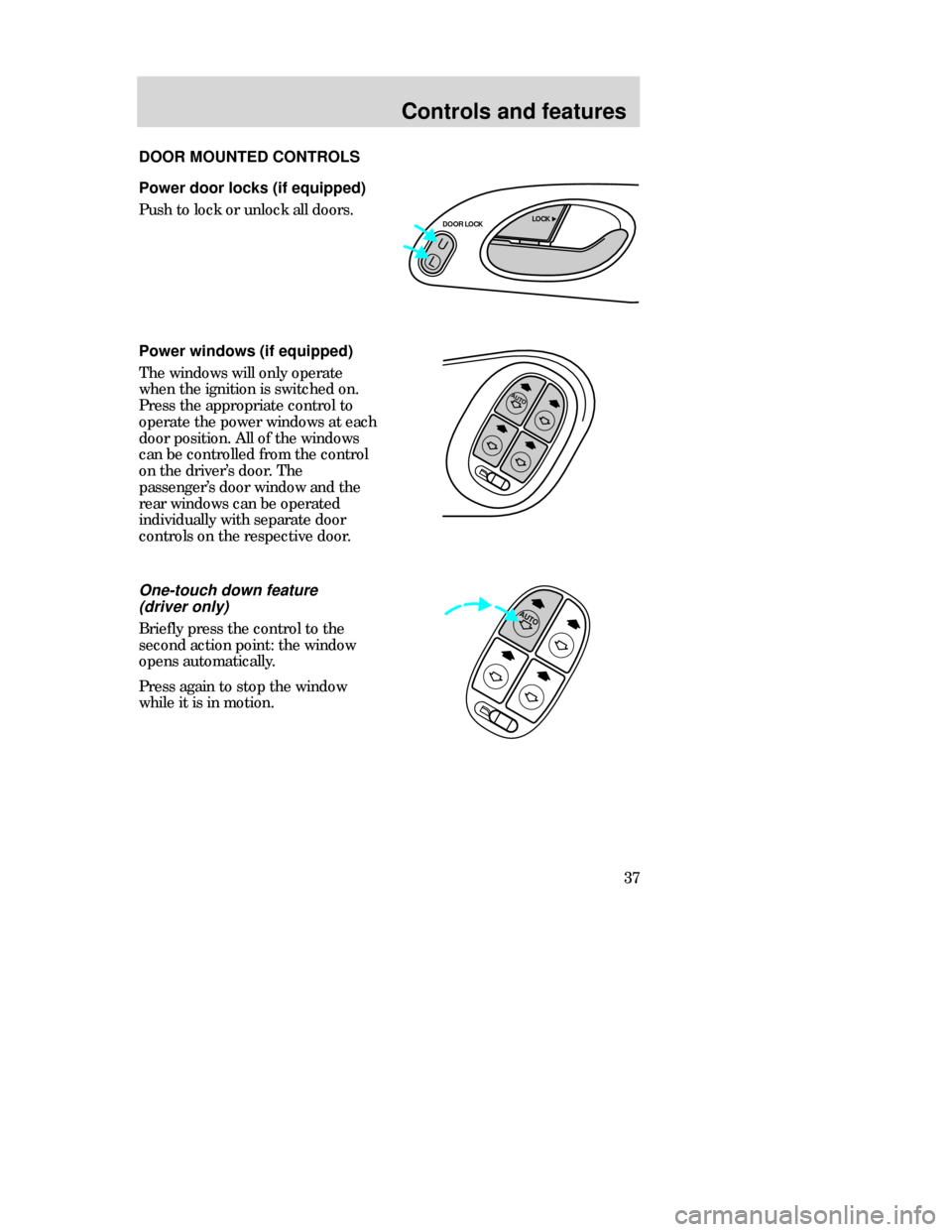
37 Power door locks (if equipped)
Push to lock or unlock all doors.
AUTO
Power windows (if equipped)
The windows will only operate
when the ignition is switched on.
Press the appropriate control to
operate the power windows at each
door position. All of the windows
can be controlled from the control
on the driver’s door. The
passenger’s door window and the
rear windows can be operated
individually with separate door
controls on the respective door.
AUTO
One-touch down feature
(driver only)
Briefly press the control to the
second action point: the window
opens automatically.
Press again to stop the window
while it is in motion. DOOR MOUNTED CONTROLS
U
L
DOOR LOCKLOCK
CDW IIIC3Controls en C 5/15/97 8:45 PM Page 37
Page 41 of 200
Controls and features
41
TRUNKUN
LOCK
PANIC LOCK
REMOTE KEYLESS ENTRY
SYSTEM
(if equipped)
If your vehicle has a remote entry
system, you can lock and unlock
the vehicle doors and open the
luggage compartment without
using a key. The remote also has a
personal alarm feature.
The remote entry feature only
operates with the ignition in the off
position.
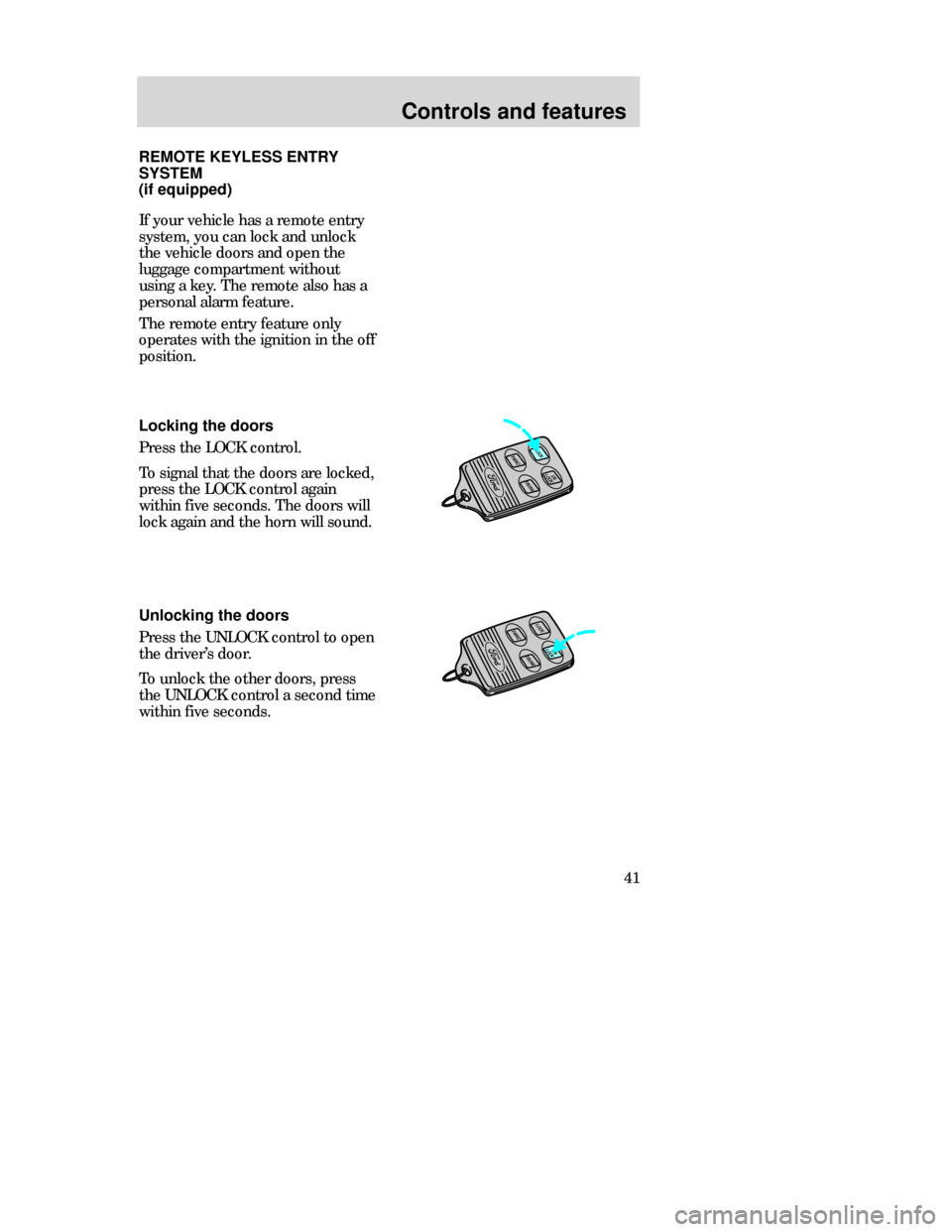
Locking the doors
Press the LOCK control.
To signal that the doors are locked,
press the LOCK control again
within five seconds. The doors will
lock again and the horn will sound.
Unlocking the doors
Press the UNLOCK control to open
the driver’s door.
To unlock the other doors, press
the UNLOCK control a second time
within five seconds.
TRUNK
LOCKPANICUN
LOCK
CDW IIIC3Controls en C 5/15/97 8:45 PM Page 41
Page 42 of 200
Controls and features
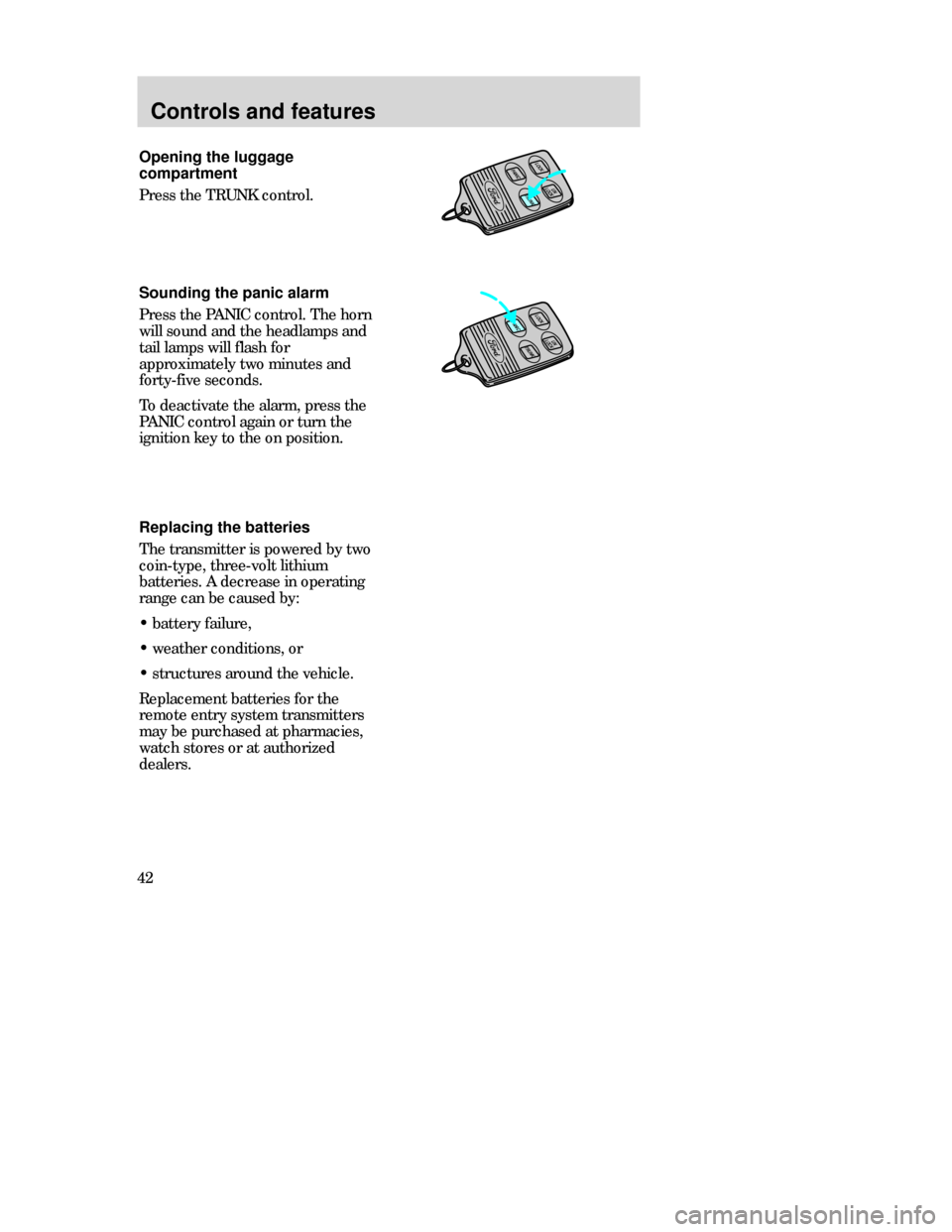
42Opening the luggage
compartment
Press the TRUNK control.
Sounding the panic alarm
Press the PANICcontrol. The horn
will sound and the headlamps and
tail lamps will flash for
approximately two minutes and
forty-five seconds.
To deactivate the alarm, press the
PANICcontrol again or turn the
ignition key to the on position.
Replacing the batteries
The transmitter is powered by two
coin-type, three-volt lithium
batteries. A decrease in operating
range can be caused by:
•battery failure,
•weather conditions, or
•structures around the vehicle.
Replacement batteries for the
remote entry system transmitters
may be purchased at pharmacies,
watch stores or at authorized
dealers.
UN
LOCK
LOCKPANIC
TRUNK
TRUNKUN
LOCK
LOCKPANIC
CDW IIIC3Controls en C 5/15/97 8:45 PM Page 42