lock FORD CONTOUR 2000 2.G User Guide
[x] Cancel search | Manufacturer: FORD, Model Year: 2000, Model line: CONTOUR, Model: FORD CONTOUR 2000 2.GPages: 248, PDF Size: 2.23 MB
Page 33 of 248
Controls and features
33 Cabin air filter
Your vehicle is equipped with an air
filter that removes pollen and road
dust from outside air before it is
directed to the interior of the
vehicle. Refer to the Maintenance
and carechapter for maintenance
of this filter. • Do not place objects over the
defroster outlets. These objects
can block airflow and reduce your
ability to see through your
windshield. Also, avoid placing
small objects on top of your
instrument panel. These objects
can fall down into the defroster
outlets and block airflow and
possibly damage your climate
control system.
13CCfen 17.6.99 10:52 Uhr Seite 33
Page 34 of 248
Controls and features
34
OFF LO PNL/FLR
PANEL
A/CFLOOR
DEF FLR
DEF
MAX
A/C HI/
POWER AUDIO AM/FM
SCAN
SEEK 31245ANSSIDE 1-2EJECTVOLUME
000123
000010 20 3040506070
80
90
10 0
110
120
13 0MPH20 406055
80120 10 0
14 0
160
18 0
200EF12
03
x 1000
4
5
6
7
8
CHECK
ENGINE TRACTION
CONTROLO/D
OFF
MIRRORS
CLOCK
TRACTION
TROL
CH
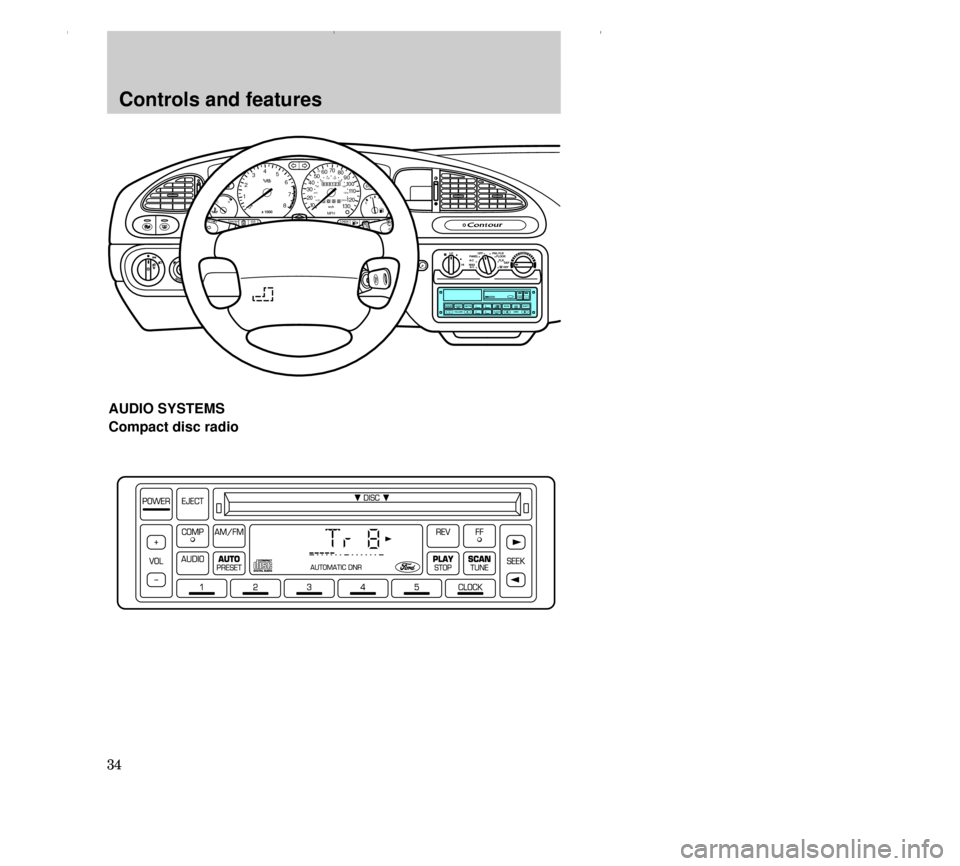
AUDIO SYSTEMS
Compact disc radio
13CCfen 17.6.99 10:52 Uhr Seite 34
Page 45 of 248
Controls and features
45 Speaker fade adjust
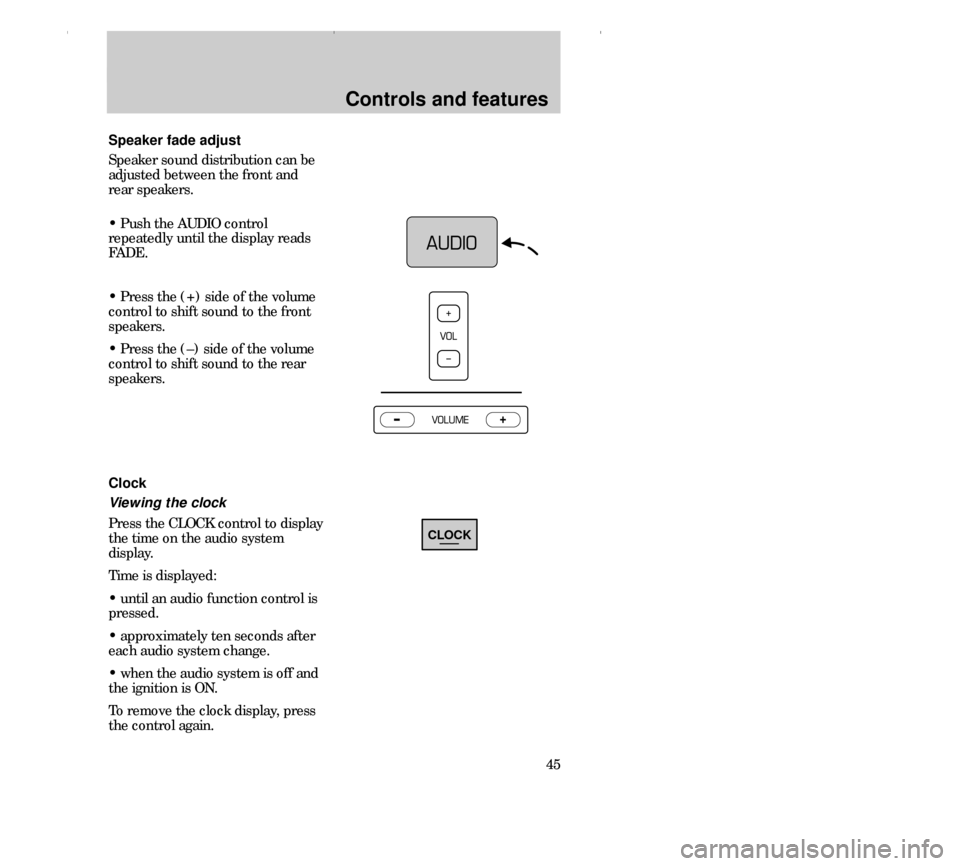
Speaker sound distribution can be
adjusted between the front and
rear speakers.
• Push the AUDIO control
repeatedly until the display reads
FADE.
• Press the (+) side of the volume
control to shift sound to the front
speakers.
• Press the (–) side of the volume
control to shift sound to the rear
speakers.
Clock
Viewing the clock
Press the CLOCK control to display
the time on the audio system
display.
Time is displayed:
• until an audio function control is
pressed.
• approximately ten seconds after
each audio system change.
• when the audio system is off and
the ignition is ON.
To remove the clock display, press
the control again.
CLOCK
13CCfen 17.6.99 10:53 Uhr Seite 45
Page 46 of 248
Setting the clock
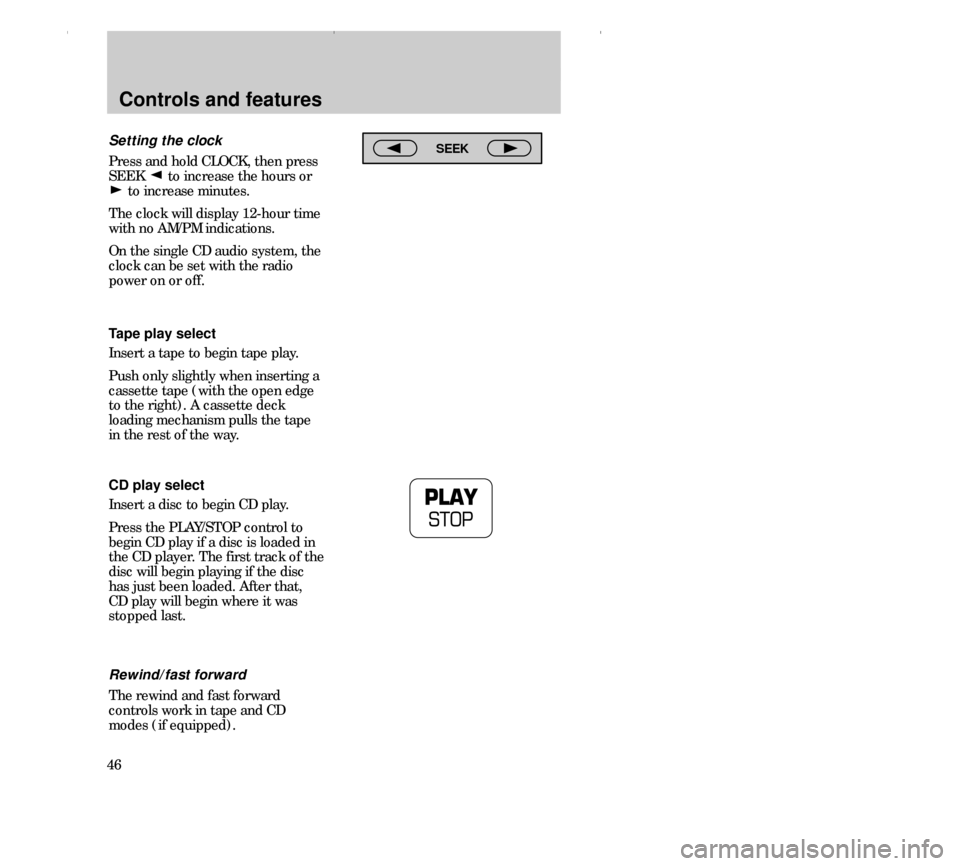
Press and hold CLOCK, then press
SEEK to increase the hours or
to increase minutes.
The clock will display 12-hour time
with no AM/PM indications.
On the single CD audio system, the
clock can be set with the radio
power on or off.
Controls and features
46Tape play select
Insert a tape to begin tape play.
Push only slightly when inserting a
cassette tape (with the open edge
to the right). A cassette deck
loading mechanism pulls the tape
in the rest of the way.
CD play select
Insert a disc to begin CD play.
Press the PLAY/STOP control to
begin CD play if a disc is loaded in
the CD player. The first track of the
disc will begin playing if the disc
has just been loaded. After that,
CD play will begin where it was
stopped last.
Rewind/fast forward
The rewind and fast forward
controls work in tape and CD
modes (if equipped).
SEEK
13CCfen 17.6.99 10:53 Uhr Seite 46
Page 54 of 248
Controls and features
54STEERING COLUMN
CONTROLS
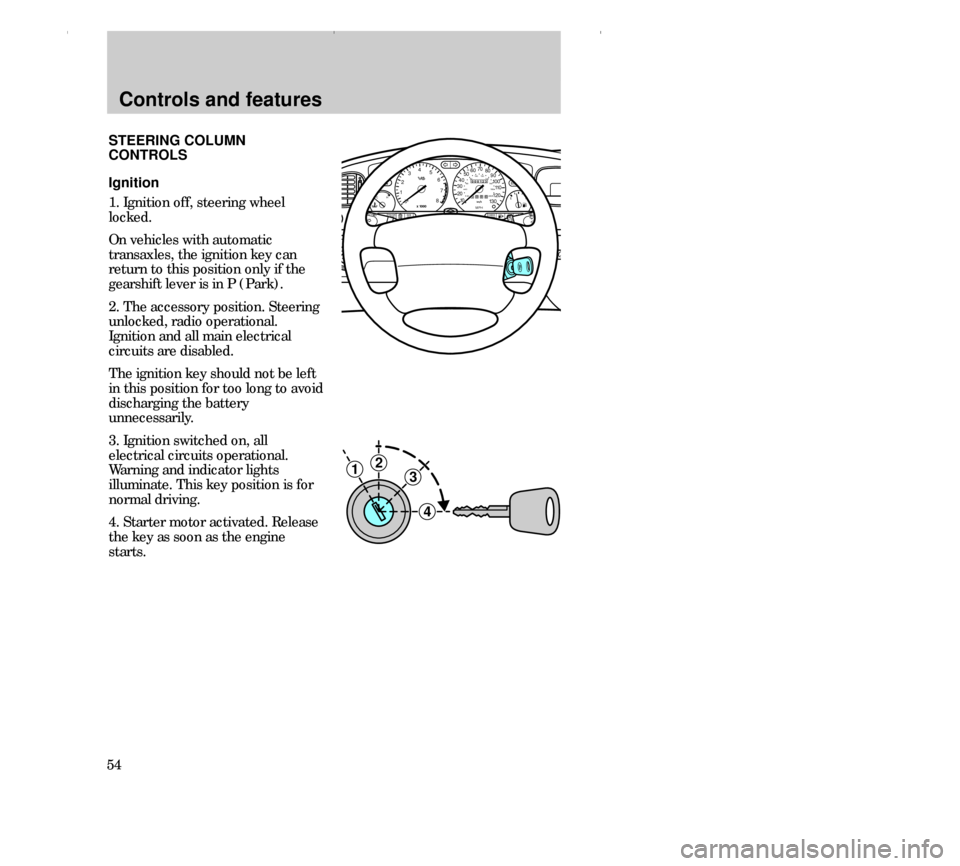
Ignition
1. Ignition off, steering wheel
locked.
On vehicles with automatic
transaxles, the ignition key can
return to this position only if the
gearshift lever is in P (Park).
2. The accessory position. Steering
unlocked, radio operational.
Ignition and all main electrical
circuits are disabled.
The ignition key should not be left
in this position for too long to avoid
discharging the battery
unnecessarily.
3. Ignition switched on, all
electrical circuits operational.
Warning and indicator lights
illuminate. This key position is for
normal driving.
4. Starter motor activated. Release
the key as soon as the engine
starts.
3
4
21
000123
000010 20 3040506070
80
90
10 0
110
120
13 0MPH20 406055
80120 10 0
14 0
160
18 0
200EF12
03x 1000
4
5
6
7
8
CHECK
ENGINE TRACTION
CONTROLO/D
OFF
IRRORS
TRACTION
NTROL
CH
13CCfen 17.6.99 10:53 Uhr Seite 54
Page 55 of 248
Controls and features
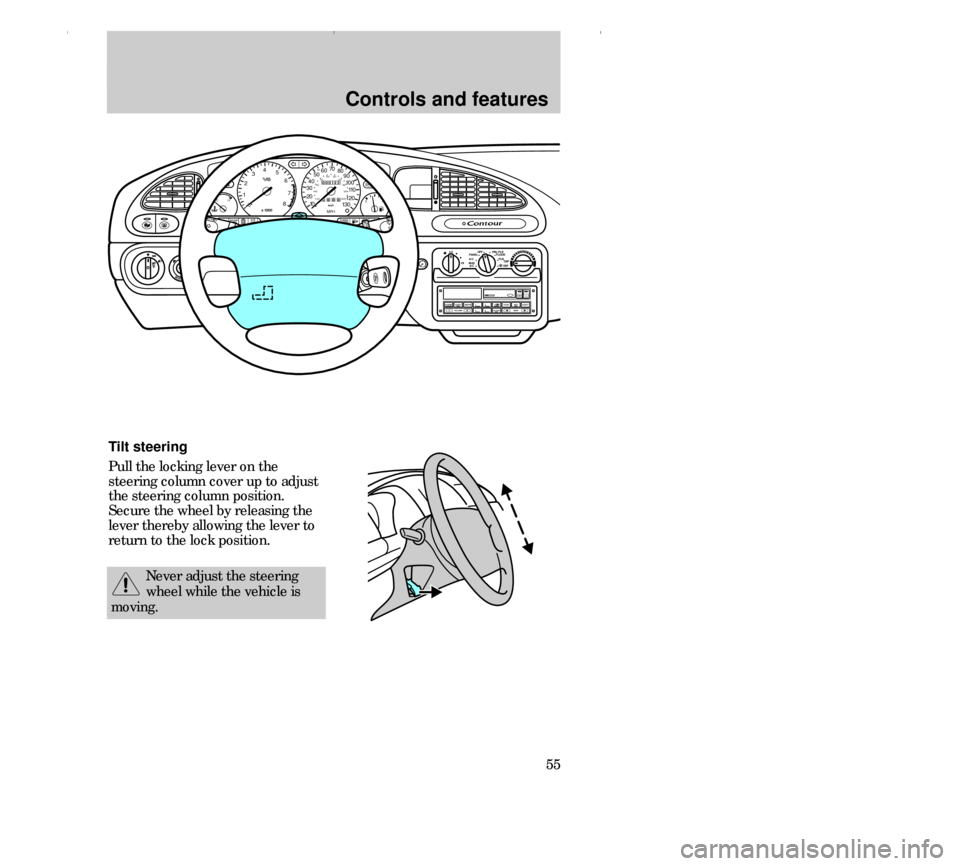
55 Tilt steering
Pull the locking lever on the
steering column cover up to adjust
the steering column position.
Secure the wheel by releasing the
lever thereby allowing the lever to
return to the lock position.
Never adjust the steering
wheel while the vehicle is
moving.
OFF LO PNL/FLR
PANEL
A/CFLOOR
DEF FLR
DEF
MAX
A/C HI/
POWER AUDIO AM/FM
SCAN
SEEK 31245ANSSIDE 1-2EJECTVOLUME
000123
000010 20 3040506070
80
90
10 0
110
120
13 0MPH20 406055
80120 10 0
14 0
160
18 0
200EF12
03
x 1000
4
5
6
7
8
CHECK
ENGINE TRACTION
CONTROLO/D
OFF
MIRRORS
CLOCK
TRACTION
TROL
CH
13CCfen 17.6.99 10:53 Uhr Seite 55
Page 57 of 248
Controls and features
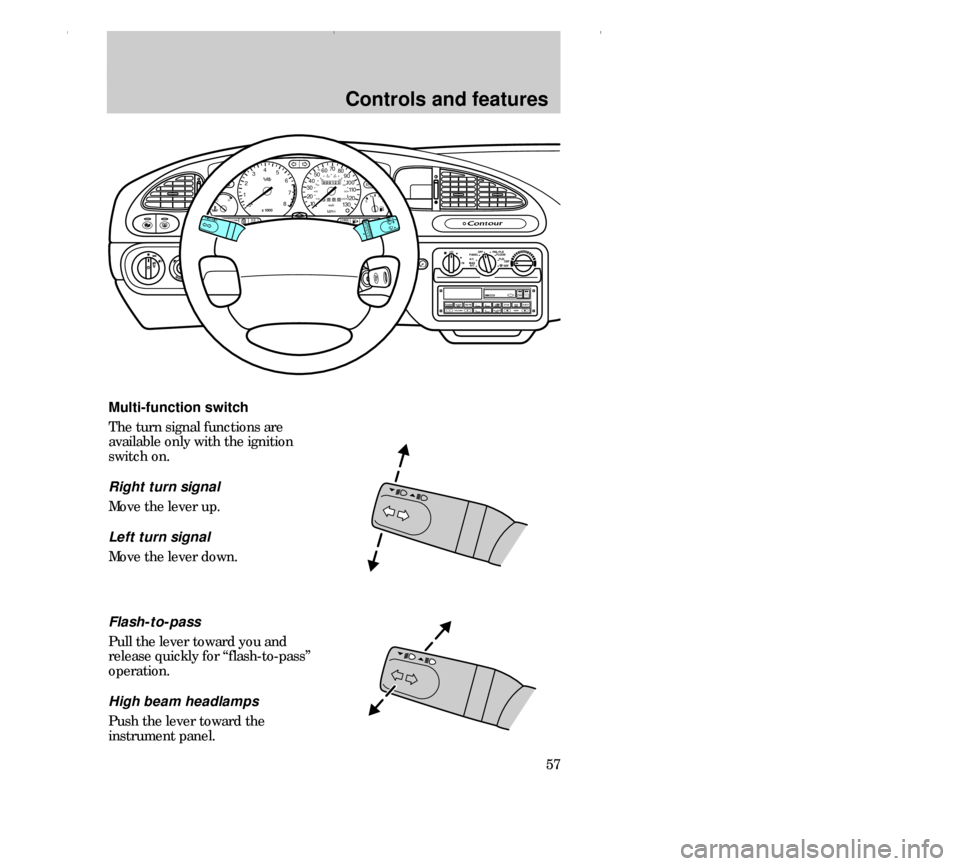
57 Multi-function switch
The turn signal functions are
available only with the ignition
switch on.
Right turn signal
Move the lever up.
Left turn signal
Move the lever down.
OFF LO PNL/FLR
PANEL
A/CFLOOR
DEF FLR
DEF
MAX
A/C HI/
POWER AUDIO AM/FM
SCAN
SEEK 31245ANSSIDE 1-2EJECTVOLUME
000123
000010 20 3040506070
80
90
10 0
110
120
13 0MPH20 406055
80120 10 0
14 0
160
18 0
200EF12
03
x 1000
4
5
6
7
8
CHECK
ENGINE TRACTION
CONTROLO/D
OFF
MIRRORS
CLOCK
TRACTION
TROL
CH
Flash-to-pass
Pull the lever toward you and
release quickly for “flash-to-pass”
operation.
High beam headlamps
Push the lever toward the
instrument panel.
13CCfen 17.6.99 10:53 Uhr Seite 57
Page 59 of 248
Controls and features
59
Do not use the speed control
in heavy traffic or on roads
that are winding, slippery, or
unpaved.
Off
On
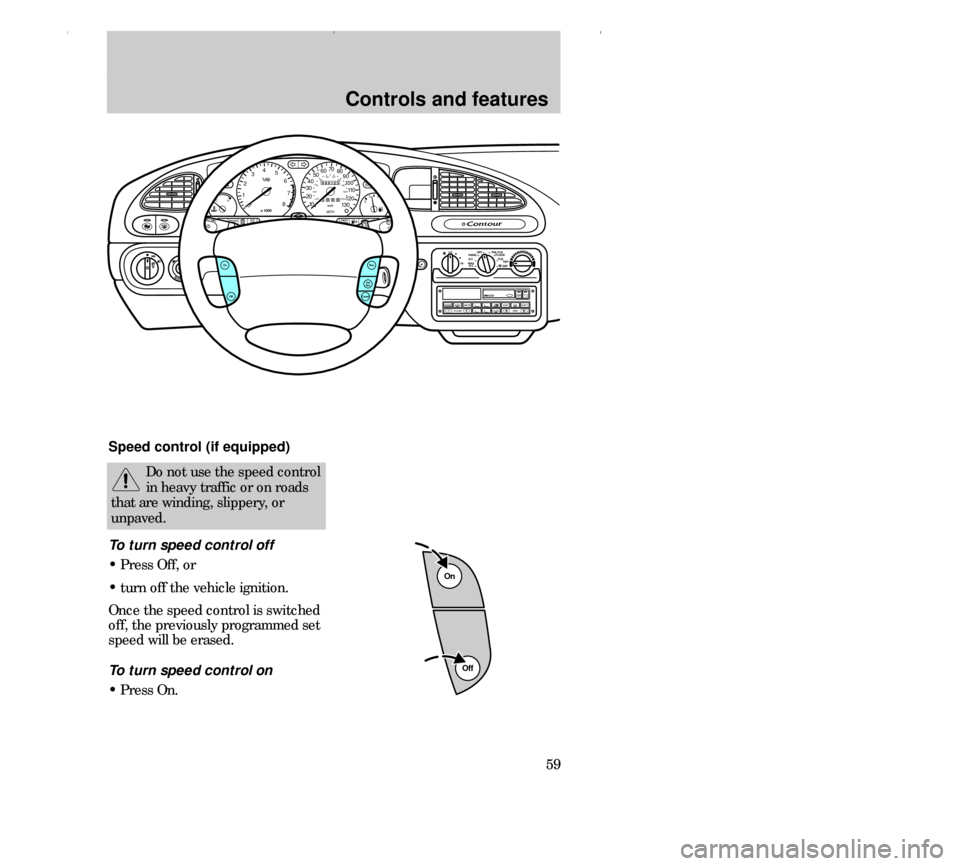
Speed control (if equipped)
To turn speed control off
• Press Off, or
• turn off the vehicle ignition.
Once the speed control is switched
off, the previously programmed set
speed will be erased.
To turn speed control on
• Press On.
MIRRORS
OFF LO PNL/FLR
PANEL
A/CFLOOR
DEF FLR
DEF
MAX
A/C HI/
POWER AUDIO AM/FM
SCAN
SEEK 31245ANSSIDE 1-2EJECTVOLUME
000123
000010 20 3040506070
80
90
10 0
110
120
13 0MPH20 406055
80120 10 0
14 0
160
18 0
200EF12
03
x 1000
4
5
6
7
8
BRAKE
CHECK
ENGINE TRACTION
CONTROLO/D
OFF
CLOCK
Res
Set
AccCoastOff
On
TRACTION
TROL
CH
13CCfen 17.6.99 10:53 Uhr Seite 59
Page 64 of 248
Controls and features
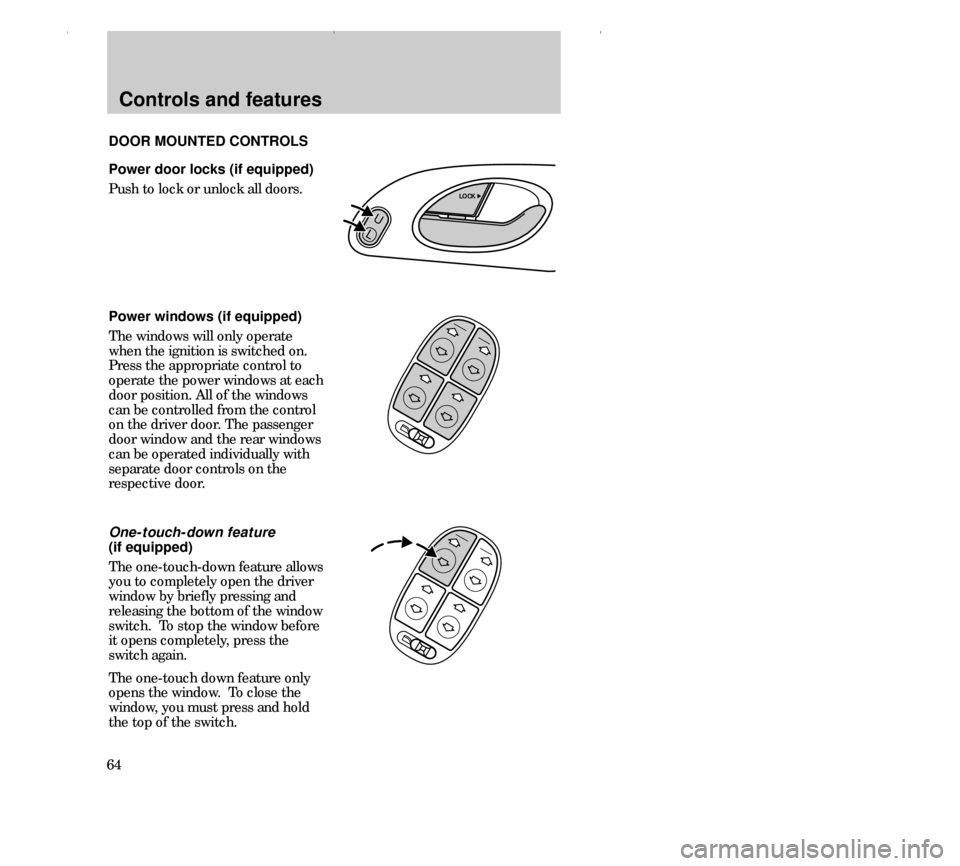
64Power door locks (if equipped)
Push to lock or unlock all doors.
Power windows (if equipped)
The windows will only operate
when the ignition is switched on.
Press the appropriate control to
operate the power windows at each
door position. All of the windows
can be controlled from the control
on the driver door. The passenger
door window and the rear windows
can be operated individually with
separate door controls on the
respective door.
One-touch-down feature
(if equipped)
The one-touch-down feature allows
you to completely open the driver
window by briefly pressing and
releasing the bottom of the window
switch. To stop the window before
it opens completely, press the
switch again.
The one-touch down feature only
opens the window. To close the
window, you must press and hold
the top of the switch. DOOR MOUNTED CONTROLS
U
L
LOCK
13CCfen 17.6.99 10:53 Uhr Seite 64
Page 65 of 248
Controls and features
65
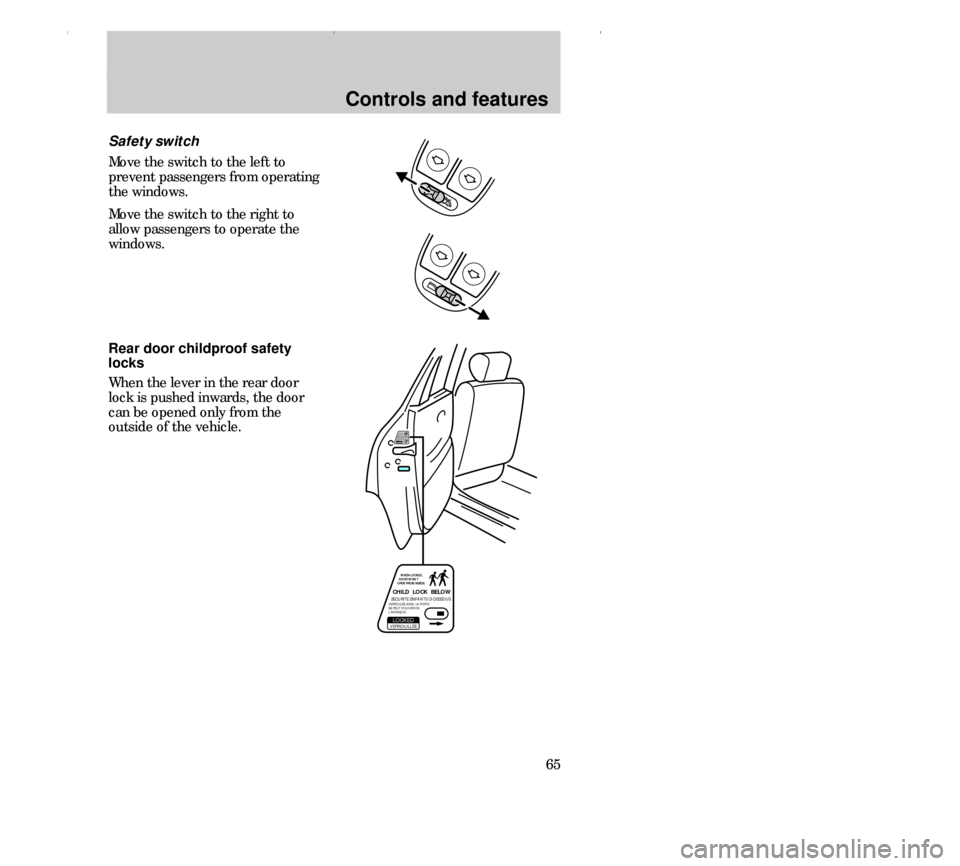
Safety switch
Move the switch to the left to
prevent passengers from operating
the windows.
Move the switch to the right to
allow passengers to operate the
windows.
CHILD LOCK BELOWSECURITE ENFANTS CI-DESSOUS´VERROUILLEE,LOCKED WHEN LOCKED,
DOOR WON`T
OPEN FROM INSIDE.´VERROULEE AINSI, LA PORTE
NE PEUT S´OUVRIR DE
L´INTERIEUR.
CHILD LOCK BELOWSECURITE ENFANTS CI-DESSOUS´
VERROUILLEE,LOCKED
WHEN LOCKED,
DOOR WON`T
OPEN FROM INSIDE.
´VERROULEE AINSI, LA PORTE
NE PEUT S´OUVRIR DE
L´INTERIEUR.
Rear door childproof safety
locks
When the lever in the rear door
lock is pushed inwards, the door
can be opened only from the
outside of the vehicle.
13CCfen 17.6.99 10:53 Uhr Seite 65