instrument cluster FORD E-350 2019 User Guide
[x] Cancel search | Manufacturer: FORD, Model Year: 2019, Model line: E-350, Model: FORD E-350 2019Pages: 329, PDF Size: 6.24 MB
Page 91 of 329
Tow/Haul Mode
To activate tow/haul, press the
button on the gearshift lever.
The TOW HAUL indicator light
illuminates in the instrument cluster.
The tow/haul feature:
• Delays upshifts to reduce the frequency
of transmission shifting.
• Provides engine braking in all forward
gears, which slows your vehicle and
assists you in controlling your vehicle
when descending a slope.
• Depending on driving conditions and
load conditions, may downshift the
transmission, slow your vehicle and
control your vehicle speed when
descending a hill, without pressing the
accelerator pedal. The amount of
downshift braking provided will vary
based upon the amount you press the
brake pedal.
The tow/haul feature improves
transmission operation when towing a
trailer or a heavy load. All transmission
gear ranges are available when using
tow/haul.
To deactivate the tow/haul feature and
return to normal driving mode, press the
button on the gearshift lever again. The
TOW HAUL light deactivates. Tow/haul
also deactivates when you power down
your vehicle. WARNING: Do not use tow/haul
when the road surface is slippery. Failure
to follow this instruction could result in
the loss of control of your vehicle. Brake-Shift Interlock WARNING:
When doing this
procedure, you need to take the
transmission out of park (P) which
means your vehicle can roll freely. To
avoid unwanted vehicle movement,
always fully apply the parking brake prior
to doing this procedure. Use wheels
chocks if appropriate. WARNING:
If the parking brake is
fully released, but the brake warning
lamp remains illuminated, the brakes
may not be working properly. Have your
vehicle checked as soon as possible.
Note: Do not drive your vehicle until you
verify that the brake lamps are working.
Your vehicle has a brake-shift interlock
feature that prevents the gearshift lever
from moving from park (P) when the
ignition is in the 3 (on) position and the
brake pedal is not pressed.
If you cannot move the gearshift lever out
of park (P) position with the ignition in the
4 (on) position and the brake pedal
pressed, a malfunction may have occurred.
It is possible that a fuse has blown or your
vehicle ’s brake lamps are not operating
properly.
See Fuse Specification Chart
(page 131).
If the fuse is not blown and the brake
lamps are working properly, the following
procedure allows you to move the gearshift
lever from park (P):
1. Apply the parking brake and turn the ignition on.
2. Use a screwdriver to remove the lower
trim panel under the steering column.
Make sure not to disturb the wires on
the electrical connector.
88
E-Series (TE4) Canada/United States of America, enUSA, Edition date: 201804, Second-Printing TransmissionE161509
Page 96 of 329
PRINCIPLE OF OPERATION
The traction control system helps avoid
drive wheel spin and loss of traction.
If your vehicle begins to slide, the system
applies the brakes to individual wheels
and, when needed, reduces engine power
at the same time. If the wheels spin when
accelerating on slippery or loose surfaces,
the system reduces engine power in order
to increase traction.
USING TRACTION CONTROL
WARNING: The traction control
light illuminates steadily if a failure is
detected in the system. Verify that the
traction control system was not
manually disabled using the switch. If
the traction control light is still
illuminating steadily, have the system
serviced by an authorized dealer
immediately. Operating your vehicle with
traction control disabled could lead to
an increased risk of loss of vehicle
control, vehicle rollover, personal injury
and death.
The system automatically turns on each
time you switch the ignition on.
If your vehicle is stuck in mud or snow,
switching traction control off may be
beneficial as this allows the wheels to spin.
Switching the System Off The switch for the traction
control system is located on the
instrument panel.
When you switch the system off, an
illuminated icon appears on the instrument
cluster.
Use the switch again to return the traction
control system to normal operation. System Indicator Lights and
Messages The traction control light
temporarily illuminates on
engine start-up and flashes
when a driving condition activates the
system. The traction control off light
temporarily illuminates on
engine start-up and stays on:
• When you switch the traction control
system off.
• If a problem occurs in the system.
93
E-Series (TE4) Canada/United States of America, enUSA, Edition date: 201804, Second-Printing Traction Control
(If Equipped)E194301 E138639 E194301
Page 99 of 329
PRINCIPLE OF OPERATION
Cruise control lets you maintain a set
speed without keeping your foot on the
accelerator pedal. You can use cruise
control when your vehicle speed is greater
than 20 mph (30 km/h).
USING CRUISE CONTROL WARNING:
Do not use cruise
control on winding roads, in heavy traffic
or when the road surface is slippery. This
could result in loss of vehicle control,
serious injury or death. WARNING:
When you are going
downhill, your vehicle speed could
increase above the set speed. The
system does not apply the brakes.
To help the system to maintain the set
speed when going downhill, downshift to
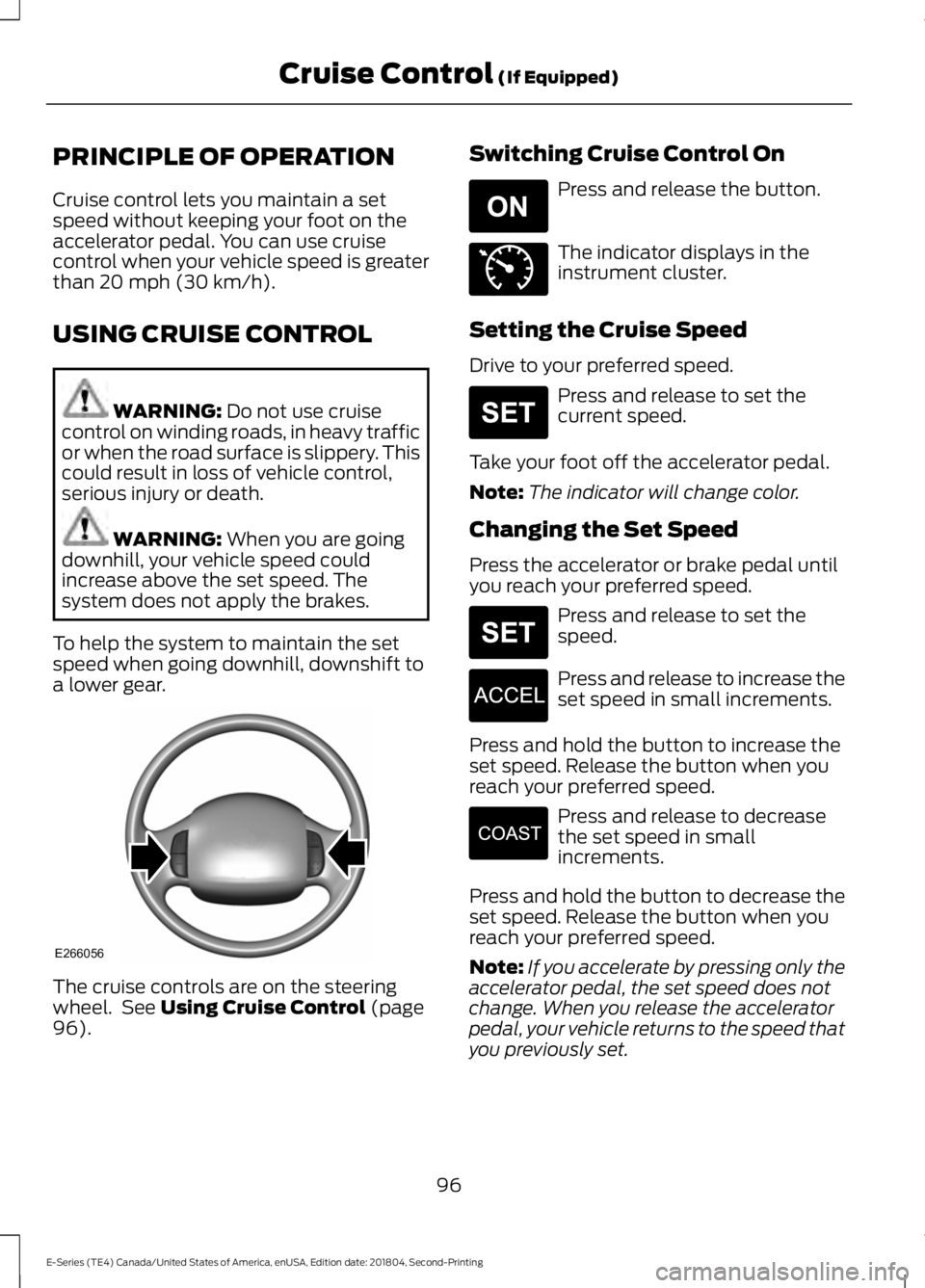
a lower gear. The cruise controls are on the steering
wheel. See
Using Cruise Control (page
96). Switching Cruise Control On Press and release the button.
The indicator displays in the
instrument cluster.
Setting the Cruise Speed
Drive to your preferred speed. Press and release to set the
current speed.
Take your foot off the accelerator pedal.
Note: The indicator will change color.
Changing the Set Speed
Press the accelerator or brake pedal until
you reach your preferred speed. Press and release to set the
speed.
Press and release to increase the
set speed in small increments.
Press and hold the button to increase the
set speed. Release the button when you
reach your preferred speed. Press and release to decrease
the set speed in small
increments.
Press and hold the button to decrease the
set speed. Release the button when you
reach your preferred speed.
Note: If you accelerate by pressing only the
accelerator pedal, the set speed does not
change. When you release the accelerator
pedal, your vehicle returns to the speed that
you previously set.
96
E-Series (TE4) Canada/United States of America, enUSA, Edition date: 201804, Second-Printing Cruise Control
(If Equipped)E266056 E265296 E71340 E265306 E265306 E266055 E266054
Page 138 of 329
Protected Component
Fuse Rating
Fuse or Relay
Number
Power point 1 (instrument panel).
20A 2
67
Modified vehicle.
50A 2
68
Not used.
—
69
Stripped chassis.
30A 2
70
Not used.
—
71
Cigarette lighter/power point.
20A 2
72
Not used.
—
73
Power seat.
30A 2
74
Vehicle power 1.
20A 3
75
Powertrain control module power.
Vehicle power 2.
20A 3
76
Powertrain control module emissions
related components.
Vehicle power 3.
10A 3
77
Powertrain control module general
components.
Vehicle power 4.
15A 3
78
Engine ignition coil relay coil.
Vehicle power 5.
10A 3
79
Transmission.
Cluster run/start (stripped chassis).
10A 3
80
Not used.
—
81
Not used.
—
82
Fuel pump diode.
—
83
135
E-Series (TE4) Canada/United States of America, enUSA, Edition date: 201804, Second-Printing Fuses
Page 141 of 329
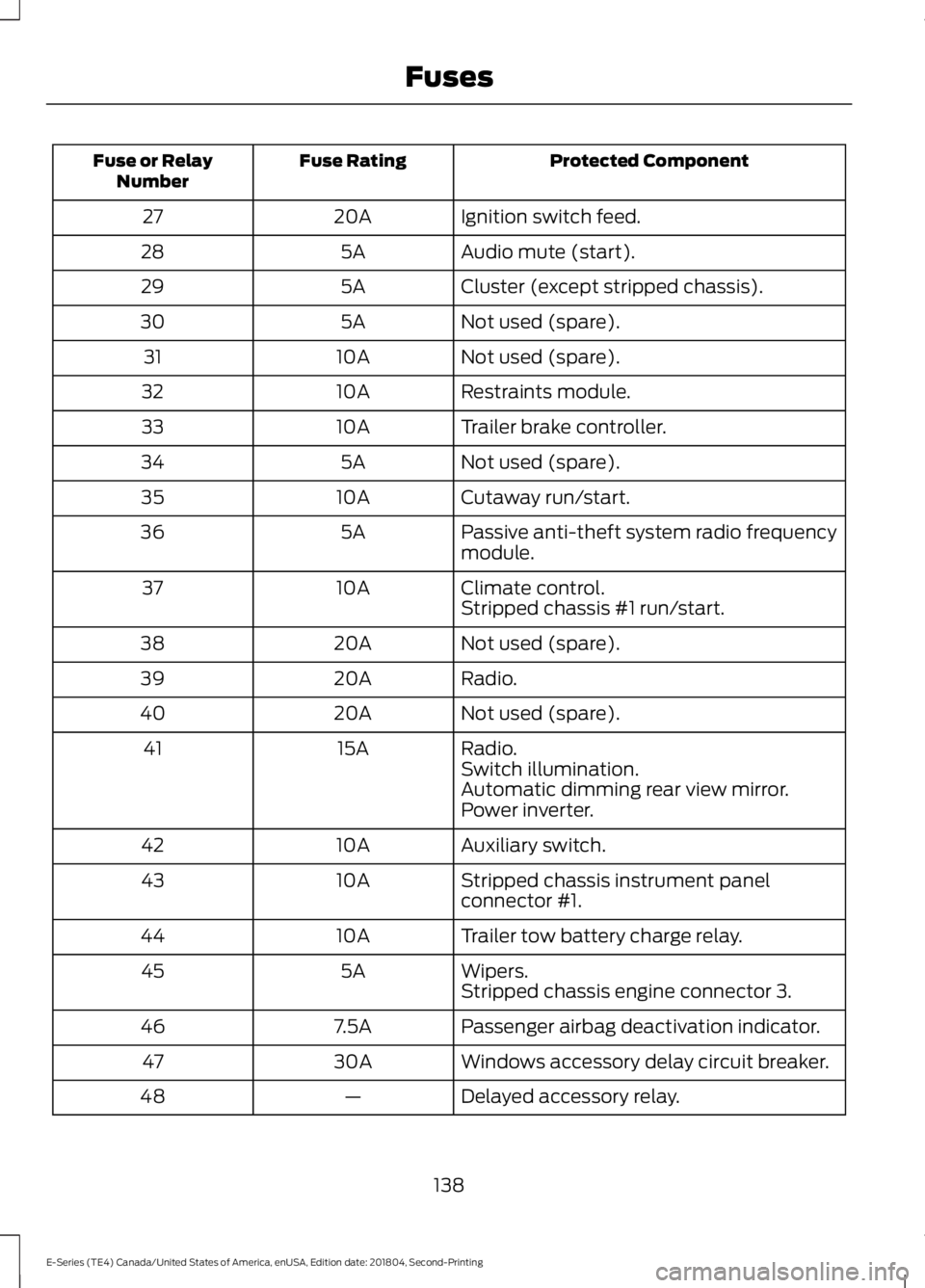
Protected Component
Fuse Rating
Fuse or Relay
Number
Ignition switch feed.
20A
27
Audio mute (start).
5A
28
Cluster (except stripped chassis).
5A
29
Not used (spare).
5A
30
Not used (spare).
10A
31
Restraints module.
10A
32
Trailer brake controller.
10A
33
Not used (spare).
5A
34
Cutaway run/start.
10A
35
Passive anti-theft system radio frequency
module.
5A
36
Climate control.
10A
37
Stripped chassis #1 run/start.
Not used (spare).
20A
38
Radio.
20A
39
Not used (spare).
20A
40
Radio.
15A
41
Switch illumination.
Automatic dimming rear view mirror.
Power inverter.
Auxiliary switch.
10A
42
Stripped chassis instrument panel
connector #1.
10A
43
Trailer tow battery charge relay.
10A
44
Wipers.
5A
45
Stripped chassis engine connector 3.
Passenger airbag deactivation indicator.
7.5A
46
Windows accessory delay circuit breaker.
30A
47
Delayed accessory relay.
—
48
138
E-Series (TE4) Canada/United States of America, enUSA, Edition date: 201804, Second-Printing Fuses
Page 152 of 329
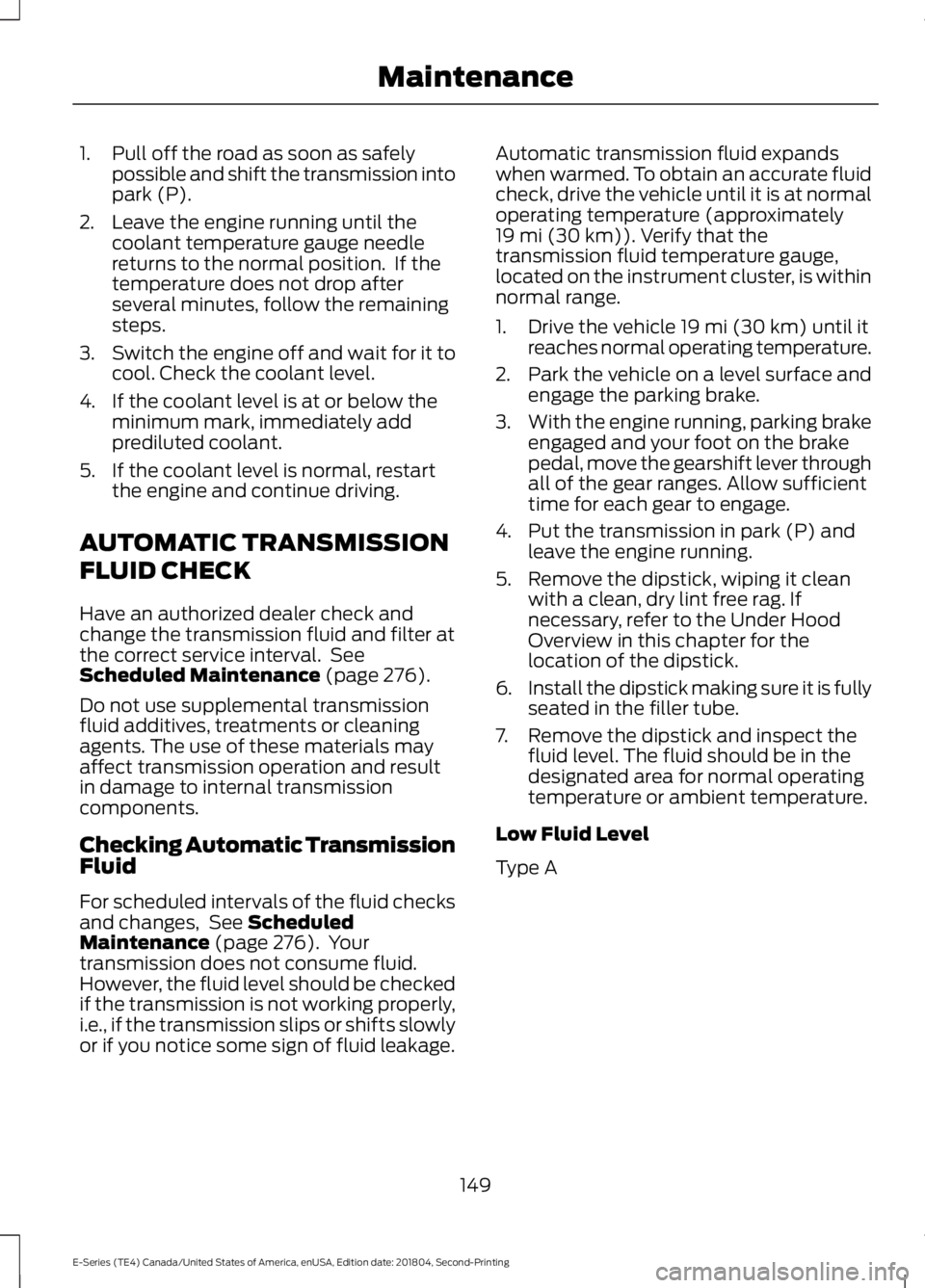
1. Pull off the road as soon as safely
possible and shift the transmission into
park (P).
2. Leave the engine running until the coolant temperature gauge needle
returns to the normal position. If the
temperature does not drop after
several minutes, follow the remaining
steps.
3. Switch the engine off and wait for it to
cool. Check the coolant level.
4. If the coolant level is at or below the minimum mark, immediately add
prediluted coolant.
5. If the coolant level is normal, restart the engine and continue driving.
AUTOMATIC TRANSMISSION
FLUID CHECK
Have an authorized dealer check and
change the transmission fluid and filter at
the correct service interval. See
Scheduled Maintenance (page 276).
Do not use supplemental transmission
fluid additives, treatments or cleaning
agents. The use of these materials may
affect transmission operation and result
in damage to internal transmission
components.
Checking Automatic Transmission
Fluid
For scheduled intervals of the fluid checks
and changes, See
Scheduled
Maintenance (page 276). Your
transmission does not consume fluid.
However, the fluid level should be checked
if the transmission is not working properly,
i.e., if the transmission slips or shifts slowly
or if you notice some sign of fluid leakage. Automatic transmission fluid expands
when warmed. To obtain an accurate fluid
check, drive the vehicle until it is at normal
operating temperature (approximately
19 mi (30 km)
). Verify that the
transmission fluid temperature gauge,
located on the instrument cluster, is within
normal range.
1. Drive the vehicle
19 mi (30 km) until it
reaches normal operating temperature.
2. Park the vehicle on a level surface and
engage the parking brake.
3. With the engine running, parking brake
engaged and your foot on the brake
pedal, move the gearshift lever through
all of the gear ranges. Allow sufficient
time for each gear to engage.
4. Put the transmission in park (P) and leave the engine running.
5. Remove the dipstick, wiping it clean with a clean, dry lint free rag. If
necessary, refer to the Under Hood
Overview in this chapter for the
location of the dipstick.
6. Install the dipstick making sure it is fully
seated in the filler tube.
7. Remove the dipstick and inspect the fluid level. The fluid should be in the
designated area for normal operating
temperature or ambient temperature.
Low Fluid Level
Type A
149
E-Series (TE4) Canada/United States of America, enUSA, Edition date: 201804, Second-Printing Maintenance
Page 166 of 329
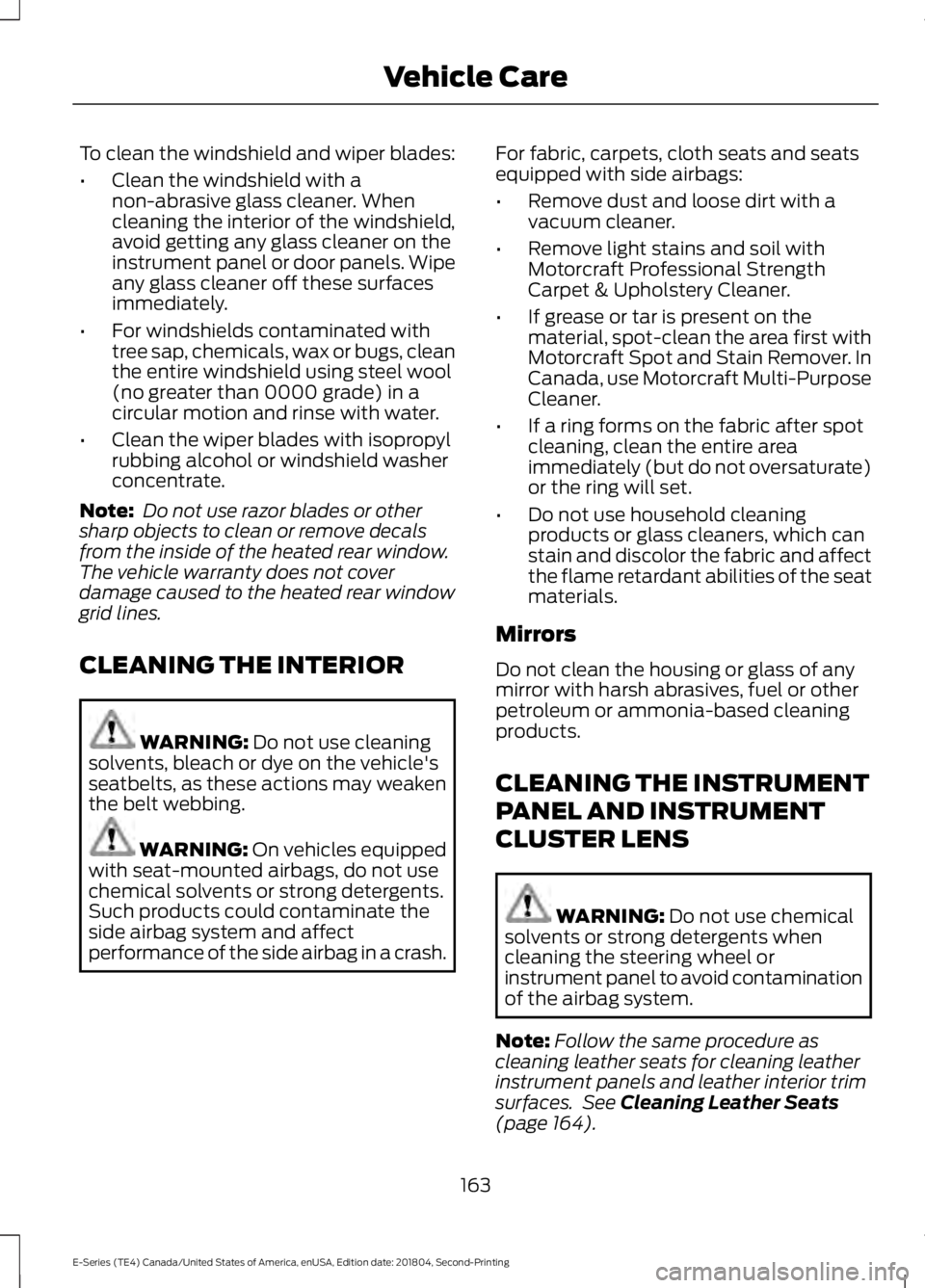
To clean the windshield and wiper blades:
•
Clean the windshield with a
non-abrasive glass cleaner. When
cleaning the interior of the windshield,
avoid getting any glass cleaner on the
instrument panel or door panels. Wipe
any glass cleaner off these surfaces
immediately.
• For windshields contaminated with
tree sap, chemicals, wax or bugs, clean
the entire windshield using steel wool
(no greater than 0000 grade) in a
circular motion and rinse with water.
• Clean the wiper blades with isopropyl
rubbing alcohol or windshield washer
concentrate.
Note: Do not use razor blades or other
sharp objects to clean or remove decals
from the inside of the heated rear window.
The vehicle warranty does not cover
damage caused to the heated rear window
grid lines.
CLEANING THE INTERIOR WARNING: Do not use cleaning
solvents, bleach or dye on the vehicle's
seatbelts, as these actions may weaken
the belt webbing. WARNING:
On vehicles equipped
with seat-mounted airbags, do not use
chemical solvents or strong detergents.
Such products could contaminate the
side airbag system and affect
performance of the side airbag in a crash. For fabric, carpets, cloth seats and seats
equipped with side airbags:
•
Remove dust and loose dirt with a
vacuum cleaner.
• Remove light stains and soil with
Motorcraft Professional Strength
Carpet & Upholstery Cleaner.
• If grease or tar is present on the
material, spot-clean the area first with
Motorcraft Spot and Stain Remover. In
Canada, use Motorcraft Multi-Purpose
Cleaner.
• If a ring forms on the fabric after spot
cleaning, clean the entire area
immediately (but do not oversaturate)
or the ring will set.
• Do not use household cleaning
products or glass cleaners, which can
stain and discolor the fabric and affect
the flame retardant abilities of the seat
materials.
Mirrors
Do not clean the housing or glass of any
mirror with harsh abrasives, fuel or other
petroleum or ammonia-based cleaning
products.
CLEANING THE INSTRUMENT
PANEL AND INSTRUMENT
CLUSTER LENS WARNING:
Do not use chemical
solvents or strong detergents when
cleaning the steering wheel or
instrument panel to avoid contamination
of the airbag system.
Note: Follow the same procedure as
cleaning leather seats for cleaning leather
instrument panels and leather interior trim
surfaces. See
Cleaning Leather Seats
(page 164).
163
E-Series (TE4) Canada/United States of America, enUSA, Edition date: 201804, Second-Printing Vehicle Care
Page 167 of 329
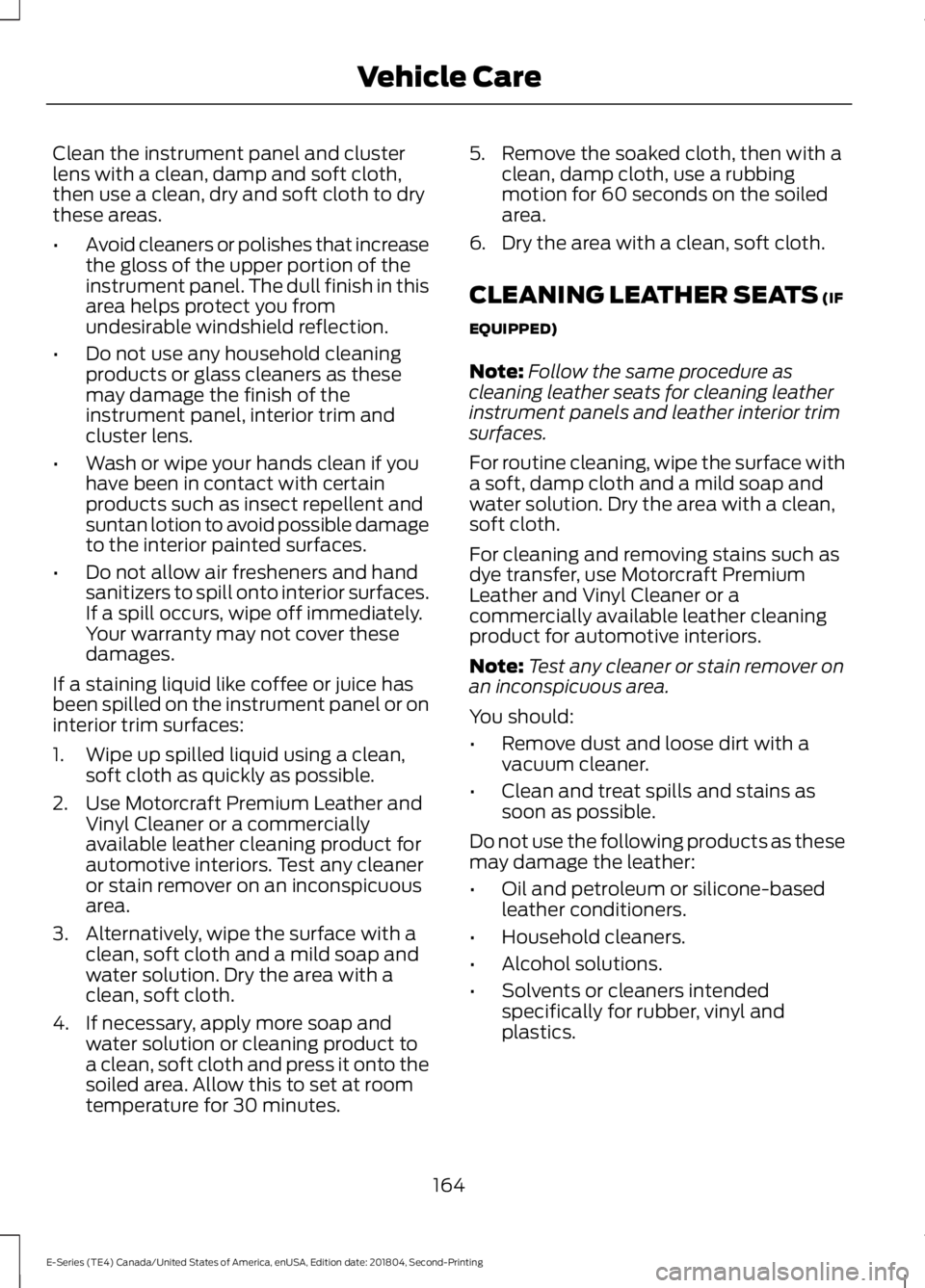
Clean the instrument panel and cluster
lens with a clean, damp and soft cloth,
then use a clean, dry and soft cloth to dry
these areas.
•
Avoid cleaners or polishes that increase
the gloss of the upper portion of the
instrument panel. The dull finish in this
area helps protect you from
undesirable windshield reflection.
• Do not use any household cleaning
products or glass cleaners as these
may damage the finish of the
instrument panel, interior trim and
cluster lens.
• Wash or wipe your hands clean if you
have been in contact with certain
products such as insect repellent and
suntan lotion to avoid possible damage
to the interior painted surfaces.
• Do not allow air fresheners and hand
sanitizers to spill onto interior surfaces.
If a spill occurs, wipe off immediately.
Your warranty may not cover these
damages.
If a staining liquid like coffee or juice has
been spilled on the instrument panel or on
interior trim surfaces:
1. Wipe up spilled liquid using a clean, soft cloth as quickly as possible.
2. Use Motorcraft Premium Leather and Vinyl Cleaner or a commercially
available leather cleaning product for
automotive interiors. Test any cleaner
or stain remover on an inconspicuous
area.
3. Alternatively, wipe the surface with a clean, soft cloth and a mild soap and
water solution. Dry the area with a
clean, soft cloth.
4. If necessary, apply more soap and water solution or cleaning product to
a clean, soft cloth and press it onto the
soiled area. Allow this to set at room
temperature for 30 minutes. 5. Remove the soaked cloth, then with a
clean, damp cloth, use a rubbing
motion for 60 seconds on the soiled
area.
6. Dry the area with a clean, soft cloth.
CLEANING LEATHER SEATS (IF
EQUIPPED)
Note: Follow the same procedure as
cleaning leather seats for cleaning leather
instrument panels and leather interior trim
surfaces.
For routine cleaning, wipe the surface with
a soft, damp cloth and a mild soap and
water solution. Dry the area with a clean,
soft cloth.
For cleaning and removing stains such as
dye transfer, use Motorcraft Premium
Leather and Vinyl Cleaner or a
commercially available leather cleaning
product for automotive interiors.
Note: Test any cleaner or stain remover on
an inconspicuous area.
You should:
• Remove dust and loose dirt with a
vacuum cleaner.
• Clean and treat spills and stains as
soon as possible.
Do not use the following products as these
may damage the leather:
• Oil and petroleum or silicone-based
leather conditioners.
• Household cleaners.
• Alcohol solutions.
• Solvents or cleaners intended
specifically for rubber, vinyl and
plastics.
164
E-Series (TE4) Canada/United States of America, enUSA, Edition date: 201804, Second-Printing Vehicle Care
Page 323 of 329
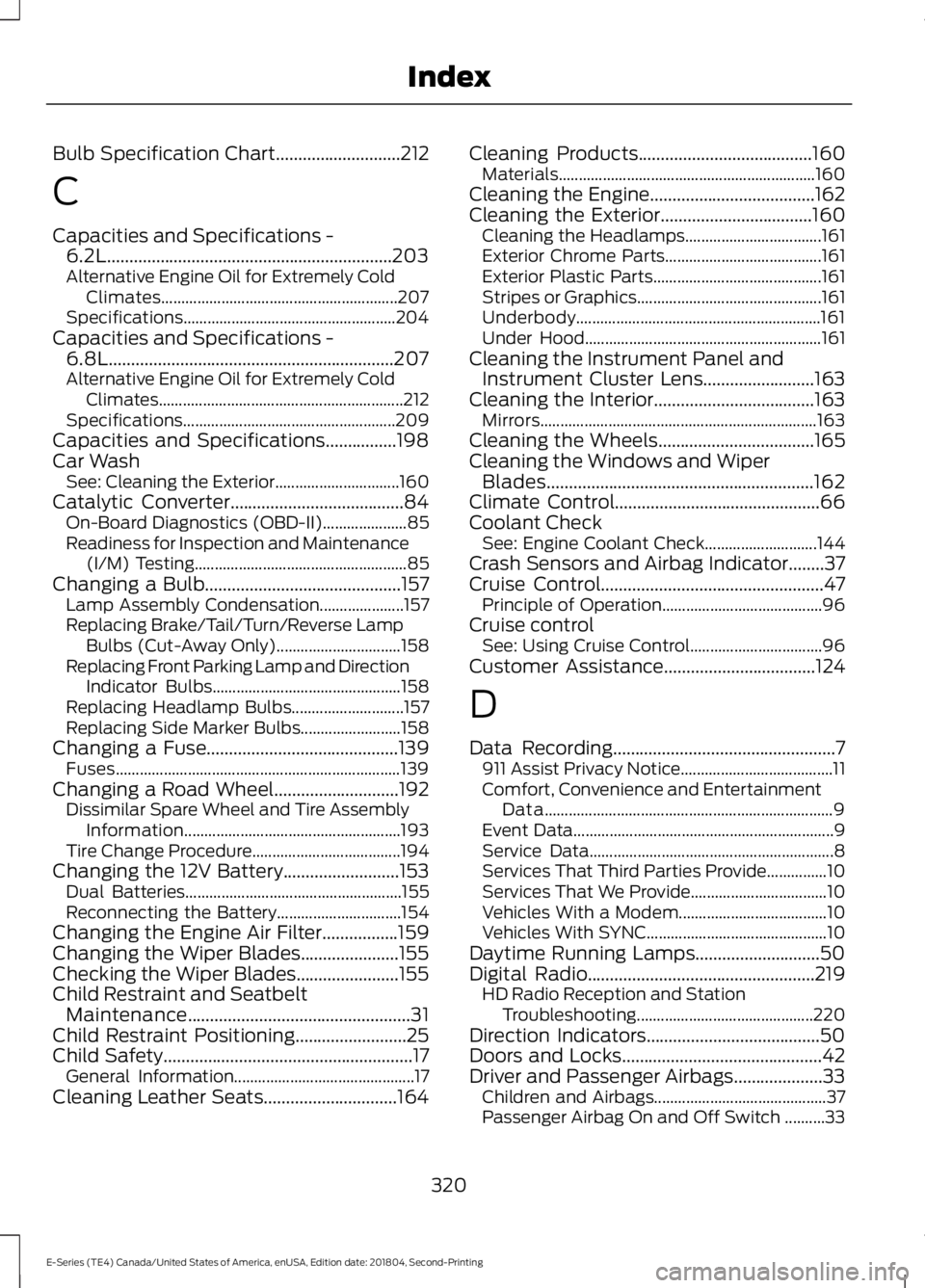
Bulb Specification Chart............................212
C
Capacities and Specifications -
6.2L................................................................203
Alternative Engine Oil for Extremely Cold Climates........................................................... 207
Specifications..................................................... 204
Capacities and Specifications - 6.8L................................................................207
Alternative Engine Oil for Extremely Cold Climates............................................................. 212
Specifications..................................................... 209
Capacities and Specifications................198
Car Wash See: Cleaning the Exterior............................... 160
Catalytic Converter.......................................84
On-Board Diagnostics (OBD-II)..................... 85
Readiness for Inspection and Maintenance (I/M) Testing..................................................... 85
Changing a Bulb............................................157 Lamp Assembly Condensation..................... 157
Replacing Brake/Tail/Turn/Reverse Lamp Bulbs (Cut-Away Only)............................... 158
Replacing Front Parking Lamp and Direction Indicator Bulbs............................................... 158
Replacing Headlamp Bulbs............................ 157
Replacing Side Marker Bulbs......................... 158
Changing a Fuse...........................................139 Fuses....................................................................... 139
Changing a Road Wheel............................192 Dissimilar Spare Wheel and Tire Assembly
Information...................................................... 193
Tire Change Procedure..................................... 194
Changing the 12V Battery..........................153 Dual Batteries...................................................... 155
Reconnecting the Battery............................... 154
Changing the Engine Air Filter.................159
Changing the Wiper Blades......................155
Checking the Wiper Blades.......................155
Child Restraint and Seatbelt Maintenance..................................................31
Child Restraint Positioning.........................25
Child Safety
........................................................17
General Information............................................. 17
Cleaning Leather Seats
..............................164 Cleaning Products
.......................................160
Materials................................................................ 160
Cleaning the Engine.....................................162
Cleaning the Exterior
..................................160
Cleaning the Headlamps.................................. 161
Exterior Chrome Parts....................................... 161
Exterior Plastic Parts.......................................... 161
Stripes or Graphics.............................................. 161
Underbody............................................................. 161
Under Hood........................................................... 161
Cleaning the Instrument Panel and Instrument Cluster Lens.........................163
Cleaning the Interior
....................................163
Mirrors..................................................................... 163
Cleaning the Wheels
...................................165
Cleaning the Windows and Wiper Blades
............................................................162
Climate Control..............................................66
Coolant Check See: Engine Coolant Check............................ 144
Crash Sensors and Airbag Indicator........37
Cruise Control
..................................................47
Principle of Operation........................................ 96
Cruise control See: Using Cruise Control................................. 96
Customer Assistance
..................................124
D
Data Recording
..................................................7
911 Assist Privacy Notice...................................... 11
Comfort, Convenience and Entertainment Data........................................................................\
9
Event Data................................................................. 9
Service Data............................................................. 8
Services That Third Parties Provide...............10
Services That We Provide.................................. 10
Vehicles With a Modem..................................... 10
Vehicles With SYNC............................................. 10
Daytime Running Lamps............................50
Digital Radio...................................................219 HD Radio Reception and Station
Troubleshooting............................................ 220
Direction Indicators.......................................50
Doors and Locks
.............................................42
Driver and Passenger Airbags....................33 Children and Airbags........................................... 37
Passenger Airbag On and Off Switch ..........33
320
E-Series (TE4) Canada/United States of America, enUSA, Edition date: 201804, Second-Printing Index
Page 325 of 329
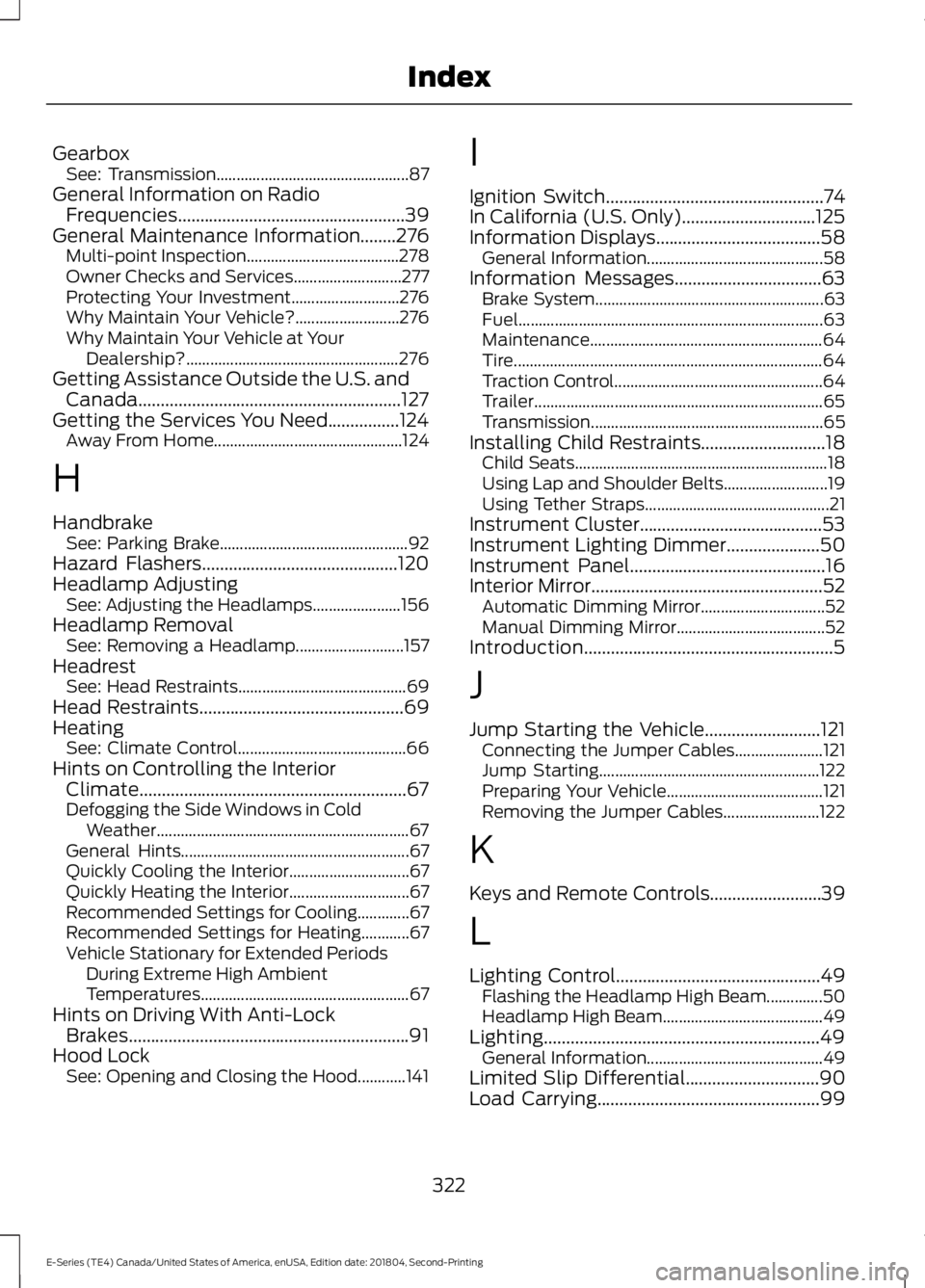
Gearbox
See: Transmission................................................ 87
General Information on Radio Frequencies...................................................39
General Maintenance Information........276 Multi-point Inspection...................................... 278
Owner Checks and Services........................... 277
Protecting Your Investment........................... 276
Why Maintain Your Vehicle?.......................... 276
Why Maintain Your Vehicle at Your Dealership?..................................................... 276
Getting Assistance Outside the U.S. and Canada...........................................................127
Getting the Services You Need
................124
Away From Home............................................... 124
H
Handbrake See: Parking Brake............................................... 92
Hazard Flashers
............................................120
Headlamp Adjusting See: Adjusting the Headlamps...................... 156
Headlamp Removal See: Removing a Headlamp........................... 157
Headrest See: Head Restraints.......................................... 69
Head Restraints
..............................................69
Heating See: Climate Control.......................................... 66
Hints on Controlling the Interior Climate............................................................67
Defogging the Side Windows in Cold Weather............................................................... 67
General Hints......................................................... 67
Quickly Cooling the Interior.............................. 67
Quickly Heating the Interior.............................. 67
Recommended Settings for Cooling.............67
Recommended Settings for Heating............67
Vehicle Stationary for Extended Periods During Extreme High Ambient
Temperatures.................................................... 67
Hints on Driving With Anti-Lock Brakes...............................................................91
Hood Lock See: Opening and Closing the Hood............141 I
Ignition Switch
.................................................74
In California (U.S. Only)..............................125
Information Displays.....................................58 General Information............................................ 58
Information Messages
.................................63
Brake System......................................................... 63
Fuel........................................................................\
.... 63
Maintenance.......................................................... 64
Tire........................................................................\
..... 64
Traction Control.................................................... 64
Trailer........................................................................\
65
Transmission .......................................................... 65
Installing Child Restraints
............................18
Child Seats............................................................... 18
Using Lap and Shoulder Belts.......................... 19
Using Tether Straps.............................................. 21
Instrument Cluster.........................................53
Instrument Lighting Dimmer
.....................50
Instrument Panel............................................16
Interior Mirror....................................................52
Automatic Dimming Mirror............................... 52
Manual Dimming Mirror..................................... 52
Introduction........................................................5
J
Jump Starting the Vehicle..........................121 Connecting the Jumper Cables...................... 121
Jump Starting....................................................... 122
Preparing Your Vehicle....................................... 121
Removing the Jumper Cables........................ 122
K
Keys and Remote Controls.........................39
L
Lighting Control..............................................49 Flashing the Headlamp High Beam..............50
Headlamp High Beam........................................ 49
Lighting..............................................................49 General Information............................................ 49
Limited Slip Differential
..............................90
Load Carrying..................................................99
322
E-Series (TE4) Canada/United States of America, enUSA, Edition date: 201804, Second-Printing Index