steering wheel FORD E-350 2019 Owner's Manual
[x] Cancel search | Manufacturer: FORD, Model Year: 2019, Model line: E-350, Model: FORD E-350 2019Pages: 329, PDF Size: 6.24 MB
Page 190 of 329
If your vehicle is equipped with
dual rear wheels it is
recommended that the front and
rear tires (in pairs) be rotated only
side to side. We do not
recommend splitting up the dual
rear wheels. Rotate them side to
side as a set. After tire rotation,
inflation pressures must be
adjusted for the tires new
positions in accordance with
vehicle requirements.
USING SNOW CHAINS
WARNING: Snow tires must be
the same size, load index, and speed
rating as those originally provided by
Ford. Use of any tire or wheel not
recommended by Ford can affect the
safety and performance of your vehicle,
which could result in an increased risk of
loss of vehicle control, vehicle rollover,
personal injury, and death. Additionally,
the use of non-recommended tires and
wheels could cause steering, suspension,
axle, transfer case, or power transfer unit
failure. It is also strongly advised to
follow the Ford recommended tire
inflation pressure found on the Safety
Compliance Certification Label (affixed
to either the door hinge pillar, door-latch
post, or the door edge that meets the
door-latch post, next to the driver ’s
seating position), or Tire Label which is
located on the B-Pillar or the edge of the
driver door. Failure to follow the tire
pressure recommendations can cause
uneven treadwear patterns and
adversely affect the way your vehicle
handles. The tires on your vehicle have all-weather
treads to provide traction in rain and snow.
However, in some climates, you may need
to use snow tires and cables. If you need
to use cables, it is recommended that steel
wheels (of the same size and
specifications) be used, as cables may chip
aluminum wheels.
Note:
The suspension insulation and
bumpers help prevent vehicle damage. Do
not remove these components from your
vehicle when using snow tires and chains.
Follow these guidelines when using snow
tires and chains:
• If possible, avoid fully loading your
vehicle.
• Use only SAE Class S chains.
• Install chains securely, verifying that
the chains do not touch any wiring,
brake lines or fuel lines.
• Drive cautiously. If you hear the chains
rub or bang against your vehicle, stop
and retighten the chains. If this does
not work, remove the chains to prevent
damage to your vehicle.
• Remove the tire chains when they are
no longer needed. Do not use tire
chains on dry roads.
If you have any questions regarding snow
chains or cables, please contact your
authorized dealer.
187
E-Series (TE4) Canada/United States of America, enUSA, Edition date: 201804, Second-Printing Wheels and Tires
Page 196 of 329
Note:
The tire pressure monitoring system
indicator light illuminates when the spare
tire is in use. To restore the full function of
the monitoring system, all road wheels
equipped with tire pressure monitoring
sensors must be mounted on the vehicle.
Note: Do not use wheels or lug nuts
different than the original equipment, as this
may damage the wheel or mounting system.
If you get a flat tire when driving, do not
apply the brake heavily. Instead, gradually
decrease your speed. Hold the steering
wheel firmly and slowly move to a safe
place on the side of the road.
Have a flat serviced by an authorized
dealer in order to prevent damage to the
tire pressure monitoring system sensors.
See Tire Pressure Monitoring System
(page 188). Replace the spare tire with a
road tire as soon as possible. During
repairing or replacing of the flat tire, have
the authorized dealer inspect the tire
pressure monitoring system sensor for
damage.
Dissimilar Spare Wheel and Tire
Assembly Information WARNING:
Failure to follow these
guidelines could result in an increased
risk of loss of vehicle control, injury or
death.
If you have a dissimilar spare wheel and
tire, then it is intended for temporary use
only. This means that if you need to use it,
you should replace it as soon as possible
with a road wheel and tire assembly that
is the same size and type as the road tires
and wheels that were originally provided
by Ford. If the dissimilar spare tire or wheel
is damaged, it should be replaced rather
than repaired. A dissimilar spare wheel and tire assembly
is defined as a spare wheel and tire
assembly that is different in brand, size or
appearance from the road tires and wheels
and can be one of three types:
1.
T-type mini-spare:
This spare tire
begins with the letter T for tire size and
may have Temporary Use Only molded in
the sidewall.
2. Full-size dissimilar spare with label
on wheel:
This spare tire has a label on
the wheel that states: THIS WHEEL AND
TIRE ASSEMBLY FOR TEMPORARY USE
ONLY.
When driving with one of the dissimilar
spare tires listed above, do not:
• Exceed
50 mph (80 km/h).
• Load the vehicle beyond maximum
vehicle load rating listed on the Safety
Compliance Label.
• Tow a trailer.
• Use snow chains on the end of the
vehicle with the dissimilar spare tire.
• Use more than one dissimilar spare tire
at a time.
• Use commercial car washing
equipment.
• Try to repair the dissimilar spare tire.
Use of one of the dissimilar spare tires
listed above at any one wheel location can
lead to impairment of the following:
• Handling, stability and braking
performance.
• Comfort and noise.
• Ground clearance and parking at curbs.
• Winter weather driving capability.
• Wet weather driving capability.
• All-wheel driving capability.
3. Full-size dissimilar spare without
label on wheel
193
E-Series (TE4) Canada/United States of America, enUSA, Edition date: 201804, Second-Printing Wheels and Tires
Page 198 of 329
3.
Block both directions of the wheel that
is diagonally opposite to the wheel that
is being lifted.
4. Remove the spare tire and jack from the storage location.
5. Remove the wheel trim (if equipped) by inserting the tapered end of the lug
nut wrench behind the wheel cover or
hubcap and twist it off.
6. Loosen each wheel lug nut one-half turn counterclockwise, but do not
remove them until the wheel is raise
off the ground.
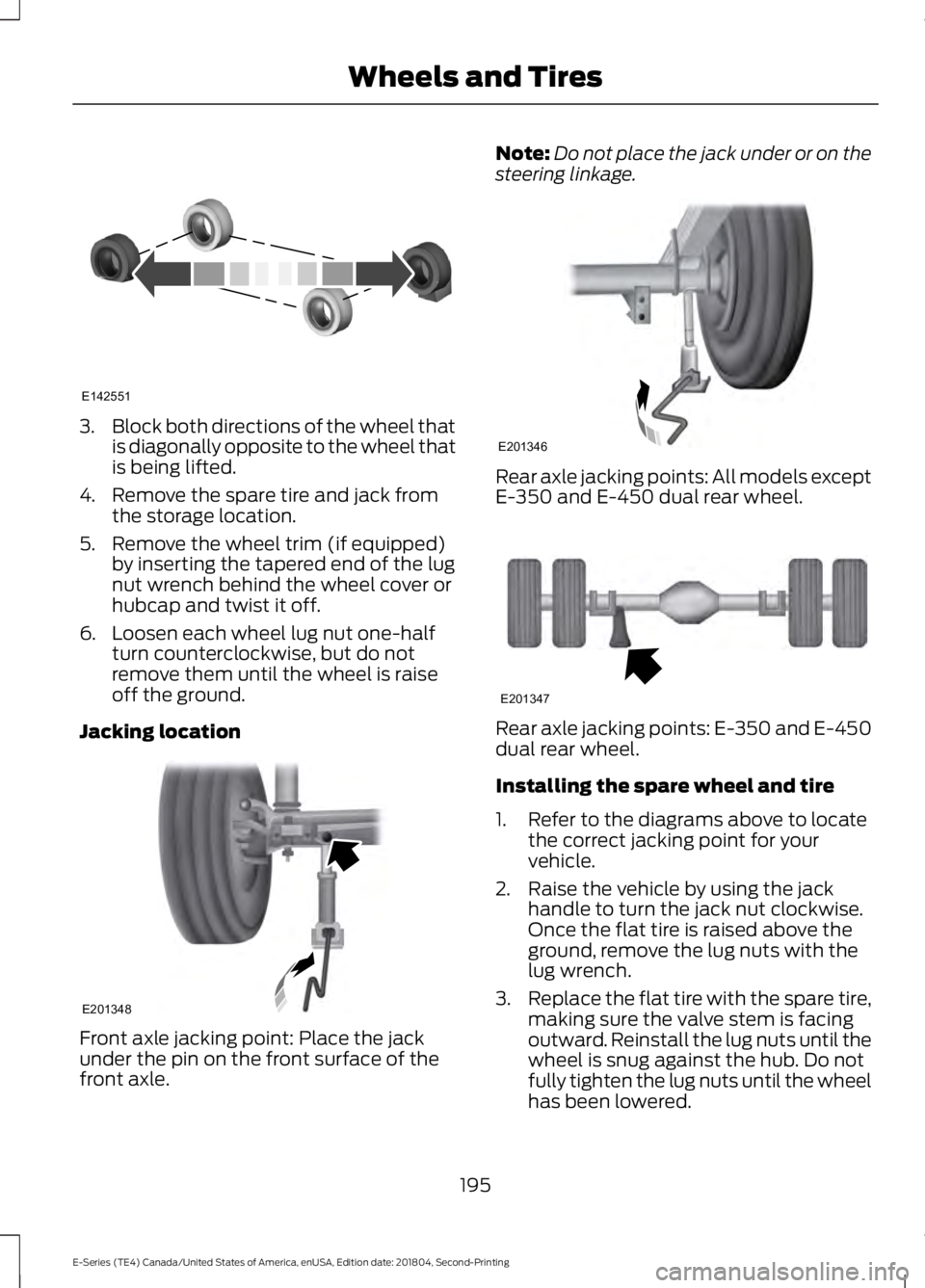
Jacking location Front axle jacking point: Place the jack
under the pin on the front surface of the
front axle. Note:
Do not place the jack under or on the
steering linkage. Rear axle jacking points: All models except
E-350 and E-450 dual rear wheel.
Rear axle jacking points: E-350 and E-450
dual rear wheel.
Installing the spare wheel and tire
1. Refer to the diagrams above to locate
the correct jacking point for your
vehicle.
2. Raise the vehicle by using the jack handle to turn the jack nut clockwise.
Once the flat tire is raised above the
ground, remove the lug nuts with the
lug wrench.
3. Replace the flat tire with the spare tire,
making sure the valve stem is facing
outward. Reinstall the lug nuts until the
wheel is snug against the hub. Do not
fully tighten the lug nuts until the wheel
has been lowered.
195
E-Series (TE4) Canada/United States of America, enUSA, Edition date: 201804, Second-Printing Wheels and TiresE142551 E201348 E201346 E201347
Page 230 of 329
The cellular profile, media device index,
and development log will remain in the
vehicle unless you delete them and are
generally accessible only in the vehicle
when the cellular phone or media player
is connected. If you no longer plan to use
the system or the vehicle, we recommend
you perform a Master Reset to erase all
stored information.
System data cannot be accessed without
special equipment and access to the
vehicle's SYNC module. Ford Motor
Company and Ford of Canada will not
access the system data for any purpose
other than as described absent consent, a
court order, or where required by law
enforcement, other government
authorities, or other third parties acting
with lawful authority. Other parties may
seek to access the information
independently of Ford Motor Company and
Ford of Canada. For further privacy
information, see the sections on 911 Assist,
Vehicle Health Report, and Traffic,
Directions and Information.
USING VOICE RECOGNITION
This system helps you control many
features using voice commands. This
allows you to keep your hands on the
wheel and focus on what is in front of you.
Helpful Hints
•
Make sure the interior of your vehicle is
as quiet as possible. Wind noise from
open windows and road vibrations may
prevent the system from correctly
recognizing spoken commands.
• After pressing the voice button, wait
until after the tone sounds and
Listening appears before saying a
command. Any command spoken
before this does not register with the
system.
• Speak naturally, without long pauses
between words.
• At any time, you can interrupt the
system while it is speaking by pressing
the voice button.
Initiating a Voice Session Initiate a voice session by
pressing the voice button on the
steering wheel controls. See
Voice Control (page 47).
When prompted you can say any of the following: If you want the system to carry out the following
Voice command
Stream audio from your phone.
Bluetooth Audio
Cancel the requested action.
Cancel
Access mobile applications.
mobile (apps | applica-
tions)
Make calls.
Phone
Access the device connected to your USB port.
USB [1]
Run a vehicle health report.
Vehicle Health (Report)
227
E-Series (TE4) Canada/United States of America, enUSA, Edition date: 201804, Second-Printing SYNC™E142599
Page 231 of 329
If you want the system to carry out the following
Voice command
Adjust the level of voice interaction and feedback.
Voice Settings | Voice
Preferences
Hear a list of voice commands available in the current mode.
Help
You can say any of the voice commands that appear within open and close brackets that
are separated by |. For example, where (cancel | stop | exit) appears you say; cancel or
stop or exit.
You must say any of the voice commands that appear outside of open and close brackets.
For example, where mobile (apps | applications) appears, you must say mobile followed
by either apps or applications.
You do not need to say words that appear within square brackets. For example, for where
(USB [stick] | iPOD | MP3 [player]) appears, you can say USB or USB stick.
Note: SYNC Services and Vehicle health report are only available in the United States of
America.
System Interaction and Feedback
The system provides feedback through
audible tones, prompts, questions and
spoken confirmations depending on the
situation and the chosen level of
interaction (voice settings). You can
customize the voice recognition system to
provide more or less instruction and
feedback. The default setting is to a higher level of
interaction in order to help you learn to use
the system. You can change these settings
at any time.
Adjusting the Interaction Level Initiate a voice session by
pressing the voice button on the
steering wheel controls. See
Voice Control (page 47).
When prompted say the following: If you want the system to carry out the following
Voice command
Voice Settings | Voice Preferences
Followed by either of the following: Provide more detailed interaction and guidance.
Interaction Mode
Standard
Provide less audible interaction and more tone prompts.
Interaction Mode
Advanced
The system defaults to the standard interaction mode.
228
E-Series (TE4) Canada/United States of America, enUSA, Edition date: 201804, Second-Printing SYNC™E142599
Page 247 of 329
Switching 911 Assist On or Off
Press the phone button to enter the phone menu and scroll to:
Action and Description
Message
Press the OK button to confirm and enter the 911 Assist menu.
911 Assist
Press the OK button when the desired option appears in the
radio display.
On
Off
Off selections include: Action and Description
Message
Provides a display and voice reminder at phone connection
at vehicle start.
Off with reminder:
Provides a display reminder only without a voice reminder at
phone connection.
Off without reminder:
To make sure that 911 Assist works
correctly:
• SYNC must be powered and working
properly at the time of the incident and
throughout feature activation and use.
• The 911 Assist feature must be set on
before the incident.
• You must pair and connect a
Bluetooth-enabled and compatible
cell phone to SYNC.
• A connected Bluetooth-enabled phone
must have the ability to make and
maintain an outgoing call at the time
of the incident.
• A connected Bluetooth-enabled phone
must have adequate network coverage,
battery power and signal strength.
• The vehicle must have battery power
and be located in the U.S., Canada or
in a territory in which 911 is the
emergency number. In the Event of a Crash
Not all crashes will deploy an airbag or
activate the fuel pump shut-off (the
triggers for 911 Assist). If a connected cell
phone sustains damage or loses its
connection to SYNC during a crash, SYNC
will search for and try to connect to a
previously paired cell phone; SYNC will
then attempt to call the emergency
services.
Before making the call:
•
SYNC provides a short window of time
(about 10 seconds) to cancel the call.
If you fail to cancel the call, SYNC
attempts to dial 911.
• SYNC says the following, or a similar
message: "SYNC will attempt to call
911, to cancel the call, press Cancel on
your screen or press and hold the
phone button on your steering wheel."
244
E-Series (TE4) Canada/United States of America, enUSA, Edition date: 201804, Second-Printing SYNC™
Page 253 of 329
Disconnecting from SYNC Services
To disconnect from SYNC services, say:
Action and Description
Voice command
From the SYNC Services main menu, or press and hold the
phone button on the steering wheel.
Goodbye
SYNC Services quick tips SYNC Services quick tips
You can personalize your Services feature to provide quicker
access to your most used or favorite information. You can
save address points, for example work or home. You can also
save favorite information like sports teams or a news
category. You can learn more about personalization by logging
onto www.SYNCMyRide.com.
Personalizing
Press the voice button at any time while connected to SYNC
Services to interrupt a voice prompt or an audio clip and say
your voice command.
Push to interrupt
Your subscription is associated with your Bluetooth-enabled
cellular phone number, not your VIN (Vehicle Identification
Number). You can pair and connect your phone to any vehicle
equipped with SYNC Services and continue enjoying your
personalized services.
Portable
You can even access your account outside your vehicle. Just
use the number on your phone's call history. Traffic and
Directions features do not function properly but information
services and the 411 connect and text message features are
available.
SYNC™ APPLINK ™
SYNC Mobile Apps
Note: You must pair and connect your
smartphone to SYNC to access AppLink.
Note: iPhone users need to connect the
phone to the USB port in order to start the
application. Note:
The AppLink feature is not available
if your vehicle is equipped with the MyFord
Touch system.
Note: Depending on your display type, you
can access AppLink from the media menu,
the phone menu, or by using voice
commands. Once an app is running through
AppLink, you can control main features of
the app through voice commands and
steering wheel controls.
250
E-Series (TE4) Canada/United States of America, enUSA, Edition date: 201804, Second-Printing SYNC™
Page 282 of 329
Be sure to ask your dealership service
advisor or technician about the multi-point
vehicle inspection. It is a comprehensive
way to perform a thorough inspection of
your vehicle. Your checklist gives you
immediate feedback on the overall
condition of your vehicle.
NORMAL SCHEDULED MAINTENANCE Maintenance
Change engine oil and filter.
Every
7,500 mi
(12,000 km) Rotate tires, inspect tire wear and measure tread depth.
1
Inspect wheels and related components for abnormal noise, wear, loose-
ness or drag.
Perform multi-point inspection that is recommended.
1 Vehicles with dual rear wheels should rotate the front wheels when specified; rear wheels
only if unusual wear is noted. Maintenance
Inspect automatic transmission fluid level. Consult dealer for requirements.
Every
15,000 mi
(24,000 km) Inspect brake pads, rotors, hoses and parking brake.
Inspect engine cooling system strength and hoses.
Inspect exhaust system and heat shields.
Inspect steering linkage, ball joints, suspension, tie-rod ends, driveshaft
and U-joints. Other Maintenance Items
Replace engine air filter.
Every 30,000 mi
(48,000 km) Torque rear axle U-bolts to specification.
Replace front wheel bearing grease and grease seal if non-
sealed bearings are used.
Every
60,000 mi
(96,000 km)
Replace spark plugs.
Every
97,500 mi
(157,000 km) Replace rear axle fluid. See Special Operating Conditions
Scheduled Maintenance
(page 281).
279
E-Series (TE4) Canada/United States of America, enUSA, Edition date: 201804, Second-Printing Scheduled Maintenance
Page 322 of 329
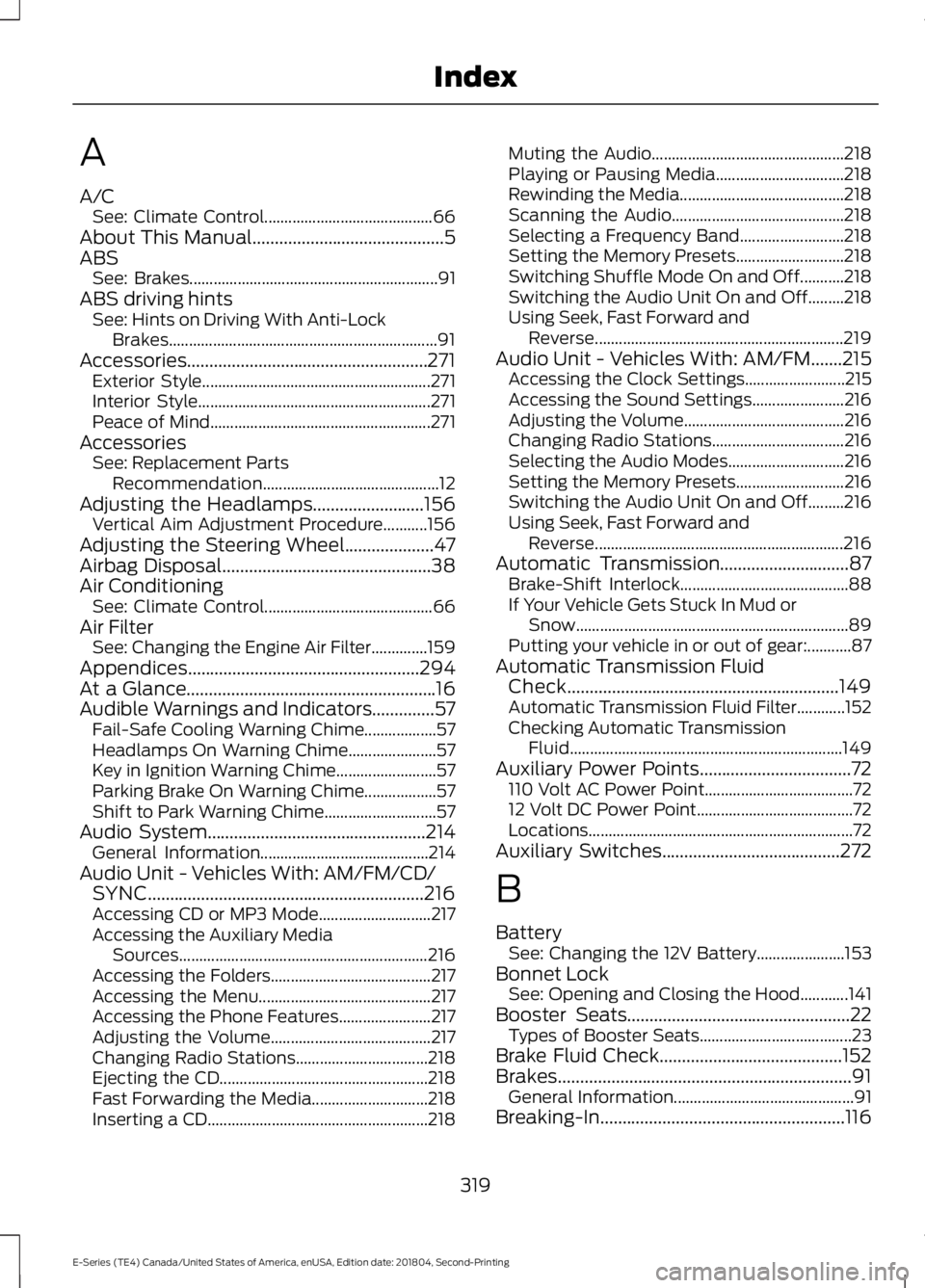
A
A/C
See: Climate Control.......................................... 66
About This Manual...........................................5
ABS See: Brakes.............................................................. 91
ABS driving hints See: Hints on Driving With Anti-Lock
Brakes................................................................... 91
Accessories......................................................271 Exterior Style......................................................... 271
Interior Style.......................................................... 271
Peace of Mind....................................................... 271
Accessories See: Replacement Parts
Recommendation............................................ 12
Adjusting the Headlamps.........................156
Vertical Aim Adjustment Procedure...........156
Adjusting the Steering Wheel....................47
Airbag Disposal
...............................................38
Air Conditioning See: Climate Control.......................................... 66
Air Filter See: Changing the Engine Air Filter..............159
Appendices
....................................................294
At a Glance........................................................16
Audible Warnings and Indicators..............57 Fail-Safe Cooling Warning Chime.................. 57
Headlamps On Warning Chime...................... 57
Key in Ignition Warning Chime......................... 57
Parking Brake On Warning Chime.................. 57
Shift to Park Warning Chime............................ 57
Audio System.................................................214 General Information.......................................... 214
Audio Unit - Vehicles With: AM/FM/CD/ SYNC..............................................................216
Accessing CD or MP3 Mode............................ 217
Accessing the Auxiliary Media Sources.............................................................. 216
Accessing the Folders........................................ 217
Accessing the Menu........................................... 217
Accessing the Phone Features....................... 217
Adjusting the Volume........................................ 217
Changing Radio Stations................................. 218
Ejecting the CD.................................................... 218
Fast Forwarding the Media............................. 218
Inserting a CD....................................................... 218Muting the Audio................................................
218
Playing or Pausing Media................................ 218
Rewinding the Media......................................... 218
Scanning the Audio........................................... 218
Selecting a Frequency Band.......................... 218
Setting the Memory Presets........................... 218
Switching Shuffle Mode On and Off...........218
Switching the Audio Unit On and Off.........218
Using Seek, Fast Forward and Reverse.............................................................. 219
Audio Unit - Vehicles With: AM/FM.......215 Accessing the Clock Settings......................... 215
Accessing the Sound Settings....................... 216
Adjusting the Volume........................................ 216
Changing Radio Stations................................. 216
Selecting the Audio Modes............................. 216
Setting the Memory Presets........................... 216
Switching the Audio Unit On and Off.........216
Using Seek, Fast Forward and Reverse.............................................................. 216
Automatic Transmission.............................87 Brake-Shift Interlock.......................................... 88
If Your Vehicle Gets Stuck In Mud or Snow.................................................................... 89
Putting your vehicle in or out of gear:...........87
Automatic Transmission Fluid Check.............................................................149
Automatic Transmission Fluid Filter............152
Checking Automatic Transmission Fluid.................................................................... 149
Auxiliary Power Points..................................72 110 Volt AC Power Point..................................... 72
12 Volt DC Power Point....................................... 72
Locations.................................................................. 72
Auxiliary Switches
........................................272
B
Battery See: Changing the 12V Battery...................... 153
Bonnet Lock See: Opening and Closing the Hood............141
Booster Seats
..................................................22
Types of Booster Seats...................................... 23
Brake Fluid Check.........................................152
Brakes..................................................................91 General Information............................................. 91
Breaking-In.......................................................116
319
E-Series (TE4) Canada/United States of America, enUSA, Edition date: 201804, Second-Printing Index
Page 326 of 329
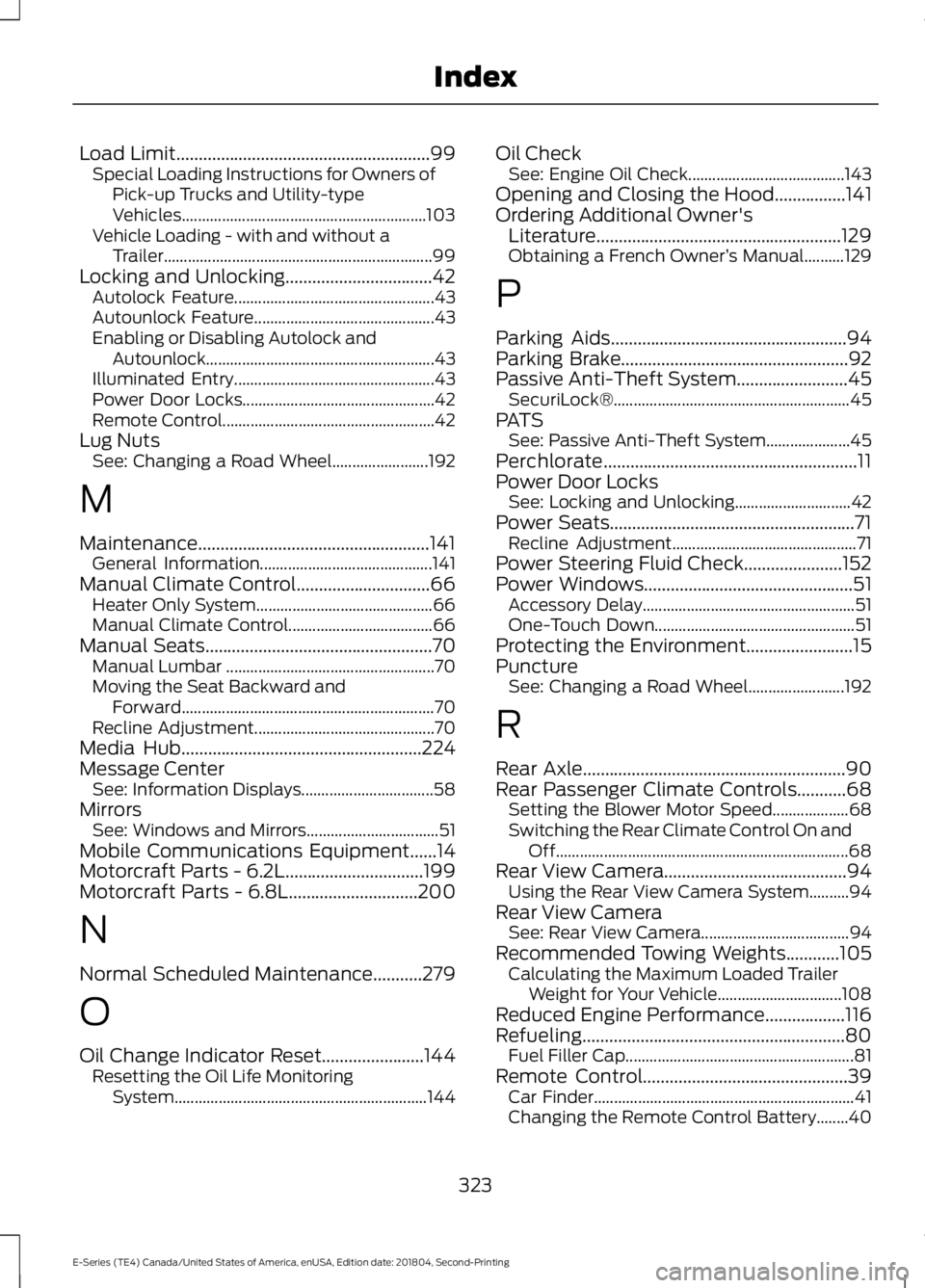
Load Limit.........................................................99
Special Loading Instructions for Owners of
Pick-up Trucks and Utility-type
Vehicles............................................................. 103
Vehicle Loading - with and without a Trailer................................................................... 99
Locking and Unlocking
.................................42
Autolock Feature.................................................. 43
Autounlock Feature............................................. 43
Enabling or Disabling Autolock and Autounlock......................................................... 43
Illuminated Entry.................................................. 43
Power Door Locks................................................ 42
Remote Control..................................................... 42
Lug Nuts See: Changing a Road Wheel........................ 192
M
Maintenance
....................................................141
General Information........................................... 141
Manual Climate Control..............................66 Heater Only System............................................ 66
Manual Climate Control.................................... 66
Manual Seats
...................................................70
Manual Lumbar .................................................... 70
Moving the Seat Backward and Forward............................................................... 70
Recline Adjustment............................................. 70
Media Hub
......................................................224
Message Center See: Information Displays................................. 58
Mirrors See: Windows and Mirrors................................. 51
Mobile Communications Equipment......14
Motorcraft Parts - 6.2L...............................199
Motorcraft Parts - 6.8L
.............................200
N
Normal Scheduled Maintenance...........279
O
Oil Change Indicator Reset.......................144 Resetting the Oil Life Monitoring
System............................................................... 144Oil Check
See: Engine Oil Check....................................... 143
Opening and Closing the Hood................141
Ordering Additional Owner's Literature.......................................................129
Obtaining a French Owner ’s Manual..........129
P
Parking Aids.....................................................94
Parking Brake...................................................92
Passive Anti-Theft System
.........................45
SecuriLock®........................................................... 45
PATS See: Passive Anti-Theft System..................... 45
Perchlorate.........................................................11
Power Door Locks See: Locking and Unlocking............................. 42
Power Seats.......................................................71 Recline Adjustment.............................................. 71
Power Steering Fluid Check......................152
Power Windows...............................................51 Accessory Delay..................................................... 51
One-Touch Down.................................................. 51
Protecting the Environment........................15
Puncture See: Changing a Road Wheel........................ 192
R
Rear Axle...........................................................90
Rear Passenger Climate Controls
...........68
Setting the Blower Motor Speed................... 68
Switching the Rear Climate Control On and Off........................................................................\
. 68
Rear View Camera.........................................94 Using the Rear View Camera System..........94
Rear View Camera See: Rear View Camera..................................... 94
Recommended Towing Weights
............105
Calculating the Maximum Loaded Trailer
Weight for Your Vehicle............................... 108
Reduced Engine Performance
..................116
Refueling...........................................................80 Fuel Filler Cap......................................................... 81
Remote Control
..............................................39
Car Finder................................................................. 41
Changing the Remote Control Battery........40
323
E-Series (TE4) Canada/United States of America, enUSA, Edition date: 201804, Second-Printing Index