battery FORD E-450 2004 Owners Manual
[x] Cancel search | Manufacturer: FORD, Model Year: 2004, Model line: E-450, Model: FORD E-450 2004Pages: 240, PDF Size: 3.8 MB
Page 3 of 240
Maintenance and Specifications 172
Engine compartment 174
Engine oil 175
Battery 178
Fuel information 189
Air filter(s) 203
Part numbers 217
Refill capacities 218
Lubricant specifications 222
Accessories 231
Index 234
All rights reserved. Reproduction by any means, electronic or mechanical
including photocopying, recording or by any information storage and retrieval
system or translation in whole or part is not permitted without written
authorization from Ford Motor Company. Ford may change the contents without
notice and without incurring obligation.
Copyright © 2003 Ford Motor Company
2004 Econoline(eco)
Owners Guide (post-2002-fmt)
USA English(fus)
Table of Contents
3
ProCarManuals.com
Page 9 of 240
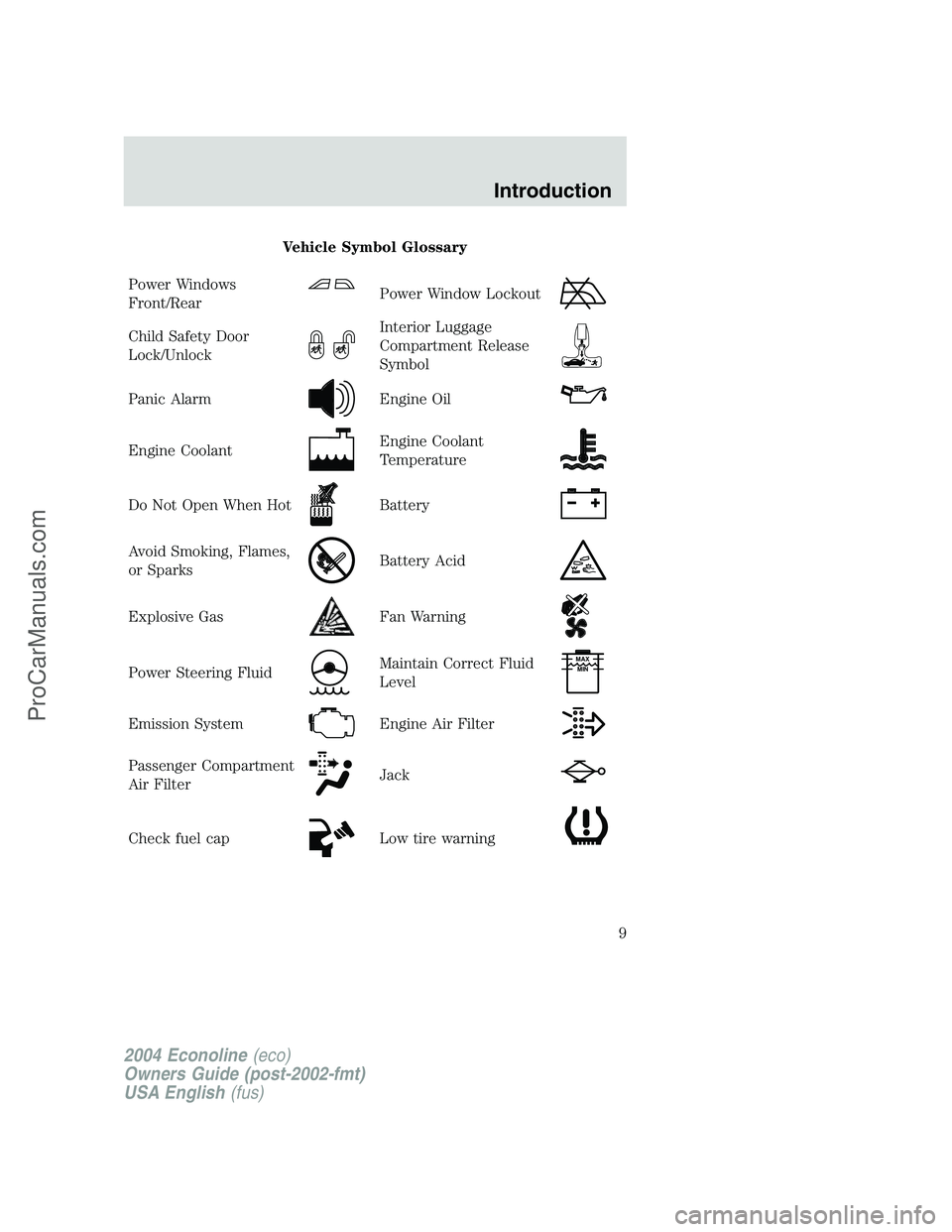
Vehicle Symbol Glossary
Power Windows
Front/Rear
Power Window Lockout
Child Safety Door
Lock/UnlockInterior Luggage
Compartment Release
Symbol
Panic AlarmEngine Oil
Engine CoolantEngine Coolant
Temperature
Do Not Open When HotBattery
Avoid Smoking, Flames,
or SparksBattery Acid
Explosive GasFan Warning
Power Steering FluidMaintain Correct Fluid
LevelMAX
MIN
Emission SystemEngine Air Filter
Passenger Compartment
Air FilterJack
Check fuel capLow tire warning
2004 Econoline(eco)
Owners Guide (post-2002-fmt)
USA English(fus)
Introduction
9
ProCarManuals.com
Page 11 of 240
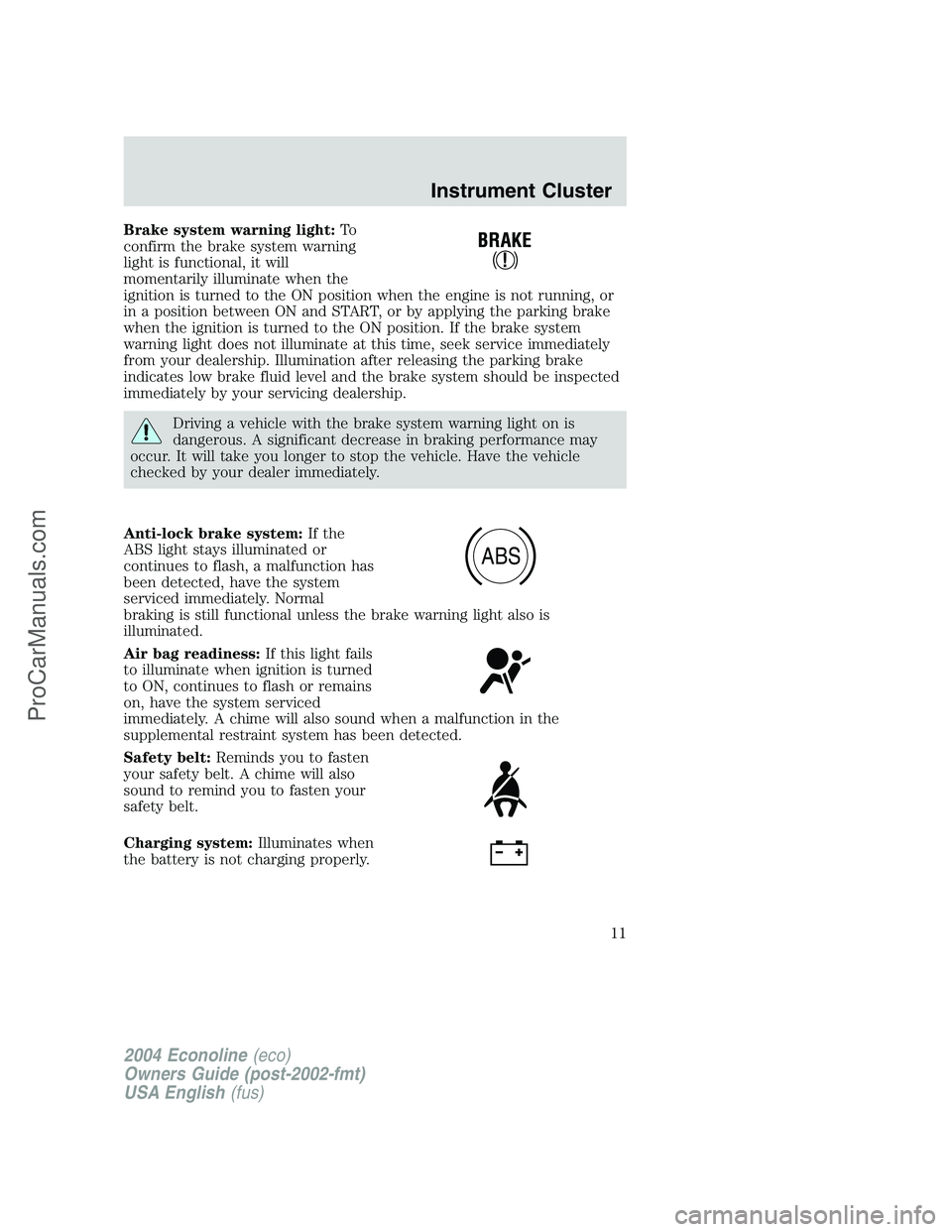
Brake system warning light:To
confirm the brake system warning
light is functional, it will
momentarily illuminate when the
ignition is turned to the ON position when the engine is not running, or
in a position between ON and START, or by applying the parking brake
when the ignition is turned to the ON position. If the brake system
warning light does not illuminate at this time, seek service immediately
from your dealership. Illumination after releasing the parking brake
indicates low brake fluid level and the brake system should be inspected
immediately by your servicing dealership.
Driving a vehicle with the brake system warning light on is
dangerous. A significant decrease in braking performance may
occur. It will take you longer to stop the vehicle. Have the vehicle
checked by your dealer immediately.
Anti-lock brake system:If the
ABS light stays illuminated or
continues to flash, a malfunction has
been detected, have the system
serviced immediately. Normal
braking is still functional unless the brake warning light also is
illuminated.
Air bag readiness:If this light fails
to illuminate when ignition is turned
to ON, continues to flash or remains
on, have the system serviced
immediately. A chime will also sound when a malfunction in the
supplemental restraint system has been detected.
Safety belt:Reminds you to fasten
your safety belt. A chime will also
sound to remind you to fasten your
safety belt.
Charging system:Illuminates when
the battery is not charging properly.
ABS
2004 Econoline(eco)
Owners Guide (post-2002-fmt)
USA English(fus)
Instrument Cluster
11
ProCarManuals.com
Page 14 of 240
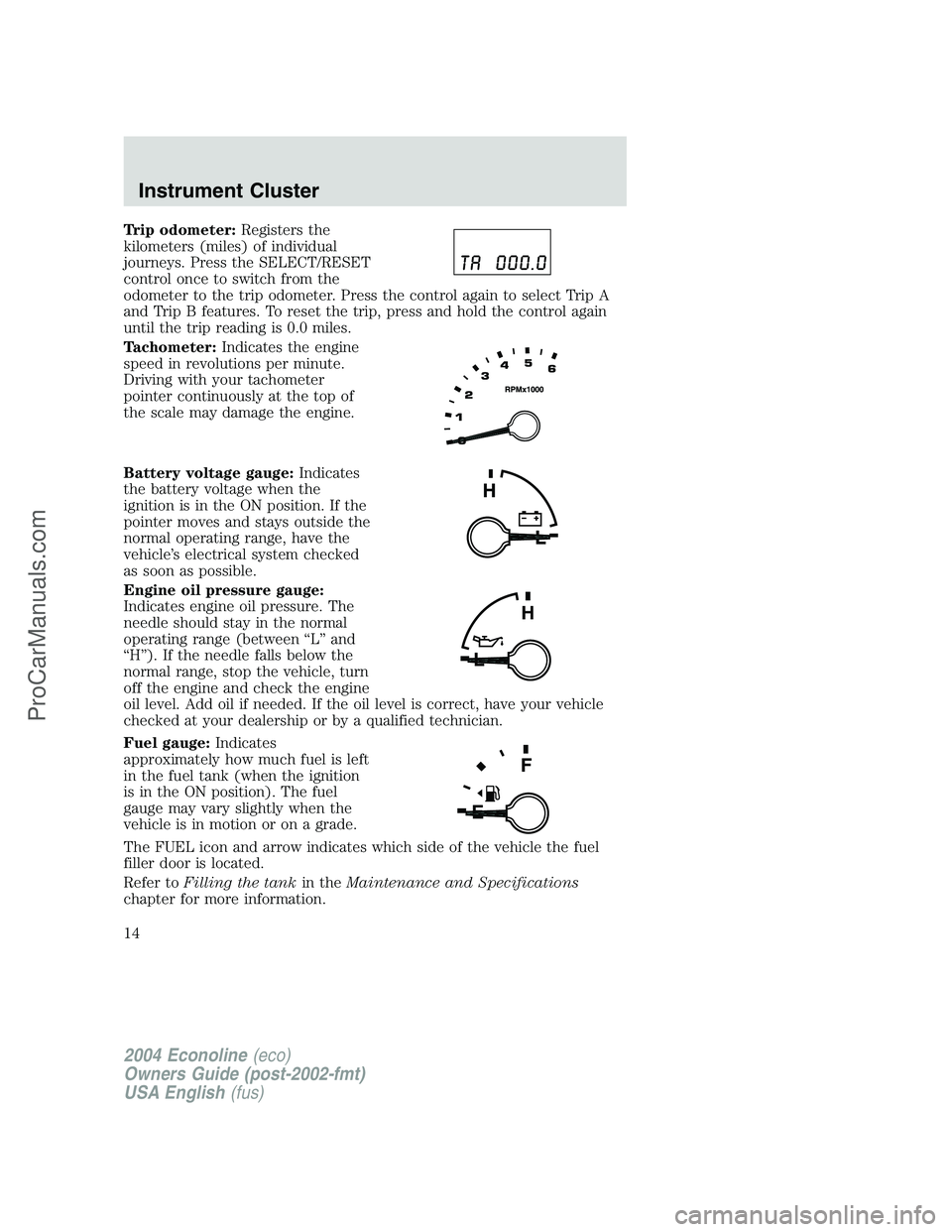
Trip odometer:Registers the
kilometers (miles) of individual
journeys. Press the SELECT/RESET
control once to switch from the
odometer to the trip odometer. Press the control again to select Trip A
and Trip B features. To reset the trip, press and hold the control again
until the trip reading is 0.0 miles.
Tachometer:Indicates the engine
speed in revolutions per minute.
Driving with your tachometer
pointer continuously at the top of
the scale may damage the engine.
Battery voltage gauge:Indicates
the battery voltage when the
ignition is in the ON position. If the
pointer moves and stays outside the
normal operating range, have the
vehicle’s electrical system checked
as soon as possible.
Engine oil pressure gauge:
Indicates engine oil pressure. The
needle should stay in the normal
operating range (between“L”and
“H”). If the needle falls below the
normal range, stop the vehicle, turn
off the engine and check the engine
oil level. Add oil if needed. If the oil level is correct, have your vehicle
checked at your dealership or by a qualified technician.
Fuel gauge:Indicates
approximately how much fuel is left
in the fuel tank (when the ignition
is in the ON position). The fuel
gauge may vary slightly when the
vehicle is in motion or on a grade.
The FUEL icon and arrow indicates which side of the vehicle the fuel
filler door is located.
Refer toFilling the tankin theMaintenance and Specifications
chapter for more information.
H
L
2004 Econoline(eco)
Owners Guide (post-2002-fmt)
USA English(fus)
Instrument Cluster
14
ProCarManuals.com
Page 34 of 240
Press to play the tape.
8.REWbutton
Press to rewind the tape.
9.FFbutton
Press to fast forward the tape.
10.STOPbutton
Press to stop the tape.
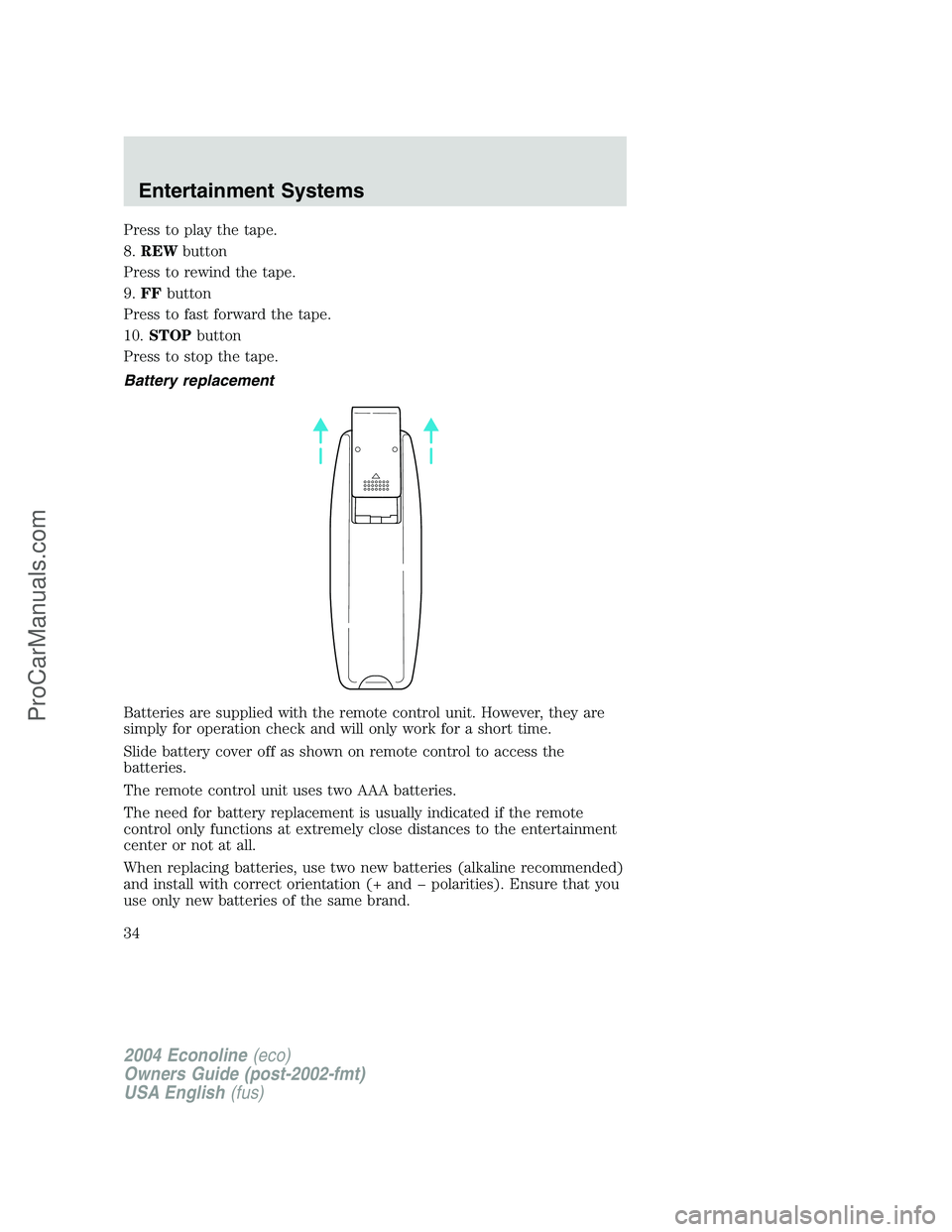
Battery replacement
Batteries are supplied with the remote control unit. However, they are
simply for operation check and will only work for a short time.
Slide battery cover off as shown on remote control to access the
batteries.
The remote control unit uses two AAA batteries.
The need for battery replacement is usually indicated if the remote
control only functions at extremely close distances to the entertainment
center or not at all.
When replacing batteries, use two new batteries (alkaline recommended)
and install with correct orientation (+ and polarities). Ensure that you
use only new batteries of the same brand.
2004 Econoline(eco)
Owners Guide (post-2002-fmt)
USA English(fus)
Entertainment Systems
34
ProCarManuals.com
Page 39 of 240
Flip-down screens
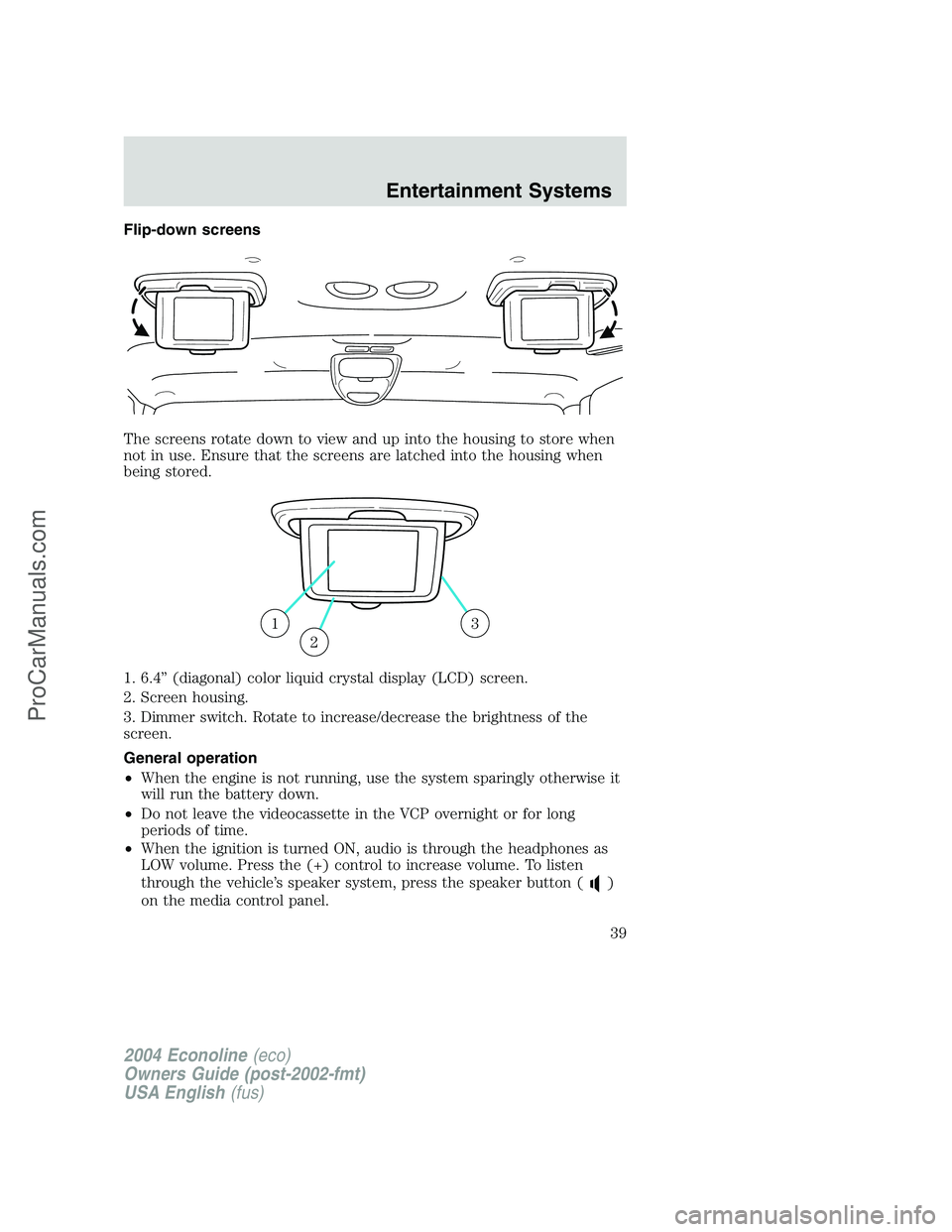
The screens rotate down to view and up into the housing to store when
not in use. Ensure that the screens are latched into the housing when
being stored.
1. 6.4”(diagonal) color liquid crystal display (LCD) screen.
2. Screen housing.
3. Dimmer switch. Rotate to increase/decrease the brightness of the
screen.
General operation
•When the engine is not running, use the system sparingly otherwise it
will run the battery down.
•Do not leave the videocassette in the VCP overnight or for long
periods of time.
•When the ignition is turned ON, audio is through the headphones as
LOW volume. Press the (+) control to increase volume. To listen
through the vehicle’s speaker system, press the speaker button (
)
on the media control panel.
13
2
2004 Econoline(eco)
Owners Guide (post-2002-fmt)
USA English(fus)
Entertainment Systems
39
ProCarManuals.com
Page 50 of 240
HEADLAMP CONTROL
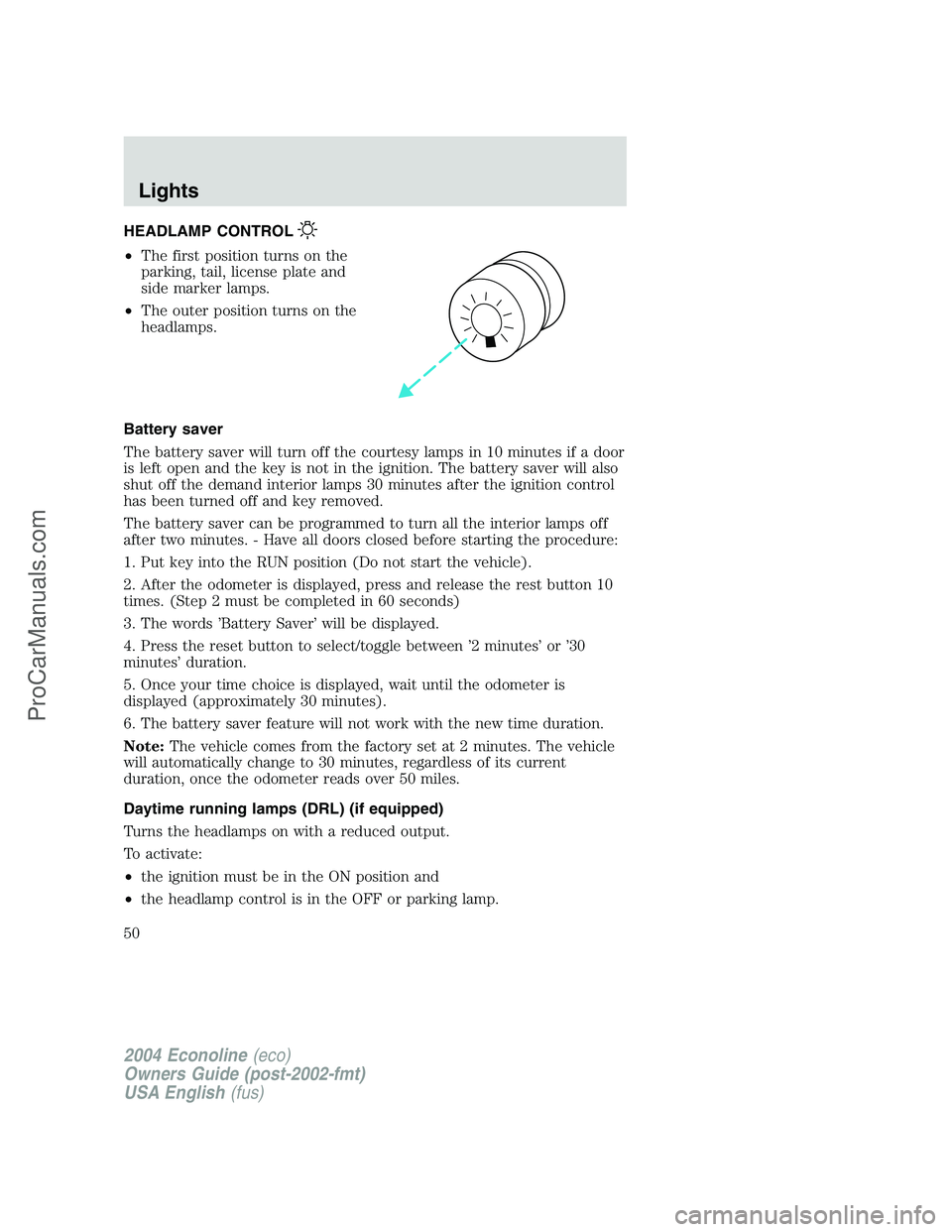
•The first position turns on the
parking, tail, license plate and
side marker lamps.
•The outer position turns on the
headlamps.
Battery saver
The battery saver will turn off the courtesy lamps in 10 minutes if a door
is left open and the key is not in the ignition. The battery saver will also
shut off the demand interior lamps 30 minutes after the ignition control
has been turned off and key removed.
The battery saver can be programmed to turn all the interior lamps off
after two minutes. - Have all doors closed before starting the procedure:
1. Put key into the RUN position (Do not start the vehicle).
2. After the odometer is displayed, press and release the rest button 10
times. (Step 2 must be completed in 60 seconds)
3. The words’Battery Saver’will be displayed.
4. Press the reset button to select/toggle between’2 minutes’or’30
minutes’duration.
5. Once your time choice is displayed, wait until the odometer is
displayed (approximately 30 minutes).
6. The battery saver feature will not work with the new time duration.
Note:The vehicle comes from the factory set at 2 minutes. The vehicle
will automatically change to 30 minutes, regardless of its current
duration, once the odometer reads over 50 miles.
Daytime running lamps (DRL) (if equipped)
Turns the headlamps on with a reduced output.
To activate:
•the ignition must be in the ON position and
•the headlamp control is in the OFF or parking lamp.
2004 Econoline(eco)
Owners Guide (post-2002-fmt)
USA English(fus)
Lights
Lights
50
ProCarManuals.com
Page 70 of 240
Unlocking the doors
1. Pressand release to unlock the driver’s door.Note:The interior
lamps will illuminate.
2. Press
and release again within three seconds to unlock all the
doors.
Locking the doors
1. Pressand release to lock all the doors.
2. Press
and release again within three seconds to confirm that all the
doors are closed and locked.Note:The doors will lock again, and the
horn will chirp once. If any vehicle door is open or ajar, the horn will
chirp twice.
Sounding a panic alarm
Press
to activate the alarm. Press again or turn the ignition to ACC
or ON to deactivate.
Note:The panic alarm will only operate when the ignition is in the OFF
or ACC position.
Replacing the battery
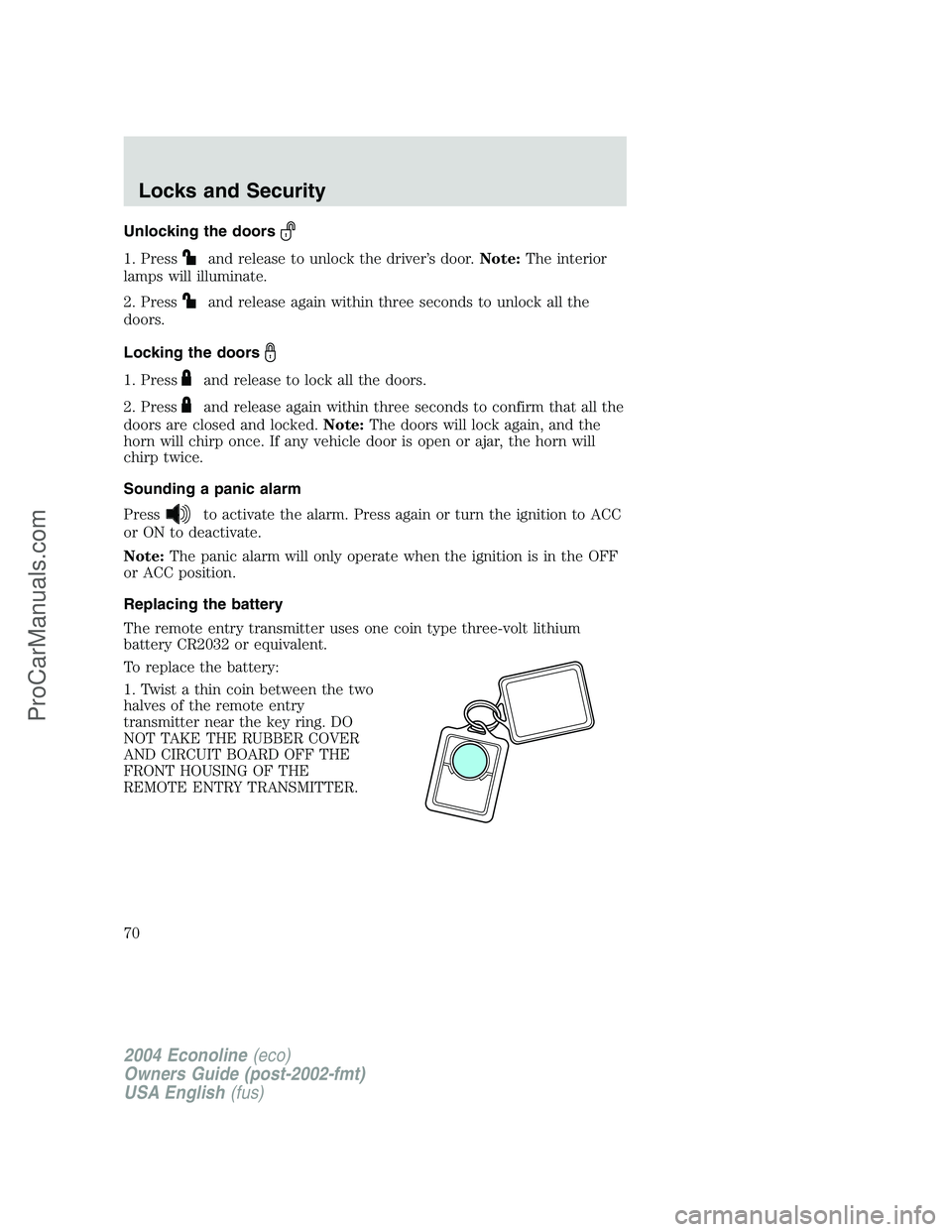
The remote entry transmitter uses one coin type three-volt lithium
battery CR2032 or equivalent.
To replace the battery:
1. Twist a thin coin between the two
halves of the remote entry
transmitter near the key ring. DO
NOT TAKE THE RUBBER COVER
AND CIRCUIT BOARD OFF THE
FRONT HOUSING OF THE
REMOTE ENTRY TRANSMITTER.
2004 Econoline(eco)
Owners Guide (post-2002-fmt)
USA English(fus)
Locks and Security
70
ProCarManuals.com
Page 71 of 240
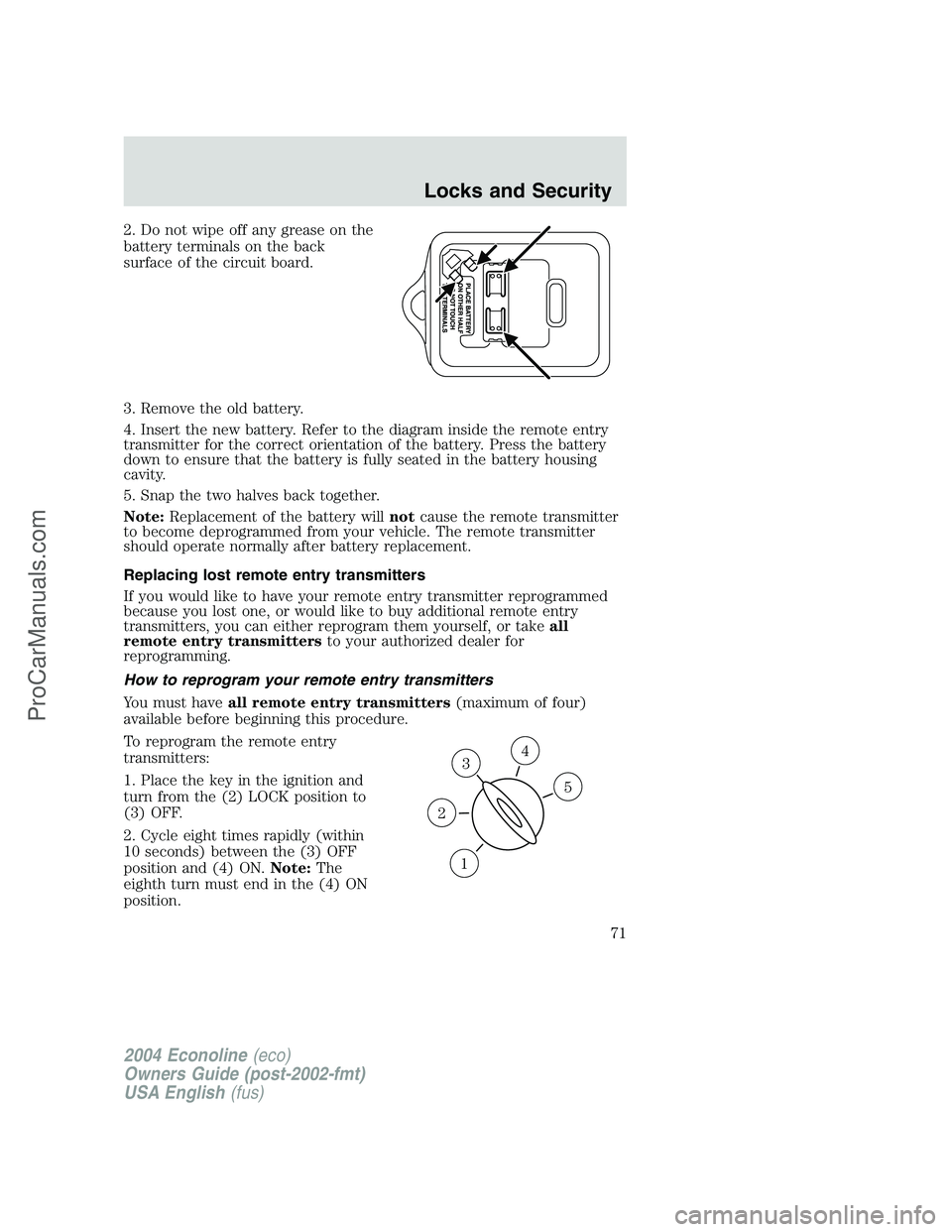
2. Do not wipe off any grease on the
battery terminals on the back
surface of the circuit board.
3. Remove the old battery.
4. Insert the new battery. Refer to the diagram inside the remote entry
transmitter for the correct orientation of the battery. Press the battery
down to ensure that the battery is fully seated in the battery housing
cavity.
5. Snap the two halves back together.
Note:Replacement of the battery willnotcause the remote transmitter
to become deprogrammed from your vehicle. The remote transmitter
should operate normally after battery replacement.
Replacing lost remote entry transmitters
If you would like to have your remote entry transmitter reprogrammed
because you lost one, or would like to buy additional remote entry
transmitters, you can either reprogram them yourself, or takeall
remote entry transmittersto your authorized dealer for
reprogramming.
How to reprogram your remote entry transmitters
You must haveall remote entry transmitters(maximum of four)
available before beginning this procedure.
To reprogram the remote entry
transmitters:
1. Place the key in the ignition and
turn from the (2) LOCK position to
(3) OFF.
2. Cycle eight times rapidly (within
10 seconds) between the (3) OFF
position and (4) ON.Note:The
eighth turn must end in the (4) ON
position.
3
1
2
5
4
2004 Econoline(eco)
Owners Guide (post-2002-fmt)
USA English(fus)
Locks and Security
71
ProCarManuals.com
Page 118 of 240

Forced downshifts
•Allowed in
(Overdrive) or Drive.
•Depress the accelerator to the floor.
•Allows transmission to select an appropriate gear.
Shift strategy (4R100 automatic transmission)
To account for customer driving habits and conditions, your 4R100
automatic transmission electronically controls the shift quality by using
an adaptive learning strategy. The adaptive learning strategy is
maintained by power from the battery. When the battery is disconnected
or a new battery is installed, the transmission must relearn its adaptive
strategy. Optimal shifting will resume within a few hundred kilometers
(miles) of operation.
If the shift quality does not improve within a few hundred
kilometers (miles) of operation, or if the downshifts and other
throttle conditions do not function normally, see your dealer or a
qualified service technician as soon as possible.
If your vehicle goes off the edge of the pavement
•If your vehicle goes off the edge of the pavement, slow down, but
avoid severe brake application, ease the vehicle back onto the
pavement only after reducing your speed. Do not turn the steering
wheel too sharply while returning to the road surface.
•It may be safer to stay on the apron or shoulder of the road and slow
down gradually before returning to the pavement. You may lose
control if you do not slow down or if you turn the steering wheel too
sharply or abruptly.
•It often may be less risky to strike small objects, such as highway
reflectors, with minor damage to your vehicle rather than attempt a
sudden return to the pavement which could cause the vehicle to slide
sideways out of control or roll over. Remember, your safety and the
safety of others should be your primary concern.
Vehicles with a higher center of gravity such as utility and
four-wheel drive vehicles handle differently than vehicles with a
lower center of gravity. Utility and four-wheel drive vehicles arenot
designed for cornering at speeds as high as passenger cars any more
than low-slung sports cars are designed to perform satisfactorily under
off-road conditions. Avoid sharp turns, excessive speed and abrupt
maneuvers in these vehicles. Failure to drive cautiously could result in
an increased risk of loss of vehicle control, vehicle rollover, personal
injury and death.
2004 Econoline(eco)
Owners Guide (post-2002-fmt)
USA English(fus)
Driving
118
ProCarManuals.com