manual radio set FORD E-450 2005 User Guide
[x] Cancel search | Manufacturer: FORD, Model Year: 2005, Model line: E-450, Model: FORD E-450 2005Pages: 248, PDF Size: 2.55 MB
Page 33 of 248
changing to the next field. (TEXT must be pressed within 3 seconds of
the previous button press to proceed to the next/last text display.)
TEXT is also available when equipped with Satellite radio. Your radio
comes equipped with Satellite ready capability. The kit to enable Satellite
reception is available through your dealer. Detailed Satellite instructions
are included with the dealer installed kit.Dealer installed satellite kit
only available in the continental United States.
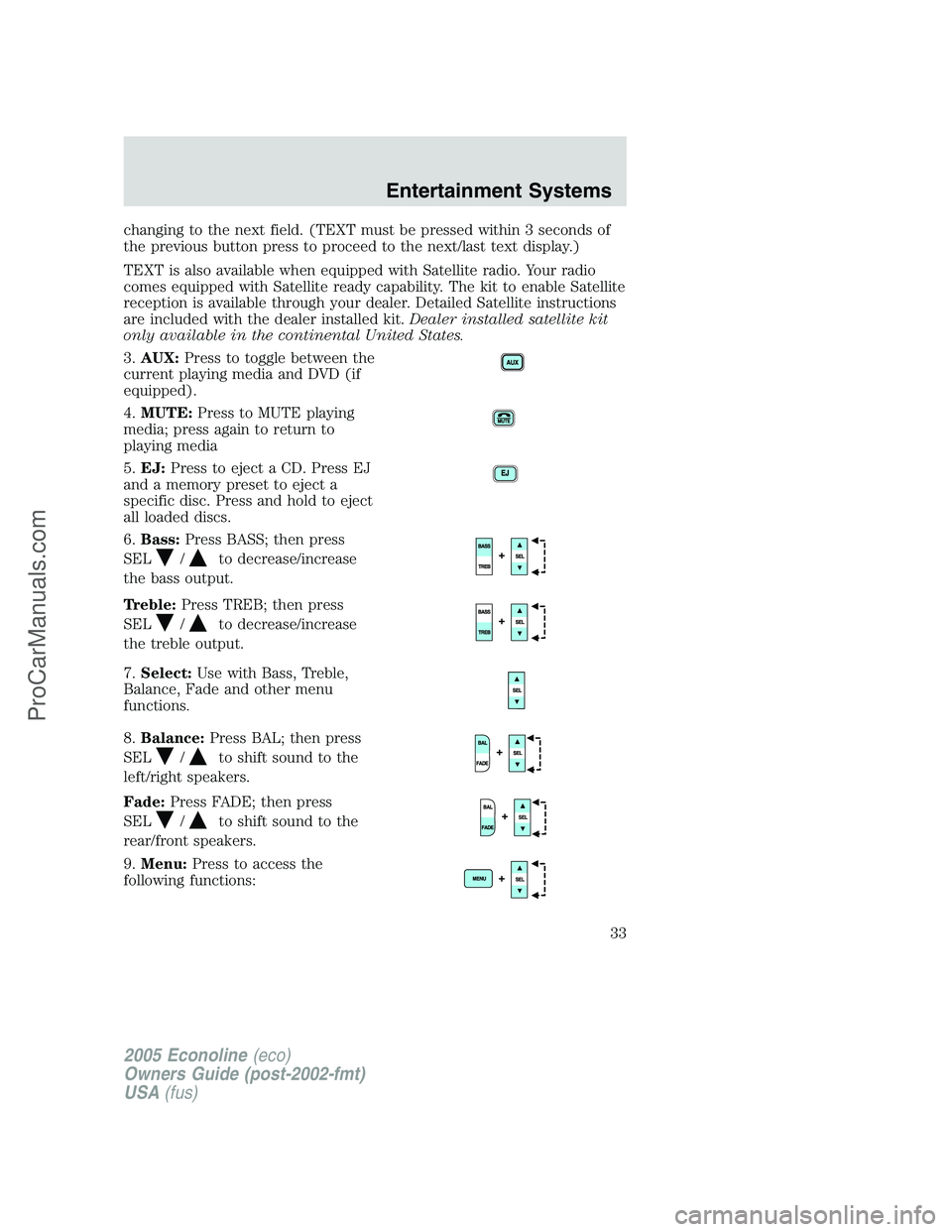
3.AUX:Press to toggle between the
current playing media and DVD (if
equipped).
4.MUTE:Press to MUTE playing
media; press again to return to
playing media
5.EJ:Press to eject a CD. Press EJ
and a memory preset to eject a
specific disc. Press and hold to eject
all loaded discs.
6.Bass:Press BASS; then press
SEL
/to decrease/increase
the bass output.
Treble:Press TREB; then press
SEL
/to decrease/increase
the treble output.
7.Select:Use with Bass, Treble,
Balance, Fade and other menu
functions.
8.Balance:Press BAL; then press
SEL
/to shift sound to the
left/right speakers.
Fade:Press FADE; then press
SEL
/to shift sound to the
rear/front speakers.
9.Menu:Press to access the
following functions:
2005 Econoline(eco)
Owners Guide (post-2002-fmt)
USA(fus)
Entertainment Systems
33
ProCarManuals.com
Page 34 of 248
Compression:Brings soft and loud CD passages together for a more
consistent listening level when in CD mode. Press MENU until
compression status is displayed. Press the SEL control to enable the
compression feature when COMPRESS OFF is displayed. Press the SEL
control again to disable the feature when COMPRESS ON is displayed.
Autoset:Press MENU until AUTOSET appears in the display. Press SEL
to toggle ON/OFF. Allows you to set the strongest local radio stations
without losing your original manually set preset stations for
AM/FM1/FM2. When the six strongest stations are filled, the station
stored in preset 1 will begin playing. If there are less than six strong
stations, the system will store the last one in the remaining presets.
Setting the clock:Press MENU until SELECT HOUR or SELECT
MINUTE is displayed. Use SEL to manually increase (
) or decrease
(
) the hours/minutes. Press MENU again to disengage clock mode.
Folder/Track Mode:In MP3 mode, press MENU until MODE appears in
the display. Use SEL to toggle between FOLDER (only tracks within
selected folder are accessible) or TRACK (all tracks on disc are
accessible) MODE.
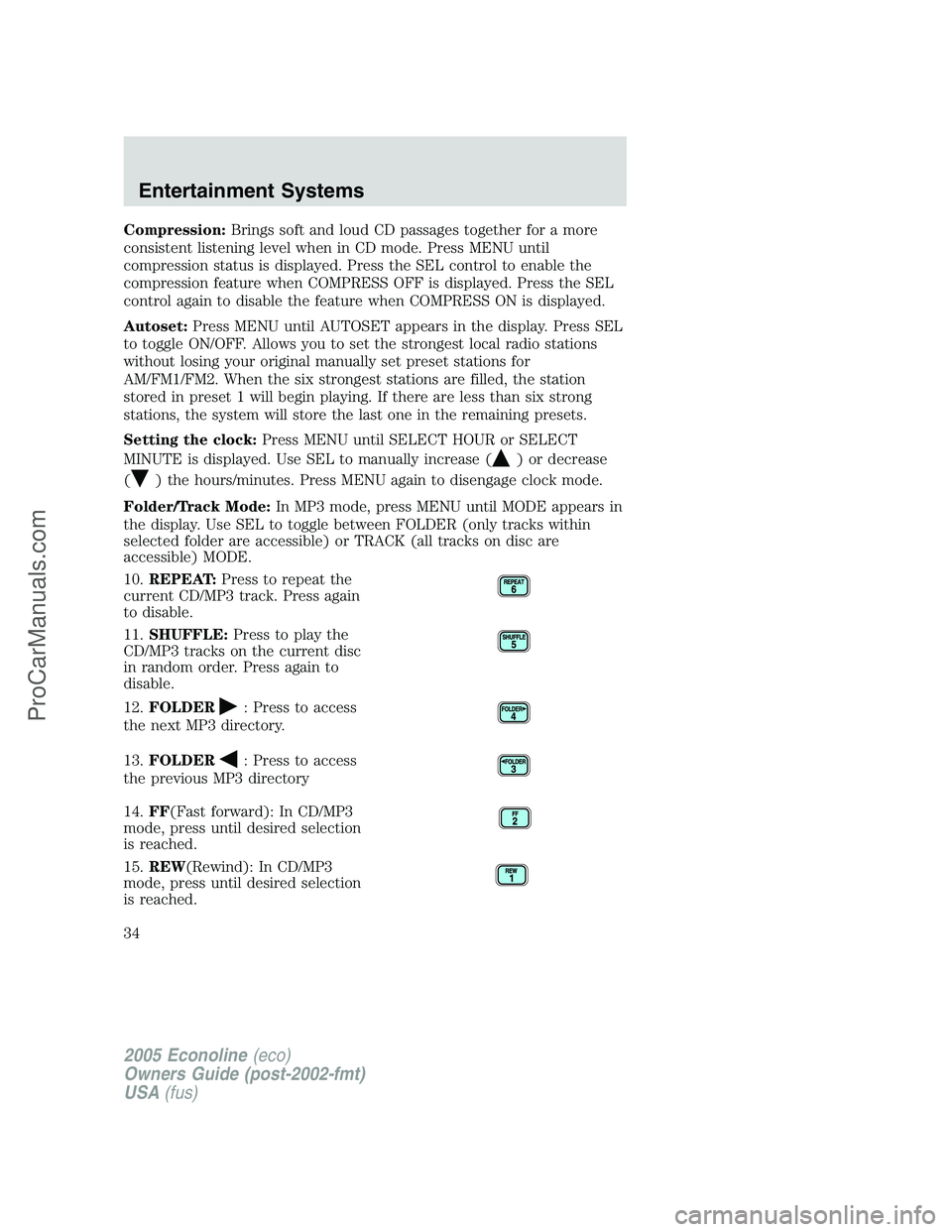
10.REPEAT:Press to repeat the
current CD/MP3 track. Press again
to disable.
11.SHUFFLE:Press to play the
CD/MP3 tracks on the current disc
in random order. Press again to
disable.
12.FOLDER
: Press to access
the next MP3 directory.
13.FOLDER
: Press to access
the previous MP3 directory
14.FF(Fast forward): In CD/MP3
mode, press until desired selection
is reached.
15.REW(Rewind): In CD/MP3
mode, press until desired selection
is reached.
2005 Econoline(eco)
Owners Guide (post-2002-fmt)
USA(fus)
Entertainment Systems
34
ProCarManuals.com
Page 35 of 248
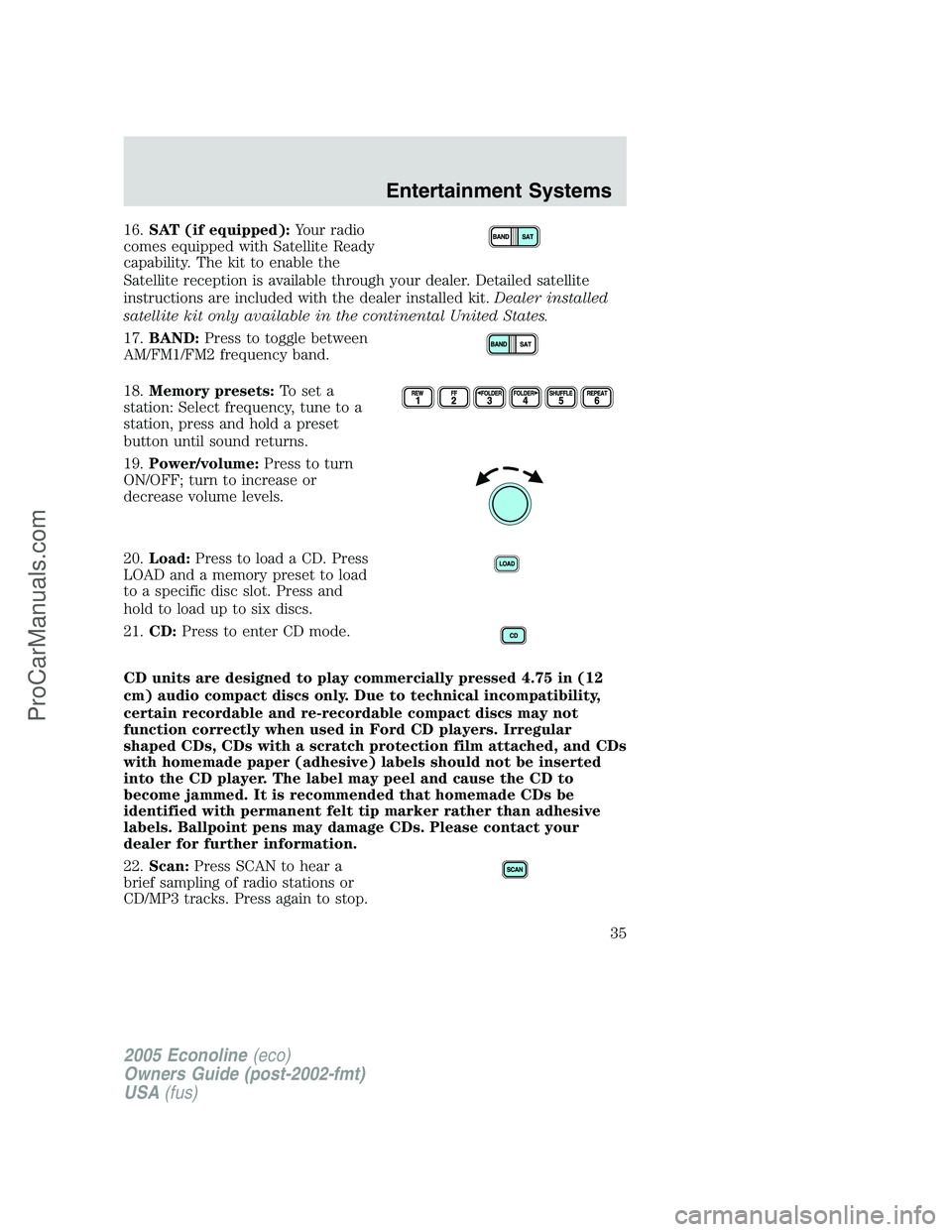
16.SAT (if equipped):Your radio
comes equipped with Satellite Ready
capability. The kit to enable the
Satellite reception is available through your dealer. Detailed satellite
instructions are included with the dealer installed kit.Dealer installed
satellite kit only available in the continental United States.
17.BAND:Press to toggle between
AM/FM1/FM2 frequency band.
18.Memory presets:To set a
station: Select frequency, tune to a
station, press and hold a preset
button until sound returns.
19.Power/volume:Press to turn
ON/OFF; turn to increase or
decrease volume levels.
20.Load:Press to load a CD. Press
LOAD and a memory preset to load
to a specific disc slot. Press and
hold to load up to six discs.
21.CD:Press to enter CD mode.
CD units are designed to play commercially pressed 4.75 in (12
cm) audio compact discs only. Due to technical incompatibility,
certain recordable and re-recordable compact discs may not
function correctly when used in Ford CD players. Irregular
shaped CDs, CDs with a scratch protection film attached, and CDs
with homemade paper (adhesive) labels should not be inserted
into the CD player. The label may peel and cause the CD to
become jammed. It is recommended that homemade CDs be
identified with permanent felt tip marker rather than adhesive
labels. Ballpoint pens may damage CDs. Please contact your
dealer for further information.
22.Scan:Press SCAN to hear a
brief sampling of radio stations or
CD/MP3 tracks. Press again to stop.
2005 Econoline(eco)
Owners Guide (post-2002-fmt)
USA(fus)
Entertainment Systems
35
ProCarManuals.com
Page 36 of 248
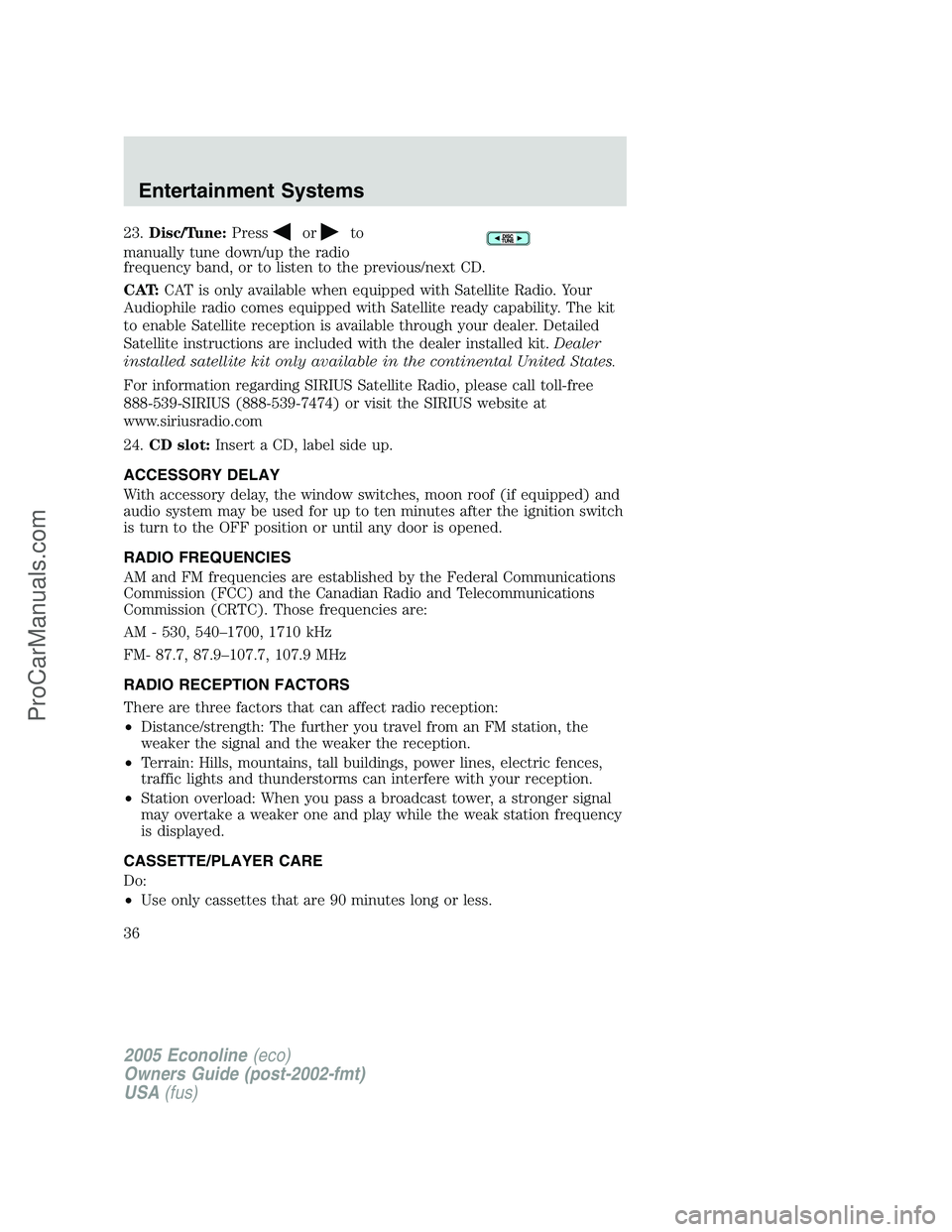
23.Disc/Tune:Pressorto
manually tune down/up the radio
frequency band, or to listen to the previous/next CD.
CAT:CAT is only available when equipped with Satellite Radio. Your
Audiophile radio comes equipped with Satellite ready capability. The kit
to enable Satellite reception is available through your dealer. Detailed
Satellite instructions are included with the dealer installed kit.Dealer
installed satellite kit only available in the continental United States.
For information regarding SIRIUS Satellite Radio, please call toll-free
888-539-SIRIUS (888-539-7474) or visit the SIRIUS website at
www.siriusradio.com
24.CD slot:Insert a CD, label side up.
ACCESSORY DELAY
With accessory delay, the window switches, moon roof (if equipped) and
audio system may be used for up to ten minutes after the ignition switch
is turn to the OFF position or until any door is opened.
RADIO FREQUENCIES
AM and FM frequencies are established by the Federal Communications
Commission (FCC) and the Canadian Radio and Telecommunications
Commission (CRTC). Those frequencies are:
AM - 530, 540–1700, 1710 kHz
FM- 87.7, 87.9–107.7, 107.9 MHz
RADIO RECEPTION FACTORS
There are three factors that can affect radio reception:
•Distance/strength: The further you travel from an FM station, the
weaker the signal and the weaker the reception.
•Terrain: Hills, mountains, tall buildings, power lines, electric fences,
traffic lights and thunderstorms can interfere with your reception.
•Station overload: When you pass a broadcast tower, a stronger signal
may overtake a weaker one and play while the weak station frequency
is displayed.
CASSETTE/PLAYER CARE
Do:
•Use only cassettes that are 90 minutes long or less.
2005 Econoline(eco)
Owners Guide (post-2002-fmt)
USA(fus)
Entertainment Systems
36
ProCarManuals.com
Page 145 of 248
STARTING
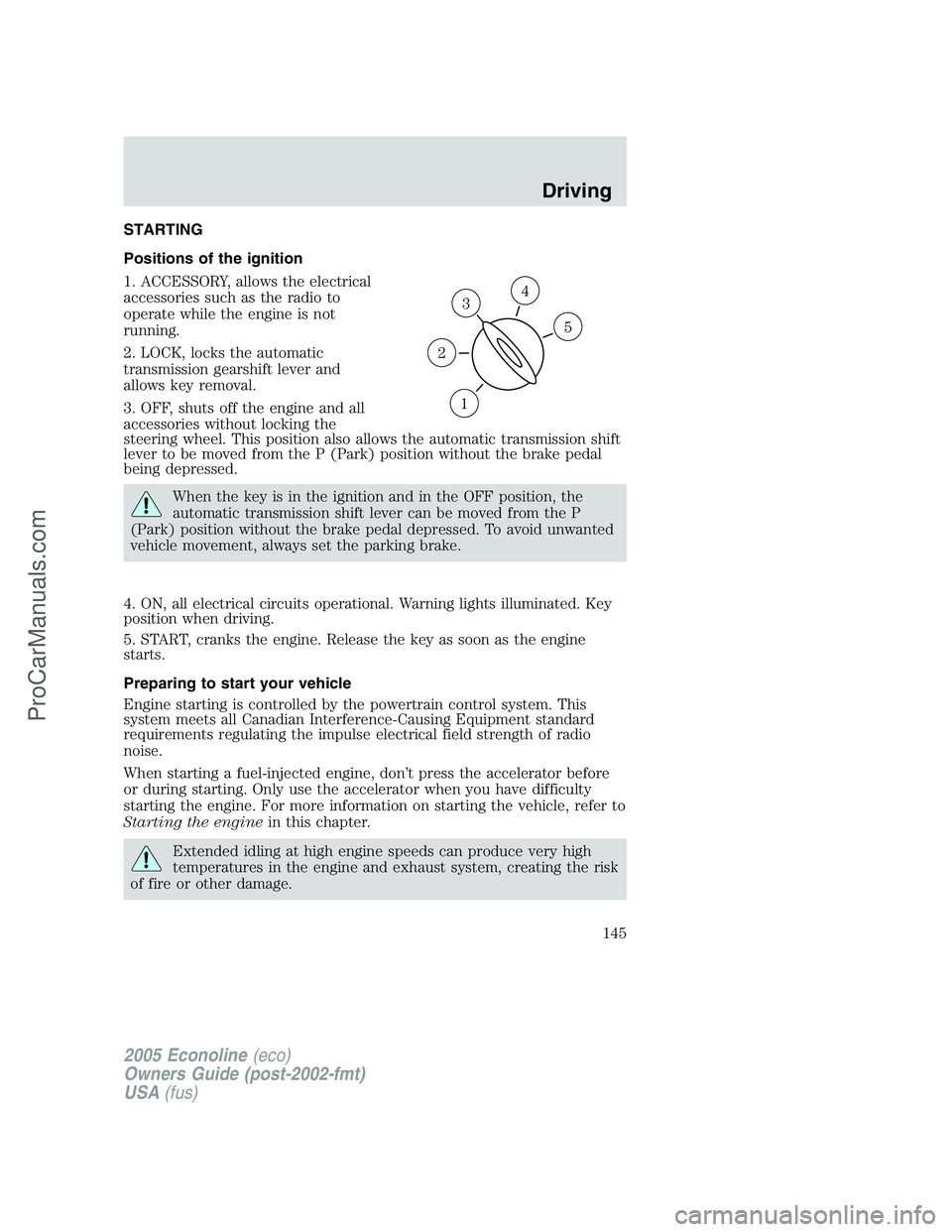
Positions of the ignition
1. ACCESSORY, allows the electrical
accessories such as the radio to
operate while the engine is not
running.
2. LOCK, locks the automatic
transmission gearshift lever and
allows key removal.
3. OFF, shuts off the engine and all
accessories without locking the
steering wheel. This position also allows the automatic transmission shift
lever to be moved from the P (Park) position without the brake pedal
being depressed.
When the key is in the ignition and in the OFF position, the
automatic transmission shift lever can be moved from the P
(Park) position without the brake pedal depressed. To avoid unwanted
vehicle movement, always set the parking brake.
4. ON, all electrical circuits operational. Warning lights illuminated. Key
position when driving.
5. START, cranks the engine. Release the key as soon as the engine
starts.
Preparing to start your vehicle
Engine starting is controlled by the powertrain control system. This
system meets all Canadian Interference-Causing Equipment standard
requirements regulating the impulse electrical field strength of radio
noise.
When starting a fuel-injected engine, don’t press the accelerator before
or during starting. Only use the accelerator when you have difficulty
starting the engine. For more information on starting the vehicle, refer to
Starting the enginein this chapter.
Extended idling at high engine speeds can produce very high
temperatures in the engine and exhaust system, creating the risk
of fire or other damage.
3
1
2
5
4
2005 Econoline(eco)
Owners Guide (post-2002-fmt)
USA(fus)
Driving
145
ProCarManuals.com
Page 154 of 248
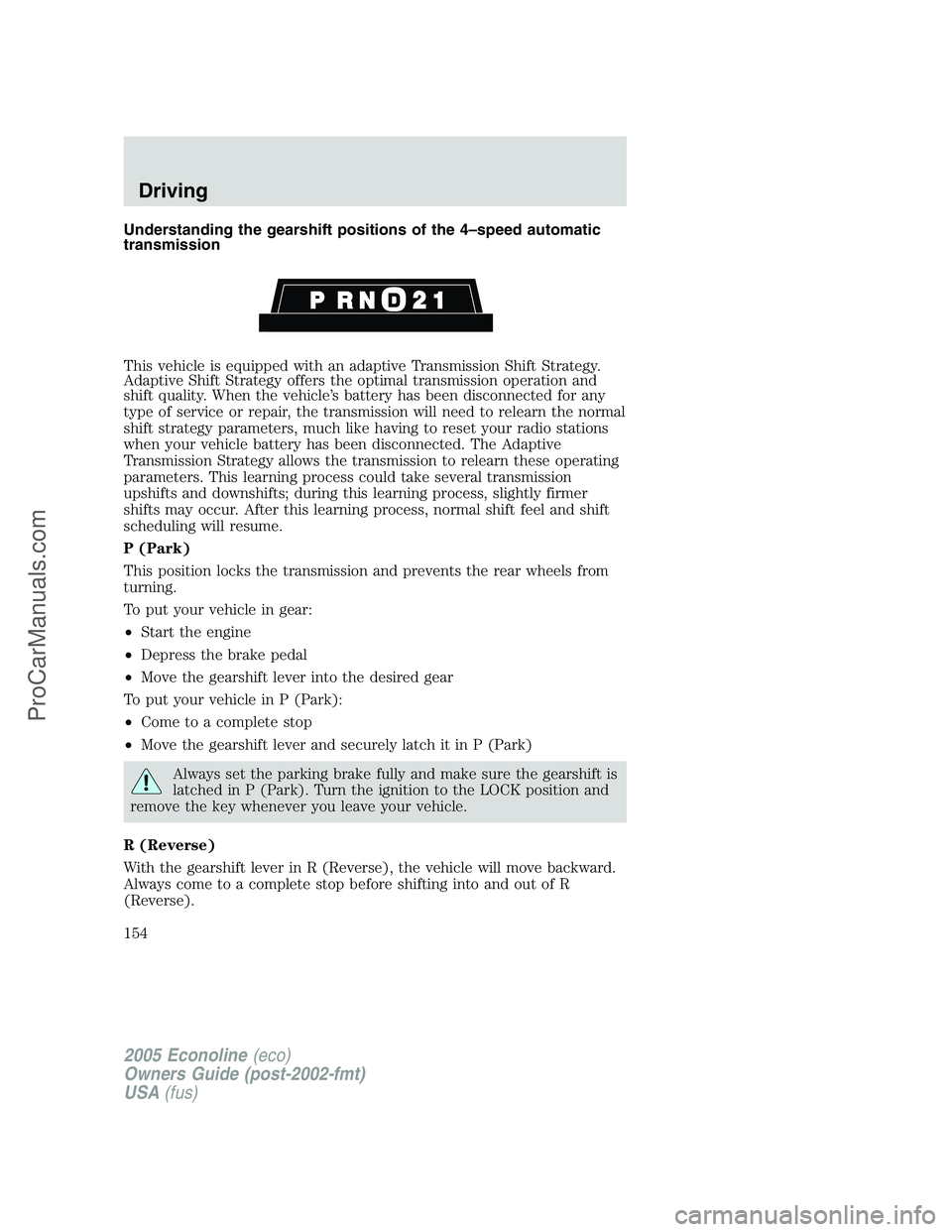
Understanding the gearshift positions of the 4–speed automatic
transmission
This vehicle is equipped with an adaptive Transmission Shift Strategy.
Adaptive Shift Strategy offers the optimal transmission operation and
shift quality. When the vehicle’s battery has been disconnected for any
type of service or repair, the transmission will need to relearn the normal
shift strategy parameters, much like having to reset your radio stations
when your vehicle battery has been disconnected. The Adaptive
Transmission Strategy allows the transmission to relearn these operating
parameters. This learning process could take several transmission
upshifts and downshifts; during this learning process, slightly firmer
shifts may occur. After this learning process, normal shift feel and shift
scheduling will resume.
P (Park)
This position locks the transmission and prevents the rear wheels from
turning.
To put your vehicle in gear:
•Start the engine
•Depress the brake pedal
•Move the gearshift lever into the desired gear
To put your vehicle in P (Park):
•Come to a complete stop
•Move the gearshift lever and securely latch it in P (Park)
Always set the parking brake fully and make sure the gearshift is
latched in P (Park). Turn the ignition to the LOCK position and
remove the key whenever you leave your vehicle.
R (Reverse)
With the gearshift lever in R (Reverse), the vehicle will move backward.
Always come to a complete stop before shifting into and out of R
(Reverse).
2005 Econoline(eco)
Owners Guide (post-2002-fmt)
USA(fus)
Driving
154
ProCarManuals.com
Page 156 of 248
•Selecting 2 (Second) at higher speeds will cause the transmission to
downshift to second gear at the appropriate vehicle speed.
1 (First)
•Provides maximum engine braking.
•Allows upshifts by moving gearshift lever.
•Will not downshift into 1 (First) at high speeds; allows for 1 (First)
when vehicle reaches slower speeds.
Forced downshifts
•Allowed in
(Overdrive) or Drive.
•Depress the accelerator to the floor.
•Allows transmission to select an appropriate gear.
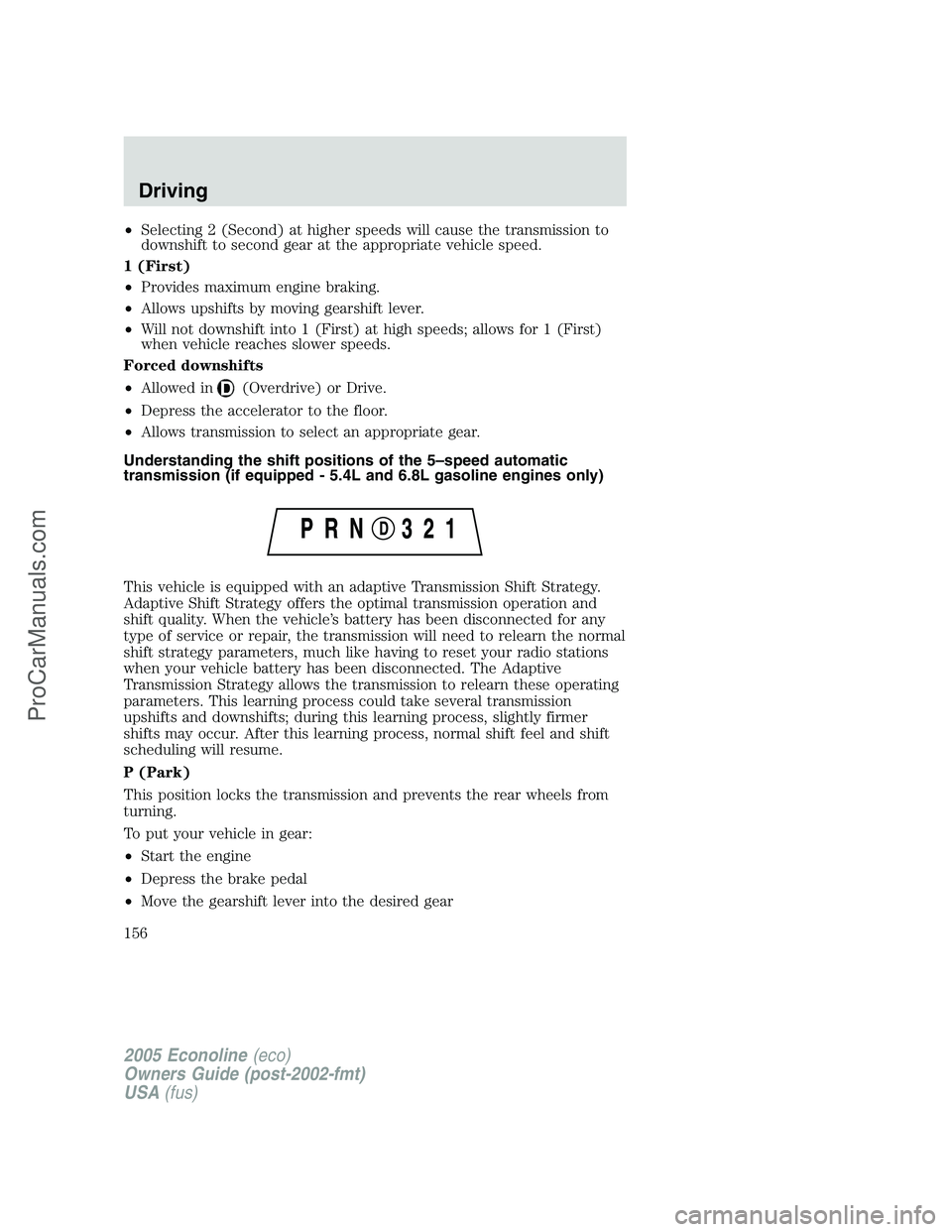
Understanding the shift positions of the 5–speed automatic
transmission (if equipped - 5.4L and 6.8L gasoline engines only)
This vehicle is equipped with an adaptive Transmission Shift Strategy.
Adaptive Shift Strategy offers the optimal transmission operation and
shift quality. When the vehicle’s battery has been disconnected for any
type of service or repair, the transmission will need to relearn the normal
shift strategy parameters, much like having to reset your radio stations
when your vehicle battery has been disconnected. The Adaptive
Transmission Strategy allows the transmission to relearn these operating
parameters. This learning process could take several transmission
upshifts and downshifts; during this learning process, slightly firmer
shifts may occur. After this learning process, normal shift feel and shift
scheduling will resume.
P (Park)
This position locks the transmission and prevents the rear wheels from
turning.
To put your vehicle in gear:
•Start the engine
•Depress the brake pedal
•Move the gearshift lever into the desired gear
2005 Econoline(eco)
Owners Guide (post-2002-fmt)
USA(fus)
Driving
156
ProCarManuals.com
Page 203 of 248
2. Put the gearshift in P (Park), turn off all accessories and start the
engine.
3. Run the engine until it reaches normal operating temperature.
4. Allow the engine to idle for at least one minute.
5. Turn the A/C on and allow the engine to idle for at least one minute.
6. Release the parking brake. With your foot on the brake pedal and with
the A/C on, put the vehicle in D (Drive) and allow the engine to idle for
at least one minute.
7. Drive the vehicle to complete the relearning process.
•The vehicle may need to be driven 10 miles (16 km) or more to
relearn the idle and fuel trim strategy.
•If you do not allow the engine to relearn its idle trim, the idle
quality of your vehicle may be adversely affected until the idle
trim is eventually relearned.
If the battery has been disconnected or a new battery has been installed,
the clock and radio settings must be reset once the battery is
reconnected.
•Always dispose of automotive
batteries in a responsible manner.
Follow your local authorized
standards for disposal. Call your
local authorized recycling center
to find out more about recycling
automotive batteries.
ENGINE COOLANT
Checking engine coolant
The concentration and level of engine coolant should be checked at the
mileage intervals listed inscheduled maintenance information.The
coolant concentration should be maintained at 50/50 coolant and distilled
water, which equates to a freeze point of -34°F (-36°C). Coolant
concentration testing is possible with a hydrometer or antifreeze tester
(such as the Rotunda Battery and Antifreeze Tester, 014–R1060). The
level of coolant should be maintained at the “FULL COLD” level or
within the “COLD FILL RANGE” in the coolant reservoir. If the level falls
below, add coolant per the instructions in theAdding engine coolant
section.
L
E
A
D
RETURN
RECYCLE
2005 Econoline(eco)
Owners Guide (post-2002-fmt)
USA(fus)
Maintenance and Specifications
203
ProCarManuals.com