warning FORD E SERIES 2014 4.G Owners Manual
[x] Cancel search | Manufacturer: FORD, Model Year: 2014, Model line: E SERIES, Model: FORD E SERIES 2014 4.GPages: 438, PDF Size: 5.12 MB
Page 273 of 438
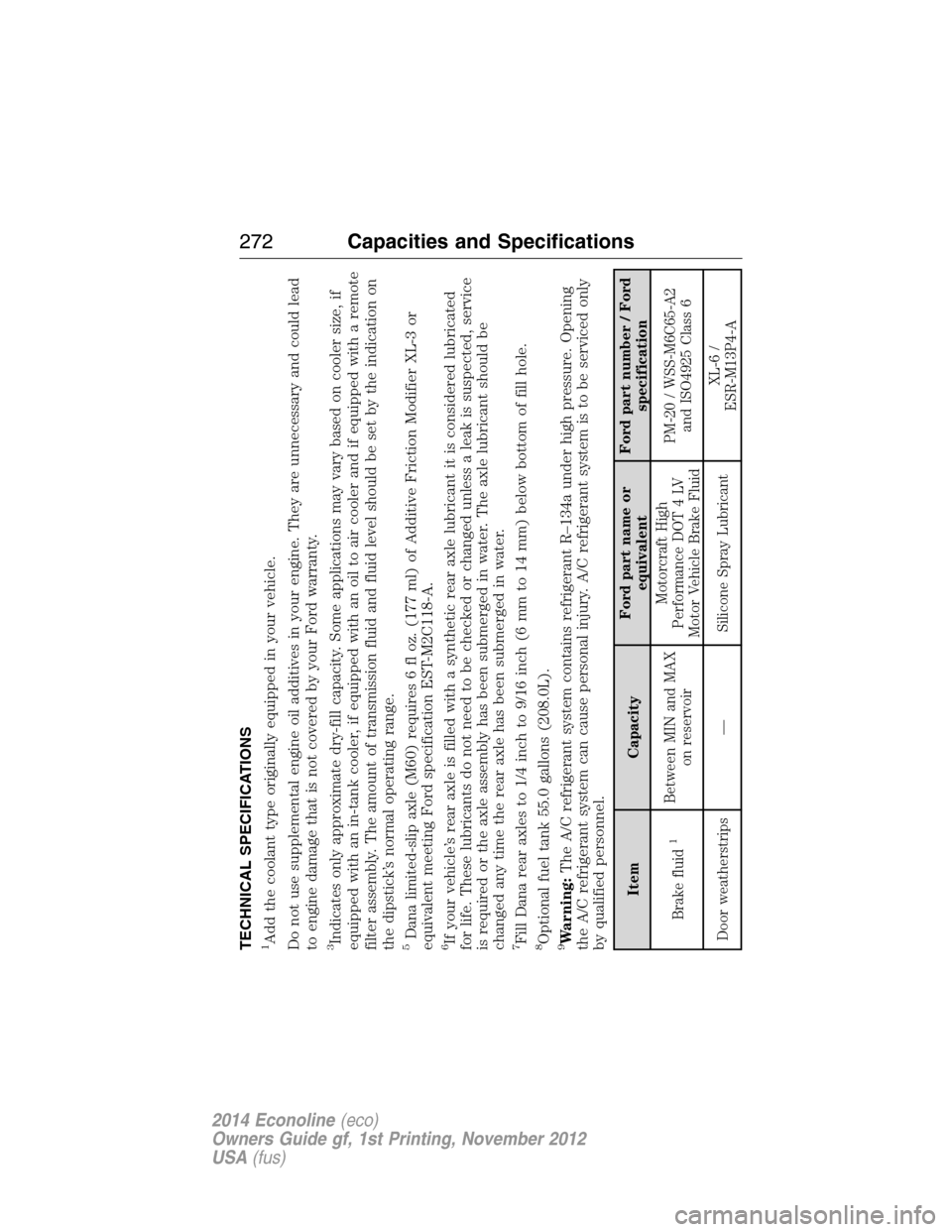
TECHNICAL SPECIFICATIONS1Add the coolant type originally equipped in your vehicle.
Do not use supplemental engine oil additives in your engine. They are unnecessary and could lead
to engine damage that is not covered by your Ford warranty.3Indicates only approximate dry-fill capacity. Some applications may vary based on cooler size, if
equipped with an in-tank cooler, if equipped with an oil to air cooler and if equipped with a remote
filter assembly. The amount of transmission fluid and fluid level should be set by the indication on
the dipstick’s normal operating range.5Dana limited-slip axle (M60) requires 6 fl oz. (177 ml) of Additive Friction Modifier XL-3 or
equivalent meeting Ford specification EST-M2C118-A.6If your vehicle’s rear axle is filled with a synthetic rear axle lubricant it is considered lubricated
for life. These lubricants do not need to be checked or changed unless a leak is suspected, service
is required or the axle assembly has been submerged in water. The axle lubricant should be
changed any time the rear axle has been submerged in water.7Fill Dana rear axles to 1/4 inch to 9/16 inch (6 mm to 14 mm) below bottom of fill hole.8Optional fuel tank 55.0 gallons (208.0L).9Warning:The A/C refrigerant system contains refrigerant R–134a under high pressure. Opening
the A/C refrigerant system can cause personal injury. A/C refrigerant system is to be serviced only
by qualified personnel.
Item CapacityFord part name or
equivalentFord part number / Ford
specification
Brake fluid
1
Between MIN and MAX
on reservoirMotorcraft High
Performance DOT 4 LV
Motor Vehicle Brake FluidPM-20 / WSS-M6C65-A2
and ISO4925 Class 6
Door weatherstrips — Silicone Spray LubricantXL-6 /
ESR-M13P4-A
272Capacities and Specifications
2014 Econoline(eco)
Owners Guide gf, 1st Printing, November 2012
USA(fus)
Page 279 of 438
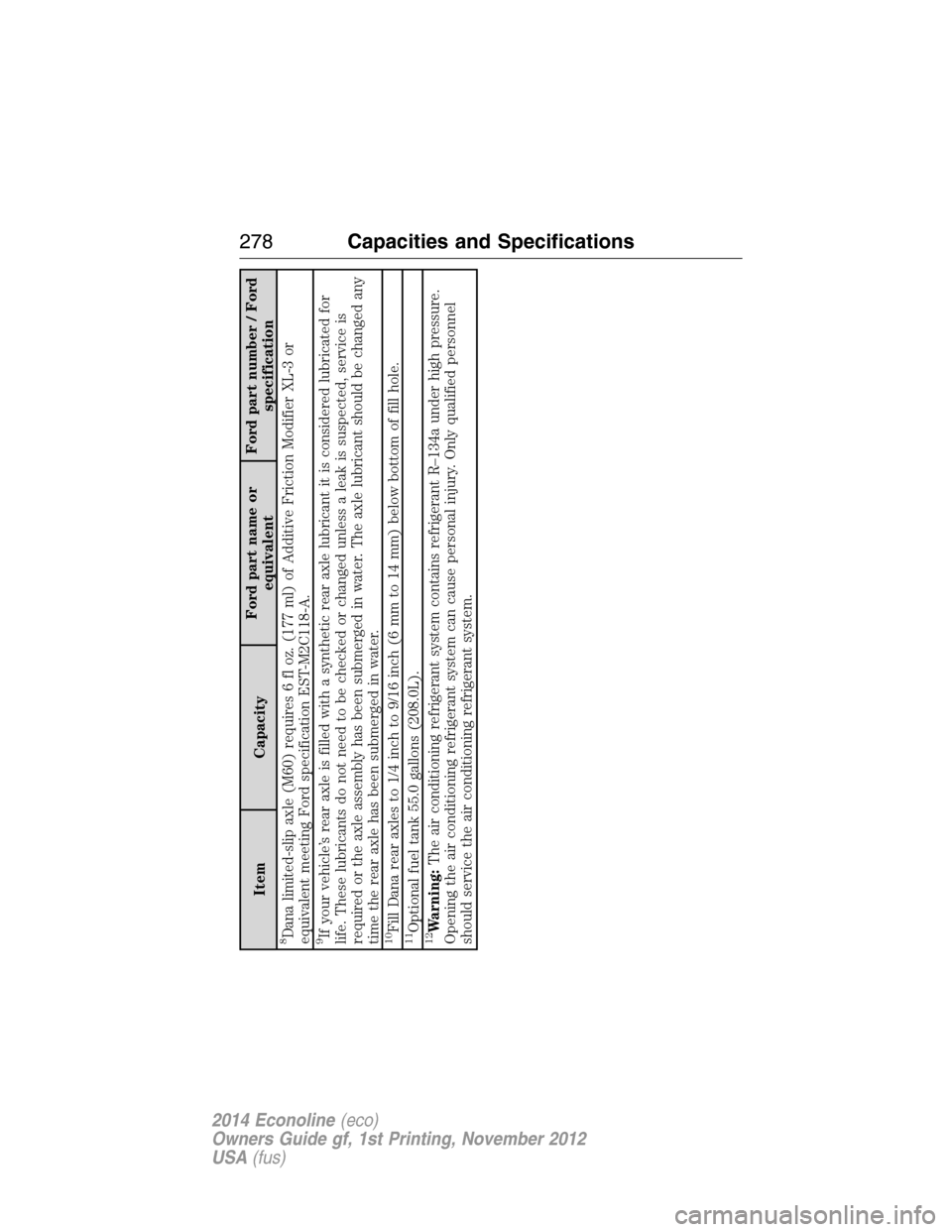
Item CapacityFord part name or
equivalentFord part number / Ford
specification
8Dana limited-slip axle (M60) requires 6 fl oz. (177 ml) of Additive Friction Modifier XL-3 or
equivalent meeting Ford specification EST-M2C118-A.9If your vehicle’s rear axle is filled with a synthetic rear axle lubricant it is considered lubricated for
life. These lubricants do not need to be checked or changed unless a leak is suspected, service is
required or the axle assembly has been submerged in water. The axle lubricant should be changed any
time the rear axle has been submerged in water.10Fill Dana rear axles to 1/4 inch to 9/16 inch (6 mm to 14 mm) below bottom of fill hole.11Optional fuel tank 55.0 gallons (208.0L).12Warning:The air conditioning refrigerant system contains refrigerant R–134a under high pressure.
Opening the air conditioning refrigerant system can cause personal injury. Only qualified personnel
should service the air conditioning refrigerant system.
278Capacities and Specifications
2014 Econoline(eco)
Owners Guide gf, 1st Printing, November 2012
USA(fus)
Page 291 of 438
AM/FM
WARNING:Driving while distracted can result in loss of vehicle
control, crash and injury. We strongly recommend that you use
extreme caution when using any device that may take your focus off
the road. Your primary responsibility is the safe operation of your
vehicle. We recommend against the use of any hand-held device while
driving and encourage the use of voice-operated systems when possible.
Make sure you are aware of all applicable local laws that may affect the
use of electronic devices while driving.
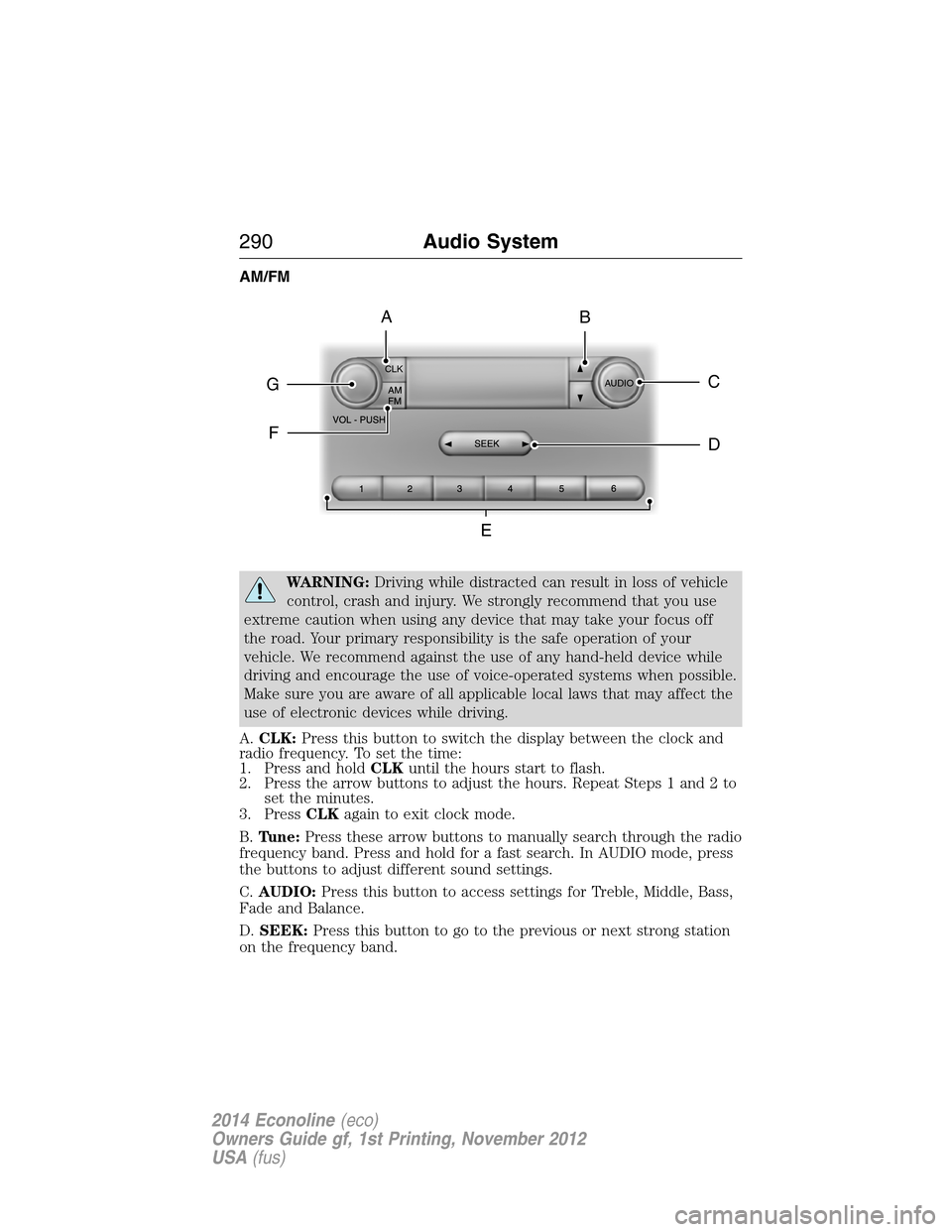
A.CLK:Press this button to switch the display between the clock and
radio frequency. To set the time:
1. Press and holdCLKuntil the hours start to flash.
2. Press the arrow buttons to adjust the hours. Repeat Steps 1 and 2 to
set the minutes.
3. PressCLKagain to exit clock mode.
B.Tune:Press these arrow buttons to manually search through the radio
frequency band. Press and hold for a fast search. In AUDIO mode, press
the buttons to adjust different sound settings.
C.AUDIO:Press this button to access settings for Treble, Middle, Bass,
Fade and Balance.
D.SEEK:Press this button to go to the previous or next strong station
on the frequency band.
CLK
AUDIOC
EG
F
BA
D
290Audio System
2014 Econoline(eco)
Owners Guide gf, 1st Printing, November 2012
USA(fus)
Page 292 of 438
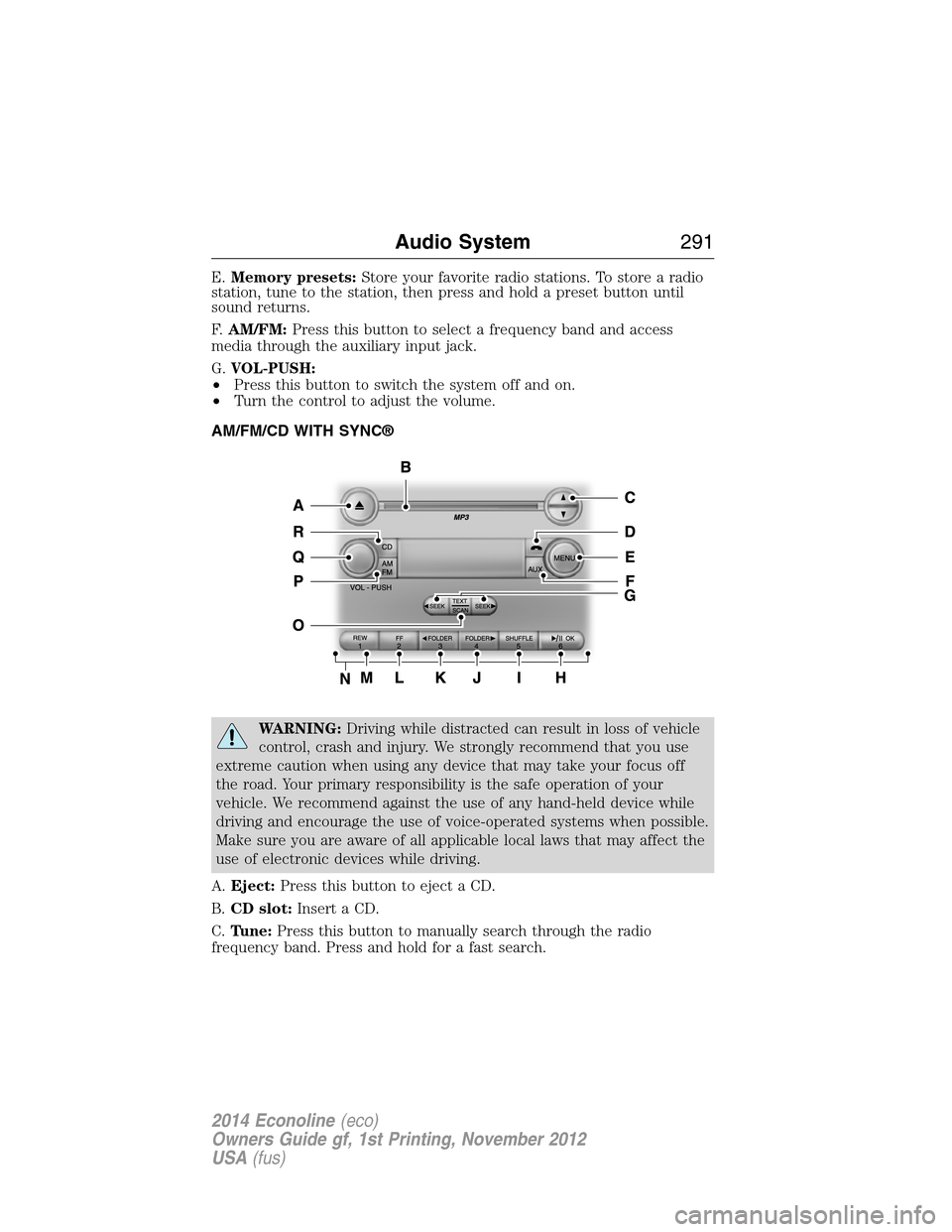
E.Memory presets:Store your favorite radio stations. To store a radio
station, tune to the station, then press and hold a preset button until
sound returns.
F.AM/FM:Press this button to select a frequency band and access
media through the auxiliary input jack.
G.VOL-PUSH:
•Press this button to switch the system off and on.
•Turn the control to adjust the volume.
AM/FM/CD WITH SYNC®
WARNING:Driving while distracted can result in loss of vehicle
control, crash and injury. We strongly recommend that you use
extreme caution when using any device that may take your focus off
the road. Your primary responsibility is the safe operation of your
vehicle. We recommend against the use of any hand-held device while
driving and encourage the use of voice-operated systems when possible.
Make sure you are aware of all applicable local laws that may affect the
use of electronic devices while driving.
A.Eject:Press this button to eject a CD.
B.CD slot:Insert a CD.
C.Tune:Press this button to manually search through the radio
frequency band. Press and hold for a fast search.
Audio System291
2014 Econoline(eco)
Owners Guide gf, 1st Printing, November 2012
USA(fus)
Page 297 of 438
AUXILIARY INPUT JACK
WARNING:Driving while distracted can result in loss of vehicle
control, crash and injury. We strongly recommend that you use
extreme caution when using any device that may take your focus off
the road. Your primary responsibility is the safe operation of your
vehicle. We recommend against the use of any hand-held device while
driving and encourage the use of voice-operated systems when possible.
Make sure you are aware of all applicable local laws that may affect the
use of electronic devices while driving.
WARNING:For safety reasons, do not connect or adjust the
settings on your portable music player while your vehicle is
moving.
WARNING:Store the portable music player in a secure location,
such as the center console or the glove box, when your vehicle is
moving. Hard objects may become projectiles in a crash or sudden stop,
which may increase the risk of serious injury. The audio extension cable
must be long enough to allow the portable music player to be safely
stored while your vehicle is moving.
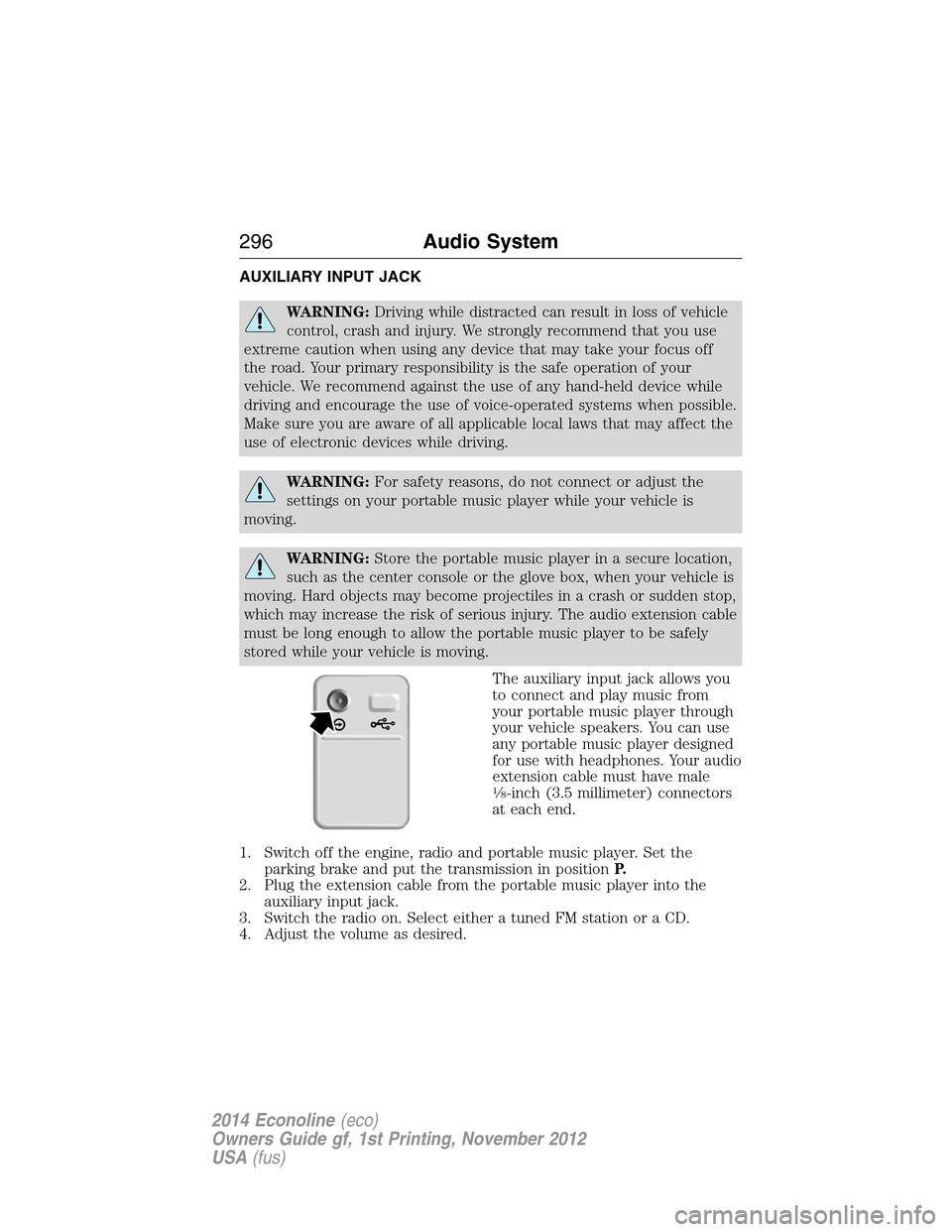
The auxiliary input jack allows you
to connect and play music from
your portable music player through
your vehicle speakers. You can use
any portable music player designed
for use with headphones. Your audio
extension cable must have male
18-inch (3.5 millimeter) connectors
at each end.
1. Switch off the engine, radio and portable music player. Set the
parking brake and put the transmission in positionP.
2. Plug the extension cable from the portable music player into the
auxiliary input jack.
3. Switch the radio on. Select either a tuned FM station or a CD.
4. Adjust the volume as desired.
296Audio System
2014 Econoline(eco)
Owners Guide gf, 1st Printing, November 2012
USA(fus)
Page 298 of 438
5. Switch your portable music player on and adjust its volume to half its
maximum level.
6. PressAUXuntilLINEorLINE INappears in the display. You
should hear music from your device even if it is low.
7. Adjust the volume on your portable music player until it reaches the
volume level of the FM station or CD. Do this by switching back and
forth between the AUX and FM or CD controls.
USB PORT (IF EQUIPPED)
WARNING:Driving while distracted can result in loss of vehicle
control, crash and injury. We strongly recommend that you use
extreme caution when using any device that may take your focus off
the road. Your primary responsibility is the safe operation of your
vehicle. We recommend against the use of any hand-held device while
driving and encourage the use of voice-operated systems when possible.
Make sure you are aware of all applicable local laws that may affect the
use of electronic devices while driving.
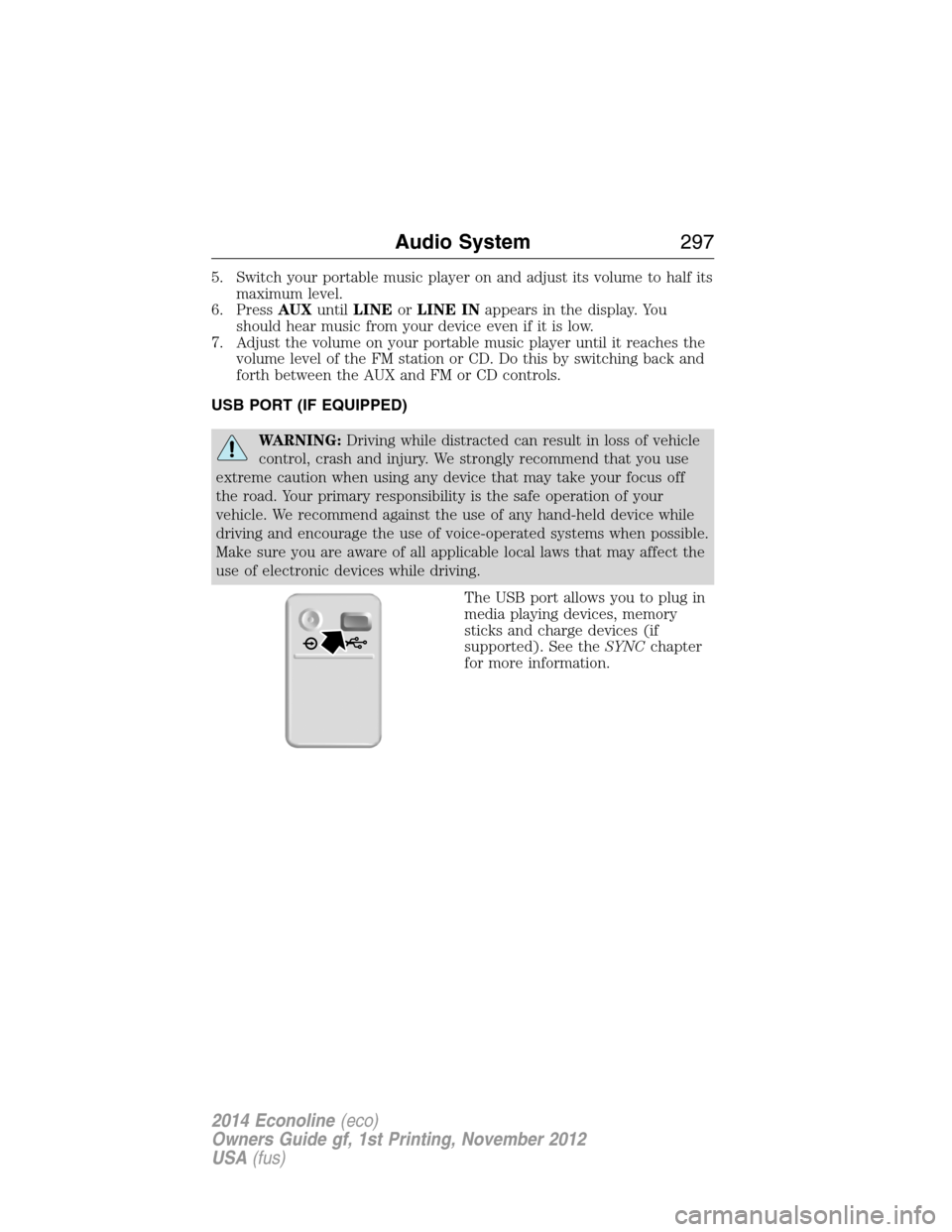
The USB port allows you to plug in
media playing devices, memory
sticks and charge devices (if
supported). See theSYNCchapter
for more information.
Audio System297
2014 Econoline(eco)
Owners Guide gf, 1st Printing, November 2012
USA(fus)
Page 300 of 438
GENERAL INFORMATION
Make sure you review your device’s manual before using it with SYNC.
Support
The SYNC support team is available to help you with any questions you
cannot answer on your own.
Monday-Saturday, 8:30am-9:00pm EST.
Sunday, 10:30am-7:30pm EST.
In the United States, call: 1–800–392–3673.
In Canada, call: 1–800–565–3673.
Times are subject to change due to holidays.
SYNC Owner Account
Why do I need a SYNC owner account?
•Required to activate Vehicle Health Report and to view the reports
online.
•Required to activate the subscription-based SYNC Services and to
personalize your Saved Points and Favorites.
•Essential for keeping up with the latest software downloads available
for SYNC.
•Access to customer support for any questions you may have.
Driving Restrictions
For your safety, certain features are speed-dependent and restricted
when your vehicle is traveling over 3 mph (5 km/h).
Safety Information
WARNING:Driving while distracted can result in loss of vehicle
control, crash and injury. We strongly recommend that you use
extreme caution when using any device that may take your focus off
the road. Your primary responsibility is the safe operation of your
vehicle. We recommend against the use of any handheld device while
driving and encourage the use of voice-operated systems when possible.
Make sure you are aware of all applicable local laws that may affect the
use of electronic devices while driving.
SYNC®299
2014 Econoline(eco)
Owners Guide gf, 1st Printing, November 2012
USA(fus)
Page 319 of 438
SYNC APPLICATIONS AND SERVICES (IF EQUIPPED)
Note:In order for the following features to work, your cellular phone
must be compatible with SYNC. To check your phone’s compatibility, visit
www.SYNCMyRide.com, www.SYNCMyRide.ca or www.syncmaroute.ca.
•SYNC Services (if equipped, United States only): Provides access to
traffic, directions and information such as travel, horoscopes, stock
prices and more.
•911 Assist: Can alert 911 in the event of an emergency.
•Vehicle Health Report (if equipped, United States only): Provides a
diagnostic and maintenance report card of your vehicle.
•SYNC AppLink: Allows you to connect to and use certain applications
such as Pandora and Stitcher (if your phone is compatible).
911 Assist®
WARNING:Unless the 911 Assist setting is set on prior to a
crash, the system will not dial for help which could delay
response time, potentially increasing the risk of serious injury or death
after a crash.
WARNING:Do not wait for 911 Assist to make an emergency
call if you can do it yourself. Dial emergency services
immediately to avoid delayed response time which could increase the
risk of serious injury or death after a crash. If you do not hear 911
Assist within five seconds of the crash, the system or phone may be
damaged or non-functional.
WARNING:Always place your phone in a secure location in the
vehicle so it does not become a projectile or get damaged in a
crash. Failure to do so may cause serious injury to someone or damage
the phone which could prevent 911 Assist from working properly.
Note:SYNC 911 Assist feature must be set on prior to the incident.
Note:Before setting this feature on, ensure that you read the 911 Assist
privacy notice later in this section for important information.
Note:If 911 Assist is turned on or off by any user, that setting applies
for all paired phones. If 911 Assist is turned off, a voice message plays
and/or a display message/icon comes on when the vehicle is started after
a previously paired phone connects.
318SYNC®
2014 Econoline(eco)
Owners Guide gf, 1st Printing, November 2012
USA(fus)
Page 322 of 438
Vehicle Health Report
WARNING:Always follow scheduled maintenance instructions,
regularly inspect your vehicle, and seek repair for any damage or
problem you suspect. Vehicle Health Report supplements, but cannot
replace normal maintenance and vehicle inspection. Vehicle Health
Report only monitors certain systems that are electronically monitored
by the vehicle and will not monitor or report the status of any other
system, (i.e., brake lining wear). Failure to perform scheduled
maintenance and regularly inspect your vehicle may result in vehicle
damage and serious injury.
Note:Your Vehicle Health Report feature requires activation prior to
use. Visit www.SYNCMyRide.com to register. There is no fee or
subscription associated with Vehicle Health Report, but you must register
to use this feature.
Note:This feature may not function properly if you have enabled caller
ID blocking on your mobile phone. Before running a report, review the
Vehicle Health Report privacy notice.
Note:In order to allow a break-in period for your vehicle, you may not
be able to create a Vehicle Health Report until your vehicle odometer has
reached 200 miles.
Register for Vehicle Health Report and set your report preferences at
www.SYNCMyRide.com. After registering, you can request a Vehicle
Health Report (inside your vehicle). Return to your account at
www.SYNCMyRide.com to view your report. You can also choose for
SYNC to automatically remind you to run reports at specific mileage
intervals. Cellular phone airtime usage may apply when reporting.
The system allows you to check your vehicle’s overall health in the form
of a diagnostic report card. The vehicle health report contains valuable
information such as:
•Vehicle Diagnostic Information
•Scheduled maintenance
•Open Recalls and Field Service Actions
•Unserviced items from vehicle inspections by your authorized dealer.
You can run a report (after the vehicle has been running a minimum of
60 seconds) by pressing the voice button and saying “Vehicle health
report”, or pressing the phone button.
SYNC®321
2014 Econoline(eco)
Owners Guide gf, 1st Printing, November 2012
USA(fus)
Page 347 of 438
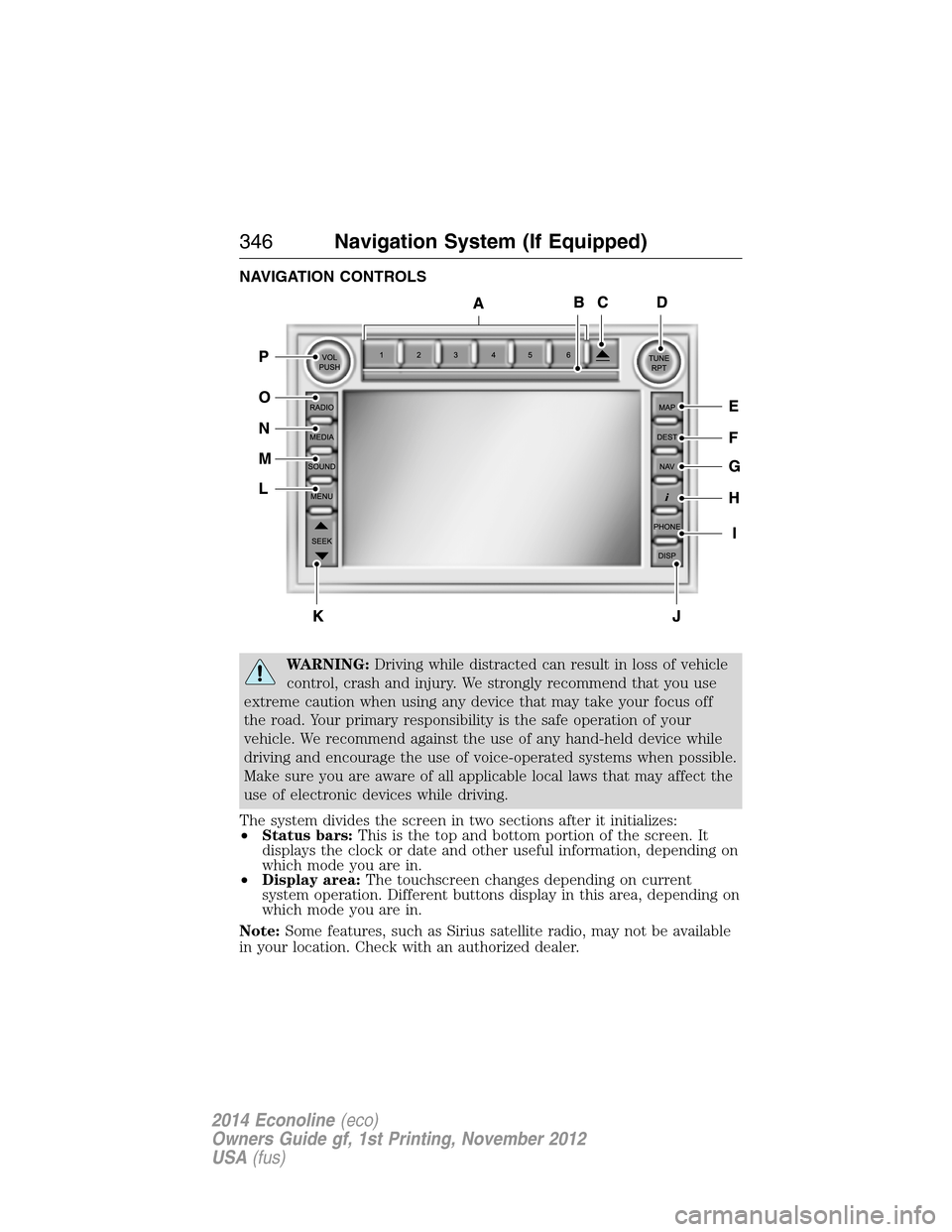
NAVIGATION CONTROLS
WARNING:Driving while distracted can result in loss of vehicle
control, crash and injury. We strongly recommend that you use
extreme caution when using any device that may take your focus off
the road. Your primary responsibility is the safe operation of your
vehicle. We recommend against the use of any hand-held device while
driving and encourage the use of voice-operated systems when possible.
Make sure you are aware of all applicable local laws that may affect the
use of electronic devices while driving.
The system divides the screen in two sections after it initializes:
•Status bars:This is the top and bottom portion of the screen. It
displays the clock or date and other useful information, depending on
which mode you are in.
•Display area:The touchscreen changes depending on current
system operation. Different buttons display in this area, depending on
which mode you are in.
Note:Some features, such as Sirius satellite radio, may not be available
in your location. Check with an authorized dealer.
346Navigation System (If Equipped)
2014 Econoline(eco)
Owners Guide gf, 1st Printing, November 2012
USA(fus)