ECO mode FORD E SERIES 2014 4.G User Guide
[x] Cancel search | Manufacturer: FORD, Model Year: 2014, Model line: E SERIES, Model: FORD E SERIES 2014 4.GPages: 438, PDF Size: 5.12 MB
Page 59 of 438
Memory Lock
If you lock your doors with the power lock control or the remote control
while the sliding door is open, the door will automatically lock after it is
closed.
Autolock and Unlock
Note:Your vehicle comes with this feature disabled.
The autolock feature will lock all the doors when:
•all doors are closed,
•the ignition is on,
•you shift into any gear putting the vehicle in motion, and
•the vehicle attains a speed greater than 12 mph (20 km/h).
If the vehicle was autolocked, the autounlock feature will unlock all
doors when the driver’s door is opened within 10 minutes of switching
the ignition off.
Enabling or Disabling Autolock and Autounlock
These features can be enabled or disabled:
•by your authorized dealer
•through the information display
•using the power door lock procedure.
To enable or disable using the power door locks, do the following:
Note:You will have 30 seconds to complete the procedure.
1. Switch the ignition on.
2. Press the power door lock button three times.
3. Switch the ignition off.
4. Press the power door lock button three times.
5. Switch the ignition on. The horn will chirp indicating the programming
mode has been entered.
Autolock:Once in programming mode, press the power door unlock
button then the lock button. The horn will chirp once if autolock was
deactivated or twice (one short and one long chirp) if autolock was
activated.
Autounlock:Once in programming mode, press the power door lock
button then the unlock button. The horn will chirp once if autounlock
was deactivated or twice (one short and one long chirp) if autounlock
was activated.
58Locks
2014 Econoline(eco)
Owners Guide gf, 1st Printing, November 2012
USA(fus)
Page 66 of 438
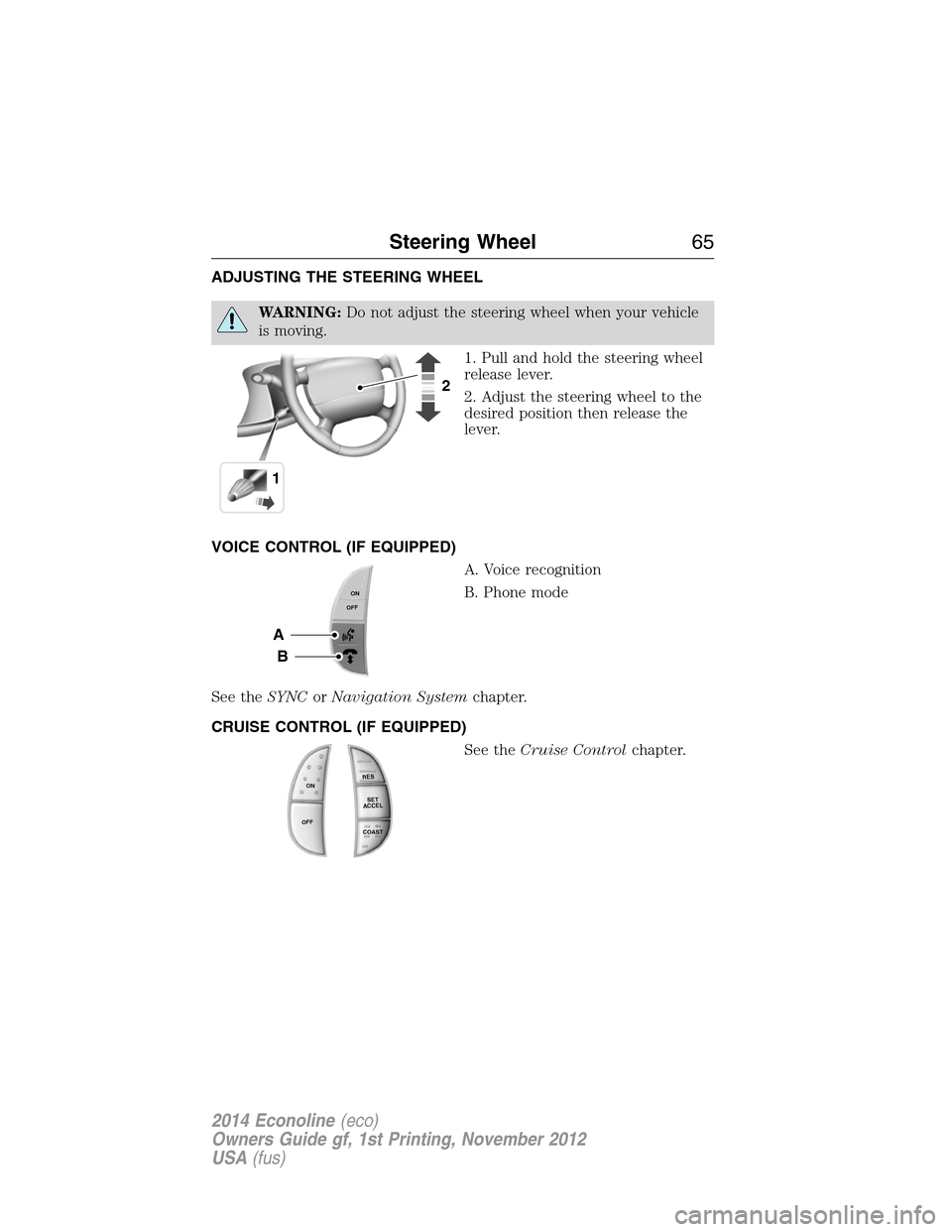
ADJUSTING THE STEERING WHEEL
WARNING:Do not adjust the steering wheel when your vehicle
is moving.
1. Pull and hold the steering wheel
release lever.
2. Adjust the steering wheel to the
desired position then release the
lever.
VOICE CONTROL (IF EQUIPPED)
A. Voice recognition
B. Phone mode
See theSYNCorNavigation Systemchapter.
CRUISE CONTROL (IF EQUIPPED)
See theCruise Controlchapter.
12
A
B
ONOFF
R
E
S
S
E
T
A
C
C
E
L
C
OA
S
T
ON
OFF
Steering Wheel65
2014 Econoline(eco)
Owners Guide gf, 1st Printing, November 2012
USA(fus)
Page 81 of 438
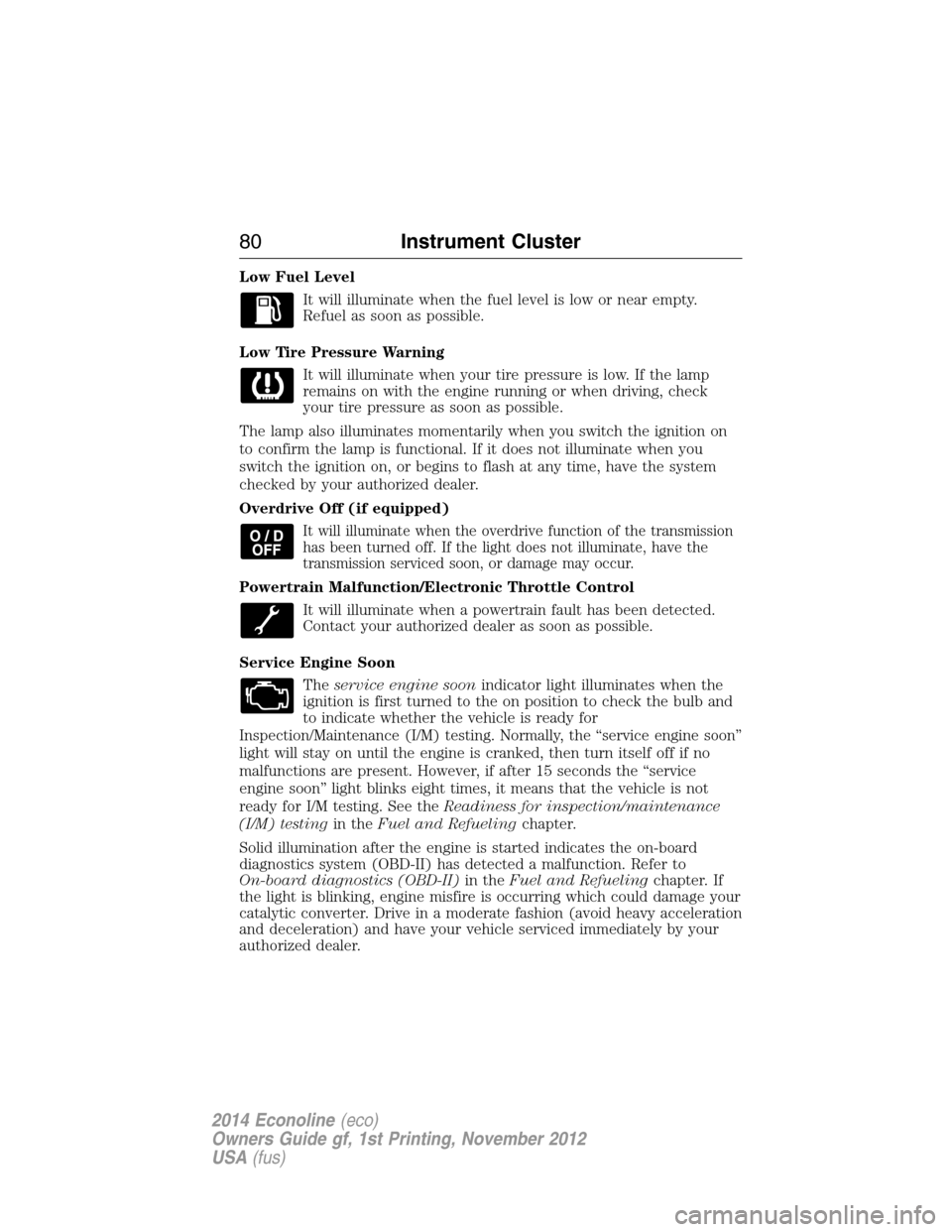
Low Fuel Level
It will illuminate when the fuel level is low or near empty.
Refuel as soon as possible.
Low Tire Pressure Warning
It will illuminate when your tire pressure is low. If the lamp
remains on with the engine running or when driving, check
your tire pressure as soon as possible.
The lamp also illuminates momentarily when you switch the ignition on
to confirm the lamp is functional. If it does not illuminate when you
switch the ignition on, or begins to flash at any time, have the system
checked by your authorized dealer.
Overdrive Off (if equipped)
It will illuminate when the overdrive function of the transmission
has been turned off. If the light does not illuminate, have the
transmission serviced soon, or damage may occur.
Powertrain Malfunction/Electronic Throttle Control
It will illuminate when a powertrain fault has been detected.
Contact your authorized dealer as soon as possible.
Service Engine Soon
Theservice engine soonindicator light illuminates when the
ignition is first turned to the on position to check the bulb and
to indicate whether the vehicle is ready for
Inspection/Maintenance (I/M) testing. Normally, the “service engine soon”
light will stay on until the engine is cranked, then turn itself off if no
malfunctions are present. However, if after 15 seconds the “service
engine soon” light blinks eight times, it means that the vehicle is not
ready for I/M testing. See theReadiness for inspection/maintenance
(I/M) testingin theFuel and Refuelingchapter.
Solid illumination after the engine is started indicates the on-board
diagnostics system (OBD-II) has detected a malfunction. Refer to
On-board diagnostics (OBD-II)in theFuel and Refuelingchapter. If
the light is blinking, engine misfire is occurring which could damage your
catalytic converter. Drive in a moderate fashion (avoid heavy acceleration
and deceleration) and have your vehicle serviced immediately by your
authorized dealer.
80Instrument Cluster
2014 Econoline(eco)
Owners Guide gf, 1st Printing, November 2012
USA(fus)
Page 85 of 438
SETUP
TBC MODE (if
equipped)press and hold
the
SELECT/RESET
stemElectric or EOH
LANGUAGE =
ENGLISH /
SPANISH /
FRENCHEnglish / Spanish / French
SYSTEM CHECK
RESET FOR
SYSTEM CHECKpress and hold
the
SELECT/RESET
stemXXX% OIL LIFE
ENGINE HOURS (if enabled)
ENGINE IDLE HOURS
(if enabled)
CHARGING SYSTEM
BRAKE SYSTEM
TBC GAIN = XX.X or NO
TRAILER (if equipped)
TBC GAIN = XX.X or
OUTPUT = ////// (if equipped)
XXX MILES TO E
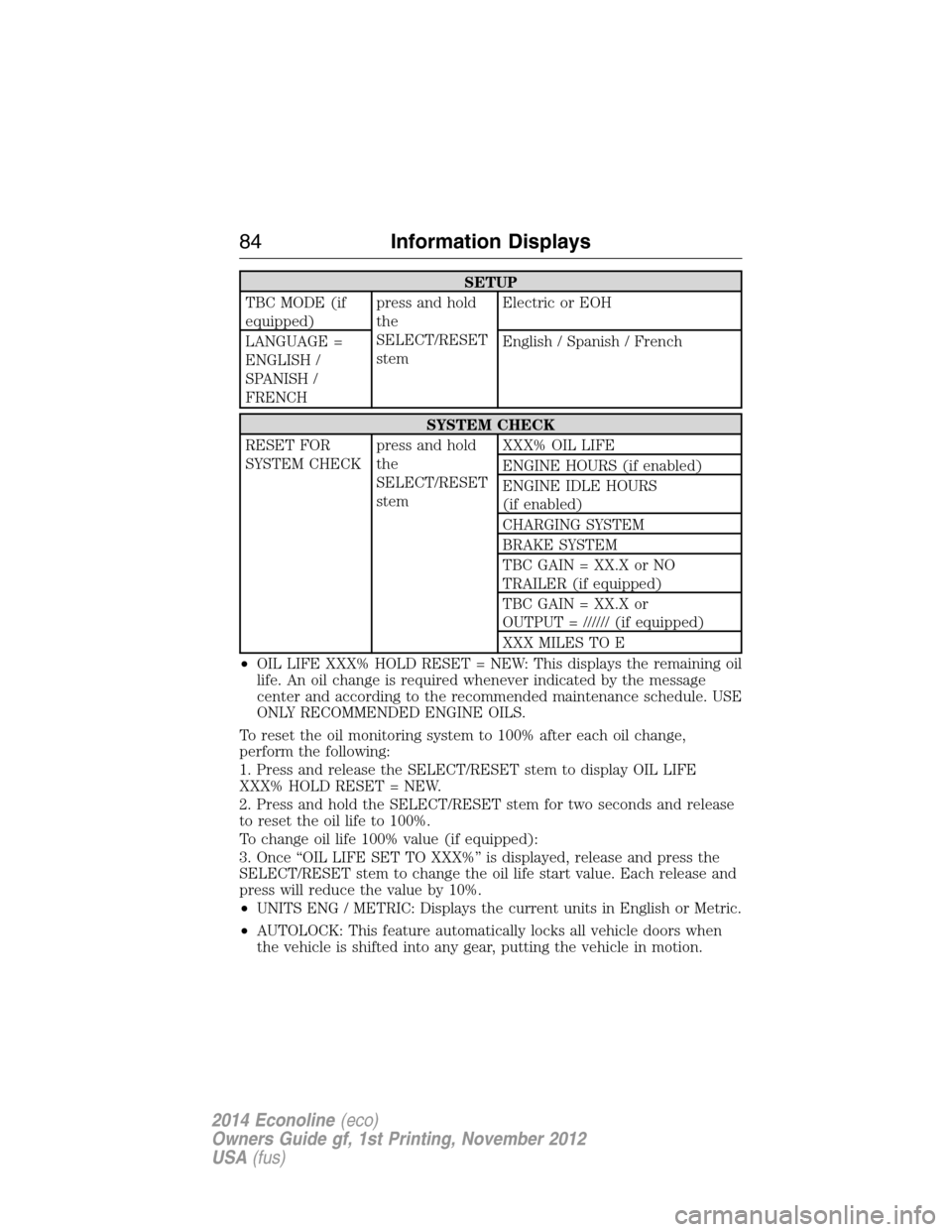
•OIL LIFE XXX% HOLD RESET = NEW: This displays the remaining oil
life. An oil change is required whenever indicated by the message
center and according to the recommended maintenance schedule. USE
ONLY RECOMMENDED ENGINE OILS.
To reset the oil monitoring system to 100% after each oil change,
perform the following:
1. Press and release the SELECT/RESET stem to display OIL LIFE
XXX% HOLD RESET = NEW.
2. Press and hold the SELECT/RESET stem for two seconds and release
to reset the oil life to 100%.
To change oil life 100% value (if equipped):
3. Once “OIL LIFE SET TO XXX%” is displayed, release and press the
SELECT/RESET stem to change the oil life start value. Each release and
press will reduce the value by 10%.
•UNITS ENG / METRIC: Displays the current units in English or Metric.
•AUTOLOCK: This feature automatically locks all vehicle doors when
the vehicle is shifted into any gear, putting the vehicle in motion.
84Information Displays
2014 Econoline(eco)
Owners Guide gf, 1st Printing, November 2012
USA(fus)
Page 87 of 438
Note:If the SELECT/RESET stem is pressed during the calibration or
three minutes has elapsed since the beginning of the calibration without
driving the vehicle, the message center reverts back to normal operation
and the CAL will display until a successful calibration is carried out.
1. Press and release the SELECT/RESET stem to scroll through the
information displays until the message center displays HOLD RESET
FOR SETUP MENU.
2. Press and hold the SELECT/RESET stem to get into the setup menu.
Repeatedly press it again to scroll through the setup menu until the
message center displays HOLD RESET FOR CALIBRATION.
3. Press and hold the SELECT/RESET stem for approximately two
seconds until the message center enters the compass zone adjustment
mode.
4. Press and hold the SELECT/RESET stem until the message center
displays CIRCLE SLOWLY TO CALIBRATE.
5. Slowly drive the vehicle in a circle less than 3 mph (5 km/h ) until the
CIRCLE SLOWLY TO CALIBRATE message changes to CALIBRATION
COMPLETED. This may require up to five circles to complete the
calibration.
•TBC MODE (if equipped): Allows you to choose the trailer brake
mode.
•LANGUAGE = ENGLISH / SPANISH / FRENCH: Allows you to choose
which language the message center will display in.
Waiting four seconds or pressing the SELECT/RESET stem cycles the
message center through each of the language choices.
Press the SELECT/RESET stem to set the language choice when the
language you want appears.
•HOLD RESET FOR SYSTEM CHECK: The message center will begin
to cycle through the vehicle systems and provide a status of the item
if needed. Some systems show a message only if a condition is
present.
86Information Displays
2014 Econoline(eco)
Owners Guide gf, 1st Printing, November 2012
USA(fus)
Page 92 of 438
MANUAL CLIMATE CONTROL
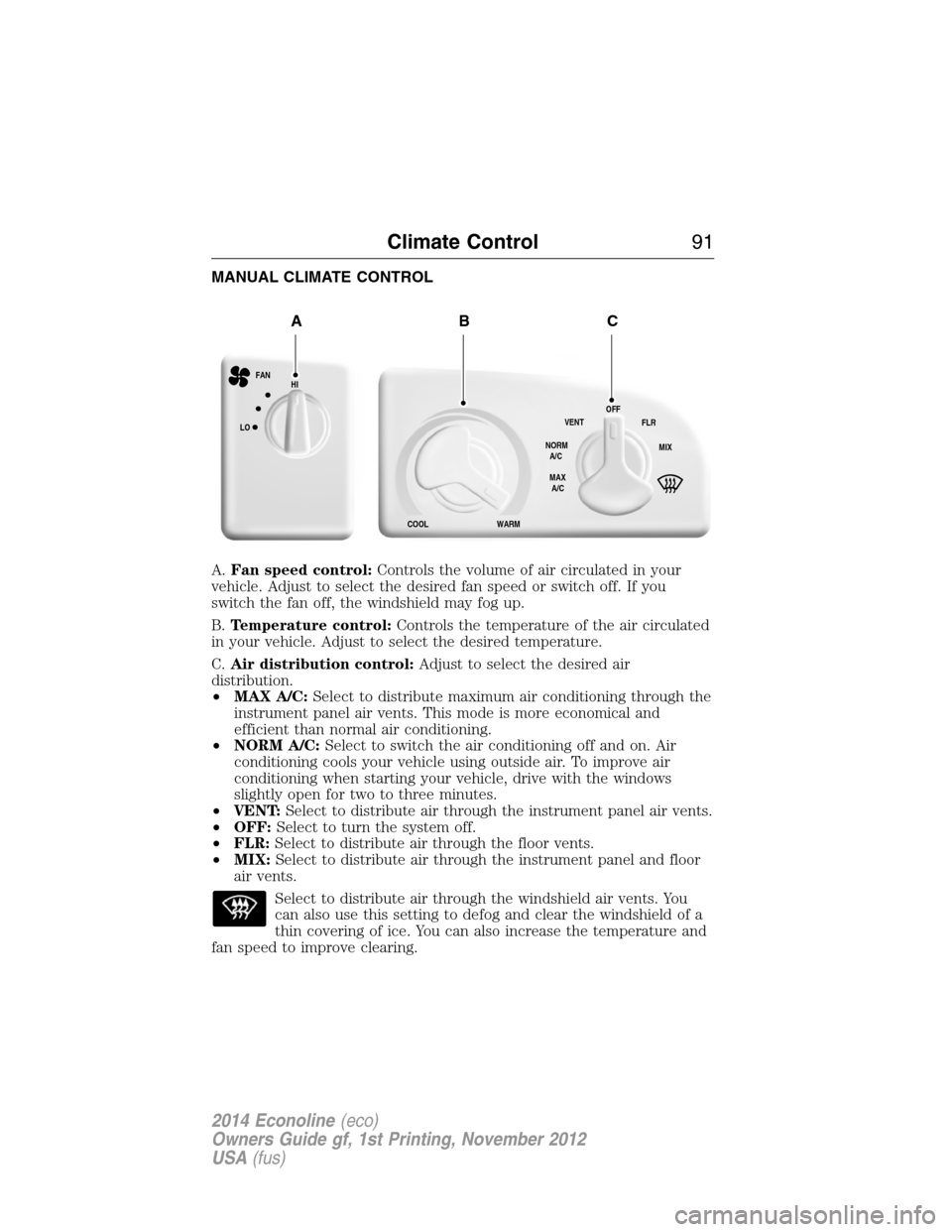
A.Fan speed control:Controls the volume of air circulated in your
vehicle. Adjust to select the desired fan speed or switch off. If you
switch the fan off, the windshield may fog up.
B.Temperature control:Controls the temperature of the air circulated
in your vehicle. Adjust to select the desired temperature.
C.Air distribution control:Adjust to select the desired air
distribution.
•MAX A/C:Select to distribute maximum air conditioning through the
instrument panel air vents. This mode is more economical and
efficient than normal air conditioning.
•NORM A/C:Select to switch the air conditioning off and on. Air
conditioning cools your vehicle using outside air. To improve air
conditioning when starting your vehicle, drive with the windows
slightly open for two to three minutes.
•VENT:Select to distribute air through the instrument panel air vents.
•OFF:Select to turn the system off.
•FLR:Select to distribute air through the floor vents.
•MIX:Select to distribute air through the instrument panel and floor
air vents.
Select to distribute air through the windshield air vents. You
can also use this setting to defog and clear the windshield of a
thin covering of ice. You can also increase the temperature and
fan speed to improve clearing.
HI
LO
COOL WARMVENT
NORM
A/C
MAX
A/COFF
MIX FLR FAN
ABC
Climate Control91
2014 Econoline(eco)
Owners Guide gf, 1st Printing, November 2012
USA(fus)
Page 104 of 438
110 Volt AC Power Point (If Equipped)
WARNING:Do not keep electrical devices plugged in the
powerpoint whenever the device is not in use. Do not use any
extension cord with the 110 volt AC power point, since it will defeat
the safety protection design. Doing so my cause the powerpoint to
overload due to powering multiple devices that can reach beyond the
150 watt load limit and could result in fire or serious injury.
Note:The cap should always be closed whenever the power point outlet
is not in use.
Note:Keep the engine running to use the power point.
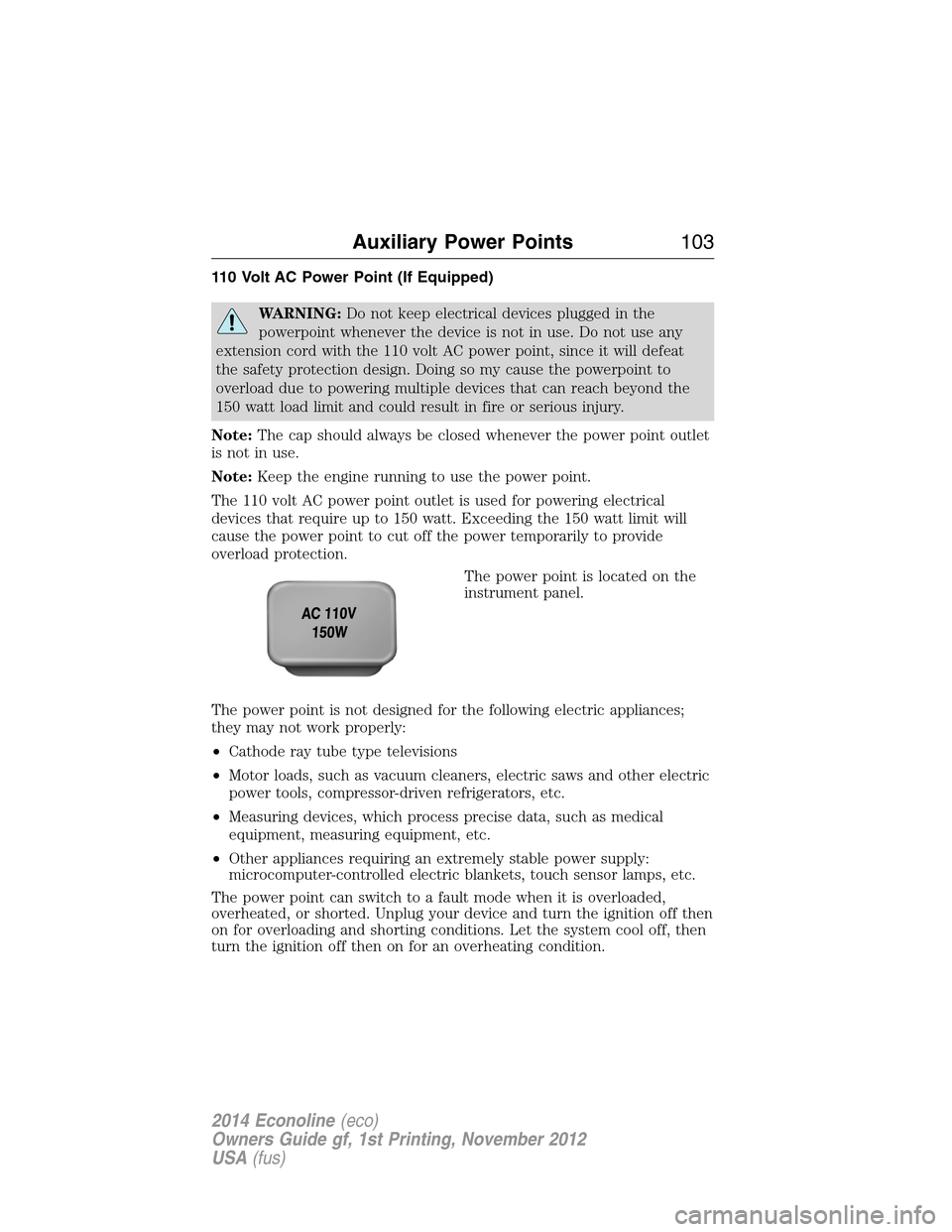
The 110 volt AC power point outlet is used for powering electrical
devices that require up to 150 watt. Exceeding the 150 watt limit will
cause the power point to cut off the power temporarily to provide
overload protection.
The power point is located on the
instrument panel.
The power point is not designed for the following electric appliances;
they may not work properly:
•Cathode ray tube type televisions
•Motor loads, such as vacuum cleaners, electric saws and other electric
power tools, compressor-driven refrigerators, etc.
•Measuring devices, which process precise data, such as medical
equipment, measuring equipment, etc.
•Other appliances requiring an extremely stable power supply:
microcomputer-controlled electric blankets, touch sensor lamps, etc.
The power point can switch to a fault mode when it is overloaded,
overheated, or shorted. Unplug your device and turn the ignition off then
on for overloading and shorting conditions. Let the system cool off, then
turn the ignition off then on for an overheating condition.
Auxiliary Power Points103
2014 Econoline(eco)
Owners Guide gf, 1st Printing, November 2012
USA(fus)
Page 105 of 438
The power point can provide power whenever the ignition is on and the
indicator light is on. The indicator light is located in the top left corner
of the power point.
When the indicator light is:
•on — power point is ready to supply power
•off — power point power supply is off; ignition is not on
•blinking — power point is in fault mode
104Auxiliary Power Points
2014 Econoline(eco)
Owners Guide gf, 1st Printing, November 2012
USA(fus)
Page 125 of 438
D (Drive with Overdrive) with Tow/Haul on
The tow/haul feature improves transmission operation when towing a
trailer or a heavy load. All transmission gear ranges are available when
using tow/haul.
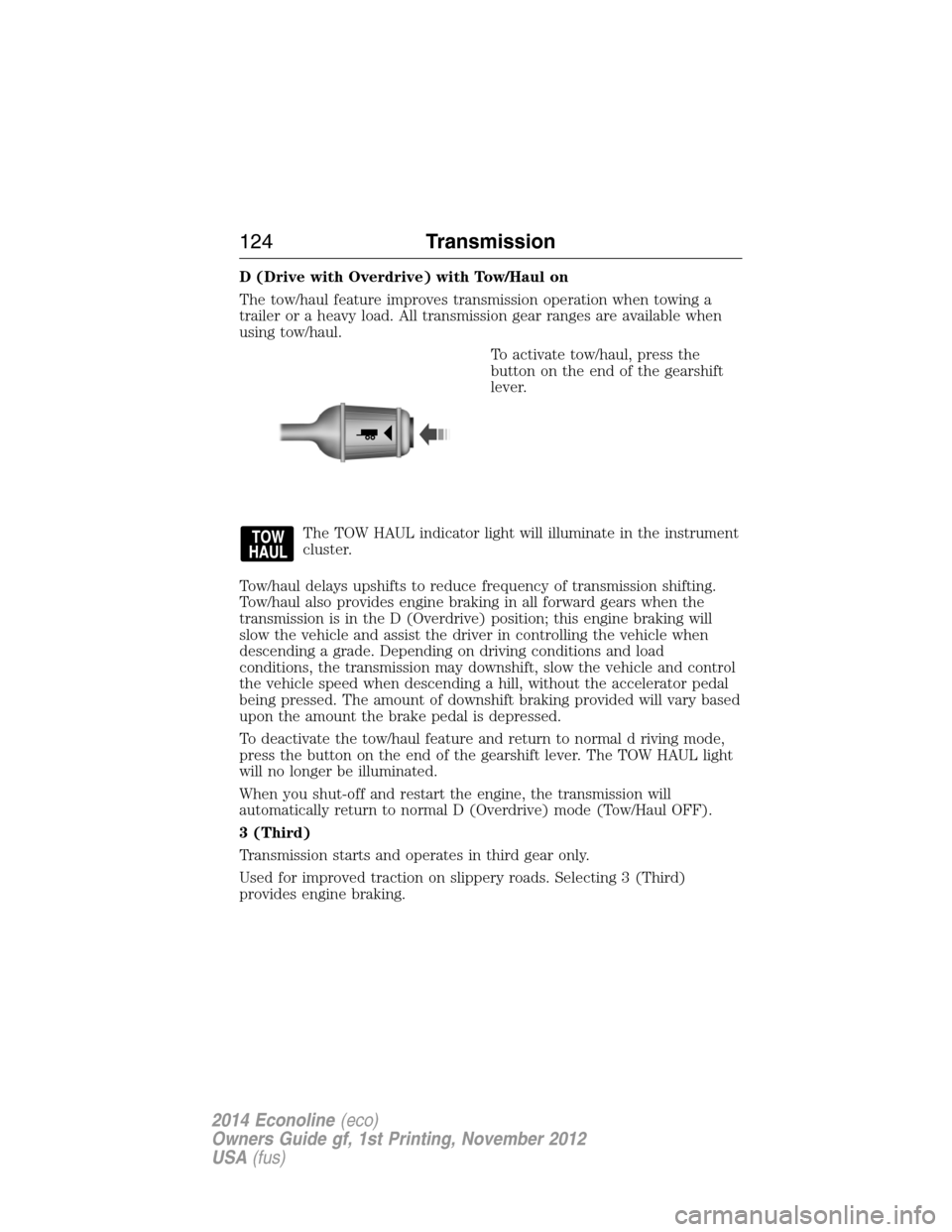
To activate tow/haul, press the
button on the end of the gearshift
lever.
The TOW HAUL indicator light will illuminate in the instrument
cluster.
Tow/haul delays upshifts to reduce frequency of transmission shifting.
Tow/haul also provides engine braking in all forward gears when the
transmission is in the D (Overdrive) position; this engine braking will
slow the vehicle and assist the driver in controlling the vehicle when
descending a grade. Depending on driving conditions and load
conditions, the transmission may downshift, slow the vehicle and control
the vehicle speed when descending a hill, without the accelerator pedal
being pressed. The amount of downshift braking provided will vary based
upon the amount the brake pedal is depressed.
To deactivate the tow/haul feature and return to normal d riving mode,
press the button on the end of the gearshift lever. The TOW HAUL light
will no longer be illuminated.
When you shut-off and restart the engine, the transmission will
automatically return to normal D (Overdrive) mode (Tow/Haul OFF).
3 (Third)
Transmission starts and operates in third gear only.
Used for improved traction on slippery roads. Selecting 3 (Third)
provides engine braking.
124Transmission
2014 Econoline(eco)
Owners Guide gf, 1st Printing, November 2012
USA(fus)
Page 152 of 438
RECOMMENDED TOWING WEIGHTS
Note:Do not exceed a trailer weight of 5000 pounds (2268 kilograms)
when towing with, or by, bumper only.
Note:Calculate the maximum trailer weight for all cutaway vehicles by
subtracting the weight of your vehicle (including incomplete vehicle
weight and payload, which includes second unit body weight, cargo and
passengers) from the gross combined weight. Otherwise, maximum
trailer weight is 10000 pounds (4536 kilograms).
Note:Do not exceed the trailer weight for your vehicle configuration
listed in the chart below.
Note:Make sure to take into consideration trailer frontal area. Do not
exceed 60 feet
2(5.57 meters2) trailer frontal area.
Note:Exceeding this limitation may significantly reduce the
performance of your towing vehicle. Selecting a trailer with a low
aerodynamic drag and rounded front design helps optimize performance
and fuel economy.
Note:For high altitude operation, reduce the gross combined weight by
2% per 1000 feet (300 meters) starting at the 1000 foot (300 meter)
elevation point.
Note:Certain states require electric trailer brakes for trailers over a
specified weight. Be sure to check state regulations for this specified
weight. The maximum trailer weights listed may be limited to this
specified weight, as your vehicle’s electrical system may not include the
wiring connector needed to use electric trailer brakes.
Your vehicle may tow a Class I, II or III trailer provided the maximum
trailer weight is less than or equal to the maximum trailer weight listed
for your vehicle configuration on the following chart.
To calculate the maximum loaded trailer weight for your vehicle:
1. Start with the gross combined weight rating for your vehicle model
and axle ratio. See the following chart.
2. Subtract all of the following that apply to your vehicle:
•Vehicle curb weight
•Hitch hardware weight, such as a draw bar, ball, locks or weight
distributing
•Driver weight
•Passenger(s) weight
•Payload, cargo and luggage weight
•Aftermarket equipment weight.
3. This equals the maximum loaded trailer weight for this combination.
Towing151
2014 Econoline(eco)
Owners Guide gf, 1st Printing, November 2012
USA(fus)