ignition FORD E SERIES 2014 4.G User Guide
[x] Cancel search | Manufacturer: FORD, Model Year: 2014, Model line: E SERIES, Model: FORD E SERIES 2014 4.GPages: 438, PDF Size: 5.12 MB
Page 63 of 438
SECURILOCK® PASSIVE ANTI-THEFT SYSTEM (IF EQUIPPED)
Note:The system is not compatible with non-Ford aftermarket remote
start systems. Use of these systems may result in vehicle starting
problems and a loss of security protection.
Note:Metallic objects, electronic devices or a second coded key on the
same key chain may cause vehicle starting issues if they are too close to
the key when starting the engine. Prevent these objects from touching
the coded key while starting the engine. Switch the ignition off, move all
objects on the key chain away from the coded key and restart the engine
if a problem occurs.
Note:Do not leave a duplicate coded key in the vehicle. Always take
your keys and lock all doors when leaving the vehicle.
The system is an engine immobilization system. It helps prevent the
engine from starting unless a coded key programmed to your vehicle is
used. Using the wrong key may prevent the engine from starting. A
message may appear in the information display.
If you are unable to start the engine with a correctly coded key, a
malfunction has happened and a message may appear in the information
display.
Anti-Theft Indicator
The anti-theft indicator is located in the instrument cluster.
•When the ignition is off, the indicator will flash once every
two seconds to indicate the SecuriLock system is functioning
as a theft deterrent.
•When the ignition is on, the indicator will glow for three seconds, then
turn off to indicate normal system functionality.
Vehicles without the SecuriLock Passive Anti-theft system behave as follows:
•When the ignition is off, the indicator will not flash.
•When the ignition is on, the indicator will glow for three seconds to
indicate the engine is enabled.
Automatic Arming
Your vehicle arms immediately after you switch the ignition off.
Automatic Disarming
Your vehicle disarms when you switch the ignition on with a coded key.
62Security
2014 Econoline(eco)
Owners Guide gf, 1st Printing, November 2012
USA(fus)
Page 64 of 438
Replacement Keys
If your keys are lost or stolen and you do not have an extra coded key,
you will need to have your vehicle towed to an authorized dealer. The
key codes need to be erased from your vehicle and new coded keys will
need to be programmed.
Replacing coded keys can be very costly. Store an extra programmed key
away from the vehicle in a safe place to help prevent any
inconveniences. See an authorized dealer to purchase additional spare or
replacement keys.
Programming a Spare Key
Note:A maximum of eight coded keys can be programmed to your
vehicle.
You can program your own coded keys to your vehicle.
Only use SecuriLock® keys.
You must have two previously programmed coded keys and the new
unprogrammed key readily accessible. See your authorized dealer to have
the spare key programmed if two previously programmed coded keys are
not available
Read and understand the entire procedure before you begin.
1. Insert the first previously programmed coded key into the ignition.
2. Turn the ignition from off to on. Keep the ignition on for at least three
seconds, but no more than 10 seconds.
3. Turn the ignition off and remove the first coded key from the ignition.
4. After three seconds but within 10 seconds of removing the first coded
key, insert the second previously coded key into the ignition.
5. Turn the ignition from off to on. Keep the ignition on for at least one
second, but no more than 10 seconds.
6. Turn the ignition off and remove the second previously programmed
coded key from the ignition.
7. After three seconds but within 10 seconds of turning the ignition off
and removing the previously programmed coded key, insert the new
unprogrammed key into the ignition.
8. Turn the ignition from off to on. Keep the ignition on for at least one
second, but no more than 10 seconds.
9. Remove the newly programmed coded key from the ignition.
Security63
2014 Econoline(eco)
Owners Guide gf, 1st Printing, November 2012
USA(fus)
Page 69 of 438
INSTRUMENT LIGHTING DIMMER
Note:If you disconnect the battery or it becomes discharged, the
dimmer switch will require re-calibration. Rotate the dimmer switch from
the full dim position to the full dome/on position to reset.
Note:Move the control to the full upright position, past detent, to turn
on the interior lamps.
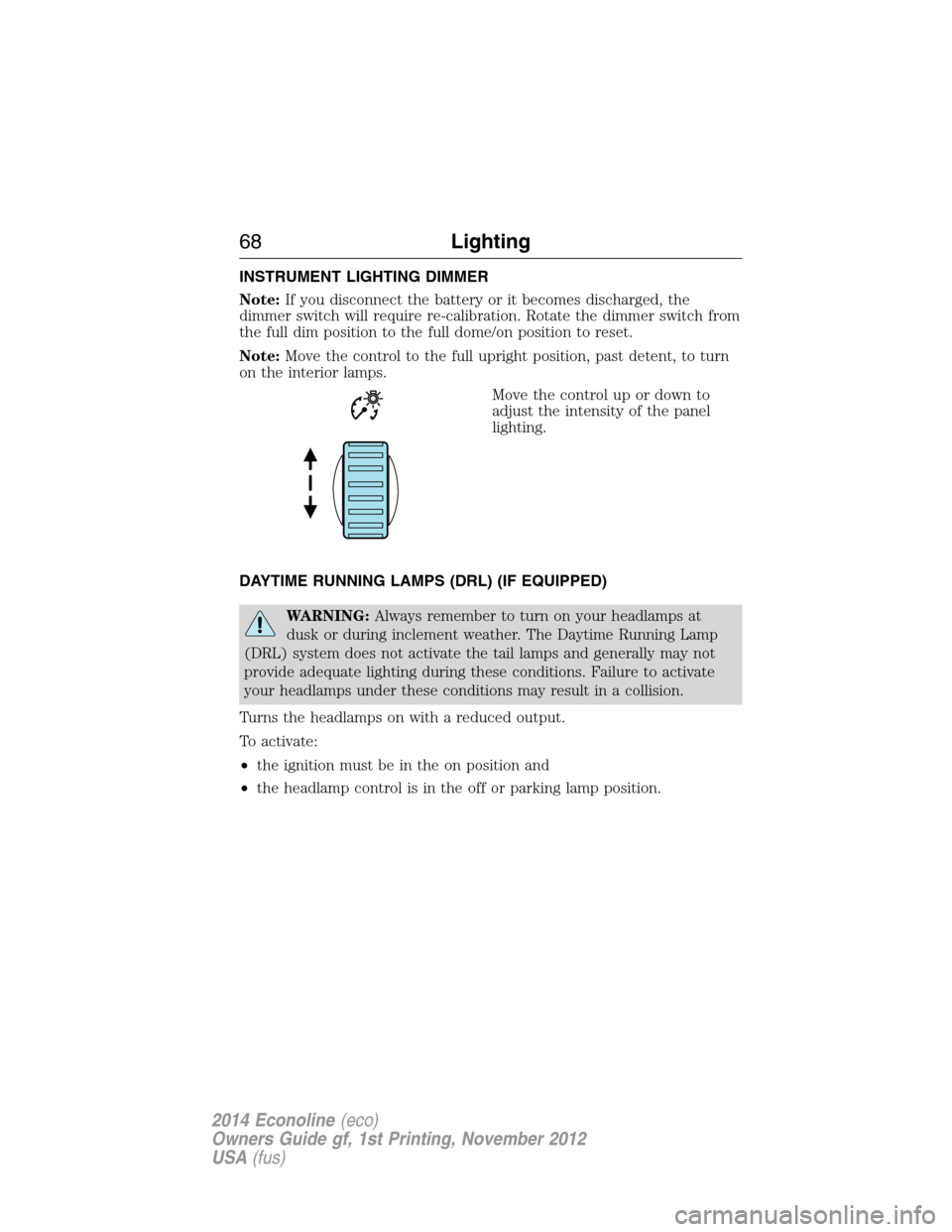
Move the control up or down to
adjust the intensity of the panel
lighting.
DAYTIME RUNNING LAMPS (DRL) (IF EQUIPPED)
WARNING:Always remember to turn on your headlamps at
dusk or during inclement weather. The Daytime Running Lamp
(DRL) system does not activate the tail lamps and generally may not
provide adequate lighting during these conditions. Failure to activate
your headlamps under these conditions may result in a collision.
Turns the headlamps on with a reduced output.
To activate:
•the ignition must be in the on position and
•the headlamp control is in the off or parking lamp position.
68Lighting
2014 Econoline(eco)
Owners Guide gf, 1st Printing, November 2012
USA(fus)
Page 72 of 438
POWER WINDOWS (IF EQUIPPED)
WARNING:Do not leave children unattended in your vehicle
and do not let them play with the power windows. They may
seriously injure themselves.
WARNING:When closing the power windows, you should verify
they are free of obstructions and make sure that children and
pets are not in the proximity of the window openings.
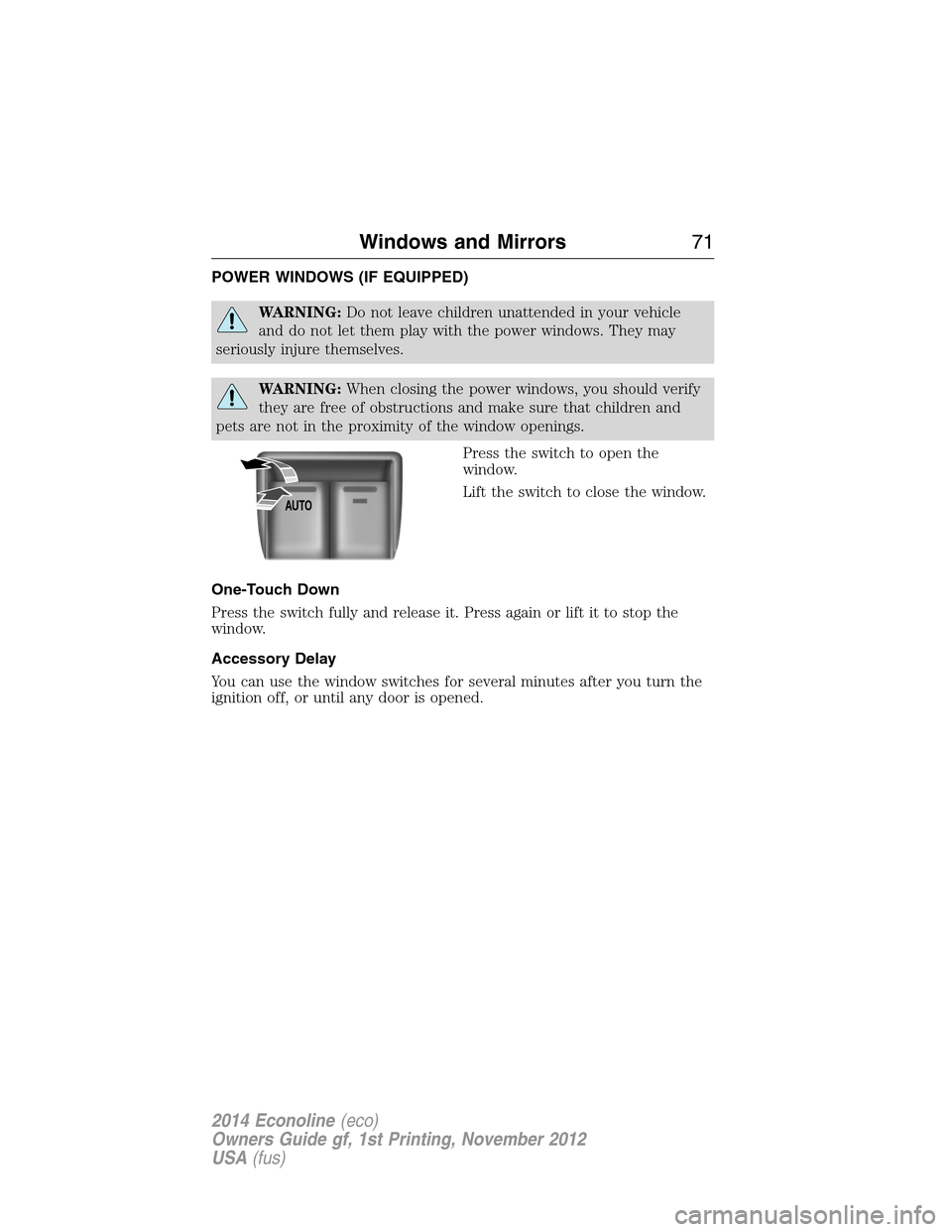
Press the switch to open the
window.
Lift the switch to close the window.
One-Touch Down
Press the switch fully and release it. Press again or lift it to stop the
window.
Accessory Delay
You can use the window switches for several minutes after you turn the
ignition off, or until any door is opened.
AUTO
Windows and Mirrors71
2014 Econoline(eco)
Owners Guide gf, 1st Printing, November 2012
USA(fus)
Page 77 of 438
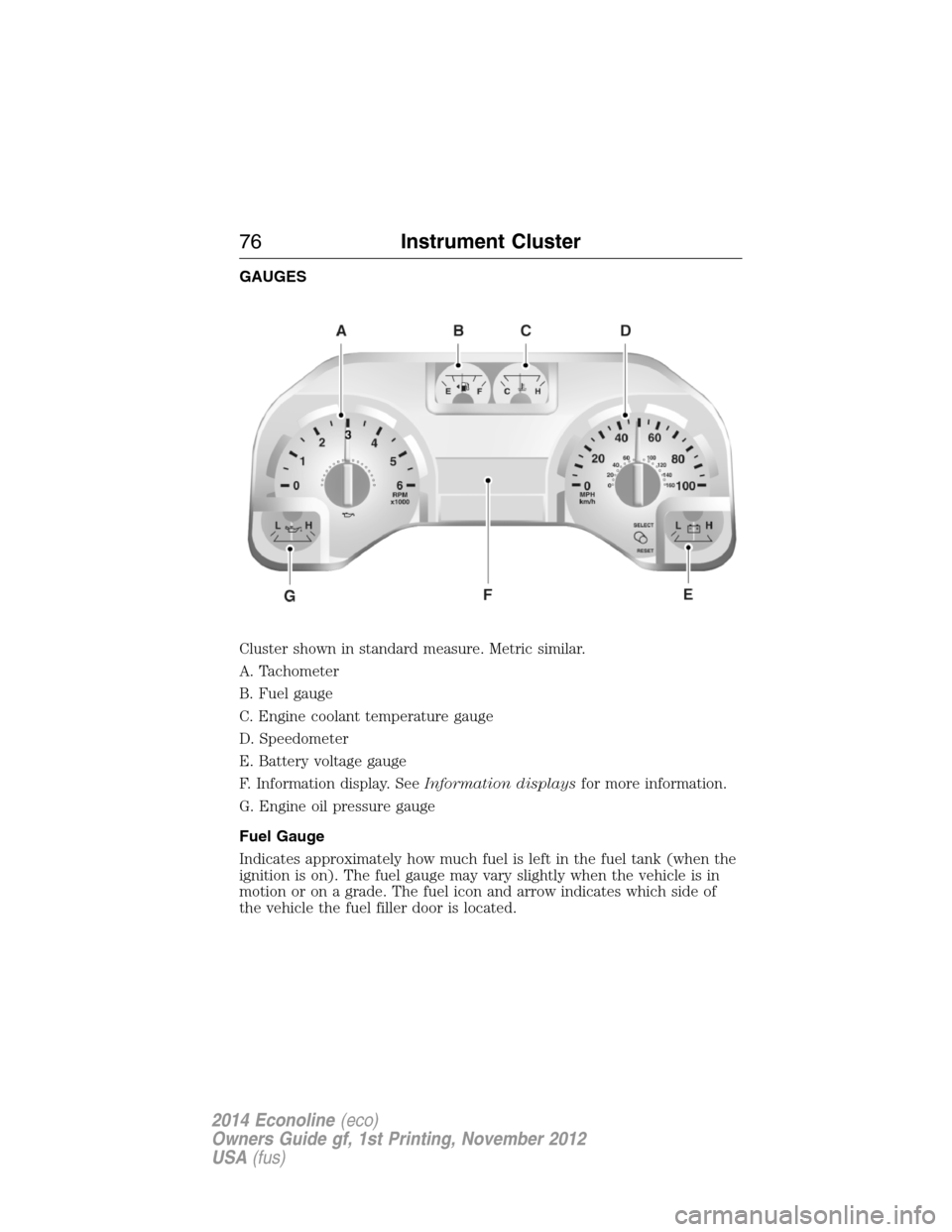
GAUGES
Cluster shown in standard measure. Metric similar.
A. Tachometer
B. Fuel gauge
C. Engine coolant temperature gauge
D. Speedometer
E. Battery voltage gauge
F. Information display. SeeInformation displaysfor more information.
G. Engine oil pressure gauge
Fuel Gauge
Indicates approximately how much fuel is left in the fuel tank (when the
ignition is on). The fuel gauge may vary slightly when the vehicle is in
motion or on a grade. The fuel icon and arrow indicates which side of
the vehicle the fuel filler door is located.
76Instrument Cluster
2014 Econoline(eco)
Owners Guide gf, 1st Printing, November 2012
USA(fus)
Page 78 of 438
Engine Coolant Temperature Gauge
Indicates engine coolant temperature. At normal operating temperature,
the level indicator will be in the normal range. If the engine coolant
temperature exceeds the normal range, stop the vehicle as soon as safely
possible, switch off the engine and let the engine cool.
WARNING:Never remove the coolant reservoir cap while the
engine is running or hot.
Battery Voltage Gauge:
Indicates the battery voltage when the ignition is in the on position. If
the pointer moves and stays outside the normal operating range, have
the vehicle’s electrical system checked by your authorized dealer as soon
as possible.
Information Display
Odometer
Located in the bottom of the information display Registers the
accumulated distance your vehicle has travelled.
Trip Computer
SeeTrip A/BinInformation Displays.
Vehicle Settings and Personalization
SeeInformation Displays.
Engine Oil Pressure Gauge
Indicates engine oil pressure. The needle should stay in the normal
operating range. If the needle falls below the normal range, stop the
vehicle, turn off the engine and check the engine oil level. Add oil if
needed. If the oil level is correct, have your vehicle checked at your
authorized dealer.
WARNING LAMPS AND INDICATORS
The following warning lamps and indicators will alert you to a vehicle
condition that may become serious. Some lamps will illuminate when you
start your vehicle to make sure they work. If any lamps remain on after
starting your vehicle, refer to the respective system warning lamp for
further information.
Note:Some warning indicators appear in the information display and
function the same as a warning lamp but do not display when you start
your vehicle.
Instrument Cluster77
2014 Econoline(eco)
Owners Guide gf, 1st Printing, November 2012
USA(fus)
Page 79 of 438
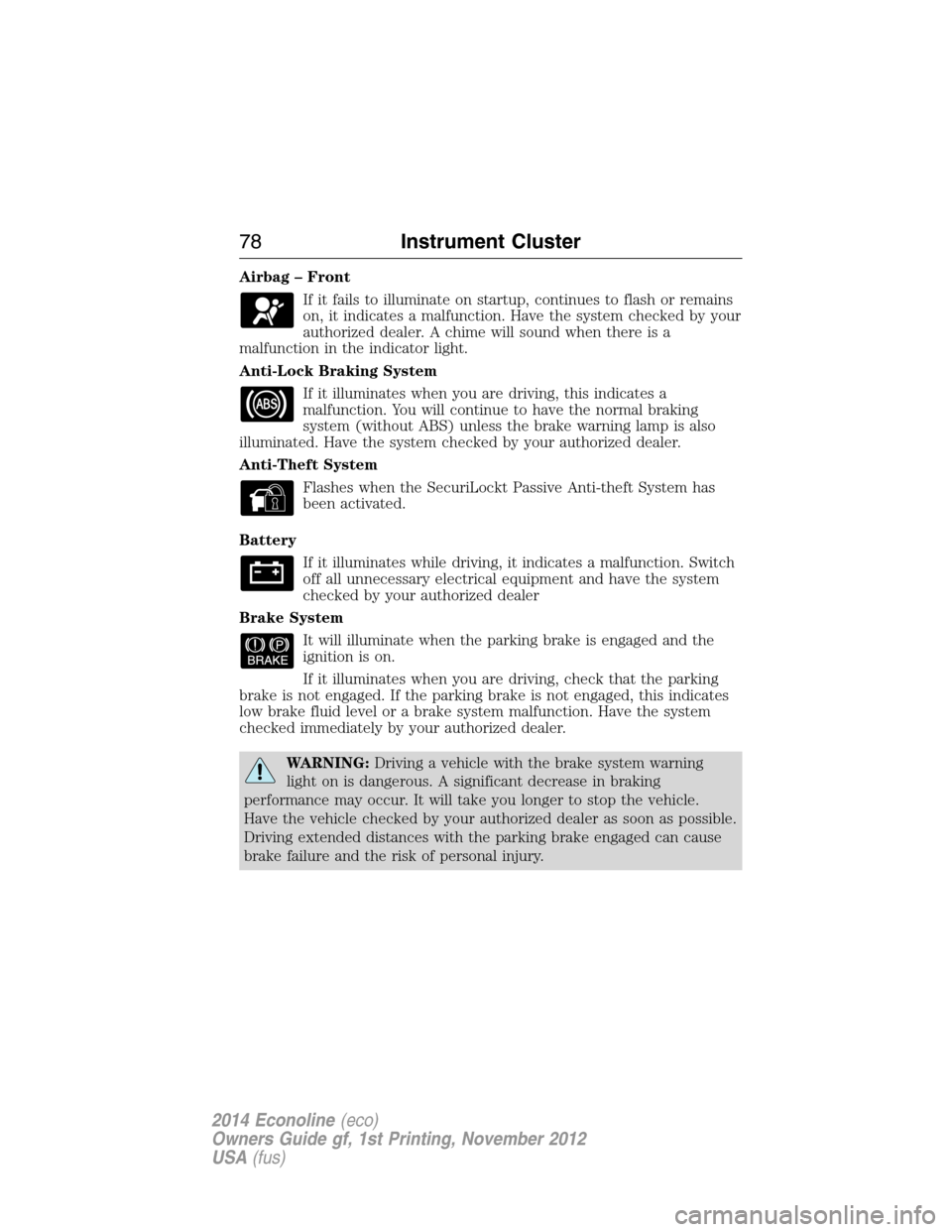
Airbag – Front
If it fails to illuminate on startup, continues to flash or remains
on, it indicates a malfunction. Have the system checked by your
authorized dealer. A chime will sound when there is a
malfunction in the indicator light.
Anti-Lock Braking System
If it illuminates when you are driving, this indicates a
malfunction. You will continue to have the normal braking
system (without ABS) unless the brake warning lamp is also
illuminated. Have the system checked by your authorized dealer.
Anti-Theft System
Flashes when the SecuriLockt Passive Anti-theft System has
been activated.
Battery
If it illuminates while driving, it indicates a malfunction. Switch
off all unnecessary electrical equipment and have the system
checked by your authorized dealer
Brake System
It will illuminate when the parking brake is engaged and the
ignition is on.
If it illuminates when you are driving, check that the parking
brake is not engaged. If the parking brake is not engaged, this indicates
low brake fluid level or a brake system malfunction. Have the system
checked immediately by your authorized dealer.
WARNING:Driving a vehicle with the brake system warning
light on is dangerous. A significant decrease in braking
performance may occur. It will take you longer to stop the vehicle.
Have the vehicle checked by your authorized dealer as soon as possible.
Driving extended distances with the parking brake engaged can cause
brake failure and the risk of personal injury.
78Instrument Cluster
2014 Econoline(eco)
Owners Guide gf, 1st Printing, November 2012
USA(fus)
Page 81 of 438
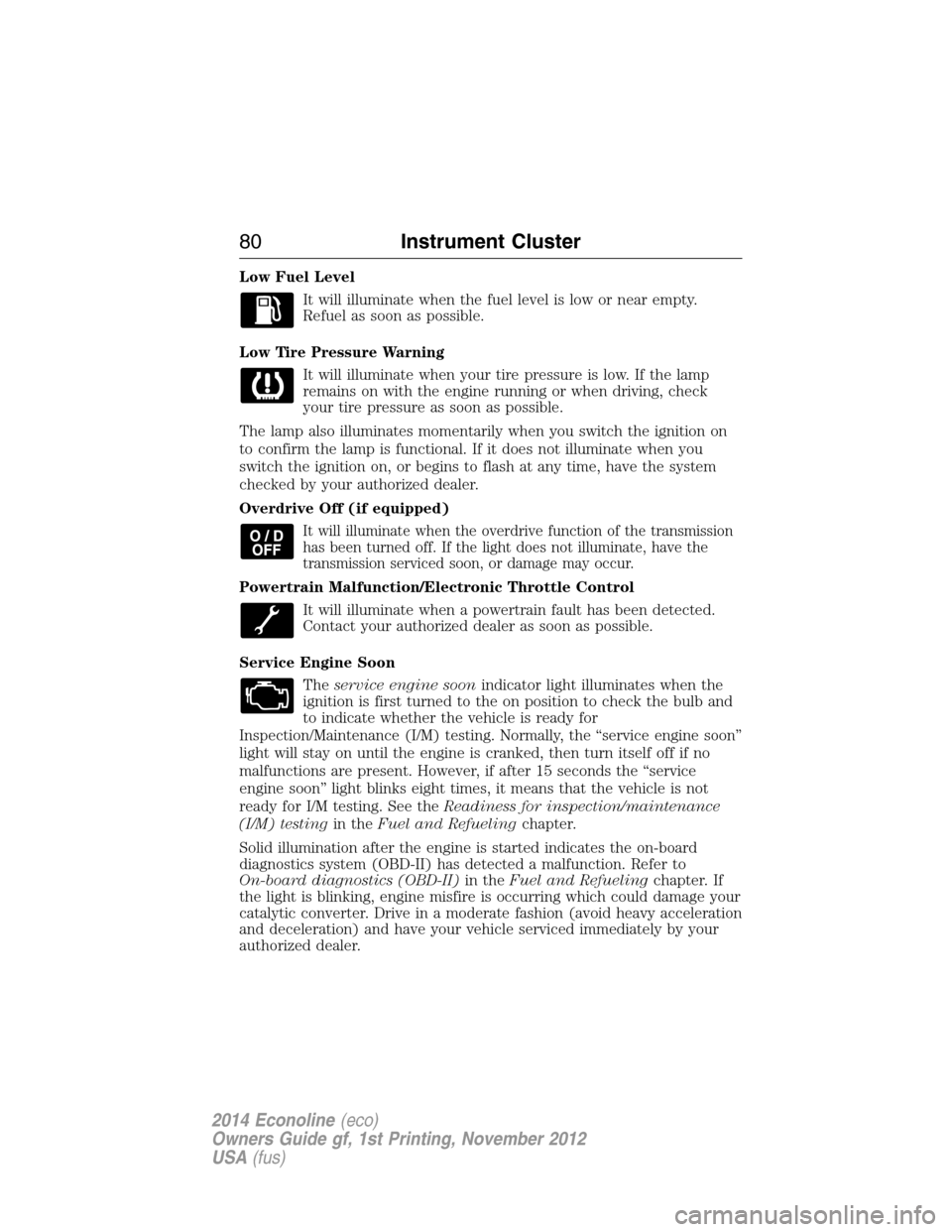
Low Fuel Level
It will illuminate when the fuel level is low or near empty.
Refuel as soon as possible.
Low Tire Pressure Warning
It will illuminate when your tire pressure is low. If the lamp
remains on with the engine running or when driving, check
your tire pressure as soon as possible.
The lamp also illuminates momentarily when you switch the ignition on
to confirm the lamp is functional. If it does not illuminate when you
switch the ignition on, or begins to flash at any time, have the system
checked by your authorized dealer.
Overdrive Off (if equipped)
It will illuminate when the overdrive function of the transmission
has been turned off. If the light does not illuminate, have the
transmission serviced soon, or damage may occur.
Powertrain Malfunction/Electronic Throttle Control
It will illuminate when a powertrain fault has been detected.
Contact your authorized dealer as soon as possible.
Service Engine Soon
Theservice engine soonindicator light illuminates when the
ignition is first turned to the on position to check the bulb and
to indicate whether the vehicle is ready for
Inspection/Maintenance (I/M) testing. Normally, the “service engine soon”
light will stay on until the engine is cranked, then turn itself off if no
malfunctions are present. However, if after 15 seconds the “service
engine soon” light blinks eight times, it means that the vehicle is not
ready for I/M testing. See theReadiness for inspection/maintenance
(I/M) testingin theFuel and Refuelingchapter.
Solid illumination after the engine is started indicates the on-board
diagnostics system (OBD-II) has detected a malfunction. Refer to
On-board diagnostics (OBD-II)in theFuel and Refuelingchapter. If
the light is blinking, engine misfire is occurring which could damage your
catalytic converter. Drive in a moderate fashion (avoid heavy acceleration
and deceleration) and have your vehicle serviced immediately by your
authorized dealer.
80Instrument Cluster
2014 Econoline(eco)
Owners Guide gf, 1st Printing, November 2012
USA(fus)
Page 82 of 438
WARNING:Under engine misfire conditions, excessive exhaust
temperatures could damage the catalytic converter, the fuel
system, interior floor coverings or other vehicle components, possibly
causing a fire.
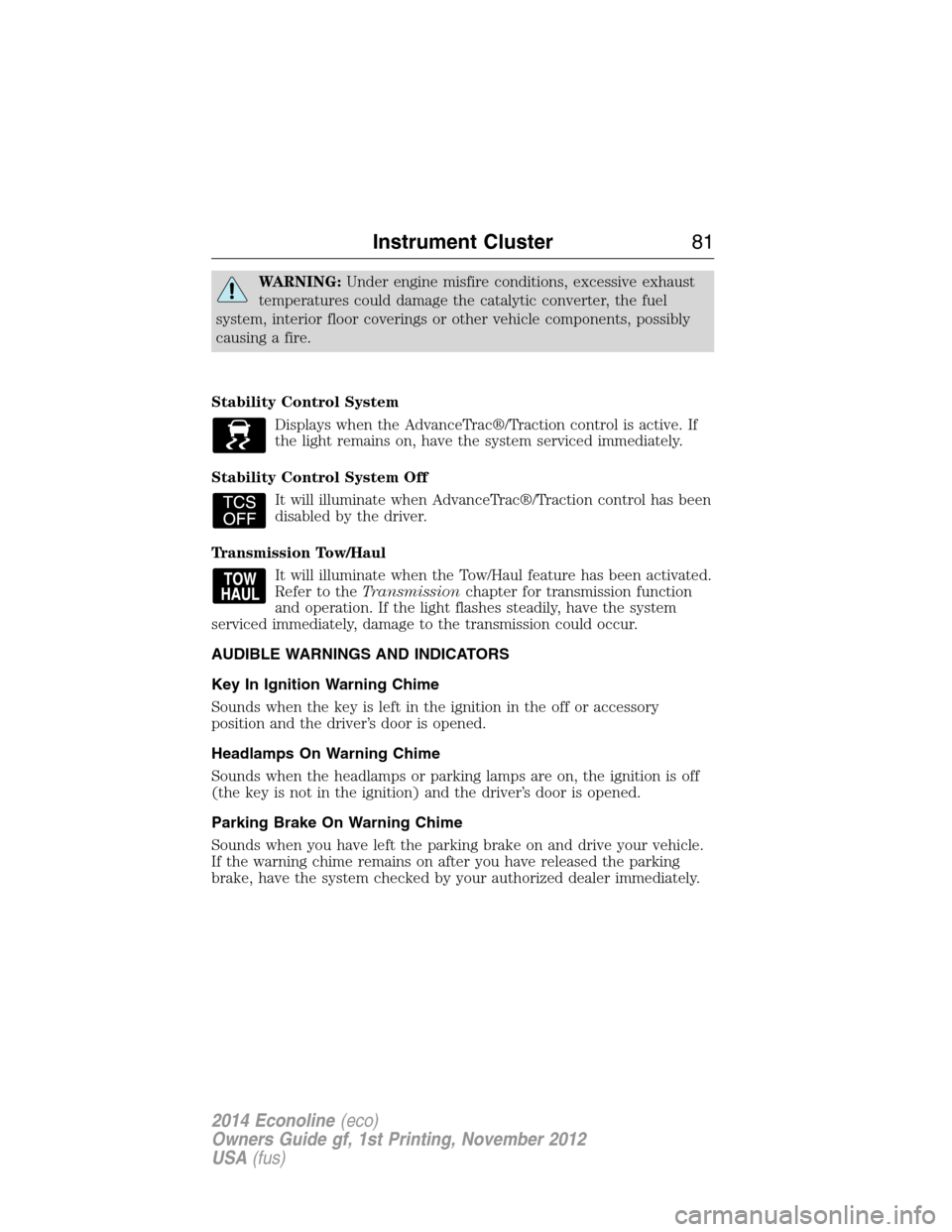
Stability Control System
Displays when the AdvanceTrac®/Traction control is active. If
the light remains on, have the system serviced immediately.
Stability Control System Off
It will illuminate when AdvanceTrac®/Traction control has been
disabled by the driver.
Transmission Tow/Haul
It will illuminate when the Tow/Haul feature has been activated.
Refer to theTransmissionchapter for transmission function
and operation. If the light flashes steadily, have the system
serviced immediately, damage to the transmission could occur.
AUDIBLE WARNINGS AND INDICATORS
Key In Ignition Warning Chime
Sounds when the key is left in the ignition in the off or accessory
position and the driver’s door is opened.
Headlamps On Warning Chime
Sounds when the headlamps or parking lamps are on, the ignition is off
(the key is not in the ignition) and the driver’s door is opened.
Parking Brake On Warning Chime
Sounds when you have left the parking brake on and drive your vehicle.
If the warning chime remains on after you have released the parking
brake, have the system checked by your authorized dealer immediately.
Instrument Cluster81
2014 Econoline(eco)
Owners Guide gf, 1st Printing, November 2012
USA(fus)
Page 84 of 438
•MILES (km) TO E: This displays an estimate of approximately how far
you can drive with the fuel remaining in your tank under normal
driving conditions. Remember to turn the ignition off when refueling
to allow this feature to correctly detect the added fuel. Distance to
empty is calculated using a running average fuel economy, which is
based on your recent driving history of 500 miles (800 km). This value
is not the same as the average fuel economy display. The running
average fuel economy is re-initialized to a factory default value if the
battery is disconnected.
•XX.X AVG MPG (L/100km): Average fuel economy displays your
average fuel economy in miles/gallon or liters/100 km.
•MPG (L/km): This displays instantaneous fuel economy as a bar graph.
Your vehicle must be moving to calculate instantaneous fuel economy.
Instantaneous fuel economy cannot be reset.
System Check and Vehicle Feature Customization
Note:When returning to the setup menu and a non-English language
has been selected, HOLD RESET FOR ENGLISH will be displayed to
change back to English. Press and hold the SELECT/RESET stem to
change back to English.
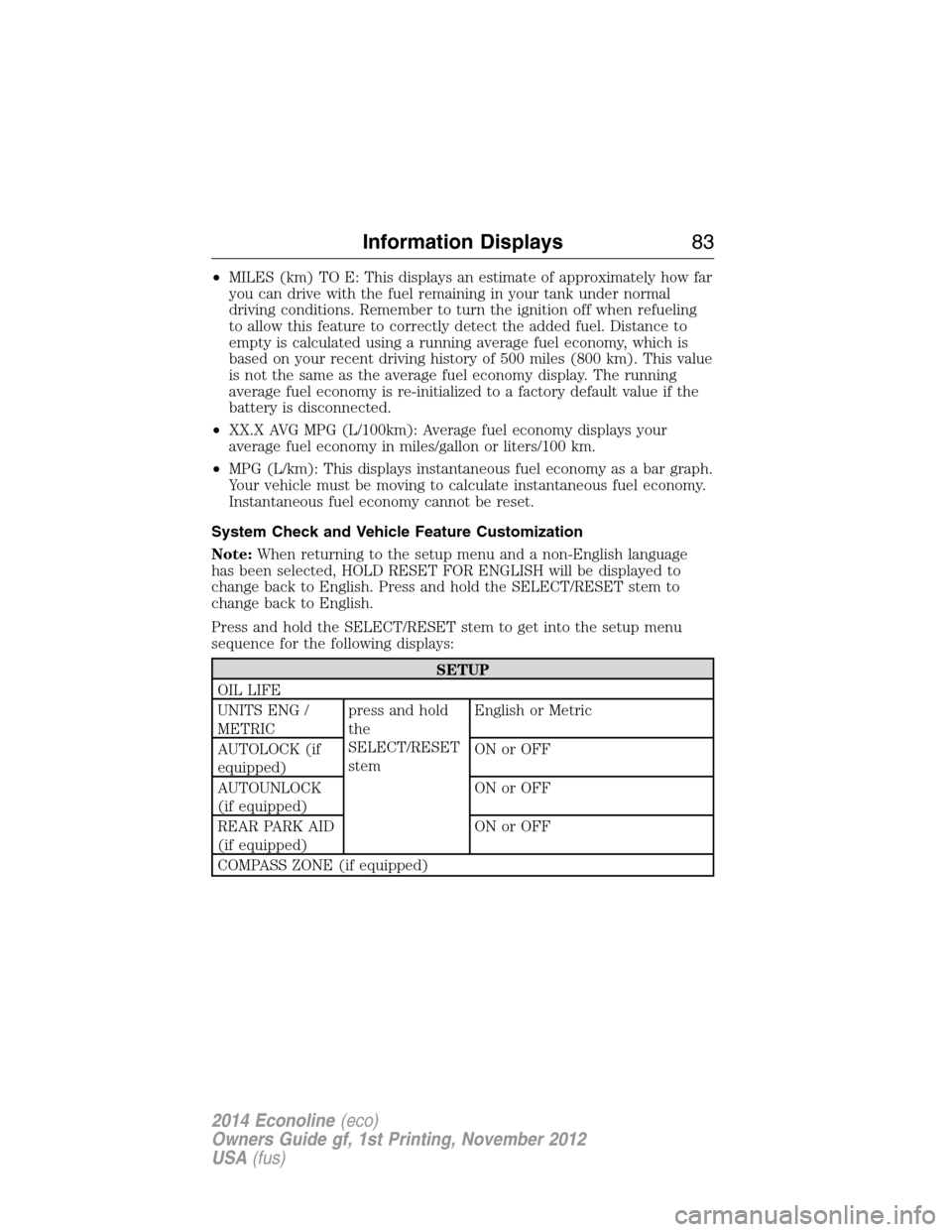
Press and hold the SELECT/RESET stem to get into the setup menu
sequence for the following displays:
SETUP
OIL LIFE
UNITS ENG /
METRICpress and hold
the
SELECT/RESET
stemEnglish or Metric
AUTOLOCK (if
equipped)ON or OFF
AUTOUNLOCK
(if equipped)ON or OFF
REAR PARK AID
(if equipped)ON or OFF
COMPASS ZONE (if equipped)
Information Displays83
2014 Econoline(eco)
Owners Guide gf, 1st Printing, November 2012
USA(fus)