tire pressure FORD E SERIES 2017 4.G Owner's Manual
[x] Cancel search | Manufacturer: FORD, Model Year: 2017, Model line: E SERIES, Model: FORD E SERIES 2017 4.GPages: 318, PDF Size: 6.21 MB
Page 187 of 318
•
Install chains securely, verifying that
the chains do not touch any wiring,
brake lines or fuel lines.
• Drive cautiously. If you hear the chains
rub or bang against your vehicle, stop
and retighten the chains. If this does
not work, remove the chains to prevent
damage to your vehicle.
• Remove the tire chains when they are
no longer needed. Do not use tire
chains on dry roads.
If you have any questions regarding snow
chains or cables, please contact your
authorized dealer.
TIRE PRESSURE MONITORING
SYSTEM WARNING
The tire pressure monitoring system
is not a substitute for manually
checking tire pressure. The tire
pressure should be checked periodically
(at least monthly) using a tire gauge, see
Inflating your tires in this chapter. Failure
to properly maintain your tire pressure
could increase the risk of tire failure, loss
of control, vehicle rollover and personal
injury. Each tire, including the spare (if
provided), should be checked
monthly when cold and inflated
to the inflation pressure recommended by
the vehicle manufacturer on the vehicle
placard or tire inflation pressure label. (If
your vehicle has tires of a different size
than the size indicated on the vehicle
placard or tire inflation pressure label, you
should determine the proper tire inflation
pressure for those tires.) As an added safety feature, your vehicle
has been equipped with a Tire Pressure
Monitoring System (TPMS) that
illuminates a low tire pressure telltale
when one or more of your tires is
significantly under-inflated. Accordingly,
when the low tire pressure telltale
illuminates, you should stop and check
your tires as soon as possible, and inflate
them to the proper pressure. Driving on a
significantly under-inflated tire causes the
tire to overheat and can lead to tire failure.
Under-inflation also reduces fuel efficiency
and tire tread life, and may affect the
vehicle
’s handling and stopping ability.
Please note that the TPMS is not a
substitute for proper tire maintenance, and
it is the driver ’s responsibility to maintain
correct tire pressure, even if under-inflation
has not reached the level to trigger
illumination of the TPMS low tire pressure
telltale.
Your vehicle has also been equipped with
a TPMS malfunction indicator to indicate
when the system is not operating properly.
The TPMS malfunction indicator is
combined with the low tire pressure
telltale. When the system detects a
malfunction, the telltale will flash for
approximately one minute and then remain
continuously illuminated. This sequence
will continue upon subsequent vehicle
start-ups as long as the malfunction exists.
When the malfunction indicator is
illuminated, the system may not be able
to detect or signal low tire pressure as
intended. TPMS malfunctions may occur
for a variety of reasons, including the
installation of replacement or alternate
tires or wheels on the vehicle that prevent
the TPMS from functioning properly.
Always check the TPMS malfunction
telltale after replacing one or more tires or
wheels on your vehicle to ensure that the
replacement or alternate tires and wheels
allow the TPMS to continue to function
properly.
184
E-Series (TE4) Canada/United States of America, enUSA, First Printing Wheels and Tires
Page 188 of 318
The tire pressure monitoring system
complies with part 15 of the FCC rules and
with RSS-210 of Industry Canada.
Operation is subject to the following two
conditions: (1) This device may not cause
harmful interference, and (2) This device
must accept any interference received,
including interference that may cause
undesired operation.
Changing Tires With a Tire
Pressure Monitoring System
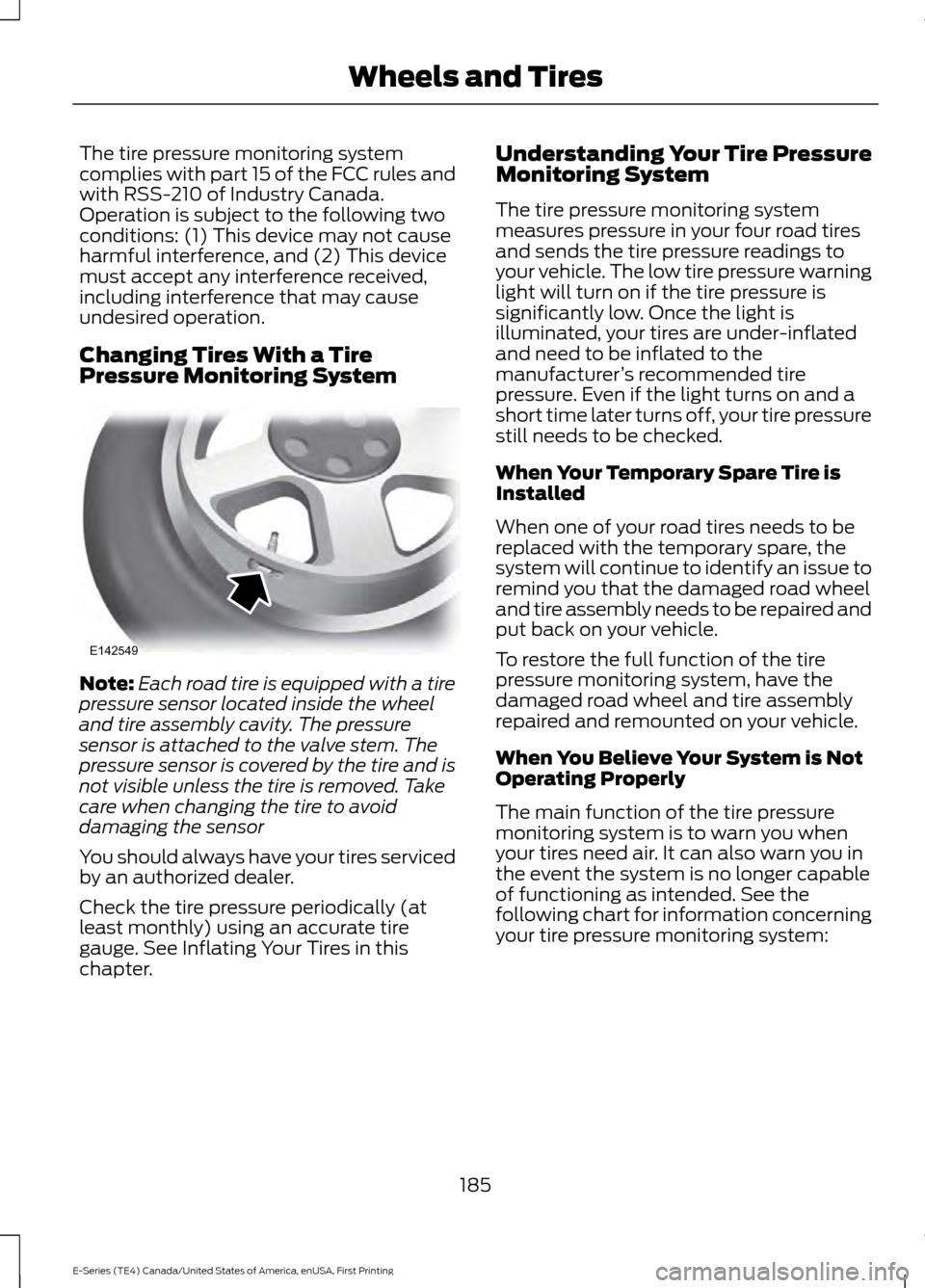
Note:
Each road tire is equipped with a tire
pressure sensor located inside the wheel
and tire assembly cavity. The pressure
sensor is attached to the valve stem. The
pressure sensor is covered by the tire and is
not visible unless the tire is removed. Take
care when changing the tire to avoid
damaging the sensor
You should always have your tires serviced
by an authorized dealer.
Check the tire pressure periodically (at
least monthly) using an accurate tire
gauge. See Inflating Your Tires in this
chapter. Understanding Your Tire Pressure
Monitoring System
The tire pressure monitoring system
measures pressure in your four road tires
and sends the tire pressure readings to
your vehicle. The low tire pressure warning
light will turn on if the tire pressure is
significantly low. Once the light is
illuminated, your tires are under-inflated
and need to be inflated to the
manufacturer
’s recommended tire
pressure. Even if the light turns on and a
short time later turns off, your tire pressure
still needs to be checked.
When Your Temporary Spare Tire is
Installed
When one of your road tires needs to be
replaced with the temporary spare, the
system will continue to identify an issue to
remind you that the damaged road wheel
and tire assembly needs to be repaired and
put back on your vehicle.
To restore the full function of the tire
pressure monitoring system, have the
damaged road wheel and tire assembly
repaired and remounted on your vehicle.
When You Believe Your System is Not
Operating Properly
The main function of the tire pressure
monitoring system is to warn you when
your tires need air. It can also warn you in
the event the system is no longer capable
of functioning as intended. See the
following chart for information concerning
your tire pressure monitoring system:
185
E-Series (TE4) Canada/United States of America, enUSA, First Printing Wheels and TiresE142549
Page 189 of 318
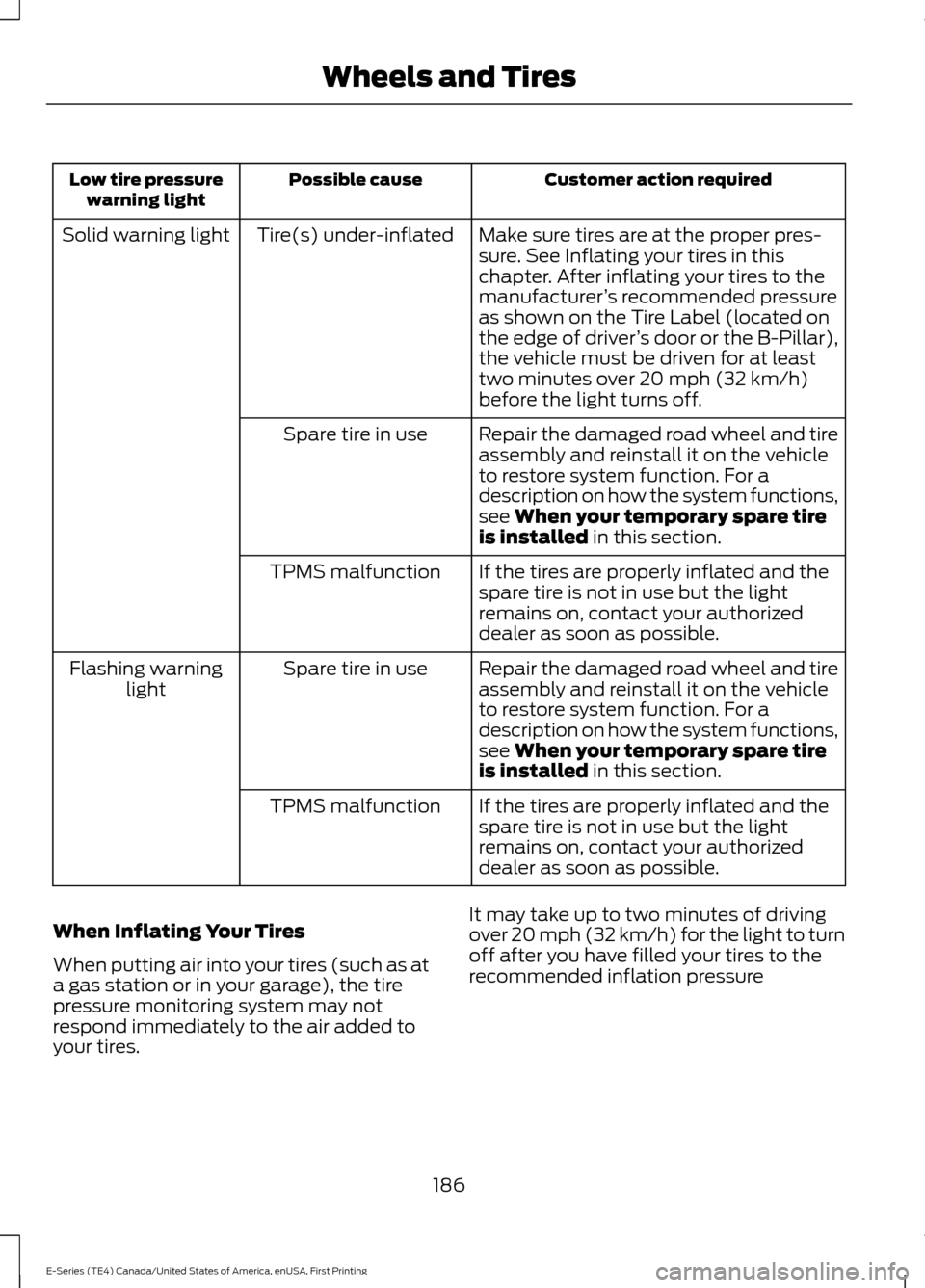
Customer action required
Possible cause
Low tire pressure
warning light
Make sure tires are at the proper pres-
sure. See Inflating your tires in this
chapter. After inflating your tires to the
manufacturer’s recommended pressure
as shown on the Tire Label (located on
the edge of driver ’s door or the B-Pillar),
the vehicle must be driven for at least
two minutes over 20 mph (32 km/h)
before the light turns off.
Tire(s) under-inflated
Solid warning light
Repair the damaged road wheel and tire
assembly and reinstall it on the vehicle
to restore system function. For a
description on how the system functions,
see When your temporary spare tire
is installed in this section.
Spare tire in use
If the tires are properly inflated and the
spare tire is not in use but the light
remains on, contact your authorized
dealer as soon as possible.
TPMS malfunction
Repair the damaged road wheel and tire
assembly and reinstall it on the vehicle
to restore system function. For a
description on how the system functions,
see
When your temporary spare tire
is installed in this section.
Spare tire in use
Flashing warning
light
If the tires are properly inflated and the
spare tire is not in use but the light
remains on, contact your authorized
dealer as soon as possible.
TPMS malfunction
When Inflating Your Tires
When putting air into your tires (such as at
a gas station or in your garage), the tire
pressure monitoring system may not
respond immediately to the air added to
your tires. It may take up to two minutes of driving
over 20 mph (32 km/h) for the light to turn
off after you have filled your tires to the
recommended inflation pressure
186
E-Series (TE4) Canada/United States of America, enUSA, First Printing Wheels and Tires
Page 190 of 318
How Temperature Affects Your Tire
Pressure
The tire pressure monitoring system
monitors tire pressure in each pneumatic
tire. While driving in a normal manner, a
typical passenger tire inflation pressure
may increase about 2 to 4 psi (14 to 28
kPa) from a cold start situation. If the
vehicle is stationary overnight with the
outside temperature significantly lower
than the daytime temperature, the tire
pressure may decrease about 3 psi (21
kPa) for a drop of 30°F (17°C) in ambient
temperature. This lower pressure value
may be detected by the tire pressure
monitoring system as being significantly
lower than the recommended inflation
pressure and activate the system warning
light for low tire pressure. If the low tire
pressure warning light is on, visually check
each tire to verify that no tire is flat. If one
or more tires are flat, repair as necessary.
Check the air pressure in the road tires. If
any tire is under-inflated, carefully drive
the vehicle to the nearest location where
air can be added to the tires. Inflate all the
tires to the recommended inflation
pressure.
CHANGING A ROAD WHEEL
WARNINGS
The use of tire sealant may damage
your tire pressure monitoring system
and should only be used in roadside
emergencies. If you must use a sealant, the
Ford Tire Mobility Kit sealant should be
used. The tire pressure monitoring system
sensor and valve stem on the wheel must
be replaced by an authorized dealer after
use of the sealant. If the tire pressure monitor sensor
becomes damaged, it will no longer
function. See Tire Pressure
Monitoring System (page 184). WARNINGS
To determine the required
pressure(s) for your vehicle, see the
Safety Compliance Certification
Label (affixed to either the door hinge
pillar, door-latch post, or the door edge
that meets the door-latch post, next to the
driver ’s seating position), or Tire Label
located on the B-Pillar or the edge of the
driver ’s door. See
Load Carrying (page
95). Never use wheels or lug nuts
different than the original equipment
as this could damage the wheel or
mounting system. This damage could
allow the wheels to come off while the
vehicle is being driven. Note:
The tire pressure monitoring system
indicator light will illuminate when the spare
tire is in use. To restore the full function of
the monitoring system, all road wheels
equipped with tire pressure monitoring
sensors must be mounted on the vehicle.
If you get a flat tire while driving, do not
apply the brake heavily. Instead, gradually
decrease your speed. Hold the steering
wheel firmly and slowly move to a safe
place on the side of the road.
Have a flat serviced by an authorized
dealer in order to prevent damage to the
tire pressure monitoring system sensors.
See
Tire Pressure Monitoring System
(page 184). Replace the spare tire with a
road tire as soon as possible. During
repairing or replacing of the flat tire, have
the authorized dealer inspect the tire
pressure monitoring system sensor for
damage.
187
E-Series (TE4) Canada/United States of America, enUSA, First Printing Wheels and Tires
Page 272 of 318
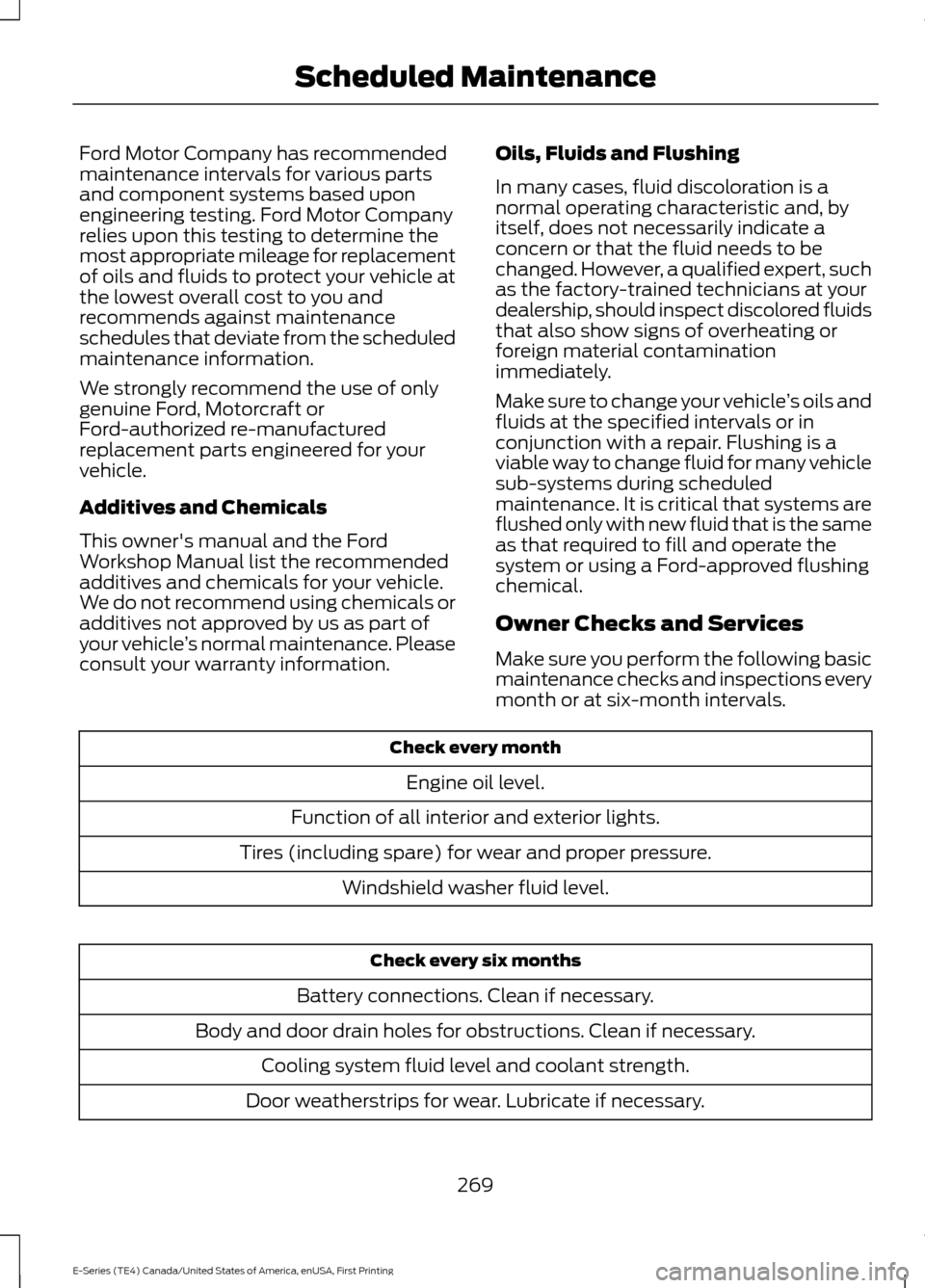
Ford Motor Company has recommended
maintenance intervals for various parts
and component systems based upon
engineering testing. Ford Motor Company
relies upon this testing to determine the
most appropriate mileage for replacement
of oils and fluids to protect your vehicle at
the lowest overall cost to you and
recommends against maintenance
schedules that deviate from the scheduled
maintenance information.
We strongly recommend the use of only
genuine Ford, Motorcraft or
Ford-authorized re-manufactured
replacement parts engineered for your
vehicle.
Additives and Chemicals
This owner's manual and the Ford
Workshop Manual list the recommended
additives and chemicals for your vehicle.
We do not recommend using chemicals or
additives not approved by us as part of
your vehicle
’s normal maintenance. Please
consult your warranty information. Oils, Fluids and Flushing
In many cases, fluid discoloration is a
normal operating characteristic and, by
itself, does not necessarily indicate a
concern or that the fluid needs to be
changed. However, a qualified expert, such
as the factory-trained technicians at your
dealership, should inspect discolored fluids
that also show signs of overheating or
foreign material contamination
immediately.
Make sure to change your vehicle
’s oils and
fluids at the specified intervals or in
conjunction with a repair. Flushing is a
viable way to change fluid for many vehicle
sub-systems during scheduled
maintenance. It is critical that systems are
flushed only with new fluid that is the same
as that required to fill and operate the
system or using a Ford-approved flushing
chemical.
Owner Checks and Services
Make sure you perform the following basic
maintenance checks and inspections every
month or at six-month intervals. Check every month
Engine oil level.
Function of all interior and exterior lights.
Tires (including spare) for wear and proper pressure. Windshield washer fluid level. Check every six months
Battery connections. Clean if necessary.
Body and door drain holes for obstructions. Clean if necessary. Cooling system fluid level and coolant strength.
Door weatherstrips for wear. Lubricate if necessary.
269
E-Series (TE4) Canada/United States of America, enUSA, First Printing Scheduled Maintenance
Page 273 of 318
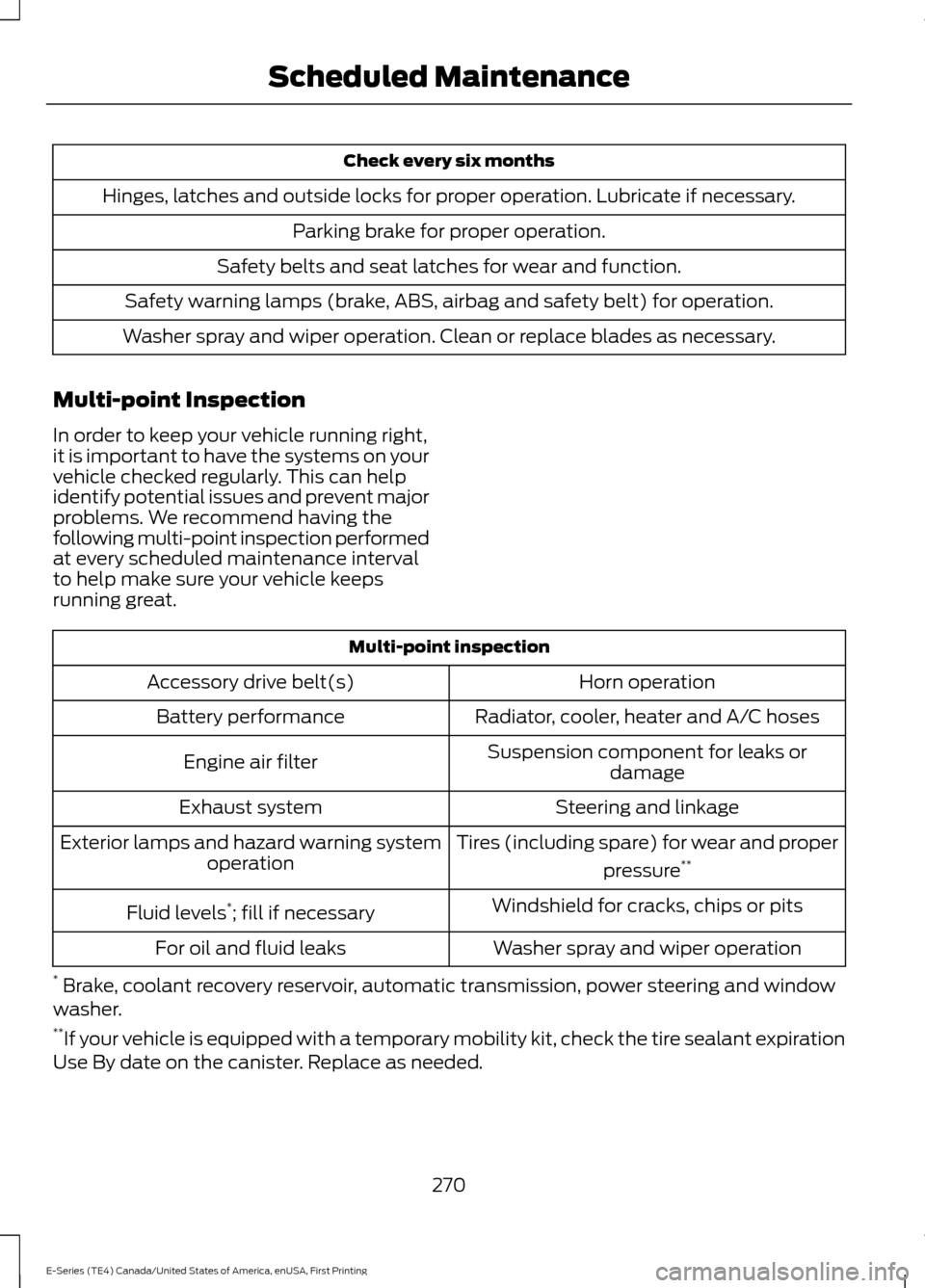
Check every six months
Hinges, latches and outside locks for proper operation. Lubricate if necessary. Parking brake for proper operation.
Safety belts and seat latches for wear and function.
Safety warning lamps (brake, ABS, airbag and safety belt) for operation.
Washer spray and wiper operation. Clean or replace blades as necessary.
Multi-point Inspection
In order to keep your vehicle running right,
it is important to have the systems on your
vehicle checked regularly. This can help
identify potential issues and prevent major
problems. We recommend having the
following multi-point inspection performed
at every scheduled maintenance interval
to help make sure your vehicle keeps
running great. Multi-point inspection
Horn operation
Accessory drive belt(s)
Radiator, cooler, heater and A/C hoses
Battery performance
Suspension component for leaks ordamage
Engine air filter
Steering and linkage
Exhaust system
Tires (including spare) for wear and properpressure**
Exterior lamps and hazard warning system
operation
Windshield for cracks, chips or pits
Fluid levels *
; fill if necessary
Washer spray and wiper operation
For oil and fluid leaks
* Brake, coolant recovery reservoir, automatic transmission, power steering and window
washer.
** If your vehicle is equipped with a temporary mobility kit, check the tire sealant expiration
Use By date on the canister. Replace as needed.
270
E-Series (TE4) Canada/United States of America, enUSA, First Printing Scheduled Maintenance
Page 317 of 318
Notice to Owners of Pickup Trucks and
Utility Type Vehicles......................................... 11
On Board Diagnostics Data Link Connector............................................................. 11
Special Instructions............................................. 10
Using your Vehicle as an Ambulance..............11
Special Operating Conditions Scheduled Maintenance
...............................................273
Engine Idle Hour Meter..................................... 275
Exceptions............................................................ 275
Speed Control See: Cruise Control.............................................. 93
Starter Switch See: Ignition Switch............................................. 72
Starting a Gasoline Engine..........................72 Failure to Start....................................................... 73
Guarding Against Exhaust Fumes.................. 73
Important Ventilating Information.................73
Stopping the Engine When Your Vehicle is Moving.................................................................. 73
Stopping the Engine When Your Vehicle is Stationary........................................................... 73
Starting and Stopping the Engine............72 General Information............................................ 72
Steering.............................................................94
Steering Wheel
...............................................43
Sun Visors.........................................................48
Illuminated Vanity Mirror................................... 48
Supplementary Restraints System
.........28
Principle of Operation........................................ 28
Symbols Glossary.............................................5
SYNC™ Applications and Services........................................................234
911 Assist............................................................... 234
SYNC Services: Traffic, Directions & Information (TDI) (If Equipped, United
States Only).................................................... 238
Vehicle Health Report (If Equipped, United States Only).................................................... 236
SYNC™ AppLink ™
......................................242
SYNC Mobile Apps............................................ 242
SYNC™.............................................................216 General Information.......................................... 216
SYNC™ Troubleshooting
.........................254 T
Technical Specifications
See: Capacities and Specifications.............192
The Better Business Bureau (BBB) Auto Line Program (U.S. Only)........................120
Tire Care
...........................................................165
Glossary of Tire Terminology.......................... 167
Information About Uniform Tire Quality Grading.............................................................. 165
Information Contained on the Tire Sidewall............................................................ 168
Temperature A B C............................................. 166
Traction AA A B C............................................... 166
Treadwear............................................................. 166
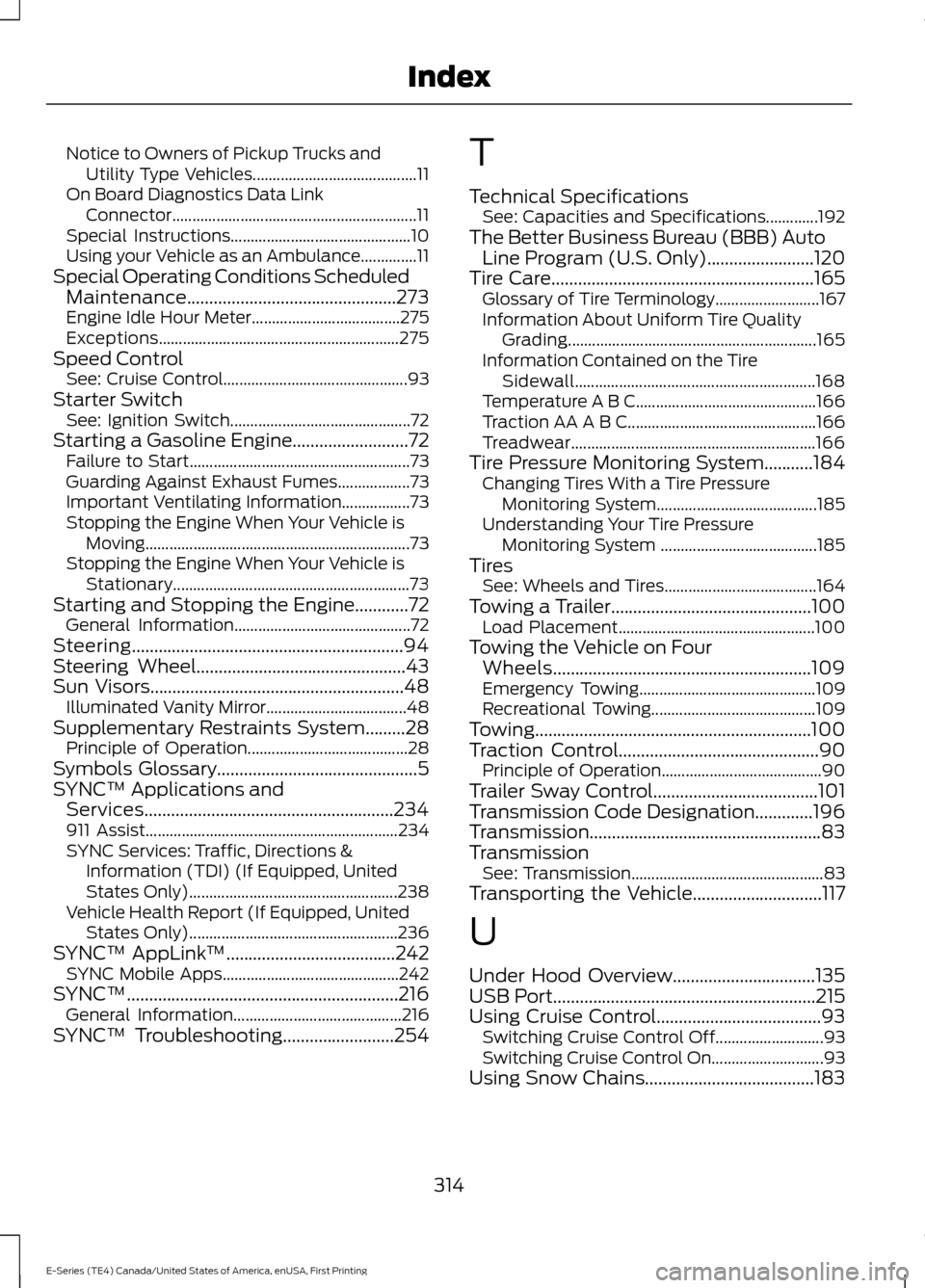
Tire Pressure Monitoring System...........184 Changing Tires With a Tire Pressure
Monitoring System........................................ 185
Understanding Your Tire Pressure Monitoring System ....................................... 185
Tires See: Wheels and Tires...................................... 164
Towing a Trailer.............................................100 Load Placement................................................. 100
Towing the Vehicle on Four Wheels..........................................................109
Emergency Towing............................................ 109
Recreational Towing......................................... 109
Towing..............................................................100
Traction Control
.............................................90
Principle of Operation........................................ 90
Trailer Sway Control.....................................101
Transmission Code Designation.............196
Transmission....................................................83
Transmission See: Transmission................................................ 83
Transporting the Vehicle.............................117
U
Under Hood Overview................................135
USB Port
...........................................................215
Using Cruise Control.....................................93 Switching Cruise Control Off........................... 93
Switching Cruise Control On............................ 93
Using Snow Chains......................................183
314
E-Series (TE4) Canada/United States of America, enUSA, First Printing Index
Page 318 of 318
Using SYNC™ With Your Media
Player............................................................244
Accessing Your Play Menu............................. 249
Connecting Your Digital Media Player to the USB Port.......................................................... 244
Media Menu Features....................................... 247
Media Voice Commands................................ 246
System Settings.................................................. 251
What's Playing?................................................. 245
Using SYNC™ With Your Phone.............221
Accessing Features Through the Phone
Menu.................................................................. 225
Accessing Your Phone Settings................... 230
Making a Call....................................................... 224
Pairing a Cell Phone for the First Time.................................................................... 221
Pairing Subsequent Cell Phones.................. 222
Phone Options during an Active Call.........224
Phone Voice Commands................................ 222
Receiving Calls.................................................... 224
System Settings.................................................. 231
Text Messaging................................................... 228
Using Traction Control.................................90 Switching the System Off ............................... 90
System Indicator Lights and Messages........................................................... 90
Using Voice Recognition............................218 Initiating a Voice Session................................. 218
System Interaction and Feedback...............219
Utilizing the Mediation/Arbitration Program (Canada Only)...........................121
V
Vehicle Care
....................................................156
General Information.......................................... 156
Vehicle Certification Label........................196
Vehicle Identification Number.................195
Vehicle Storage..............................................161 Battery.................................................................... 162
Body........................................................................\
. 162
Brakes..................................................................... 162
Cooling system.................................................... 162
Engine..................................................................... 162
Fuel system........................................................... 162
General................................................................... 162
Miscellaneous...................................................... 163
Removing Vehicle From Storage.................. 163Tires........................................................................\
.
162
Ventilation See: Climate Control........................................... 63
VIN See: Vehicle Identification Number.............195
Voice Control
...................................................43
W
Warning Lamps and Indicators..................51 Anti-Lock Braking System................................. 51
Anti-Theft System................................................ 51
Battery....................................................................... 51
Brake System.......................................................... 51
Check Fuel Cap...................................................... 51
Cruise Control........................................................ 52
Direction Indicator................................................ 52
Engine Coolant Temperature........................... 52
Engine Oil................................................................ 52
Fasten Safety Belt................................................ 52
High Beam............................................................... 52
Low Fuel Level....................................................... 52
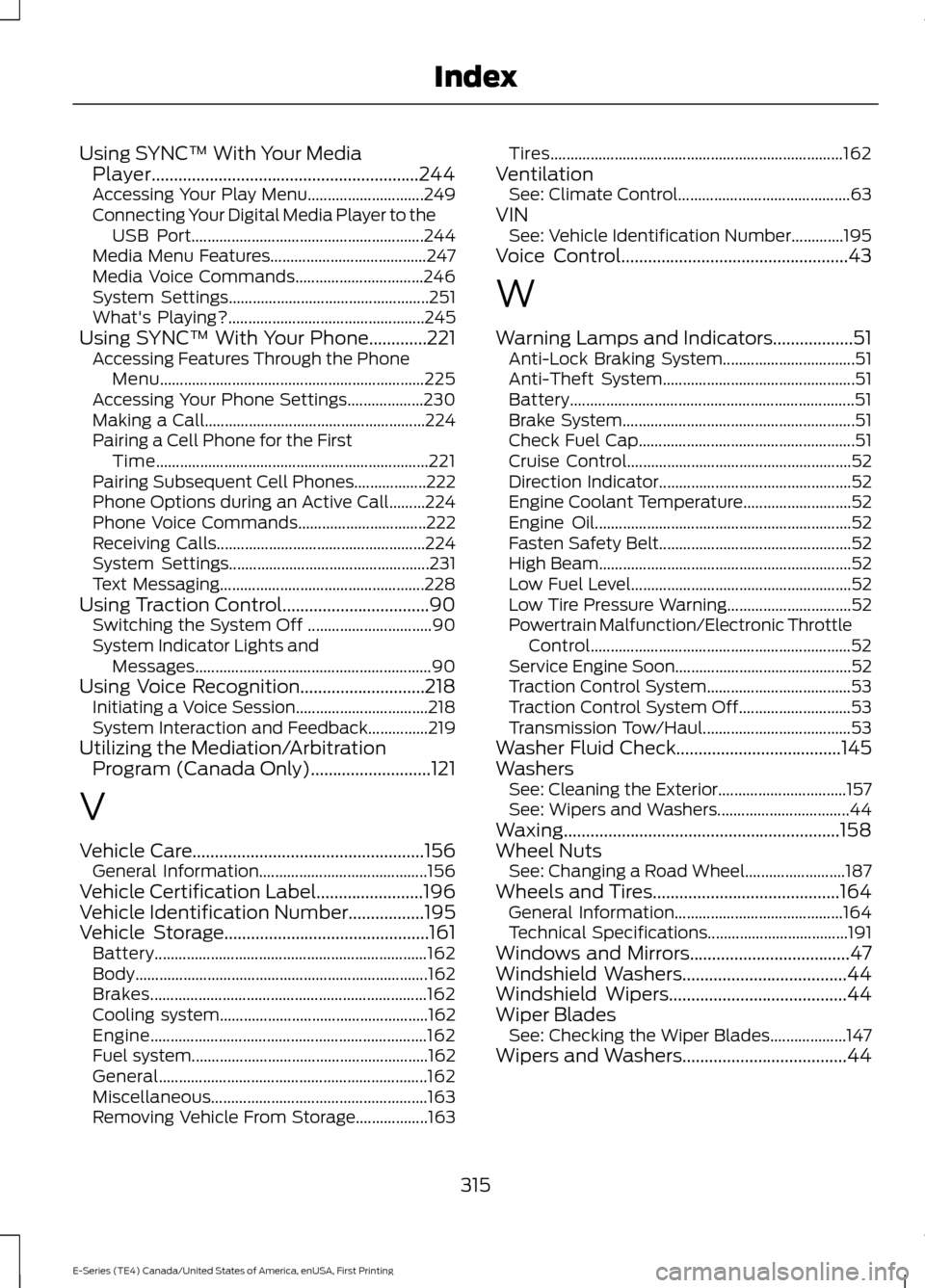
Low Tire Pressure Warning............................... 52
Powertrain Malfunction/Electronic Throttle Control................................................................. 52
Service Engine Soon............................................ 52
Traction Control System.................................... 53
Traction Control System Off............................ 53
Transmission Tow/Haul..................................... 53
Washer Fluid Check.....................................145
Washers See: Cleaning the Exterior................................ 157
See: Wipers and Washers................................. 44
Waxing..............................................................158
Wheel Nuts See: Changing a Road Wheel......................... 187
Wheels and Tires..........................................164 General Information.......................................... 164
Technical Specifications................................... 191
Windows and Mirrors....................................47
Windshield Washers
.....................................44
Windshield Wipers........................................44
Wiper Blades See: Checking the Wiper Blades................... 147
Wipers and Washers.....................................44
315
E-Series (TE4) Canada/United States of America, enUSA, First Printing Index