lock FORD E SERIES 2018 User Guide
[x] Cancel search | Manufacturer: FORD, Model Year: 2018, Model line: E SERIES, Model: FORD E SERIES 2018Pages: 323, PDF Size: 7.09 MB
Page 31 of 323
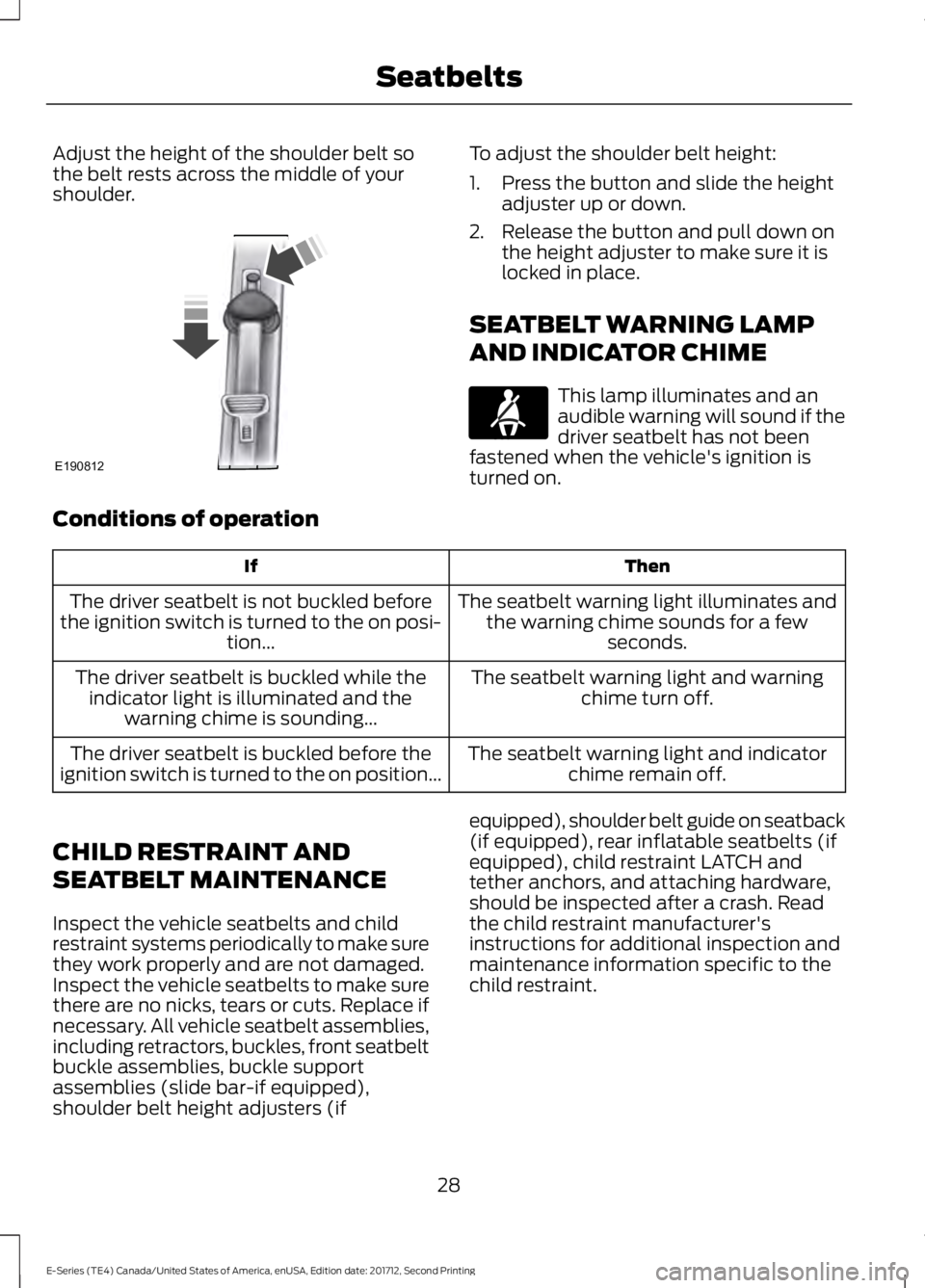
Adjust the height of the shoulder belt sothe belt rests across the middle of yourshoulder.
To adjust the shoulder belt height:
1. Press the button and slide the heightadjuster up or down.
2. Release the button and pull down onthe height adjuster to make sure it islocked in place.
SEATBELT WARNING LAMP
AND INDICATOR CHIME
This lamp illuminates and anaudible warning will sound if thedriver seatbelt has not beenfastened when the vehicle's ignition isturned on.
Conditions of operation
ThenIf
The seatbelt warning light illuminates andthe warning chime sounds for a fewseconds.
The driver seatbelt is not buckled beforethe ignition switch is turned to the on posi-tion...
The seatbelt warning light and warningchime turn off.The driver seatbelt is buckled while theindicator light is illuminated and thewarning chime is sounding...
The seatbelt warning light and indicatorchime remain off.The driver seatbelt is buckled before theignition switch is turned to the on position...
CHILD RESTRAINT AND
SEATBELT MAINTENANCE
Inspect the vehicle seatbelts and childrestraint systems periodically to make surethey work properly and are not damaged.Inspect the vehicle seatbelts to make surethere are no nicks, tears or cuts. Replace ifnecessary. All vehicle seatbelt assemblies,including retractors, buckles, front seatbeltbuckle assemblies, buckle supportassemblies (slide bar-if equipped),shoulder belt height adjusters (if
equipped), shoulder belt guide on seatback(if equipped), rear inflatable seatbelts (ifequipped), child restraint LATCH andtether anchors, and attaching hardware,should be inspected after a crash. Readthe child restraint manufacturer'sinstructions for additional inspection andmaintenance information specific to thechild restraint.
28
E-Series (TE4) Canada/United States of America, enUSA, Edition date: 201712, Second Printing
SeatbeltsE190812 E71880
Page 40 of 323
GENERAL INFORMATION ON
RADIO FREQUENCIES
This device complies with Part 15 of theFCC Rules and with Licence exempt RSSStandards of Industry Canada. Operationis subject to the following two conditions:
•This device may not cause harmfulinterference, and
•This device must accept anyinterference received, includinginterference that may cause undesiredoperation.
WARNING
Changes or modifications notexpressively approved by the partyresponsible for compliance couldvoid the user's authority to operate theequipment. The term "IC:" before the radiocertification number only signifies thatIndustry Canada technical specificationswere met.
The typical operating range for yourtransmitter is approximately 33 ft (10 m).Vehicles with the remote start feature willhave a greater range. One of the followingcould cause a decrease in operating range:
•Weather conditions.
•Nearby radio towers.
•Structures around the vehicle.
•Other vehicles parked next to yourvehicle.
Other short distance radio transmissions,for example amateur radios, medicalequipment, wireless headphones, remotecontrols and alarm systems can also usethe radio frequency used by your remotecontrol. If the frequencies are jammed, youwill not be able to use your remote control.You can lock and unlock the doors with thekey.
Note:Make sure to lock your vehicle beforeleaving it unattended.
Note:If you are in range, the remote controlwill operate if you press any buttonunintentionally.
Note:The remote control contains sensitiveelectrical components. Exposure to moistureor impact may cause permanent damage.
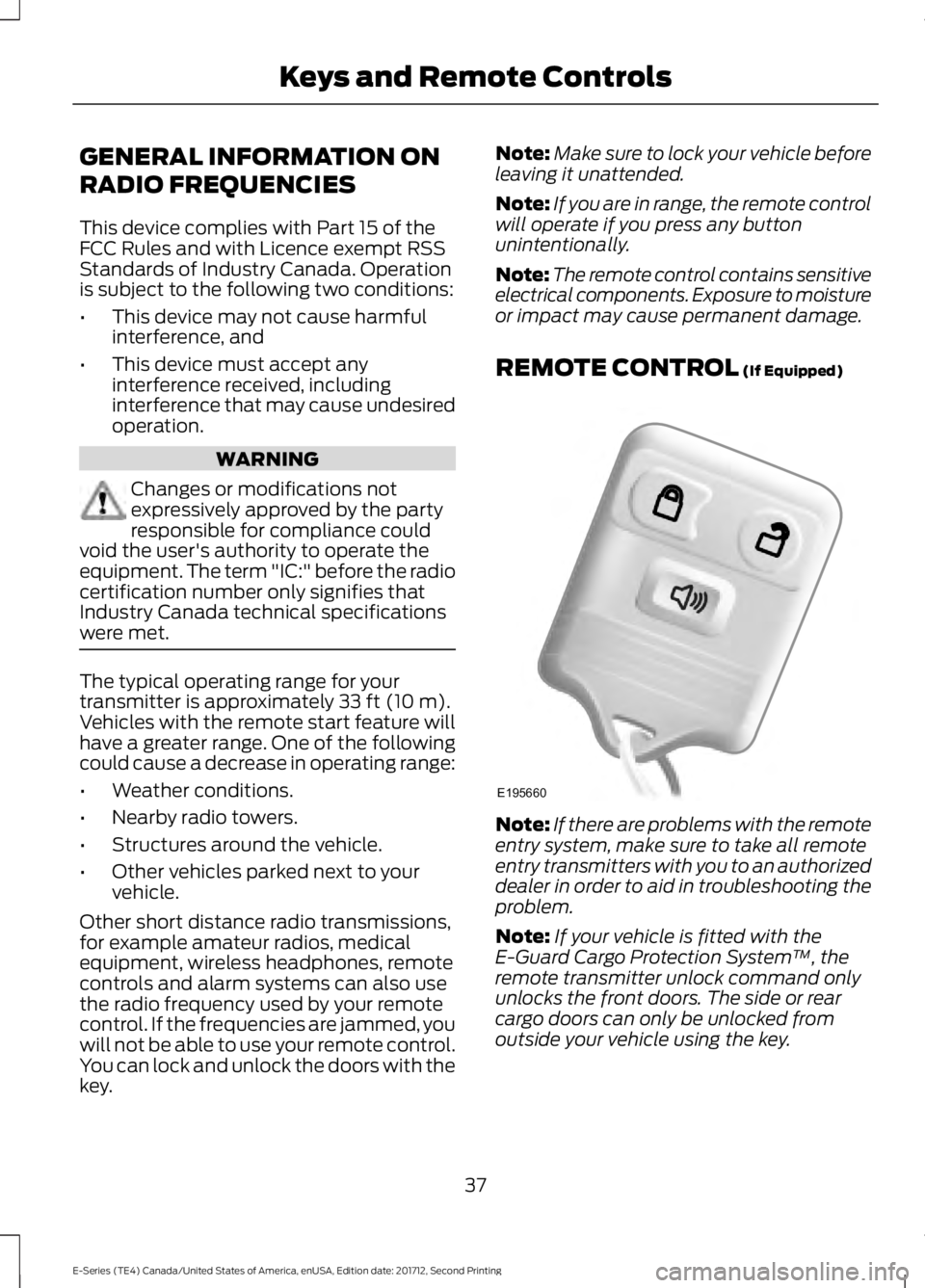
REMOTE CONTROL (If Equipped)
Note:If there are problems with the remoteentry system, make sure to take all remoteentry transmitters with you to an authorizeddealer in order to aid in troubleshooting theproblem.
Note:If your vehicle is fitted with theE-Guard Cargo Protection System™, theremote transmitter unlock command onlyunlocks the front doors. The side or rearcargo doors can only be unlocked fromoutside your vehicle using the key.
37
E-Series (TE4) Canada/United States of America, enUSA, Edition date: 201712, Second Printing
Keys and Remote ControlsE195660
Page 41 of 323
Reprogramming the RemoteControl
You must have all remote controls readilyaccessible before beginning thisprocedure. Any remote control that is notpresent during the programming procedurewill no longer operate your vehicle.
Note:You can program a maximum of fourcoded keys to your vehicle.
Note:Do not apply the brake pedal duringthis procedure.
1. Switch the ignition from off to on 8times within 10 seconds, finishing in theon position. The doors lock then unlockto confirm that programming hasstarted.
2.Press any button on the remote controlthat you want to program within 20seconds. The doors lock then unlockto confirm that programming wassuccessful.
3. Repeat step 2 to program eachadditional remote control.
4.After you have programmed all remotecontrols, switch the ignition off.
5. The doors lock then unlock to confirmthat programming is complete.
Changing the Remote ControlBattery
The remote control uses one coin-typethree-volt lithium battery CR2032 orequivalent.
Make sure that you dispose ofold batteries in anenvironmentally friendly way.Seek advice from your local authorityabout recycling old batteries.
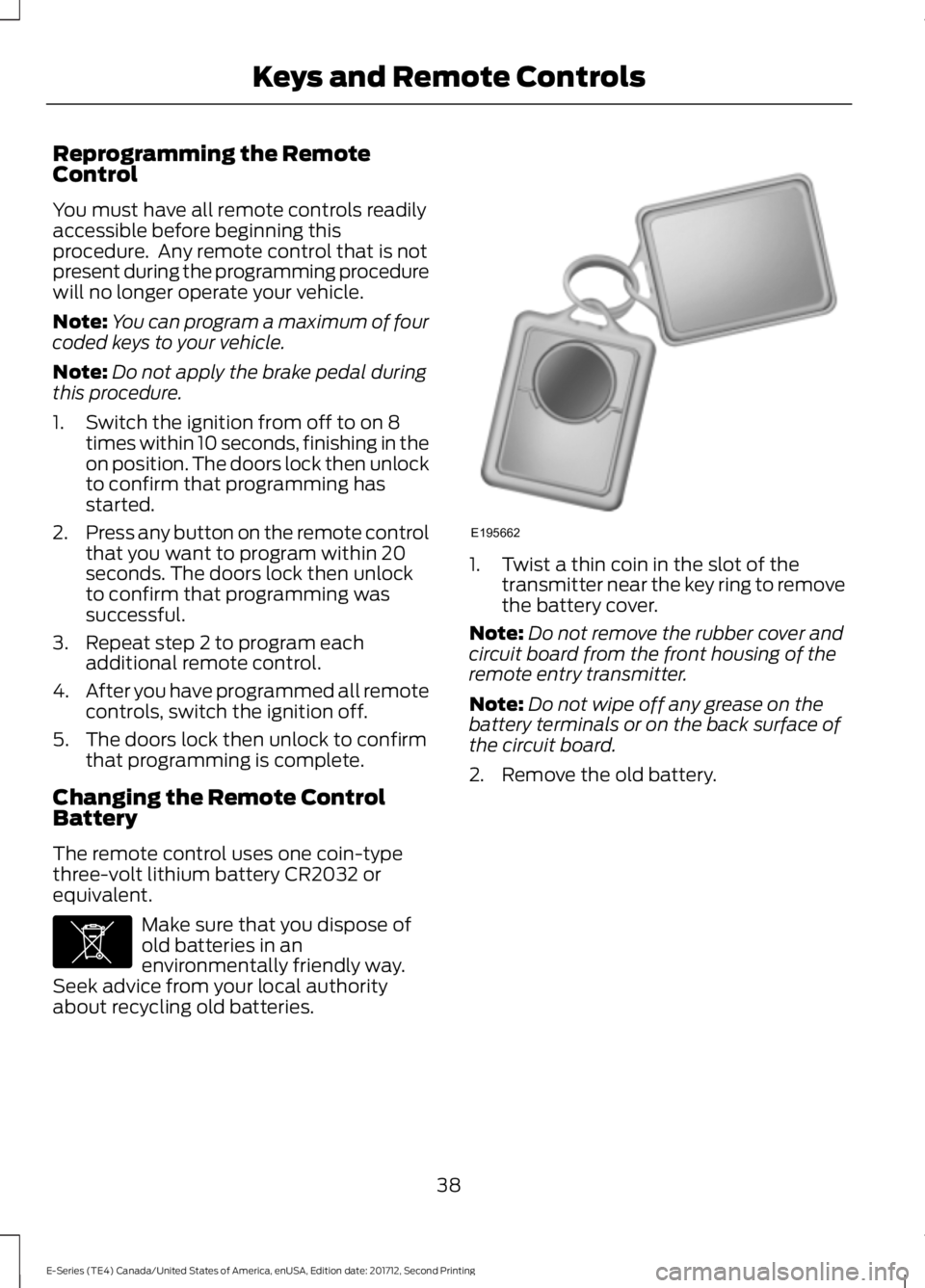
1. Twist a thin coin in the slot of thetransmitter near the key ring to removethe battery cover.
Note:Do not remove the rubber cover andcircuit board from the front housing of theremote entry transmitter.
Note:Do not wipe off any grease on thebattery terminals or on the back surface ofthe circuit board.
2. Remove the old battery.
38
E-Series (TE4) Canada/United States of America, enUSA, Edition date: 201712, Second Printing
Keys and Remote ControlsE107998 E195662
Page 43 of 323
LOCKING AND UNLOCKING
You can use the power door lock controlor the remote control to lock and unlockyour vehicle.
Power Door Locks (If Equipped)
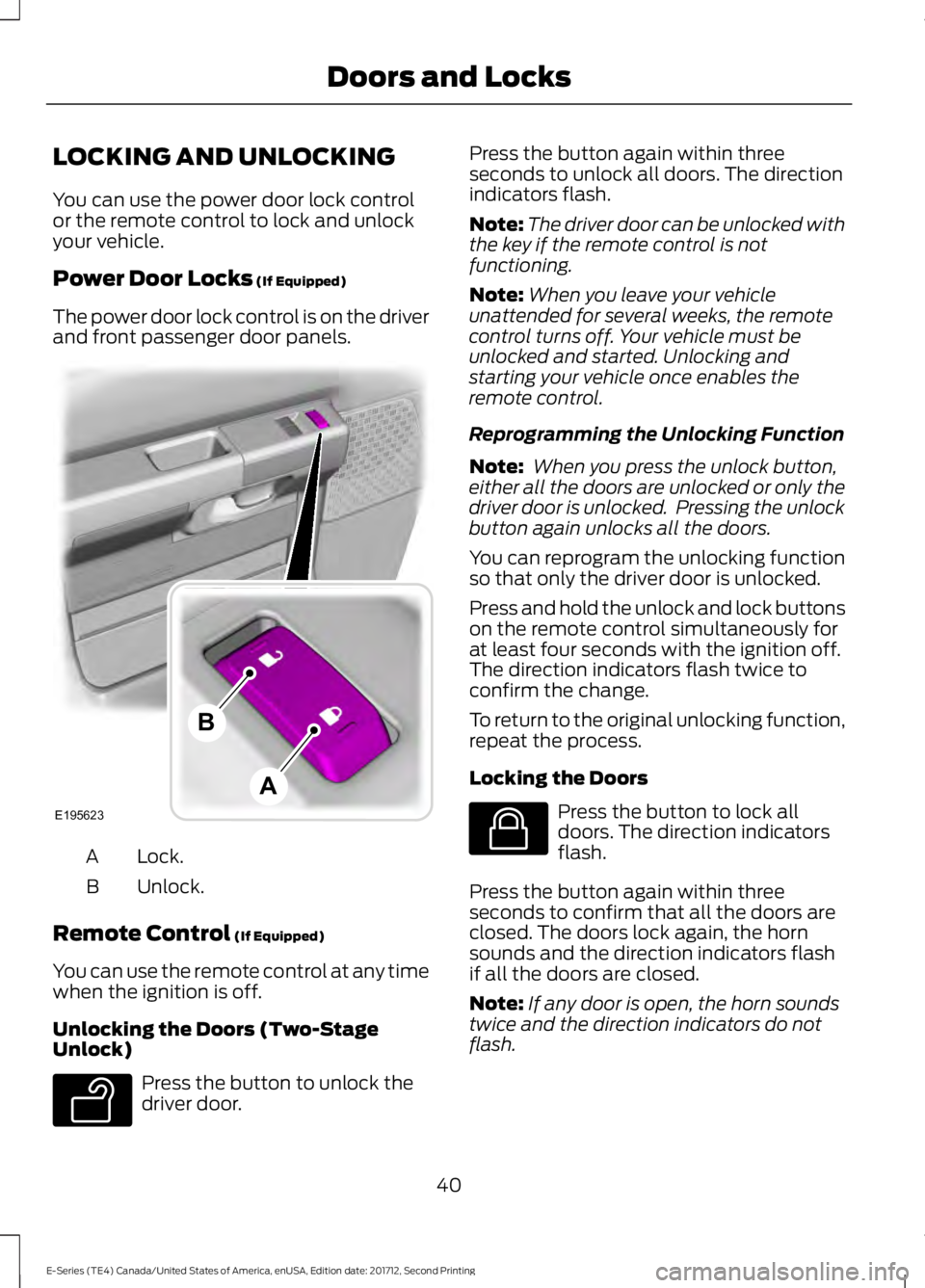
The power door lock control is on the driverand front passenger door panels.
Lock.A
Unlock.B
Remote Control (If Equipped)
You can use the remote control at any timewhen the ignition is off.
Unlocking the Doors (Two-StageUnlock)
Press the button to unlock thedriver door.
Press the button again within threeseconds to unlock all doors. The directionindicators flash.
Note:The driver door can be unlocked withthe key if the remote control is notfunctioning.
Note:When you leave your vehicleunattended for several weeks, the remotecontrol turns off. Your vehicle must beunlocked and started. Unlocking andstarting your vehicle once enables theremote control.
Reprogramming the Unlocking Function
Note: When you press the unlock button,either all the doors are unlocked or only thedriver door is unlocked. Pressing the unlockbutton again unlocks all the doors.
You can reprogram the unlocking functionso that only the driver door is unlocked.
Press and hold the unlock and lock buttonson the remote control simultaneously forat least four seconds with the ignition off.The direction indicators flash twice toconfirm the change.
To return to the original unlocking function,repeat the process.
Locking the Doors
Press the button to lock alldoors. The direction indicatorsflash.
Press the button again within threeseconds to confirm that all the doors areclosed. The doors lock again, the hornsounds and the direction indicators flashif all the doors are closed.
Note:If any door is open, the horn soundstwice and the direction indicators do notflash.
40
E-Series (TE4) Canada/United States of America, enUSA, Edition date: 201712, Second Printing
Doors and LocksE195623
A
B E138629 E138623
Page 44 of 323
Autolock Feature
The autolock feature locks all the doorswhen:
•All doors are closed.
•The ignition is on.
•You shift into any gear putting yourvehicle in motion.
•The ignition is on, all the doors areclosed and your vehicle has been inmotion at a speed greater than 12 mph(20 km/h).
Autounlock Feature
The autounlock feature unlocks all thedoors when:
•Your vehicle comes to a stop and youswitch the ignition off or to accessory.
•You open the driver door within 10minutes of switching the ignition off orto accessory.
Note:If you electronically lock your vehicleafter you switch the ignition off with thedriver door closed, the doors do notautounlock.
Enabling or Disabling Autolock andAutounlock
You can enable or disable the autolock andautounlock features independently of eachother.
To enable or disable autolock, do thefollowing:
1. Switch the ignition on.
2. Press the power door unlock controlthree times.
3. Switch the ignition off.
4. Press the power door unlock controlthree times.
5.Switch the ignition on. The horn soundsindicating your vehicle is inprogramming mode.
6. Press the power door unlock controland within five seconds, press thepower door lock control. The hornsounds once if disabled or twice ifenabled.
7.Switch the ignition off. The horn soundsindicating programming is complete.
Note:You can also switch this feature onor off using the information display. SeeInformation Displays (page 56).
To enable or disable autounlock, do thefollowing:
1. Switch the ignition on.
2. Press the power door unlock controlthree times.
3. Switch the ignition off.
4. Press the power door unlock controlthree times.
5.Switch the ignition on. The horn soundsindicating your vehicle is inprogramming mode.
6. Press the power door lock control andwithin five seconds, press the powerdoor unlock control. The horn soundsonce if disabled or twice if enabled.
7.Switch the ignition off. The horn soundsindicating programming is complete.
Note:You can also switch this feature onor off using the information display. SeeInformation Displays (page 56).
Illuminated Entry
The interior lamps and some exteriorlamps illuminate when you unlock thedoors with the remote control.
The lamps turn off if:
•The ignition is on.
•You press the remote control lockbutton.
•25 seconds have elapsed.
41
E-Series (TE4) Canada/United States of America, enUSA, Edition date: 201712, Second Printing
Doors and Locks
Page 45 of 323
The lamps do not turn off if:
•You switch them on with the lightingcontrol.
•Any door is open.
42
E-Series (TE4) Canada/United States of America, enUSA, Edition date: 201712, Second Printing
Doors and Locks
Page 46 of 323
PASSIVE ANTI-THEFT
SYSTEM (If Equipped)
Note:The system is not compatible withnon-Ford aftermarket remote start systems.Use of these systems may result in vehiclestarting problems and a loss of securityprotection.
Note:Metallic objects, electronic devicesor a second coded key on the same keychain may cause vehicle starting problemsif they are too close to the key when startingthe engine. Prevent these objects fromtouching the coded key while starting theengine. Switch the ignition off, move allobjects on the key chain away from thecoded key and restart the engine if aproblem occurs.
Note:Do not leave a duplicate coded keyin the vehicle. Always take your keys andlock all doors when leaving the vehicle.
SecuriLock®
The system is an engine immobilizationsystem. It is designed to help prevent theengine from being started unless acorrectly coded key for your vehicle is used.Using an incorrectly coded key mayprevent the engine from starting. Amessage may appear in the informationdisplay.
If you are unable to start the engine with acorrectly coded key, a malfunction hashappened and a message may appear inthe information display.
Automatic Arming
The engine immobilization system armsimmediately after you switch the ignitionoff.
Automatic Disarming
Switching the ignition on with a correctlycoded key disarms the engineimmobilization system.
Replacement Keys
The integrated keyhead transmitterfunctions as a programmed ignition keythat operates all the locks and starts yourvehicle, as well as a remote control.
If your keys are lost or stolen and you donot have a spare correctly coded key, youwill need to have your vehicle towed to anauthorized dealer. You need to erase thecoded keys from your vehicle and programnew coded keys.
Store an extra correctly coded key awayfrom the vehicle in a safe place to helpprevent any inconveniences. See anauthorized dealer to purchase additionalspare or replacement keys.
Note:Your vehicle comes with twointegrated keyhead transmitters.
Programming a Spare IntegratedKeyhead Transmitter
You can program your own integratedkeyhead transmitter or standardSecuriLock coded keys to your vehicle. Thisprocedure will program both the engineimmobilizer keycode and the remote entryportion of the remote control to yourvehicle
Only use integrated keyhead transmittersor standard SecuriLock keys.
You must have two previouslyprogrammed correctly coded keys and thenew unprogrammed key readily accessible.See an authorized dealer to have the sparekey programmed if two previouslyprogrammed correctly coded keys are notavailable.
Read and understand the entire procedurebefore you begin.
43
E-Series (TE4) Canada/United States of America, enUSA, Edition date: 201712, Second Printing
Security
Page 52 of 323
POWER WINDOWS (If Equipped)
WARNINGS
Do not leave children unattended inyour vehicle and do not let them playwith the power windows. They mayseriously injure themselves.
When closing the power windows,you should verify they are free ofobstructions and make sure thatchildren and pets are not in the proximityof the window openings.
Note:You may hear a pulsing noise whenjust one of the windows is open. Lower theopposite window slightly to reduce thisnoise.
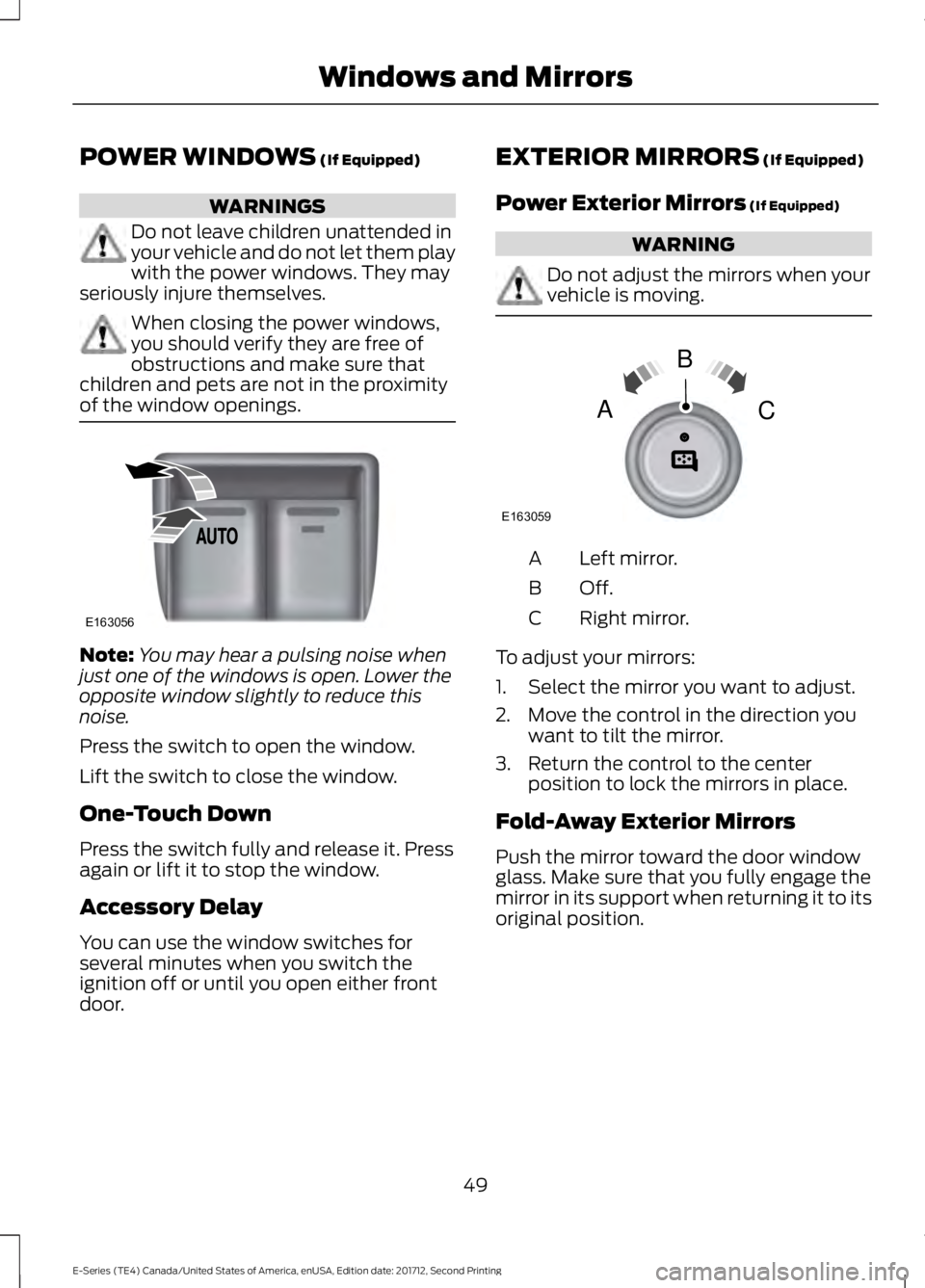
Press the switch to open the window.
Lift the switch to close the window.
One-Touch Down
Press the switch fully and release it. Pressagain or lift it to stop the window.
Accessory Delay
You can use the window switches forseveral minutes when you switch theignition off or until you open either frontdoor.
EXTERIOR MIRRORS (If Equipped)
Power Exterior Mirrors (If Equipped)
WARNING
Do not adjust the mirrors when yourvehicle is moving.
Left mirror.A
Off.B
Right mirror.C
To adjust your mirrors:
1. Select the mirror you want to adjust.
2. Move the control in the direction youwant to tilt the mirror.
3. Return the control to the centerposition to lock the mirrors in place.
Fold-Away Exterior Mirrors
Push the mirror toward the door windowglass. Make sure that you fully engage themirror in its support when returning it to itsoriginal position.
49
E-Series (TE4) Canada/United States of America, enUSA, Edition date: 201712, Second Printing
Windows and MirrorsE163056 E163059
B
AC
Page 53 of 323
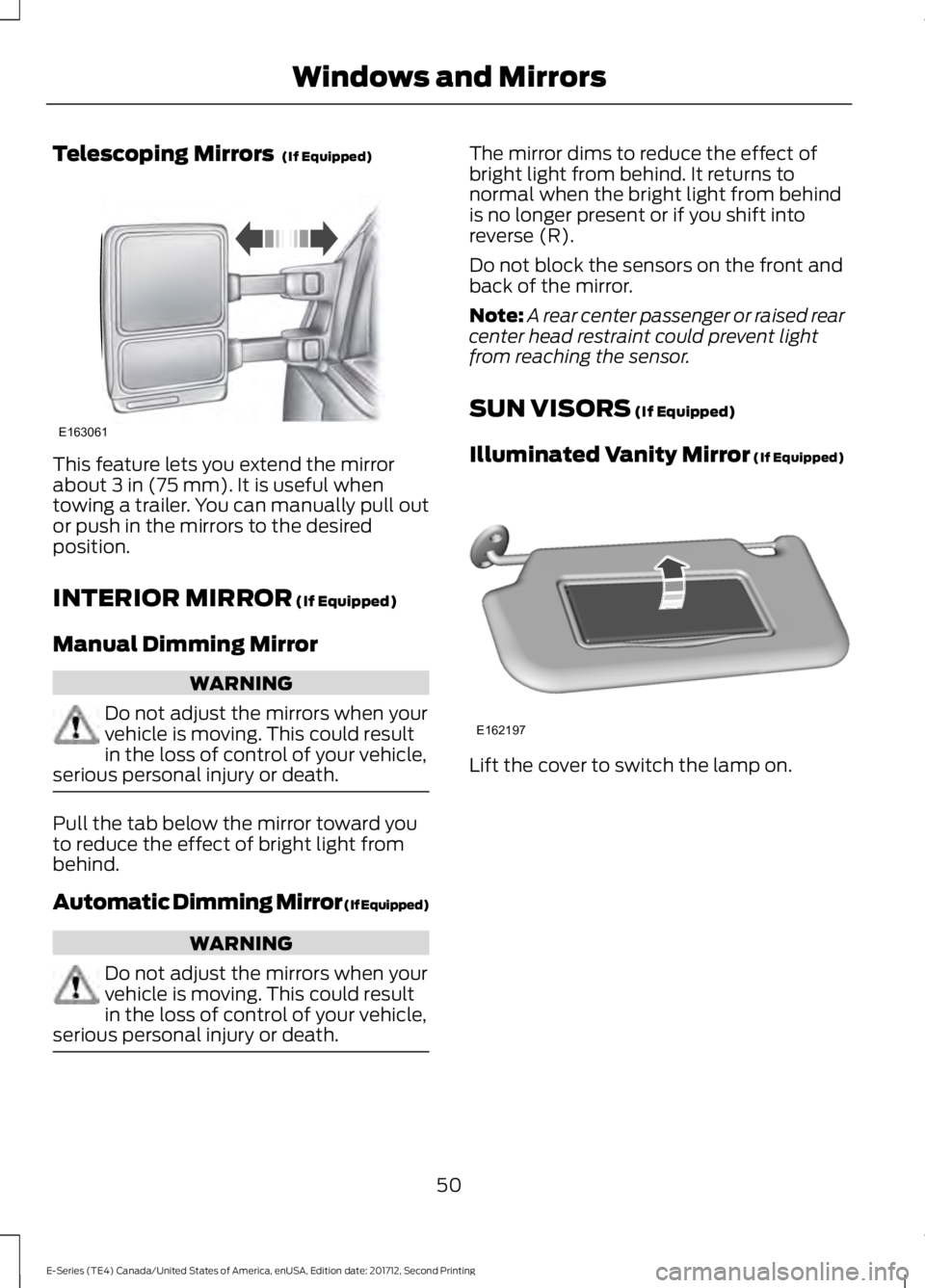
Telescoping Mirrors (If Equipped)
This feature lets you extend the mirrorabout 3 in (75 mm). It is useful whentowing a trailer. You can manually pull outor push in the mirrors to the desiredposition.
INTERIOR MIRROR (If Equipped)
Manual Dimming Mirror
WARNING
Do not adjust the mirrors when yourvehicle is moving. This could resultin the loss of control of your vehicle,serious personal injury or death.
Pull the tab below the mirror toward youto reduce the effect of bright light frombehind.
Automatic Dimming Mirror (If Equipped)
WARNING
Do not adjust the mirrors when yourvehicle is moving. This could resultin the loss of control of your vehicle,serious personal injury or death.
The mirror dims to reduce the effect ofbright light from behind. It returns tonormal when the bright light from behindis no longer present or if you shift intoreverse (R).
Do not block the sensors on the front andback of the mirror.
Note:A rear center passenger or raised rearcenter head restraint could prevent lightfrom reaching the sensor.
SUN VISORS (If Equipped)
Illuminated Vanity Mirror (If Equipped)
Lift the cover to switch the lamp on.
50
E-Series (TE4) Canada/United States of America, enUSA, Edition date: 201712, Second Printing
Windows and MirrorsE163061 E162197
Page 56 of 323
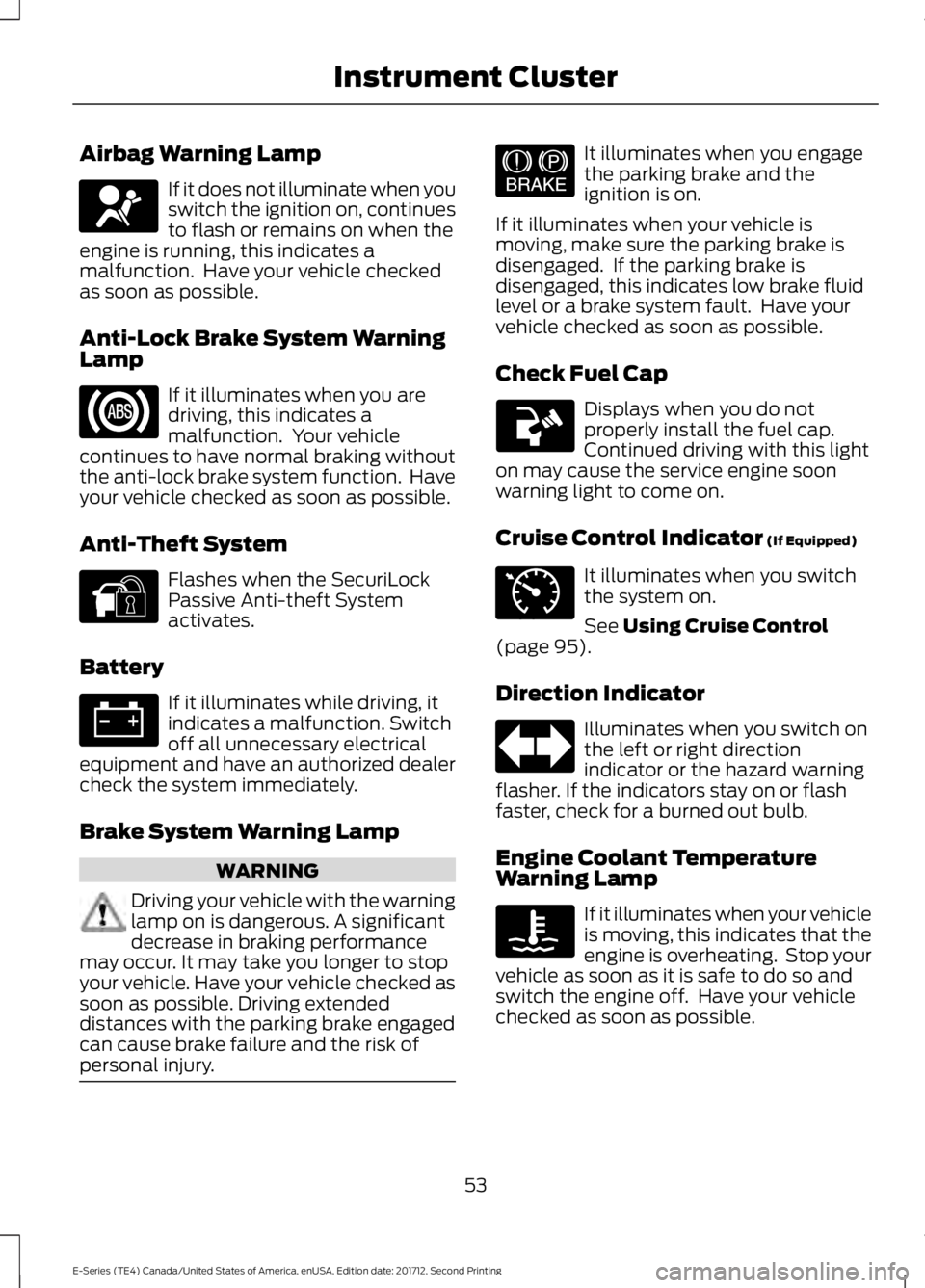
Airbag Warning Lamp
If it does not illuminate when youswitch the ignition on, continuesto flash or remains on when theengine is running, this indicates amalfunction. Have your vehicle checkedas soon as possible.
Anti-Lock Brake System WarningLamp
If it illuminates when you aredriving, this indicates amalfunction. Your vehiclecontinues to have normal braking withoutthe anti-lock brake system function. Haveyour vehicle checked as soon as possible.
Anti-Theft System
Flashes when the SecuriLockPassive Anti-theft Systemactivates.
Battery
If it illuminates while driving, itindicates a malfunction. Switchoff all unnecessary electricalequipment and have an authorized dealercheck the system immediately.
Brake System Warning Lamp
WARNING
Driving your vehicle with the warninglamp on is dangerous. A significantdecrease in braking performancemay occur. It may take you longer to stopyour vehicle. Have your vehicle checked assoon as possible. Driving extendeddistances with the parking brake engagedcan cause brake failure and the risk ofpersonal injury.
It illuminates when you engagethe parking brake and theignition is on.
If it illuminates when your vehicle ismoving, make sure the parking brake isdisengaged. If the parking brake isdisengaged, this indicates low brake fluidlevel or a brake system fault. Have yourvehicle checked as soon as possible.
Check Fuel Cap
Displays when you do notproperly install the fuel cap.Continued driving with this lighton may cause the service engine soonwarning light to come on.
Cruise Control Indicator (If Equipped)
It illuminates when you switchthe system on.
See Using Cruise Control(page 95).
Direction Indicator
Illuminates when you switch onthe left or right directionindicator or the hazard warningflasher. If the indicators stay on or flashfaster, check for a burned out bulb.
Engine Coolant TemperatureWarning Lamp
If it illuminates when your vehicleis moving, this indicates that theengine is overheating. Stop yourvehicle as soon as it is safe to do so andswitch the engine off. Have your vehiclechecked as soon as possible.
53
E-Series (TE4) Canada/United States of America, enUSA, Edition date: 201712, Second Printing
Instrument ClusterE67017 E144845 E144522 E71340