instrument panel FORD E SERIES 2022 Owners Manual
[x] Cancel search | Manufacturer: FORD, Model Year: 2022, Model line: E SERIES, Model: FORD E SERIES 2022Pages: 300, PDF Size: 3.18 MB
Page 4 of 300
Introduction
About This Manual
..........................................7
Symbols Glossary ............................................
7
Data Recording .................................................
9
Perchlorate .......................................................
13
Ford Credit ........................................................
14
Replacement Parts Recommendation ........................................................................\
...
14
Special Notices ...............................................
14
Mobile Communications Equipment ........................................................................\
...
16
Environment
Protecting the Environment .......................
17
At a Glance
Instrument Panel ...........................................
18
Child Safety
General Information .....................................
20
Installing Child Restraints ..........................
22
Booster Seats .................................................
26
Child Restraint Positioning ........................
28
Seatbelts
Principle of Operation .................................
30
Fastening the Seatbelts ...............................
31
Seatbelt Height Adjustment .....................
33
Seatbelt Warning Lamp and Indicator Chime ............................................................
33
Child Restraint and Seatbelt Maintenance ...............................................
34
Seatbelt Extensions .....................................
34
Supplementary Restraints System
Principle of Operation .................................
35
Driver and Passenger Airbags ..................
36
Crash Sensors and Airbag Indicator ......
40
Airbag Disposal ...............................................
41Keys and Remote Controls
General Information on Radio
Frequencies .................................................
42
Remote Control .............................................
42
Replacing a Lost Key or Remote Control ........................................................................\
..
44
Doors and Locks
Locking and Unlocking ................................
45
Security
Passive Anti-Theft System .......................
48
Steering Wheel
Adjusting the Steering Wheel ..................
49
Cruise Control - Vehicles With: Adaptive Cruise Control ............................................
49
Cruise Control - Vehicles With: Cruise Control ..........................................................
49
Information Display Control .....................
50
Horn ...................................................................
50
Wipers and Washers
Windshield Wipers .........................................
51
Windshield Washers .....................................
51
Lighting
General Information .....................................
52
Lighting Control .............................................
52
Autolamps .......................................................
53
Instrument Lighting Dimmer ....................
53
Daytime Running Lamps ............................
53
Direction Indicators ......................................
54
Automatic High Beam Control
What Is Automatic High Beam Control ........................................................................\
..
55
Switching Automatic High Beam Control On and Off ...................................................
55
1
E-Series (TE4) Canada/United States of America, enUSA, Edition date: 202010, First-Printing Table of Contents
Page 7 of 300
Cleaning the Exterior
..................................185
Waxing .............................................................
186
Cleaning the Engine ...................................
186
Cleaning the Windows and Wiper Blades ........................................................................\
.
187
Cleaning the Interior ...................................
187
Cleaning the Instrument Panel and Instrument Cluster Lens .......................
188
Cleaning Leather Seats .............................
188
Repairing Minor Paint Damage ..............
189
Cleaning the Wheels ..................................
189
Vehicle Storage ............................................
189
Wheels and Tires
General Information ...................................
192
Tire Care ..........................................................
193
Using Snow Chains ......................................
211
Tire Pressure Monitoring System ...........
212
Changing a Road Wheel ............................
217
Technical Specifications ...........................
221
Capacities and Specifications
Engine Specifications ................................
223
Motorcraft Parts ..........................................
223
Bulb Specification Chart ..........................
225
Engine Oil Capacity and Specification ........................................................................\
226
Cooling System Capacity and Specification .............................................
227
Fuel Tank Capacity .....................................
228
Air Conditioning System Capacity and Specification ............................................
229
Washer Fluid Specification .....................
229
Automatic Transmission Fluid Capacity and Specification ...................................
230
Brake Fluid Specification ..........................
231
Rear Axle Fluid Capacity and Specification ..............................................
231
Hydraulic Power Steering Fluid Capacity and Specification ....................................
233Vehicle Identification
Vehicle Identification Number
...............
234
Connected Vehicle
Connected Vehicle Requirements ........
235
Connected Vehicle Limitations .............
235
Connecting the Vehicle to a Mobile Network ......................................................
235
Connected Vehicle – Troubleshooting ........................................................................\
235
Audio System
General Information ..................................
236
Audio Unit ......................................................
236
Digital Radio .................................................
239
Connecting a Bluetooth® Device ..........
241
Satellite Radio .............................................
242
Streaming Bluetooth Audio ....................
244
Playing Media From a USB Device .......
244
USB Port ........................................................
245
Using Voice Recognition ..........................
245
Accessories
Accessories ...................................................
246
Auxiliary Switches .......................................
247
Ford Protect
Ford Protect ..................................................
249
Scheduled Maintenance
General Maintenance Information ........
251
Normal Scheduled Maintenance .........
254
Special Operating Conditions Scheduled Maintenance ............................................
256
Customer Information
Radio Frequency Certification Labels ........................................................................\
259
4
E-Series (TE4) Canada/United States of America, enUSA, Edition date: 202010, First-Printing Table of Contents
Page 21 of 300
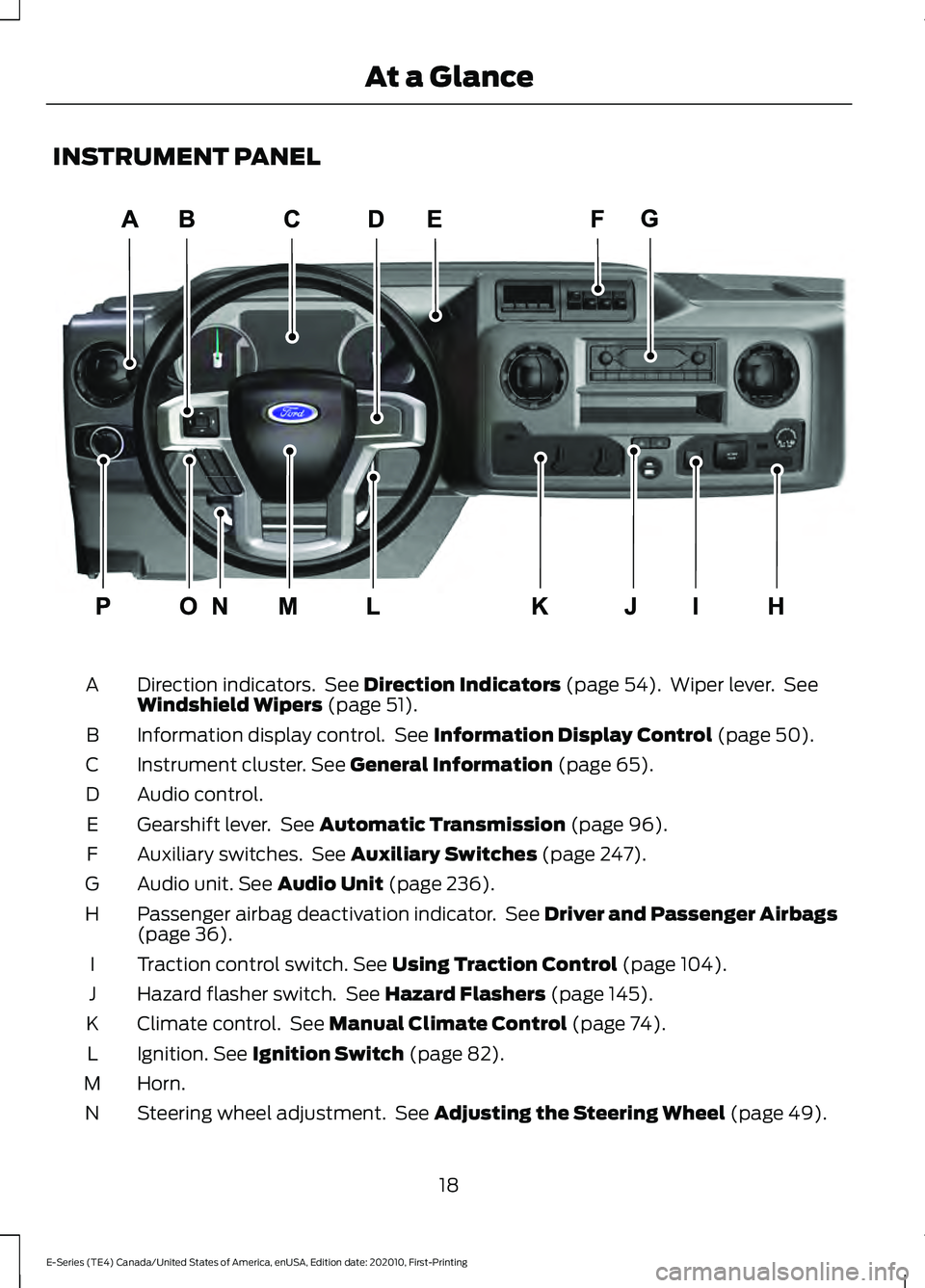
INSTRUMENT PANEL
Direction indicators. See Direction Indicators (page 54). Wiper lever. See
Windshield Wipers (page 51).
A
Information display control. See
Information Display Control (page 50).
B
Instrument cluster.
See General Information (page 65).
C
Audio control.
D
Gearshift lever. See
Automatic Transmission (page 96).
E
Auxiliary switches. See
Auxiliary Switches (page 247).
F
Audio unit.
See Audio Unit (page 236).
G
Passenger airbag deactivation indicator. See
Driver and Passenger Airbags
(page 36).
H
Traction control switch.
See Using Traction Control (page 104).
I
Hazard flasher switch. See
Hazard Flashers (page 145).
J
Climate control. See
Manual Climate Control (page 74).
K
Ignition.
See Ignition Switch (page 82).
L
Horn.
M
Steering wheel adjustment. See
Adjusting the Steering Wheel (page 49).
N
18
E-Series (TE4) Canada/United States of America, enUSA, Edition date: 202010, First-Printing At a GlanceE307562
Page 55 of 300
GENERAL INFORMATION
Condensation in the Exterior Front
Lamps and Rear Lamps
Exterior front lamps and rear lamps have
vents to accommodate normal changes
in air pressure.
Condensation can be a natural by-product
of this design. When moist air enters the
lamp assembly through the vents, there is
a possibility that condensation can occur
when the temperature is cold. When
normal condensation occurs, a fine mist
can form on the interior of the lens. The
fine mist eventually clears and exits
through the vents during normal operation.
Clearing time may take as long as 48 hours
under dry weather conditions.
Examples of acceptable condensation are:
•
The presence of a fine mist (no streaks,
drip marks or large droplets).
• A fine mist covers less than 50% of the
lens.
Examples of unacceptable condensation
are:
• A water puddle inside the lamp.
• Streaks, drip marks or large droplets
present on the interior of the lens.
If you see any unacceptable condensation,
have your vehicle checked by an authorized
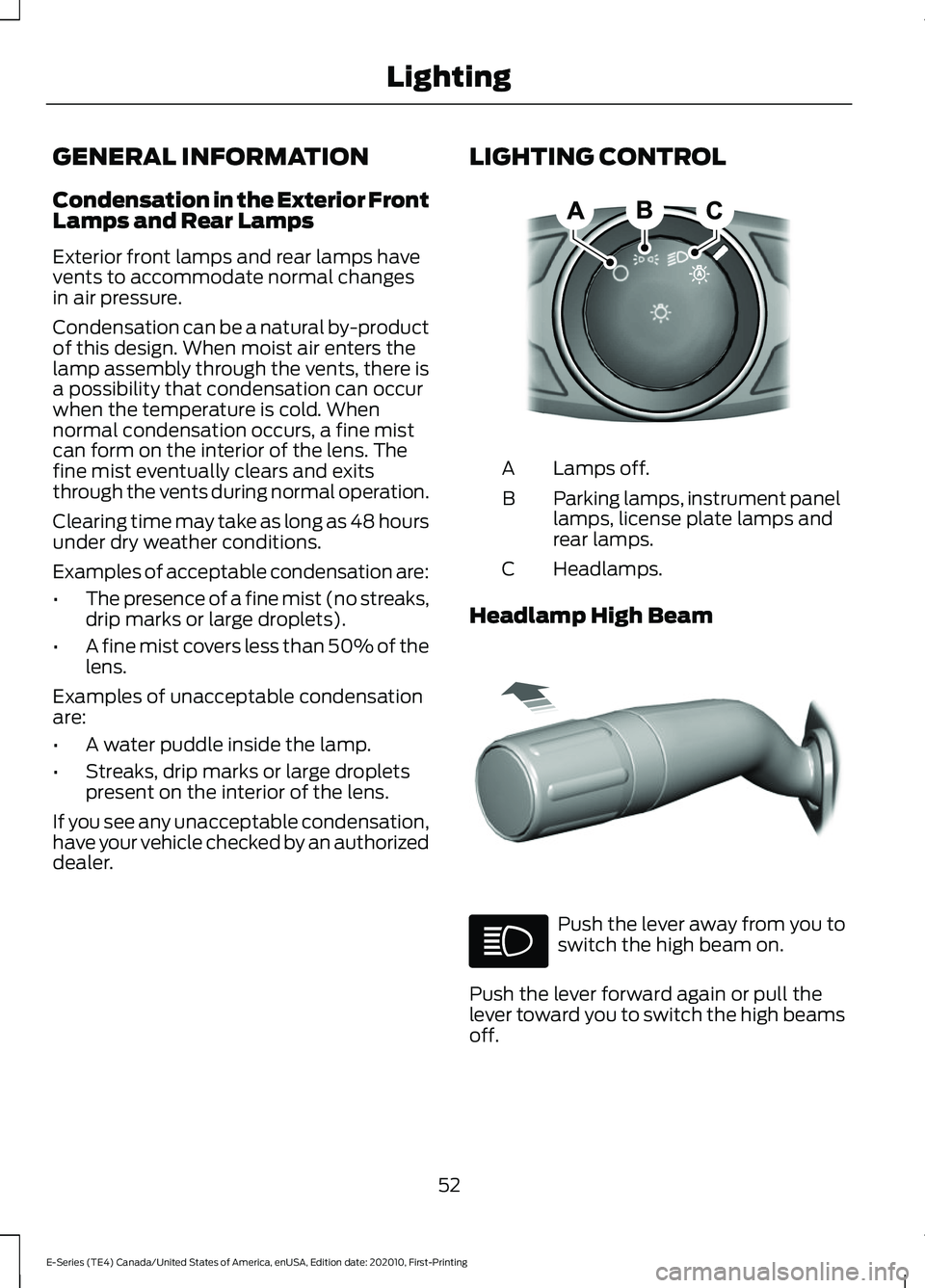
dealer. LIGHTING CONTROL Lamps off.
A
Parking lamps, instrument panel
lamps, license plate lamps and
rear lamps.
B
Headlamps.
C
Headlamp High Beam Push the lever away from you to
switch the high beam on.
Push the lever forward again or pull the
lever toward you to switch the high beams
off.
52
E-Series (TE4) Canada/United States of America, enUSA, Edition date: 202010, First-Printing LightingE142449 E308790
Page 77 of 300
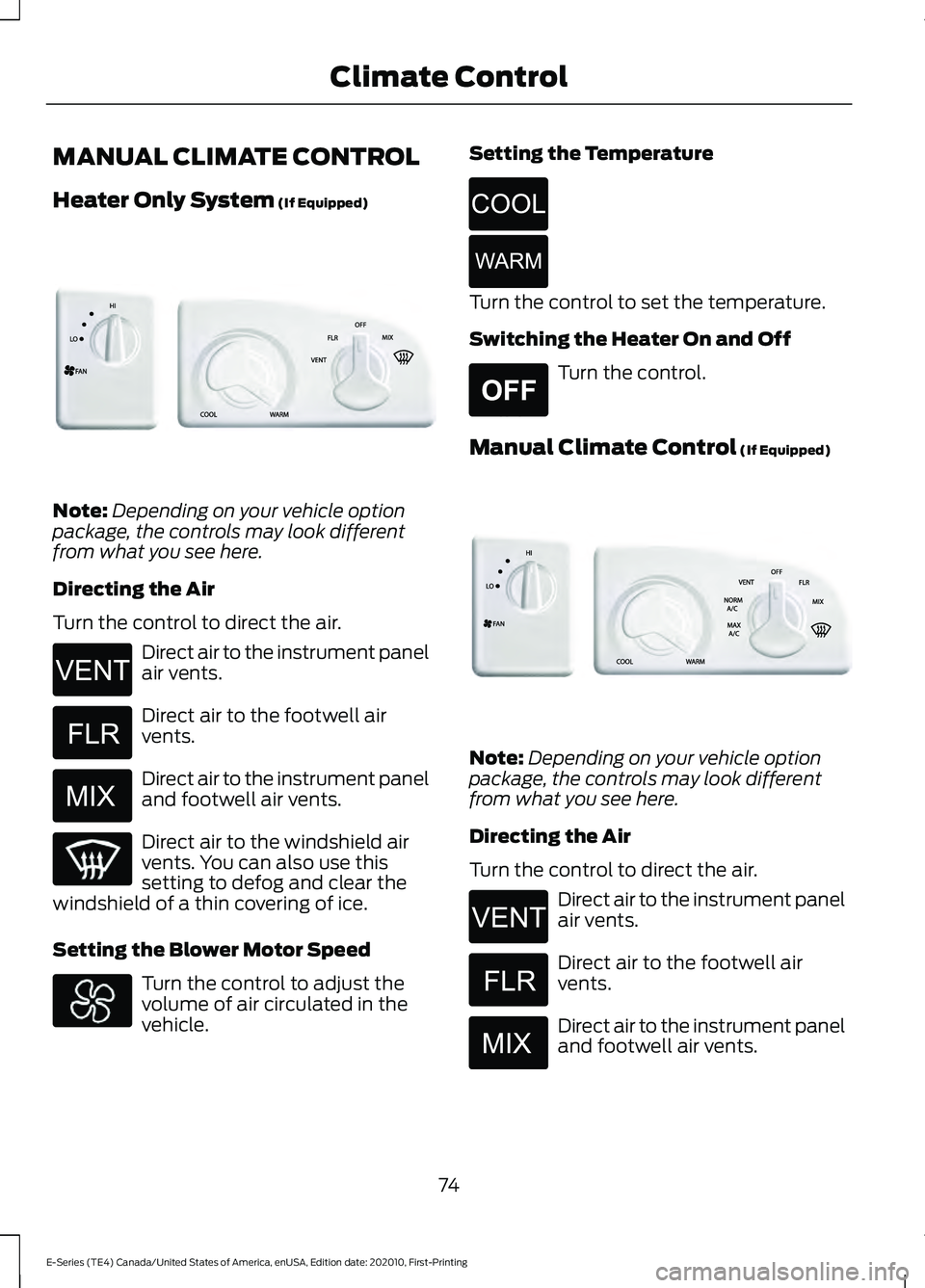
MANUAL CLIMATE CONTROL
Heater Only System (If Equipped)
Note:
Depending on your vehicle option
package, the controls may look different
from what you see here.
Directing the Air
Turn the control to direct the air. Direct air to the instrument panel
air vents.
Direct air to the footwell air
vents.
Direct air to the instrument panel
and footwell air vents.
Direct air to the windshield air
vents. You can also use this
setting to defog and clear the
windshield of a thin covering of ice.
Setting the Blower Motor Speed Turn the control to adjust the
volume of air circulated in the
vehicle. Setting the Temperature Turn the control to set the temperature.
Switching the Heater On and Off
Turn the control.
Manual Climate Control
(If Equipped) Note:
Depending on your vehicle option
package, the controls may look different
from what you see here.
Directing the Air
Turn the control to direct the air. Direct air to the instrument panel
air vents.
Direct air to the footwell air
vents.
Direct air to the instrument panel
and footwell air vents.
74
E-Series (TE4) Canada/United States of America, enUSA, Edition date: 202010, First-Printing Climate ControlE305221 E266044 E266043 E266042 E266045 E266046 E265297 E305209 E266044 E266043 E266042
Page 78 of 300
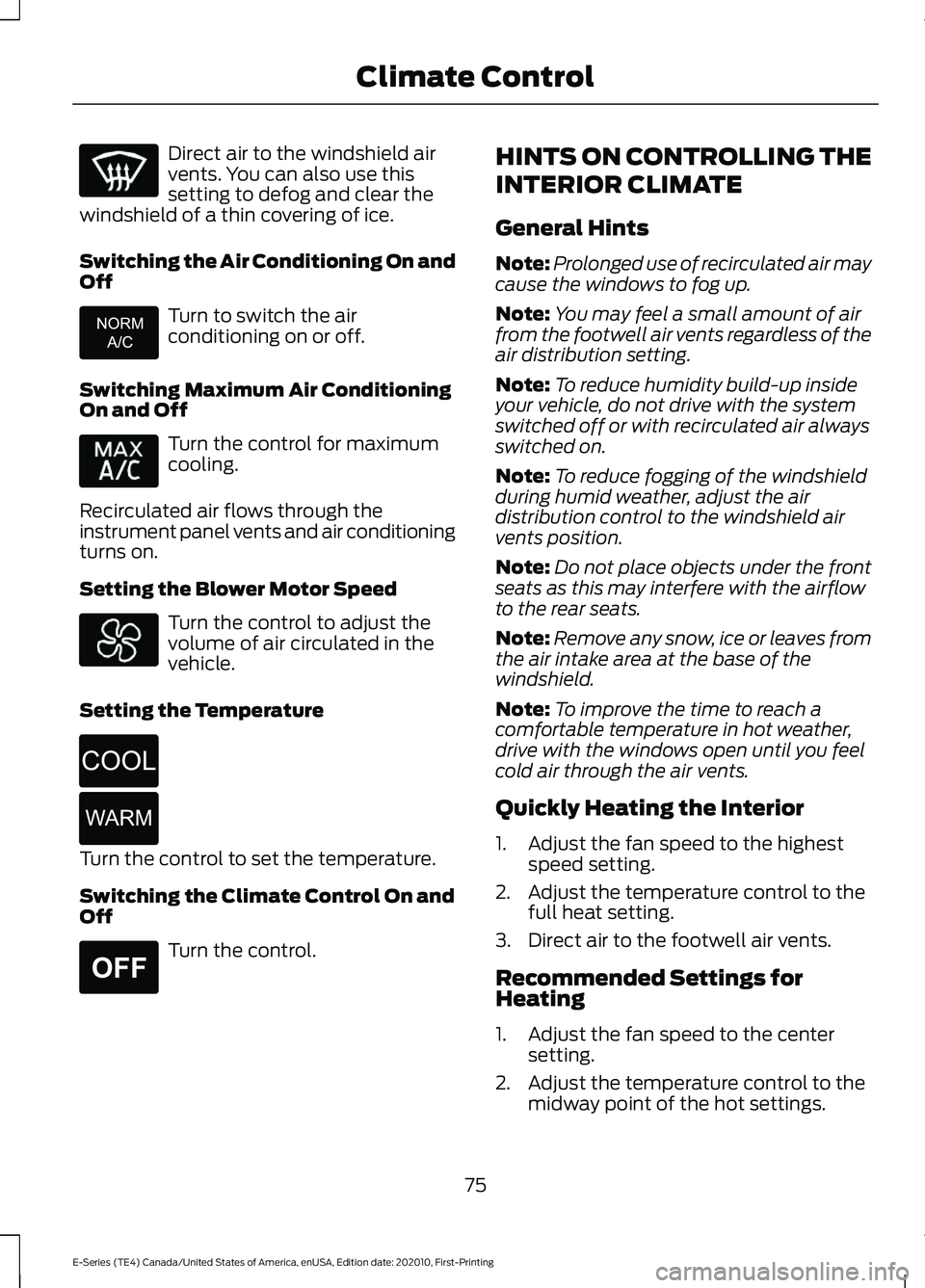
Direct air to the windshield air
vents. You can also use this
setting to defog and clear the
windshield of a thin covering of ice.
Switching the Air Conditioning On and
Off Turn to switch the air
conditioning on or off.
Switching Maximum Air Conditioning
On and Off Turn the control for maximum
cooling.
Recirculated air flows through the
instrument panel vents and air conditioning
turns on.
Setting the Blower Motor Speed Turn the control to adjust the
volume of air circulated in the
vehicle.
Setting the Temperature Turn the control to set the temperature.
Switching the Climate Control On and
Off
Turn the control. HINTS ON CONTROLLING THE
INTERIOR CLIMATE
General Hints
Note:
Prolonged use of recirculated air may
cause the windows to fog up.
Note: You may feel a small amount of air
from the footwell air vents regardless of the
air distribution setting.
Note: To reduce humidity build-up inside
your vehicle, do not drive with the system
switched off or with recirculated air always
switched on.
Note: To reduce fogging of the windshield
during humid weather, adjust the air
distribution control to the windshield air
vents position.
Note: Do not place objects under the front
seats as this may interfere with the airflow
to the rear seats.
Note: Remove any snow, ice or leaves from
the air intake area at the base of the
windshield.
Note: To improve the time to reach a
comfortable temperature in hot weather,
drive with the windows open until you feel
cold air through the air vents.
Quickly Heating the Interior
1. Adjust the fan speed to the highest speed setting.
2. Adjust the temperature control to the full heat setting.
3. Direct air to the footwell air vents.
Recommended Settings for
Heating
1. Adjust the fan speed to the center setting.
2. Adjust the temperature control to the midway point of the hot settings.
75
E-Series (TE4) Canada/United States of America, enUSA, Edition date: 202010, First-Printing Climate Control E266041 E266045 E266046 E265297
Page 79 of 300
3. Direct air to the footwell air vents.
Quickly Cooling the Interior
1. Turn to MAX A/C.
2. Drive with the windows open until you feel cold air through the air vents.
Recommended Settings for
Cooling
1. Adjust the fan speed to the center setting.
2. Adjust the temperature control to the midway point of the cold settings.
3. Direct air to the instrument panel air vents.
Vehicle Stationary for Extended
Periods During Extreme High
Ambient Temperatures
1. Apply the parking brake.
2. Place your vehicle in park (P) or neutral.
3. Turn to
MAX A/C.
4. Adjust the fan speed to the lowest speed setting.
Defogging the Side Windows in
Cold Weather
1. Direct air to the instrument panel and windshield vents.
2. Turn to
NORM A/C.
3. Adjust the temperature control to the desired setting.
4. Adjust the fan speed to the highest setting.
5. Direct air toward the side windows.
6. Close the instrument panel vents. REAR PASSENGER CLIMATE
CONTROLS
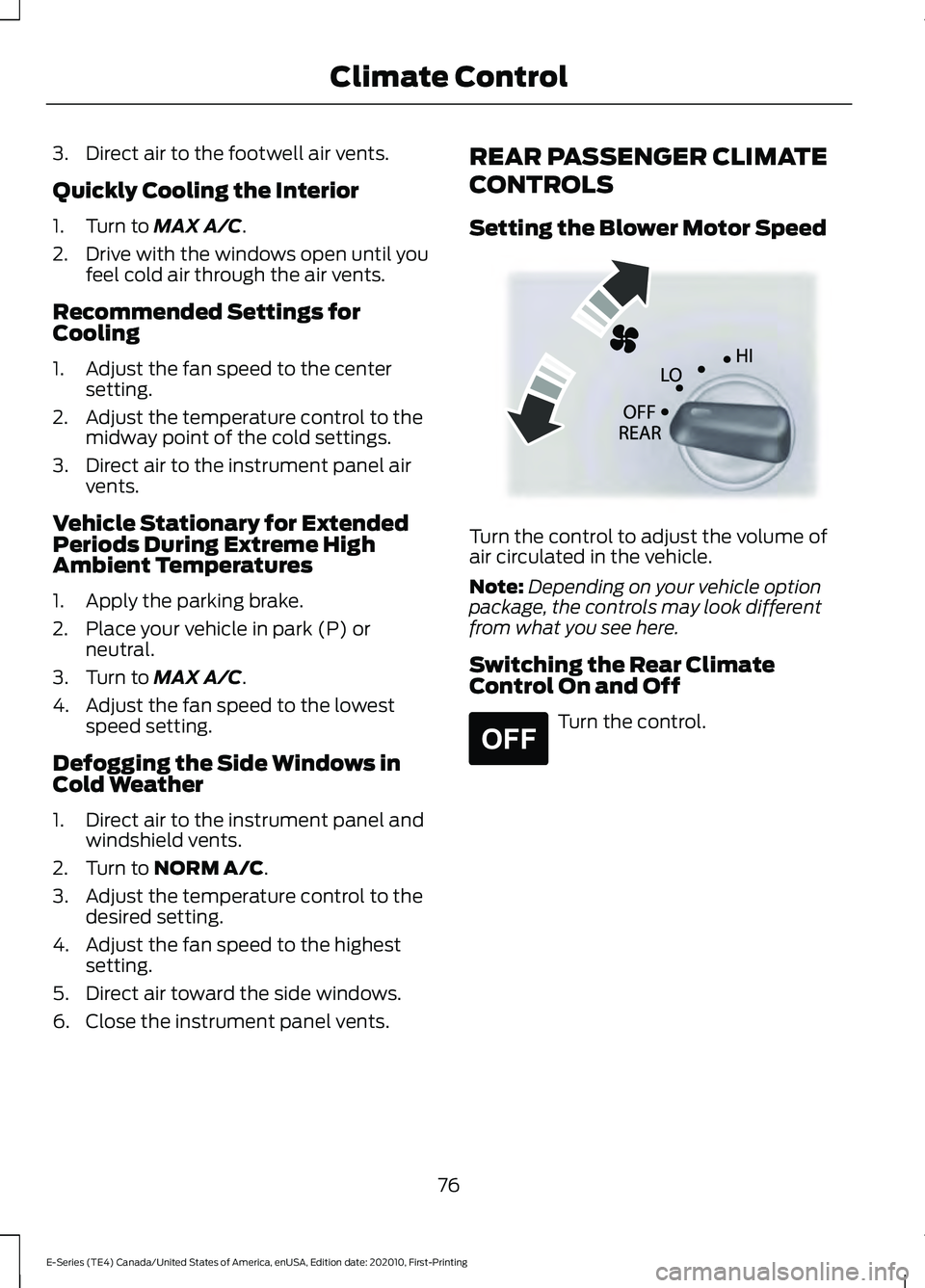
Setting the Blower Motor Speed
Turn the control to adjust the volume of
air circulated in the vehicle.
Note:
Depending on your vehicle option
package, the controls may look different
from what you see here.
Switching the Rear Climate
Control On and Off Turn the control.
76
E-Series (TE4) Canada/United States of America, enUSA, Edition date: 202010, First-Printing Climate ControlE305193 E265297
Page 83 of 300
12 Volt DC Power Point
WARNING: Do not plug optional
electrical accessories into the cigar
lighter socket. Incorrect use of the cigar
lighter can cause damage not covered
by the vehicle warranty, and can result
in fire or serious injury.
Note: When you switch the ignition on, you
can use the socket to power 12 volt
appliances with a maximum current rating
of 15 amps.
If the power supply does not work after you
switch the ignition off, switch the ignition
on.
Note: Do not hang any accessory from the
accessory plug.
Note: Do not use the power point over the
vehicle capacity of 12 volt DC 180 watts or
a fuse may blow.
Note: Always keep the power point caps
closed when not in use.
Do not insert objects other than an
accessory plug into the power point. This
damages the power point and may blow
the fuse.
Run the vehicle for full capacity use of the
power point.
To prevent the battery from running out of
charge:
• Do not use the power point longer than
necessary when the vehicle is not
running.
• Do not leave devices plugged in
overnight or when you park your vehicle
for extended periods. Locations
Power points may be in the following
locations:
•
On the instrument panel.
• Inside the glove box.
• Behind the driver's seat, upper trim
panel.
110 Volt AC Power Point
(If Equipped) WARNING:
Do not keep electrical
devices plugged in the power point
whenever the device is not in use. Do not
use any extension cord with the 110 volt
AC power point, since it will defeat the
safety protection design. Doing so may
cause the power point to overload due
to powering multiple devices that can
reach beyond the 150 watt load limit and
could result in fire or serious injury.
Note: The power point turns off when you
switch the ignition off, or when the battery
voltage drops below 11 volts.
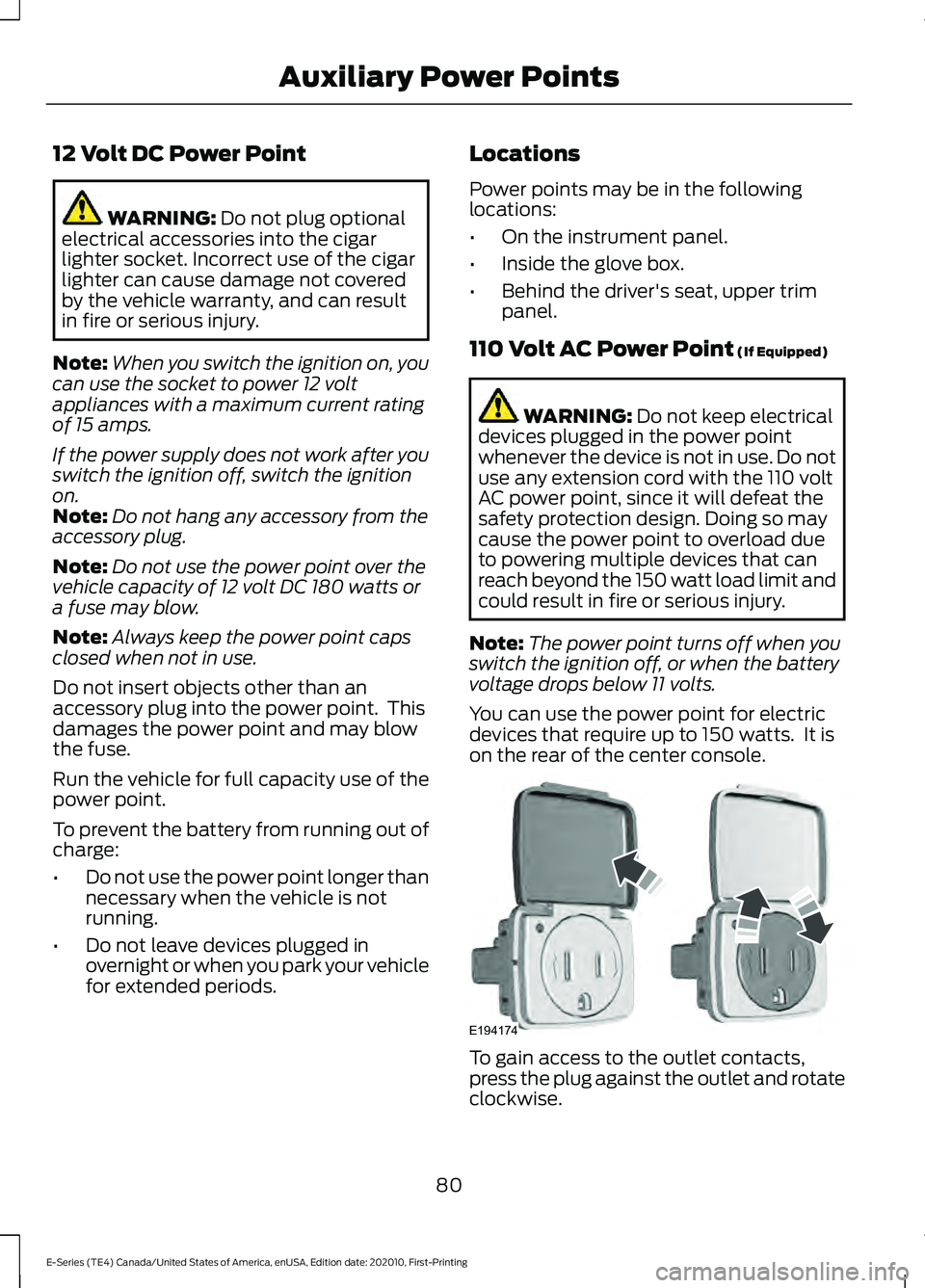
You can use the power point for electric
devices that require up to 150 watts. It is
on the rear of the center console. To gain access to the outlet contacts,
press the plug against the outlet and rotate
clockwise.
80
E-Series (TE4) Canada/United States of America, enUSA, Edition date: 202010, First-Printing Auxiliary Power PointsE194174
Page 107 of 300
PRINCIPLE OF OPERATION
The traction control system helps avoid
drive wheel spin and loss of traction.
If your vehicle begins to slide, the system
applies the brakes to individual wheels
and, when needed, reduces engine power
at the same time. If the wheels spin when
accelerating on slippery or loose surfaces,
the system reduces engine power in order
to increase traction.
USING TRACTION CONTROL
WARNING: The stability and
traction control light illuminates steadily
if the system detects a failure. Make sure
you did not manually disable the traction
control system using the information
display controls or the switch. If the
stability control and traction control light
is still illuminating steadily, have the
system serviced by an authorized dealer
immediately. Operating your vehicle with
the traction control disabled could lead
to an increased risk of loss of vehicle
control, vehicle rollover, personal injury
and death.
The system automatically turns on each
time you switch the ignition on.
If your vehicle is stuck in mud or snow,
switching traction control off may be
beneficial as this allows the wheels to spin.
Switching the System Off The switch for the traction
control system is located on the
instrument panel.
When you switch the system off, an
illuminated icon appears on the instrument
cluster. Use the switch again to return the traction
control system to normal operation.
System Indicator Lights and
Messages The traction control light
temporarily illuminates on
engine start-up and flashes
when a driving condition activates the
system. The traction control off light
temporarily illuminates on
engine start-up and stays on:
• When you switch the traction control
system off.
• If a problem occurs in the system.
104
E-Series (TE4) Canada/United States of America, enUSA, Edition date: 202010, First-Printing Traction ControlE194301 E138639 E225466
Page 148 of 300
Vehicles Sold in Canada: Getting
Roadside Assistance
To fully assist you should you have a
vehicle concern, Ford Motor Company of
Canada, Limited offers a complimentary
roadside assistance program. This program
is eligible within Canada or the continental
United States.
The service is available 24 hours a day,
seven days a week.
This program is separate from the New
Vehicle Limited Warranty, but the coverage
is concurrent with the powertrain coverage
period of your vehicle. Canadian roadside
coverage and benefits may differ from the
U.S. coverage.
If you require more information, please call
us in Canada at 1-800-665-2006, or visit
our website at www.ford.ca.
HAZARD FLASHERS
Note:
If used when the vehicle is not
running, the battery loses charge. As a result,
there may be insufficient power to restart
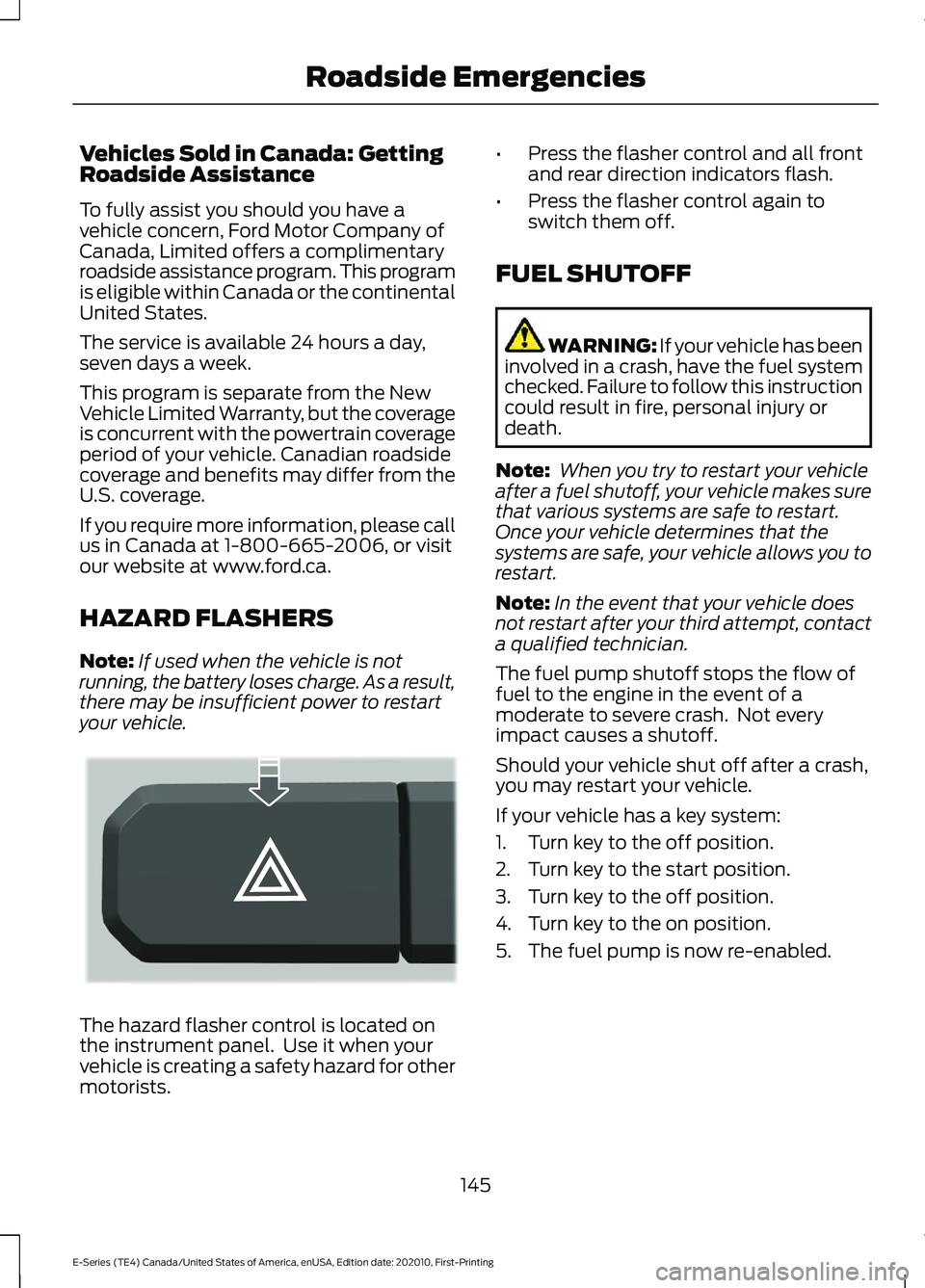
your vehicle. The hazard flasher control is located on
the instrument panel. Use it when your
vehicle is creating a safety hazard for other
motorists. •
Press the flasher control and all front
and rear direction indicators flash.
• Press the flasher control again to
switch them off.
FUEL SHUTOFF WARNING: If your vehicle has been
involved in a crash, have the fuel system
checked. Failure to follow this instruction
could result in fire, personal injury or
death.
Note: When you try to restart your vehicle
after a fuel shutoff, your vehicle makes sure
that various systems are safe to restart.
Once your vehicle determines that the
systems are safe, your vehicle allows you to
restart.
Note: In the event that your vehicle does
not restart after your third attempt, contact
a qualified technician.
The fuel pump shutoff stops the flow of
fuel to the engine in the event of a
moderate to severe crash. Not every
impact causes a shutoff.
Should your vehicle shut off after a crash,
you may restart your vehicle.
If your vehicle has a key system:
1. Turn key to the off position.
2. Turn key to the start position.
3. Turn key to the off position.
4. Turn key to the on position.
5. The fuel pump is now re-enabled.
145
E-Series (TE4) Canada/United States of America, enUSA, Edition date: 202010, First-Printing Roadside EmergenciesE304635