airbag FORD E SERIES 2024 Owner's Manual
[x] Cancel search | Manufacturer: FORD, Model Year: 2024, Model line: E SERIES, Model: FORD E SERIES 2024Pages: 303, PDF Size: 6.95 MB
Page 65 of 303
WARNING LAMPS AND
INDICATORS
The following warning lamps andindicators alert you to a vehicle conditionthat may become serious. Some lampsilluminate when you start your vehicle tomake sure they work. If any lamps remainon after starting your vehicle, refer to therespective system warning lamp for furtherinformation.
Note:Some warning indicators appear inthe information display and operate thesame as a warning lamp but do notilluminate when you start your vehicle.
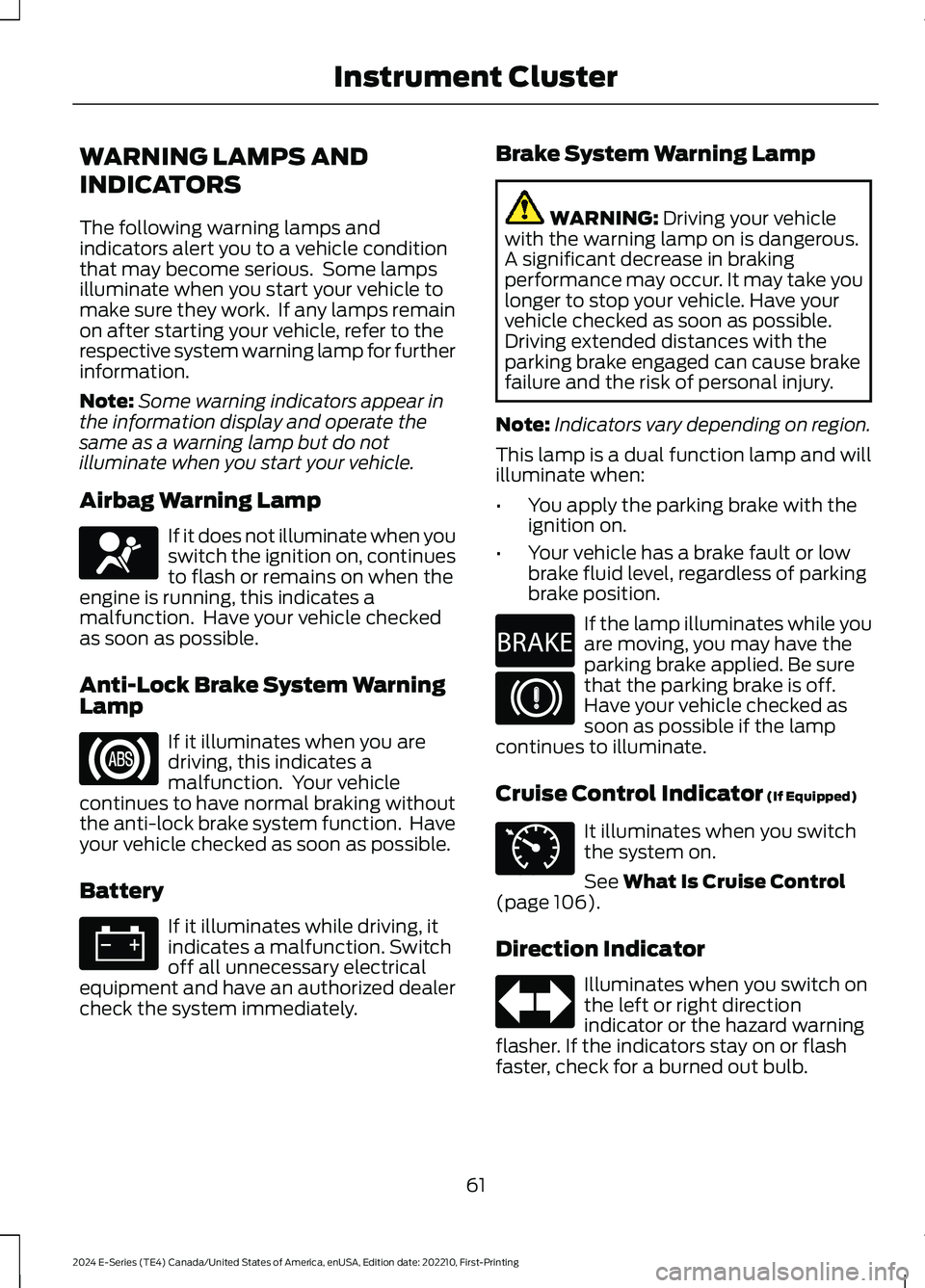
Airbag Warning Lamp
If it does not illuminate when youswitch the ignition on, continuesto flash or remains on when theengine is running, this indicates amalfunction. Have your vehicle checkedas soon as possible.
Anti-Lock Brake System WarningLamp
If it illuminates when you aredriving, this indicates amalfunction. Your vehiclecontinues to have normal braking withoutthe anti-lock brake system function. Haveyour vehicle checked as soon as possible.
Battery
If it illuminates while driving, itindicates a malfunction. Switchoff all unnecessary electricalequipment and have an authorized dealercheck the system immediately.
Brake System Warning Lamp
WARNING: Driving your vehiclewith the warning lamp on is dangerous.A significant decrease in brakingperformance may occur. It may take youlonger to stop your vehicle. Have yourvehicle checked as soon as possible.Driving extended distances with theparking brake engaged can cause brakefailure and the risk of personal injury.
Note:Indicators vary depending on region.
This lamp is a dual function lamp and willilluminate when:
•You apply the parking brake with theignition on.
•Your vehicle has a brake fault or lowbrake fluid level, regardless of parkingbrake position.
If the lamp illuminates while youare moving, you may have theparking brake applied. Be surethat the parking brake is off.Have your vehicle checked assoon as possible if the lampcontinues to illuminate.
Cruise Control Indicator (If Equipped)
It illuminates when you switchthe system on.
See What Is Cruise Control(page 106).
Direction Indicator
Illuminates when you switch onthe left or right directionindicator or the hazard warningflasher. If the indicators stay on or flashfaster, check for a burned out bulb.
61
2024 E-Series (TE4) Canada/United States of America, enUSA, Edition date: 202210, First-PrintingInstrument ClusterE67017 E67020 E67021 E270480 E67024 E71340 E67018
Page 80 of 303
SITTING IN THE CORRECT
POSITION
WARNING: Sitting improperly, outof position or with the seatback reclinedtoo far can take weight off the seatcushion and affect the decision of thepassenger sensing system, resulting inserious injury or death in the event of acrash. Always sit upright against yourseat back, with your feet on the floor.
WARNING: Do not recline the seatbackrest too far as this can cause theoccupant to slide under the seatbelt,resulting in personal injury in the eventof a crash.
WARNING: Do not place objectshigher than the top of the seat backrest.Failure to follow this instruction couldresult in personal injury or death in theevent of a sudden stop or crash.
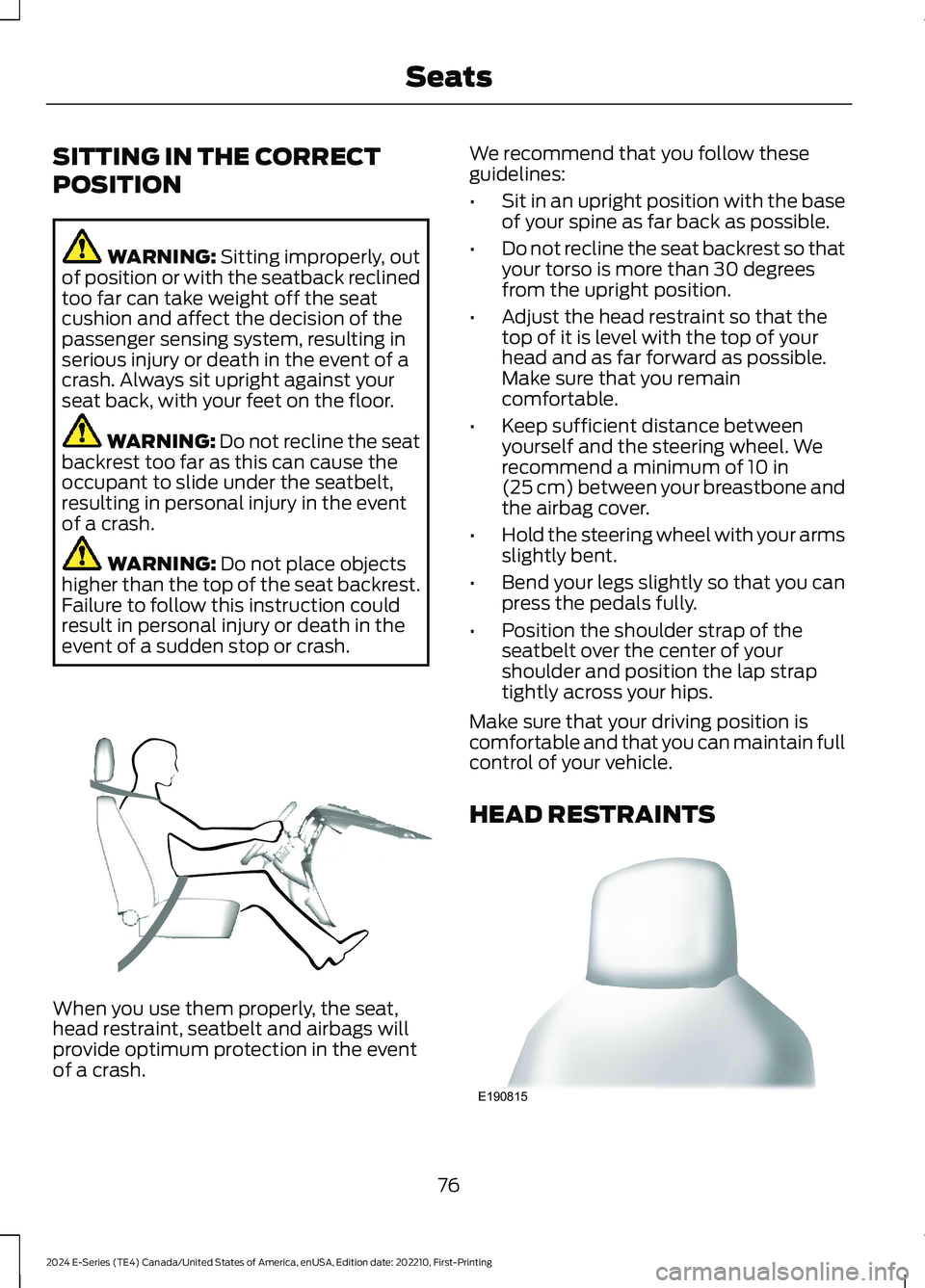
When you use them properly, the seat,head restraint, seatbelt and airbags willprovide optimum protection in the eventof a crash.
We recommend that you follow theseguidelines:
•Sit in an upright position with the baseof your spine as far back as possible.
•Do not recline the seat backrest so thatyour torso is more than 30 degreesfrom the upright position.
•Adjust the head restraint so that thetop of it is level with the top of yourhead and as far forward as possible.Make sure that you remaincomfortable.
•Keep sufficient distance betweenyourself and the steering wheel. Werecommend a minimum of 10 in(25 cm) between your breastbone andthe airbag cover.
•Hold the steering wheel with your armsslightly bent.
•Bend your legs slightly so that you canpress the pedals fully.
•Position the shoulder strap of theseatbelt over the center of yourshoulder and position the lap straptightly across your hips.
Make sure that your driving position iscomfortable and that you can maintain fullcontrol of your vehicle.
HEAD RESTRAINTS
76
2024 E-Series (TE4) Canada/United States of America, enUSA, Edition date: 202210, First-PrintingSeatsE68595 E190815
Page 86 of 303
STARTING A GASOLINE
ENGINE
When you start the engine, the idle speedincreases helping to warm up the engine.If the engine idle speed does not slowdown, have your vehicle checked as soonas possible.
Before starting the engine check thefollowing:
•Make sure all occupants fasten theirseatbelts.
•Make sure the headlamps andelectrical accessories are off.
•Make sure the parking brake is on.
•Make sure the transmission is in park(P) or neutral (N).
•Turn the ignition key to the on position.
Note:Do not press the accelerator pedal.
1.Fully press the brake pedal.
2.Turn the key to the start position tostart the engine. Release the key whenthe engine starts.
Note:The engine may continue crankingfor up to 15 seconds or until it starts.
Note:If you cannot start the engine on thefirst try, wait for a short period and try again.
Failure to Start
If you cannot start the engine after threeattempts, wait 10 seconds and follow thisprocedure:
1.Fully press the brake pedal.
2.Shift into park (P).
3.Fully press and hold the acceleratorpedal.
4.Attempt to start your vehicle and waituntil the engine stops cranking.
5.Release the accelerator pedal.
6.Start the engine.
Stopping the Engine When YourVehicle is Stationary
1.Shift into park (P) or neutral (N).
2.Turn the key to the off position.
3.Apply the parking brake.
Stopping the Engine When YourVehicle is Moving
WARNING: Switching off theengine when your vehicle is still movingresults in a significant decrease inbraking assistance. Higher effort isrequired to apply the brakes and to stopyour vehicle. A significant decrease insteering assistance could also occur. Thesteering does not lock, but higher effortcould be required to steer your vehicle.When you switch the ignition off, someelectrical circuits, for example airbags,also turn off. If you unintentionally switchthe ignition off, shift into neutral (N) andrestart the engine.
1.Switch the ignition off to stop theengine.
2.Put the transmission into neutral (N)and use the brakes to bring your vehicleto a safe stop.
3.When your vehicle has stopped, shiftinto park (P).
4.Apply the parking brake.
Guarding Against Exhaust Fumes
WARNING: Exhaust leaks mayresult in entry of harmful and potentiallylethal fumes into the passengercompartment. If you smell exhaustfumes inside your vehicle, have yourvehicle inspected immediately. Do notdrive if you smell exhaust fumes.
82
2024 E-Series (TE4) Canada/United States of America, enUSA, Edition date: 202210, First-PrintingStarting and Stopping the Engine
Page 189 of 303
•Never wash or rinse the engine while itis hot or running; water in the runningengine may cause internal damage.
•Never wash or rinse any ignition coil,spark plug wire or spark plug well, orthe area in and around these locations.
•Cover the battery, power distributionbox, and air filter assembly to preventwater damage when cleaning theengine.
CLEANING THE WINDOWS AND
WIPER BLADES
Car wash chemicals and environmentalfallout can result in windshield and wiperblade contamination. Dirty windshield andwipers will result in poor windshield wiperoperation. Keep the windshield and wiperblades clean to maintain windshield wiperperformance.
To clean the windshield and wiper blades:
•Clean the windshield with anon-abrasive glass cleaner. Whencleaning the interior of the windshield,avoid getting any glass cleaner on theinstrument panel or door panels. Wipeany glass cleaner off these surfacesimmediately.
•For windshields contaminated withtree sap, chemicals, wax or bugs, cleanthe entire windshield using steel wool(no greater than 0000 grade) in acircular motion and rinse with water.
•Clean the wiper blades with isopropylrubbing alcohol or windshield washerconcentrate.
Note: Do not use razor blades or othersharp objects to clean or remove decalsfrom the inside of the heated rear window.The vehicle warranty does not coverdamage caused to the heated rear windowgrid lines.
CLEANING THE INTERIOR
WARNING: Do not use cleaningsolvents, bleach or dye on the vehicle'sseatbelts, as these actions may weakenthe belt webbing.
WARNING: On vehicles equippedwith seat-mounted airbags, do not usechemical solvents or strong detergents.Such products could contaminate theside airbag system and affectperformance of the side airbag in a crash.
For fabric, carpets, cloth seats and seatsequipped with side airbags:
•Remove dust and loose dirt with avacuum cleaner.
•Remove light stains and soil withMotorcraft Professional StrengthCarpet & Upholstery Cleaner.
•If grease or tar is present on thematerial, spot-clean the area first withMotorcraft Spot and Stain Remover. InCanada, use Motorcraft Multi-PurposeCleaner.
•If a ring forms on the fabric after spotcleaning, clean the entire areaimmediately (but do not oversaturate)or the ring will set.
•Do not use household cleaningproducts or glass cleaners, which canstain and discolor the fabric and affectthe flame retardant abilities of the seatmaterials.
Mirrors
Do not clean the housing or glass of anymirror with harsh abrasives, fuel or otherpetroleum or ammonia-based cleaningproducts.
185
2024 E-Series (TE4) Canada/United States of America, enUSA, Edition date: 202210, First-PrintingVehicle Care
Page 190 of 303
CLEANING THE INSTRUMENT
PANEL AND INSTRUMENT
CLUSTER LENS
WARNING: Do not use chemicalsolvents or strong detergents whencleaning the steering wheel orinstrument panel to avoid contaminationof the airbag system.
Note:Follow the same procedure ascleaning leather seats for cleaning leatherinstrument panels and leather interior trimsurfaces. See Cleaning Leather Seats(page 186).
Clean the instrument panel and clusterlens with a clean, damp and soft cloth,then use a clean, dry and soft cloth to drythese areas.
•Avoid cleaners or polishes that increasethe gloss of the upper portion of theinstrument panel. The dull finish in thisarea helps protect you fromundesirable windshield reflection.
•Do not use any household cleaningproducts or glass cleaners as thesemay damage the finish of theinstrument panel, interior trim andcluster lens.
•Wash or wipe your hands clean if youhave been in contact with certainproducts such as insect repellent andsuntan lotion to avoid possible damageto the interior painted surfaces.
•Do not allow air fresheners and handsanitizers to spill onto interior surfaces.If a spill occurs, wipe off immediately.Your warranty may not cover thesedamages.
If a staining liquid like coffee or juice hasbeen spilled on the instrument panel or oninterior trim surfaces:
1.Wipe up spilled liquid using a clean,soft cloth as quickly as possible.
2.Use Motorcraft Premium Leather andVinyl Cleaner or a commerciallyavailable leather cleaning product forautomotive interiors. Test any cleaneror stain remover on an inconspicuousarea.
3.Alternatively, wipe the surface with aclean, soft cloth and a mild soap andwater solution. Dry the area with aclean, soft cloth.
4.If necessary, apply more soap andwater solution or cleaning product toa clean, soft cloth and press it onto thesoiled area. Allow this to set at roomtemperature for 30 minutes.
5.Remove the soaked cloth, then with aclean, damp cloth, use a rubbingmotion for 60 seconds on the soiledarea.
6.Dry the area with a clean, soft cloth.
CLEANING LEATHER SEATS
Note:Follow the same procedure ascleaning leather seats for cleaning leatherinstrument panels and leather interior trimsurfaces.
For routine cleaning, wipe the surface witha soft, damp cloth and a mild soap andwater solution. Dry the area with a clean,soft cloth.
For cleaning and removing stains such asdye transfer, use Motorcraft PremiumLeather and Vinyl Cleaner or acommercially available leather cleaningproduct for automotive interiors.
Note:Test any cleaner or stain remover onan inconspicuous area.
186
2024 E-Series (TE4) Canada/United States of America, enUSA, Edition date: 202210, First-PrintingVehicle Care
Page 255 of 303
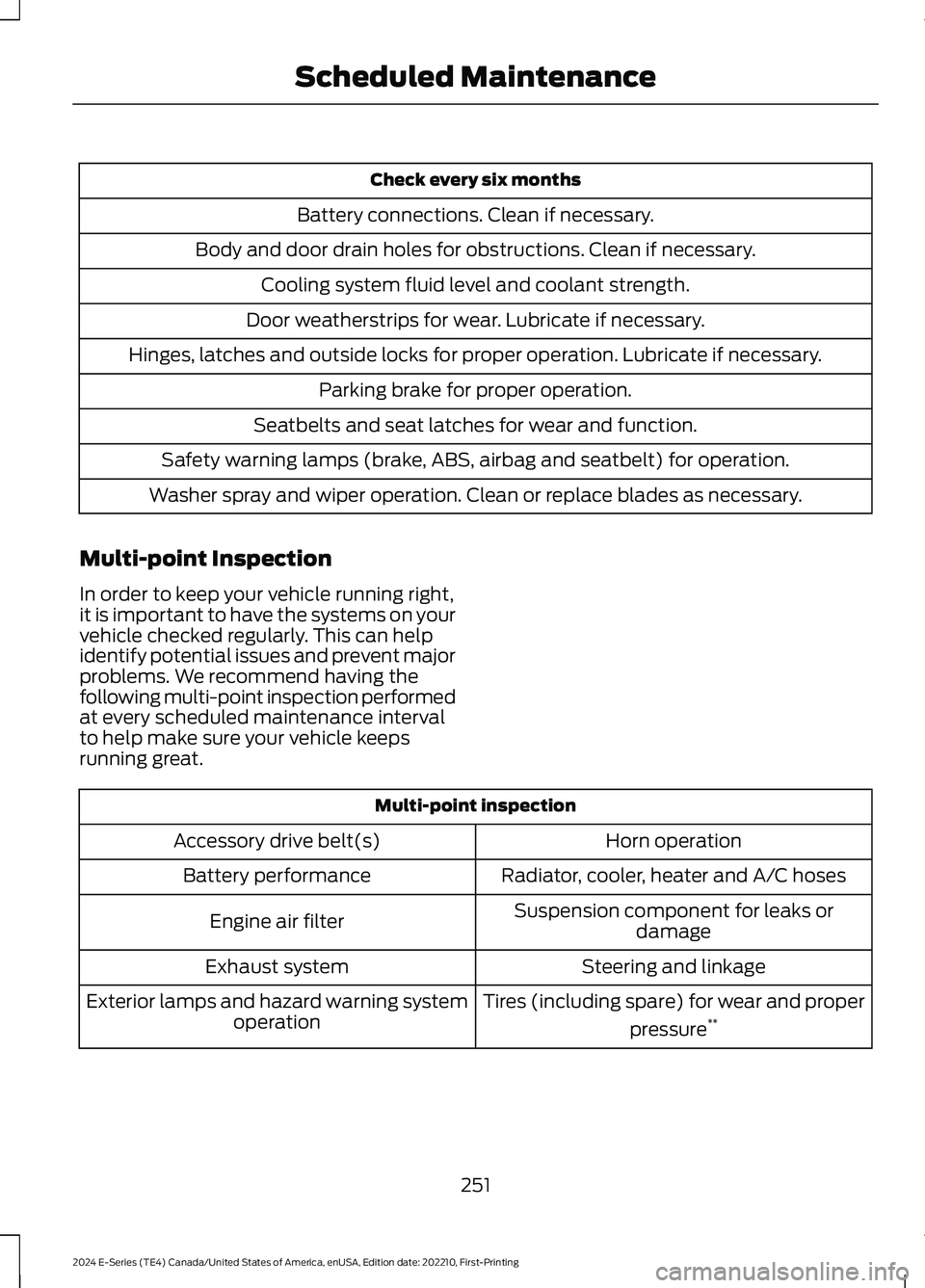
Check every six months
Battery connections. Clean if necessary.
Body and door drain holes for obstructions. Clean if necessary.
Cooling system fluid level and coolant strength.
Door weatherstrips for wear. Lubricate if necessary.
Hinges, latches and outside locks for proper operation. Lubricate if necessary.
Parking brake for proper operation.
Seatbelts and seat latches for wear and function.
Safety warning lamps (brake, ABS, airbag and seatbelt) for operation.
Washer spray and wiper operation. Clean or replace blades as necessary.
Multi-point Inspection
In order to keep your vehicle running right,it is important to have the systems on yourvehicle checked regularly. This can helpidentify potential issues and prevent majorproblems. We recommend having thefollowing multi-point inspection performedat every scheduled maintenance intervalto help make sure your vehicle keepsrunning great.
Multi-point inspection
Horn operationAccessory drive belt(s)
Radiator, cooler, heater and A/C hosesBattery performance
Suspension component for leaks ordamageEngine air filter
Steering and linkageExhaust system
Tires (including spare) for wear and proper
pressure**Exterior lamps and hazard warning systemoperation
251
2024 E-Series (TE4) Canada/United States of America, enUSA, Edition date: 202210, First-PrintingScheduled Maintenance
Page 274 of 303
ELECTROMAGNETIC
COMPATIBILITY
WARNING: Do not place objectsor mount equipment on or near theairbag cover, on the side of the front orrear seatbacks, or in areas that maycome into contact with a deployingairbag. Failure to follow theseinstructions may increase the risk ofpersonal injury in the event of a crash.
WARNING: Do not fasten antennacables to vehicle wiring, fuel pipes andbrake pipes.
WARNING: Keep antenna andpower cables at least 4 in (10 cm) fromany electronic modules and airbags.
Note:We test and certify your vehicle tomeet electromagnetic compatibilitylegislation. It is your responsibility to makesure that any equipment an authorizeddealer installs on your vehicle complies withapplicable local legislation and otherrequirements. Installation of someaftermarket electronic devices coulddegrade the performance of vehiclefunctions, which use radio frequency signalssuch as broadcast radio receiver, tirepressure monitoring system, push buttonstart,Bluetooth® connectivity or satellitenavigation.
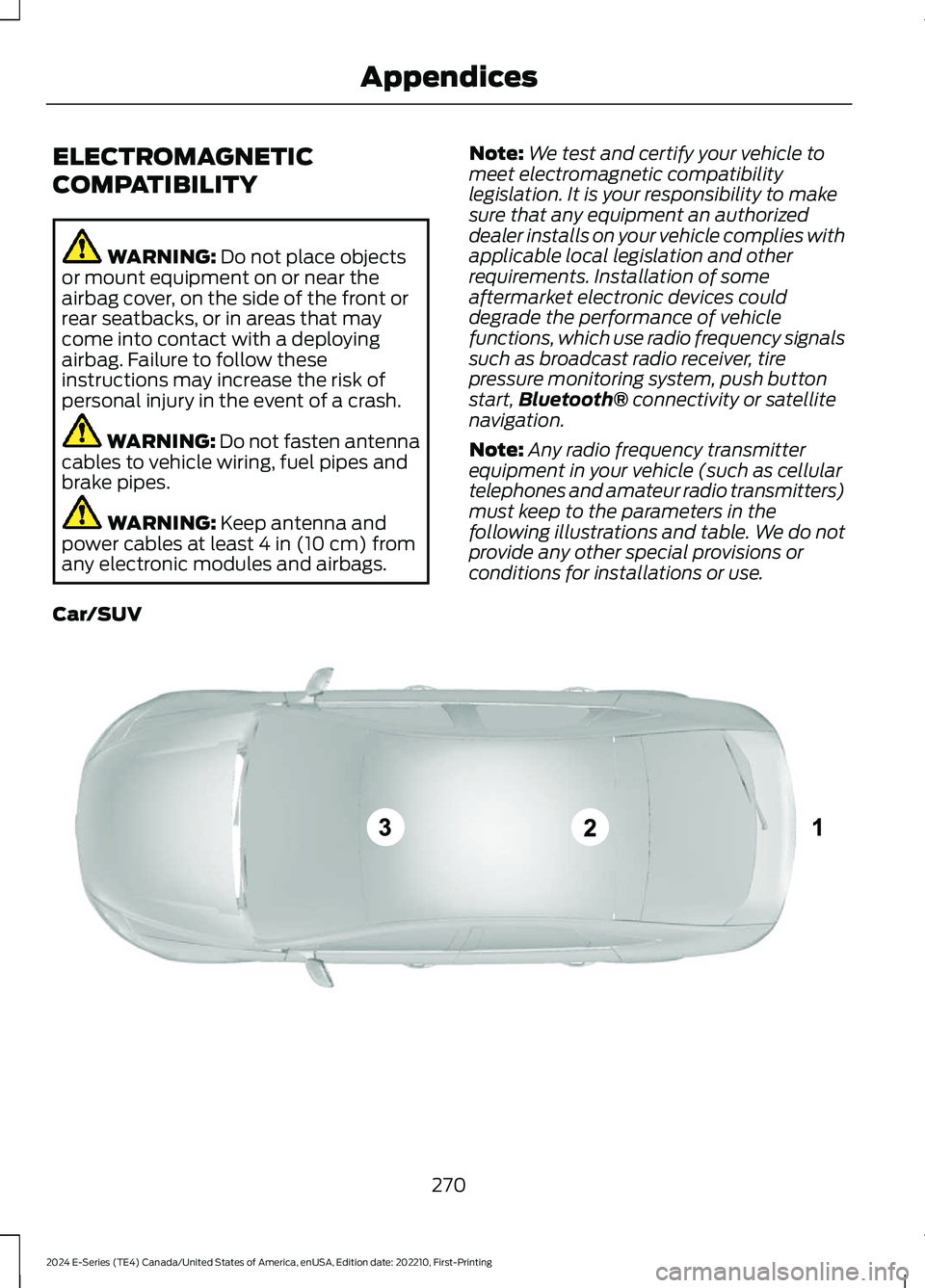
Note:Any radio frequency transmitterequipment in your vehicle (such as cellulartelephones and amateur radio transmitters)must keep to the parameters in thefollowing illustrations and table. We do notprovide any other special provisions orconditions for installations or use.
Car/SUV
270
2024 E-Series (TE4) Canada/United States of America, enUSA, Edition date: 202210, First-PrintingAppendicesE239120
Page 283 of 303
Route Safety: Do not follow the routesuggestions if doing so would result in anunsafe or illegal maneuver, if you would beplaced in an unsafe situation, or if youwould be directed into an area that youconsider unsafe. The driver is ultimatelyresponsible for the safe operation of thevehicle and therefore, must evaluatewhether it is safe to follow the suggesteddirections.
Potential Map Inaccuracy: Maps usedby this system may be inaccurate becauseof changes in roads, traffic controls ordriving conditions. Always use goodjudgment and common sense whenfollowing the suggested routes.
Emergency Services: Do not rely on anynavigation features included in the systemto route you to emergency services. Asklocal authorities or an emergency servicesoperator for these locations. Not allemergency services such as police, firestations, hospitals and clinics are likely tobe contained in the map database for suchnavigation features.
Telenav Software End User LicenseAgreement
Please read these terms and conditionscarefully before you use the TelenavSoftware. Your use of the TelenavSoftware indicates that you accept theseterms and conditions. If you do not acceptthese terms and conditions, do not breakthe seal of the package, launch, orotherwise use the Telenav Software.
These terms and conditions represent theagreement (“Agreement”) between youand Telenav, Inc. (“Telenav”) with respectto the Telenav Software (includingupgrades, modifications, or additionsthereto) (collectively “Telenav Software”).All references herein to “you” and “your”means you, your employees, agents, andcontractors, and any other entity on whosebehalf you accept these terms and
conditions, all of whom shall also be boundby this Agreement. Additionally, all of youraccount information, as well as otherpayment and personal informationprovided by you to Telenav (directly orthrough the use of the Telenav Software,is subject to Telenav’s privacy policylocated at http://www.telenav.com.
Telenav may revise this Agreement andthe privacy policy at any time, with orwithout notice to you. You agree to visithttp://www.telenav.com from time to timeto review the then current version of thisAgreement and of the privacy policy.
1. Safe and Lawful Use
You acknowledge that devoting attentionto the Telenav Software may pose a riskof injury or death to you and others insituations that otherwise require yourundivided attention, and you thereforeagree to comply with the following whenusing the Telenav Software: (a) observeall traffic laws and otherwise drive safely;(b) use your own personal judgment whiledriving. If you feel that a route suggestedby the Telenav Software instructs you toperform an unsafe or illegal maneuver,places you in an unsafe situation, or directsyou into an area that you consider to beunsafe, do not follow such instructions; (c)do not input destinations, or otherwisemanipulate the Telenav Software, unlessyour vehicle is stationary and parked; (d)do not use the Telenav Software for anyillegal, unauthorized, unintended, unsafe,hazardous, or unlawful purposes, or in anymanner inconsistent with this Agreement;(e) arrange all GPS and wireless devicesand cables necessary for use of theTelenav Software in a secure manner inyour vehicle so that they will not interferewith your driving and will not prevent theoperation of any safety device (such as anairbag).
279
2024 E-Series (TE4) Canada/United States of America, enUSA, Edition date: 202210, First-PrintingAppendices
Page 299 of 303
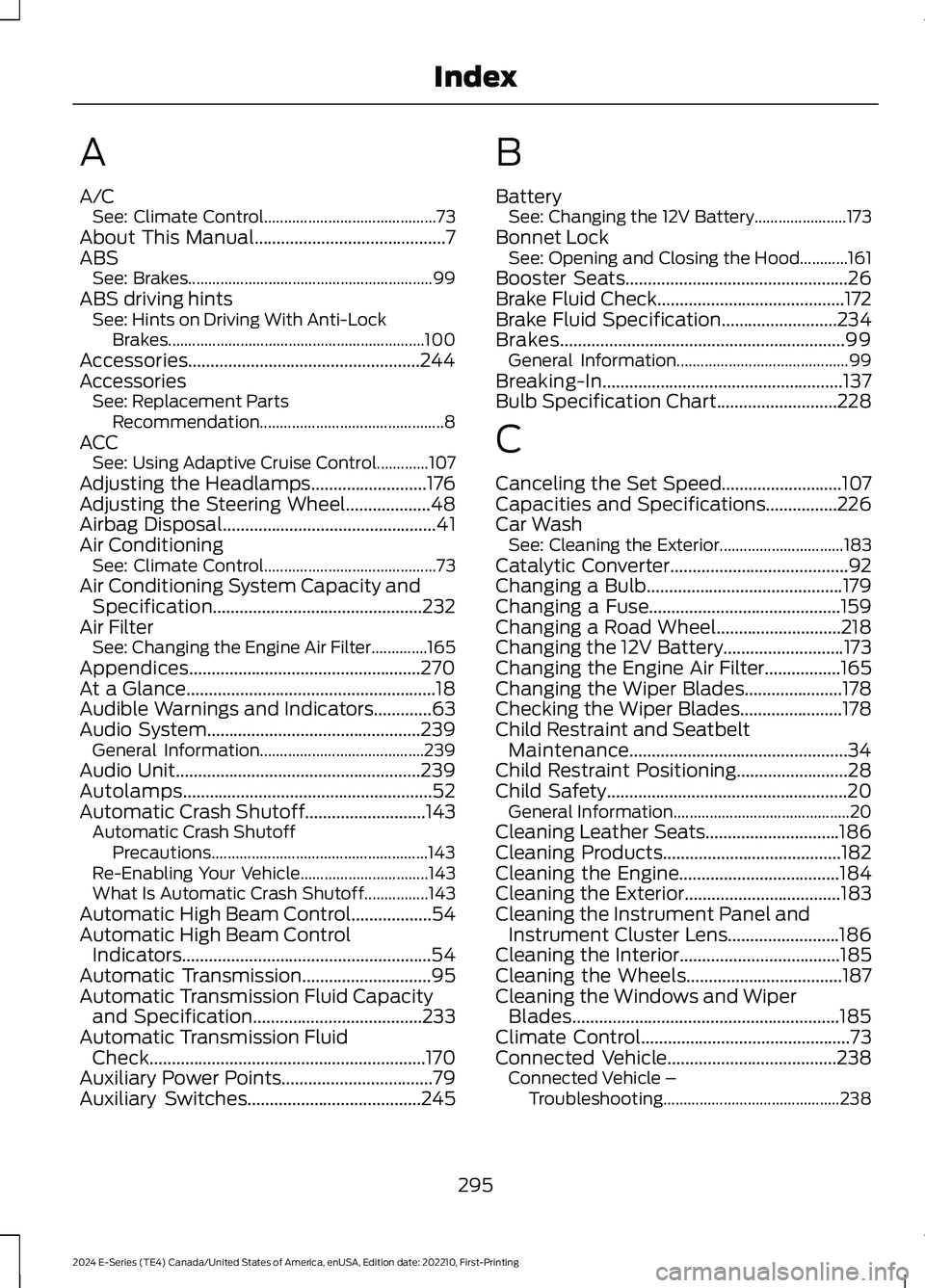
A
A/CSee: Climate Control...........................................73About This Manual...........................................7ABSSee: Brakes.............................................................99ABS driving hintsSee: Hints on Driving With Anti-LockBrakes................................................................100Accessories....................................................244AccessoriesSee: Replacement PartsRecommendation..............................................8ACCSee: Using Adaptive Cruise Control.............107Adjusting the Headlamps..........................176Adjusting the Steering Wheel...................48Airbag Disposal................................................41Air ConditioningSee: Climate Control...........................................73Air Conditioning System Capacity andSpecification...............................................232Air FilterSee: Changing the Engine Air Filter..............165Appendices....................................................270At a Glance........................................................18Audible Warnings and Indicators.............63Audio System................................................239General Information.........................................239Audio Unit.......................................................239Autolamps........................................................52Automatic Crash Shutoff...........................143Automatic Crash ShutoffPrecautions......................................................143Re-Enabling Your Vehicle................................143What Is Automatic Crash Shutoff................143Automatic High Beam Control..................54Automatic High Beam ControlIndicators........................................................54Automatic Transmission.............................95Automatic Transmission Fluid Capacityand Specification......................................233Automatic Transmission FluidCheck..............................................................170Auxiliary Power Points..................................79Auxiliary Switches.......................................245
B
BatterySee: Changing the 12V Battery.......................173Bonnet LockSee: Opening and Closing the Hood............161Booster Seats..................................................26Brake Fluid Check..........................................172Brake Fluid Specification..........................234Brakes................................................................99General Information...........................................99Breaking-In......................................................137Bulb Specification Chart...........................228
C
Canceling the Set Speed...........................107Capacities and Specifications................226Car WashSee: Cleaning the Exterior...............................183Catalytic Converter........................................92Changing a Bulb............................................179Changing a Fuse...........................................159Changing a Road Wheel............................218Changing the 12V Battery...........................173Changing the Engine Air Filter.................165Changing the Wiper Blades......................178Checking the Wiper Blades.......................178Child Restraint and SeatbeltMaintenance.................................................34Child Restraint Positioning.........................28Child Safety......................................................20General Information............................................20Cleaning Leather Seats..............................186Cleaning Products........................................182Cleaning the Engine....................................184Cleaning the Exterior...................................183Cleaning the Instrument Panel andInstrument Cluster Lens.........................186Cleaning the Interior....................................185Cleaning the Wheels...................................187Cleaning the Windows and WiperBlades............................................................185Climate Control...............................................73Connected Vehicle......................................238Connected Vehicle –Troubleshooting............................................238
295
2024 E-Series (TE4) Canada/United States of America, enUSA, Edition date: 202210, First-PrintingIndex
Page 300 of 303
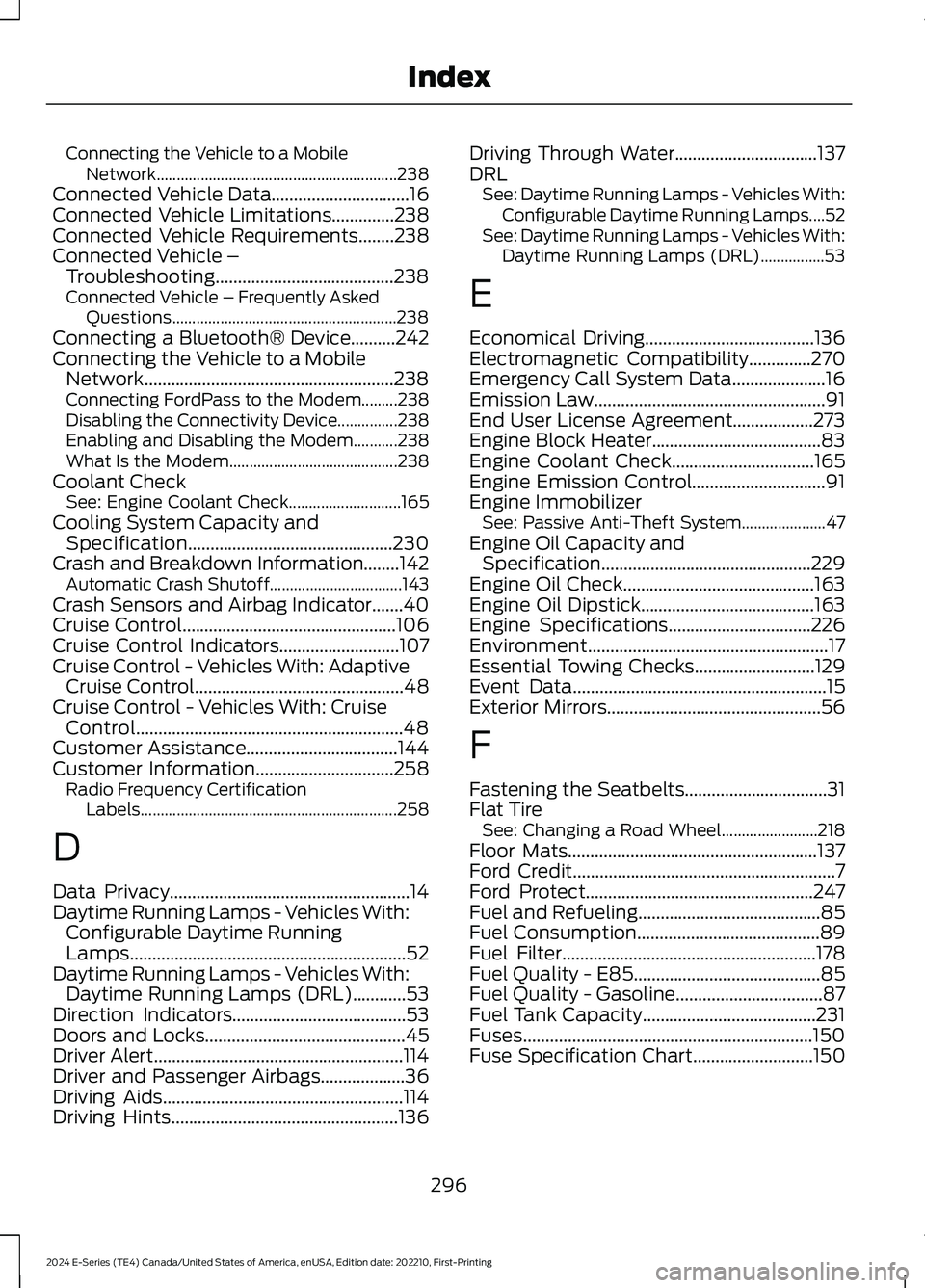
Connecting the Vehicle to a MobileNetwork............................................................238Connected Vehicle Data...............................16Connected Vehicle Limitations..............238Connected Vehicle Requirements........238Connected Vehicle –Troubleshooting........................................238Connected Vehicle – Frequently AskedQuestions........................................................238Connecting a Bluetooth® Device..........242Connecting the Vehicle to a MobileNetwork........................................................238Connecting FordPass to the Modem.........238Disabling the Connectivity Device...............238Enabling and Disabling the Modem...........238What Is the Modem..........................................238Coolant CheckSee: Engine Coolant Check............................165Cooling System Capacity andSpecification..............................................230Crash and Breakdown Information........142Automatic Crash Shutoff.................................143Crash Sensors and Airbag Indicator.......40Cruise Control................................................106Cruise Control Indicators...........................107Cruise Control - Vehicles With: AdaptiveCruise Control...............................................48Cruise Control - Vehicles With: CruiseControl............................................................48Customer Assistance..................................144Customer Information...............................258Radio Frequency CertificationLabels................................................................258
D
Data Privacy......................................................14Daytime Running Lamps - Vehicles With:Configurable Daytime RunningLamps..............................................................52Daytime Running Lamps - Vehicles With:Daytime Running Lamps (DRL)............53Direction Indicators.......................................53Doors and Locks.............................................45Driver Alert........................................................114Driver and Passenger Airbags...................36Driving Aids......................................................114Driving Hints...................................................136
Driving Through Water................................137DRLSee: Daytime Running Lamps - Vehicles With:Configurable Daytime Running Lamps....52See: Daytime Running Lamps - Vehicles With:Daytime Running Lamps (DRL)................53
E
Economical Driving......................................136Electromagnetic Compatibility..............270Emergency Call System Data.....................16Emission Law....................................................91End User License Agreement..................273Engine Block Heater......................................83Engine Coolant Check................................165Engine Emission Control..............................91Engine ImmobilizerSee: Passive Anti-Theft System.....................47Engine Oil Capacity andSpecification...............................................229Engine Oil Check...........................................163Engine Oil Dipstick.......................................163Engine Specifications................................226Environment......................................................17Essential Towing Checks...........................129Event Data.........................................................15Exterior Mirrors................................................56
F
Fastening the Seatbelts................................31Flat TireSee: Changing a Road Wheel........................218Floor Mats........................................................137Ford Credit...........................................................7Ford Protect...................................................247Fuel and Refueling.........................................85Fuel Consumption.........................................89Fuel Filter.........................................................178Fuel Quality - E85..........................................85Fuel Quality - Gasoline.................................87Fuel Tank Capacity.......................................231Fuses.................................................................150Fuse Specification Chart...........................150
296
2024 E-Series (TE4) Canada/United States of America, enUSA, Edition date: 202210, First-PrintingIndex