automatic transmission FORD E SERIES 2024 Owners Manual
[x] Cancel search | Manufacturer: FORD, Model Year: 2024, Model line: E SERIES, Model: FORD E SERIES 2024Pages: 303, PDF Size: 6.95 MB
Page 6 of 303
Daytime Running Lamps - Vehicles With:Configurable Daytime Running Lamps...........................................................................52
Daytime Running Lamps - Vehicles With:Daytime Running Lamps (DRL)..........53
Direction Indicators......................................53
Automatic High Beam Control
What Is Automatic High Beam Control..........................................................................54
Switching Automatic High Beam ControlOn and Off...................................................54
Automatic High Beam Control Indicators..........................................................................54
Overriding Automatic High Beam Control..........................................................................55
Windows and Mirrors
Power Windows............................................56
Exterior Mirrors...............................................56
Interior Mirror...................................................57
Sun Visors.........................................................57
Instrument Cluster
Gauges..............................................................58
Warning Lamps and Indicators.................61
Audible Warnings and Indicators............63
Information Displays
General Information....................................64
Information Messages................................68
Climate Control
Manual Climate Control..............................73
Hints on Controlling the Interior Climate...........................................................................74
Rear Passenger Climate Controls...........75
Seats
Sitting in the Correct Position...................76
Head Restraints.............................................76
Manual Seats...................................................77
Power Seats....................................................78
Auxiliary Power Points
Auxiliary Power Points.................................79
Starting and Stopping theEngine
General Information......................................81
Ignition Switch................................................81
Starting a Gasoline Engine........................82
Engine Block Heater.....................................83
Fuel and Refueling
Safety Precautions.......................................85
Fuel Quality - E85.........................................85
Fuel Quality - Gasoline................................87
Running Out of Fuel.....................................87
Refueling..........................................................88
Fuel Consumption........................................89
Engine Emission Control
Emission Law...................................................91
Catalytic Converter.......................................92
Transmission
Automatic Transmission............................95
Brakes
General Information....................................99
Hints on Driving With Anti-Lock Brakes........................................................................100
Parking Brake................................................100
Hill Start Assist..............................................101
Traction Control
Principle of Operation................................102
Using Traction Control...............................102
2
2024 E-Series (TE4) Canada/United States of America, enUSA, Edition date: 202210, First-PrintingTable of Contents
Page 7 of 303
Stability Control
Principle of Operation................................103
Using Stability Control..............................104
Parking Aids
Rear View Camera......................................105
Cruise Control
What Is Cruise Control..............................106
Switching Cruise Control On and Off........................................................................106
Setting the Cruise Control Speed.........106
Canceling the Set Speed..........................107
Resuming the Set Speed..........................107
Cruise Control Indicators..........................107
Using Adaptive Cruise Control................107
Driving Aids
Driver Alert.......................................................114
Lane Keeping System.................................115
Steering............................................................118
Pre-Collision Assist......................................118
Load Carrying
Load Limit.......................................................122
Towing
Towing a Trailer.............................................127
Recommended Towing Weights...........128
Essential Towing Checks..........................129
Towing the Vehicle on Four Wheels......135
Driving Hints
Reduced Engine Performance................136
Economical Driving.....................................136
Breaking-In.....................................................137
Driving Through Water...............................137
Floor Mats.......................................................137
Roadside Emergencies
Hazard Flashers...........................................139
Jump Starting the Vehicle........................139
Transporting the Vehicle..........................140
Crash and BreakdownInformation
Roadside Assistance..................................142
Post-Collision Braking...............................143
Automatic Crash Shutoff.........................143
Customer Assistance
Getting the Services You Need..............144
In California (U.S. Only)............................145
The Better Business Bureau (BBB) AutoLine Program (U.S. Only).....................146
Getting Assistance Outside the U.S. andCanada........................................................147
Ordering Additional Owner's Literature.........................................................................148
Reporting Safety Defects (U.S. Only).........................................................................148
Reporting Safety Defects (Canada Only).........................................................................149
Fuses
Fuse Specification Chart..........................150
Changing a Fuse..........................................159
Maintenance
General Information....................................161
Opening and Closing the Hood...............161
Under Hood Overview...............................162
Engine Oil Dipstick......................................163
Engine Oil Check..........................................163
Oil Change Indicator Reset......................164
Changing the Engine Air Filter................165
Engine Coolant Check...............................165
Automatic Transmission Fluid Check.........................................................................170
Brake Fluid Check.........................................172
3
2024 E-Series (TE4) Canada/United States of America, enUSA, Edition date: 202210, First-PrintingTable of Contents
Page 8 of 303
Power Steering Fluid Check.....................173
Changing the 12V Battery..........................173
Adjusting the Headlamps.........................176
Washer Fluid Check.....................................177
Fuel Filter........................................................178
Checking the Wiper Blades......................178
Changing the Wiper Blades.....................178
Removing a Headlamp..............................179
Changing a Bulb...........................................179
Vehicle Care
General Information...................................182
Cleaning Products.......................................182
Cleaning the Exterior..................................183
Waxing.............................................................184
Cleaning the Engine...................................184
Cleaning the Windows and Wiper Blades.........................................................................185
Cleaning the Interior...................................185
Cleaning the Instrument Panel andInstrument Cluster Lens.......................186
Cleaning Leather Seats.............................186
Repairing Minor Paint Damage...............187
Cleaning the Wheels..................................187
Vehicle Storage.............................................187
Wheels and Tires
General Information...................................190
Tire Care...........................................................191
Using Snow Chains.....................................212
Tire Pressure Monitoring System...........213
Changing a Road Wheel...........................218
Technical Specifications..........................225
Capacities and Specifications
Engine Specifications...............................226
Motorcraft Parts - 7.3L...............................227
Bulb Specification Chart..........................228
Engine Oil Capacity and Specification........................................................................229
Cooling System Capacity andSpecification............................................230
Fuel Tank Capacity......................................231
Air Conditioning System Capacity andSpecification.............................................232
Washer Fluid Specification.....................232
Automatic Transmission Fluid Capacityand Specification....................................233
Brake Fluid Specification.........................234
Rear Axle Fluid Capacity andSpecification............................................234
Hydraulic Power Steering Fluid Capacityand Specification...................................236
Vehicle Identification
Vehicle Identification Number...............237
Connected Vehicle
Connected Vehicle Requirements.......238
Connected Vehicle Limitations.............238
Connecting the Vehicle to a MobileNetwork......................................................238
Connected Vehicle – Troubleshooting........................................................................238
Audio System
General Information..................................239
Audio Unit......................................................239
Connecting a Bluetooth® Device.........242
Streaming Bluetooth Audio....................242
Playing Media From a USB Device.......242
USB Port........................................................243
Using Voice Recognition..........................243
Accessories
Accessories...................................................244
Auxiliary Switches......................................245
4
2024 E-Series (TE4) Canada/United States of America, enUSA, Edition date: 202210, First-PrintingTable of Contents
Page 22 of 303
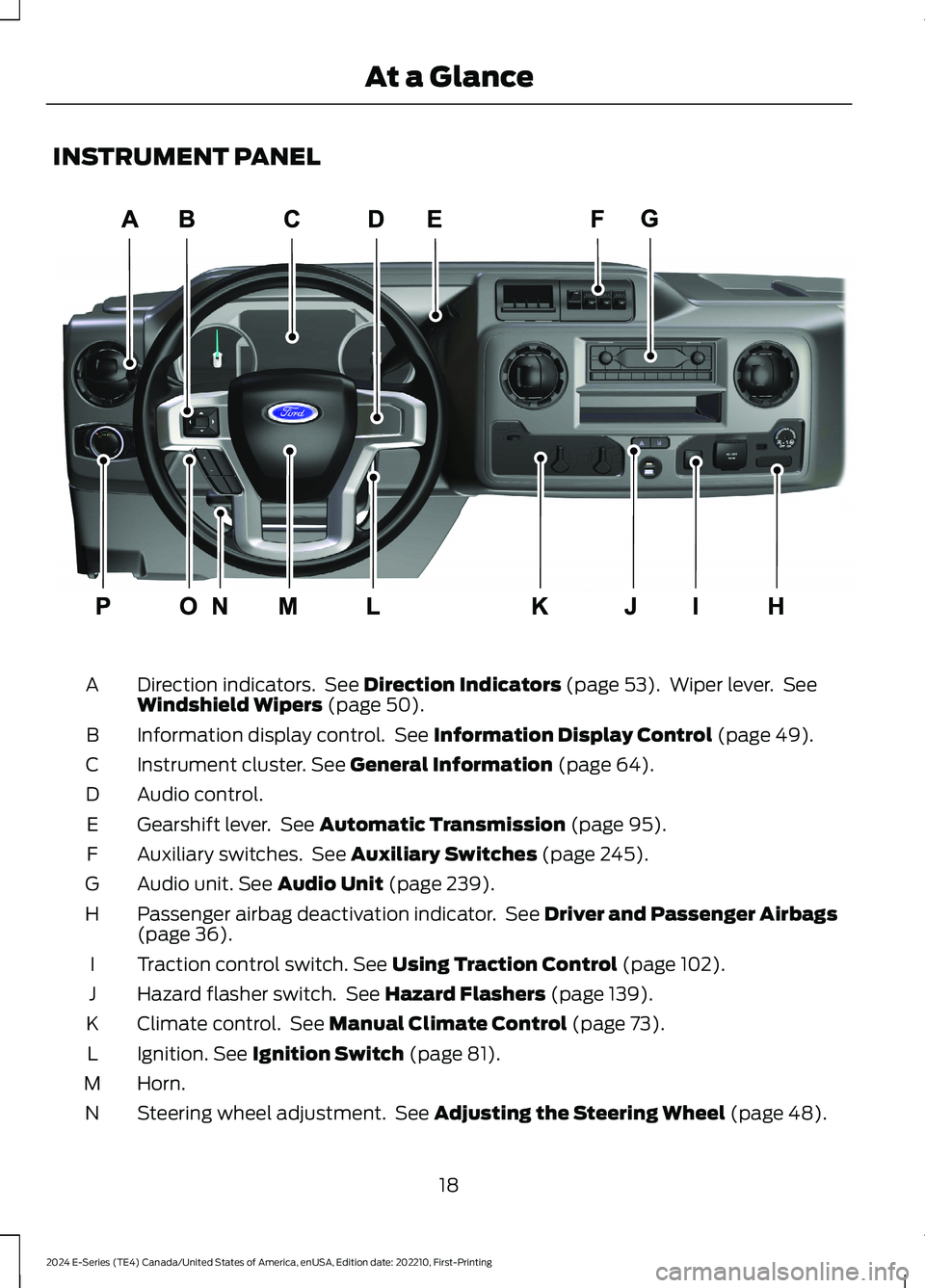
INSTRUMENT PANEL
Direction indicators. See Direction Indicators (page 53). Wiper lever. SeeWindshield Wipers (page 50).A
Information display control. See Information Display Control (page 49).B
Instrument cluster. See General Information (page 64).C
Audio control.D
Gearshift lever. See Automatic Transmission (page 95).E
Auxiliary switches. See Auxiliary Switches (page 245).F
Audio unit. See Audio Unit (page 239).G
Passenger airbag deactivation indicator. See Driver and Passenger Airbags(page 36).H
Traction control switch. See Using Traction Control (page 102).I
Hazard flasher switch. See Hazard Flashers (page 139).J
Climate control. See Manual Climate Control (page 73).K
Ignition. See Ignition Switch (page 81).L
Horn.M
Steering wheel adjustment. See Adjusting the Steering Wheel (page 48).N
18
2024 E-Series (TE4) Canada/United States of America, enUSA, Edition date: 202210, First-PrintingAt a GlanceE307562
Page 57 of 303
Switch the daytime running lamps on oroff using the touchscreen:
1.Select Settings.
2.Select Vehicle.
3.Select Lighting.
The daytime running lamps turn on when:
1.The lamps are on in the informationdisplay.
2.You switch the ignition on.
3.The transmission is not in park (P) forvehicles with automatic transmissionsor you release the parking brake forvehicles with manual transmissions.
4.The lighting control is in the autolampsposition.
5.The headlamps are off.
The other lighting control switch positionsdo not turn on the daytime running lamps.
If the daytime running lamps are off in theinformation display, the lamps stay off inall switch positions.
DAYTIME RUNNING LAMPS -
VEHICLES WITH: DAYTIME
RUNNING LAMPS (DRL)
WARNING: The daytime runninglamps system does not activate the rearlamps and may not provide adequatelighting during low visibility drivingconditions. Make sure you switch theheadlamps on, as appropriate, during alllow visibility conditions. Failure to do somay result in a crash.
The system turns the lamps on in daylightconditions.
To switch the system on, switch thelighting control to any position exceptheadlamps.
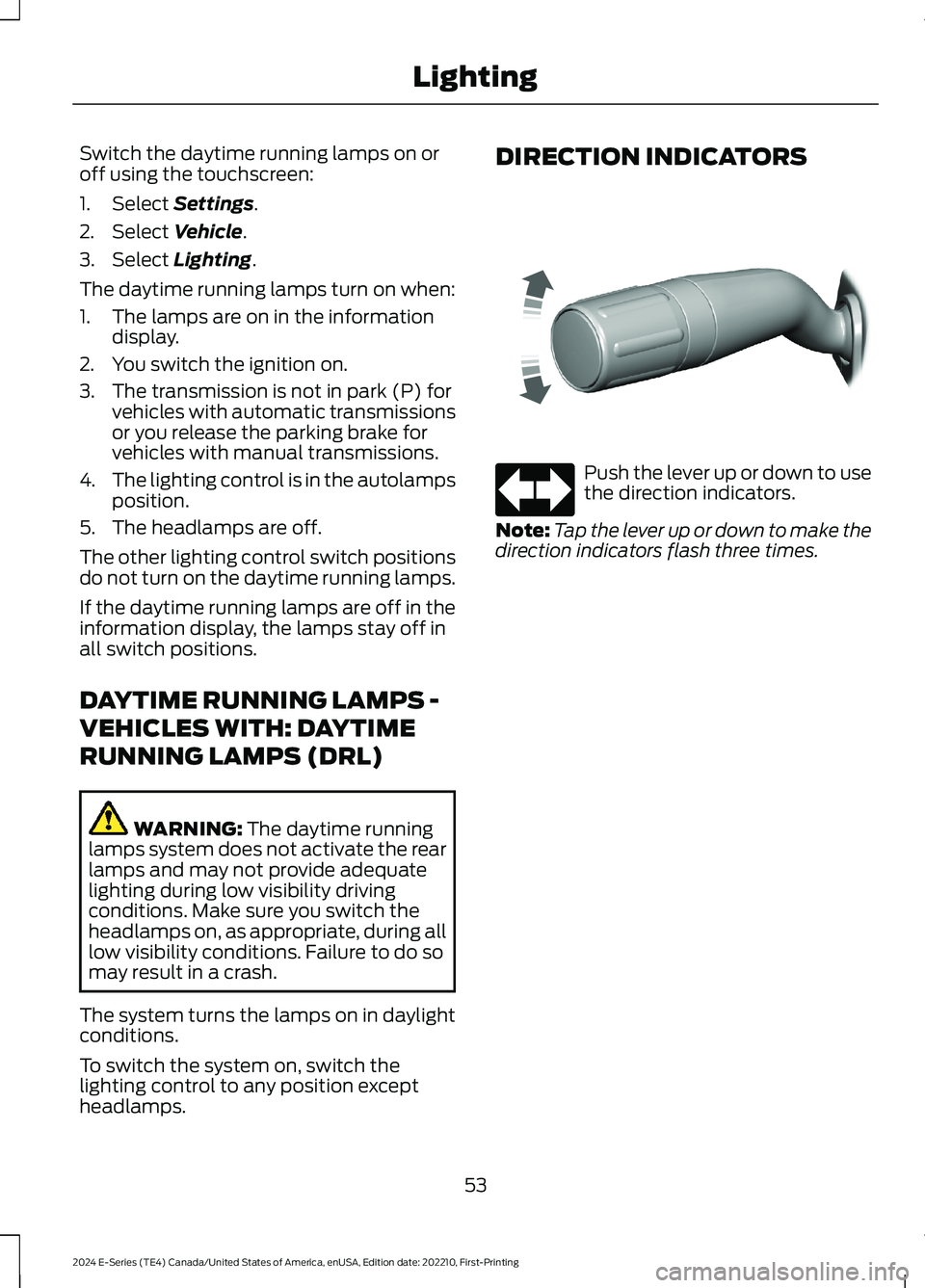
DIRECTION INDICATORS
Push the lever up or down to usethe direction indicators.
Note:Tap the lever up or down to make thedirection indicators flash three times.
53
2024 E-Series (TE4) Canada/United States of America, enUSA, Edition date: 202210, First-PrintingLightingE311431 E67018
Page 99 of 303
AUTOMATIC TRANSMISSION
WARNING: Apply the parkingbrake, shift into park (P), switch theignition off and remove the key beforeyou leave your vehicle. Failure to followthis instruction could result in personalinjury or death.
Putting your vehicle in or out ofgear:
1.Fully press down the brake pedal.
2.Move the gearshift lever into thepreferred gear.
3.When you finish driving, come to acomplete stop.
4.Move the gearshift lever and securelylatch it in park (P).
5.Release the brake pedal and thetransmission remains in the selectedgear.
Park (P)
This position locks the transmission andprevents the wheels from turning.
Reverse (R)
With the transmission in reverse (R), yourvehicle moves backward. Always come toa complete stop before shifting into andout of reverse (R).
Neutral (N)
With the transmission in neutral (N), youcan start your vehicle and it is free to roll.Hold the brake pedal down when in thisposition.
Drive (D)
Drive (D) is the normal driving position forthe best fuel economy. The overdrivefunction allows automatic upshifts anddownshifts through gears one through six.
Manual (M)
Moving the gearshift lever to the manual(M) position allows you to manually selectthe gear you prefer. Only the current geardisplays. Use the buttons on the gearshiftlever to manually select gears. Press the+ button to upshift or the – button todownshift. Return the transmission to adifferent gearshift position to deactivatemanual control.
Second (2)
Transmission operates in second (2) gearonly. Use second (2) gear to start-up onslippery roads.
First (1)
•Transmission operates in first (1) gearonly.
•Provides maximum engine braking.
•Allows upshifts by moving gearshiftlever.
•Does not downshift into first (1) gearat high speeds; allows for first (1) gearwhen vehicle reaches slower speeds.
Forced downshifts
•Allowed in drive (D) with the tow/haulfeature on or off.
•Press the accelerator to the floor.
•Allows transmission to select anappropriate gear.
95
2024 E-Series (TE4) Canada/United States of America, enUSA, Edition date: 202210, First-PrintingTransmissionPRNDM21E307627
Page 100 of 303
Tow/Haul Mode
To activate tow/haul, press thebutton on the gearshift lever.The TOW HAUL indicator lightilluminates in the instrument cluster.
The tow/haul feature:
•Delays upshifts to reduce the frequencyof transmission shifting.
•Provides engine braking in all forwardgears, which slows your vehicle andassists you in controlling your vehiclewhen descending a slope.
•Depending on driving conditions andload conditions, may downshift thetransmission, slow your vehicle andcontrol your vehicle speed whendescending a hill, without pressing theaccelerator pedal. The amount ofdownshift braking provided variesbased upon the amount you press thebrake pedal.
The tow/haul feature improvestransmission operation when towing atrailer or a heavy load. All transmissiongear ranges are available when usingtow/haul.
To deactivate the tow/haul feature andreturn to normal driving mode, press thebutton on the gearshift lever again. TheTOW HAUL light deactivates. Tow/haulalso deactivates when you power downyour vehicle.
WARNING: Do not use tow/haulwhen the road surface is slippery. Failureto follow this instruction could result inthe loss of control of your vehicle.
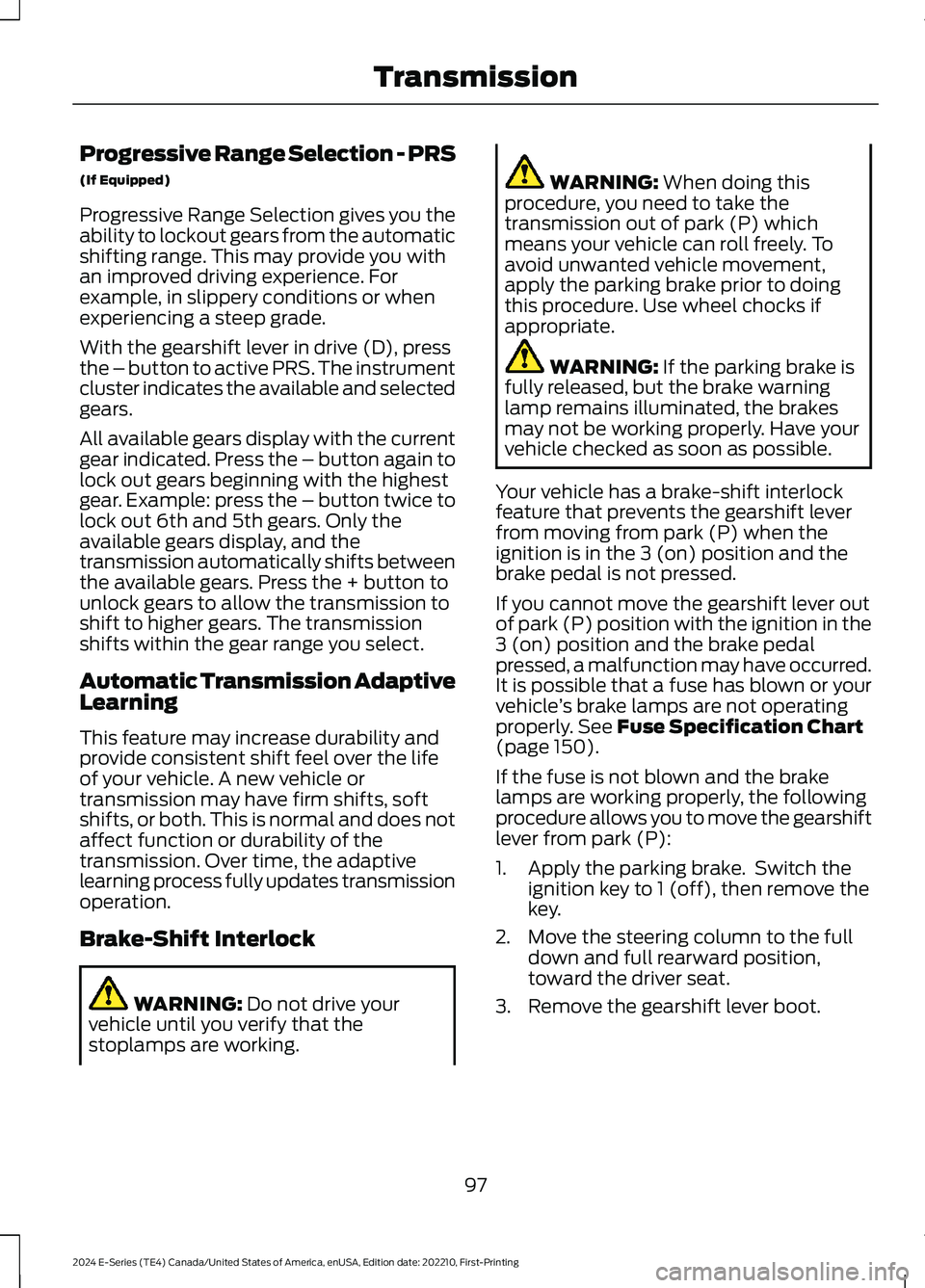
Understanding Your SelectShiftAutomatic™ Transmission
Note:When pressing the button on thegearshift lever, you can cycle through theavailable drive modes.
Your vehicle has a SelectShift Automatic™transmission gearshift lever. TheSelectShift Automatic transmission givesyou the ability to change gears up or downwithout a clutch.
To prevent the engine from running at toolow an RPM, which may cause it to stall,SelectShift still makes some downshiftsif it has determined that you have notdownshifted in time. Although SelectShiftmakes some downshifts for you, it stillallows you to downshift at any time if theSelectShift determines that damage tothe engine does not occur fromover-revving.
SelectShift does not upshift, even if theengine is approaching the RPM limit. Shiftmanually by pressing the + button.
Note:Engine damage may occur if youmaintain excessive engine revving withoutshifting.
SelectShift does not automatically upshift,even if the engine is approaching the RPMlimit. Shift manually by pressing the (+)paddle.
96
2024 E-Series (TE4) Canada/United States of America, enUSA, Edition date: 202210, First-PrintingTransmissionE161509 E318028
Page 101 of 303
Progressive Range Selection - PRS
(If Equipped)
Progressive Range Selection gives you theability to lockout gears from the automaticshifting range. This may provide you withan improved driving experience. Forexample, in slippery conditions or whenexperiencing a steep grade.
With the gearshift lever in drive (D), pressthe – button to active PRS. The instrumentcluster indicates the available and selectedgears.
All available gears display with the currentgear indicated. Press the – button again tolock out gears beginning with the highestgear. Example: press the – button twice tolock out 6th and 5th gears. Only theavailable gears display, and thetransmission automatically shifts betweenthe available gears. Press the + button tounlock gears to allow the transmission toshift to higher gears. The transmissionshifts within the gear range you select.
Automatic Transmission AdaptiveLearning
This feature may increase durability andprovide consistent shift feel over the lifeof your vehicle. A new vehicle ortransmission may have firm shifts, softshifts, or both. This is normal and does notaffect function or durability of thetransmission. Over time, the adaptivelearning process fully updates transmissionoperation.
Brake-Shift Interlock
WARNING: Do not drive yourvehicle until you verify that thestoplamps are working.
WARNING: When doing thisprocedure, you need to take thetransmission out of park (P) whichmeans your vehicle can roll freely. Toavoid unwanted vehicle movement,apply the parking brake prior to doingthis procedure. Use wheel chocks ifappropriate.
WARNING: If the parking brake isfully released, but the brake warninglamp remains illuminated, the brakesmay not be working properly. Have yourvehicle checked as soon as possible.
Your vehicle has a brake-shift interlockfeature that prevents the gearshift leverfrom moving from park (P) when theignition is in the 3 (on) position and thebrake pedal is not pressed.
If you cannot move the gearshift lever outof park (P) position with the ignition in the3 (on) position and the brake pedalpressed, a malfunction may have occurred.It is possible that a fuse has blown or yourvehicle’s brake lamps are not operatingproperly. See Fuse Specification Chart(page 150).
If the fuse is not blown and the brakelamps are working properly, the followingprocedure allows you to move the gearshiftlever from park (P):
1.Apply the parking brake. Switch theignition key to 1 (off), then remove thekey.
2.Move the steering column to the fulldown and full rearward position,toward the driver seat.
3.Remove the gearshift lever boot.
97
2024 E-Series (TE4) Canada/United States of America, enUSA, Edition date: 202210, First-PrintingTransmission
Page 105 of 303
HILL START ASSIST
WARNING: The system does notreplace the parking brake. When youleave your vehicle, always apply theparking brake.
WARNING: You must remain inyour vehicle when the system turns on.At all times, you are responsible forcontrolling your vehicle, supervising thesystem and intervening, if required.Failure to take care may result in the lossof control of your vehicle, seriouspersonal injury or death.
WARNING: The system will turnoff if a malfunction is apparent or if yourev the engine excessively. Failure to takecare may result in the loss of control ofyour vehicle, serious personal injury ordeath.
The system makes it easier to pull awaywhen your vehicle is on a slope without theneed to use the parking brake.
When the system is active, your vehicleremains stationary on the slope for two tothree seconds after you release the brakepedal. This allows time to move your footfrom the brake to the accelerator pedal.The system releases the brakesautomatically once the engine hasdeveloped sufficient torque to prevent yourvehicle from rolling down the slope. Thisis an advantage when pulling away on aslope, for example from a car park ramp,traffic lights or when reversing uphill intoa parking space.
The system activates on any slope thatcauses your vehicle to roll.
Note:There is no warning light to indicatethe system is either on or off.
Using Hill Start Assist
1.Press the brake pedal to bring yourvehicle to a complete standstill. Keepthe brake pedal pressed and shift intofirst gear when facing uphill or reverse(R) when facing downhill.
2.If the sensors detect that your vehicleis on a slope, the system activatesautomatically.
3.When you remove your foot from thebrake pedal, your vehicle remains onthe slope without rolling away forabout two to three seconds. This holdtime automatically extends if you arein the process of driving off.
4.Drive off in the normal manner. Thesystem releases the brakesautomatically.
Note:When you remove your foot from thebrake pedal and press the pedal again whenthe system is active, you will experiencesignificantly reduced brake pedal travel. Thisis normal.
Switching the System On and Off
Vehicles with Manual Transmission
You can switch this feature on or off in theinformation display. The systemremembers the last setting when you startyour vehicle.
Vehicles with Automatic Transmission
You cannot turn the system on or off.When you switch the ignition on, thesystem automatically turns on.
101
2024 E-Series (TE4) Canada/United States of America, enUSA, Edition date: 202210, First-PrintingBrakes
Page 114 of 303
Adaptive Cruise Control Gap Settings
DynamicBehaviorDistance GapGraphicDisplay,Bars Indic-atedBetweenVehicles
Sport.Closest.1
Normal.Close.2
Normal.Medium.3
Comfort.Far.4
Each time you switch the system on, itselects the last chosen gap setting.
Overriding the Set Speed
WARNING: If you override thesystem by pressing the acceleratorpedal, it does not automatically applythe brakes to maintain a gap from anyvehicle ahead.
When you press the accelerator pedal, youoverride the set speed and gap distance.
Use the accelerator pedalnormally to intentionally exceedthe set speed limit.
When you override the system, the greenindicator light illuminates and the vehicleimage does not appear in the informationdisplay.
The system tunes the engine, transmissioncontrols and the stability and tractioncontrol modes to normal mode. Thevehicle speed decreases to the set speed,or a lower speed if following a slowervehicle.
Changing the Set Speed
Press and release to increase theset speed in small increments.
Press and release to decreasethe set speed in smallincrements.
Press and hold either button to change theset speed in large increments. Release thebutton when the set speed has reachedthe desired speed.
The system may apply the brakes to slowthe vehicle to the new set speed. The setspeed displays continuously in theinformation display when the system isactive.
Canceling the Set Speed
Press and release the button ortap the brake pedal.
The set speed does not erase.
Resuming the Set Speed
Press and release the button.
Your vehicle speed returns to thepreviously set speed and gap setting. Theset speed displays continuously in theinformation display when the system isactive.
Note:Only use resume if you are aware ofthe set speed and intend to return to it.
Automatic Cancellation
The system is not functional at vehiclespeeds below 12 mph (20 km/h). Anaudible alarm sounds and the automaticbraking releases if the vehicle drops belowthis speed.
110
2024 E-Series (TE4) Canada/United States of America, enUSA, Edition date: 202210, First-PrintingCruise Control (If Equipped)E144529 E246884 E246885 E265298