radio FORD E SERIES 2024 Owners Manual
[x] Cancel search | Manufacturer: FORD, Model Year: 2024, Model line: E SERIES, Model: FORD E SERIES 2024Pages: 303, PDF Size: 6.95 MB
Page 5 of 303
Introduction
About This Manual..........................................7
Perchlorate.........................................................7
Ford Credit..........................................................7
Replacement Parts Recommendation.............................................................................8
Special Notices................................................8
Mobile Communications Equipment...........................................................................10
Symbols Glossary
Symbols Used on Your Vehicle..................11
Data Privacy
Data Privacy.....................................................14
Service Data.....................................................15
Event Data........................................................15
Connected Vehicle Data..............................16
Emergency Call System Data....................16
Environment
Protecting the Environment.......................17
At a Glance
Instrument Panel...........................................18
Child Safety
General Information.....................................20
Installing Child Restraints..........................22
Booster Seats.................................................26
Child Restraint Positioning........................28
Seatbelts
Principle of Operation.................................30
Fastening the Seatbelts...............................31
Seatbelt Height Adjustment.....................33
Seatbelt Warning Lamp and IndicatorChime............................................................33
Child Restraint and SeatbeltMaintenance...............................................34
Seatbelt Extensions.....................................34
Supplementary RestraintsSystem
Principle of Operation.................................35
Driver and Passenger Airbags..................36
Crash Sensors and Airbag Indicator......40
Airbag Disposal...............................................41
Keys and Remote Controls
General Information on RadioFrequencies.................................................42
Remote Control.............................................42
Replacing a Lost Key or Remote Control..........................................................................44
Doors and Locks
Locking and Unlocking................................45
Security
Passive Anti-Theft System........................47
Steering Wheel
Adjusting the Steering Wheel..................48
Cruise Control - Vehicles With: AdaptiveCruise Control............................................48
Cruise Control - Vehicles With: CruiseControl..........................................................48
Information Display Control.....................49
Horn...................................................................49
Wipers and Washers
Windshield Wipers.......................................50
Windshield Washers....................................50
Lighting
General Information......................................51
Lighting Control..............................................51
Autolamps.......................................................52
Instrument Lighting Dimmer.....................52
1
2024 E-Series (TE4) Canada/United States of America, enUSA, Edition date: 202210, First-PrintingTable of Contents
Page 9 of 303
Ford Protect
Ford Protect..................................................247
Scheduled Maintenance
General Maintenance Information......249
Normal Scheduled Maintenance..........252
Special Operating Conditions ScheduledMaintenance............................................255
Customer Information
Radio Frequency Certification Labels........................................................................258
Warranty Information...............................268
Appendices
Electromagnetic Compatibility.............270
End User License Agreement.................273
5
2024 E-Series (TE4) Canada/United States of America, enUSA, Edition date: 202210, First-PrintingTable of Contents
Page 14 of 303
Modifiers (QVM) Guidelines as well aspertinent supplements. For additionalinformation, please contact the Truck BodyBuilders Advisory Service athttp://www.fleet.ford.com/truckbbas/and then by selecting Contact Us or byphone at 1–877–840–4338.
Use of your Ford light truck as anambulance, without the Ford AmbulancePreparation Package voids the Ford NewVehicle Limited Warranty and may voidthe emissions warranties. In addition,ambulance usage without the preparationpackage could cause high underbodytemperatures, over-pressurized fuel and arisk of spraying fuel, which could lead tofires.
If your vehicle has the Ford AmbulancePreparation Package, it will be indicatedon the Safety Compliance CertificationLabel. The label is on the driver side doorpillar or on the rear edge of the driver door.You can determine whether theambulance manufacturer followed Ford’srecommendations by directly contactingthat manufacturer.
MOBILE COMMUNICATIONS
EQUIPMENT
WARNING: Driving whiledistracted can result in loss of vehiclecontrol, crash and injury. We stronglyrecommend that you use extremecaution when using any device that maytake your focus off the road. Yourprimary responsibility is the safeoperation of your vehicle. Werecommend against the use of any
hand-held device while driving andencourage the use of voice-operatedsystems when possible. Make sure youare aware of all applicable local lawsthat may affect the use of electronicdevices while driving.
Using mobile communications equipmentis becoming increasingly important in theconduct of business and personal affairs.However, you must not compromise yourown or others’ safety when using suchequipment. Mobile communications canenhance personal safety and security whenappropriately used, particularly inemergency situations. Safety must beparamount when using mobilecommunications equipment to avoidnegating these benefits. Mobilecommunication equipment includes, butis not limited to, cellular phones, pagers,portable email devices, text messagingdevices and portable two-way radios.
10
2024 E-Series (TE4) Canada/United States of America, enUSA, Edition date: 202210, First-PrintingIntroduction
Page 46 of 303
GENERAL INFORMATION ON
RADIO FREQUENCIES
This device complies with Part 15 of theFCC Rules and with Licence exempt RSSStandards of Industry Canada. Operationis subject to the following two conditions:
•This device may not cause harmfulinterference.
•This device must accept anyinterference received, includinginterference that may cause undesiredoperation.
WARNING: Changes ormodifications not expressively approvedby the party responsible for compliancecould void the user's authority to operatethe equipment. The term "IC:" before theradio certification number only signifiesthat Industry Canada technicalspecifications were met.
The typical operating range for yourtransmitter is approximately 33 ft (10 m).Vehicles with the remote start feature willhave a greater range. One of the followingcould cause a decrease in operating range:
•Weather conditions.
•Nearby radio towers.
•Structures around the vehicle.
•Other vehicles parked next to yourvehicle.
Other short distance radio transmissions,for example amateur radios, medicalequipment, wireless headphones, remotecontrols and alarm systems can also usethe radio frequency used by your remotecontrol. If the frequencies are jammed, youwill not be able to use your remote control.You can lock and unlock the doors with thekey.
Note:Make sure to lock your vehicle beforeleaving it unattended.
Note:If you are in range, the remote controlwill operate if you press any buttonunintentionally.
Note: The remote control containssensitive electrical components. Exposureto moisture or impact may cause permanentdamage.
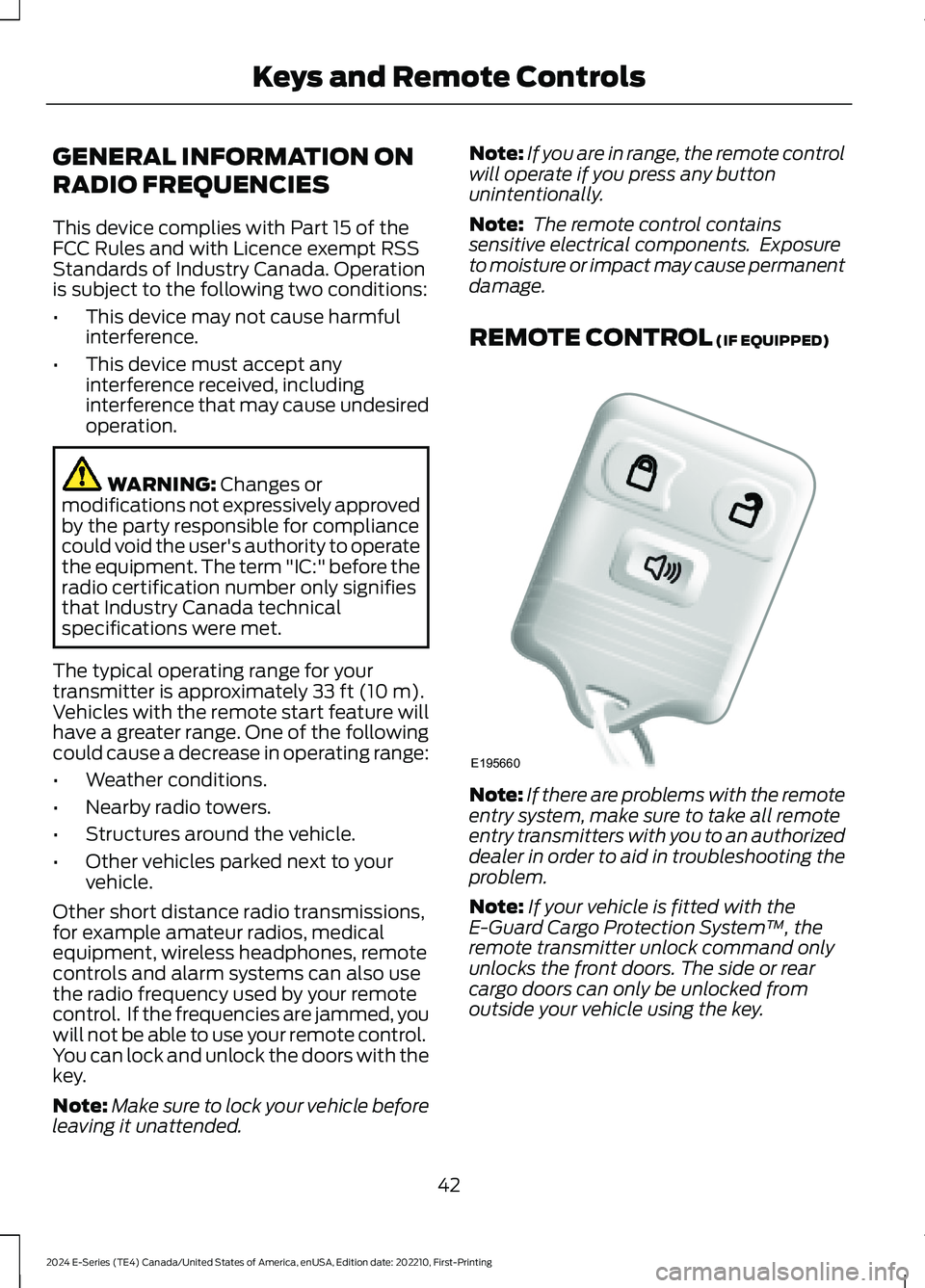
REMOTE CONTROL (IF EQUIPPED)
Note:If there are problems with the remoteentry system, make sure to take all remoteentry transmitters with you to an authorizeddealer in order to aid in troubleshooting theproblem.
Note:If your vehicle is fitted with theE-Guard Cargo Protection System™, theremote transmitter unlock command onlyunlocks the front doors. The side or rearcargo doors can only be unlocked fromoutside your vehicle using the key.
42
2024 E-Series (TE4) Canada/United States of America, enUSA, Edition date: 202210, First-PrintingKeys and Remote ControlsE195660
Page 85 of 303
GENERAL INFORMATION
WARNING: Extended idling at highengine speeds can produce very hightemperatures in the engine and exhaustsystem, creating the risk of fire or otherdamage.
WARNING: Do not park, idle ordrive your vehicle on dry grass or otherdry ground cover. The emission systemheats up the engine compartment andexhaust system, creating the risk of fire.
WARNING: Do not start the enginein a closed garage or in other enclosedareas. Exhaust fumes are toxic. Alwaysopen the garage door before you startthe engine. Failure to follow thisinstruction could result in personal injuryor death.
WARNING: Exhaust leaks mayresult in entry of harmful and potentiallylethal fumes into the passengercompartment. If you smell exhaustfumes inside your vehicle, have yourvehicle inspected immediately. Do notdrive if you smell exhaust fumes.
The powertrain control system meets allCanadian interference-causing equipmentstandard requirements regulating theimpulse electrical field or radio noise.
Note:If you use your vehicle regularly abovethe altitude of 7,500 ft (2,286 m) and underthe temperature of -4.0°F (-20°C), it isrecommended to use the alternative engineoil. See Capacities and Specifications(page 226).
If you disconnect the battery, your vehiclemay exhibit some unusual drivingcharacteristics for approximately 6 mi(10 km) after you reconnect it. This isbecause the engine management systemmust realign itself with the engine. You candisregard any unusual drivingcharacteristics during this period.
When you start the engine, avoid pressingthe accelerator pedal before and duringoperation. Only use the accelerator pedalwhen you have difficulty starting theengine.
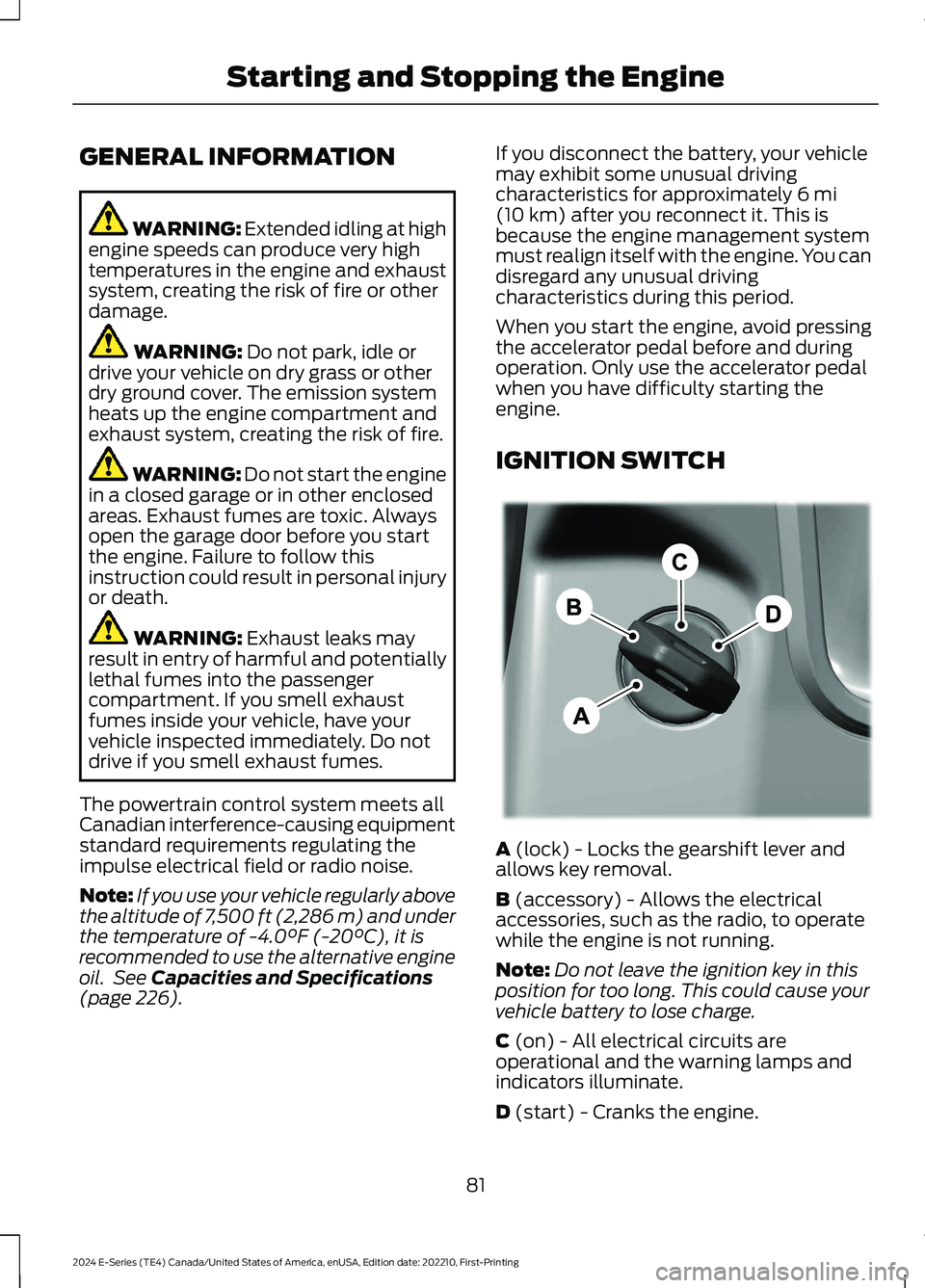
IGNITION SWITCH
A (lock) - Locks the gearshift lever andallows key removal.
B (accessory) - Allows the electricalaccessories, such as the radio, to operatewhile the engine is not running.
Note:Do not leave the ignition key in thisposition for too long. This could cause yourvehicle battery to lose charge.
C (on) - All electrical circuits areoperational and the warning lamps andindicators illuminate.
D (start) - Cranks the engine.
81
2024 E-Series (TE4) Canada/United States of America, enUSA, Edition date: 202210, First-PrintingStarting and Stopping the EngineE369097
Page 162 of 303

Protected ComponentRatingItem
Radio transceiver moduleand telematics control unit(cutaway).
5 A19
Telematics control unit(stripped chassis).
Ignition switch.5 A20
Not used.5 A21
Body builder B-pillarconnector (cutaway).5 A22
Not used (stripped chassis).5 A
Not used (spare).30 A23
Not used (spare).30 A24
Not used (spare).20 A25
Not used (spare).30 A26
Not used (spare).30 A27
Not used (spare).30 A28
Upfitter interface module(cutaway).15 A29
Not used (stripped chassis).—
Not used (spare).5 A30
Smart datalink connector.10 A31
Radio (cutaway).20 A32
Not used.—33
Not used (spare).30 A34
Tow haul switch.5 A35
Rear view mirror (cutaway).15 A36Camera lane departure(cutaway).
Not used (stripped chassis).—
Not used (spare).20 A37
158
2024 E-Series (TE4) Canada/United States of America, enUSA, Edition date: 202210, First-PrintingFuses
Page 217 of 303
•Drive cautiously. If you hear the chainsrub or bang against your vehicle, stopand retighten the chains. If this doesnot work, remove the chains to preventdamage to your vehicle.
•Remove the snow chains when theyare no longer needed. Do not use snowchains on dry roads.
Please contact your upfitter for approvedsnow chain types/sizes and otherrecommendations for snow chain use.
TIRE PRESSURE MONITORING
SYSTEM (IF EQUIPPED)
WARNING: The tire pressuremonitoring system is not a substitute formanually checking tire pressures. Youshould periodically check tire pressuresusing a pressure gauge. Failure tocorrectly maintain tire pressures couldincrease the risk of tire failure, loss ofcontrol, vehicle rollover and personalinjury.
WARNING: Changes ormodifications not expressively approvedby the party responsible for compliancecould void the user's authority to operatethe equipment. The term "IC:" before theradio certification number only signifiesthat Industry Canada technicalspecifications were met.
This device complies with Part 15 of theFCC Rules and with License exempt RSSStandards of Industry Canada. Operationis subject to the following two conditions:
1.This device may not cause harmfulinterference.
2.This device must accept anyinterference received, includinginterference that may cause undesiredoperation.
Each tire, including the spare, ifprovided, should be checkedmonthly when cold and inflatedto the inflation pressure recommended bythe vehicle manufacturer on the vehicleplacard or tire inflation pressure label. Ifyour vehicle has tires of a different sizethan the size indicated on the vehicleplacard or tire inflation pressure label, youshould determine the proper tire inflationpressure for those tires.
As an added safety feature, your vehiclehas been equipped with a Tire PressureMonitoring System (TPMS) thatilluminates a low tire pressure telltalewhen one or more of your tires issignificantly under-inflated. Accordingly,when the low tire pressure telltaleilluminates, you should stop and checkyour tires as soon as possible, and inflatethem to the proper pressure. Driving on asignificantly under-inflated tire causes thetire to overheat and can lead to tire failure.Under-inflation also reduces fuel efficiencyand tire tread life, and may affect thevehicle’s handling and stopping ability.
Please note that the TPMS is not asubstitute for proper tire maintenance, andit is the driver's responsibility to maintaincorrect tire pressure, even if under-inflationhas not reached the level to triggerillumination of the TPMS low tire pressuretelltale.
Your vehicle has a TPMS malfunctionindicator to indicate when the system isnot operating properly. The TPMSmalfunction indicator is combined with thelow tire pressure telltale. When the systemdetects a malfunction, the telltale flashesfor approximately one minute and thenremains continuously illuminated. Thissequence continues upon subsequentvehicle start-ups as long as themalfunction exists.
213
2024 E-Series (TE4) Canada/United States of America, enUSA, Edition date: 202210, First-PrintingWheels and TiresE139232
Page 243 of 303
GENERAL INFORMATION
WARNING: Driving while distractedcan result in loss of vehicle control, crashand injury. We strongly recommend thatyou use extreme caution when using anydevice that may take your focus off theroad. Your primary responsibility is thesafe operation of your vehicle. Werecommend against the use of any
hand-held device while driving andencourage the use of voice-operatedsystems when possible. Make sure youare aware of all applicable local lawsthat may affect the use of electronicdevices while driving.
Radio Frequencies and ReceptionFactors
Note:Listening to loud audio for longperiods of time could damage your hearing.
Radio Reception Factors
The further you travel from a FM station, the weaker thesignal and the weaker the reception.Distance and strength
Hills, mountains, tall buildings, bridges, tunnels, freewayoverpasses, parking garages, dense tree foliage andthunderstorms can interfere with the reception.
Terrain
When you pass a ground-based broadcast repeatingtower, a stronger signal may overtake a weaker one andresult in the audio system muting.
Station overload
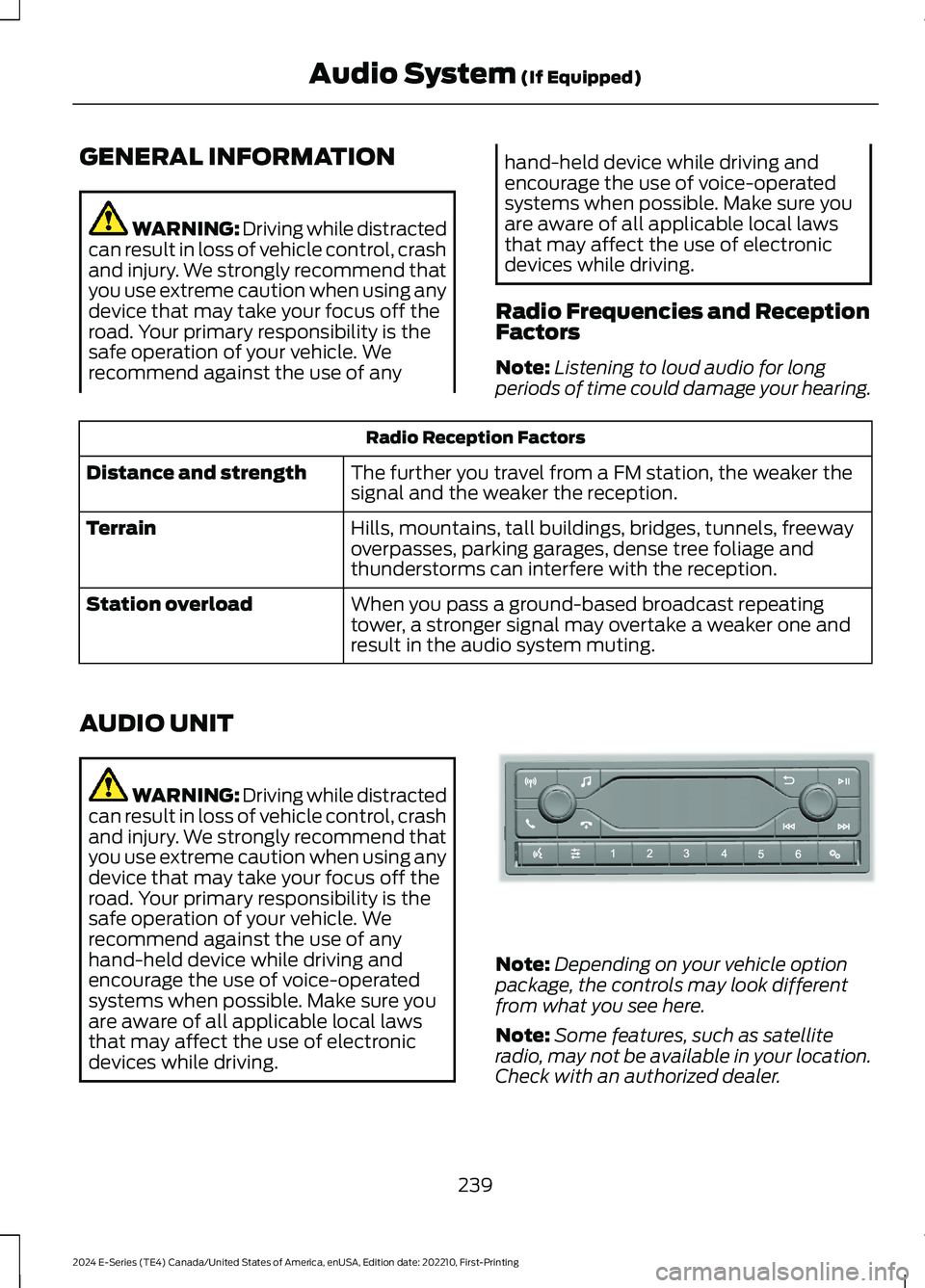
AUDIO UNIT
WARNING: Driving while distractedcan result in loss of vehicle control, crashand injury. We strongly recommend thatyou use extreme caution when using anydevice that may take your focus off theroad. Your primary responsibility is thesafe operation of your vehicle. Werecommend against the use of anyhand-held device while driving andencourage the use of voice-operatedsystems when possible. Make sure youare aware of all applicable local lawsthat may affect the use of electronicdevices while driving.
Note:Depending on your vehicle optionpackage, the controls may look differentfrom what you see here.
Note:Some features, such as satelliteradio, may not be available in your location.Check with an authorized dealer.
239
2024 E-Series (TE4) Canada/United States of America, enUSA, Edition date: 202210, First-PrintingAudio System (If Equipped)E305609
Page 244 of 303
Accessing the Sound Settings
Press the button to adjust thesound settings. You can alsoactivate and set the sensitivityof the adaptive or speed compensatedvolume.
Accessing the System Settings
Press the button.
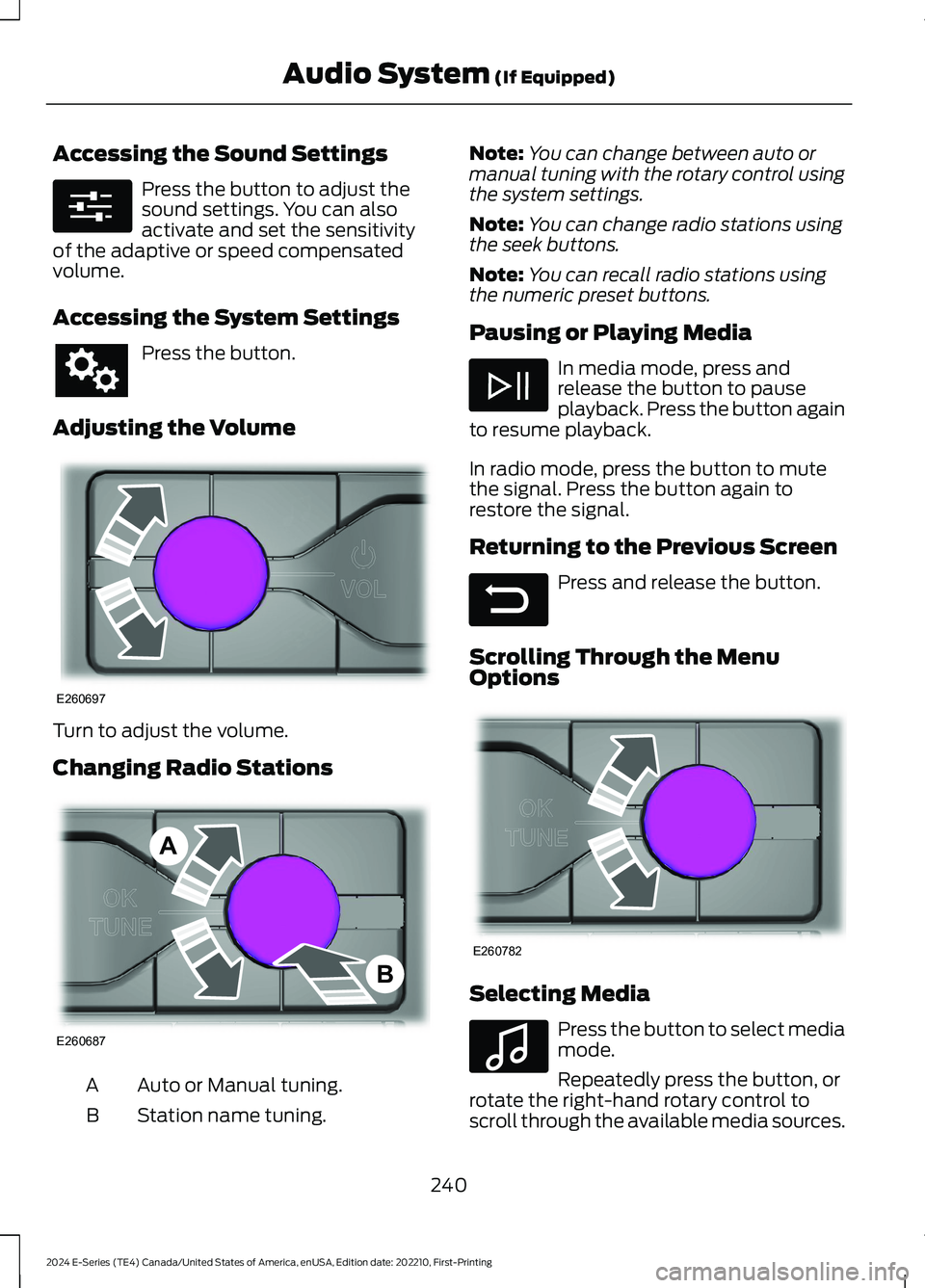
Adjusting the Volume
Turn to adjust the volume.
Changing Radio Stations
Auto or Manual tuning.A
Station name tuning.B
Note:You can change between auto ormanual tuning with the rotary control usingthe system settings.
Note:You can change radio stations usingthe seek buttons.
Note:You can recall radio stations usingthe numeric preset buttons.
Pausing or Playing Media
In media mode, press andrelease the button to pauseplayback. Press the button againto resume playback.
In radio mode, press the button to mutethe signal. Press the button again torestore the signal.
Returning to the Previous Screen
Press and release the button.
Scrolling Through the MenuOptions
Selecting Media
Press the button to select mediamode.
Repeatedly press the button, orrotate the right-hand rotary control toscroll through the available media sources.
240
2024 E-Series (TE4) Canada/United States of America, enUSA, Edition date: 202210, First-PrintingAudio System (If Equipped)E280315 E260697 E260687AB E281480 E260782 E100027
Page 245 of 303
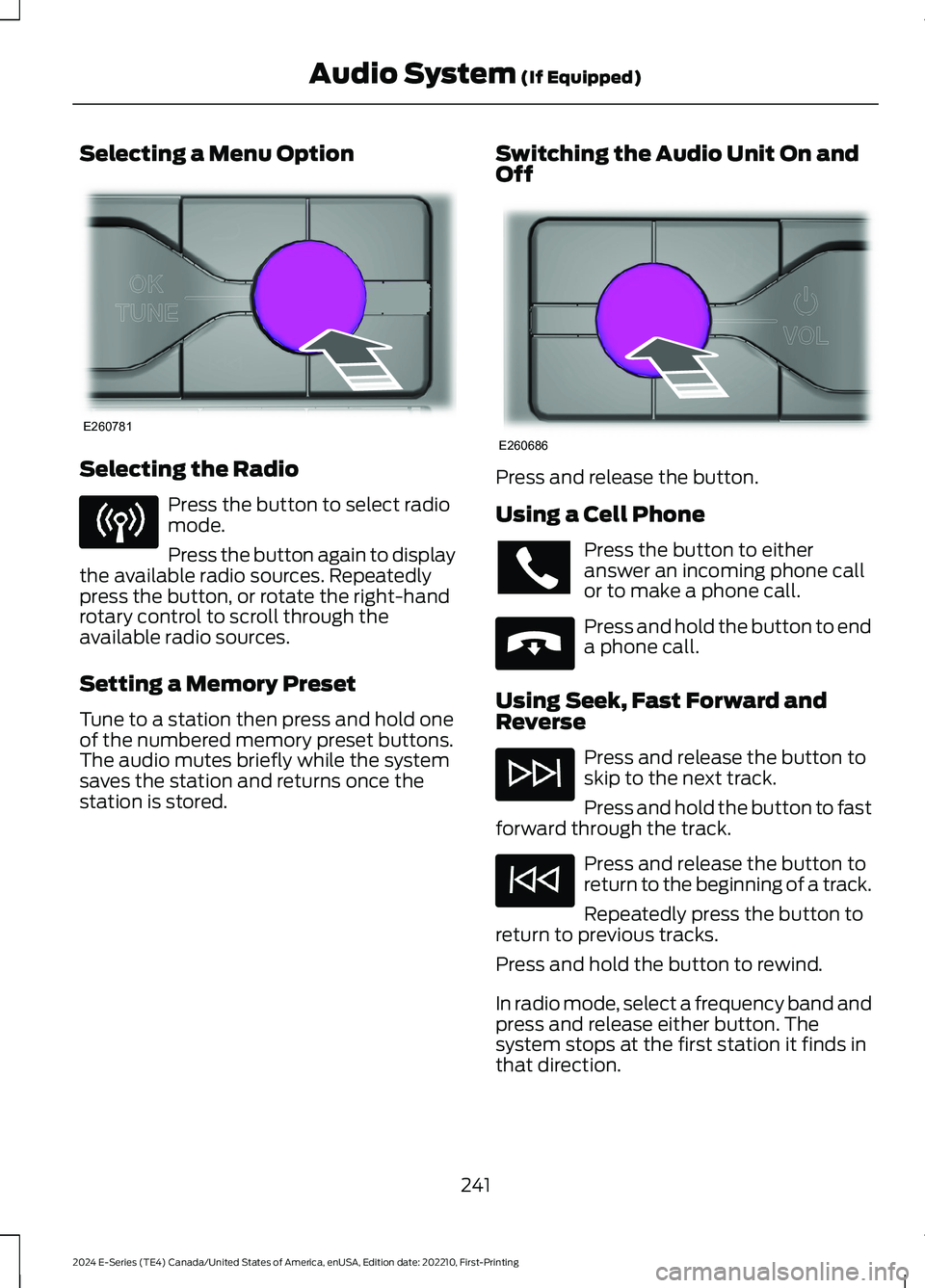
Selecting a Menu Option
Selecting the Radio
Press the button to select radiomode.
Press the button again to displaythe available radio sources. Repeatedlypress the button, or rotate the right-handrotary control to scroll through theavailable radio sources.
Setting a Memory Preset
Tune to a station then press and hold oneof the numbered memory preset buttons.The audio mutes briefly while the systemsaves the station and returns once thestation is stored.
Switching the Audio Unit On andOff
Press and release the button.
Using a Cell Phone
Press the button to eitheranswer an incoming phone callor to make a phone call.
Press and hold the button to enda phone call.
Using Seek, Fast Forward andReverse
Press and release the button toskip to the next track.
Press and hold the button to fastforward through the track.
Press and release the button toreturn to the beginning of a track.
Repeatedly press the button toreturn to previous tracks.
Press and hold the button to rewind.
In radio mode, select a frequency band andpress and release either button. Thesystem stops at the first station it finds inthat direction.
241
2024 E-Series (TE4) Canada/United States of America, enUSA, Edition date: 202210, First-PrintingAudio System (If Equipped)E260781 E260686 E265040