clock FORD ECOSPORT 2018 Owner's Manual
[x] Cancel search | Manufacturer: FORD, Model Year: 2018, Model line: ECOSPORT, Model: FORD ECOSPORT 2018Pages: 452, PDF Size: 17.04 MB
Page 230 of 452
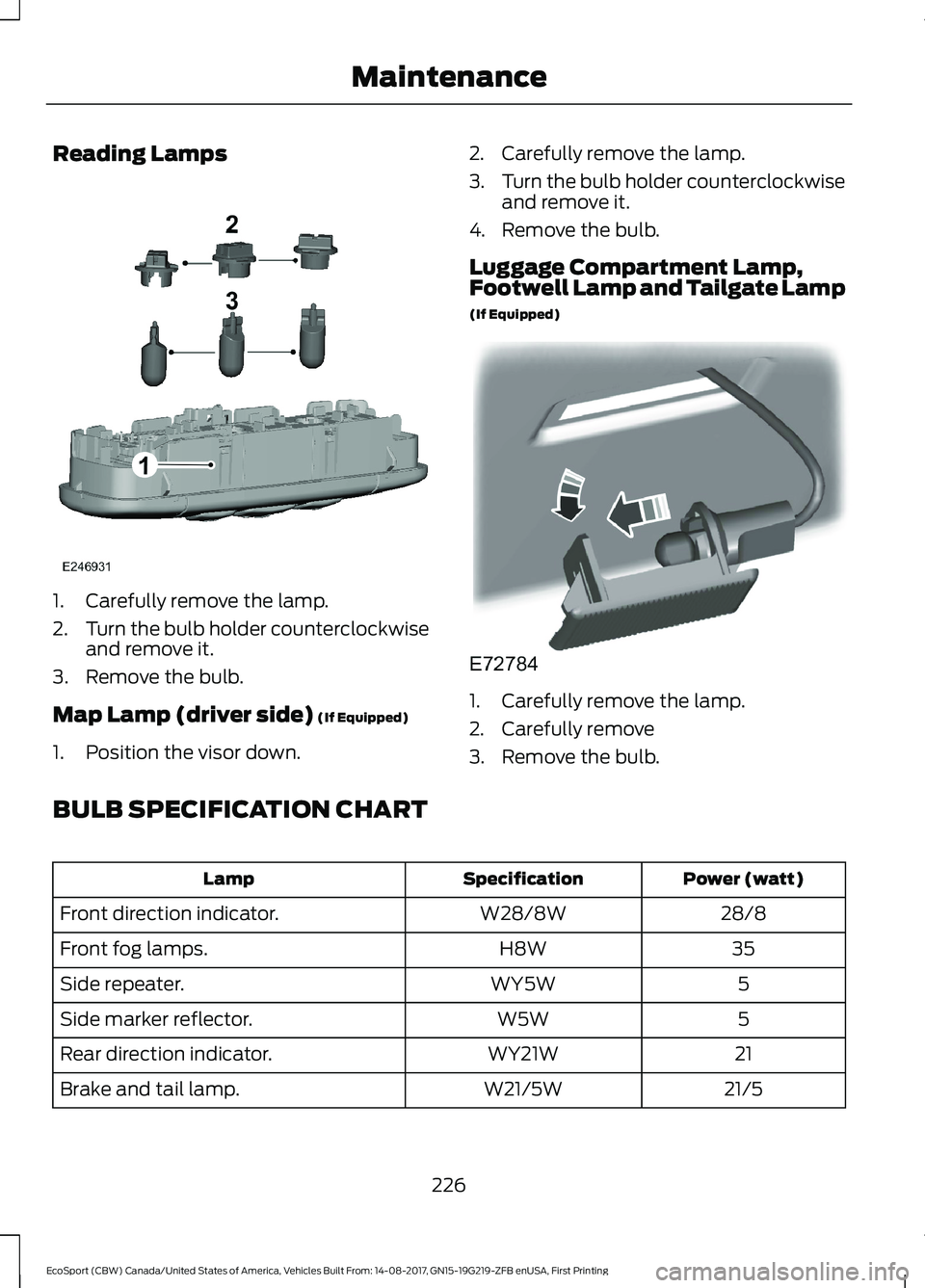
Reading Lamps
1.Carefully remove the lamp.
2.Turn the bulb holder counterclockwiseand remove it.
3.Remove the bulb.
Map Lamp (driver side) (If Equipped)
1.Position the visor down.
2.Carefully remove the lamp.
3.Turn the bulb holder counterclockwiseand remove it.
4.Remove the bulb.
Luggage Compartment Lamp,Footwell Lamp and Tailgate Lamp
(If Equipped)
1.Carefully remove the lamp.
2.Carefully remove
3.Remove the bulb.
BULB SPECIFICATION CHART
Power (watt)SpecificationLamp
28/8W28/8WFront direction indicator.
35H8WFront fog lamps.
5WY5WSide repeater.
5W5WSide marker reflector.
21WY21WRear direction indicator.
21/5W21/5WBrake and tail lamp.
226EcoSport (CBW) Canada/United States of America, Vehicles Built From: 14-08-2017, GN15-19G219-ZFB enUSA, First PrintingMaintenance
Page 246 of 452
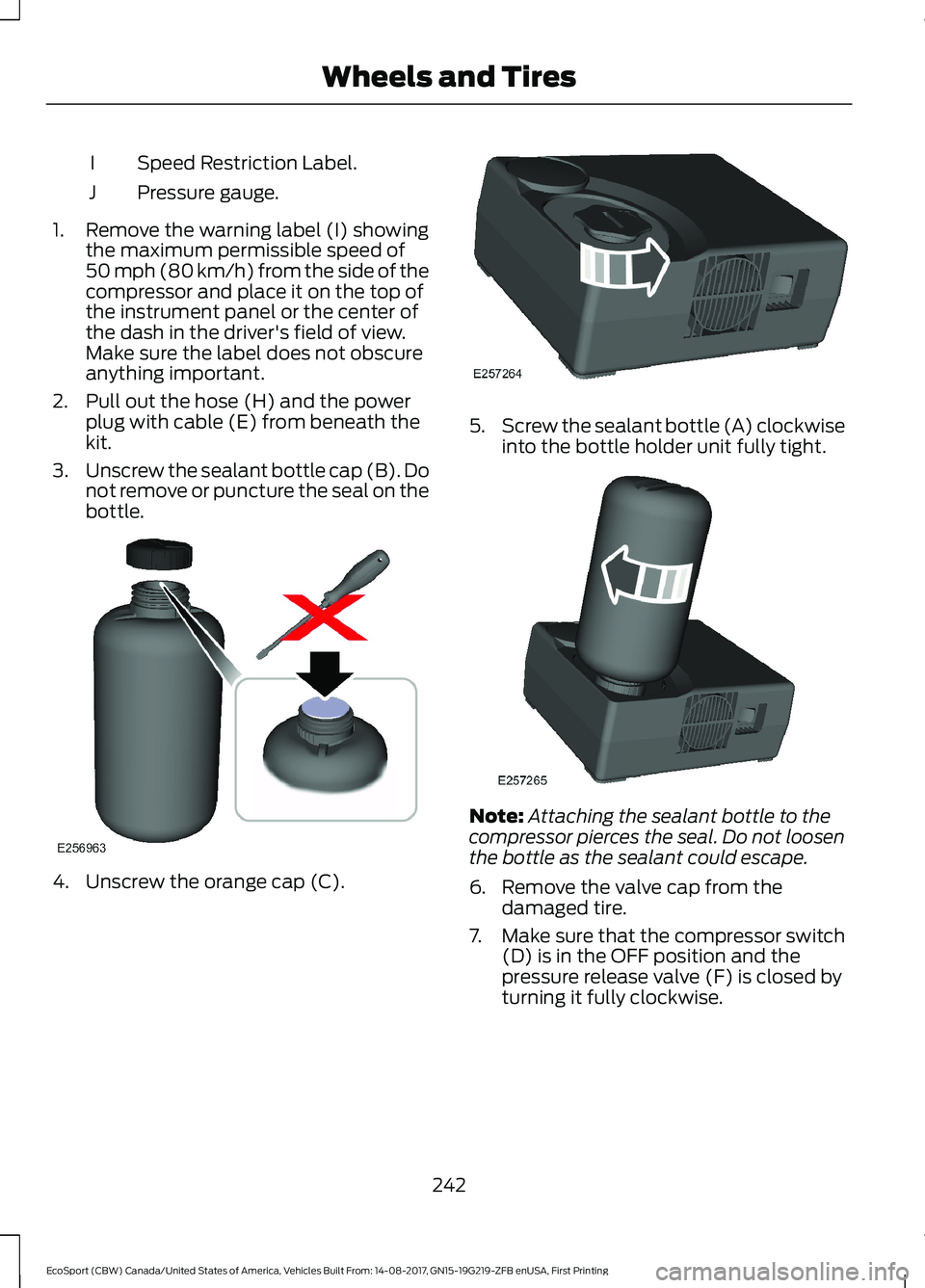
Speed Restriction Label.I
Pressure gauge.J
1.Remove the warning label (I) showingthe maximum permissible speed of50 mph (80 km/h) from the side of thecompressor and place it on the top ofthe instrument panel or the center ofthe dash in the driver's field of view.Make sure the label does not obscureanything important.
2.Pull out the hose (H) and the powerplug with cable (E) from beneath thekit.
3.Unscrew the sealant bottle cap (B). Donot remove or puncture the seal on thebottle.
4.Unscrew the orange cap (C).
5.Screw the sealant bottle (A) clockwiseinto the bottle holder unit fully tight.
Note:Attaching the sealant bottle to thecompressor pierces the seal. Do not loosenthe bottle as the sealant could escape.
6.Remove the valve cap from thedamaged tire.
7.Make sure that the compressor switch(D) is in the OFF position and thepressure release valve (F) is closed byturning it fully clockwise.
242EcoSport (CBW) Canada/United States of America, Vehicles Built From: 14-08-2017, GN15-19G219-ZFB enUSA, First PrintingWheels and Tires
Page 247 of 452
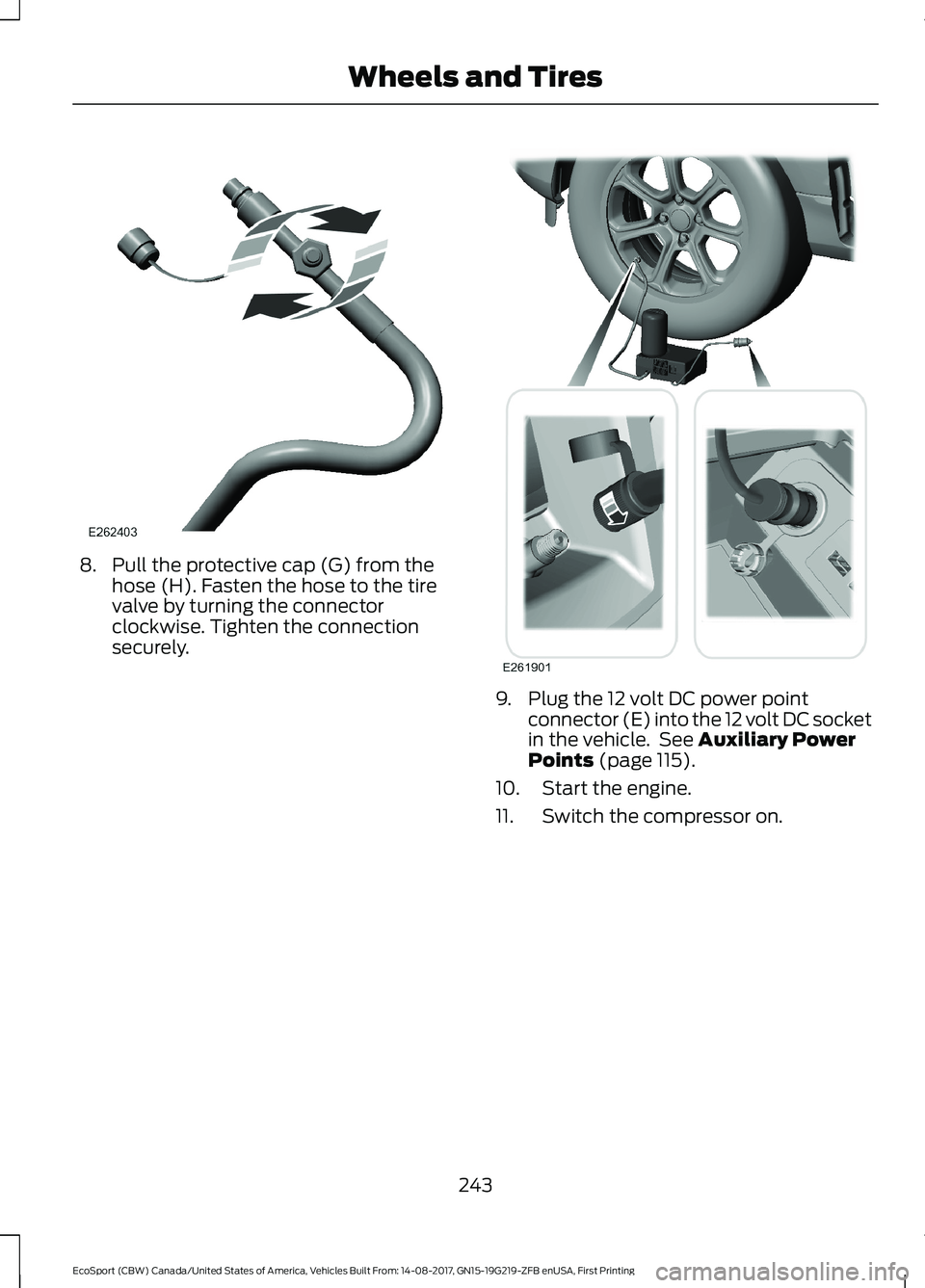
8.Pull the protective cap (G) from thehose (H). Fasten the hose to the tirevalve by turning the connectorclockwise. Tighten the connectionsecurely.
9.Plug the 12 volt DC power pointconnector (E) into the 12 volt DC socketin the vehicle. See Auxiliary PowerPoints (page 115).
10.Start the engine.
11.Switch the compressor on.
243EcoSport (CBW) Canada/United States of America, Vehicles Built From: 14-08-2017, GN15-19G219-ZFB enUSA, First PrintingWheels and Tires
Page 249 of 452
2.Firmly screw the air compressor hoseonto the valve stem by turningclockwise.
3.With the compressor off, the gage ofthe kit will display the tire inflationpressure.
Note:If you are proceeding from the Firststage: Reinflating the tire with sealingcompound and air section and have injectedsealant in the tire and the pressure is below20 psi (1.4 bar), stop and call roadsideassistance. If tire pressure is above 20 psi(1.4 bar), continue to the next step.
4.If required, turn on the compressor andadjust the tire to the recommendedinflation pressure shown on the tirelabel located on the driver's door ordoor jamb area. The tire pressureshould be checked with thecompressor turned OFF in order to getan accurate pressure reading.
5.Unscrew the compressor hose fromthe valve stem and re-install the valvecap. Leaving the sealant bottleattached to the compressor unit, safelystore in your vehicle the tire sealant andinflator kit, the bottle lid and the orangecap.
What to do after the tire has beensealed
Note:After the sealing compound has beenused, the maximum vehicle speed is 50 mph(80 km/h) and the maximum drivingdistance is 124 mi (200 km). The sealed tireshould be inspected immediately.
You can check the tire pressure any timewithin the 124 mi (200 km) by performingthe procedure from Second stage:Checking tire pressure.
Regularly check the tire pressure until thesealed tire is repaired or replaced by a tirespecialist. Before the tire is removed fromthe trim, you must inform the tire specialistthat the tire contains sealant.
After using the kit to seal your tire, you willneed to replace the sealant canister andhose. Sealant canister and hose servicekits can be obtained at an authorized Forddealer. Empty sealant canisters may bedisposed of at home. However, canistersstill containing liquid sealant should bedisposed of by your local authorized Forddealer or tire dealer, or in accordance withlocal waste disposal regulation.
TIRE CARE
Information About UniformTire Quality Grading
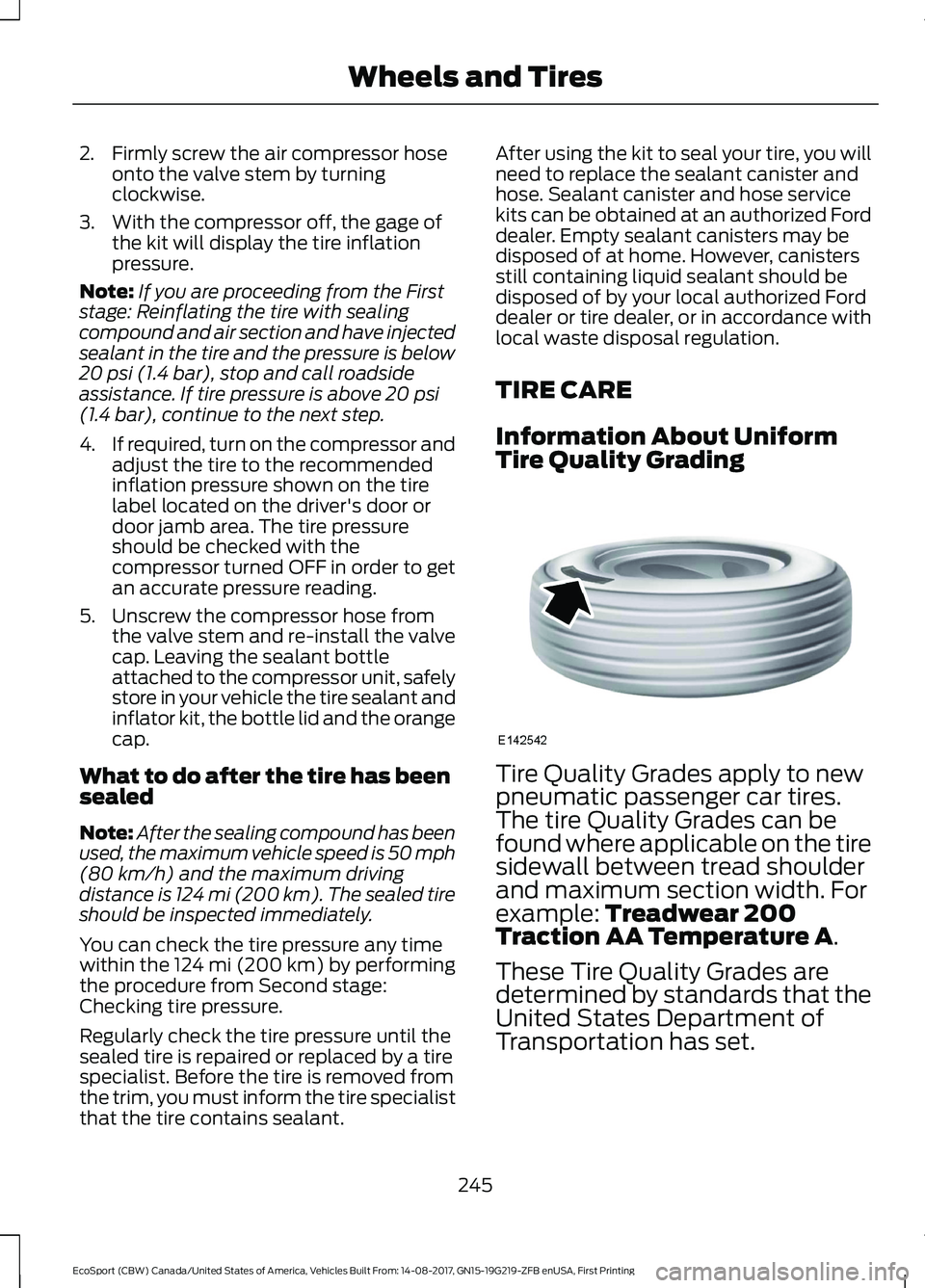
Tire Quality Grades apply to newpneumatic passenger car tires.The tire Quality Grades can befound where applicable on the tiresidewall between tread shoulderand maximum section width. Forexample: Treadwear 200Traction AA Temperature A.
These Tire Quality Grades aredetermined by standards that theUnited States Department ofTransportation has set.
245EcoSport (CBW) Canada/United States of America, Vehicles Built From: 14-08-2017, GN15-19G219-ZFB enUSA, First PrintingWheels and Tires
Page 272 of 452
Note:The spare wheel is located on thetailgate.
To remove the spare wheel, loosen andremove the locking nut using the lugwrench and the spare wheel lock key.Loosen and remove the remaining lug nutssecuring the spare wheel to the tailgate.
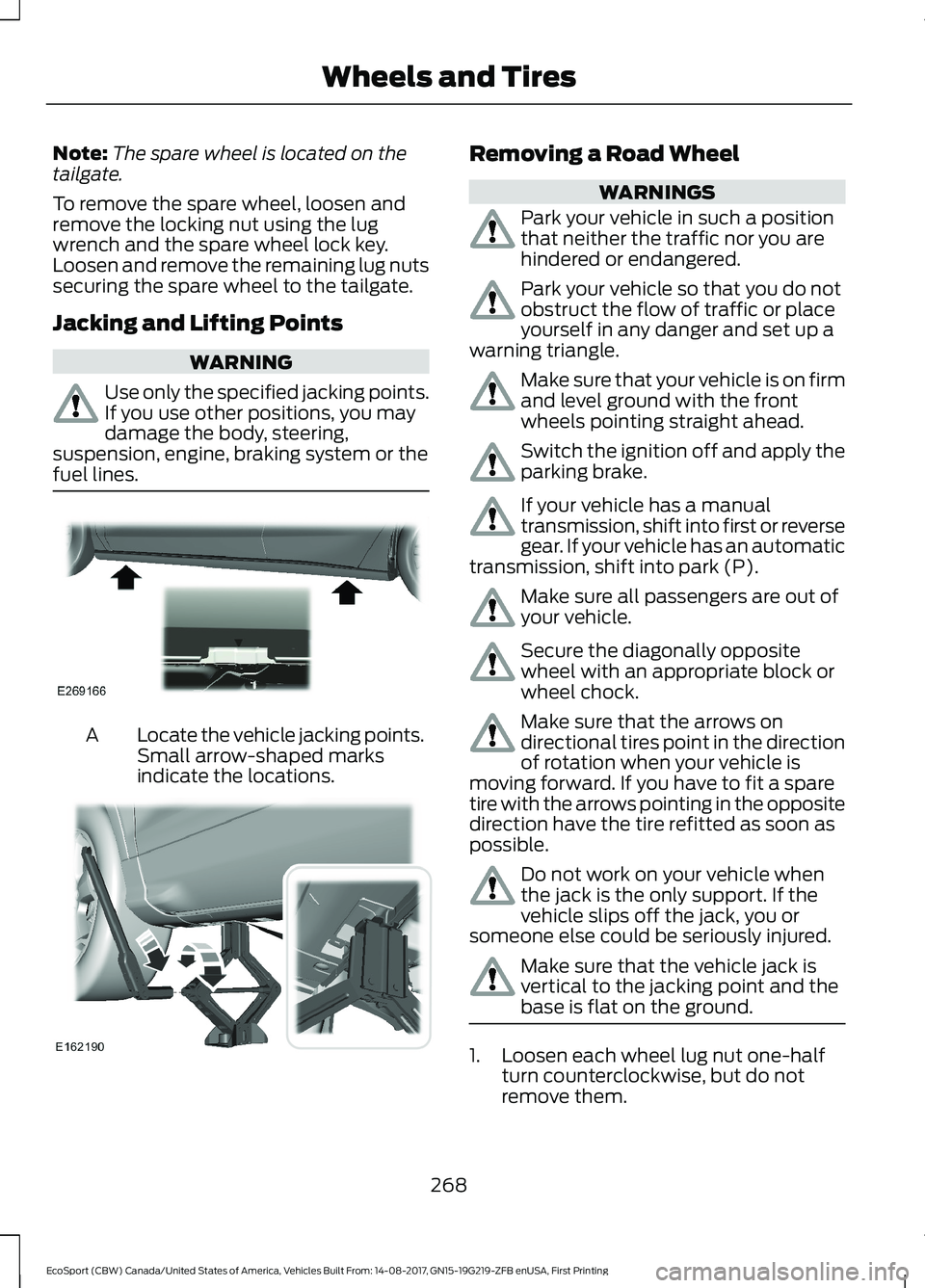
Jacking and Lifting Points
WARNING
Use only the specified jacking points.If you use other positions, you maydamage the body, steering,suspension, engine, braking system or thefuel lines.
Locate the vehicle jacking points.Small arrow-shaped marksindicate the locations.
A
Removing a Road Wheel
WARNINGS
Park your vehicle in such a positionthat neither the traffic nor you arehindered or endangered.
Park your vehicle so that you do notobstruct the flow of traffic or placeyourself in any danger and set up awarning triangle.
Make sure that your vehicle is on firmand level ground with the frontwheels pointing straight ahead.
Switch the ignition off and apply theparking brake.
If your vehicle has a manualtransmission, shift into first or reversegear. If your vehicle has an automatictransmission, shift into park (P).
Make sure all passengers are out ofyour vehicle.
Secure the diagonally oppositewheel with an appropriate block orwheel chock.
Make sure that the arrows ondirectional tires point in the directionof rotation when your vehicle ismoving forward. If you have to fit a sparetire with the arrows pointing in the oppositedirection have the tire refitted as soon aspossible.
Do not work on your vehicle whenthe jack is the only support. If thevehicle slips off the jack, you orsomeone else could be seriously injured.
Make sure that the vehicle jack isvertical to the jacking point and thebase is flat on the ground.
1.Loosen each wheel lug nut one-halfturn counterclockwise, but do notremove them.
268EcoSport (CBW) Canada/United States of America, Vehicles Built From: 14-08-2017, GN15-19G219-ZFB enUSA, First PrintingWheels and Tires
Page 291 of 452
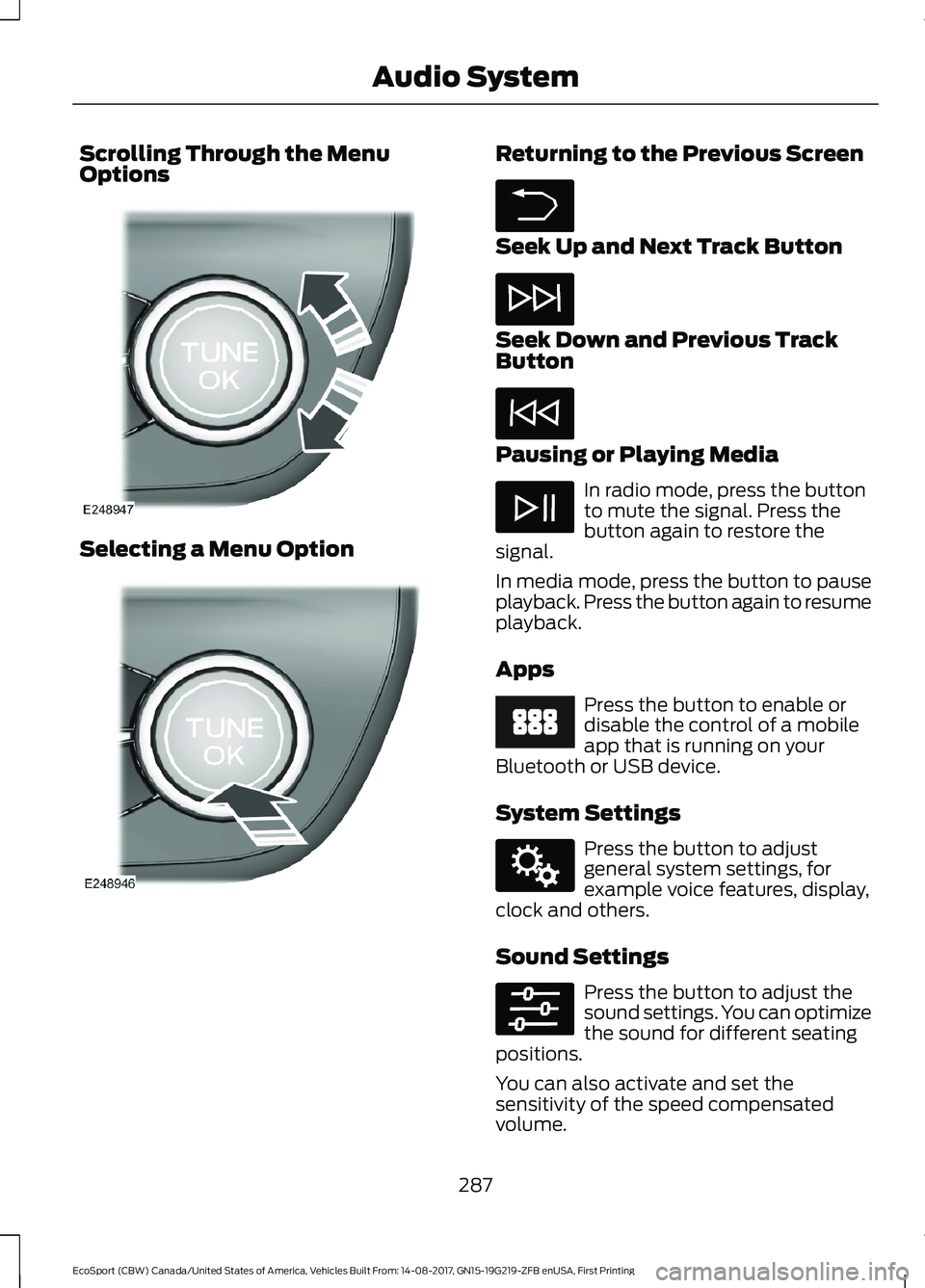
Scrolling Through the MenuOptions
Selecting a Menu Option
Returning to the Previous Screen
Seek Up and Next Track Button
Seek Down and Previous TrackButton
Pausing or Playing Media
In radio mode, press the buttonto mute the signal. Press thebutton again to restore thesignal.
In media mode, press the button to pauseplayback. Press the button again to resumeplayback.
Apps
Press the button to enable ordisable the control of a mobileapp that is running on yourBluetooth or USB device.
System Settings
Press the button to adjustgeneral system settings, forexample voice features, display,clock and others.
Sound Settings
Press the button to adjust thesound settings. You can optimizethe sound for different seatingpositions.
You can also activate and set thesensitivity of the speed compensatedvolume.
287EcoSport (CBW) Canada/United States of America, Vehicles Built From: 14-08-2017, GN15-19G219-ZFB enUSA, First PrintingAudio System
Page 312 of 452
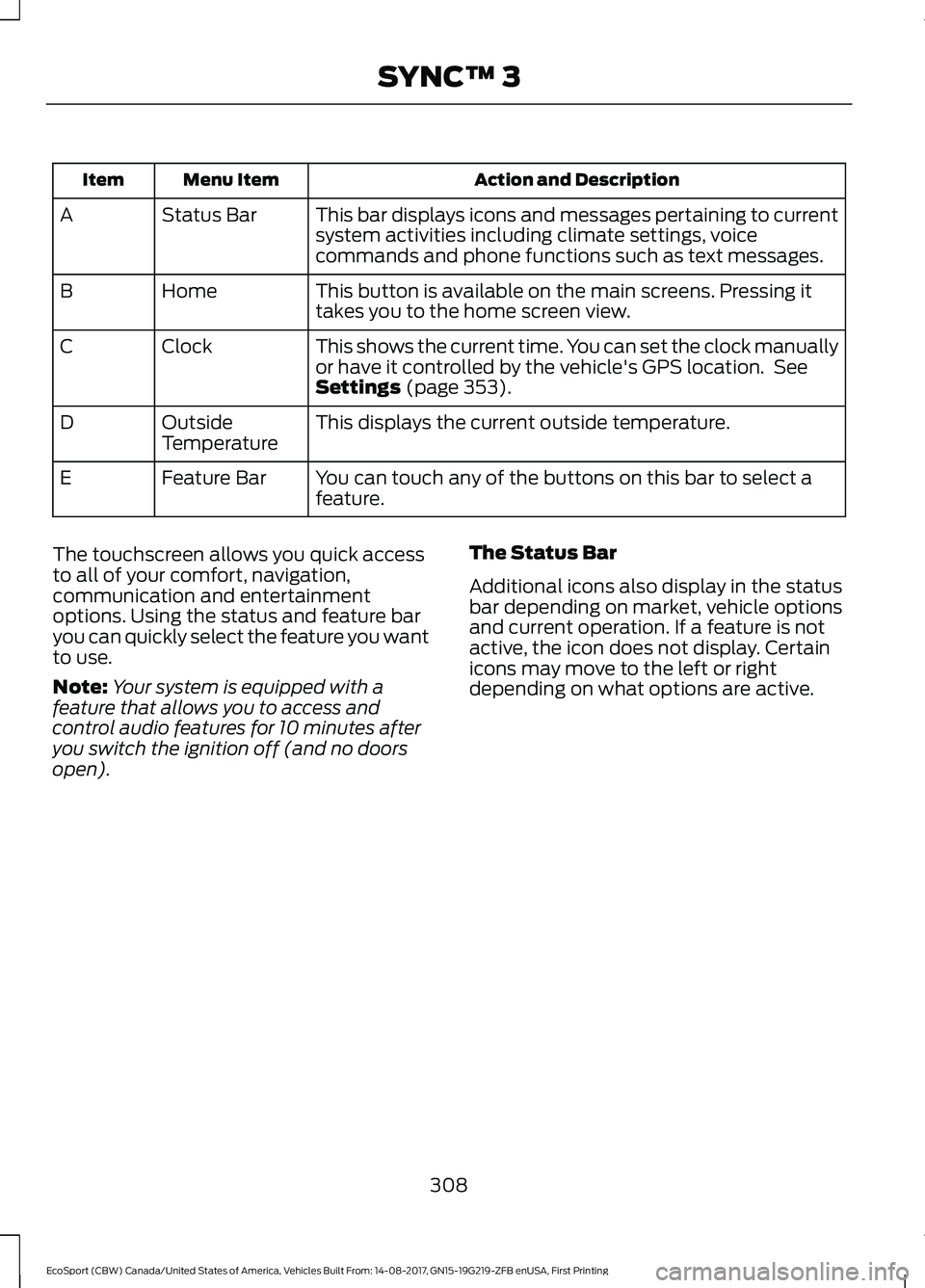
Action and DescriptionMenu ItemItem
This bar displays icons and messages pertaining to currentsystem activities including climate settings, voicecommands and phone functions such as text messages.
Status BarA
This button is available on the main screens. Pressing ittakes you to the home screen view.HomeB
This shows the current time. You can set the clock manuallyor have it controlled by the vehicle's GPS location. SeeSettings (page 353).
ClockC
This displays the current outside temperature.OutsideTemperatureD
You can touch any of the buttons on this bar to select afeature.Feature BarE
The touchscreen allows you quick accessto all of your comfort, navigation,communication and entertainmentoptions. Using the status and feature baryou can quickly select the feature you wantto use.
Note:Your system is equipped with afeature that allows you to access andcontrol audio features for 10 minutes afteryou switch the ignition off (and no doorsopen).
The Status Bar
Additional icons also display in the statusbar depending on market, vehicle optionsand current operation. If a feature is notactive, the icon does not display. Certainicons may move to the left or rightdepending on what options are active.
308EcoSport (CBW) Canada/United States of America, Vehicles Built From: 14-08-2017, GN15-19G219-ZFB enUSA, First PrintingSYNC™ 3
Page 359 of 452
Action and DescriptionMenu Item
This allows you to view the version level of the Gracenote Database.Gracenote® Data-base Info
This allows you to view the manufacturer and model number of yourmedia device.Device Informa-tion
Erase the stored in media information in order to re-index.Update MediaIndex
Clock
To adjust the time, select the up and downarrows on either side of the screen. Thearrows on the left adjust the hour andarrows on the right adjust the minute. Youcan then select AM or PM.
You can adjust the following features:
Action and DescriptionMenu Item
Select how time displays.Clock Format
When active, the clock adjusts to time zone changes.Auto Time ZoneUpdateThis feature is only available in vehicles with navigation.
When selected, the vehicle clock resets to GPS satellite time.Reset Clock toGPS Time
The system automatically saves anyupdates you make to the settings.Bluetooth
Pressing this button allows you to accessthe following:
ActionMenu Item
Turning Bluetooth off disconnects all devices and does not permitnew connections.Bluetooth
You must activate Bluetooth to pair aBluetooth-enabled device.
The processes of pairing a Bluetoothdevice is the same as pairing a phone.SeePairing a Device in Phone settings for howto pair a device and the available options.
Phone
Pair your Bluetooth-enabled phone withthe system before using the functions inhands-free mode.
Switch on Bluetooth on your device tobegin pairing. See your phone’s manual ifnecessary.
355EcoSport (CBW) Canada/United States of America, Vehicles Built From: 14-08-2017, GN15-19G219-ZFB enUSA, First PrintingSYNC™ 3
Page 447 of 452
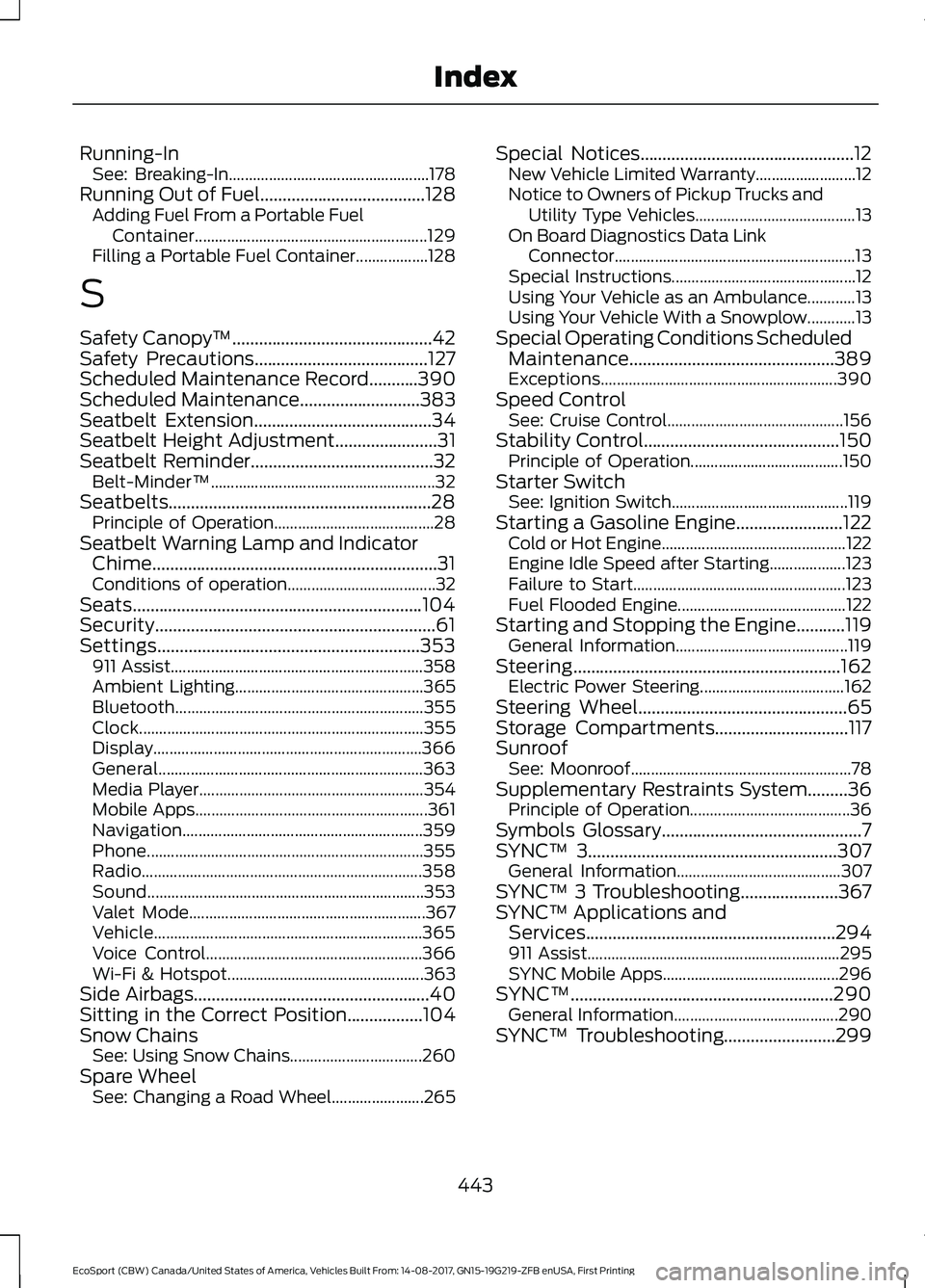
Running-InSee: Breaking-In..................................................178Running Out of Fuel.....................................128Adding Fuel From a Portable FuelContainer..........................................................129Filling a Portable Fuel Container..................128
S
Safety Canopy™.............................................42Safety Precautions.......................................127Scheduled Maintenance Record...........390Scheduled Maintenance...........................383Seatbelt Extension........................................34Seatbelt Height Adjustment.......................31Seatbelt Reminder.........................................32Belt-Minder™........................................................32Seatbelts...........................................................28Principle of Operation........................................28Seatbelt Warning Lamp and IndicatorChime................................................................31Conditions of operation.....................................32Seats.................................................................104Security...............................................................61Settings...........................................................353911 Assist...............................................................358Ambient Lighting...............................................365Bluetooth..............................................................355Clock.......................................................................355Display...................................................................366General..................................................................363Media Player........................................................354Mobile Apps..........................................................361Navigation............................................................359Phone.....................................................................355Radio......................................................................358Sound.....................................................................353Valet Mode...........................................................367Vehicle...................................................................365Voice Control......................................................366Wi-Fi & Hotspot.................................................363Side Airbags.....................................................40Sitting in the Correct Position.................104Snow ChainsSee: Using Snow Chains.................................260Spare WheelSee: Changing a Road Wheel.......................265
Special Notices................................................12New Vehicle Limited Warranty.........................12Notice to Owners of Pickup Trucks andUtility Type Vehicles........................................13On Board Diagnostics Data LinkConnector............................................................13Special Instructions..............................................12Using Your Vehicle as an Ambulance............13Using Your Vehicle With a Snowplow............13Special Operating Conditions ScheduledMaintenance..............................................389Exceptions...........................................................390Speed ControlSee: Cruise Control............................................156Stability Control............................................150Principle of Operation......................................150Starter SwitchSee: Ignition Switch............................................119Starting a Gasoline Engine........................122Cold or Hot Engine..............................................122Engine Idle Speed after Starting...................123Failure to Start.....................................................123Fuel Flooded Engine..........................................122Starting and Stopping the Engine...........119General Information...........................................119Steering............................................................162Electric Power Steering....................................162Steering Wheel...............................................65Storage Compartments..............................117SunroofSee: Moonroof.......................................................78Supplementary Restraints System.........36Principle of Operation........................................36Symbols Glossary.............................................7SYNC™ 3........................................................307General Information.........................................307SYNC™ 3 Troubleshooting......................367SYNC™ Applications andServices........................................................294911 Assist...............................................................295SYNC Mobile Apps............................................296SYNC™...........................................................290General Information.........................................290SYNC™ Troubleshooting.........................299
443EcoSport (CBW) Canada/United States of America, Vehicles Built From: 14-08-2017, GN15-19G219-ZFB enUSA, First PrintingIndex