display FORD ECOSPORT 2018 Service Manual
[x] Cancel search | Manufacturer: FORD, Model Year: 2018, Model line: ECOSPORT, Model: FORD ECOSPORT 2018Pages: 452, PDF Size: 17.04 MB
Page 153 of 452
PRINCIPLE OF OPERATION
The traction control system helps avoiddrive wheel spin and loss of traction.
If your vehicle begins to slide, the systemapplies the brakes to individual wheelsand, when needed, reduces engine powerat the same time. If the wheels spin whenaccelerating on slippery or loose surfaces,the system reduces engine power in orderto increase traction.
USING TRACTION CONTROL
In certain situations for example, stuck insnow or mud, turning the traction controloff may be beneficial as this allows thewheels to spin with full engine power.Depending on the type of system you haveon your vehicle, you can either turn thesystem off using the information displayor by pressing the button.
Switching the System Off Usingthe Information Display Controls
(If Equipped)
Your vehicle comes with this featurealready enabled. If required, you can switchthis feature off using the informationdisplay controls. See Principle ofOperation (page 149).
Switching the System Off Using aSwitch (If Equipped)
The button is located in the instrumentpanel.
Press the button. You will see a messagein conjunction with an illuminated icon inthe display. Press the button again toreturn the system to normal mode.
When you switch the traction controlsystem off, stability control remains fullyactive.
System Indicator Lights andMessages
WARNING
If a failure has been detected withinthe AdvanceTrac system, thestability control light will illuminatesteadily. Verify that the AdvanceTracsystem was not manually disabled throughthe information display. If the stabilitycontrol light still illuminates steadily, havethe system serviced by an authorizeddealer immediately. Operating your vehiclewith AdvanceTrac disabled could lead toan increased risk of loss of vehicle control,vehicle rollover, personal injury and death.
The stability control lighttemporarily illuminates onengine start-up and flasheswhen a driving condition activates thestability system.
The stability control off lighttemporarily illuminates onengine start-up and stays onwhen you turn the traction control systemoff.
When you turn the traction control systemoff or on, a message appears in theinformation display showing system status.
149EcoSport (CBW) Canada/United States of America, Vehicles Built From: 14-08-2017, GN15-19G219-ZFB enUSA, First PrintingTraction Control (If Equipped)
Page 155 of 452
PRINCIPLE OF OPERATION
WARNINGS
The system may not detect objectswith surfaces that absorb reflection.Always drive with due care andattention. Failure to take care may resultin a crash.
To help avoid personal injury, alwaysuse caution when in reverse (R) andwhen using the sensing system.
The system may not detect small ormoving objects, particularly thoseclose to the ground.
Note:Certain add-on devices installedaround the rear fascia such as large trailerhitches, bike or surfboard racks or certainadd-on devices installed around the frontfascia such as license plate brackets orframes, bumper covers, bumper guards orany other device that may block the normaldetection zone of the system, may createfalse beeps.
Note:In these cases the add-on devicesmust be removed in order to prevent thefalse beeps.
Note: Keep the sensors free from snow, iceand large accumulations of dirt. Blockedsensors may affect system accuracy. Donot clean the sensors with sharp objects.
Note:If your vehicle sustains damage tothe bumper or fascia, leaving it misalignedor bent, the sensing zone may be alteredcausing inaccurate measurement ofobstacles or false alarms.
Note:When a trailer is connected to thevehicle, the Rear Sensing System maydetect the trailer and therefore providewarnings. It is suggested that the driverdisables the Rear Sensing System when atrailer is connected to the vehicle to preventthese warnings.
We recommend that you take some timeto get to know the system and itslimitations by reading this section.
The sensing system warns the driver ofobstacles within a certain range of yourvehicle. The system automatically turnson each time you switch the ignition on.
The system may provide display or soundwarnings when the detected obstacle is12 in (30 cm) or less from the bumper.
The system can be switched off throughthe information display menu or from thepop-up message that appears once youshift the transmission into reverse (R). Ifyour vehicle is equipped with a frontsensing system, you can switch the systemoff using the parking aid button. SeeGeneral Information (page 85).
If a fault is present in the system, a warningmessage appears in the informationdisplay and does not allow you to switchthe system on.
See Information Messages (page 88).
REAR PARKING AID
The rear parking aid sensors automaticallyturn on when you shift into reverse (R).
As your vehicle moves closer to theobstacle, the rate of the audible warningincreases. When the obstacle is less than11.81 in (30 cm) the warning soundscontinuously. If the system detects anobject farther than 11.81 in (30 cm) fromthe corners of the bumper, the tone soundsfor only three seconds. If the systemdetects an approaching object the warningsounds again.
151EcoSport (CBW) Canada/United States of America, Vehicles Built From: 14-08-2017, GN15-19G219-ZFB enUSA, First PrintingParking Aids (If Equipped)
Page 156 of 452
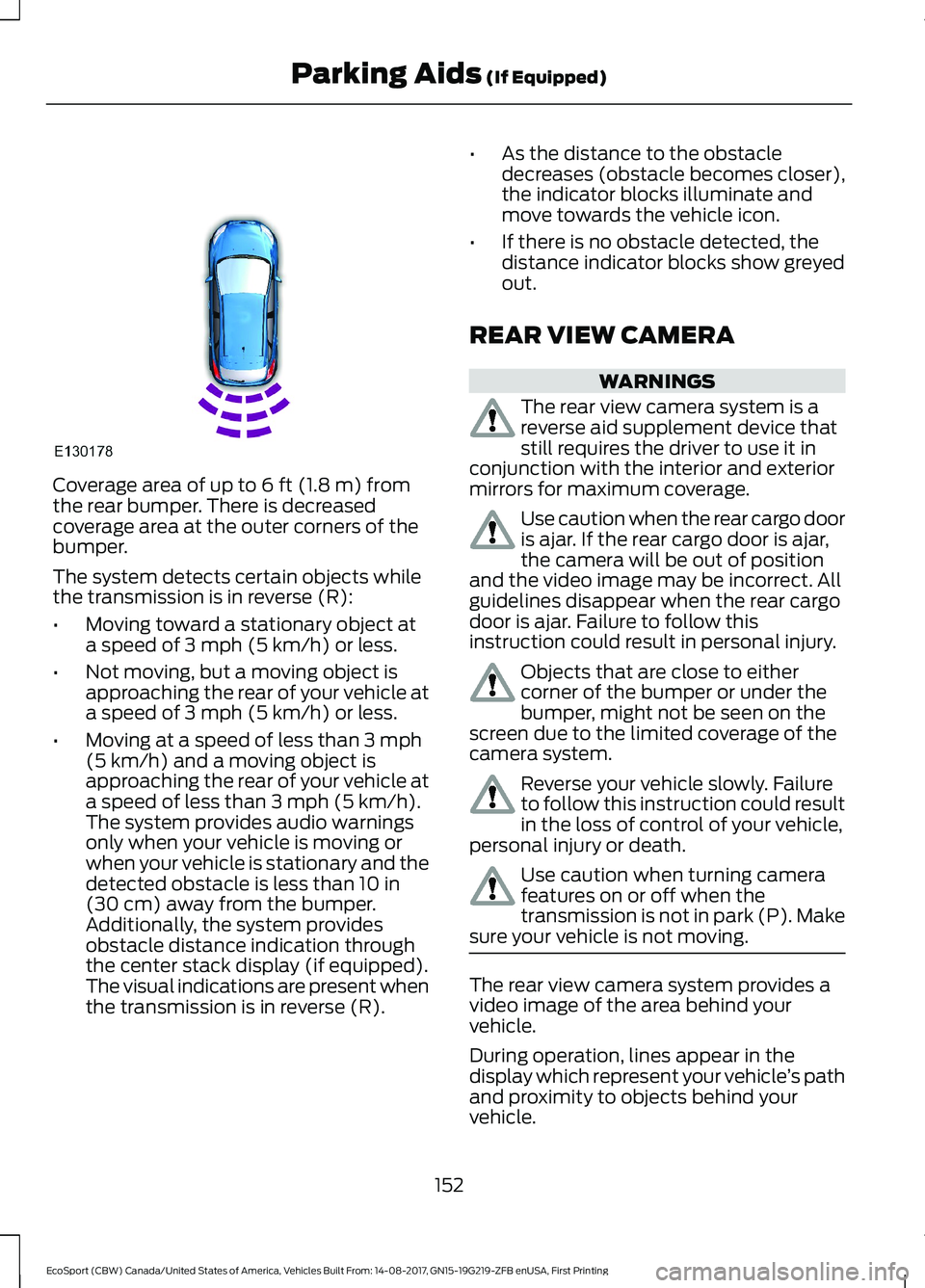
Coverage area of up to 6 ft (1.8 m) fromthe rear bumper. There is decreasedcoverage area at the outer corners of thebumper.
The system detects certain objects whilethe transmission is in reverse (R):
•Moving toward a stationary object ata speed of 3 mph (5 km/h) or less.
•Not moving, but a moving object isapproaching the rear of your vehicle ata speed of 3 mph (5 km/h) or less.
•Moving at a speed of less than 3 mph(5 km/h) and a moving object isapproaching the rear of your vehicle ata speed of less than 3 mph (5 km/h).The system provides audio warningsonly when your vehicle is moving orwhen your vehicle is stationary and thedetected obstacle is less than 10 in(30 cm) away from the bumper.Additionally, the system providesobstacle distance indication throughthe center stack display (if equipped).The visual indications are present whenthe transmission is in reverse (R).
•As the distance to the obstacledecreases (obstacle becomes closer),the indicator blocks illuminate andmove towards the vehicle icon.
•If there is no obstacle detected, thedistance indicator blocks show greyedout.
REAR VIEW CAMERA
WARNINGS
The rear view camera system is areverse aid supplement device thatstill requires the driver to use it inconjunction with the interior and exteriormirrors for maximum coverage.
Use caution when the rear cargo dooris ajar. If the rear cargo door is ajar,the camera will be out of positionand the video image may be incorrect. Allguidelines disappear when the rear cargodoor is ajar. Failure to follow thisinstruction could result in personal injury.
Objects that are close to eithercorner of the bumper or under thebumper, might not be seen on thescreen due to the limited coverage of thecamera system.
Reverse your vehicle slowly. Failureto follow this instruction could resultin the loss of control of your vehicle,personal injury or death.
Use caution when turning camerafeatures on or off when thetransmission is not in park (P). Makesure your vehicle is not moving.
The rear view camera system provides avideo image of the area behind yourvehicle.
During operation, lines appear in thedisplay which represent your vehicle’s pathand proximity to objects behind yourvehicle.
152EcoSport (CBW) Canada/United States of America, Vehicles Built From: 14-08-2017, GN15-19G219-ZFB enUSA, First PrintingParking Aids (If Equipped)
Page 157 of 452
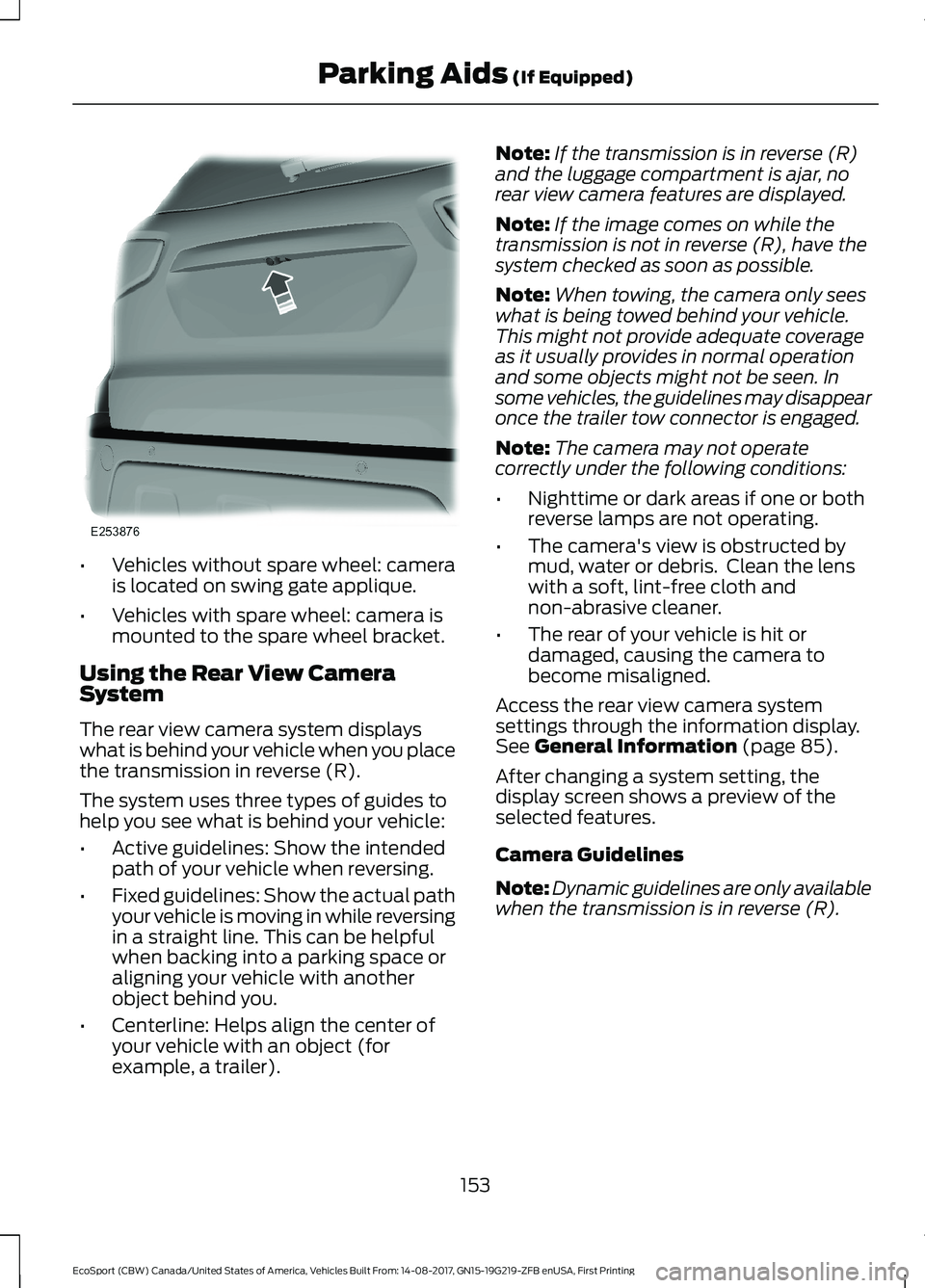
•Vehicles without spare wheel: camerais located on swing gate applique.
•Vehicles with spare wheel: camera ismounted to the spare wheel bracket.
Using the Rear View CameraSystem
The rear view camera system displayswhat is behind your vehicle when you placethe transmission in reverse (R).
The system uses three types of guides tohelp you see what is behind your vehicle:
•Active guidelines: Show the intendedpath of your vehicle when reversing.
•Fixed guidelines: Show the actual pathyour vehicle is moving in while reversingin a straight line. This can be helpfulwhen backing into a parking space oraligning your vehicle with anotherobject behind you.
•Centerline: Helps align the center ofyour vehicle with an object (forexample, a trailer).
Note:If the transmission is in reverse (R)and the luggage compartment is ajar, norear view camera features are displayed.
Note:If the image comes on while thetransmission is not in reverse (R), have thesystem checked as soon as possible.
Note:When towing, the camera only seeswhat is being towed behind your vehicle.This might not provide adequate coverageas it usually provides in normal operationand some objects might not be seen. Insome vehicles, the guidelines may disappearonce the trailer tow connector is engaged.
Note:The camera may not operatecorrectly under the following conditions:
•Nighttime or dark areas if one or bothreverse lamps are not operating.
•The camera's view is obstructed bymud, water or debris. Clean the lenswith a soft, lint-free cloth andnon-abrasive cleaner.
•The rear of your vehicle is hit ordamaged, causing the camera tobecome misaligned.
Access the rear view camera systemsettings through the information display.See General Information (page 85).
After changing a system setting, thedisplay screen shows a preview of theselected features.
Camera Guidelines
Note:Dynamic guidelines are only availablewhen the transmission is in reverse (R).
153EcoSport (CBW) Canada/United States of America, Vehicles Built From: 14-08-2017, GN15-19G219-ZFB enUSA, First PrintingParking Aids (If Equipped)
Page 158 of 452
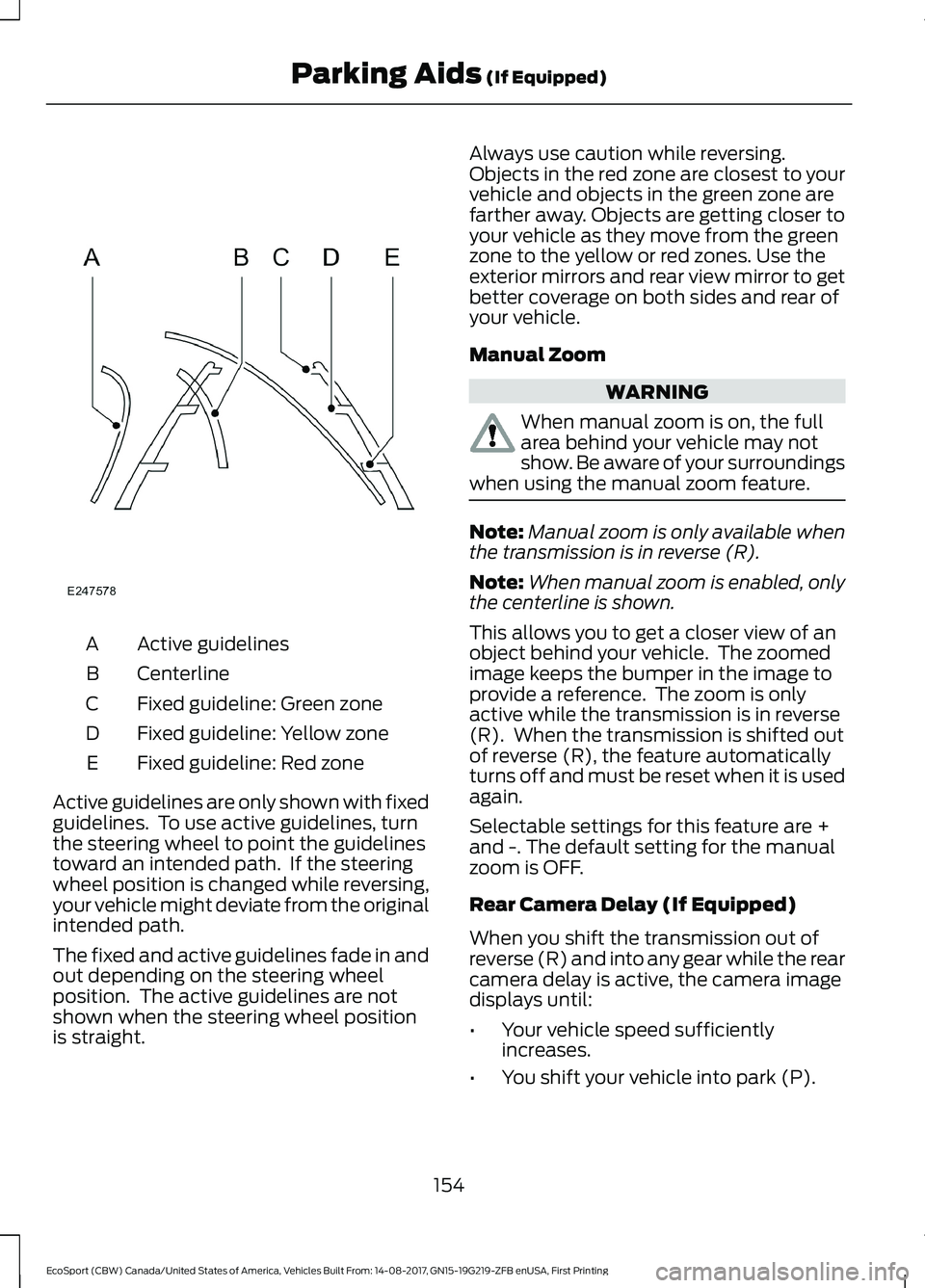
Active guidelinesA
CenterlineB
Fixed guideline: Green zoneC
Fixed guideline: Yellow zoneD
Fixed guideline: Red zoneE
Active guidelines are only shown with fixedguidelines. To use active guidelines, turnthe steering wheel to point the guidelinestoward an intended path. If the steeringwheel position is changed while reversing,your vehicle might deviate from the originalintended path.
The fixed and active guidelines fade in andout depending on the steering wheelposition. The active guidelines are notshown when the steering wheel positionis straight.
Always use caution while reversing.Objects in the red zone are closest to yourvehicle and objects in the green zone arefarther away. Objects are getting closer toyour vehicle as they move from the greenzone to the yellow or red zones. Use theexterior mirrors and rear view mirror to getbetter coverage on both sides and rear ofyour vehicle.
Manual Zoom
WARNING
When manual zoom is on, the fullarea behind your vehicle may notshow. Be aware of your surroundingswhen using the manual zoom feature.
Note:Manual zoom is only available whenthe transmission is in reverse (R).
Note:When manual zoom is enabled, onlythe centerline is shown.
This allows you to get a closer view of anobject behind your vehicle. The zoomedimage keeps the bumper in the image toprovide a reference. The zoom is onlyactive while the transmission is in reverse(R). When the transmission is shifted outof reverse (R), the feature automaticallyturns off and must be reset when it is usedagain.
Selectable settings for this feature are +and -. The default setting for the manualzoom is OFF.
Rear Camera Delay (If Equipped)
When you shift the transmission out ofreverse (R) and into any gear while the rearcamera delay is active, the camera imagedisplays until:
•Your vehicle speed sufficientlyincreases.
•You shift your vehicle into park (P).
154EcoSport (CBW) Canada/United States of America, Vehicles Built From: 14-08-2017, GN15-19G219-ZFB enUSA, First PrintingParking Aids (If Equipped)
Page 159 of 452
Selectable settings for this feature are ONand OFF. The default setting for the rearcamera delay is OFF.
Enhanced Park Aids
Note:The reverse sensing system is noteffective at speeds above 6 mph (10 km/h)and may not detect certain angular ormoving objects.
When the sensing system detects anobject, it displays red, yellow and greenhighlights at the top of the image. The alerthighlights all objects detected.
Selectable settings for this feature are ONand OFF.
155EcoSport (CBW) Canada/United States of America, Vehicles Built From: 14-08-2017, GN15-19G219-ZFB enUSA, First PrintingParking Aids (If Equipped)
Page 160 of 452
PRINCIPLE OF OPERATION
Cruise control allows you to control yourspeed using the switches on the steeringwheel. You can use cruise control whenyou exceed 20 mph or 30 km/h.
Note:The system cancels if your vehiclespeed drops below 10 mph / 16km/h underthe set speed when driving uphill.
Changing the Set Speed
Press and release SET + or SET -. Whenyou select km/h as the displaymeasurement in the information displaythe set speed changes in 1km/hincrements. When you select mph as thedisplay measurement in the informationdisplay the set speed changes in 1 mphincrements.
USING CRUISE CONTROL
WARNINGS
Do not use cruise control on windingroads, in heavy traffic or when theroad surface is slippery. This couldresult in loss of vehicle control, seriousinjury or death.
When you are going downhill, yourvehicle speed could increase abovethe set speed. The system does notapply the brakes.
To help the system to maintain the setspeed when going downhill, downshift toa lower gear.
Note:The system cancels if your vehiclespeed drops below 10 mph (16 km/h) underthe set speed when driving uphill.
The cruise controls are on the steeringwheel.
Switching Cruise Control On
Press and release the cruise control button.
The indicator appears in theinformation display.
Setting the Cruise Speed
1.Drive to desired speed.
2.Press and release SET+ or SET-.
3.Take your foot off the acceleratorpedal.
4.The indicator changes color in theinformation display.
Changing the Set Speed
•Press and release SET+ or SET-. Whenyou select km/h as the displaymeasurement in the informationdisplay the set speed changes inapproximately 1 km/h increments.When you select mph as the displaymeasurement in the informationdisplay the set speed changes inapproximately 1 mph increments.
•Press the accelerator or brake pedaluntil you reach the desired speed. Pressand release SET+ or SET-.
•Press and hold SET+ or SET-. Releasethe control when you reach the desiredspeed.
Note: If you accelerate by pressing theaccelerator pedal, the set speed will notchange. When you release the acceleratorpedal, your vehicle returns to the speed thatyou previously set.
Canceling the Set Speed
Press and release CAN or tap the brakepedal. The set speed does not erase.
Resuming the Set Speed
Press and release RES.
156EcoSport (CBW) Canada/United States of America, Vehicles Built From: 14-08-2017, GN15-19G219-ZFB enUSA, First PrintingCruise Control (If Equipped)
Page 163 of 452
Note:The system may not alert you if avehicle quickly passes through the detectionzone.
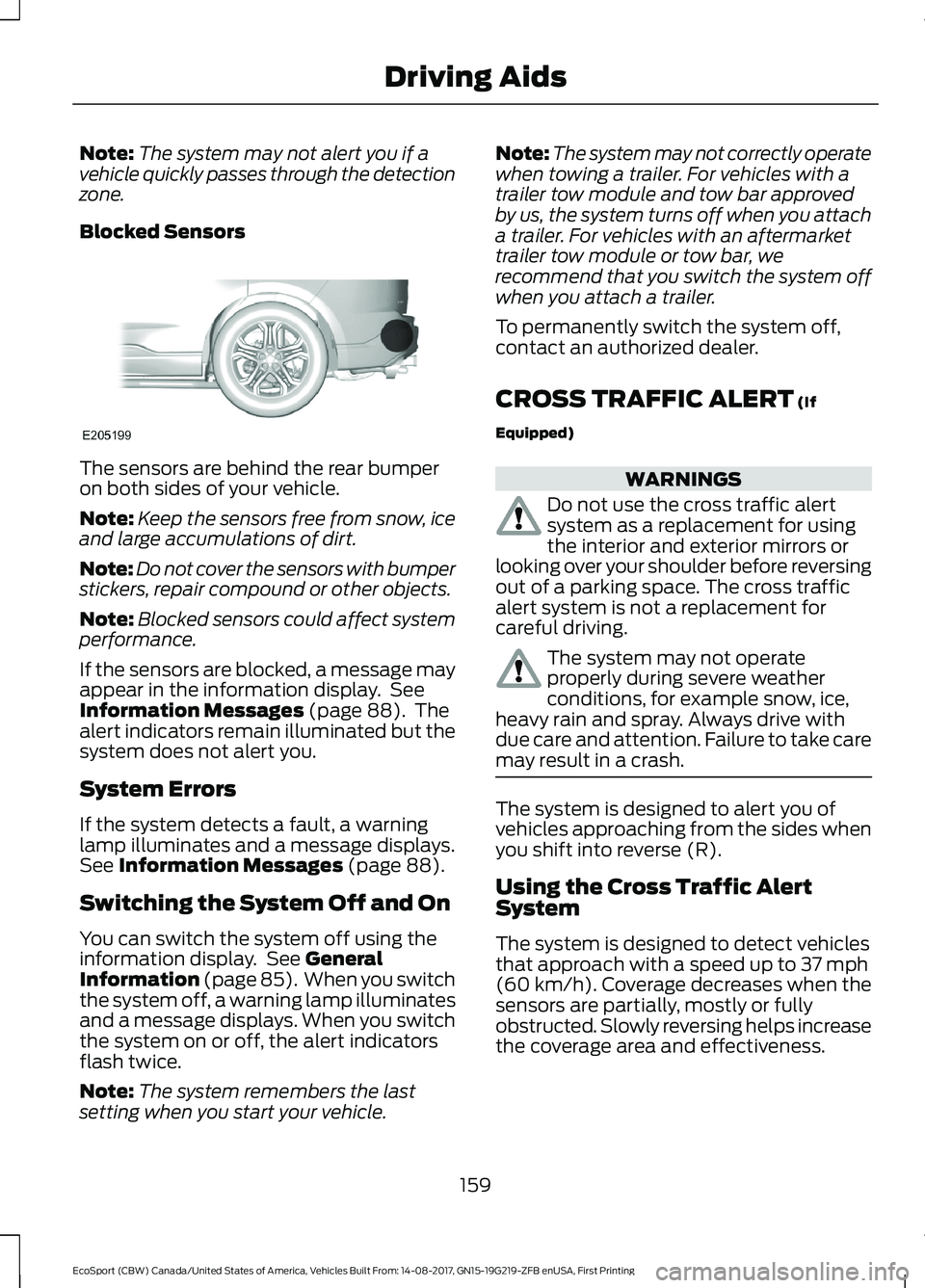
Blocked Sensors
The sensors are behind the rear bumperon both sides of your vehicle.
Note:Keep the sensors free from snow, iceand large accumulations of dirt.
Note:Do not cover the sensors with bumperstickers, repair compound or other objects.
Note:Blocked sensors could affect systemperformance.
If the sensors are blocked, a message mayappear in the information display. SeeInformation Messages (page 88). Thealert indicators remain illuminated but thesystem does not alert you.
System Errors
If the system detects a fault, a warninglamp illuminates and a message displays.See Information Messages (page 88).
Switching the System Off and On
You can switch the system off using theinformation display. See GeneralInformation (page 85). When you switchthe system off, a warning lamp illuminatesand a message displays. When you switchthe system on or off, the alert indicatorsflash twice.
Note:The system remembers the lastsetting when you start your vehicle.
Note:The system may not correctly operatewhen towing a trailer. For vehicles with atrailer tow module and tow bar approvedby us, the system turns off when you attacha trailer. For vehicles with an aftermarkettrailer tow module or tow bar, werecommend that you switch the system offwhen you attach a trailer.
To permanently switch the system off,contact an authorized dealer.
CROSS TRAFFIC ALERT (If
Equipped)
WARNINGS
Do not use the cross traffic alertsystem as a replacement for usingthe interior and exterior mirrors orlooking over your shoulder before reversingout of a parking space. The cross trafficalert system is not a replacement forcareful driving.
The system may not operateproperly during severe weatherconditions, for example snow, ice,heavy rain and spray. Always drive withdue care and attention. Failure to take caremay result in a crash.
The system is designed to alert you ofvehicles approaching from the sides whenyou shift into reverse (R).
Using the Cross Traffic AlertSystem
The system is designed to detect vehiclesthat approach with a speed up to 37 mph(60 km/h). Coverage decreases when thesensors are partially, mostly or fullyobstructed. Slowly reversing helps increasethe coverage area and effectiveness.
159EcoSport (CBW) Canada/United States of America, Vehicles Built From: 14-08-2017, GN15-19G219-ZFB enUSA, First PrintingDriving Aids
Page 165 of 452
Zone coverage also decreases whenparking at narrow angles. The sensor onthe left-hand side is mostly obstructed andzone coverage on that side is severelyreduced.
System Lights, Messages andAudible Alerts
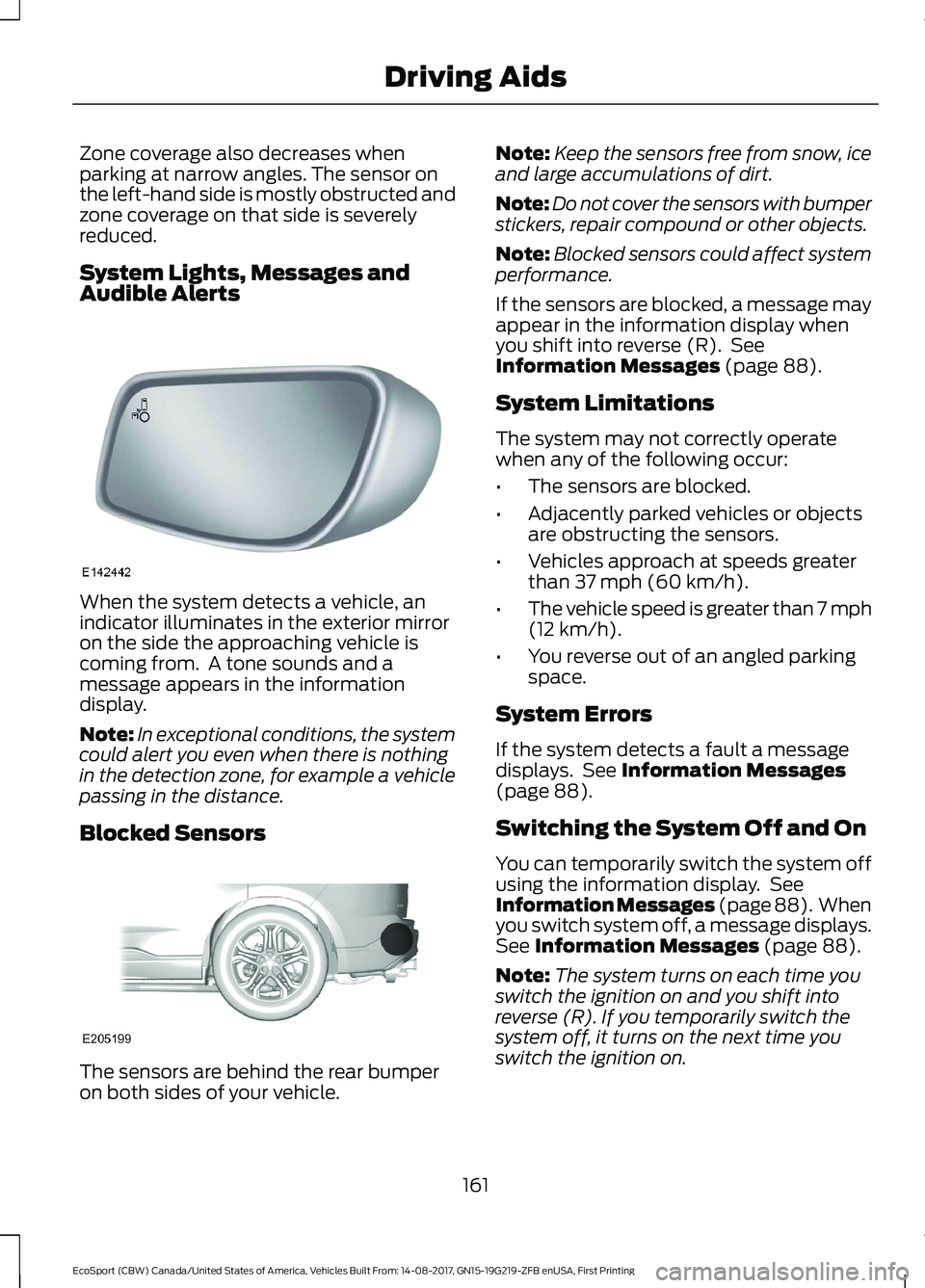
When the system detects a vehicle, anindicator illuminates in the exterior mirroron the side the approaching vehicle iscoming from. A tone sounds and amessage appears in the informationdisplay.
Note:In exceptional conditions, the systemcould alert you even when there is nothingin the detection zone, for example a vehiclepassing in the distance.
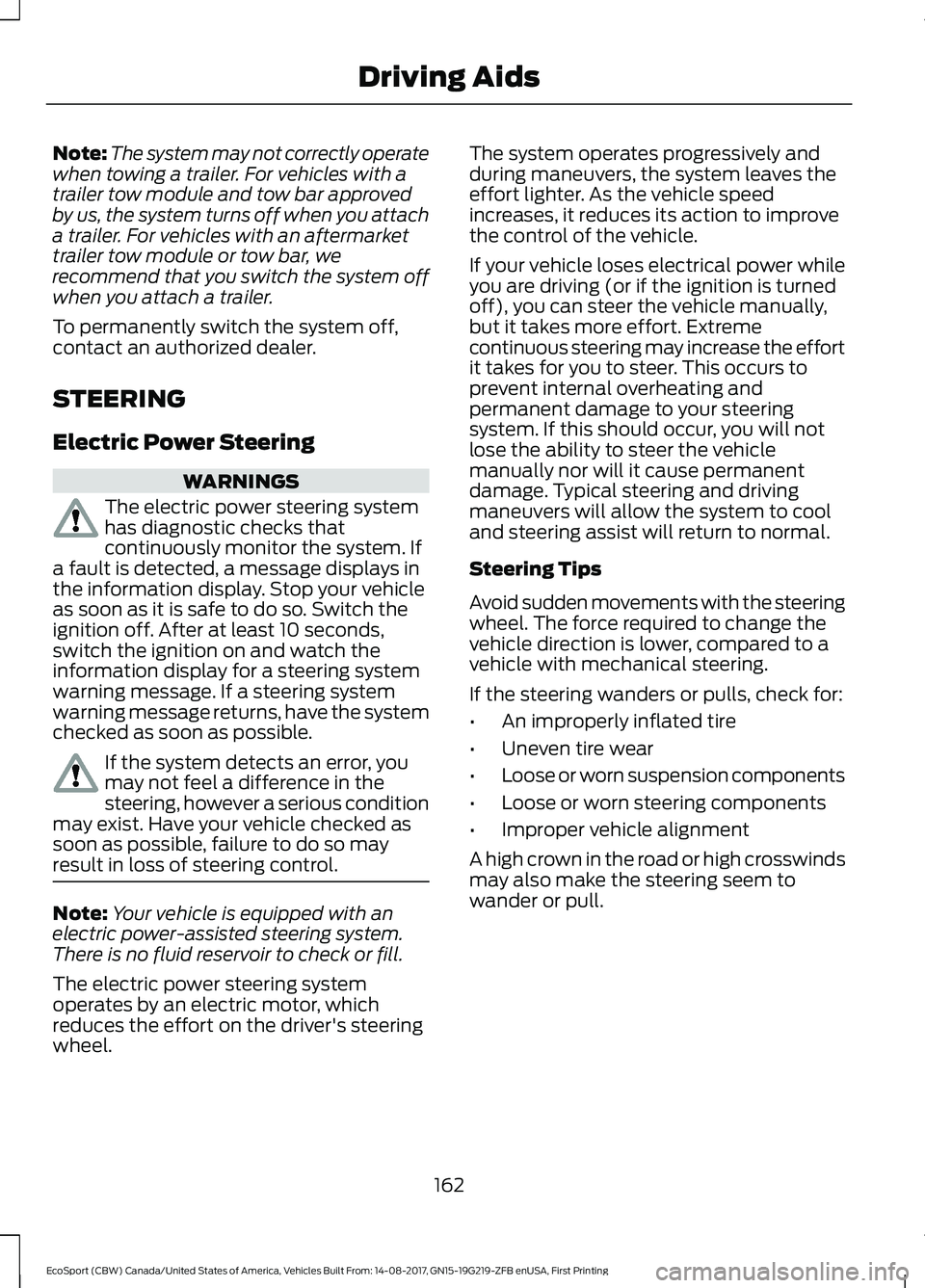
Blocked Sensors
The sensors are behind the rear bumperon both sides of your vehicle.
Note:Keep the sensors free from snow, iceand large accumulations of dirt.
Note:Do not cover the sensors with bumperstickers, repair compound or other objects.
Note:Blocked sensors could affect systemperformance.
If the sensors are blocked, a message mayappear in the information display whenyou shift into reverse (R). SeeInformation Messages (page 88).
System Limitations
The system may not correctly operatewhen any of the following occur:
•The sensors are blocked.
•Adjacently parked vehicles or objectsare obstructing the sensors.
•Vehicles approach at speeds greaterthan 37 mph (60 km/h).
•The vehicle speed is greater than 7 mph(12 km/h).
•You reverse out of an angled parkingspace.
System Errors
If the system detects a fault a messagedisplays. See Information Messages(page 88).
Switching the System Off and On
You can temporarily switch the system offusing the information display. SeeInformation Messages (page 88). Whenyou switch system off, a message displays.See Information Messages (page 88).
Note:The system turns on each time youswitch the ignition on and you shift intoreverse (R). If you temporarily switch thesystem off, it turns on the next time youswitch the ignition on.
161EcoSport (CBW) Canada/United States of America, Vehicles Built From: 14-08-2017, GN15-19G219-ZFB enUSA, First PrintingDriving Aids
Page 166 of 452
Note:The system may not correctly operatewhen towing a trailer. For vehicles with atrailer tow module and tow bar approvedby us, the system turns off when you attacha trailer. For vehicles with an aftermarkettrailer tow module or tow bar, werecommend that you switch the system offwhen you attach a trailer.
To permanently switch the system off,contact an authorized dealer.
STEERING
Electric Power Steering
WARNINGS
The electric power steering systemhas diagnostic checks thatcontinuously monitor the system. Ifa fault is detected, a message displays inthe information display. Stop your vehicleas soon as it is safe to do so. Switch theignition off. After at least 10 seconds,switch the ignition on and watch theinformation display for a steering systemwarning message. If a steering systemwarning message returns, have the systemchecked as soon as possible.
If the system detects an error, youmay not feel a difference in thesteering, however a serious conditionmay exist. Have your vehicle checked assoon as possible, failure to do so mayresult in loss of steering control.
Note:Your vehicle is equipped with anelectric power-assisted steering system.There is no fluid reservoir to check or fill.
The electric power steering systemoperates by an electric motor, whichreduces the effort on the driver's steeringwheel.
The system operates progressively andduring maneuvers, the system leaves theeffort lighter. As the vehicle speedincreases, it reduces its action to improvethe control of the vehicle.
If your vehicle loses electrical power whileyou are driving (or if the ignition is turnedoff), you can steer the vehicle manually,but it takes more effort. Extremecontinuous steering may increase the effortit takes for you to steer. This occurs toprevent internal overheating andpermanent damage to your steeringsystem. If this should occur, you will notlose the ability to steer the vehiclemanually nor will it cause permanentdamage. Typical steering and drivingmaneuvers will allow the system to cooland steering assist will return to normal.
Steering Tips
Avoid sudden movements with the steeringwheel. The force required to change thevehicle direction is lower, compared to avehicle with mechanical steering.
If the steering wanders or pulls, check for:
•An improperly inflated tire
•Uneven tire wear
•Loose or worn suspension components
•Loose or worn steering components
•Improper vehicle alignment
A high crown in the road or high crosswindsmay also make the steering seem towander or pull.
162EcoSport (CBW) Canada/United States of America, Vehicles Built From: 14-08-2017, GN15-19G219-ZFB enUSA, First PrintingDriving Aids