display FORD ECOSPORT 2018 User Guide
[x] Cancel search | Manufacturer: FORD, Model Year: 2018, Model line: ECOSPORT, Model: FORD ECOSPORT 2018Pages: 452, PDF Size: 17.04 MB
Page 71 of 452
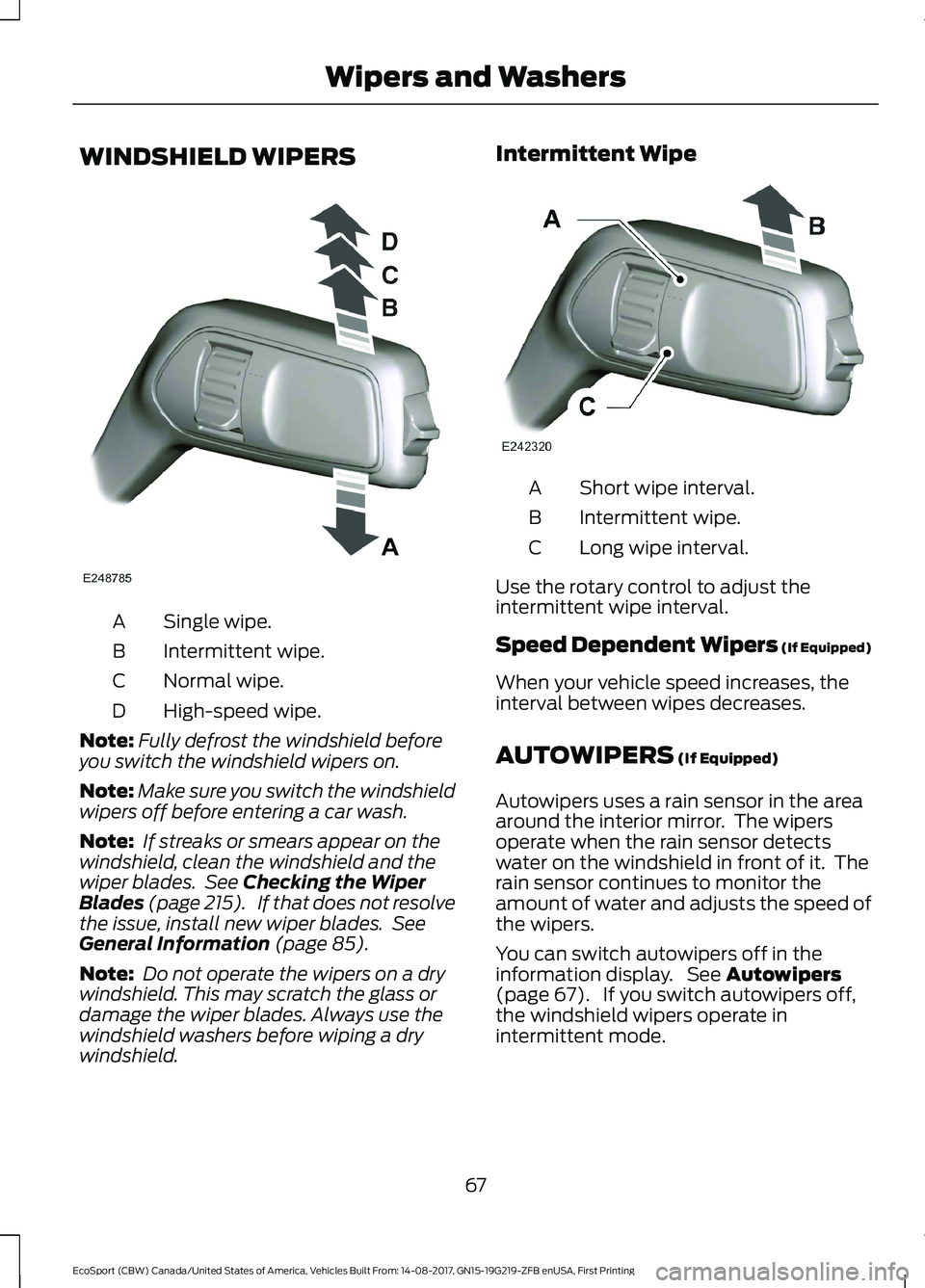
WINDSHIELD WIPERS
Single wipe.A
Intermittent wipe.B
Normal wipe.C
High-speed wipe.D
Note:Fully defrost the windshield beforeyou switch the windshield wipers on.
Note:Make sure you switch the windshieldwipers off before entering a car wash.
Note: If streaks or smears appear on thewindshield, clean the windshield and thewiper blades. See Checking the WiperBlades (page 215). If that does not resolvethe issue, install new wiper blades. SeeGeneral Information (page 85).
Note: Do not operate the wipers on a drywindshield. This may scratch the glass ordamage the wiper blades. Always use thewindshield washers before wiping a drywindshield.
Intermittent Wipe
Short wipe interval.A
Intermittent wipe.B
Long wipe interval.C
Use the rotary control to adjust theintermittent wipe interval.
Speed Dependent Wipers (If Equipped)
When your vehicle speed increases, theinterval between wipes decreases.
AUTOWIPERS (If Equipped)
Autowipers uses a rain sensor in the areaaround the interior mirror. The wipersoperate when the rain sensor detectswater on the windshield in front of it. Therain sensor continues to monitor theamount of water and adjusts the speed ofthe wipers.
You can switch autowipers off in theinformation display. See Autowipers(page 67). If you switch autowipers off,the windshield wipers operate inintermittent mode.
67EcoSport (CBW) Canada/United States of America, Vehicles Built From: 14-08-2017, GN15-19G219-ZFB enUSA, First PrintingWipers and Washers
Page 73 of 452
Settings
To switch courtesy wipe on or off, use the information display controls on thesteering wheel to select the following:
ActionMenu Item
Press the menu button.Settings
Press the OK button.Vehicle Settings
Press the OK button.Wipers
Press the OK button.Courtesy Wipe
REAR WINDOW WIPER AND
WASHERS
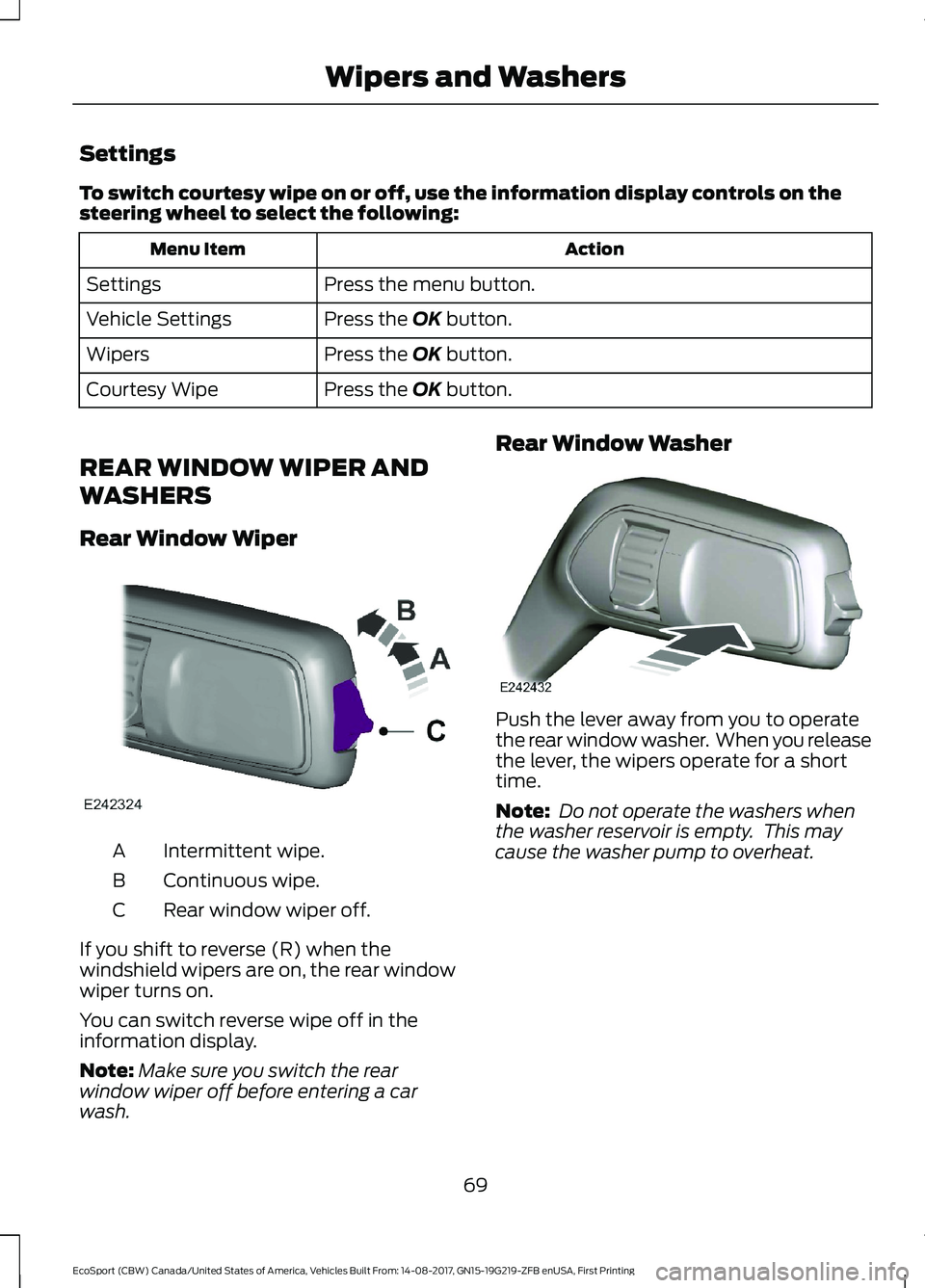
Rear Window Wiper
Intermittent wipe.A
Continuous wipe.B
Rear window wiper off.C
If you shift to reverse (R) when thewindshield wipers are on, the rear windowwiper turns on.
You can switch reverse wipe off in theinformation display.
Note:Make sure you switch the rearwindow wiper off before entering a carwash.
Rear Window Washer
Push the lever away from you to operatethe rear window washer. When you releasethe lever, the wipers operate for a shorttime.
Note: Do not operate the washers whenthe washer reservoir is empty. This maycause the washer pump to overheat.
69EcoSport (CBW) Canada/United States of America, Vehicles Built From: 14-08-2017, GN15-19G219-ZFB enUSA, First PrintingWipers and Washers
Page 75 of 452
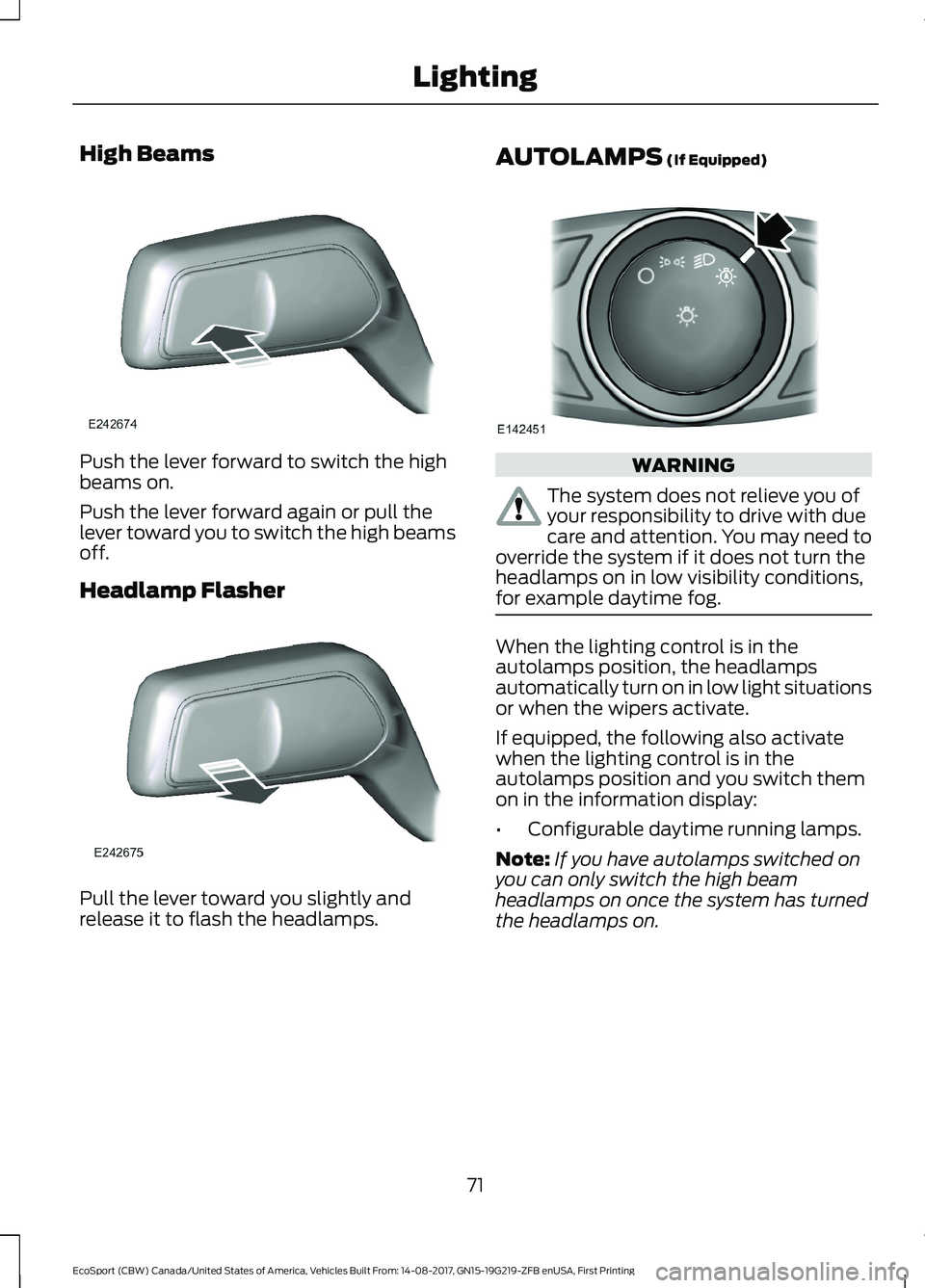
High Beams
Push the lever forward to switch the highbeams on.
Push the lever forward again or pull thelever toward you to switch the high beamsoff.
Headlamp Flasher
Pull the lever toward you slightly andrelease it to flash the headlamps.
AUTOLAMPS (If Equipped)
WARNING
The system does not relieve you ofyour responsibility to drive with duecare and attention. You may need tooverride the system if it does not turn theheadlamps on in low visibility conditions,for example daytime fog.
When the lighting control is in theautolamps position, the headlampsautomatically turn on in low light situationsor when the wipers activate.
If equipped, the following also activatewhen the lighting control is in theautolamps position and you switch themon in the information display:
•Configurable daytime running lamps.
Note:If you have autolamps switched onyou can only switch the high beamheadlamps on once the system has turnedthe headlamps on.
71EcoSport (CBW) Canada/United States of America, Vehicles Built From: 14-08-2017, GN15-19G219-ZFB enUSA, First PrintingLighting
Page 76 of 452
Windshield Wiper ActivatedHeadlamps (If Equipped)
When the headlamp switch is in theAutolamps position, the windshield wiperactivated exterior lamps will turn on within10 seconds when you switch thewindshield wipers on. They turn offapproximately 60 seconds after you switchthe windshield wipers off.
This feature does not turn on the exteriorlamps:
•During a single wipe.
•While the wipers are on to clear washerfluid during a wash condition.
•If the wipers are in automatic orintermittent modes.
Note:If you have autolamps andautowipers switched on the low beamheadlamps will turn on automatically whenthe windshield wipers operate continuously.
Autolamps Delay (If Equipped)
When the Autolamps have the headlampsand position/parklamps turned on, and theignition is turned OFF, the headlamps andposition/parklamps will remain on for anadditional 20 seconds (the autolamp exitdelay) or until the Autolamps are disabled.
You can change the delay period in theinformation display. See InformationDisplays (page 85).
INSTRUMENT LIGHTING
DIMMER
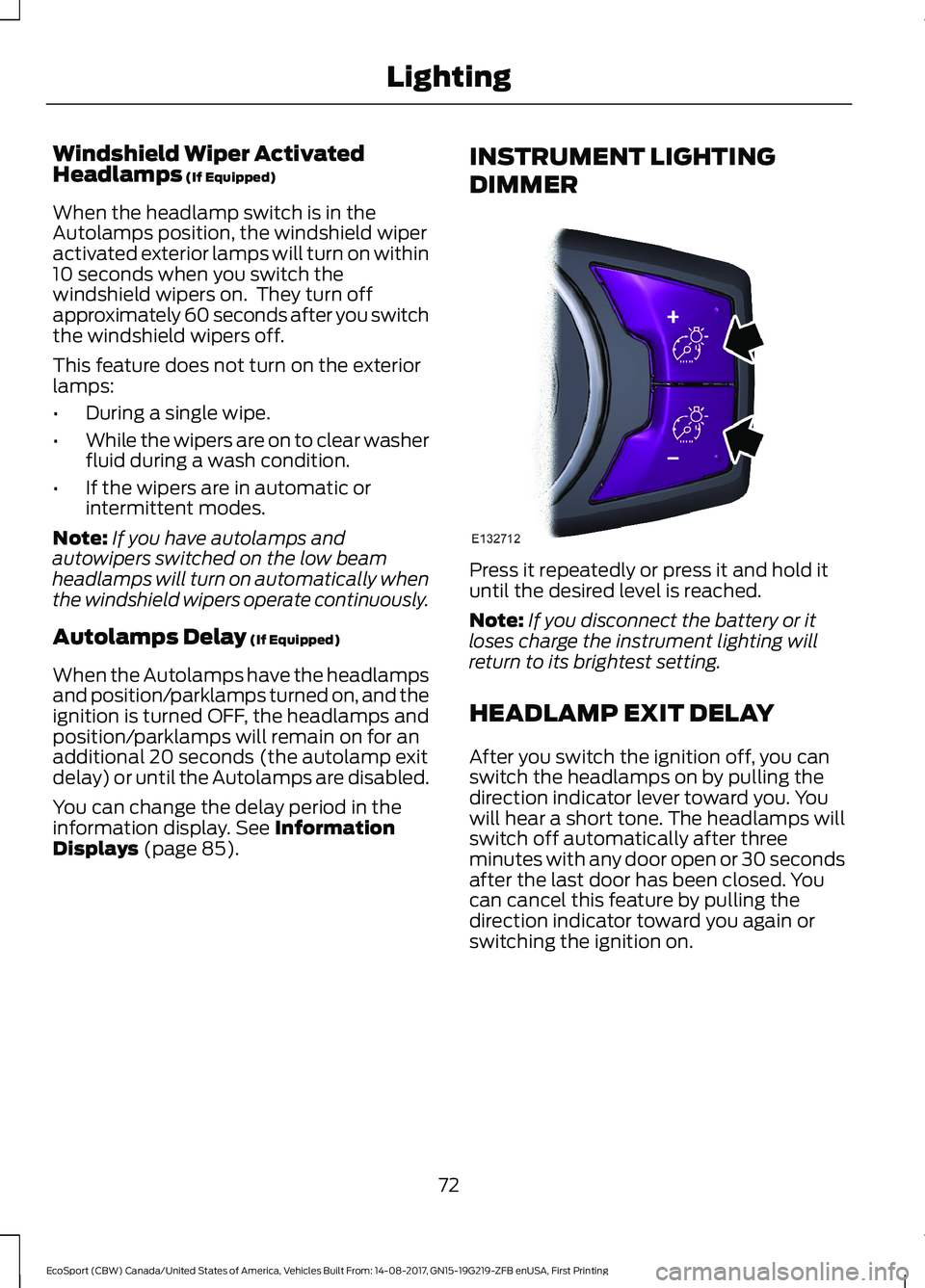
Press it repeatedly or press it and hold ituntil the desired level is reached.
Note:If you disconnect the battery or itloses charge the instrument lighting willreturn to its brightest setting.
HEADLAMP EXIT DELAY
After you switch the ignition off, you canswitch the headlamps on by pulling thedirection indicator lever toward you. Youwill hear a short tone. The headlamps willswitch off automatically after threeminutes with any door open or 30 secondsafter the last door has been closed. Youcan cancel this feature by pulling thedirection indicator toward you again orswitching the ignition on.
72EcoSport (CBW) Canada/United States of America, Vehicles Built From: 14-08-2017, GN15-19G219-ZFB enUSA, First PrintingLighting
Page 77 of 452
DAYTIME RUNNING LAMPS
WARNING
The daytime running lamps systemdoes not activate the rear lamps andmay not provide adequate lightingduring low visibility driving conditions.Make sure you switch the headlamps on,as appropriate, during all low visibilityconditions. Failure to do so may result in acrash.
Type 1 - Conventional (Non-Configurable)
The daytime running lamps turn on when:
1.You switch the ignition on.
2.The transmission is not in park (P) forvehicles with automatic transmissionsor the parking brake is released forvehicles with manual transmissions.
3.The lighting control is in the off, parkinglamp or autolamps lighting controlsensor must be detecting daylightpositions.
Type 2 - Configurable
You can switch this feature on or off in theinformation display. See InformationDisplays (page 85).
Switch the daytime running lamps on oroff using the information display controls.
The daytime running lamps turn on when:
1.You switch them on in the informationdisplay.
2.You switch the ignition on.
3.The transmission is not in park (P) forvehicles with automatic transmissionsor the parking brake is released forvehicles with manual transmissions.
4.The lighting control is in the autolampsposition.
5.The lighting control sensor detectsdaylight, and the headlamps or parkinglamps are off.
The other lighting control switch positionsdo not activate the daytime running lamps,and you can use them to temporarilyoverride autolamp control.
When you switch them off in theinformation display, the daytime runninglamps are off in all lighting control switchpositions.
FRONT FOG LAMPS (If Equipped)
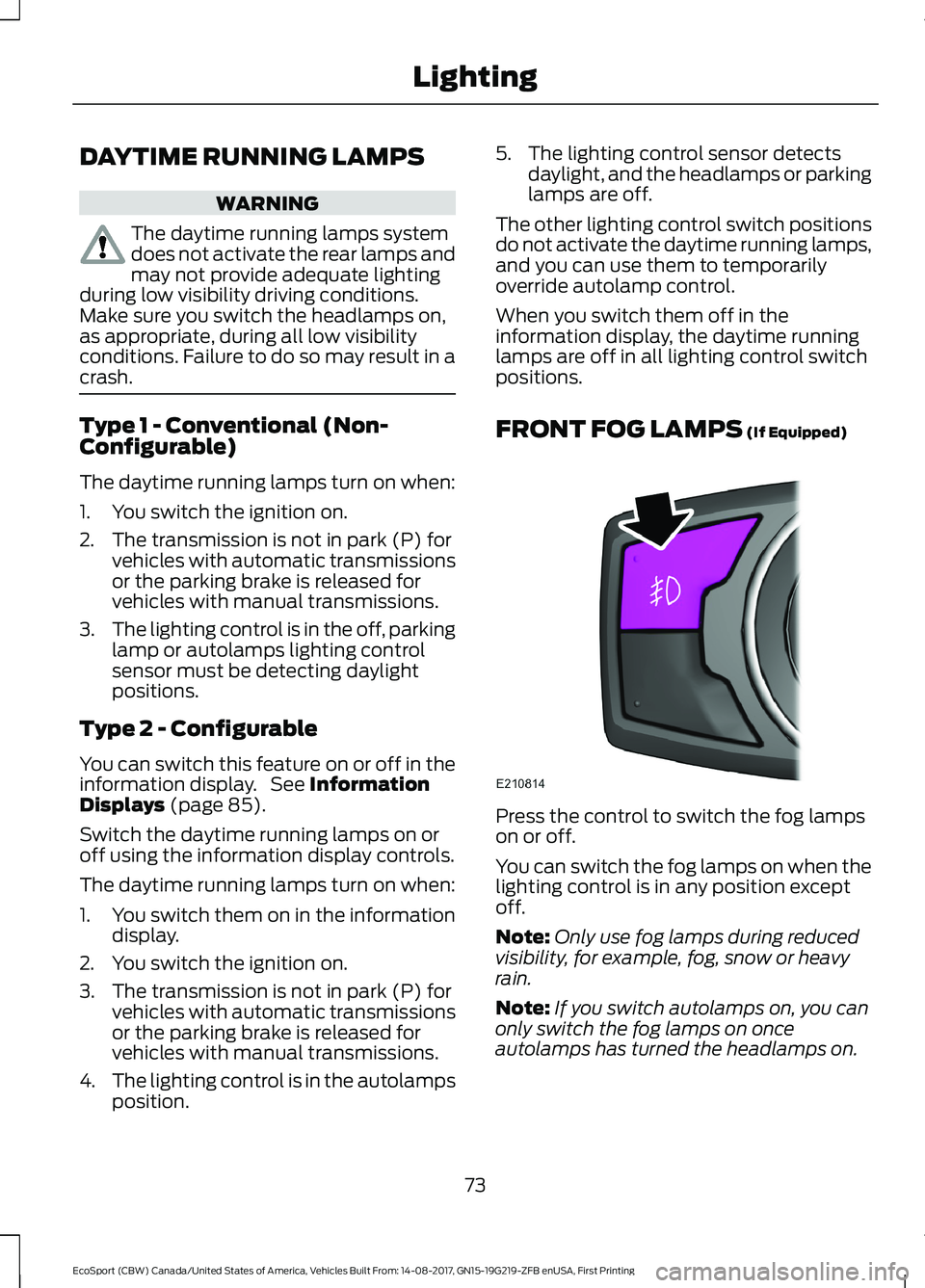
Press the control to switch the fog lampson or off.
You can switch the fog lamps on when thelighting control is in any position exceptoff.
Note:Only use fog lamps during reducedvisibility, for example, fog, snow or heavyrain.
Note:If you switch autolamps on, you canonly switch the fog lamps on onceautolamps has turned the headlamps on.
73EcoSport (CBW) Canada/United States of America, Vehicles Built From: 14-08-2017, GN15-19G219-ZFB enUSA, First PrintingLighting
Page 84 of 452
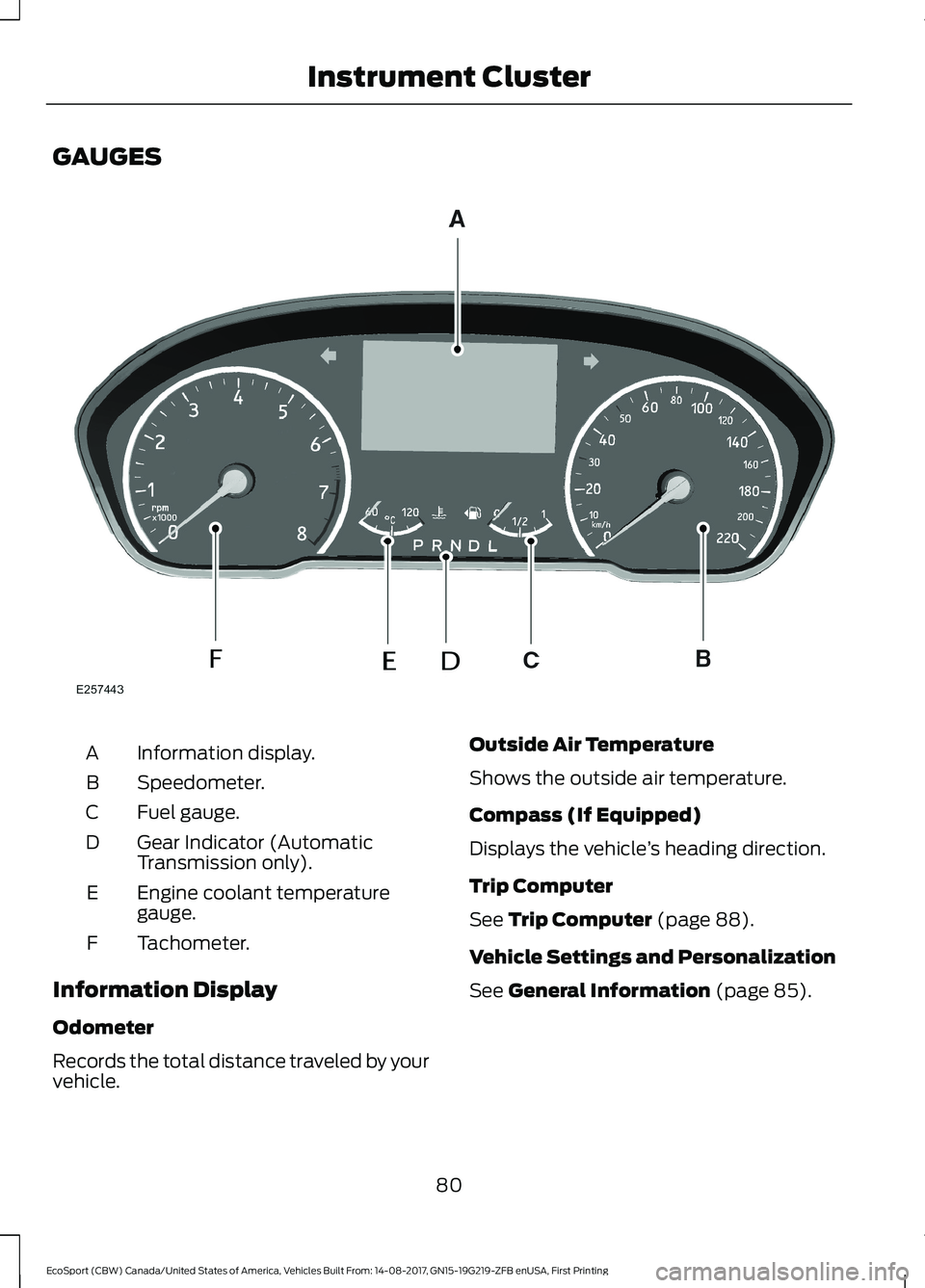
GAUGES
Information display.A
Speedometer.B
Fuel gauge.C
Gear Indicator (AutomaticTransmission only).D
Engine coolant temperaturegauge.E
Tachometer.F
Information Display
Odometer
Records the total distance traveled by yourvehicle.
Outside Air Temperature
Shows the outside air temperature.
Compass (If Equipped)
Displays the vehicle’s heading direction.
Trip Computer
See Trip Computer (page 88).
Vehicle Settings and Personalization
See General Information (page 85).
80EcoSport (CBW) Canada/United States of America, Vehicles Built From: 14-08-2017, GN15-19G219-ZFB enUSA, First PrintingInstrument Cluster
Page 85 of 452
Engine Coolant TemperatureGauge
WARNING
Do not remove the coolant reservoircap when the cooling system is hot.Wait 10 minutes for the coolingsystem to cool down. Cover the coolantreservoir cap with a thick cloth to preventthe possibility of scalding and slowlyremove the cap. Failure to follow thisinstruction could result in personal injury.
At normal operating temperature theindicator will remain in the center section.
If the needle enters the red section, theengine is overheating. Stop the engine,switch the ignition off and determine thecause once the engine has cooled down.See Engine Coolant Check (page 208).
Note:Do not restart the engine until thecause of overheating has been determinedand resolved.
Fuel Gauge
Switch the ignition on. The fuel gauge willindicate approximately how much fuel isleft in the fuel tank. The fuel gauge mayvary slightly when your vehicle is movingor on a gradient.
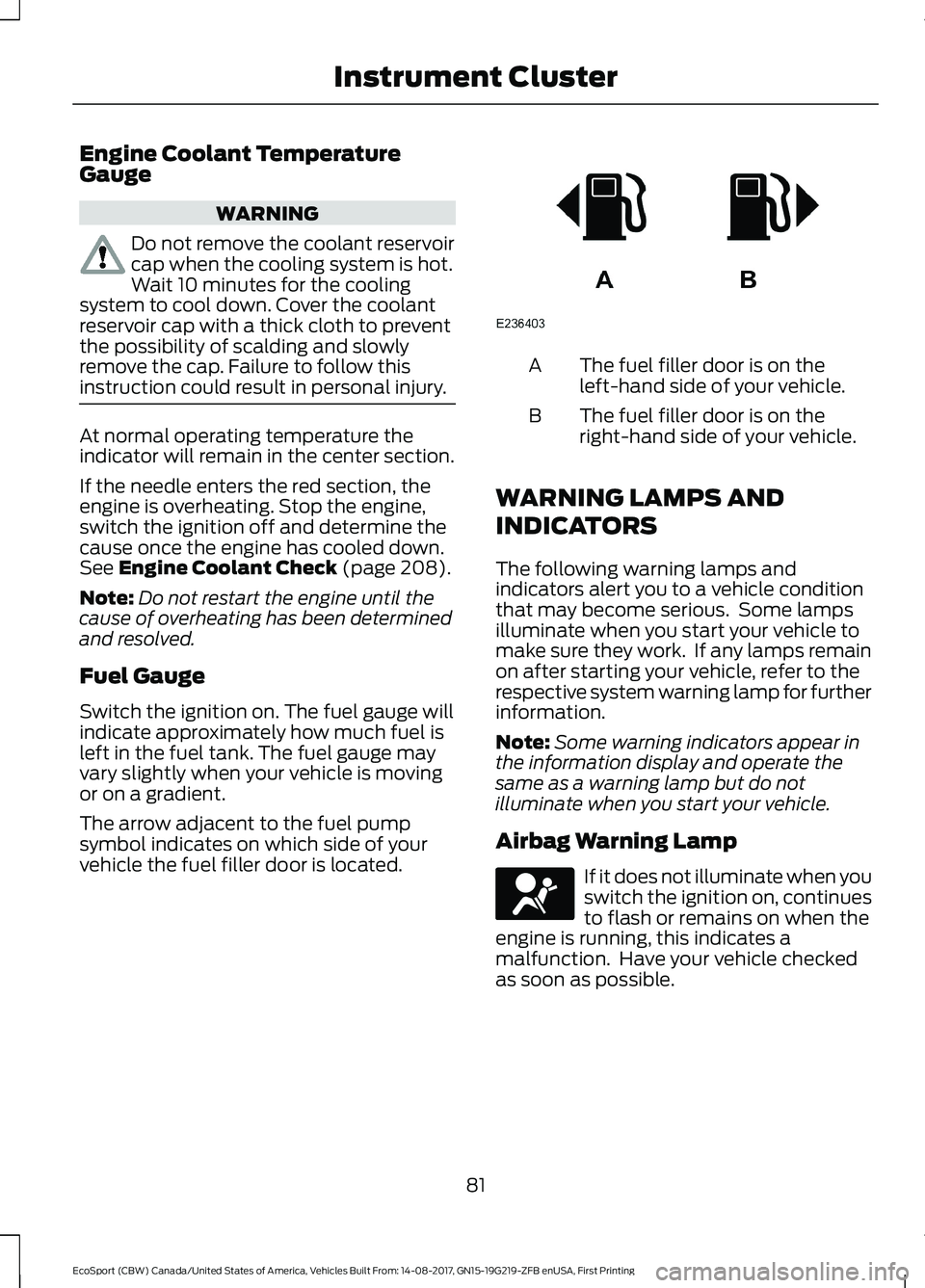
The arrow adjacent to the fuel pumpsymbol indicates on which side of yourvehicle the fuel filler door is located.
The fuel filler door is on theleft-hand side of your vehicle.A
The fuel filler door is on theright-hand side of your vehicle.B
WARNING LAMPS AND
INDICATORS
The following warning lamps andindicators alert you to a vehicle conditionthat may become serious. Some lampsilluminate when you start your vehicle tomake sure they work. If any lamps remainon after starting your vehicle, refer to therespective system warning lamp for furtherinformation.
Note:Some warning indicators appear inthe information display and operate thesame as a warning lamp but do notilluminate when you start your vehicle.
Airbag Warning Lamp
If it does not illuminate when youswitch the ignition on, continuesto flash or remains on when theengine is running, this indicates amalfunction. Have your vehicle checkedas soon as possible.
81EcoSport (CBW) Canada/United States of America, Vehicles Built From: 14-08-2017, GN15-19G219-ZFB enUSA, First PrintingInstrument Cluster
Page 88 of 452

Stability Control and TractionControl Indicator
Flashes during operation.
If it does not illuminate when youswitch the ignition on, or remainson when the engine is running, thisindicates a malfunction. Have your vehiclechecked as soon as possible.
Note:The system automatically turns offif there is a malfunction.
See Using Traction Control (page 149).See Using Stability Control (page 150).
AUDIBLE WARNINGS AND
INDICATORS
Automatic Transmission
Sounds when you open the driver's doorand do not move the transmission selectorlever to position P.
Key Outside Car
Vehicles with Intelligent AccessSystem
Sounds when you close the door, theengine is running and the system does notdetect a passive key inside your vehicle.
Headlamps On Warning Chime
Sounds when you remove the key from theignition and open the driver's door and youhave left the headlamps or parking lampson.
Low Fuel Reminder
A low fuel reminder displays and soundswhen the fuel level reaches 1/16th of thescale or the distance to empty is 37 mi(60 km) or less.
Note:The low fuel reminder can appear atdifferent fuel gauge positions depending onfuel economy conditions. This variation isnormal.
Seatbelt Reminder
WARNING
Do not sit on top of a fastenedseatbelt to prevent the seatbeltreminder from coming on. Theoccupant protection system will onlyprovide optimum protection when you usethe seatbelt properly.
Note:The seatbelt reminder remains instand-by mode when the front seatbeltshave been fastened. It sounds if eitherseatbelt is unfastened.
Sounds when your vehicle speed exceedsthe pre-determined limit and the frontseatbelts are unfastened. The chime willstop after a period of time.
84EcoSport (CBW) Canada/United States of America, Vehicles Built From: 14-08-2017, GN15-19G219-ZFB enUSA, First PrintingInstrument Cluster
Page 89 of 452
GENERAL INFORMATION
WARNING
Driving while distracted can result inloss of vehicle control, crash andinjury. We strongly recommend thatyou use extreme caution when using anydevice that may take your focus off theroad. Your primary responsibility is the safeoperation of your vehicle. We recommendagainst the use of any hand-held devicewhile driving and encourage the use ofvoice-operated systems when possible.Make sure you are aware of all applicablelocal laws that may affect the use ofelectronic devices while driving.
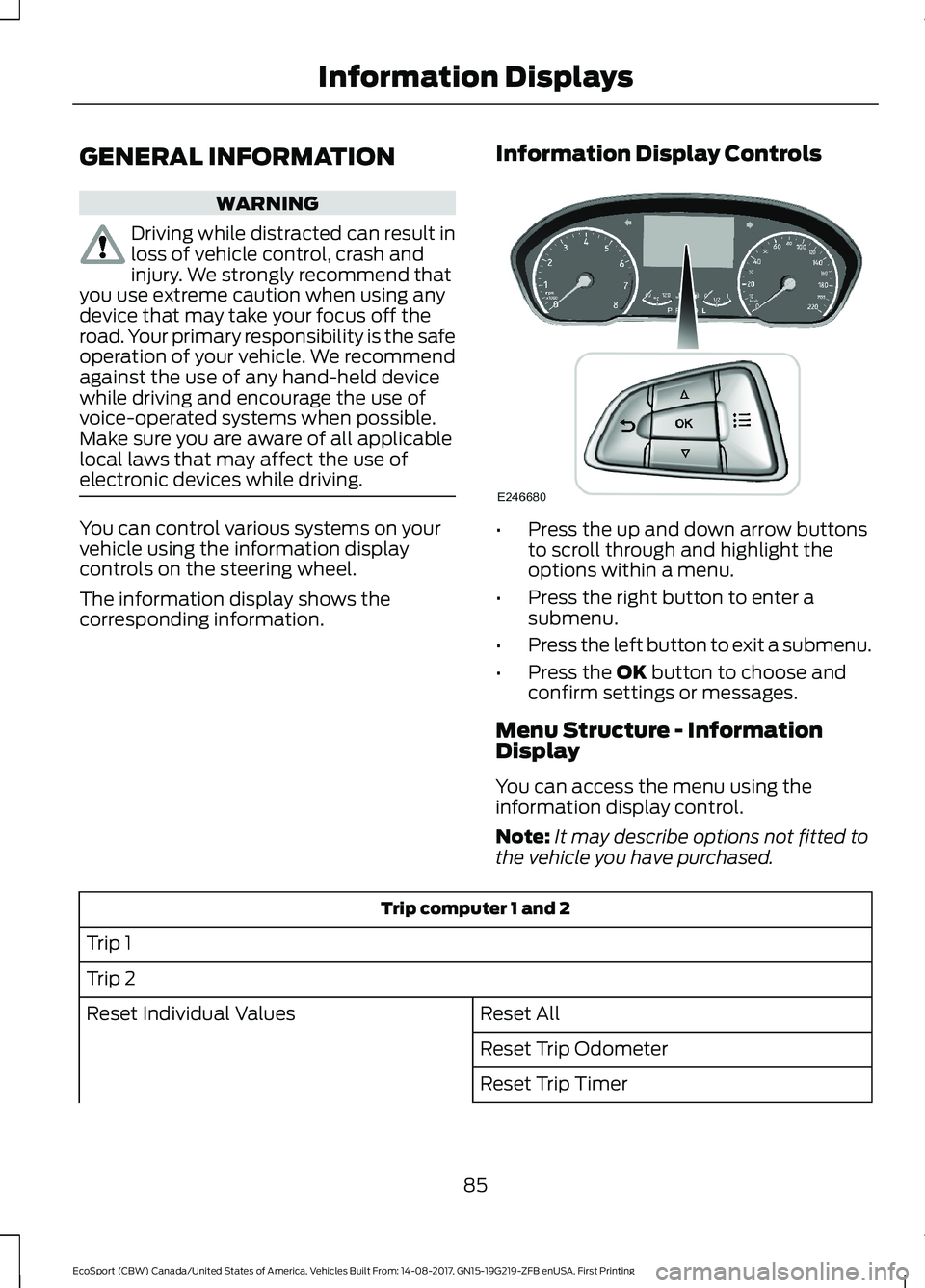
You can control various systems on yourvehicle using the information displaycontrols on the steering wheel.
The information display shows thecorresponding information.
Information Display Controls
•Press the up and down arrow buttonsto scroll through and highlight theoptions within a menu.
•Press the right button to enter asubmenu.
•Press the left button to exit a submenu.
•Press the OK button to choose andconfirm settings or messages.
Menu Structure - InformationDisplay
You can access the menu using theinformation display control.
Note:It may describe options not fitted tothe vehicle you have purchased.
Trip computer 1 and 2
Trip 1
Trip 2
Reset AllReset Individual Values
Reset Trip Odometer
Reset Trip Timer
85EcoSport (CBW) Canada/United States of America, Vehicles Built From: 14-08-2017, GN15-19G219-ZFB enUSA, First PrintingInformation Displays
Page 90 of 452
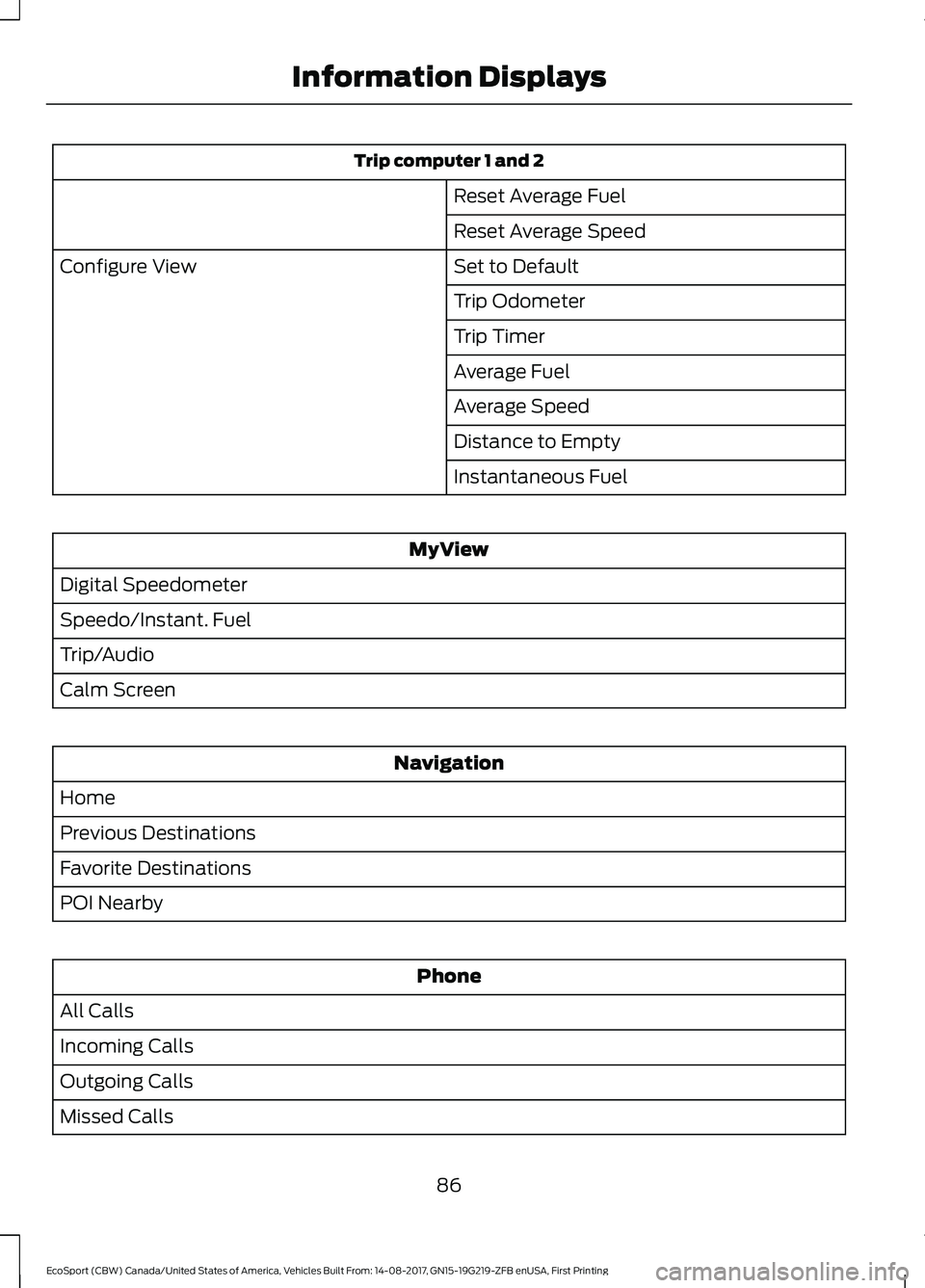
Trip computer 1 and 2
Reset Average Fuel
Reset Average Speed
Set to DefaultConfigure View
Trip Odometer
Trip Timer
Average Fuel
Average Speed
Distance to Empty
Instantaneous Fuel
MyView
Digital Speedometer
Speedo/Instant. Fuel
Trip/Audio
Calm Screen
Navigation
Home
Previous Destinations
Favorite Destinations
POI Nearby
Phone
All Calls
Incoming Calls
Outgoing Calls
Missed Calls
86EcoSport (CBW) Canada/United States of America, Vehicles Built From: 14-08-2017, GN15-19G219-ZFB enUSA, First PrintingInformation Displays